Blogging in the K-12
          Classroom
        Presented by Brynn Beavers
(Crie, 2010)


   The term blog comes from the term
    weblog, which is a web-publishing tool
    that allows the author to post text,
    images, links to other Web sites or other
    blogs.

   A blog is like an online journal or diary,
    the text that is published is called a post.
    Each post is dated and can be commented
    on by other people, not just the author.

What is blogging?
(Crie, 2010)


   Blogger= any contributor to a blog

   Blogging= the process of maintaining or
    creating a blog

   multi-blogging= an online “conversation”
    between more than one blog


Terms to know:
(Crie, 2010)


   Blogs may also have more than just text,
    pictures, graphics and media files, like
    movie clips can also be posted.

   Many blogs have navigational tools that
    are similar to Web sites. They are easily
    changed and updated, allowing for easy
    use.


Why Blog?
   Edublog
   Classblogger
   WordPress
   Glogster (not exactly set up like a traditonal blog, but allows student to make interactive
    posters that can be shared and commented on)

   Kidblog.org
   Blogmeister

   These are just some of the most popular. Each
    has advantages and disadvantages for
    implementation in the classroom.

What websites can be used to blog
in the classroom?
   1st: Find a FREE blogging site.
   2nd: Provide a username and password.                 Be
    cautious in choosing a password! Password hint: Find a
    phrase you can remember, for example, My best friend in
    high school was Mary. The password would be:
    MbfihswM.


Steps to setting up a blog:
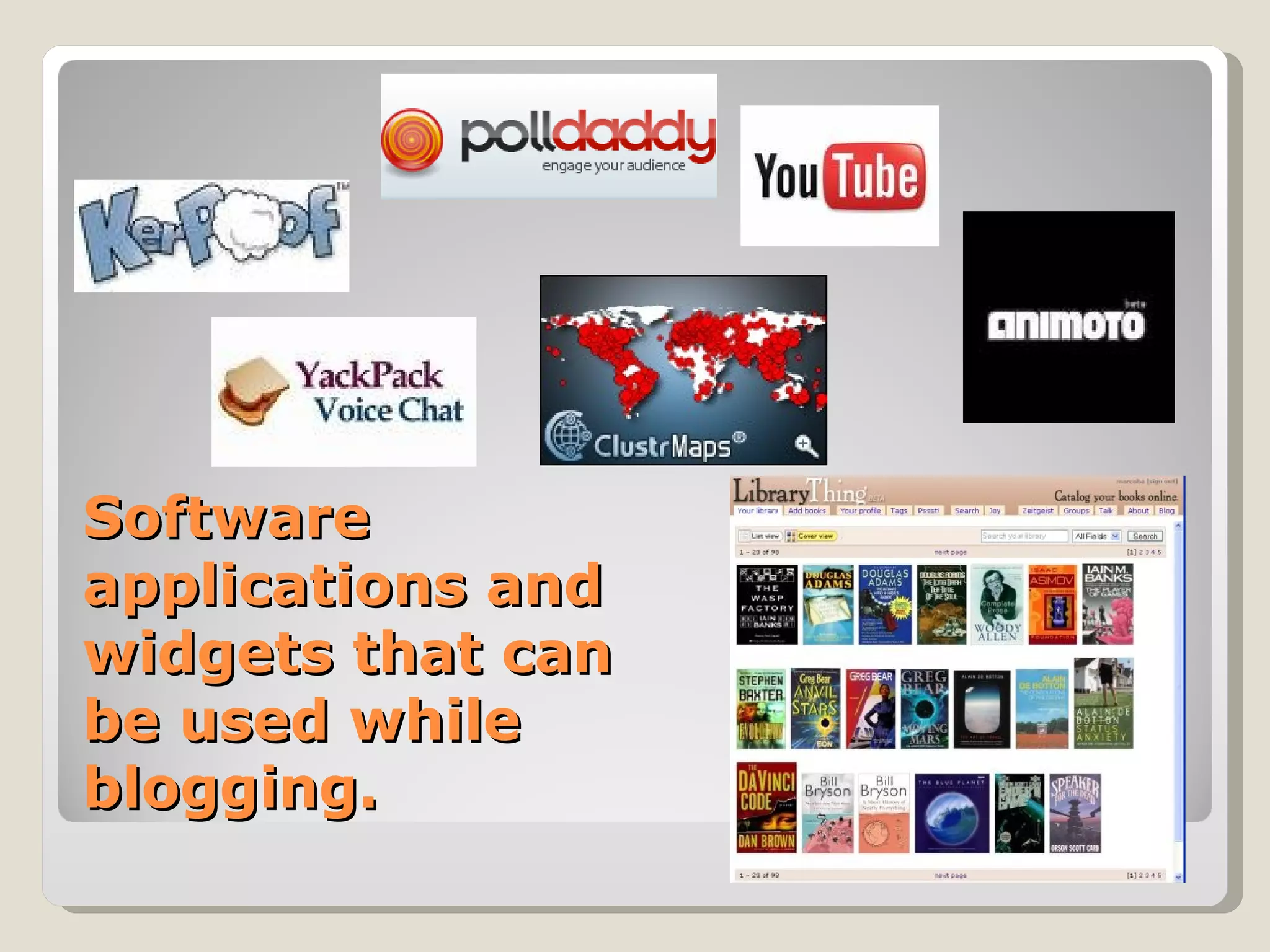
Software
applications and
widgets that can
be used while
blogging.
   Motivating for students
   Easily accessible, can be used from school or
    home
   Allow for parental involvement in the classroom
   Rewarding for students to see their work
    published
   Build reading and writing skills
   Promotes higher level thinking, reflection and
    analysis of concepts


What are some uses of
blogging in the classroom?
   Use the Acceptable Use Policy or AUP in
    your county as a guideline! Make sure
    you and your students know what is
    appropriate and what is not to post.

   Teach students how to use the blog
    BEFORE you implement it in your
    classroom.


How do we implement blogging
into the classroom appropriately?
   Teachers are blogging to share
    experiences and resources.
   Students are blogging about topics in
    class.
   Administrators are blogging about their
    leadership roles.
   Leaders in the education and technology
    fields are blogging about new resources.


Who is blogging?
   Crie, M. (2010). Using Blogs to Integrate Technology in the
    Classroom. Retrieved February 15, 2010, from Teaching Today:
    www.glencoe.com/sec/teachingtoday/educationupclose/phtml/47


References:

Blogging in the k 12 classroom

  • 1.
    Blogging in theK-12 Classroom Presented by Brynn Beavers
  • 2.
    (Crie, 2010)  The term blog comes from the term weblog, which is a web-publishing tool that allows the author to post text, images, links to other Web sites or other blogs.  A blog is like an online journal or diary, the text that is published is called a post. Each post is dated and can be commented on by other people, not just the author. What is blogging?
  • 3.
    (Crie, 2010)  Blogger= any contributor to a blog  Blogging= the process of maintaining or creating a blog  multi-blogging= an online “conversation” between more than one blog Terms to know:
  • 4.
    (Crie, 2010)  Blogs may also have more than just text, pictures, graphics and media files, like movie clips can also be posted.  Many blogs have navigational tools that are similar to Web sites. They are easily changed and updated, allowing for easy use. Why Blog?
  • 5.
    Edublog  Classblogger  WordPress  Glogster (not exactly set up like a traditonal blog, but allows student to make interactive posters that can be shared and commented on)  Kidblog.org  Blogmeister  These are just some of the most popular. Each has advantages and disadvantages for implementation in the classroom. What websites can be used to blog in the classroom?
  • 6.
    1st: Find a FREE blogging site.  2nd: Provide a username and password. Be cautious in choosing a password! Password hint: Find a phrase you can remember, for example, My best friend in high school was Mary. The password would be: MbfihswM. Steps to setting up a blog:
  • 7.
    Software applications and widgets thatcan be used while blogging.
  • 8.
    Motivating for students  Easily accessible, can be used from school or home  Allow for parental involvement in the classroom  Rewarding for students to see their work published  Build reading and writing skills  Promotes higher level thinking, reflection and analysis of concepts What are some uses of blogging in the classroom?
  • 9.
    Use the Acceptable Use Policy or AUP in your county as a guideline! Make sure you and your students know what is appropriate and what is not to post.  Teach students how to use the blog BEFORE you implement it in your classroom. How do we implement blogging into the classroom appropriately?
  • 10.
    Teachers are blogging to share experiences and resources.  Students are blogging about topics in class.  Administrators are blogging about their leadership roles.  Leaders in the education and technology fields are blogging about new resources. Who is blogging?
  • 11.
    Crie, M. (2010). Using Blogs to Integrate Technology in the Classroom. Retrieved February 15, 2010, from Teaching Today: www.glencoe.com/sec/teachingtoday/educationupclose/phtml/47 References: