Web Accessibility // A Primer

                  Dutch PHP Conference
                          12.06.2009
          Christian Wenz, Arrabiata Solutions GmbH
                Mail: christian.wenz@arrabiata.de
                 WWW: http://www.arrabiata.de/
             Blog: http://www.hauser-wenz.de/blog/
                         Twitter: @chwenz
Accessibility // Definition


• Making a website usable for all kinds of handicaps –
  including older and younger people
• Handicaps may include eyesight, hearing,
  understanding, using the computer
• There are several guidelines on accessibility. They are
  useful, but often heavily debated.
   – The user experience matters

                                                                    2


                                                     12//06//2009
Accessibility // Rules


• In order to make accessibility manageable, there are
  several rulesets and guidelines
   – By W3C
   – By governments (e.g. the USA´s Section 508, the
     Ministerraad´s Besluit Kwaliteit
     Rijksoverheidswebsites, German BITV, …)
• Many national regulations are based on the W3C rules


                                                                      3


                                                       12//06//2009
W3C // Accessibility


 • Web Accessibility Initiative (WAI)
     –   Homepage: http://www.w3.org/WAI/
 • Web Content Accessibility Guidelines (WCAG)
   – Version 1.0 from May 1999
   – 14 guidelines, 65 checkpoints
   – Three categories
         • Priority 1: MUST
         • Priority 2: SHOULD
         • Priority 3: MAY
     – http://www.w3.org/TR/WCAG10/
     – Complete checklist: http://www.w3.org/TR/WCAG10/full-checklist.html
                                                                                    4


                                                                     12//06//2009
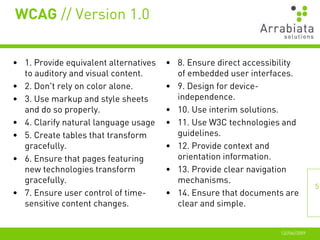
WCAG // Version 1.0


• 1. Provide equivalent alternatives   • 8. Ensure direct accessibility
  to auditory and visual content.        of embedded user interfaces.
• 2. Don't rely on color alone.        • 9. Design for device-
• 3. Use markup and style sheets         independence.
  and do so properly.                  • 10. Use interim solutions.
• 4. Clarify natural language usage    • 11. Use W3C technologies and
• 5. Create tables that transform        guidelines.
  gracefully.                          • 12. Provide context and
• 6. Ensure that pages featuring         orientation information.
  new technologies transform           • 13. Provide clear navigation
  gracefully.                            mechanisms.
                                                                                 5
• 7. Ensure user control of time-      • 14. Ensure that documents are
  sensitive content changes.             clear and simple.


                                                                  12//06//2009
WCAG // Version 2.0


• Version 2.0 from December 2008
• http://www.w3.org/TR/WCAG20/
• Four principles, twelve guidelines
• Several success criteria per guideline (61 in total), with specific
  "how to meet" and "understanding" information
• Sufficient techniques vs. advisory techniques
• Documented common failures


                                                                                       6


                                                                        12//06//2009
WCAG 2.0 // Guidelines


•   Perceivable
•   Operable
•   Understandable
•   Robust


                                        7


                         12//06//2009
WCAG 2.0 // Perceivable


• 1.1 Text Alternatives: Provide text alternatives for any non-text
  content so that it can be changed into other forms people need, such
  as large print, braille, speech, symbols or simpler language.
   – 1.1.1: Non-text content but controls, time-based media, test,
      sensory, CAPTCHAs, decoration. (Level A)


                                                                                 8


                                                                  12//06//2009
WCAG 2.0 // Perceivable


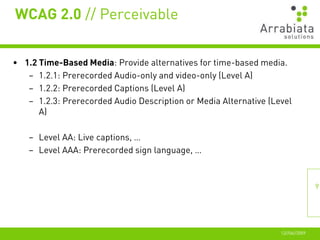
• 1.2 Time-Based Media: Provide alternatives for time-based media.
   – 1.2.1: Prerecorded Audio-only and video-only (Level A)
   – 1.2.2: Prerecorded Captions (Level A)
   – 1.2.3: Prerecorded Audio Description or Media Alternative (Level
      A)

   – Level AA: Live captions, …
   – Level AAA: Prerecorded sign language, …


                                                                                 9


                                                                  12//06//2009
WCAG 2.0 // Perceivable


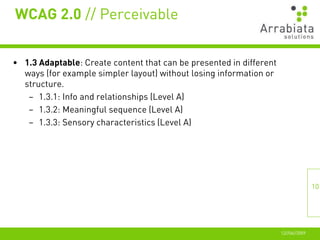
• 1.3 Adaptable: Create content that can be presented in different
  ways (for example simpler layout) without losing information or
  structure.
   – 1.3.1: Info and relationships (Level A)
   – 1.3.2: Meaningful sequence (Level A)
   – 1.3.3: Sensory characteristics (Level A)


                                                                                    10


                                                                     12//06//2009
WCAG 2.0 // Perceivable


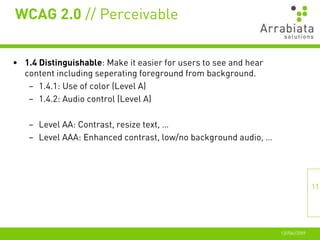
• 1.4 Distinguishable: Make it easier for users to see and hear
  content including seperating foreground from background.
   – 1.4.1: Use of color (Level A)
   – 1.4.2: Audio control (Level A)

    – Level AA: Contrast, resize text, …
    – Level AAA: Enhanced contrast, low/no background audio, …


                                                                                 11


                                                                  12//06//2009
WCAG 2.0 // Operable


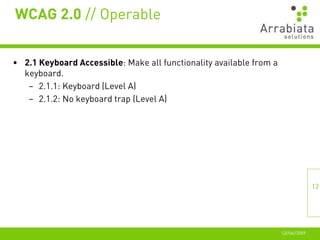
• 2.1 Keyboard Accessible: Make all functionality available from a
  keyboard.
   – 2.1.1: Keyboard (Level A)
   – 2.1.2: No keyboard trap (Level A)


                                                                                    12


                                                                     12//06//2009
WCAG 2.0 // Operable


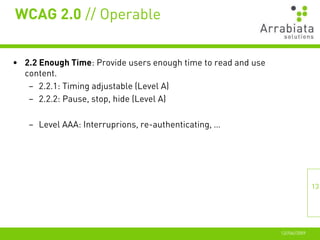
• 2.2 Enough Time: Provide users enough time to read and use
  content.
   – 2.2.1: Timing adjustable (Level A)
   – 2.2.2: Pause, stop, hide (Level A)

   – Level AAA: Interruprions, re-authenticating, …


                                                                              13


                                                               12//06//2009
WCAG 2.0 // Operable


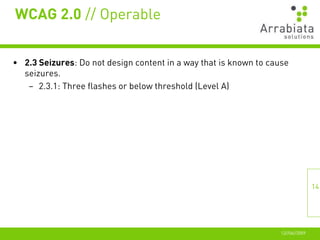
• 2.3 Seizures: Do not design content in a way that is known to cause
  seizures.
   – 2.3.1: Three flashes or below threshold (Level A)


                                                                                  14


                                                                   12//06//2009
WCAG 2.0 // Operable


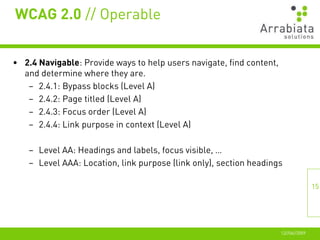
• 2.4 Navigable: Provide ways to help users navigate, find content,
  and determine where they are.
   – 2.4.1: Bypass blocks (Level A)
   – 2.4.2: Page titled (Level A)
   – 2.4.3: Focus order (Level A)
   – 2.4.4: Link purpose in context (Level A)

    – Level AA: Headings and labels, focus visible, …
    – Level AAA: Location, link purpose (link only), section headings

                                                                                     15


                                                                      12//06//2009
WCAG 2.0 // Understandable


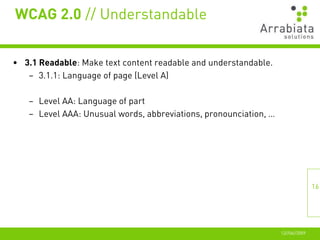
• 3.1 Readable: Make text content readable and understandable.
   – 3.1.1: Language of page (Level A)

   – Level AA: Language of part
   – Level AAA: Unusual words, abbreviations, pronounciation, …


                                                                                 16


                                                                  12//06//2009
WCAG 2.0 // Understandable


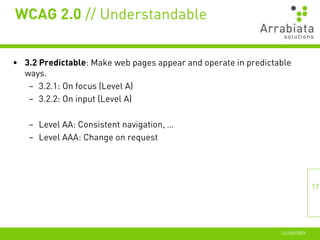
• 3.2 Predictable: Make web pages appear and operate in predictable
  ways.
   – 3.2.1: On focus (Level A)
   – 3.2.2: On input (Level A)

   – Level AA: Consistent navigation, …
   – Level AAA: Change on request


                                                                               17


                                                                12//06//2009
WCAG 2.0 // Understandable


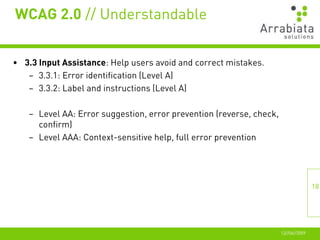
• 3.3 Input Assistance: Help users avoid and correct mistakes.
   – 3.3.1: Error identification (Level A)
   – 3.3.2: Label and instructions (Level A)

   – Level AA: Error suggestion, error prevention (reverse, check,
     confirm)
   – Level AAA: Context-sensitive help, full error prevention


                                                                                    18


                                                                     12//06//2009
WCAG 2.0 // Robust


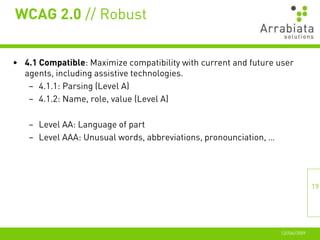
• 4.1 Compatible: Maximize compatibility with current and future user
  agents, including assistive technologies.
   – 4.1.1: Parsing (Level A)
   – 4.1.2: Name, role, value (Level A)

   – Level AA: Language of part
   – Level AAA: Unusual words, abbreviations, pronounciation, …


                                                                                 19


                                                                  12//06//2009
Accessibility // Resources


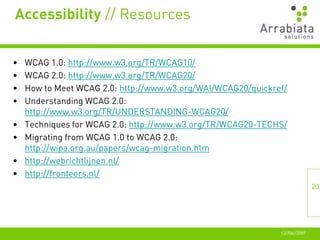
•   WCAG 1.0: http://www.w3.org/TR/WCAG10/
•   WCAG 2.0: http://www.w3.org/TR/WCAG20/
•   How to Meet WCAG 2.0: http://www.w3.org/WAI/WCAG20/quickref/
•   Understanding WCAG 2.0:
    http://www.w3.org/TR/UNDERSTANDING-WCAG20/
•   Techniques for WCAG 2.0: http://www.w3.org/TR/WCAG20-TECHS/
•   Migrating from WCAG 1.0 to WCAG 2.0:
    http://wipa.org.au/papers/wcag-migration.htm
•   http://webrichtlijnen.nl/
•   http://fronteers.nl/
                                                                             20


                                                              12//06//2009
Thank You!


• Questions?

•   christian.wenz@arrabiata.de
•   http://www.arrabiata.de/
•   http://www.hauser-wenz.de/blog/
•   http://twitter.com/chwenz


                                                     21


                                      12//06//2009

Accessibility - A Primer (Dutch PHP Conference 2009)

  • 1.
    Web Accessibility //A Primer Dutch PHP Conference 12.06.2009 Christian Wenz, Arrabiata Solutions GmbH Mail: christian.wenz@arrabiata.de WWW: http://www.arrabiata.de/ Blog: http://www.hauser-wenz.de/blog/ Twitter: @chwenz
  • 2.
    Accessibility // Definition •Making a website usable for all kinds of handicaps – including older and younger people • Handicaps may include eyesight, hearing, understanding, using the computer • There are several guidelines on accessibility. They are useful, but often heavily debated. – The user experience matters 2 12//06//2009
  • 3.
    Accessibility // Rules •In order to make accessibility manageable, there are several rulesets and guidelines – By W3C – By governments (e.g. the USA´s Section 508, the Ministerraad´s Besluit Kwaliteit Rijksoverheidswebsites, German BITV, …) • Many national regulations are based on the W3C rules 3 12//06//2009
  • 4.
    W3C // Accessibility • Web Accessibility Initiative (WAI) – Homepage: http://www.w3.org/WAI/ • Web Content Accessibility Guidelines (WCAG) – Version 1.0 from May 1999 – 14 guidelines, 65 checkpoints – Three categories • Priority 1: MUST • Priority 2: SHOULD • Priority 3: MAY – http://www.w3.org/TR/WCAG10/ – Complete checklist: http://www.w3.org/TR/WCAG10/full-checklist.html 4 12//06//2009
  • 5.
    WCAG // Version1.0 • 1. Provide equivalent alternatives • 8. Ensure direct accessibility to auditory and visual content. of embedded user interfaces. • 2. Don't rely on color alone. • 9. Design for device- • 3. Use markup and style sheets independence. and do so properly. • 10. Use interim solutions. • 4. Clarify natural language usage • 11. Use W3C technologies and • 5. Create tables that transform guidelines. gracefully. • 12. Provide context and • 6. Ensure that pages featuring orientation information. new technologies transform • 13. Provide clear navigation gracefully. mechanisms. 5 • 7. Ensure user control of time- • 14. Ensure that documents are sensitive content changes. clear and simple. 12//06//2009
  • 6.
    WCAG // Version2.0 • Version 2.0 from December 2008 • http://www.w3.org/TR/WCAG20/ • Four principles, twelve guidelines • Several success criteria per guideline (61 in total), with specific "how to meet" and "understanding" information • Sufficient techniques vs. advisory techniques • Documented common failures 6 12//06//2009
  • 7.
    WCAG 2.0 //Guidelines • Perceivable • Operable • Understandable • Robust 7 12//06//2009
  • 8.
    WCAG 2.0 //Perceivable • 1.1 Text Alternatives: Provide text alternatives for any non-text content so that it can be changed into other forms people need, such as large print, braille, speech, symbols or simpler language. – 1.1.1: Non-text content but controls, time-based media, test, sensory, CAPTCHAs, decoration. (Level A) 8 12//06//2009
  • 9.
    WCAG 2.0 //Perceivable • 1.2 Time-Based Media: Provide alternatives for time-based media. – 1.2.1: Prerecorded Audio-only and video-only (Level A) – 1.2.2: Prerecorded Captions (Level A) – 1.2.3: Prerecorded Audio Description or Media Alternative (Level A) – Level AA: Live captions, … – Level AAA: Prerecorded sign language, … 9 12//06//2009
  • 10.
    WCAG 2.0 //Perceivable • 1.3 Adaptable: Create content that can be presented in different ways (for example simpler layout) without losing information or structure. – 1.3.1: Info and relationships (Level A) – 1.3.2: Meaningful sequence (Level A) – 1.3.3: Sensory characteristics (Level A) 10 12//06//2009
  • 11.
    WCAG 2.0 //Perceivable • 1.4 Distinguishable: Make it easier for users to see and hear content including seperating foreground from background. – 1.4.1: Use of color (Level A) – 1.4.2: Audio control (Level A) – Level AA: Contrast, resize text, … – Level AAA: Enhanced contrast, low/no background audio, … 11 12//06//2009
  • 12.
    WCAG 2.0 //Operable • 2.1 Keyboard Accessible: Make all functionality available from a keyboard. – 2.1.1: Keyboard (Level A) – 2.1.2: No keyboard trap (Level A) 12 12//06//2009
  • 13.
    WCAG 2.0 //Operable • 2.2 Enough Time: Provide users enough time to read and use content. – 2.2.1: Timing adjustable (Level A) – 2.2.2: Pause, stop, hide (Level A) – Level AAA: Interruprions, re-authenticating, … 13 12//06//2009
  • 14.
    WCAG 2.0 //Operable • 2.3 Seizures: Do not design content in a way that is known to cause seizures. – 2.3.1: Three flashes or below threshold (Level A) 14 12//06//2009
  • 15.
    WCAG 2.0 //Operable • 2.4 Navigable: Provide ways to help users navigate, find content, and determine where they are. – 2.4.1: Bypass blocks (Level A) – 2.4.2: Page titled (Level A) – 2.4.3: Focus order (Level A) – 2.4.4: Link purpose in context (Level A) – Level AA: Headings and labels, focus visible, … – Level AAA: Location, link purpose (link only), section headings 15 12//06//2009
  • 16.
    WCAG 2.0 //Understandable • 3.1 Readable: Make text content readable and understandable. – 3.1.1: Language of page (Level A) – Level AA: Language of part – Level AAA: Unusual words, abbreviations, pronounciation, … 16 12//06//2009
  • 17.
    WCAG 2.0 //Understandable • 3.2 Predictable: Make web pages appear and operate in predictable ways. – 3.2.1: On focus (Level A) – 3.2.2: On input (Level A) – Level AA: Consistent navigation, … – Level AAA: Change on request 17 12//06//2009
  • 18.
    WCAG 2.0 //Understandable • 3.3 Input Assistance: Help users avoid and correct mistakes. – 3.3.1: Error identification (Level A) – 3.3.2: Label and instructions (Level A) – Level AA: Error suggestion, error prevention (reverse, check, confirm) – Level AAA: Context-sensitive help, full error prevention 18 12//06//2009
  • 19.
    WCAG 2.0 //Robust • 4.1 Compatible: Maximize compatibility with current and future user agents, including assistive technologies. – 4.1.1: Parsing (Level A) – 4.1.2: Name, role, value (Level A) – Level AA: Language of part – Level AAA: Unusual words, abbreviations, pronounciation, … 19 12//06//2009
  • 20.
    Accessibility // Resources • WCAG 1.0: http://www.w3.org/TR/WCAG10/ • WCAG 2.0: http://www.w3.org/TR/WCAG20/ • How to Meet WCAG 2.0: http://www.w3.org/WAI/WCAG20/quickref/ • Understanding WCAG 2.0: http://www.w3.org/TR/UNDERSTANDING-WCAG20/ • Techniques for WCAG 2.0: http://www.w3.org/TR/WCAG20-TECHS/ • Migrating from WCAG 1.0 to WCAG 2.0: http://wipa.org.au/papers/wcag-migration.htm • http://webrichtlijnen.nl/ • http://fronteers.nl/ 20 12//06//2009
  • 21.
    Thank You! • Questions? • christian.wenz@arrabiata.de • http://www.arrabiata.de/ • http://www.hauser-wenz.de/blog/ • http://twitter.com/chwenz 21 12//06//2009