VMready™ product update for BLADEOS 6.1BLADE Network Technologies | Confidential
Overview of Server Virtualization2
2/2/2010BLADE Network Technologies Confidential3What is Virtualization ?Server Virtualization provides the abstraction of  physical servers to enable sharing of resources such as CPU, Disk, Memory and I/O to multiple guest Virtual Machines
Virtualization increases the utilization and efficiency of Data Center resources by running applications on less hardware
Saves Purchase cost
Saves Energy cost
Virtual Machines can be moved between physical servers for improved availability, maintenance and provisioningVirtual MachineVirtual MachineVirtual MachineHypervisorPhysical Server
Current Virtualization market playersVMware™ 	 VMware is the current market leader in server virtualization. Their flagship product vSphere provides the infrastructure and management solutions for large enterprise level virtual environmentsXen		 Xen is an open-source hypervisor that is available for Linux and Solaris operating systems. Citrix XenServer™ is a commercial and fully supported Xen hypervisor Microsoft	 Microsoft’s Hyper-V™ (hypervisor) product runs on Windows 2008 Server™ and is provided with the server software. It supports Microsoft guest virtual machines and some non-Microsoft [Linux] guest operating systems. KVM		 Kernel-based Virtual Machine (KVM) is a hypervisor that is rapidly gaining interest. KVM is part of the Linux kernel since 2.6.20 and provides native virtualization on Intel VT and AMD-V CPUs Oracle VM	 Oracle VM is a Xen based hypervisor that is fully supported by Oracle2/2/2010BLADE Network Technologies Confidential4
Hypervisor typesType 1 – Native aka Bare MetalHypervisor run directly on the hardware
Examples VMware ESX & XenServerType 2 - HostedHypervisor runs in a conventional OS
Examples VMware player & VirtualBoxVirtual MachineVirtual MachineVirtual MachineVirtual MachineVirtual MachineVirtual MachineAppsAppsAppsAppsAppsAppsHypervisorHypervisorPhysical ServerOperating SystemPhysical Server5
Virtual SwitchVirtual MachineVirtual MachineVirtual Machinetcp tacktcp stacktcp stackvNICvNICvNICPhysical NICHypervisorVirtual SwitchPhysical SwitchMany Virtualization solutions such as VMware ESX use Virtual Switches (vSwitch) to provide the initial switching layer for Virtual machines.
They forward packets to other VMs on the same physical server or into the physical network via uplink adapters6
Distributed Virtual SwitchESX serverESX serverVirtual MachineVirtual MachineVirtual MachineVirtual MachineVirtual MachineVirtual MachinevNICvNICvNICvNICvNICvNICDistributed Virtual SwitchPhysical SwitchVMware’s vSphere 4 Enterprise Plus license enables the vSwitch to be distributed across ESX servers and act as a single switch7
MigrationVirtual MachineVirtual MachineVirtual MachineMigration----------AppsAppsAppsHypervisorHypervisorVirtual SwitchVirtual SwitchVirtualization solutions such as ESX, Xen, Hyper-V and KVM provide the ability to move (migrate) a running Virtual machines to another physical server. This enables :
Resources to be balanced (increased / reduced) to meet service demands
Servers can be quickly shutdown for maintenance without impacting applicationsPhysical Switch
Virtual Machine-Aware NetworkingVMready™9
BLADE OS 6.1 delivers next gen VMreadyVMready shipped Feb 09 with SmartConnect 41.1SmartConnect 41.1 provides :VMreadyStackingLayer 2BLADE OS 6.1 adds VMready to L2/L3 releaseBLADE OS 6.1 provides :VMready with VMware vCenter integrationLayer 2 Layer 32/2/2010BLADE Network Technologies Confidential10
The problemData Centers are rapidly evolving to virtualized environmentsMultiple VMs per serverVMs becoming mobile to meet dynamic workloadsTraditional switches are blind to VM-specific trafficCan neither monitor nor manage Virtual Machine trafficNetwork Engineers lack tools to troubleshoot VM trafficVM mobility risks exposing security holes2/2/2010BLADE Network Technologies Confidential11

VMready Virtual Machine-aware Networking for HP

  • 1.
    VMready™ product updatefor BLADEOS 6.1BLADE Network Technologies | Confidential
  • 2.
    Overview of ServerVirtualization2
  • 3.
    2/2/2010BLADE Network TechnologiesConfidential3What is Virtualization ?Server Virtualization provides the abstraction of physical servers to enable sharing of resources such as CPU, Disk, Memory and I/O to multiple guest Virtual Machines
  • 4.
    Virtualization increases theutilization and efficiency of Data Center resources by running applications on less hardware
  • 5.
  • 6.
  • 7.
    Virtual Machines canbe moved between physical servers for improved availability, maintenance and provisioningVirtual MachineVirtual MachineVirtual MachineHypervisorPhysical Server
  • 8.
    Current Virtualization marketplayersVMware™ VMware is the current market leader in server virtualization. Their flagship product vSphere provides the infrastructure and management solutions for large enterprise level virtual environmentsXen Xen is an open-source hypervisor that is available for Linux and Solaris operating systems. Citrix XenServer™ is a commercial and fully supported Xen hypervisor Microsoft Microsoft’s Hyper-V™ (hypervisor) product runs on Windows 2008 Server™ and is provided with the server software. It supports Microsoft guest virtual machines and some non-Microsoft [Linux] guest operating systems. KVM Kernel-based Virtual Machine (KVM) is a hypervisor that is rapidly gaining interest. KVM is part of the Linux kernel since 2.6.20 and provides native virtualization on Intel VT and AMD-V CPUs Oracle VM Oracle VM is a Xen based hypervisor that is fully supported by Oracle2/2/2010BLADE Network Technologies Confidential4
  • 9.
    Hypervisor typesType 1– Native aka Bare MetalHypervisor run directly on the hardware
  • 10.
    Examples VMware ESX& XenServerType 2 - HostedHypervisor runs in a conventional OS
  • 11.
    Examples VMware player& VirtualBoxVirtual MachineVirtual MachineVirtual MachineVirtual MachineVirtual MachineVirtual MachineAppsAppsAppsAppsAppsAppsHypervisorHypervisorPhysical ServerOperating SystemPhysical Server5
  • 12.
    Virtual SwitchVirtual MachineVirtualMachineVirtual Machinetcp tacktcp stacktcp stackvNICvNICvNICPhysical NICHypervisorVirtual SwitchPhysical SwitchMany Virtualization solutions such as VMware ESX use Virtual Switches (vSwitch) to provide the initial switching layer for Virtual machines.
  • 13.
    They forward packetsto other VMs on the same physical server or into the physical network via uplink adapters6
  • 14.
    Distributed Virtual SwitchESXserverESX serverVirtual MachineVirtual MachineVirtual MachineVirtual MachineVirtual MachineVirtual MachinevNICvNICvNICvNICvNICvNICDistributed Virtual SwitchPhysical SwitchVMware’s vSphere 4 Enterprise Plus license enables the vSwitch to be distributed across ESX servers and act as a single switch7
  • 15.
    MigrationVirtual MachineVirtual MachineVirtualMachineMigration----------AppsAppsAppsHypervisorHypervisorVirtual SwitchVirtual SwitchVirtualization solutions such as ESX, Xen, Hyper-V and KVM provide the ability to move (migrate) a running Virtual machines to another physical server. This enables :
  • 16.
    Resources to bebalanced (increased / reduced) to meet service demands
  • 17.
    Servers can bequickly shutdown for maintenance without impacting applicationsPhysical Switch
  • 18.
  • 19.
    BLADE OS 6.1delivers next gen VMreadyVMready shipped Feb 09 with SmartConnect 41.1SmartConnect 41.1 provides :VMreadyStackingLayer 2BLADE OS 6.1 adds VMready to L2/L3 releaseBLADE OS 6.1 provides :VMready with VMware vCenter integrationLayer 2 Layer 32/2/2010BLADE Network Technologies Confidential10
  • 20.
    The problemData Centersare rapidly evolving to virtualized environmentsMultiple VMs per serverVMs becoming mobile to meet dynamic workloadsTraditional switches are blind to VM-specific trafficCan neither monitor nor manage Virtual Machine trafficNetwork Engineers lack tools to troubleshoot VM trafficVM mobility risks exposing security holes2/2/2010BLADE Network Technologies Confidential11
  • 21.
    The SolutionVirtual MachineAware Networking: VMreadyMeasure and manage VM trafficAssign network parameters per Virtual MachineConsistent network settings during VM migrationsSwitch Resident code – nothing to change on the serverWorks with all hypervisorsShipping in production since Feb 2009BLADE OS 6.1 provides 2nd gen VMready with VMware integration12
  • 22.
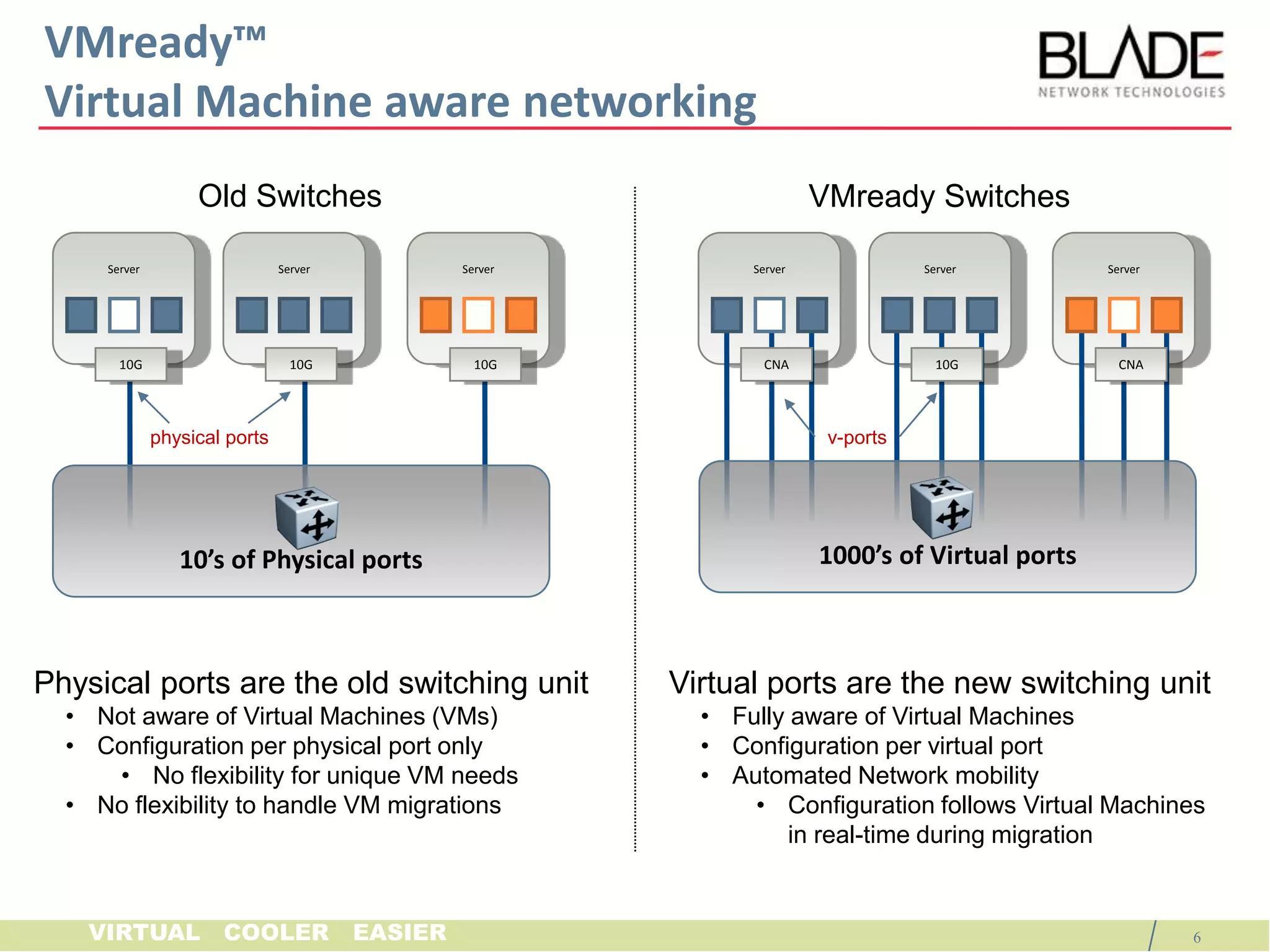
    VMready™ Virtual Machineaware networkingServerServerServerServerServerServer10G10G10GCNA10GCNAphysical portsv-ports1000’s of Virtual ports10’s of Physical portsNon-VMready SwitchesVMready SwitchesPhysical ports are the old switching unitNot aware of Virtual Machines (VMs)
  • 23.
  • 24.
    No flexibility forunique VM needs
  • 25.
    No flexibility tohandle VM migrationsVirtual ports are the new switching unitFully aware of Virtual Machines
  • 26.
  • 27.
  • 28.
    Configuration follows VirtualMachines in real-time during migration13
  • 29.
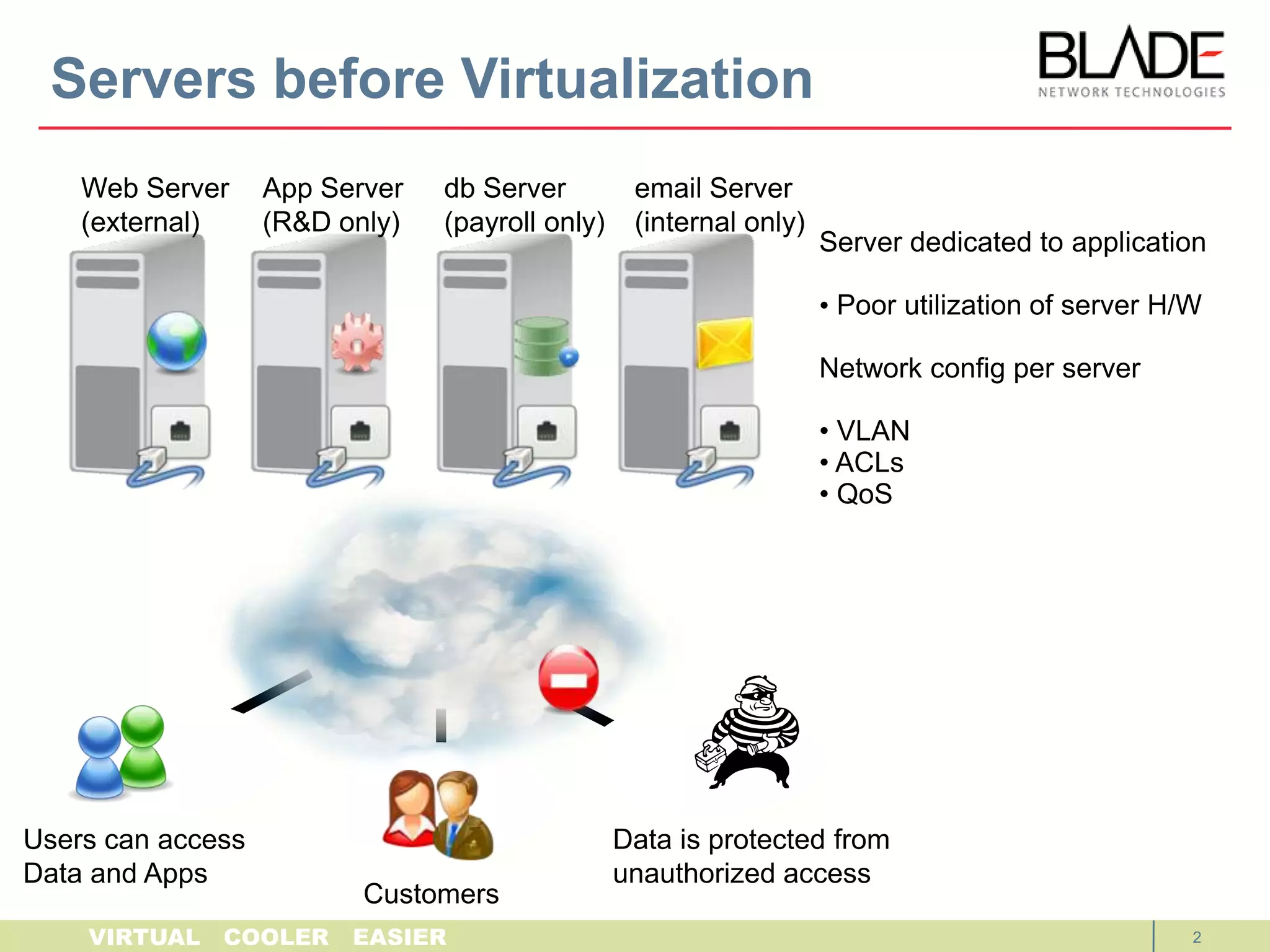
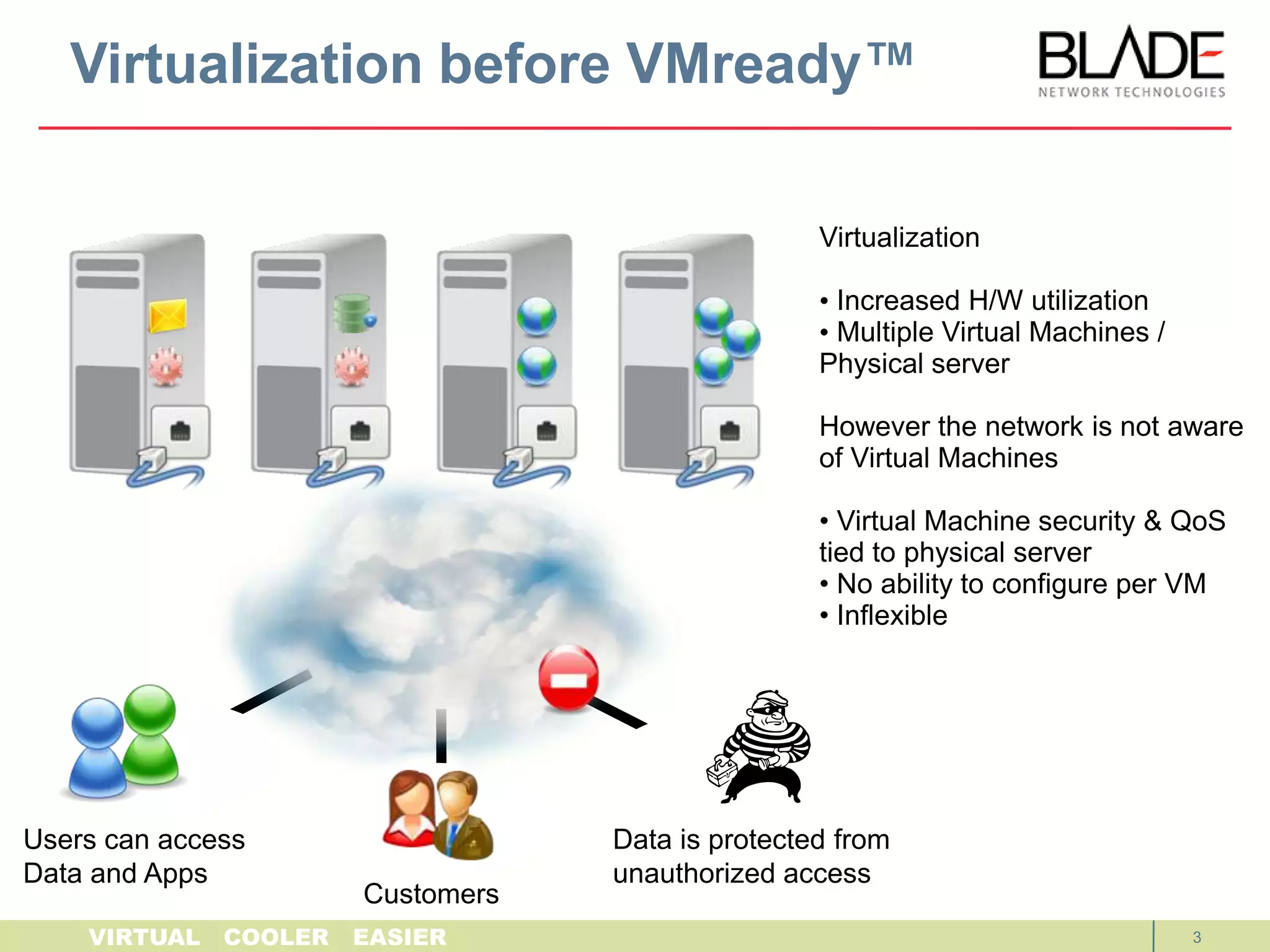
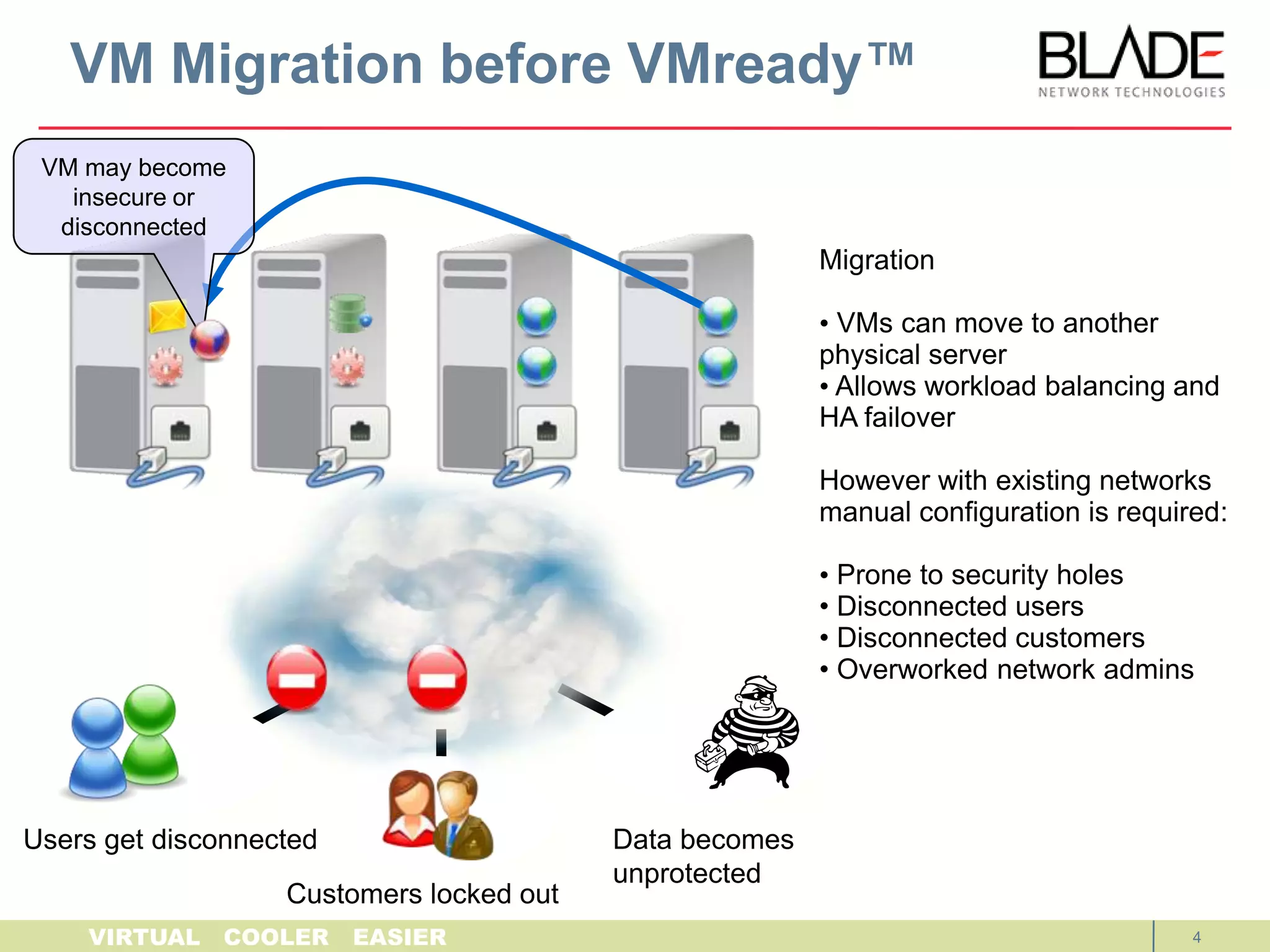
    Virtualization before VMready™VMmay become insecure or disconnectedMigration VMs can move to another physical server
  • 30.
    Allows workloadbalancing and High Availability failoverVirtualization with existing networks requires manual configuration: Prone to security holes
  • 31.
  • 32.
  • 33.
    Overworked networkadminsUsers get disconnectedData becomes unprotectedCustomers locked out14
  • 34.
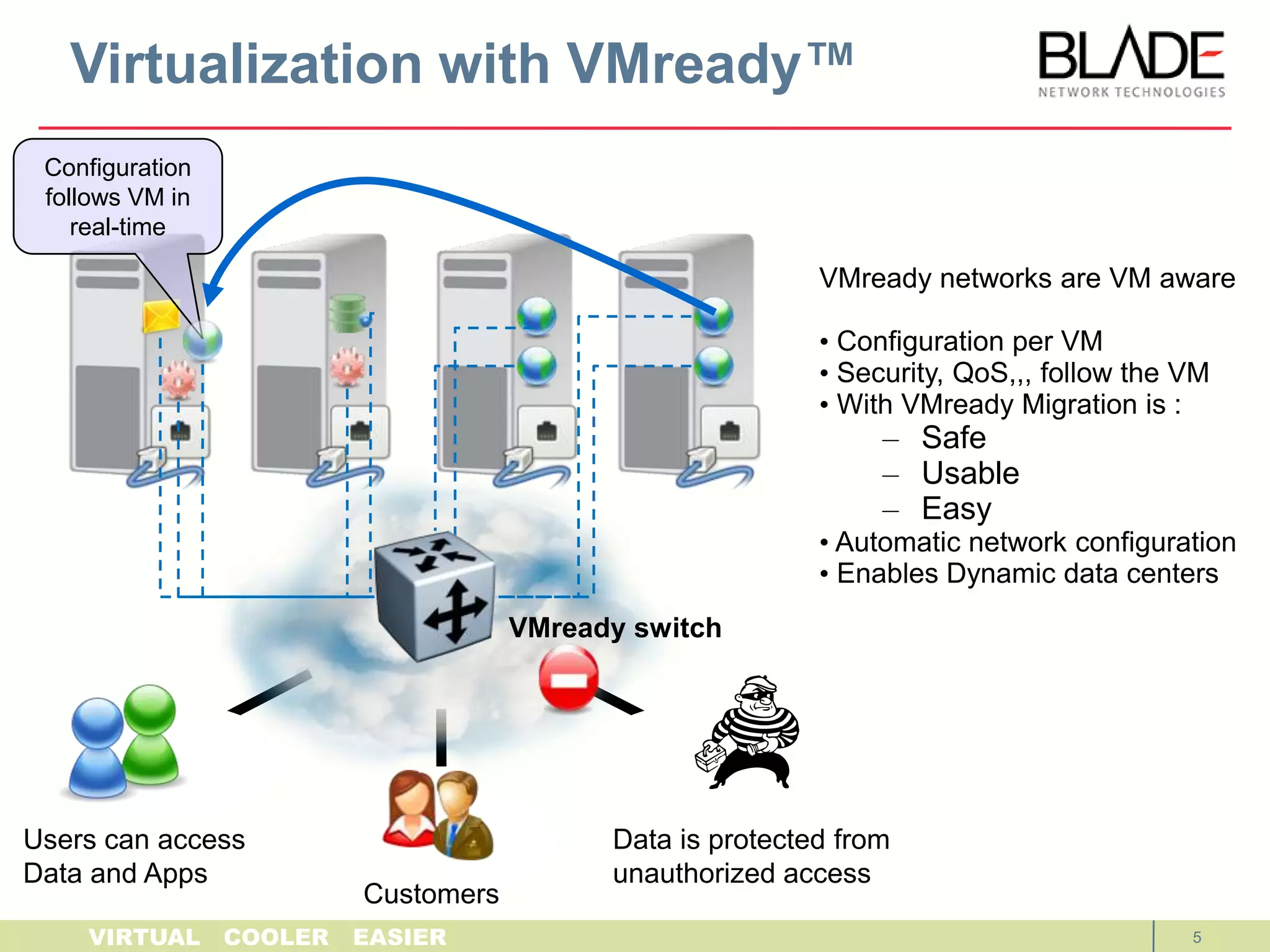
    Virtualization with VMready™Configurationfollows VM in real-time with NMotionVMready networks are VM aware Configuration per VM
  • 35.
    Security and QoSfollow the VM with NMotionWith VMready Migration is :Safe
  • 36.
  • 37.
  • 38.
    Automatic networkconfiguration
  • 39.
    Enables Dynamic datacenters VMready switchUsers can accessData and AppsData is protected from unauthorized accessCustomers15
  • 40.
    Integration with VMwarevCenterVirtual Machine3Virtual Machine4Virtual Machine1Virtual Machine2ESX 2 hypervisorESX 1 hypervisorVirtual SwitchVirtual SwitchVMready SwitchG1VM1, VM3vCenter serverG2VM2, VM4Integrates with VMware vCenter Can automate the creation of port groups on ESX vSwitches Ensures ensure network settings are consistentVMready also polls vCenter for VM info such as VM names, location16
  • 41.
    VMready BenefitsEnterprise DataCenter Network Virtualization
  • 42.
    VM Detection: VMreadyswitch automatically discovers and identifies the Virtual Machines (VMs)
  • 43.
    VM groups –Groups of similar VMs: dedicated switch resources, isolation from other VMs
  • 44.
    N-Motion™ - Automaticconfiguration of Ethernet switches in real time to facilitate network I/O for migrated VMs
  • 45.
  • 46.
    Single pane ofmanagement both VMready switches and ESX vSwitches
  • 47.
    VM network configurationscan be exported from VMready to vCenter
  • 48.
    Rich display ofVM information such as IP addresses, VM name and ESX server location
  • 49.
  • 50.
    VMs can beconfigured in advance
  • 51.
    Smoothes P2V transition
  • 52.
  • 53.
    VM Migration isdetected by VMready and reported
  • 54.
    Traffic per VMcan be audited
  • 55.
  • 56.
    VMready works withall major virtualization offerings17
  • 57.
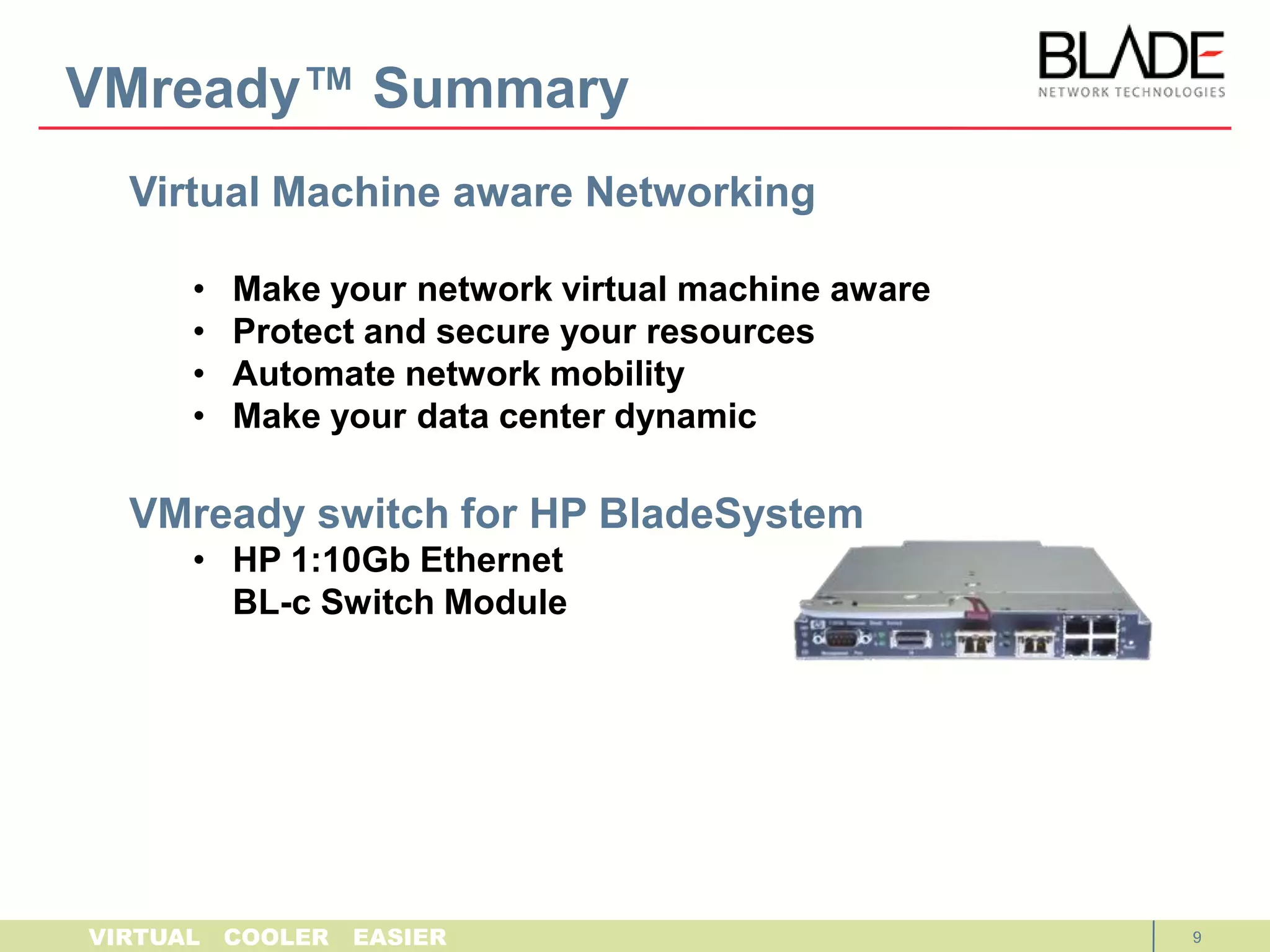
    VMready Switch forHP BladeSystem1:10Gb Ethernet Switch Module
  • 58.
    VMready available viaS/W upgrades :
  • 59.
    BLADE OS 6.1available for AFS customers
  • 60.
  • 61.
    Supported by allHP BladeSystem Enclosures
  • 62.
  • 63.
  • 64.
  • 65.
    4x 1G RJ45External uplinks
  • 66.
    16x 1G Internalserver links
  • 67.
  • 68.
    2 XFP uplinkports (SR/LR)
  • 69.
  • 70.
    Line rate performancewith no packet drop
  • 71.
  • 72.
    VMready™ SummaryVirtual Machineaware NetworkingMake your network virtual machine aware
  • 73.
    Protect and secureyour resources
  • 74.
  • 75.
    Make your datacenter dynamicwww.bladenetwork.netinfo@bladenetwork.net2-Feb-1019
  • 76.
    Sales Network ArchitectSupport Model We CAN help you! BLADE = Dedicated HP TeamAmericasDan Grubich – Americas Sales Vice President, +1 510 468 2129, daniel.grubich@bladenetwork.net
  • 77.
    Richard Jessop –The America's,+1 347 410 0177,richard.jessop@bladenetwork.netEurope, Middle East and Africa (EMEA)Charles Ferland – EMEA Sales Vice President, +49 151 1265 0830, charles.ferland@bladenetwork.net
  • 78.
    Igor Marty –EMEA South, +44 (0) 7956 415 302, Igor.marty@bladenetwork.net
  • 79.
    Errol Holas –EMEA North, +44 (7775) 644248, errol.holas@bladenetwork.netAsia Pacific JapanPeter Hall – Asia Pacific Sales Vice President, +61 4 177 333 75, peter.hall@bladenetwork.net
  • 80.
    Keith Sum –Asia Pacific, +61 412 282 788, keith.sum@bladenetwork.net
  • 81.
    Victor Chen –China Country Manager, +139 1106 7788, victor.chen@bladenetwork.net
  • 82.
    Yan Zhang –China SNA,+86 13810929135, yan.zhang@bladenetwork.net  
  • 83.
    CH Park –Korea Country Manager, +82 (10) 3729-9431, ch.park@bladenetwork.net
  • 84.
    Hak-Yeul Kim (Micky)– Korea SNA, +82 10 6592 0820, hy.kim@bladenetwork.net 
  • 85.
    Yasunobo Ohta –Japan Country Manager, +81 80 5468 3268, yasunobo.ohta@bladenetwork.net
  • 86.
    Yoshisato Ushio –Japan SNA, yoshisato.ushio@bladenetwork.netGlobalAlbeeShanefelter – HP Global Client Executive, +1 240 328-0683, albee@bladenetwork.net
  • 87.
    Cathy Lemeshewsky –HP Global Field Marketing Director, +1 408 850 5977, cathy.lemeshewsky@bladenetwork.net