Verilog HDL
BASIC CONCEPTS
Prabhavathi P
Associate Professor,
Department of ECE,
BNMIT
8/12/2017Verilog HDL_M2 2
Outline
• Lexical Conventions
• Data Types
• System Tasks and Compiler Directives
8/12/2017Verilog HDL_M2 3
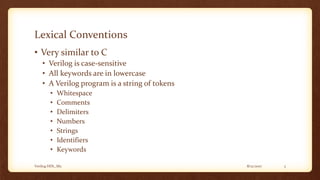
Lexical Conventions
• Very similar to C
• Verilog is case-sensitive
• All keywords are in lowercase
• A Verilog program is a string of tokens
• Whitespace
• Comments
• Delimiters
• Numbers
• Strings
• Identifiers
• Keywords
8/12/2017Verilog HDL_M2 4
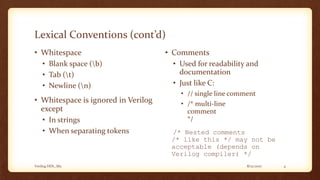
Lexical Conventions (cont’d)
• Whitespace
• Blank space (b)
• Tab (t)
• Newline (n)
• Whitespace is ignored in Verilog
except
• In strings
• When separating tokens
• Comments
• Used for readability and
documentation
• Just like C:
• // single line comment
• /* multi-line
comment
*/
/* Nested comments
/* like this */ may not be
acceptable (depends on
Verilog compiler) */
8/12/2017Verilog HDL_M2 5
Lexical Conventions (cont’d)
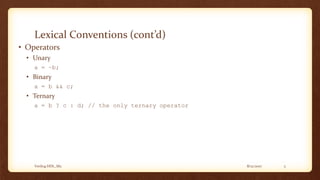
• Operators
• Unary
a = ~b;
• Binary
a = b && c;
• Ternary
a = b ? c : d; // the only ternary operator
8/12/2017Verilog HDL_M2 6
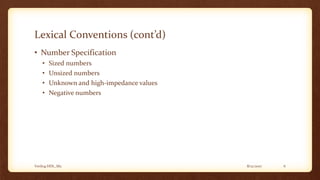
Lexical Conventions (cont’d)
• Number Specification
• Sized numbers
• Unsized numbers
• Unknown and high-impedance values
• Negative numbers
8/12/2017Verilog HDL_M2 7
Lexical Conventions (cont’d)
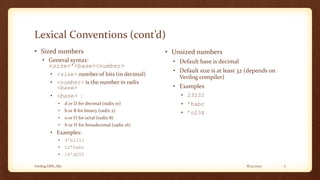
• Sized numbers
• General syntax:
<size>’<base><number>
• <size> number of bits (in decimal)
• <number> is the number in radix
<base>
• <base> :
• d or D for decimal (radix 10)
• b or B for binary (radix 2)
• o or O for octal (radix 8)
• h or H for hexadecimal (radix 16)
• Examples:
• 4’b1111
• 12’habc
• 16’d255
• Unsized numbers
• Default base is decimal
• Default size is at least 32 (depends on
Verilog compiler)
• Examples
• 23232
• ’habc
• ’o234
8/12/2017Verilog HDL_M2 8
Lexical Conventions (cont’d)
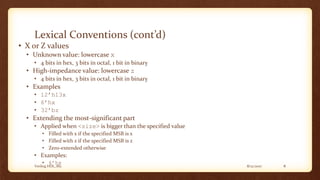
• X or Z values
• Unknown value: lowercase x
• 4 bits in hex, 3 bits in octal, 1 bit in binary
• High-impedance value: lowercase z
• 4 bits in hex, 3 bits in octal, 1 bit in binary
• Examples
• 12’h13x
• 6’hx
• 32’bz
• Extending the most-significant part
• Applied when <size> is bigger than the specified value
• Filled with x if the specified MSB is x
• Filled with z if the specified MSB is z
• Zero-extended otherwise
• Examples:
• 6’hx
8/12/2017Verilog HDL_M2 9
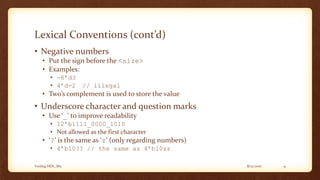
Lexical Conventions (cont’d)
• Negative numbers
• Put the sign before the <size>
• Examples:
• -6’d3
• 4’d-2 // illegal
• Two’s complement is used to store the value
• Underscore character and question marks
• Use ‘_’ to improve readability
• 12’b1111_0000_1010
• Not allowed as the first character
• ‘?’ is the same as ‘z’ (only regarding numbers)
• 4’b10?? // the same as 4’b10zz
8/12/2017Verilog HDL_M2 10
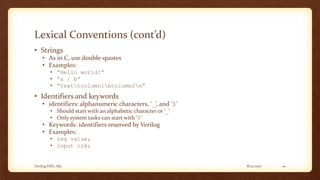
Lexical Conventions (cont’d)
• Strings
• As in C, use double-quotes
• Examples:
• “Hello world!”
• “a / b”
• “texttcolumn1bcolumn2n”
• Identifiers and keywords
• identifiers: alphanumeric characters, ‘_’, and ‘$’
• Should start with an alphabetic character or ‘_’
• Only system tasks can start with ‘$’
• Keywords: identifiers reserved by Verilog
• Examples:
• reg value;
• input clk;
8/12/2017Verilog HDL_M2 11
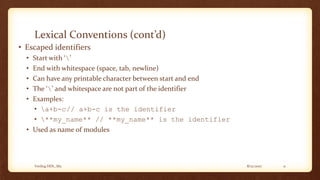
Lexical Conventions (cont’d)
• Escaped identifiers
• Start with ‘’
• End with whitespace (space, tab, newline)
• Can have any printable character between start and end
• The ‘’ and whitespace are not part of the identifier
• Examples:
• a+b-c// a+b-c is the identifier
• **my_name** // **my_name** is the identifier
• Used as name of modules
Basic Concepts
DATA TYPES
8/12/2017Verilog HDL_M2 13
Data Types
• Value set and strengths
• Nets and Registers
• Vectors
• Integer, Real, and Time Register Data Types
• Arrays
• Memories
• Parameters
• Strings
8/12/2017Verilog HDL_M2 14
Value Set
• Verilog concepts to model hardware circuits
• Value level
• Value strength
• Used to accurately model
• Signal contention
• MOS devices
• Dynamic MOS
• Other low-level details
8/12/2017Verilog HDL_M2 15
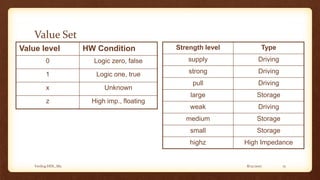
Value Set
Value level HW Condition
0 Logic zero, false
1 Logic one, true
x Unknown
z High imp., floating
Strength level Type
supply Driving
strong Driving
pull Driving
large Storage
weak Driving
medium Storage
small Storage
highz High Impedance
8/12/2017Verilog HDL_M2 16
Nets
• Used to represent connections between HW elements
• Values continuously driven on nets
• Fig. 3-1
• Keyword: wire
• Default: One-bit values
• unless declared as vectors
• Default value: z
• For trireg, default is x
• Examples
• wire a;
• wire b, c;
• wire d=1’b0;
8/12/2017Verilog HDL_M2 17
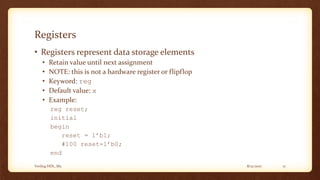
Registers
• Registers represent data storage elements
• Retain value until next assignment
• NOTE: this is not a hardware register or flipflop
• Keyword: reg
• Default value: x
• Example:
reg reset;
initial
begin
reset = 1’b1;
#100 reset=1’b0;
end
8/12/2017Verilog HDL_M2 18
Vectors
• Net and register data types can be declared as vectors
(multiple bit widths)
• Syntax:
• wire/reg [msb_index : lsb_index] data_id;
• Example
wire a;
wire [7:0] bus;
wire [31:0] busA, busB, busC;
reg clock;
reg [0:40] virtual_addr;
8/12/2017Verilog HDL_M2 19
Vectors (cont’d)
• Consider
wire [7:0] bus;
wire [31:0] busA, busB, busC;
reg [0:40] virtual_addr;
• Access to bits or parts of a vector is possible:
busA[7]
bus[2:0] // three least-significant bits of bus
// bus[0:2] is illegal.
virtual_addr[0:1] /* two most-significant bits
* of virtual_addr
*/
8/12/2017Verilog HDL_M2 20
Integer, Real, and Time
Register Data Types
• Integer
• Keyword: integer
• Very similar to a vector of reg
• integer variables are signed numbers
• reg vectors are unsigned numbers
• Bit width: implementation-dependent (at least 32-bits)
• Designer can also specify a width:
integer [7:0] tmp;
• Examples:
integer counter;
initial
counter = -1;
8/12/2017Verilog HDL_M2 21
Integer, Real, and Time Register Data Types (cont’d)
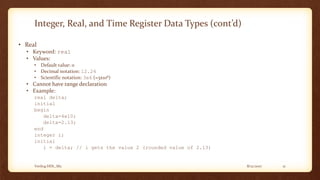
• Real
• Keyword: real
• Values:
• Default value: 0
• Decimal notation: 12.24
• Scientific notation: 3e6 (=3x10⁶)
• Cannot have range declaration
• Example:
real delta;
initial
begin
delta=4e10;
delta=2.13;
end
integer i;
initial
i = delta; // i gets the value 2 (rounded value of 2.13)
8/12/2017Verilog HDL_M2 22
Integer, Real, and Time
Register Data Types (cont’d)
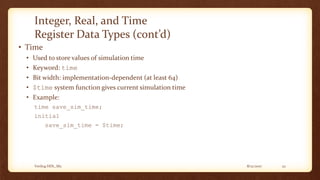
• Time
• Used to store values of simulation time
• Keyword: time
• Bit width: implementation-dependent (at least 64)
• $time system function gives current simulation time
• Example:
time save_sim_time;
initial
save_sim_time = $time;
8/12/2017Verilog HDL_M2 23
Arrays
• Only one-dimensional arrays supported
• Allowed for reg, integer, time
• Not allowed for real data type
• Syntax:
<data_type> <var_name>[start_idx : end_idx];
• Examples:
integer count[0:7];
reg bool[31:0];
time chk_point[1:100];
reg [4:0] port_id[0:7];
integer matrix[4:0][4:0]; // illegal
count[5]
chk_point[100]
port_id[3]
• Note the difference between vectors and arrays
8/12/2017Verilog HDL_M2 24
Memories
• RAM, ROM, and register-files used many times in digital systems
• Memory = array of registers in Verilog
• Word = an element of the array
• Can be one or more bits
• Examples:
reg membit[0:1023];
reg [7:0] membyte[0:1023];
membyte[511]
• Note the difference (as in arrays):
reg membit[0:127];
reg [0:127] register;
8/12/2017Verilog HDL_M2 25
Parameters
• Similar to const in C
• But can be overridden for each module at compile-time
• Syntax:
parameter <const_id>=<value>;
• Gives flexibility
• Allows to customize the module
• Example:
parameter port_id=5;
parameter cache_line_width=256;
parameter bus_width=8;
wire [bus_width-1:0] bus;
8/12/2017Verilog HDL_M2 26
Strings
• Strings are stored in reg variables.
• 8-bits required per character
• The string is stored from the least-significant part to the most-significant part
of the reg variable
• Example:
reg [8*18:1] string_value;
initial
string_value = “Hello World!”;
• Escaped characters
• n: newline t: tab
• %%: % : 
• ”: “ ooo: character number in octal
Basic Concepts
SYSTEM TASKS AND
COMPILER DIRECTIVES
8/12/2017Verilog HDL_M2 28
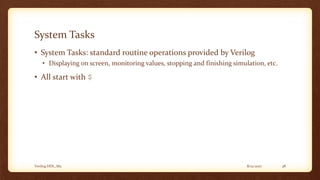
System Tasks
• System Tasks: standard routine operations provided by Verilog
• Displaying on screen, monitoring values, stopping and finishing simulation, etc.
• All start with $
8/12/2017Verilog HDL_M2 29
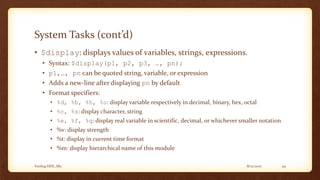
System Tasks (cont’d)
• $display: displays values of variables, strings, expressions.
• Syntax: $display(p1, p2, p3, …, pn);
• p1,…, pn can be quoted string, variable, or expression
• Adds a new-line after displaying pn by default
• Format specifiers:
• %d, %b, %h, %o: display variable respectively in decimal, binary, hex, octal
• %c, %s: display character, string
• %e, %f, %g: display real variable in scientific, decimal, or whichever smaller notation
• %v: display strength
• %t: display in current time format
• %m: display hierarchical name of this module
8/12/2017Verilog HDL_M2 30
System Tasks (cont’d)
• $display examples:
• $display(“Hello Verilog World!”);
Output: Hello Verilog World!
• $display($time);
Output: 230
• reg [0:40] virtual_addr;
• $display(“At time %d virtual address is %h”, $time,
virtual_addr);
Output: At time 200 virtual address is 1fe000001c
8/12/2017Verilog HDL_M2 31
System Tasks (cont’d)
• reg [4:0] port_id;
• $display(“ID of the port is %b”, port_id);
Output: ID of the port is 00101
• reg [3:0] bus;
• $display(“Bus value is %b”, bus);
Output: Bus value is 10xx
• $display(“Hierarchical name of this module is %m”);
Output: Hierarchical name of this module is top.p1
• $display(“A n multiline string with a %% sign.”);
8/12/2017Verilog HDL_M2 32
System Tasks (cont’d)
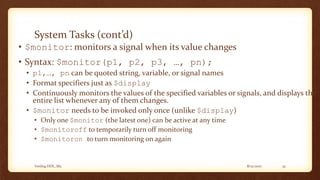
• $monitor: monitors a signal when its value changes
• Syntax: $monitor(p1, p2, p3, …, pn);
• p1,…, pn can be quoted string, variable, or signal names
• Format specifiers just as $display
• Continuously monitors the values of the specified variables or signals, and displays the
entire list whenever any of them changes.
• $monitor needs to be invoked only once (unlike $display)
• Only one $monitor (the latest one) can be active at any time
• $monitoroff to temporarily turn off monitoring
• $monitoron to turn monitoring on again
8/12/2017Verilog HDL_M2 33
System Tasks (cont’d)
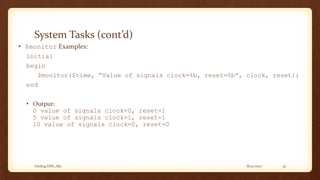
• $monitor Examples:
initial
begin
$monitor($time, “Value of signals clock=%b, reset=%b”, clock, reset);
end
• Output:
0 value of signals clock=0, reset=1
5 value of signals clock=1, reset=1
10 value of signals clock=0, reset=0
8/12/2017Verilog HDL_M2 34
System Tasks (cont’d)
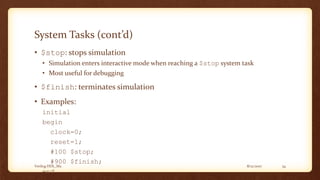
• $stop: stops simulation
• Simulation enters interactive mode when reaching a $stop system task
• Most useful for debugging
• $finish: terminates simulation
• Examples:
initial
begin
clock=0;
reset=1;
#100 $stop;
#900 $finish;
end
8/12/2017Verilog HDL_M2 35
Compiler Directives
• General syntax:
`<keyword>
• `define: similar to #define in C, used to define macros
• `<macro_name> to use the macro defined by `define
• Examples:
`define WORD_SIZE 32
`define S $stop
`define WORD_REG reg [31:0]
`WORD_REG a_32_bit_reg;
8/12/2017Verilog HDL_M2 36
Compiler Directives (cont’d)
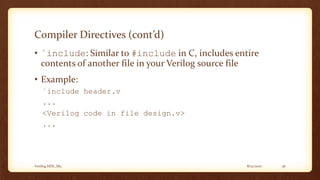
• `include: Similar to #include in C, includes entire
contents of another file in your Verilog source file
• Example:
`include header.v
...
<Verilog code in file design.v>
...
8/12/2017Verilog HDL_M2 37
What we learned today
• Basic concepts in Verilog
• Verilog is very similar to C
• Various data types available in Verilog
• Verilog uses 4-valued logic: 0, 1, x, z
• System tasks are Verilog statements used to request
something from simulator
• Compiler directives instruct the compiler to do something for
us at compile-time
8/12/2017Verilog HDL_M2 38
Other Notes
• Course web-page
• http://ce.sharif.edu/courses/84-85/1/ce223/
• Exercise 2
• Chapter 3 exercises
• Due date: Next Sunday (Aban 8th)
Title and Content Layout with List
• Add your first bullet point here
• Add your second bullet point here
• Add your third bullet point here
8/12/2017 39Verilog HDL_M2
Title and Content Layout with Chart
0
1
2
3
4
5
6
Category 1 Category 2 Category 3 Category 4
Series 1 Series 2 Series 3
8/12/2017 40Verilog HDL_M2
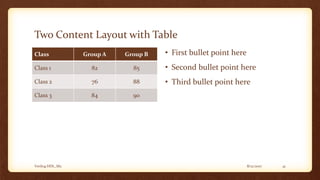
Two Content Layout with Table
Class Group A Group B
Class 1 82 85
Class 2 76 88
Class 3 84 90
• First bullet point here
• Second bullet point here
• Third bullet point here
8/12/2017 41Verilog HDL_M2
Two Content Layout with SmartArt
• First bullet point here
• Second bullet point here
• Third bullet point here
• Task 1
• Task 2
Group A
• Task 1
• Task 2
Group B
• Task 1
Group C
8/12/2017 42Verilog HDL_M2
Add a Slide Title - 1
8/12/2017 43Verilog HDL_M2
Add a Slide Title - 2
8/12/2017 44Verilog HDL_M2
Add a Slide Title - 3
8/12/2017 45Verilog HDL_M2
8/12/2017 46Verilog HDL_M2
Add a Slide Title - 4
8/12/2017 47Verilog HDL_M2
Add a Slide Title - 5
8/12/2017 48Verilog HDL_M2

Verilog HDL- 2

  • 1.
    Verilog HDL BASIC CONCEPTS PrabhavathiP Associate Professor, Department of ECE, BNMIT
  • 2.
    8/12/2017Verilog HDL_M2 2 Outline •Lexical Conventions • Data Types • System Tasks and Compiler Directives
  • 3.
    8/12/2017Verilog HDL_M2 3 LexicalConventions • Very similar to C • Verilog is case-sensitive • All keywords are in lowercase • A Verilog program is a string of tokens • Whitespace • Comments • Delimiters • Numbers • Strings • Identifiers • Keywords
  • 4.
    8/12/2017Verilog HDL_M2 4 LexicalConventions (cont’d) • Whitespace • Blank space (b) • Tab (t) • Newline (n) • Whitespace is ignored in Verilog except • In strings • When separating tokens • Comments • Used for readability and documentation • Just like C: • // single line comment • /* multi-line comment */ /* Nested comments /* like this */ may not be acceptable (depends on Verilog compiler) */
  • 5.
    8/12/2017Verilog HDL_M2 5 LexicalConventions (cont’d) • Operators • Unary a = ~b; • Binary a = b && c; • Ternary a = b ? c : d; // the only ternary operator
  • 6.
    8/12/2017Verilog HDL_M2 6 LexicalConventions (cont’d) • Number Specification • Sized numbers • Unsized numbers • Unknown and high-impedance values • Negative numbers
  • 7.
    8/12/2017Verilog HDL_M2 7 LexicalConventions (cont’d) • Sized numbers • General syntax: <size>’<base><number> • <size> number of bits (in decimal) • <number> is the number in radix <base> • <base> : • d or D for decimal (radix 10) • b or B for binary (radix 2) • o or O for octal (radix 8) • h or H for hexadecimal (radix 16) • Examples: • 4’b1111 • 12’habc • 16’d255 • Unsized numbers • Default base is decimal • Default size is at least 32 (depends on Verilog compiler) • Examples • 23232 • ’habc • ’o234
  • 8.
    8/12/2017Verilog HDL_M2 8 LexicalConventions (cont’d) • X or Z values • Unknown value: lowercase x • 4 bits in hex, 3 bits in octal, 1 bit in binary • High-impedance value: lowercase z • 4 bits in hex, 3 bits in octal, 1 bit in binary • Examples • 12’h13x • 6’hx • 32’bz • Extending the most-significant part • Applied when <size> is bigger than the specified value • Filled with x if the specified MSB is x • Filled with z if the specified MSB is z • Zero-extended otherwise • Examples: • 6’hx
  • 9.
    8/12/2017Verilog HDL_M2 9 LexicalConventions (cont’d) • Negative numbers • Put the sign before the <size> • Examples: • -6’d3 • 4’d-2 // illegal • Two’s complement is used to store the value • Underscore character and question marks • Use ‘_’ to improve readability • 12’b1111_0000_1010 • Not allowed as the first character • ‘?’ is the same as ‘z’ (only regarding numbers) • 4’b10?? // the same as 4’b10zz
  • 10.
    8/12/2017Verilog HDL_M2 10 LexicalConventions (cont’d) • Strings • As in C, use double-quotes • Examples: • “Hello world!” • “a / b” • “texttcolumn1bcolumn2n” • Identifiers and keywords • identifiers: alphanumeric characters, ‘_’, and ‘$’ • Should start with an alphabetic character or ‘_’ • Only system tasks can start with ‘$’ • Keywords: identifiers reserved by Verilog • Examples: • reg value; • input clk;
  • 11.
    8/12/2017Verilog HDL_M2 11 LexicalConventions (cont’d) • Escaped identifiers • Start with ‘’ • End with whitespace (space, tab, newline) • Can have any printable character between start and end • The ‘’ and whitespace are not part of the identifier • Examples: • a+b-c// a+b-c is the identifier • **my_name** // **my_name** is the identifier • Used as name of modules
  • 12.
  • 13.
    8/12/2017Verilog HDL_M2 13 DataTypes • Value set and strengths • Nets and Registers • Vectors • Integer, Real, and Time Register Data Types • Arrays • Memories • Parameters • Strings
  • 14.
    8/12/2017Verilog HDL_M2 14 ValueSet • Verilog concepts to model hardware circuits • Value level • Value strength • Used to accurately model • Signal contention • MOS devices • Dynamic MOS • Other low-level details
  • 15.
    8/12/2017Verilog HDL_M2 15 ValueSet Value level HW Condition 0 Logic zero, false 1 Logic one, true x Unknown z High imp., floating Strength level Type supply Driving strong Driving pull Driving large Storage weak Driving medium Storage small Storage highz High Impedance
  • 16.
    8/12/2017Verilog HDL_M2 16 Nets •Used to represent connections between HW elements • Values continuously driven on nets • Fig. 3-1 • Keyword: wire • Default: One-bit values • unless declared as vectors • Default value: z • For trireg, default is x • Examples • wire a; • wire b, c; • wire d=1’b0;
  • 17.
    8/12/2017Verilog HDL_M2 17 Registers •Registers represent data storage elements • Retain value until next assignment • NOTE: this is not a hardware register or flipflop • Keyword: reg • Default value: x • Example: reg reset; initial begin reset = 1’b1; #100 reset=1’b0; end
  • 18.
    8/12/2017Verilog HDL_M2 18 Vectors •Net and register data types can be declared as vectors (multiple bit widths) • Syntax: • wire/reg [msb_index : lsb_index] data_id; • Example wire a; wire [7:0] bus; wire [31:0] busA, busB, busC; reg clock; reg [0:40] virtual_addr;
  • 19.
    8/12/2017Verilog HDL_M2 19 Vectors(cont’d) • Consider wire [7:0] bus; wire [31:0] busA, busB, busC; reg [0:40] virtual_addr; • Access to bits or parts of a vector is possible: busA[7] bus[2:0] // three least-significant bits of bus // bus[0:2] is illegal. virtual_addr[0:1] /* two most-significant bits * of virtual_addr */
  • 20.
    8/12/2017Verilog HDL_M2 20 Integer,Real, and Time Register Data Types • Integer • Keyword: integer • Very similar to a vector of reg • integer variables are signed numbers • reg vectors are unsigned numbers • Bit width: implementation-dependent (at least 32-bits) • Designer can also specify a width: integer [7:0] tmp; • Examples: integer counter; initial counter = -1;
  • 21.
    8/12/2017Verilog HDL_M2 21 Integer,Real, and Time Register Data Types (cont’d) • Real • Keyword: real • Values: • Default value: 0 • Decimal notation: 12.24 • Scientific notation: 3e6 (=3x10⁶) • Cannot have range declaration • Example: real delta; initial begin delta=4e10; delta=2.13; end integer i; initial i = delta; // i gets the value 2 (rounded value of 2.13)
  • 22.
    8/12/2017Verilog HDL_M2 22 Integer,Real, and Time Register Data Types (cont’d) • Time • Used to store values of simulation time • Keyword: time • Bit width: implementation-dependent (at least 64) • $time system function gives current simulation time • Example: time save_sim_time; initial save_sim_time = $time;
  • 23.
    8/12/2017Verilog HDL_M2 23 Arrays •Only one-dimensional arrays supported • Allowed for reg, integer, time • Not allowed for real data type • Syntax: <data_type> <var_name>[start_idx : end_idx]; • Examples: integer count[0:7]; reg bool[31:0]; time chk_point[1:100]; reg [4:0] port_id[0:7]; integer matrix[4:0][4:0]; // illegal count[5] chk_point[100] port_id[3] • Note the difference between vectors and arrays
  • 24.
    8/12/2017Verilog HDL_M2 24 Memories •RAM, ROM, and register-files used many times in digital systems • Memory = array of registers in Verilog • Word = an element of the array • Can be one or more bits • Examples: reg membit[0:1023]; reg [7:0] membyte[0:1023]; membyte[511] • Note the difference (as in arrays): reg membit[0:127]; reg [0:127] register;
  • 25.
    8/12/2017Verilog HDL_M2 25 Parameters •Similar to const in C • But can be overridden for each module at compile-time • Syntax: parameter <const_id>=<value>; • Gives flexibility • Allows to customize the module • Example: parameter port_id=5; parameter cache_line_width=256; parameter bus_width=8; wire [bus_width-1:0] bus;
  • 26.
    8/12/2017Verilog HDL_M2 26 Strings •Strings are stored in reg variables. • 8-bits required per character • The string is stored from the least-significant part to the most-significant part of the reg variable • Example: reg [8*18:1] string_value; initial string_value = “Hello World!”; • Escaped characters • n: newline t: tab • %%: % : • ”: “ ooo: character number in octal
  • 27.
    Basic Concepts SYSTEM TASKSAND COMPILER DIRECTIVES
  • 28.
    8/12/2017Verilog HDL_M2 28 SystemTasks • System Tasks: standard routine operations provided by Verilog • Displaying on screen, monitoring values, stopping and finishing simulation, etc. • All start with $
  • 29.
    8/12/2017Verilog HDL_M2 29 SystemTasks (cont’d) • $display: displays values of variables, strings, expressions. • Syntax: $display(p1, p2, p3, …, pn); • p1,…, pn can be quoted string, variable, or expression • Adds a new-line after displaying pn by default • Format specifiers: • %d, %b, %h, %o: display variable respectively in decimal, binary, hex, octal • %c, %s: display character, string • %e, %f, %g: display real variable in scientific, decimal, or whichever smaller notation • %v: display strength • %t: display in current time format • %m: display hierarchical name of this module
  • 30.
    8/12/2017Verilog HDL_M2 30 SystemTasks (cont’d) • $display examples: • $display(“Hello Verilog World!”); Output: Hello Verilog World! • $display($time); Output: 230 • reg [0:40] virtual_addr; • $display(“At time %d virtual address is %h”, $time, virtual_addr); Output: At time 200 virtual address is 1fe000001c
  • 31.
    8/12/2017Verilog HDL_M2 31 SystemTasks (cont’d) • reg [4:0] port_id; • $display(“ID of the port is %b”, port_id); Output: ID of the port is 00101 • reg [3:0] bus; • $display(“Bus value is %b”, bus); Output: Bus value is 10xx • $display(“Hierarchical name of this module is %m”); Output: Hierarchical name of this module is top.p1 • $display(“A n multiline string with a %% sign.”);
  • 32.
    8/12/2017Verilog HDL_M2 32 SystemTasks (cont’d) • $monitor: monitors a signal when its value changes • Syntax: $monitor(p1, p2, p3, …, pn); • p1,…, pn can be quoted string, variable, or signal names • Format specifiers just as $display • Continuously monitors the values of the specified variables or signals, and displays the entire list whenever any of them changes. • $monitor needs to be invoked only once (unlike $display) • Only one $monitor (the latest one) can be active at any time • $monitoroff to temporarily turn off monitoring • $monitoron to turn monitoring on again
  • 33.
    8/12/2017Verilog HDL_M2 33 SystemTasks (cont’d) • $monitor Examples: initial begin $monitor($time, “Value of signals clock=%b, reset=%b”, clock, reset); end • Output: 0 value of signals clock=0, reset=1 5 value of signals clock=1, reset=1 10 value of signals clock=0, reset=0
  • 34.
    8/12/2017Verilog HDL_M2 34 SystemTasks (cont’d) • $stop: stops simulation • Simulation enters interactive mode when reaching a $stop system task • Most useful for debugging • $finish: terminates simulation • Examples: initial begin clock=0; reset=1; #100 $stop; #900 $finish; end
  • 35.
    8/12/2017Verilog HDL_M2 35 CompilerDirectives • General syntax: `<keyword> • `define: similar to #define in C, used to define macros • `<macro_name> to use the macro defined by `define • Examples: `define WORD_SIZE 32 `define S $stop `define WORD_REG reg [31:0] `WORD_REG a_32_bit_reg;
  • 36.
    8/12/2017Verilog HDL_M2 36 CompilerDirectives (cont’d) • `include: Similar to #include in C, includes entire contents of another file in your Verilog source file • Example: `include header.v ... <Verilog code in file design.v> ...
  • 37.
    8/12/2017Verilog HDL_M2 37 Whatwe learned today • Basic concepts in Verilog • Verilog is very similar to C • Various data types available in Verilog • Verilog uses 4-valued logic: 0, 1, x, z • System tasks are Verilog statements used to request something from simulator • Compiler directives instruct the compiler to do something for us at compile-time
  • 38.
    8/12/2017Verilog HDL_M2 38 OtherNotes • Course web-page • http://ce.sharif.edu/courses/84-85/1/ce223/ • Exercise 2 • Chapter 3 exercises • Due date: Next Sunday (Aban 8th)
  • 39.
    Title and ContentLayout with List • Add your first bullet point here • Add your second bullet point here • Add your third bullet point here 8/12/2017 39Verilog HDL_M2
  • 40.
    Title and ContentLayout with Chart 0 1 2 3 4 5 6 Category 1 Category 2 Category 3 Category 4 Series 1 Series 2 Series 3 8/12/2017 40Verilog HDL_M2
  • 41.
    Two Content Layoutwith Table Class Group A Group B Class 1 82 85 Class 2 76 88 Class 3 84 90 • First bullet point here • Second bullet point here • Third bullet point here 8/12/2017 41Verilog HDL_M2
  • 42.
    Two Content Layoutwith SmartArt • First bullet point here • Second bullet point here • Third bullet point here • Task 1 • Task 2 Group A • Task 1 • Task 2 Group B • Task 1 Group C 8/12/2017 42Verilog HDL_M2
  • 43.
    Add a SlideTitle - 1 8/12/2017 43Verilog HDL_M2
  • 44.
    Add a SlideTitle - 2 8/12/2017 44Verilog HDL_M2
  • 45.
    Add a SlideTitle - 3 8/12/2017 45Verilog HDL_M2
  • 46.
  • 47.
    Add a SlideTitle - 4 8/12/2017 47Verilog HDL_M2
  • 48.
    Add a SlideTitle - 5 8/12/2017 48Verilog HDL_M2