Validate your Product with
Usability Testing
BY NEARSOFT UXTEAM
HOST
Kim Lantis
Content Coordinator
@kimlantis
PRESENTER
Diana Arvayo
UX Researcher
@dianonina
PRESENTER
Mónica Tye
Product Owner
@monicatyeb
Agenda
- Major Challenge for Software Development Teams
- How Usability Testing helps teams validate products
- Case Study: Retrospectives
- Takeaways
- Q&A
#NearsoftUXwebinar
VALIDATE YOUR PRODUCT WITH USABILITY TESTING
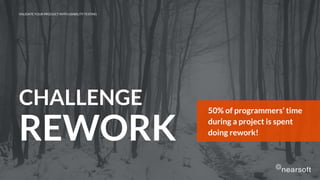
CHALLENGE
REWORK
50% of programmers’ time
during a project is spent
doing rework!
VALIDATE YOUR PRODUCT WITH USABILITY TESTING
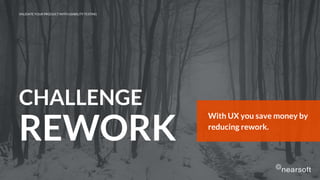
With UX you save money by
reducing rework.
VALIDATE YOUR PRODUCT WITH USABILITY TESTING
CHALLENGE
REWORK
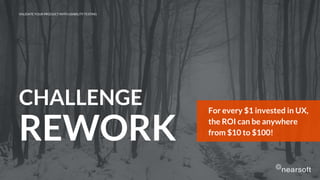
For every $1 invested in UX,
the ROI can be anywhere
from $10 to $100!
VALIDATE YOUR PRODUCT WITH USABILITY TESTING
CHALLENGE
REWORK
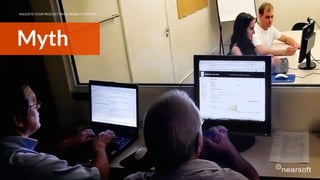
Myth
VALIDATE YOUR PRODUCT WITH USABILITY TESTING
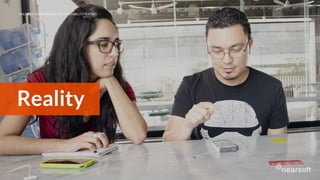
Reality
Bye, bye!!!
VALIDATE YOUR PRODUCT WITH USABILITY TESTING
Usability Testing
How people use your product and for what purpose
VALIDATE YOUR PRODUCT WITH USABILITY TESTING
Usability Testing
What people say vs. what people do
VALIDATE YOUR PRODUCT WITH USABILITY TESTING
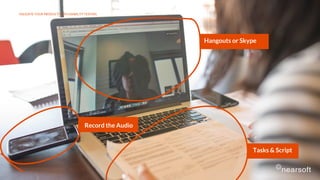
Hangouts or Skype
Record the Audio
VALIDATE YOUR PRODUCT WITH USABILITY TESTING
Tasks & Script
VALIDATE YOUR PRODUCT WITH USABILITY TESTING
Case Study
VALIDATE YOUR PRODUCT WITH USABILITY TESTING
● Launch a product
● User Retention
● Validate Ideas
When Should I
Use Usability
Testing
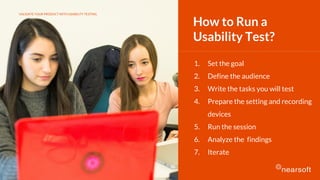
1. Set the goal
2. Define the audience
3. Write the tasks you will test
4. Prepare the setting and recording
devices
5. Run the session
6. Analyze the findings
7. Iterate
How to Run a
Usability Test?
VALIDATE YOUR PRODUCT WITH USABILITY TESTING
1. Set the Goal
● Set the goal based on your prototype
● Features to test
● Workflows (Login, Edit, etc)
VALIDATE YOUR PRODUCT WITH USABILITY TESTING
Our goal with usability tests was to
determine if our add-on was user friendly
and intuitive, and if the features we had
in mind were valuable to users.
1. Set the Goal
VALIDATE YOUR PRODUCT WITH USABILITY TESTING
?
?
¿?
?
¿
¿?
VALIDATE YOUR PRODUCT WITH USABILITY TESTING
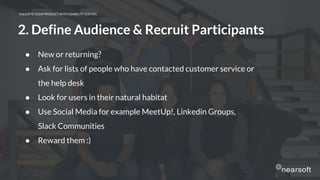
● New or returning?
● Ask for lists of people who have contacted customer service or
the help desk
● Look for users in their natural habitat
● Use Social Media for example MeetUp!, Linkedin Groups,
Slack Communities
● Reward them :)
2. Define Audience & Recruit Participants
VALIDATE YOUR PRODUCT WITH USABILITY TESTING
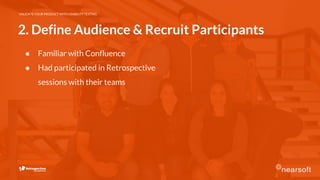
2. Define Audience & Recruit Participants
● Familiar with Confluence
● Had participated in Retrospective
sessions with their teams
VALIDATE YOUR PRODUCT WITH USABILITY TESTING
3. Write Tasks You Will Test
● Consider the goal of the study
● Leave out clues or hints
● Avoid having micro-steps
● Give the test participant a goal but avoid describing the steps
VALIDATE YOUR PRODUCT WITH USABILITY TESTING
3. Write Tasks You Will Test
● Right and wrong during the sprint
● Grouping similar ideas
● Voting for the most important ideas
● Creating Action items
● Getting a summary of the retrospective
VALIDATE YOUR PRODUCT WITH USABILITY TESTING
4. Prepare the Setting and Recording Devices
● Friendly reminder
● Practice reading your script aloud
● Identify if you need an observer. If not, be sure to have an audio
recording device (your phone will be useful for that)
● Set up (location, internet, battery, etc.)
VALIDATE YOUR PRODUCT WITH USABILITY TESTING
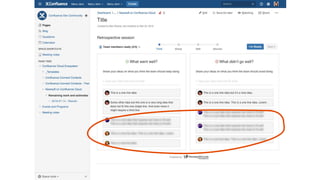
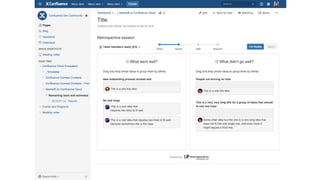
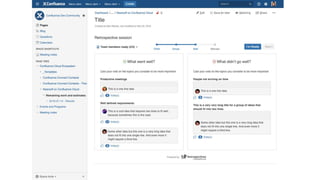
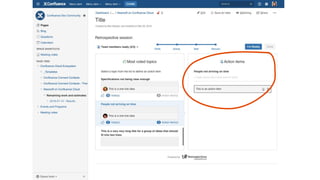
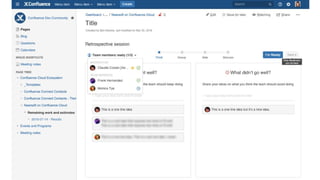
● InVision Prototype
● Recording screen by using QuickTime
● Development team took notes as observers
● Printed out script
4. Prepare the Setting and Recording Devices
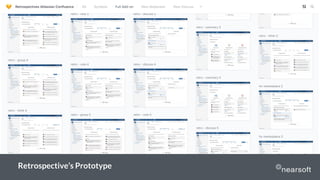
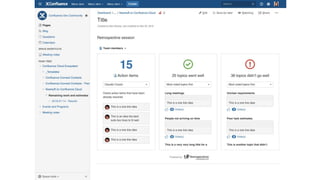
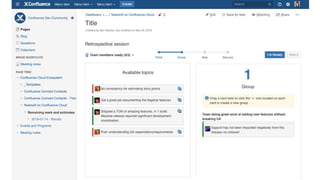
Retrospective’s Prototype
VALIDATE YOUR PRODUCT WITH USABILITY TESTING
5. Run the Session
● Make them feel comfortable
● We are evaluating the product, not you
● Your feedback will help us improve the product
● Make them aware that you will be quiet most of the time
● Instruct users to speak while working
● Avoid explaining or defending the product
● Avoid answering questions, rather ask, “What do you think?”
VALIDATE YOUR PRODUCT WITH USABILITY TESTING
5. Run the Session
● 7 Usability Tests
● InVision Prototype
VALIDATE YOUR PRODUCT WITH USABILITY TESTING
6. Analyze the Findings
● Review by task
● Study how the user reacted (emotions or expressions)
● How many participants ran into the same issues?
● What the user was trying to do vs. What the user did
● Which tasks were most (un)successful? Why?
● Are users successful, but slow?
VALIDATE YOUR PRODUCT WITH USABILITY TESTING
6. Analyze the Findings
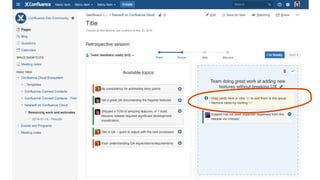
● Add instructions in some steps
● Users needed someone in the retrospective to be a moderator
to guide the team through the steps
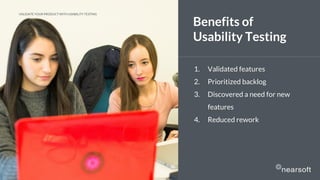
1. Validated features
2. Prioritized backlog
3. Discovered a need for new
features
4. Reduced rework
Benefits of
Usability Testing
VALIDATE YOUR PRODUCT WITH USABILITY TESTING
1. Put your assumptions to the test
2. Involve other team members
3. Don’t take all feedback literally. Don’t attempt to
fix all the issues you found, focus on critical errors
first
4. Include User Testing in your next sprint planning
5. Test again, again, and again!!!
TAKEAWAYS:
Validate
your Product
with
Usability
Testing
VALIDATE YOUR PRODUCT WITH USABILITY TESTING
“Usability is about people and
how they understand and use
things, not about technology.”
VALIDATE YOUR PRODUCT WITH USABILITY TESTING
― Steve Krug
Thanks! Want to know More?
Contact Sandra at (408) 890-2115
ux.nearsoft.com
VALIDATE YOUR PRODUCT WITH USABILITY TESTING
ux-team@nearsoft.com
Want to try out our
Retrospectives add-on?
Download it at Atlassian’s Marketplace and start
running your retro sessions inside Confluence!

Validate your product with usability testing

  • 1.
    Validate your Productwith Usability Testing BY NEARSOFT UXTEAM
  • 2.
    HOST Kim Lantis Content Coordinator @kimlantis PRESENTER DianaArvayo UX Researcher @dianonina PRESENTER Mónica Tye Product Owner @monicatyeb
  • 4.
    Agenda - Major Challengefor Software Development Teams - How Usability Testing helps teams validate products - Case Study: Retrospectives - Takeaways - Q&A #NearsoftUXwebinar VALIDATE YOUR PRODUCT WITH USABILITY TESTING
  • 5.
    CHALLENGE REWORK 50% of programmers’time during a project is spent doing rework! VALIDATE YOUR PRODUCT WITH USABILITY TESTING
  • 6.
    With UX yousave money by reducing rework. VALIDATE YOUR PRODUCT WITH USABILITY TESTING CHALLENGE REWORK
  • 7.
    For every $1invested in UX, the ROI can be anywhere from $10 to $100! VALIDATE YOUR PRODUCT WITH USABILITY TESTING CHALLENGE REWORK
  • 8.
    Myth VALIDATE YOUR PRODUCTWITH USABILITY TESTING
  • 9.
    VALIDATE YOUR PRODUCTWITH USABILITY TESTING Reality
  • 10.
    Bye, bye!!! VALIDATE YOURPRODUCT WITH USABILITY TESTING
  • 11.
    Usability Testing How peopleuse your product and for what purpose VALIDATE YOUR PRODUCT WITH USABILITY TESTING
  • 12.
    Usability Testing What peoplesay vs. what people do VALIDATE YOUR PRODUCT WITH USABILITY TESTING
  • 13.
    Hangouts or Skype Recordthe Audio VALIDATE YOUR PRODUCT WITH USABILITY TESTING Tasks & Script
  • 14.
    VALIDATE YOUR PRODUCTWITH USABILITY TESTING Case Study
  • 15.
    VALIDATE YOUR PRODUCTWITH USABILITY TESTING ● Launch a product ● User Retention ● Validate Ideas When Should I Use Usability Testing
  • 16.
    1. Set thegoal 2. Define the audience 3. Write the tasks you will test 4. Prepare the setting and recording devices 5. Run the session 6. Analyze the findings 7. Iterate How to Run a Usability Test? VALIDATE YOUR PRODUCT WITH USABILITY TESTING
  • 17.
    VALIDATE YOUR PRODUCTWITH USABILITY TESTING 1. Set the Goal ● Set the goal based on your prototype ● Features to test ● Workflows (Login, Edit, etc)
  • 18.
    VALIDATE YOUR PRODUCTWITH USABILITY TESTING Our goal with usability tests was to determine if our add-on was user friendly and intuitive, and if the features we had in mind were valuable to users. 1. Set the Goal
  • 19.
    VALIDATE YOUR PRODUCTWITH USABILITY TESTING
  • 20.
    VALIDATE YOUR PRODUCTWITH USABILITY TESTING ? ? ¿? ? ¿ ¿?
  • 21.
    VALIDATE YOUR PRODUCTWITH USABILITY TESTING ● New or returning? ● Ask for lists of people who have contacted customer service or the help desk ● Look for users in their natural habitat ● Use Social Media for example MeetUp!, Linkedin Groups, Slack Communities ● Reward them :) 2. Define Audience & Recruit Participants
  • 22.
    VALIDATE YOUR PRODUCTWITH USABILITY TESTING 2. Define Audience & Recruit Participants ● Familiar with Confluence ● Had participated in Retrospective sessions with their teams
  • 23.
    VALIDATE YOUR PRODUCTWITH USABILITY TESTING 3. Write Tasks You Will Test ● Consider the goal of the study ● Leave out clues or hints ● Avoid having micro-steps ● Give the test participant a goal but avoid describing the steps
  • 24.
    VALIDATE YOUR PRODUCTWITH USABILITY TESTING 3. Write Tasks You Will Test ● Right and wrong during the sprint ● Grouping similar ideas ● Voting for the most important ideas ● Creating Action items ● Getting a summary of the retrospective
  • 25.
    VALIDATE YOUR PRODUCTWITH USABILITY TESTING 4. Prepare the Setting and Recording Devices ● Friendly reminder ● Practice reading your script aloud ● Identify if you need an observer. If not, be sure to have an audio recording device (your phone will be useful for that) ● Set up (location, internet, battery, etc.)
  • 26.
    VALIDATE YOUR PRODUCTWITH USABILITY TESTING ● InVision Prototype ● Recording screen by using QuickTime ● Development team took notes as observers ● Printed out script 4. Prepare the Setting and Recording Devices
  • 27.
  • 28.
    VALIDATE YOUR PRODUCTWITH USABILITY TESTING 5. Run the Session ● Make them feel comfortable ● We are evaluating the product, not you ● Your feedback will help us improve the product ● Make them aware that you will be quiet most of the time ● Instruct users to speak while working ● Avoid explaining or defending the product ● Avoid answering questions, rather ask, “What do you think?”
  • 29.
    VALIDATE YOUR PRODUCTWITH USABILITY TESTING 5. Run the Session ● 7 Usability Tests ● InVision Prototype
  • 35.
    VALIDATE YOUR PRODUCTWITH USABILITY TESTING 6. Analyze the Findings ● Review by task ● Study how the user reacted (emotions or expressions) ● How many participants ran into the same issues? ● What the user was trying to do vs. What the user did ● Which tasks were most (un)successful? Why? ● Are users successful, but slow?
  • 36.
    VALIDATE YOUR PRODUCTWITH USABILITY TESTING 6. Analyze the Findings ● Add instructions in some steps ● Users needed someone in the retrospective to be a moderator to guide the team through the steps
  • 40.
    1. Validated features 2.Prioritized backlog 3. Discovered a need for new features 4. Reduced rework Benefits of Usability Testing VALIDATE YOUR PRODUCT WITH USABILITY TESTING
  • 41.
    1. Put yourassumptions to the test 2. Involve other team members 3. Don’t take all feedback literally. Don’t attempt to fix all the issues you found, focus on critical errors first 4. Include User Testing in your next sprint planning 5. Test again, again, and again!!! TAKEAWAYS: Validate your Product with Usability Testing VALIDATE YOUR PRODUCT WITH USABILITY TESTING
  • 42.
    “Usability is aboutpeople and how they understand and use things, not about technology.” VALIDATE YOUR PRODUCT WITH USABILITY TESTING ― Steve Krug
  • 43.
    Thanks! Want toknow More? Contact Sandra at (408) 890-2115 ux.nearsoft.com VALIDATE YOUR PRODUCT WITH USABILITY TESTING ux-team@nearsoft.com
  • 44.
    Want to tryout our Retrospectives add-on? Download it at Atlassian’s Marketplace and start running your retro sessions inside Confluence!