Vagrant: virtualise your
development environment
Michael Peacock
August 2012, SuperMondays
About Me
 @michaelpeacock
Head Developer @ Ground Six
Leading the development team and managing the
development process
We are a tech investment company: you bring ideas, we
partner and build the product
Author
Occasional Speaker
Virtualisation
Virtualisation

 Abstraction layer for your hardware
Virtualisation

 Abstraction layer for your hardware
 Lets multiple Operating Systems run concurrently, each
 running on their own virtual hardware
Virtualisation

 Abstraction layer for your hardware
 Lets multiple Operating Systems run concurrently, each
 running on their own virtual hardware
 Limited by your own physical hardware and your host
 machine
VirtualBox
VirtualBox


 www.virtualbox.org
VirtualBox


 www.virtualbox.org
 Virtualisation software tool
VirtualBox


 www.virtualbox.org
 Virtualisation software tool
 Provides the hardware abstraction layer and an
 interface for running VMs
Vagrant
Vagrant

www.vagrantup.com
 “Create and configure lightweight, reproducable, and
 portable development environments”
Vagrant

www.vagrantup.com
  “Create and configure lightweight, reproducable, and
  portable development environments”
Set of command line tools which interacts with and
automates VirtualBox
Vagrant

www.vagrantup.com
  “Create and configure lightweight, reproducable, and
  portable development environments”
Set of command line tools which interacts with and
automates VirtualBox
Designed around portability
Puppet


Provisioning Service
Why?
Why?
Quick start time for new team members
  Vagrant up: you have a development environment
Why?
Quick start time for new team members
  Vagrant up: you have a development environment
Server configuration can be version controlled
Why?
Quick start time for new team members
  Vagrant up: you have a development environment
Server configuration can be version controlled
Cross-platform: work from any machine
Why?
Quick start time for new team members
  Vagrant up: you have a development environment
Server configuration can be version controlled
Cross-platform: work from any machine
Work on multiple projects? Easy to pickup an old, legacy
project with its funky server configs
Why?
Quick start time for new team members
  Vagrant up: you have a development environment
Server configuration can be version controlled
Cross-platform: work from any machine
Work on multiple projects? Easy to pickup an old, legacy
project with its funky server configs
Can run multiple VMs independently
Why?
Quick start time for new team members
  Vagrant up: you have a development environment
Server configuration can be version controlled
Cross-platform: work from any machine
Work on multiple projects? Easy to pickup an old, legacy
project with its funky server configs
Can run multiple VMs independently
Doesn’t mess with your local, host machine
Some terms
Some terms


Host: Your physical machine
Some terms


Host: Your physical machine
Guest: The VM
Overview
Overview
1.Project specific configuration file
Overview
1.Project specific configuration file
2.Import base box
Overview
1.Project specific configuration file
2.Import base box
3.Boot up Virtual Machine
  1.Forward Ports
  2.Share folders
Overview
1.Project specific configuration file
2.Import base box
3.Boot up Virtual Machine
  1.Forward Ports
  2.Share folders
4.Configure / provision software
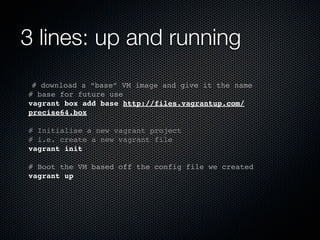
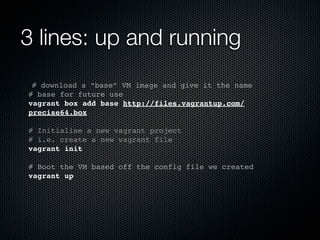
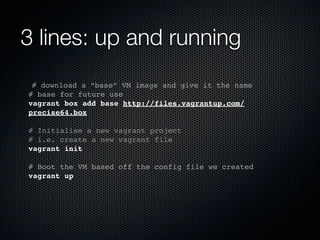
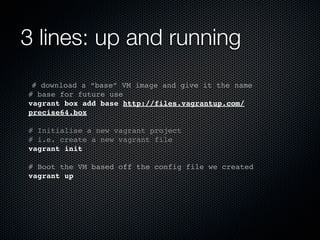
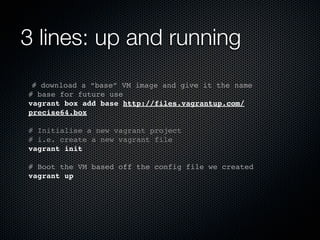
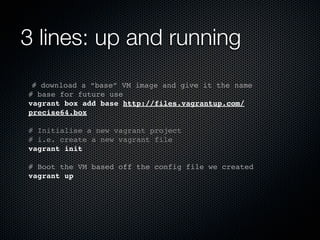
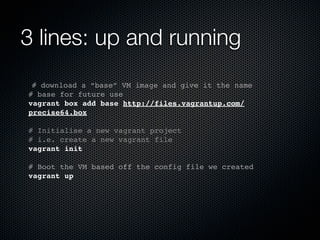
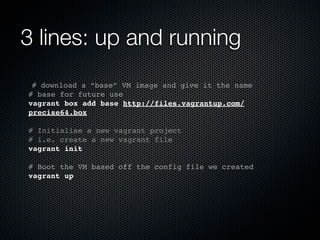
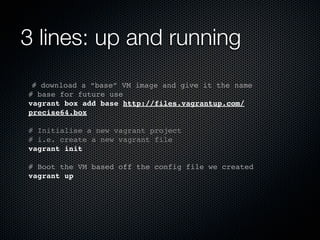
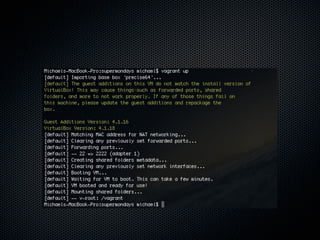
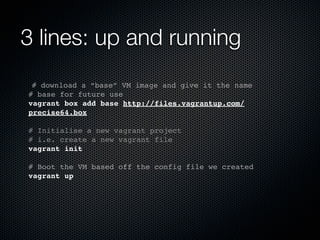
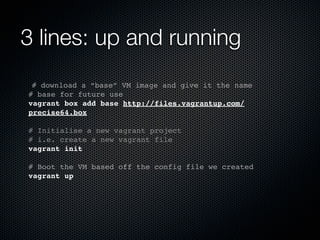
3 lines: up and running
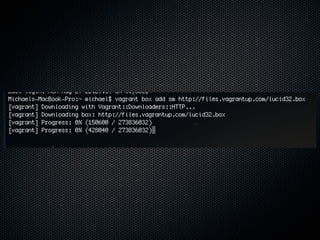
 # download a “base” VM image and give it the name
# base for future use
vagrant box add base http://files.vagrantup.com/
precise64.box

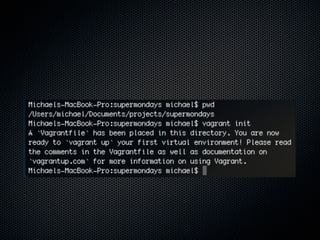
# Initialise a new vagrant project
# i.e. create a new vagrant file
vagrant init

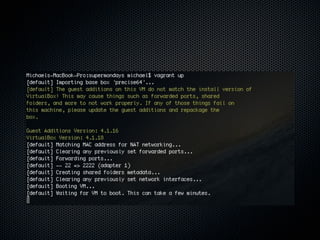
# Boot the VM based off the config file we created
vagrant up
3 lines: up and running
 # download a “base” VM image and give it the name
# base for future use
vagrant box add base http://files.vagrantup.com/
precise64.box

# Initialise a new vagrant project
# i.e. create a new vagrant file
vagrant init

# Boot the VM based off the config file we created
vagrant up
3 lines: up and running
 # download a “base” VM image and give it the name
# base for future use
vagrant box add base http://files.vagrantup.com/
precise64.box

# Initialise a new vagrant project
# i.e. create a new vagrant file
vagrant init

# Boot the VM based off the config file we created
vagrant up
3 lines: up and running
 # download a “base” VM image and give it the name
# base for future use
vagrant box add base http://files.vagrantup.com/
precise64.box

# Initialise a new vagrant project
# i.e. create a new vagrant file
vagrant init

# Boot the VM based off the config file we created
vagrant up
3 lines: up and running
 # download a “base” VM image and give it the name
# base for future use
vagrant box add base http://files.vagrantup.com/
precise64.box

# Initialise a new vagrant project
# i.e. create a new vagrant file
vagrant init

# Boot the VM based off the config file we created
vagrant up
3 lines: up and running
 # download a “base” VM image and give it the name
# base for future use
vagrant box add base http://files.vagrantup.com/
precise64.box

# Initialise a new vagrant project
# i.e. create a new vagrant file
vagrant init

# Boot the VM based off the config file we created
vagrant up
3 lines: up and running
 # download a “base” VM image and give it the name
# base for future use
vagrant box add base http://files.vagrantup.com/
precise64.box

# Initialise a new vagrant project
# i.e. create a new vagrant file
vagrant init

# Boot the VM based off the config file we created
vagrant up
3 lines: up and running
 # download a “base” VM image and give it the name
# base for future use
vagrant box add base http://files.vagrantup.com/
precise64.box

# Initialise a new vagrant project
# i.e. create a new vagrant file
vagrant init

# Boot the VM based off the config file we created
vagrant up
3 lines: up and running
 # download a “base” VM image and give it the name
# base for future use
vagrant box add base http://files.vagrantup.com/
precise64.box

# Initialise a new vagrant project
# i.e. create a new vagrant file
vagrant init

# Boot the VM based off the config file we created
vagrant up
3 lines: up and running
 # download a “base” VM image and give it the name
# base for future use
vagrant box add base http://files.vagrantup.com/
precise64.box

# Initialise a new vagrant project
# i.e. create a new vagrant file
vagrant init

# Boot the VM based off the config file we created
vagrant up
3 lines: up and running
 # download a “base” VM image and give it the name
# base for future use
vagrant box add base http://files.vagrantup.com/
precise64.box

# Initialise a new vagrant project
# i.e. create a new vagrant file
vagrant init

# Boot the VM based off the config file we created
vagrant up
Let’s try it...
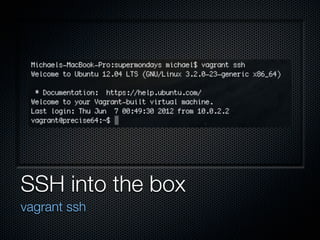
SSH into the box
vagrant ssh
Whats happened?
Whats happened?

Downloaded a base box of Ubuntu, configured for
vagrant
Whats happened?

Downloaded a base box of Ubuntu, configured for
vagrant
Created a new project
  Configured to use this base box by default
Whats happened?

Downloaded a base box of Ubuntu, configured for
vagrant
Created a new project
  Configured to use this base box by default
Booted the VM: vagrant up
Whats happened?

Downloaded a base box of Ubuntu, configured for
vagrant
Created a new project
  Configured to use this base box by default
Booted the VM: vagrant up
Connected into the VM: vagrant ssh
Managing the VM
Managing the VM
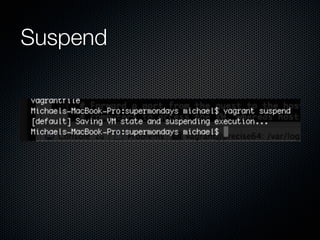
Suspend
  vagrant suspend
Managing the VM
Suspend
  vagrant suspend
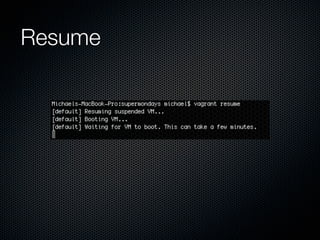
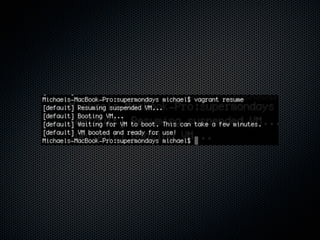
Resume
  vagrant resume
Managing the VM
Suspend
  vagrant suspend
Resume
  vagrant resume
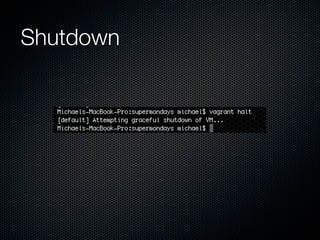
Shutdown
  vagrant halt
Managing the VM
Suspend
  vagrant suspend
Resume
  vagrant resume
Shutdown
  vagrant halt
Turn on
  vagrant up (re-runs any provisioning tasks)
Lets try it
Suspend
Resume
Shutdown
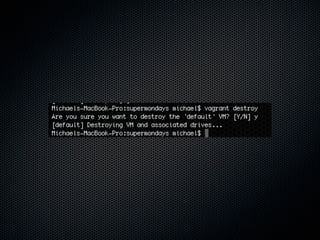
When shit hits the fan


        vagrant destroy
vagrant destroy: a warning
 The VM is completely wiped
vagrant destroy: a warning
 The VM is completely wiped
 Anything that can’t be replicated from:
   Your project folder (shared folder)
   Vagrant base box
   Vagrant File
   Puppet Manifests
vagrant destroy: a warning
 The VM is completely wiped
 Anything that can’t be replicated from:
   Your project folder (shared folder)
   Vagrant base box
   Vagrant File
   Puppet Manifests
 WILL BE LOST FOREVER
   E.g. Databases (hint: use a DB patching or versioning tool in your
   project folder)
vagrant init
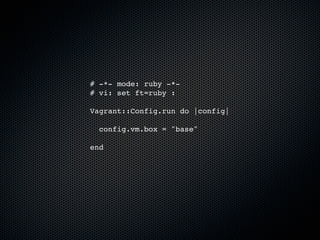
Creates a new Vagrantfile, which instructs
vagrant what too boot and how to do it. Let’s
take a peak.
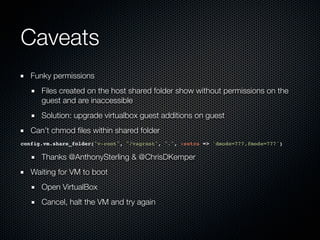
# -*- mode: ruby -*-
# vi: set ft=ruby :

Vagrant::Config.run do |config|

  config.vm.box = "base"

end
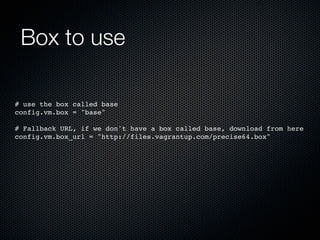
Box to use

# use the box called base
config.vm.box = "base"

# Fallback URL, if we don't have a box called base, download from here
config.vm.box_url = "http://files.vagrantup.com/precise64.box"
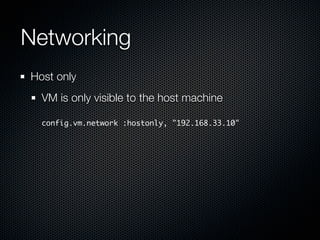
Networking
Networking
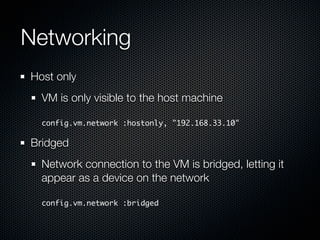
Host only
  VM is only visible to the host machine

  config.vm.network :hostonly, "192.168.33.10"
Networking
Host only
  VM is only visible to the host machine

  config.vm.network :hostonly, "192.168.33.10"

Bridged
  Network connection to the VM is bridged, letting it
  appear as a device on the network

  config.vm.network :bridged
Ports
Ports

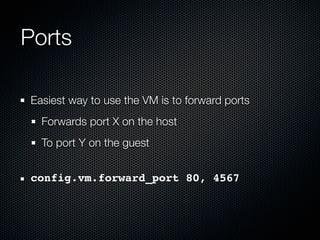
Easiest way to use the VM is to forward ports
  Forwards port X on the host
  To port Y on the guest
Ports

Easiest way to use the VM is to forward ports
  Forwards port X on the host
  To port Y on the guest


config.vm.forward_port 80, 4567
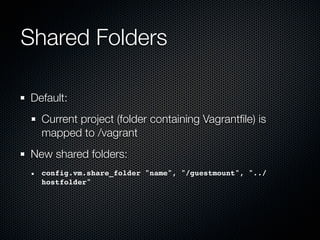
Shared Folders
Shared Folders

Default:
  Current project (folder containing Vagrantfile) is
  mapped to /vagrant
Shared Folders

Default:
  Current project (folder containing Vagrantfile) is
  mapped to /vagrant
New shared folders:
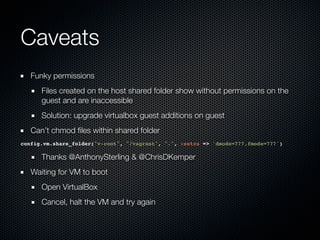
  config.vm.share_folder "name", "/guestmount", "../
  hostfolder"
Provisioning


 So far: we can build and d
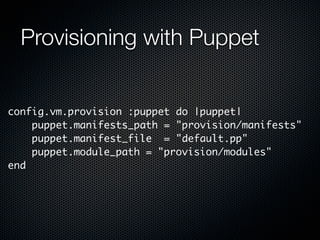
Provisioning with Puppet


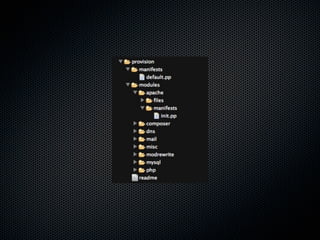
config.vm.provision :puppet do |puppet|
    puppet.manifests_path = "provision/manifests"
    puppet.manifest_file = "default.pp"
    puppet.module_path = "provision/modules"
end
What can Puppet do
What can Puppet do
Checks conditions:
What can Puppet do
Checks conditions:
Package installed
What can Puppet do
Checks conditions:
Package installed
File exists / contains / etc
What can Puppet do
Checks conditions:
Package installed
File exists / contains / etc
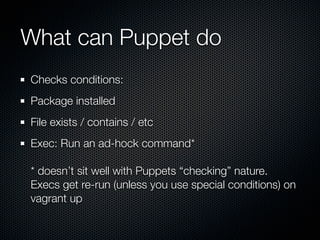
Exec: Run an ad-hock command*

* doesn’t sit well with Puppets “checking” nature.
Execs get re-run (unless you use special conditions) on
vagrant up
Package


package { "apache2":
    ensure => present,
    require => Exec['apt-get update']
  }
Service

  service { "apache2":
      ensure => running,
      require => Package["apache2"]
    }
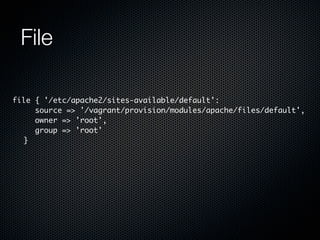
File

file   { '/etc/apache2/sites-available/default':
	 	    source => '/vagrant/provision/modules/apache/files/default',
	 	    owner => 'root',
	 	    group => 'root'
	 }
Exec

  exec { 'apt-get update':
       	command => '/usr/bin/apt-get update',
       	require => Exec['preparenetworking']
    	}
Users & Groups

   group { "wheel":
   !     ensure => "present",
   ! }
   !
   ! exec { "/bin/echo "%wheel ALL=(ALL) ALL"
   >> /etc/sudoers":
   !     require => Group["wheel"]
   ! }
Users & Groups

    user   { "developer":
    ! !    ensure => "present",
    ! !    gid => "wheel",
    ! !    shell => "/bin/bash",
    ! !    home => "/home/developer",
    ! !    managehome => true,
    ! !    password => "passwordtest",
    ! !    require => Group["wheel"]
    ! }
Stringing it together
  class apache {

      package { "apache2":
        ensure => present,
        require => Exec['apt-get update']
      }

      file { '/var/www/src':
  !       ensure => 'link',
  !       target => '/vagrant/src',
  !       require => Package['apache2']
  !    }
  !
  !    file { '/etc/apache2/sites-available/default':
  !    ! source => '/vagrant/provision/modules/apache/files/default',
  !    ! owner => 'root',
  !    ! group => 'root'
  !    }

      service { "apache2":
        ensure => running,
        require => Package["apache2"]
      }
  }
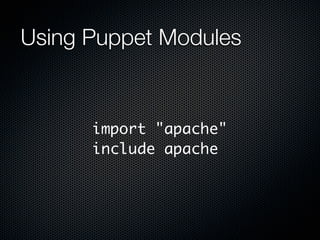
Using Puppet Modules


      import "apache"
      include apache
Explicit ordering


     stage { 'first': before => Stage[main] }
     class {'apache': stage => first}
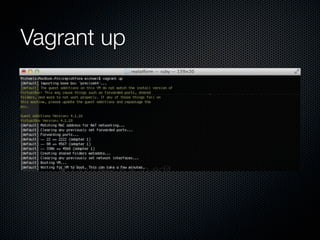
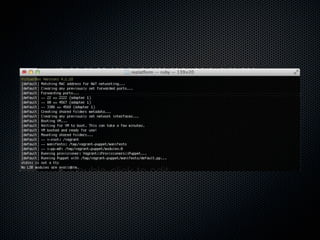
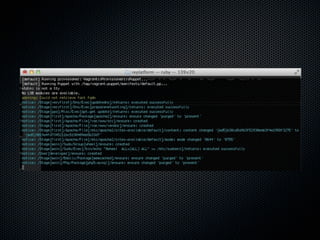
Vagrant up