Vagrant Hands on Workshop for
Beginners
Liora Milbaum
DevOps & ALM Evangelist
whoami
Mother of 3 girls 22,18,13
Software developer 3 years
ALM Expert 20+ years
DevOps Enthusiast 3 years
Owner of L.M.B.-Consulting Ltd. since 1999
IBM Advanced Business Partner ~10 years
https://www.linkedin.com/in/lioramilbaum
Please interrupt me
Have a
question/remarks?
Vagrant introduction
VirtualBox introduction
Vagrant+Virtualbox workflow
Getting base boxes
Configuring boxes
Provisioning - shell
Agenda
Vagrant introduction
VirtualBox introduction
Vagrant+Virtualbox workflow
Getting base boxes
Configuring boxes
Provisioning - shell
Agenda
What is Vagrant good for?
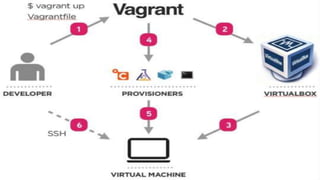
Create and configure lightweight, reproducible
and portable development environments
https://www.vagrantup.com/
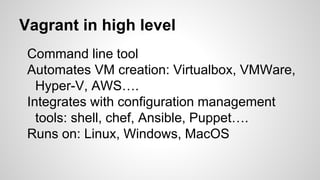
Vagrant in high level
Command line tool
Automates VM creation: Virtualbox, VMWare,
Hyper-V, AWS….
Integrates with configuration management
tools: shell, chef, Ansible, Puppet….
Runs on: Linux, Windows, MacOS
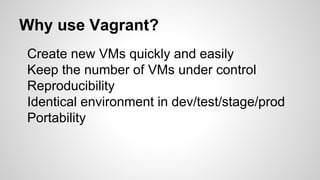
Why use Vagrant?
Create new VMs quickly and easily
Keep the number of VMs under control
Reproducibility
Identical environment in dev/test/stage/prod
Portability
Vagrant introduction
VirtualBox introduction
Vagrant+Virtualbox workflow
Getting base boxes
Configuring boxes
Provisioning - shell
Agenda
What is VirtualBox good for?
A general purpose full virtualizer for x86
hardware
https://www.virtualbox.org
Vagrant introduction
VirtualBox introduction
Vagrant+Virtualbox workflow
Getting base boxes
Configuring boxes
Provisioning - shell
Agenda
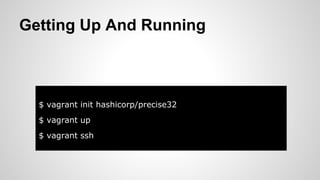
$ vagrant init hashicorp/precise32
$ vagrant up
$ vagrant ssh
Getting Up And Running
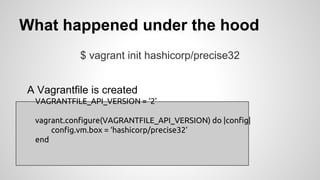
What happened under the hood
$ vagrant init hashicorp/precise32
A Vagrantfile is created
VAGRANTFILE_API_VERSION = ‘2’
vagrant.configure(VAGRANTFILE_API_VERSION) do |config|
config.vm.box = ‘hashicorp/precise32’
end
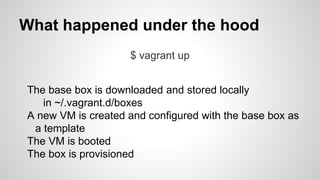
What happened under the hood
$ vagrant up
The base box is downloaded and stored locally
in ~/.vagrant.d/boxes
A new VM is created and configured with the base box as
a template
The VM is booted
The box is provisioned
Done!
$ vagrant ssh
You have a working VM ready for use
Vagrant introduction
VirtualBox introduction
Vagrant+Virtualbox workflow
Getting base boxes
Configuring boxes
Provisioning - shell
Agenda
Finding base boxes
https://atlas.hashicorp.com/boxes/search
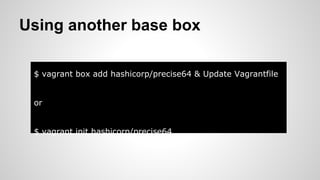
Using another base box
$ vagrant box add hashicorp/precise64 & Update Vagrantfile
or
$ vagrant init hashicorp/precise64
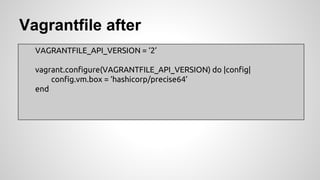
Vagrantfile after
VAGRANTFILE_API_VERSION = ‘2’
vagrant.configure(VAGRANTFILE_API_VERSION) do |config|
config.vm.box = ‘hashicorp/precise64’
end
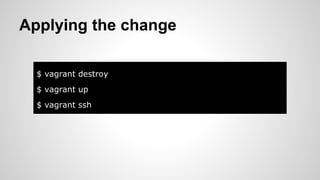
Applying the change
$ vagrant destroy
$ vagrant up
$ vagrant ssh
Vagrant introduction
VirtualBox introduction
Vagrant+Virtualbox workflow
Getting base boxes
Configuring boxes
Provisioning - shell
Agenda
Modified VM
VAGRANTFILE_API_VERSION = ‘2’
vagrant.configure(VAGRANTFILE_API_VERSION) do |config|
config.vm.box = ‘hashicorp/precise64’
config.vm.provider :virtualbox do |vb|
vb.name = HOST_NAME
vb.customize [‘modifyvm’, :id, ‘--memory’, 256]
end
end
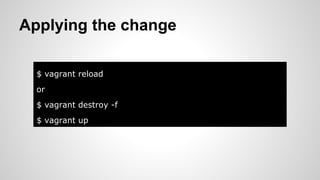
Applying the change
$ vagrant reload
or
$ vagrant destroy -f
$ vagrant up
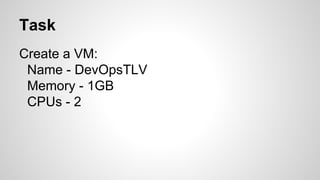
Task
Create a VM:
Name - DevOpsTLV
Memory - 1GB
CPUs - 2
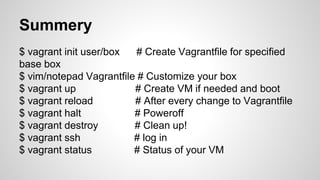
$ vagrant init user/box # Create Vagrantfile for specified
base box
$ vim/notepad Vagrantfile # Customize your box
$ vagrant up # Create VM if needed and boot
$ vagrant reload # After every change to Vagrantfile
$ vagrant halt # Poweroff
$ vagrant destroy # Clean up!
$ vagrant ssh # log in
$ vagrant status # Status of your VM
Summery
Vagrant introduction
VirtualBox introduction
Vagrant+Virtualbox workflow
Getting base boxes
Configuring boxes
Provisioning - shell
Agenda
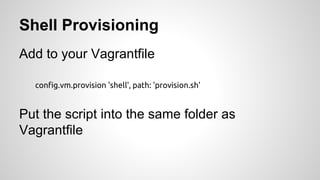
Shell Provisioning
Add to your Vagrantfile
config.vm.provision 'shell', path: 'provision.sh'
Put the script into the same folder as
Vagrantfile
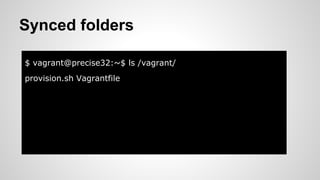
$ vagrant@precise32:~$ ls /vagrant/
provision.sh Vagrantfile
Synced folders
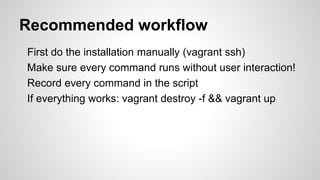
Recommended workflow
First do the installation manually (vagrant ssh)
Make sure every command runs without user interaction!
Record every command in the script
If everything works: vagrant destroy -f && vagrant up
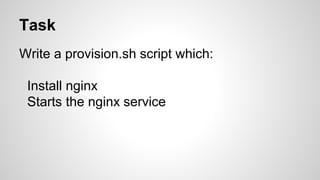
Task
Write a provision.sh script which:
Install nginx
Starts the nginx service
That’s it
(for today)
Credit to Bert Van Vreckem
http://slidedeck.io/bertvv/vagrant-presentation

Vagrant hands on workshop for beginners