Quick & Easy Dev Environments with
             Vagrant
             MemphisPHP.org
                3/26/13


 Tonight's Sponsor:
About Vagrant

"Vagrant is a tool for building complete
development environments. With an easy-to-
use workflow and focus on automation, Vagrant
lowers development environment setup time,
increases development/production parity, and
makes the "works on my machine" excuse a
relic of the past."
-http://www.vagrantup.com/about.html
What can Vagrant do for me?

● Easily create environments without waiting
  for an Operating system install
● Easily configure pre-built boxes or build your
  own
● Share packaged environments with
  coworkers or a team of developers
● Ensures everyone is developing against the
  same target environment.
● Portable - move environments from machine
  to machine
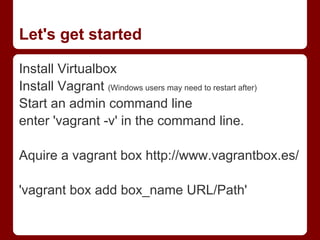
Let's get started

Install Virtualbox
Install Vagrant (Windows users may need to restart after)
Start an admin command line
enter 'vagrant -v' in the command line.

Aquire a vagrant box http://www.vagrantbox.es/

'vagrant box add box_name URL/Path'
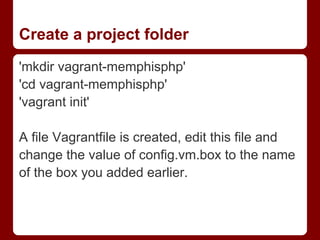
Create a project folder
'mkdir vagrant-memphisphp'
'cd vagrant-memphisphp'
'vagrant init'

A file Vagrantfile is created, edit this file and
change the value of config.vm.box to the name
of the box you added earlier.
Configure network / ports
uncomment the config.vm.network line and lets
set up port 9000 to forward to port 80 on the
VM

config.vm.network :forwarded_port, guest: 80,
host: 9000
Fire up the VM!

Simply run 'vagrant up'

Once the command has finished, the box will
be running in the background.

Now we need to configure ssh so we can
remote into the box.

'vagrant ssh'
SSH + Windows = Putty+ PuttyGen

On windows, this will give a warning that it cannot find an
executable 'ssh'. What we need to do here is open putty,
configure 127.0.0.1:2222 with the private key it generated
here: C:/Users/halo/.vagrant.d/insecure_private_key

You will need to use Puttygen to generate the key for putty
to use. The user name will be 'vagrant'
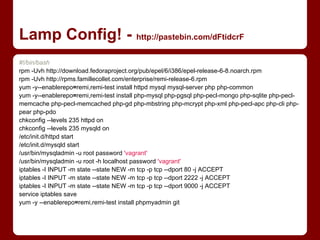
Lamp Config! - http://pastebin.com/dFtidcrF
#!/bin/bash
rpm -Uvh http://download.fedoraproject.org/pub/epel/6/i386/epel-release-6-8.noarch.rpm
rpm -Uvh http://rpms.famillecollet.com/enterprise/remi-release-6.rpm
yum -y--enablerepo=remi,remi-test install httpd mysql mysql-server php php-common
yum -y--enablerepo=remi,remi-test install php-mysql php-pgsql php-pecl-mongo php-sqlite php-pecl-
memcache php-pecl-memcached php-gd php-mbstring php-mcrypt php-xml php-pecl-apc php-cli php-
pear php-pdo
chkconfig --levels 235 httpd on
chkconfig --levels 235 mysqld on
/etc/init.d/httpd start
/etc/init.d/mysqld start
/usr/bin/mysqladmin -u root password 'vagrant'
/usr/bin/mysqladmin -u root -h localhost password 'vagrant'
iptables -I INPUT -m state --state NEW -m tcp -p tcp --dport 80 -j ACCEPT
iptables -I INPUT -m state --state NEW -m tcp -p tcp --dport 2222 -j ACCEPT
iptables -I INPUT -m state --state NEW -m tcp -p tcp --dport 9000 -j ACCEPT
service iptables save
yum -y --enablerepo=remi,remi-test install phpmyadmin git
Post Lamp config...

Once this script completes you should be able
to view http://localhost:9000/ and see the
default CentOS apache page.
Shared Folders

By default vagrant shares the project directory
with the guest VM mounted at /vagrant You can
add your own shares via the Vagrantfile.
Shutting Down / Reloading

When you need to shut down or halt the VM
you can simply use 'vagrant halt'.

If you need to restart to reload the Vagrantfile
config, use 'vagrant reload'

You can also 'vagrant suspend' to suspend the
VM.
Destroy!

To completely wipe the VM you can 'vagrant
destroy'.

Then simply run 'vagrant up' again to reimport
the box and start over.
Sharing is caring... or something...

'vagrant package'
This will shutdown the VM and create a
distributable package of the VM to you can
share / deploy to a dev team.
C:Usershalovagrant-memphisphp>vagrant package
[default] Attempting graceful shutdown of VM...
[default] Clearing any previously set forwarded ports...
[default] Creating temporary directory for export...
[default] Exporting VM...
[default] Compressing package to: C:/Users/halo/vagrant-
memphisphp/package.box
Links & Further Reading

Vagrant: www.vagrantup.com
Vagrant Boxen:www.vagrantbox.es
CentOS: www.centos.org

Quick & Easy Dev Environments with Vagrant

  • 1.
    Quick & EasyDev Environments with Vagrant MemphisPHP.org 3/26/13 Tonight's Sponsor:
  • 2.
    About Vagrant "Vagrant isa tool for building complete development environments. With an easy-to- use workflow and focus on automation, Vagrant lowers development environment setup time, increases development/production parity, and makes the "works on my machine" excuse a relic of the past." -http://www.vagrantup.com/about.html
  • 3.
    What can Vagrantdo for me? ● Easily create environments without waiting for an Operating system install ● Easily configure pre-built boxes or build your own ● Share packaged environments with coworkers or a team of developers ● Ensures everyone is developing against the same target environment. ● Portable - move environments from machine to machine
  • 4.
    Let's get started InstallVirtualbox Install Vagrant (Windows users may need to restart after) Start an admin command line enter 'vagrant -v' in the command line. Aquire a vagrant box http://www.vagrantbox.es/ 'vagrant box add box_name URL/Path'
  • 5.
    Create a projectfolder 'mkdir vagrant-memphisphp' 'cd vagrant-memphisphp' 'vagrant init' A file Vagrantfile is created, edit this file and change the value of config.vm.box to the name of the box you added earlier.
  • 6.
    Configure network /ports uncomment the config.vm.network line and lets set up port 9000 to forward to port 80 on the VM config.vm.network :forwarded_port, guest: 80, host: 9000
  • 7.
    Fire up theVM! Simply run 'vagrant up' Once the command has finished, the box will be running in the background. Now we need to configure ssh so we can remote into the box. 'vagrant ssh'
  • 8.
    SSH + Windows= Putty+ PuttyGen On windows, this will give a warning that it cannot find an executable 'ssh'. What we need to do here is open putty, configure 127.0.0.1:2222 with the private key it generated here: C:/Users/halo/.vagrant.d/insecure_private_key You will need to use Puttygen to generate the key for putty to use. The user name will be 'vagrant'
  • 9.
    Lamp Config! -http://pastebin.com/dFtidcrF #!/bin/bash rpm -Uvh http://download.fedoraproject.org/pub/epel/6/i386/epel-release-6-8.noarch.rpm rpm -Uvh http://rpms.famillecollet.com/enterprise/remi-release-6.rpm yum -y--enablerepo=remi,remi-test install httpd mysql mysql-server php php-common yum -y--enablerepo=remi,remi-test install php-mysql php-pgsql php-pecl-mongo php-sqlite php-pecl- memcache php-pecl-memcached php-gd php-mbstring php-mcrypt php-xml php-pecl-apc php-cli php- pear php-pdo chkconfig --levels 235 httpd on chkconfig --levels 235 mysqld on /etc/init.d/httpd start /etc/init.d/mysqld start /usr/bin/mysqladmin -u root password 'vagrant' /usr/bin/mysqladmin -u root -h localhost password 'vagrant' iptables -I INPUT -m state --state NEW -m tcp -p tcp --dport 80 -j ACCEPT iptables -I INPUT -m state --state NEW -m tcp -p tcp --dport 2222 -j ACCEPT iptables -I INPUT -m state --state NEW -m tcp -p tcp --dport 9000 -j ACCEPT service iptables save yum -y --enablerepo=remi,remi-test install phpmyadmin git
  • 10.
    Post Lamp config... Oncethis script completes you should be able to view http://localhost:9000/ and see the default CentOS apache page.
  • 11.
    Shared Folders By defaultvagrant shares the project directory with the guest VM mounted at /vagrant You can add your own shares via the Vagrantfile.
  • 12.
    Shutting Down /Reloading When you need to shut down or halt the VM you can simply use 'vagrant halt'. If you need to restart to reload the Vagrantfile config, use 'vagrant reload' You can also 'vagrant suspend' to suspend the VM.
  • 13.
    Destroy! To completely wipethe VM you can 'vagrant destroy'. Then simply run 'vagrant up' again to reimport the box and start over.
  • 14.
    Sharing is caring...or something... 'vagrant package' This will shutdown the VM and create a distributable package of the VM to you can share / deploy to a dev team. C:Usershalovagrant-memphisphp>vagrant package [default] Attempting graceful shutdown of VM... [default] Clearing any previously set forwarded ports... [default] Creating temporary directory for export... [default] Exporting VM... [default] Compressing package to: C:/Users/halo/vagrant- memphisphp/package.box
  • 15.
    Links & FurtherReading Vagrant: www.vagrantup.com Vagrant Boxen:www.vagrantbox.es CentOS: www.centos.org