Using YouTube in the Classroom

           Joe Perret
       Computer Applications
Objectives
     Background on YouTube
     How to find YouTube
     Good Bad and Ugly
     Searching YouTube
     TeacherTube
     Presenting your YouTube
     Using YouTube in the Classroom


2   Perret - Using YouTube in the Classroom   Nov 2009
What is YouTube
     Most popular web portals in the world.
     Three former PayPal employees created
        YouTube in February 2005.
     In November 2006, YouTube, LLC was bought
        by Google Inc. for $1.65 billion,
       Now operated as a subsidiary of Google.
       Allows users to submit videos
       Search the massive video section by searching
        for keywords,
       YouTube has taken the idea of viral videos to a
        new level.
3   Perret - Using YouTube in the Classroom               Nov 2009
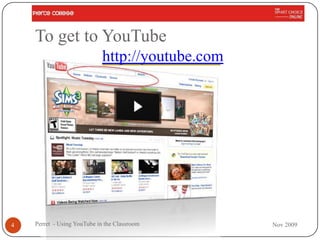
To get to YouTube
                             http://youtube.com


4   Perret - Using YouTube in the Classroom       Nov 2009
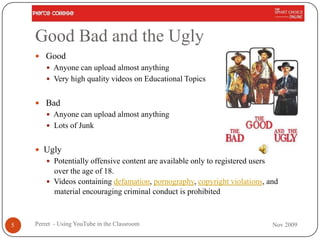
Good Bad and the Ugly
     Good
         Anyone can upload almost anything
         Very high quality videos on Educational Topics


     Bad
         Anyone can upload almost anything
         Lots of Junk


     Ugly
         Potentially offensive content are available only to registered users
          over the age of 18.
         Videos containing defamation, pornography, copyright violations, and
          material encouraging criminal conduct is prohibited


5   Perret - Using YouTube in the Classroom                                      Nov 2009
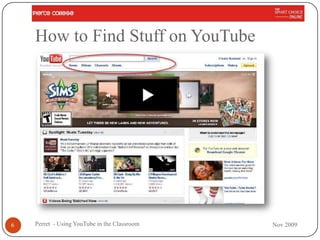
How to Find Stuff on YouTube


6   Perret - Using YouTube in the Classroom   Nov 2009
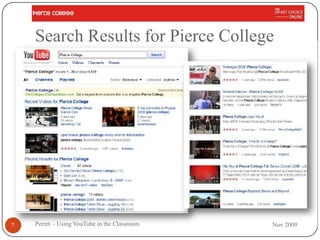
Search Results for Pierce College


7   Perret - Using YouTube in the Classroom   Nov 2009
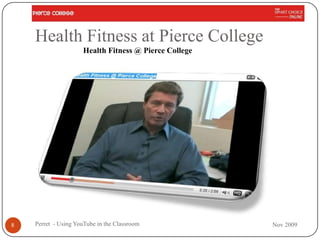
Health Fitness at Pierce College
                     Health Fitness @ Pierce College


8   Perret - Using YouTube in the Classroom            Nov 2009
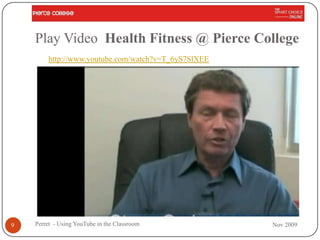
Play Video Health Fitness @ Pierce College
        http://www.youtube.com/watch?v=T_6yS7SlXEE


9   Perret - Using YouTube in the Classroom          Nov 2009
TeacherTube
         http://TeacherTube.com
      Free online educational community that shares
       instructional videos devoted exclusively to teaching
       and learning.
      Goal of TeacherTube is to
         “fill a need for a more educationally focused, safe venue for
          teachers, schools, and home learners"
         “provide anytime, anywhere professional development, with
          teachers teaching teachers."
      TeacherTube provides a place to post “videos
       designed for students to view in order to learn a
       concept or skill."
10   Perret - Using YouTube in the Classroom                              Nov 2009
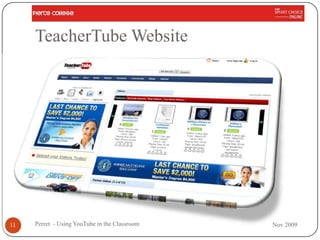
TeacherTube Website


11   Perret - Using YouTube in the Classroom   Nov 2009
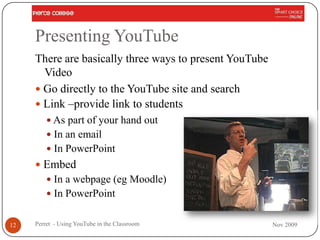
Presenting YouTube
     There are basically three ways to present YouTube
       Video
      Go directly to the YouTube site and search
      Link –provide link to students
          As part of your hand out
          In an email
          In PowerPoint
      Embed
          In a webpage (eg Moodle)
          In PowerPoint


12   Perret - Using YouTube in the Classroom             Nov 2009
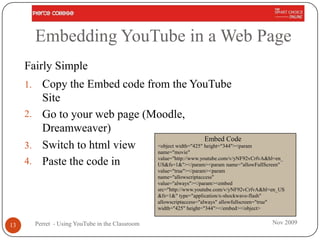
Embedding YouTube in a Web Page
     Fairly Simple
     1. Copy the Embed code from the YouTube
        Site
     2. Go to your web page (Moodle,
        Dreamweaver)
                                                  Embed Code
     3. Switch to html view   <object width="425" height="344"><param
                              name="movie"
                              value="http://www.youtube.com/v/yNF92vCrfvA&hl=en_
     4. Paste the code in     US&fs=1&"></param><param name="allowFullScreen"
                                                    value="true"></param><param
                                                    name="allowscriptaccess"
                                                    value="always"></param><embed
                                                    src="http://www.youtube.com/v/yNF92vCrfvA&hl=en_US
                                                    &fs=1&" type="application/x-shockwave-flash"
                                                    allowscriptaccess="always" allowfullscreen="true"
                                                    width="425" height="344"></embed></object>


13        Perret - Using YouTube in the Classroom                                                Nov 2009
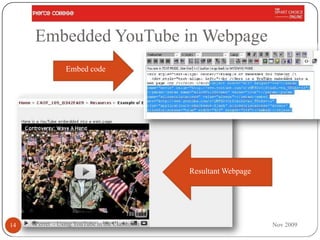
Embedded YouTube in Webpage
                Embed code


                                               Resultant Webpage


14   Perret - Using YouTube in the Classroom                       Nov 2009
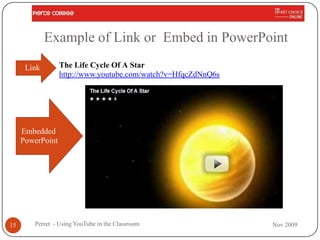
Example of Link or Embed in PowerPoint
      Link        The Life Cycle Of A Star
                  http://www.youtube.com/watch?v=HfqcZdNnQ6s


     Embedded
     PowerPoint


15      Perret - Using YouTube in the Classroom                Nov 2009
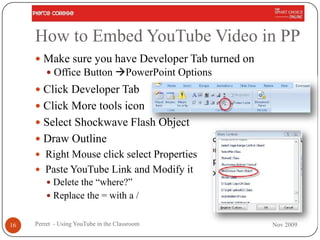
How to Embed YouTube Video in PP
      Make sure you have Developer Tab turned on
          Office Button PowerPoint Options
      Click Developer Tab
      Click More tools icon
      Select Shockwave Flash Object
      Draw Outline
      Right Mouse click select Properties
      Paste YouTube Link and Modify it
          Delete the “where?”
          Replace the = with a /


16   Perret - Using YouTube in the Classroom        Nov 2009
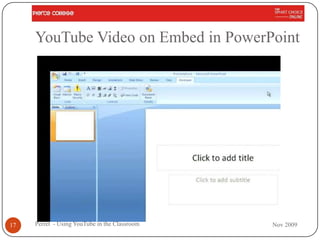
YouTube Video on Embed in PowerPoint


17   Perret - Using YouTube in the Classroom   Nov 2009
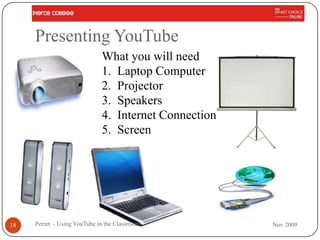
Presenting YouTube
                             What you will need
                             1. Laptop Computer
                             2. Projector
                             3. Speakers
                             4. Internet Connection
                             5. Screen


18   Perret - Using YouTube in the Classroom          Nov 2009
Using YouTube in the Classroom

           Ok we got all the technical stuff out of the way
                 How Do I Use YouTube Videos?


19   Perret - Using YouTube in the Classroom                  Nov 2009
Using YouTube
       It not the Tool you use …but how you Use the tool

        Use YouTube to Augment the Class
            Material
        Use YouTube as Student Projects


20   Perret - Using YouTube in the Classroom               Nov 2009
FirstAsk - Why Use YouTube?
      We have to educate the students we have
          Not the students we used to have
          Not the students we wish we had
      We must adapt to them – our „customers‟
          Adapt to their world
          Adapt to their leaning styles
      Millennials
          First network generation
          Hyper communicators
          They have to „Power Down‟ just to go to school


21   Perret - Using YouTube in the Classroom                Nov 2009
Students Today
      Students are writing short blurbs
      video-taping their lives.
      Today's student has grown up in a very visual
        environment and loves it.
             YouTubes

              Short
              Visual
              Audio


22   Perret - Using YouTube in the Classroom           Nov 2009
Augmenting Class Material
          Find YouTube‟s that illustrate the topic you are
           covering.
          Give students the assignment to find YouTube
           illustrations – then present them in class


23   Perret - Using YouTube in the Classroom                  Nov 2009
Some Examples
      English                                  Chemistry
      Math                                     Biology
      Physics                                  Geology
      History                                  Astronomy
      Automechanics                            Computer Applications
      Geography                                Computer Science
      Anthropology                             Philosophy
      Sociology


24   Perret - Using YouTube in the Classroom                             Nov 2009
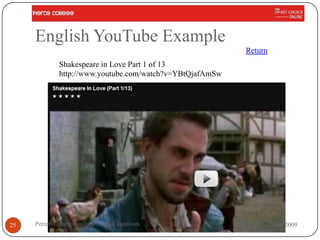
English YouTube Example
                                                          Return
             Shakespeare in Love Part 1 of 13
             http://www.youtube.com/watch?v=YBtQjafAmSw


25   Perret - Using YouTube in the Classroom                       Nov 2009
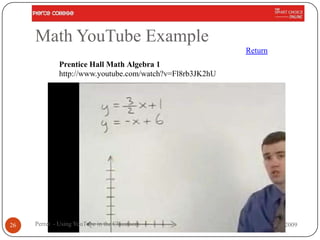
Math YouTube Example
                                                          Return
             Prentice Hall Math Algebra 1
             http://www.youtube.com/watch?v=Fl8rb3JK2hU


26   Perret - Using YouTube in the Classroom                       Nov 2009
Physics YouTube Example
                                                          Return
             MIT Physics Demo -- Pendulum and Magnet
             http://www.youtube.com/watch?v=7_-RqkYatWI


27   Perret - Using YouTube in the Classroom                       Nov 2009
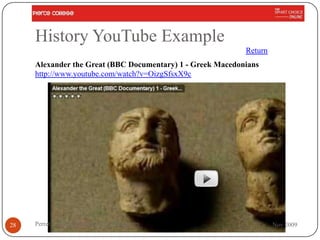
History YouTube Example
                                                            Return
     Alexander the Great (BBC Documentary) 1 - Greek Macedonians
     http://www.youtube.com/watch?v=OizgSfsxX9c


28   Perret - Using YouTube in the Classroom                         Nov 2009
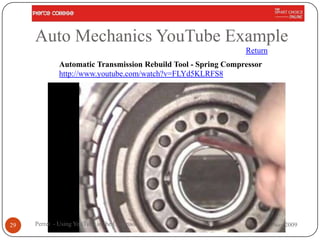
Auto Mechanics YouTube Example
                                                               Return
             Automatic Transmission Rebuild Tool - Spring Compressor
             http://www.youtube.com/watch?v=FLYd5KLRFS8


29   Perret - Using YouTube in the Classroom                            Nov 2009
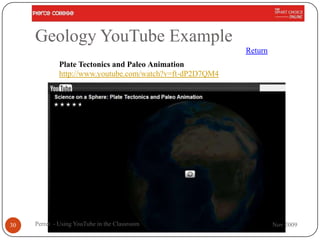
Geology YouTube Example
                                                          Return
             Plate Tectonics and Paleo Animation
             http://www.youtube.com/watch?v=ft-dP2D7QM4


30   Perret - Using YouTube in the Classroom                       Nov 2009
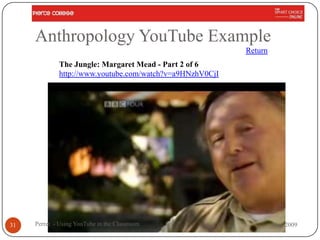
Anthropology YouTube Example
                                                          Return
             The Jungle: Margaret Mead - Part 2 of 6
             http://www.youtube.com/watch?v=a9HNzhV0CjI


31   Perret - Using YouTube in the Classroom                       Nov 2009
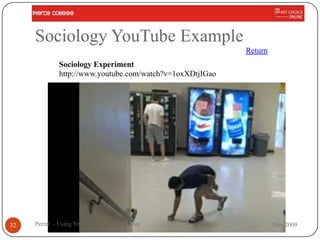
Sociology YouTube Example
                                                          Return
             Sociology Experiment
             http://www.youtube.com/watch?v=1oxXDtjIGao


32   Perret - Using YouTube in the Classroom                       Nov 2009
Chemistry YouTube Example
                                                          Return
             What Kind Of Bonds Are These?
             http://www.youtube.com/watch?v=oNBzyM6TcK8


33   Perret - Using YouTube in the Classroom                       Nov 2009
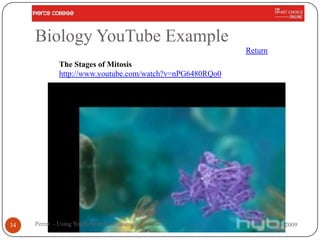
Biology YouTube Example
                                                          Return
             The Stages of Mitosis
             http://www.youtube.com/watch?v=nPG6480RQo0


34   Perret - Using YouTube in the Classroom                       Nov 2009
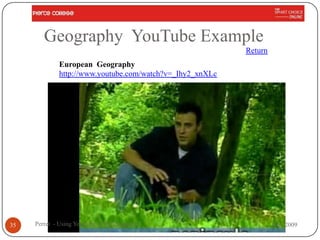
Geography YouTube Example
                                                          Return
             European Geography
             http://www.youtube.com/watch?v=_Ihy2_xnXLc


35   Perret - Using YouTube in the Classroom                       Nov 2009
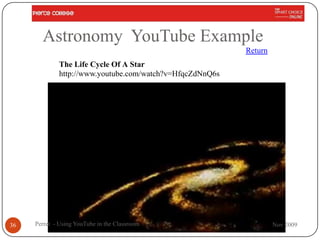
Astronomy YouTube Example
                                                          Return
             The Life Cycle Of A Star
             http://www.youtube.com/watch?v=HfqcZdNnQ6s


36   Perret - Using YouTube in the Classroom                       Nov 2009
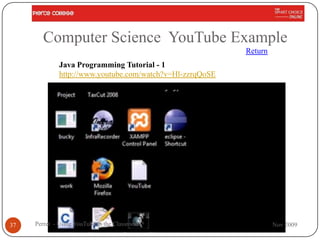
Computer Science YouTube Example
                                                          Return
             Java Programming Tutorial - 1
             http://www.youtube.com/watch?v=Hl-zzrqQoSE


37   Perret - Using YouTube in the Classroom                       Nov 2009
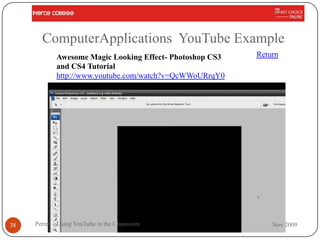
ComputerApplications YouTube Example
            Awesome Magic Looking Effect- Photoshop CS3   Return
            and CS4 Tutorial
            http://www.youtube.com/watch?v=QcWWoURrqY0


38   Perret - Using YouTube in the Classroom                  Nov 2009
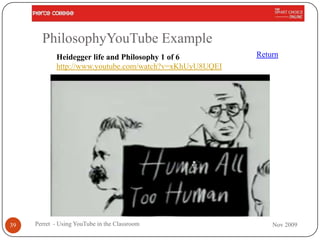
PhilosophyYouTube Example
            Heidegger life and Philosophy 1 of 6         Return
            http://www.youtube.com/watch?v=xKhUyU8UQEI


39   Perret - Using YouTube in the Classroom                 Nov 2009
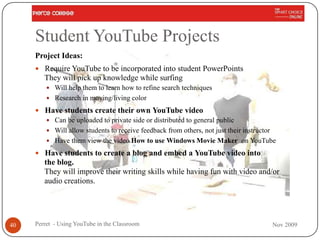
Student YouTube Projects
     Project Ideas:
      Require YouTube to be incorporated into student PowerPoints
        They will pick up knowledge while surfing
          Will help them to learn how to refine search techniques
          Research in moving/living color

      Have students create their own YouTube video
        Can be uploaded to private side or distributed to general public
        Will allow students to receive feedback from others, not just their instructor
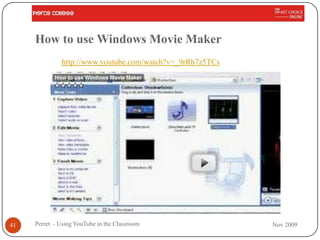
        Have them view the video How to use Windows Movie Maker on YouTube

      Have students to create a blog and embed a YouTube video into
        the blog.
        They will improve their writing skills while having fun with video and/or
        audio creations.


40   Perret - Using YouTube in the Classroom                                         Nov 2009
How to use Windows Movie Maker
              http://www.youtube.com/watch?v=_9rRh7z5TCs


41   Perret - Using YouTube in the Classroom               Nov 2009
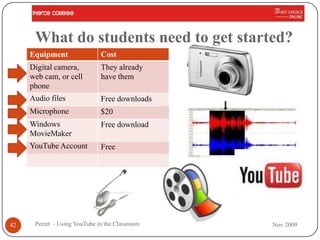
What do students need to get started?
     Equipment                Cost
     Digital camera,          They already
     web cam, or cell         have them
     phone
     Audio files              Free downloads
     Microphone               $20
     Windows                  Free download
     MovieMaker
     YouTube Account          Free


42    Perret - Using YouTube in the Classroom   Nov 2009
YouTube in Language Classroom
      Provide language learners a new tool to improve
       listening skills.
      The real advantage to these sites - at least from a
       language learning point of view - is that they offer
       authentic examples of everyday language used
       by everyday people.
      By creating context for these short videos you
       can help your students explore a world of online
       English learning possibilities.


43   Perret - Using YouTube in the Classroom             Nov 2009
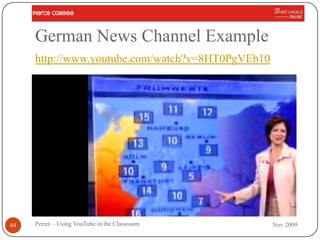
German News Channel Example
     http://www.youtube.com/watch?v=8HT0PgVEb10


44   Perret - Using YouTube in the Classroom      Nov 2009
Summary
     We know what YouTube is and how to get there
     We know how to find stuff on YouTube and
      Teacher Tube
     We know why we want to try YouTube in the
      classroom
     We have some ideas on what we want to try and
      how to present it


45   Perret - Using YouTube in the Classroom          Nov 2009
Technical Issue
      Suppose you don‟t have an internet
       connection???
      Or connection is Slow


46     Perret - Using YouTube in the Classroom   Nov 2009
How to Download Video to your PC
      Go to your video and start the video
      The video‟s URL (Internet Address) will be on
       your browser‟s address bar
      Copy it
          Select it with your mouse
          Right click on it, and select “copy”
      Now open a new window in your Internet browser
        and enter the following URL: www.keepvid.com


47   Perret - Using YouTube in the Classroom           Nov 2009
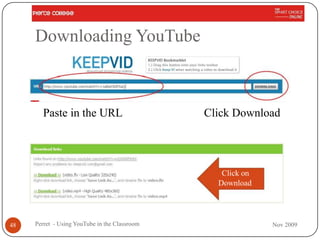
Downloading YouTube


       Paste in the URL                        Click Download


                                                  Click on
                                                 Download


48   Perret - Using YouTube in the Classroom                 Nov 2009
Questions ?


49   Perret - Using YouTube in the Classroom   Nov 2009
Contact me
 I really like helping……
  Email me at
      PerretJD@piercecollege.edu
  Call me
      (818) 425-5452 (cell)
      (818) 710-4246 (office)

 This presentation will be available at
      http://faculty.piercecollge.edu/perretjd
  Podcast at
      TeacherTube
      iTunesU
50     Perret - Using YouTube in the Classroom    Nov 2009
Sources
      Brenda‟s Blog – Brenda Dyck
       http://www.education-
       world.com/a_tech/columnists/dyck/dyck016.shtml
       accessed 11-16-09
      ATeachers Tour of YouTube – Chris O‟Neal
       http://www.edutopia.org/teachers-tour-you-tube
       accessed 11-16-09


51   Perret - Using YouTube in the Classroom       Nov 2009

Using youtube in the classroom(1)

  • 1.
    Using YouTube inthe Classroom Joe Perret Computer Applications
  • 2.
    Objectives  Background on YouTube  How to find YouTube  Good Bad and Ugly  Searching YouTube  TeacherTube  Presenting your YouTube  Using YouTube in the Classroom 2 Perret - Using YouTube in the Classroom Nov 2009
  • 3.
    What is YouTube  Most popular web portals in the world.  Three former PayPal employees created YouTube in February 2005.  In November 2006, YouTube, LLC was bought by Google Inc. for $1.65 billion,  Now operated as a subsidiary of Google.  Allows users to submit videos  Search the massive video section by searching for keywords,  YouTube has taken the idea of viral videos to a new level. 3 Perret - Using YouTube in the Classroom Nov 2009
  • 4.
    To get toYouTube http://youtube.com 4 Perret - Using YouTube in the Classroom Nov 2009
  • 5.
    Good Bad andthe Ugly  Good  Anyone can upload almost anything  Very high quality videos on Educational Topics  Bad  Anyone can upload almost anything  Lots of Junk  Ugly  Potentially offensive content are available only to registered users over the age of 18.  Videos containing defamation, pornography, copyright violations, and material encouraging criminal conduct is prohibited 5 Perret - Using YouTube in the Classroom Nov 2009
  • 6.
    How to FindStuff on YouTube 6 Perret - Using YouTube in the Classroom Nov 2009
  • 7.
    Search Results forPierce College 7 Perret - Using YouTube in the Classroom Nov 2009
  • 8.
    Health Fitness atPierce College Health Fitness @ Pierce College 8 Perret - Using YouTube in the Classroom Nov 2009
  • 9.
    Play Video HealthFitness @ Pierce College http://www.youtube.com/watch?v=T_6yS7SlXEE 9 Perret - Using YouTube in the Classroom Nov 2009
  • 10.
    TeacherTube http://TeacherTube.com  Free online educational community that shares instructional videos devoted exclusively to teaching and learning.  Goal of TeacherTube is to  “fill a need for a more educationally focused, safe venue for teachers, schools, and home learners"  “provide anytime, anywhere professional development, with teachers teaching teachers."  TeacherTube provides a place to post “videos designed for students to view in order to learn a concept or skill." 10 Perret - Using YouTube in the Classroom Nov 2009
  • 11.
    TeacherTube Website 11 Perret - Using YouTube in the Classroom Nov 2009
  • 12.
    Presenting YouTube There are basically three ways to present YouTube Video  Go directly to the YouTube site and search  Link –provide link to students  As part of your hand out  In an email  In PowerPoint  Embed  In a webpage (eg Moodle)  In PowerPoint 12 Perret - Using YouTube in the Classroom Nov 2009
  • 13.
    Embedding YouTube ina Web Page Fairly Simple 1. Copy the Embed code from the YouTube Site 2. Go to your web page (Moodle, Dreamweaver) Embed Code 3. Switch to html view <object width="425" height="344"><param name="movie" value="http://www.youtube.com/v/yNF92vCrfvA&hl=en_ 4. Paste the code in US&fs=1&"></param><param name="allowFullScreen" value="true"></param><param name="allowscriptaccess" value="always"></param><embed src="http://www.youtube.com/v/yNF92vCrfvA&hl=en_US &fs=1&" type="application/x-shockwave-flash" allowscriptaccess="always" allowfullscreen="true" width="425" height="344"></embed></object> 13 Perret - Using YouTube in the Classroom Nov 2009
  • 14.
    Embedded YouTube inWebpage Embed code Resultant Webpage 14 Perret - Using YouTube in the Classroom Nov 2009
  • 15.
    Example of Linkor Embed in PowerPoint Link The Life Cycle Of A Star http://www.youtube.com/watch?v=HfqcZdNnQ6s Embedded PowerPoint 15 Perret - Using YouTube in the Classroom Nov 2009
  • 16.
    How to EmbedYouTube Video in PP  Make sure you have Developer Tab turned on  Office Button PowerPoint Options  Click Developer Tab  Click More tools icon  Select Shockwave Flash Object  Draw Outline  Right Mouse click select Properties  Paste YouTube Link and Modify it  Delete the “where?”  Replace the = with a / 16 Perret - Using YouTube in the Classroom Nov 2009
  • 17.
    YouTube Video onEmbed in PowerPoint 17 Perret - Using YouTube in the Classroom Nov 2009
  • 18.
    Presenting YouTube What you will need 1. Laptop Computer 2. Projector 3. Speakers 4. Internet Connection 5. Screen 18 Perret - Using YouTube in the Classroom Nov 2009
  • 19.
    Using YouTube inthe Classroom Ok we got all the technical stuff out of the way How Do I Use YouTube Videos? 19 Perret - Using YouTube in the Classroom Nov 2009
  • 20.
    Using YouTube It not the Tool you use …but how you Use the tool Use YouTube to Augment the Class Material Use YouTube as Student Projects 20 Perret - Using YouTube in the Classroom Nov 2009
  • 21.
    FirstAsk - WhyUse YouTube?  We have to educate the students we have  Not the students we used to have  Not the students we wish we had  We must adapt to them – our „customers‟  Adapt to their world  Adapt to their leaning styles  Millennials  First network generation  Hyper communicators  They have to „Power Down‟ just to go to school 21 Perret - Using YouTube in the Classroom Nov 2009
  • 22.
    Students Today  Students are writing short blurbs  video-taping their lives.  Today's student has grown up in a very visual environment and loves it. YouTubes  Short  Visual  Audio 22 Perret - Using YouTube in the Classroom Nov 2009
  • 23.
    Augmenting Class Material  Find YouTube‟s that illustrate the topic you are covering.  Give students the assignment to find YouTube illustrations – then present them in class 23 Perret - Using YouTube in the Classroom Nov 2009
  • 24.
    Some Examples  English  Chemistry  Math  Biology  Physics  Geology  History  Astronomy  Automechanics  Computer Applications  Geography  Computer Science  Anthropology  Philosophy  Sociology 24 Perret - Using YouTube in the Classroom Nov 2009
  • 25.
    English YouTube Example Return Shakespeare in Love Part 1 of 13 http://www.youtube.com/watch?v=YBtQjafAmSw 25 Perret - Using YouTube in the Classroom Nov 2009
  • 26.
    Math YouTube Example Return Prentice Hall Math Algebra 1 http://www.youtube.com/watch?v=Fl8rb3JK2hU 26 Perret - Using YouTube in the Classroom Nov 2009
  • 27.
    Physics YouTube Example Return MIT Physics Demo -- Pendulum and Magnet http://www.youtube.com/watch?v=7_-RqkYatWI 27 Perret - Using YouTube in the Classroom Nov 2009
  • 28.
    History YouTube Example Return Alexander the Great (BBC Documentary) 1 - Greek Macedonians http://www.youtube.com/watch?v=OizgSfsxX9c 28 Perret - Using YouTube in the Classroom Nov 2009
  • 29.
    Auto Mechanics YouTubeExample Return Automatic Transmission Rebuild Tool - Spring Compressor http://www.youtube.com/watch?v=FLYd5KLRFS8 29 Perret - Using YouTube in the Classroom Nov 2009
  • 30.
    Geology YouTube Example Return Plate Tectonics and Paleo Animation http://www.youtube.com/watch?v=ft-dP2D7QM4 30 Perret - Using YouTube in the Classroom Nov 2009
  • 31.
    Anthropology YouTube Example Return The Jungle: Margaret Mead - Part 2 of 6 http://www.youtube.com/watch?v=a9HNzhV0CjI 31 Perret - Using YouTube in the Classroom Nov 2009
  • 32.
    Sociology YouTube Example Return Sociology Experiment http://www.youtube.com/watch?v=1oxXDtjIGao 32 Perret - Using YouTube in the Classroom Nov 2009
  • 33.
    Chemistry YouTube Example Return What Kind Of Bonds Are These? http://www.youtube.com/watch?v=oNBzyM6TcK8 33 Perret - Using YouTube in the Classroom Nov 2009
  • 34.
    Biology YouTube Example Return The Stages of Mitosis http://www.youtube.com/watch?v=nPG6480RQo0 34 Perret - Using YouTube in the Classroom Nov 2009
  • 35.
    Geography YouTube Example Return European Geography http://www.youtube.com/watch?v=_Ihy2_xnXLc 35 Perret - Using YouTube in the Classroom Nov 2009
  • 36.
    Astronomy YouTube Example Return The Life Cycle Of A Star http://www.youtube.com/watch?v=HfqcZdNnQ6s 36 Perret - Using YouTube in the Classroom Nov 2009
  • 37.
    Computer Science YouTubeExample Return Java Programming Tutorial - 1 http://www.youtube.com/watch?v=Hl-zzrqQoSE 37 Perret - Using YouTube in the Classroom Nov 2009
  • 38.
    ComputerApplications YouTube Example Awesome Magic Looking Effect- Photoshop CS3 Return and CS4 Tutorial http://www.youtube.com/watch?v=QcWWoURrqY0 38 Perret - Using YouTube in the Classroom Nov 2009
  • 39.
    PhilosophyYouTube Example Heidegger life and Philosophy 1 of 6 Return http://www.youtube.com/watch?v=xKhUyU8UQEI 39 Perret - Using YouTube in the Classroom Nov 2009
  • 40.
    Student YouTube Projects Project Ideas:  Require YouTube to be incorporated into student PowerPoints They will pick up knowledge while surfing  Will help them to learn how to refine search techniques  Research in moving/living color  Have students create their own YouTube video  Can be uploaded to private side or distributed to general public  Will allow students to receive feedback from others, not just their instructor  Have them view the video How to use Windows Movie Maker on YouTube  Have students to create a blog and embed a YouTube video into the blog. They will improve their writing skills while having fun with video and/or audio creations. 40 Perret - Using YouTube in the Classroom Nov 2009
  • 41.
    How to useWindows Movie Maker http://www.youtube.com/watch?v=_9rRh7z5TCs 41 Perret - Using YouTube in the Classroom Nov 2009
  • 42.
    What do studentsneed to get started? Equipment Cost Digital camera, They already web cam, or cell have them phone Audio files Free downloads Microphone $20 Windows Free download MovieMaker YouTube Account Free 42 Perret - Using YouTube in the Classroom Nov 2009
  • 43.
    YouTube in LanguageClassroom  Provide language learners a new tool to improve listening skills.  The real advantage to these sites - at least from a language learning point of view - is that they offer authentic examples of everyday language used by everyday people.  By creating context for these short videos you can help your students explore a world of online English learning possibilities. 43 Perret - Using YouTube in the Classroom Nov 2009
  • 44.
    German News ChannelExample http://www.youtube.com/watch?v=8HT0PgVEb10 44 Perret - Using YouTube in the Classroom Nov 2009
  • 45.
    Summary We know what YouTube is and how to get there We know how to find stuff on YouTube and Teacher Tube We know why we want to try YouTube in the classroom We have some ideas on what we want to try and how to present it 45 Perret - Using YouTube in the Classroom Nov 2009
  • 46.
    Technical Issue  Suppose you don‟t have an internet connection???  Or connection is Slow 46 Perret - Using YouTube in the Classroom Nov 2009
  • 47.
    How to DownloadVideo to your PC  Go to your video and start the video  The video‟s URL (Internet Address) will be on your browser‟s address bar  Copy it  Select it with your mouse  Right click on it, and select “copy”  Now open a new window in your Internet browser and enter the following URL: www.keepvid.com 47 Perret - Using YouTube in the Classroom Nov 2009
  • 48.
    Downloading YouTube Paste in the URL Click Download Click on Download 48 Perret - Using YouTube in the Classroom Nov 2009
  • 49.
    Questions ? 49 Perret - Using YouTube in the Classroom Nov 2009
  • 50.
    Contact me Ireally like helping……  Email me at  PerretJD@piercecollege.edu  Call me  (818) 425-5452 (cell)  (818) 710-4246 (office) This presentation will be available at  http://faculty.piercecollge.edu/perretjd  Podcast at  TeacherTube  iTunesU 50 Perret - Using YouTube in the Classroom Nov 2009
  • 51.
    Sources  Brenda‟s Blog – Brenda Dyck http://www.education- world.com/a_tech/columnists/dyck/dyck016.shtml accessed 11-16-09  ATeachers Tour of YouTube – Chris O‟Neal http://www.edutopia.org/teachers-tour-you-tube accessed 11-16-09 51 Perret - Using YouTube in the Classroom Nov 2009