@DanielCartland
Using SEO Tools to Save Time,
Money, & Effort
@DanielCartland
I HATE REPORTING
@DanielCartland
Google Data Studio
@DanielCartland
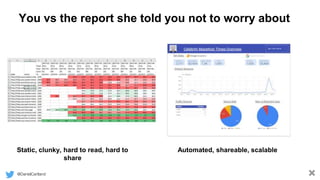
You vs the report she told you not to worry about
Static, clunky, hard to read, hard to
share
Automated, flexible, replicable, downloadable
Automated, shareable, scalable
@DanielCartland
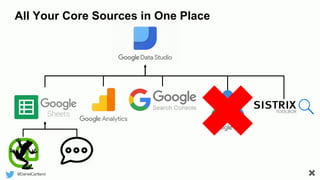
All Your Core Sources in One Place
@DanielCartland
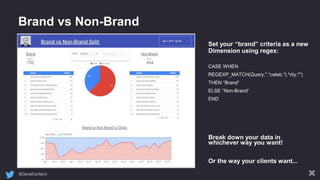
Brand vs Non-Brand
Set your “brand” criteria as a new
Dimension using regex:
CASE WHEN
REGEXP_MATCH(Query,".*celeb.*|.*rity.*")
THEN “Brand“
ELSE “Non-Brand“
END
Break down your data in
whichever way you want!
Or the way your clients want...
@DanielCartland
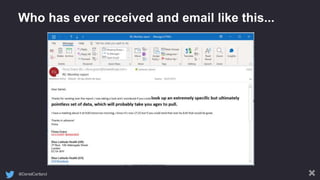
Who has ever received and email like this...
@DanielCartland
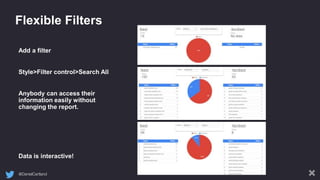
Flexible Filters
Add a filter
Style>Filter control>Search All
Anybody can access their
information easily without
changing the report.
Data is interactive!
@DanielCartland
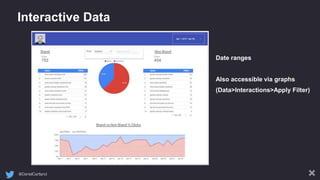
Interactive Data
Date ranges
Also accessible via graphs
(Data>Interactions>Apply Filter)
@DanielCartland
Spend your time analysing your
data, instead of preparing it
@DanielCartland
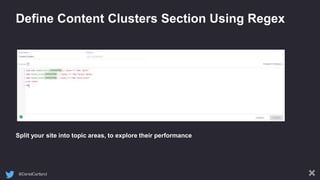
Define Content Clusters Section Using Regex
Split your site into topic areas, to explore their performance
@DanielCartland
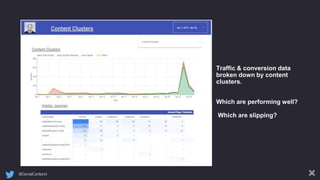
Traffic & conversion data
broken down by content
clusters.
Which are performing well?
Which are slipping?
@DanielCartland
Okay that’s kind of cool...
...but what else can it do?
@DanielCartland
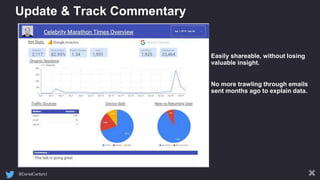
Update & Track Commentary
Easily shareable, without losing
valuable insight.
No more trawling through emails
sent months ago to explain data.
@DanielCartland
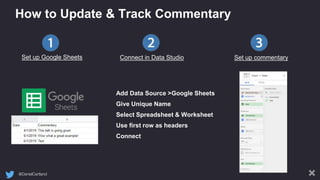
Add Data Source >Google Sheets
Give Unique Name
Select Spreadsheet & Worksheet
Use first row as headers
Connect
How to Update & Track Commentary
Set up Google Sheets Connect in Data Studio Set up commentary
@DanielCartland
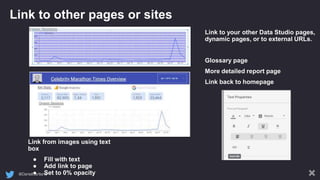
Link to other pages or sites
Link to your other Data Studio pages,
dynamic pages, or to external URLs.
Glossary page
More detailed report page
Link back to homepage
Link from images using text
box
● Fill with text
● Add link to page
● Set to 0% opacity
@DanielCartland
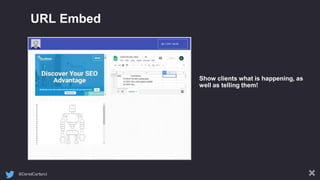
URL Embed
Show clients what is happening, as
well as telling them!
@DanielCartland
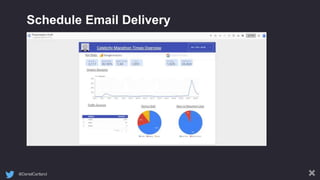
Schedule Email Delivery
@DanielCartland
Let’s Get Real
Steal other people’s reports (with
permission)
“This is great Daniel, but I have 18 clients and I don’t have time to make new reports for all of them.”
Ctrl C + Ctrl V
Copy your report
Match your Data Sources
Add in any bespoke elements
Top tip!
Remember to change the logo before sending it over to the new
client.
@DanielCartland
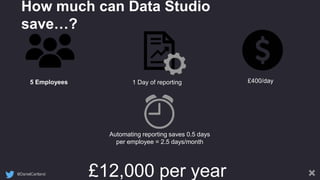
5 Employees
£12,000 per year
1 Day of reporting £400/day
Automating reporting saves 0.5 days
per employee = 2.5 days/month
How much can Data Studio
save…?
@DanielCartland
Screaming Frog
@DanielCartland
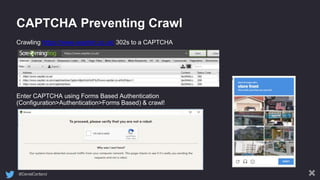
CAPTCHA Preventing Crawl
Crawling https://www.wayfair.co.uk/ 302s to a CAPTCHA
Enter CAPTCHA using Forms Based Authentication
(Configuration>Authentication>Forms Based) & crawl!
@DanielCartland
James Bond uses Forms Based
Authentication Confirmed?
Hello is that Spider support?
@DanielCartland
Sistrix
@DanielCartland
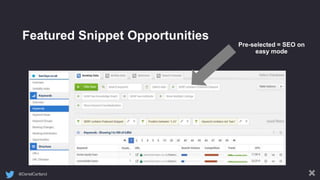
Featured Snippet Opportunities
Pre-selected = SEO on
easy mode
@DanielCartland
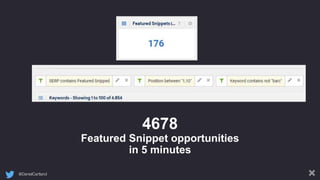
4678
Featured Snippet opportunities
in 5 minutes
@DanielCartland
Other Tools to Optimise Your Time
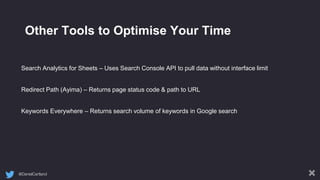
Search Analytics for Sheets – Uses Search Console API to pull data without interface limit
Redirect Path (Ayima) – Returns page status code & path to URL
Keywords Everywhere – Returns search volume of keywords in Google search
Time Savings Add Up
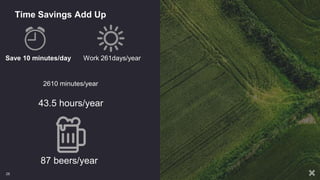
Save 10 minutes/day
28
43.5 hours/year
Work 261days/year
2610 minutes/year
87 beers/year
@DanielCartland
Thank You
Any questions?
@DanielCartland
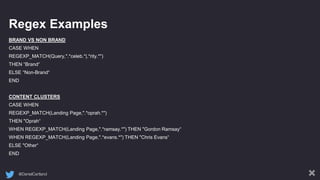
Regex Examples
BRAND VS NON BRAND
CASE WHEN
REGEXP_MATCH(Query,".*celeb.*|.*rity.*")
THEN “Brand“
ELSE “Non-Brand“
END
CONTENT CLUSTERS
CASE WHEN
REGEXP_MATCH(Landing Page,".*oprah.*")
THEN "Oprah“
WHEN REGEXP_MATCH(Landing Page,".*ramsay.*") THEN "Gordon Ramsay“
WHEN REGEXP_MATCH(Landing Page,".*evans.*") THEN "Chris Evans“
ELSE "Other“
END
@DanielCartland
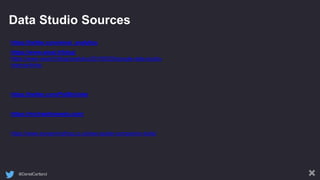
Data Studio Sources
https://twitter.com/wissi_analytics
https://www.wissi.fr/blog/
https://www.wissi.fr/blog/analytics/20190529/google-data-studio-
internal-links/
https://twitter.com/PatStrickler
https://michaelhoweely.com/
https://www.screamingfrog.co.uk/seo-spider-companion-tools/
Reading SEO
@ReadingSEO
Hosted by Blue Array
Organisers: Matt Williamson (@MattWSEO) & Nicky Elson (@nickynoises)
Speakers: Sean Butcher (@SeanButcher) / Faisal Anderson (@FaisalAnderson) / Daniel Cartland (@DanielCartland)

Using SEO Tools to Save Time, Money, & Effort