The UX of Rich Internet AppsKate Walser  CX Insights@kwalser
2
3
Rich App ElementsData refreshes without page reloadShow, hide content
Display, hide messages
Reveal interaction options on hover, click 4
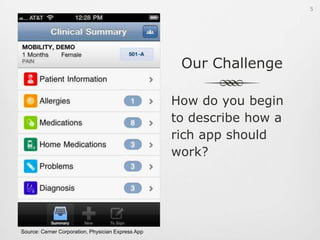
Our ChallengeHow do you begin to describe how a rich app should work?Source: Cerner Corporation, Physician Express App5
6
7
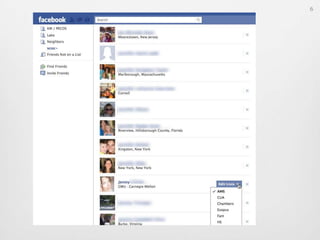
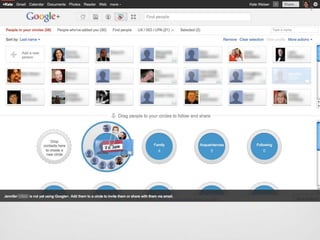
Question #1How would you describe design differences between Facebook and Google+?8
Write a storyto understand what people want9
Design a playto create a great UX10
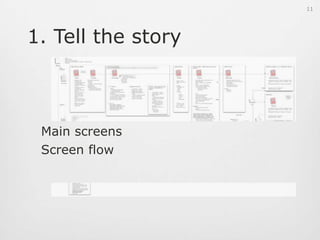
1. Tell the storyMain screensScreen flow11
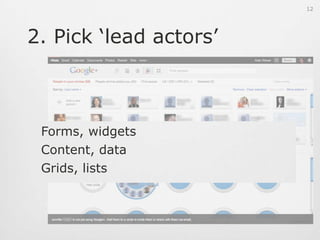
2. Pick ‘lead actors’Forms, widgetsContent, dataGrids, lists12
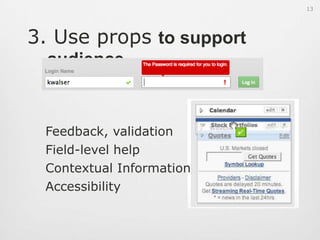
3. Use props to support audienceFeedback, validationField-level helpContextual InformationAccessibility13
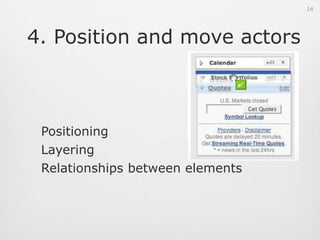
4. Position and move actorsPositioningLayeringRelationships between elements14
5. Set the mood for actors Transition effectsTypes of movementsLight, fade effects15
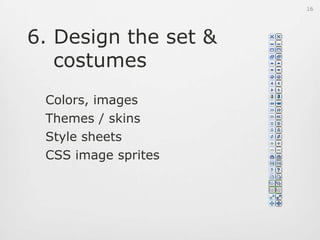
6. Design the set & costumesColors, imagesThemes / skinsStyle sheetsCSS image sprites16
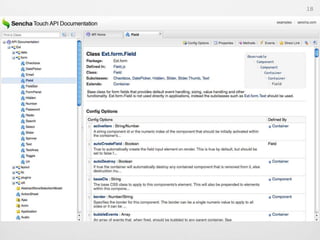
Frameworks17
18
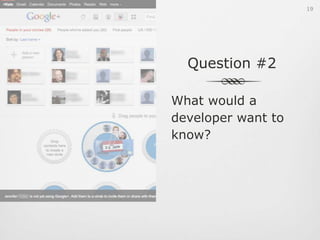
Question #2What would a developer want to know?19
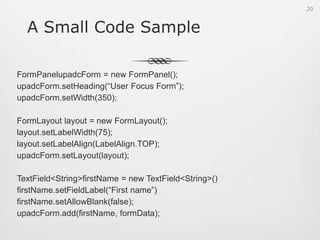
A Small Code SampleFormPanelupadcForm = new FormPanel();upadcForm.setHeading(“User Focus Form”);upadcForm.setWidth(350);FormLayout layout = new FormLayout();layout.setLabelWidth(75);layout.setLabelAlign(LabelAlign.TOP);upadcForm.setLayout(layout);TextField<String> firstName = new TextField<String>()firstName.setFieldLabel(“First name”)firstName.setAllowBlank(false);upadcForm.add(firstName, formData);20
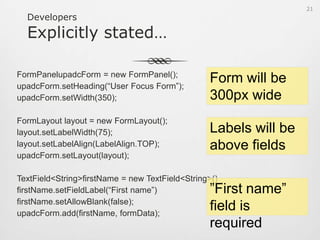
DevelopersExplicitly stated…FormPanelupadcForm = new FormPanel();upadcForm.setHeading(“User Focus Form”);upadcForm.setWidth(350);FormLayout layout = new FormLayout();layout.setLabelWidth(75);layout.setLabelAlign(LabelAlign.TOP);upadcForm.setLayout(layout);TextField<String> firstName = new TextField<String>()firstName.setFieldLabel(“First name”)firstName.setAllowBlank(false);upadcForm.add(firstName, formData);Form will be 300px wideLabels will be above fields”First name” field is required21
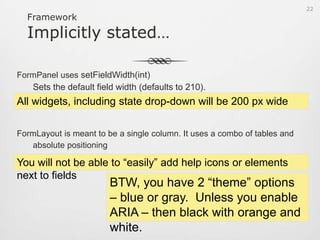
FrameworkImplicitly stated…FormPanel uses setFieldWidth(int)Sets the default field width (defaults to 210).FormLayout is meant to be a single column. It uses a combo of tables and absolute positioningAll widgets, including state drop-down will be 200 px wideYou will not be able to “easily” add help icons or elements next to fieldsBTW, you have 2 “theme” options – blue or gray.  Unless you enable ARIA – then black with orange and white.22
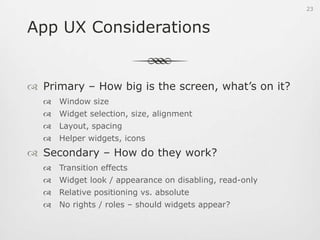
App UX ConsiderationsPrimary – How big is the screen, what’s on it?Window sizeWidget selection, size, alignmentLayout, spacingHelper widgets, iconsSecondary – How do they work?Transition effectsWidget look / appearance on disabling, read-onlyRelative positioning vs. absoluteNo rights / roles – should widgets appear?23
A. Take a look at the APISearch for “default” anything…WidthTransitionsBehaviorsShow / Hide resultsDo things reappear where / how expected?24
“It is not as important that you learn the actual code to generate the custom UIViews (trust me when I say that it will be overwhelming), but rather focus your attention on learning the effects, styles, and applications…”Shawn WelchFrom Idea to App: Creating iOS UI, Animations, and Gestures25
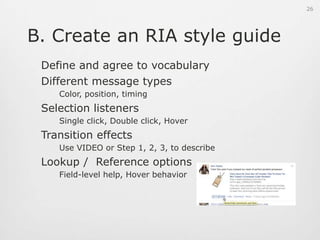
B. Create an RIA style guideDefine and agree to vocabularyDifferent message types	Color, position, timingSelection listeners	Single click, Double click, HoverTransition effects	Use VIDEO or Step 1, 2, 3, to describeLookup /  Reference options	Field-level help, Hover behavior26
API Items to CheckDEFAULT anything…WidthTransitionsBehaviorsInheritanceFor the major widgets, does the inheritance make sense?Show / Hide resultsDo things reappear where / how expected?27
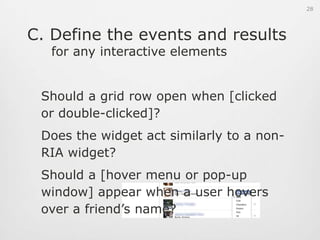
C. Define the events and results for any interactive elementsShould a grid row open when [clicked or double-clicked]?Does the widget act similarly to a non-RIA widget?Should a [hover menu or pop-up window] appear when a user hovers over a friend’s name?28
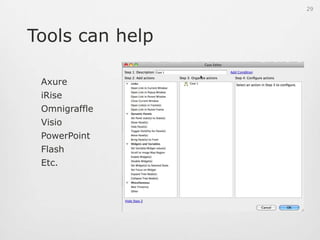
Tools can helpAxureiRiseOmnigraffleVisioPowerPointFlashEtc.29
D. Describe show/hide behaviorWhere do things appear?How long do they appear?How do they move in and out?30
Think of RIA as a PlayCast of charactersPositioning, relationshipsMovements, transitionsSet design31

User focus ux_of_ri_as

  • 1.
    The UX ofRich Internet AppsKate Walser  CX Insights@kwalser
  • 2.
  • 3.
  • 4.
    Rich App ElementsDatarefreshes without page reloadShow, hide content
  • 5.
  • 6.
  • 7.
    Our ChallengeHow doyou begin to describe how a rich app should work?Source: Cerner Corporation, Physician Express App5
  • 8.
  • 9.
  • 10.
    Question #1How wouldyou describe design differences between Facebook and Google+?8
  • 11.
    Write a storytounderstand what people want9
  • 12.
    Design a playtocreate a great UX10
  • 13.
    1. Tell thestoryMain screensScreen flow11
  • 14.
    2. Pick ‘leadactors’Forms, widgetsContent, dataGrids, lists12
  • 15.
    3. Use propsto support audienceFeedback, validationField-level helpContextual InformationAccessibility13
  • 16.
    4. Position andmove actorsPositioningLayeringRelationships between elements14
  • 17.
    5. Set themood for actors Transition effectsTypes of movementsLight, fade effects15
  • 18.
    6. Design theset & costumesColors, imagesThemes / skinsStyle sheetsCSS image sprites16
  • 19.
  • 20.
  • 21.
    Question #2What woulda developer want to know?19
  • 22.
    A Small CodeSampleFormPanelupadcForm = new FormPanel();upadcForm.setHeading(“User Focus Form”);upadcForm.setWidth(350);FormLayout layout = new FormLayout();layout.setLabelWidth(75);layout.setLabelAlign(LabelAlign.TOP);upadcForm.setLayout(layout);TextField<String> firstName = new TextField<String>()firstName.setFieldLabel(“First name”)firstName.setAllowBlank(false);upadcForm.add(firstName, formData);20
  • 23.
    DevelopersExplicitly stated…FormPanelupadcForm =new FormPanel();upadcForm.setHeading(“User Focus Form”);upadcForm.setWidth(350);FormLayout layout = new FormLayout();layout.setLabelWidth(75);layout.setLabelAlign(LabelAlign.TOP);upadcForm.setLayout(layout);TextField<String> firstName = new TextField<String>()firstName.setFieldLabel(“First name”)firstName.setAllowBlank(false);upadcForm.add(firstName, formData);Form will be 300px wideLabels will be above fields”First name” field is required21
  • 24.
    FrameworkImplicitly stated…FormPanel usessetFieldWidth(int)Sets the default field width (defaults to 210).FormLayout is meant to be a single column. It uses a combo of tables and absolute positioningAll widgets, including state drop-down will be 200 px wideYou will not be able to “easily” add help icons or elements next to fieldsBTW, you have 2 “theme” options – blue or gray. Unless you enable ARIA – then black with orange and white.22
  • 25.
    App UX ConsiderationsPrimary– How big is the screen, what’s on it?Window sizeWidget selection, size, alignmentLayout, spacingHelper widgets, iconsSecondary – How do they work?Transition effectsWidget look / appearance on disabling, read-onlyRelative positioning vs. absoluteNo rights / roles – should widgets appear?23
  • 26.
    A. Take alook at the APISearch for “default” anything…WidthTransitionsBehaviorsShow / Hide resultsDo things reappear where / how expected?24
  • 27.
    “It is notas important that you learn the actual code to generate the custom UIViews (trust me when I say that it will be overwhelming), but rather focus your attention on learning the effects, styles, and applications…”Shawn WelchFrom Idea to App: Creating iOS UI, Animations, and Gestures25
  • 28.
    B. Create anRIA style guideDefine and agree to vocabularyDifferent message types Color, position, timingSelection listeners Single click, Double click, HoverTransition effects Use VIDEO or Step 1, 2, 3, to describeLookup / Reference options Field-level help, Hover behavior26
  • 29.
    API Items toCheckDEFAULT anything…WidthTransitionsBehaviorsInheritanceFor the major widgets, does the inheritance make sense?Show / Hide resultsDo things reappear where / how expected?27
  • 30.
    C. Define theevents and results for any interactive elementsShould a grid row open when [clicked or double-clicked]?Does the widget act similarly to a non-RIA widget?Should a [hover menu or pop-up window] appear when a user hovers over a friend’s name?28
  • 31.
  • 32.
    D. Describe show/hidebehaviorWhere do things appear?How long do they appear?How do they move in and out?30
  • 33.
    Think of RIAas a PlayCast of charactersPositioning, relationshipsMovements, transitionsSet design31

Editor's Notes

  • #2 Rich Internet applications are still abuzz.  With Flash, Flex, Google Web Toolkit, Dojo, and other frameworks, developers are ga-ga over web-based applications that function like software.  For user experience professionals, understanding what new opportunities and challenges these frameworks bring (and how to create and communicate the design to developers!) makes the difference between a clunky web-based product and a sleek, intuitive application that users will love.RIAsDesign considerationsExamplesBest practices
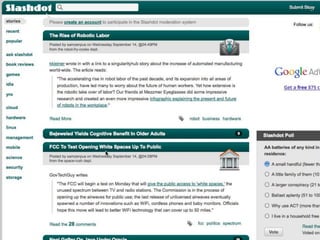
  • #3 Think about a site like Slashdot – it’s meant to be a social network where people can share news and ideas.You can click on links, select radio buttons, and click buttons.To see changesIt’s your usual website.
  • #4 Now think of an app like Facebook. You can use it on the web or on mobile.Things appear, change, have effects
  • #6 WidgetsLayoutInteractionMovementTimingTransition effects
  • #10 Background / SettingPurposeGoalsUsersTasks, high-level flowRequired Elements (e.g., logo, contact info…)
  • #11 Storytelling isn’t enough for a great app anymore. Screenplay and set design will be more relevant.
  • #19 The code framework they are using may be
  • #24 If you have anything beyond just a simple, one-column form, it may be difficult to handle using web standards-friendly relative / flow layouts. Absolute gives you more precision…but may use tables for layout.