Hunting APTs with Yara
like a GReAT Ninja
Costin G. Raiu,
Director, GReAT, Kaspersky
@craiu
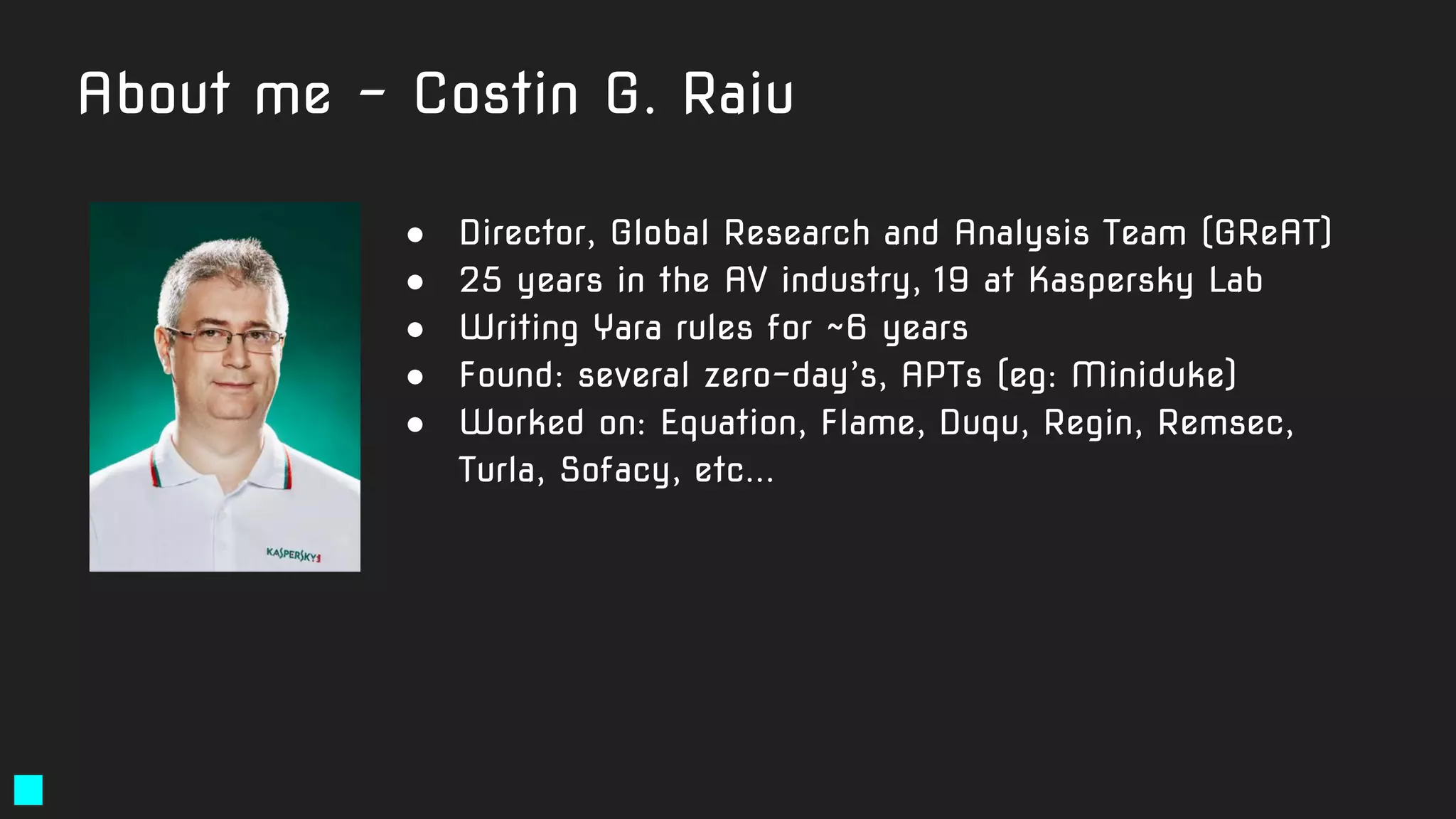
About me - Costin G. Raiu
● Director, Global Research and Analysis Team (GReAT)
● 25 years in the AV industry, 19 at Kaspersky Lab
● Writing Yara rules for ~6 years
● Found: several zero-day’s, APTs (eg: Miniduke)
● Worked on: Equation, Flame, Duqu, Regin, Remsec,
Turla, Sofacy, etc...
About this webinar
● We’ve been spreading our love for Yara since 2016
● "Hunting APTs with YARA Like a GReAT Ninja" - SAS
training
● First edition - February 2016, Tenerife
● Next Yara training - SAS2020, Barcelona
● Meanwhile, what about online?
Yara - an introduction
Software +
Recommendations
Recommended software when writing Yara rules
● Yara :-)
● String analyzer (Unix strings tool)
● PE file structure viewer
○ PE Studio (free, supports x64) <- excellent! (PEStudio is © Marc Ochsenmeier)
○ CFF Explorer, Cerbero Suite (commercial)
● Hex viewer
○ Hiew - (paid) <- highly recommended (Windows only)
○ FAR - free - highly recommended (Windows only)
○ Total Commander - free (Windows only)
○ Radare2 - free open-source (cross-platform)
● Binary diffing tool (eg. vbindiff, radiff2)
● (optional) IDA Pro / Ghidra
Recommended manuals / documentation
● Yara reference
○ https://yara.readthedocs.io/en/latest/
● File format memos (by Ange Albertini aka corkami):
○ https://github.com/corkami/pics
● Yara for VirusTotal:
○ https://www.virustotal.com/en/documentation/searching/
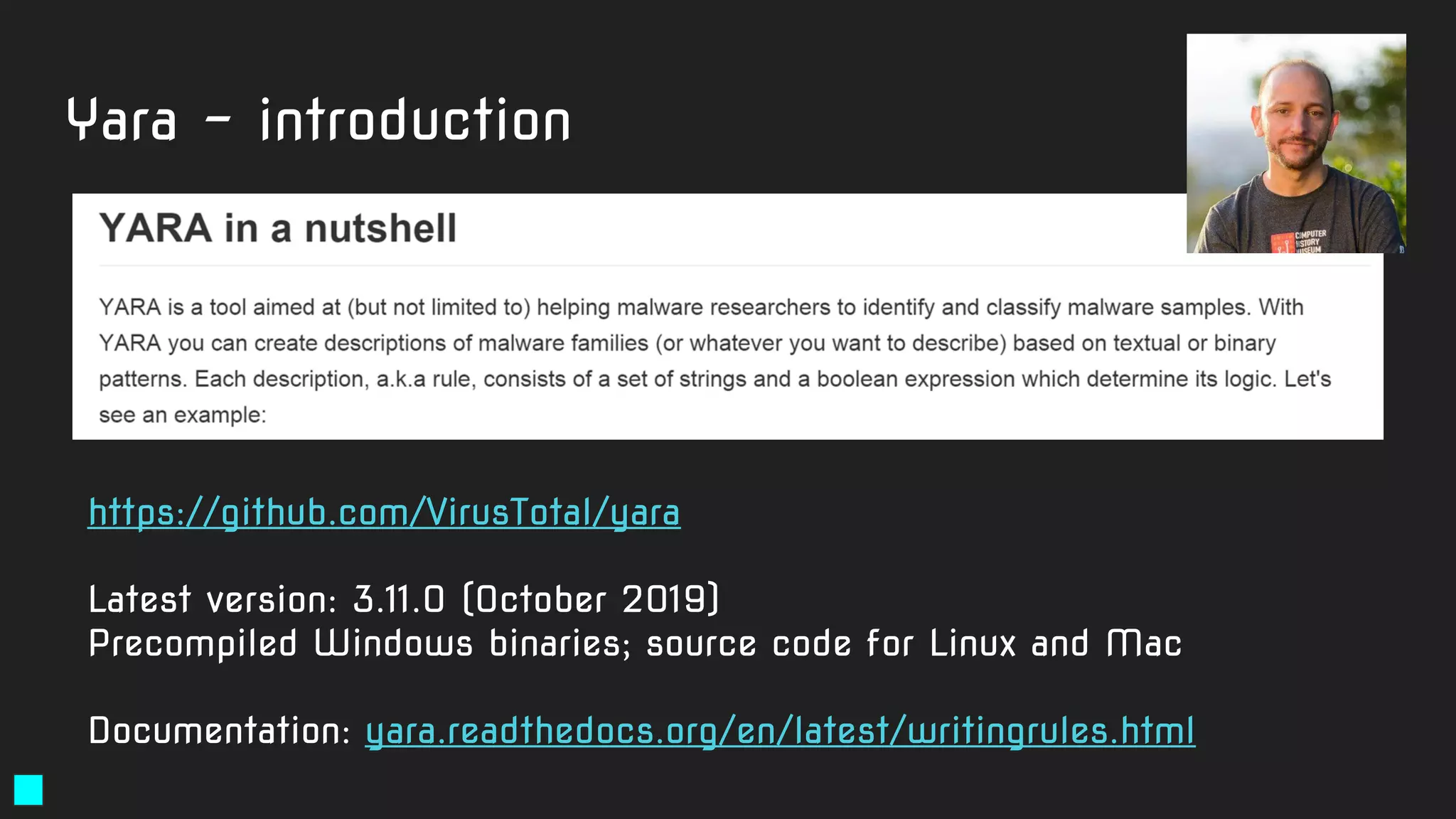
Yara - introduction
https://github.com/VirusTotal/yara
Latest version: 3.11.0 (October 2019)
Precompiled Windows binaries; source code for Linux and Mac
Documentation: yara.readthedocs.org/en/latest/writingrules.html
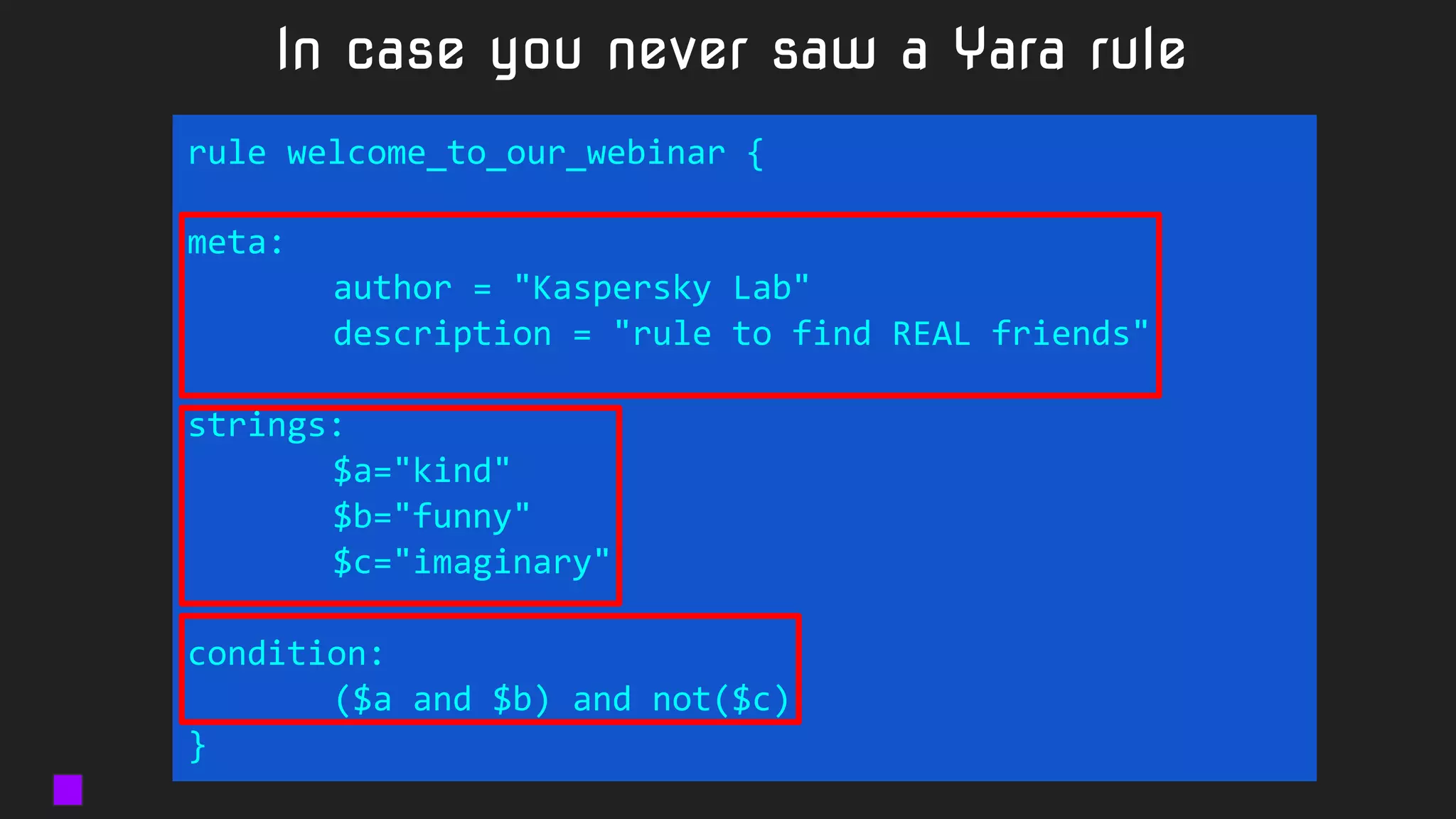
In case you never saw a Yara rule
rule welcome_to_our_webinar {
meta:
author = "Kaspersky Lab"
description = "rule to find REAL friends"
strings:
$a="kind"
$b="funny"
$c="imaginary"
condition:
($a and $b) and not($c)
}
Strings:
● $a="mystring"
● $a="mystring" fullword
● $a="mystring" wide
● $a="mystring" wide ascii
● $a="MyString" nocase
● $a="mystring" fullword ascii wide nocase
● $a={01 02 03 04 05}
● $a={01 ?? ?3 04 05}
● $a={01 [2-10] 04 05}
● $a={01 (02 03 | 03 04) 05}
● $a=/regexp .* blah/ wide ascii <- PCRE subset
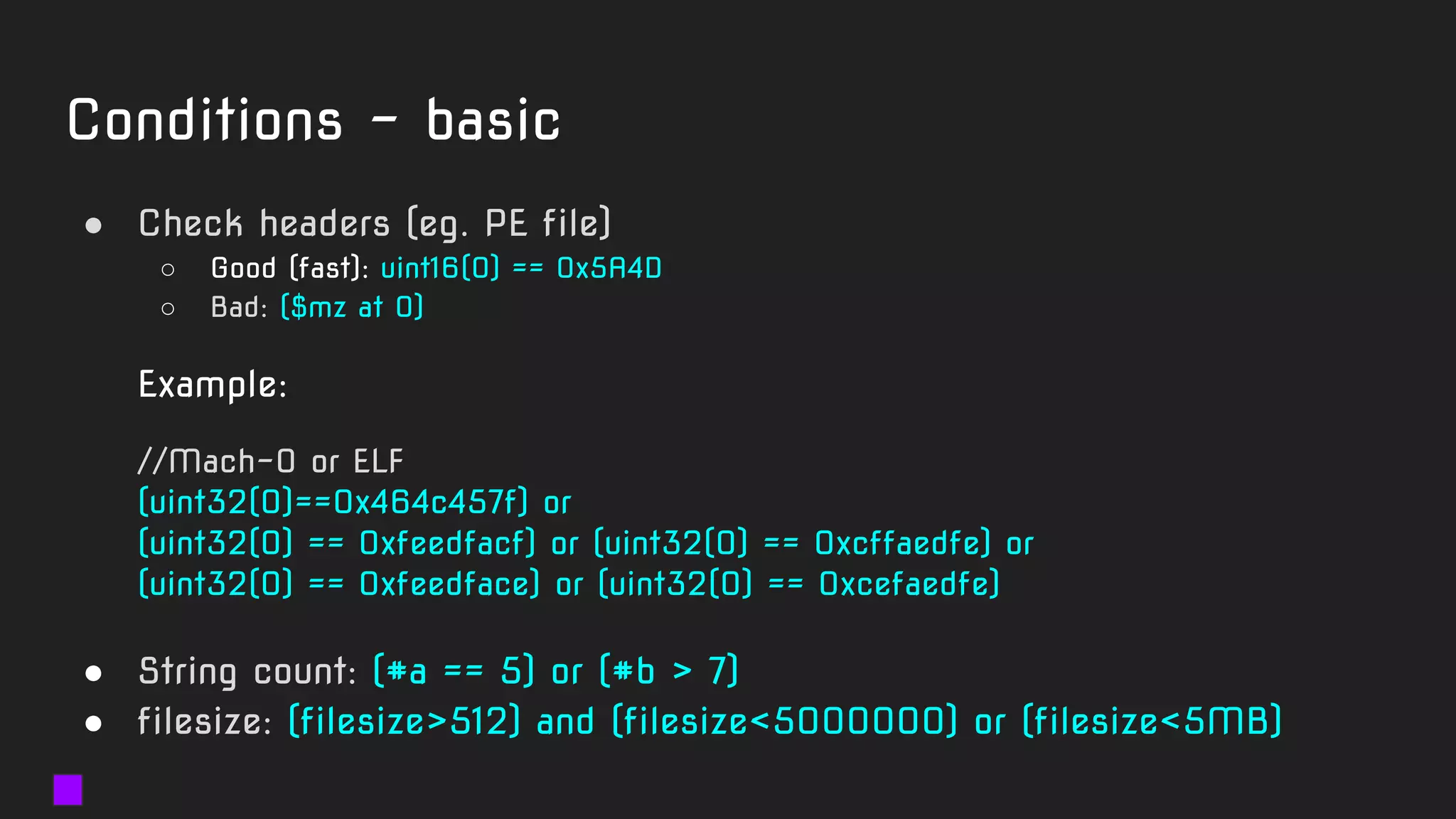
Conditions - basic
● Check headers (eg. PE file)
○ Good (fast): uint16(0) == 0x5A4D
○ Bad: ($mz at 0)
Example:
//Mach-O or ELF
(uint32(0)==0x464c457f) or
(uint32(0) == 0xfeedfacf) or (uint32(0) == 0xcffaedfe) or
(uint32(0) == 0xfeedface) or (uint32(0) == 0xcefaedfe)
● String count: (#a == 5) or (#b > 7)
● filesize: (filesize>512) and (filesize<5000000) or (filesize<5MB)
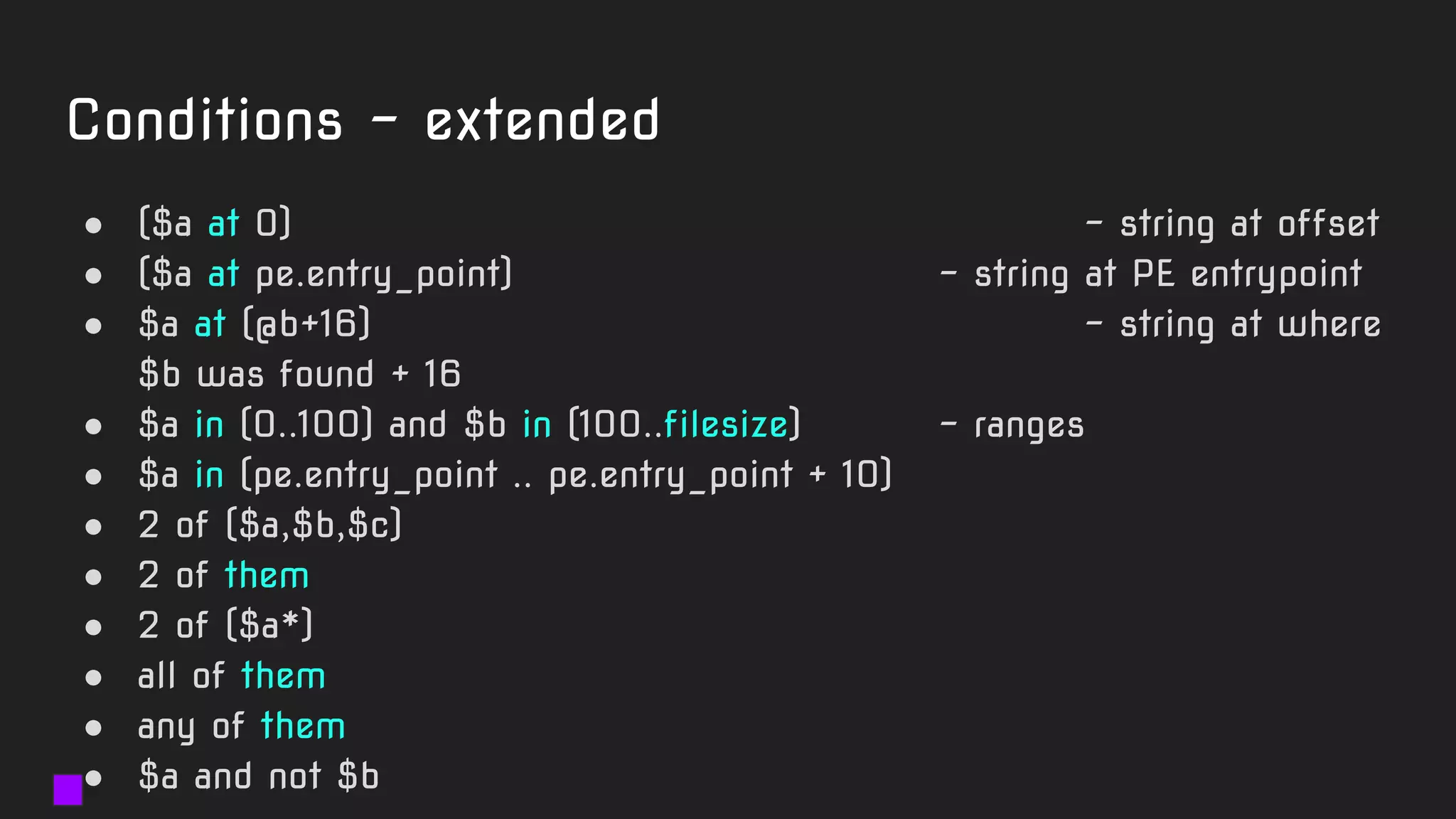
Conditions - extended
● ($a at 0) - string at offset
● ($a at pe.entry_point) - string at PE entrypoint
● $a at (@b+16) - string at where
$b was found + 16
● $a in (0..100) and $b in (100..filesize) - ranges
● $a in (pe.entry_point .. pe.entry_point + 10)
● 2 of ($a,$b,$c)
● 2 of them
● 2 of ($a*)
● all of them
● any of them
● $a and not $b
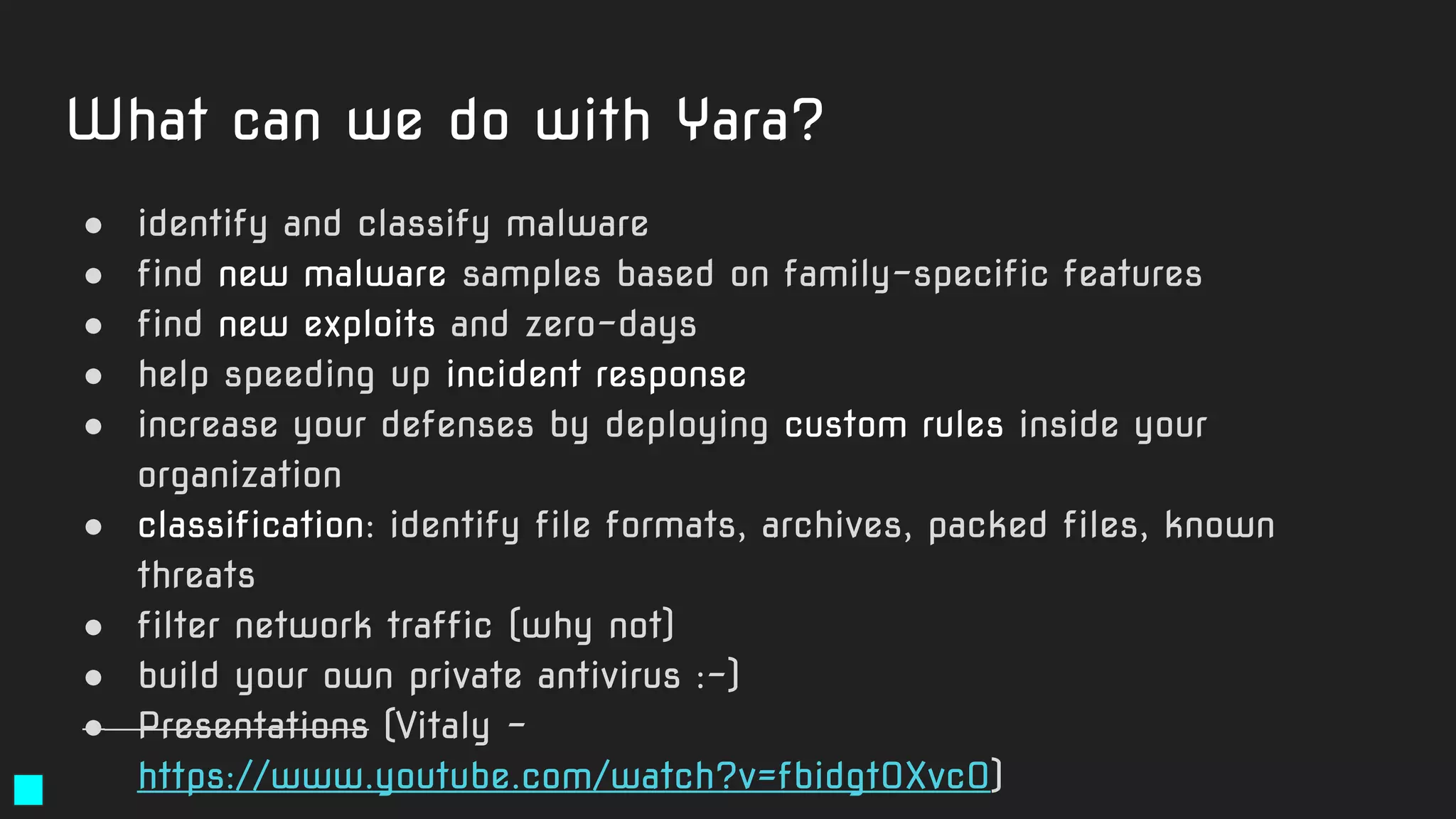
What can we do with Yara?
● identify and classify malware
● find new malware samples based on family-specific features
● find new exploits and zero-days
● help speeding up incident response
● increase your defenses by deploying custom rules inside your
organization
● classification: identify file formats, archives, packed files, known
threats
● filter network traffic (why not)
● build your own private antivirus :-)
● Presentations (Vitaly -
https://www.youtube.com/watch?v=fbidgtOXvc0)
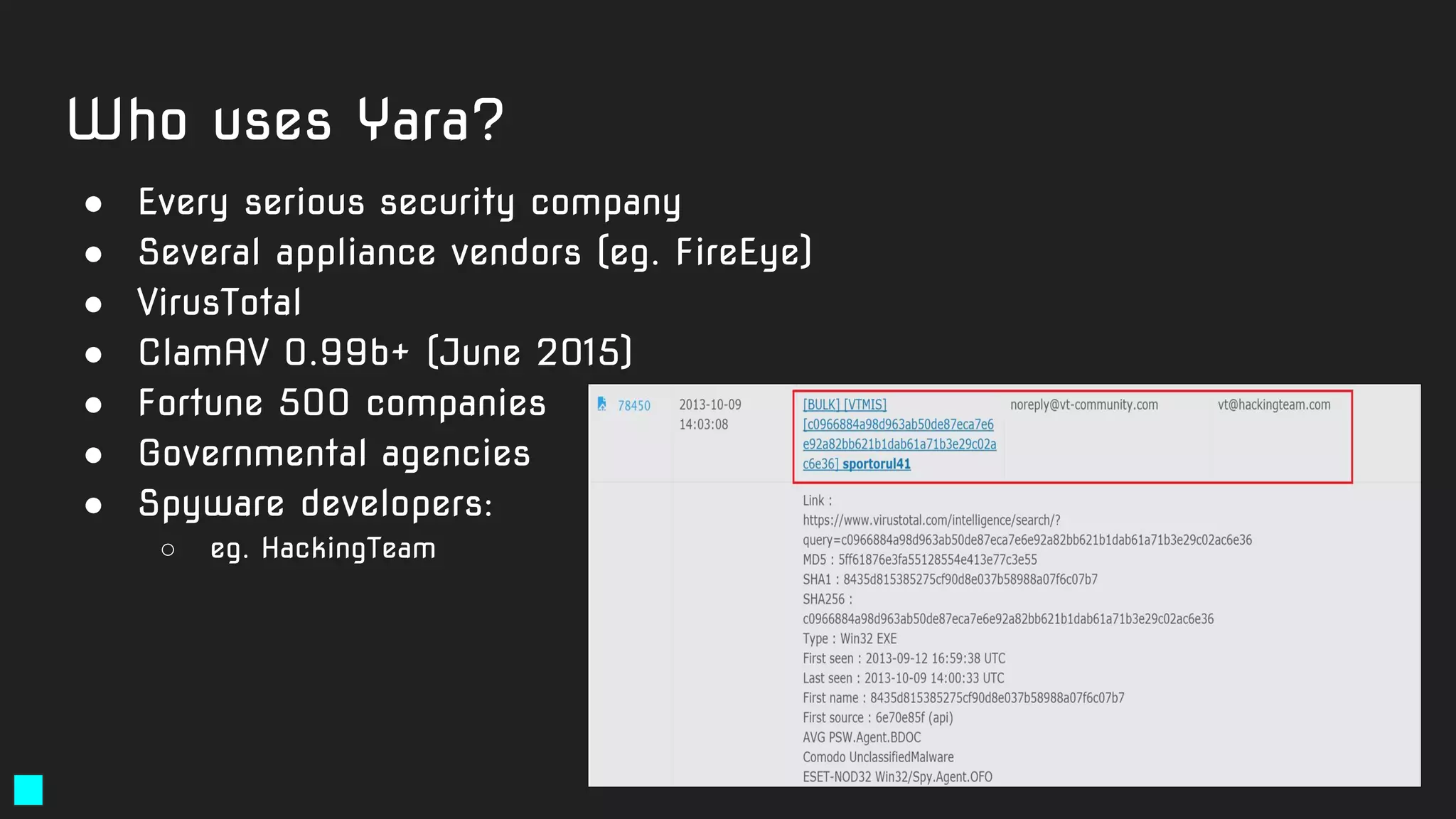
Who uses Yara?
● Every serious security company
● Several appliance vendors (eg. FireEye)
● VirusTotal
● ClamAV 0.99b+ (June 2015)
● Fortune 500 companies
● Governmental agencies
● Spyware developers:
○ eg. HackingTeam
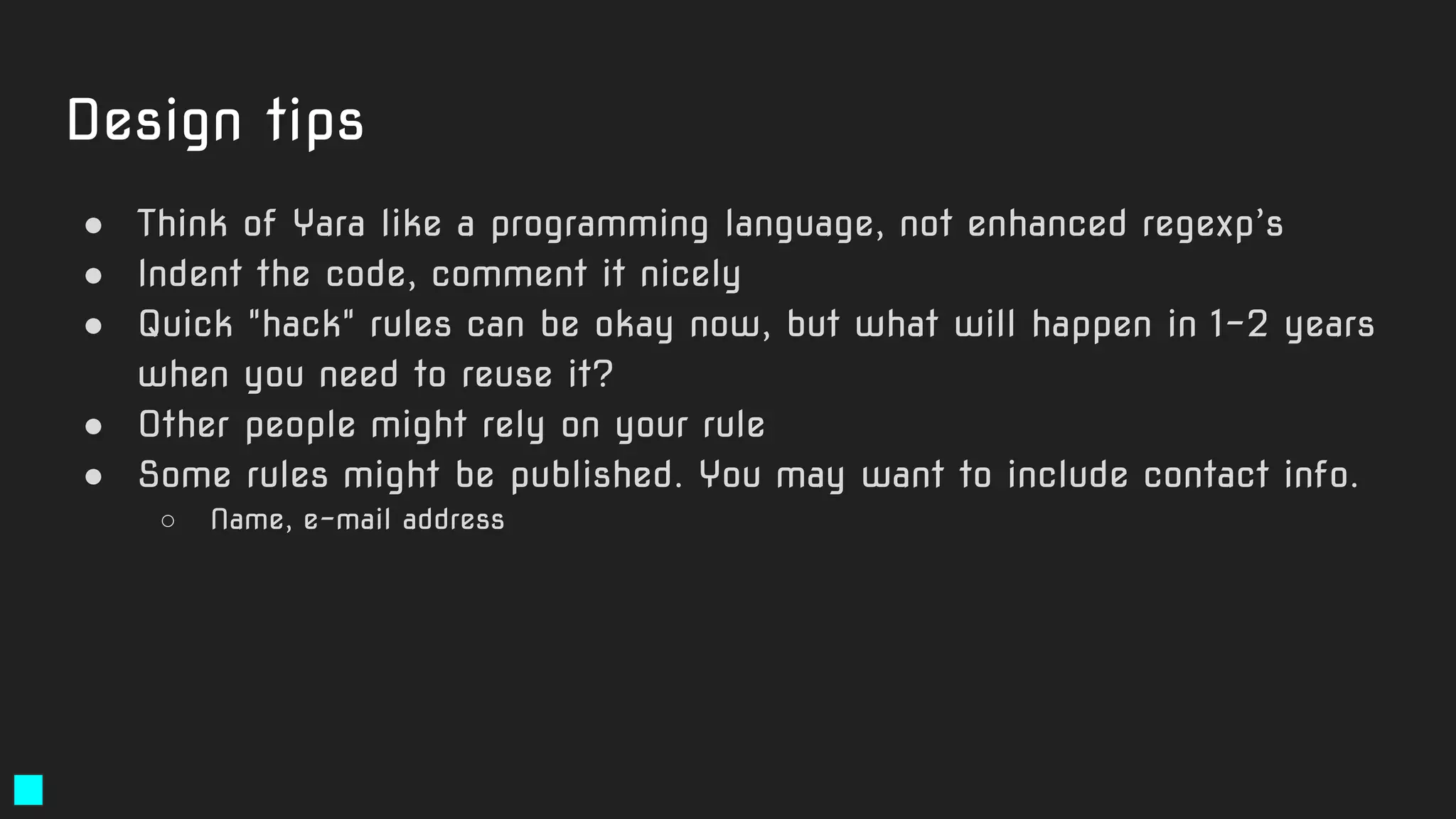
Yara rules "design" tips
● Think of Yara like a programming language, not enhanced regexp’s
● Indent the code, comment it nicely
● Quick "hack" rules can be okay now, but what will happen in 1-2 years
when you need to reuse it?
● Other people might rely on your rule
● Some rules might be published. You may want to include contact info.
○ Name, e-mail address
Design tips
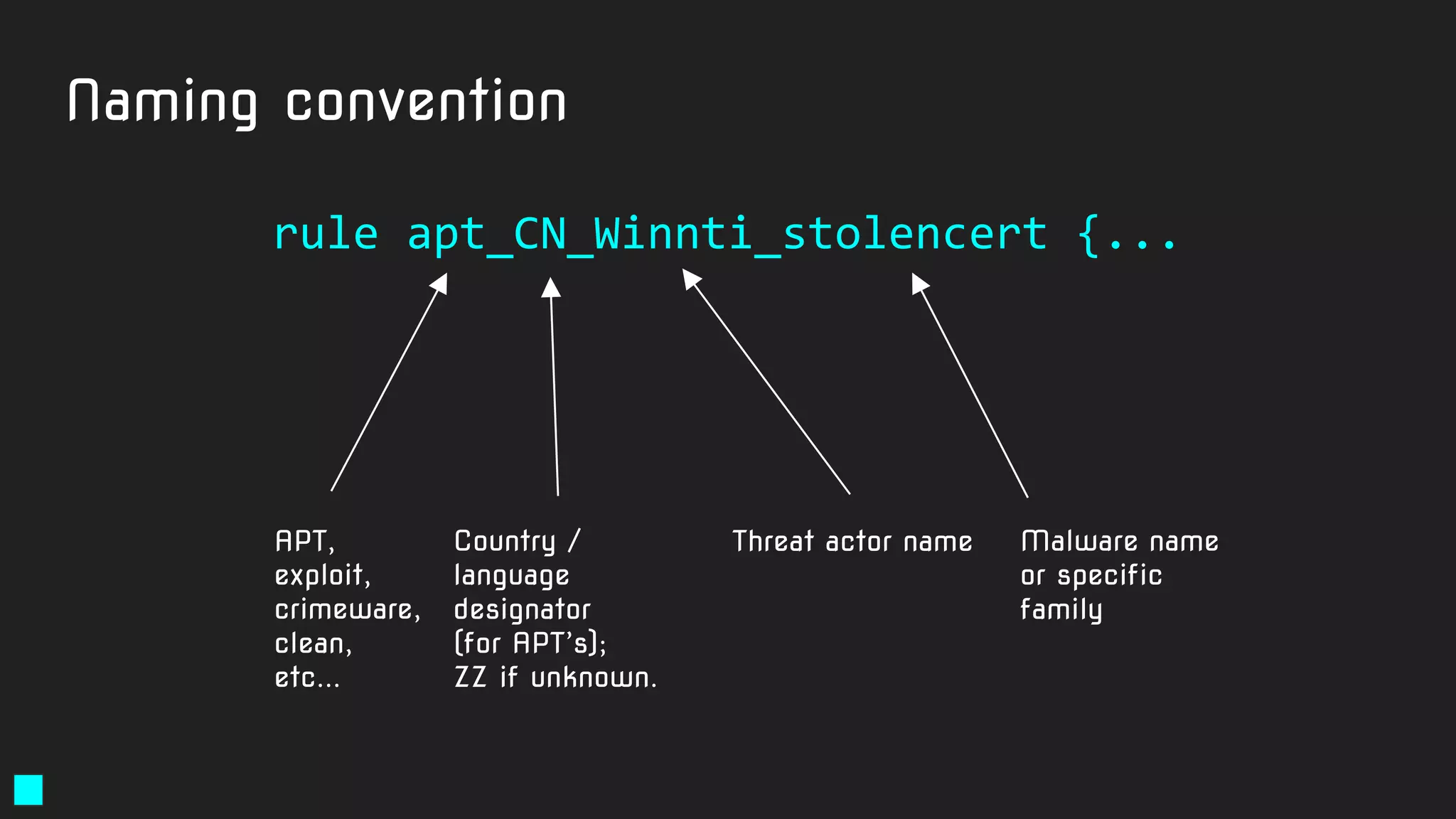
Naming convention
rule apt_CN_Winnti_stolencert {...
APT,
exploit,
crimeware,
clean,
etc...
Country /
language
designator
(for APT’s);
ZZ if unknown.
Threat actor name Malware name
or specific
family
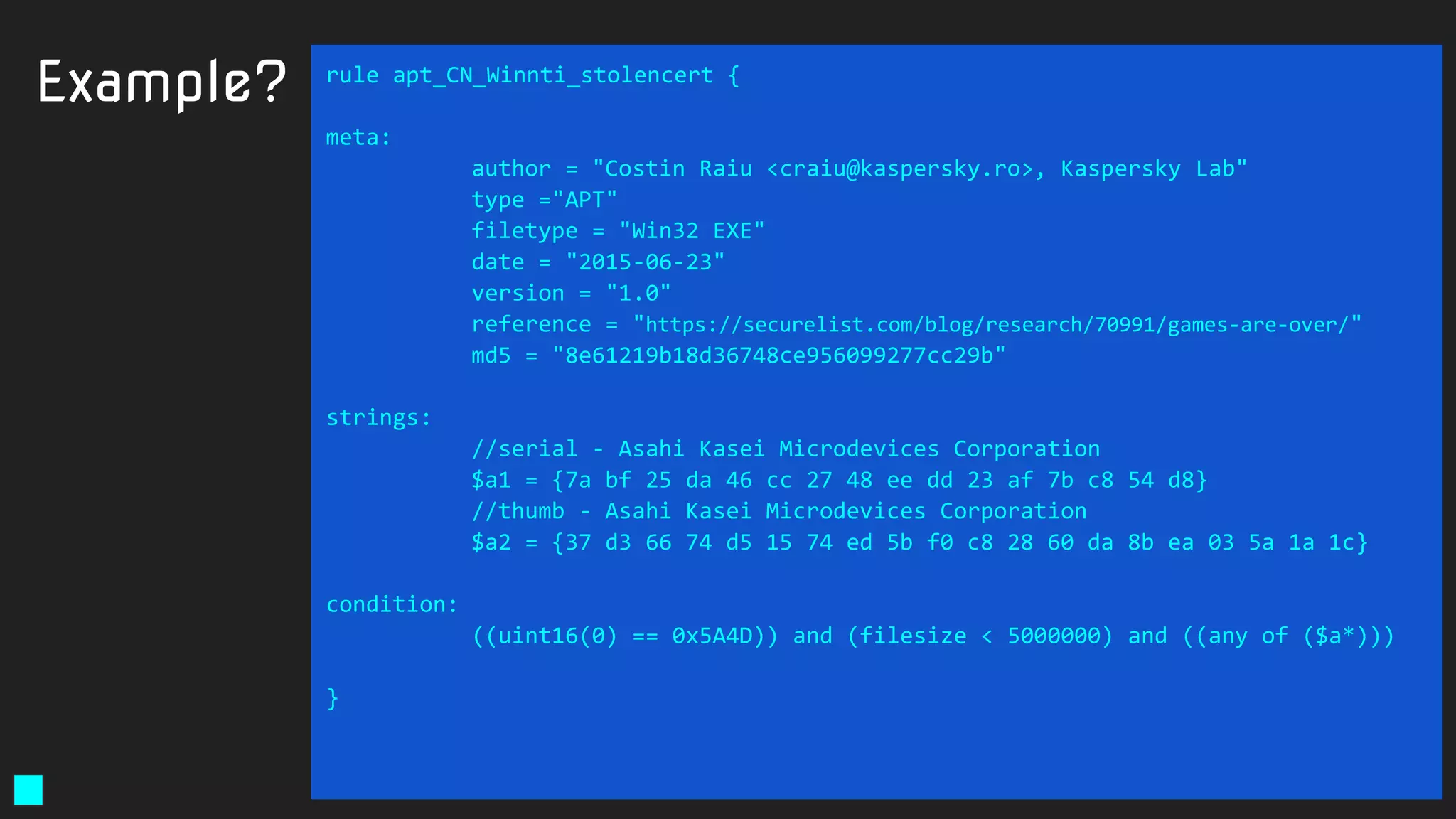
Example? rule apt_CN_Winnti_stolencert {
meta:
author = "Costin Raiu <craiu@kaspersky.ro>, Kaspersky Lab"
type ="APT"
filetype = "Win32 EXE"
date = "2015-06-23"
version = "1.0"
reference = "https://securelist.com/blog/research/70991/games-are-over/"
md5 = "8e61219b18d36748ce956099277cc29b"
strings:
//serial - Asahi Kasei Microdevices Corporation
$a1 = {7a bf 25 da 46 cc 27 48 ee dd 23 af 7b c8 54 d8}
//thumb - Asahi Kasei Microdevices Corporation
$a2 = {37 d3 66 74 d5 15 74 ed 5b f0 c8 28 60 da 8b ea 03 5a 1a 1c}
condition:
((uint16(0) == 0x5A4D)) and (filesize < 5000000) and ((any of ($a*)))
}
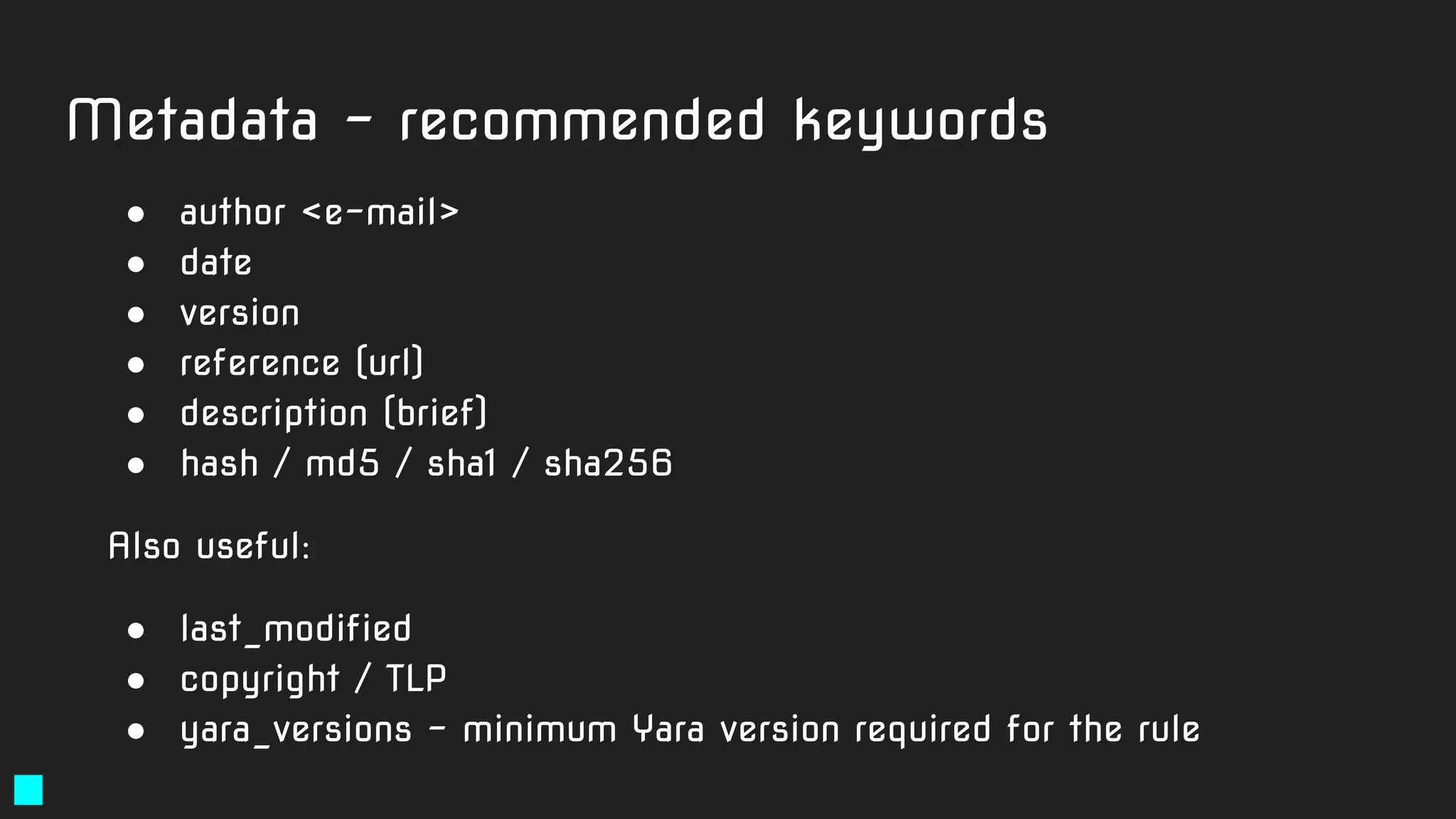
Metadata - recommended keywords
● author <e-mail>
● date
● version
● reference (url)
● description (brief)
● hash / md5 / sha1 / sha256
Also useful:
● last_modified
● copyright / TLP
● yara_versions - minimum Yara version required for the rule
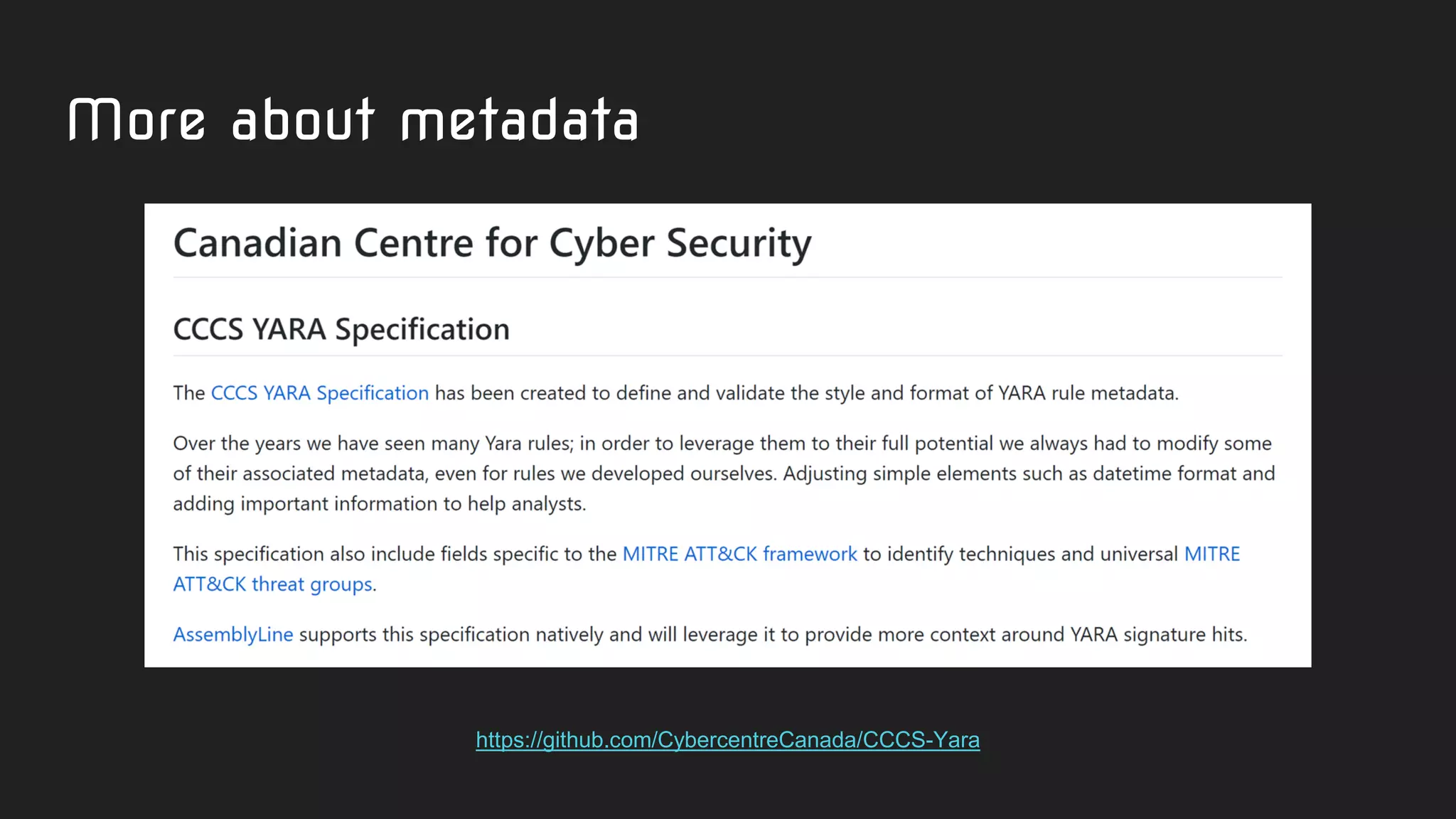
More about metadata
https://github.com/CybercentreCanada/CCCS-Yara
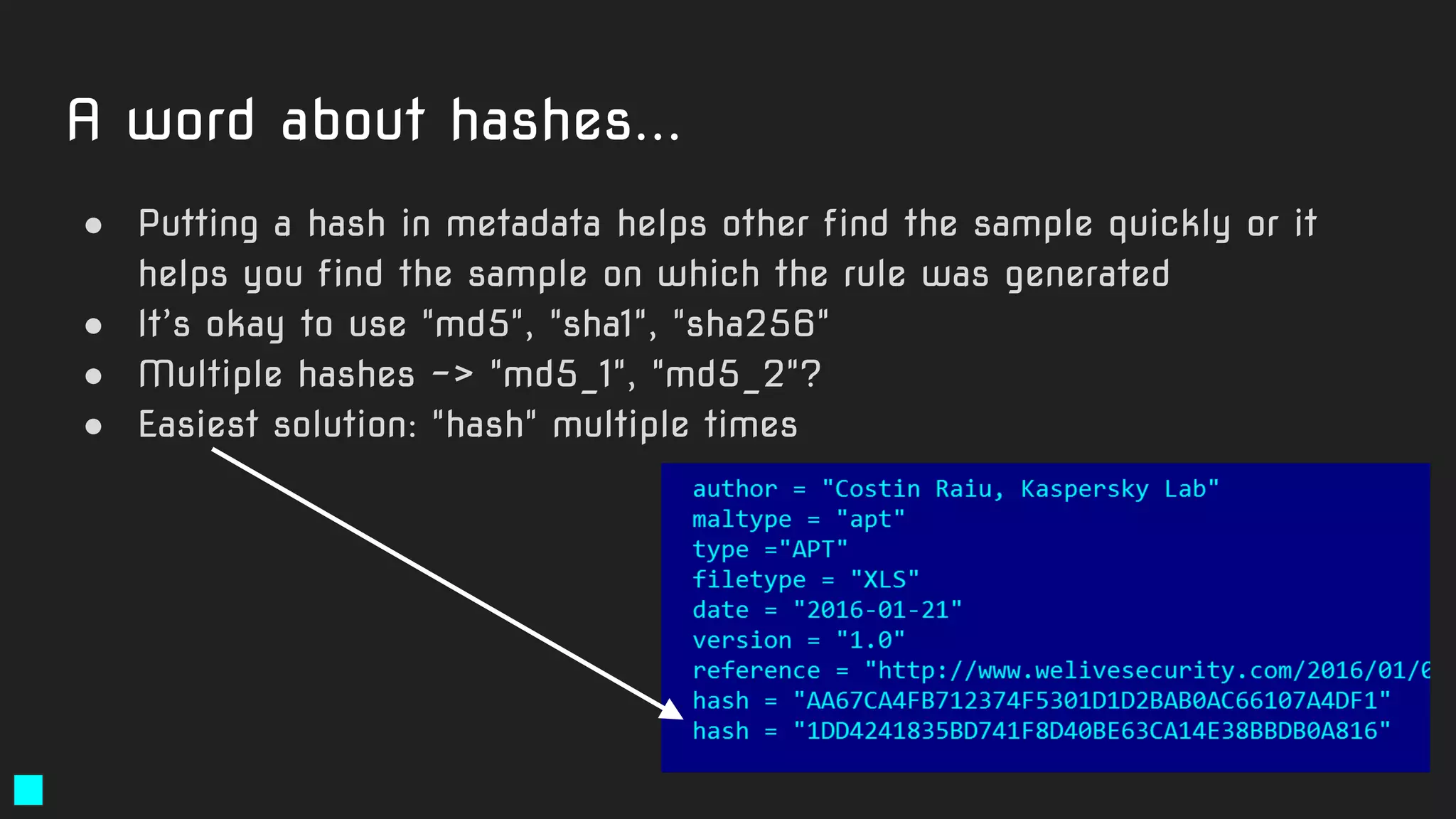
A word about hashes...
● Putting a hash in metadata helps other find the sample quickly or it
helps you find the sample on which the rule was generated
● It’s okay to use "md5", "sha1", "sha256"
● Multiple hashes -> "md5_1", "md5_2"?
● Easiest solution: "hash" multiple times
The good, the bad
and the ugly of Yara rules.
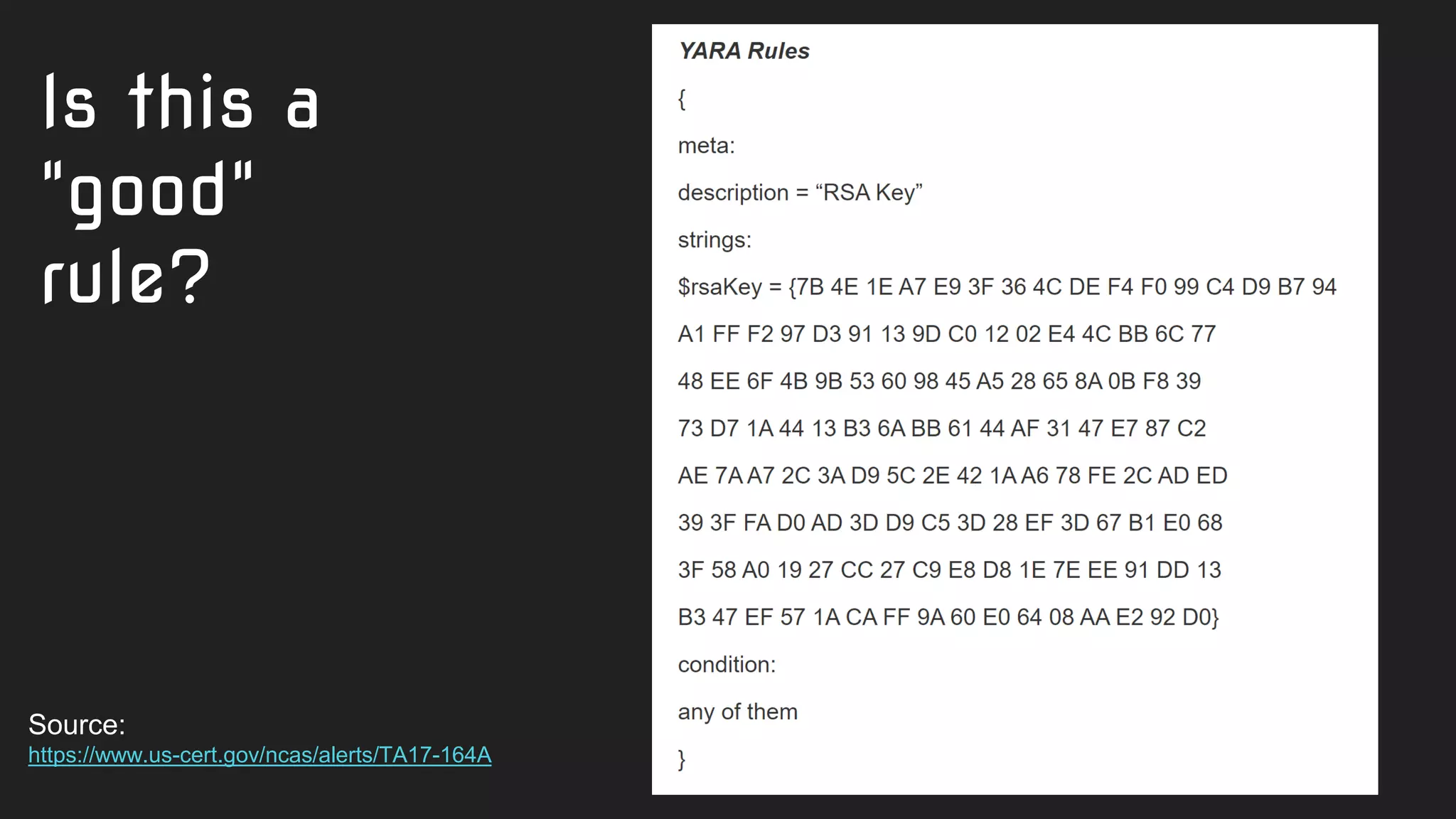
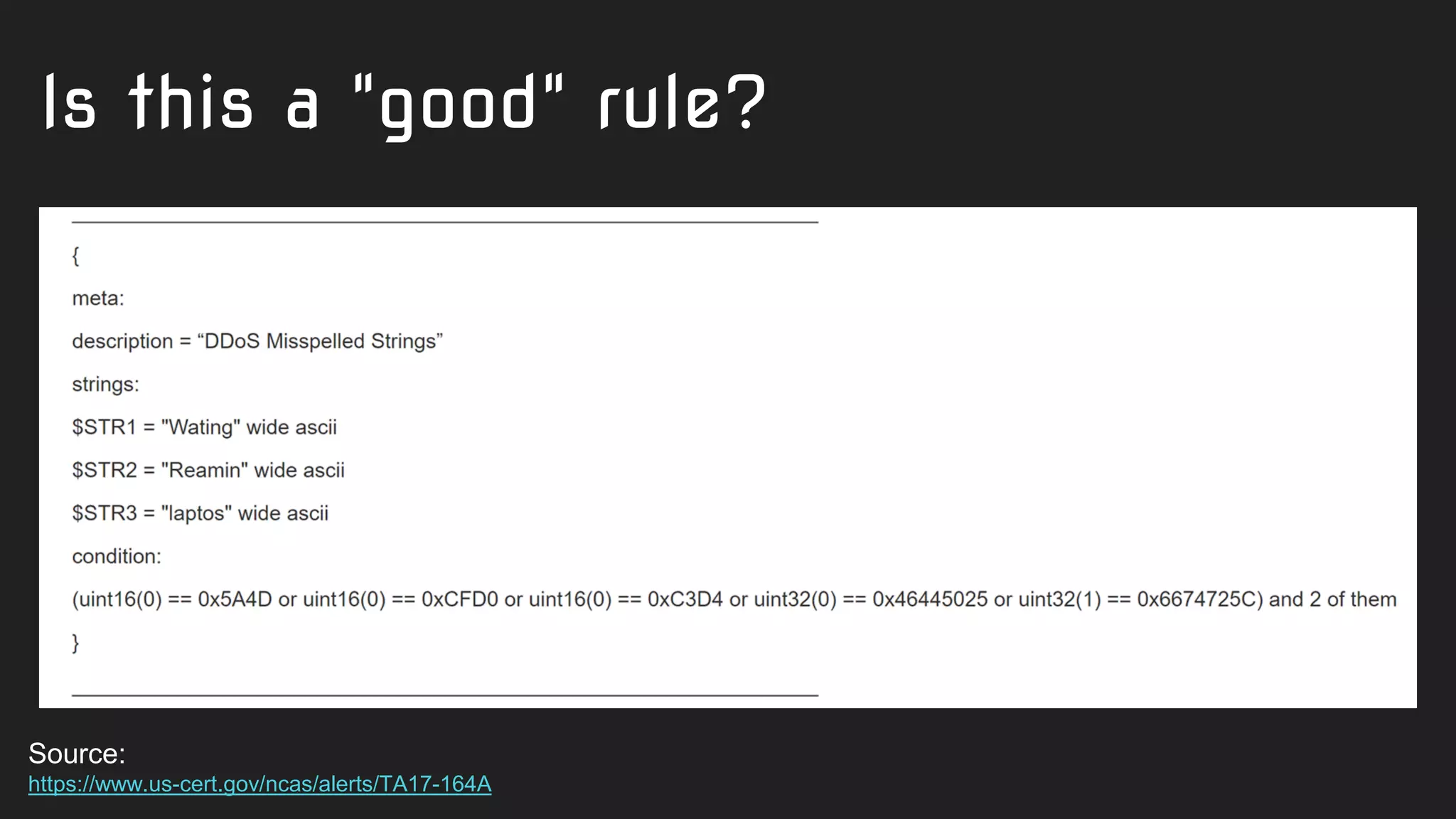
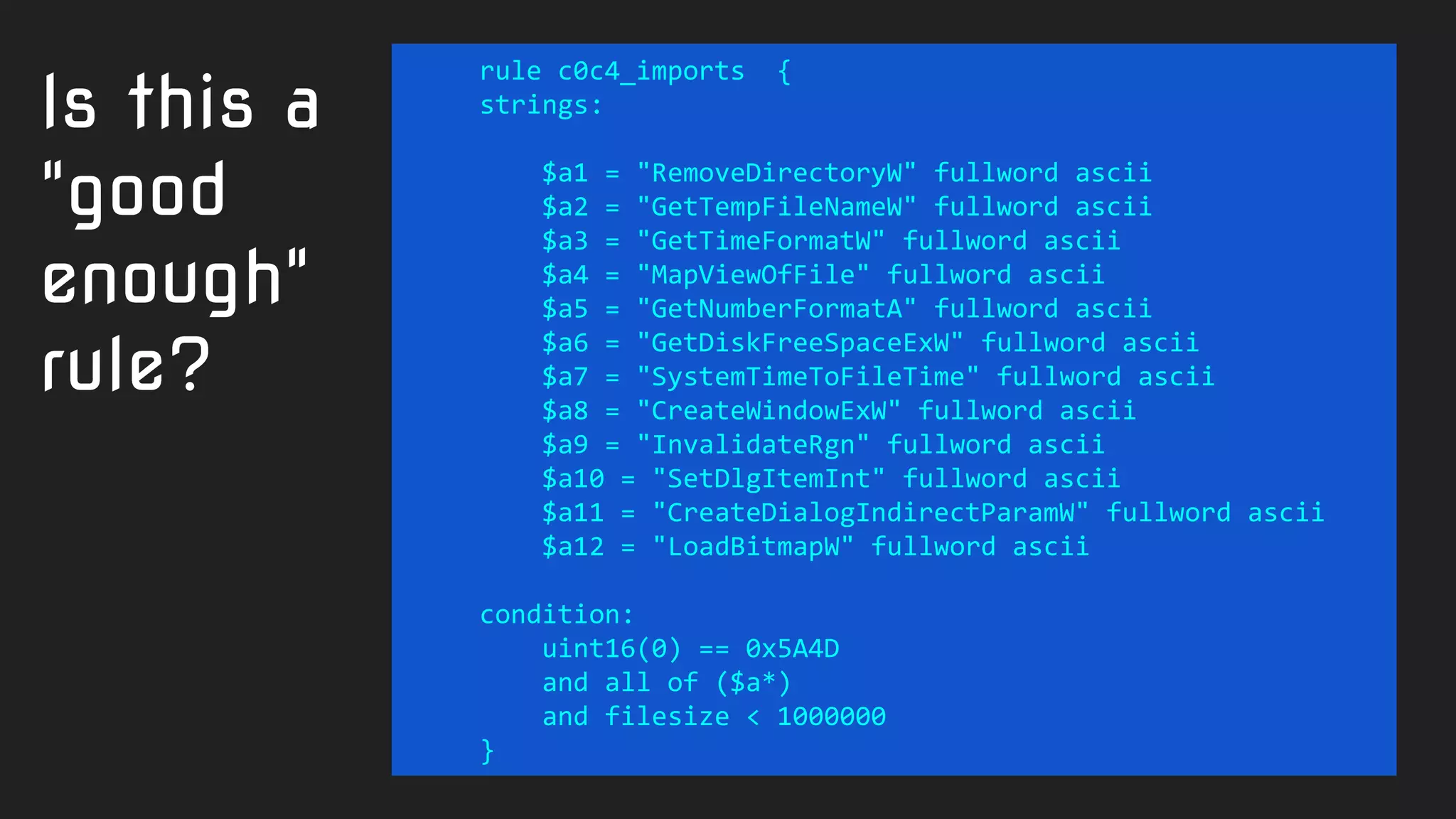
Is this a
"good"
rule?
Source:
https://www.us-cert.gov/ncas/alerts/TA17-164A
Is this a "good" rule?
Source:
https://www.us-cert.gov/ncas/alerts/TA17-164A
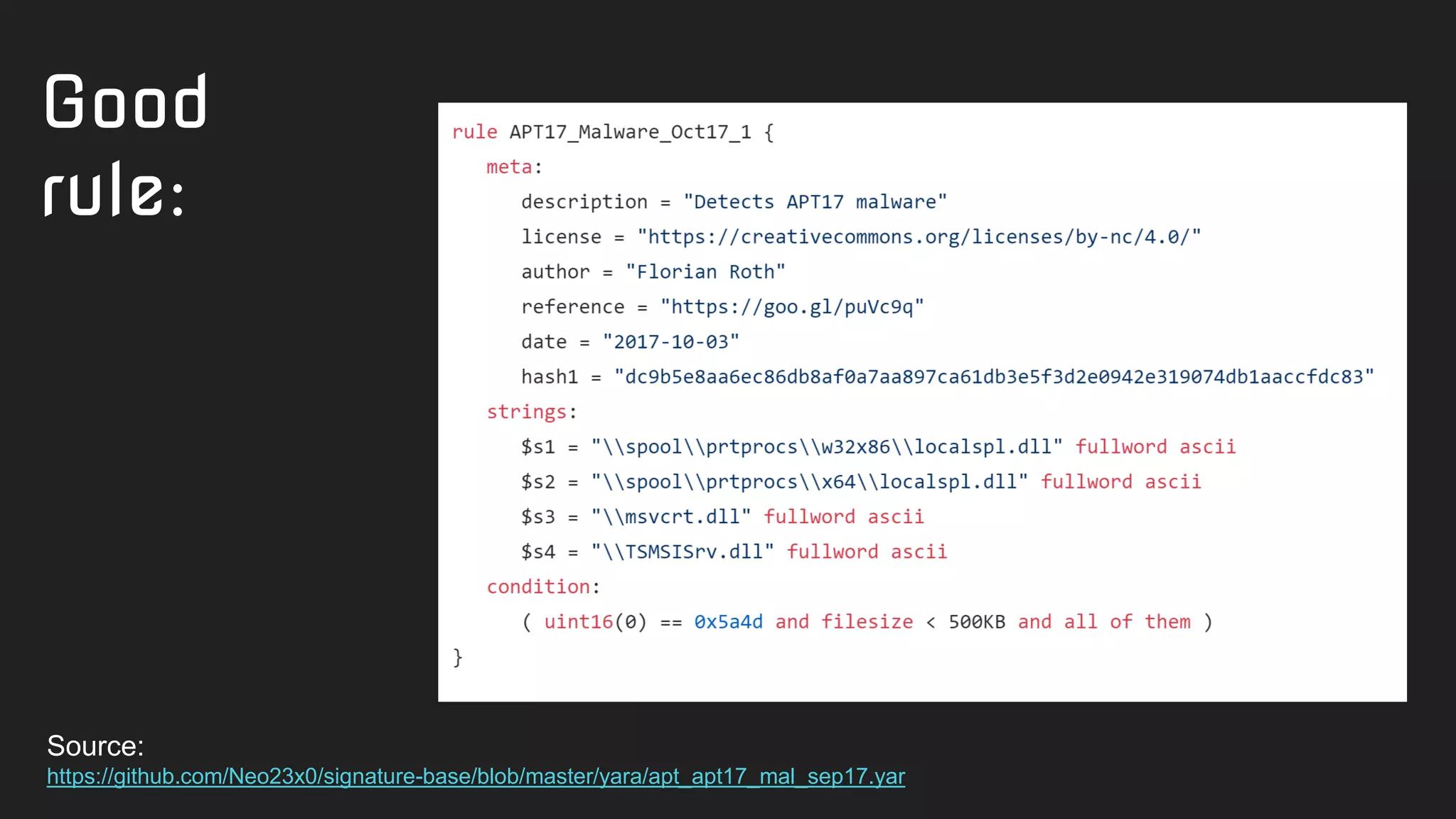
Good
rule:
Source:
https://github.com/Neo23x0/signature-base/blob/master/yara/apt_apt17_mal_sep17.yar
Rule detection quality
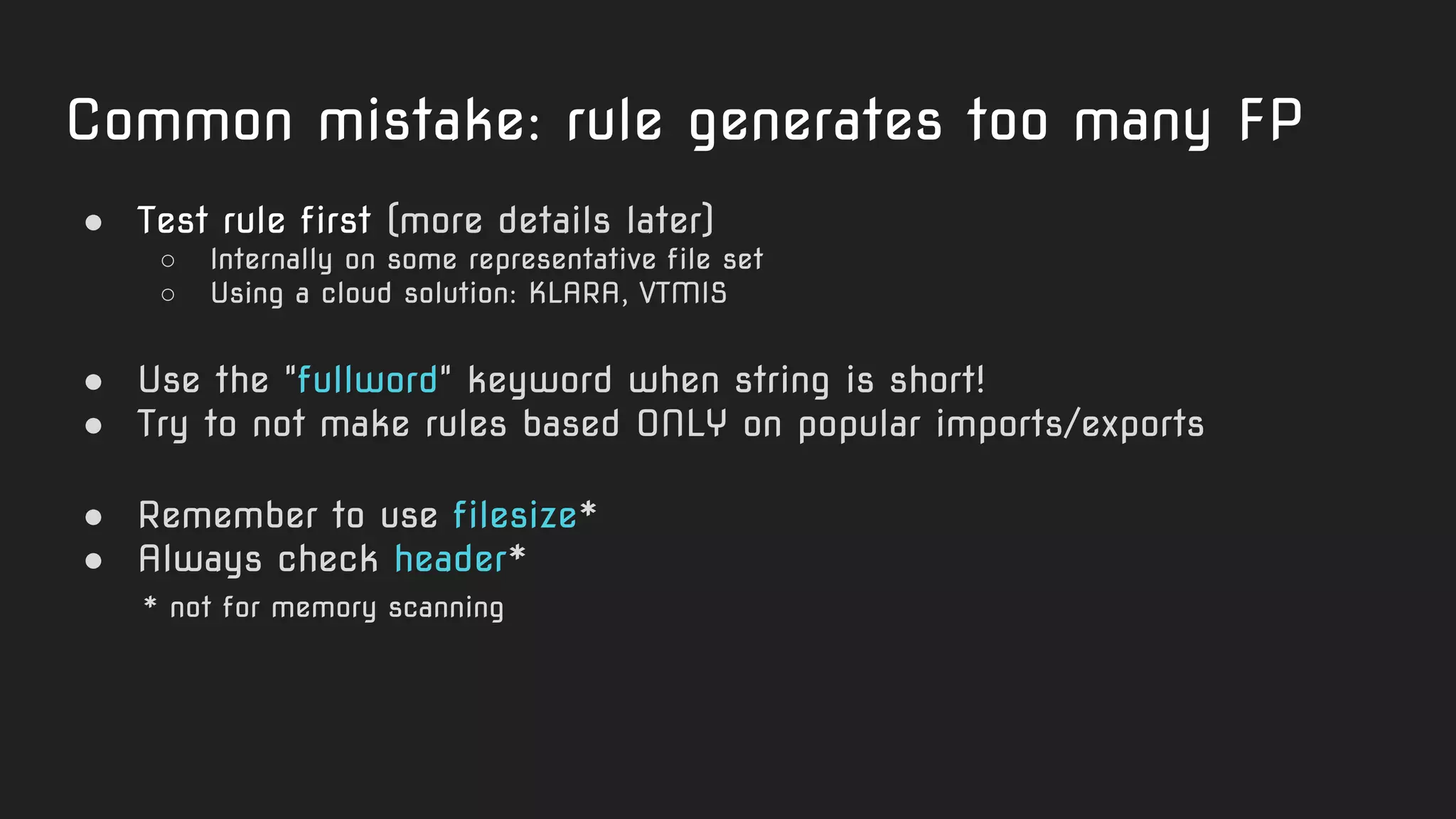
Common mistake: rule generates too many FP
● Test rule first (more details later)
○ Internally on some representative file set
○ Using a cloud solution: KLARA, VTMIS
● Use the "fullword" keyword when string is short!
● Try to not make rules based ONLY on popular imports/exports
● Remember to use filesize*
● Always check header*
* not for memory scanning
rule c0c4_imports {
strings:
$a1 = "RemoveDirectoryW" fullword ascii
$a2 = "GetTempFileNameW" fullword ascii
$a3 = "GetTimeFormatW" fullword ascii
$a4 = "MapViewOfFile" fullword ascii
$a5 = "GetNumberFormatA" fullword ascii
$a6 = "GetDiskFreeSpaceExW" fullword ascii
$a7 = "SystemTimeToFileTime" fullword ascii
$a8 = "CreateWindowExW" fullword ascii
$a9 = "InvalidateRgn" fullword ascii
$a10 = "SetDlgItemInt" fullword ascii
$a11 = "CreateDialogIndirectParamW" fullword ascii
$a12 = "LoadBitmapW" fullword ascii
condition:
uint16(0) == 0x5A4D
and all of ($a*)
and filesize < 1000000
}
Is this a
"good
enough"
rule?
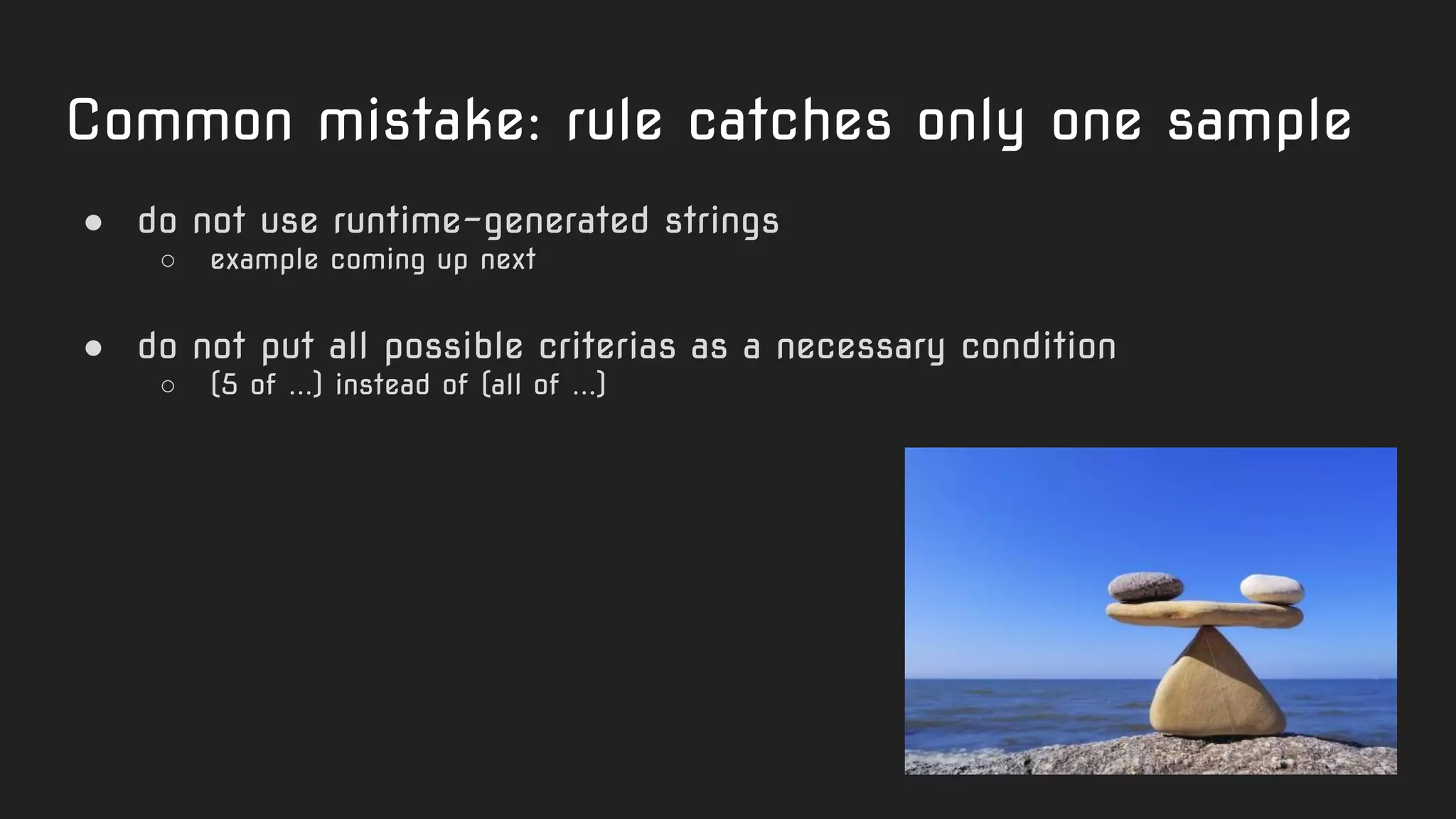
Common mistake: rule catches only one sample
● do not use runtime-generated strings
○ example coming up next
● do not put all possible criterias as a necessary condition
○ (5 of ...) instead of (all of ...)
rule nordicransom_scr {
meta:
hash = "2b8336130d449d035986863a8d796dc1"
strings:
$string0 = "rE5Cj;"
$string1 = "kP_J59"
$string2 = "Dj,:xx5"
$string3 = "HPI%TZ"
$string4 = "{qUVO}"
$string5 = "O]{O7:"
$string6 = "<8z]_j6{"
$string7 = "6hgSd-"
$string8 = "HQH$AL]"
$string9 = "6G3ne5"
$string10 = "dcm(lI"
$string11 = "aPM.uz"
$string12 = ":{YE>D"
$string13 = "HgbX)gO"
$string14 = "d.$N0h1r"
$string15 = "EKRPm$"
$string16 = "q;C2E>"
$string17 = "C-RC${["
$string18 = "T5H{Kt"
condition:
19 of them
}
Another
"not quite
the best"
rule.
Code-based
strings garbage
No additional
conditions like
filesize or header
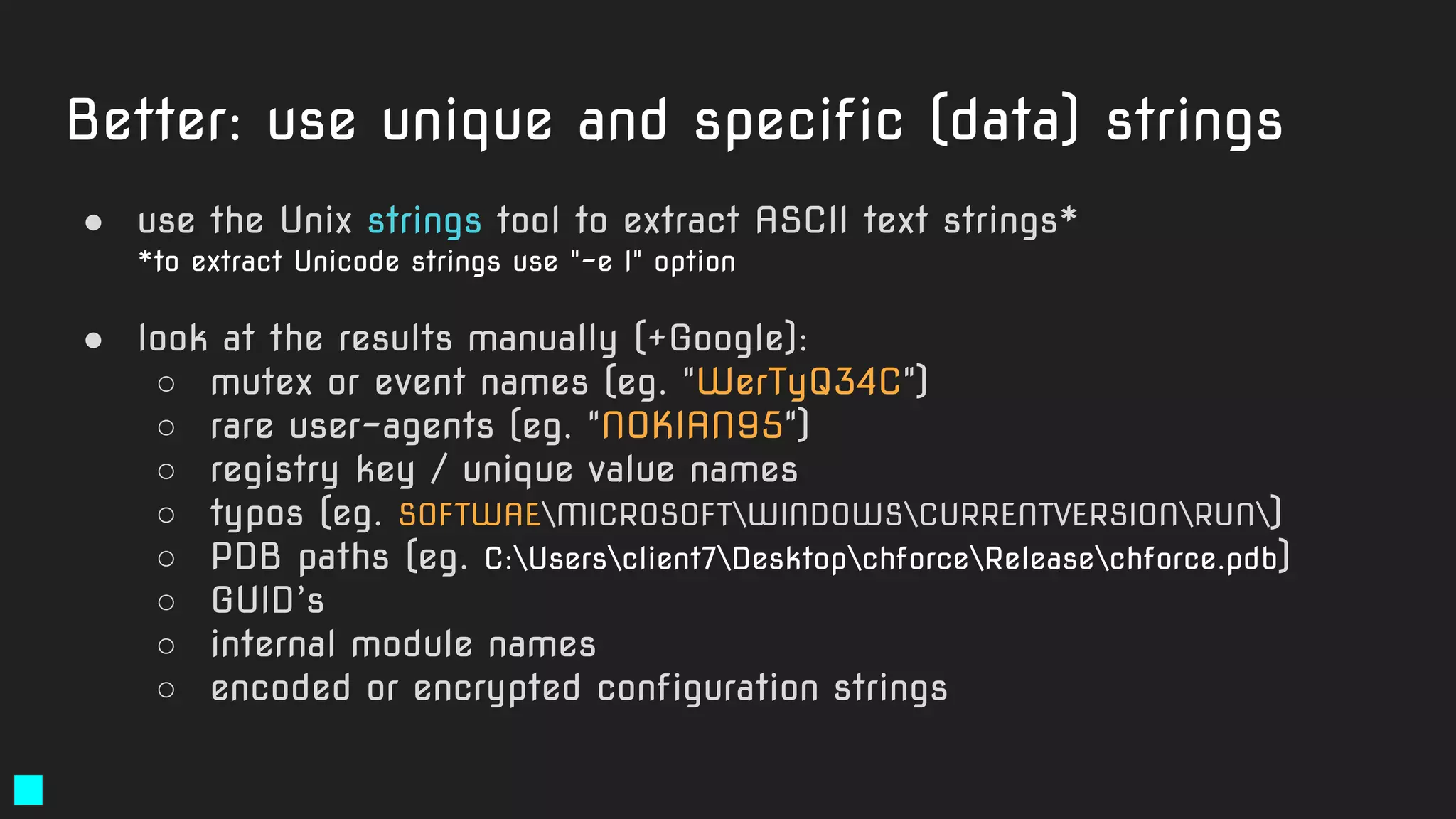
Better: use unique and specific (data) strings
● use the Unix strings tool to extract ASCII text strings*
*to extract Unicode strings use "-e l" option
● look at the results manually (+Google):
○ mutex or event names (eg. "WerTyQ34C")
○ rare user-agents (eg. "NOKIAN95")
○ registry key / unique value names
○ typos (eg. SOFTWAEMICROSOFTWINDOWSCURRENTVERSIONRUN)
○ PDB paths (eg. C:Usersclient7DesktopchforceReleasechforce.pdb)
○ GUID’s
○ internal module names
○ encoded or encrypted configuration strings
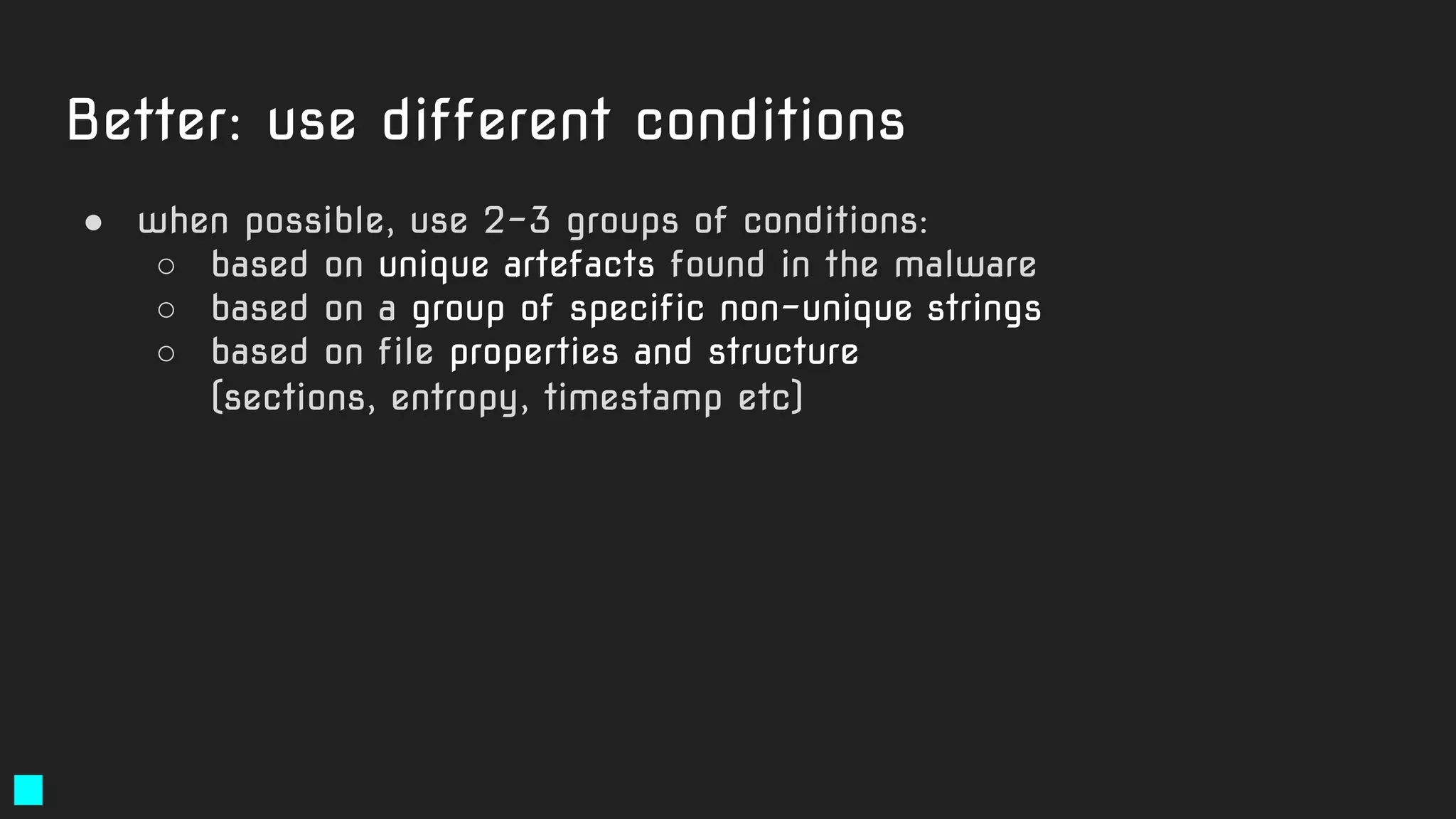
Better: use different conditions
● when possible, use 2-3 groups of conditions:
○ based on unique artefacts found in the malware
○ based on a group of specific non-unique strings
○ based on file properties and structure
(sections, entropy, timestamp etc)
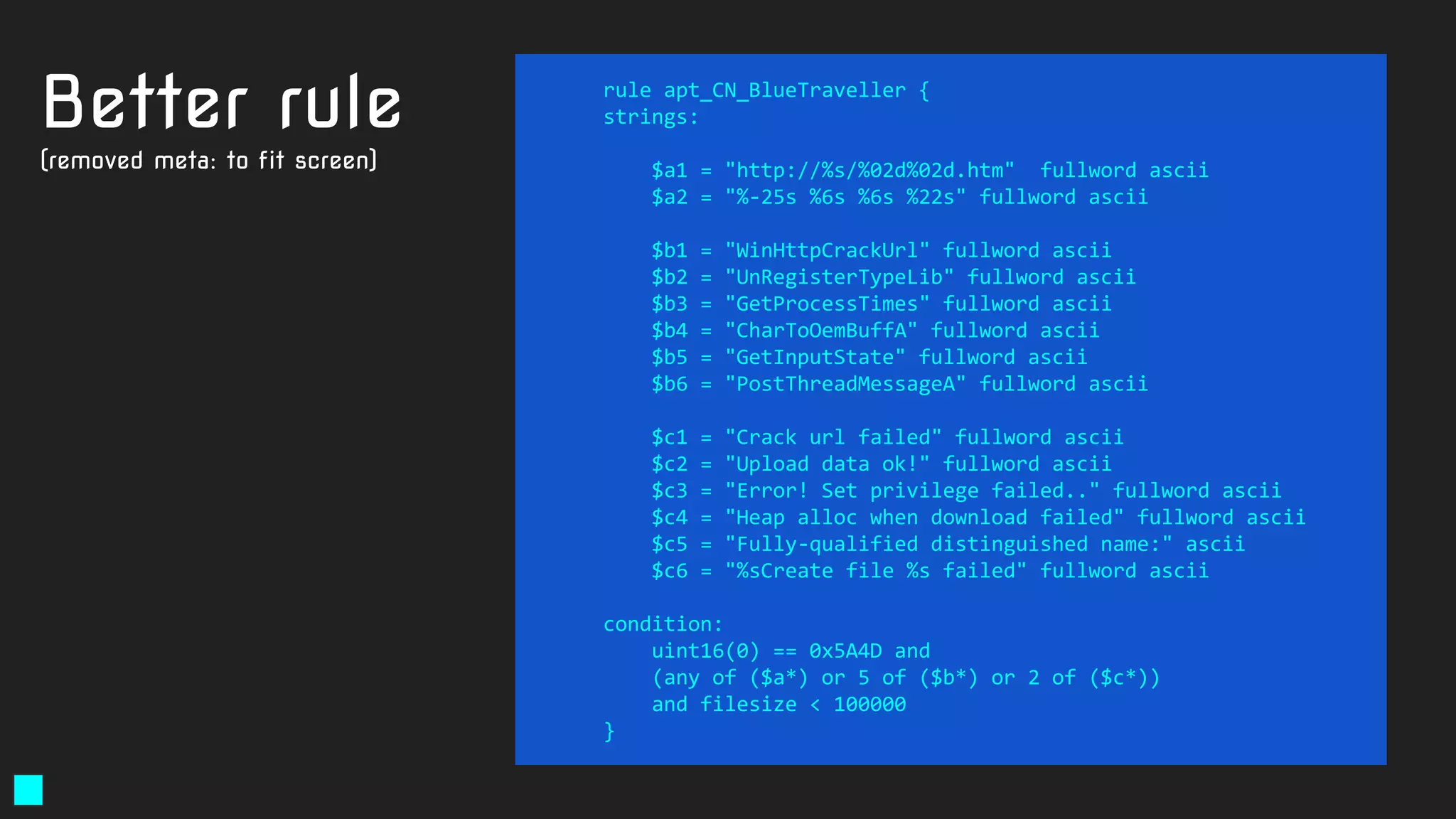
rule apt_CN_BlueTraveller {
strings:
$a1 = "http://%s/%02d%02d.htm" fullword ascii
$a2 = "%-25s %6s %6s %22s" fullword ascii
$b1 = "WinHttpCrackUrl" fullword ascii
$b2 = "UnRegisterTypeLib" fullword ascii
$b3 = "GetProcessTimes" fullword ascii
$b4 = "CharToOemBuffA" fullword ascii
$b5 = "GetInputState" fullword ascii
$b6 = "PostThreadMessageA" fullword ascii
$c1 = "Crack url failed" fullword ascii
$c2 = "Upload data ok!" fullword ascii
$c3 = "Error! Set privilege failed.." fullword ascii
$c4 = "Heap alloc when download failed" fullword ascii
$c5 = "Fully-qualified distinguished name:" ascii
$c6 = "%sCreate file %s failed" fullword ascii
condition:
uint16(0) == 0x5A4D and
(any of ($a*) or 5 of ($b*) or 2 of ($c*))
and filesize < 100000
}
Better rule
(removed meta: to fit screen)
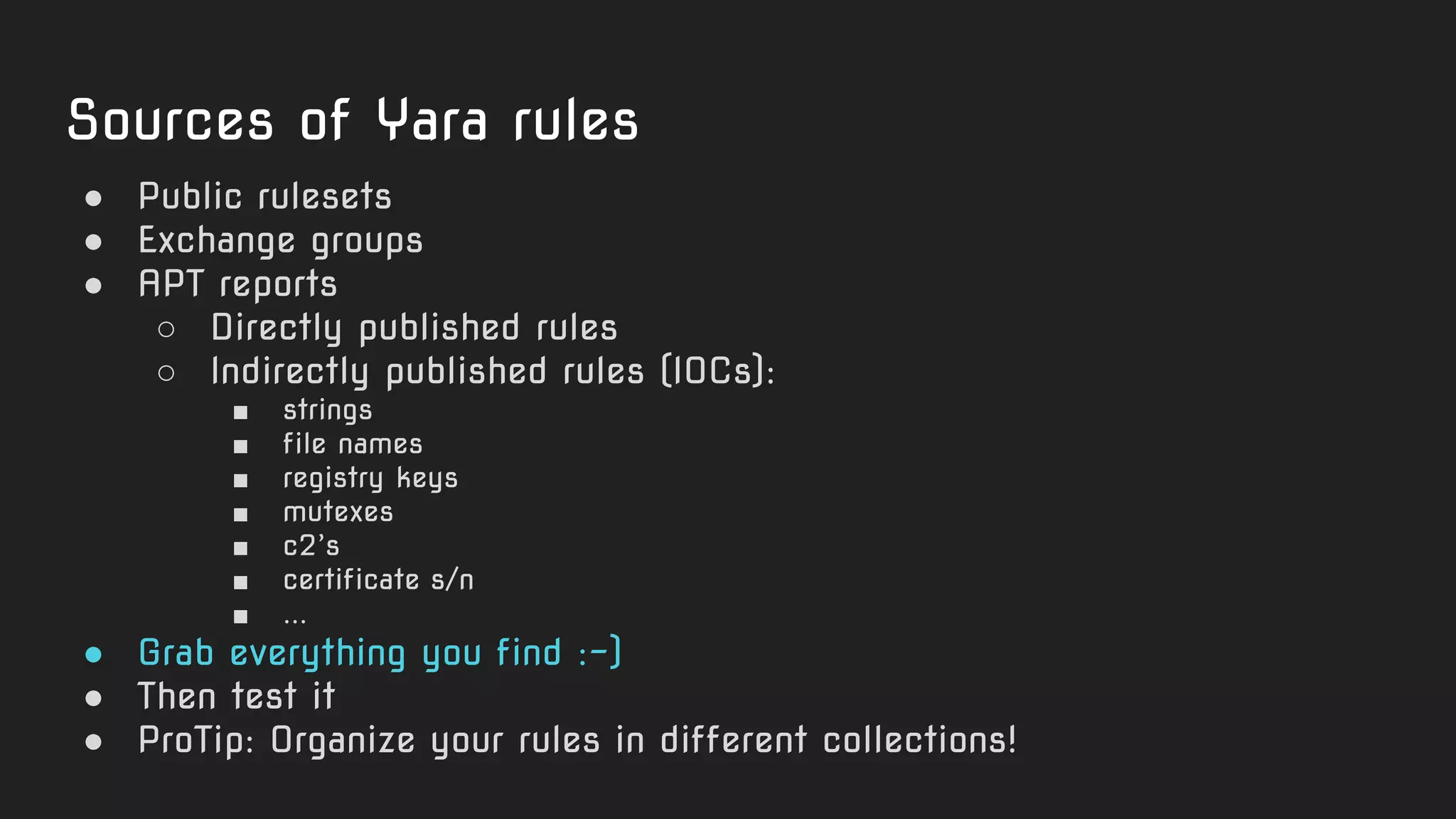
Sources of Yara rules
● Public rulesets
● Exchange groups
● APT reports
○ Directly published rules
○ Indirectly published rules (IOCs):
■ strings
■ file names
■ registry keys
■ mutexes
■ c2’s
■ certificate s/n
■ ...
● Grab everything you find :-)
● Then test it
● ProTip: Organize your rules in different collections!
Kaspersky KLARA
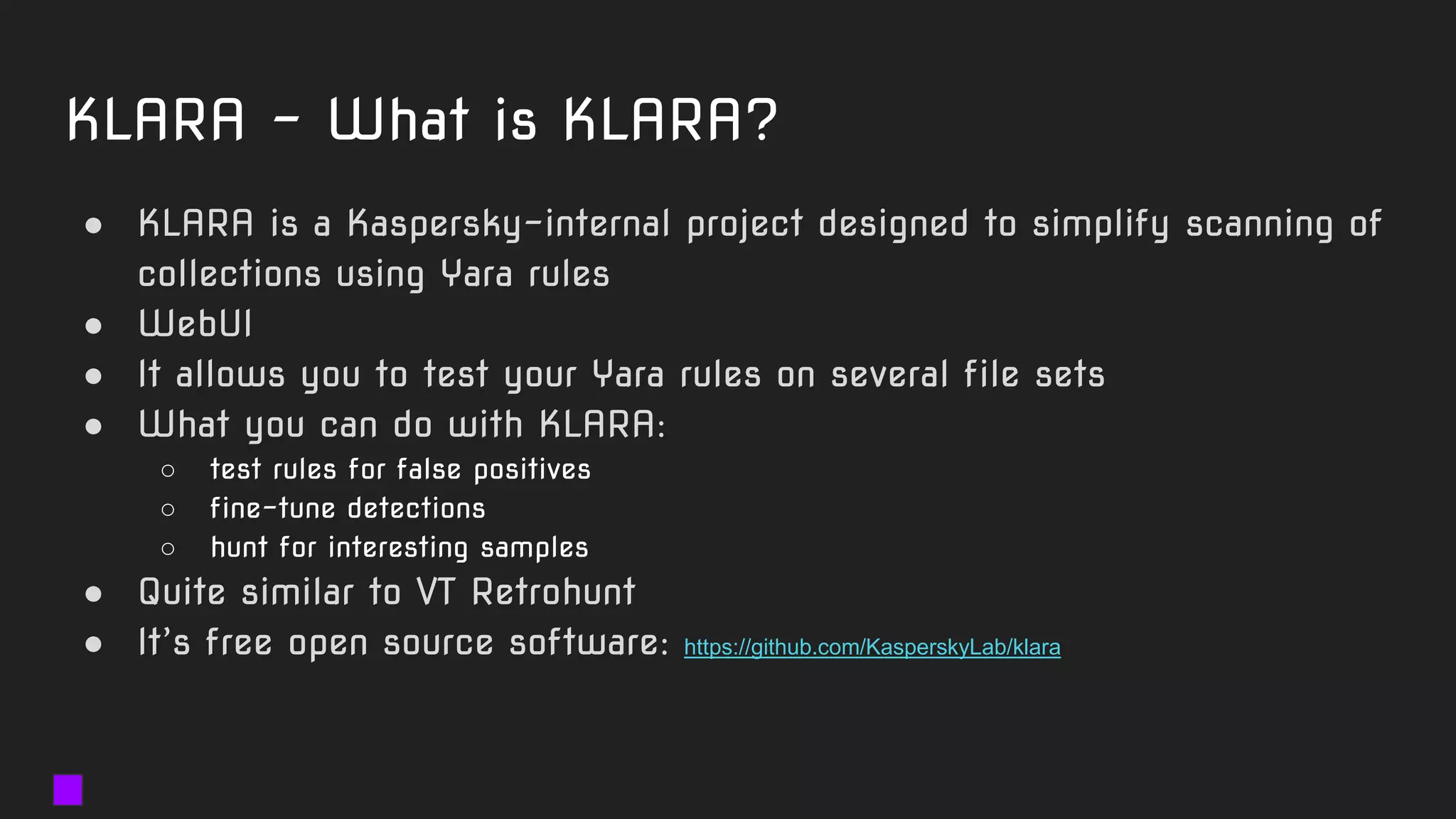
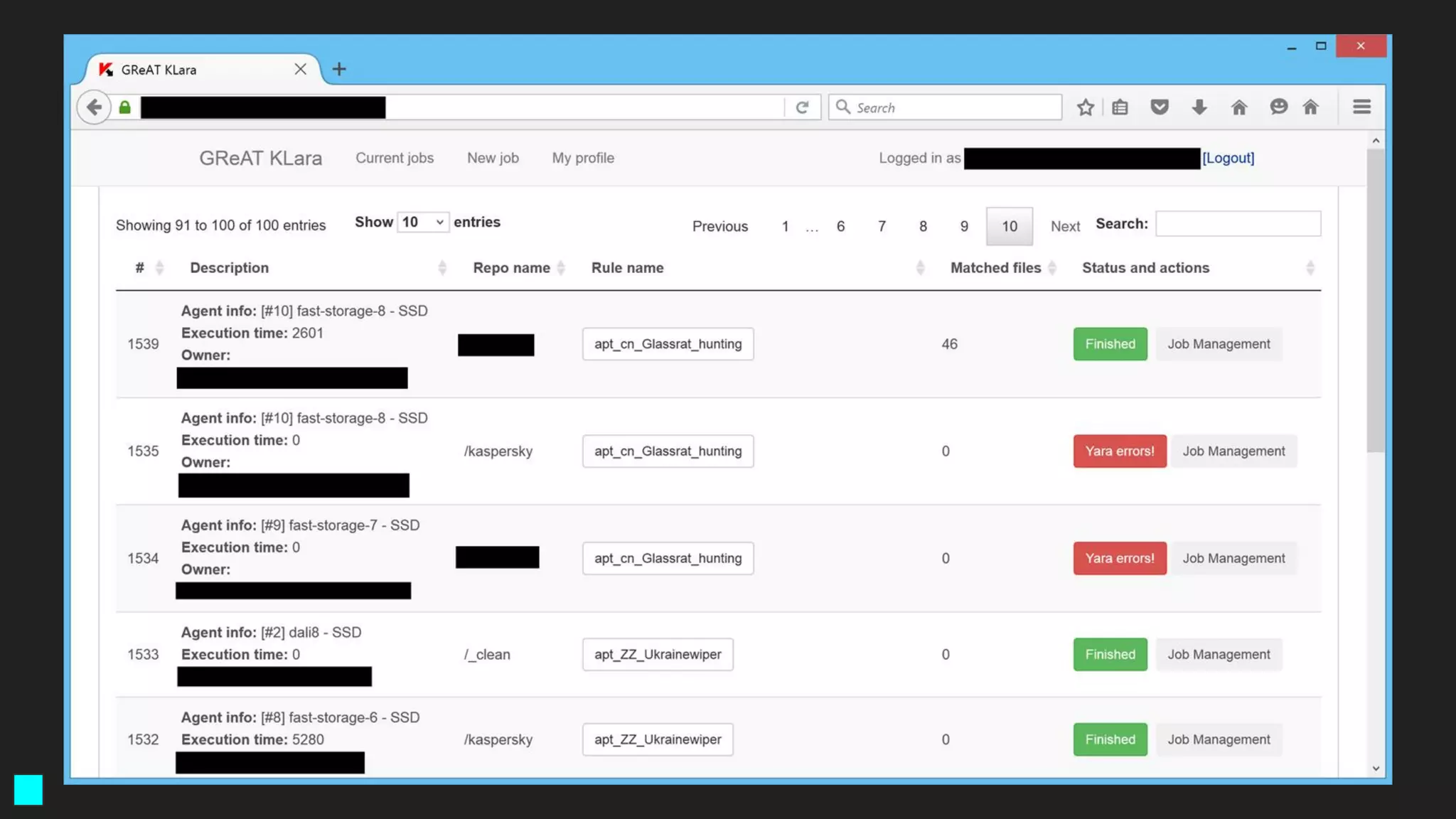
KLARA - What is KLARA?
● KLARA is a Kaspersky-internal project designed to simplify scanning of
collections using Yara rules
● WebUI
● It allows you to test your Yara rules on several file sets
● What you can do with KLARA:
○ test rules for false positives
○ fine-tune detections
○ hunt for interesting samples
● Quite similar to VT Retrohunt
● It’s free open source software: https://github.com/KasperskyLab/klara
Important: Testing for false positives
● You can build your own clean set
○ Windows XP files 32-bit
○ A Linux installation
○ Windows 7/8 64-bit
○ OSX installation
○ iOS fs dump
● Public clean samples sets
○ https://www.microsoft.com/en-us/download
○ ftp://ftp.elf.stuba.sk/pub/pc/
Hints for Yara top performance!
● If you have an SSD in your machine, it makes sense to use -p
● Common setting (SSD+i7 CPU): -p 4
● This can lead to 400% scan speed increase
● This is NOT true for classical HDD drives!
○ Still, you may get better performance out of -p 2
● The best performance: SSD’s in RAID0
○ 4x 1TB Samsung 850 EVO disks in RAID0 will have a throughput of 2GB/s
○ You will need to run yara -p 32 to achieve 2GB/s Yara scan speed
○ Maximum value is 32 (you can’t use more than 32 threads)
● SSD wear is not an issue for a YARA sample repository
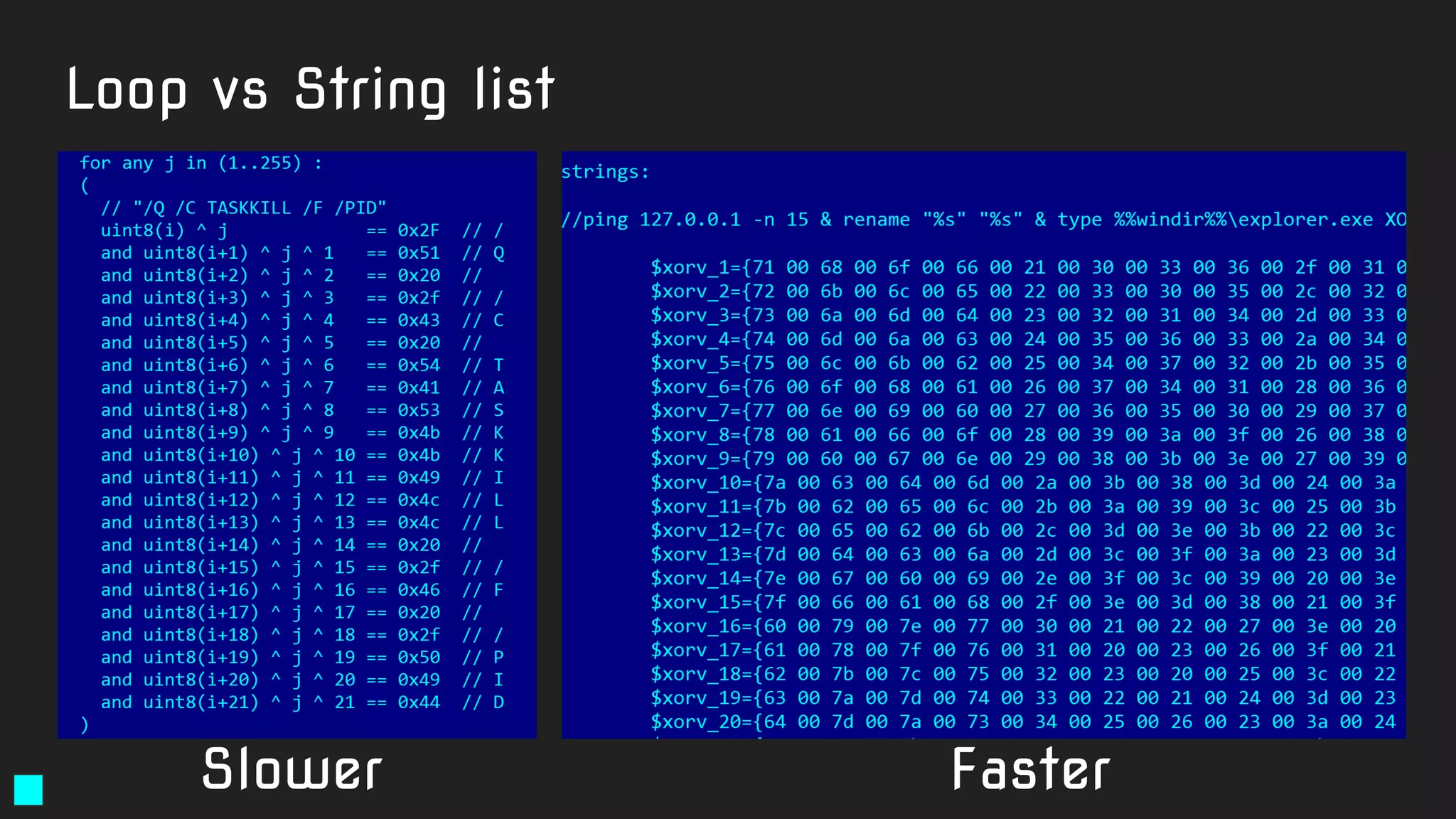
Loop vs String list
Slower Faster
Examples
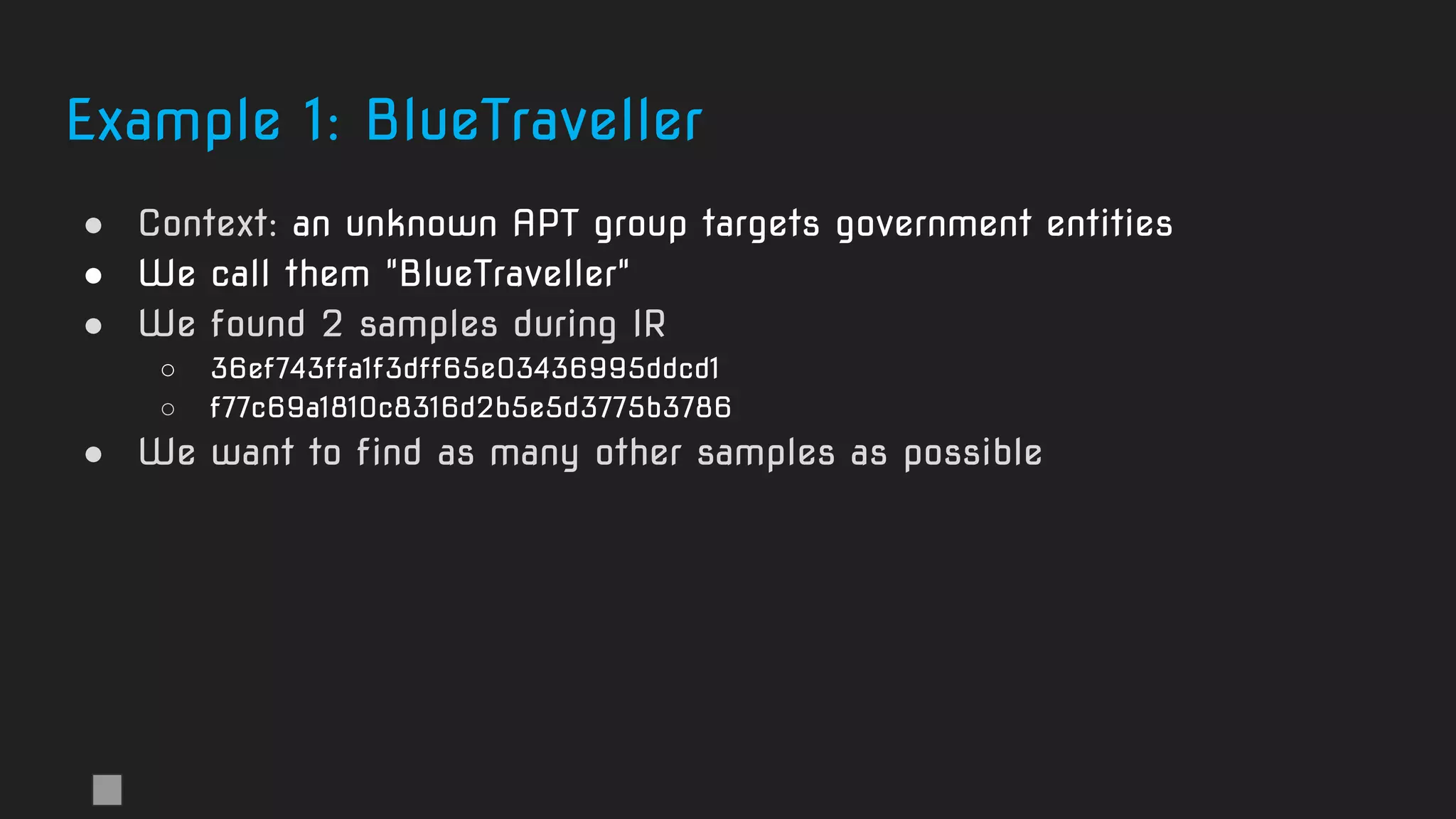
Example 1: BlueTraveller
● Context: an unknown APT group targets government entities
● We call them "BlueTraveller"
● We found 2 samples during IR
○ 36ef743ffa1f3dff65e03436995ddcd1
○ f77c69a1810c8316d2b5e5d3775b3786
● We want to find as many other samples as possible
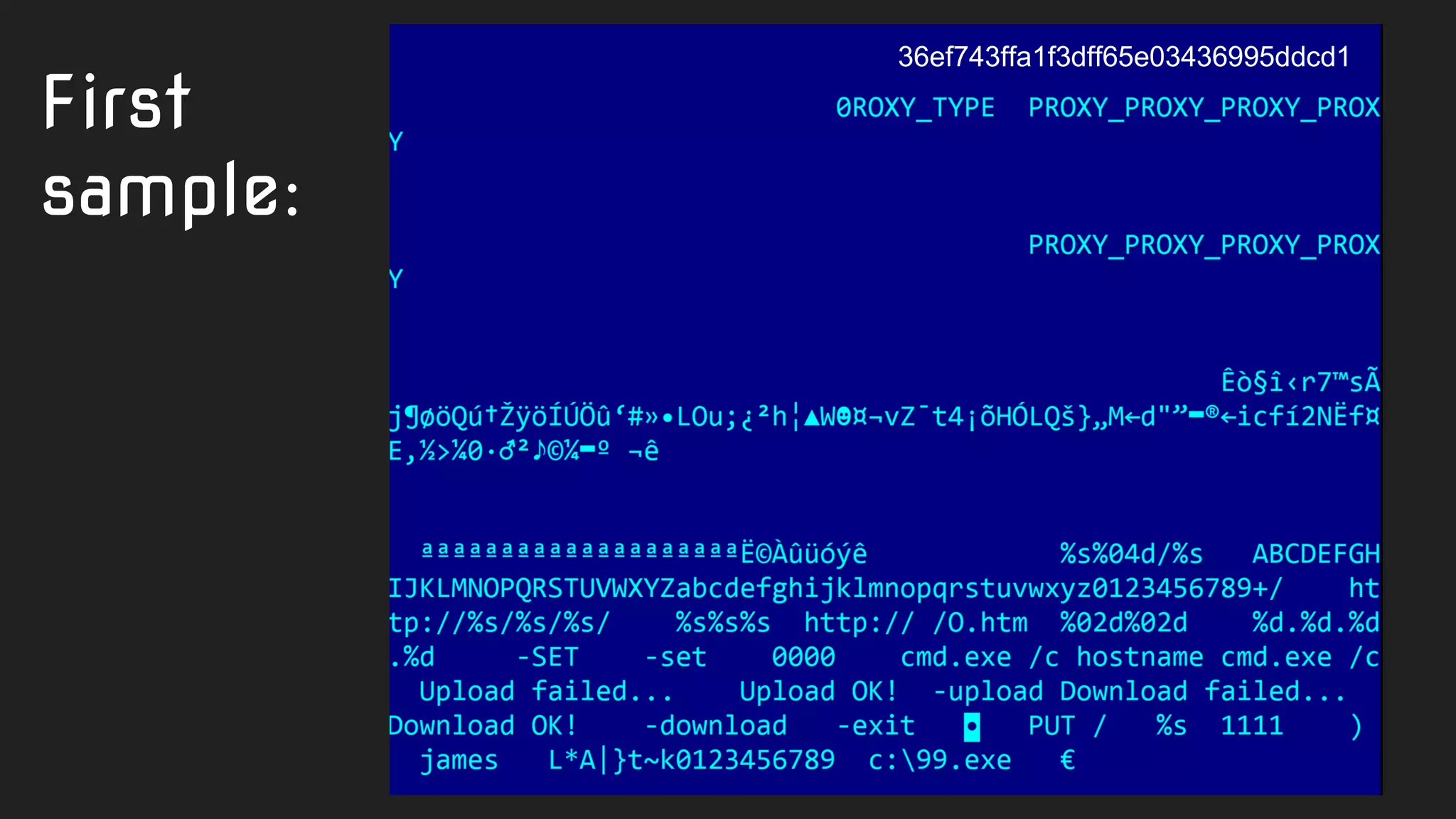
First
sample:
36ef743ffa1f3dff65e03436995ddcd1
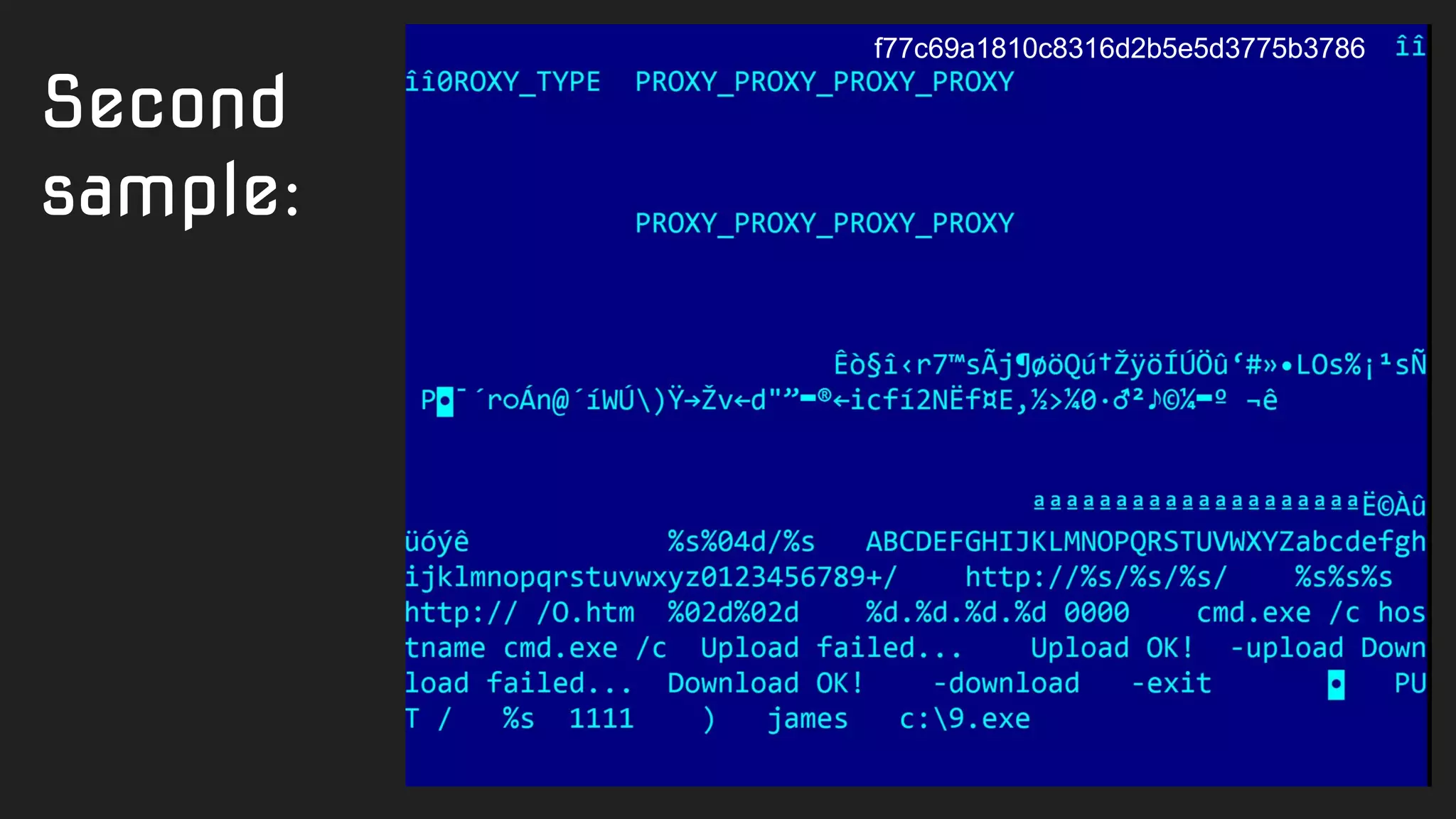
Second
sample:
f77c69a1810c8316d2b5e5d3775b3786
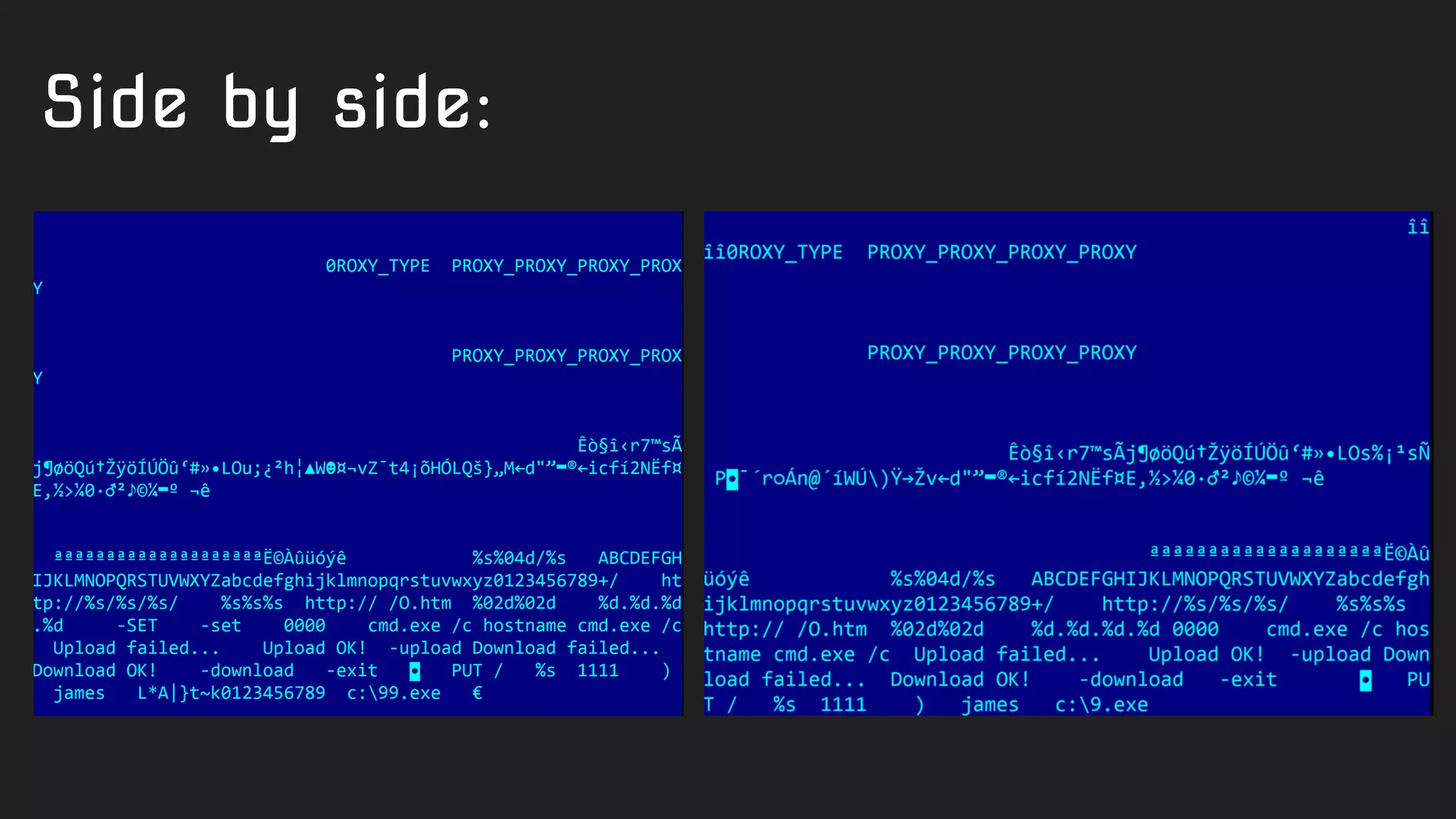
Side by side:
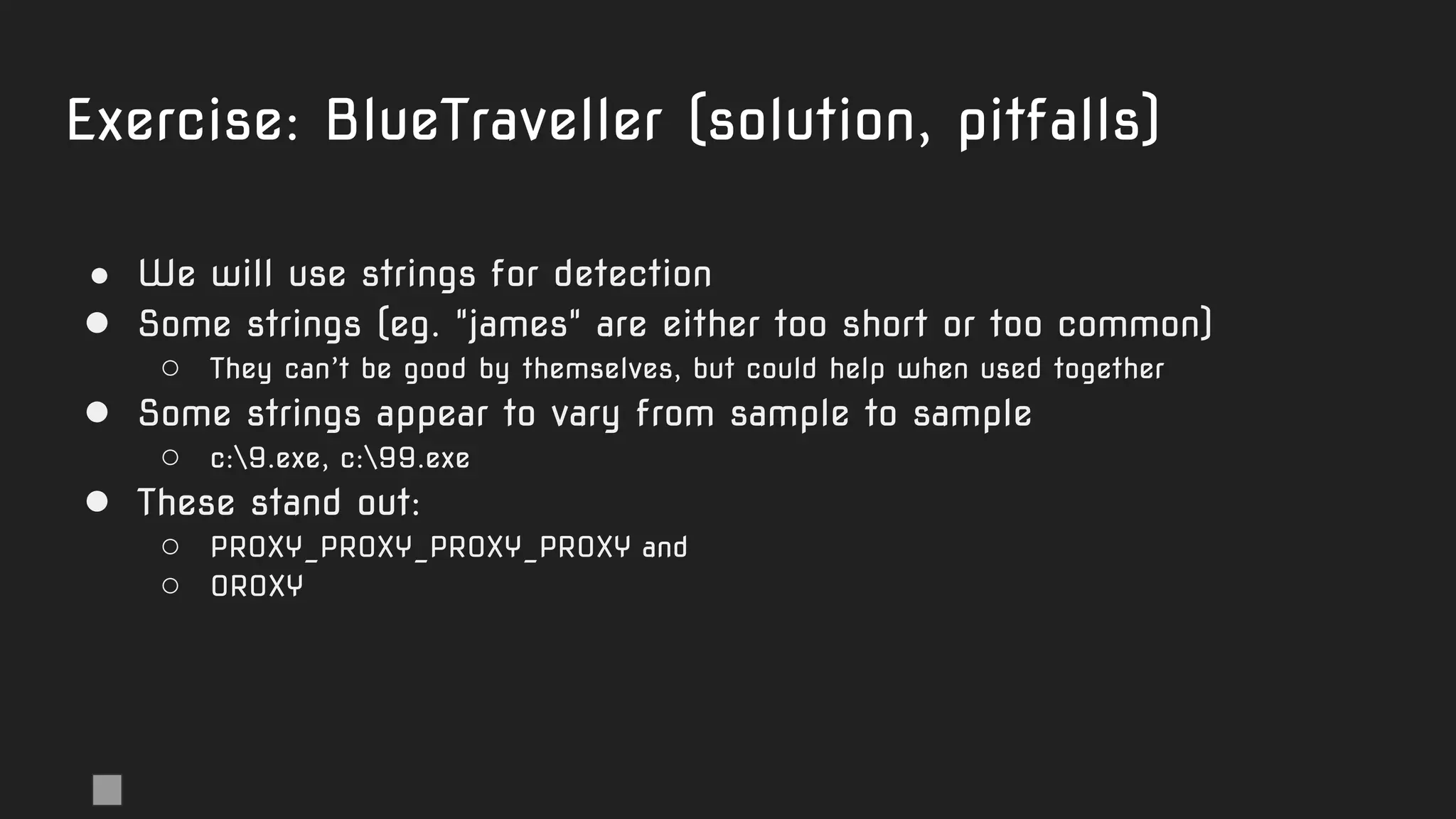
Exercise: BlueTraveller (solution, pitfalls)
● We will use strings for detection
● Some strings (eg. "james" are either too short or too common)
○ They can’t be good by themselves, but could help when used together
● Some strings appear to vary from sample to sample
○ c:9.exe, c:99.exe
● These stand out:
○ PROXY_PROXY_PROXY_PROXY and
○ 0ROXY
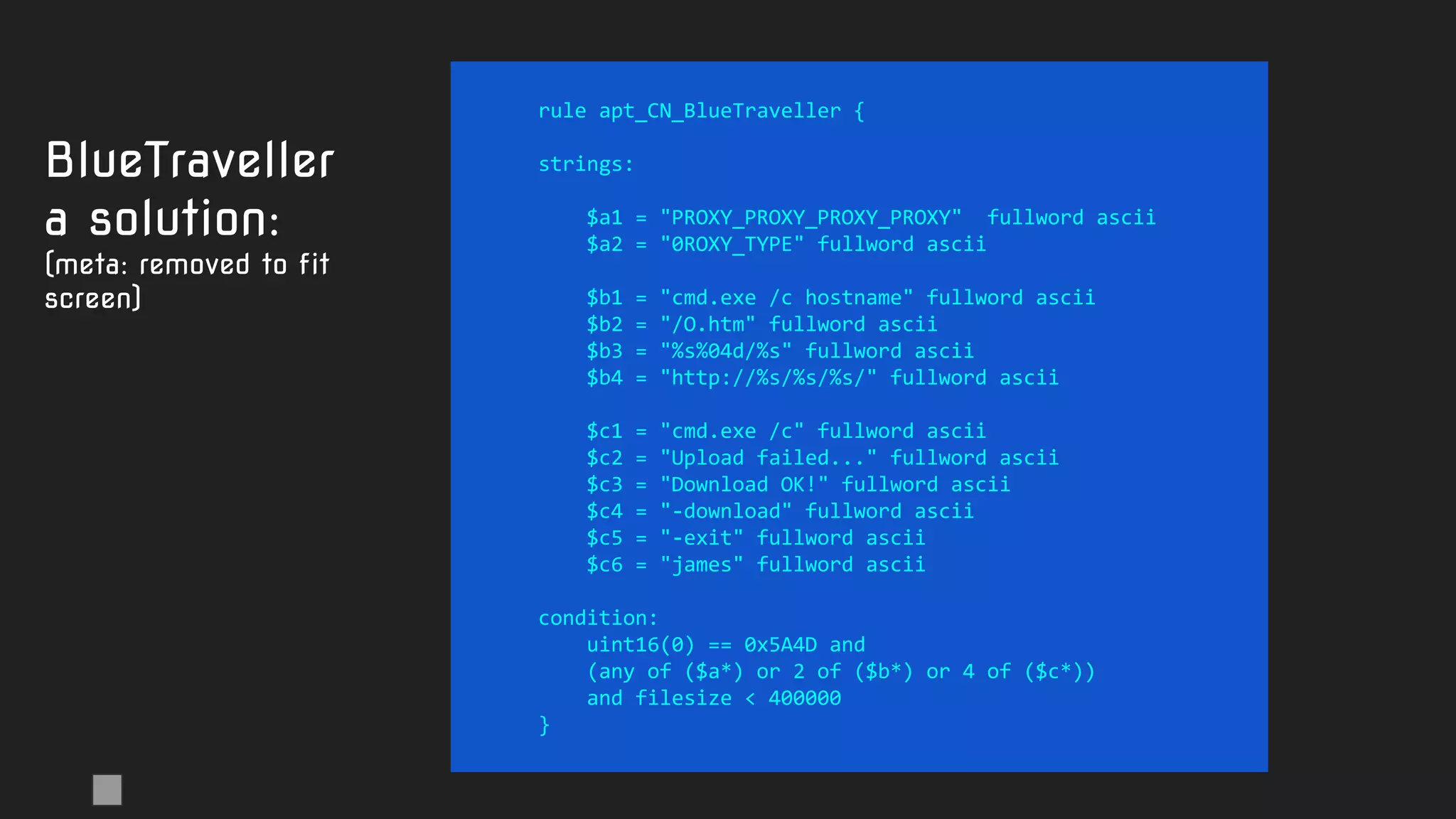
rule apt_CN_BlueTraveller {
strings:
$a1 = "PROXY_PROXY_PROXY_PROXY" fullword ascii
$a2 = "0ROXY_TYPE" fullword ascii
$b1 = "cmd.exe /c hostname" fullword ascii
$b2 = "/O.htm" fullword ascii
$b3 = "%s%04d/%s" fullword ascii
$b4 = "http://%s/%s/%s/" fullword ascii
$c1 = "cmd.exe /c" fullword ascii
$c2 = "Upload failed..." fullword ascii
$c3 = "Download OK!" fullword ascii
$c4 = "-download" fullword ascii
$c5 = "-exit" fullword ascii
$c6 = "james" fullword ascii
condition:
uint16(0) == 0x5A4D and
(any of ($a*) or 2 of ($b*) or 4 of ($c*))
and filesize < 400000
}
BlueTraveller
a solution:
(meta: removed to fit
screen)
Magic for creative minds
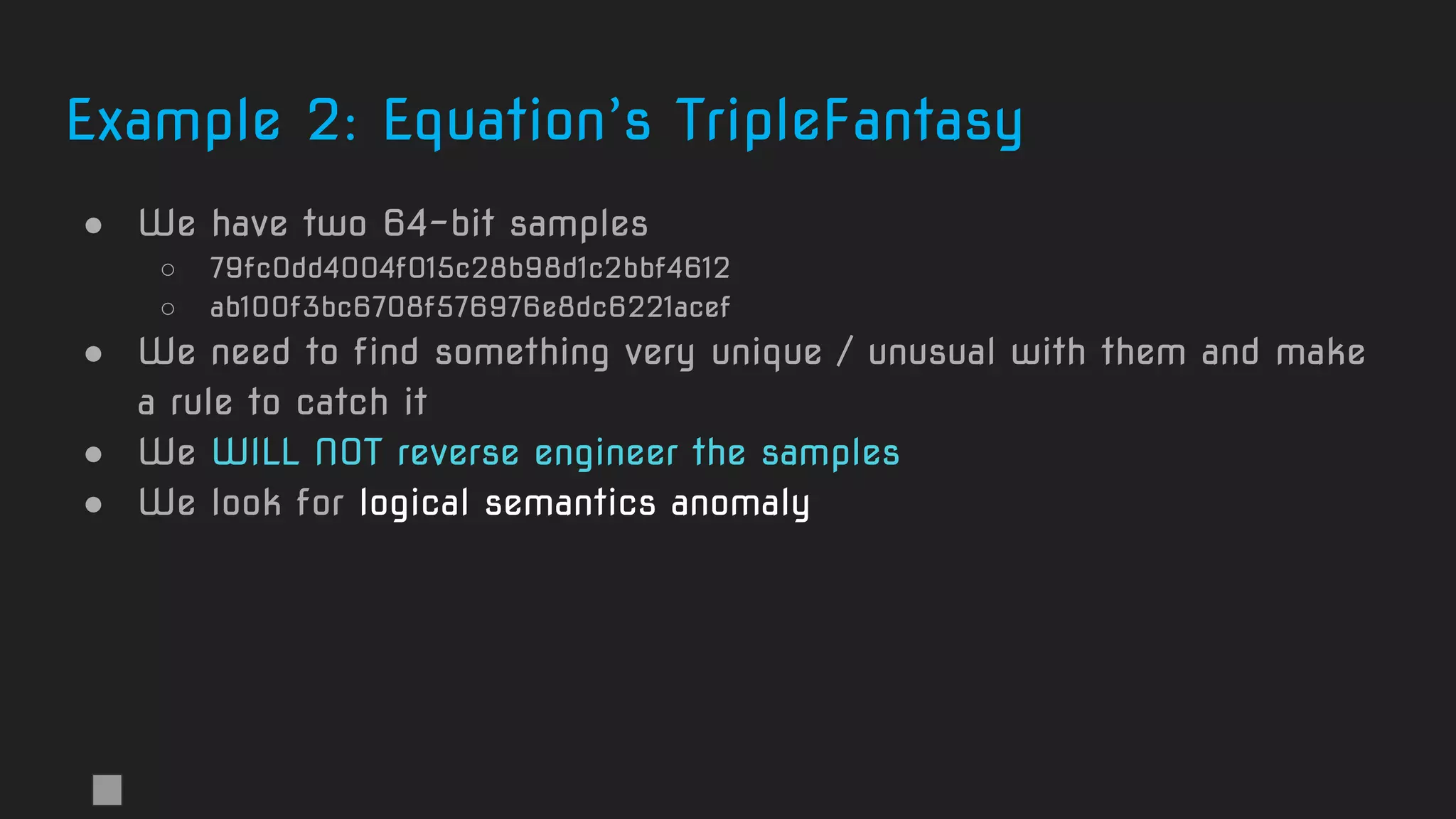
Example 2: Equation’s TripleFantasy
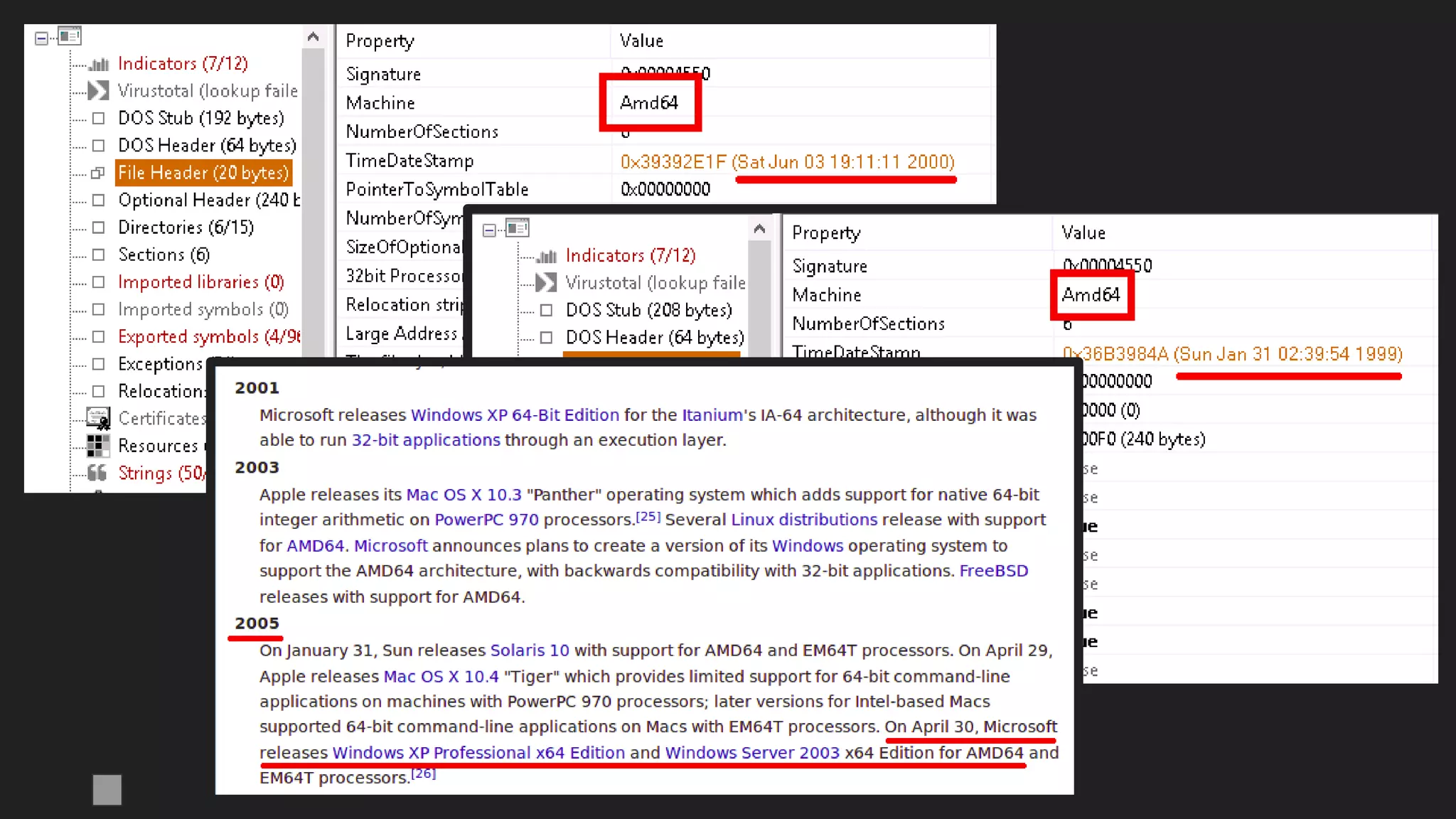
● We have two 64-bit samples
○ 79fc0dd4004f015c28b98d1c2bbf4612
○ ab100f3bc6708f576976e8dc6221acef
● We need to find something very unique / unusual with them and make
a rule to catch it
● We WILL NOT reverse engineer the samples
● We look for logical semantics anomaly
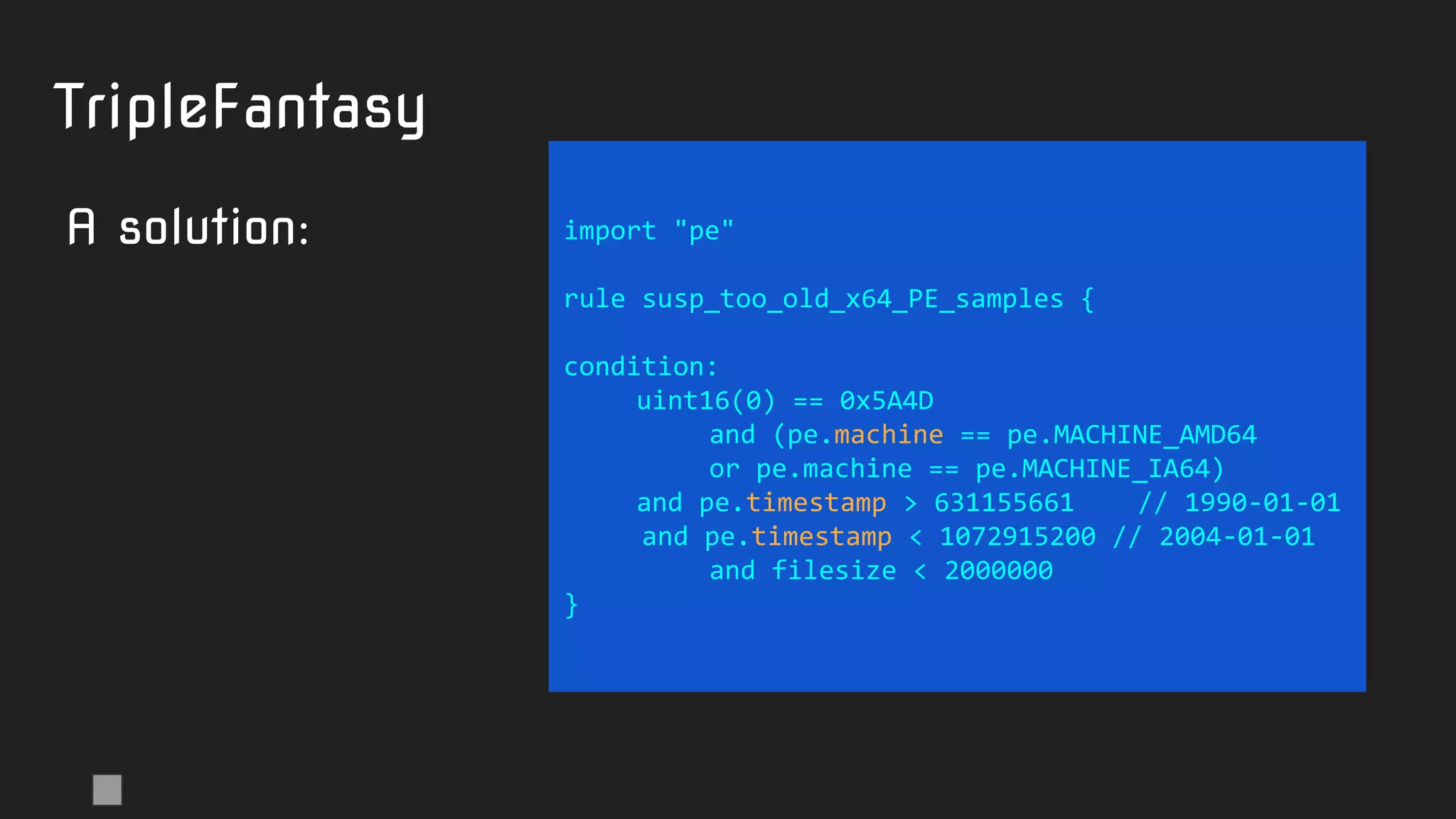
import "pe"
rule susp_too_old_x64_PE_samples {
condition:
uint16(0) == 0x5A4D
and (pe.machine == pe.MACHINE_AMD64
or pe.machine == pe.MACHINE_IA64)
and pe.timestamp > 631155661 // 1990-01-01
and pe.timestamp < 1072915200 // 2004-01-01
and filesize < 2000000
}
TripleFantasy
A solution:
Example 3: find fake MS-signed Chinese
samples
● let’s try to make a rule that generically finds:
○ Chinese language samples
○ See: https://msdn.microsoft.com/en-us/library/windows/desktop/dd318693%28v=vs.85%29.aspx
○ which are signed
○ ...but not by Microsoft
○ and mimic legit Microsoft files by re-using their PE metainfo
import "pe"
rule susp_signed_CN_fake_MS_metainfo {
condition:
uint16(0) == 0x5A4D
and filesize < 1000000
and pe.version_info["CompanyName"] contains "Microsoft"
and pe.number_of_signatures > 0
and not for all i in (0..pe.number_of_signatures - 1):
(
pe.signatures[i].issuer contains "Microsoft" or
pe.signatures[i].issuer contains "VeriSign"
)
and pe.language(0x04) // LANG_CHINESE
}
Signed
Chinese
samples
A solution:
Note: pe.language is broken in Yara 3.11.0
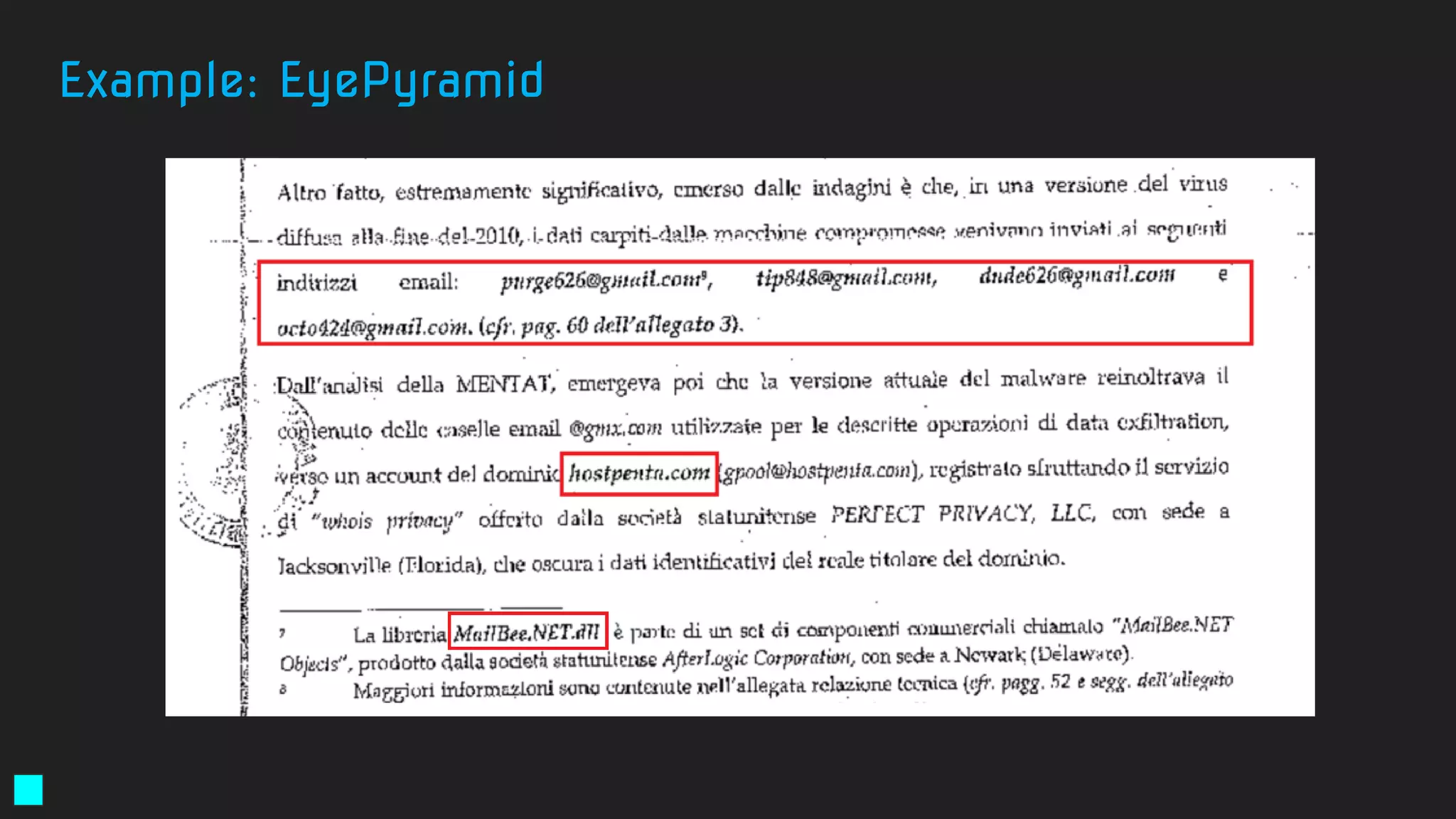
Example: EyePyramid
E-mail’s used for exfiltration
● gpool@hostpenta[.]com
● hanger@hostpenta[.]com
● hostpenta@hostpenta[.]com
● purge626@gmail[.]com
● tip848@gmail[.]com
● dude626@gmail[.]com
● octo424@gmail[.]com
● tim11235@gmail[.]com
● plars575@gmail[.]com
Command-and-Control Servers
● eyepyramid[.]com
● hostpenta[.]com
● ayexisfitness[.]com
● enasrl[.]com
● eurecoove[.]com
● marashen[.]com
● millertaylor[.]com
● occhionero[.]com
● occhionero[.]info
● wallserv[.]com
● westlands[.]com
Excerpt from the Italian court order:
http://www.agi.it/pictures/pdf/agi/agi/2017/01/10/132733992-5cec4d88-49a1-4a00-8a01-dde65baa5a68.pdf
Example: EyePyramid
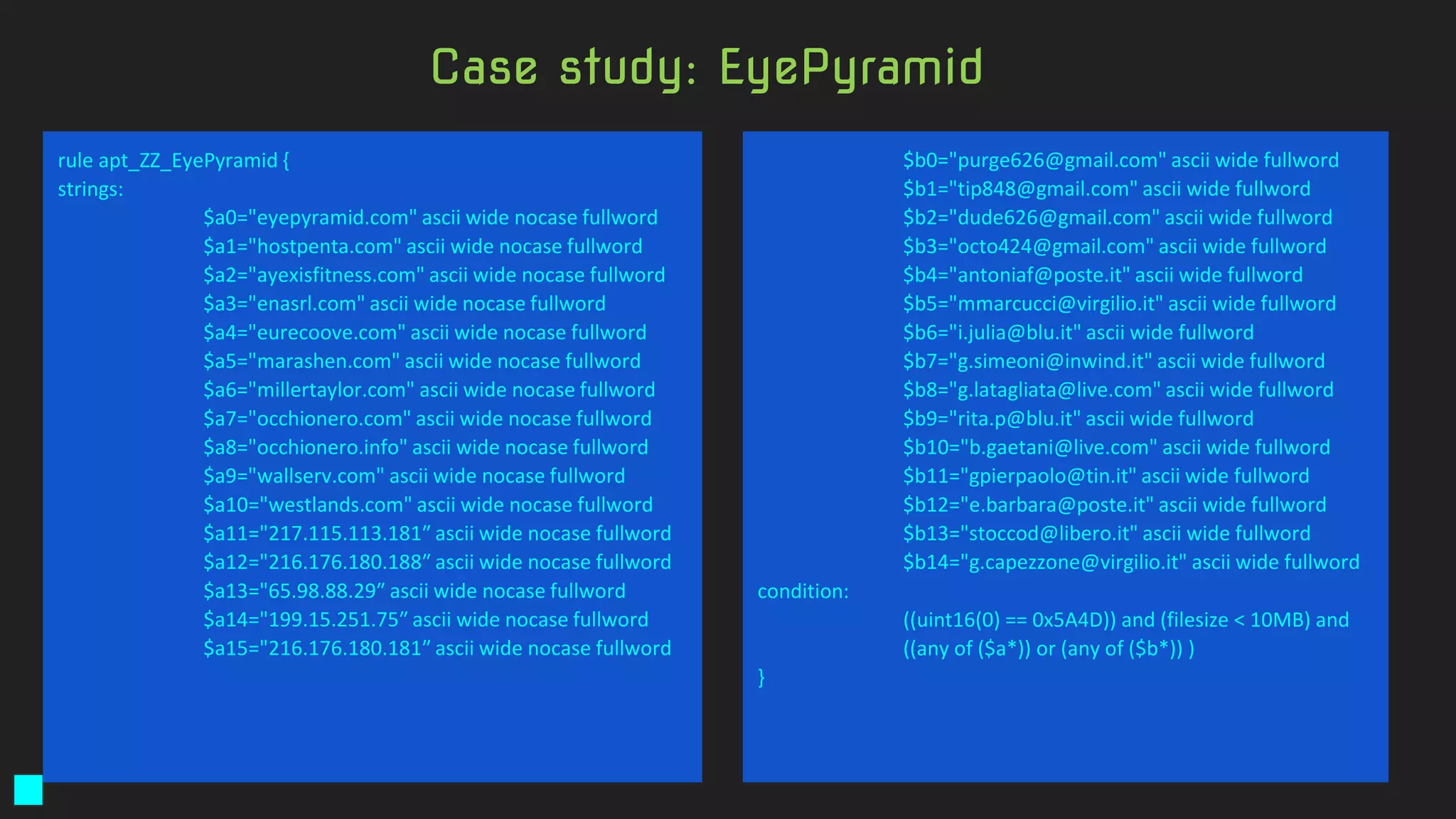
rule apt_ZZ_EyePyramid {
strings:
$a0="eyepyramid.com" ascii wide nocase fullword
$a1="hostpenta.com" ascii wide nocase fullword
$a2="ayexisfitness.com" ascii wide nocase fullword
$a3="enasrl.com" ascii wide nocase fullword
$a4="eurecoove.com" ascii wide nocase fullword
$a5="marashen.com" ascii wide nocase fullword
$a6="millertaylor.com" ascii wide nocase fullword
$a7="occhionero.com" ascii wide nocase fullword
$a8="occhionero.info" ascii wide nocase fullword
$a9="wallserv.com" ascii wide nocase fullword
$a10="westlands.com" ascii wide nocase fullword
$a11="217.115.113.181″ ascii wide nocase fullword
$a12="216.176.180.188″ ascii wide nocase fullword
$a13="65.98.88.29″ ascii wide nocase fullword
$a14="199.15.251.75″ ascii wide nocase fullword
$a15="216.176.180.181″ ascii wide nocase fullword
$b0="purge626@gmail.com" ascii wide fullword
$b1="tip848@gmail.com" ascii wide fullword
$b2="dude626@gmail.com" ascii wide fullword
$b3="octo424@gmail.com" ascii wide fullword
$b4="antoniaf@poste.it" ascii wide fullword
$b5="mmarcucci@virgilio.it" ascii wide fullword
$b6="i.julia@blu.it" ascii wide fullword
$b7="g.simeoni@inwind.it" ascii wide fullword
$b8="g.latagliata@live.com" ascii wide fullword
$b9="rita.p@blu.it" ascii wide fullword
$b10="b.gaetani@live.com" ascii wide fullword
$b11="gpierpaolo@tin.it" ascii wide fullword
$b12="e.barbara@poste.it" ascii wide fullword
$b13="stoccod@libero.it" ascii wide fullword
$b14="g.capezzone@virgilio.it" ascii wide fullword
condition:
((uint16(0) == 0x5A4D)) and (filesize < 10MB) and
((any of ($a*)) or (any of ($b*)) )
}
Case study: EyePyramid
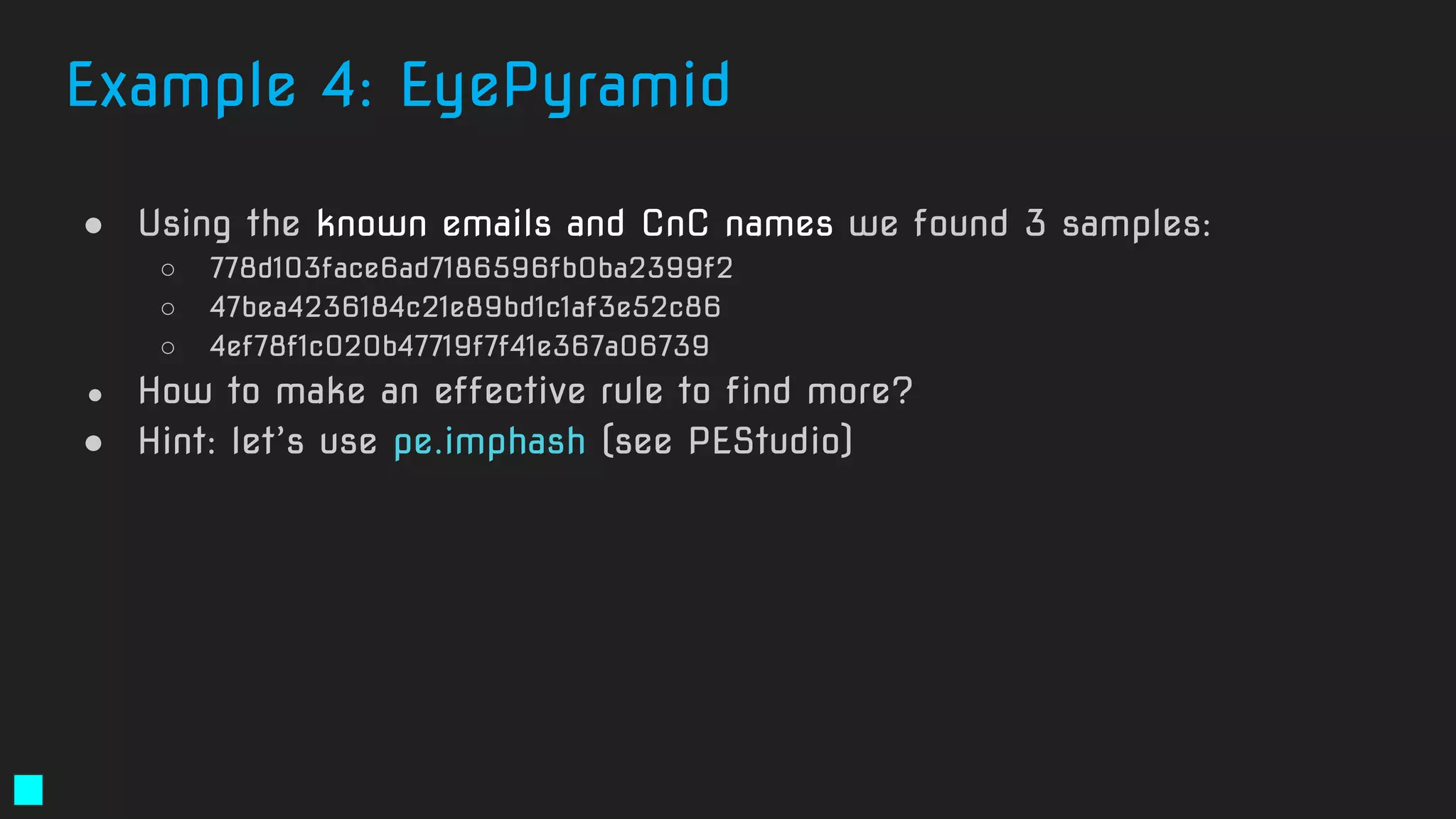
● Using the known emails and CnC names we found 3 samples:
○ 778d103face6ad7186596fb0ba2399f2
○ 47bea4236184c21e89bd1c1af3e52c86
○ 4ef78f1c020b47719f7f41e367a06739
● How to make an effective rule to find more?
● Hint: let’s use pe.imphash (see PEStudio)
Example 4: EyePyramid
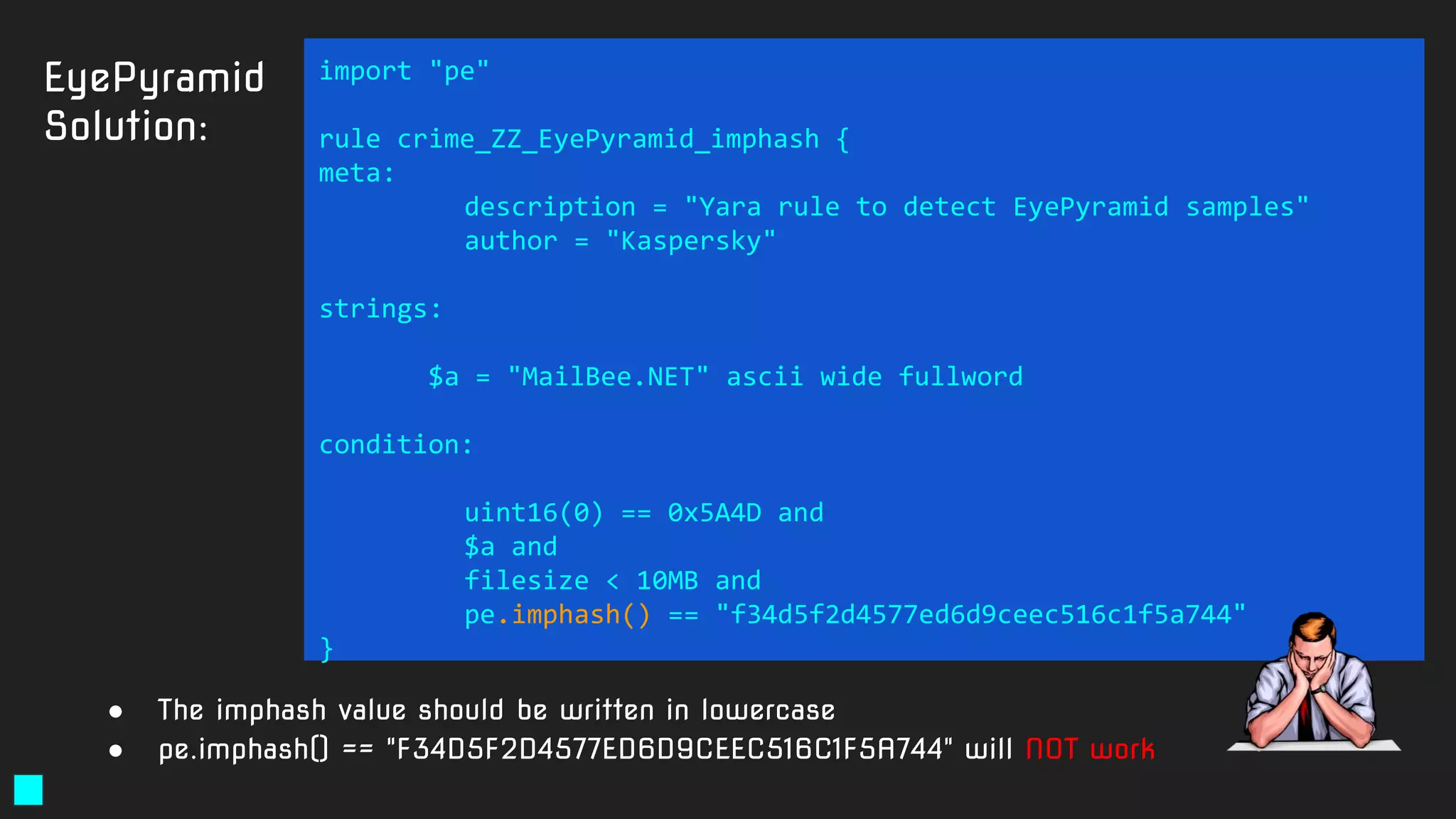
EyePyramid
Solution:
import "pe"
rule crime_ZZ_EyePyramid_imphash {
meta:
description = "Yara rule to detect EyePyramid samples"
author = "Kaspersky"
strings:
$a = "MailBee.NET" ascii wide fullword
condition:
uint16(0) == 0x5A4D and
$a and
filesize < 10MB and
pe.imphash() == "f34d5f2d4577ed6d9ceec516c1f5a744"
}
● The imphash value should be written in lowercase
● pe.imphash() == "F34D5F2D4577ED6D9CEEC516C1F5A744" will NOT work
Example 5: Vitaly Toropov’s Silverlight 0-day
A Silverlight zero-day exploit is on the loose. How
can we find it?
Vitaly Toropov’s Silverlight 0-day
● July 2015
● How a Russian hacker made $45,000 selling a 0-day
Flash exploit to Hacking Team
● http://arstechnica.com/security/2015/07/how-a-russian-hacker-
made-45000-selling-a-zero-day-flash-exploit-to-hacking-team/
Vitaly Toropov’s Silverlight 0-day
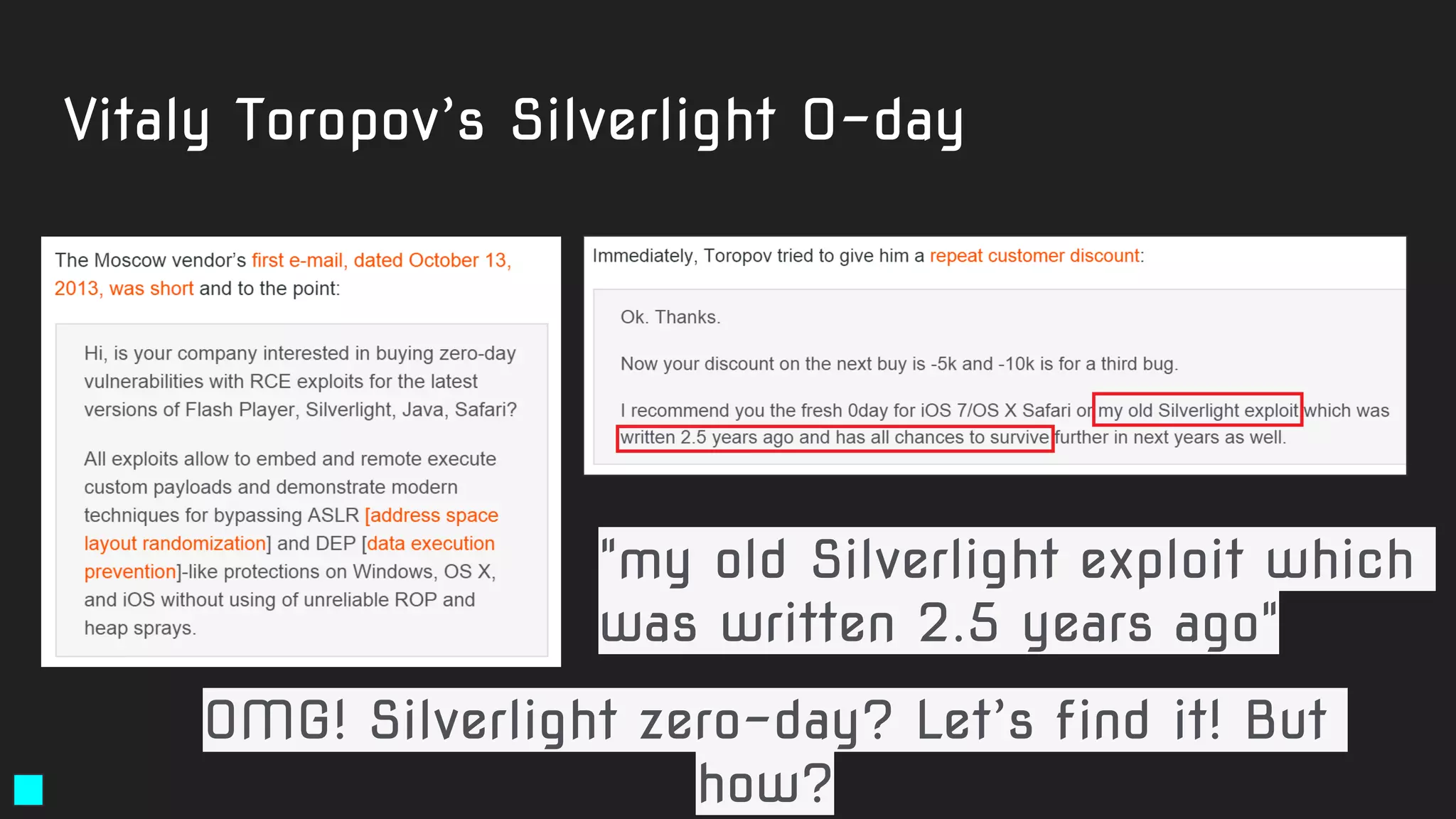
"my old Silverlight exploit which
was written 2.5 years ago"
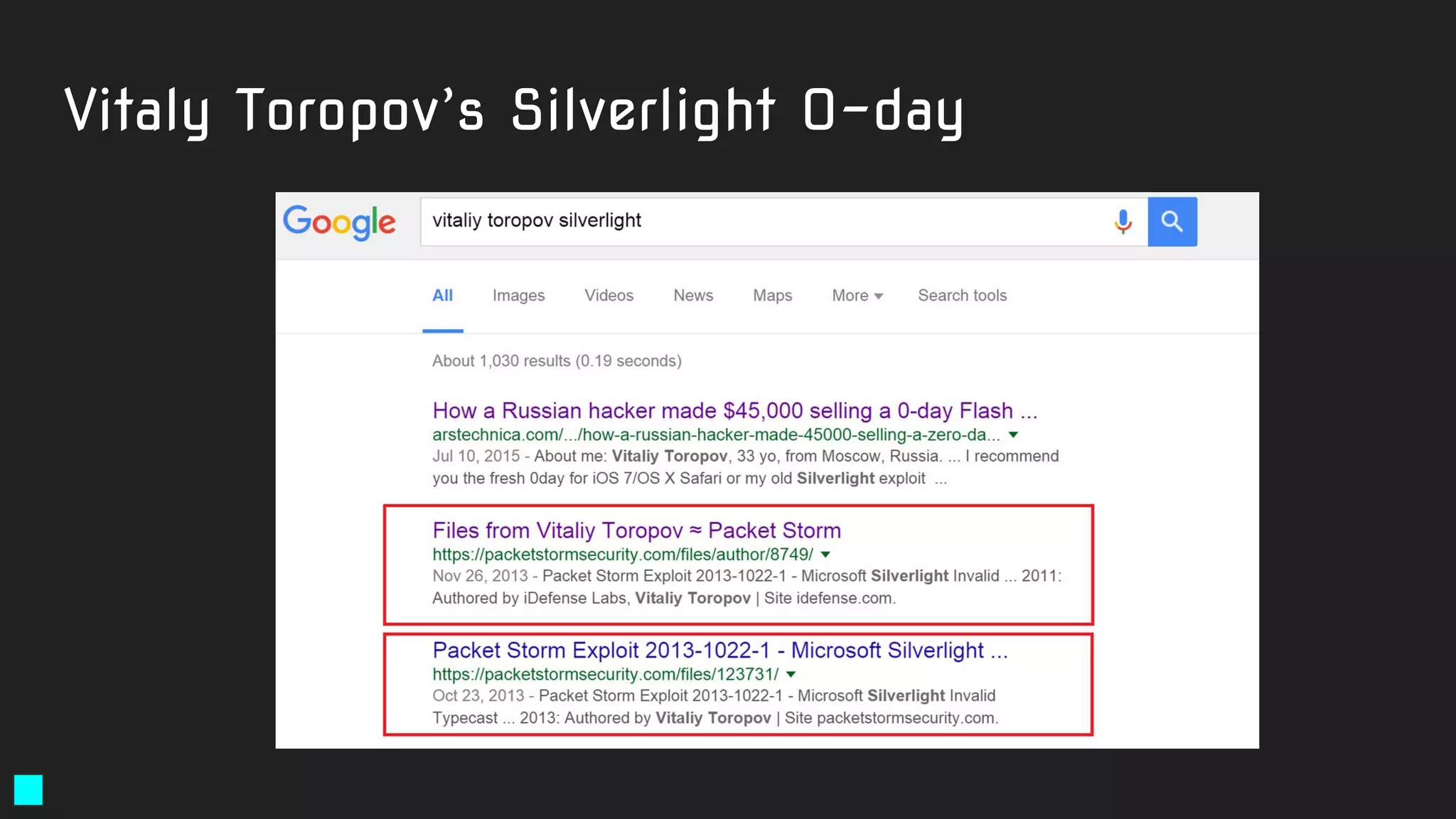
OMG! Silverlight zero-day? Let’s find it! But
how?
Vitaly Toropov’s Silverlight 0-day
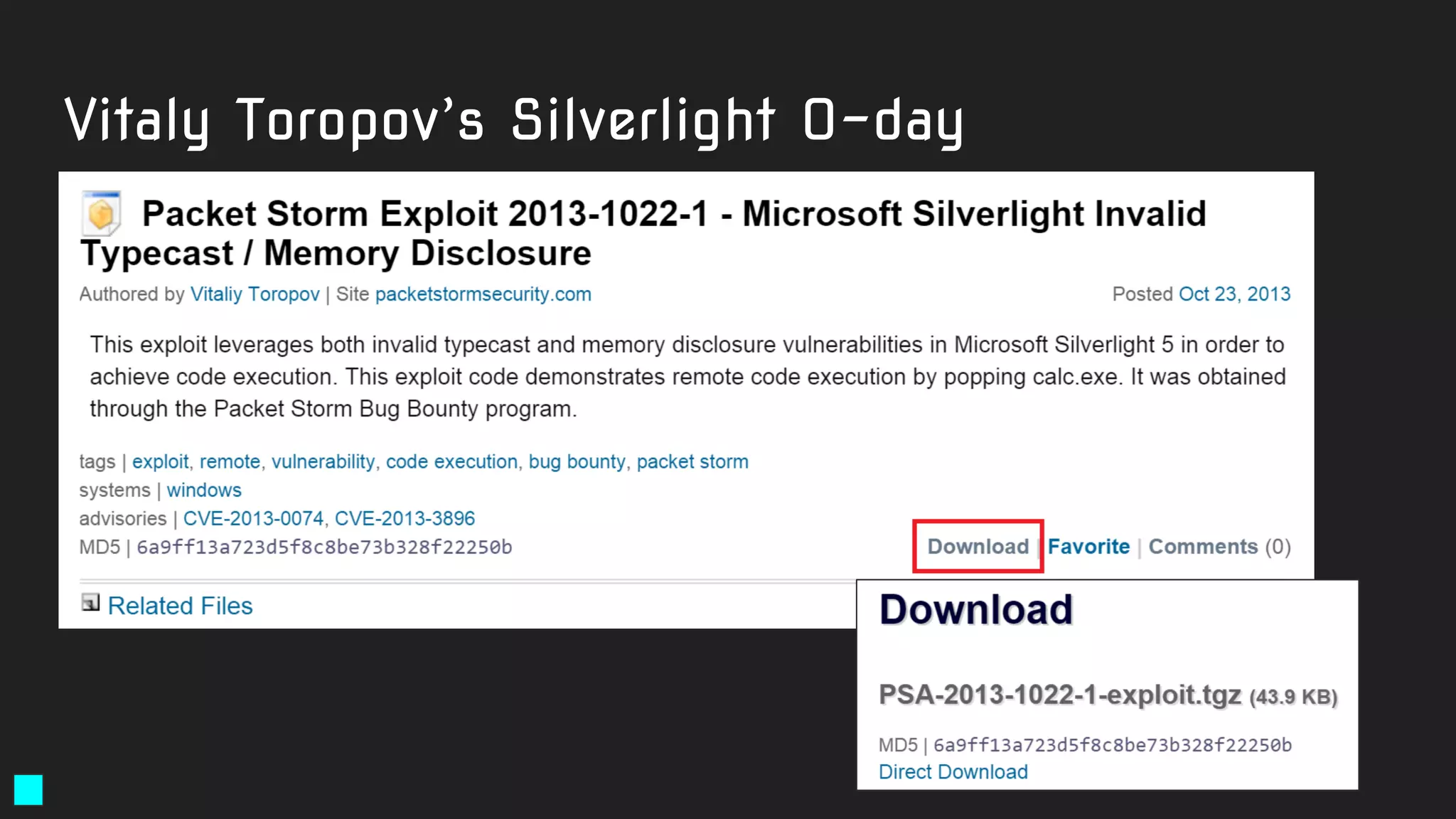
● Starting point: 6a9ff13a723d5f8c8be73b328f22250b (tgz file)
● Can be found:
https://dl.packetstormsecurity.net/1310-exploits/PSA-2013-1022-1-exploit.tgz
Let’s write an effective Yara rule for it!
Solution:
rule exploit_Silverlight_Toropov_Generic_XAP {
meta:
author = "Costin Raiu, Kaspersky Lab"
maltype = "apt"
type ="APT"
filetype = "Win32 EXE"
date = "2015-06-23"
version = "1.0"
strings:
$b2="Can't find Payload() address" ascii wide
$b3="/SilverApp1;component/App.xaml" ascii wide
$b4="Can't allocate ums after buf[]" ascii wide
$b5="------------ START ------------" ascii wide
condition:
((uint16(0) == 0x5A4D)) and (filesize < 5000000)
and
( (2 of ($b*)) )
}
https://securelist.com/the-mysterious-case-of-cve-2016-0034-the-hunt-for-a-microsoft-silverlight-0-day/73255/
Bonus: Vitaly Toropov’s other zero-day’s
● Special homework
● Write Yara rules for Toropov’s OSX and iOS Safari exploits
Using automatic rules generators
Automatic Yara rule generators
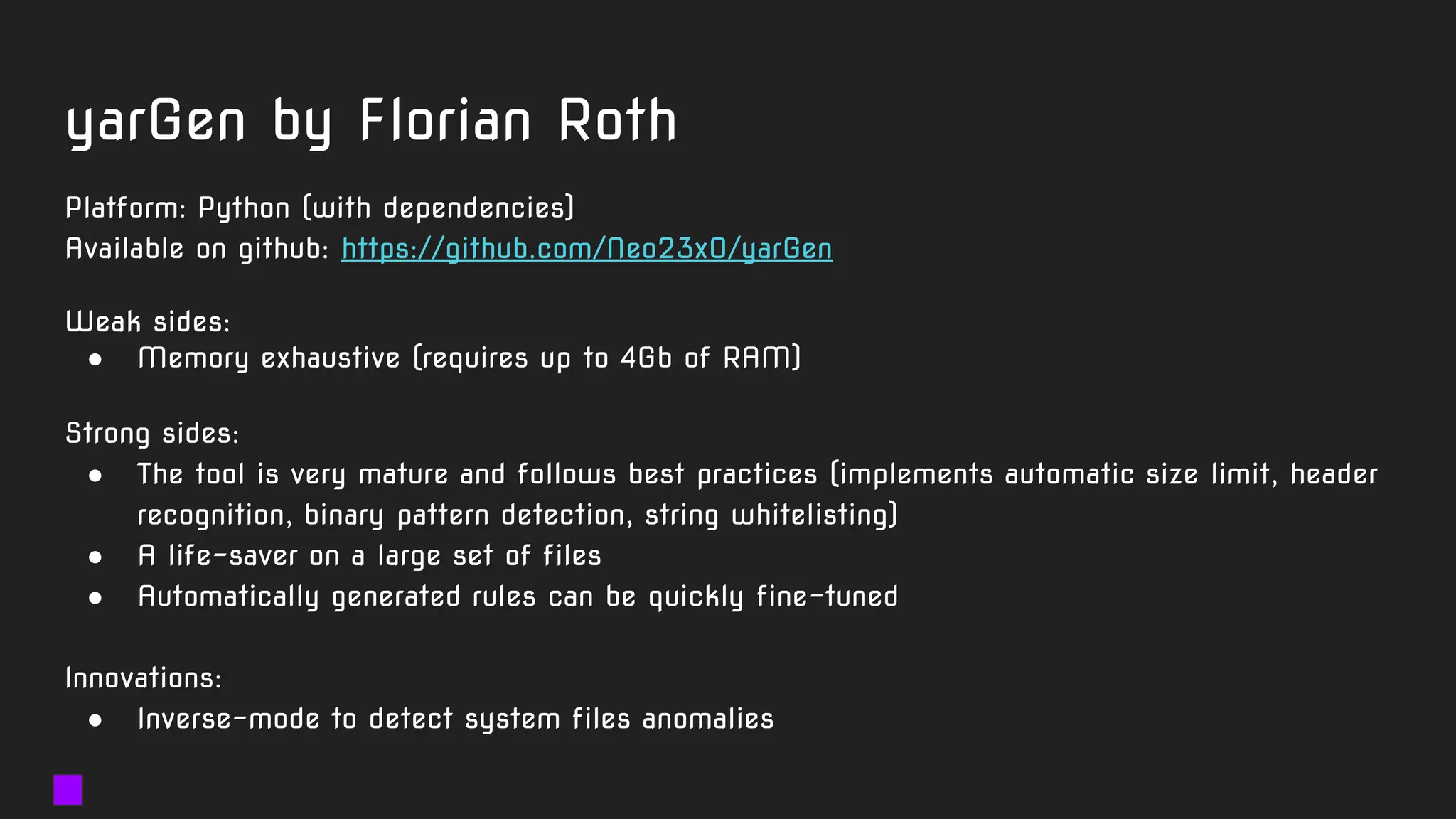
● yarGen - by Florian Roth
○ Latest update: February 2017
○ Best Yara generator ← in our opinion
● yara-generator.net from JoeSandbox
○ Requires registration and approval (24 hours)
● Xen0ph0n by Chris Clark, 2013
○ basic CLI python yara generator
● autorule by Joxean Koret, 2012
○ experimental python code
yarGen by Florian Roth
Platform: Python (with dependencies)
Available on github: https://github.com/Neo23x0/yarGen
Weak sides:
● Memory exhaustive (requires up to 4Gb of RAM)
Strong sides:
● The tool is very mature and follows best practices (implements automatic size limit, header
recognition, binary pattern detection, string whitelisting)
● A life-saver on a large set of files
● Automatically generated rules can be quickly fine-tuned
Innovations:
● Inverse-mode to detect system files anomalies
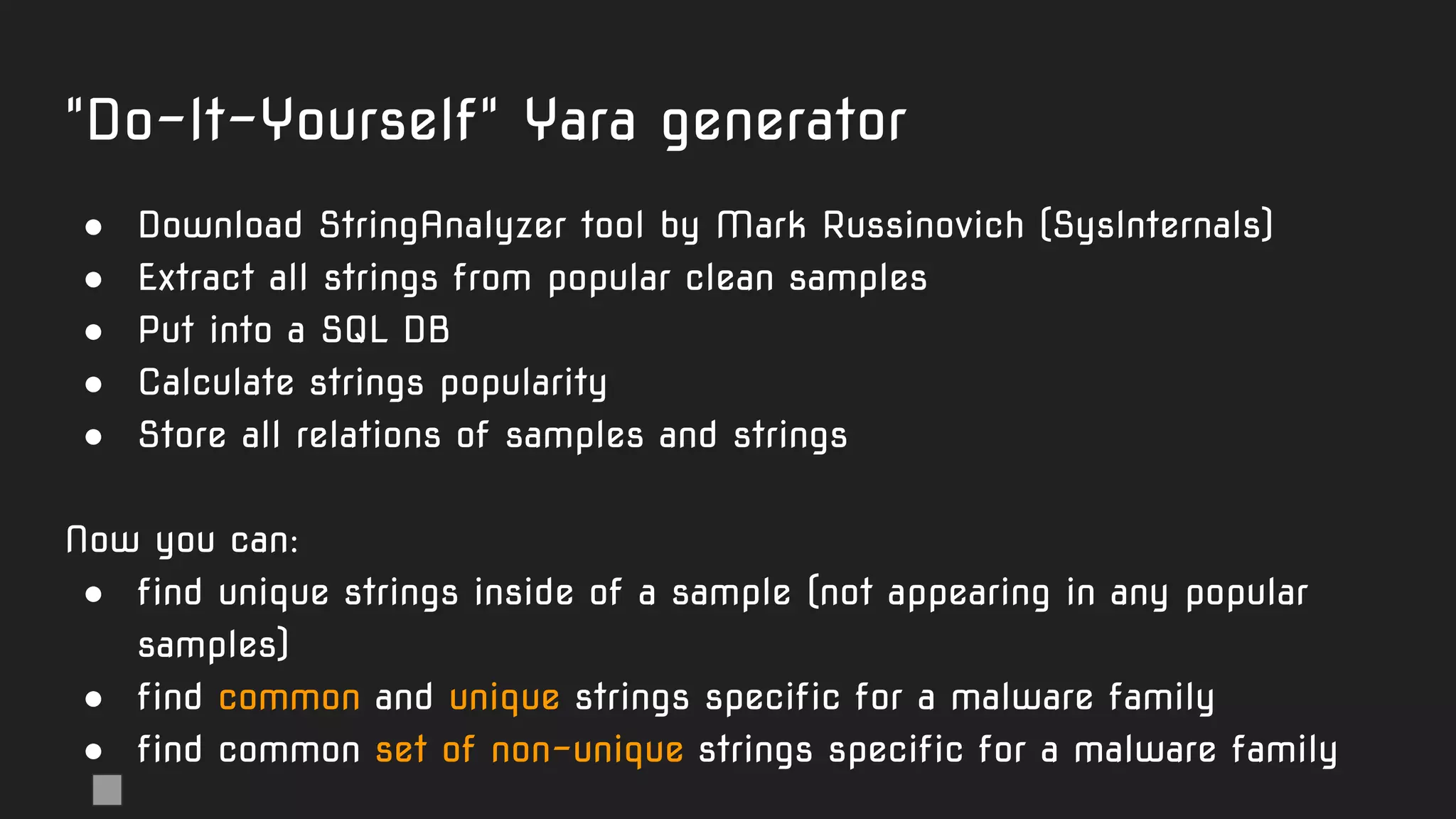
"Do-It-Yourself" Yara generator
● Download StringAnalyzer tool by Mark Russinovich (SysInternals)
● Extract all strings from popular clean samples
● Put into a SQL DB
● Calculate strings popularity
● Store all relations of samples and strings
Now you can:
● find unique strings inside of a sample (not appearing in any popular
samples)
● find common and unique strings specific for a malware family
● find common set of non-unique strings specific for a malware family
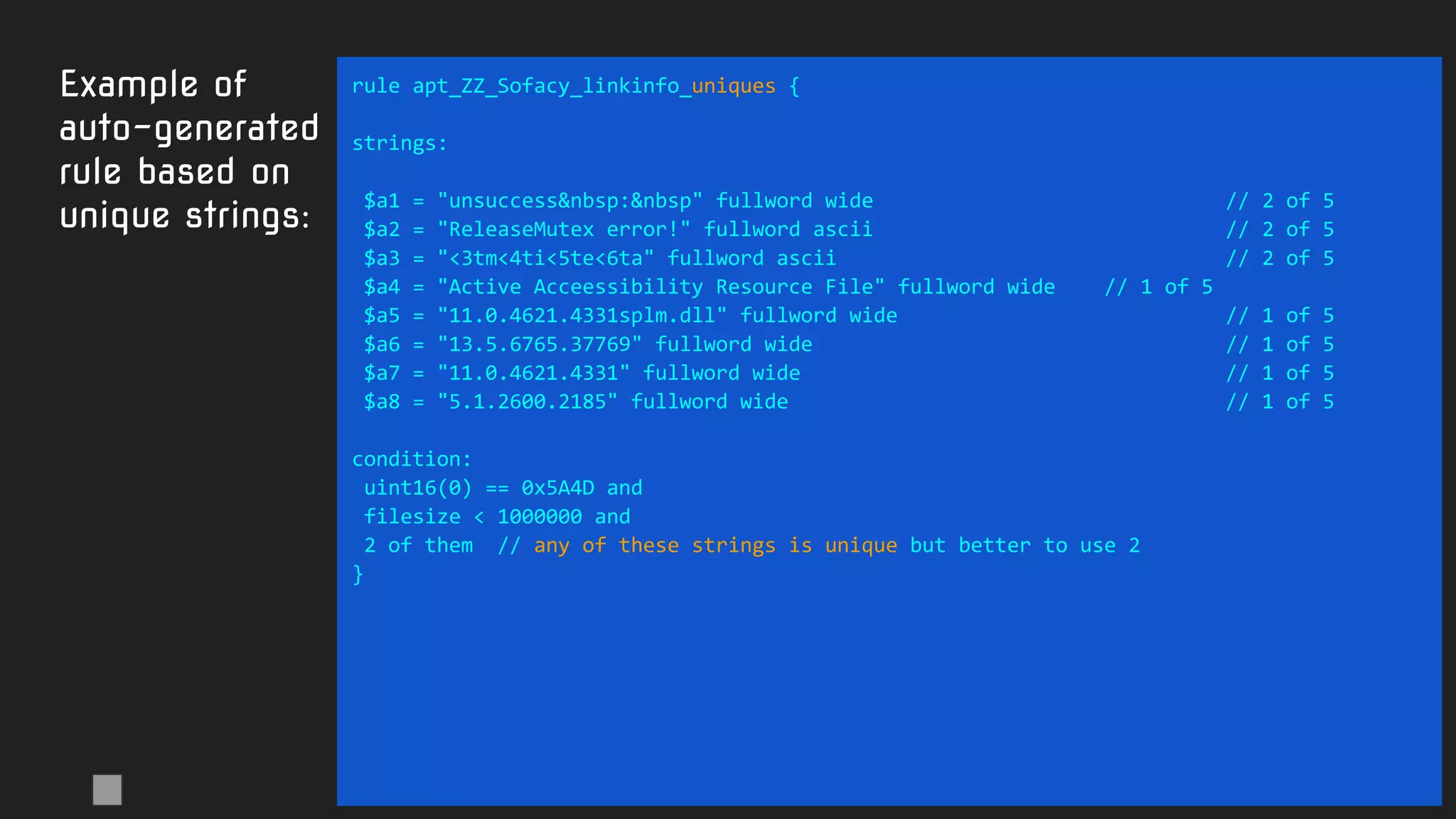
Example of
auto-generated
rule based on
unique strings:
rule apt_ZZ_Sofacy_linkinfo_uniques {
strings:
$a1 = "unsuccess&nbsp:&nbsp" fullword wide // 2 of 5
$a2 = "ReleaseMutex error!" fullword ascii // 2 of 5
$a3 = "<3tm<4ti<5te<6ta" fullword ascii // 2 of 5
$a4 = "Active Acceessibility Resource File" fullword wide // 1 of 5
$a5 = "11.0.4621.4331splm.dll" fullword wide // 1 of 5
$a6 = "13.5.6765.37769" fullword wide // 1 of 5
$a7 = "11.0.4621.4331" fullword wide // 1 of 5
$a8 = "5.1.2600.2185" fullword wide // 1 of 5
condition:
uint16(0) == 0x5A4D and
filesize < 1000000 and
2 of them // any of these strings is unique but better to use 2
}
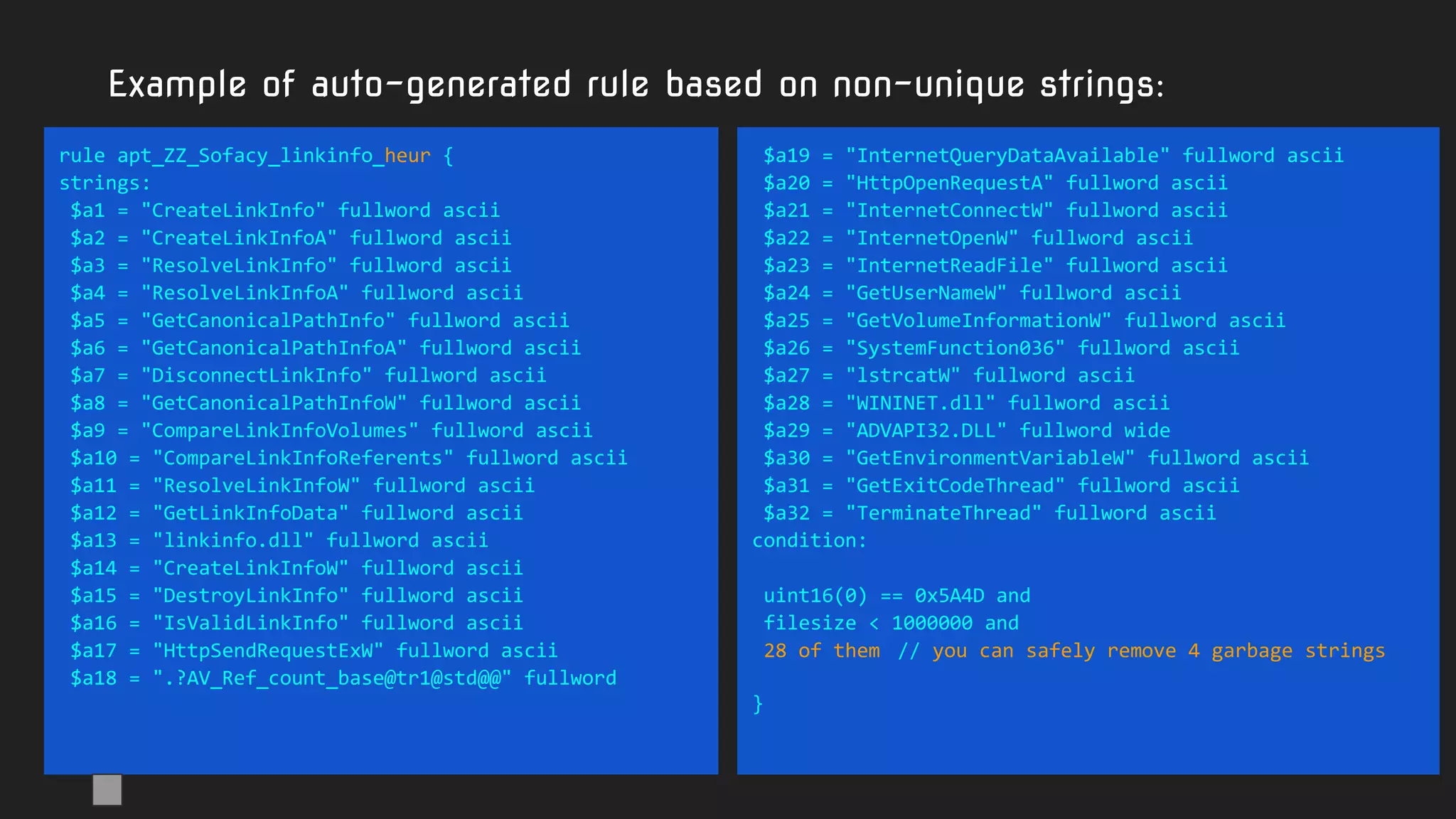
Example of auto-generated rule based on non-unique strings:
rule apt_ZZ_Sofacy_linkinfo_heur {
strings:
$a1 = "CreateLinkInfo" fullword ascii
$a2 = "CreateLinkInfoA" fullword ascii
$a3 = "ResolveLinkInfo" fullword ascii
$a4 = "ResolveLinkInfoA" fullword ascii
$a5 = "GetCanonicalPathInfo" fullword ascii
$a6 = "GetCanonicalPathInfoA" fullword ascii
$a7 = "DisconnectLinkInfo" fullword ascii
$a8 = "GetCanonicalPathInfoW" fullword ascii
$a9 = "CompareLinkInfoVolumes" fullword ascii
$a10 = "CompareLinkInfoReferents" fullword ascii
$a11 = "ResolveLinkInfoW" fullword ascii
$a12 = "GetLinkInfoData" fullword ascii
$a13 = "linkinfo.dll" fullword ascii
$a14 = "CreateLinkInfoW" fullword ascii
$a15 = "DestroyLinkInfo" fullword ascii
$a16 = "IsValidLinkInfo" fullword ascii
$a17 = "HttpSendRequestExW" fullword ascii
$a18 = ".?AV_Ref_count_base@tr1@std@@" fullword
$a19 = "InternetQueryDataAvailable" fullword ascii
$a20 = "HttpOpenRequestA" fullword ascii
$a21 = "InternetConnectW" fullword ascii
$a22 = "InternetOpenW" fullword ascii
$a23 = "InternetReadFile" fullword ascii
$a24 = "GetUserNameW" fullword ascii
$a25 = "GetVolumeInformationW" fullword ascii
$a26 = "SystemFunction036" fullword ascii
$a27 = "lstrcatW" fullword ascii
$a28 = "WININET.dll" fullword ascii
$a29 = "ADVAPI32.DLL" fullword wide
$a30 = "GetEnvironmentVariableW" fullword ascii
$a31 = "GetExitCodeThread" fullword ascii
$a32 = "TerminateThread" fullword ascii
condition:
uint16(0) == 0x5A4D and
filesize < 1000000 and
28 of them // you can safely remove 4 garbage strings
}
Hunting with Yara like
a GReAT Ninja
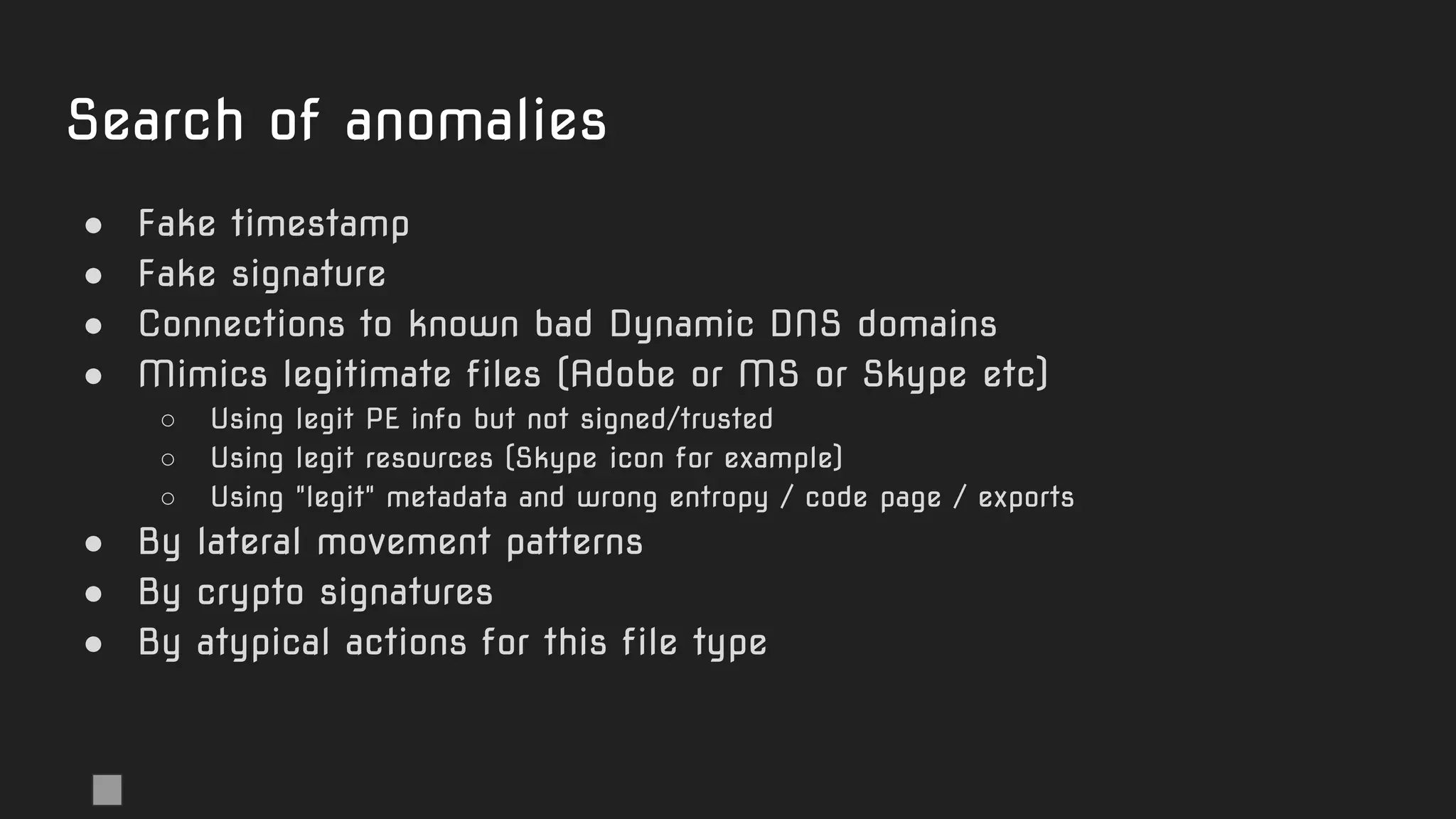
Search of anomalies
● Fake timestamp
● Fake signature
● Connections to known bad Dynamic DNS domains
● Mimics legitimate files (Adobe or MS or Skype etc)
○ Using legit PE info but not signed/trusted
○ Using legit resources (Skype icon for example)
○ Using "legit" metadata and wrong entropy / code page / exports
● By lateral movement patterns
● By crypto signatures
● By atypical actions for this file type
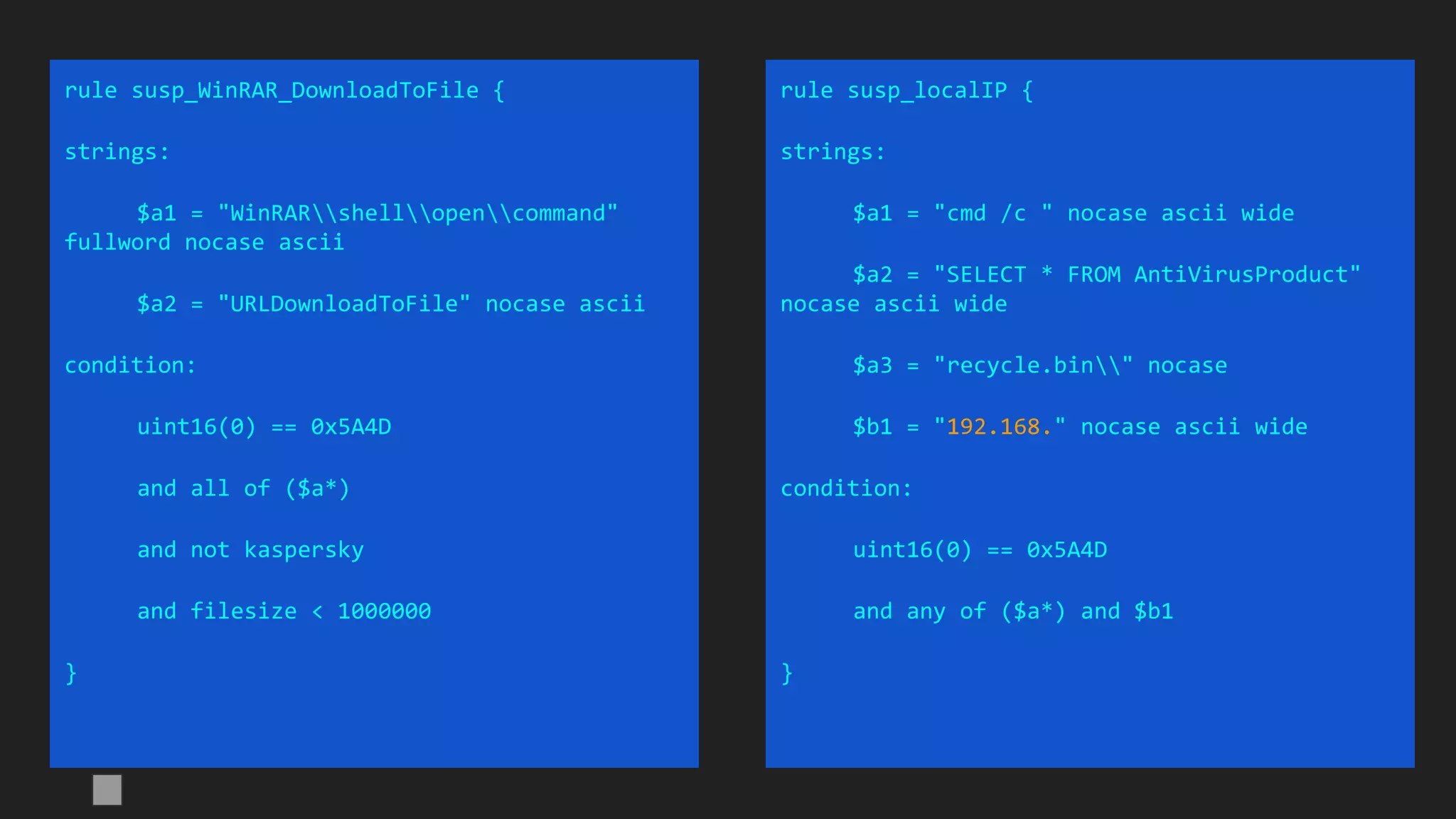
rule susp_WinRAR_DownloadToFile {
strings:
$a1 = "WinRARshellopencommand"
fullword nocase ascii
$a2 = "URLDownloadToFile" nocase ascii
condition:
uint16(0) == 0x5A4D
and all of ($a*)
and not kaspersky
and filesize < 1000000
}
rule susp_localIP {
strings:
$a1 = "cmd /c " nocase ascii wide
$a2 = "SELECT * FROM AntiVirusProduct"
nocase ascii wide
$a3 = "recycle.bin" nocase
$b1 = "192.168." nocase ascii wide
condition:
uint16(0) == 0x5A4D
and any of ($a*) and $b1
}
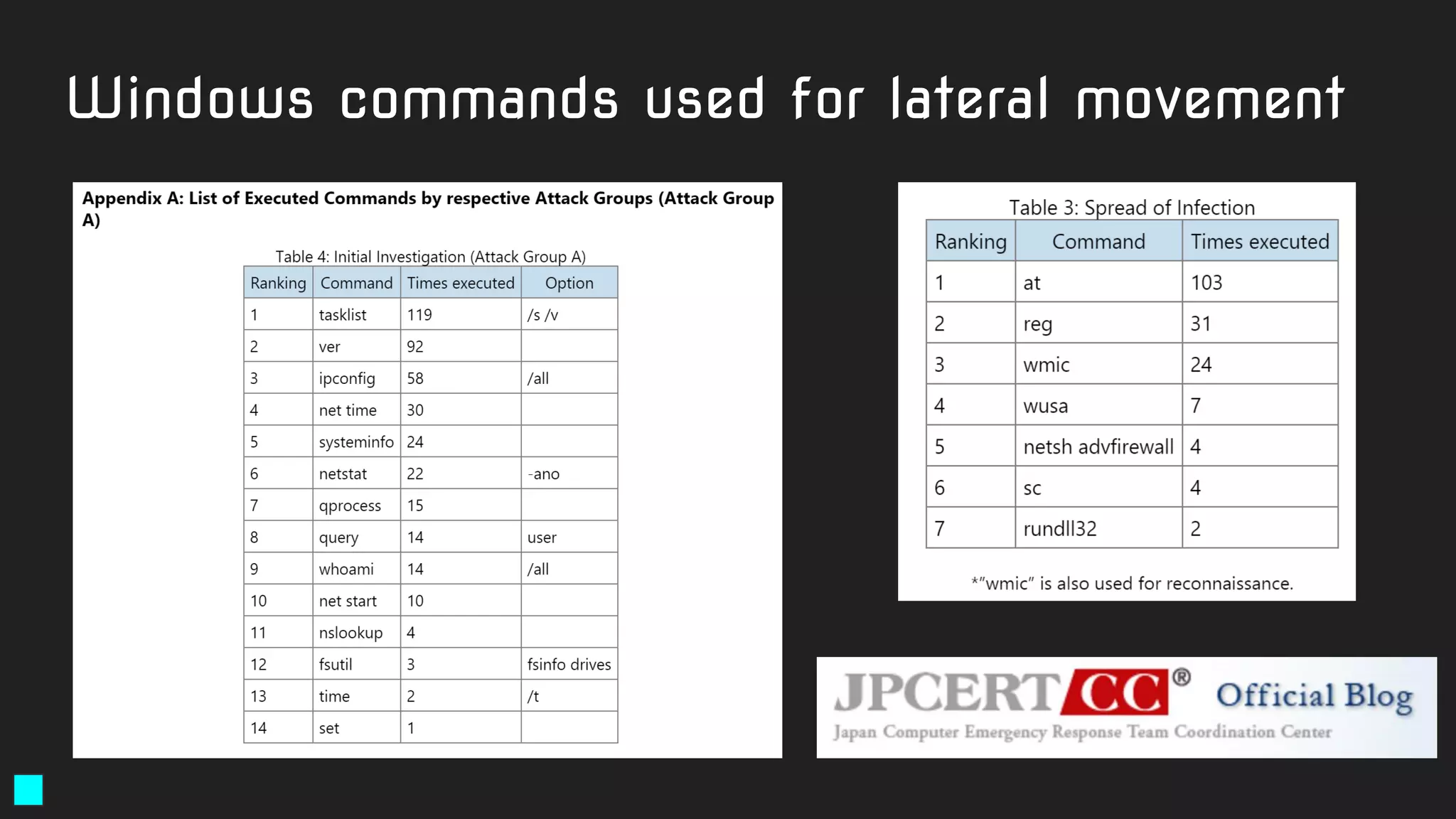
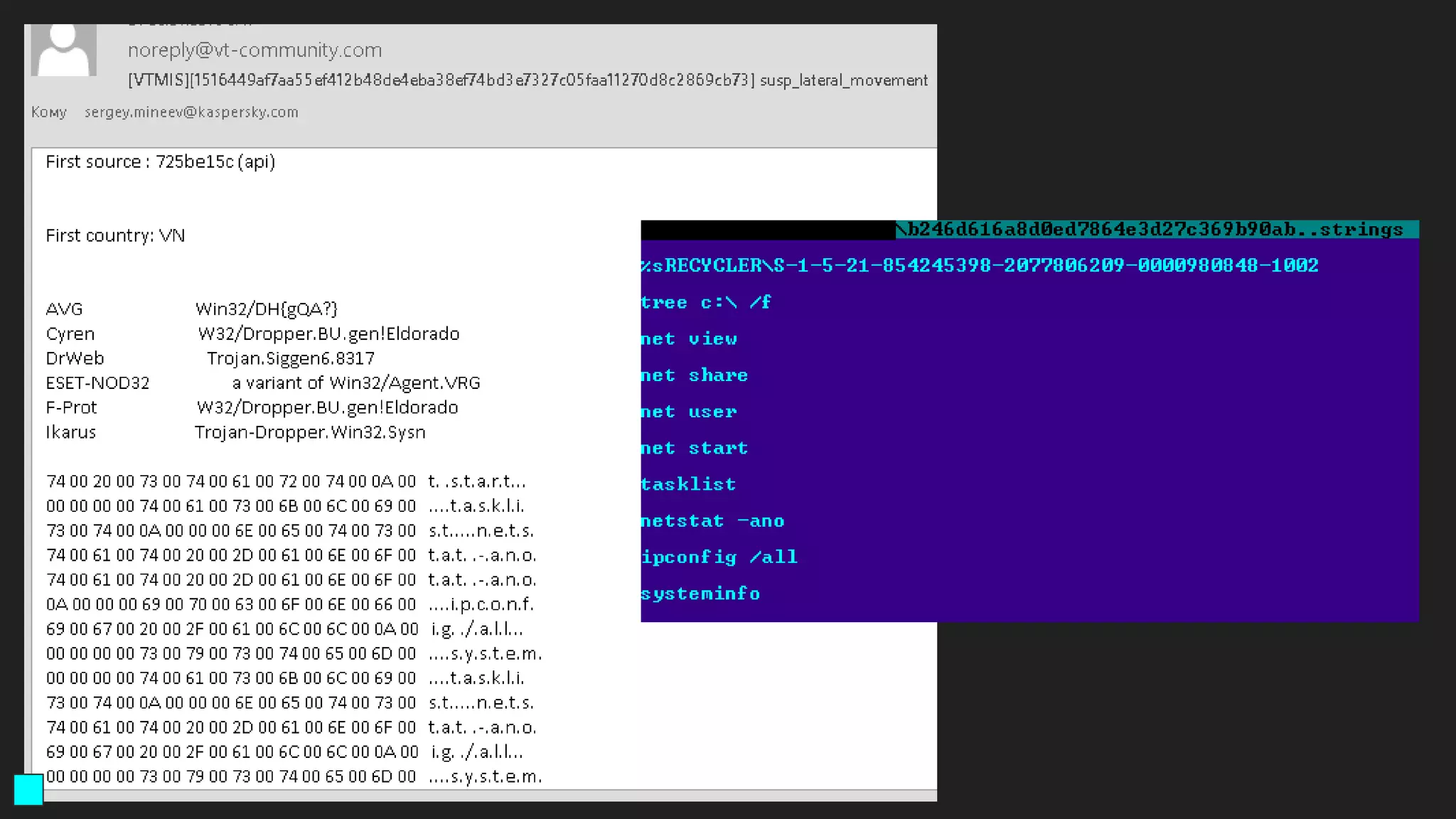
Windows commands used for lateral movement
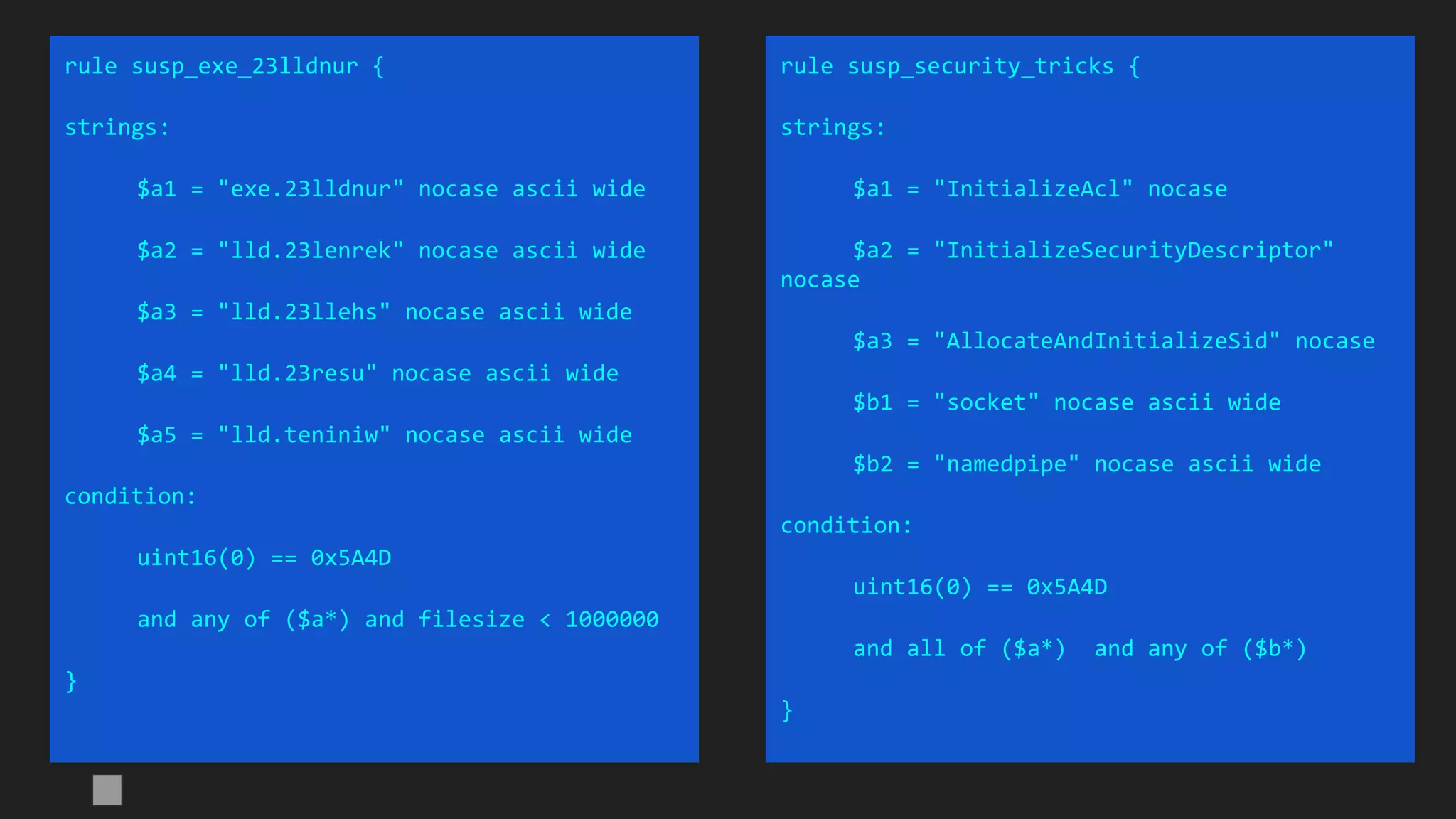
rule susp_exe_23lldnur {
strings:
$a1 = "exe.23lldnur" nocase ascii wide
$a2 = "lld.23lenrek" nocase ascii wide
$a3 = "lld.23llehs" nocase ascii wide
$a4 = "lld.23resu" nocase ascii wide
$a5 = "lld.teniniw" nocase ascii wide
condition:
uint16(0) == 0x5A4D
and any of ($a*) and filesize < 1000000
}
rule susp_security_tricks {
strings:
$a1 = "InitializeAcl" nocase
$a2 = "InitializeSecurityDescriptor"
nocase
$a3 = "AllocateAndInitializeSid" nocase
$b1 = "socket" nocase ascii wide
$b2 = "namedpipe" nocase ascii wide
condition:
uint16(0) == 0x5A4D
and all of ($a*) and any of ($b*)
}
Hungry for more?
● Our full Yara training is 2 days long
○ 21 exercises
○ More complex detection cases
○ More APTs
● Consider starting to write your own rules
○ Look at available examples from reputable sources (eg. Florian Roth)
○ Test your own rules
● Deploy KLARA
○ Build a clean test set
○ Test rules before deployment
● Let us know if you’d be interested in more online trainings!
Thank you!Happy APT hunting!
Questions, ideas, suggestions:
yarawebinar@kaspersky.com

Upping the APT hunting game: learn the best YARA practices from Kaspersky

  • 1.
    Hunting APTs withYara like a GReAT Ninja Costin G. Raiu, Director, GReAT, Kaspersky @craiu
  • 2.
    About me -Costin G. Raiu ● Director, Global Research and Analysis Team (GReAT) ● 25 years in the AV industry, 19 at Kaspersky Lab ● Writing Yara rules for ~6 years ● Found: several zero-day’s, APTs (eg: Miniduke) ● Worked on: Equation, Flame, Duqu, Regin, Remsec, Turla, Sofacy, etc...
  • 3.
    About this webinar ●We’ve been spreading our love for Yara since 2016 ● "Hunting APTs with YARA Like a GReAT Ninja" - SAS training ● First edition - February 2016, Tenerife ● Next Yara training - SAS2020, Barcelona ● Meanwhile, what about online?
  • 4.
    Yara - anintroduction Software + Recommendations
  • 5.
    Recommended software whenwriting Yara rules ● Yara :-) ● String analyzer (Unix strings tool) ● PE file structure viewer ○ PE Studio (free, supports x64) <- excellent! (PEStudio is © Marc Ochsenmeier) ○ CFF Explorer, Cerbero Suite (commercial) ● Hex viewer ○ Hiew - (paid) <- highly recommended (Windows only) ○ FAR - free - highly recommended (Windows only) ○ Total Commander - free (Windows only) ○ Radare2 - free open-source (cross-platform) ● Binary diffing tool (eg. vbindiff, radiff2) ● (optional) IDA Pro / Ghidra
  • 6.
    Recommended manuals /documentation ● Yara reference ○ https://yara.readthedocs.io/en/latest/ ● File format memos (by Ange Albertini aka corkami): ○ https://github.com/corkami/pics ● Yara for VirusTotal: ○ https://www.virustotal.com/en/documentation/searching/
  • 7.
    Yara - introduction https://github.com/VirusTotal/yara Latestversion: 3.11.0 (October 2019) Precompiled Windows binaries; source code for Linux and Mac Documentation: yara.readthedocs.org/en/latest/writingrules.html
  • 8.
    In case younever saw a Yara rule rule welcome_to_our_webinar { meta: author = "Kaspersky Lab" description = "rule to find REAL friends" strings: $a="kind" $b="funny" $c="imaginary" condition: ($a and $b) and not($c) }
  • 9.
    Strings: ● $a="mystring" ● $a="mystring"fullword ● $a="mystring" wide ● $a="mystring" wide ascii ● $a="MyString" nocase ● $a="mystring" fullword ascii wide nocase ● $a={01 02 03 04 05} ● $a={01 ?? ?3 04 05} ● $a={01 [2-10] 04 05} ● $a={01 (02 03 | 03 04) 05} ● $a=/regexp .* blah/ wide ascii <- PCRE subset
  • 10.
    Conditions - basic ●Check headers (eg. PE file) ○ Good (fast): uint16(0) == 0x5A4D ○ Bad: ($mz at 0) Example: //Mach-O or ELF (uint32(0)==0x464c457f) or (uint32(0) == 0xfeedfacf) or (uint32(0) == 0xcffaedfe) or (uint32(0) == 0xfeedface) or (uint32(0) == 0xcefaedfe) ● String count: (#a == 5) or (#b > 7) ● filesize: (filesize>512) and (filesize<5000000) or (filesize<5MB)
  • 11.
    Conditions - extended ●($a at 0) - string at offset ● ($a at pe.entry_point) - string at PE entrypoint ● $a at (@b+16) - string at where $b was found + 16 ● $a in (0..100) and $b in (100..filesize) - ranges ● $a in (pe.entry_point .. pe.entry_point + 10) ● 2 of ($a,$b,$c) ● 2 of them ● 2 of ($a*) ● all of them ● any of them ● $a and not $b
  • 12.
    What can wedo with Yara? ● identify and classify malware ● find new malware samples based on family-specific features ● find new exploits and zero-days ● help speeding up incident response ● increase your defenses by deploying custom rules inside your organization ● classification: identify file formats, archives, packed files, known threats ● filter network traffic (why not) ● build your own private antivirus :-) ● Presentations (Vitaly - https://www.youtube.com/watch?v=fbidgtOXvc0)
  • 13.
    Who uses Yara? ●Every serious security company ● Several appliance vendors (eg. FireEye) ● VirusTotal ● ClamAV 0.99b+ (June 2015) ● Fortune 500 companies ● Governmental agencies ● Spyware developers: ○ eg. HackingTeam
  • 14.
  • 15.
    ● Think ofYara like a programming language, not enhanced regexp’s ● Indent the code, comment it nicely ● Quick "hack" rules can be okay now, but what will happen in 1-2 years when you need to reuse it? ● Other people might rely on your rule ● Some rules might be published. You may want to include contact info. ○ Name, e-mail address Design tips
  • 16.
    Naming convention rule apt_CN_Winnti_stolencert{... APT, exploit, crimeware, clean, etc... Country / language designator (for APT’s); ZZ if unknown. Threat actor name Malware name or specific family
  • 17.
    Example? rule apt_CN_Winnti_stolencert{ meta: author = "Costin Raiu <craiu@kaspersky.ro>, Kaspersky Lab" type ="APT" filetype = "Win32 EXE" date = "2015-06-23" version = "1.0" reference = "https://securelist.com/blog/research/70991/games-are-over/" md5 = "8e61219b18d36748ce956099277cc29b" strings: //serial - Asahi Kasei Microdevices Corporation $a1 = {7a bf 25 da 46 cc 27 48 ee dd 23 af 7b c8 54 d8} //thumb - Asahi Kasei Microdevices Corporation $a2 = {37 d3 66 74 d5 15 74 ed 5b f0 c8 28 60 da 8b ea 03 5a 1a 1c} condition: ((uint16(0) == 0x5A4D)) and (filesize < 5000000) and ((any of ($a*))) }
  • 18.
    Metadata - recommendedkeywords ● author <e-mail> ● date ● version ● reference (url) ● description (brief) ● hash / md5 / sha1 / sha256 Also useful: ● last_modified ● copyright / TLP ● yara_versions - minimum Yara version required for the rule
  • 19.
  • 20.
    A word abouthashes... ● Putting a hash in metadata helps other find the sample quickly or it helps you find the sample on which the rule was generated ● It’s okay to use "md5", "sha1", "sha256" ● Multiple hashes -> "md5_1", "md5_2"? ● Easiest solution: "hash" multiple times
  • 21.
    The good, thebad and the ugly of Yara rules.
  • 22.
  • 23.
    Is this a"good" rule? Source: https://www.us-cert.gov/ncas/alerts/TA17-164A
  • 24.
  • 25.
  • 26.
    Common mistake: rulegenerates too many FP ● Test rule first (more details later) ○ Internally on some representative file set ○ Using a cloud solution: KLARA, VTMIS ● Use the "fullword" keyword when string is short! ● Try to not make rules based ONLY on popular imports/exports ● Remember to use filesize* ● Always check header* * not for memory scanning
  • 27.
    rule c0c4_imports { strings: $a1= "RemoveDirectoryW" fullword ascii $a2 = "GetTempFileNameW" fullword ascii $a3 = "GetTimeFormatW" fullword ascii $a4 = "MapViewOfFile" fullword ascii $a5 = "GetNumberFormatA" fullword ascii $a6 = "GetDiskFreeSpaceExW" fullword ascii $a7 = "SystemTimeToFileTime" fullword ascii $a8 = "CreateWindowExW" fullword ascii $a9 = "InvalidateRgn" fullword ascii $a10 = "SetDlgItemInt" fullword ascii $a11 = "CreateDialogIndirectParamW" fullword ascii $a12 = "LoadBitmapW" fullword ascii condition: uint16(0) == 0x5A4D and all of ($a*) and filesize < 1000000 } Is this a "good enough" rule?
  • 28.
    Common mistake: rulecatches only one sample ● do not use runtime-generated strings ○ example coming up next ● do not put all possible criterias as a necessary condition ○ (5 of ...) instead of (all of ...)
  • 29.
    rule nordicransom_scr { meta: hash= "2b8336130d449d035986863a8d796dc1" strings: $string0 = "rE5Cj;" $string1 = "kP_J59" $string2 = "Dj,:xx5" $string3 = "HPI%TZ" $string4 = "{qUVO}" $string5 = "O]{O7:" $string6 = "<8z]_j6{" $string7 = "6hgSd-" $string8 = "HQH$AL]" $string9 = "6G3ne5" $string10 = "dcm(lI" $string11 = "aPM.uz" $string12 = ":{YE>D" $string13 = "HgbX)gO" $string14 = "d.$N0h1r" $string15 = "EKRPm$" $string16 = "q;C2E>" $string17 = "C-RC${[" $string18 = "T5H{Kt" condition: 19 of them } Another "not quite the best" rule. Code-based strings garbage No additional conditions like filesize or header
  • 30.
    Better: use uniqueand specific (data) strings ● use the Unix strings tool to extract ASCII text strings* *to extract Unicode strings use "-e l" option ● look at the results manually (+Google): ○ mutex or event names (eg. "WerTyQ34C") ○ rare user-agents (eg. "NOKIAN95") ○ registry key / unique value names ○ typos (eg. SOFTWAEMICROSOFTWINDOWSCURRENTVERSIONRUN) ○ PDB paths (eg. C:Usersclient7DesktopchforceReleasechforce.pdb) ○ GUID’s ○ internal module names ○ encoded or encrypted configuration strings
  • 31.
    Better: use differentconditions ● when possible, use 2-3 groups of conditions: ○ based on unique artefacts found in the malware ○ based on a group of specific non-unique strings ○ based on file properties and structure (sections, entropy, timestamp etc)
  • 32.
    rule apt_CN_BlueTraveller { strings: $a1= "http://%s/%02d%02d.htm" fullword ascii $a2 = "%-25s %6s %6s %22s" fullword ascii $b1 = "WinHttpCrackUrl" fullword ascii $b2 = "UnRegisterTypeLib" fullword ascii $b3 = "GetProcessTimes" fullword ascii $b4 = "CharToOemBuffA" fullword ascii $b5 = "GetInputState" fullword ascii $b6 = "PostThreadMessageA" fullword ascii $c1 = "Crack url failed" fullword ascii $c2 = "Upload data ok!" fullword ascii $c3 = "Error! Set privilege failed.." fullword ascii $c4 = "Heap alloc when download failed" fullword ascii $c5 = "Fully-qualified distinguished name:" ascii $c6 = "%sCreate file %s failed" fullword ascii condition: uint16(0) == 0x5A4D and (any of ($a*) or 5 of ($b*) or 2 of ($c*)) and filesize < 100000 } Better rule (removed meta: to fit screen)
  • 33.
    Sources of Yararules ● Public rulesets ● Exchange groups ● APT reports ○ Directly published rules ○ Indirectly published rules (IOCs): ■ strings ■ file names ■ registry keys ■ mutexes ■ c2’s ■ certificate s/n ■ ... ● Grab everything you find :-) ● Then test it ● ProTip: Organize your rules in different collections!
  • 34.
  • 35.
    KLARA - Whatis KLARA? ● KLARA is a Kaspersky-internal project designed to simplify scanning of collections using Yara rules ● WebUI ● It allows you to test your Yara rules on several file sets ● What you can do with KLARA: ○ test rules for false positives ○ fine-tune detections ○ hunt for interesting samples ● Quite similar to VT Retrohunt ● It’s free open source software: https://github.com/KasperskyLab/klara
  • 37.
    Important: Testing forfalse positives ● You can build your own clean set ○ Windows XP files 32-bit ○ A Linux installation ○ Windows 7/8 64-bit ○ OSX installation ○ iOS fs dump ● Public clean samples sets ○ https://www.microsoft.com/en-us/download ○ ftp://ftp.elf.stuba.sk/pub/pc/
  • 38.
    Hints for Yaratop performance! ● If you have an SSD in your machine, it makes sense to use -p ● Common setting (SSD+i7 CPU): -p 4 ● This can lead to 400% scan speed increase ● This is NOT true for classical HDD drives! ○ Still, you may get better performance out of -p 2 ● The best performance: SSD’s in RAID0 ○ 4x 1TB Samsung 850 EVO disks in RAID0 will have a throughput of 2GB/s ○ You will need to run yara -p 32 to achieve 2GB/s Yara scan speed ○ Maximum value is 32 (you can’t use more than 32 threads) ● SSD wear is not an issue for a YARA sample repository
  • 39.
    Loop vs Stringlist Slower Faster
  • 40.
  • 41.
    Example 1: BlueTraveller ●Context: an unknown APT group targets government entities ● We call them "BlueTraveller" ● We found 2 samples during IR ○ 36ef743ffa1f3dff65e03436995ddcd1 ○ f77c69a1810c8316d2b5e5d3775b3786 ● We want to find as many other samples as possible
  • 42.
  • 43.
  • 44.
  • 45.
    Exercise: BlueTraveller (solution,pitfalls) ● We will use strings for detection ● Some strings (eg. "james" are either too short or too common) ○ They can’t be good by themselves, but could help when used together ● Some strings appear to vary from sample to sample ○ c:9.exe, c:99.exe ● These stand out: ○ PROXY_PROXY_PROXY_PROXY and ○ 0ROXY
  • 46.
    rule apt_CN_BlueTraveller { strings: $a1= "PROXY_PROXY_PROXY_PROXY" fullword ascii $a2 = "0ROXY_TYPE" fullword ascii $b1 = "cmd.exe /c hostname" fullword ascii $b2 = "/O.htm" fullword ascii $b3 = "%s%04d/%s" fullword ascii $b4 = "http://%s/%s/%s/" fullword ascii $c1 = "cmd.exe /c" fullword ascii $c2 = "Upload failed..." fullword ascii $c3 = "Download OK!" fullword ascii $c4 = "-download" fullword ascii $c5 = "-exit" fullword ascii $c6 = "james" fullword ascii condition: uint16(0) == 0x5A4D and (any of ($a*) or 2 of ($b*) or 4 of ($c*)) and filesize < 400000 } BlueTraveller a solution: (meta: removed to fit screen)
  • 47.
  • 48.
    Example 2: Equation’sTripleFantasy ● We have two 64-bit samples ○ 79fc0dd4004f015c28b98d1c2bbf4612 ○ ab100f3bc6708f576976e8dc6221acef ● We need to find something very unique / unusual with them and make a rule to catch it ● We WILL NOT reverse engineer the samples ● We look for logical semantics anomaly
  • 50.
    import "pe" rule susp_too_old_x64_PE_samples{ condition: uint16(0) == 0x5A4D and (pe.machine == pe.MACHINE_AMD64 or pe.machine == pe.MACHINE_IA64) and pe.timestamp > 631155661 // 1990-01-01 and pe.timestamp < 1072915200 // 2004-01-01 and filesize < 2000000 } TripleFantasy A solution:
  • 51.
    Example 3: findfake MS-signed Chinese samples ● let’s try to make a rule that generically finds: ○ Chinese language samples ○ See: https://msdn.microsoft.com/en-us/library/windows/desktop/dd318693%28v=vs.85%29.aspx ○ which are signed ○ ...but not by Microsoft ○ and mimic legit Microsoft files by re-using their PE metainfo
  • 52.
    import "pe" rule susp_signed_CN_fake_MS_metainfo{ condition: uint16(0) == 0x5A4D and filesize < 1000000 and pe.version_info["CompanyName"] contains "Microsoft" and pe.number_of_signatures > 0 and not for all i in (0..pe.number_of_signatures - 1): ( pe.signatures[i].issuer contains "Microsoft" or pe.signatures[i].issuer contains "VeriSign" ) and pe.language(0x04) // LANG_CHINESE } Signed Chinese samples A solution: Note: pe.language is broken in Yara 3.11.0
  • 53.
  • 54.
    E-mail’s used forexfiltration ● gpool@hostpenta[.]com ● hanger@hostpenta[.]com ● hostpenta@hostpenta[.]com ● purge626@gmail[.]com ● tip848@gmail[.]com ● dude626@gmail[.]com ● octo424@gmail[.]com ● tim11235@gmail[.]com ● plars575@gmail[.]com Command-and-Control Servers ● eyepyramid[.]com ● hostpenta[.]com ● ayexisfitness[.]com ● enasrl[.]com ● eurecoove[.]com ● marashen[.]com ● millertaylor[.]com ● occhionero[.]com ● occhionero[.]info ● wallserv[.]com ● westlands[.]com Excerpt from the Italian court order: http://www.agi.it/pictures/pdf/agi/agi/2017/01/10/132733992-5cec4d88-49a1-4a00-8a01-dde65baa5a68.pdf Example: EyePyramid
  • 55.
    rule apt_ZZ_EyePyramid { strings: $a0="eyepyramid.com"ascii wide nocase fullword $a1="hostpenta.com" ascii wide nocase fullword $a2="ayexisfitness.com" ascii wide nocase fullword $a3="enasrl.com" ascii wide nocase fullword $a4="eurecoove.com" ascii wide nocase fullword $a5="marashen.com" ascii wide nocase fullword $a6="millertaylor.com" ascii wide nocase fullword $a7="occhionero.com" ascii wide nocase fullword $a8="occhionero.info" ascii wide nocase fullword $a9="wallserv.com" ascii wide nocase fullword $a10="westlands.com" ascii wide nocase fullword $a11="217.115.113.181″ ascii wide nocase fullword $a12="216.176.180.188″ ascii wide nocase fullword $a13="65.98.88.29″ ascii wide nocase fullword $a14="199.15.251.75″ ascii wide nocase fullword $a15="216.176.180.181″ ascii wide nocase fullword $b0="purge626@gmail.com" ascii wide fullword $b1="tip848@gmail.com" ascii wide fullword $b2="dude626@gmail.com" ascii wide fullword $b3="octo424@gmail.com" ascii wide fullword $b4="antoniaf@poste.it" ascii wide fullword $b5="mmarcucci@virgilio.it" ascii wide fullword $b6="i.julia@blu.it" ascii wide fullword $b7="g.simeoni@inwind.it" ascii wide fullword $b8="g.latagliata@live.com" ascii wide fullword $b9="rita.p@blu.it" ascii wide fullword $b10="b.gaetani@live.com" ascii wide fullword $b11="gpierpaolo@tin.it" ascii wide fullword $b12="e.barbara@poste.it" ascii wide fullword $b13="stoccod@libero.it" ascii wide fullword $b14="g.capezzone@virgilio.it" ascii wide fullword condition: ((uint16(0) == 0x5A4D)) and (filesize < 10MB) and ((any of ($a*)) or (any of ($b*)) ) } Case study: EyePyramid
  • 56.
    ● Using theknown emails and CnC names we found 3 samples: ○ 778d103face6ad7186596fb0ba2399f2 ○ 47bea4236184c21e89bd1c1af3e52c86 ○ 4ef78f1c020b47719f7f41e367a06739 ● How to make an effective rule to find more? ● Hint: let’s use pe.imphash (see PEStudio) Example 4: EyePyramid
  • 57.
    EyePyramid Solution: import "pe" rule crime_ZZ_EyePyramid_imphash{ meta: description = "Yara rule to detect EyePyramid samples" author = "Kaspersky" strings: $a = "MailBee.NET" ascii wide fullword condition: uint16(0) == 0x5A4D and $a and filesize < 10MB and pe.imphash() == "f34d5f2d4577ed6d9ceec516c1f5a744" } ● The imphash value should be written in lowercase ● pe.imphash() == "F34D5F2D4577ED6D9CEEC516C1F5A744" will NOT work
  • 58.
    Example 5: VitalyToropov’s Silverlight 0-day A Silverlight zero-day exploit is on the loose. How can we find it?
  • 59.
    Vitaly Toropov’s Silverlight0-day ● July 2015 ● How a Russian hacker made $45,000 selling a 0-day Flash exploit to Hacking Team ● http://arstechnica.com/security/2015/07/how-a-russian-hacker- made-45000-selling-a-zero-day-flash-exploit-to-hacking-team/
  • 60.
    Vitaly Toropov’s Silverlight0-day "my old Silverlight exploit which was written 2.5 years ago" OMG! Silverlight zero-day? Let’s find it! But how?
  • 61.
  • 62.
  • 63.
    Vitaly Toropov’s Silverlight0-day ● Starting point: 6a9ff13a723d5f8c8be73b328f22250b (tgz file) ● Can be found: https://dl.packetstormsecurity.net/1310-exploits/PSA-2013-1022-1-exploit.tgz Let’s write an effective Yara rule for it!
  • 64.
    Solution: rule exploit_Silverlight_Toropov_Generic_XAP { meta: author= "Costin Raiu, Kaspersky Lab" maltype = "apt" type ="APT" filetype = "Win32 EXE" date = "2015-06-23" version = "1.0" strings: $b2="Can't find Payload() address" ascii wide $b3="/SilverApp1;component/App.xaml" ascii wide $b4="Can't allocate ums after buf[]" ascii wide $b5="------------ START ------------" ascii wide condition: ((uint16(0) == 0x5A4D)) and (filesize < 5000000) and ( (2 of ($b*)) ) } https://securelist.com/the-mysterious-case-of-cve-2016-0034-the-hunt-for-a-microsoft-silverlight-0-day/73255/
  • 65.
    Bonus: Vitaly Toropov’sother zero-day’s ● Special homework ● Write Yara rules for Toropov’s OSX and iOS Safari exploits
  • 66.
  • 67.
    Automatic Yara rulegenerators ● yarGen - by Florian Roth ○ Latest update: February 2017 ○ Best Yara generator ← in our opinion ● yara-generator.net from JoeSandbox ○ Requires registration and approval (24 hours) ● Xen0ph0n by Chris Clark, 2013 ○ basic CLI python yara generator ● autorule by Joxean Koret, 2012 ○ experimental python code
  • 68.
    yarGen by FlorianRoth Platform: Python (with dependencies) Available on github: https://github.com/Neo23x0/yarGen Weak sides: ● Memory exhaustive (requires up to 4Gb of RAM) Strong sides: ● The tool is very mature and follows best practices (implements automatic size limit, header recognition, binary pattern detection, string whitelisting) ● A life-saver on a large set of files ● Automatically generated rules can be quickly fine-tuned Innovations: ● Inverse-mode to detect system files anomalies
  • 69.
    "Do-It-Yourself" Yara generator ●Download StringAnalyzer tool by Mark Russinovich (SysInternals) ● Extract all strings from popular clean samples ● Put into a SQL DB ● Calculate strings popularity ● Store all relations of samples and strings Now you can: ● find unique strings inside of a sample (not appearing in any popular samples) ● find common and unique strings specific for a malware family ● find common set of non-unique strings specific for a malware family
  • 70.
    Example of auto-generated rule basedon unique strings: rule apt_ZZ_Sofacy_linkinfo_uniques { strings: $a1 = "unsuccess&nbsp:&nbsp" fullword wide // 2 of 5 $a2 = "ReleaseMutex error!" fullword ascii // 2 of 5 $a3 = "<3tm<4ti<5te<6ta" fullword ascii // 2 of 5 $a4 = "Active Acceessibility Resource File" fullword wide // 1 of 5 $a5 = "11.0.4621.4331splm.dll" fullword wide // 1 of 5 $a6 = "13.5.6765.37769" fullword wide // 1 of 5 $a7 = "11.0.4621.4331" fullword wide // 1 of 5 $a8 = "5.1.2600.2185" fullword wide // 1 of 5 condition: uint16(0) == 0x5A4D and filesize < 1000000 and 2 of them // any of these strings is unique but better to use 2 }
  • 71.
    Example of auto-generatedrule based on non-unique strings: rule apt_ZZ_Sofacy_linkinfo_heur { strings: $a1 = "CreateLinkInfo" fullword ascii $a2 = "CreateLinkInfoA" fullword ascii $a3 = "ResolveLinkInfo" fullword ascii $a4 = "ResolveLinkInfoA" fullword ascii $a5 = "GetCanonicalPathInfo" fullword ascii $a6 = "GetCanonicalPathInfoA" fullword ascii $a7 = "DisconnectLinkInfo" fullword ascii $a8 = "GetCanonicalPathInfoW" fullword ascii $a9 = "CompareLinkInfoVolumes" fullword ascii $a10 = "CompareLinkInfoReferents" fullword ascii $a11 = "ResolveLinkInfoW" fullword ascii $a12 = "GetLinkInfoData" fullword ascii $a13 = "linkinfo.dll" fullword ascii $a14 = "CreateLinkInfoW" fullword ascii $a15 = "DestroyLinkInfo" fullword ascii $a16 = "IsValidLinkInfo" fullword ascii $a17 = "HttpSendRequestExW" fullword ascii $a18 = ".?AV_Ref_count_base@tr1@std@@" fullword $a19 = "InternetQueryDataAvailable" fullword ascii $a20 = "HttpOpenRequestA" fullword ascii $a21 = "InternetConnectW" fullword ascii $a22 = "InternetOpenW" fullword ascii $a23 = "InternetReadFile" fullword ascii $a24 = "GetUserNameW" fullword ascii $a25 = "GetVolumeInformationW" fullword ascii $a26 = "SystemFunction036" fullword ascii $a27 = "lstrcatW" fullword ascii $a28 = "WININET.dll" fullword ascii $a29 = "ADVAPI32.DLL" fullword wide $a30 = "GetEnvironmentVariableW" fullword ascii $a31 = "GetExitCodeThread" fullword ascii $a32 = "TerminateThread" fullword ascii condition: uint16(0) == 0x5A4D and filesize < 1000000 and 28 of them // you can safely remove 4 garbage strings }
  • 72.
    Hunting with Yaralike a GReAT Ninja
  • 73.
    Search of anomalies ●Fake timestamp ● Fake signature ● Connections to known bad Dynamic DNS domains ● Mimics legitimate files (Adobe or MS or Skype etc) ○ Using legit PE info but not signed/trusted ○ Using legit resources (Skype icon for example) ○ Using "legit" metadata and wrong entropy / code page / exports ● By lateral movement patterns ● By crypto signatures ● By atypical actions for this file type
  • 74.
    rule susp_WinRAR_DownloadToFile { strings: $a1= "WinRARshellopencommand" fullword nocase ascii $a2 = "URLDownloadToFile" nocase ascii condition: uint16(0) == 0x5A4D and all of ($a*) and not kaspersky and filesize < 1000000 } rule susp_localIP { strings: $a1 = "cmd /c " nocase ascii wide $a2 = "SELECT * FROM AntiVirusProduct" nocase ascii wide $a3 = "recycle.bin" nocase $b1 = "192.168." nocase ascii wide condition: uint16(0) == 0x5A4D and any of ($a*) and $b1 }
  • 75.
    Windows commands usedfor lateral movement
  • 77.
    rule susp_exe_23lldnur { strings: $a1= "exe.23lldnur" nocase ascii wide $a2 = "lld.23lenrek" nocase ascii wide $a3 = "lld.23llehs" nocase ascii wide $a4 = "lld.23resu" nocase ascii wide $a5 = "lld.teniniw" nocase ascii wide condition: uint16(0) == 0x5A4D and any of ($a*) and filesize < 1000000 } rule susp_security_tricks { strings: $a1 = "InitializeAcl" nocase $a2 = "InitializeSecurityDescriptor" nocase $a3 = "AllocateAndInitializeSid" nocase $b1 = "socket" nocase ascii wide $b2 = "namedpipe" nocase ascii wide condition: uint16(0) == 0x5A4D and all of ($a*) and any of ($b*) }
  • 78.
    Hungry for more? ●Our full Yara training is 2 days long ○ 21 exercises ○ More complex detection cases ○ More APTs ● Consider starting to write your own rules ○ Look at available examples from reputable sources (eg. Florian Roth) ○ Test your own rules ● Deploy KLARA ○ Build a clean test set ○ Test rules before deployment ● Let us know if you’d be interested in more online trainings!
  • 79.
    Thank you!Happy APThunting! Questions, ideas, suggestions: yarawebinar@kaspersky.com