BICS Tech Committee School-Based Tech Committee Scott Slater Lise Harquail Andrea Layzell Jennifer Pardee Parent Tech Committee Ken Beatty James Glave Cam Hayduk
Vision We envision a school where teachers leverage the power of technology in their classrooms to support the development of literacy, math and critical thinking skills.  In developing these skills, students will acquire new skills such as media and technological literacy so that they can learn how to use technology ethically and efficiently.
The next 20 minutes Vision:  What is the end in mind? Tools:  What tools will help us get there? Time:  What learning opportunities will allow us to make use of the tools?
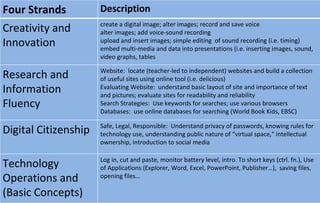
Four Strands Description Creativity and Innovation create a digital image; alter images; record and save voice alter images; add voice-sound recording upload and insert images; simple editing  of sound recording (i.e. timing) embed multi-media and data into presentations (i.e. inserting images, sound, video graphs, tables Research and Information Fluency Website:  locate (teacher-led to independent) websites and build a collection of useful sites using online tool (i.e. delicious) Evaluating Website:  understand basic layout of site and importance of text and pictures; evaluate sites for readability and reliability Search Strategies:  Use keywords for searches; use various browsers Databases:  use online databases for searching (World Book Kids, EBSC) Digital Citizenship Safe, Legal, Responsible:  Understand privacy of passwords, knowing rules for technology use, understanding public nature of “virtual space,” intellectual ownership, introduction to social media Technology Operations and (Basic Concepts) Log in, cut and paste, monitor battery level, intro. To short keys (ctrl. fn.), Use of Applications (Explorer, Word, Excel, PowerPoint, Publisher…),  saving files, opening files…
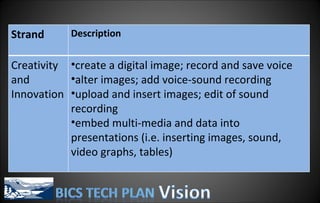
Strand Description Creativity and Innovation create a digital image; record and save voice alter images; add voice-sound recording upload and insert images; edit of sound recording embed multi-media and data into presentations (i.e. inserting images, sound, video graphs, tables)
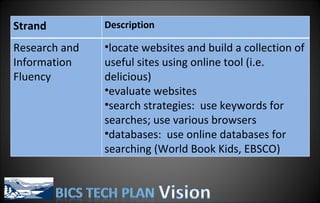
Strand Description Research and Information Fluency locate websites and build a collection of useful sites using online tool (i.e. delicious) evaluate websites search strategies:  use keywords for searches; use various browsers databases:  use online databases for searching (World Book Kids, EBSCO)

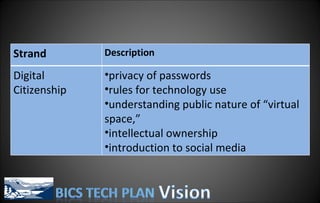
Strand Description Digital Citizenship privacy of passwords rules for technology use understanding public nature of “virtual space,”  intellectual ownership introduction to social media
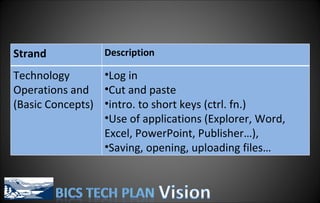
Strand Description Technology Operations and (Basic Concepts) Log in Cut and paste intro. to short keys (ctrl. fn.) Use of applications (Explorer, Word, Excel, PowerPoint, Publisher…),  Saving, opening, uploading files…
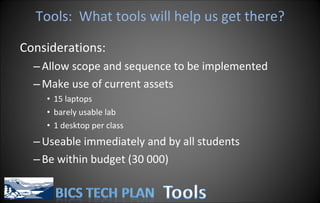
Tools:  What tools will help us get there? Considerations: Allow scope and sequence to be implemented Make use of current assets 15 laptops barely usable lab 1 desktop per class Useable immediately and by all students Be within budget (30 000)
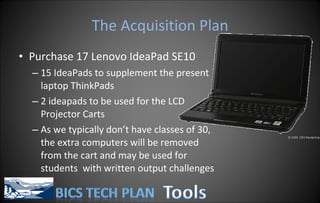
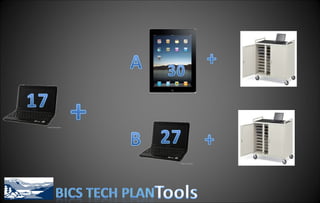
The Acquisition Plan Purchase 17  Lenovo IdeaPad SE10  15 IdeaPads to supplement the present laptop ThinkPads 2 ideapads to be used for the LCD Projector Carts As we typically don’t have classes of 30, the extra computers will be removed from the cart and may be used for students  with written output challenges
Why the IdeaPad? They’ll allow us to make better use of the present laptops.  They’re cheaper than laptops and can do everything a laptop can just with a  smaller screen and keyboard; and a far smaller price. (760 vs. 948) The size may prove an advantage:  Lighter for students to carry, takes up less desk space, smaller keyboard for smaller hands, may be able to get all present laptops + IdeaPads into one cart
 
Option A:  The iPad Quickly turns on  and  off (efficiency) Is intuitive, no instruction manual (can be used right away) Engaging to use; touch screen, interesting applications Easier to integrate with students bringing in own technology Updates can be done in an ongoing fashion No moving parts; not easily damaged More progressive than laptops and IdeaPads All day battery life Easy to set up stations in primary
Option A:  The iPad Creating content is not as easy as netbooks (keyboard) Presently, device not setup for virtual classroom (and vice versa).  This will be changing… Parents, Students, Staff must update the device No warranty or District Support
Option B:  IdeaPad Has Office Applications such as Word, Excel, PowerPoint, Publisher Keyboard is easy to use Is well integrated with Virtual Classroom
Option B:  The IdeaPad a large investment in setup time imaged according to District parameters, limited modification on site is often “too much device” for web browsing may be perceived as obsolete by students moving parts can be damaged easily less easily handled by young students
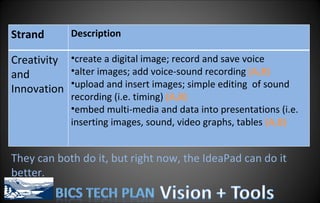
They can both do it, but right now, the IdeaPad can do it better. Strand Description Creativity and Innovation create a digital image; record and save voice alter images; add voice-sound recording  (A,B) upload and insert images; simple editing  of sound recording (i.e. timing)  (A,B) embed multi-media and data into presentations (i.e. inserting images, sound, video graphs, tables  (A,B)
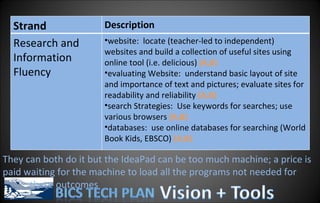
They can both do it but the IdeaPad can be too much machine; a price is paid waiting for the machine to load all the programs not needed for  these outcomes Strand Description Research and Information Fluency website:  locate (teacher-led to independent) websites and build a collection of useful sites using online tool (i.e. delicious)  (A,B) evaluating Website:  understand basic layout of site and importance of text and pictures; evaluate sites for readability and reliability  (A,B) search Strategies:  Use keywords for searches; use various browsers  (A,B) databases:  use online databases for searching (World Book Kids, EBSCO)  (A,B)
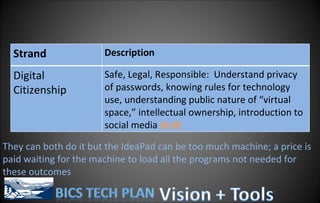
They can both do it but the IdeaPad can be too much machine; a price is paid waiting for the machine to load all the programs not needed for these outcomes Strand Description Digital Citizenship Safe, Legal, Responsible:  Understand privacy of passwords, knowing rules for technology use, understanding public nature of “virtual space,” intellectual ownership, introduction to social media  (A,B)
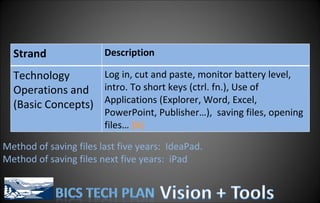
Method of saving files last five years:  IdeaPad. Method of saving files next five years:  iPad Strand Description Technology Operations and (Basic Concepts) Log in, cut and paste, monitor battery level, intro. To short keys (ctrl. fn.), Use of Applications (Explorer, Word, Excel, PowerPoint, Publisher…),  saving files, opening files…  (b)
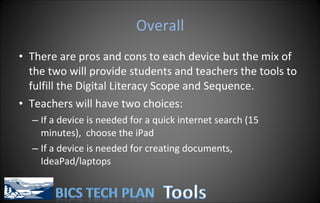
Overall There are pros and cons to each device but the mix of the two will provide students and teachers the tools to fulfill the Digital Literacy Scope and Sequence. Teachers will have two choices: If a device is needed for a quick internet search (15 minutes),  choose the iPad If a device is needed for creating documents, IdeaPad/laptops
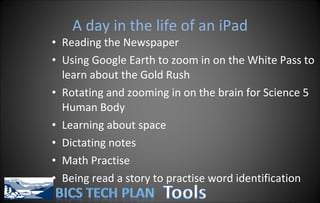
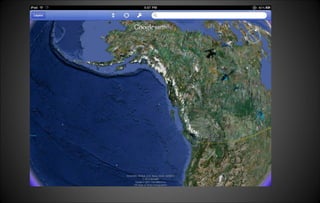
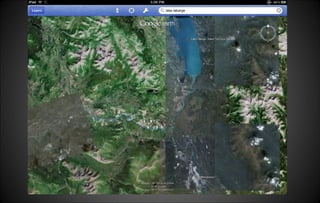
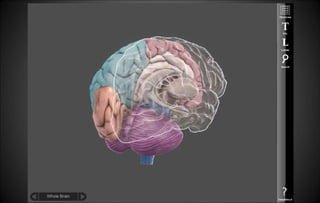
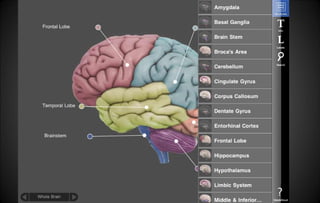
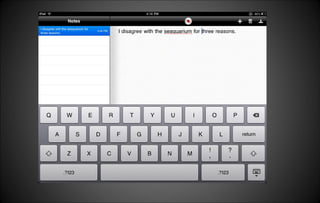
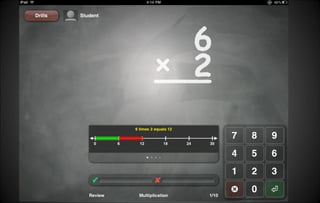
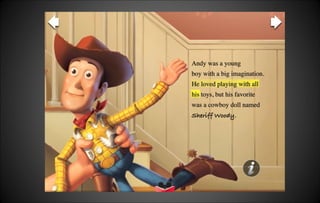
A day in the life of an iPad Reading the Newspaper Using Google Earth to zoom in on the White Pass to learn about the Gold Rush Rotating and zooming in on the brain for Science 5 Human Body Learning about space Dictating notes Math Practise Being read a story to practise word identification


Professional Learning Gary Kern:  School Effectiveness, After School Sessions Virtual Classroom,  Thursday January 27 th   Considerations: Community Learning:  Parent Engagement Professional Development Days 2011-2012 Ipads to be taken home by teachers
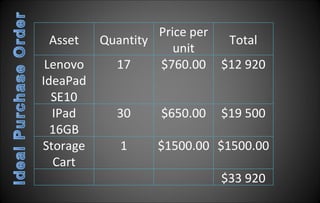
Implementation Recommendations The BICS PAC approves the purchase of  17 Lenovo IdeaPad SE10  Computers, 30 Apple iPad 16GB Computers, and one laptop Cart .  A purchasing order will be placed with the District Purchasing Department at the District Office as soon as possible for the 17 Lenovo IdeaPads followed by purchasing the iPads. The BICS STAG, Professional Development Committee, and Tech Committee organize learning opportunities for teachers to become accustomed to new technologies throughout 2011 and 2012. That clear guidelines are in place for storing and using the devices to ensure their usability for many years.
Asset Quantity Price per unit Total Lenovo IdeaPad SE10 17 $760.00 $12 920 IPad 16GB 30 $650.00 $19 500 Storage Cart 1 $1500.00 $1500.00 $33 920
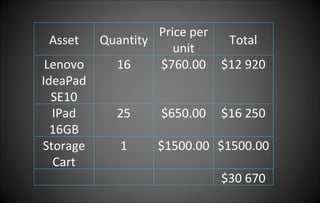
Asset Quantity Price per unit Total Lenovo IdeaPad SE10 16 $760.00 $12 920 IPad 16GB 25 $650.00 $16 250 Storage Cart 1 $1500.00 $1500.00 $30 670
Questions and Discussion

BICS Tech Plan PAC Presentation

  • 1.
  • 2.
    BICS Tech CommitteeSchool-Based Tech Committee Scott Slater Lise Harquail Andrea Layzell Jennifer Pardee Parent Tech Committee Ken Beatty James Glave Cam Hayduk
  • 3.
    Vision We envisiona school where teachers leverage the power of technology in their classrooms to support the development of literacy, math and critical thinking skills. In developing these skills, students will acquire new skills such as media and technological literacy so that they can learn how to use technology ethically and efficiently.
  • 4.
    The next 20minutes Vision: What is the end in mind? Tools: What tools will help us get there? Time: What learning opportunities will allow us to make use of the tools?
  • 5.
    Four Strands DescriptionCreativity and Innovation create a digital image; alter images; record and save voice alter images; add voice-sound recording upload and insert images; simple editing of sound recording (i.e. timing) embed multi-media and data into presentations (i.e. inserting images, sound, video graphs, tables Research and Information Fluency Website: locate (teacher-led to independent) websites and build a collection of useful sites using online tool (i.e. delicious) Evaluating Website: understand basic layout of site and importance of text and pictures; evaluate sites for readability and reliability Search Strategies: Use keywords for searches; use various browsers Databases: use online databases for searching (World Book Kids, EBSC) Digital Citizenship Safe, Legal, Responsible: Understand privacy of passwords, knowing rules for technology use, understanding public nature of “virtual space,” intellectual ownership, introduction to social media Technology Operations and (Basic Concepts) Log in, cut and paste, monitor battery level, intro. To short keys (ctrl. fn.), Use of Applications (Explorer, Word, Excel, PowerPoint, Publisher…), saving files, opening files…
  • 6.
    Strand Description Creativityand Innovation create a digital image; record and save voice alter images; add voice-sound recording upload and insert images; edit of sound recording embed multi-media and data into presentations (i.e. inserting images, sound, video graphs, tables)
  • 7.
    Strand Description Researchand Information Fluency locate websites and build a collection of useful sites using online tool (i.e. delicious) evaluate websites search strategies: use keywords for searches; use various browsers databases: use online databases for searching (World Book Kids, EBSCO)
  • 8.
    Strand Description DigitalCitizenship privacy of passwords rules for technology use understanding public nature of “virtual space,” intellectual ownership introduction to social media
  • 9.
    Strand Description TechnologyOperations and (Basic Concepts) Log in Cut and paste intro. to short keys (ctrl. fn.) Use of applications (Explorer, Word, Excel, PowerPoint, Publisher…), Saving, opening, uploading files…
  • 10.
    Tools: Whattools will help us get there? Considerations: Allow scope and sequence to be implemented Make use of current assets 15 laptops barely usable lab 1 desktop per class Useable immediately and by all students Be within budget (30 000)
  • 11.
    The Acquisition PlanPurchase 17 Lenovo IdeaPad SE10 15 IdeaPads to supplement the present laptop ThinkPads 2 ideapads to be used for the LCD Projector Carts As we typically don’t have classes of 30, the extra computers will be removed from the cart and may be used for students with written output challenges
  • 12.
    Why the IdeaPad?They’ll allow us to make better use of the present laptops. They’re cheaper than laptops and can do everything a laptop can just with a smaller screen and keyboard; and a far smaller price. (760 vs. 948) The size may prove an advantage: Lighter for students to carry, takes up less desk space, smaller keyboard for smaller hands, may be able to get all present laptops + IdeaPads into one cart
  • 13.
  • 14.
    Option A: The iPad Quickly turns on and off (efficiency) Is intuitive, no instruction manual (can be used right away) Engaging to use; touch screen, interesting applications Easier to integrate with students bringing in own technology Updates can be done in an ongoing fashion No moving parts; not easily damaged More progressive than laptops and IdeaPads All day battery life Easy to set up stations in primary
  • 15.
    Option A: The iPad Creating content is not as easy as netbooks (keyboard) Presently, device not setup for virtual classroom (and vice versa). This will be changing… Parents, Students, Staff must update the device No warranty or District Support
  • 16.
    Option B: IdeaPad Has Office Applications such as Word, Excel, PowerPoint, Publisher Keyboard is easy to use Is well integrated with Virtual Classroom
  • 17.
    Option B: The IdeaPad a large investment in setup time imaged according to District parameters, limited modification on site is often “too much device” for web browsing may be perceived as obsolete by students moving parts can be damaged easily less easily handled by young students
  • 18.
    They can bothdo it, but right now, the IdeaPad can do it better. Strand Description Creativity and Innovation create a digital image; record and save voice alter images; add voice-sound recording (A,B) upload and insert images; simple editing of sound recording (i.e. timing) (A,B) embed multi-media and data into presentations (i.e. inserting images, sound, video graphs, tables (A,B)
  • 19.
    They can bothdo it but the IdeaPad can be too much machine; a price is paid waiting for the machine to load all the programs not needed for these outcomes Strand Description Research and Information Fluency website: locate (teacher-led to independent) websites and build a collection of useful sites using online tool (i.e. delicious) (A,B) evaluating Website: understand basic layout of site and importance of text and pictures; evaluate sites for readability and reliability (A,B) search Strategies: Use keywords for searches; use various browsers (A,B) databases: use online databases for searching (World Book Kids, EBSCO) (A,B)
  • 20.
    They can bothdo it but the IdeaPad can be too much machine; a price is paid waiting for the machine to load all the programs not needed for these outcomes Strand Description Digital Citizenship Safe, Legal, Responsible: Understand privacy of passwords, knowing rules for technology use, understanding public nature of “virtual space,” intellectual ownership, introduction to social media (A,B)
  • 21.
    Method of savingfiles last five years: IdeaPad. Method of saving files next five years: iPad Strand Description Technology Operations and (Basic Concepts) Log in, cut and paste, monitor battery level, intro. To short keys (ctrl. fn.), Use of Applications (Explorer, Word, Excel, PowerPoint, Publisher…), saving files, opening files… (b)
  • 22.
    Overall There arepros and cons to each device but the mix of the two will provide students and teachers the tools to fulfill the Digital Literacy Scope and Sequence. Teachers will have two choices: If a device is needed for a quick internet search (15 minutes), choose the iPad If a device is needed for creating documents, IdeaPad/laptops
  • 23.
    A day inthe life of an iPad Reading the Newspaper Using Google Earth to zoom in on the White Pass to learn about the Gold Rush Rotating and zooming in on the brain for Science 5 Human Body Learning about space Dictating notes Math Practise Being read a story to practise word identification
  • 24.
  • 25.
  • 26.
  • 27.
  • 28.
  • 29.
  • 30.
  • 31.
  • 32.
  • 33.
    Professional Learning GaryKern: School Effectiveness, After School Sessions Virtual Classroom, Thursday January 27 th Considerations: Community Learning: Parent Engagement Professional Development Days 2011-2012 Ipads to be taken home by teachers
  • 34.
    Implementation Recommendations TheBICS PAC approves the purchase of 17 Lenovo IdeaPad SE10 Computers, 30 Apple iPad 16GB Computers, and one laptop Cart . A purchasing order will be placed with the District Purchasing Department at the District Office as soon as possible for the 17 Lenovo IdeaPads followed by purchasing the iPads. The BICS STAG, Professional Development Committee, and Tech Committee organize learning opportunities for teachers to become accustomed to new technologies throughout 2011 and 2012. That clear guidelines are in place for storing and using the devices to ensure their usability for many years.
  • 35.
    Asset Quantity Priceper unit Total Lenovo IdeaPad SE10 17 $760.00 $12 920 IPad 16GB 30 $650.00 $19 500 Storage Cart 1 $1500.00 $1500.00 $33 920
  • 36.
    Asset Quantity Priceper unit Total Lenovo IdeaPad SE10 16 $760.00 $12 920 IPad 16GB 25 $650.00 $16 250 Storage Cart 1 $1500.00 $1500.00 $30 670
  • 37.

Editor's Notes

  • #8 understand basic layout of site and importance of text and pictures; evaluate sites for readability and reliability
  • #22 Basic operations right now are best done with the ideapad; but things are changing quickly. The storage of documents is changing rapidly… The ideapad is the best device for students to learn how to load and save devices for the last five years, the Ipad for the next five years.