









































Web 2.0 for Educators Dr. Richard J. Voltz Associate Director Illinois Association of School Administrators
Slides available at  http://bit.ly/9A6cOU http://bit.ly/9A6cOU
 
 
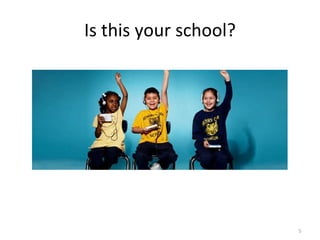
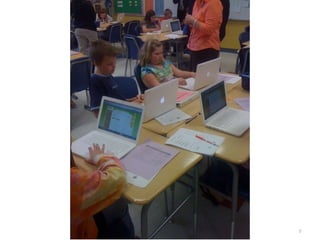
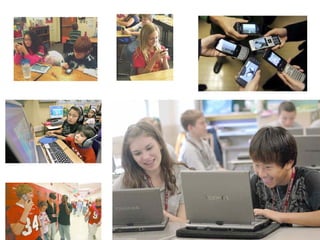
Is this your school?
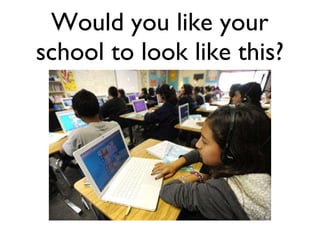
Would you like your school to look like this?
Mooresville, NC Trip
 
 
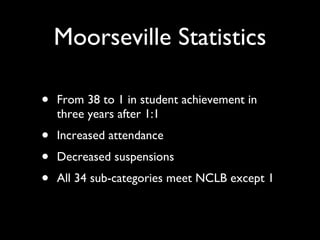
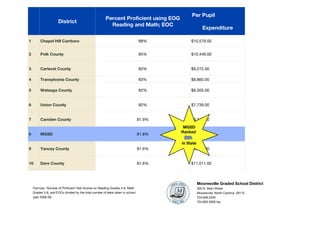
Moorseville Statistics From 38 to 1 in student achievement in three years after 1:1 Increased attendance Decreased suspensions All 34 sub-categories meet NCLB except 1
Yes but... If my school looked like the previous pictures ... If my school looked like the previous pictures ...
Change is difficult…make it fun
 
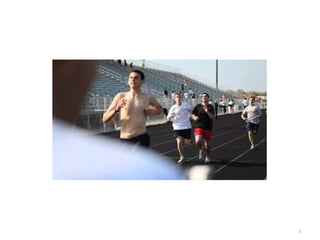
If a blind student can compete in HS athletics, you can learn Web 2.0...
 
Blogger:  Anne Peoples , University of Ulster Helene Blowers has identified the new Digital Divide ( Reality Check 2.010 ), as one between those with the skills to find and use information and those without.  Among some of the skills she highlights are: Knowing how to “think” about search Knowing how to validate soft information Knowing how to get information to travel to you instead of chasing it Knowing where to find information in new “hot” channel
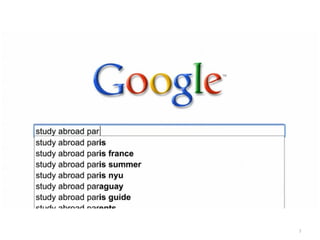
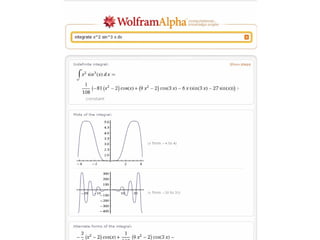
Google MagicFill and LookUp Function
 
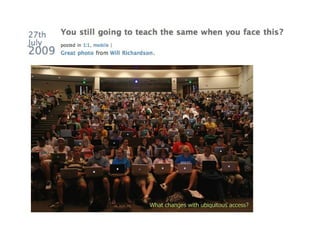
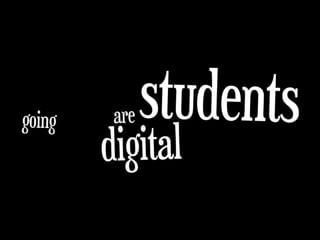
Do students learn different today, should educators change?
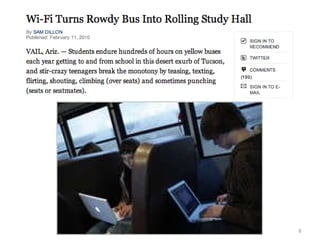
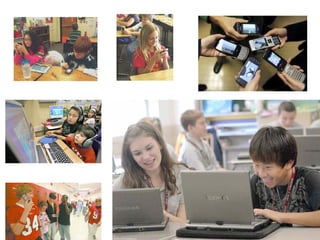
Technology kids want in their classrooms... Laptops Bluetooth Cell Phone Digital Camera Graphing Calculator Nintendo NS Video Camera Flash Drive
 
Chatterous http://chatterous.com/iasa/ http://chatterous.com/iasa/ http://chatterous.com/iasa/
Five K-12 Technology Trends for 2010 by Bridget McCrea  THE journal 12/10/09 eBooks will continue to proliferate Netbook functionality will grow More teachers will use interactive whiteboards Personal devices will infiltrate the classroom Technology will enable tailored curriculum
Ustream video with your iPhone
http://ustre.am/cOSn
What do teachers and schools need to do to stay in front in this race toward 21st Century learning?
Think, Pair, Share
 
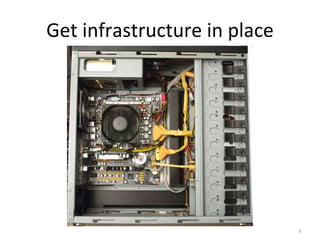
Get infrastructure in place
Have a plan
If public education spends $ on technology then we cannot  still teach the same. still teach the same.
 
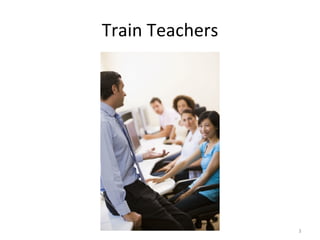
Train Teachers
What is the best way to train teachers?
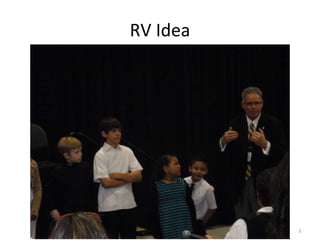
RV Idea
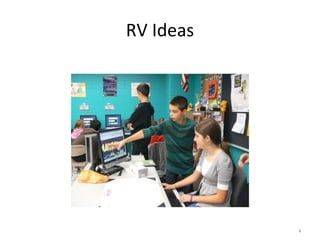
RV Ideas
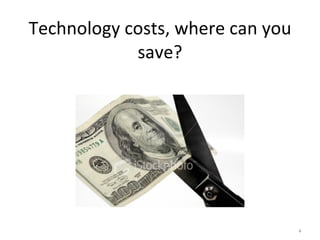
Technology costs, where can you save?
Try new teaching strategies
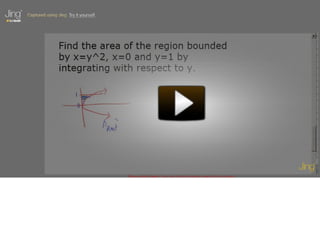
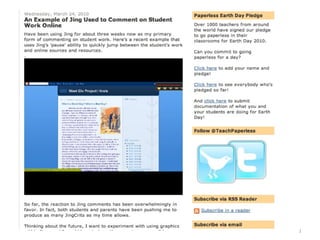
jingproject.com
Mathtrain-1.TV   Probability with Ben and Jerry
 
Determine what works for you...
Remedial Software
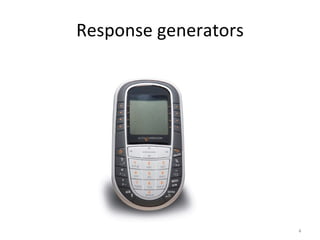
Response generators
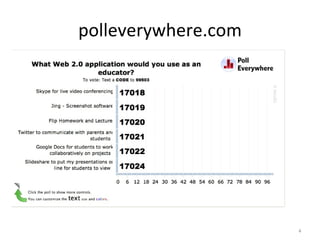
polleverywhere.com
http://bit.ly/9vvv4B
What I’d Buy Instead of an Interactive Whiteboard  by Bill Ferriter, The Tempered Radical Give me $5,000-$6,000 to spend on a middle school classroom with 25 students and I’ll buy: 5 Netbook Computers    Cost:  $1,250 Give me one netbook for every 5 kids in my classroom and I can create instant workstations for groups. 5 YEARS of VoiceThread for my Students     Cost:  $300 With little digital skill, kids of all ages can interact in Socratic style conversations on school related topics with one another both in and out of school. 5 YEARS of Brainpop Access for my Classroom    Cost:  $731 Brainpop is a service that creates short (3-5 minute) animated videos on topics across the curriculum. 5 YEARS of Access to Poll Everywhere    Cost:  $645 What makes Poll Everywhere—an online application that allows teachers to create and deliver quick surveys—unique is that students can respond to surveys via text message from their cell phones, making the need for student responders obsolete in most middle school classrooms considering the number of students carrying cell phones to school each day. A Mid-Range Data Projector     Cost:  $595 Total = $3,521 Camtasia Screencasting Software     Cost:  $179
Students need to be more involved in their own learning
 
Whose world are we preparing students for ? What kind of work will they do ? What skills will they need ?
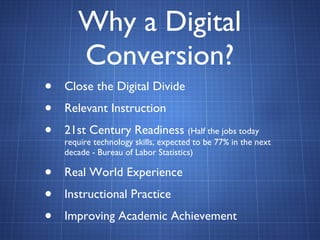
Why a Digital Conversion? Close the Digital Divide Relevant Instruction 21st Century Readiness  (Half the jobs today require technology skills, expected to be 77% in the next decade - Bureau of Labor Statistics) Real World Experience Instructional Practice Improving Academic Achievement
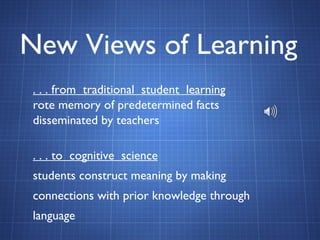
New Views of Learning . . . from  traditional  student  learning   rote memory of predetermined facts disseminated by teachers . . . to  cognitive  science   students construct meaning by making connections with prior knowledge through language
Formula:  Number of Proficient Test Scores on Reading Grades 3-8, Math Grades 3-8, and EOCs divided by the total number of tests taken in school year 2008-09. Mooresville Graded School District 305 N. Main Street Mooresville, North Carolina  28115 704.658.2530 704.663.3005 fax MGSD Ranked  8th   in State District Percent Proficient using EOG Reading and Math; EOC Per Pupil  Expenditure 1 Chapel Hill Carrboro 88% $10,579.00 2 Polk County 85% $10,449.00 3 Carteret County 83% $9,272.00 4 Transylvania County 83% $8,860.00 5 Watauga County 82% $8,305.00 6 Union County  82% $7,739.00 7 Camden County 81.9% $8,742.00 8 MGSD 81.8% $7,902.00 9 Yancey County 81.6% $9,417.00 10 Dare County 81.6% $11,011.00
NIU professor brings video games to class "Students would always be sort of on the edge of their seat watching this thing because it's just so cool to see how it works," Coller said of the video. "But that sentiment just ended as soon as you turned off the video, and then they're back to their boring old homework again." "Right away, they just really warmed up to it," Coller said. "They were incredibly jazzed about it. So right away, I just saw the learning levels were just so much higher and excitement levels were just so much higher than anything I had done before."
 
Video Conferencing Connect with experts Virtual Field Trips Working Together Accessing previously unavailable courses Teaching the teachers
 
Change is difficult…make it fun
The single most important factor in a student's achievement is the quality of his or her teacher. Reports by: The National Council on Teacher Quality ("Increasing the Odds," 2005) and  The New Teacher Project ("The Widget Effect," 2009)
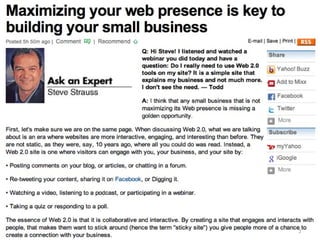
Web 2.0 Enables Web 2.0 Tools for Teachers by Nik Peachey
Socialization  – Through socialization our students can use the language and skills they are learning to build networks and develop relationships with real people. Web 2.0 Tools for Teachers by Nik Peachey
Collaboration  – They can work together with others to construct and share real knowledge. Web 2.0 Tools for Teachers by Nik Peachey
Creativity  – They can create genuine products, in a wide range and combination of media to high standards, that will have a real audience. Web 2.0 Tools for Teachers by Nik Peachey
Authenticity  – The tasks and activities they do and the people they communicate with to do them are real and motivating. Web 2.0 Tools for Teachers by Nik Peachey
Sharing  – They can share what they create and learn from each other. Web 2.0 Tools for Teachers by Nik Peachey
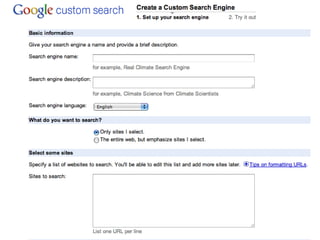
Classroom Applications Google Screencasting
 
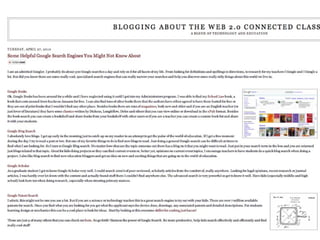
Google MagicFill and LookUp Function
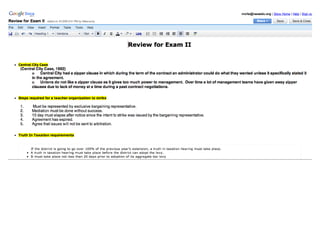
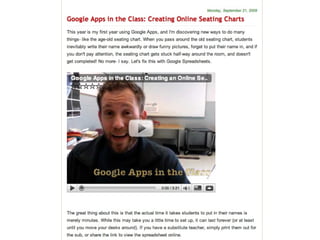
Google Docs to Prepare Tests


Google Teacher Example
 
What could your students do?


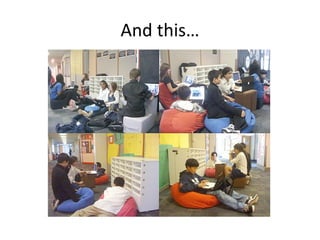
And this…
 
 
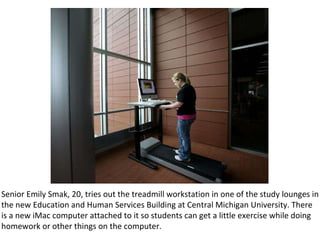
Senior Emily Smak, 20, tries out the treadmill workstation in one of the study lounges in the new Education and Human Services Building at Central Michigan University. There is a new iMac computer attached to it so students can get a little exercise while doing homework or other things on the computer.


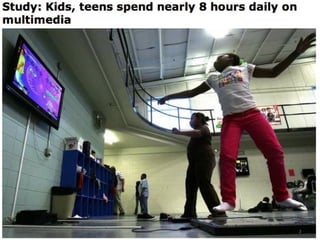
Do you think students are more engaged outside of school than in school?
Did You Know 4.0
What is your school doing about it?
Education, Today and Tomorrow
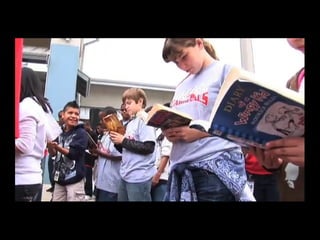
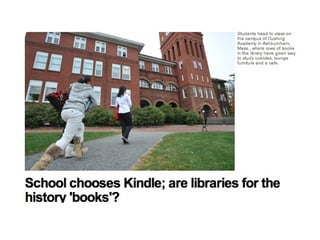
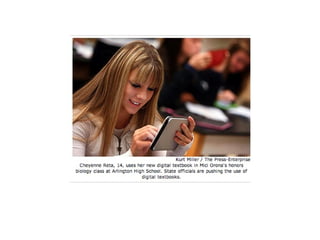
Will paper copy library books ever be replaced with digital books?
 
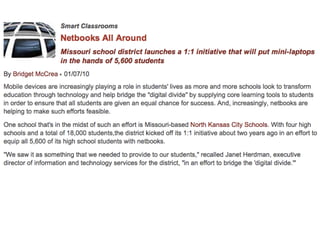
How close are we to 1:1 classroom computing?
 
 
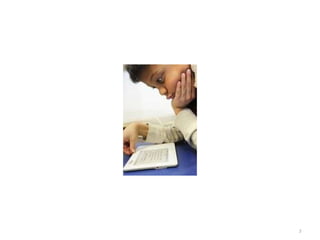
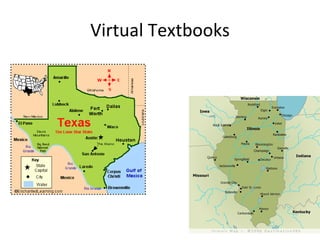
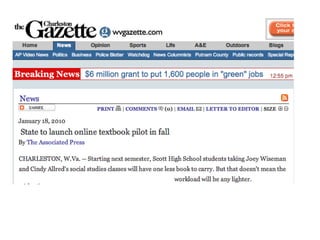
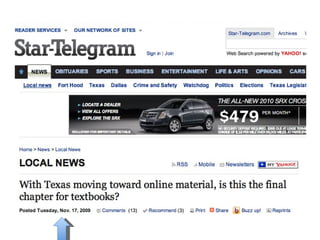
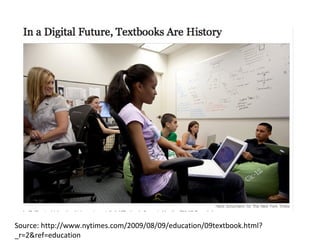
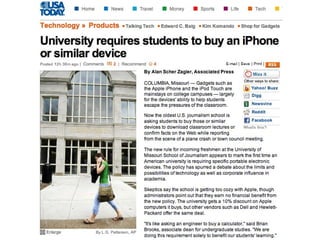
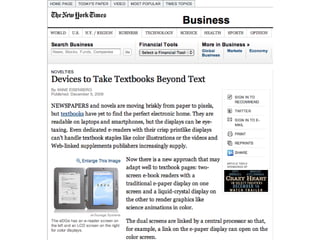
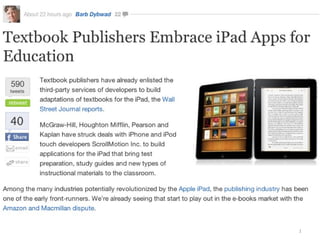
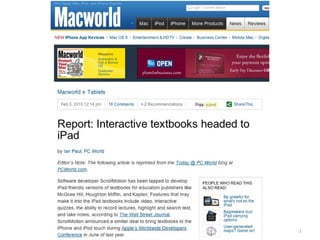
Virtual Textbooks
 
 
Source: http://www.nytimes.com/2009/08/09/education/09textbook.html?_r=2&ref=education
 
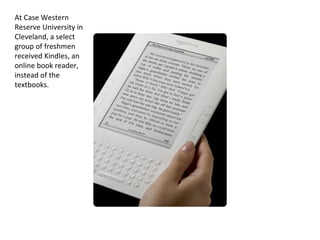
At Case Western Reserve University in Cleveland, a select group of freshmen received Kindles, an online book reader, instead of the textbooks.
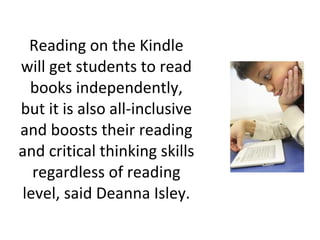
Reading on the Kindle will get students to read books independently, but it is also all-inclusive and boosts their reading and critical thinking skills regardless of reading level, said Deanna Isley.
 
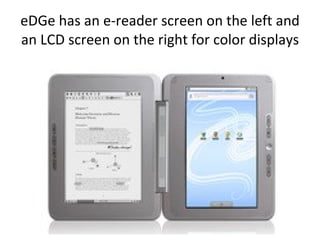
eDGe has an e-reader screen on the left and an LCD screen on the right for color displays
 
 
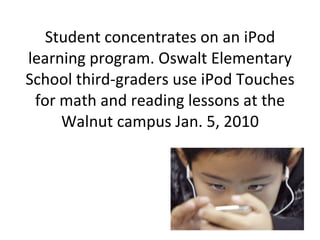
Student concentrates on an iPod learning program. Oswalt Elementary School third-graders use iPod Touches for math and reading lessons at the Walnut campus Jan. 5, 2010


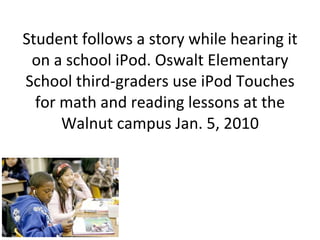
Student follows a story while hearing it on a school iPod. Oswalt Elementary School third-graders use iPod Touches for math and reading lessons at the Walnut campus Jan. 5, 2010
 
Under $200 (Netbook & Linux)
 
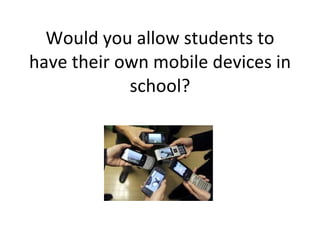
Would you allow students to have their own mobile devices in school?


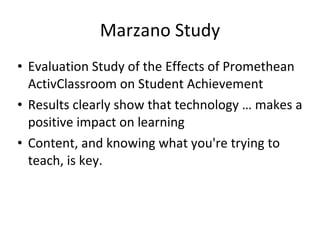
Marzano Study Evaluation Study of the Effects of Promethean ActivClassroom on Student Achievement Results clearly show that technology … makes a positive impact on learning Content, and knowing what you're trying to teach, is key.
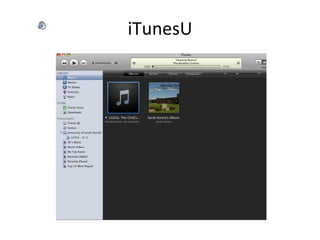
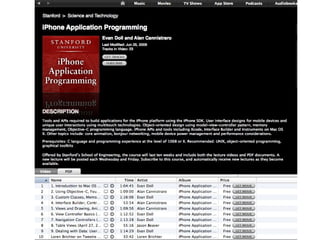
iTunesU


Should we teach differently today because students learn differently?
How young professionals say they learn.
 
“ I can look it up on-line, find an expert and then collaborate with that person on a solution.”
Break-Out Session
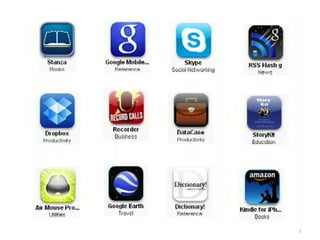
What app do you want to see? http://bit.ly/9vvv4B http://bit.ly/9vvv4B
A Classroom Today
Scribes Team: Have students use Google Docs  to take class notes
 
 
Research team: Use Google and AltaVista for students to do research
 
 
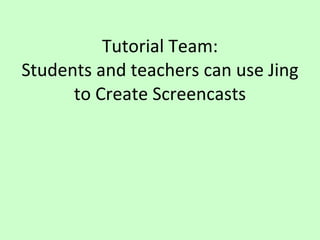
Tutorial Team: Students and teachers can use Jing to Create Screencasts
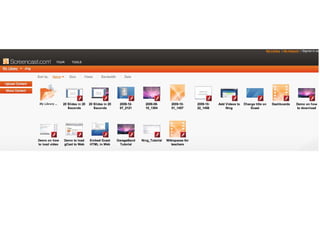
Jing
 
Teachers can make screenshot tutorials
 
Teachers can record lessons Put on web site Absent students can view Students on homebound instruction can view Students who need to view and hear for further understanding can view When teacher is absent, real teacher is actually teaching
Record Lecture Using ProfCast Save to GarageBand Embed in iWeb Upload to WebPage
Jing for grading...


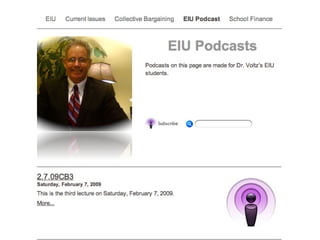
Curriculum Team: Have Students Make Video and Audio Podcasts
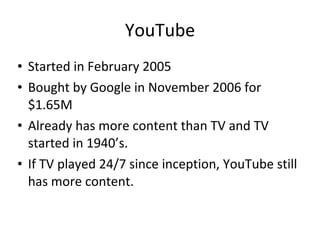
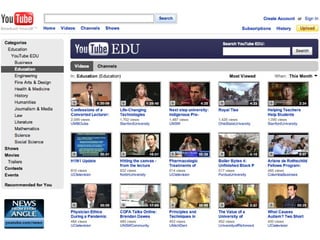
YouTube Started in February 2005 Bought by Google in November 2006 for $1.65M Already has more content than TV and TV started in 1940’s. If TV played 24/7 since inception, YouTube still has more content.
 
Digital Education  The Hollywood Treatment at NECC
 
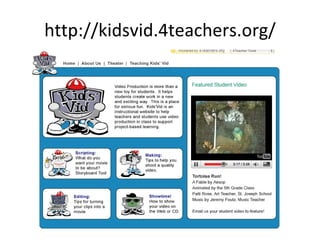
http://kidsvid.4teachers.org/
Tortoise Run
 
Educational Videos by Developer of Wikipedia
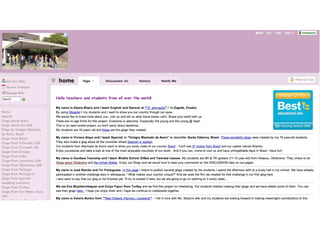
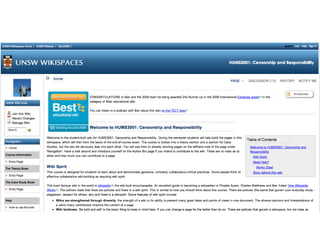
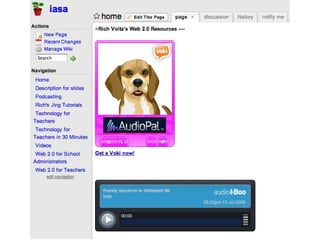
Teachers and Students can make their own web pages using Ning, Wiki, WordPress, and others
 
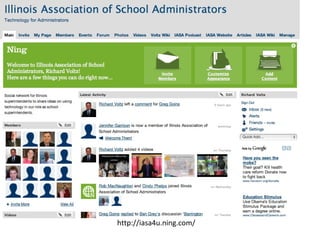
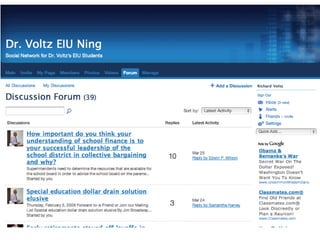
Ning
http://iasa4u.ning.com/
 
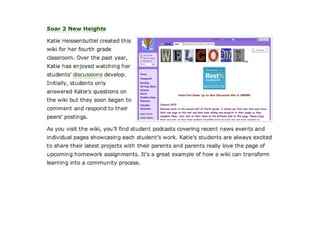
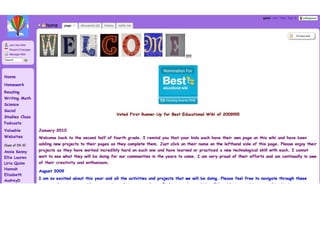
Wiki


http://iasa.wikispaces.com/
 
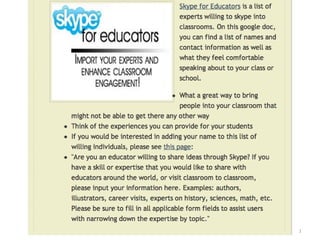
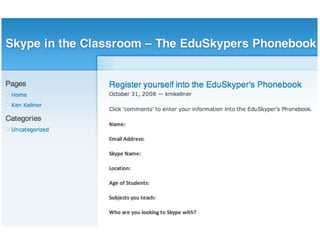
Global team: Teachers can use e-pals  and Skype to connect to others all over the world.
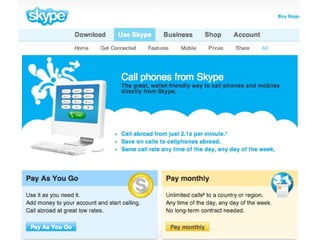
Teachers can use Skype In their classrooms
3 Ways, Other Than Skype, to Bring Experts Into Class


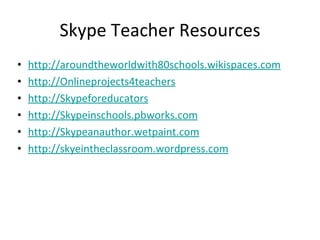
Skype Teacher Resources http://aroundtheworldwith80schools.wikispaces.com http:/ /Onlineprojects4teachers http://Skypeforeducators http://Skypeinschools.pbworks.com http://Skypeanauthor.wetpaint.com http://skyeintheclassroom.wordpress.com
 
How does digital text (hypertext) change education?
 
 
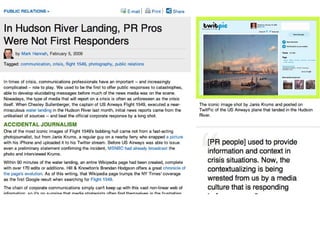
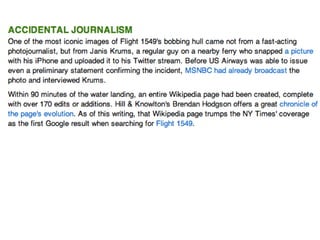
YouTube - Hudson Flight 1549 HD Animation with audio for US Airways Water Landing-1


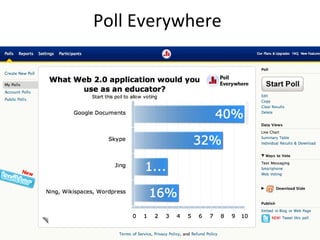
Poll Everywhere
How open should the Internet be for teachers?
How open should the Internet be for students?
Social Networking in School
NSBA Survey (July 2007) 52% of schools prohibit social networking Problem is student safety on-line List of Educational Networking sites at  http://www.educationalnetworking.com/List+of+Networks http://thejournal.com/articles/2009/09/16/social-networking-in-schools-incentives-for-participation.aspx
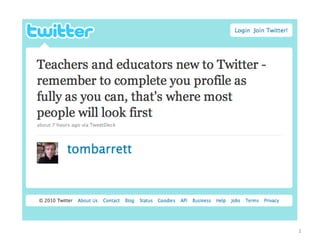
Add Twitter To Your Communication
 
Follow me on Twitter at rvoltz and IllinoisASA
 
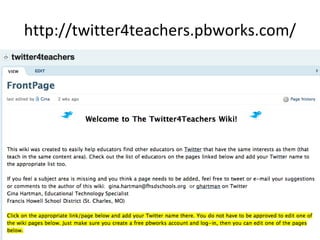
http://twitter4teachers.pbworks.com/
 
Teachers use Twitter To communicate with students and parents on homework and class activities To link up with other teachers in a type of professional learning community
Start discussing: “  What is the future computer for classroom use?”
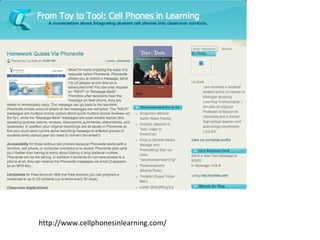
http://www.cellphonesinlearning.com/
Encourage teachers to engage students in their own learning
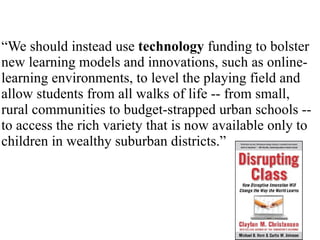
“ We should instead use  technology  funding to bolster new learning models and innovations, such as online-learning environments, to level the playing field and allow students from all walks of life -- from small, rural communities to budget-strapped urban schools -- to access the rich variety that is now available only to children in wealthy suburban districts.”
Inspiring Idea
 
Start Your Own Blog
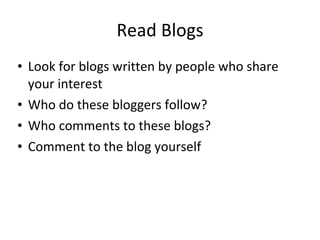
Read Blogs Look for blogs written by people who share your interest Who do these bloggers follow? Who comments to these blogs? Comment to the blog yourself
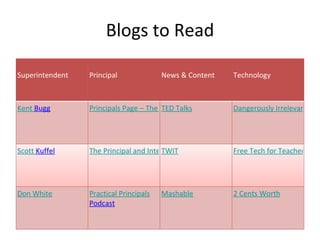
Blogs to Read Superintendent Principal News & Content Technology Kent  Bugg Principals Page – The Blog TED Talks Dangerously Irrelevant Scott  Kuffel The Principal and Interest TWIT Free Tech for Teachers Don White Practical Principals  Podcast Mashable 2 Cents Worth
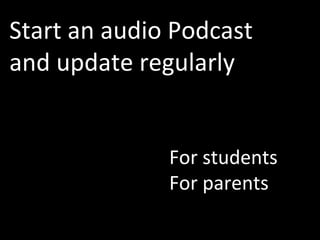
Start an audio Podcast and update regularly For students For parents
ePals
 
 
http://bit.ly/7fyVVs To join IASA4U.NING.COM
[email_address]

Web 2.0 For Educators

  • 1.
    Web 2.0 forEducators Dr. Richard J. Voltz Associate Director Illinois Association of School Administrators
  • 2.
    Slides available at http://bit.ly/9A6cOU http://bit.ly/9A6cOU
  • 3.
  • 4.
  • 5.
    Is this yourschool?
  • 6.
    Would you likeyour school to look like this?
  • 7.
  • 8.
  • 9.
  • 10.
    Moorseville Statistics From38 to 1 in student achievement in three years after 1:1 Increased attendance Decreased suspensions All 34 sub-categories meet NCLB except 1
  • 11.
    Yes but... Ifmy school looked like the previous pictures ... If my school looked like the previous pictures ...
  • 12.
  • 13.
  • 14.
    If a blindstudent can compete in HS athletics, you can learn Web 2.0...
  • 15.
  • 16.
    Blogger: AnnePeoples , University of Ulster Helene Blowers has identified the new Digital Divide ( Reality Check 2.010 ), as one between those with the skills to find and use information and those without.  Among some of the skills she highlights are: Knowing how to “think” about search Knowing how to validate soft information Knowing how to get information to travel to you instead of chasing it Knowing where to find information in new “hot” channel
  • 17.
    Google MagicFill andLookUp Function
  • 19.
  • 20.
    Do students learndifferent today, should educators change?
  • 21.
    Technology kids wantin their classrooms... Laptops Bluetooth Cell Phone Digital Camera Graphing Calculator Nintendo NS Video Camera Flash Drive
  • 23.
  • 25.
  • 26.
    Five K-12 TechnologyTrends for 2010 by Bridget McCrea THE journal 12/10/09 eBooks will continue to proliferate Netbook functionality will grow More teachers will use interactive whiteboards Personal devices will infiltrate the classroom Technology will enable tailored curriculum
  • 28.
    Ustream video withyour iPhone
  • 29.
  • 30.
    What do teachersand schools need to do to stay in front in this race toward 21st Century learning?
  • 31.
  • 32.
  • 33.
  • 34.
  • 35.
    If public educationspends $ on technology then we cannot still teach the same. still teach the same.
  • 36.
  • 37.
  • 38.
    What is thebest way to train teachers?
  • 39.
  • 40.
  • 41.
  • 42.
    Try new teachingstrategies
  • 43.
  • 44.
  • 45.
  • 46.
  • 47.
  • 48.
  • 49.
  • 50.
  • 51.
    What I’d BuyInstead of an Interactive Whiteboard by Bill Ferriter, The Tempered Radical Give me $5,000-$6,000 to spend on a middle school classroom with 25 students and I’ll buy: 5 Netbook Computers   Cost:  $1,250 Give me one netbook for every 5 kids in my classroom and I can create instant workstations for groups. 5 YEARS of VoiceThread for my Students    Cost:  $300 With little digital skill, kids of all ages can interact in Socratic style conversations on school related topics with one another both in and out of school. 5 YEARS of Brainpop Access for my Classroom   Cost:  $731 Brainpop is a service that creates short (3-5 minute) animated videos on topics across the curriculum. 5 YEARS of Access to Poll Everywhere   Cost:  $645 What makes Poll Everywhere—an online application that allows teachers to create and deliver quick surveys—unique is that students can respond to surveys via text message from their cell phones, making the need for student responders obsolete in most middle school classrooms considering the number of students carrying cell phones to school each day. A Mid-Range Data Projector    Cost:  $595 Total = $3,521 Camtasia Screencasting Software    Cost:  $179
  • 52.
    Students need tobe more involved in their own learning
  • 53.
  • 54.
    Whose world arewe preparing students for ? What kind of work will they do ? What skills will they need ?
  • 55.
    Why a DigitalConversion? Close the Digital Divide Relevant Instruction 21st Century Readiness (Half the jobs today require technology skills, expected to be 77% in the next decade - Bureau of Labor Statistics) Real World Experience Instructional Practice Improving Academic Achievement
  • 56.
    New Views ofLearning . . . from traditional student learning rote memory of predetermined facts disseminated by teachers . . . to cognitive science students construct meaning by making connections with prior knowledge through language
  • 57.
    Formula: Numberof Proficient Test Scores on Reading Grades 3-8, Math Grades 3-8, and EOCs divided by the total number of tests taken in school year 2008-09. Mooresville Graded School District 305 N. Main Street Mooresville, North Carolina 28115 704.658.2530 704.663.3005 fax MGSD Ranked 8th in State District Percent Proficient using EOG Reading and Math; EOC Per Pupil Expenditure 1 Chapel Hill Carrboro 88% $10,579.00 2 Polk County 85% $10,449.00 3 Carteret County 83% $9,272.00 4 Transylvania County 83% $8,860.00 5 Watauga County 82% $8,305.00 6 Union County 82% $7,739.00 7 Camden County 81.9% $8,742.00 8 MGSD 81.8% $7,902.00 9 Yancey County 81.6% $9,417.00 10 Dare County 81.6% $11,011.00
  • 58.
    NIU professor bringsvideo games to class "Students would always be sort of on the edge of their seat watching this thing because it's just so cool to see how it works," Coller said of the video. "But that sentiment just ended as soon as you turned off the video, and then they're back to their boring old homework again." "Right away, they just really warmed up to it," Coller said. "They were incredibly jazzed about it. So right away, I just saw the learning levels were just so much higher and excitement levels were just so much higher than anything I had done before."
  • 59.
  • 60.
    Video Conferencing Connectwith experts Virtual Field Trips Working Together Accessing previously unavailable courses Teaching the teachers
  • 61.
  • 62.
  • 63.
    The single mostimportant factor in a student's achievement is the quality of his or her teacher. Reports by: The National Council on Teacher Quality ("Increasing the Odds," 2005) and The New Teacher Project ("The Widget Effect," 2009)
  • 64.
    Web 2.0 EnablesWeb 2.0 Tools for Teachers by Nik Peachey
  • 65.
    Socialization –Through socialization our students can use the language and skills they are learning to build networks and develop relationships with real people. Web 2.0 Tools for Teachers by Nik Peachey
  • 66.
    Collaboration –They can work together with others to construct and share real knowledge. Web 2.0 Tools for Teachers by Nik Peachey
  • 67.
    Creativity –They can create genuine products, in a wide range and combination of media to high standards, that will have a real audience. Web 2.0 Tools for Teachers by Nik Peachey
  • 68.
    Authenticity –The tasks and activities they do and the people they communicate with to do them are real and motivating. Web 2.0 Tools for Teachers by Nik Peachey
  • 69.
    Sharing –They can share what they create and learn from each other. Web 2.0 Tools for Teachers by Nik Peachey
  • 70.
  • 71.
  • 72.
    Google MagicFill andLookUp Function
  • 74.
    Google Docs toPrepare Tests
  • 75.
  • 76.
  • 77.
  • 78.
  • 79.
  • 80.
    What could yourstudents do?
  • 81.
  • 82.
  • 83.
  • 84.
  • 85.
  • 86.
  • 87.
  • 88.
  • 89.
    Senior Emily Smak,20, tries out the treadmill workstation in one of the study lounges in the new Education and Human Services Building at Central Michigan University. There is a new iMac computer attached to it so students can get a little exercise while doing homework or other things on the computer.
  • 90.
  • 91.
  • 92.
  • 93.
  • 94.
    Do you thinkstudents are more engaged outside of school than in school?
  • 95.
  • 96.
    What is yourschool doing about it?
  • 97.
  • 98.
    Will paper copylibrary books ever be replaced with digital books?
  • 99.
  • 100.
    How close arewe to 1:1 classroom computing?
  • 101.
  • 102.
  • 103.
  • 104.
  • 105.
  • 106.
  • 107.
  • 108.
    At Case WesternReserve University in Cleveland, a select group of freshmen received Kindles, an online book reader, instead of the textbooks.
  • 109.
    Reading on theKindle will get students to read books independently, but it is also all-inclusive and boosts their reading and critical thinking skills regardless of reading level, said Deanna Isley.
  • 110.
  • 111.
    eDGe has ane-reader screen on the left and an LCD screen on the right for color displays
  • 112.
  • 113.
  • 115.
    Student concentrates onan iPod learning program. Oswalt Elementary School third-graders use iPod Touches for math and reading lessons at the Walnut campus Jan. 5, 2010
  • 116.
  • 117.
  • 118.
  • 120.
    Student follows astory while hearing it on a school iPod. Oswalt Elementary School third-graders use iPod Touches for math and reading lessons at the Walnut campus Jan. 5, 2010
  • 121.
  • 122.
  • 123.
  • 124.
    Would you allowstudents to have their own mobile devices in school?
  • 125.
  • 126.
  • 127.
  • 128.
  • 129.
  • 130.
    Marzano Study EvaluationStudy of the Effects of Promethean ActivClassroom on Student Achievement Results clearly show that technology … makes a positive impact on learning Content, and knowing what you're trying to teach, is key.
  • 131.
  • 132.
  • 133.
  • 134.
  • 135.
    Should we teachdifferently today because students learn differently?
  • 136.
    How young professionalssay they learn.
  • 137.
  • 138.
    “ I canlook it up on-line, find an expert and then collaborate with that person on a solution.”
  • 139.
  • 140.
    What app doyou want to see? http://bit.ly/9vvv4B http://bit.ly/9vvv4B
  • 141.
  • 142.
    Scribes Team: Havestudents use Google Docs to take class notes
  • 143.
  • 144.
  • 145.
    Research team: UseGoogle and AltaVista for students to do research
  • 146.
  • 147.
  • 148.
    Tutorial Team: Studentsand teachers can use Jing to Create Screencasts
  • 149.
  • 150.
  • 151.
    Teachers can makescreenshot tutorials
  • 152.
  • 153.
    Teachers can recordlessons Put on web site Absent students can view Students on homebound instruction can view Students who need to view and hear for further understanding can view When teacher is absent, real teacher is actually teaching
  • 154.
    Record Lecture UsingProfCast Save to GarageBand Embed in iWeb Upload to WebPage
  • 155.
  • 156.
  • 157.
  • 158.
  • 159.
    Curriculum Team: HaveStudents Make Video and Audio Podcasts
  • 160.
    YouTube Started inFebruary 2005 Bought by Google in November 2006 for $1.65M Already has more content than TV and TV started in 1940’s. If TV played 24/7 since inception, YouTube still has more content.
  • 161.
  • 162.
    Digital Education The Hollywood Treatment at NECC
  • 163.
  • 164.
  • 165.
  • 166.
  • 167.
    Educational Videos byDeveloper of Wikipedia
  • 168.
    Teachers and Studentscan make their own web pages using Ning, Wiki, WordPress, and others
  • 169.
  • 170.
  • 171.
  • 172.
  • 173.
  • 174.
  • 175.
  • 176.
  • 177.
  • 178.
  • 179.
  • 180.
    Global team: Teacherscan use e-pals and Skype to connect to others all over the world.
  • 181.
    Teachers can useSkype In their classrooms
  • 182.
    3 Ways, OtherThan Skype, to Bring Experts Into Class
  • 183.
  • 184.
  • 185.
  • 186.
    Skype Teacher Resourceshttp://aroundtheworldwith80schools.wikispaces.com http:/ /Onlineprojects4teachers http://Skypeforeducators http://Skypeinschools.pbworks.com http://Skypeanauthor.wetpaint.com http://skyeintheclassroom.wordpress.com
  • 187.
  • 188.
    How does digitaltext (hypertext) change education?
  • 189.
  • 190.
  • 191.
    YouTube - HudsonFlight 1549 HD Animation with audio for US Airways Water Landing-1
  • 192.
  • 193.
  • 194.
  • 195.
  • 196.
    How open shouldthe Internet be for teachers?
  • 197.
    How open shouldthe Internet be for students?
  • 198.
  • 199.
    NSBA Survey (July2007) 52% of schools prohibit social networking Problem is student safety on-line List of Educational Networking sites at http://www.educationalnetworking.com/List+of+Networks http://thejournal.com/articles/2009/09/16/social-networking-in-schools-incentives-for-participation.aspx
  • 200.
    Add Twitter ToYour Communication
  • 201.
  • 202.
    Follow me onTwitter at rvoltz and IllinoisASA
  • 203.
  • 204.
  • 205.
  • 206.
    Teachers use TwitterTo communicate with students and parents on homework and class activities To link up with other teachers in a type of professional learning community
  • 207.
    Start discussing: “ What is the future computer for classroom use?”
  • 208.
  • 209.
    Encourage teachers toengage students in their own learning
  • 210.
    “ We shouldinstead use technology funding to bolster new learning models and innovations, such as online-learning environments, to level the playing field and allow students from all walks of life -- from small, rural communities to budget-strapped urban schools -- to access the rich variety that is now available only to children in wealthy suburban districts.”
  • 211.
  • 212.
  • 213.
  • 214.
    Read Blogs Lookfor blogs written by people who share your interest Who do these bloggers follow? Who comments to these blogs? Comment to the blog yourself
  • 215.
    Blogs to ReadSuperintendent Principal News & Content Technology Kent Bugg Principals Page – The Blog TED Talks Dangerously Irrelevant Scott Kuffel The Principal and Interest TWIT Free Tech for Teachers Don White Practical Principals Podcast Mashable 2 Cents Worth
  • 216.
    Start an audioPodcast and update regularly For students For parents
  • 217.
  • 218.
  • 219.
  • 220.
  • 221.

Editor's Notes