










Webconferencing Organized by  Brown Bag  Luncheon Series Room 2309
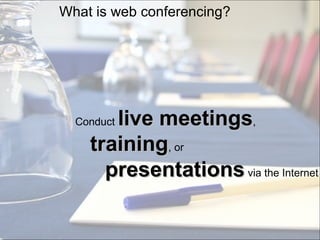
What is  web conferencing ? Conduct  live meetings ,  training , or  presentations  via the Internet
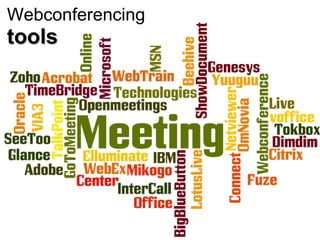
Webconferencing  tools
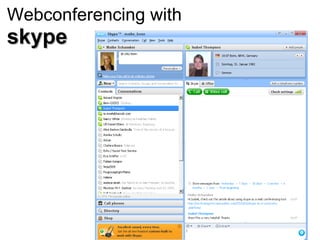
Webconferencing with skype
BENEFITS
It saves you  time  and  money
All you need is a  computer ,  a  headset  and a “good“  internet  connection
Document sharing  and  collaborative  working on the same  document in  real time
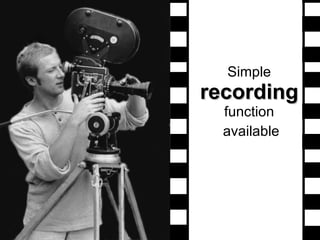
Simple  recording  function   available
CHALLENGES
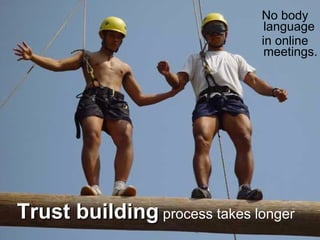
No body language in online meetings. Trust building  process takes longer
Some places still have  low bandwith and even  access  to a headset is not a given
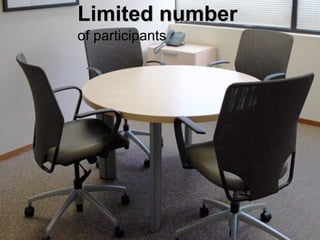
Limited number   of participants
How to  overcome  those challenges?
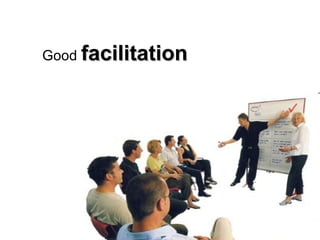
Good  facilitation
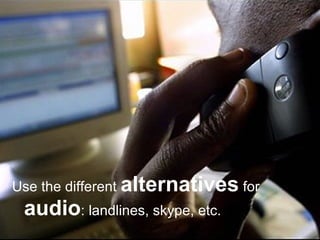
Use the different  alternatives  for  audio : landlines, skype, etc.
How does such an  online environment  look like ?
OUR CASES
What about  you ?
Identify your needs!
„ I would do experience-based  testing  and make a comparison between elluminate, flashmeeting, skype,dimdim, WiZiQ, Sclipo and Vyew. Also see what is  compatible  with your LMS. Both dimdim and Elluminate have plugins into Moodle“  Tom Wambeke, ITC-ILO, Turin, Italy
Resources available on our blog http://www.vie.unu.edu/learninghub/
References Picture „What is webconferecing“:  http://www.forecastvision.com/images/WebConference.jpg   Picture „meeting“http://www.holidayinnkeylargo.com/images/pic_meeting.jpg  Picture „time and money“:  http://www.lohn-buchhaltung-kiel.de/images/zeit_ist_geld_sw.jpg Picture „computer, headset, internet“:  http://www.digitalproductionme.com/pictures/gallery/Broadcast%20Business/300x200/digital_cable_world.JPG   Pitcture for „simultaneous working on document“:  http://tiffanydjackson.com/wp-content/uploads/2009/06/editing.jpg Picture for “trust building“:  http://www.madisonavenuejournal.com/images/trust21.jpg Picture for „use alternatives“:  http://www.bbc.co.uk/blogs/technology/phone_computer_kenya.jpg Picture for „resource library“:  http://www.phada.org/resource/resource_library_logo.jpg   Limited Participants „Chairs“:  http://www.officeevolution.com/locations/boulder_pearl_street/pics/Small-Conference-Room.jpg
ToolZone by Jane Hart:  LEARNING TOOLS DIRECTORY 2010, Live Tools   http://www.c4lpt.co.uk/Directory/Tools/conferencing.html Explanation Web conferencing  http://en.wikipedia.org/wiki/Web_conferencing Tools  www.wiziq.com ,  www.sclipo.com ,  www.vyew.com ,  www.didmdim.com ,  www.webex.com ,  http://bigbluebutton.org ,  www.skype.com ,  www.elluminate.com ,  http://flashmeeting.open.ac.uk/home.html *** SCIENTIA Learning Hub *** http://www.vie.unu.edu/learninghub/

Brown Bag Lunch - Webconferencing

  • 1.
    Webconferencing Organized by Brown Bag Luncheon Series Room 2309
  • 2.
    What is web conferencing ? Conduct live meetings , training , or presentations via the Internet
  • 3.
  • 4.
  • 5.
  • 6.
    It saves you time and money
  • 7.
    All you needis a computer , a headset and a “good“ internet connection
  • 8.
    Document sharing and collaborative working on the same document in real time
  • 9.
    Simple recording function available
  • 10.
  • 11.
    No body languagein online meetings. Trust building process takes longer
  • 12.
    Some places stillhave low bandwith and even access to a headset is not a given
  • 13.
    Limited number of participants
  • 14.
    How to overcome those challenges?
  • 15.
  • 16.
    Use the different alternatives for audio : landlines, skype, etc.
  • 17.
    How does suchan online environment look like ?
  • 18.
  • 19.
  • 20.
  • 21.
    „ I woulddo experience-based testing and make a comparison between elluminate, flashmeeting, skype,dimdim, WiZiQ, Sclipo and Vyew. Also see what is compatible with your LMS. Both dimdim and Elluminate have plugins into Moodle“ Tom Wambeke, ITC-ILO, Turin, Italy
  • 22.
    Resources available onour blog http://www.vie.unu.edu/learninghub/
  • 23.
    References Picture „Whatis webconferecing“: http://www.forecastvision.com/images/WebConference.jpg Picture „meeting“http://www.holidayinnkeylargo.com/images/pic_meeting.jpg Picture „time and money“: http://www.lohn-buchhaltung-kiel.de/images/zeit_ist_geld_sw.jpg Picture „computer, headset, internet“: http://www.digitalproductionme.com/pictures/gallery/Broadcast%20Business/300x200/digital_cable_world.JPG Pitcture for „simultaneous working on document“: http://tiffanydjackson.com/wp-content/uploads/2009/06/editing.jpg Picture for “trust building“: http://www.madisonavenuejournal.com/images/trust21.jpg Picture for „use alternatives“: http://www.bbc.co.uk/blogs/technology/phone_computer_kenya.jpg Picture for „resource library“: http://www.phada.org/resource/resource_library_logo.jpg Limited Participants „Chairs“: http://www.officeevolution.com/locations/boulder_pearl_street/pics/Small-Conference-Room.jpg
  • 24.
    ToolZone by JaneHart: LEARNING TOOLS DIRECTORY 2010, Live Tools http://www.c4lpt.co.uk/Directory/Tools/conferencing.html Explanation Web conferencing http://en.wikipedia.org/wiki/Web_conferencing Tools www.wiziq.com , www.sclipo.com , www.vyew.com , www.didmdim.com , www.webex.com , http://bigbluebutton.org , www.skype.com , www.elluminate.com , http://flashmeeting.open.ac.uk/home.html *** SCIENTIA Learning Hub *** http://www.vie.unu.edu/learninghub/

Editor's Notes

  • #2 Show Alec Couros video
  • #9 No confusion through different versions.
  • #18 Hand over to Isabel who explains the interface on the pinboard template
  • #19 Introduce context for UNeLearn online meeting. Play Tom‘s video Let Isabel explain Nancy‘s role as the facilitator Maike+ team explain Lessons Learned Show video with Claudia
  • #20 Start discussion with participants
  • #22 Most offer a 30-day trial version. We also did this and only bought the license afterwards.