Unit – 5
Central Processing Unit
Topics to be covered
• Introduction
• General Register Organization
• Stack Organization
• Instruction format
• Addressing Modes
• Data transfer and manipulation
• Program Control
• Reduced Instruction Set Computer (RISC)
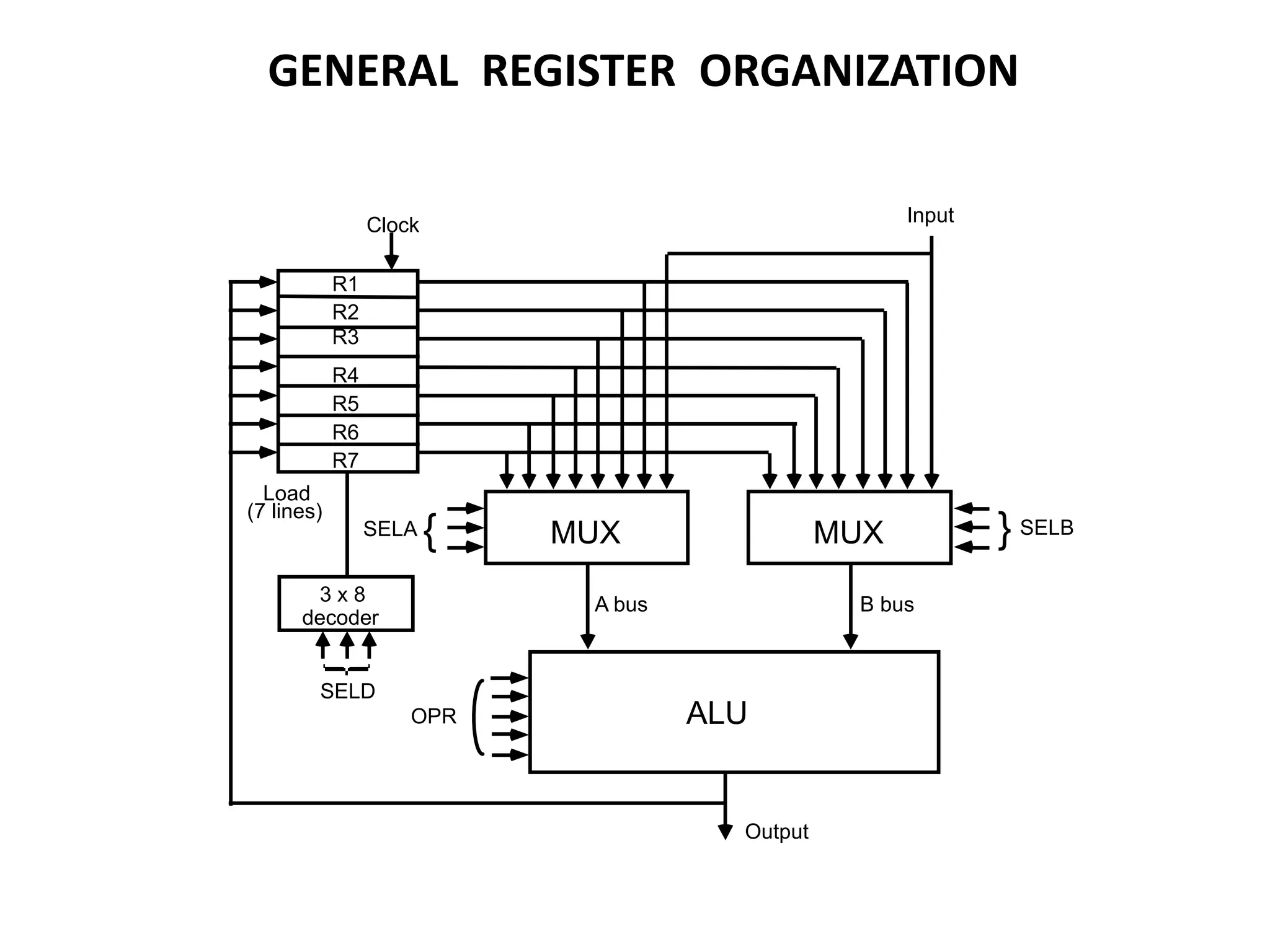
MUX
SELA { MUX } SELB
ALU
OPR
R1
R2
R3
R4
R5
R6
R7
Input
3 x 8
decoder
SELD
Load
(7 lines)
Output
A bus B bus
Clock
GENERAL REGISTER ORGANIZATION
OPERATION OF CONTROL UNIT
The control unit
Directs the information flow through ALU by
- Selecting various Components in the system
- Selecting the Function of ALU
Example: R1  R2 + R3
[1] MUX A selector (SELA): BUS A  R2
[2] MUX B selector (SELB): BUS B  R3
[3] ALU operation selector (OPR): ALU to ADD
[4] Decoder destination selector (SELD): R1  Out Bus
Control Word SELA SELB SELD OPR
3 3 3 5
Encoding of register selection fields
Binary
Code SELA SELB SELD
000 Input Input None
001 R1 R1 R1
010 R2 R2 R2
011 R3 R3 R3
100 R4 R4 R4
101 R5 R5 R5
110 R6 R6 R6
111 R7 R7 R7
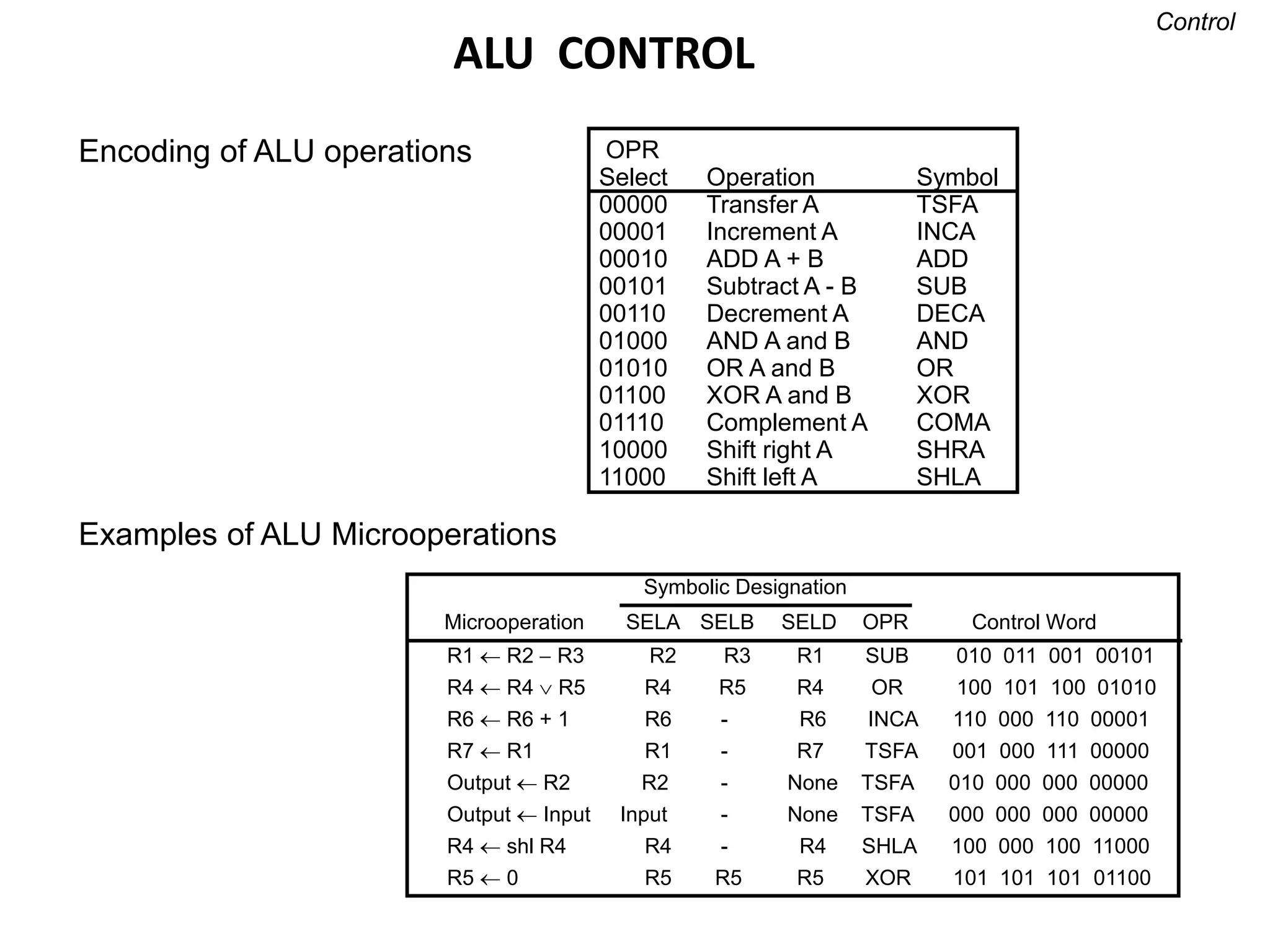
ALU CONTROL
Encoding of ALU operations OPR
Select Operation Symbol
00000 Transfer A TSFA
00001 Increment A INCA
00010 ADD A + B ADD
00101 Subtract A - B SUB
00110 Decrement A DECA
01000 AND A and B AND
01010 OR A and B OR
01100 XOR A and B XOR
01110 Complement A COMA
10000 Shift right A SHRA
11000 Shift left A SHLA
Examples of ALU Microoperations
Symbolic Designation
Microoperation SELA SELB SELD OPR Control Word
Control
R1  R2  R3 R2 R3 R1 SUB 010 011 001 00101
R4  R4  R5 R4 R5 R4 OR 100 101 100 01010
R6  R6 + 1 R6 - R6 INCA 110 000 110 00001
R7  R1 R1 - R7 TSFA 001 000 111 00000
Output  R2 R2 - None TSFA 010 000 000 00000
Output  Input Input - None TSFA 000 000 000 00000
R4  shl R4 R4 - R4 SHLA 100 000 100 11000
R5  0 R5 R5 R5 XOR 101 101 101 01100
Stack
Organization
Stack Organization
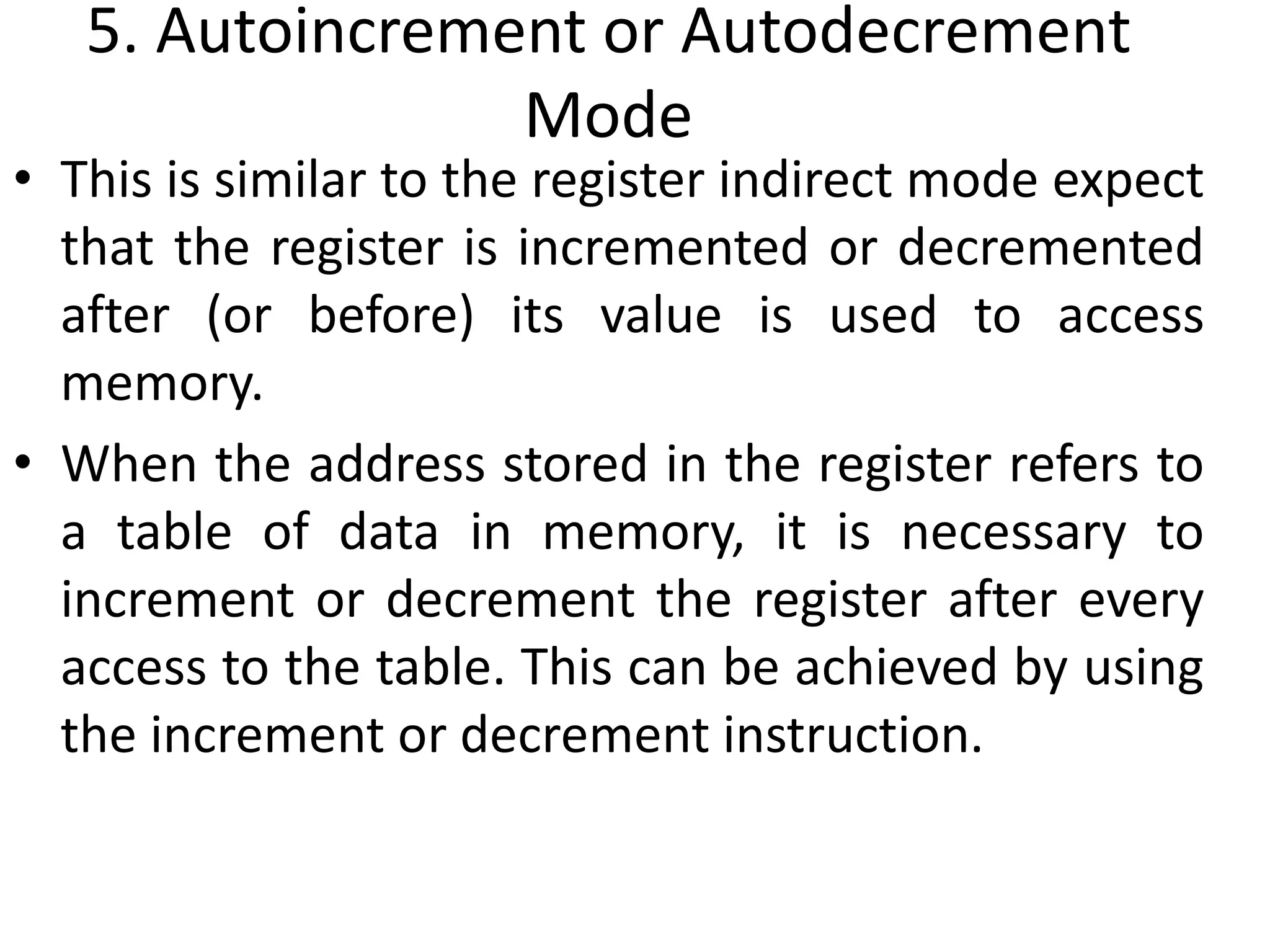
• A stack is a storage device that stores information in
such a manner that the item stored last is the first
item retrieved (LIFO).
• The register that holds the address for the stack is
called a stack pointer (SP) because its value always
points at the top item in the stack.
• The physical registers of a stack are always available
for reading or writing. It is the content of the word
that is inserted or deleted.
• There are two types of stack organization
1. Register stack – built using registers
2. Memory stack – logical part of memory allocated as stack
Register Stack
C
B
A
DR
FULL EMTY
SP
63
3
2
1
0
4
Address
Register Stack
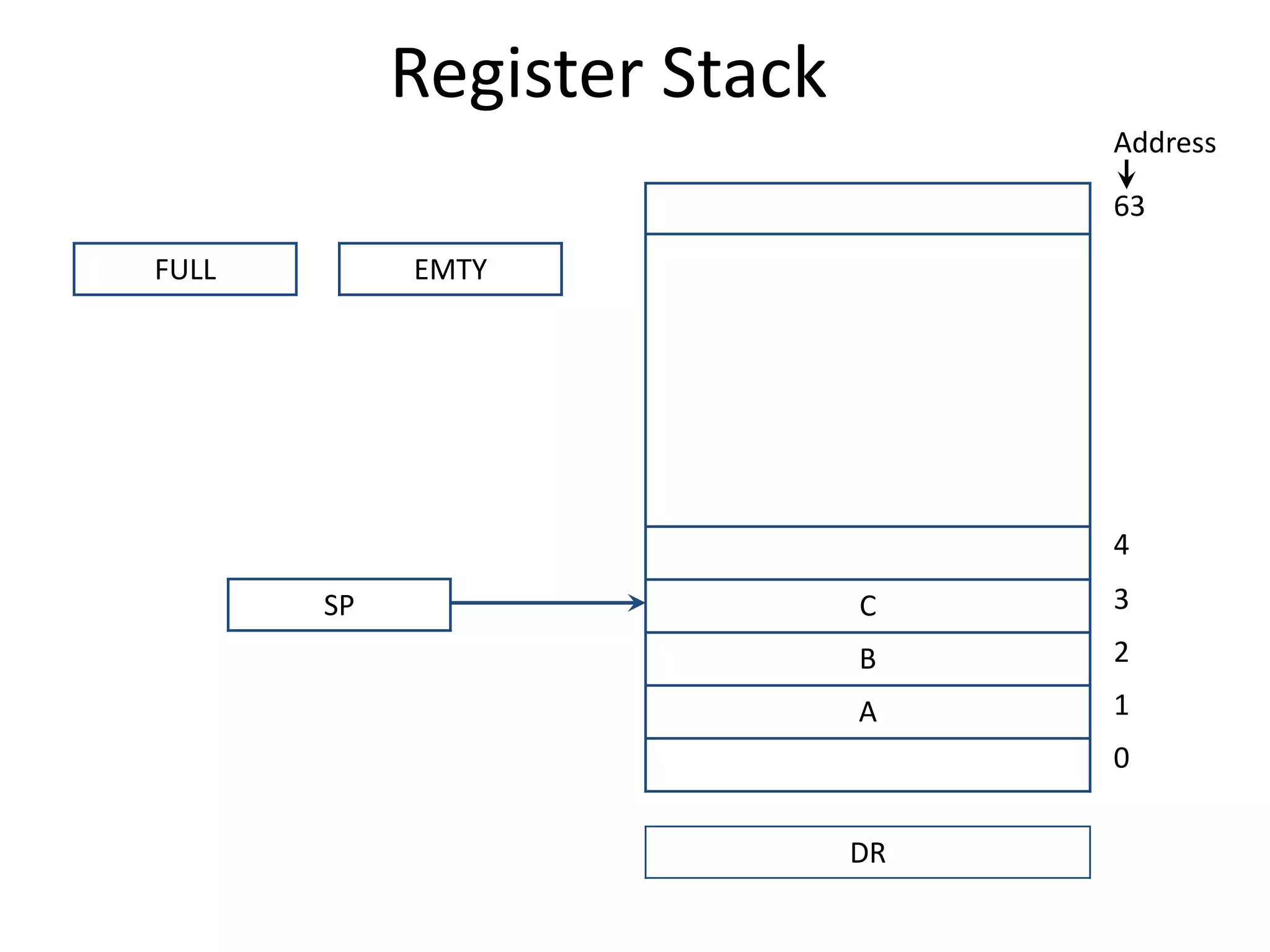
• A stack can be placed in a portion of a large memory or it can be
organized as a collection of a finite number of memory words or
registers. Figure shows the organization of a 64-word register
stack.
• The stack pointer register SP contains a binary number whose
value is equal to the address of the word that is currently on top
of the stack.
• In a 64-word stack, the stack pointer contains 6 bits because 26 =
64.
• Since SP has only six bits, it cannot exceed a number greater than
63 (111111 in binary).
• The one-bit register FULL is set to 1 when the stack is full, and the
one-bit register EMTY is set to 1 when the stack is empty of items.
• DR is the data register that holds the binary data to be written into
or read out of the stack.
Register Stack
• PUSH Operation
SP ← SP + 1
M[SP] ← DR
IF (SP= 0) then (FULL ← 1)
EMTY ← 0
 POP Operation
DR ← M[SP]
SP ← SP - 1
IF (SP= 0) then (EMTY ← 1)
FULL ← 0
//Increment stack pointer
//Write item on top of the stack
//Check if stack is full
//Mark the stack not empty
Memory Stack
Program
(instructions)
Data
(operands)
Stack
DR
1000
Address
2000
3000
3997
3998
3999
4000
4001
PC
AP
SP
Memory Stack
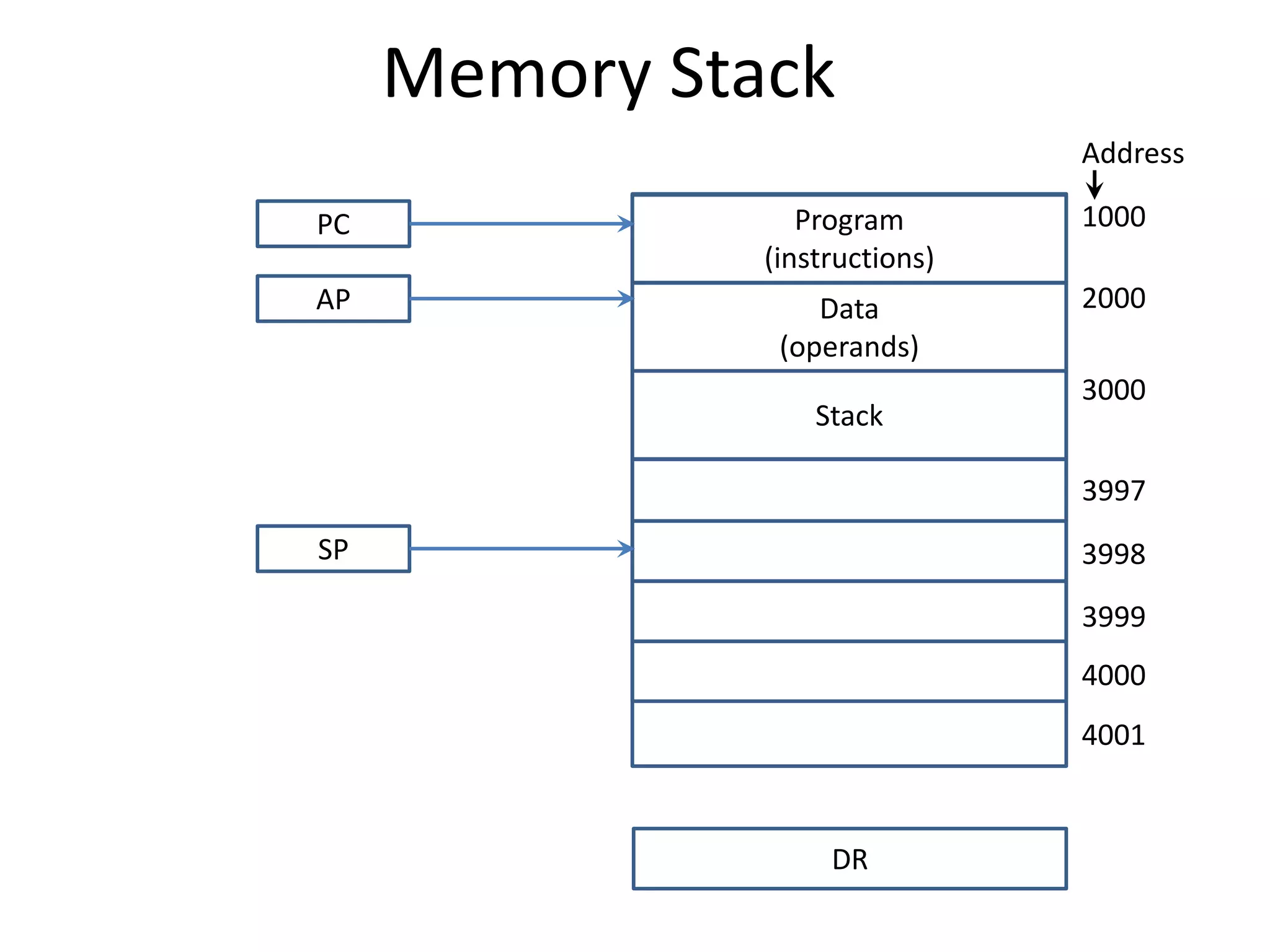
• The implementation of a stack in the CPU is done by
assigning a portion of memory to a stack operation and
using a processor register as a stack pointer.
• Figure shows a portion of computer memory partitioned
into three segments: program, data, and stack.
• The program counter PC points at the address of the next
instruction in the program which is used during the fetch
phase to read an instruction.
• The address registers AR points at an array of data which is
used during the execute phase to read an operand.
• The stack pointer SP points at the top of the stack which is
used to push or pop items into or from the stack.
• We assume that the items in the stack communicate with a
data register DR.
Memory Stack
• PUSH Operation
SP ← SP - 1
M[SP] ← DR
 POP Operation
DR ← M[SP]
SP ← SP + 1
Reverse Polish Notation
• The common mathematical method of writing
arithmetic expressions imposes difficulties when
evaluated by a computer.
• The Polish mathematician Lukasiewicz showed that
arithmetic expressions can be represented in prefix
notation as well as postfix notation.
A + B + AB AB +
Infix Prefix or Polish Postfix or reverse Polish
A * B + C * D AB * CD * +
Reverse Polish
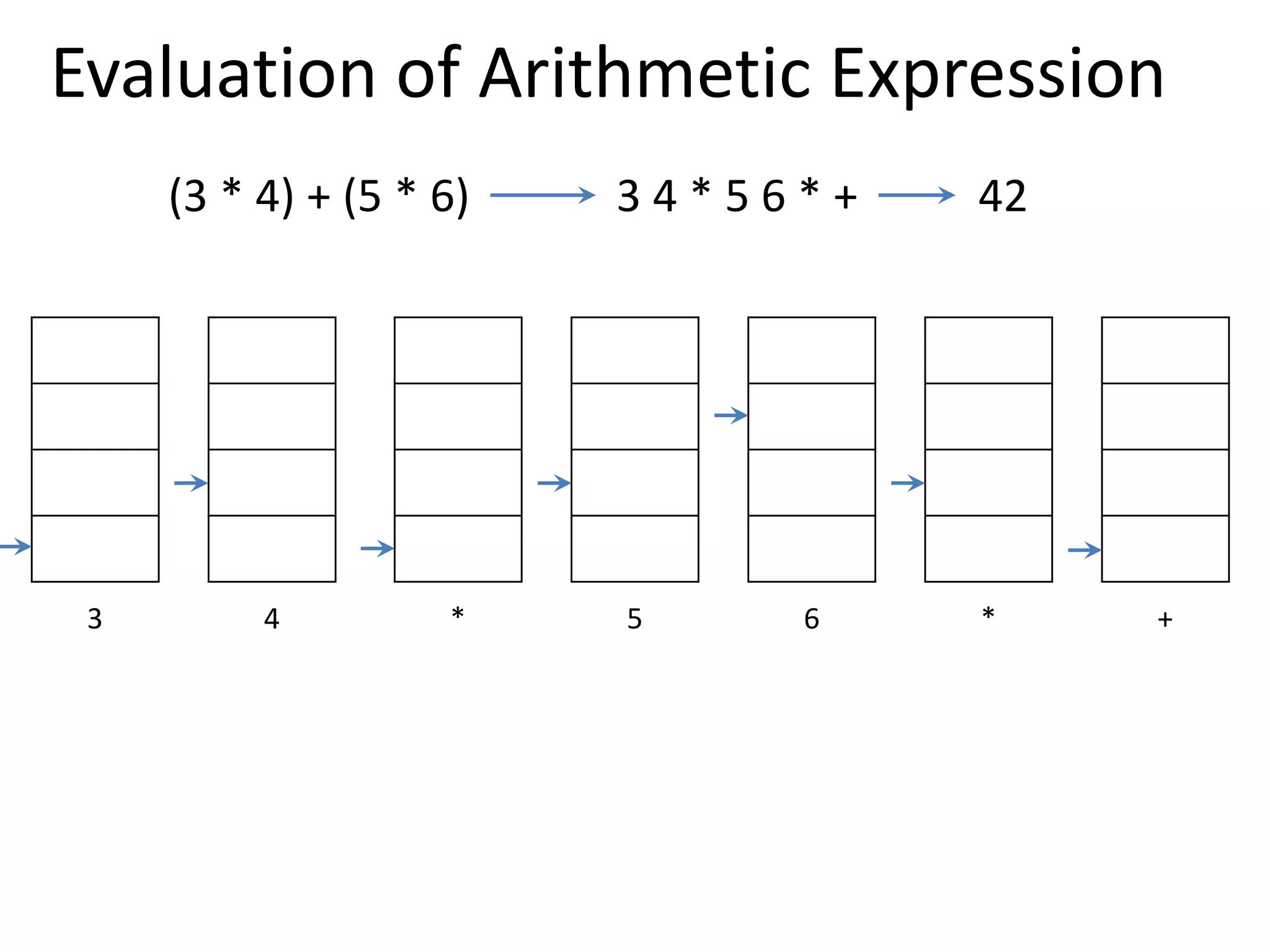
Evaluation of Arithmetic Expression
(3 * 4) + (5 * 6) 3 4 * 5 6 * +
3
4
3 12
5
12
6
5
12
30
12 42
3 4 * 5 6 * +
42
Instruction
Formats
Instruction Formats
• Instructions are categorized into different formats
with respect to the operand fields in the
instructions.
1. Three Address Instructions
2. Two Address Instruction
3. One Address Instruction
4. Zero Address Instruction
5. RISC Instructions
Three Address Instruction
• Computers with three-address instruction formats can
use each address field to specify either a processor
register or a memory operand.
• The program in assembly language that evaluates X =
(A + B) * (C + D) is shown below.
• The advantage of three-address format is that it results
in short programs when evaluating arithmetic
expressions.
• The disadvantage is that the binary-coded instructions
require too many bits to specify three addresses.
ADD R1, A, B R1← M[A]+ M[B]
ADD R2, C, D R2← M[C]+ M[D]
MUL X, R1, R2 M[X]← R1 * R2
Two Address Instruction
• Two address instructions are the most common in
commercial computers. Here again each address field can
specify either a processor register or a memory word.
• The program to evaluate X = (A + B) * (C + D) is as follows:
MOV R1, A R1← M[A]
ADD R1, B R1← R1+ M[B]
MOV R2, C R2← M[C]
ADD R2, D R2← R2+ M[D]
MUL R1, R2 R1← R1 * R2
M[X]← R1
MOV X, R1
One Address Instruction
• One address instructions use an implied accumulator (AC)
register for all data manipulation.
• For multiplication and division these is a need for a second
register.
• However, here we will neglect the second register and
assume that the AC contains the result of all operations.
• The program to evaluate X = (A + B) * (C + D) is
LOAD A AC← M[A]
ADD B AC← AC+M[B]
STORE T M[T]←AC
LOAD C AC← M[C]
ADD D AC← AC+M[D]
MUL T AC← AC*M[T]
STORE X M[X]←AC
Zero Address Instruction
• A stack-organized computer does not use an address field for the
instructions ADD and MUL.
• The PUSH and POP instructions, however, need an address field to
specify the operand that communicates with the stack.
• The program to evaluate X = (A + B) * (C + D) will be written for a stack-
organized computer.
• To evaluate arithmetic expressions in a stack computer, it is necessary to
convert the expression into reverse polish notation.
PUSH A TOS← M[A]
PUSH B TOS← M[B]
ADD TOS←(A+B)
PUSH C TOS← M[C]
PUSH D TOS← M[D]
ADD TOS←(C+D)
MUL TOS←(C+D)*(A+B)
POP X M[X] ← TOS
RISC Instruction
• The instruction set of a typical RISC processor is restricted to the use of load
and store instructions when communicating between memory and CPU.
• All other instructions are executed within the registers of the CPU without
referring to memory.
• A program for a RISC type CPU consists of LOAD and STORE instructions that
have one memory and one register address, and computational-type
instructions that have three addresses with all three specifying processor
registers.
• The following is a program to evaluate X = (A + B) * (C + D)
LOAD R1, A R1← M[A]
LOAD R2, B R2← M[B]
LOAD R3, C R3← M[C]
LOAD R4, D R4← M[D]
ADD R1, R1, R2 R1← R1+R2
ADD R3, R3, R4 R3← R3+R4
MUL R1, R1, R3 R1← R1*R3
STORE X, R1 M[X] ← R1
Addressing
Modes
Addressing Modes
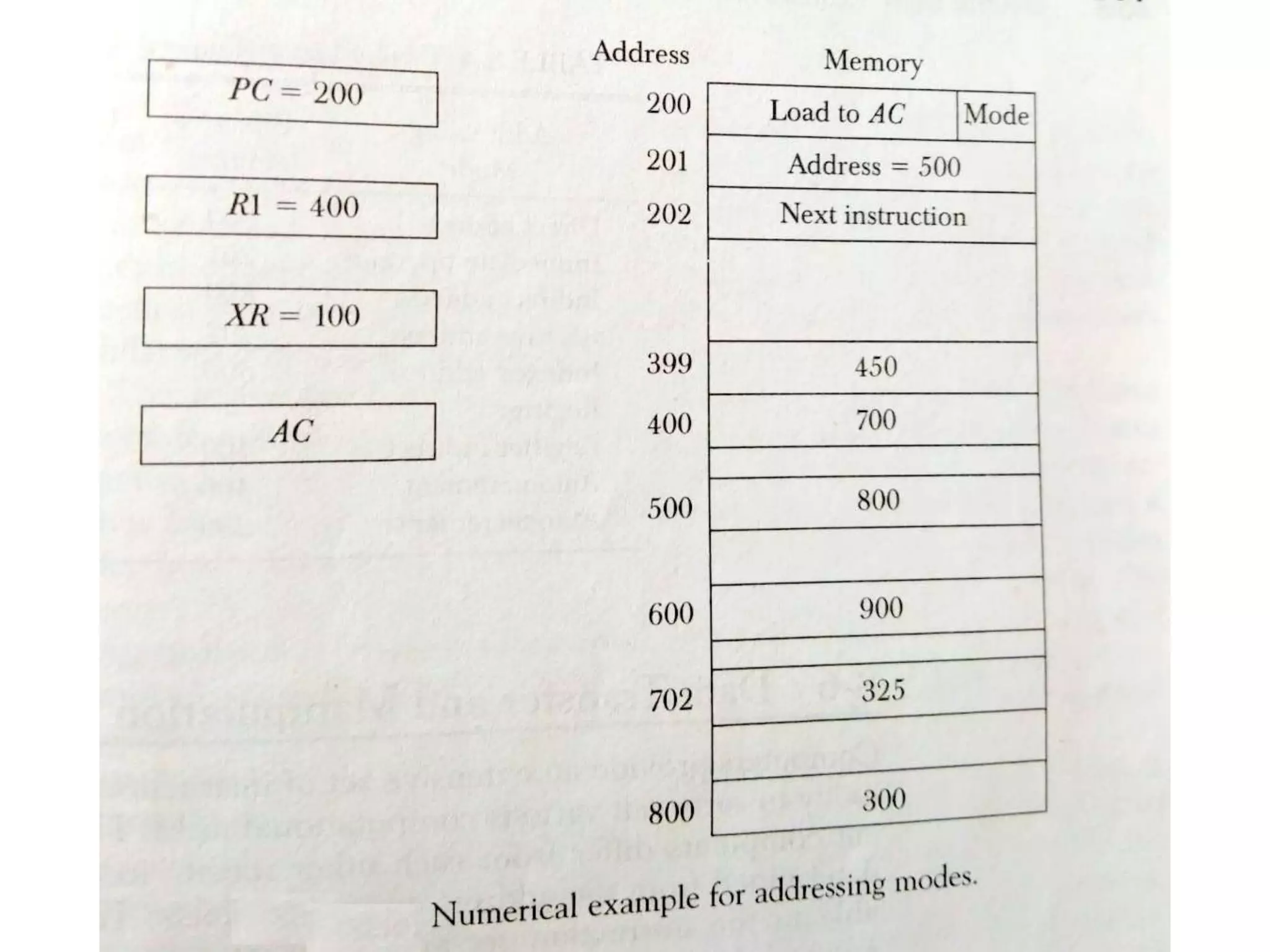
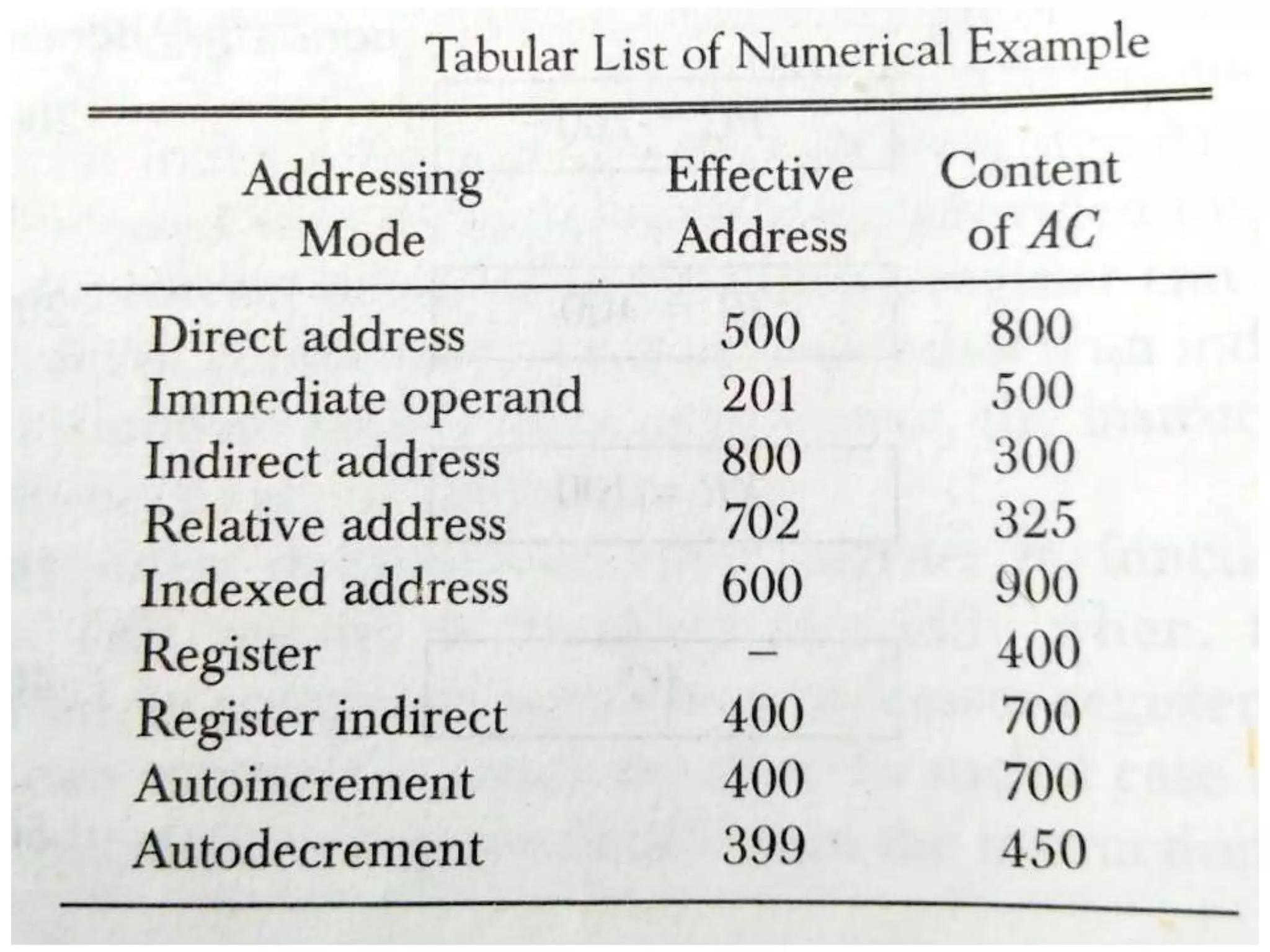
• The addressing mode specifies a rule for interpreting
or modifying the address field of the instruction
before the operand is actually referenced.
• Computers use addressing mode techniques for the
purpose of accommodating one or both of the
following provisions:
1. To give programming versatility to the user by providing
such facilities as pointers to memory, counters for loop
control, indexing of data, and program relocation.
2. To reduce the number of bits in the addressing field of
the instruction.
• There are basic 10 addressing modes supported by
the computer.
Addressing Modes
1. Implied Mode
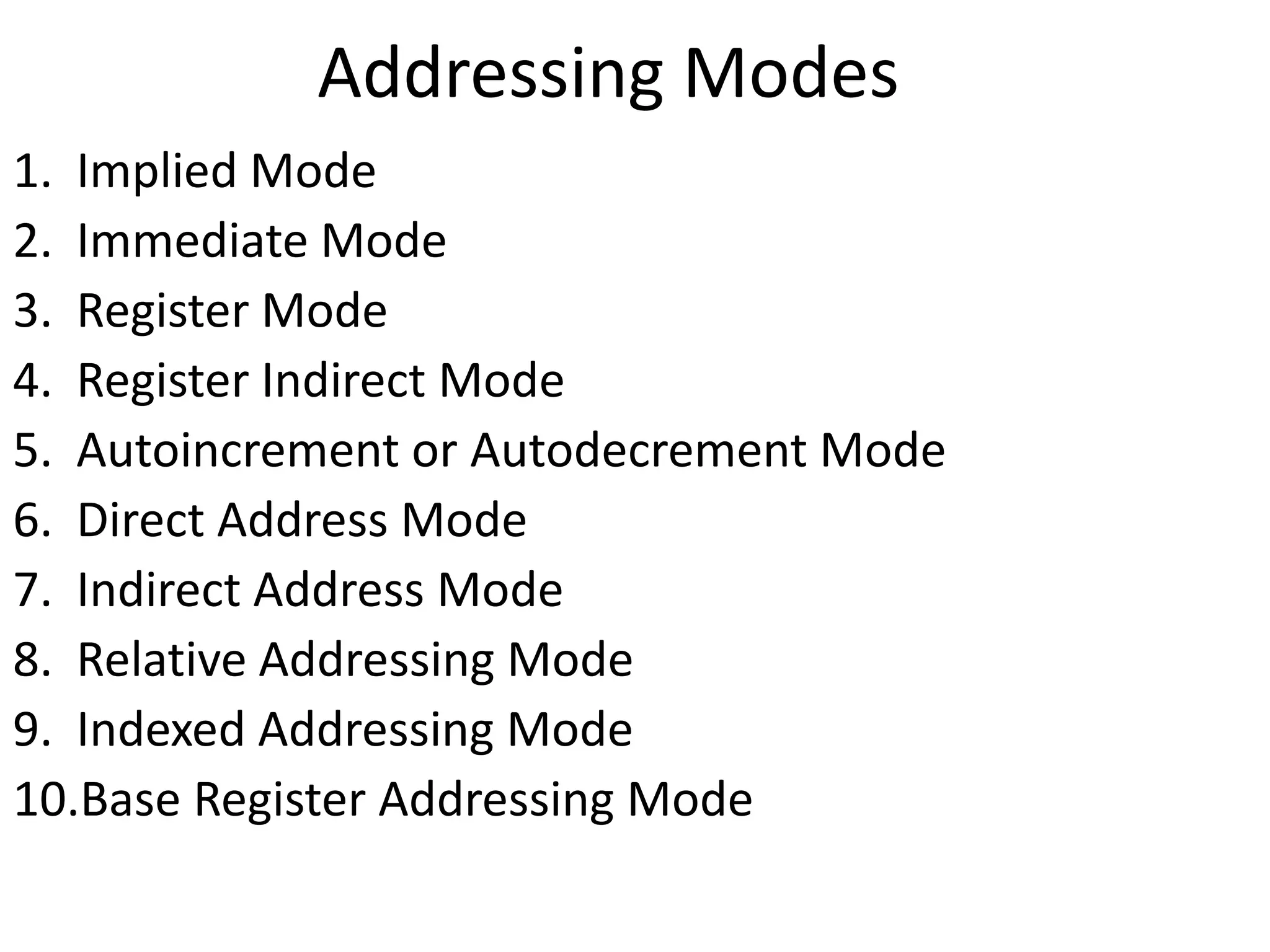
2. Immediate Mode
3. Register Mode
4. Register Indirect Mode
5. Autoincrement or Autodecrement Mode
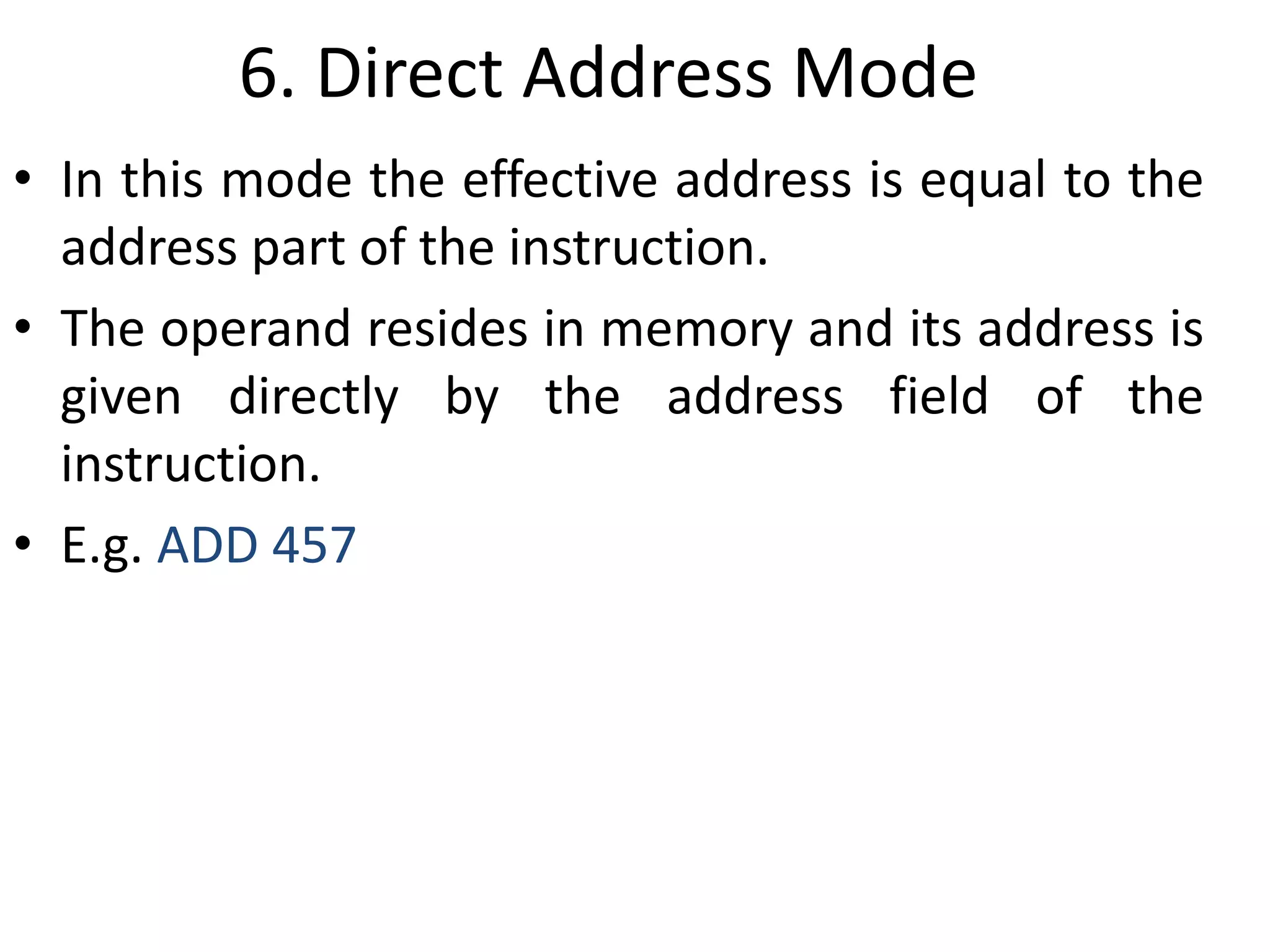
6. Direct Address Mode
7. Indirect Address Mode
8. Relative Addressing Mode
9. Indexed Addressing Mode
10.Base Register Addressing Mode
1. Implied Mode
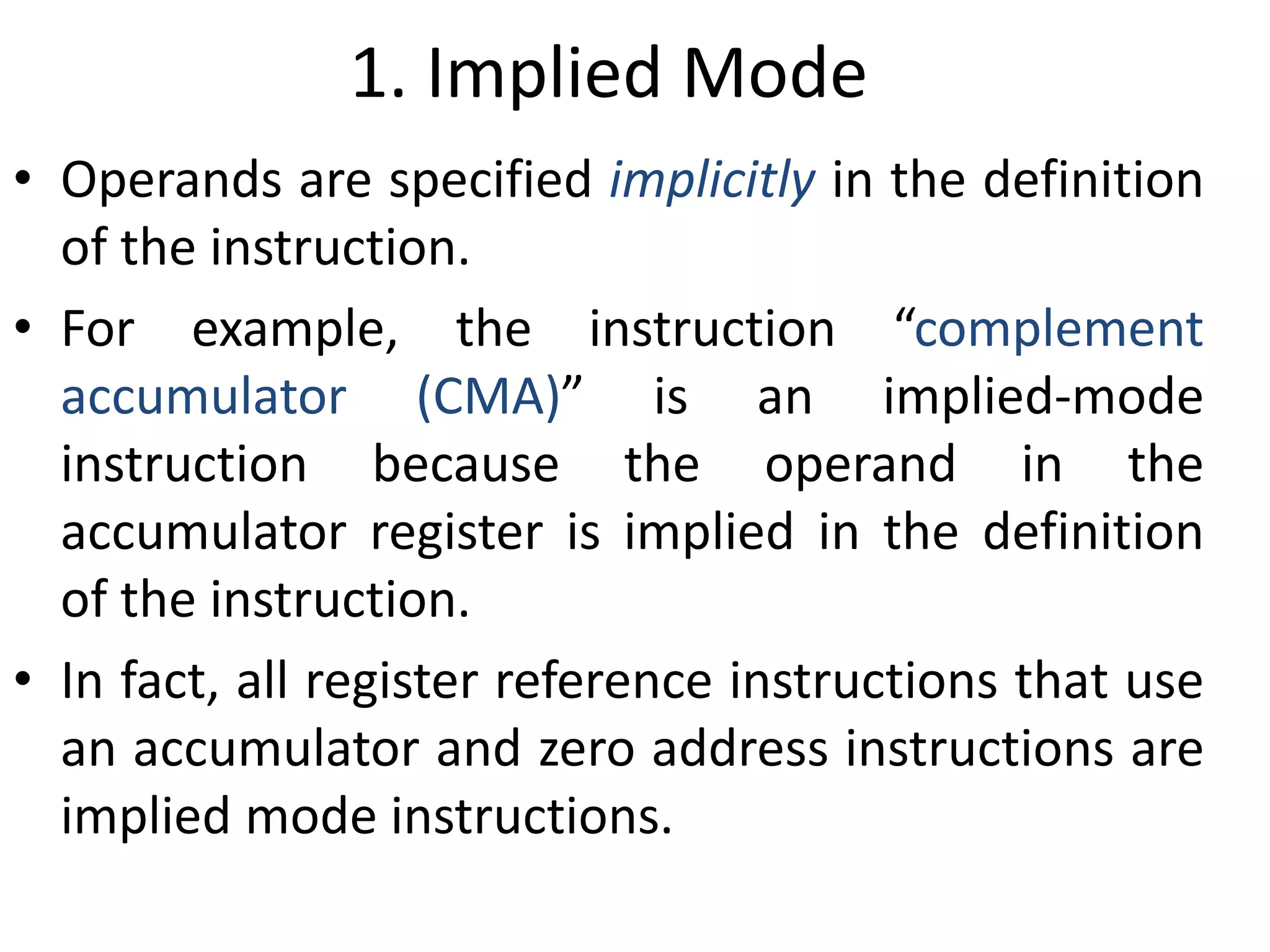
• Operands are specified implicitly in the definition
of the instruction.
• For example, the instruction “complement
accumulator (CMA)” is an implied-mode
instruction because the operand in the
accumulator register is implied in the definition
of the instruction.
• In fact, all register reference instructions that use
an accumulator and zero address instructions are
implied mode instructions.
2. Immediate Mode
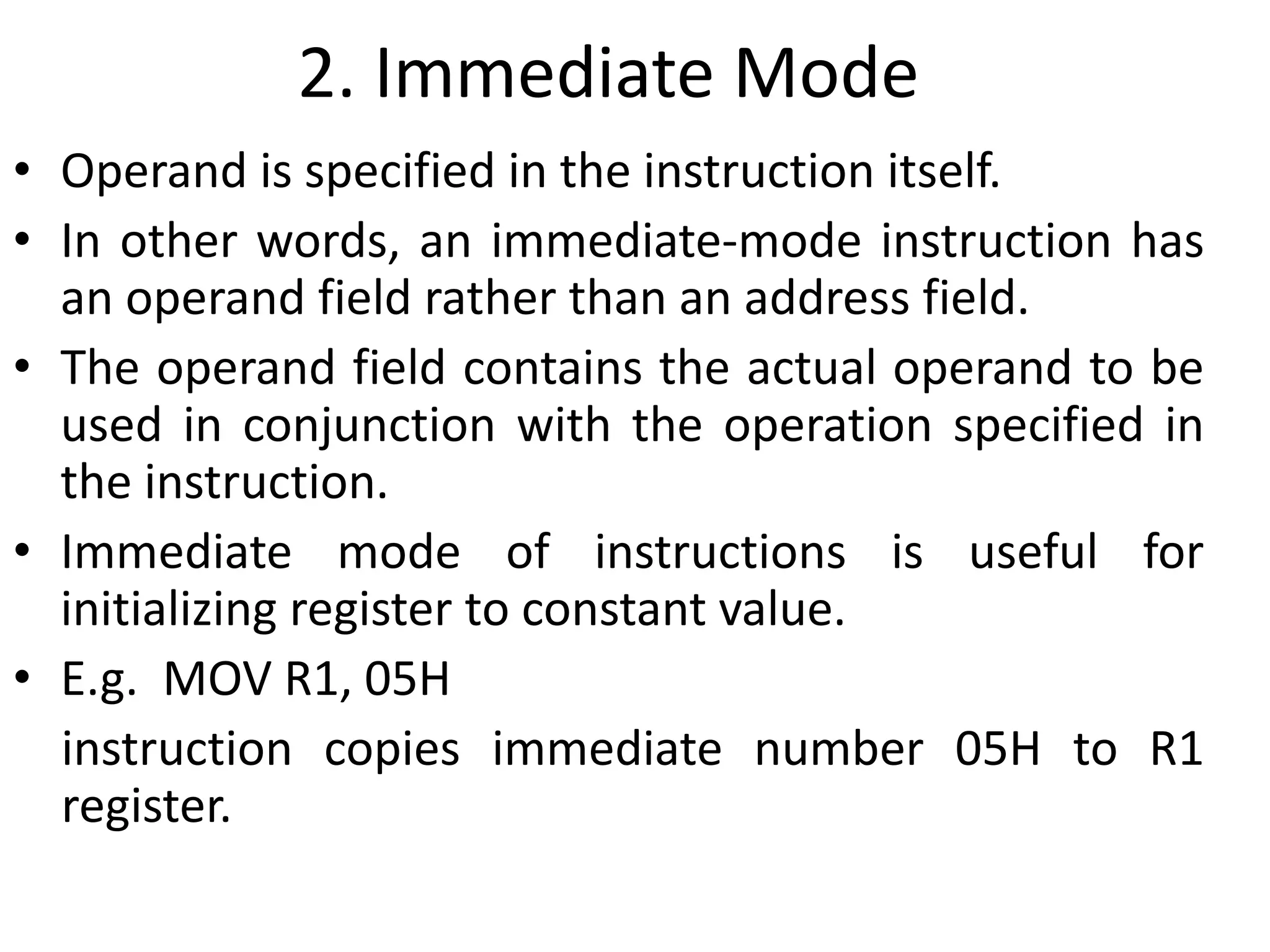
• Operand is specified in the instruction itself.
• In other words, an immediate-mode instruction has
an operand field rather than an address field.
• The operand field contains the actual operand to be
used in conjunction with the operation specified in
the instruction.
• Immediate mode of instructions is useful for
initializing register to constant value.
• E.g. MOV R1, 05H
instruction copies immediate number 05H to R1
register.
3. Register Mode
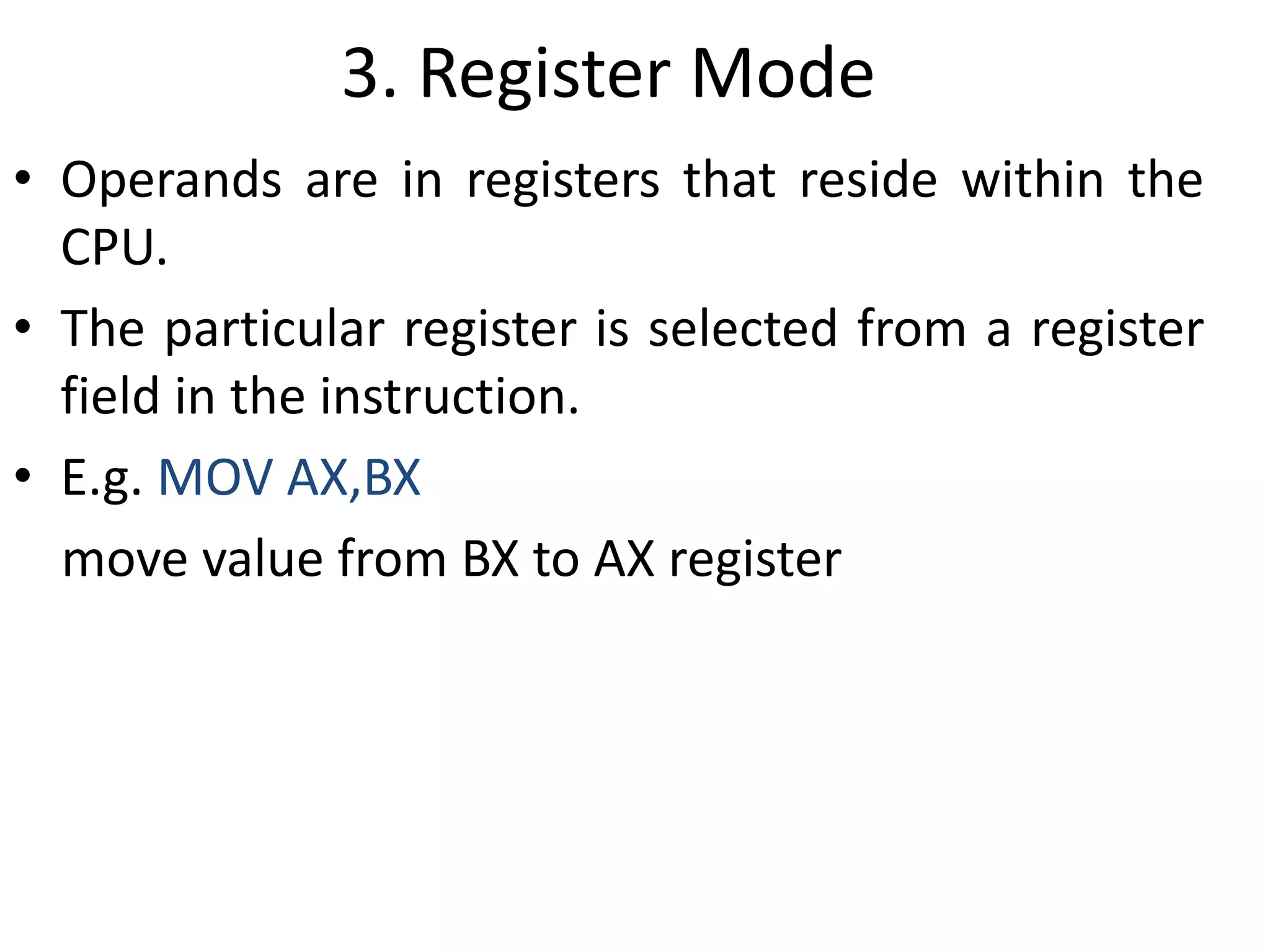
• Operands are in registers that reside within the
CPU.
• The particular register is selected from a register
field in the instruction.
• E.g. MOV AX,BX
move value from BX to AX register
4. Register Indirect Mode
• In this mode the instruction specifies a register in the CPU
whose contents give the address of the operand in
memory.
• Before using a register indirect mode instruction, the
programmer must ensure that the memory address of the
operand is placed in the processor register with a previous
instruction.
• The advantage of this mode is that address field of the
instruction uses fewer bits to select a register than would
have been required to specify a memory address directly.
• E.g. MOV [R1], R2
value of R2 is moved to the memory location specified in
R1.
5. Autoincrement or Autodecrement
Mode
• This is similar to the register indirect mode expect
that the register is incremented or decremented
after (or before) its value is used to access
memory.
• When the address stored in the register refers to
a table of data in memory, it is necessary to
increment or decrement the register after every
access to the table. This can be achieved by using
the increment or decrement instruction.
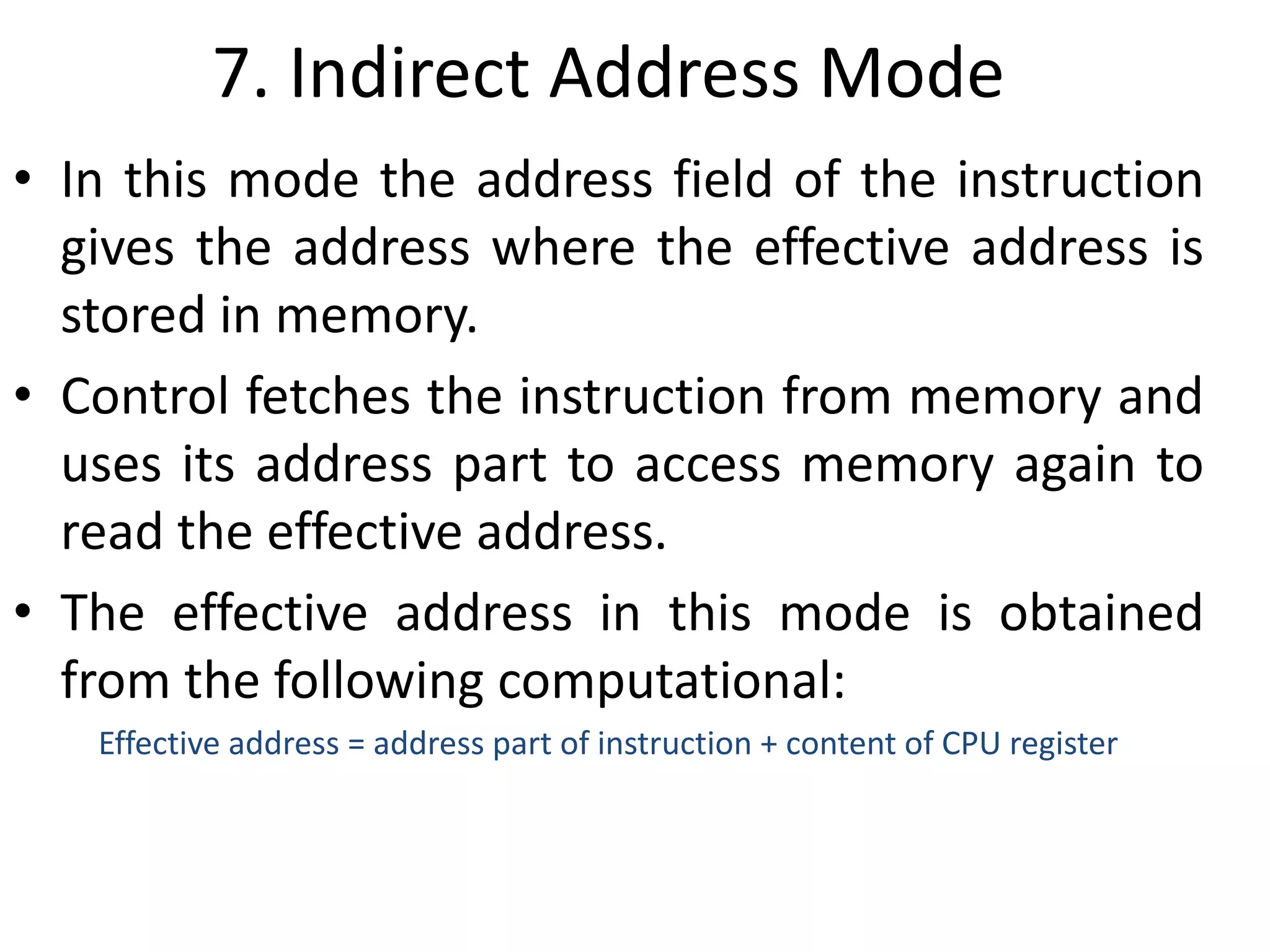
6. Direct Address Mode
• In this mode the effective address is equal to the
address part of the instruction.
• The operand resides in memory and its address is
given directly by the address field of the
instruction.
• E.g. ADD 457
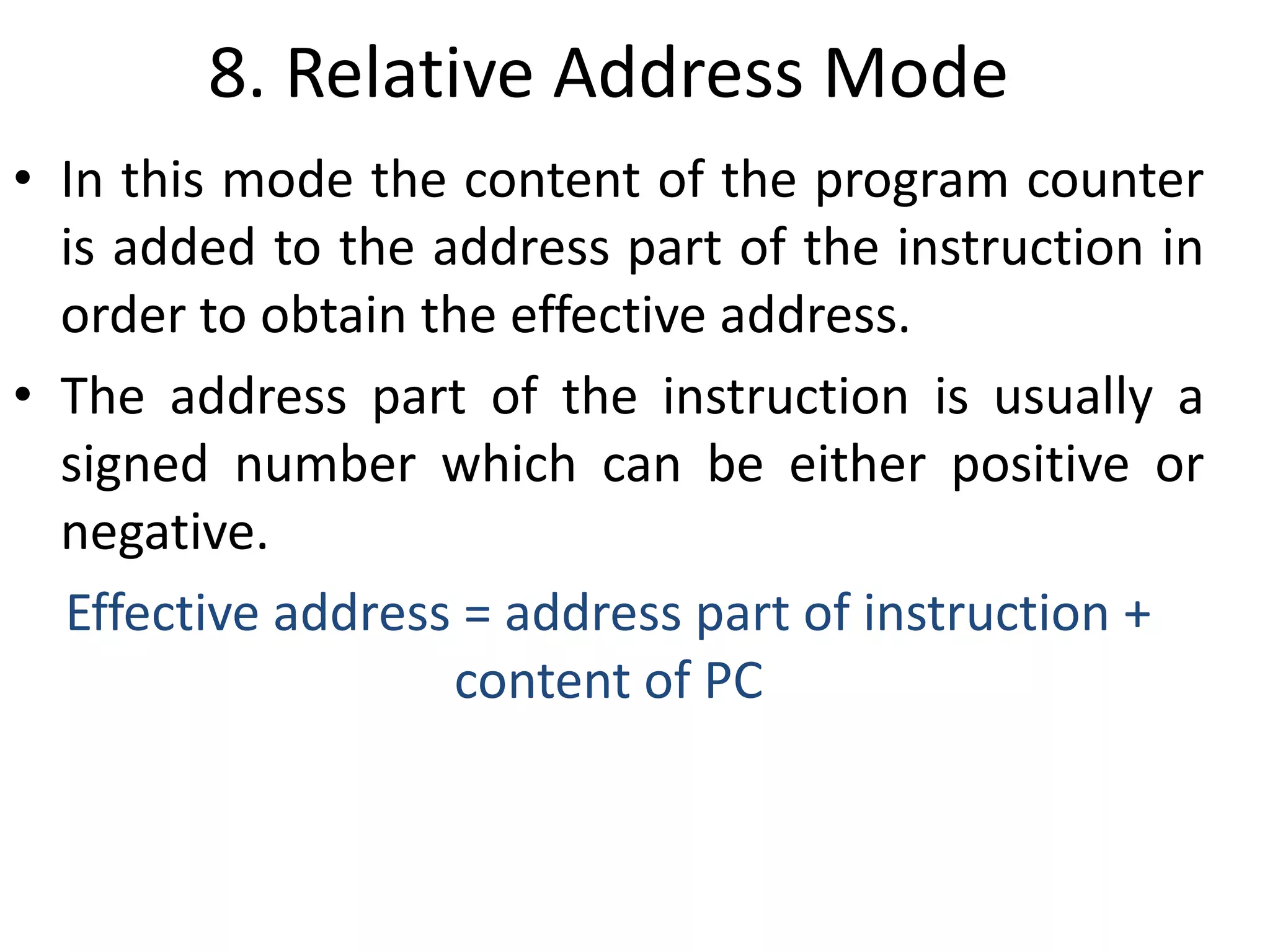
7. Indirect Address Mode
• In this mode the address field of the instruction
gives the address where the effective address is
stored in memory.
• Control fetches the instruction from memory and
uses its address part to access memory again to
read the effective address.
• The effective address in this mode is obtained
from the following computational:
Effective address = address part of instruction + content of CPU register
8. Relative Address Mode
• In this mode the content of the program counter
is added to the address part of the instruction in
order to obtain the effective address.
• The address part of the instruction is usually a
signed number which can be either positive or
negative.
Effective address = address part of instruction +
content of PC
9. Indexed Addressing Mode
• In this mode the content of an index register is
added to the address part of the instruction to
obtain the effective address.
• The indexed register is a special CPU register that
contain an index value.
• The address field of the instruction defines the
beginning address of a data array in memory.
• Each operand in the array is stored in memory
relative to the begging address.
Effective address = address part of instruction +
content of index register
10. Base Register Addressing Mode
• In this mode the content of a base register is
added to the address part of the instruction to
obtain the effective address.
• A base register is assumed to hold a base address
and the address field of the instruction gives a
displacement relative to this base address.
• The base register addressing mode is used in
computers to facilitate the relocation of programs
in memory.
Effective address = address part of instruction +
content of base register
Data transfer &
manipulation
instructions
Data transfer instructions
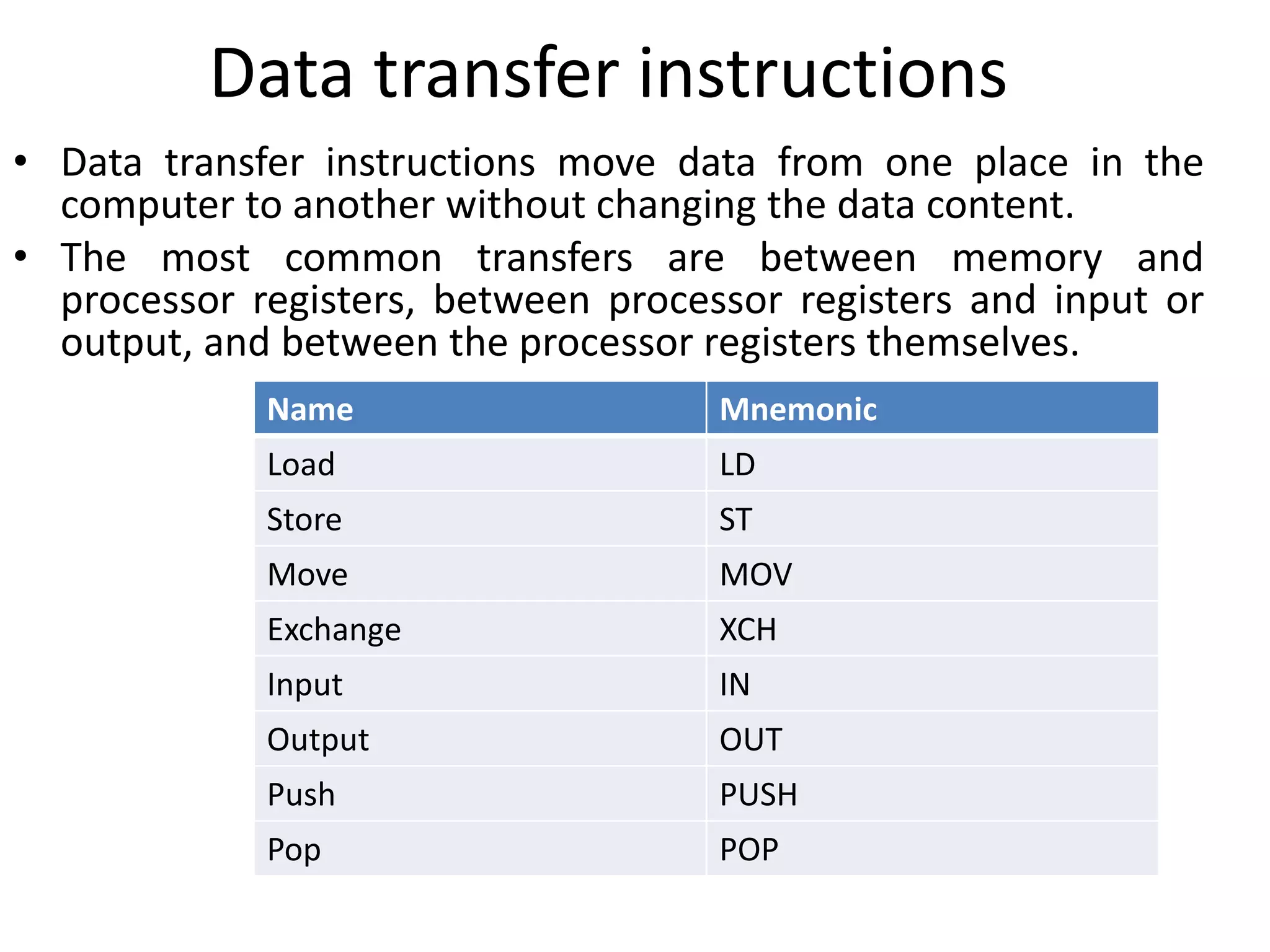
• Data transfer instructions move data from one place in the
computer to another without changing the data content.
• The most common transfers are between memory and
processor registers, between processor registers and input or
output, and between the processor registers themselves.
Name Mnemonic
Load LD
Store ST
Move MOV
Exchange XCH
Input IN
Output OUT
Push PUSH
Pop POP
Data manipulation instructions
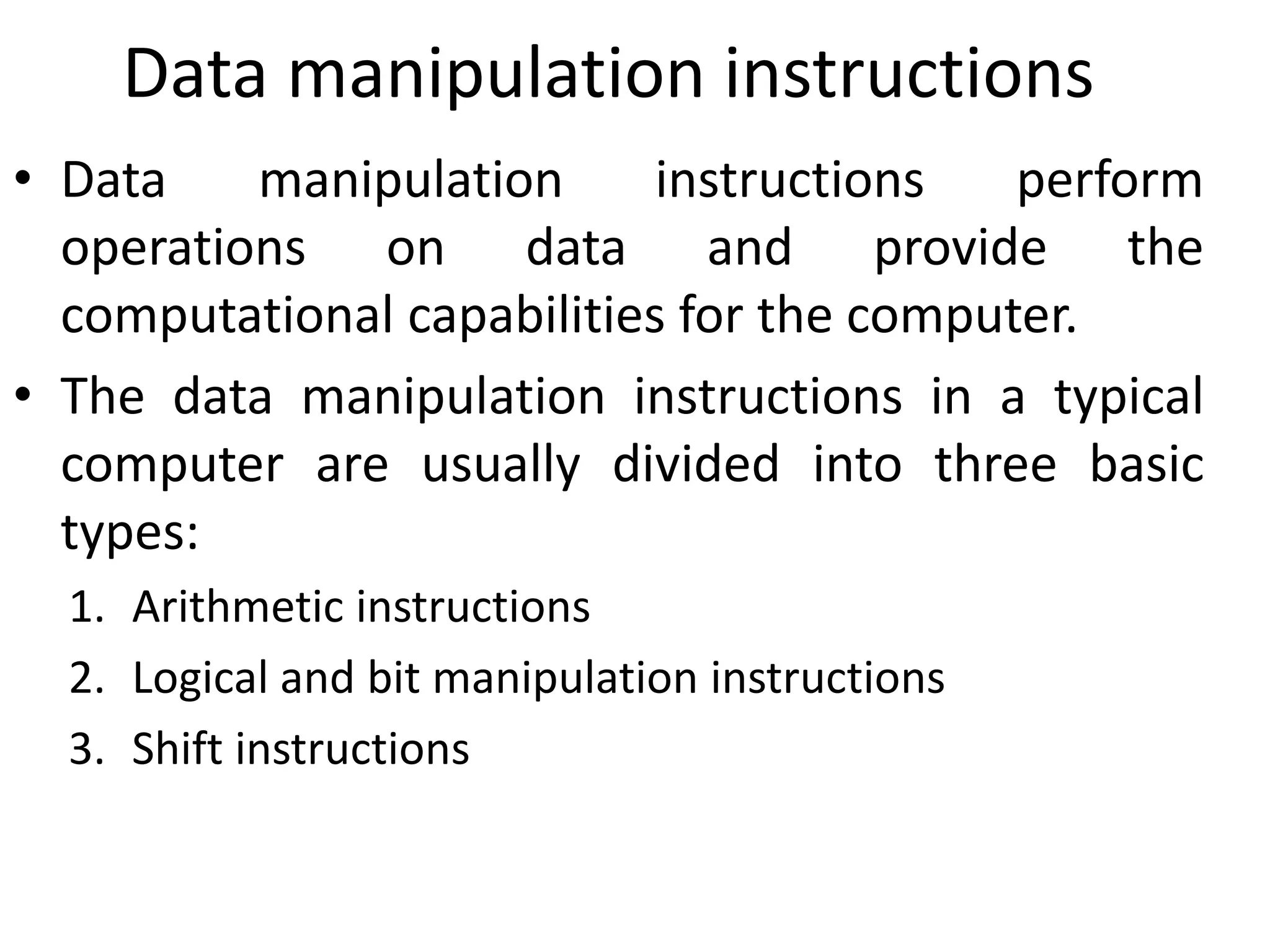
• Data manipulation instructions perform
operations on data and provide the
computational capabilities for the computer.
• The data manipulation instructions in a typical
computer are usually divided into three basic
types:
1. Arithmetic instructions
2. Logical and bit manipulation instructions
3. Shift instructions
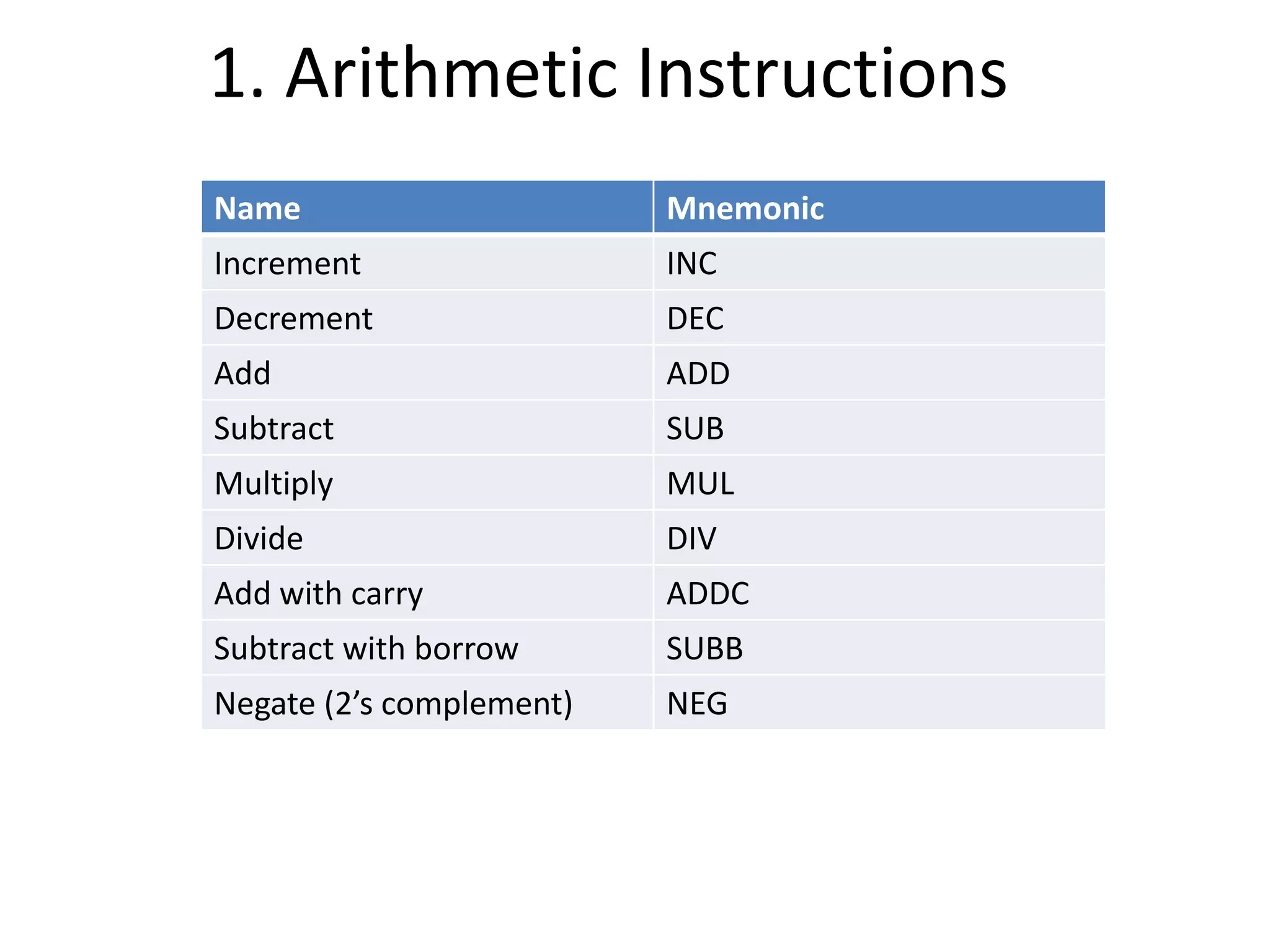
1. Arithmetic Instructions
Name Mnemonic
Increment INC
Decrement DEC
Add ADD
Subtract SUB
Multiply MUL
Divide DIV
Add with carry ADDC
Subtract with borrow SUBB
Negate (2’s complement) NEG
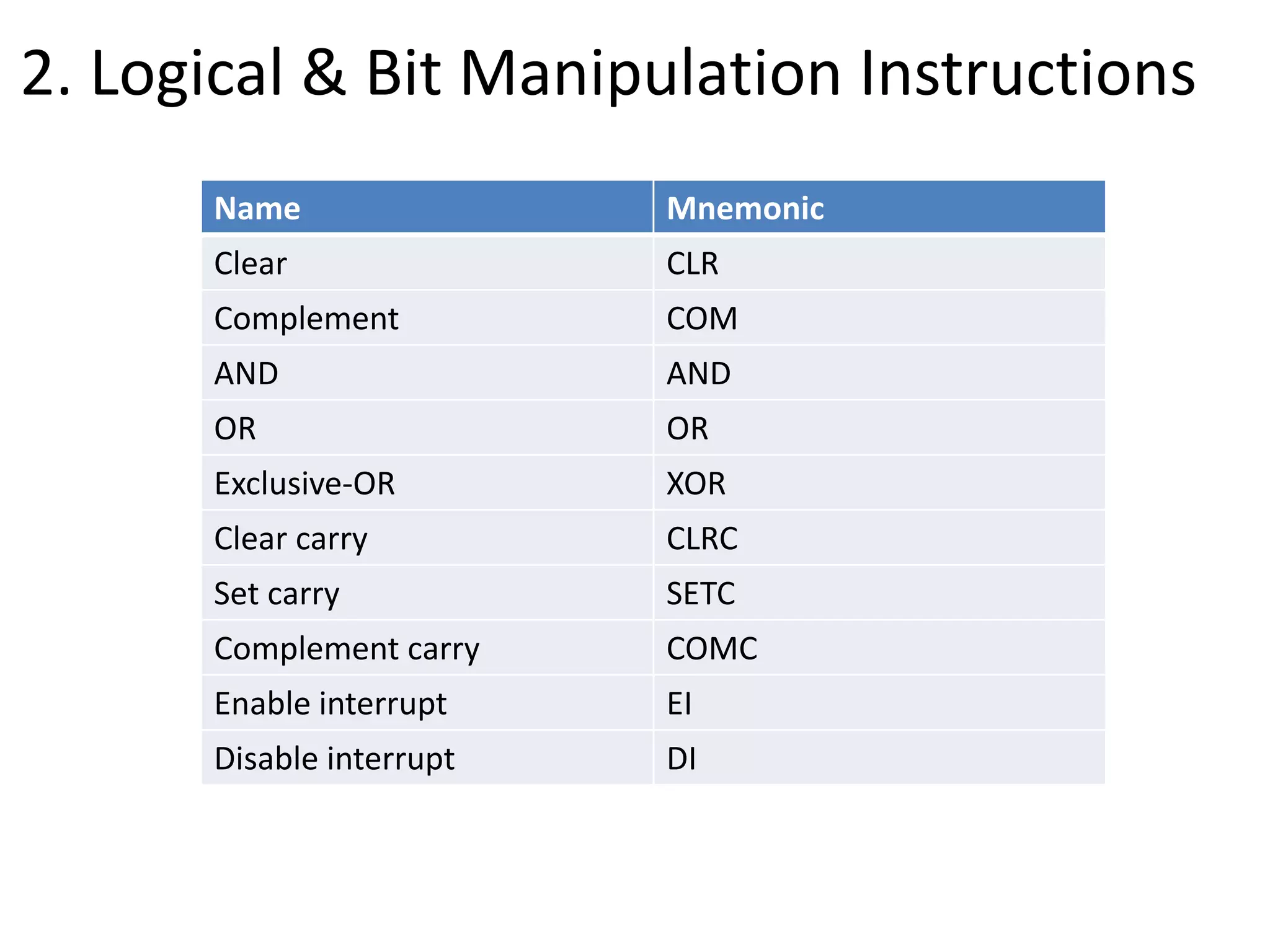
2. Logical & Bit Manipulation Instructions
Name Mnemonic
Clear CLR
Complement COM
AND AND
OR OR
Exclusive-OR XOR
Clear carry CLRC
Set carry SETC
Complement carry COMC
Enable interrupt EI
Disable interrupt DI
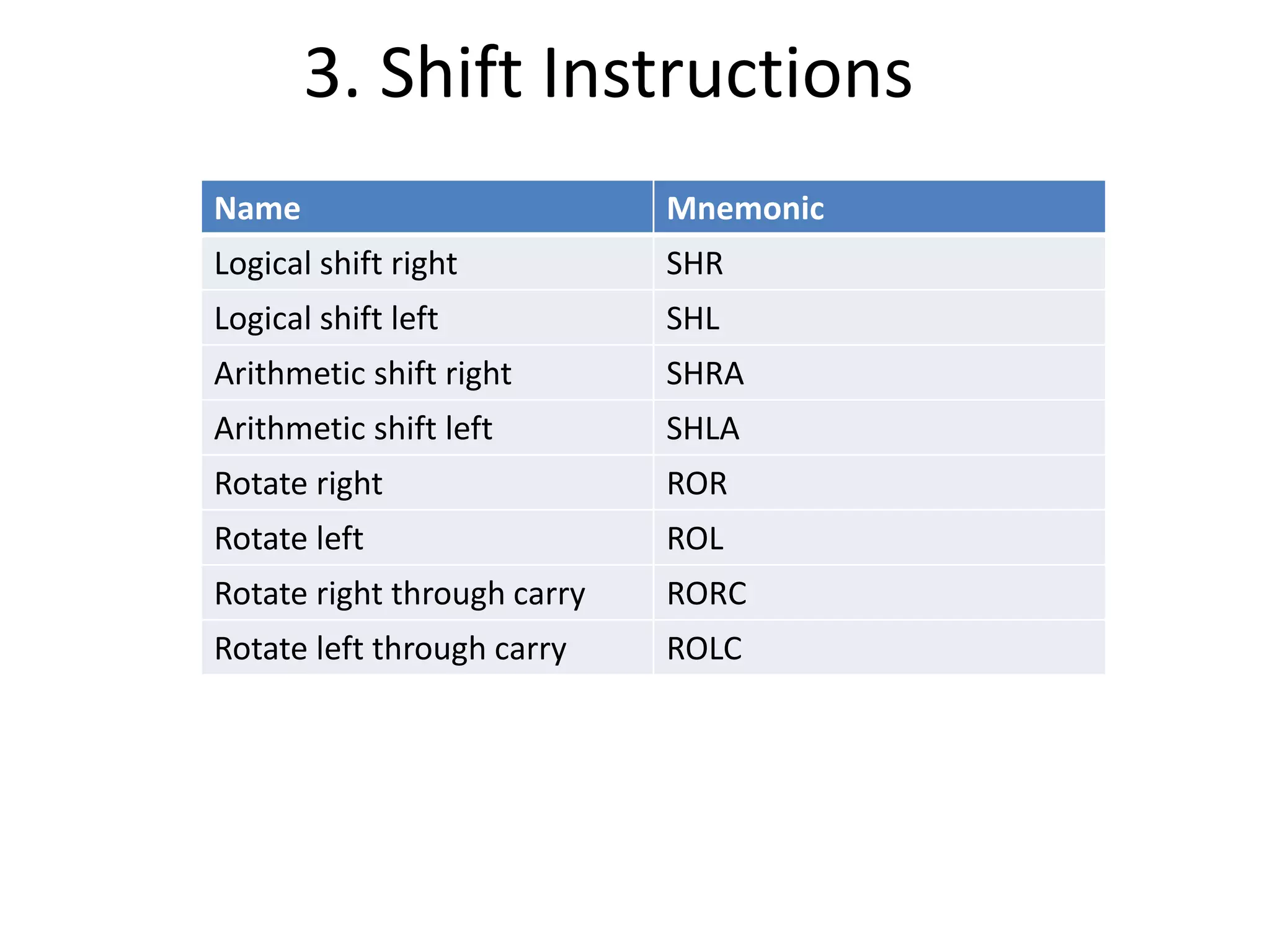
3. Shift Instructions
Name Mnemonic
Logical shift right SHR
Logical shift left SHL
Arithmetic shift right SHRA
Arithmetic shift left SHLA
Rotate right ROR
Rotate left ROL
Rotate right through carry RORC
Rotate left through carry ROLC
Program
Control
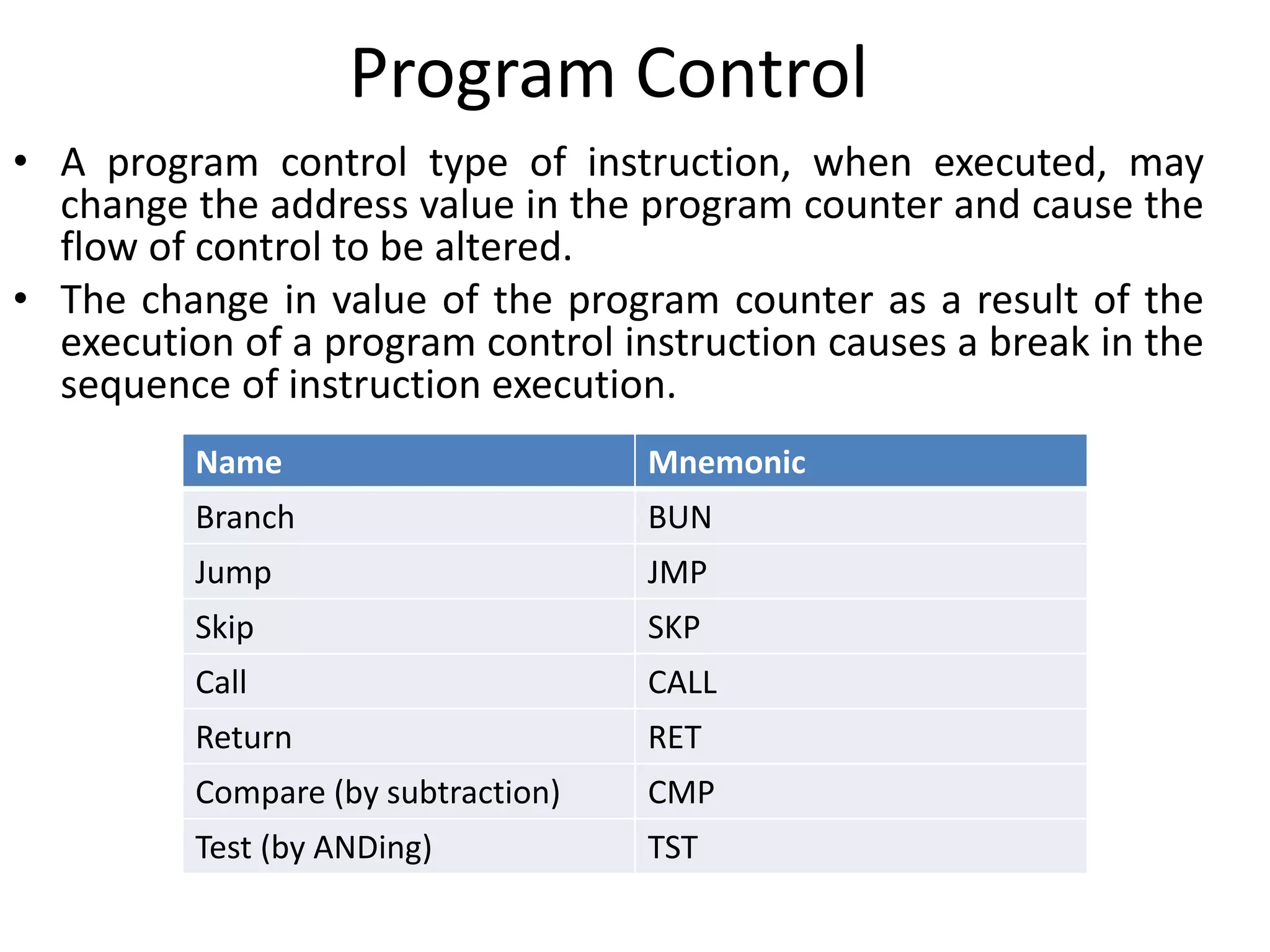
Program Control
• A program control type of instruction, when executed, may
change the address value in the program counter and cause the
flow of control to be altered.
• The change in value of the program counter as a result of the
execution of a program control instruction causes a break in the
sequence of instruction execution.
Name Mnemonic
Branch BUN
Jump JMP
Skip SKP
Call CALL
Return RET
Compare (by subtraction) CMP
Test (by ANDing) TST
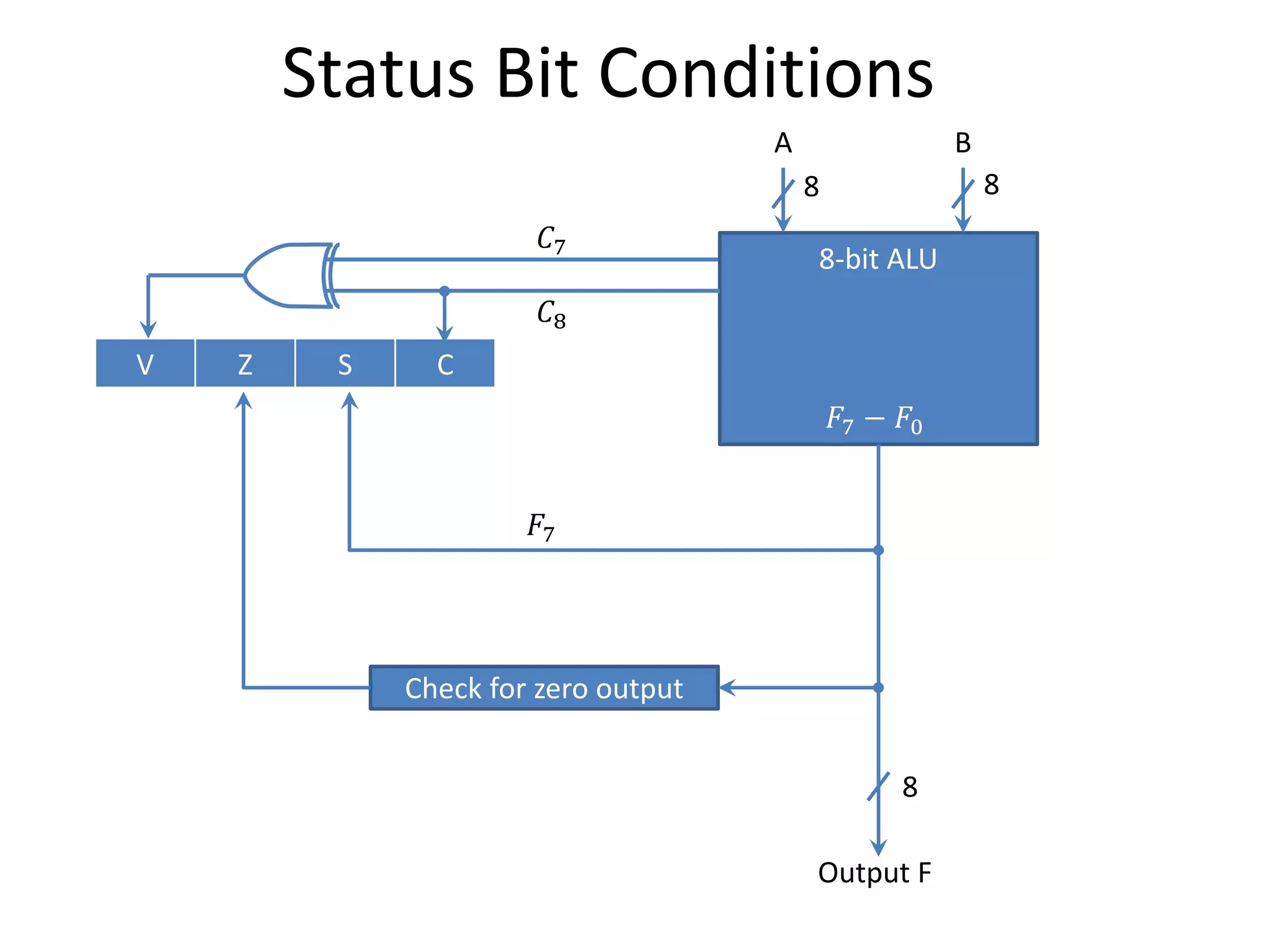
Status Bit Conditions
8-bit ALU
𝐹7 − 𝐹0
A B
8 8
V Z S C
Check for zero output
8
Output F
𝐹7
𝐶7
𝐶8
Status Bit Conditions
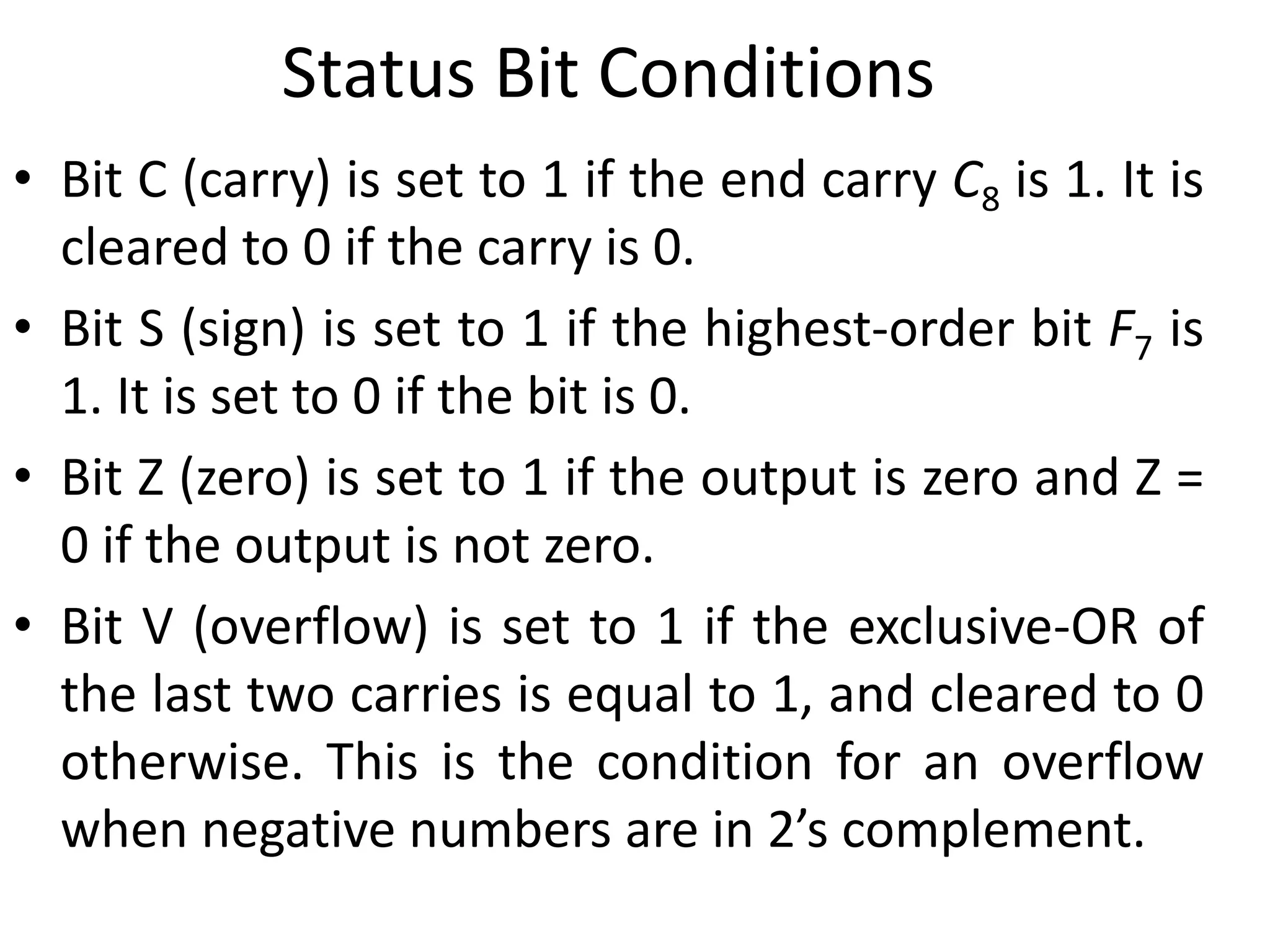
• Bit C (carry) is set to 1 if the end carry C8 is 1. It is
cleared to 0 if the carry is 0.
• Bit S (sign) is set to 1 if the highest-order bit F7 is
1. It is set to 0 if the bit is 0.
• Bit Z (zero) is set to 1 if the output is zero and Z =
0 if the output is not zero.
• Bit V (overflow) is set to 1 if the exclusive-OR of
the last two carries is equal to 1, and cleared to 0
otherwise. This is the condition for an overflow
when negative numbers are in 2’s complement.
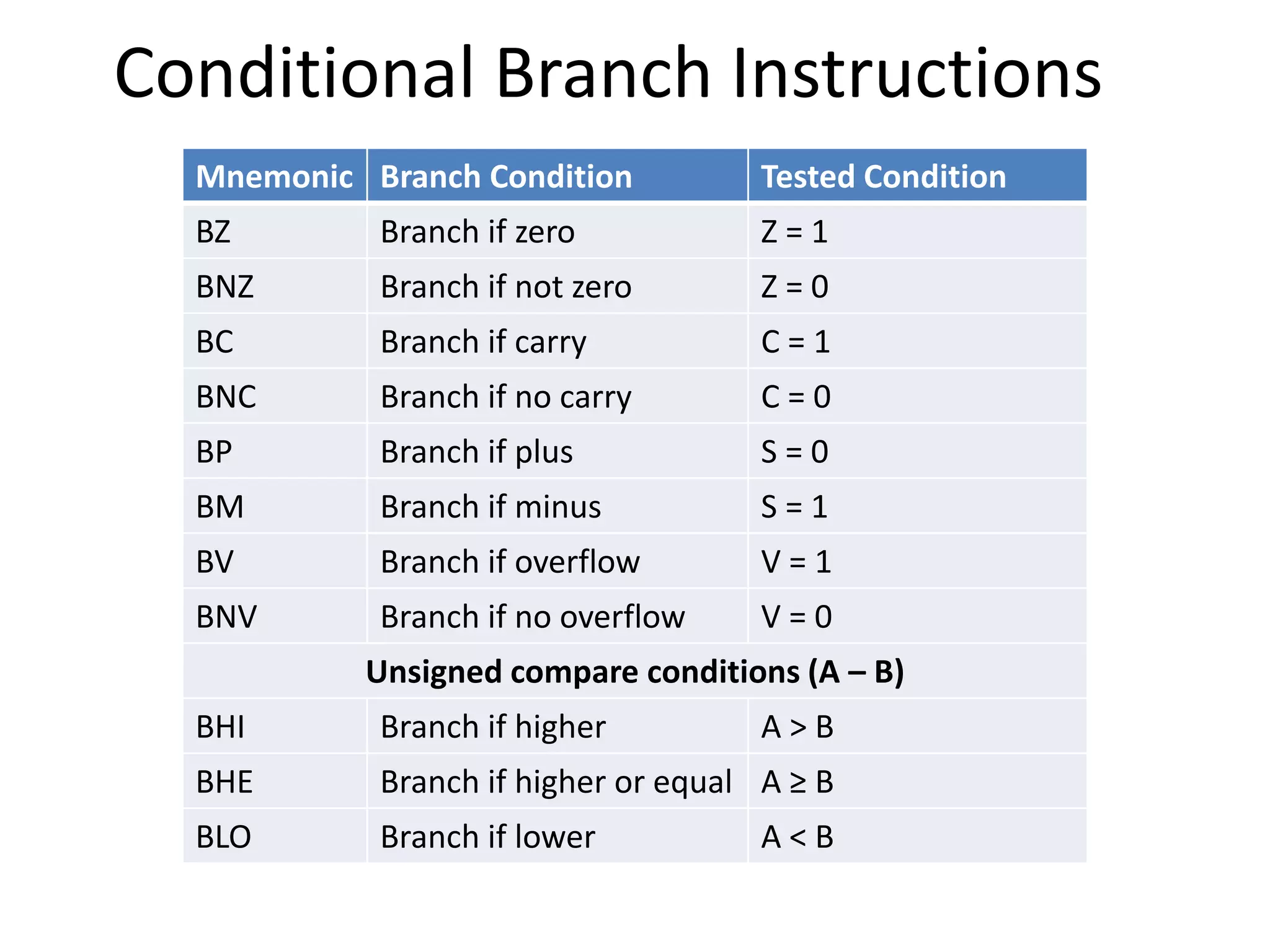
Conditional Branch Instructions
Mnemonic Branch Condition Tested Condition
BZ Branch if zero Z = 1
BNZ Branch if not zero Z = 0
BC Branch if carry C = 1
BNC Branch if no carry C = 0
BP Branch if plus S = 0
BM Branch if minus S = 1
BV Branch if overflow V = 1
BNV Branch if no overflow V = 0
Unsigned compare conditions (A – B)
BHI Branch if higher A > B
BHE Branch if higher or equal A ≥ B
BLO Branch if lower A < B
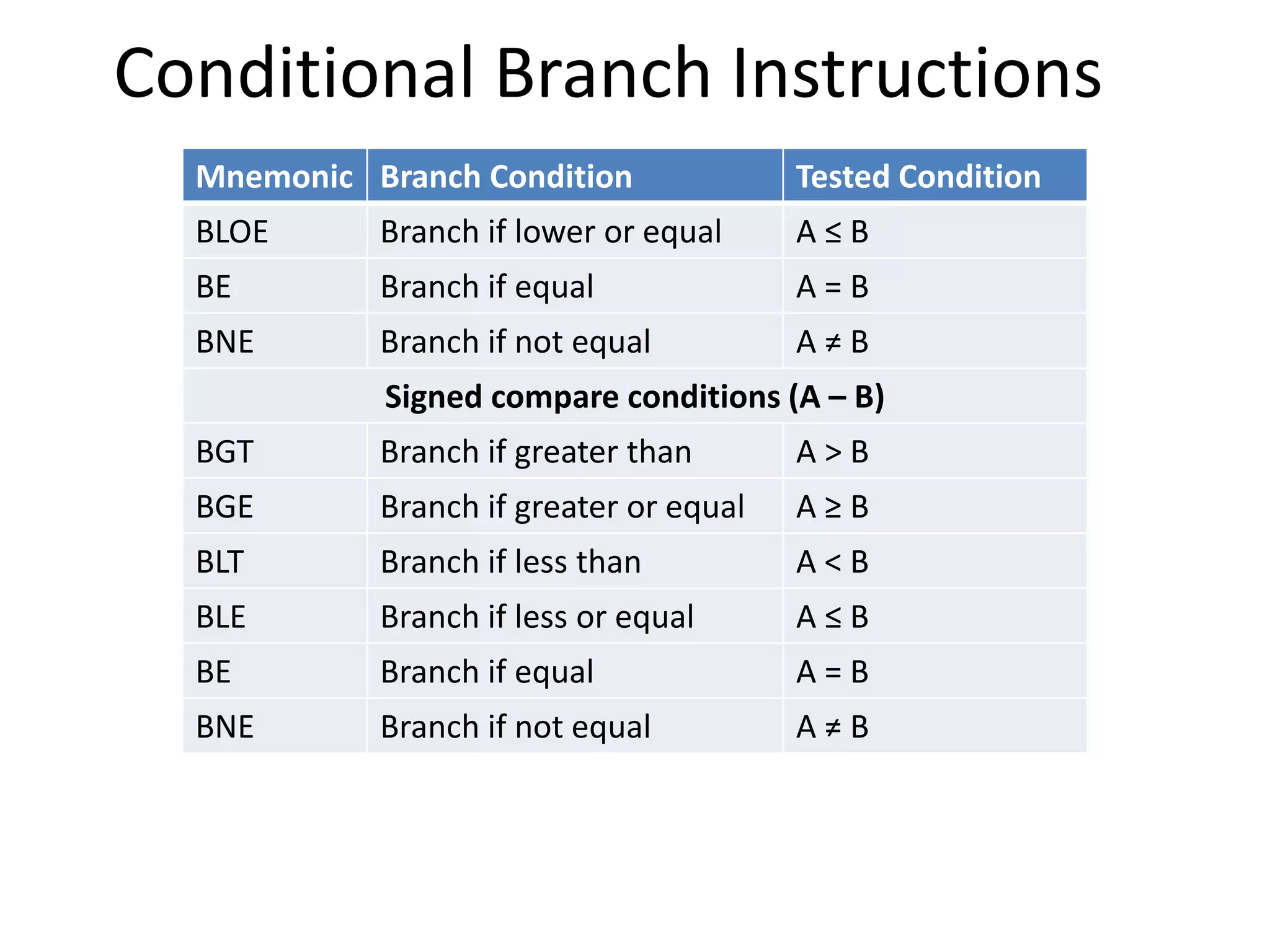
Conditional Branch Instructions
Mnemonic Branch Condition Tested Condition
BLOE Branch if lower or equal A ≤ B
BE Branch if equal A = B
BNE Branch if not equal A ≠ B
Signed compare conditions (A – B)
BGT Branch if greater than A > B
BGE Branch if greater or equal A ≥ B
BLT Branch if less than A < B
BLE Branch if less or equal A ≤ B
BE Branch if equal A = B
BNE Branch if not equal A ≠ B
Program Interrupt
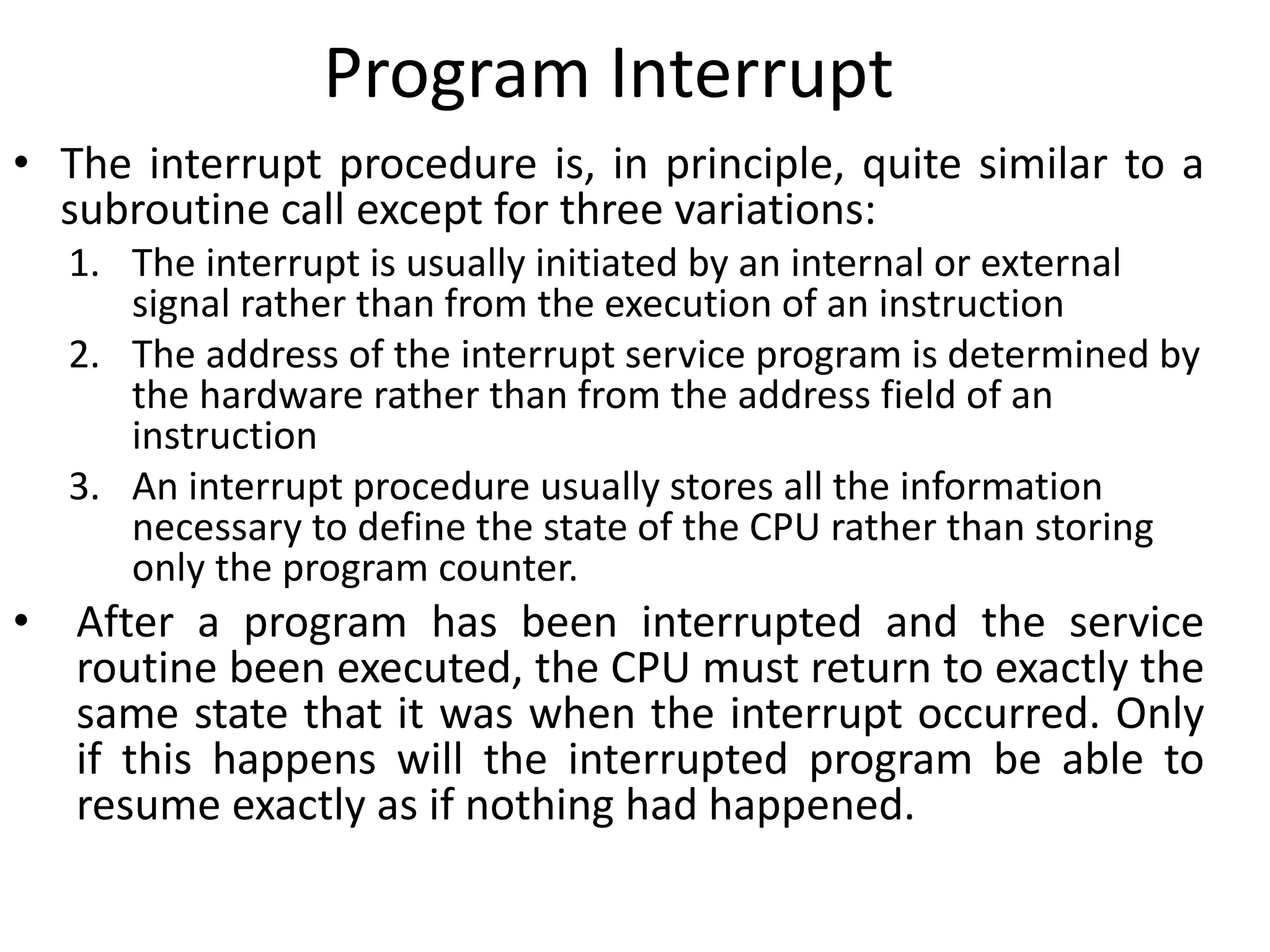
• The interrupt procedure is, in principle, quite similar to a
subroutine call except for three variations:
1. The interrupt is usually initiated by an internal or external
signal rather than from the execution of an instruction
2. The address of the interrupt service program is determined by
the hardware rather than from the address field of an
instruction
3. An interrupt procedure usually stores all the information
necessary to define the state of the CPU rather than storing
only the program counter.
• After a program has been interrupted and the service
routine been executed, the CPU must return to exactly the
same state that it was when the interrupt occurred. Only
if this happens will the interrupted program be able to
resume exactly as if nothing had happened.
Program Interrupt
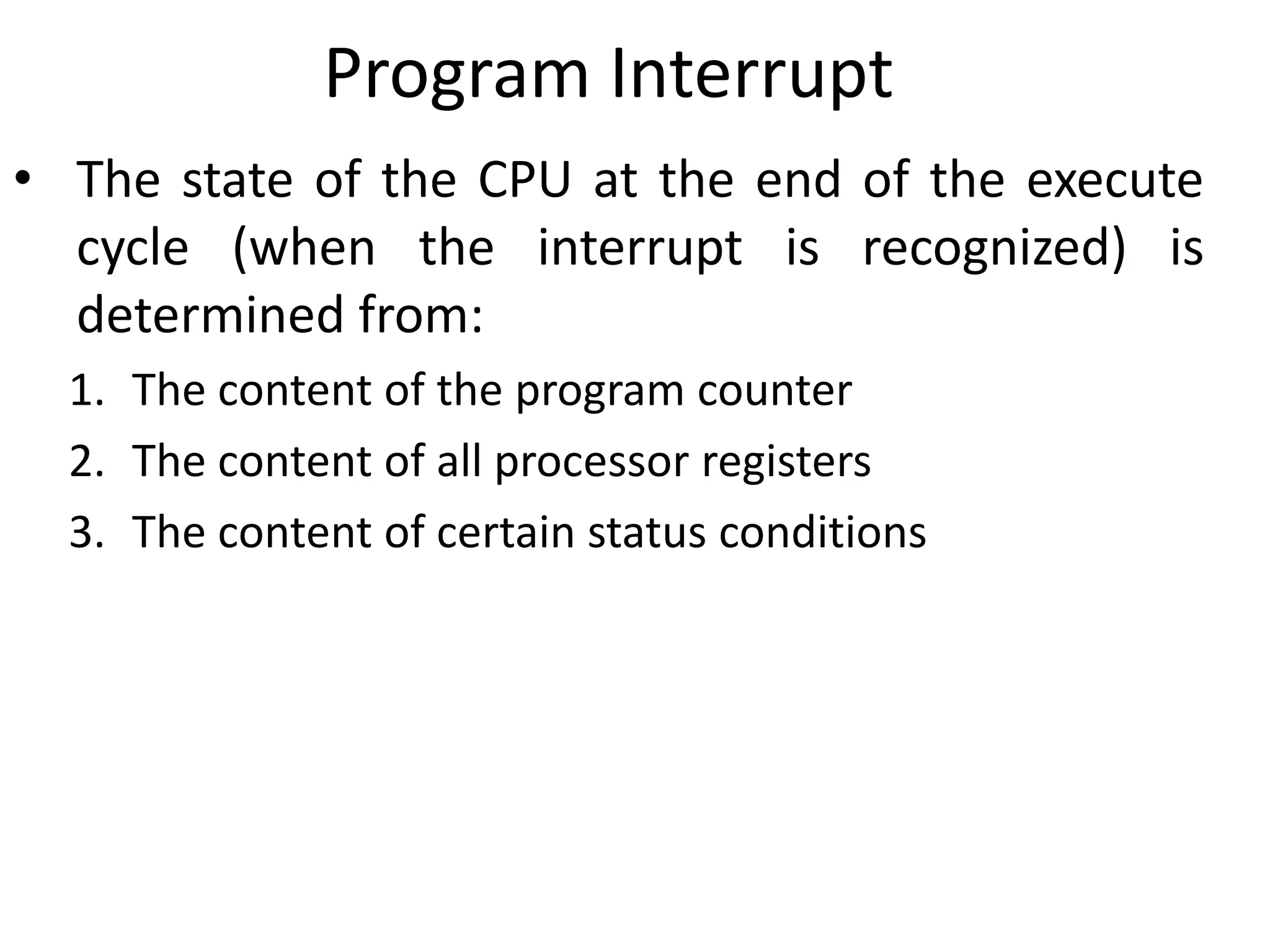
• The state of the CPU at the end of the execute
cycle (when the interrupt is recognized) is
determined from:
1. The content of the program counter
2. The content of all processor registers
3. The content of certain status conditions
Program Status Word (PSW)
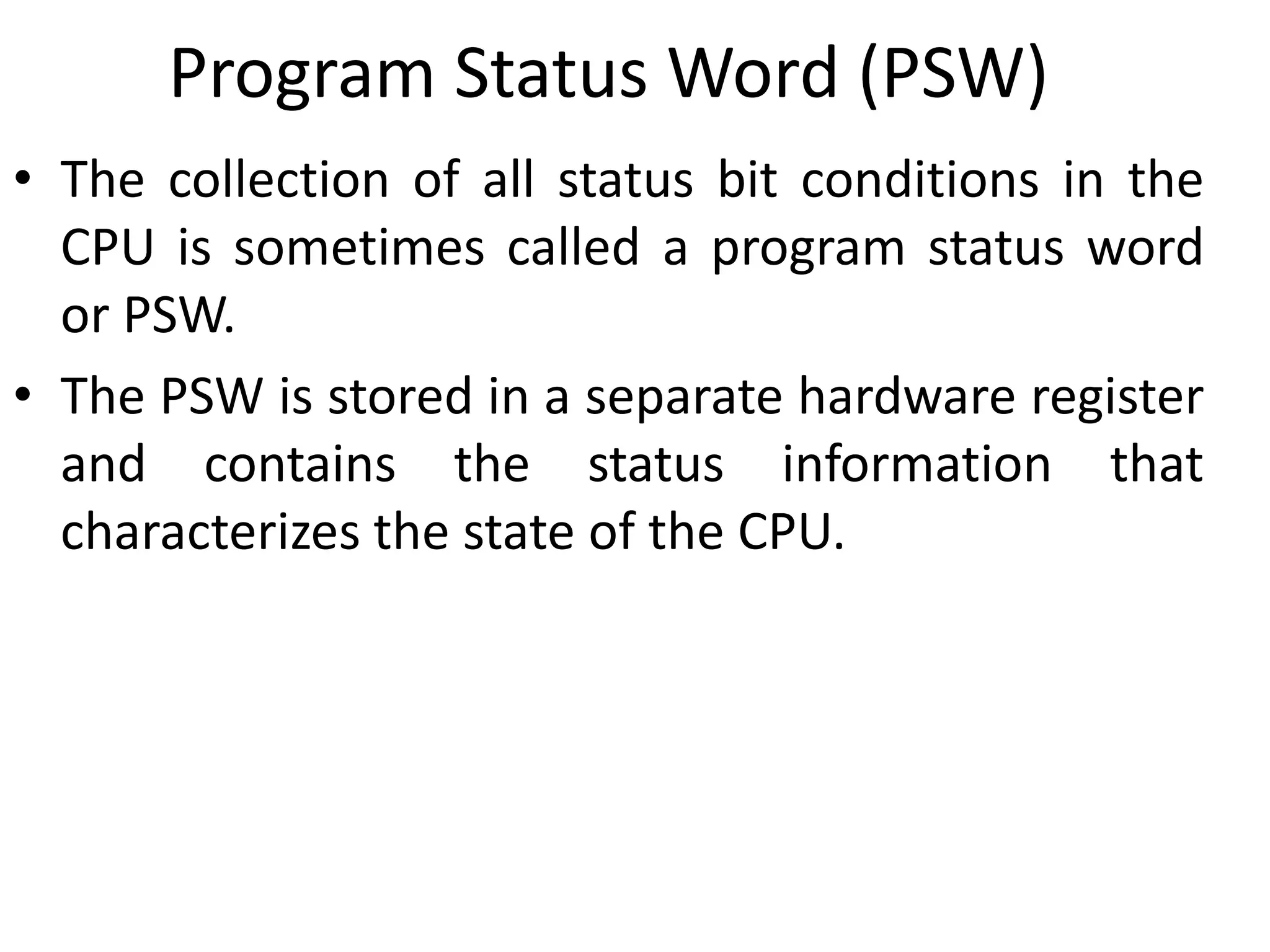
• The collection of all status bit conditions in the
CPU is sometimes called a program status word
or PSW.
• The PSW is stored in a separate hardware register
and contains the status information that
characterizes the state of the CPU.
Types of interrupts
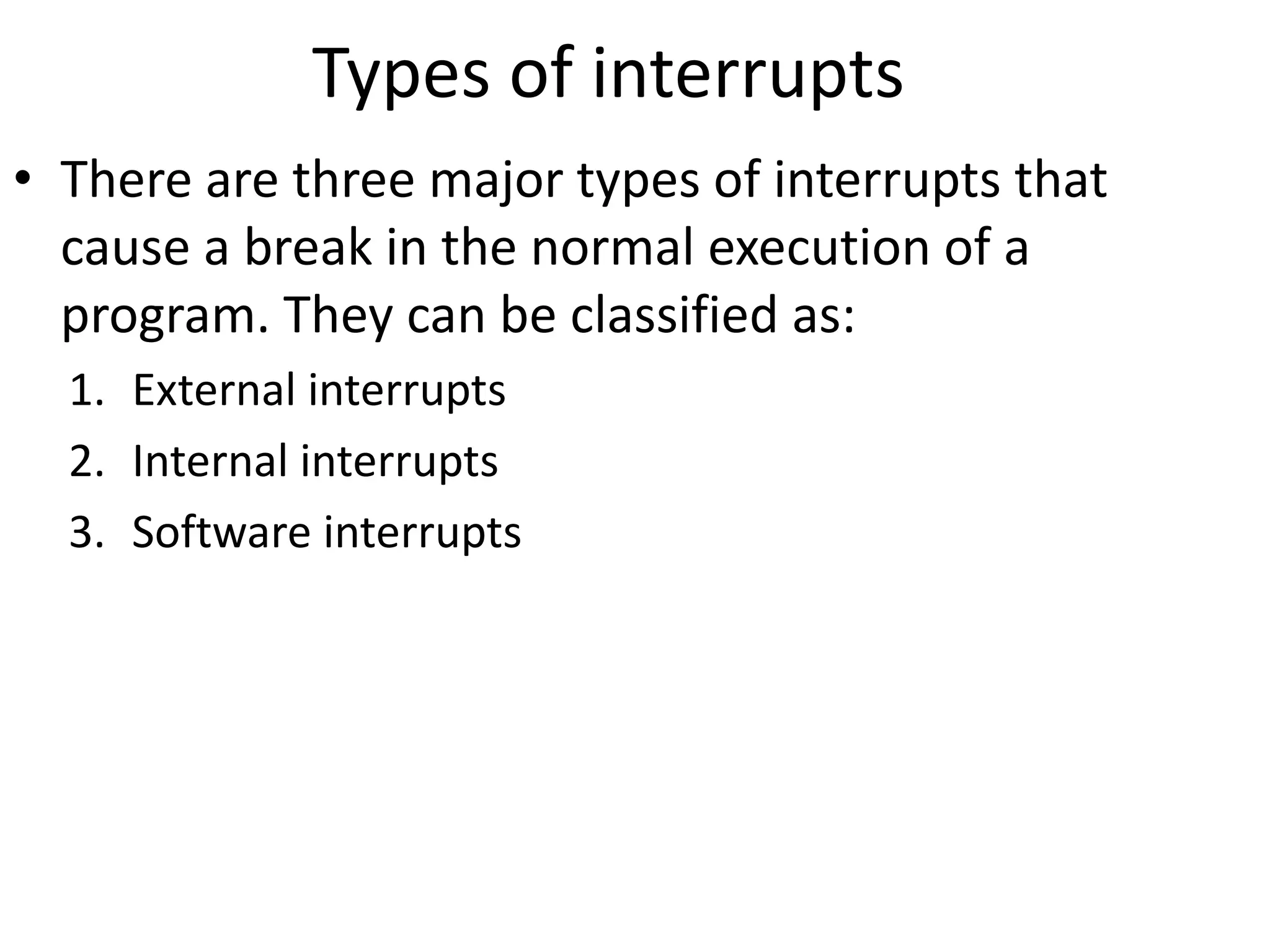
• There are three major types of interrupts that
cause a break in the normal execution of a
program. They can be classified as:
1. External interrupts
2. Internal interrupts
3. Software interrupts
1. External Interrupt
• External interrupts come from
– Input-output (I/O) devices
– Timing device
– Circuit monitoring the power supply
– Any other external source
• Examples that cause external interrupts are
– I/O device requesting transfer of data
– I/O device finished transfer of data
– Elapsed time of an event
– Power failure
• External interrupts are asynchronous.
• External interrupts depend on external conditions that are
independent of the program being executed at the time.
2. Internal interrupts (Traps)
• Internal interrupts arise from
– Illegal or erroneous use of an instruction or data.
• Examples of interrupts caused by internal error conditions
like
– Register overflow
– Attempt to divide by zero
– invalid operation code
– stack overflow
– protection violation.
• These error conditions usually occur as a result of a
premature termination of the instruction execution.
• Internal interrupts are synchronous with the program. If
the program is rerun, the internal interrupts will occur in
the same place each time.
3. Software interrupts
• A software interrupt is a special call instruction that
behaves like an interrupt rather than a subroutine call.
• The most common use of software interrupt is associated
with a supervisor call instruction. This instruction provides
means for switching from a CPU user mode to the
supervisor mode.
• When an input or output transfer is required, the
supervisor mode is requested by means of a supervisor call
instruction. This instruction causes a software interrupt
that stores the old CPU state and brings in a new PSW that
belongs to the supervisor mode.
• The calling program must pass information to the
operating system in order to specify the particular task
requested.
Reduced
Instruction Set
Computer
(RISC)
Complex Instruction Set Computer (CISC)
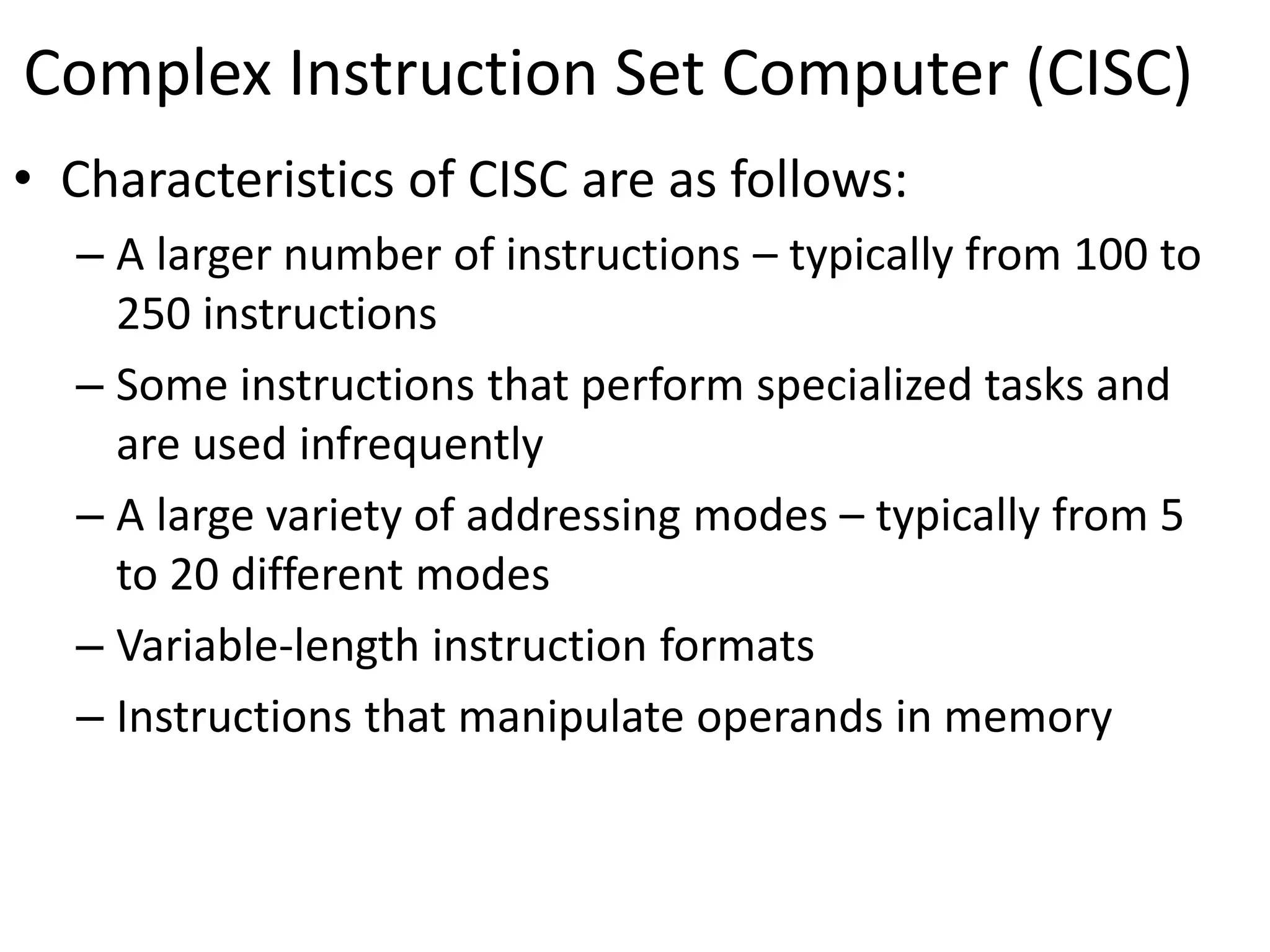
• Characteristics of CISC are as follows:
– A larger number of instructions – typically from 100 to
250 instructions
– Some instructions that perform specialized tasks and
are used infrequently
– A large variety of addressing modes – typically from 5
to 20 different modes
– Variable-length instruction formats
– Instructions that manipulate operands in memory
Reduced Instruction Set Computer (RISC)
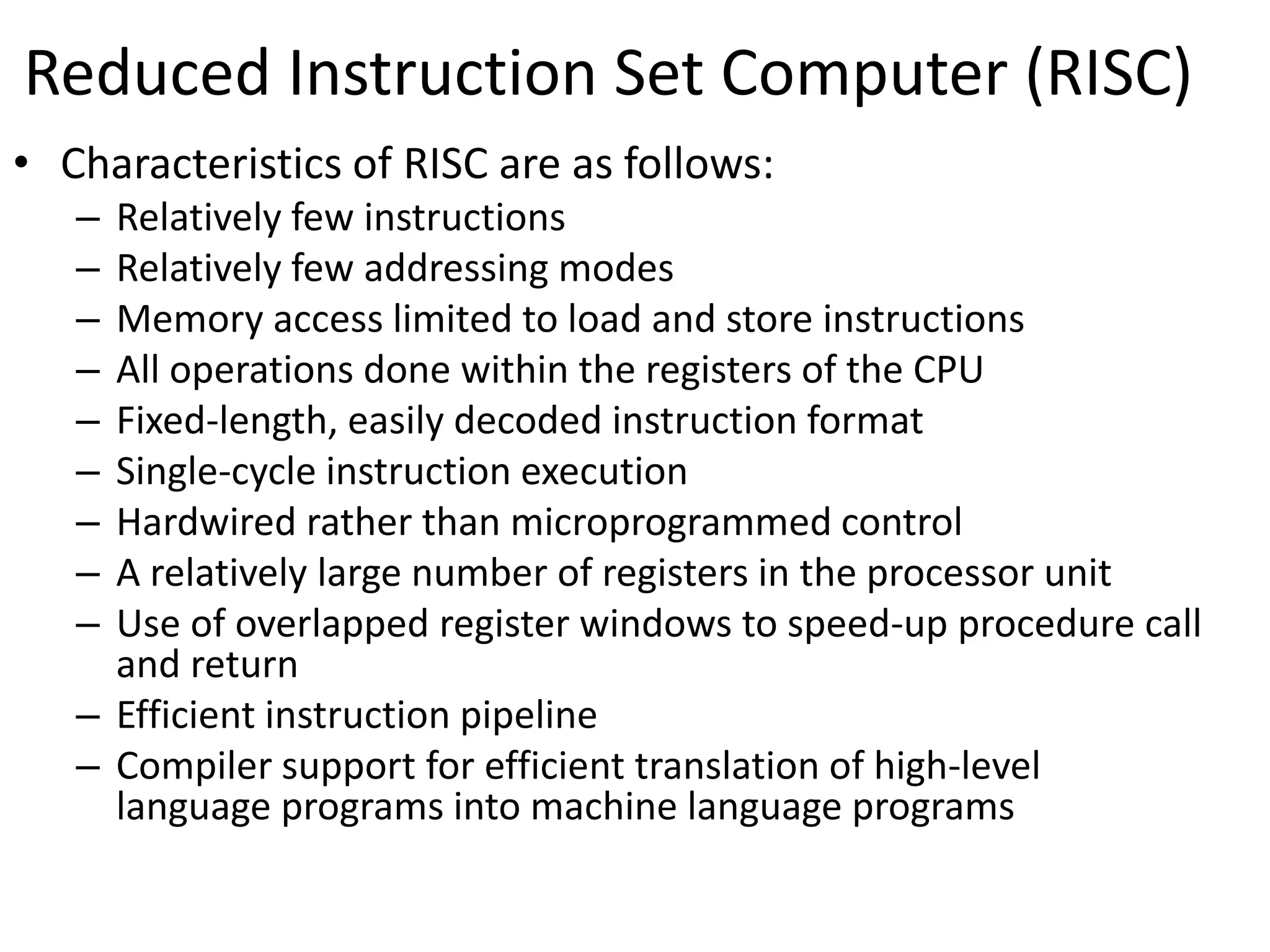
• Characteristics of RISC are as follows:
– Relatively few instructions
– Relatively few addressing modes
– Memory access limited to load and store instructions
– All operations done within the registers of the CPU
– Fixed-length, easily decoded instruction format
– Single-cycle instruction execution
– Hardwired rather than microprogrammed control
– A relatively large number of registers in the processor unit
– Use of overlapped register windows to speed-up procedure call
and return
– Efficient instruction pipeline
– Compiler support for efficient translation of high-level
language programs into machine language programs
Overlapped Register Window
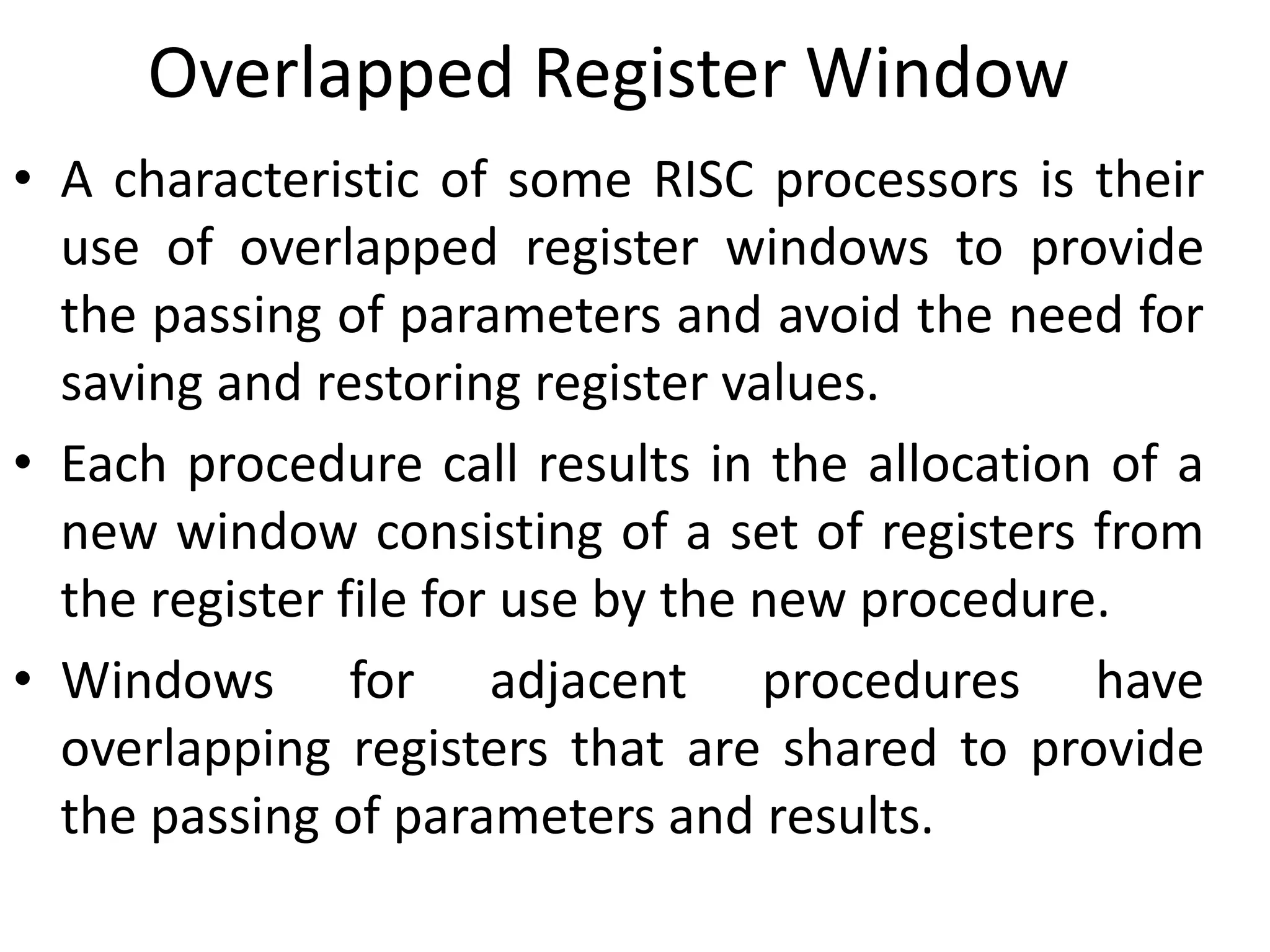
• A characteristic of some RISC processors is their
use of overlapped register windows to provide
the passing of parameters and avoid the need for
saving and restoring register values.
• Each procedure call results in the allocation of a
new window consisting of a set of registers from
the register file for use by the new procedure.
• Windows for adjacent procedures have
overlapping registers that are shared to provide
the passing of parameters and results.
Overlapped Register Window
R15
R10
R73
R64
R63
R58
R57
R48
R47
R42
R41
R32
R31
R26
R25
R16
R15
R10
R9
R0
Global
registers
Common to all
procedures
Common to D and A
Local to D
Common to C and D
Common to B and C
Common to A and B
Common to A and D
Local to C
Local to B
Local to A
Proc A
Proc D
Proc C
Proc B
Overlapped Register Window
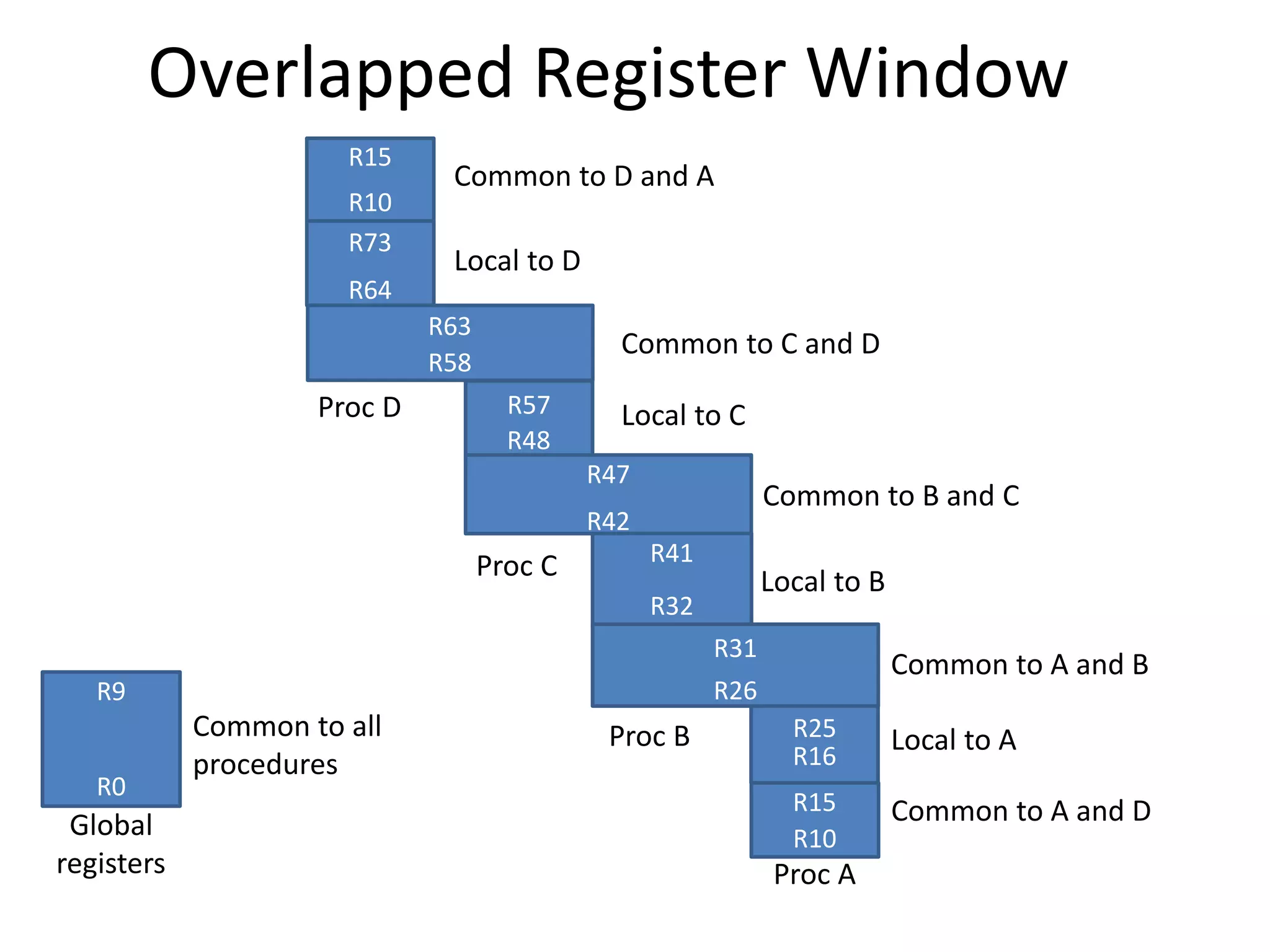
• Suppose that procedure A calls procedure B.
• Registers R26 through R31 are common to both procedures,
and therefore procedure A stores the parameters for procedure
B in these registers.
• Procedure B uses local registers R32 through R41 for local
variable storage.
• If procedure B calls procedure C, it will pass the parameters
through registers R42 through R47.
• When procedure B is ready to return at the end of its
computation, the program stores results of the computation in
registers R26 through R31 and transfers back to the register
window of procedure A.
• Note that registers R10 through R15 are common to procedures
A and D because the four windows have a circular organization
with A being adjacent to D.

UNIT-3.pptx

  • 1.
    Unit – 5 CentralProcessing Unit
  • 2.
    Topics to becovered • Introduction • General Register Organization • Stack Organization • Instruction format • Addressing Modes • Data transfer and manipulation • Program Control • Reduced Instruction Set Computer (RISC)
  • 4.
    MUX SELA { MUX} SELB ALU OPR R1 R2 R3 R4 R5 R6 R7 Input 3 x 8 decoder SELD Load (7 lines) Output A bus B bus Clock GENERAL REGISTER ORGANIZATION
  • 5.
    OPERATION OF CONTROLUNIT The control unit Directs the information flow through ALU by - Selecting various Components in the system - Selecting the Function of ALU Example: R1  R2 + R3 [1] MUX A selector (SELA): BUS A  R2 [2] MUX B selector (SELB): BUS B  R3 [3] ALU operation selector (OPR): ALU to ADD [4] Decoder destination selector (SELD): R1  Out Bus Control Word SELA SELB SELD OPR 3 3 3 5 Encoding of register selection fields Binary Code SELA SELB SELD 000 Input Input None 001 R1 R1 R1 010 R2 R2 R2 011 R3 R3 R3 100 R4 R4 R4 101 R5 R5 R5 110 R6 R6 R6 111 R7 R7 R7
  • 6.
    ALU CONTROL Encoding ofALU operations OPR Select Operation Symbol 00000 Transfer A TSFA 00001 Increment A INCA 00010 ADD A + B ADD 00101 Subtract A - B SUB 00110 Decrement A DECA 01000 AND A and B AND 01010 OR A and B OR 01100 XOR A and B XOR 01110 Complement A COMA 10000 Shift right A SHRA 11000 Shift left A SHLA Examples of ALU Microoperations Symbolic Designation Microoperation SELA SELB SELD OPR Control Word Control R1  R2  R3 R2 R3 R1 SUB 010 011 001 00101 R4  R4  R5 R4 R5 R4 OR 100 101 100 01010 R6  R6 + 1 R6 - R6 INCA 110 000 110 00001 R7  R1 R1 - R7 TSFA 001 000 111 00000 Output  R2 R2 - None TSFA 010 000 000 00000 Output  Input Input - None TSFA 000 000 000 00000 R4  shl R4 R4 - R4 SHLA 100 000 100 11000 R5  0 R5 R5 R5 XOR 101 101 101 01100
  • 7.
  • 8.
    Stack Organization • Astack is a storage device that stores information in such a manner that the item stored last is the first item retrieved (LIFO). • The register that holds the address for the stack is called a stack pointer (SP) because its value always points at the top item in the stack. • The physical registers of a stack are always available for reading or writing. It is the content of the word that is inserted or deleted. • There are two types of stack organization 1. Register stack – built using registers 2. Memory stack – logical part of memory allocated as stack
  • 9.
  • 10.
    Register Stack • Astack can be placed in a portion of a large memory or it can be organized as a collection of a finite number of memory words or registers. Figure shows the organization of a 64-word register stack. • The stack pointer register SP contains a binary number whose value is equal to the address of the word that is currently on top of the stack. • In a 64-word stack, the stack pointer contains 6 bits because 26 = 64. • Since SP has only six bits, it cannot exceed a number greater than 63 (111111 in binary). • The one-bit register FULL is set to 1 when the stack is full, and the one-bit register EMTY is set to 1 when the stack is empty of items. • DR is the data register that holds the binary data to be written into or read out of the stack.
  • 11.
    Register Stack • PUSHOperation SP ← SP + 1 M[SP] ← DR IF (SP= 0) then (FULL ← 1) EMTY ← 0  POP Operation DR ← M[SP] SP ← SP - 1 IF (SP= 0) then (EMTY ← 1) FULL ← 0 //Increment stack pointer //Write item on top of the stack //Check if stack is full //Mark the stack not empty
  • 12.
  • 13.
    Memory Stack • Theimplementation of a stack in the CPU is done by assigning a portion of memory to a stack operation and using a processor register as a stack pointer. • Figure shows a portion of computer memory partitioned into three segments: program, data, and stack. • The program counter PC points at the address of the next instruction in the program which is used during the fetch phase to read an instruction. • The address registers AR points at an array of data which is used during the execute phase to read an operand. • The stack pointer SP points at the top of the stack which is used to push or pop items into or from the stack. • We assume that the items in the stack communicate with a data register DR.
  • 14.
    Memory Stack • PUSHOperation SP ← SP - 1 M[SP] ← DR  POP Operation DR ← M[SP] SP ← SP + 1
  • 15.
    Reverse Polish Notation •The common mathematical method of writing arithmetic expressions imposes difficulties when evaluated by a computer. • The Polish mathematician Lukasiewicz showed that arithmetic expressions can be represented in prefix notation as well as postfix notation. A + B + AB AB + Infix Prefix or Polish Postfix or reverse Polish A * B + C * D AB * CD * + Reverse Polish
  • 16.
    Evaluation of ArithmeticExpression (3 * 4) + (5 * 6) 3 4 * 5 6 * + 3 4 3 12 5 12 6 5 12 30 12 42 3 4 * 5 6 * + 42
  • 17.
  • 18.
    Instruction Formats • Instructionsare categorized into different formats with respect to the operand fields in the instructions. 1. Three Address Instructions 2. Two Address Instruction 3. One Address Instruction 4. Zero Address Instruction 5. RISC Instructions
  • 19.
    Three Address Instruction •Computers with three-address instruction formats can use each address field to specify either a processor register or a memory operand. • The program in assembly language that evaluates X = (A + B) * (C + D) is shown below. • The advantage of three-address format is that it results in short programs when evaluating arithmetic expressions. • The disadvantage is that the binary-coded instructions require too many bits to specify three addresses. ADD R1, A, B R1← M[A]+ M[B] ADD R2, C, D R2← M[C]+ M[D] MUL X, R1, R2 M[X]← R1 * R2
  • 20.
    Two Address Instruction •Two address instructions are the most common in commercial computers. Here again each address field can specify either a processor register or a memory word. • The program to evaluate X = (A + B) * (C + D) is as follows: MOV R1, A R1← M[A] ADD R1, B R1← R1+ M[B] MOV R2, C R2← M[C] ADD R2, D R2← R2+ M[D] MUL R1, R2 R1← R1 * R2 M[X]← R1 MOV X, R1
  • 21.
    One Address Instruction •One address instructions use an implied accumulator (AC) register for all data manipulation. • For multiplication and division these is a need for a second register. • However, here we will neglect the second register and assume that the AC contains the result of all operations. • The program to evaluate X = (A + B) * (C + D) is LOAD A AC← M[A] ADD B AC← AC+M[B] STORE T M[T]←AC LOAD C AC← M[C] ADD D AC← AC+M[D] MUL T AC← AC*M[T] STORE X M[X]←AC
  • 22.
    Zero Address Instruction •A stack-organized computer does not use an address field for the instructions ADD and MUL. • The PUSH and POP instructions, however, need an address field to specify the operand that communicates with the stack. • The program to evaluate X = (A + B) * (C + D) will be written for a stack- organized computer. • To evaluate arithmetic expressions in a stack computer, it is necessary to convert the expression into reverse polish notation. PUSH A TOS← M[A] PUSH B TOS← M[B] ADD TOS←(A+B) PUSH C TOS← M[C] PUSH D TOS← M[D] ADD TOS←(C+D) MUL TOS←(C+D)*(A+B) POP X M[X] ← TOS
  • 23.
    RISC Instruction • Theinstruction set of a typical RISC processor is restricted to the use of load and store instructions when communicating between memory and CPU. • All other instructions are executed within the registers of the CPU without referring to memory. • A program for a RISC type CPU consists of LOAD and STORE instructions that have one memory and one register address, and computational-type instructions that have three addresses with all three specifying processor registers. • The following is a program to evaluate X = (A + B) * (C + D) LOAD R1, A R1← M[A] LOAD R2, B R2← M[B] LOAD R3, C R3← M[C] LOAD R4, D R4← M[D] ADD R1, R1, R2 R1← R1+R2 ADD R3, R3, R4 R3← R3+R4 MUL R1, R1, R3 R1← R1*R3 STORE X, R1 M[X] ← R1
  • 24.
  • 25.
    Addressing Modes • Theaddressing mode specifies a rule for interpreting or modifying the address field of the instruction before the operand is actually referenced. • Computers use addressing mode techniques for the purpose of accommodating one or both of the following provisions: 1. To give programming versatility to the user by providing such facilities as pointers to memory, counters for loop control, indexing of data, and program relocation. 2. To reduce the number of bits in the addressing field of the instruction. • There are basic 10 addressing modes supported by the computer.
  • 26.
    Addressing Modes 1. ImpliedMode 2. Immediate Mode 3. Register Mode 4. Register Indirect Mode 5. Autoincrement or Autodecrement Mode 6. Direct Address Mode 7. Indirect Address Mode 8. Relative Addressing Mode 9. Indexed Addressing Mode 10.Base Register Addressing Mode
  • 27.
    1. Implied Mode •Operands are specified implicitly in the definition of the instruction. • For example, the instruction “complement accumulator (CMA)” is an implied-mode instruction because the operand in the accumulator register is implied in the definition of the instruction. • In fact, all register reference instructions that use an accumulator and zero address instructions are implied mode instructions.
  • 28.
    2. Immediate Mode •Operand is specified in the instruction itself. • In other words, an immediate-mode instruction has an operand field rather than an address field. • The operand field contains the actual operand to be used in conjunction with the operation specified in the instruction. • Immediate mode of instructions is useful for initializing register to constant value. • E.g. MOV R1, 05H instruction copies immediate number 05H to R1 register.
  • 29.
    3. Register Mode •Operands are in registers that reside within the CPU. • The particular register is selected from a register field in the instruction. • E.g. MOV AX,BX move value from BX to AX register
  • 30.
    4. Register IndirectMode • In this mode the instruction specifies a register in the CPU whose contents give the address of the operand in memory. • Before using a register indirect mode instruction, the programmer must ensure that the memory address of the operand is placed in the processor register with a previous instruction. • The advantage of this mode is that address field of the instruction uses fewer bits to select a register than would have been required to specify a memory address directly. • E.g. MOV [R1], R2 value of R2 is moved to the memory location specified in R1.
  • 31.
    5. Autoincrement orAutodecrement Mode • This is similar to the register indirect mode expect that the register is incremented or decremented after (or before) its value is used to access memory. • When the address stored in the register refers to a table of data in memory, it is necessary to increment or decrement the register after every access to the table. This can be achieved by using the increment or decrement instruction.
  • 32.
    6. Direct AddressMode • In this mode the effective address is equal to the address part of the instruction. • The operand resides in memory and its address is given directly by the address field of the instruction. • E.g. ADD 457
  • 33.
    7. Indirect AddressMode • In this mode the address field of the instruction gives the address where the effective address is stored in memory. • Control fetches the instruction from memory and uses its address part to access memory again to read the effective address. • The effective address in this mode is obtained from the following computational: Effective address = address part of instruction + content of CPU register
  • 34.
    8. Relative AddressMode • In this mode the content of the program counter is added to the address part of the instruction in order to obtain the effective address. • The address part of the instruction is usually a signed number which can be either positive or negative. Effective address = address part of instruction + content of PC
  • 35.
    9. Indexed AddressingMode • In this mode the content of an index register is added to the address part of the instruction to obtain the effective address. • The indexed register is a special CPU register that contain an index value. • The address field of the instruction defines the beginning address of a data array in memory. • Each operand in the array is stored in memory relative to the begging address. Effective address = address part of instruction + content of index register
  • 36.
    10. Base RegisterAddressing Mode • In this mode the content of a base register is added to the address part of the instruction to obtain the effective address. • A base register is assumed to hold a base address and the address field of the instruction gives a displacement relative to this base address. • The base register addressing mode is used in computers to facilitate the relocation of programs in memory. Effective address = address part of instruction + content of base register
  • 39.
  • 40.
    Data transfer instructions •Data transfer instructions move data from one place in the computer to another without changing the data content. • The most common transfers are between memory and processor registers, between processor registers and input or output, and between the processor registers themselves. Name Mnemonic Load LD Store ST Move MOV Exchange XCH Input IN Output OUT Push PUSH Pop POP
  • 41.
    Data manipulation instructions •Data manipulation instructions perform operations on data and provide the computational capabilities for the computer. • The data manipulation instructions in a typical computer are usually divided into three basic types: 1. Arithmetic instructions 2. Logical and bit manipulation instructions 3. Shift instructions
  • 42.
    1. Arithmetic Instructions NameMnemonic Increment INC Decrement DEC Add ADD Subtract SUB Multiply MUL Divide DIV Add with carry ADDC Subtract with borrow SUBB Negate (2’s complement) NEG
  • 43.
    2. Logical &Bit Manipulation Instructions Name Mnemonic Clear CLR Complement COM AND AND OR OR Exclusive-OR XOR Clear carry CLRC Set carry SETC Complement carry COMC Enable interrupt EI Disable interrupt DI
  • 44.
    3. Shift Instructions NameMnemonic Logical shift right SHR Logical shift left SHL Arithmetic shift right SHRA Arithmetic shift left SHLA Rotate right ROR Rotate left ROL Rotate right through carry RORC Rotate left through carry ROLC
  • 45.
  • 46.
    Program Control • Aprogram control type of instruction, when executed, may change the address value in the program counter and cause the flow of control to be altered. • The change in value of the program counter as a result of the execution of a program control instruction causes a break in the sequence of instruction execution. Name Mnemonic Branch BUN Jump JMP Skip SKP Call CALL Return RET Compare (by subtraction) CMP Test (by ANDing) TST
  • 47.
    Status Bit Conditions 8-bitALU 𝐹7 − 𝐹0 A B 8 8 V Z S C Check for zero output 8 Output F 𝐹7 𝐶7 𝐶8
  • 48.
    Status Bit Conditions •Bit C (carry) is set to 1 if the end carry C8 is 1. It is cleared to 0 if the carry is 0. • Bit S (sign) is set to 1 if the highest-order bit F7 is 1. It is set to 0 if the bit is 0. • Bit Z (zero) is set to 1 if the output is zero and Z = 0 if the output is not zero. • Bit V (overflow) is set to 1 if the exclusive-OR of the last two carries is equal to 1, and cleared to 0 otherwise. This is the condition for an overflow when negative numbers are in 2’s complement.
  • 49.
    Conditional Branch Instructions MnemonicBranch Condition Tested Condition BZ Branch if zero Z = 1 BNZ Branch if not zero Z = 0 BC Branch if carry C = 1 BNC Branch if no carry C = 0 BP Branch if plus S = 0 BM Branch if minus S = 1 BV Branch if overflow V = 1 BNV Branch if no overflow V = 0 Unsigned compare conditions (A – B) BHI Branch if higher A > B BHE Branch if higher or equal A ≥ B BLO Branch if lower A < B
  • 50.
    Conditional Branch Instructions MnemonicBranch Condition Tested Condition BLOE Branch if lower or equal A ≤ B BE Branch if equal A = B BNE Branch if not equal A ≠ B Signed compare conditions (A – B) BGT Branch if greater than A > B BGE Branch if greater or equal A ≥ B BLT Branch if less than A < B BLE Branch if less or equal A ≤ B BE Branch if equal A = B BNE Branch if not equal A ≠ B
  • 51.
    Program Interrupt • Theinterrupt procedure is, in principle, quite similar to a subroutine call except for three variations: 1. The interrupt is usually initiated by an internal or external signal rather than from the execution of an instruction 2. The address of the interrupt service program is determined by the hardware rather than from the address field of an instruction 3. An interrupt procedure usually stores all the information necessary to define the state of the CPU rather than storing only the program counter. • After a program has been interrupted and the service routine been executed, the CPU must return to exactly the same state that it was when the interrupt occurred. Only if this happens will the interrupted program be able to resume exactly as if nothing had happened.
  • 52.
    Program Interrupt • Thestate of the CPU at the end of the execute cycle (when the interrupt is recognized) is determined from: 1. The content of the program counter 2. The content of all processor registers 3. The content of certain status conditions
  • 53.
    Program Status Word(PSW) • The collection of all status bit conditions in the CPU is sometimes called a program status word or PSW. • The PSW is stored in a separate hardware register and contains the status information that characterizes the state of the CPU.
  • 54.
    Types of interrupts •There are three major types of interrupts that cause a break in the normal execution of a program. They can be classified as: 1. External interrupts 2. Internal interrupts 3. Software interrupts
  • 55.
    1. External Interrupt •External interrupts come from – Input-output (I/O) devices – Timing device – Circuit monitoring the power supply – Any other external source • Examples that cause external interrupts are – I/O device requesting transfer of data – I/O device finished transfer of data – Elapsed time of an event – Power failure • External interrupts are asynchronous. • External interrupts depend on external conditions that are independent of the program being executed at the time.
  • 56.
    2. Internal interrupts(Traps) • Internal interrupts arise from – Illegal or erroneous use of an instruction or data. • Examples of interrupts caused by internal error conditions like – Register overflow – Attempt to divide by zero – invalid operation code – stack overflow – protection violation. • These error conditions usually occur as a result of a premature termination of the instruction execution. • Internal interrupts are synchronous with the program. If the program is rerun, the internal interrupts will occur in the same place each time.
  • 57.
    3. Software interrupts •A software interrupt is a special call instruction that behaves like an interrupt rather than a subroutine call. • The most common use of software interrupt is associated with a supervisor call instruction. This instruction provides means for switching from a CPU user mode to the supervisor mode. • When an input or output transfer is required, the supervisor mode is requested by means of a supervisor call instruction. This instruction causes a software interrupt that stores the old CPU state and brings in a new PSW that belongs to the supervisor mode. • The calling program must pass information to the operating system in order to specify the particular task requested.
  • 58.
  • 59.
    Complex Instruction SetComputer (CISC) • Characteristics of CISC are as follows: – A larger number of instructions – typically from 100 to 250 instructions – Some instructions that perform specialized tasks and are used infrequently – A large variety of addressing modes – typically from 5 to 20 different modes – Variable-length instruction formats – Instructions that manipulate operands in memory
  • 60.
    Reduced Instruction SetComputer (RISC) • Characteristics of RISC are as follows: – Relatively few instructions – Relatively few addressing modes – Memory access limited to load and store instructions – All operations done within the registers of the CPU – Fixed-length, easily decoded instruction format – Single-cycle instruction execution – Hardwired rather than microprogrammed control – A relatively large number of registers in the processor unit – Use of overlapped register windows to speed-up procedure call and return – Efficient instruction pipeline – Compiler support for efficient translation of high-level language programs into machine language programs
  • 61.
    Overlapped Register Window •A characteristic of some RISC processors is their use of overlapped register windows to provide the passing of parameters and avoid the need for saving and restoring register values. • Each procedure call results in the allocation of a new window consisting of a set of registers from the register file for use by the new procedure. • Windows for adjacent procedures have overlapping registers that are shared to provide the passing of parameters and results.
  • 62.
    Overlapped Register Window R15 R10 R73 R64 R63 R58 R57 R48 R47 R42 R41 R32 R31 R26 R25 R16 R15 R10 R9 R0 Global registers Commonto all procedures Common to D and A Local to D Common to C and D Common to B and C Common to A and B Common to A and D Local to C Local to B Local to A Proc A Proc D Proc C Proc B
  • 63.
    Overlapped Register Window •Suppose that procedure A calls procedure B. • Registers R26 through R31 are common to both procedures, and therefore procedure A stores the parameters for procedure B in these registers. • Procedure B uses local registers R32 through R41 for local variable storage. • If procedure B calls procedure C, it will pass the parameters through registers R42 through R47. • When procedure B is ready to return at the end of its computation, the program stores results of the computation in registers R26 through R31 and transfers back to the register window of procedure A. • Note that registers R10 through R15 are common to procedures A and D because the four windows have a circular organization with A being adjacent to D.