Unit 5
Template & File
17/10/2016 Jitendra R. Patil 1
Template
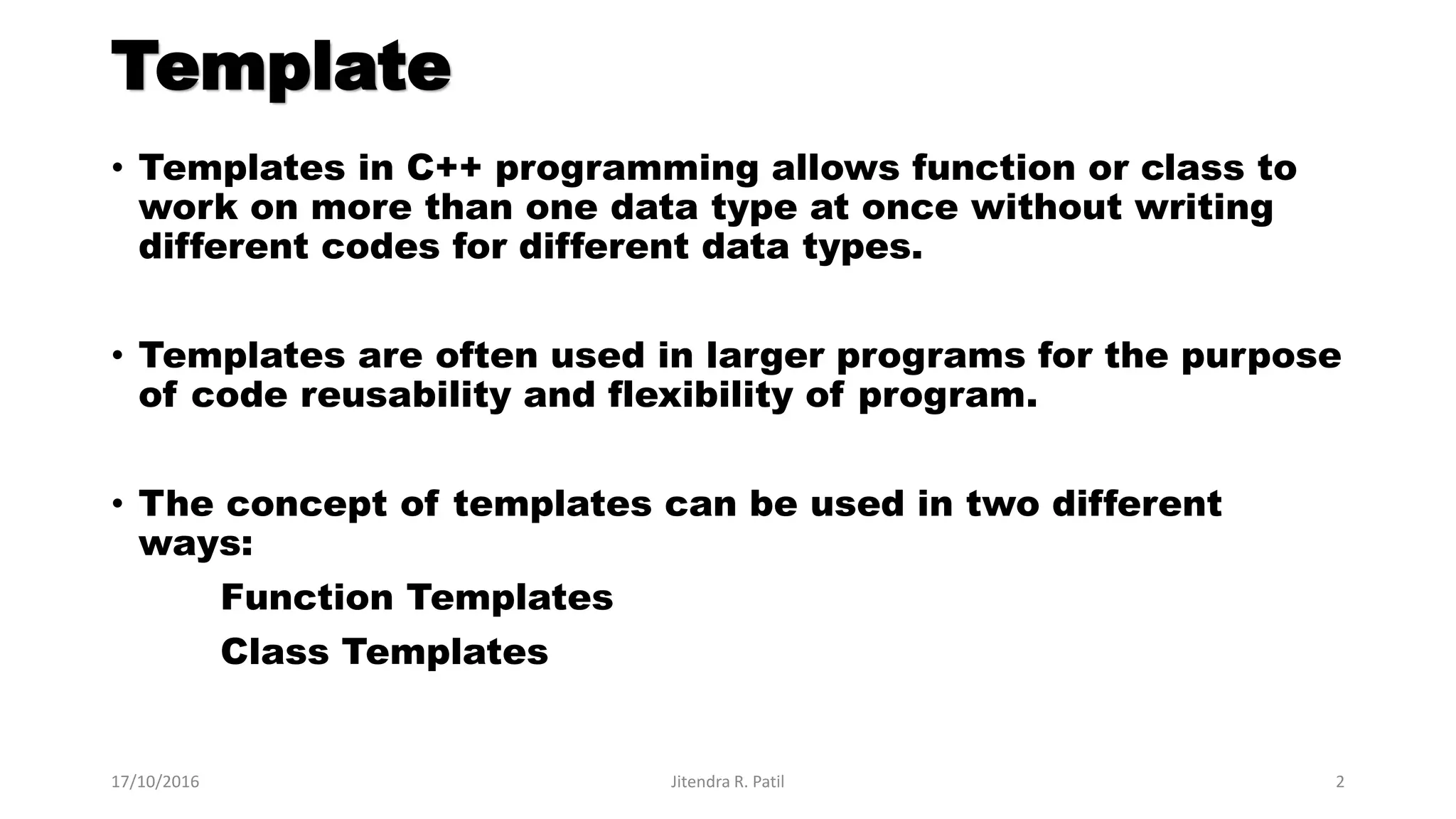
• Templates in C++ programming allows function or class to
work on more than one data type at once without writing
different codes for different data types.
• Templates are often used in larger programs for the purpose
of code reusability and flexibility of program.
• The concept of templates can be used in two different
ways:
Function Templates
Class Templates
17/10/2016 Jitendra R. Patil 2
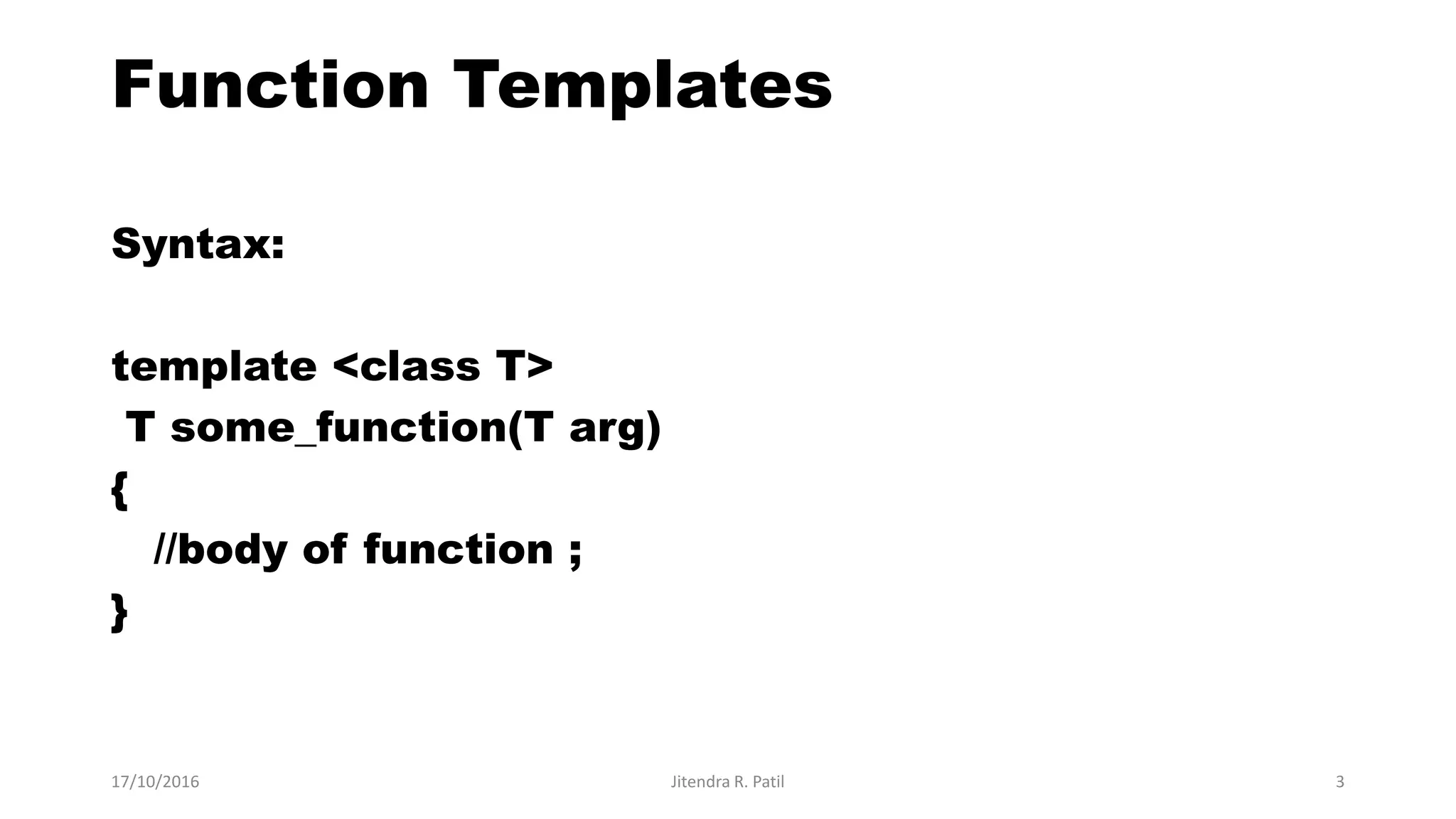
Function Templates
Syntax:
template <class T>
T some_function(T arg)
{
//body of function ;
}
17/10/2016 Jitendra R. Patil 3
//Sorting of number
using Function
Template
#include<iostream.h>
#include<conio.h>
template<class T>
void sort(T a [ ])
{
T temp;
int i , j;
for(i=0;i<5;i++)
{
for(j=i+1;j<5;j++)
{
if(a[i] > a[j])
{
temp=a[i];
a[i]=a[j];
a[j]=temp;
}
}
}
cout<<"Sorted
array="<<endl;
for(i=0;i<5;i++)
cout<<a[i]<<endl;
}
void main()
{
int a[5],i , j;
float b[5];
char c[5];
clrscr();
cout<<"Enter 5 integer
element";
for(i=0;i<5;i++)
cin>>a[i];
cout<<"Enter 5
decimal element";
for(i=0;i<5;i++)
cin>>b[i];
cout<<"Enter 5
character";
for(i=0;i<5;i++)
cin>>c[i];
sort(a);
sort(b);
sort(c);
getch();
}
17/10/2016 Jitendra R. Patil 4
17/10/2016 Jitendra R. Patil 5
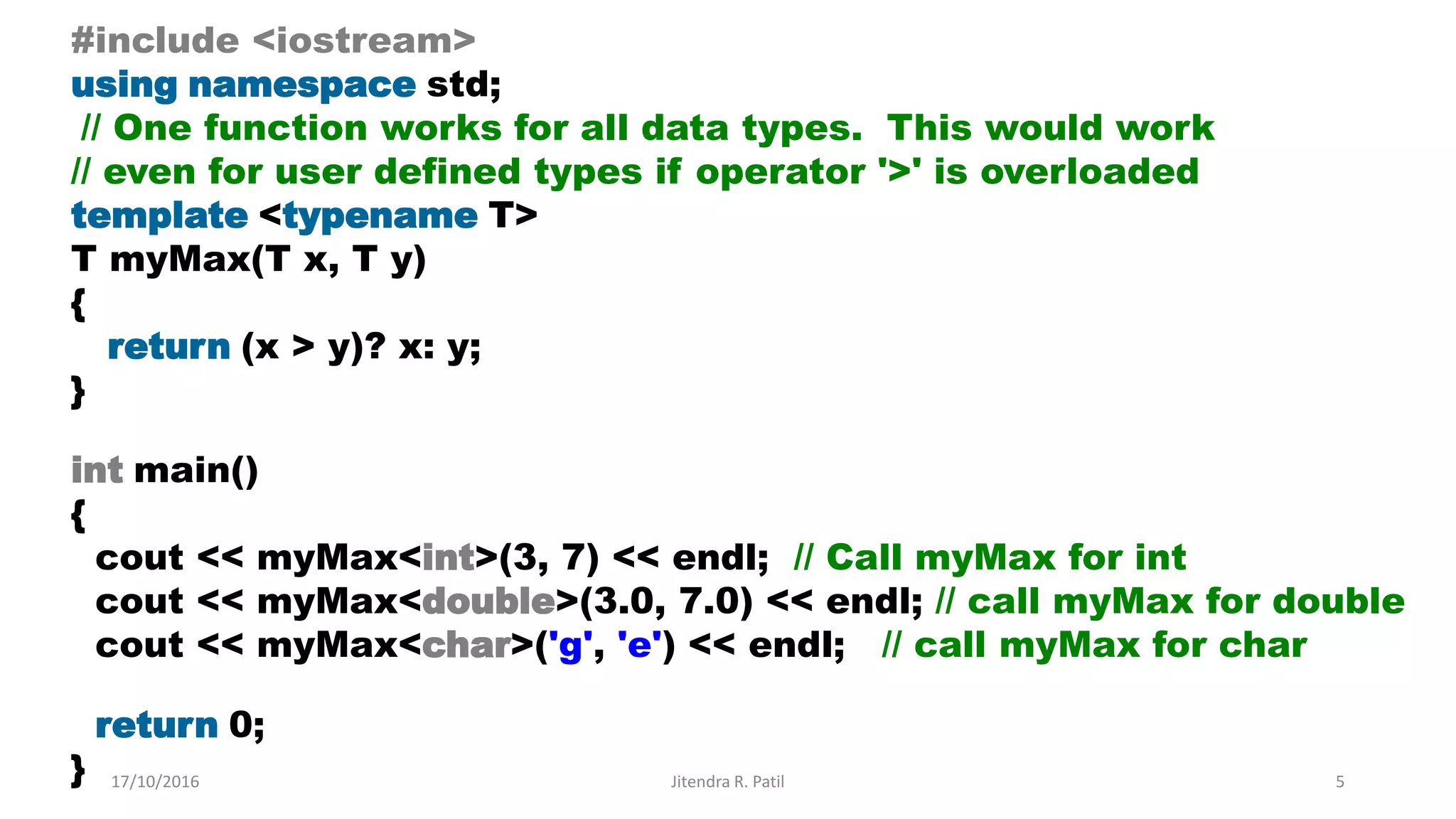
#include <iostream>
using namespace std;
// One function works for all data types. This would work
// even for user defined types if operator '>' is overloaded
template <typename T>
T myMax(T x, T y)
{
return (x > y)? x: y;
}
int main()
{
cout << myMax<int>(3, 7) << endl; // Call myMax for int
cout << myMax<double>(3.0, 7.0) << endl; // call myMax for double
cout << myMax<char>('g', 'e') << endl; // call myMax for char
return 0;
}
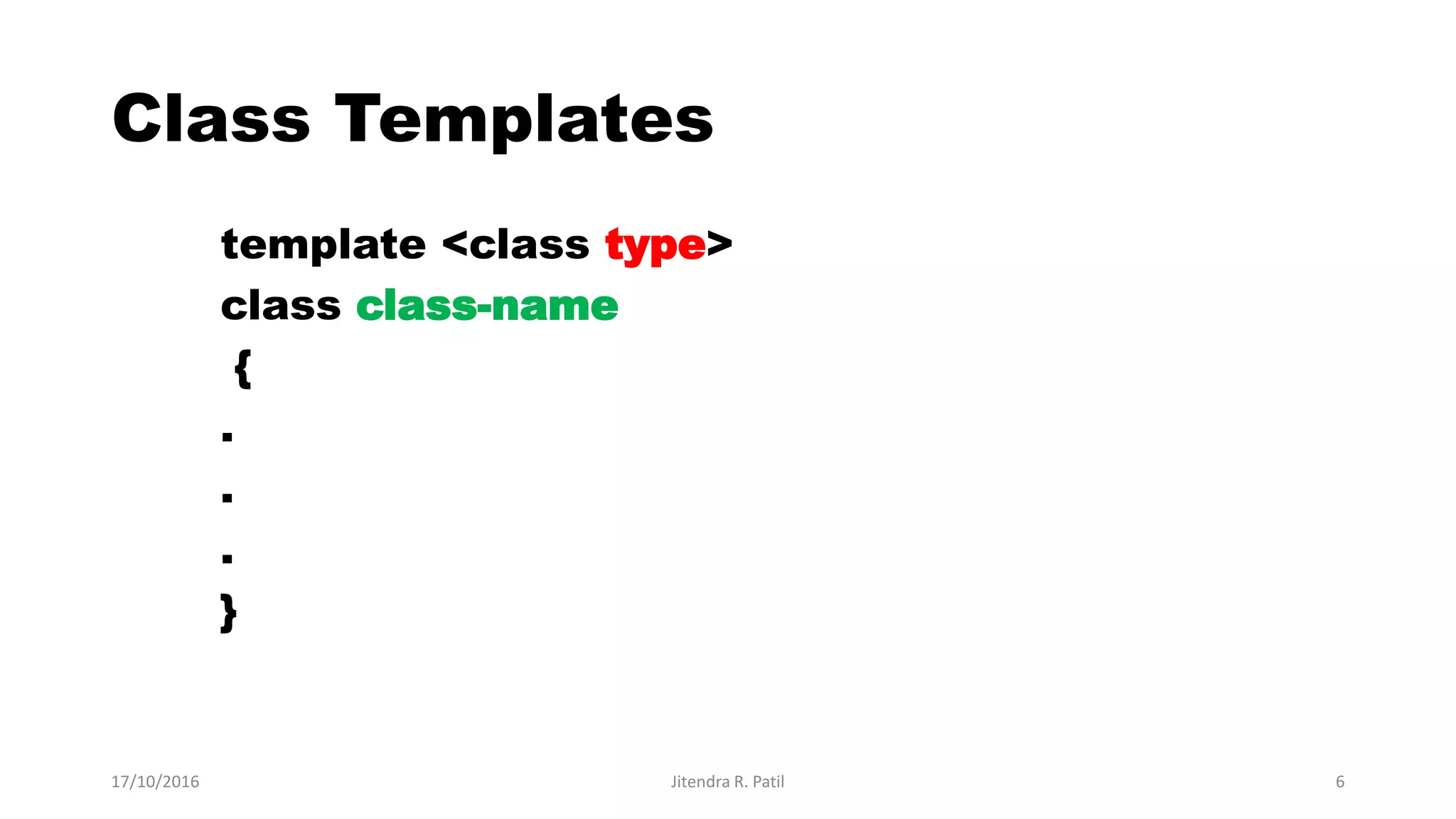
Class Templates
template <class type>
class class-name
{
.
.
.
}
17/10/2016 Jitendra R. Patil 6
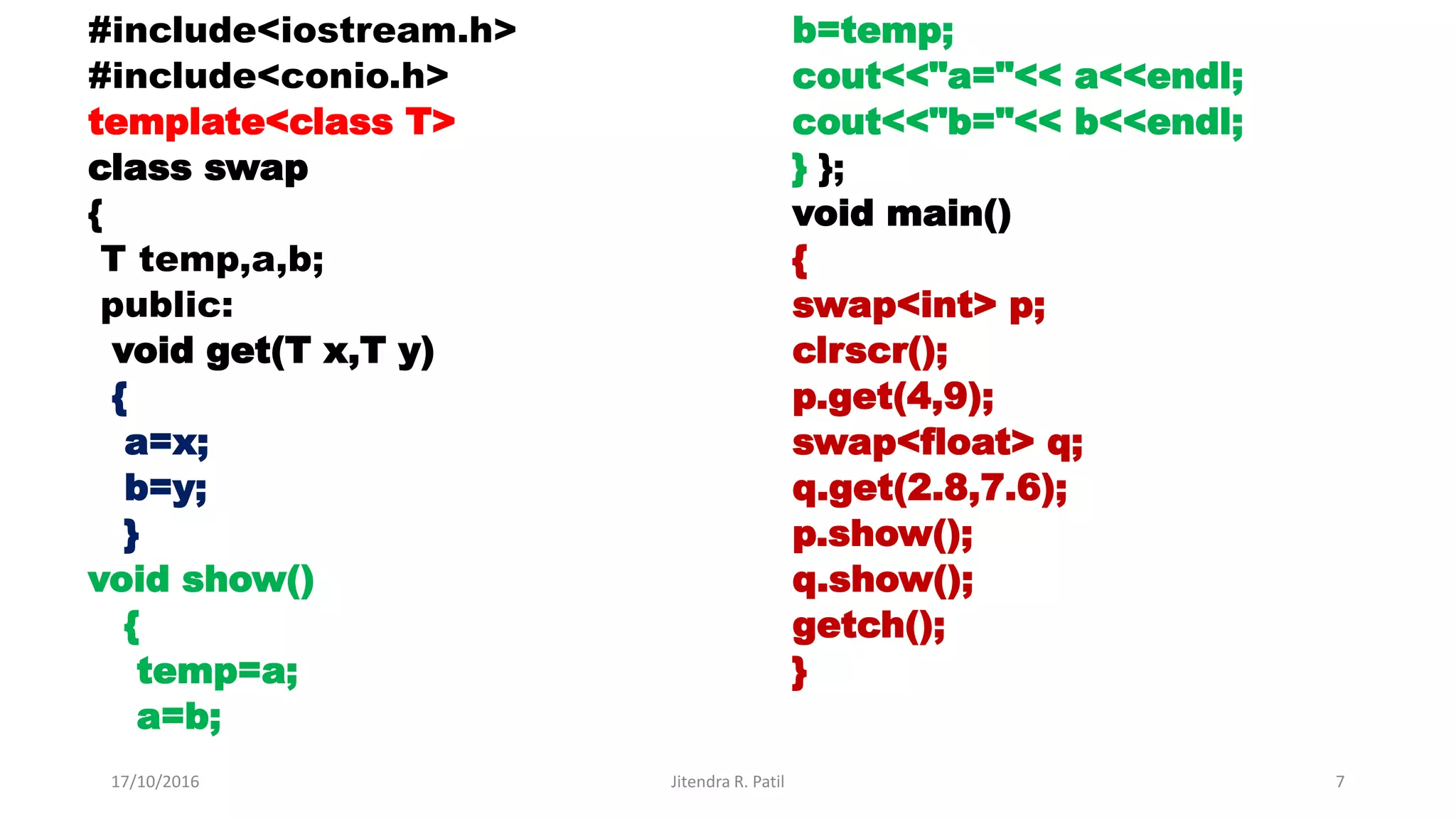
#include<iostream.h>
#include<conio.h>
template<class T>
class swap
{
T temp,a,b;
public:
void get(T x,T y)
{
a=x;
b=y;
}
void show()
{
temp=a;
a=b;
b=temp;
cout<<"a="<< a<<endl;
cout<<"b="<< b<<endl;
} };
void main()
{
swap<int> p;
clrscr();
p.get(4,9);
swap<float> q;
q.get(2.8,7.6);
p.show();
q.show();
getch();
}
17/10/2016 Jitendra R. Patil 7
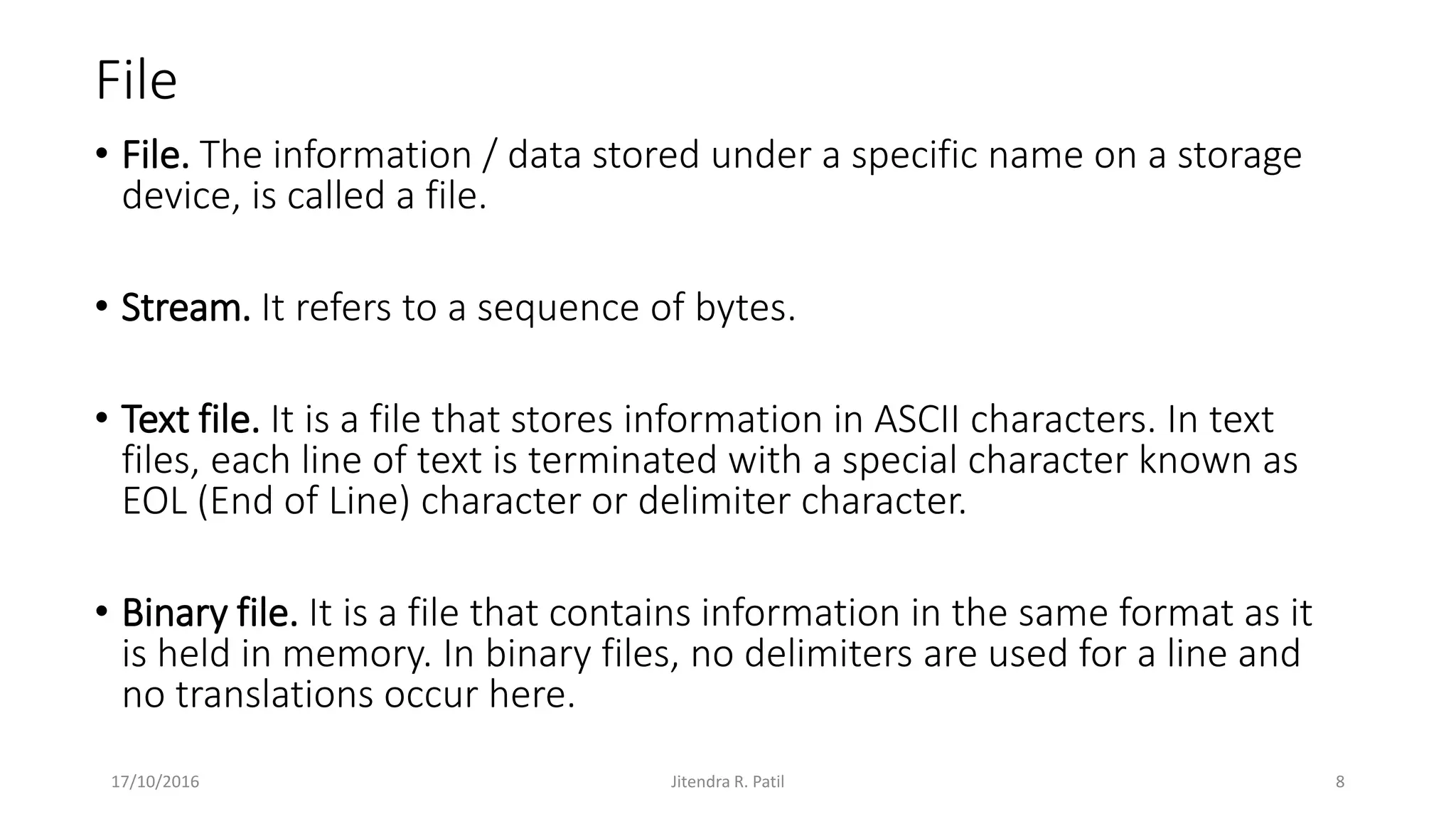
File
• File. The information / data stored under a specific name on a storage
device, is called a file.
• Stream. It refers to a sequence of bytes.
• Text file. It is a file that stores information in ASCII characters. In text
files, each line of text is terminated with a special character known as
EOL (End of Line) character or delimiter character.
• Binary file. It is a file that contains information in the same format as it
is held in memory. In binary files, no delimiters are used for a line and
no translations occur here.
17/10/2016 Jitendra R. Patil 8
Files
• It is a process of storing data into files.
• Files are used to store data in a relatively permanent form, on floppy
disk, hard disk, tape or other form of secondary storage.
• Files can hold huge amounts of data if need be. Ordinary variables
(even records and arrays) are kept in main memory which is
temporary and rather limited in size.
17/10/2016 Jitendra R. Patil 9
Why Use Files
• Convenient way to deal with large quantities of data.
• Store data permanently (until file is deleted).
• Avoid having to type data into program multiple times.
• Share data between programs.
17/10/2016 Jitendra R. Patil 10
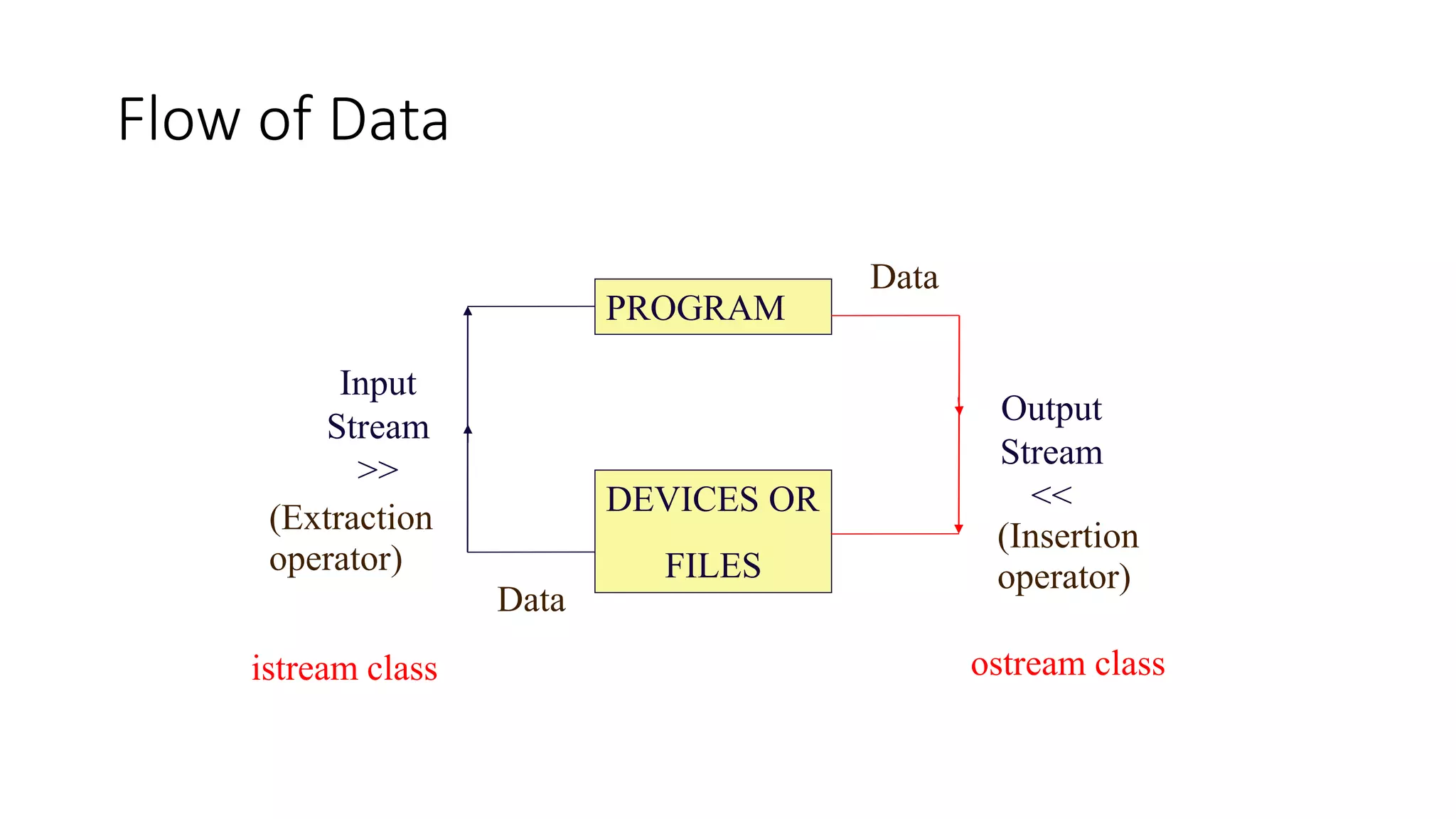
PROGRAM
DEVICES OR
FILES
Input
Stream
>>
Output
Stream
<<
Data
Data
istream class ostream class
(Insertion
operator)
(Extraction
operator)
Flow of Data
I/O in C++
Different streams are used to represent different kinds of data flow.
Each stream is associated with a particular class, which contains
 member functions and
 definitions for dealing with that particular kind of data flow.
17/10/2016 Jitendra R. Patil 12
The following classes in C++ have access to
file input and output functions:
•Ifstream
Stream class to write on files
•ofstream
Stream class to read from files
•fstream
Stream class to both read and write from/to files.
17/10/2016 Jitendra R. Patil 13
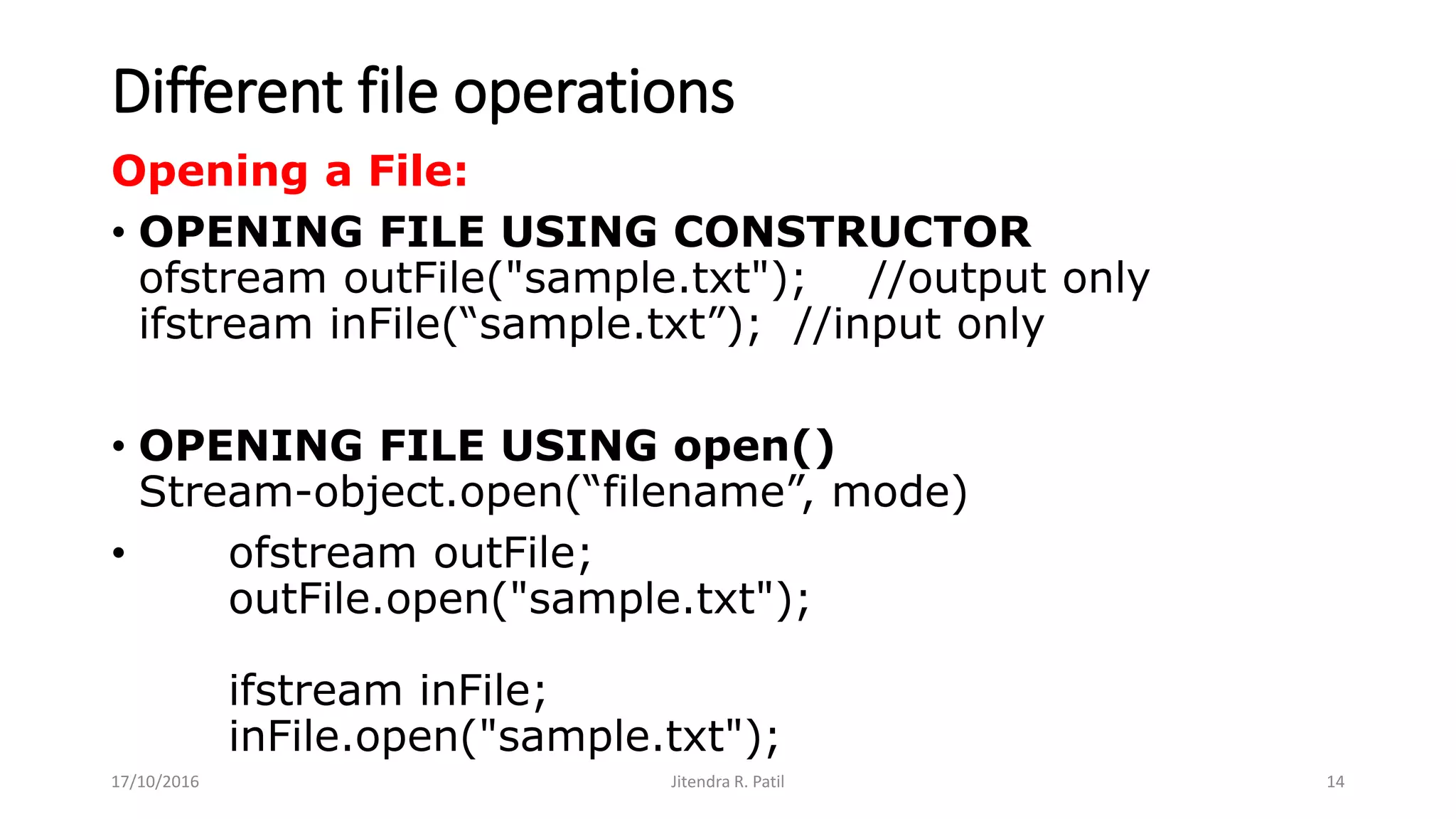
Different file operations
Opening a File:
• OPENING FILE USING CONSTRUCTOR
ofstream outFile("sample.txt"); //output only
ifstream inFile(“sample.txt”); //input only
• OPENING FILE USING open()
Stream-object.open(“filename”, mode)
• ofstream outFile;
outFile.open("sample.txt");
ifstream inFile;
inFile.open("sample.txt");
17/10/2016 Jitendra R. Patil 14
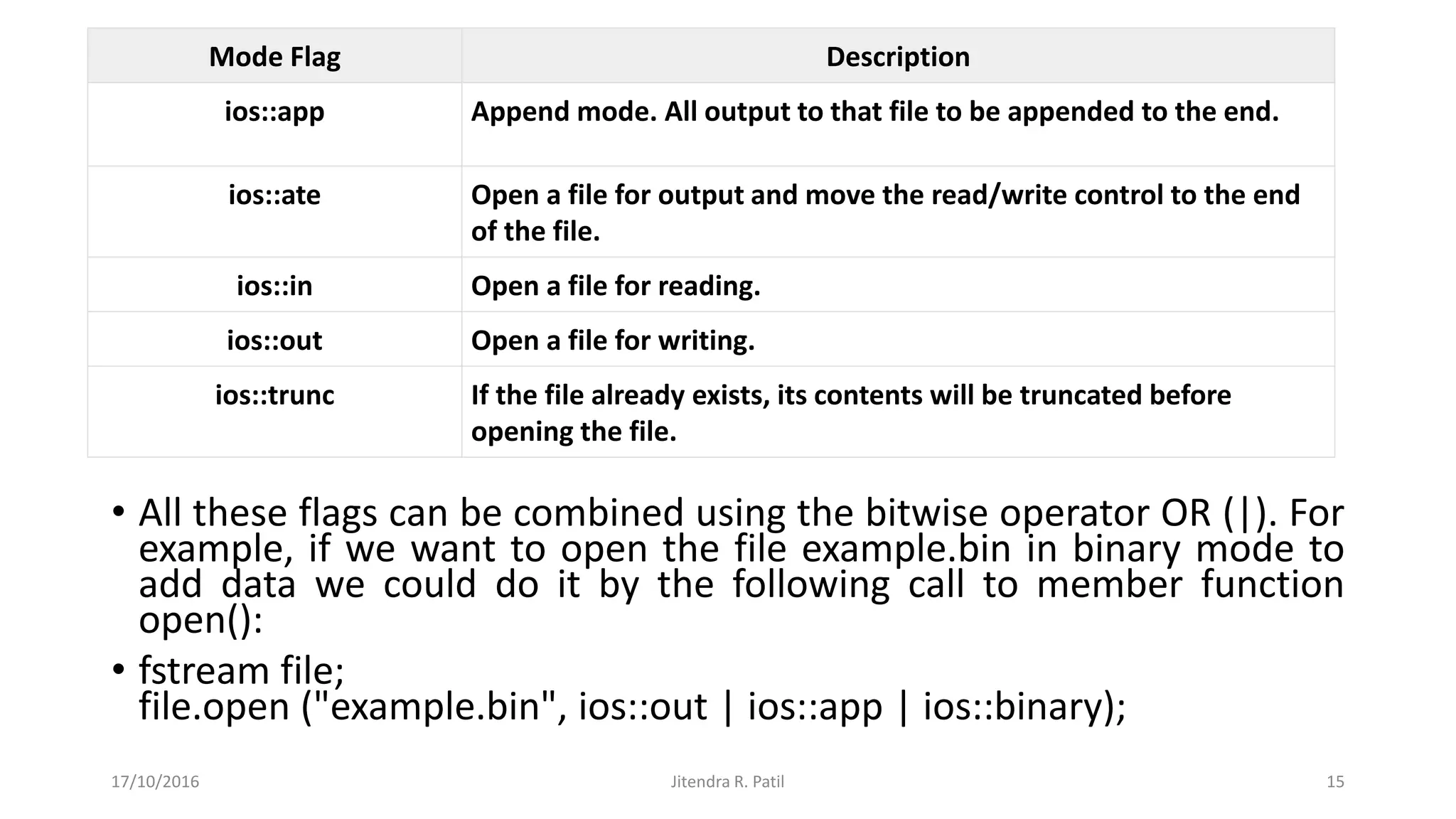
• All these flags can be combined using the bitwise operator OR (|). For
example, if we want to open the file example.bin in binary mode to
add data we could do it by the following call to member function
open():
• fstream file;
file.open ("example.bin", ios::out | ios::app | ios::binary);
17/10/2016 Jitendra R. Patil 15
Mode Flag Description
ios::app Append mode. All output to that file to be appended to the end.
ios::ate Open a file for output and move the read/write control to the end
of the file.
ios::in Open a file for reading.
ios::out Open a file for writing.
ios::trunc If the file already exists, its contents will be truncated before
opening the file.
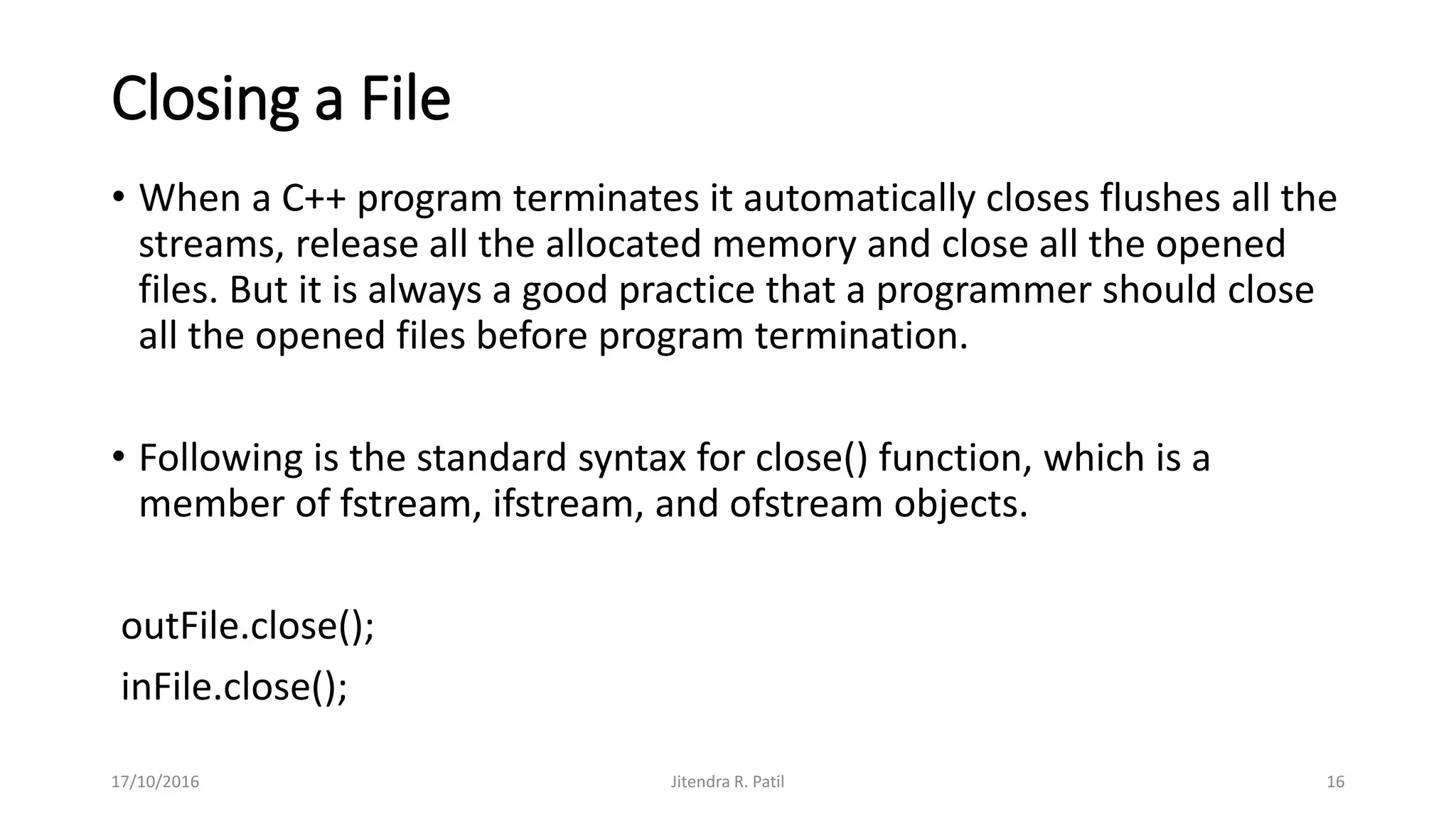
Closing a File
• When a C++ program terminates it automatically closes flushes all the
streams, release all the allocated memory and close all the opened
files. But it is always a good practice that a programmer should close
all the opened files before program termination.
• Following is the standard syntax for close() function, which is a
member of fstream, ifstream, and ofstream objects.
outFile.close();
inFile.close();
17/10/2016 Jitendra R. Patil 16
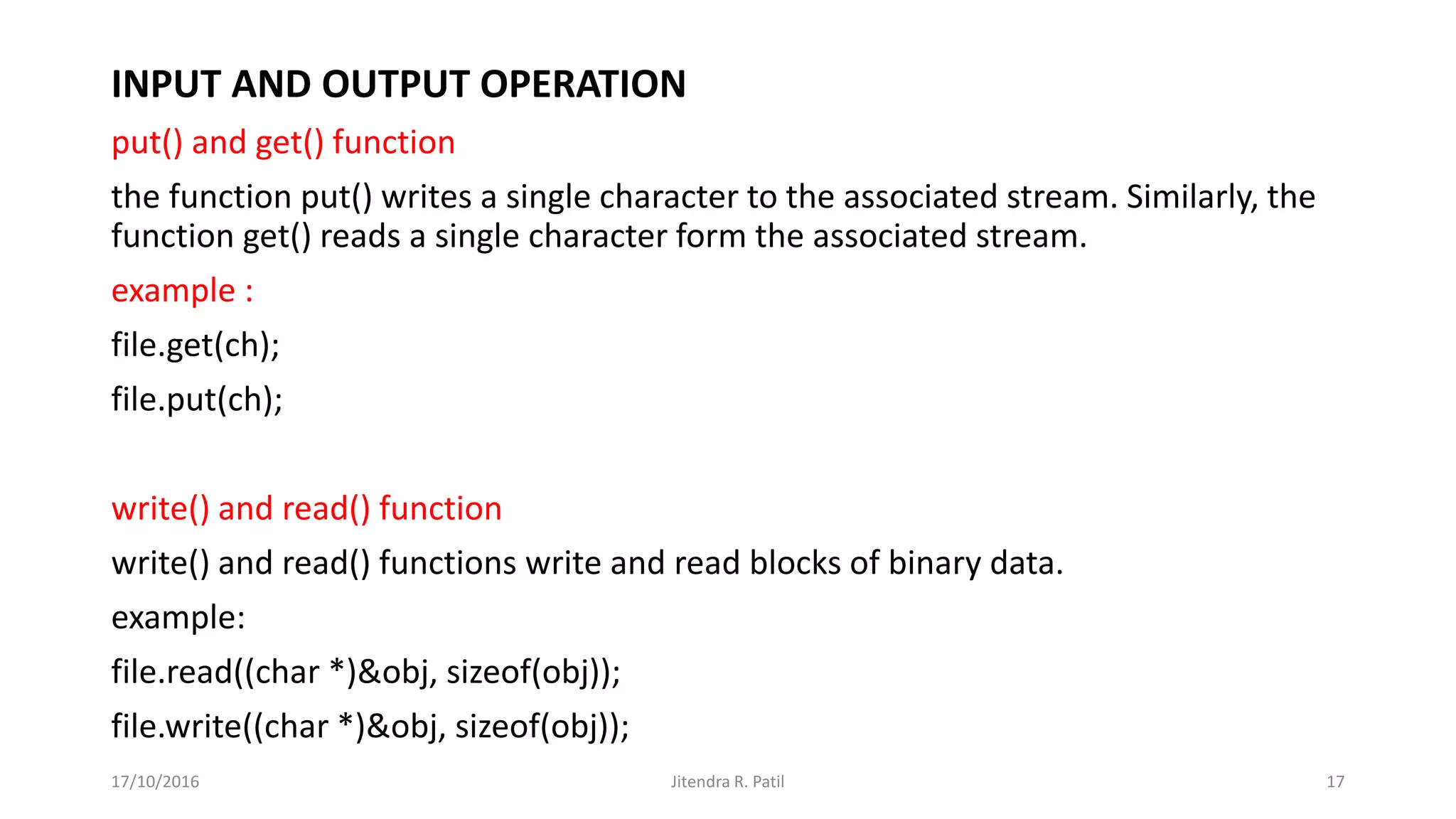
INPUT AND OUTPUT OPERATION
put() and get() function
the function put() writes a single character to the associated stream. Similarly, the
function get() reads a single character form the associated stream.
example :
file.get(ch);
file.put(ch);
write() and read() function
write() and read() functions write and read blocks of binary data.
example:
file.read((char *)&obj, sizeof(obj));
file.write((char *)&obj, sizeof(obj));
17/10/2016 Jitendra R. Patil 17

Unit 5

  • 1.
    Unit 5 Template &File 17/10/2016 Jitendra R. Patil 1
  • 2.
    Template • Templates inC++ programming allows function or class to work on more than one data type at once without writing different codes for different data types. • Templates are often used in larger programs for the purpose of code reusability and flexibility of program. • The concept of templates can be used in two different ways: Function Templates Class Templates 17/10/2016 Jitendra R. Patil 2
  • 3.
    Function Templates Syntax: template <classT> T some_function(T arg) { //body of function ; } 17/10/2016 Jitendra R. Patil 3
  • 4.
    //Sorting of number usingFunction Template #include<iostream.h> #include<conio.h> template<class T> void sort(T a [ ]) { T temp; int i , j; for(i=0;i<5;i++) { for(j=i+1;j<5;j++) { if(a[i] > a[j]) { temp=a[i]; a[i]=a[j]; a[j]=temp; } } } cout<<"Sorted array="<<endl; for(i=0;i<5;i++) cout<<a[i]<<endl; } void main() { int a[5],i , j; float b[5]; char c[5]; clrscr(); cout<<"Enter 5 integer element"; for(i=0;i<5;i++) cin>>a[i]; cout<<"Enter 5 decimal element"; for(i=0;i<5;i++) cin>>b[i]; cout<<"Enter 5 character"; for(i=0;i<5;i++) cin>>c[i]; sort(a); sort(b); sort(c); getch(); } 17/10/2016 Jitendra R. Patil 4
  • 5.
    17/10/2016 Jitendra R.Patil 5 #include <iostream> using namespace std; // One function works for all data types. This would work // even for user defined types if operator '>' is overloaded template <typename T> T myMax(T x, T y) { return (x > y)? x: y; } int main() { cout << myMax<int>(3, 7) << endl; // Call myMax for int cout << myMax<double>(3.0, 7.0) << endl; // call myMax for double cout << myMax<char>('g', 'e') << endl; // call myMax for char return 0; }
  • 6.
    Class Templates template <classtype> class class-name { . . . } 17/10/2016 Jitendra R. Patil 6
  • 7.
    #include<iostream.h> #include<conio.h> template<class T> class swap { Ttemp,a,b; public: void get(T x,T y) { a=x; b=y; } void show() { temp=a; a=b; b=temp; cout<<"a="<< a<<endl; cout<<"b="<< b<<endl; } }; void main() { swap<int> p; clrscr(); p.get(4,9); swap<float> q; q.get(2.8,7.6); p.show(); q.show(); getch(); } 17/10/2016 Jitendra R. Patil 7
  • 8.
    File • File. Theinformation / data stored under a specific name on a storage device, is called a file. • Stream. It refers to a sequence of bytes. • Text file. It is a file that stores information in ASCII characters. In text files, each line of text is terminated with a special character known as EOL (End of Line) character or delimiter character. • Binary file. It is a file that contains information in the same format as it is held in memory. In binary files, no delimiters are used for a line and no translations occur here. 17/10/2016 Jitendra R. Patil 8
  • 9.
    Files • It isa process of storing data into files. • Files are used to store data in a relatively permanent form, on floppy disk, hard disk, tape or other form of secondary storage. • Files can hold huge amounts of data if need be. Ordinary variables (even records and arrays) are kept in main memory which is temporary and rather limited in size. 17/10/2016 Jitendra R. Patil 9
  • 10.
    Why Use Files •Convenient way to deal with large quantities of data. • Store data permanently (until file is deleted). • Avoid having to type data into program multiple times. • Share data between programs. 17/10/2016 Jitendra R. Patil 10
  • 11.
    PROGRAM DEVICES OR FILES Input Stream >> Output Stream << Data Data istream classostream class (Insertion operator) (Extraction operator) Flow of Data
  • 12.
    I/O in C++ Differentstreams are used to represent different kinds of data flow. Each stream is associated with a particular class, which contains  member functions and  definitions for dealing with that particular kind of data flow. 17/10/2016 Jitendra R. Patil 12
  • 13.
    The following classesin C++ have access to file input and output functions: •Ifstream Stream class to write on files •ofstream Stream class to read from files •fstream Stream class to both read and write from/to files. 17/10/2016 Jitendra R. Patil 13
  • 14.
    Different file operations Openinga File: • OPENING FILE USING CONSTRUCTOR ofstream outFile("sample.txt"); //output only ifstream inFile(“sample.txt”); //input only • OPENING FILE USING open() Stream-object.open(“filename”, mode) • ofstream outFile; outFile.open("sample.txt"); ifstream inFile; inFile.open("sample.txt"); 17/10/2016 Jitendra R. Patil 14
  • 15.
    • All theseflags can be combined using the bitwise operator OR (|). For example, if we want to open the file example.bin in binary mode to add data we could do it by the following call to member function open(): • fstream file; file.open ("example.bin", ios::out | ios::app | ios::binary); 17/10/2016 Jitendra R. Patil 15 Mode Flag Description ios::app Append mode. All output to that file to be appended to the end. ios::ate Open a file for output and move the read/write control to the end of the file. ios::in Open a file for reading. ios::out Open a file for writing. ios::trunc If the file already exists, its contents will be truncated before opening the file.
  • 16.
    Closing a File •When a C++ program terminates it automatically closes flushes all the streams, release all the allocated memory and close all the opened files. But it is always a good practice that a programmer should close all the opened files before program termination. • Following is the standard syntax for close() function, which is a member of fstream, ifstream, and ofstream objects. outFile.close(); inFile.close(); 17/10/2016 Jitendra R. Patil 16
  • 17.
    INPUT AND OUTPUTOPERATION put() and get() function the function put() writes a single character to the associated stream. Similarly, the function get() reads a single character form the associated stream. example : file.get(ch); file.put(ch); write() and read() function write() and read() functions write and read blocks of binary data. example: file.read((char *)&obj, sizeof(obj)); file.write((char *)&obj, sizeof(obj)); 17/10/2016 Jitendra R. Patil 17