Device Agnostic Design 
How to get your content to go anywhere 
by Anna Dahlström | @annadahlstrom 
UCD London, 25 Oct 2014 #UCD14 
Image courtesy of Shutterstock
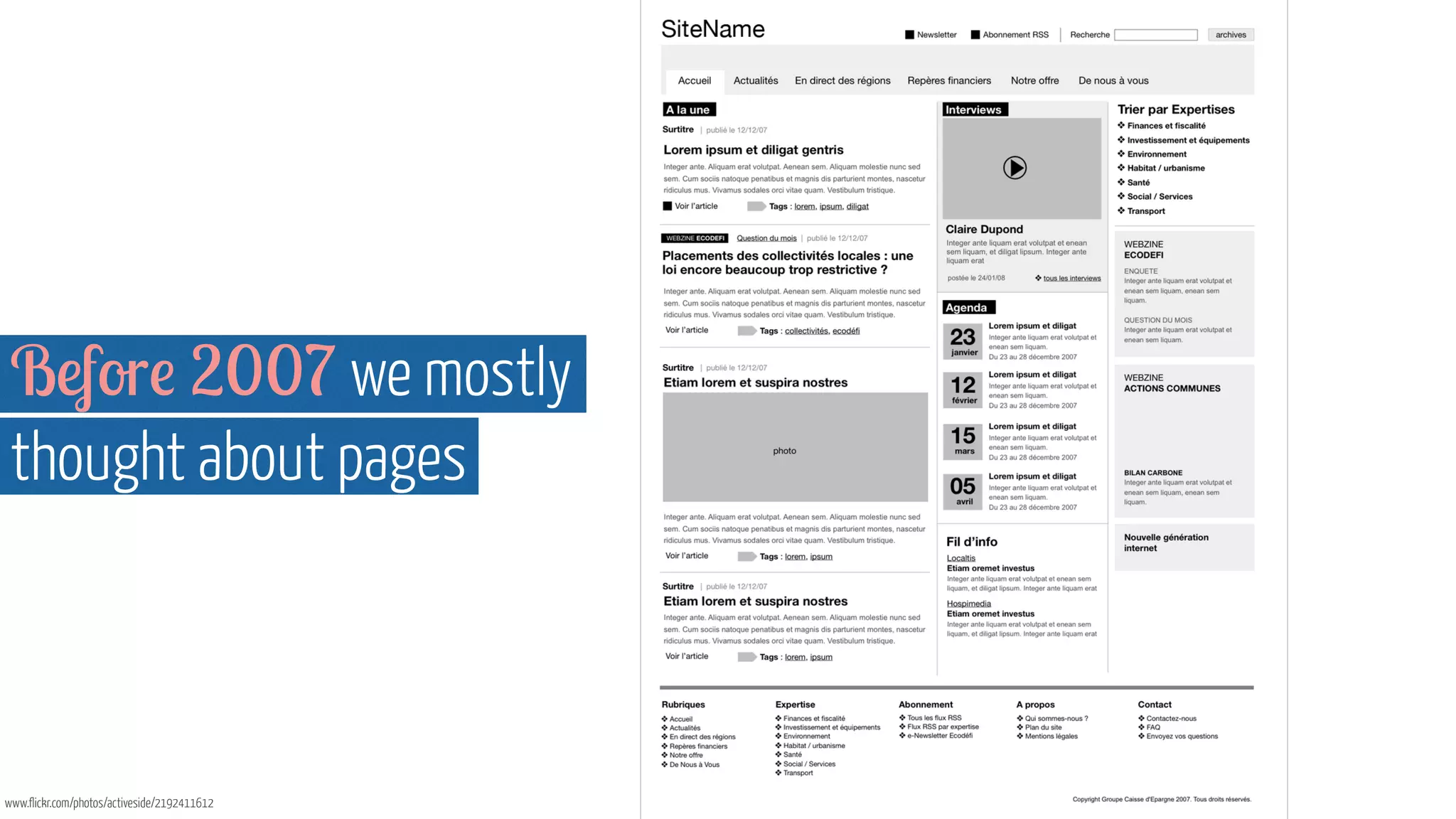
Before 2007 we mostly 
thought about pages 
www.flickr.com/photos/activeside/2192411612
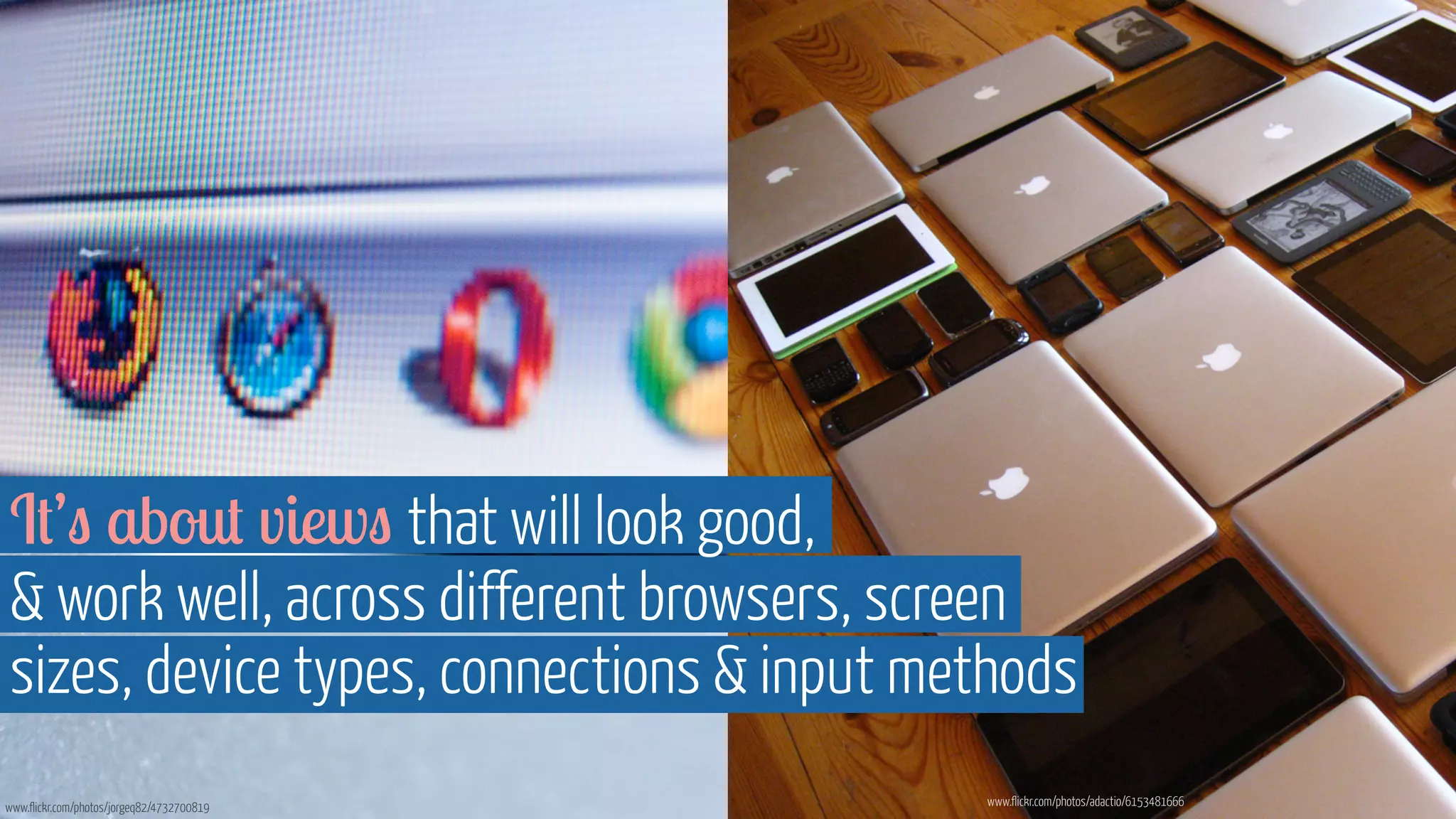
That was when browsers 
were our biggest head ache 
www.flickr.com/photos/jorgeq82/4732700819
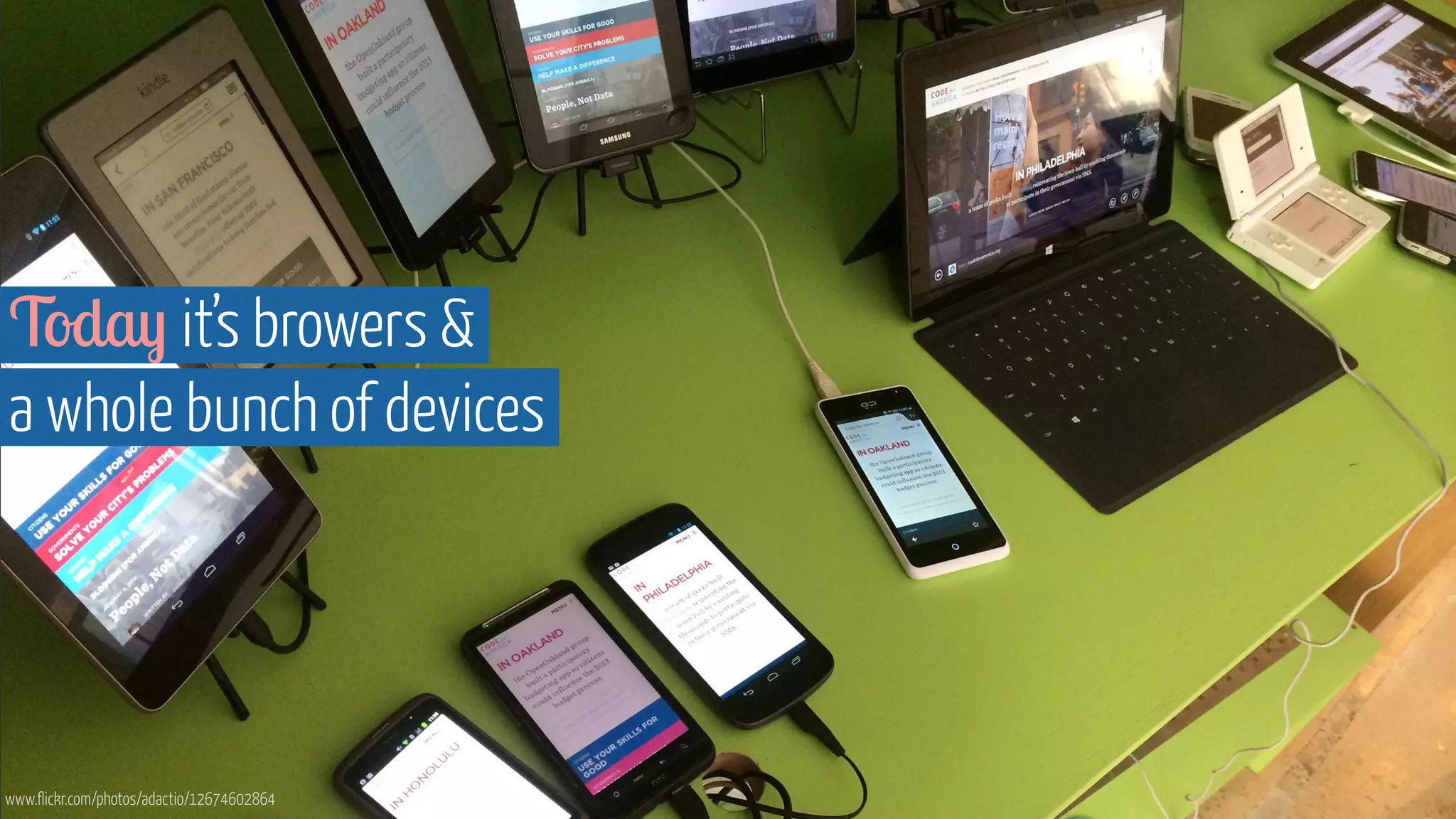
Today it’s browers & 
a whole bunch of devices 
www.flickr.com/photos/adactio/12674602864
“ For the first time ever 
there are more gadgets in the 
world than there are people. ” 
- Source: Independent 
http://www.businessinsider.com/vatican-square-2005-and-2013-2013-3
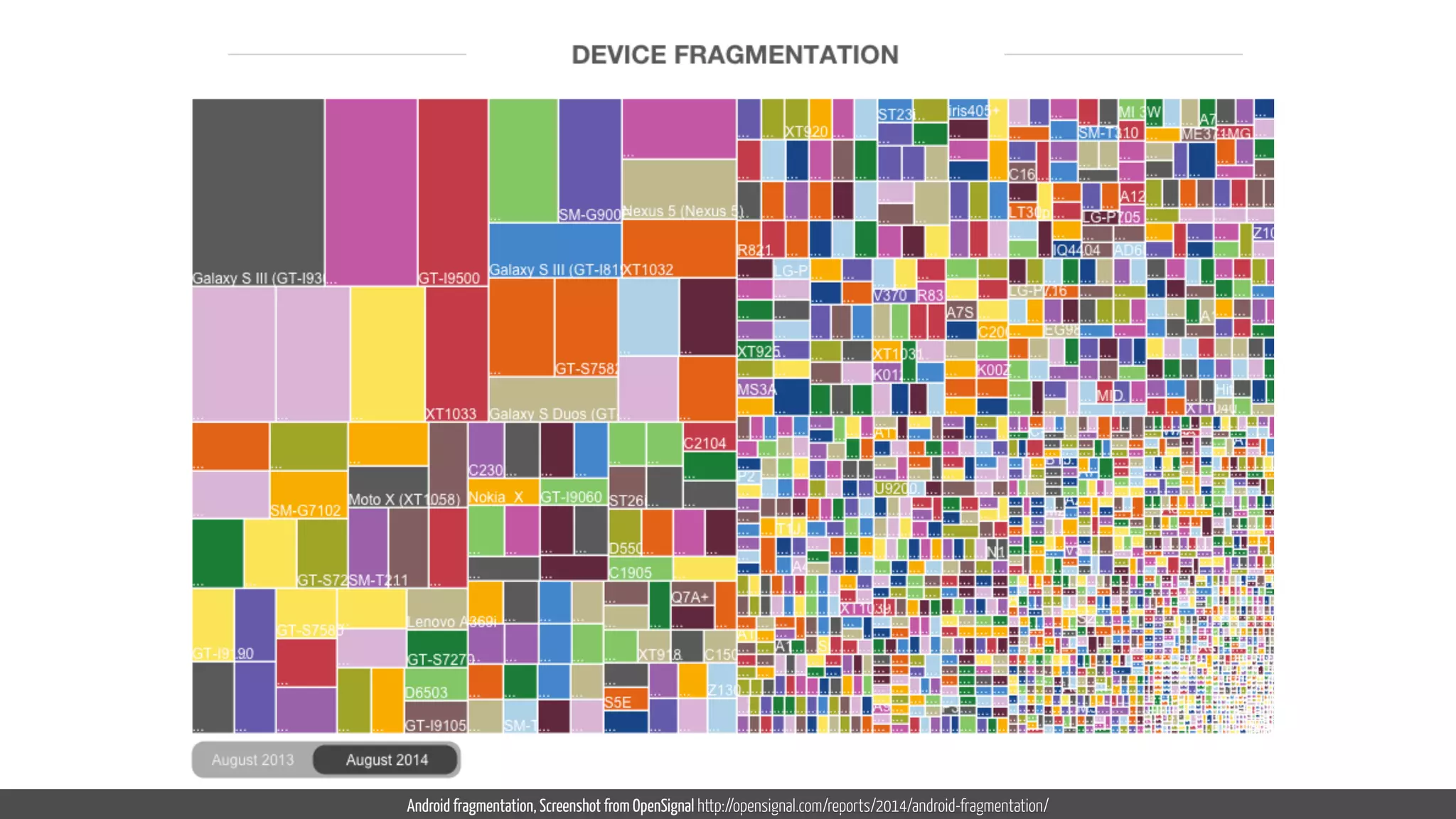
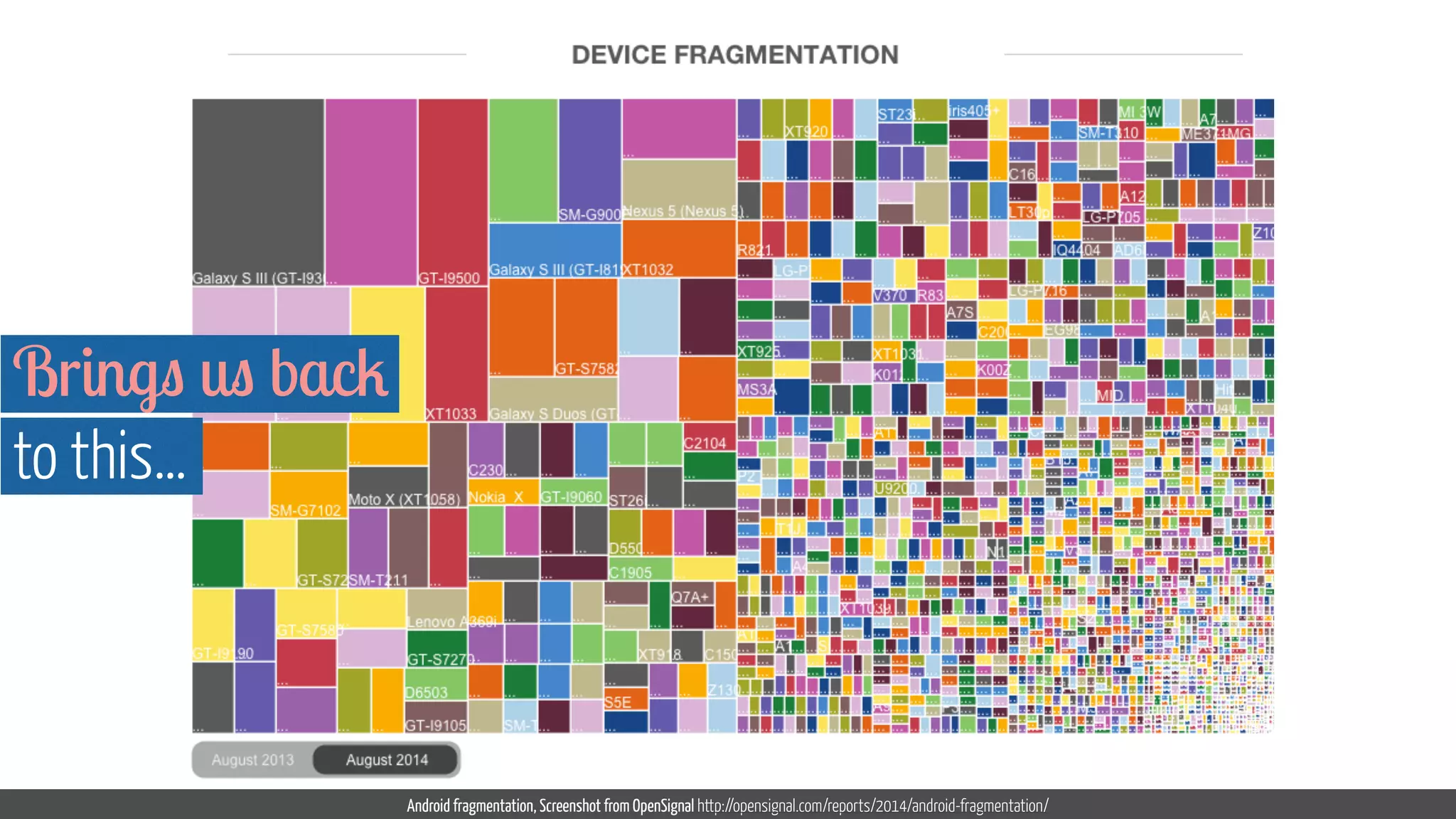
Android fragmentation, Screenshot from OpenSignal http://opensignal.com/reports/2014/android-fragmentation/
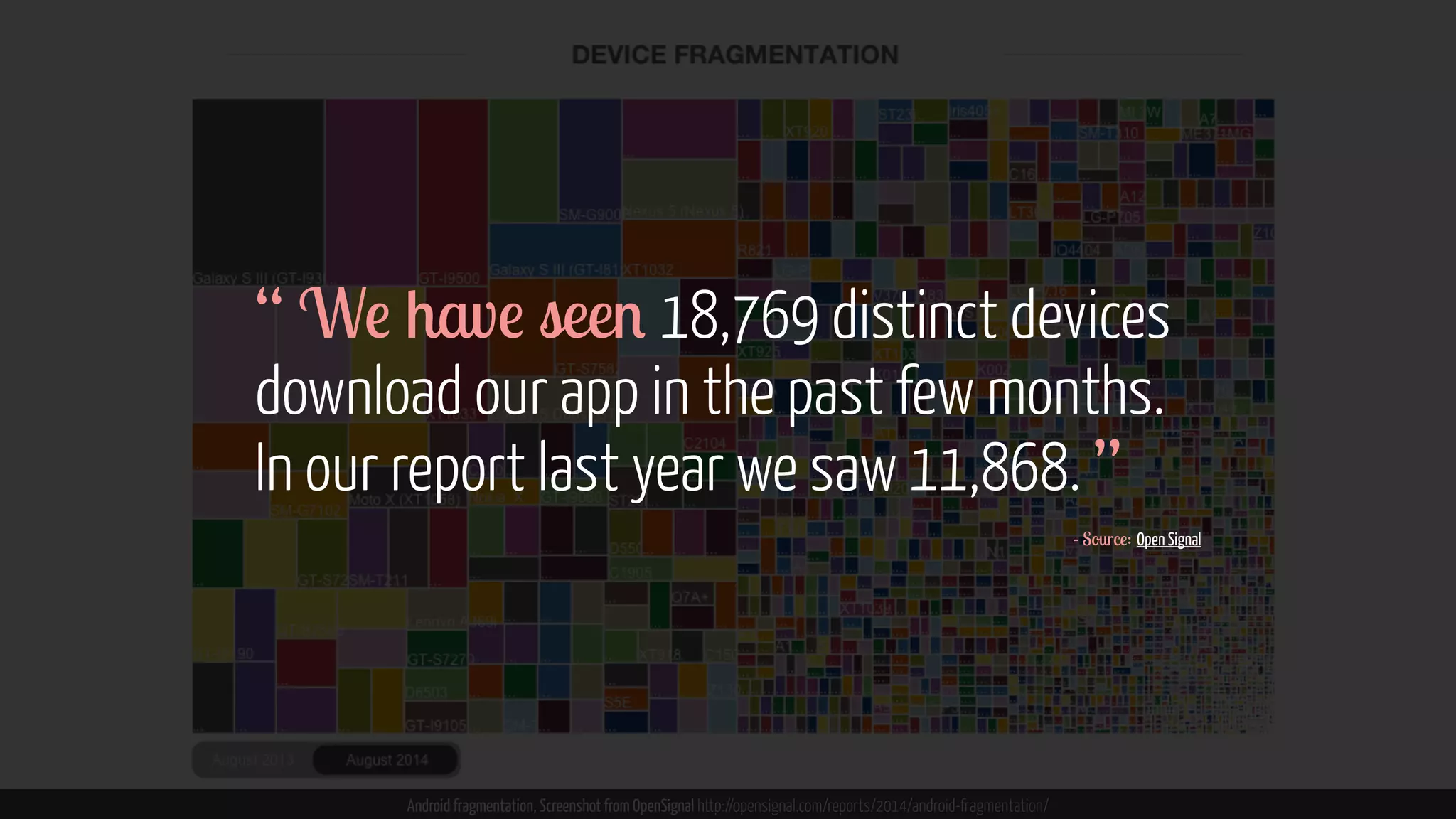
“ We have seen 18,769 distinct devices 
download our app in the past few months. 
In our report last year we saw 11,868. ” 
Android fragmentation, Screenshot from OpenSignal http://opensignal.com/reports/2014/android-fragmentation/ 
- Source: Open Signal
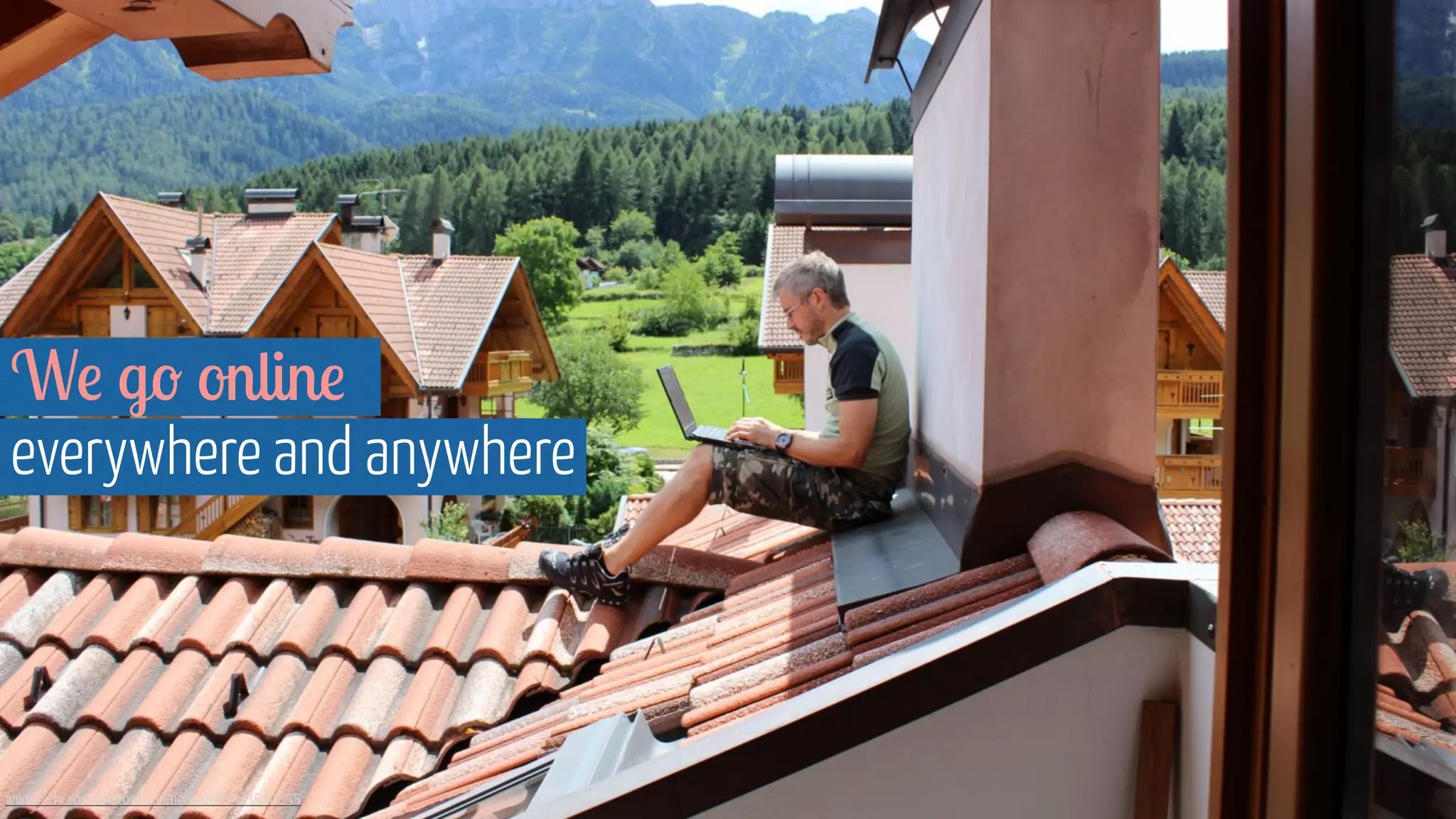
We go online 
everywhere and anywhere 
www.flickr.com/photos/luigimengato/5963540855
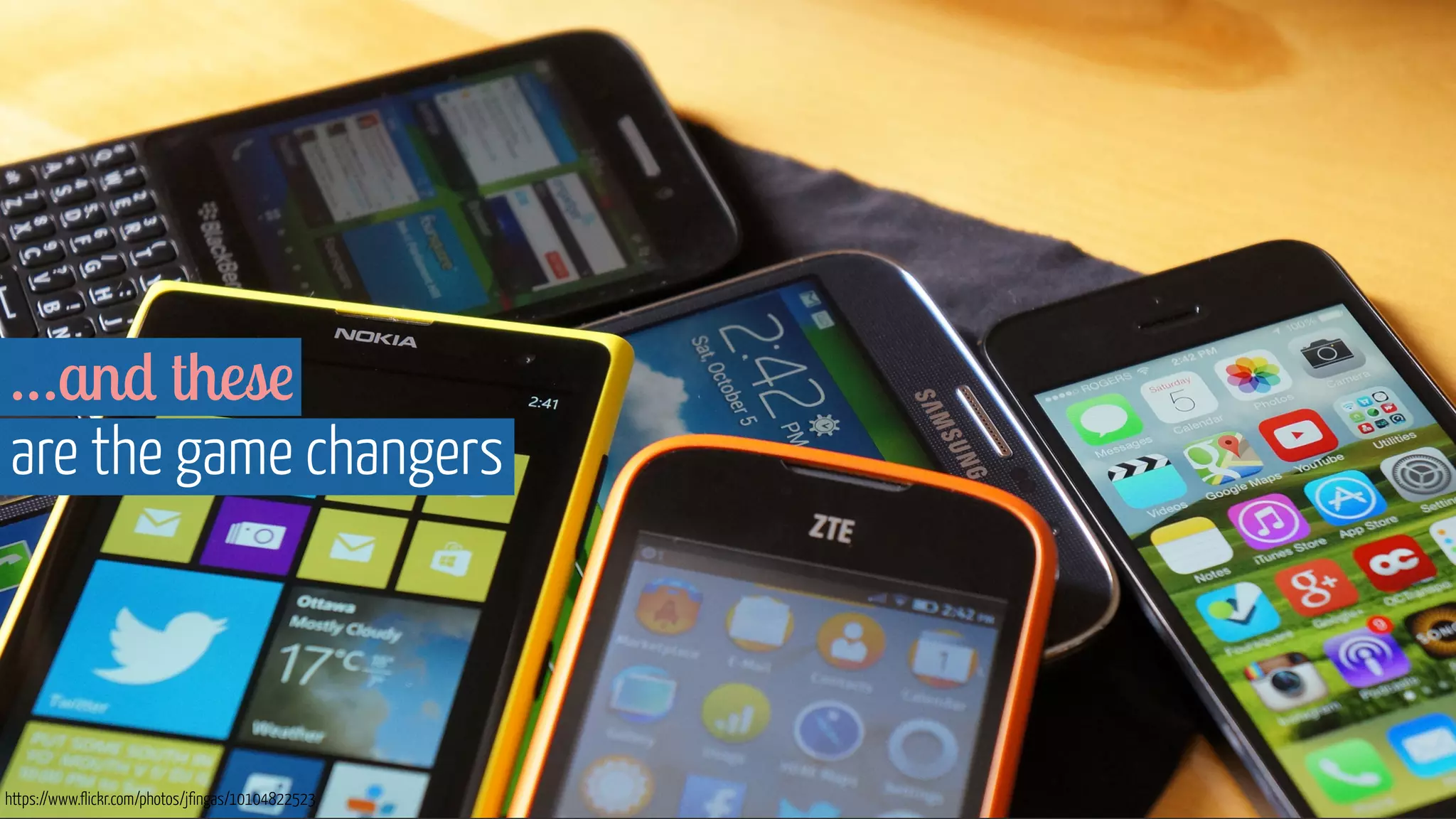
…and these 
are the game changers 
https://www.flickr.com/photos/jfingas/10104822523
https://www.flickr.com/photos/bfishadow/4604166391 
“ Just a giant iPhone. ”
2010 Ethan Marcotte, Responsive Web Design
Now… it’s Device Agnostic Design
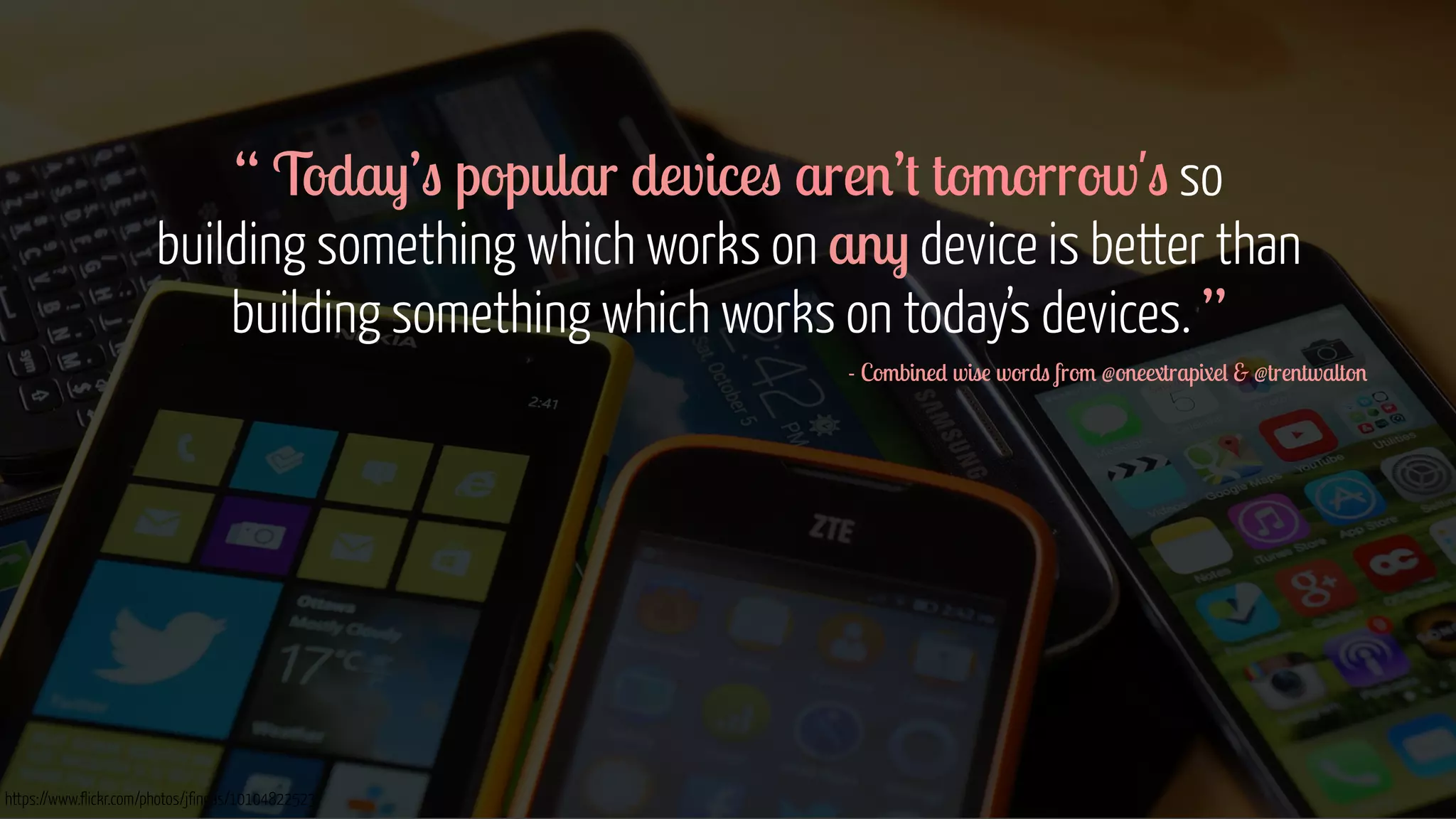
“ Today’s popular devices aren’t tomorrow's so 
building something which works on any device is better than 
building something which works on today’s devices. ” 
https://www.flickr.com/photos/jfingas/10104822523 
- Combined wise words from @oneextrapixel & @trentwalton 
! 
! 
! 
! 
! 
!
What does work on “any device” mean?
“ The site you build is not dependent on 
knowing what device it is being displayed on. ” 
- Sarita Harbour, WDD 
Image courtesy of Shutterstock
Where has it come from?
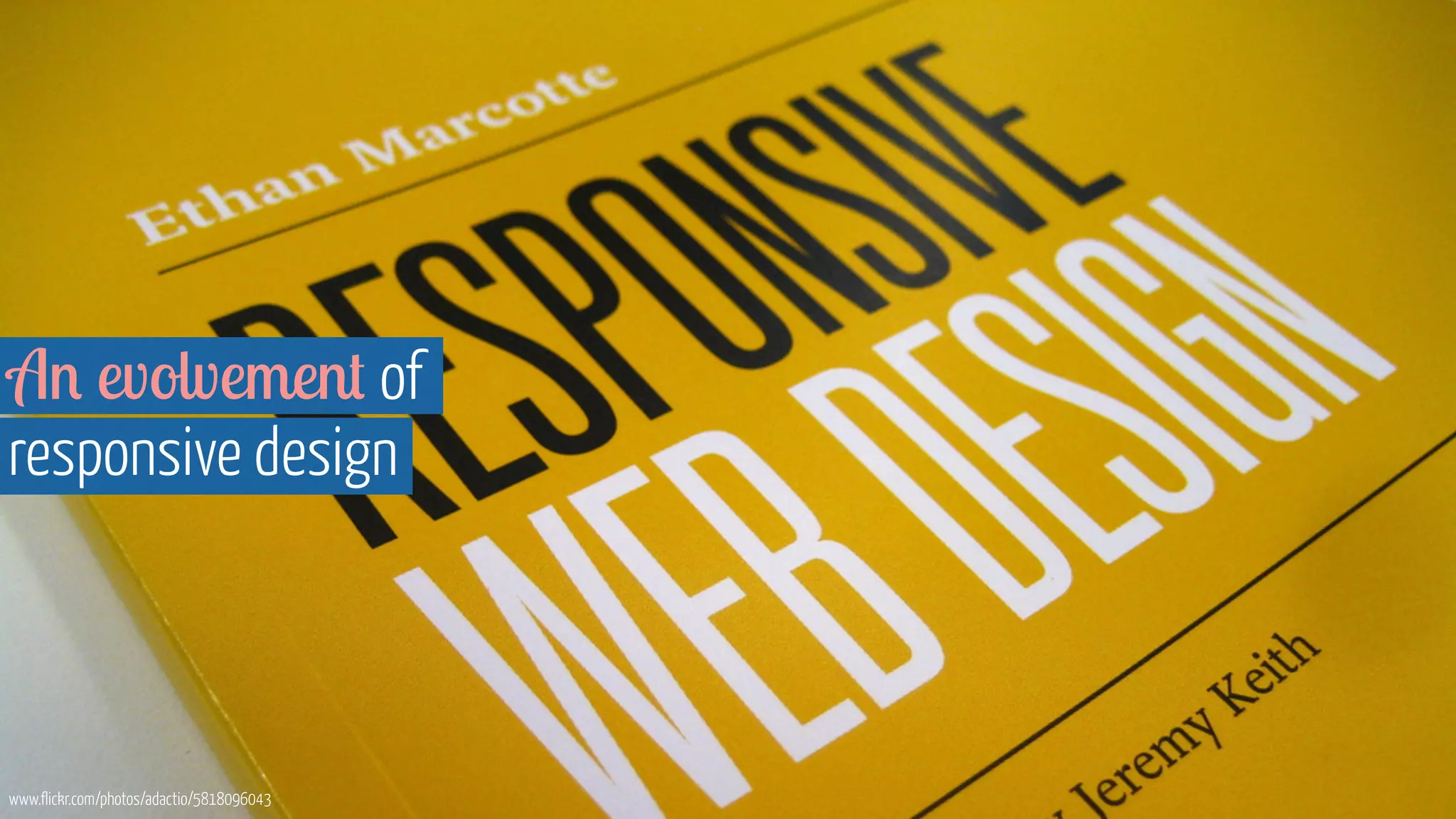
An evolvement of 
responsive design 
www.flickr.com/photos/adactio/5818096043
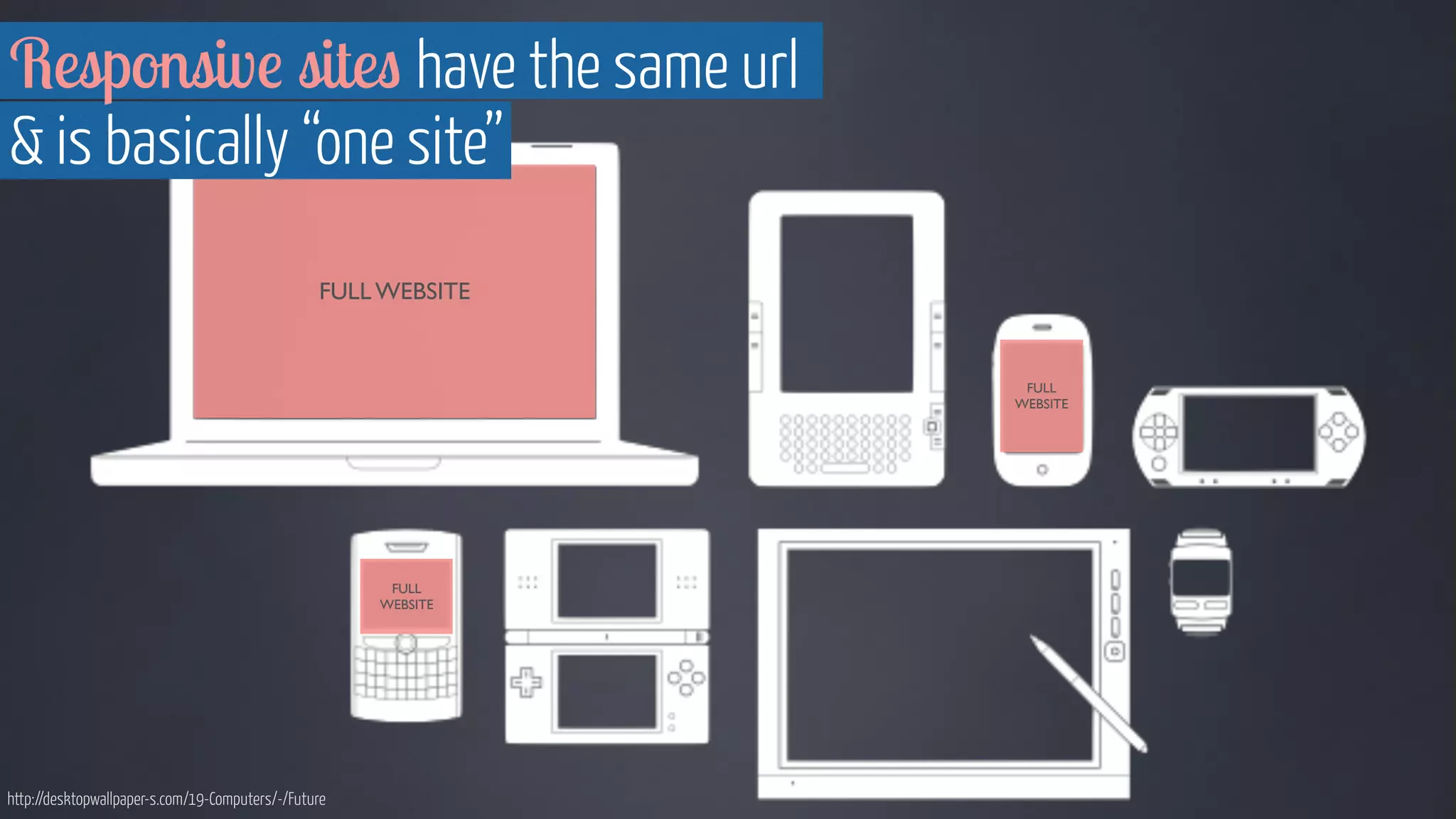
FULL WEBSITE 
FULL 
WEBSITE 
FULL 
WEBSITE 
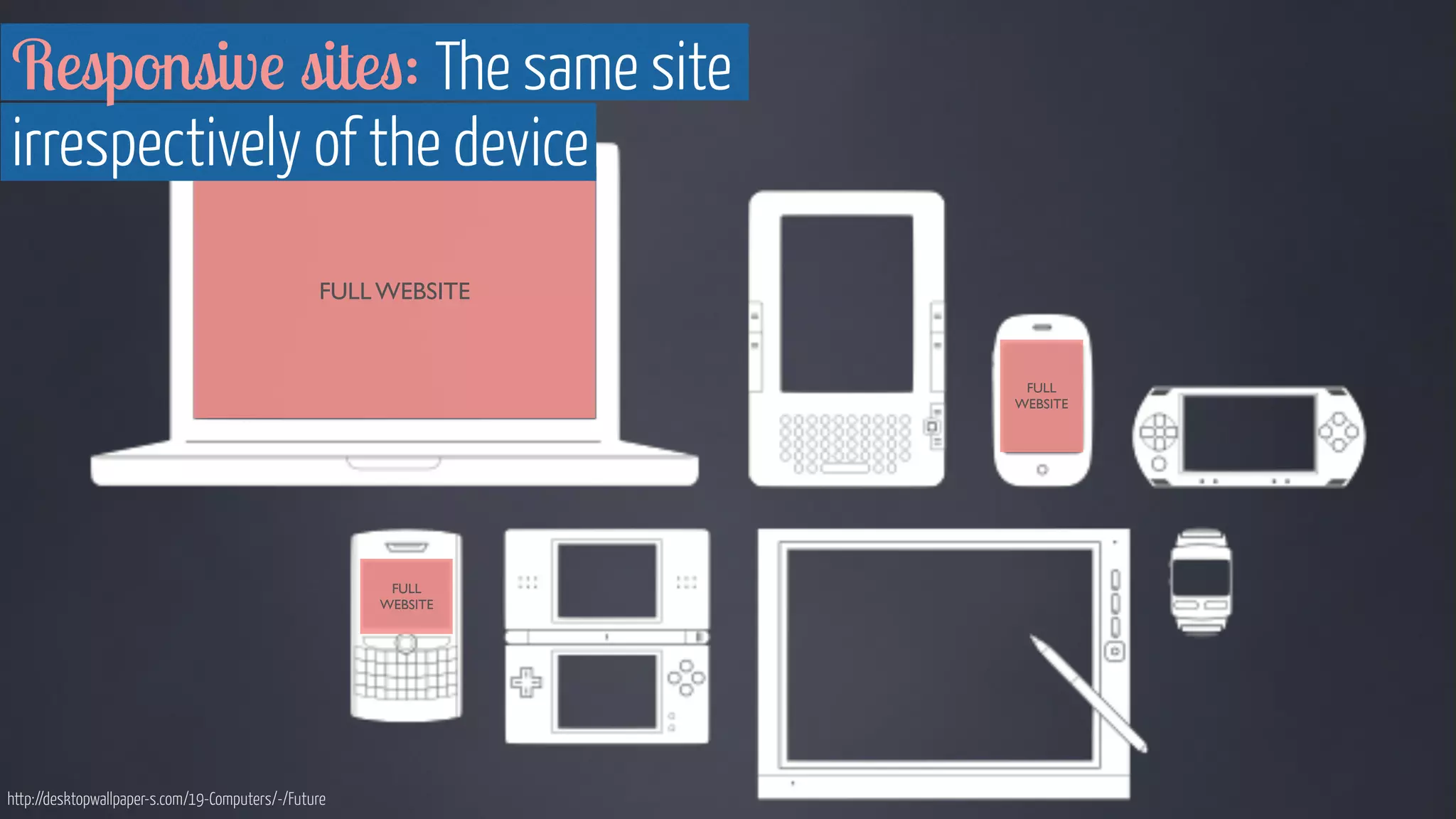
Responsive sites have the same url 
& is basically “one site” 
http://desktopwallpaper-s.com/19-Computers/-/Future
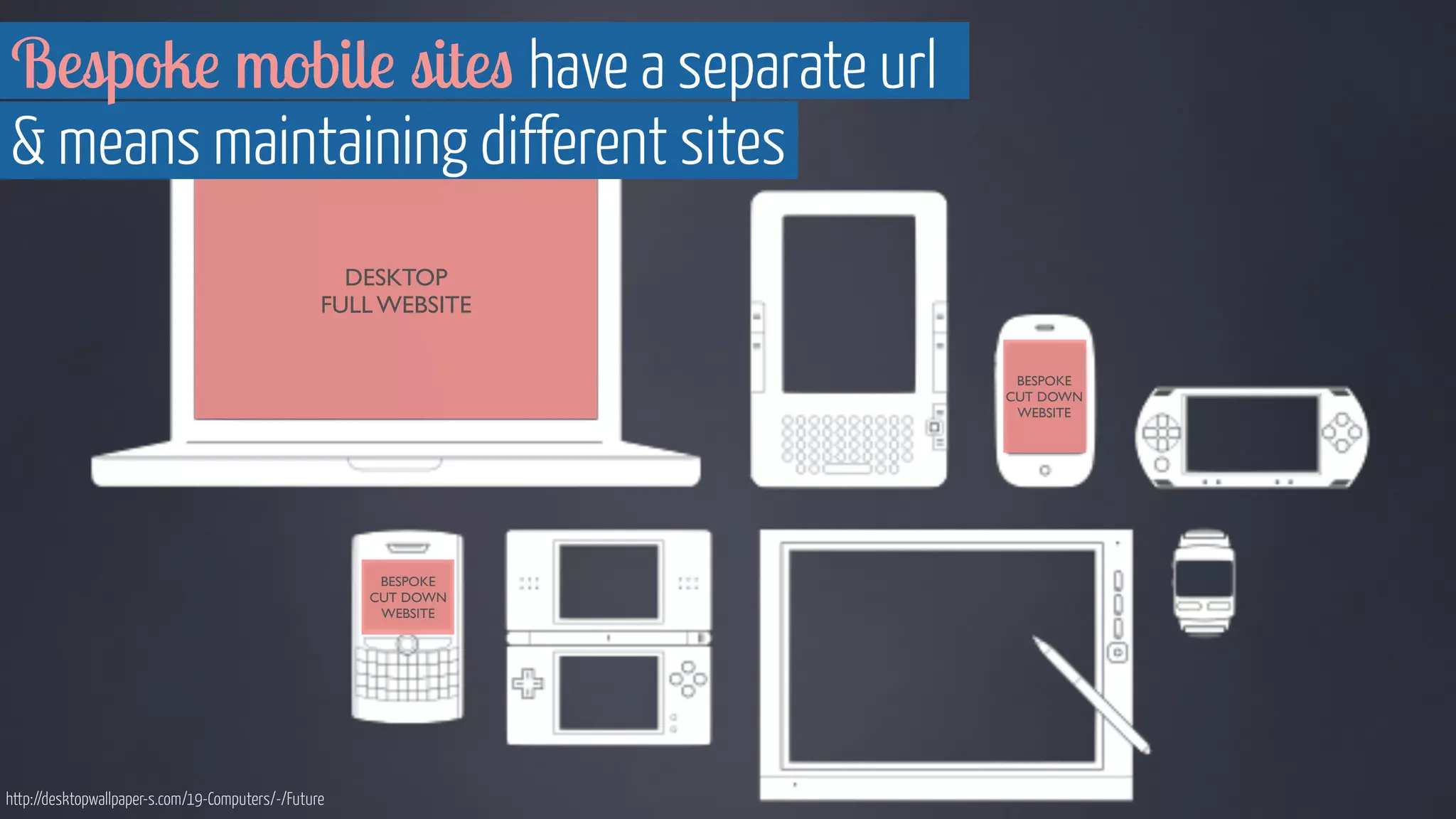
DESKTOP 
FULL WEBSITE 
BESPOKE 
CUT DOWN 
WEBSITE 
BESPOKE 
CUT DOWN 
WEBSITE 
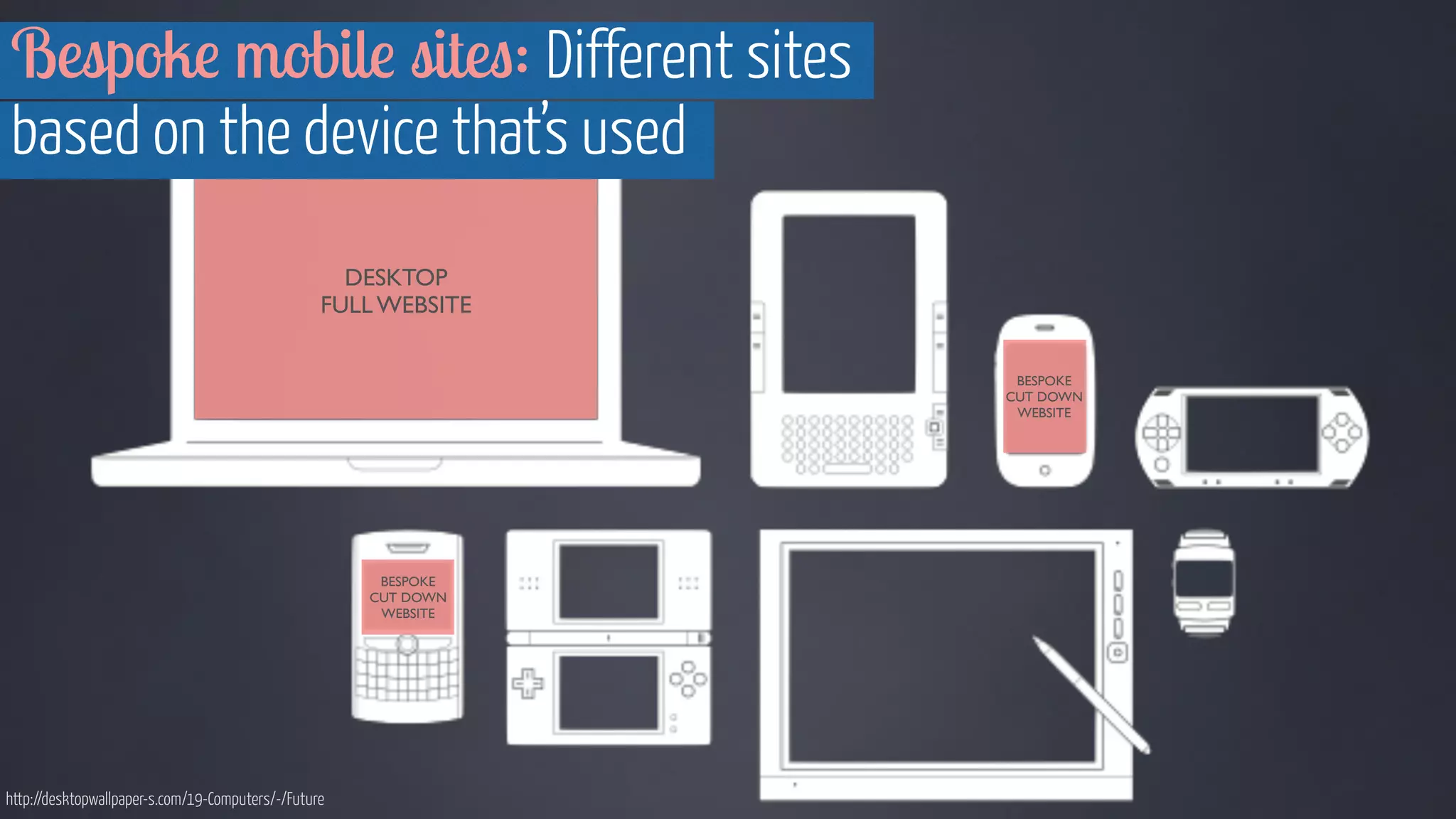
Bespoke mobile sites have a separate url 
& means maintaining different sites 
http://desktopwallpaper-s.com/19-Computers/-/Future
Android fragmentation, Screenshot from OpenSignal http://opensignal.com/reports/2014/android-fragmentation/ 
Brings us back 
to this…
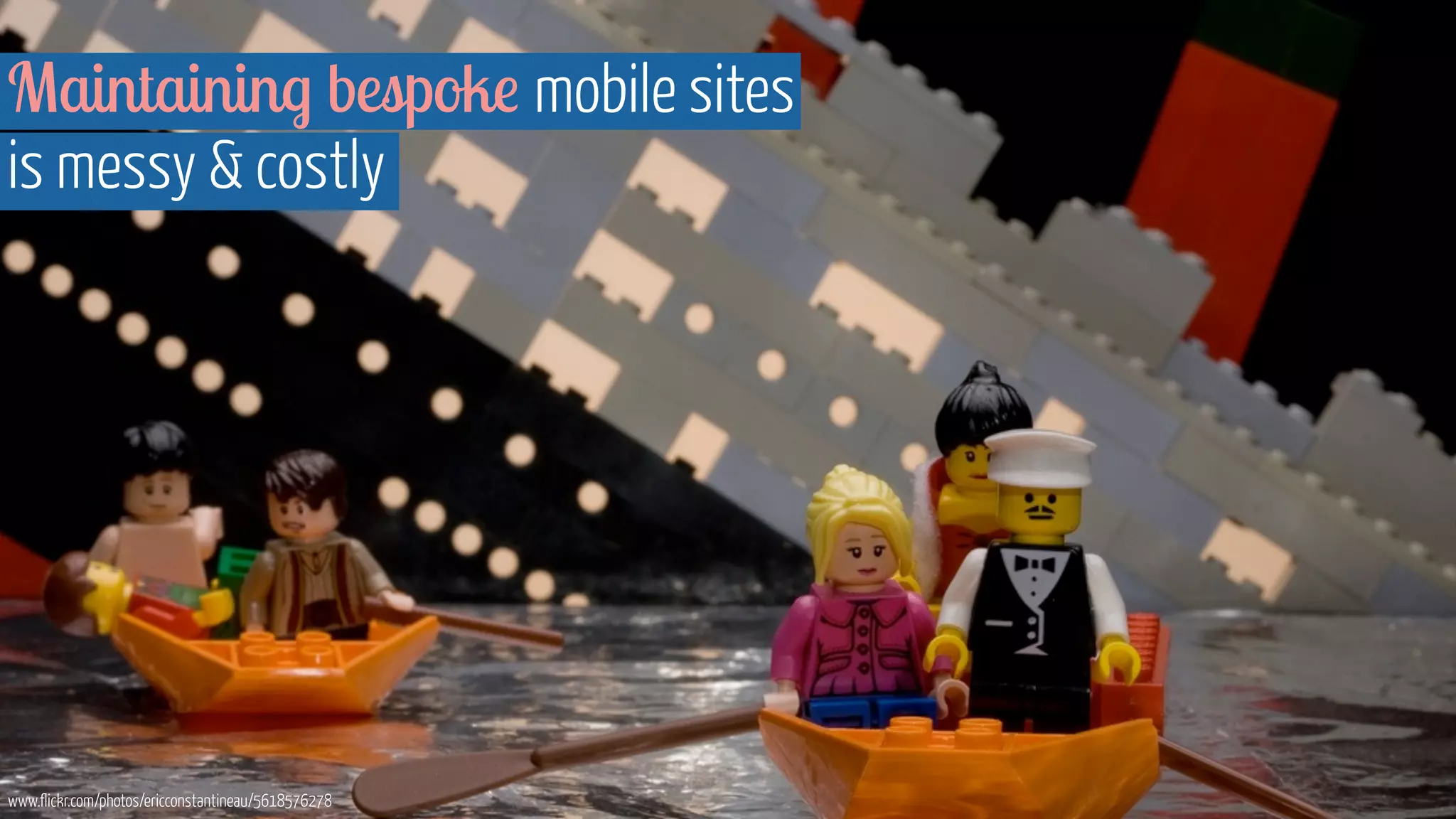
Maintaining bespoke mobile sites 
is messy & costly 
www.flickr.com/photos/ericconstantineau/5618576278
It means maintaining 
multiple technical solutions... 
www.flickr.com/photos/nikio/3899114449
...and also maintaining 
multiple versions of your content 
www.flickr.com/photos/financialaidpodcast/7598618978
Realistically that means 
making cuts & frustrating users 
www.flickr.com/photos/bulldogsrule/187693681
Bad, bad, bad…
This is NOT 
what a mobile user looks like 
Image courtesy of Shutterstock
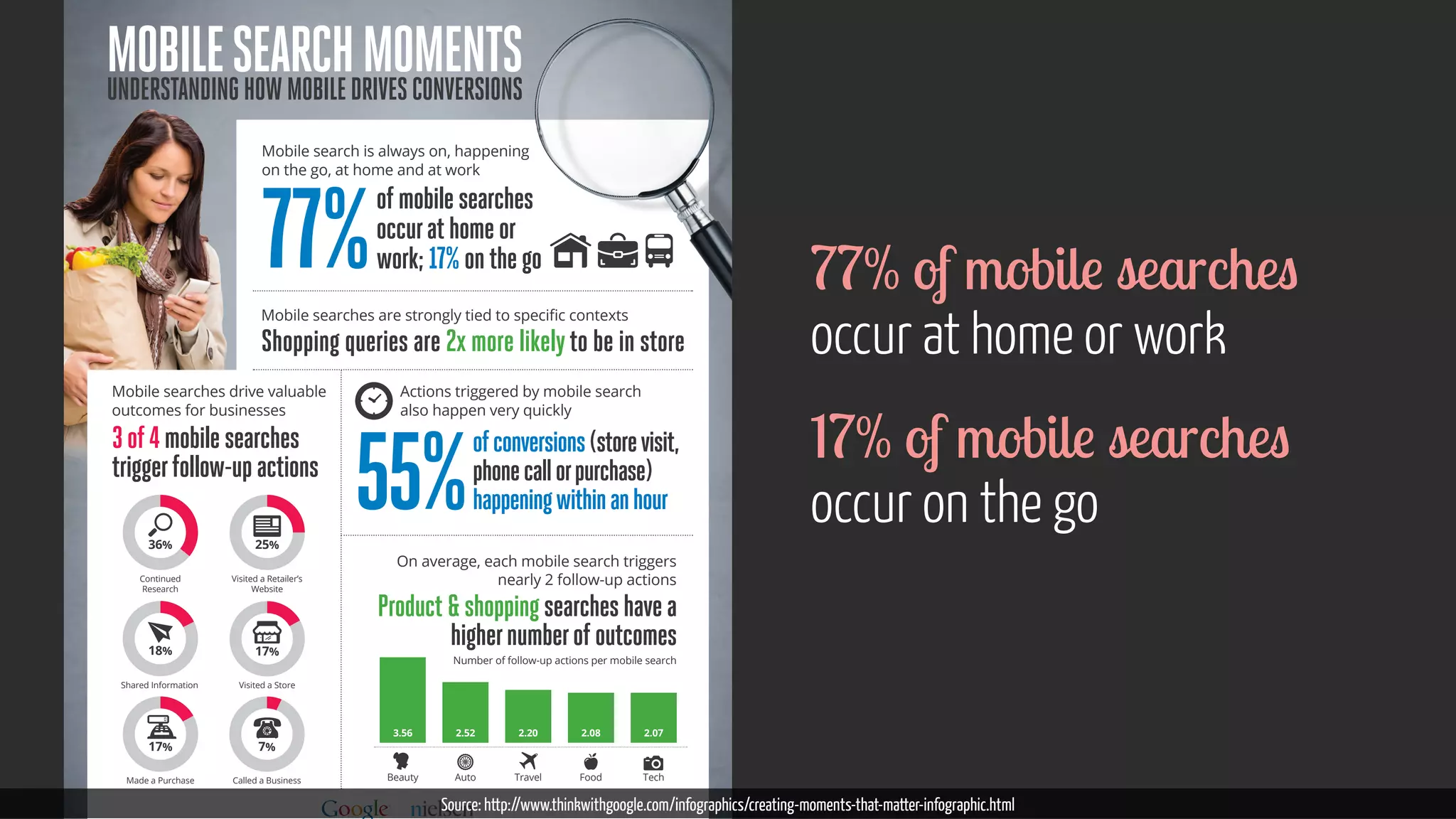
Mobile Search MoMentS 
UnderStanding how Mobile driveS converSionS 
Mobile search is always on, happening 
on the go, at home and at work 
of mobile searches 
occur at home or 
work; 17% on the go 77% 
0RELOHVHDUFKHVDUHVWURQJOWLHGWRVSHFLȴFFRQWH[WV 
Shopping queries are 2x more likely to be in store 
Mobile searches drive valuable 
outcomes for businesses 
3 of 4 mobile searches 
trigger follow-up actions 
Actions triggered by mobile search 
also happen very quickly 
of conversions (store visit, 
phone call or purchase) 

happening within an hour 55% 
On average, each mobile search triggers 
nearly 2 follow-up actions 
Product  shopping searches have a 
higher number of outcomes 
Number of follow-up actions per mobile search 
3.56 2.52 2.08 
2.20 2.07 
Beauty Auto Travel Food Tech 
36% 
Continued 
Research 
18% 
Shared Information 
17% 
Made a Purchase 
25% 
Visited a Retailer’s 
Website 
17% 
Visited a Store 
7% 
Called a Business 
77% of mobile searches 
occur at home or work 
17% of mobile searches 
occur on the go 
Source: http://www.thinkwithgoogle.com/infographics/creating-moments-that-matter-infographic.html
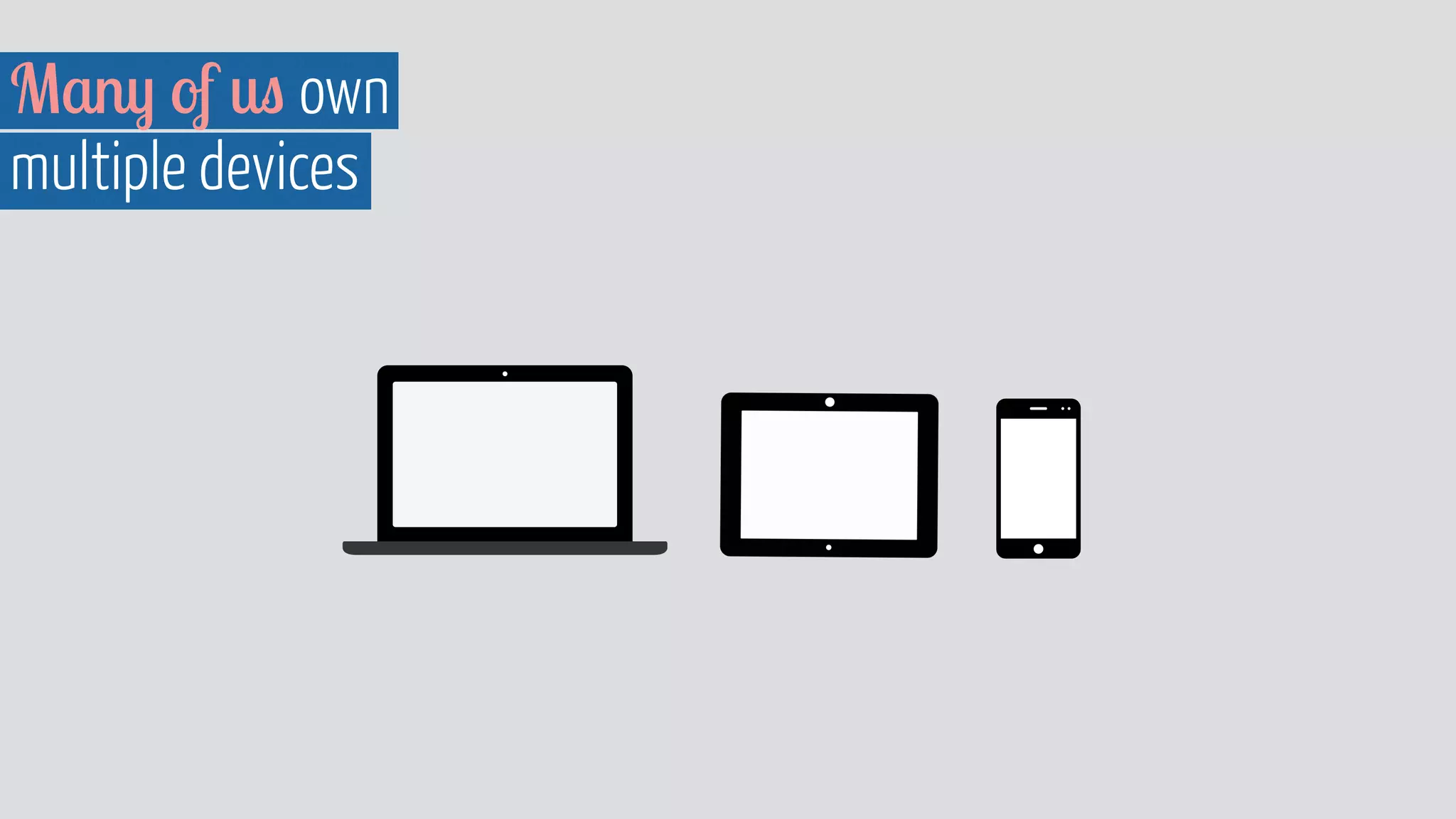
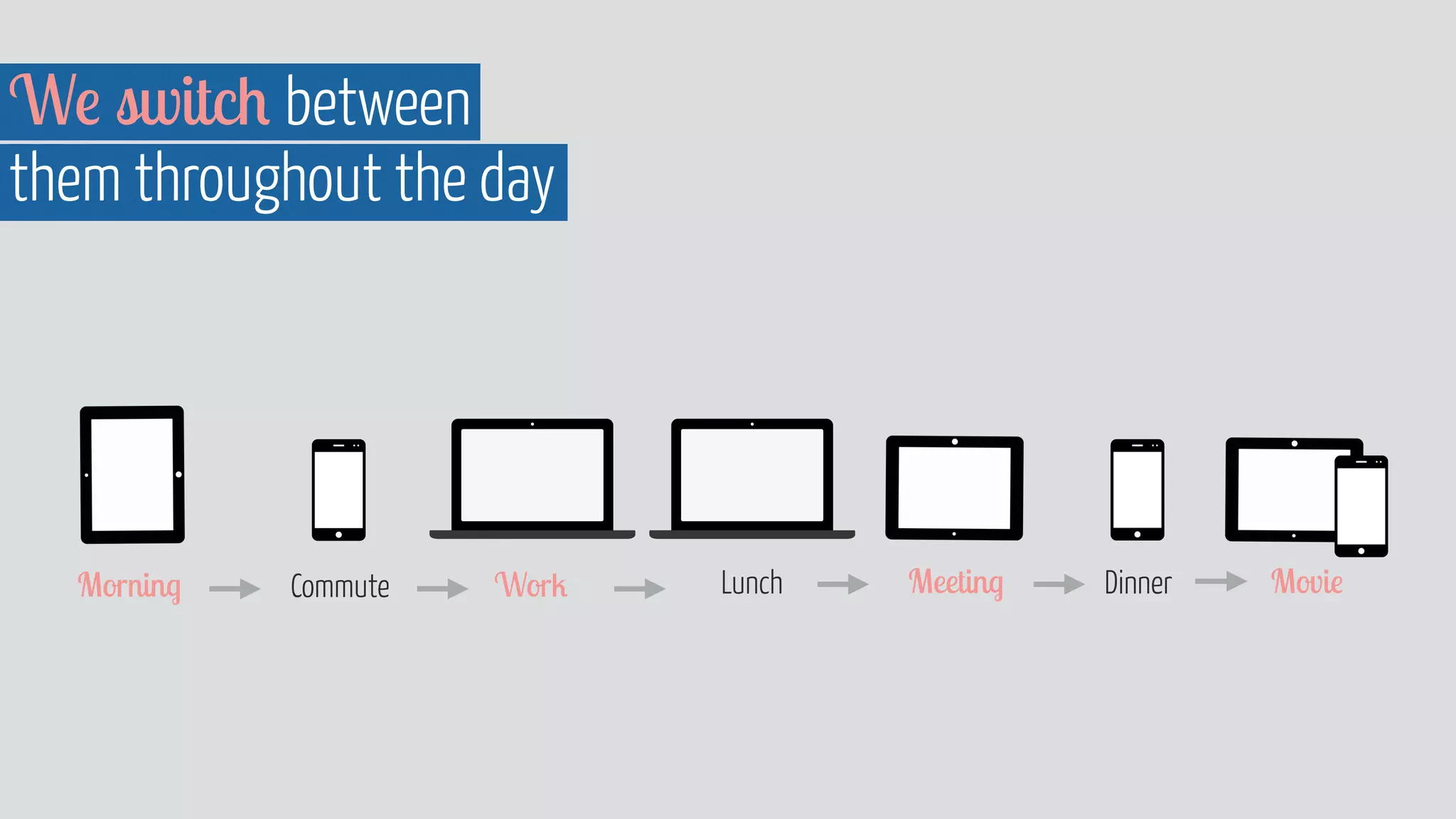
Many of us own 
multiple devices
We switch between 
them throughout the day 
Morning Commute Work Lunch Meeting Dinner Movie
A poor experience results in 
the same thing where ever it takes place 
www.flickr.com/photos/sixmilliondollardan/2493495506
Users expect an equal  continuous 
experience across devices 
www.flickr.com/photos/joachim_s_mueller/7110473339
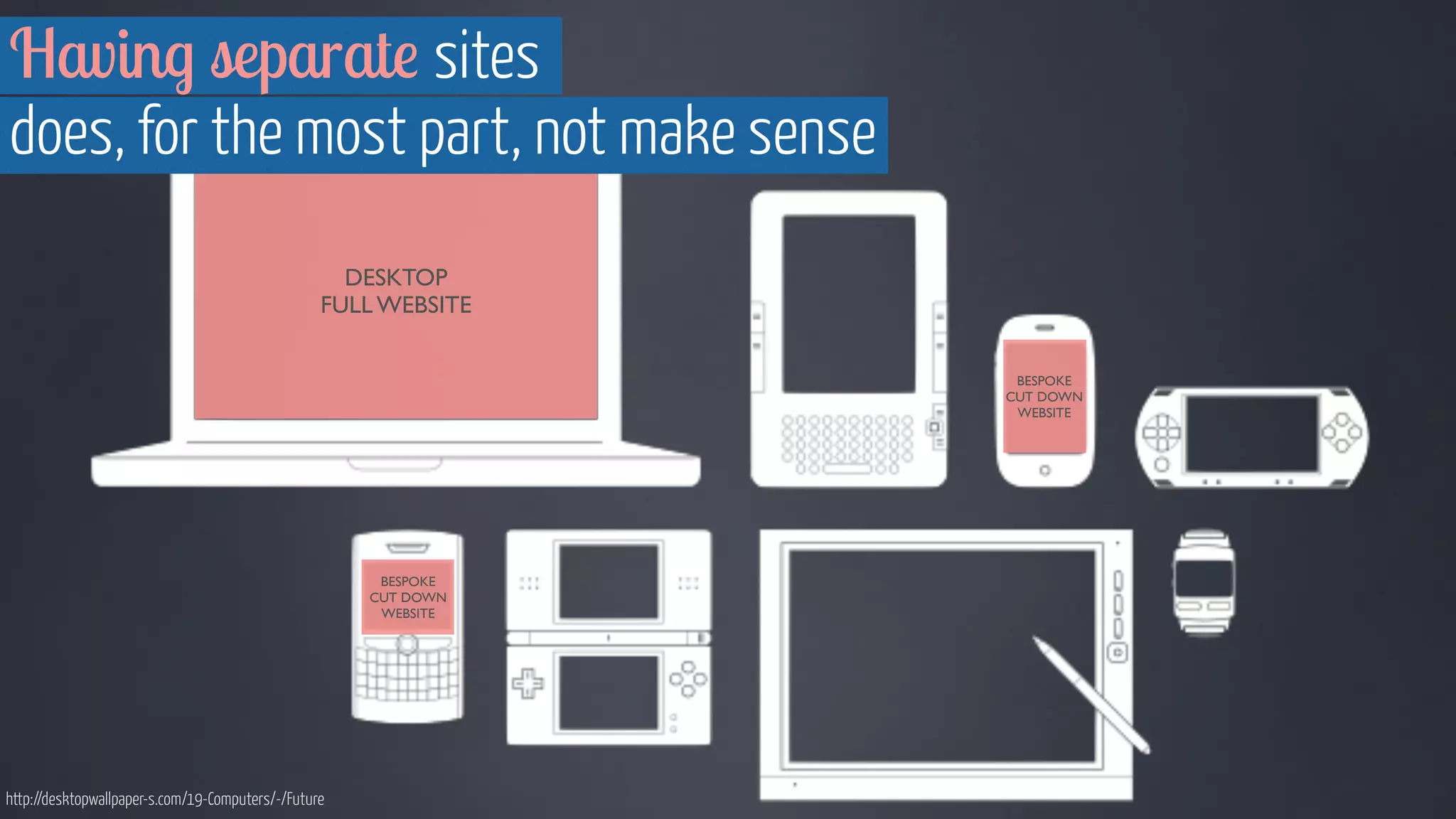
Having separate sites 
does, for the most part, not make sense 
DESKTOP 
FULL WEBSITE 
BESPOKE 
CUT DOWN 
WEBSITE 
BESPOKE 
CUT DOWN 
WEBSITE 
http://desktopwallpaper-s.com/19-Computers/-/Future
Bespoke mobile sites: Different sites 
based on the device that’s used 
DESKTOP 
FULL WEBSITE 
BESPOKE 
CUT DOWN 
WEBSITE 
BESPOKE 
CUT DOWN 
WEBSITE 
http://desktopwallpaper-s.com/19-Computers/-/Future
Responsive sites: The same site 
irrespectively of the device 
FULL WEBSITE 
FULL 
WEBSITE 
FULL 
WEBSITE 
http://desktopwallpaper-s.com/19-Computers/-/Future
http://foundation.zurb.com/docs/layout.php 
“ Design  development 
should respond to the user’s 
behaviour  environment based 
on screen size, platform  
orientation. [It’s]...a mix of 
flexible grids  layouts, images 
 an intelligent use of media 
queries. ” 
- Smashing Magazine
It’s all about 
the modules baby 
www.flickr.com/photos/donsolo/2136923757/
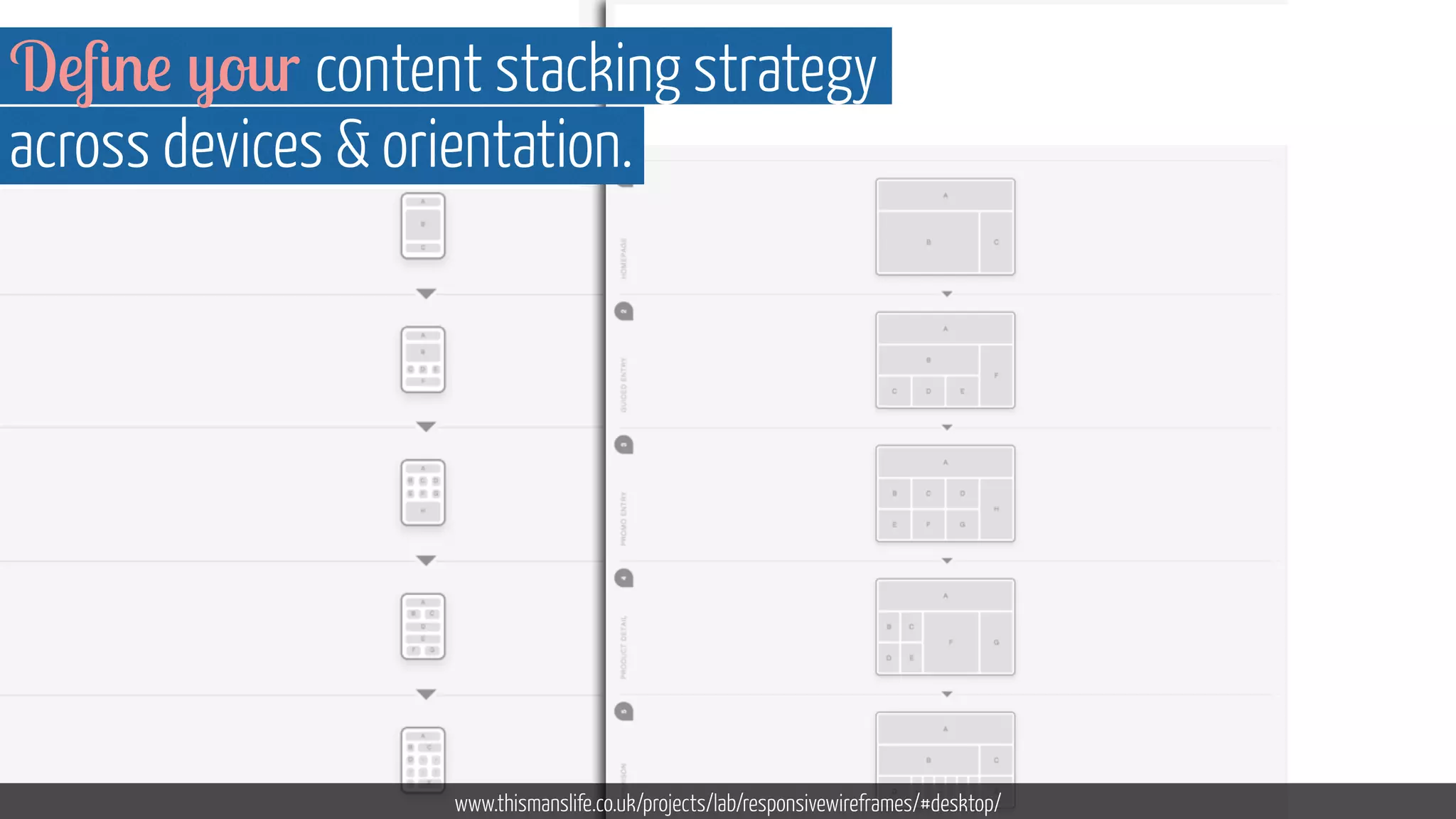
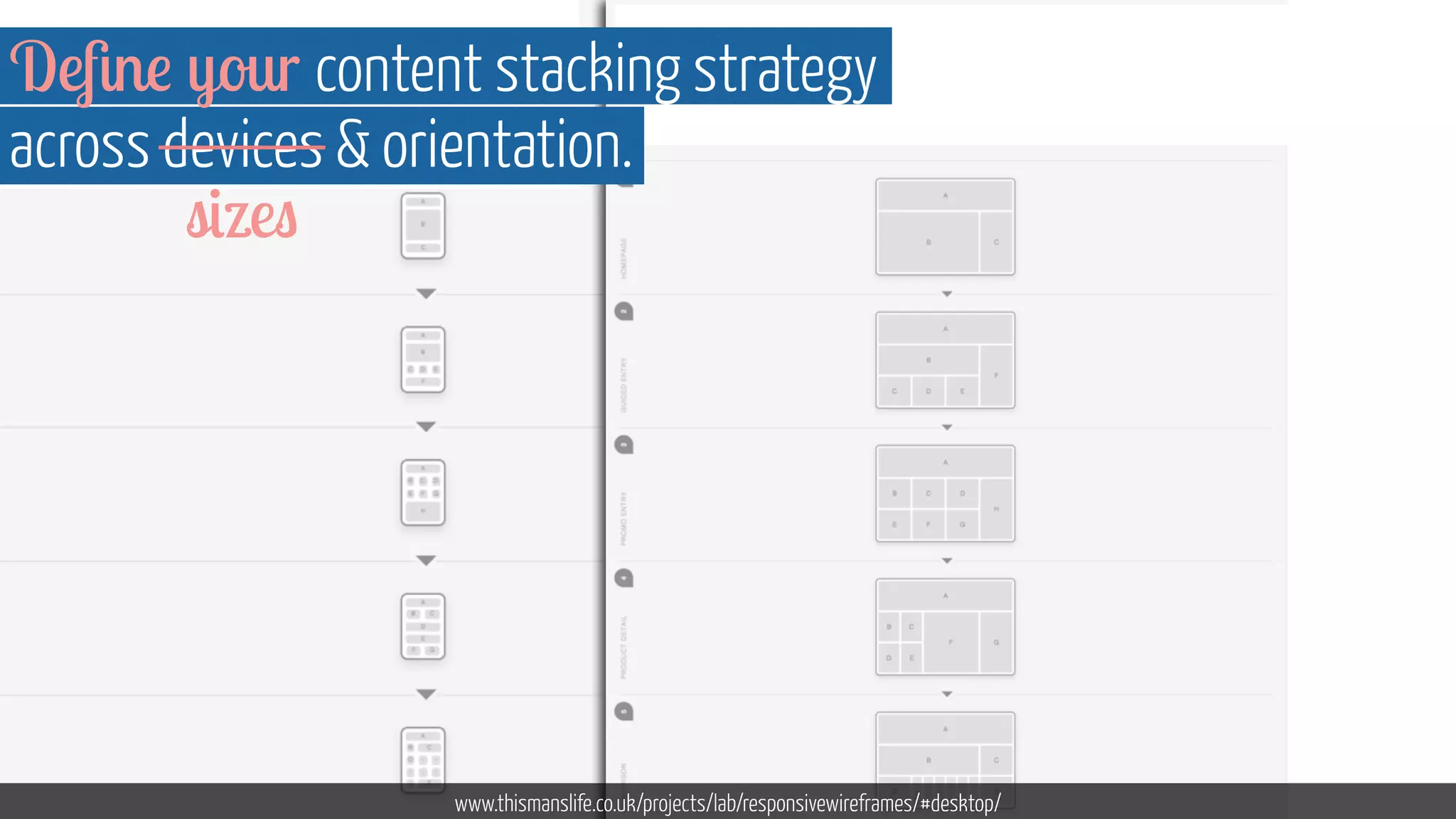
Define your content stacking strategy 
across devices  orientation. 
www.thismanslife.co.uk/projects/lab/responsivewireframes/#desktop/
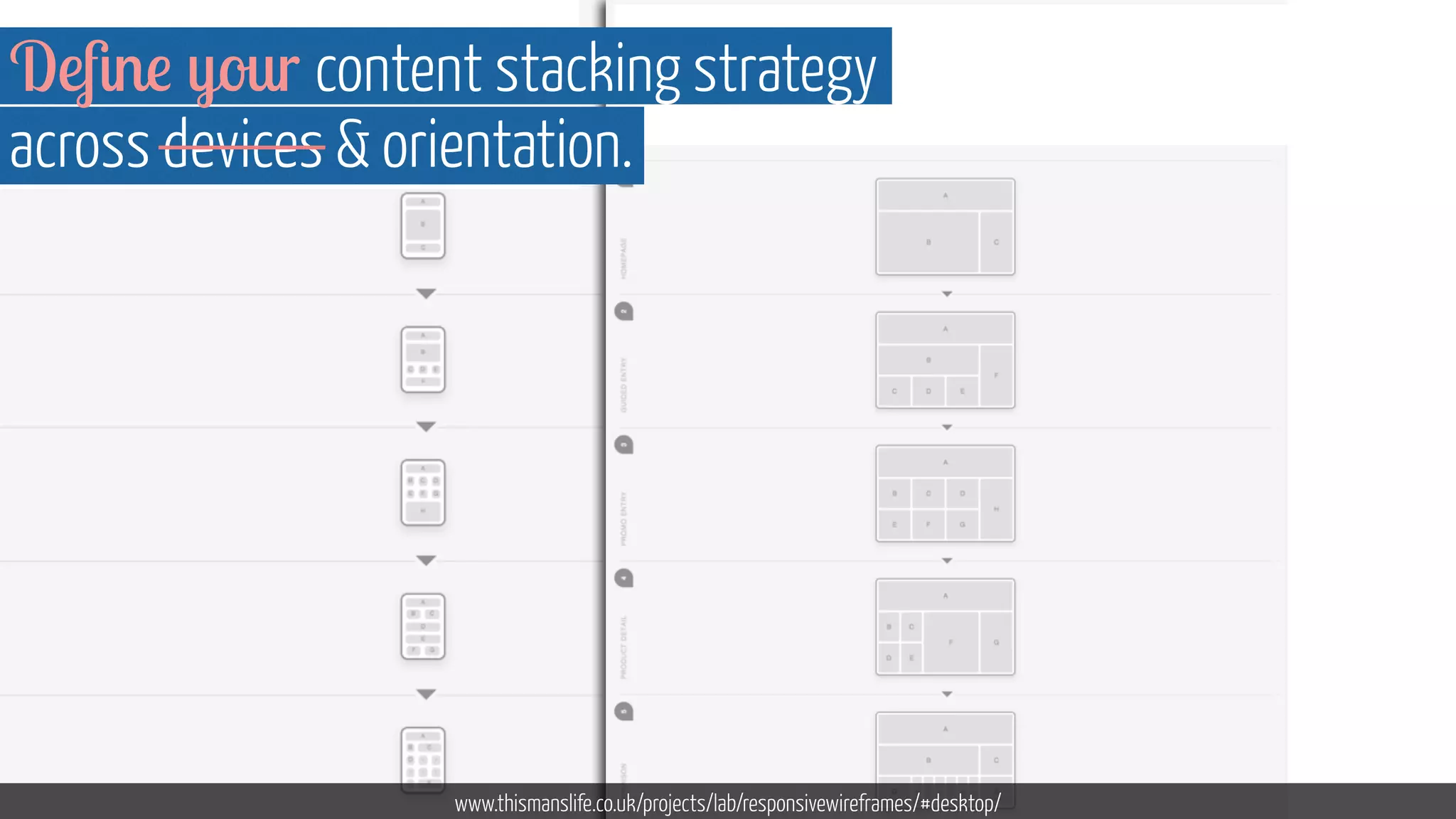
Define your content stacking strategy 
across devices  orientation. 
www.thismanslife.co.uk/projects/lab/responsivewireframes/#desktop/
Define your content stacking strategy 
across devices  orientation. 
www.thismanslife.co.uk/projects/lab/responsivewireframes/#desktop/ 
sizes
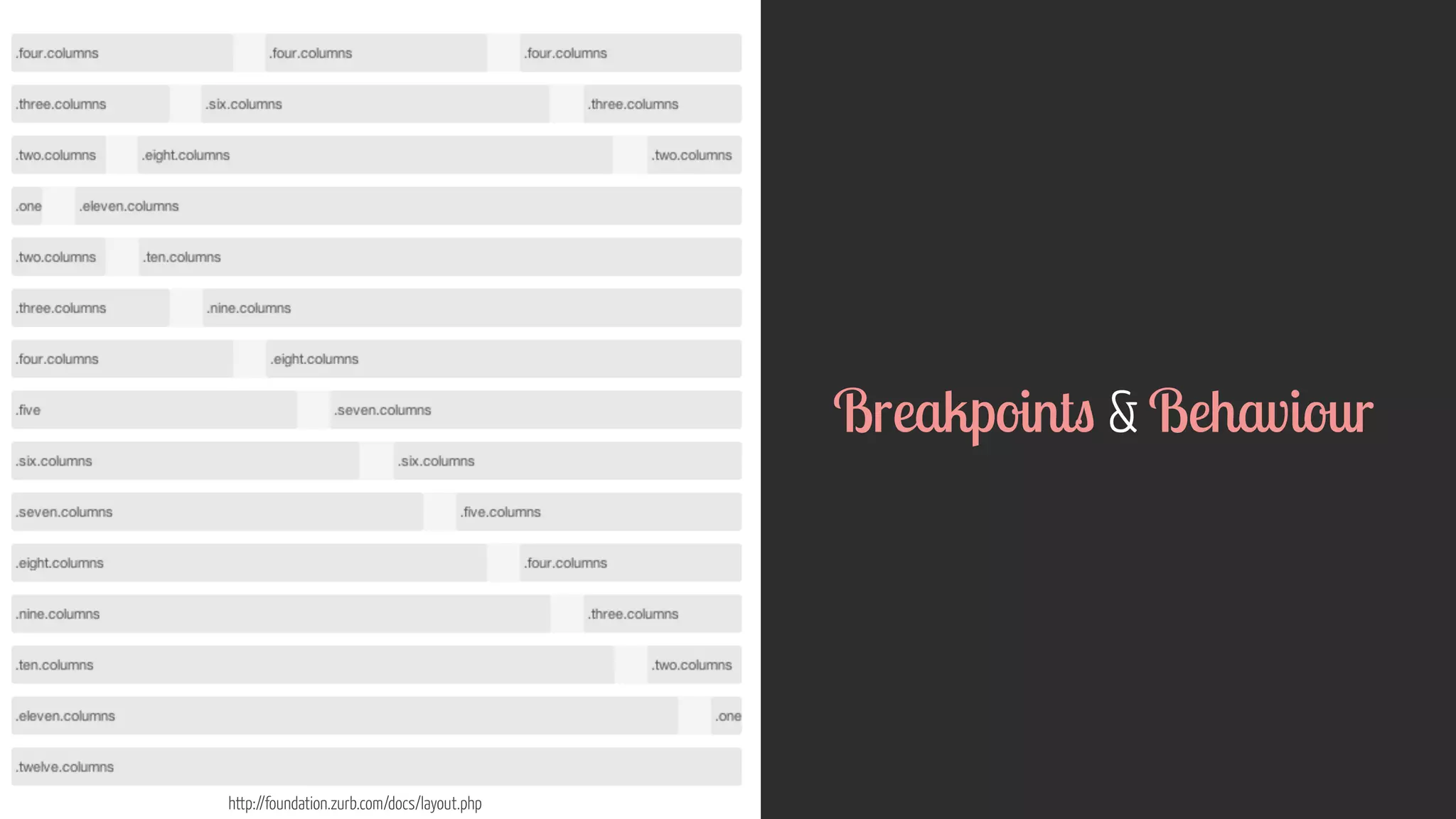
http://foundation.zurb.com/docs/layout.php 
Breakpoints  Behaviour
www.flickr.com/photos/theaftershock/2811382400 
! 
! 
! 
! 
! 
“ Content needs to be choreographed 
to ensure the intended message is preserved 
on any device and at any width “ 
- Trent Walton
Keep the core content the same 
but optimise the experience, display  
interactions to the device 
Image courtesy of Shutterstock
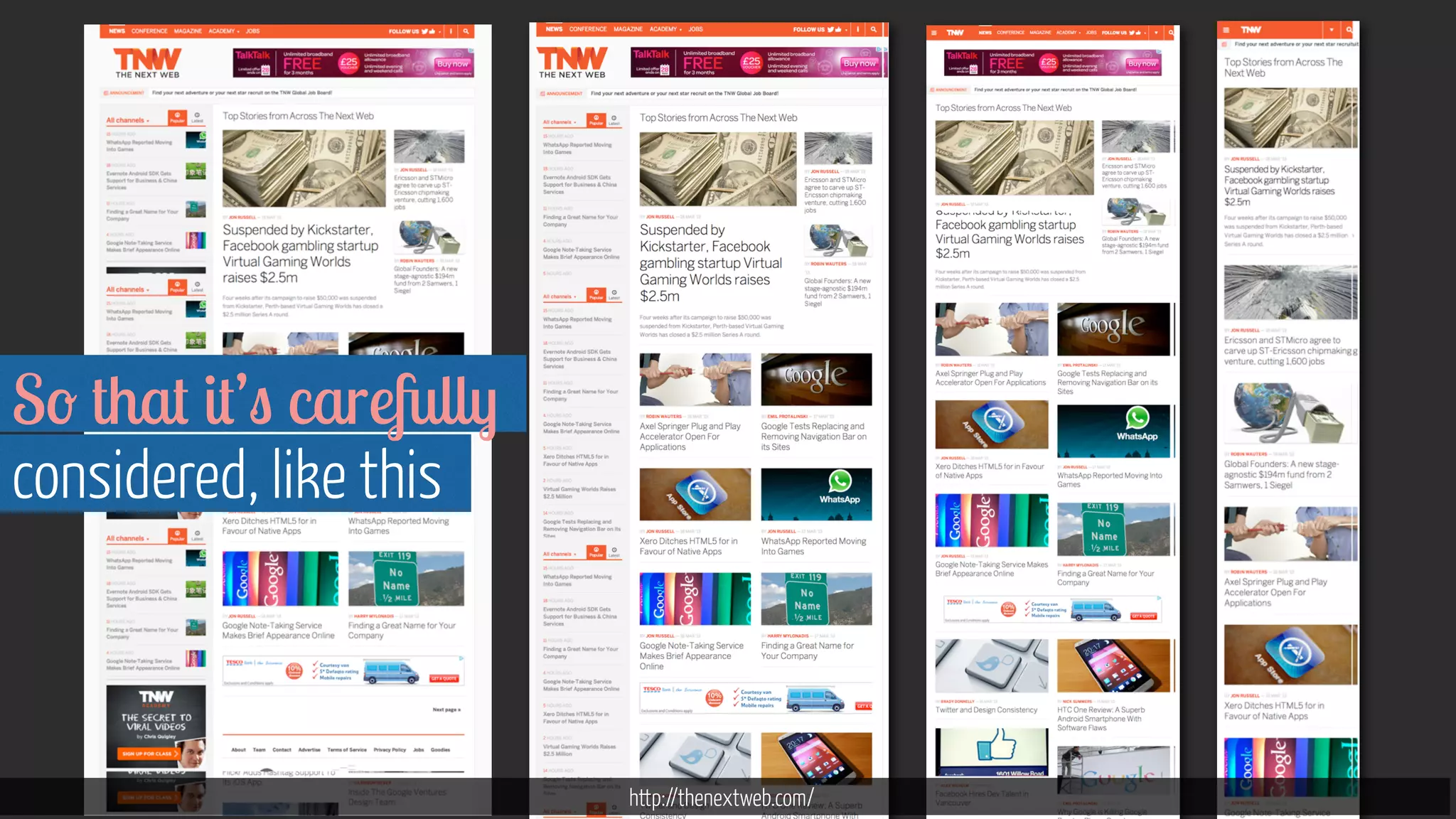
http://thenextweb.com/ 
So that it’s carefully 
considered, like this
From responsive to 
device agnostic design
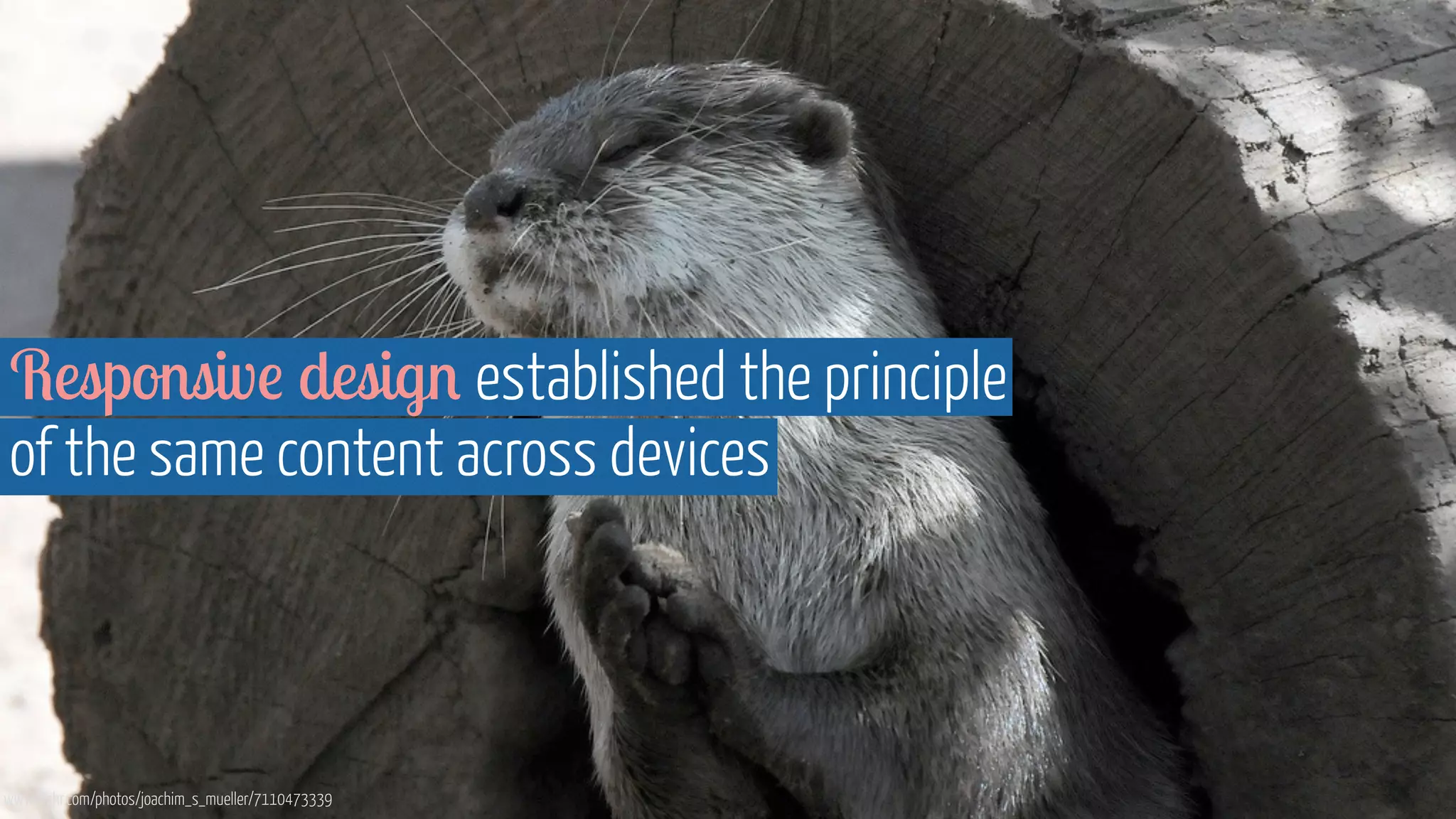
Responsive design established the principle 
of the same content across devices 
www.flickr.com/photos/joachim_s_mueller/7110473339
But it’s brought 
up other problems 
www.flickr.com/photos/stankus/3718835245
“ Smartphones accounted for 57.6% of total sales 
in fourth quarter of 2013 ” * 
- Source: Gartner 
www.flickr.com/photos/aforgrave/6168689222
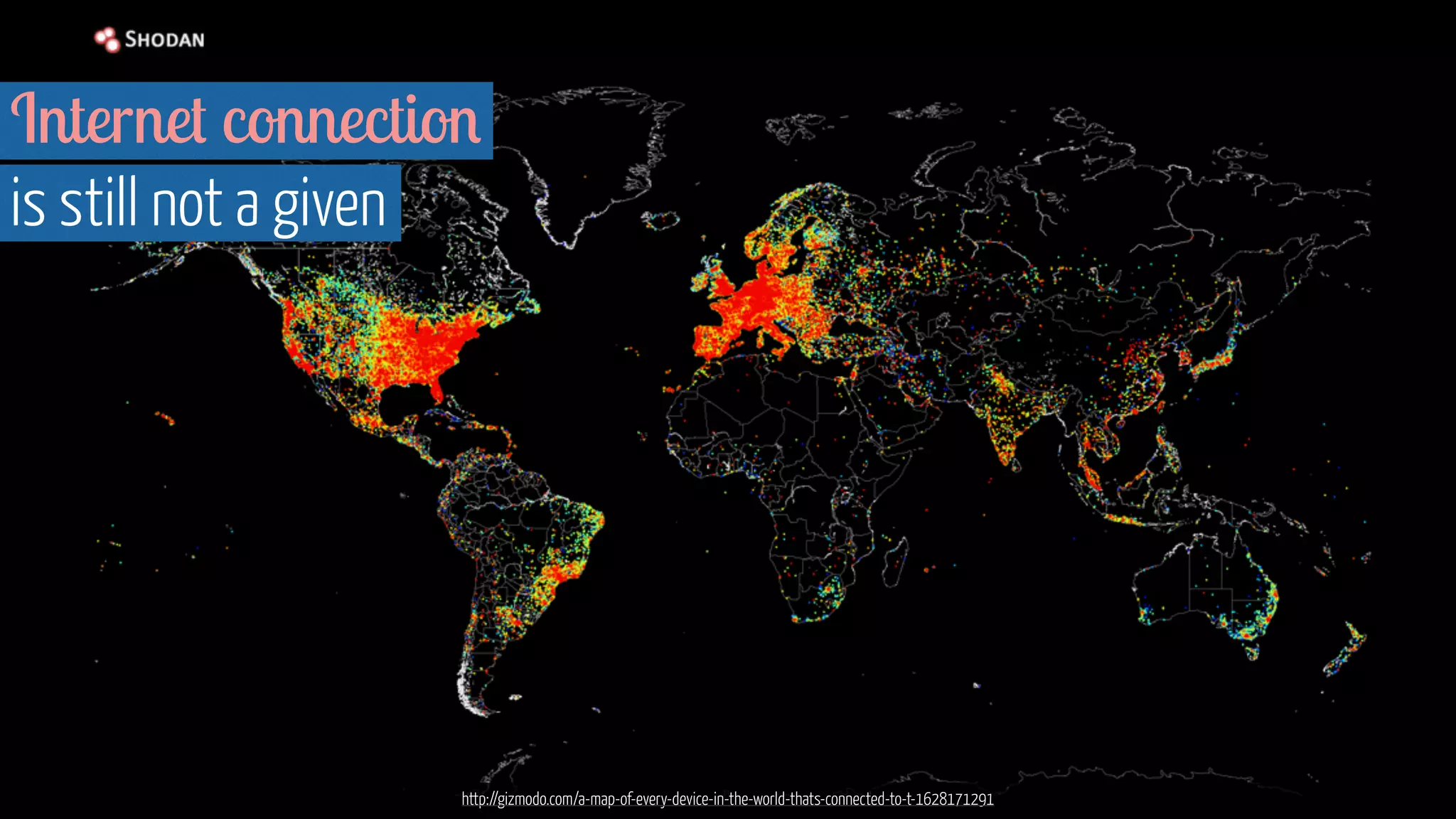
Internet connection 
is still not a given 
http://gizmodo.com/a-map-of-every-device-in-the-world-thats-connected-to-t-1628171291
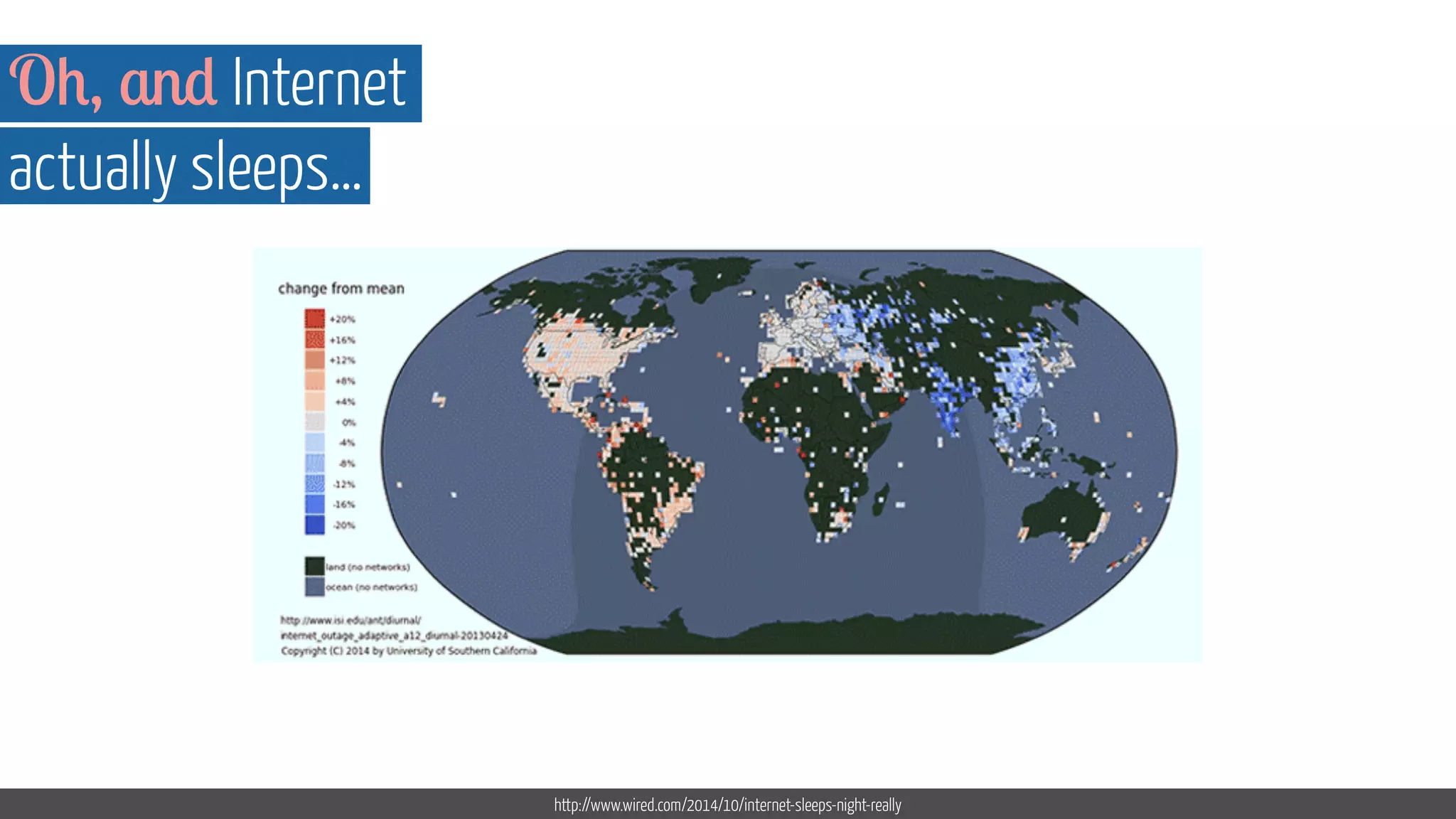
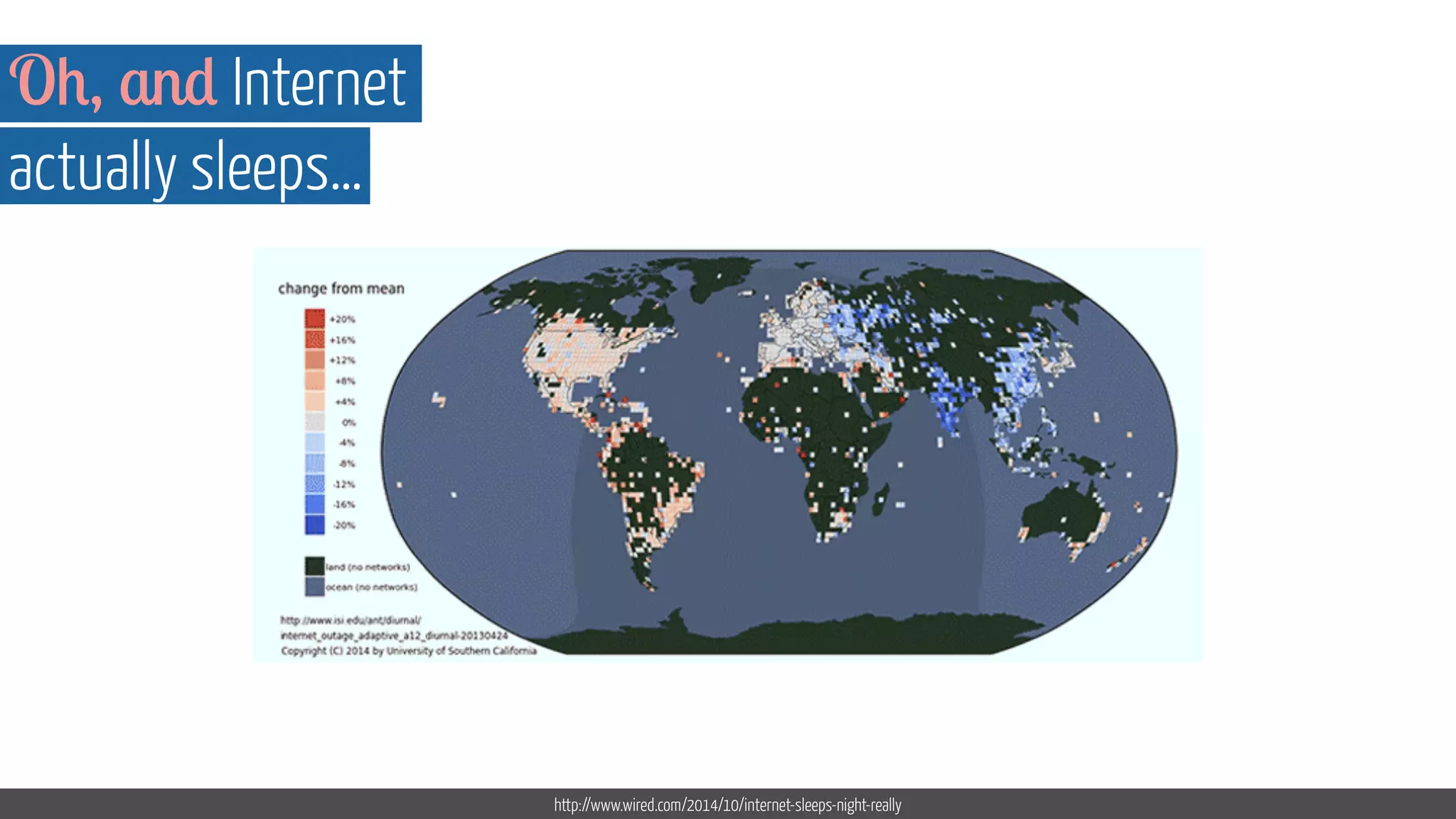
Oh, and Internet 
actually sleeps… 
http://www.wired.com/2014/10/internet-sleeps-night-really
Oh, and Internet 
actually sleeps… 
http://www.wired.com/2014/10/internet-sleeps-night-really
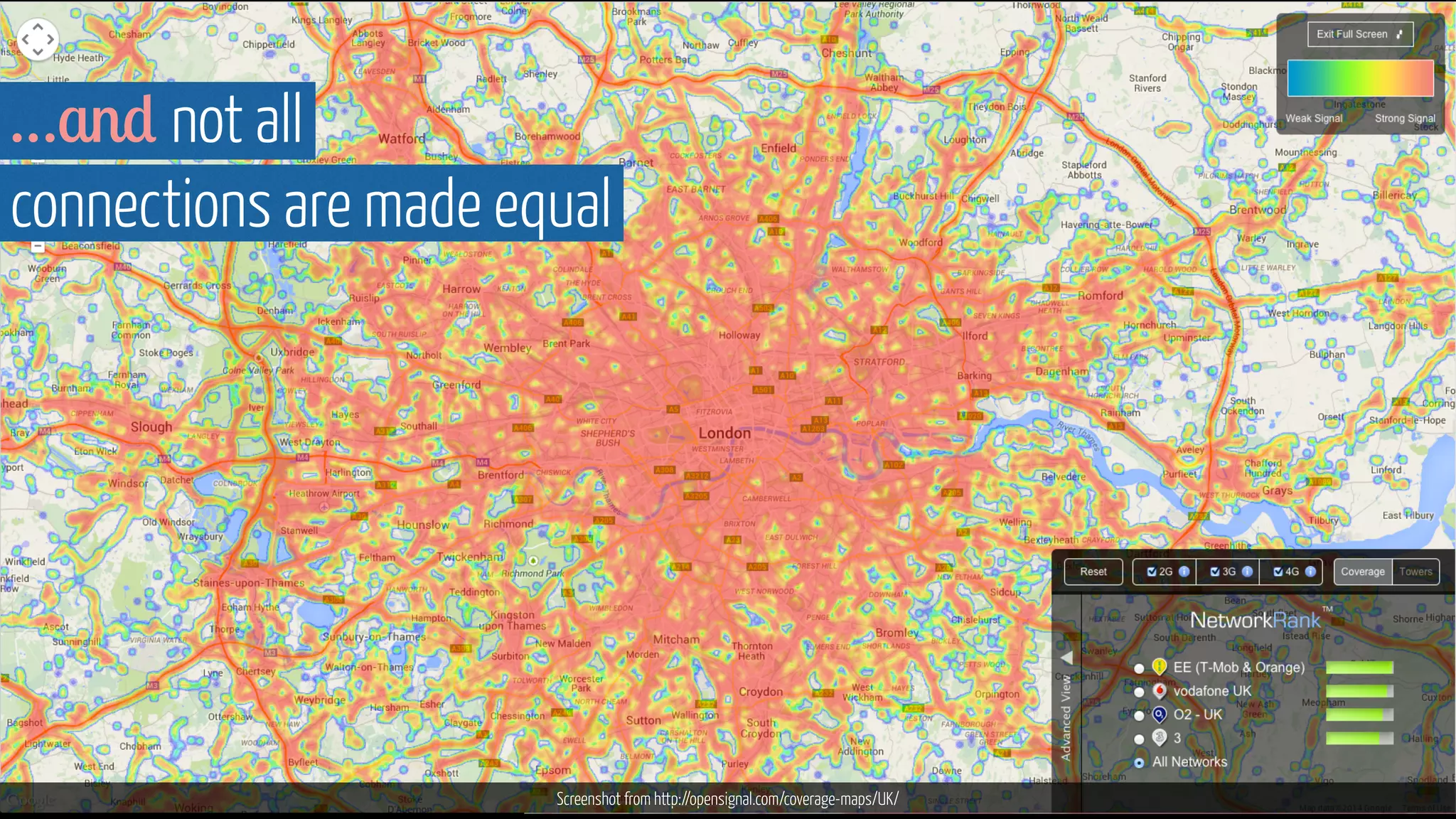
…and not all 
connections are made equal 
Screenshot from http://opensignal.com/coverage-maps/UK/
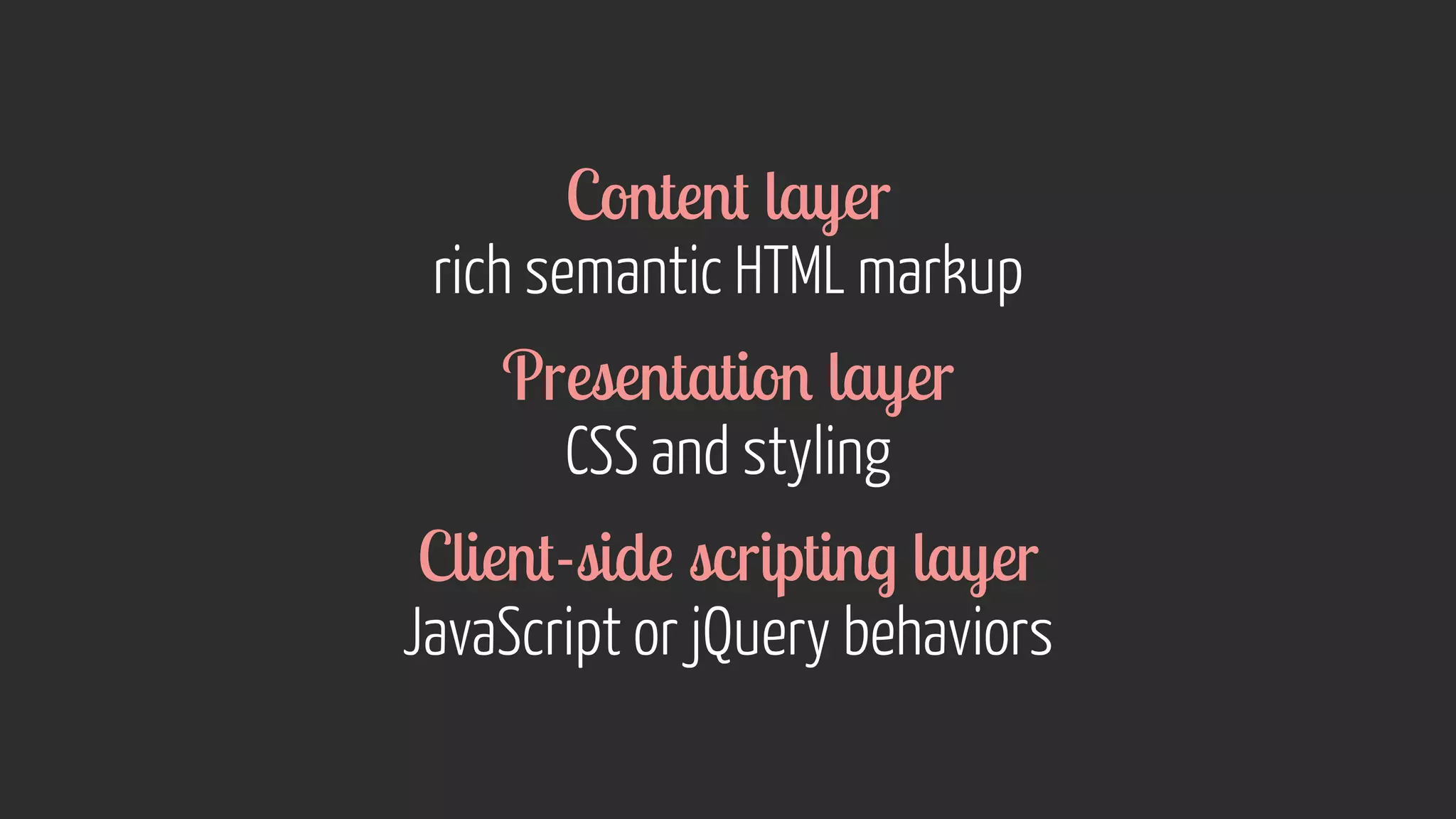
Adaptive design
Content layer 
rich semantic HTML markup 
Presentation layer 
CSS and styling 
Client-side scripting layer 
JavaScript or jQuery behaviors
www.thegrid.io 
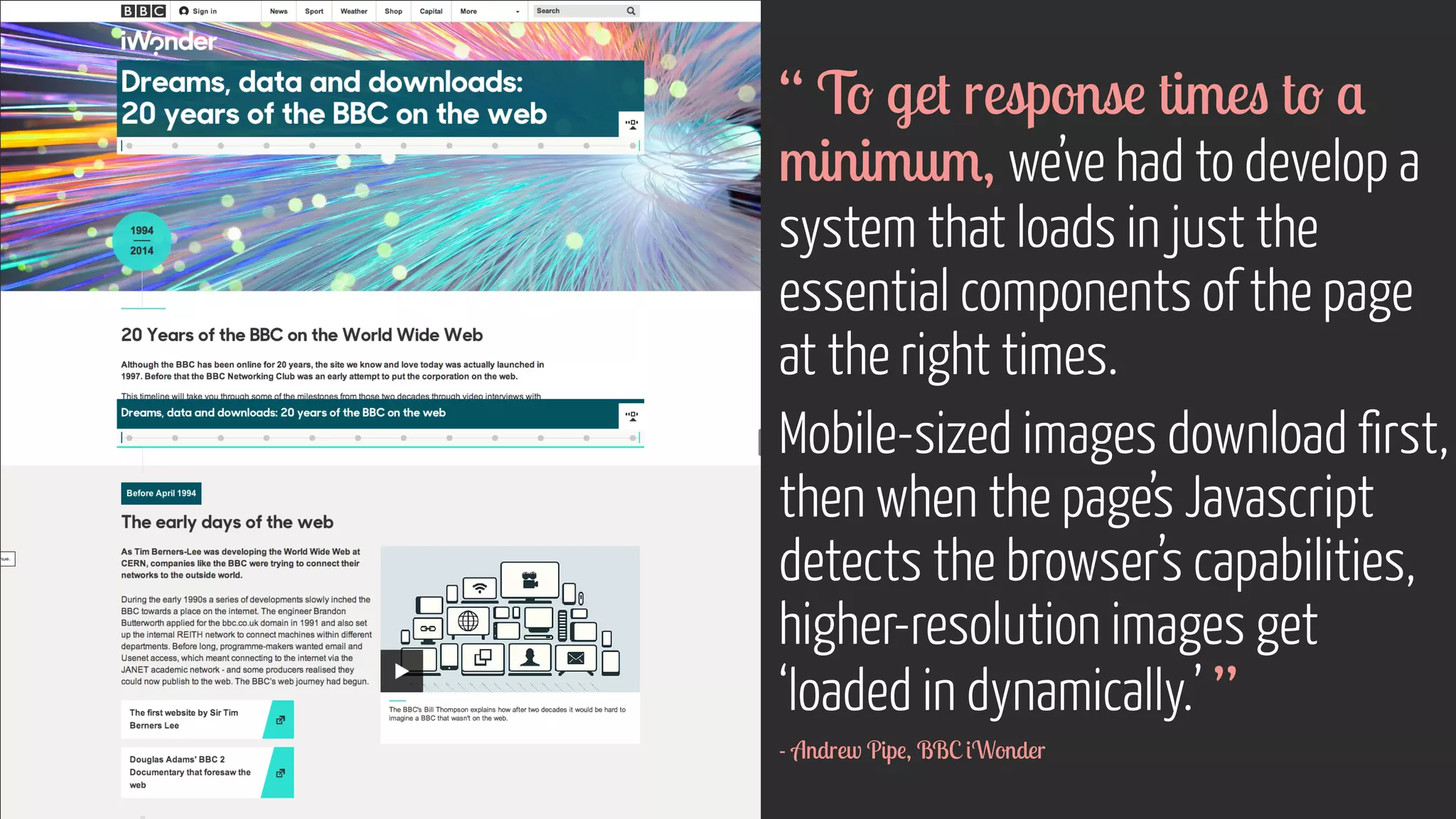
“ To get response times to a 
minimum, we’ve had to develop a 
system that loads in just the 
essential components of the page 
at the right times. 
Mobile-sized images download first, 
then when the page’s Javascript 
detects the browser’s capabilities, 
higher-resolution images get 
‘loaded in dynamically.’ ” 
- Andrew Pipe, BBC iWonder
Context
Mobile context ≠ mobile use case 
The latter is about the task, the former about 
the total sum of the user’s mobile experience 
www.flickr.com/photos/icedsoul/2486885051
“ I used to think it merely dealt with basing responsive 
breakpoints on content rather than particular devices, but there’s 
more to devices than the size of their screens. ” 
Image courtesy of Shutterstockwww.flickr.com/photos/jmsmith000/3169546564 
- Trent Walton, Device Agnostic
“ A device-agnostic approach also takes 
into account infinite combinations of screen resolution, input 
method, browser capability, and connection speed. ” 
www.flickr.com/photos/lokan/88w4w34w6.f4li8ck5r2.com/photos/jmsmith000/3169546564 
- Trent Walton, Device Agnostic
www.flickr.com/photos/66327170@N07/7296381856 
! 
! 
! 
! 
! 
! 
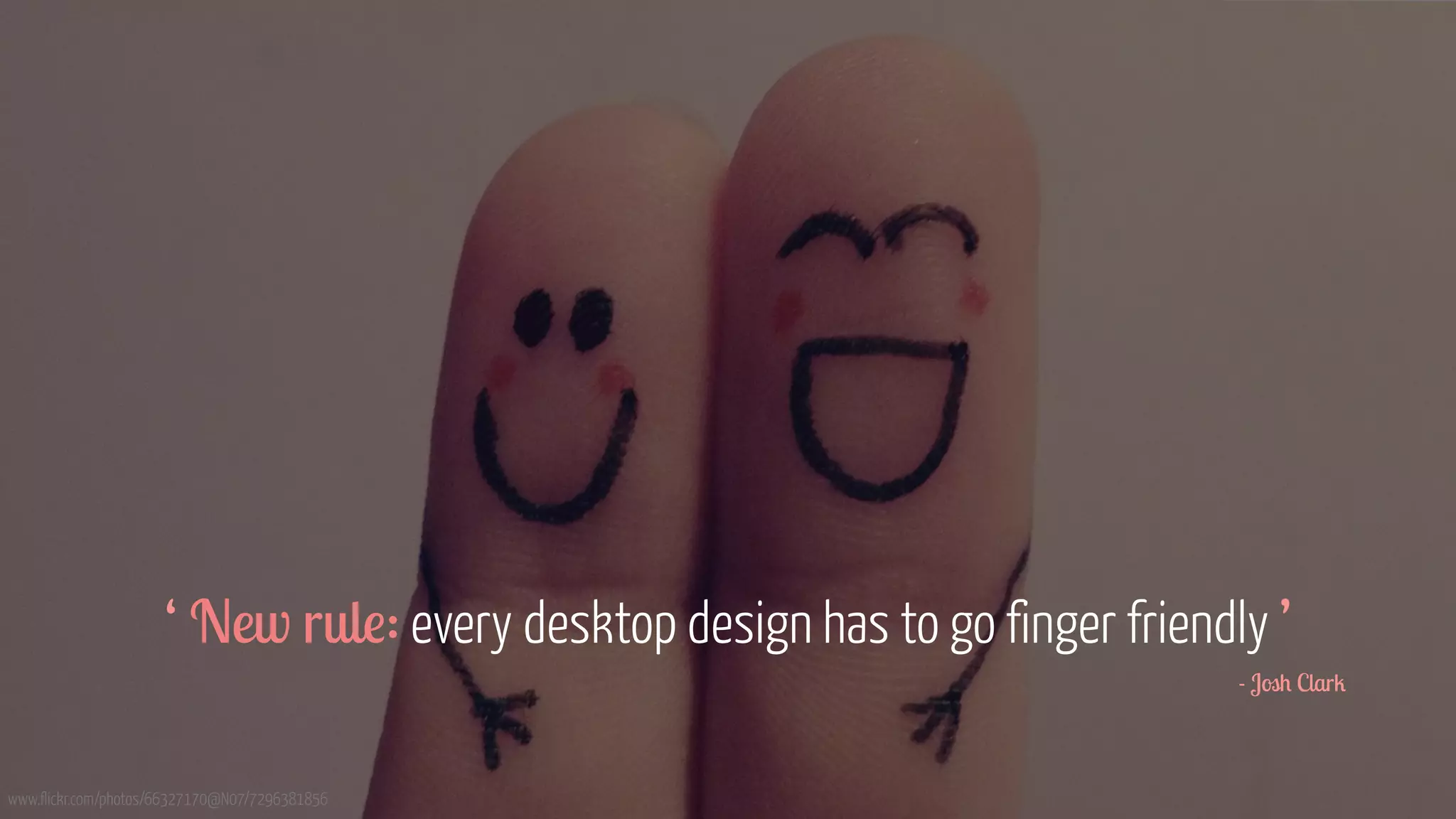
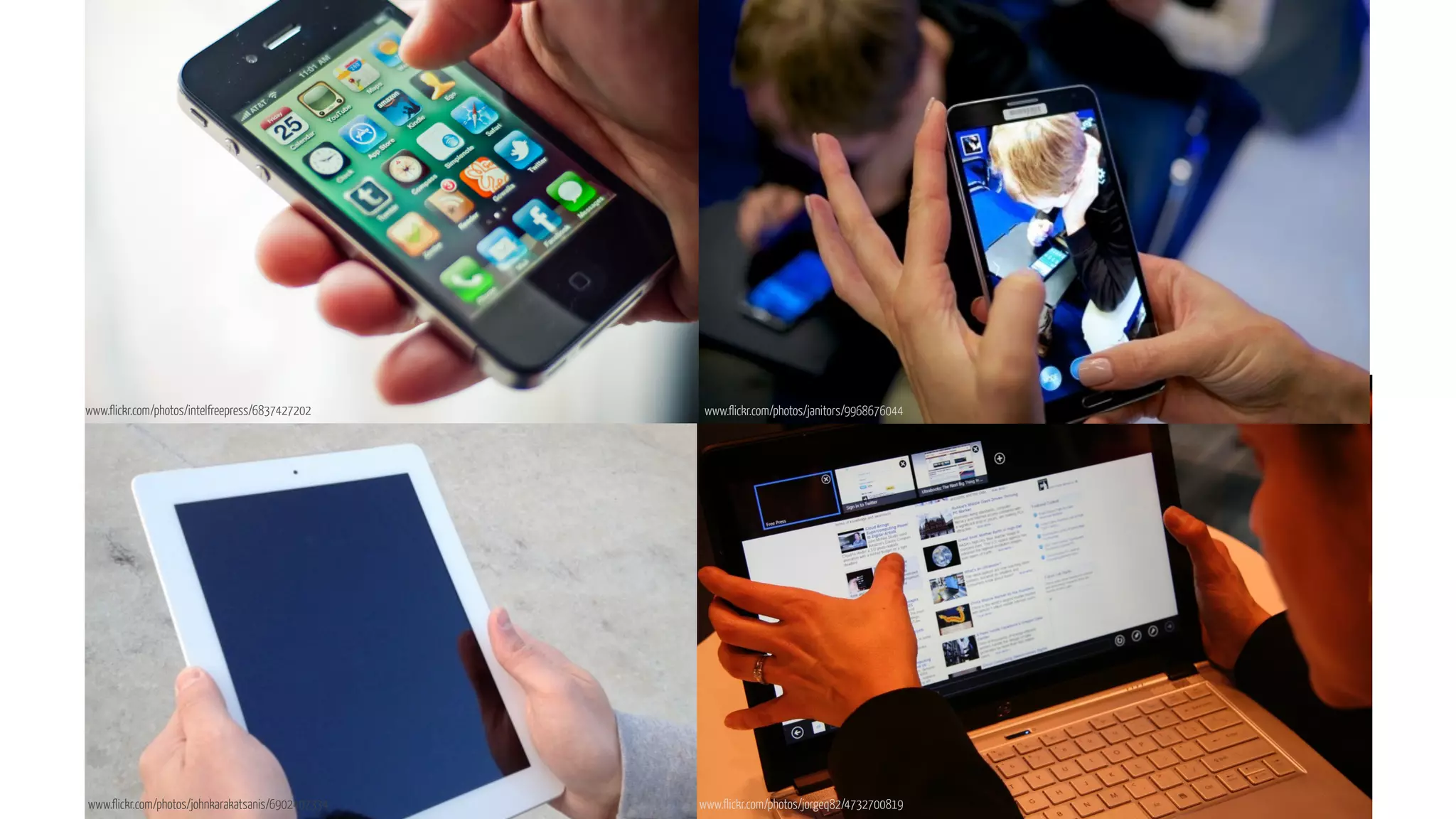
‘ New rule: every desktop design has to go finger friendly ’ 
- Josh Clark
www.flickr.com/photos/intelfreepress/6837427202 
www.flickr.com/photos/janitors/9968676044 
www.flickr.com/photos/johnkarakatsanis/6902407334 www.flickr.com/photos/jorgeq82/4732700819
Impacts controls, placement  interactions
We need to consider 
precise v.s imprecise input means 
www.flickr.com/photos/ljrmike/7675757042 www.flickr.com/photos/jmtimages/2883279193
www.flickr.com/photos/vincentsl/3543888150 
“ Designing for touch means designing 
for fingers, yes, but to be more specific, 
you’re really designing for thumbs. ” 
- Josh Clark
Designing for multiple devices 
can become a bit of a minefield 
www.flickr.com/photos/cayusa/534070358
We can’t always successfully tell 
what devices users are using 
www.flickr.com/photos/adactio/6153481666
It’s about content. 
Not what device we’re using.
http://foundation.zurb.com/docs/layout.php 
“ Get your content to go 
anywhere, because it’s going to 
go everywhere. ” 
- Brad Frost
http://foundation.zurb.com/docs/layout.php 
“ It is your mission to get 
your content out, on whichever 
platform, in whichever format 
your audience wants to 
consume it. ” 
- Karen McGrane
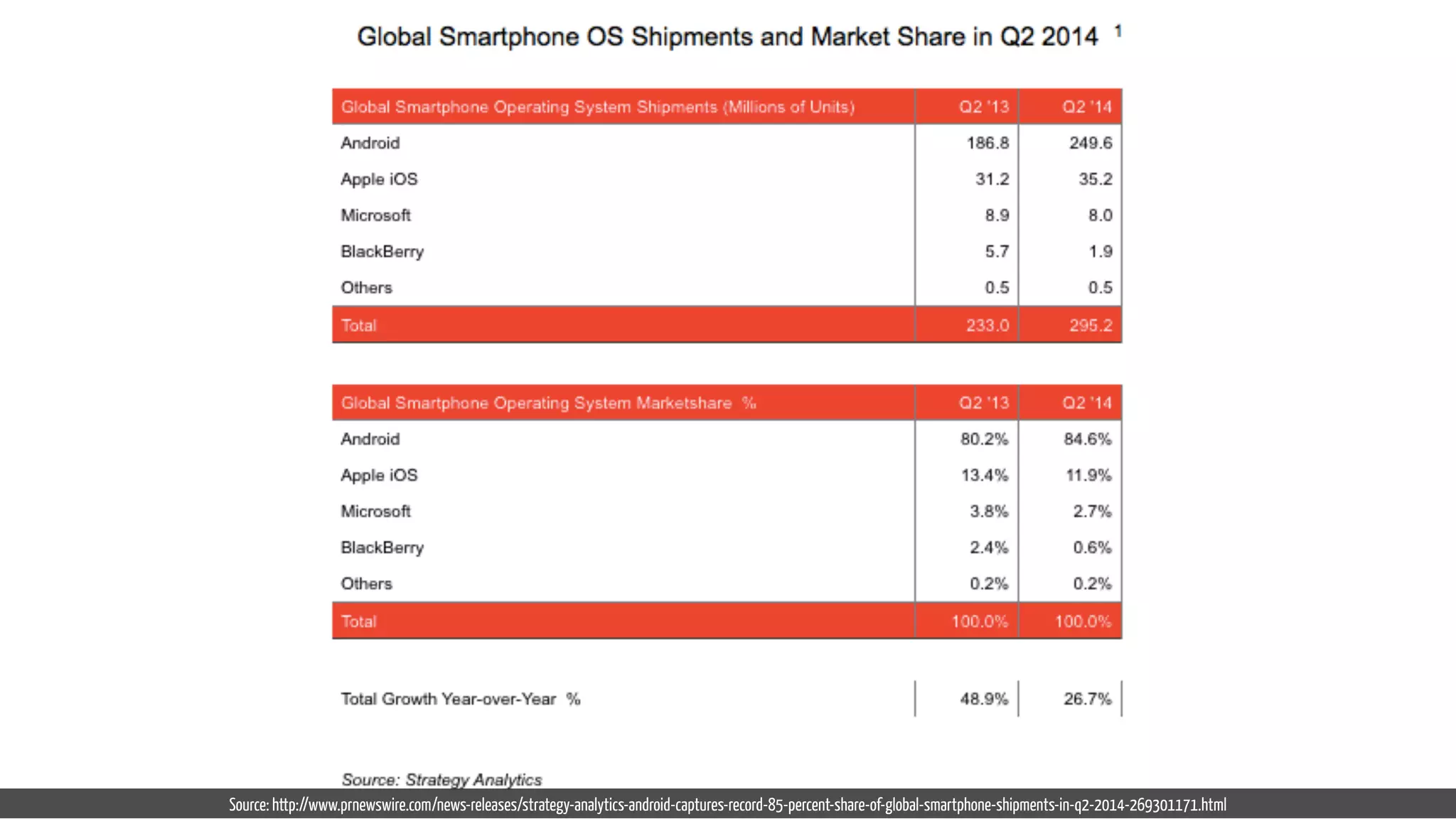
Source: http://www.prnewswire.com/news-releases/strategy-analytics-android-captures-record-85-percent-share-of-global-smartphone-shipments-in-q2-2014-269301171.html
http://foundation.zurb.com/docs/layout.php 
“ Your users get to decide 
how, when, and where they 
want to read your content. 
It is your challenge and your 
responsibility to deliver a good 
experience to them. ” 
- Karen McGrane
device 
browser 
screen 
input method 
connection speed 
Any 
Used anytime 
anywhere
How do we design something that can work on any device?
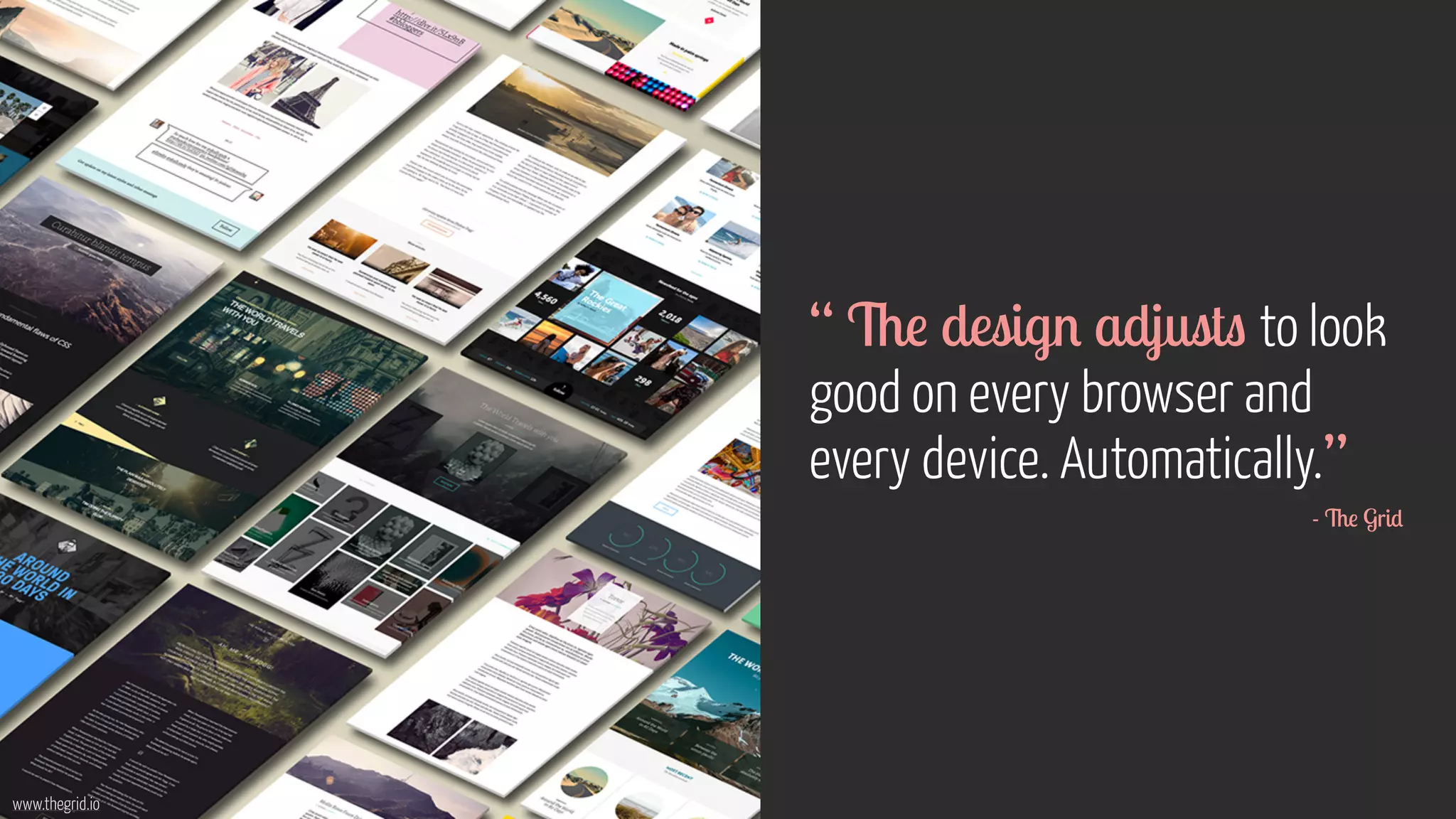
www.thegrid.io 
“ The design adjusts to look 
good on every browser and 
every device. Automatically.” 
- The Grid
It all starts 
with content 
www.flickr.com/photos/grimsanto/751075283/photos/carlosfpardo/6791950592
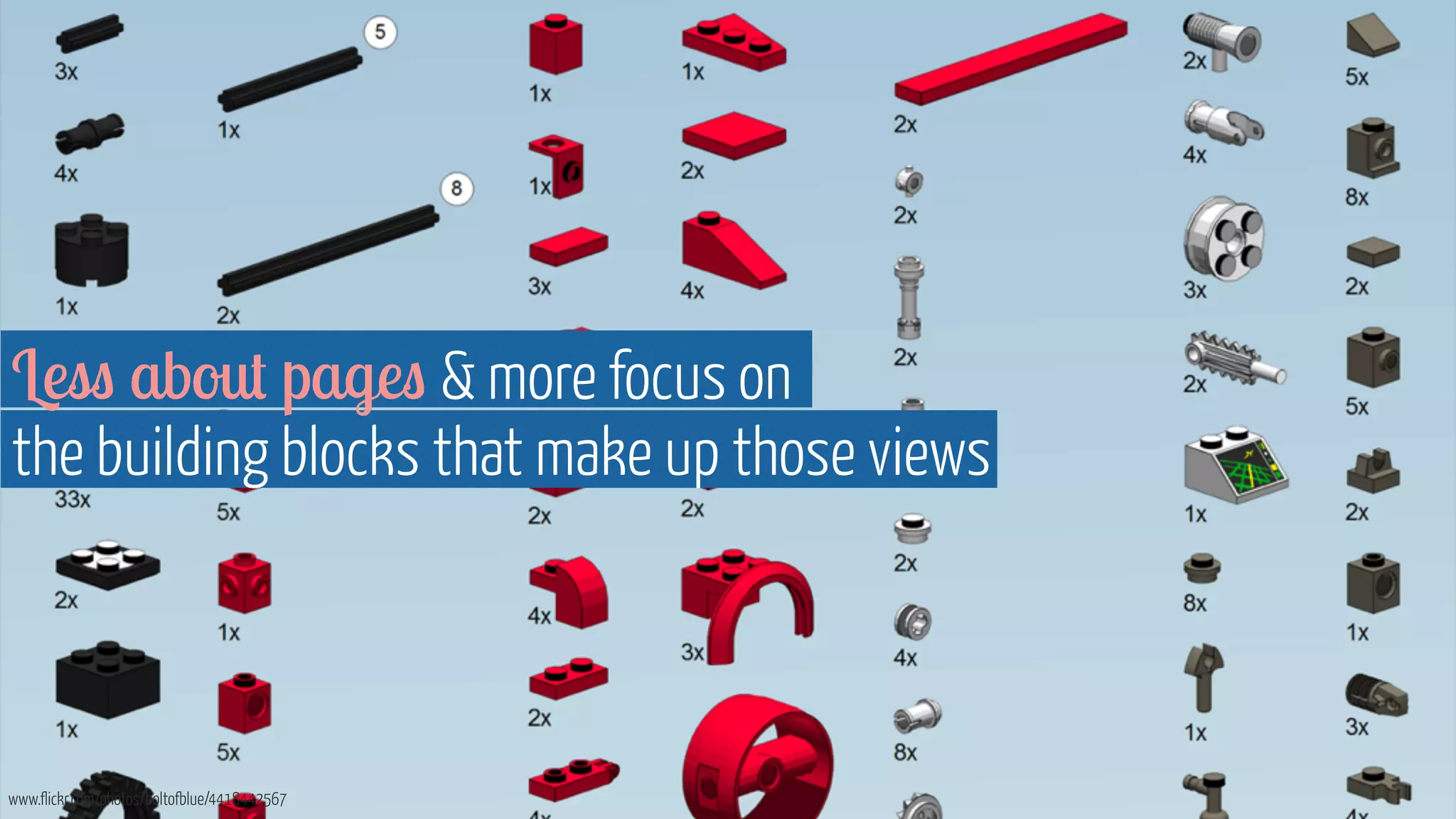
Less about pages  more focus on 
the building blocks that make up those views 
www.flickr.com/photos/boltofblue/4418442567
Gone is the big reveal of the 
beautiful page designs 
www.flickr.com/photos/nataliejohnson/377344806
It’s about views that will look good, 
 work well, across different browsers, screen 
sizes, device types, connections  input methods 
www.flickr.com/photos/jorgeq82/4732700819 www.flickr.com/photos/adactio/6153481666
How to go about it
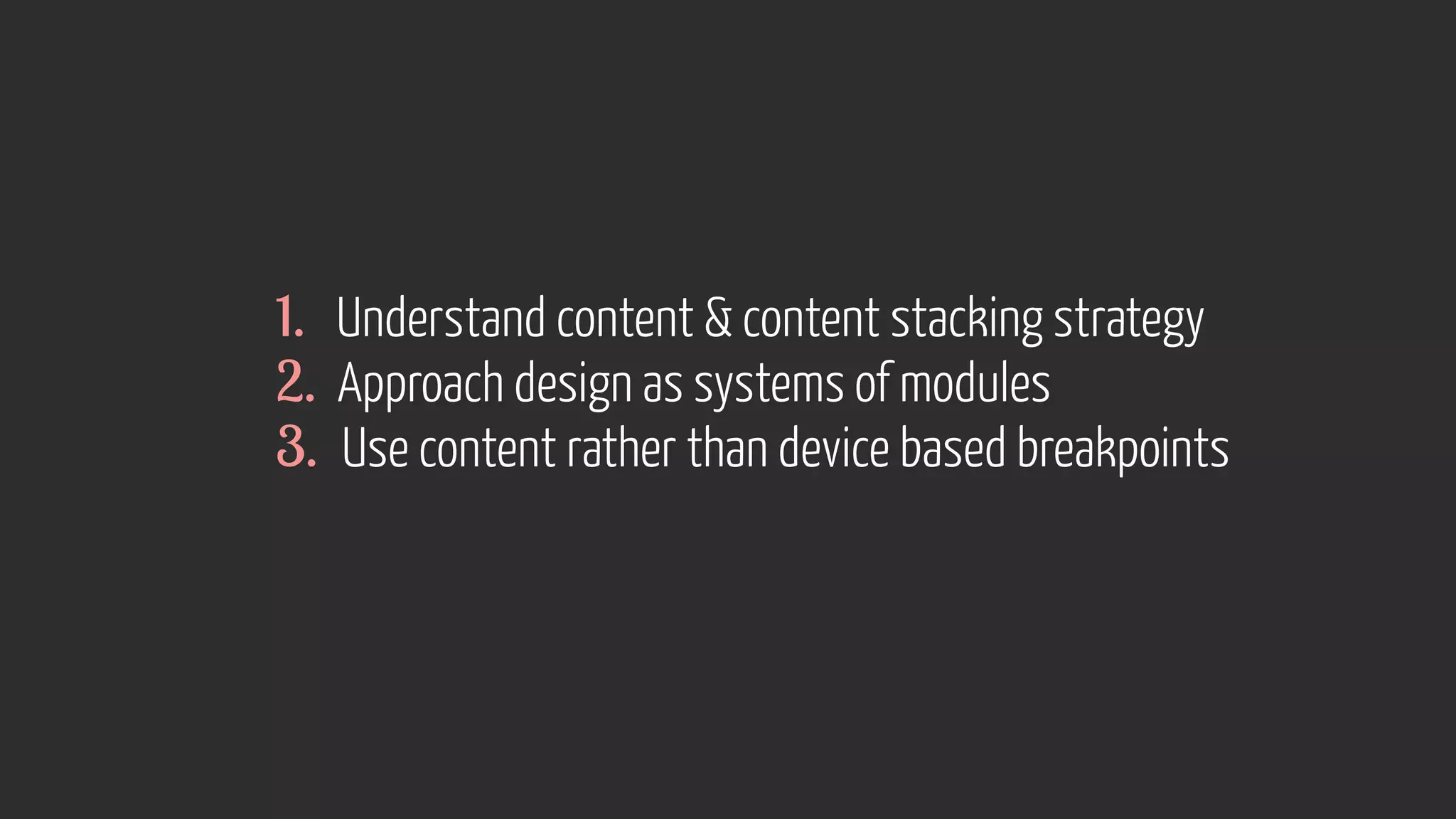
1. Understand content  content stacking strategy 
2. Approach design as systems of modules 
3. Use content rather than device based breakpoints
http://foundation.zurb.com/docs/layout.php 
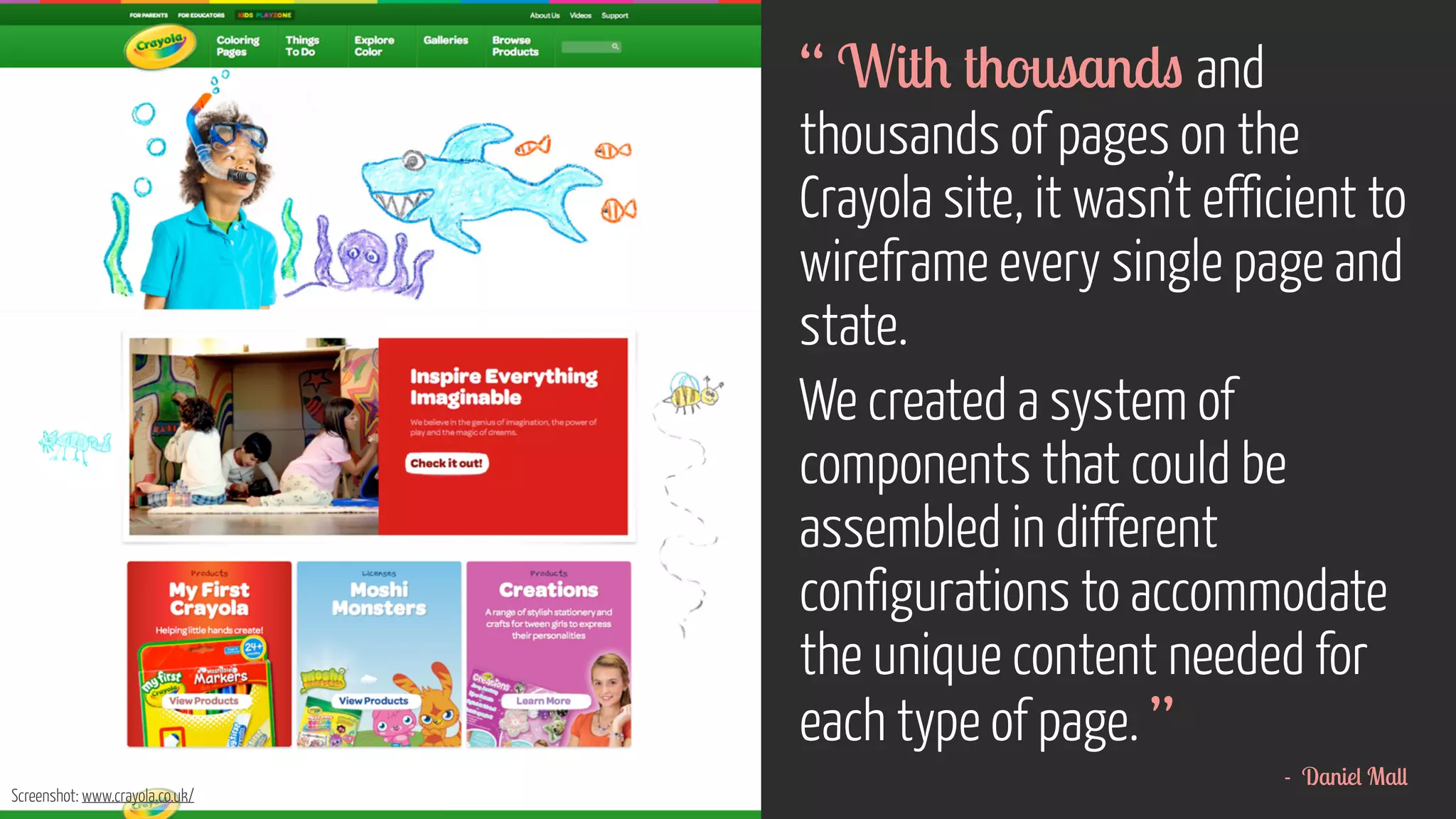
“ With thousands and 
thousands of pages on the 
Crayola site, it wasn’t efficient to 
wireframe every single page and 
state. 
We created a system of 
components that could be 
assembled in different 
configurations to accommodate 
the unique content needed for 
each type of page. ” 
- Daniel Mall 
Screenshot: www.crayola.co.uk/
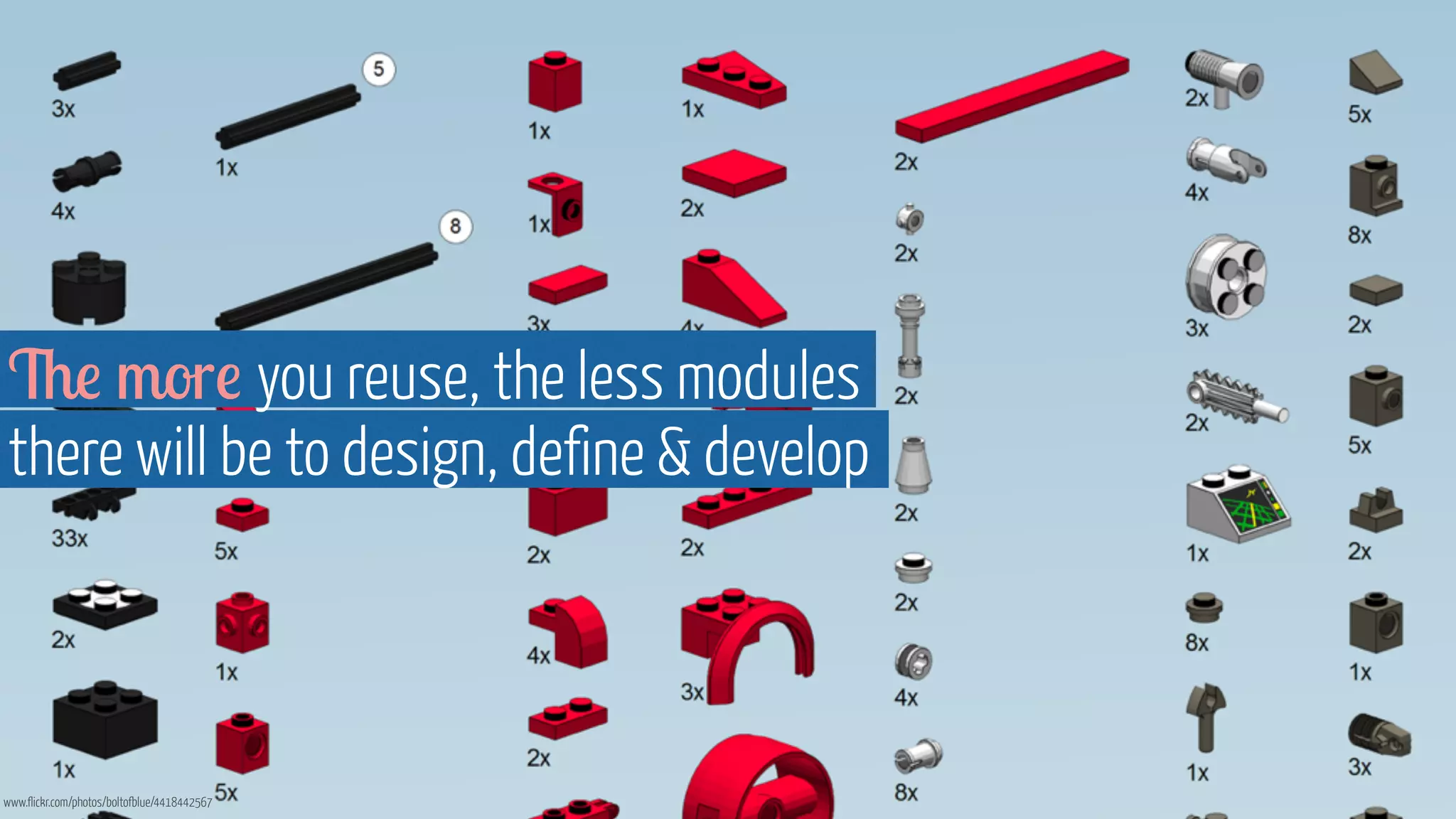
The more you reuse, the less modules 
there will be to design, define  develop 
www.flickr.com/photos/boltofblue/4418442567
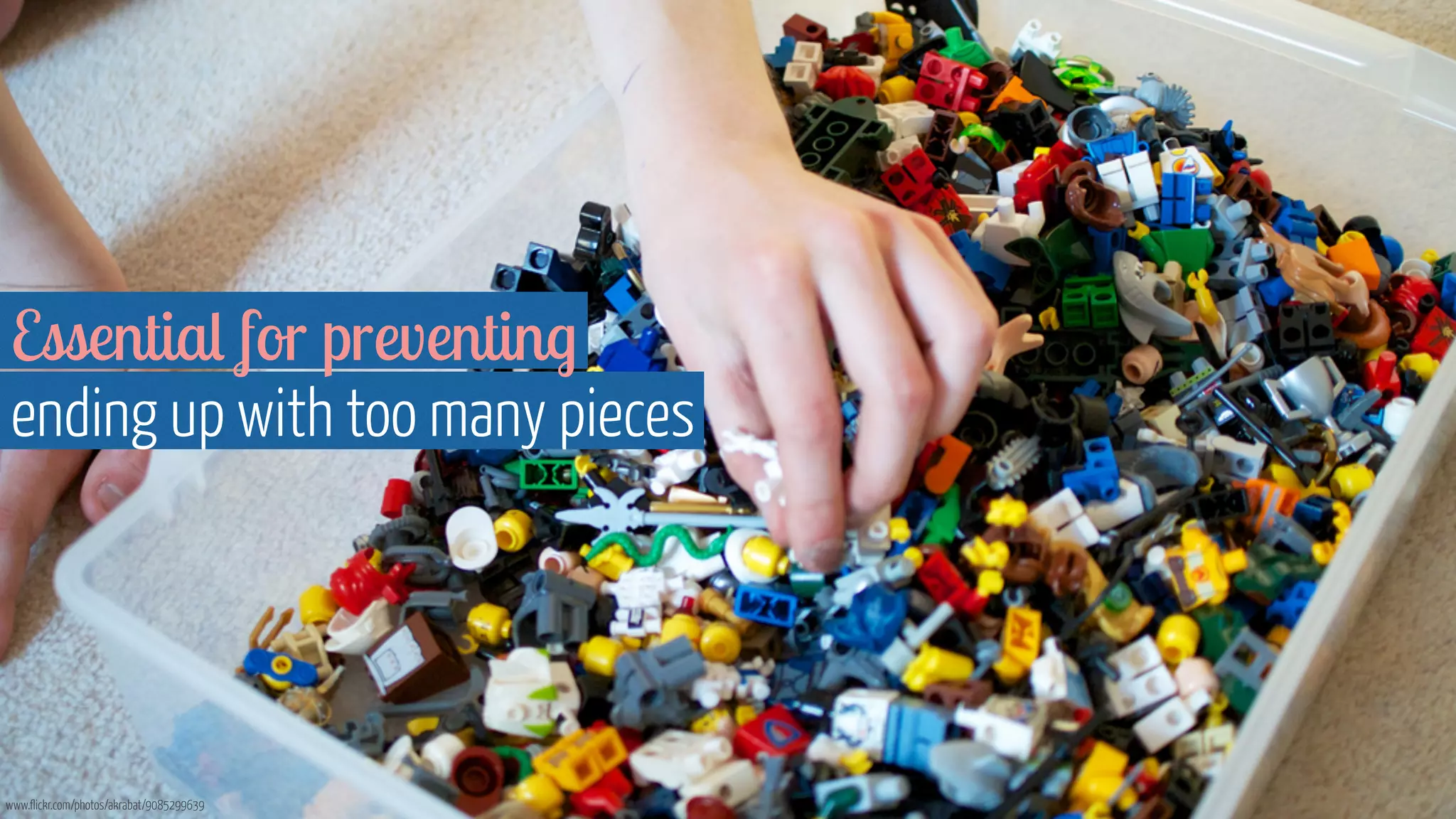
Essential for preventing 
ending up with too many pieces 
www.flickr.com/photos/akrabat/9085299639
An evolution of how we’ve always worked
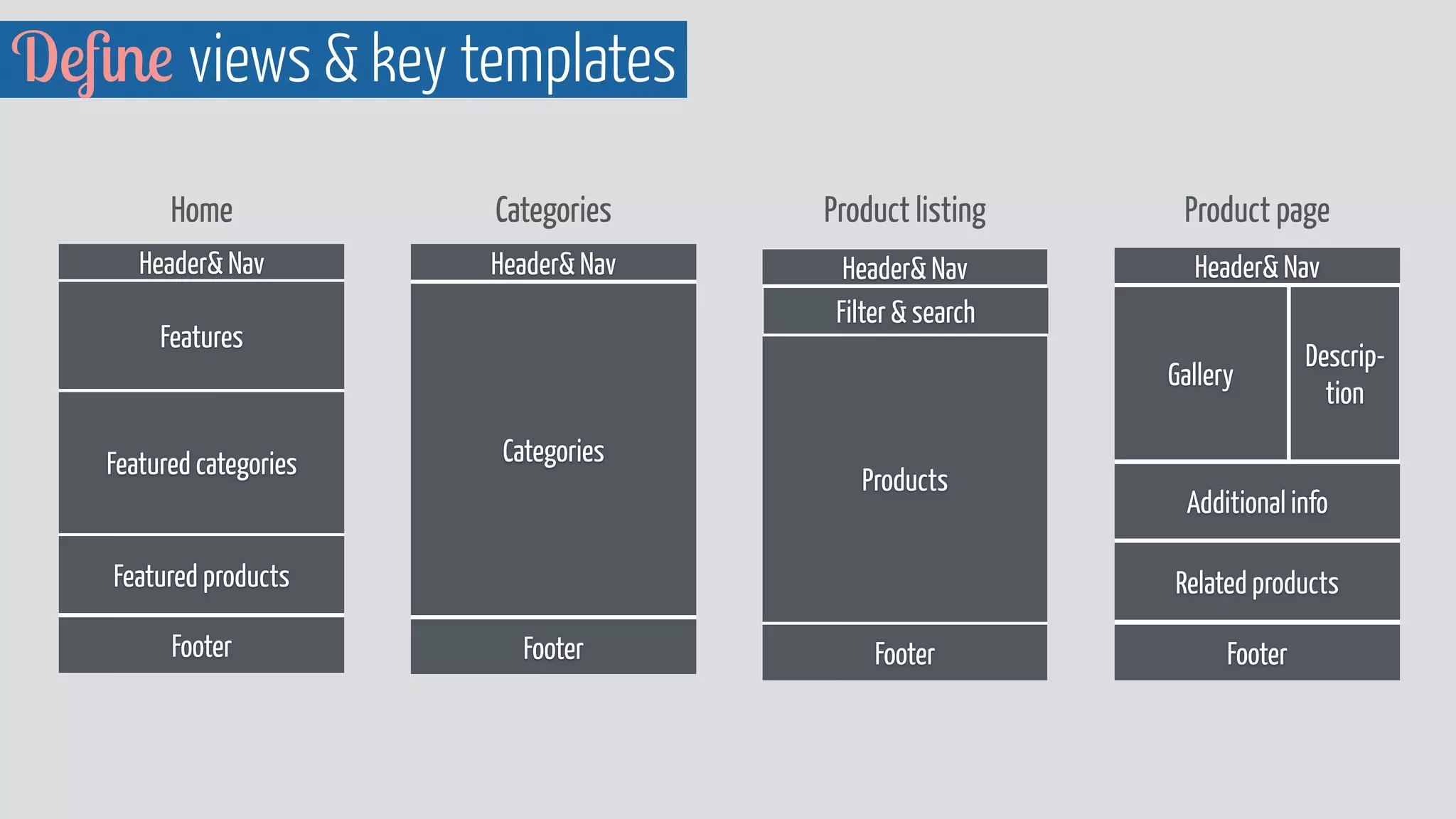
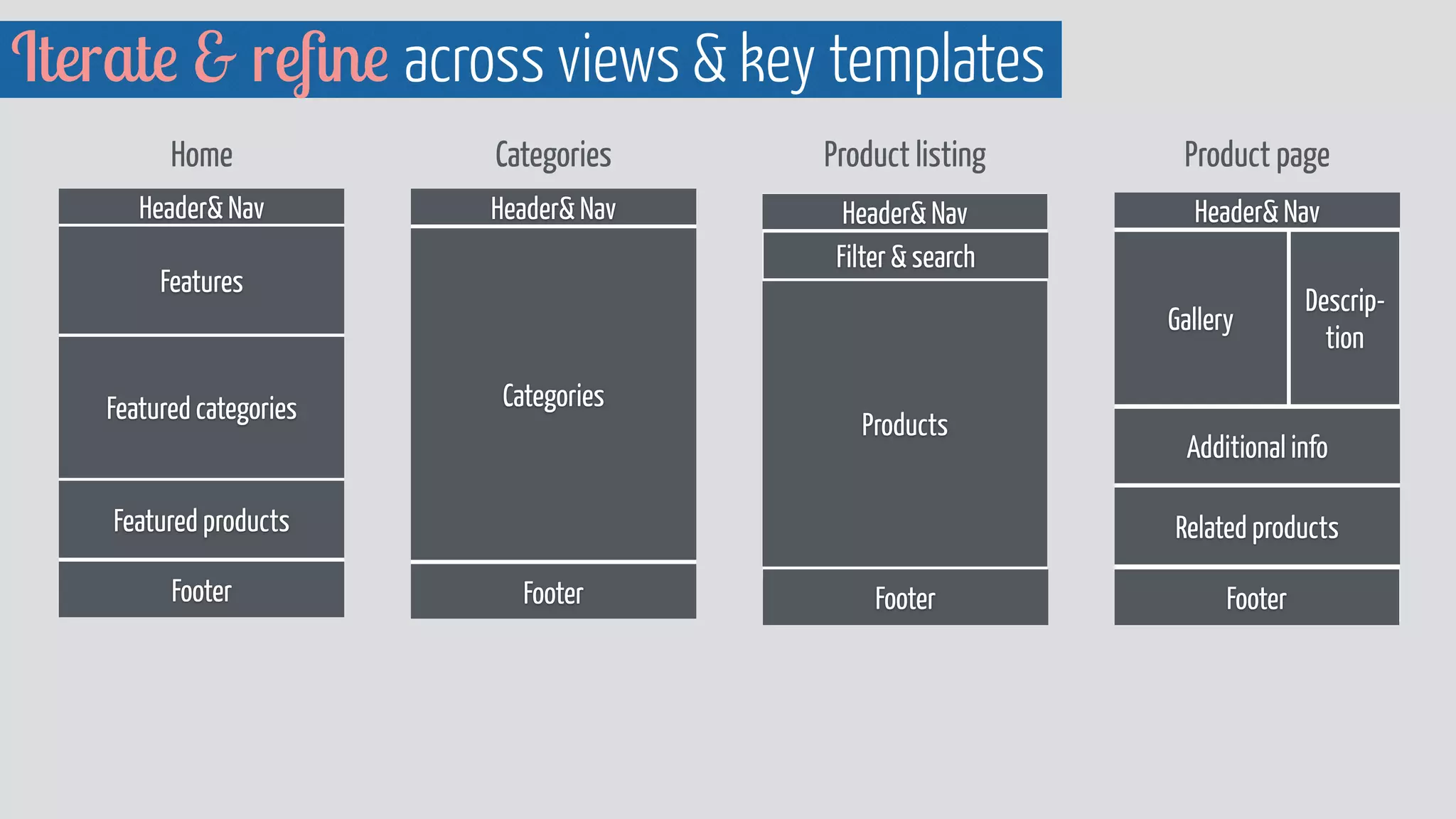
Define views  key templates 
Home Categories Product listing Product page 
Header Nav 
Header Nav 
Filter  search 
Features 
Products 
Footer 
Featured categories 
Featured products 
Footer 
Header Nav 
Categories 
Footer 
Header Nav 
Gallery 
Descrip-tion 
Additional info 
Related products 
Footer
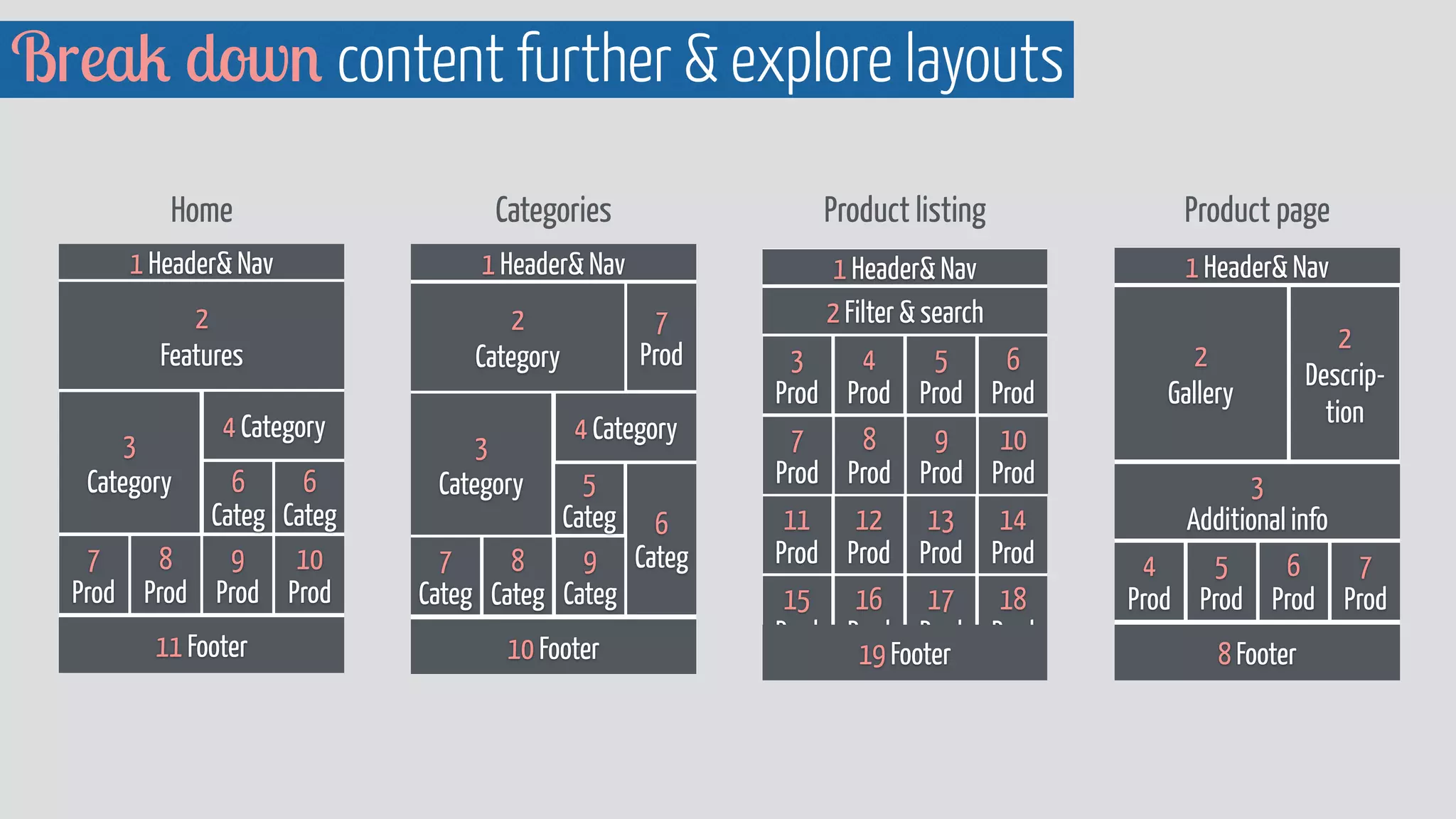
Break down content further  explore layouts 
Product listing 
1 Header Nav 
2 Filter  search 
Product page 
1 Header Nav 
2 
Gallery 
2 
Descrip-tion 
3 
Additional info 
8 Footer 
Categories 
1 Header Nav 
2 
Category 
3 
Category 
4 Category 
9 
Categ 
7 
Categ 
10 Footer 
7 
Prod 
6 
Categ 
5 
Categ 
Home 
1 Header Nav 
2 
Features 
3 
Category 
4 Category 
6 
Categ 
11 Footer 
6 
Categ 
10 
Prod 
9 
Prod 
8 
Prod 
7 
Prod 
8 
Categ 
6 
Prod 
5 
Prod 
4 
Prod 
3 
Prod 
10 
Prod 
9 
Prod 
8 
Prod 
7 
Prod 
14 
Prod 
13 
Prod 
12 
Prod 
11 
Prod 
18 
Prod 
17 
Prod 
16 
Prod 
15 
Prod 
19 Footer 
7 
Prod 
6 
Prod 
5 
Prod 
4 
Prod
Home - large 
Header Nav 
Features 
Featured categories 
Featured products 
Footer 
1 Header Nav 
2 
Features 
3 
Category 
4 Category 
6 
Categ 
11 Footer 
6 
Categ 
10 
Prod 
9 
Prod 
8 
Prod 
7 
Prod 
Home - small 
1 Header Nav 
2 
Features 
3 Category 
4 
Categ 
5 
Categ 
6 
Product 
7 
Product 
8 
Product 
9 
Product 
10 Footer 
Header Nav 
Features 
Featured 
categories 
Featured 
products 
Footer 
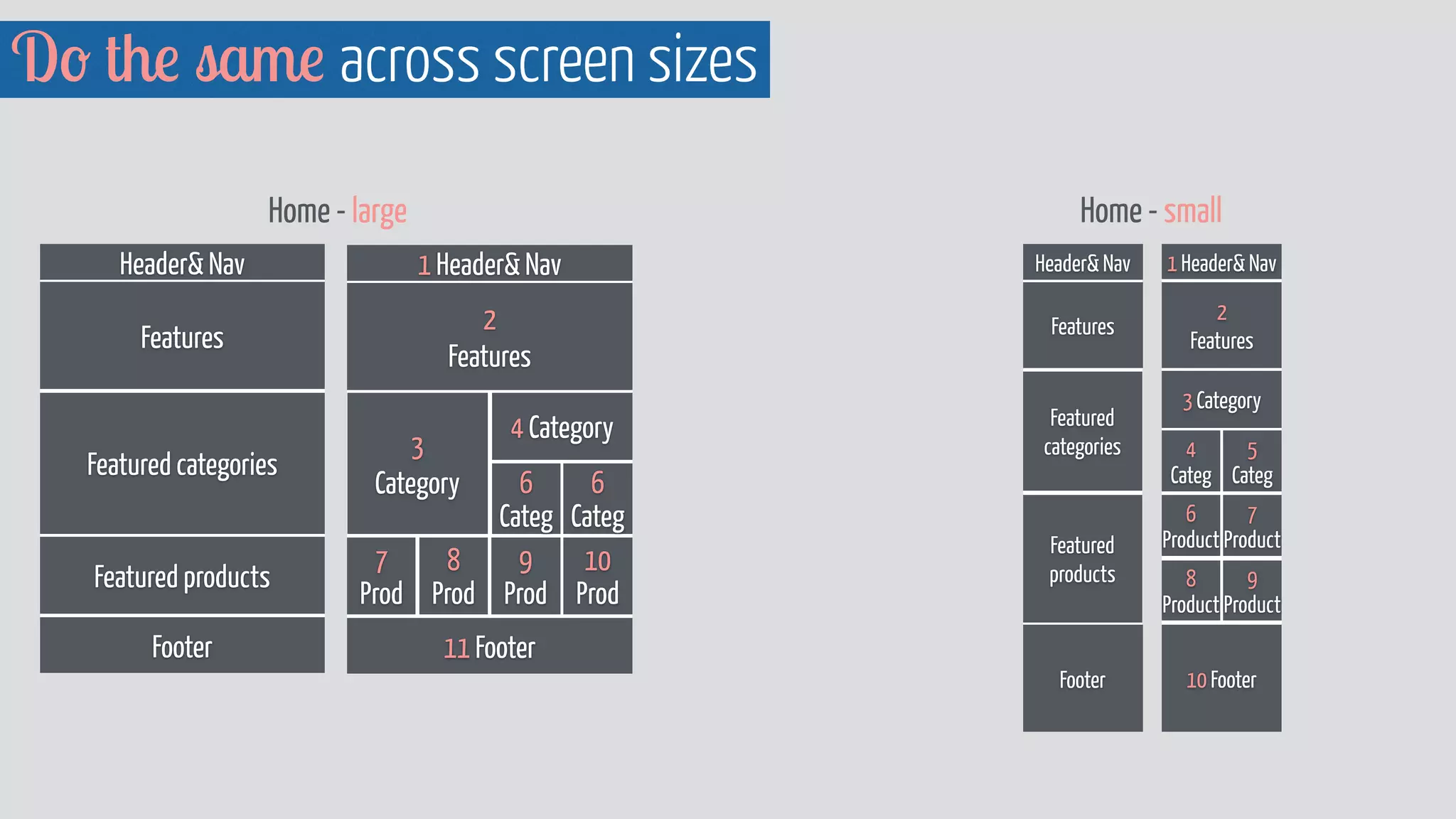
Do the same across screen sizes
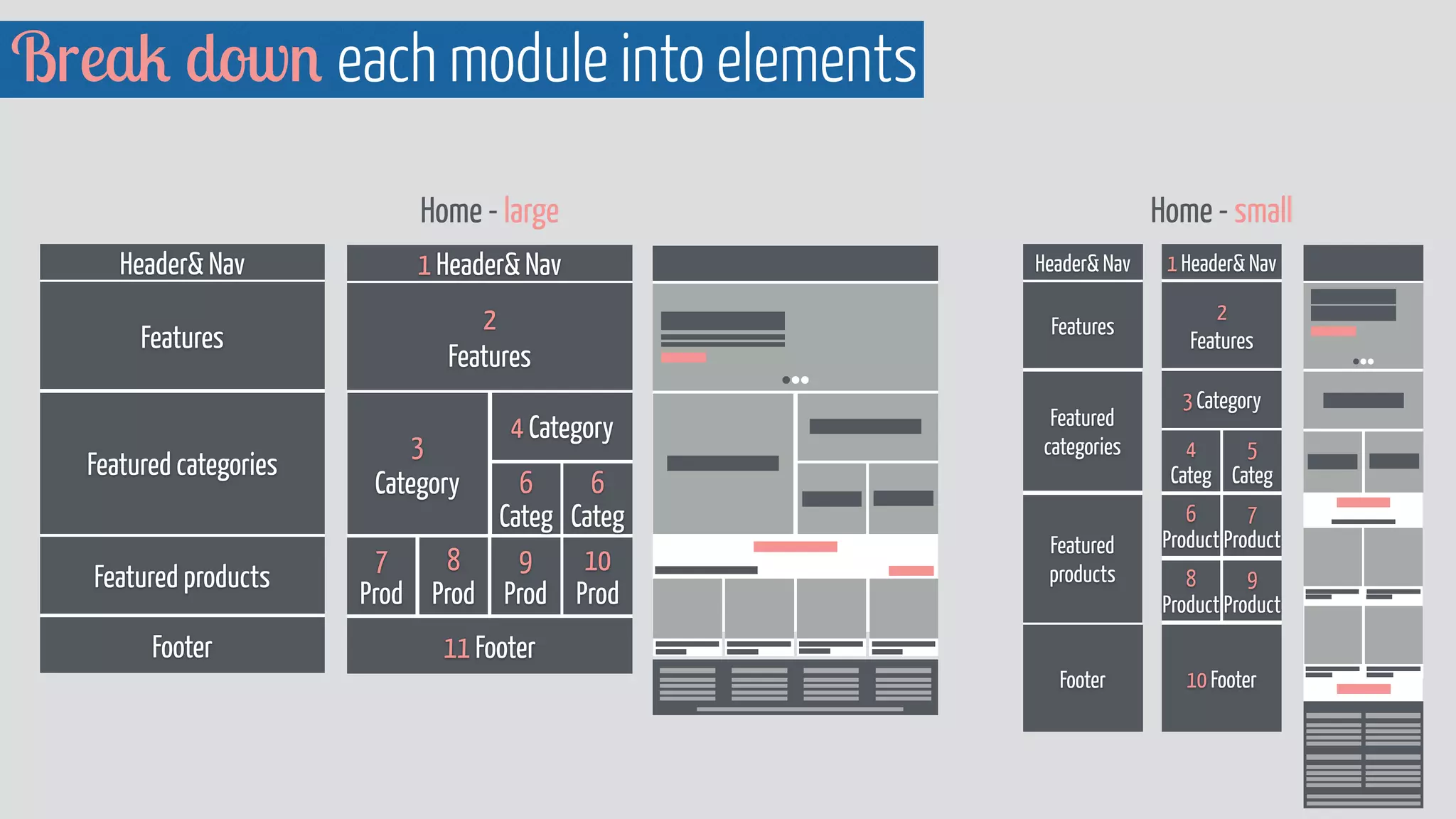
Break down each module into elements 
Home - large 
Header Nav 
Features 
Featured categories 
Featured products 
Footer 
1 Header Nav 
2 
Features 
3 
Category 
4 Category 
6 
Categ 
11 Footer 
6 
Categ 
10 
Prod 
9 
Prod 
8 
Prod 
7 
Prod 
1 Header Nav 
2 
Features 
3 Category 
4 
Categ 
5 
Categ 
6 
Product 
7 
Product 
8 
Product 
9 
Product 
10 Footer 
Header Nav 
Features 
Footer 
Home - small 
Featured 
categories 
Featured 
products
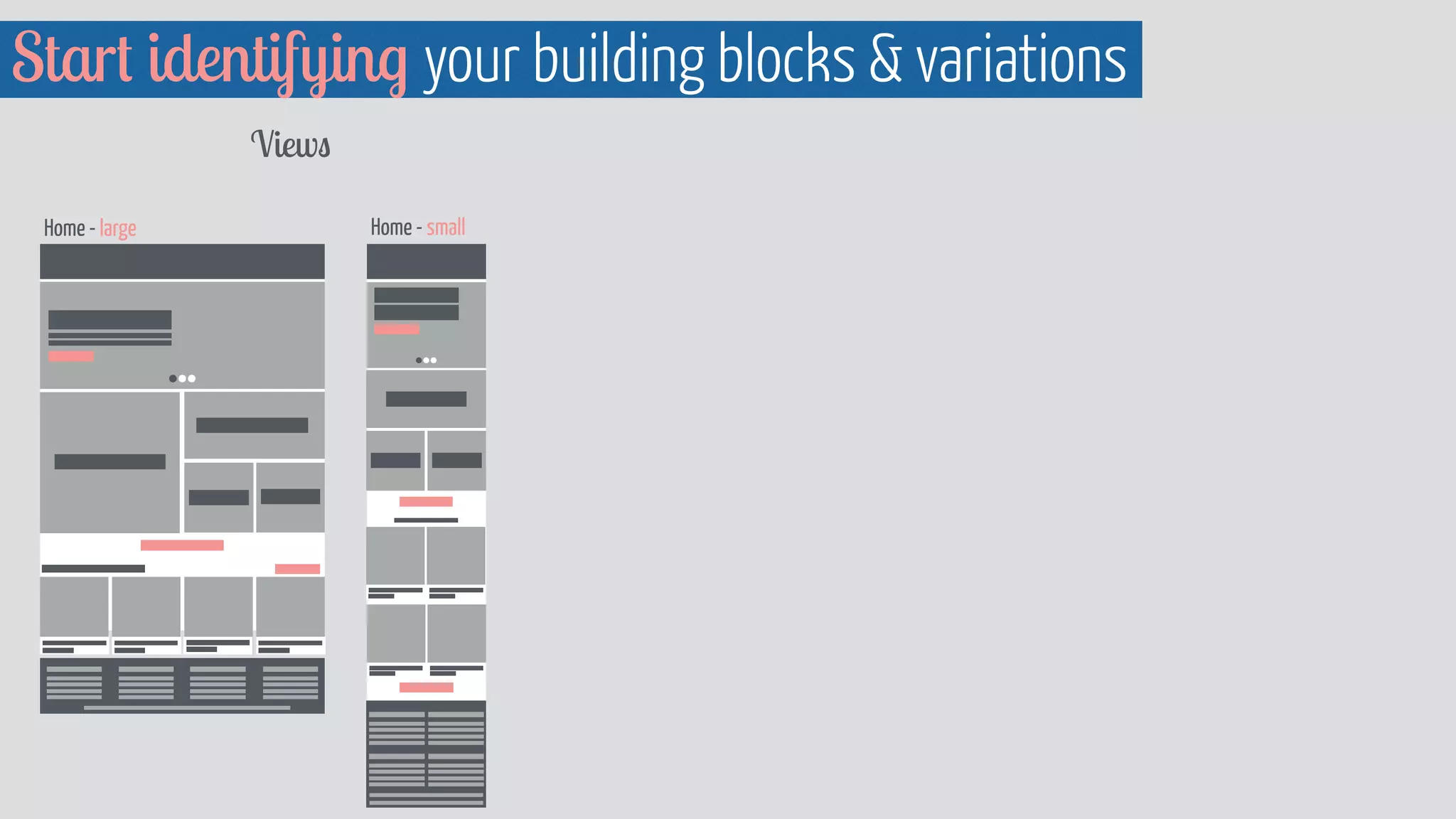
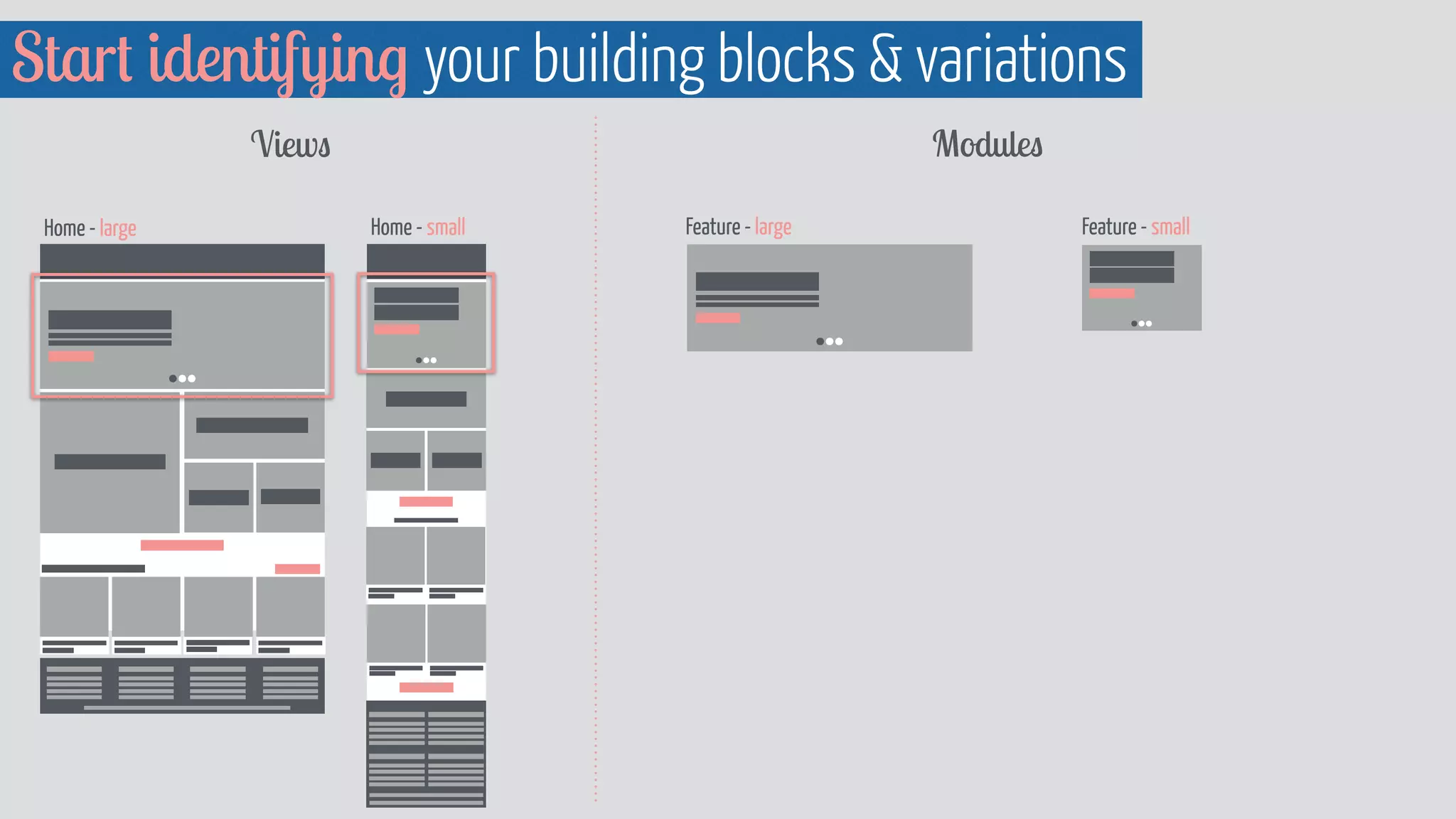
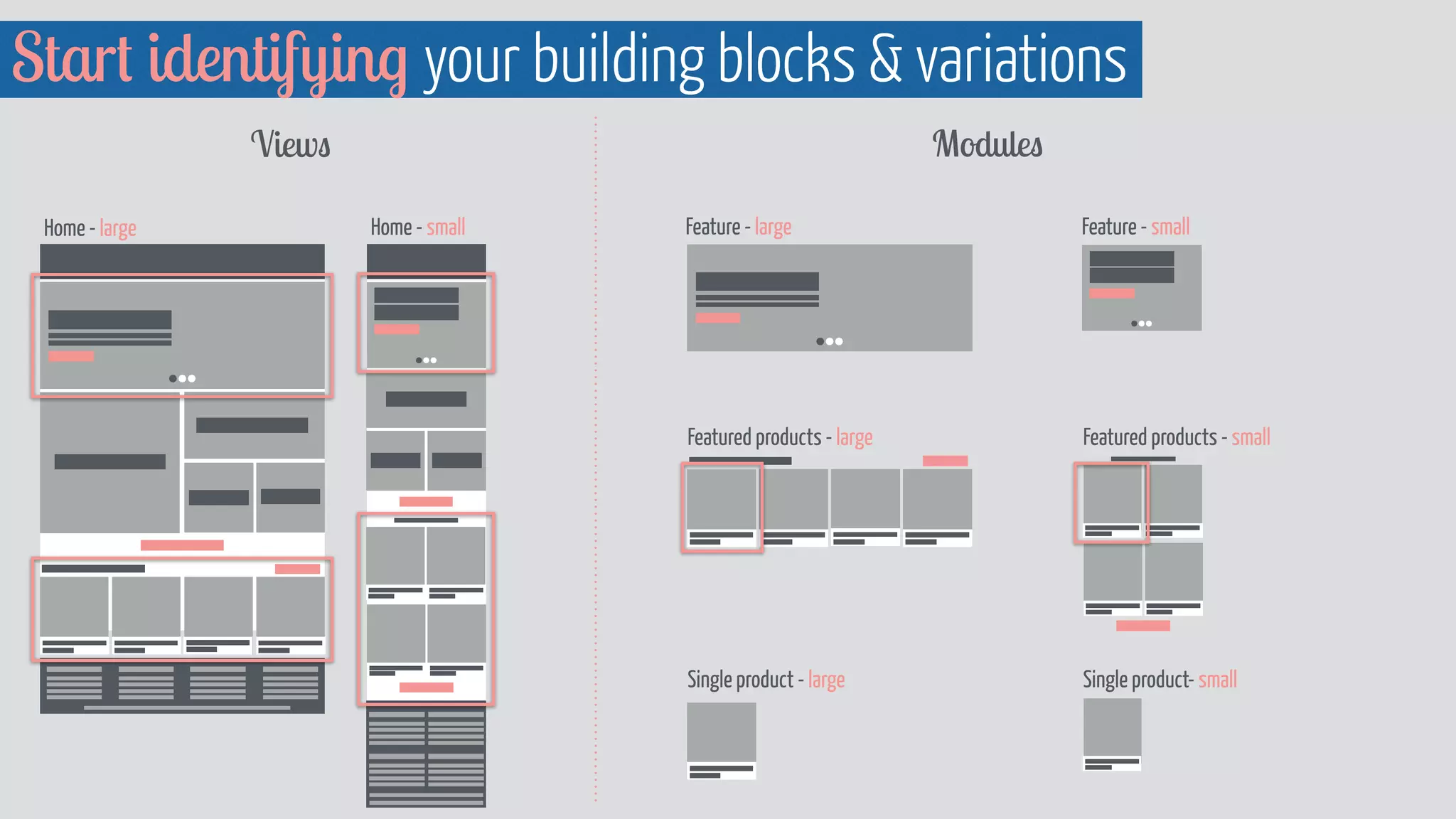
Start identifying your building blocks  variations 
Views 
Home - large Home - small
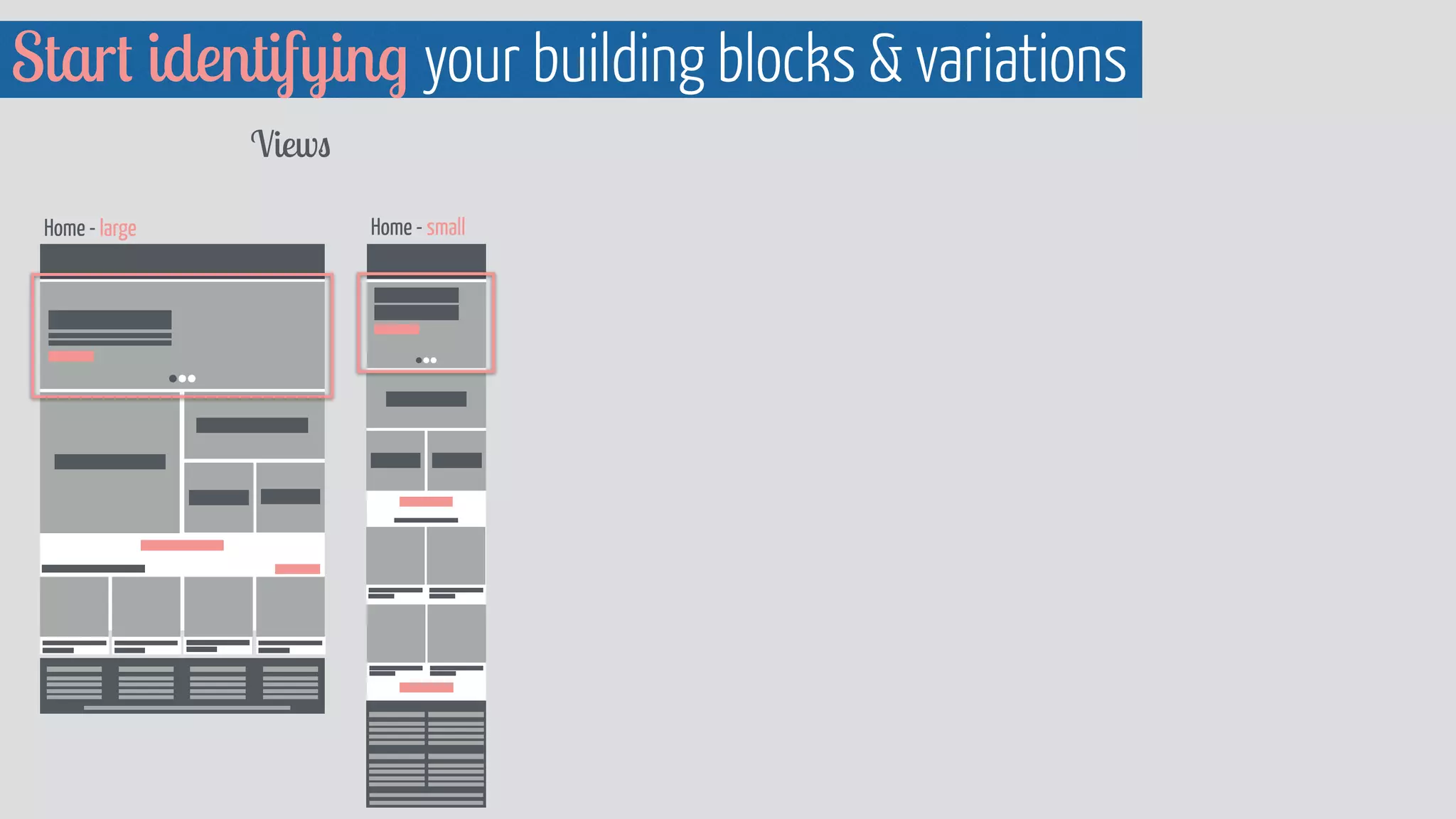
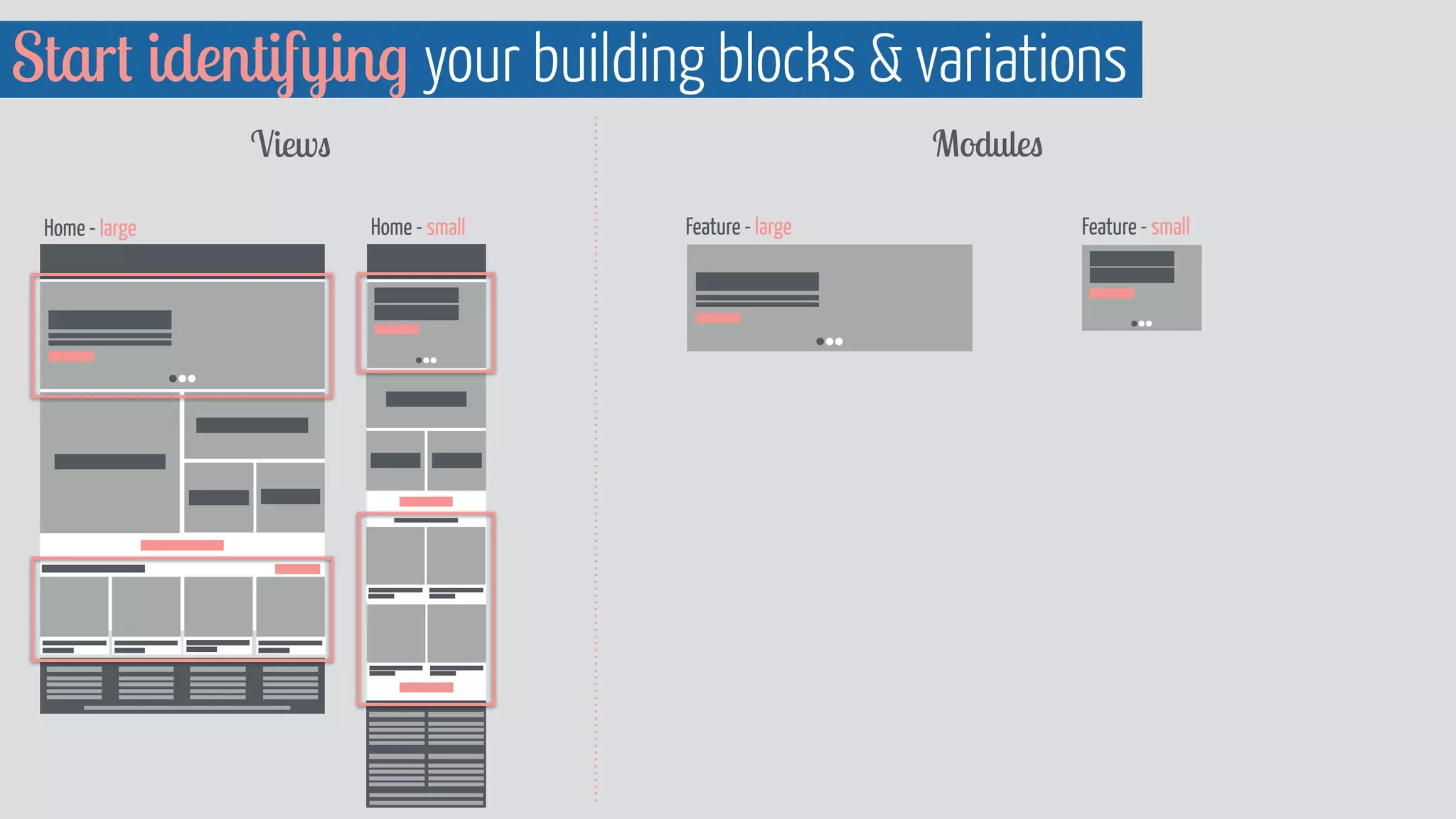
Start identifying your building blocks  variations 
Views 
Home - large Home - small
Start identifying your building blocks  variations 
Views Modules 
Feature - large Feature - small 
Home - large Home - small
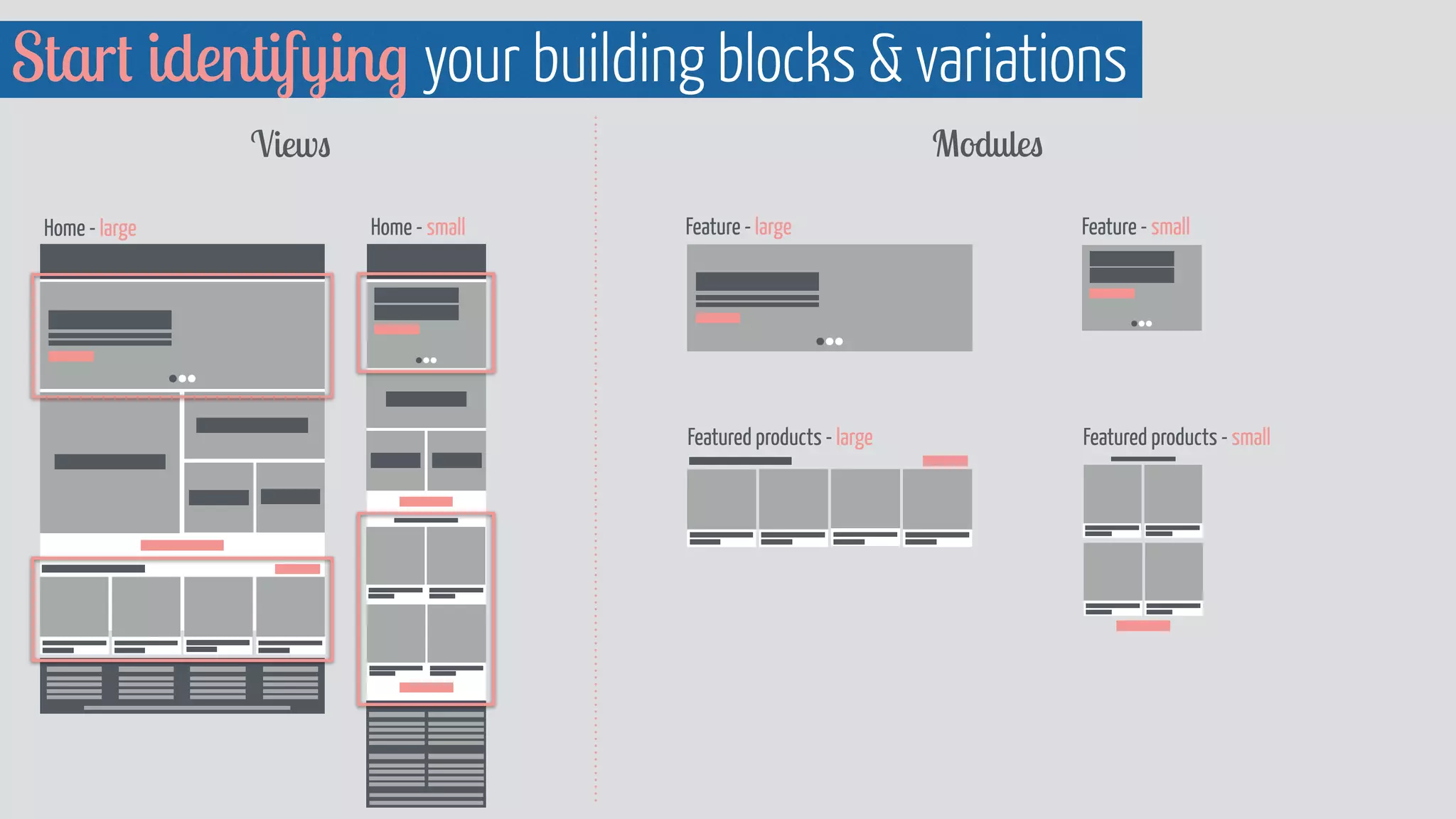
Start identifying your building blocks  variations 
Views Modules 
Feature - large Feature - small 
Home - large Home - small
Start identifying your building blocks  variations 
Views Modules 
Feature - large Feature - small 
Featured products - large Featured products - small 
Home - large Home - small
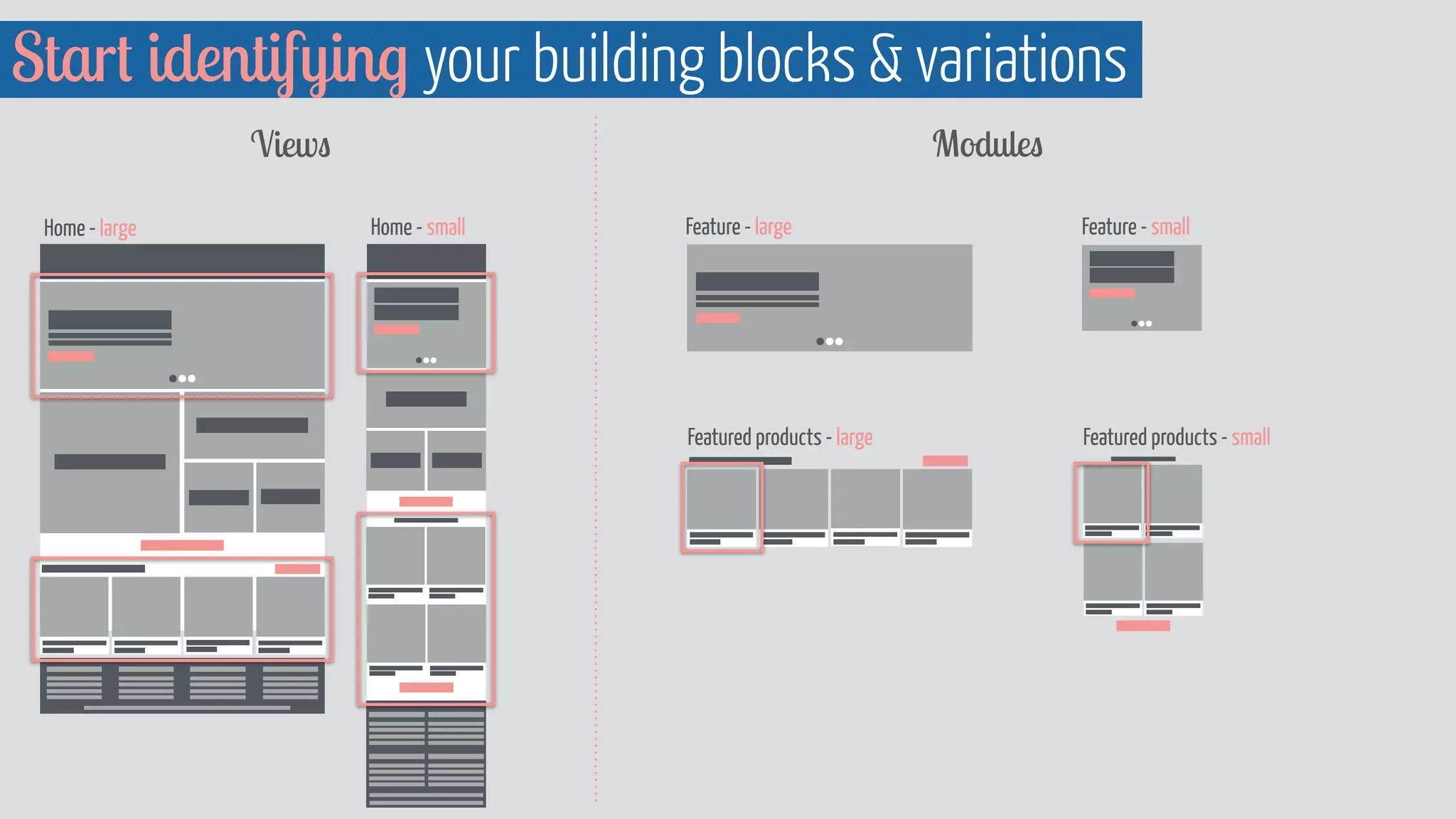
Start identifying your building blocks  variations 
Views Modules 
Feature - large Feature - small 
Featured products - large Featured products - small 
Home - large Home - small
Start identifying your building blocks  variations 
Feature - large Feature - small 
Featured products - large 
Single product - large 
Featured products - small 
Single product- small 
Views Modules 
Home - large Home - small
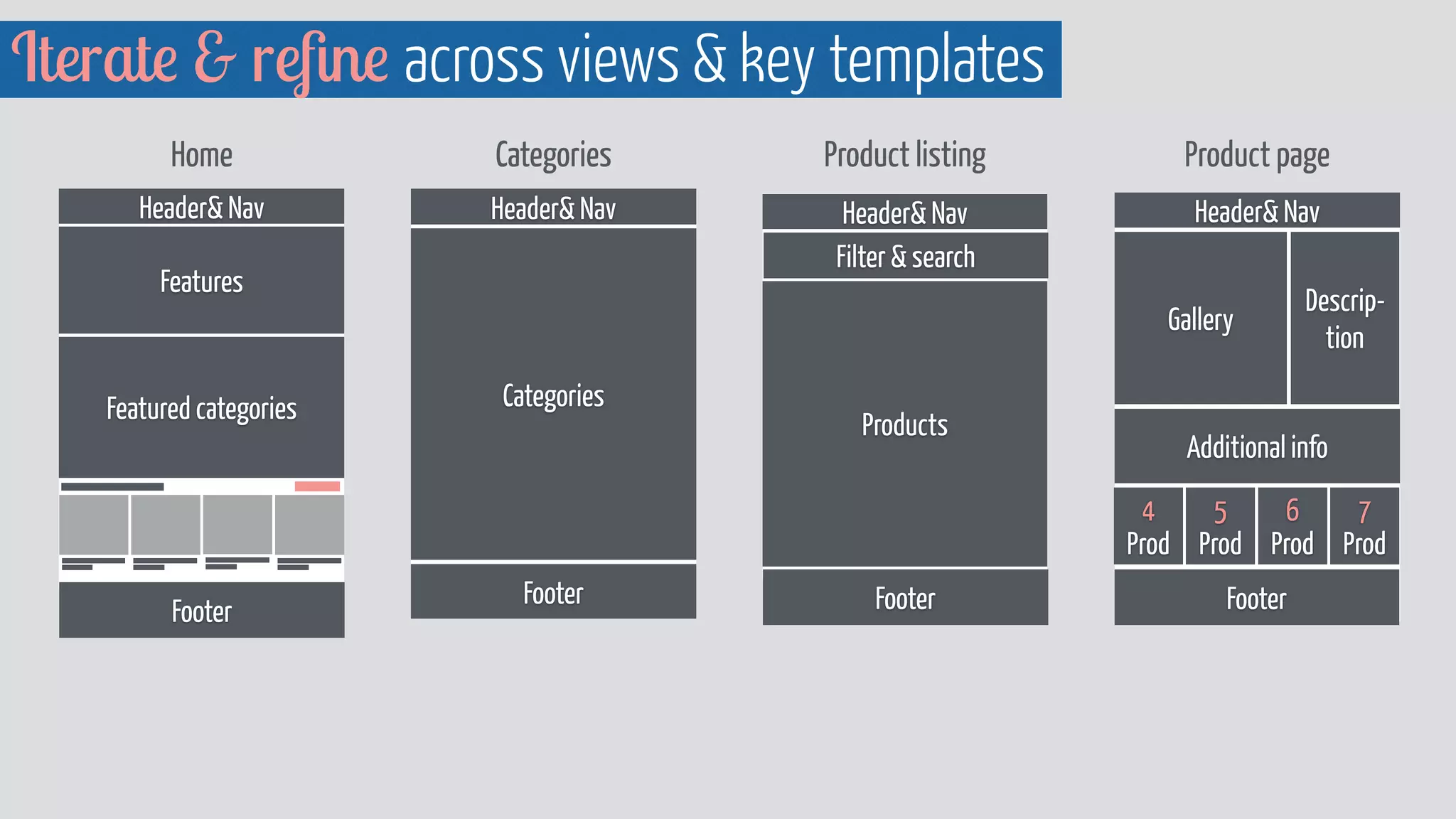
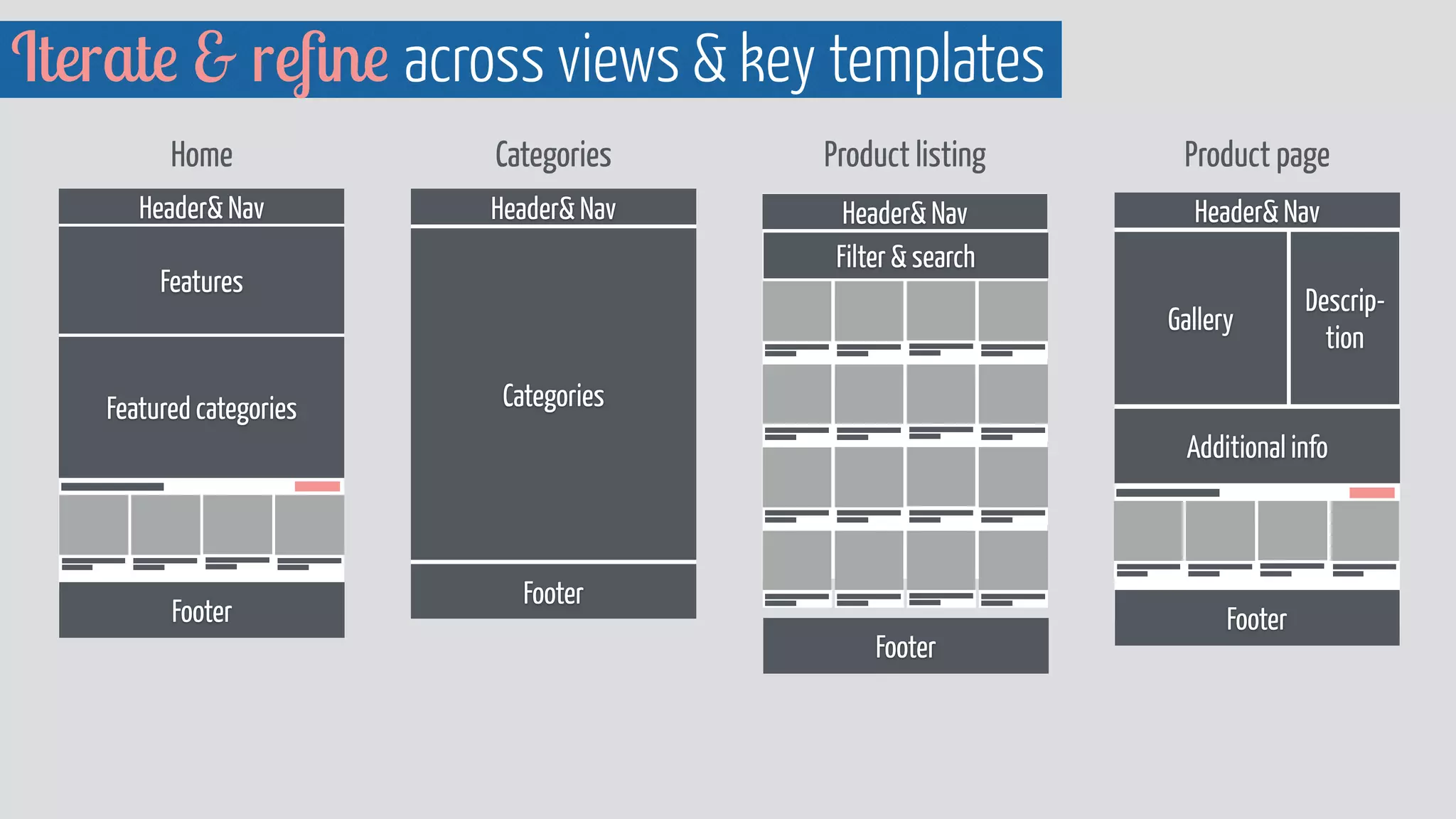
Iterate  refine across views  key templates 
Home Categories Product listing Product page 
Header Nav 
Header Nav 
Filter  search 
Features 
Products 
Footer 
Featured categories 
Featured products 
Footer 
Header Nav 
Categories 
Footer 
Header Nav 
Gallery 
Descrip-tion 
Additional info 
Related products 
Footer
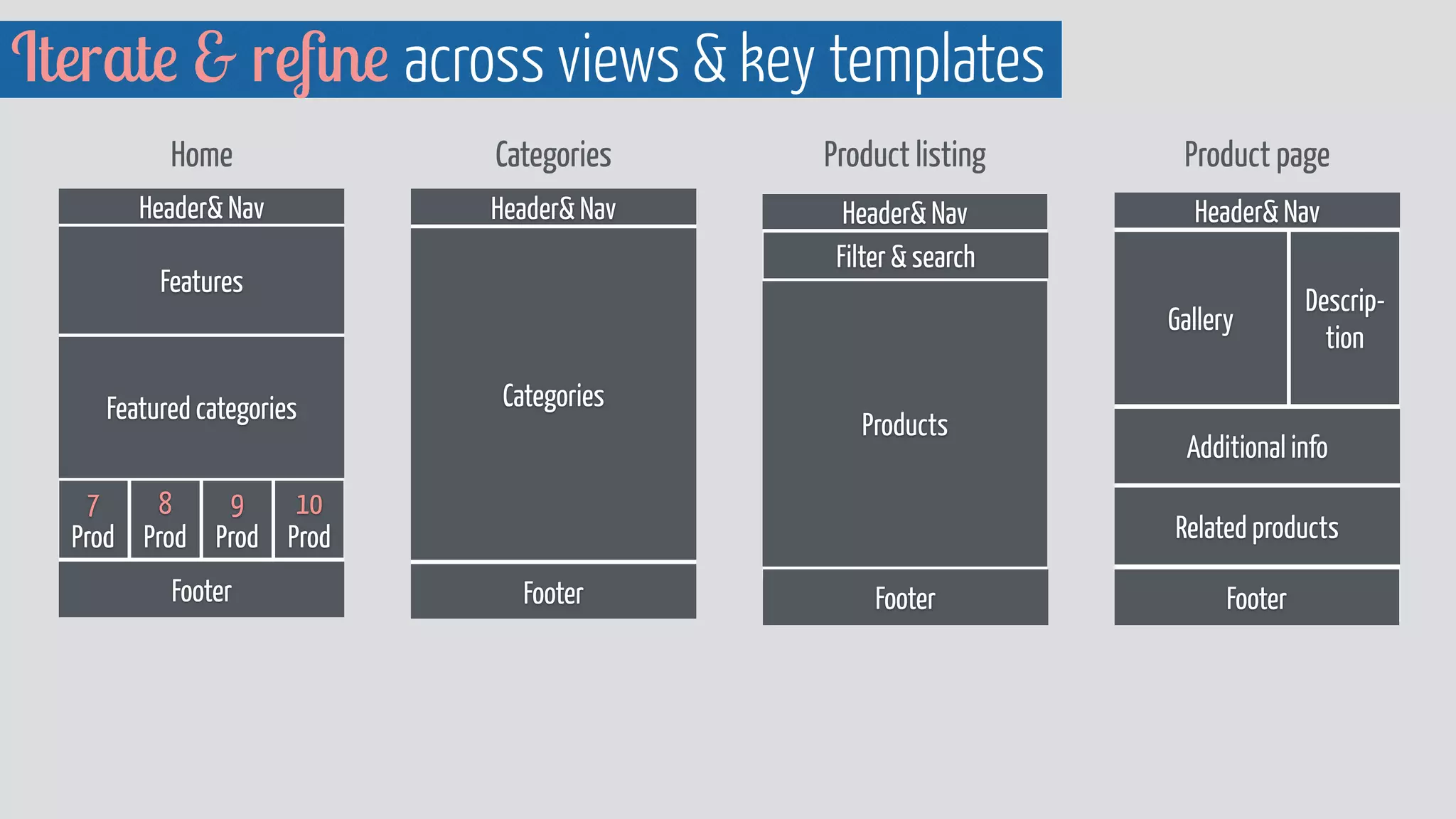
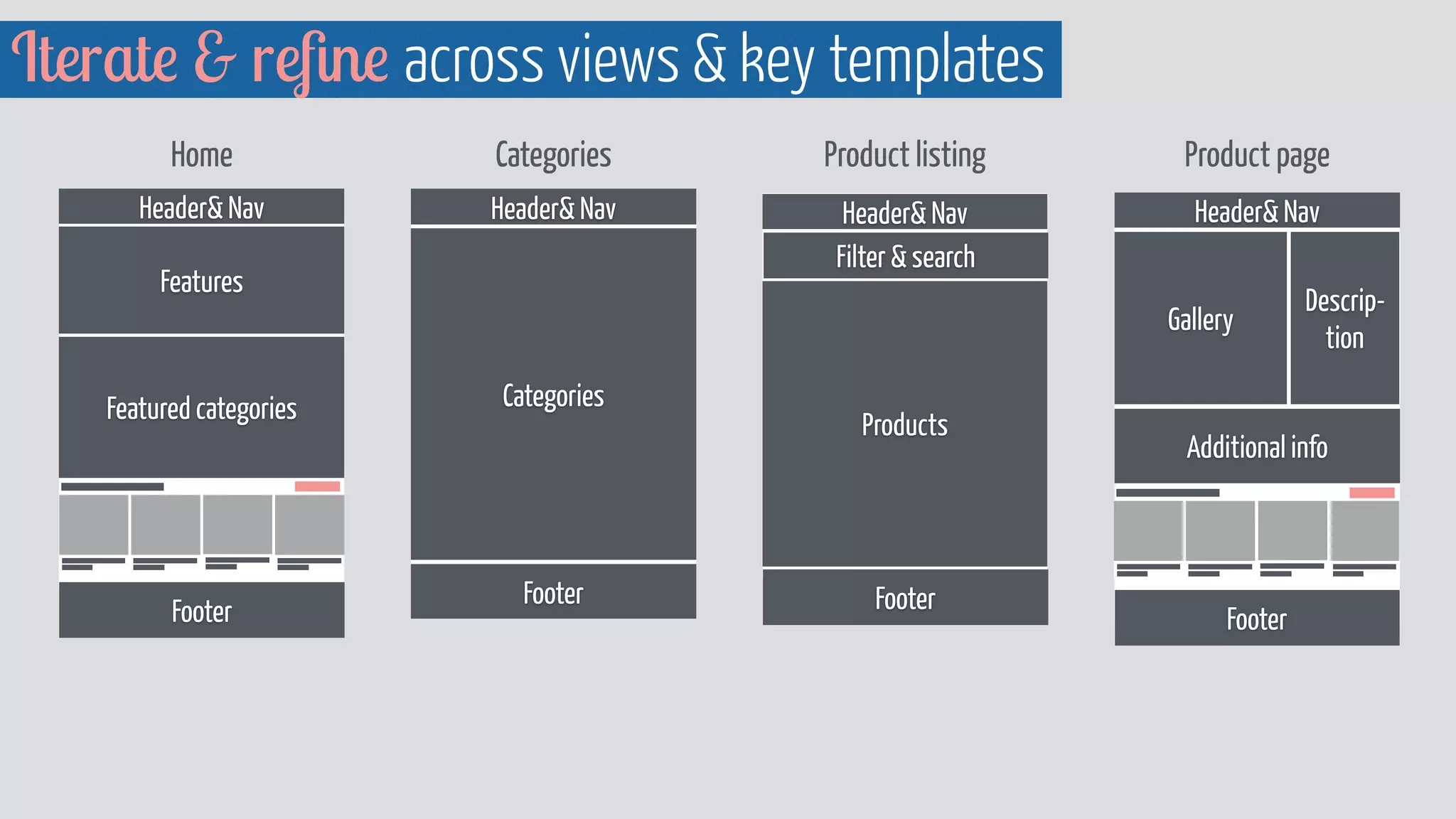
Iterate  refine across views  key templates 
Home Categories Product listing Product page 
Header Nav 
Header Nav 
Filter  search 
Features 
Products 
Footer 
Featured categories 
Footer 
Header Nav 
Categories 
Footer 
Header Nav 
Gallery 
Descrip-tion 
Additional info 
Related products 
10 
Prod 
9 
Prod 
8 
Prod 
7 
Prod 
Footer
Iterate  refine across views  key templates 
Home Categories Product listing Product page 
Header Nav 
Header Nav 
Filter  search 
Features 
Products 
Footer 
Featured categories 
Footer 
Header Nav 
Categories 
Footer 
Header Nav 
Gallery 
Descrip-tion 
Additional info 
Related products 
Footer
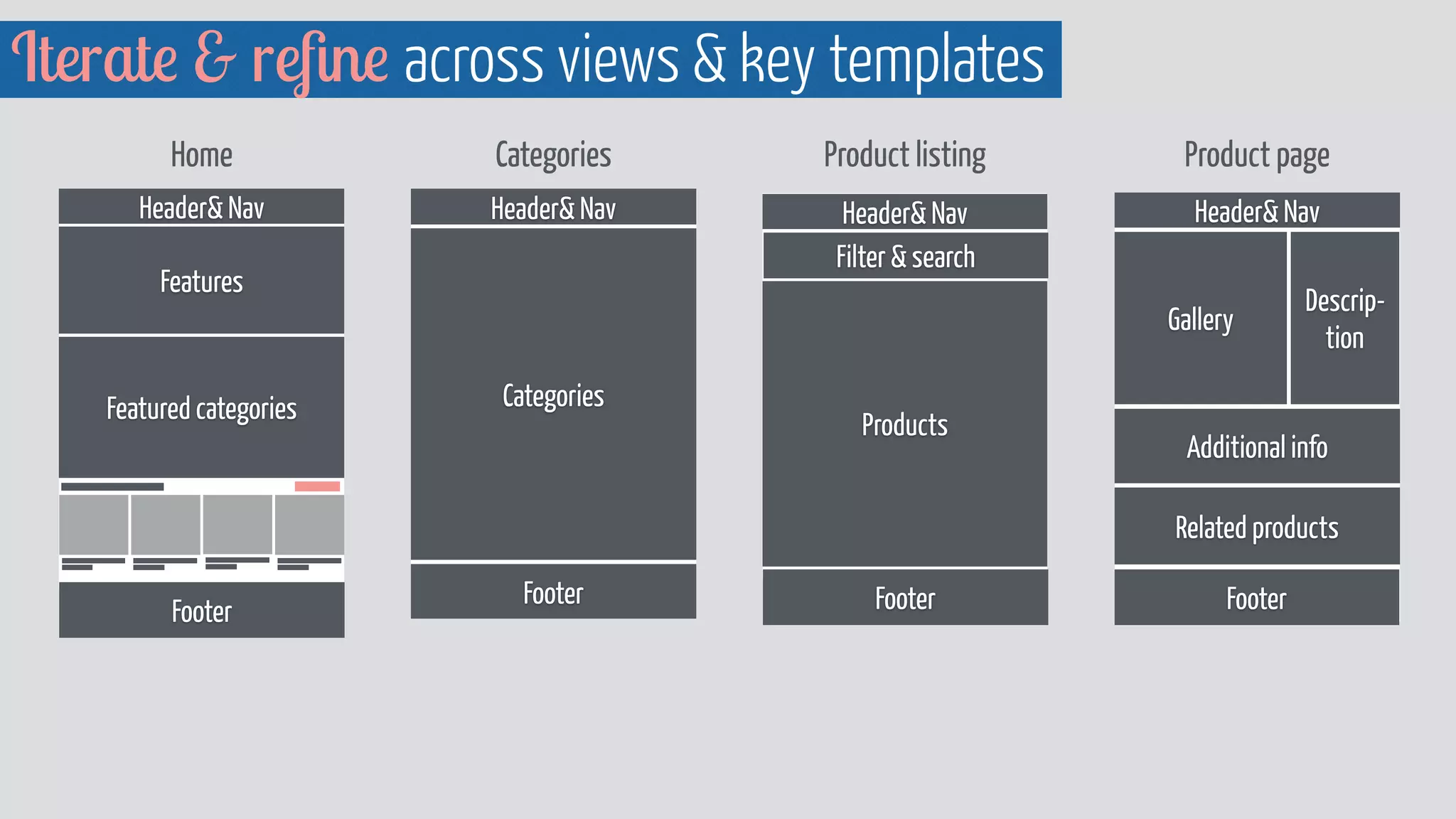
Iterate  refine across views  key templates 
Home Categories Product listing Product page 
Header Nav 
Header Nav 
Filter  search 
Features 
Products 
Footer 
Featured categories 
Footer 
Header Nav 
Categories 
Footer 
Header Nav 
Gallery 
Descrip-tion 
Additional info 
7 
Prod 
6 
Prod 
5 
Prod 
4 
Prod 
Footer
Iterate  refine across views  key templates 
Home Categories Product listing Product page 
Header Nav 
Header Nav 
Filter  search 
Features 
Products 
Footer 
Featured categories 
Footer 
Header Nav 
Categories 
Footer 
Header Nav 
Gallery 
Descrip-tion 
Additional info 
Footer
Iterate  refine across views  key templates 
Home Categories Product listing Product page 
Header Nav 
Header Nav 
Filter  search 
Features 
Footer 
Featured categories 
Footer 
Header Nav 
Categories 
Footer 
Header Nav 
Gallery 
Descrip-tion 
Additional info 
Footer 
6 
Prod 
5 
Prod 
4 
Prod 
3 
Prod 
10 
Prod 
9 
Prod 
8 
Prod 
7 
Prod 
14 
Prod 
13 
Prod 
12 
Prod 
11 
Prod 
18 
Prod 
17 
Prod 
16 
Prod 
15 
Prod
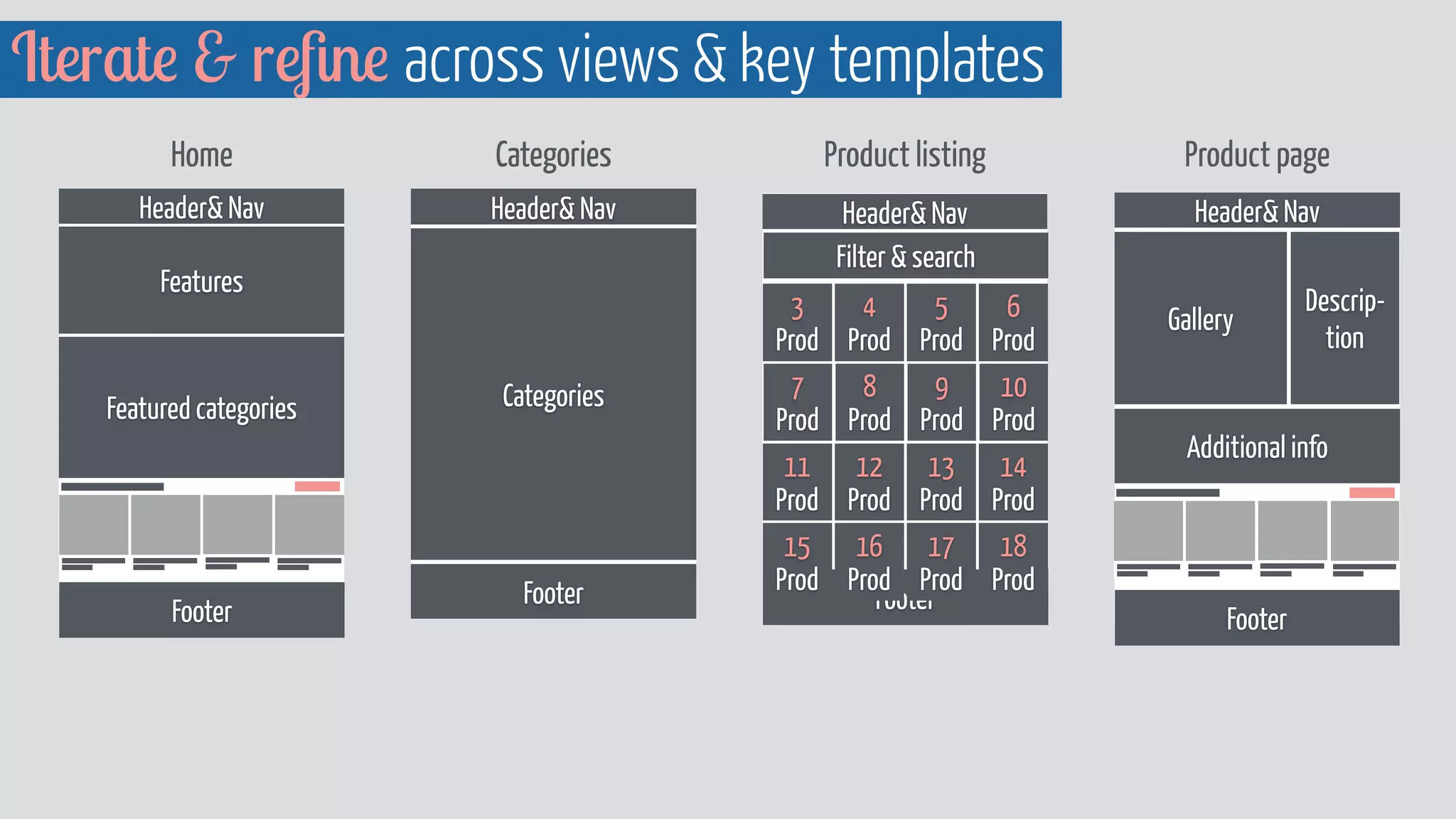
Iterate  refine across views  key templates 
Home Categories Product listing Product page 
Header Nav 
Header Nav 
Filter  search 
Features 
Footer 
Featured categories 
Footer 
Header Nav 
Categories 
Footer 
Header Nav 
Gallery 
Descrip-tion 
Additional info 
Footer 
6 
Prod 
5 
Prod 
4 
Prod 
10 
Prod 
9 
Prod 
8 
Prod 
7 
Prod 
14 
Prod 
13 
Prod 
12 
Prod 
11 
Prod 
18 
Prod 
17 
Prod 
16 
Prod 
15 
Prod
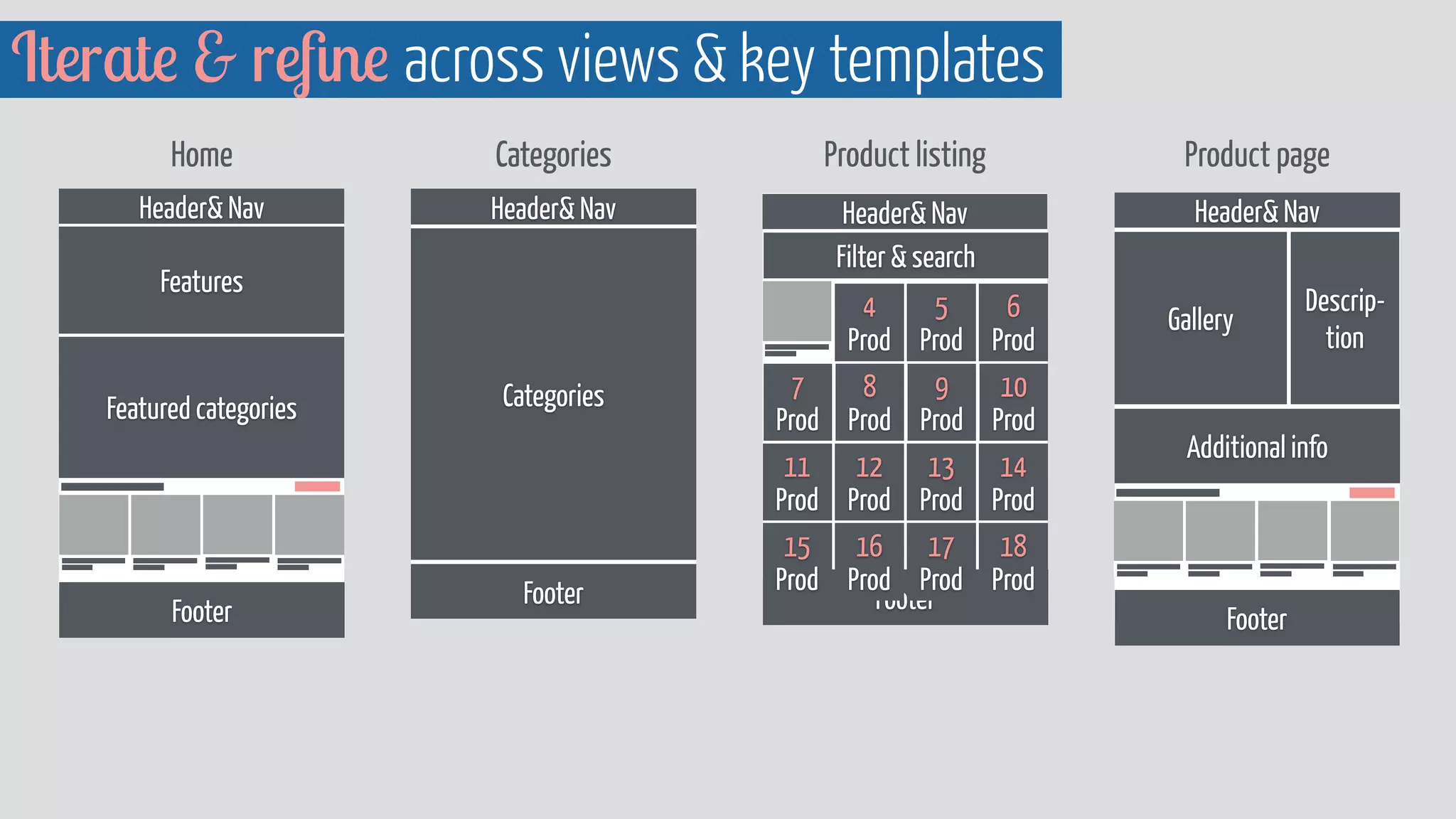
Iterate  refine across views  key templates 
Home Categories Product listing Product page 
Header Nav 
Header Nav 
Filter  search 
Features 
Footer 
Featured categories 
Footer 
Header Nav 
Categories 
Footer 
Header Nav 
Gallery 
Descrip-tion 
Additional info 
Footer
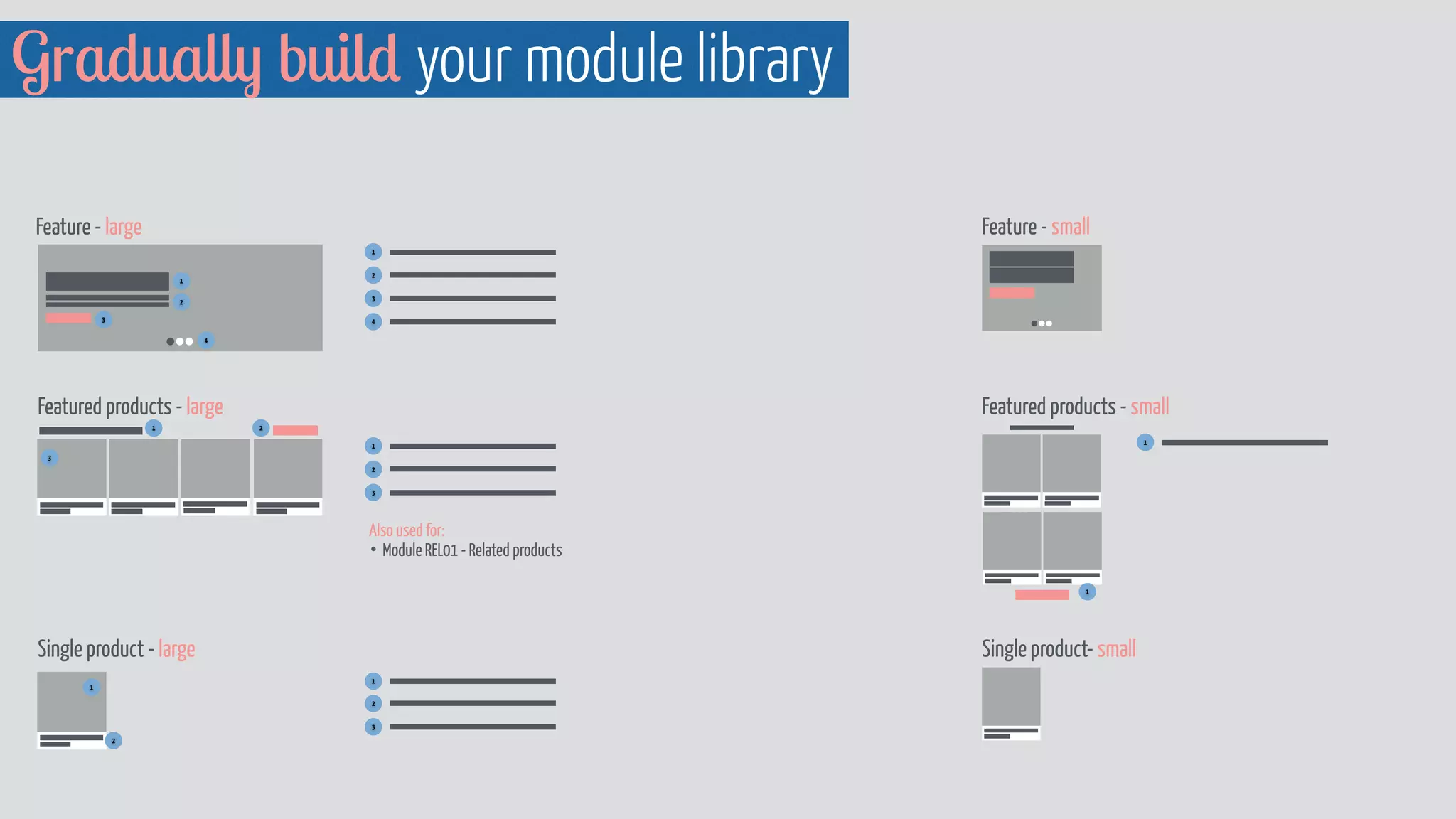
Gradually build your module library 
Feature - large Feature - small 
1 
3 
4 
Featured products - large Featured products - small 
Also used for: 
• Module REL01 - Related products 
Single product - large Single product- small 
1 
2 
3 
1 
2 
1 
2 
3 
4 
2 
3 
1 
2 
3 
1 
2 
1 
1
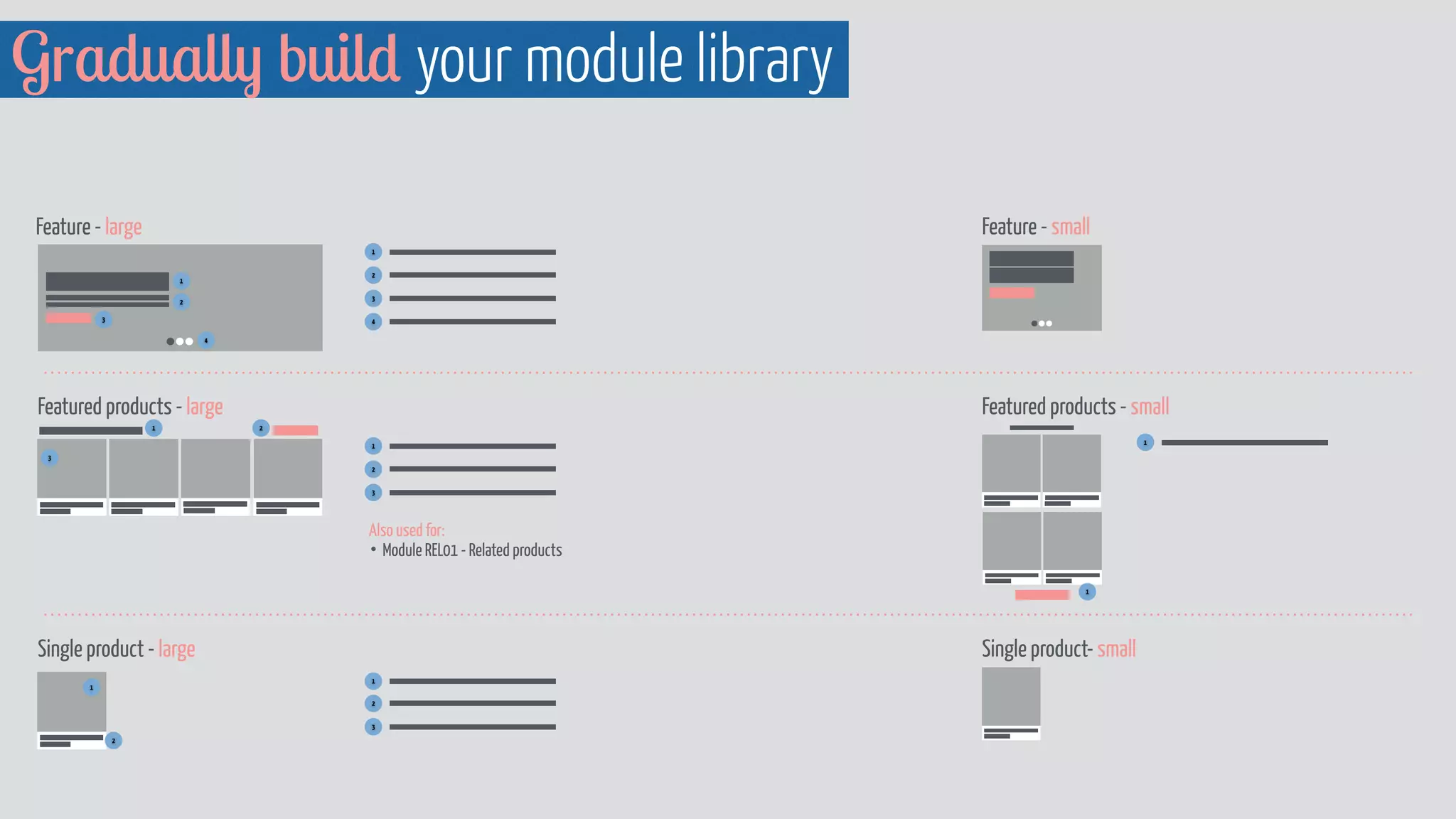
Gradually build your module library 
Feature - large Feature - small 
1 
3 
4 
Featured products - large Featured products - small 
Also used for: 
• Module REL01 - Related products 
Single product - large Single product- small 
1 
2 
3 
1 
2 
1 
2 
3 
4 
2 
3 
1 
2 
3 
1 
2 
1 
1
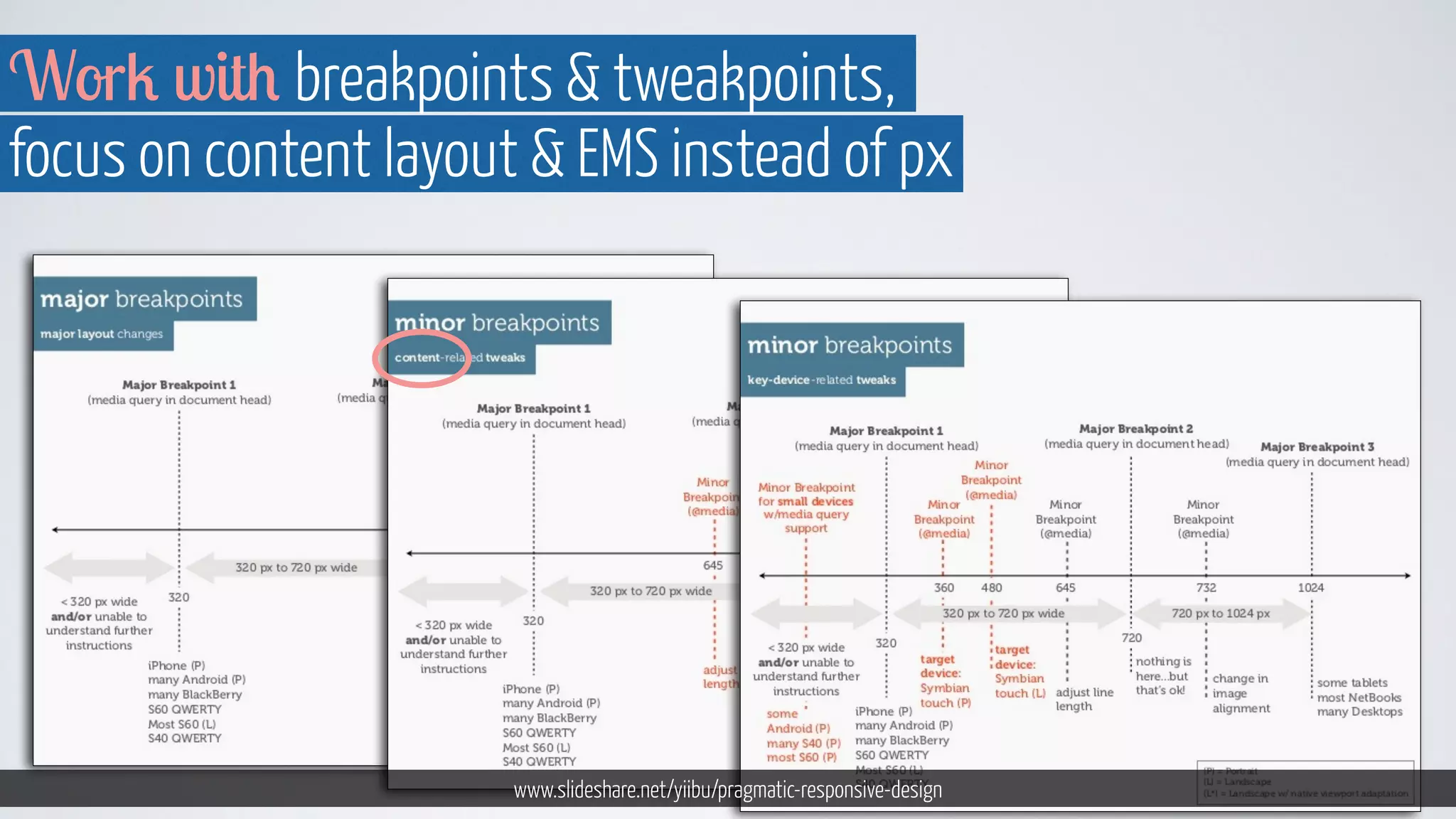
Work with breakpoints  tweakpoints, 
focus on content layout  EMS instead of px 
www.slideshare.net/yiibu/pragmatic-responsive-design
http://foundation.zurb.com/docs/layout.php 
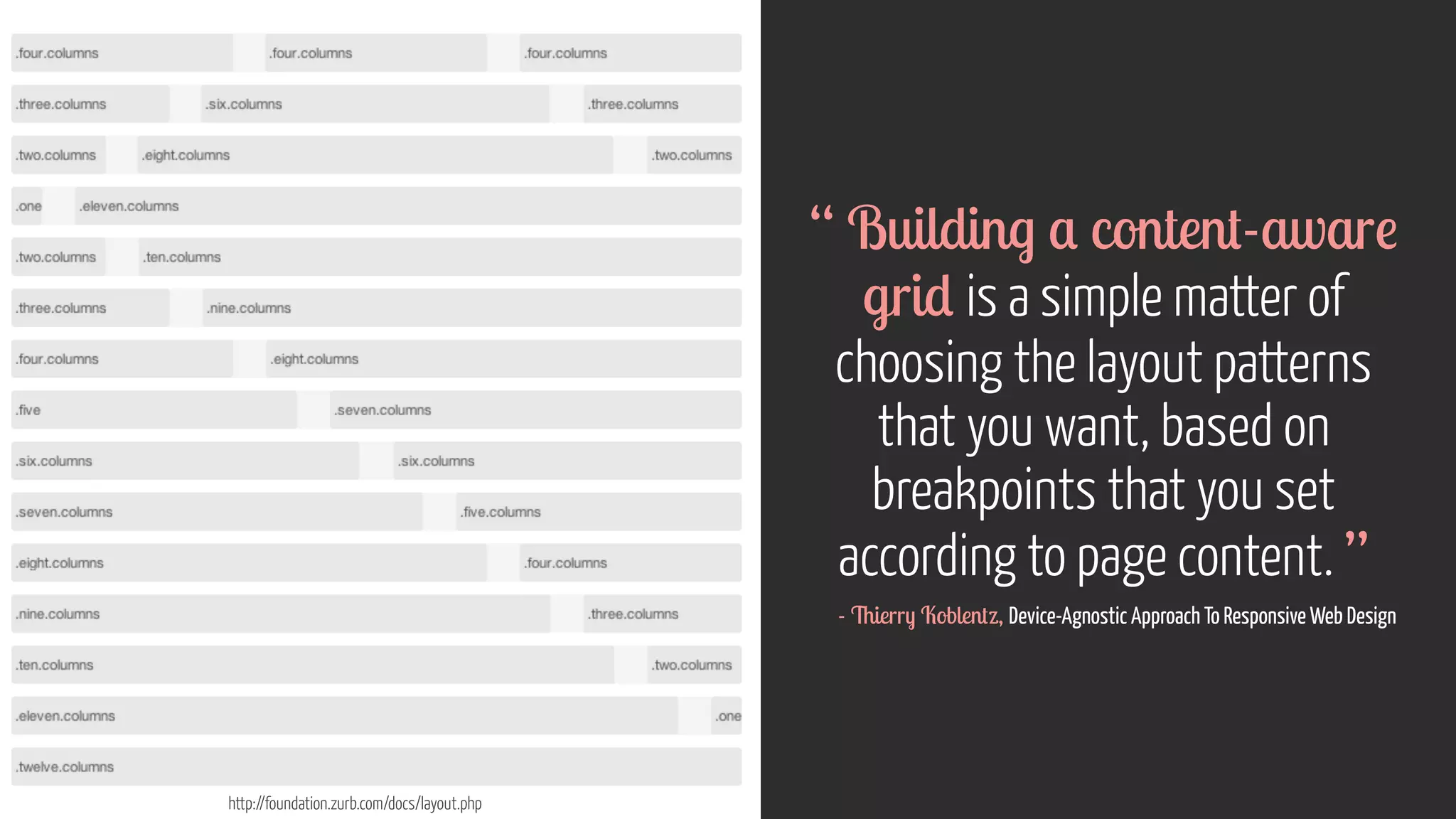
“ Building a content-aware 
grid is a simple matter of 
choosing the layout patterns 
that you want, based on 
breakpoints that you set 
according to page content. ” 
- Thierry Koblentz, Device-Agnostic Approach To Responsive Web Design
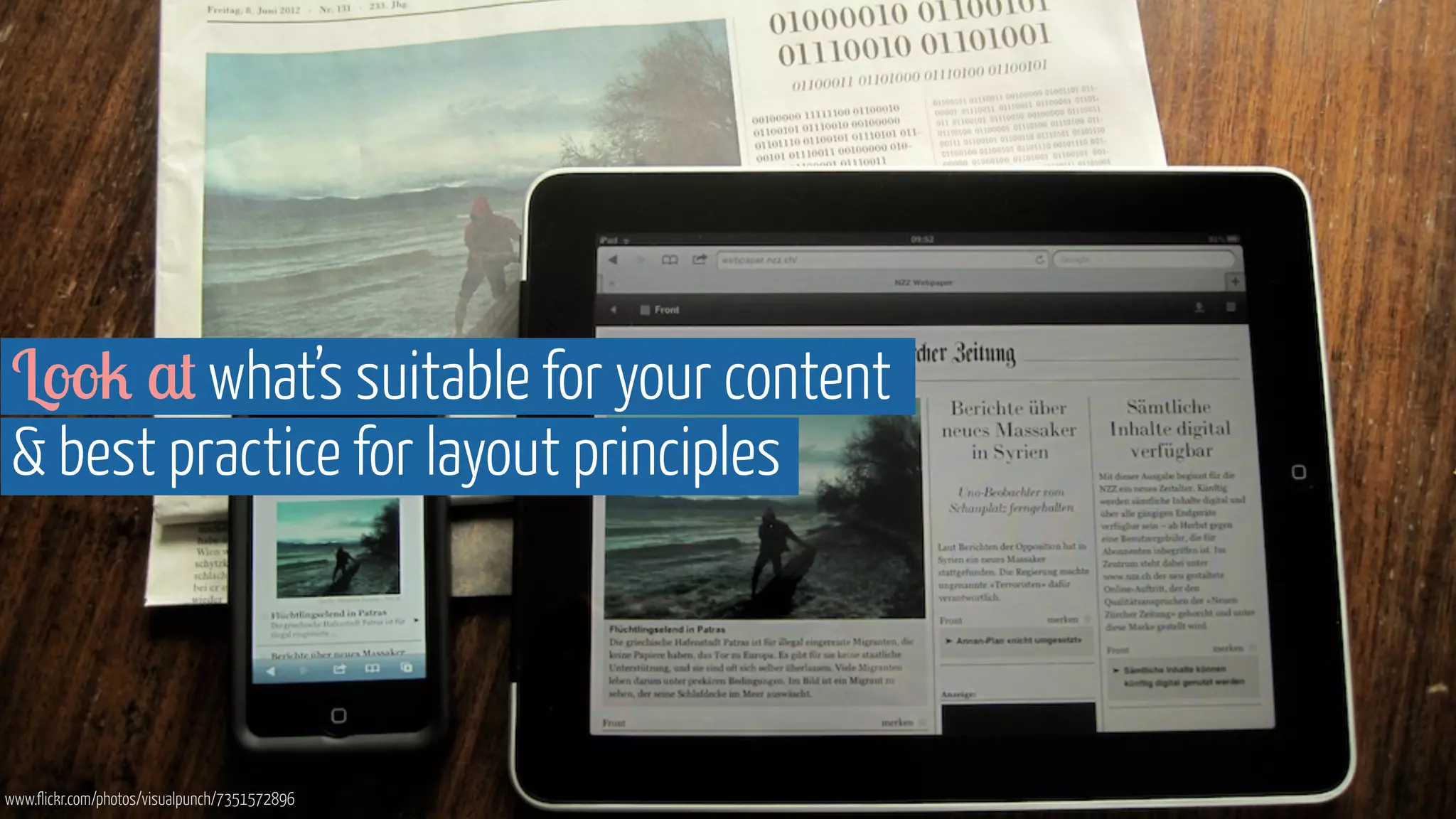
Look at what’s suitable for your content 
 best practice for layout principles 
www.flickr.com/photos/visualpunch/7351572896
Basing breakpoints on 
screen sizes is a temporary 
work around 
www.flickr.com/photos/gozalewis/3249104929
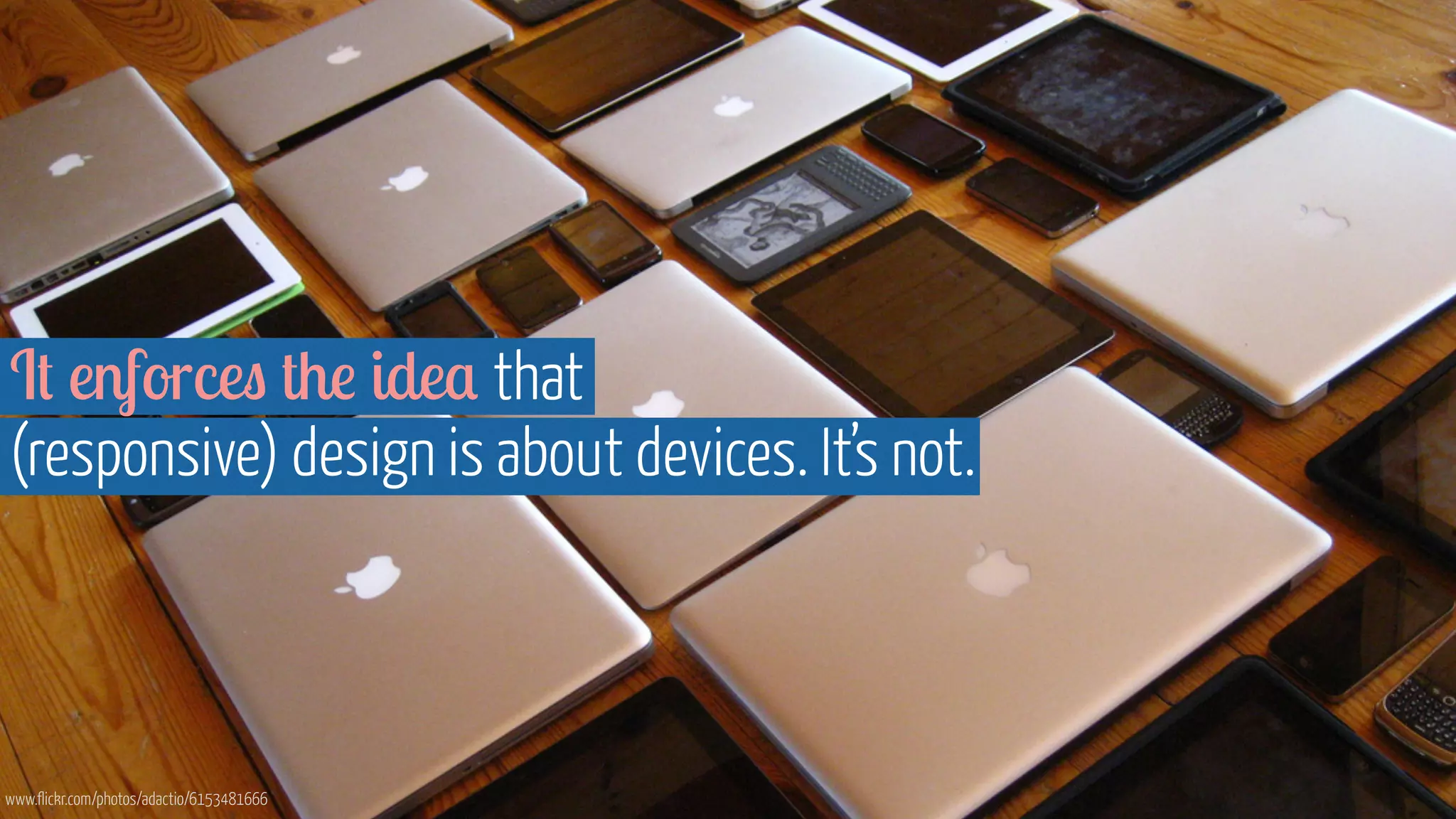
It enforces the idea that 
(responsive) design is about devices. It’s not. 
www.flickr.com/photos/adactio/6153481666
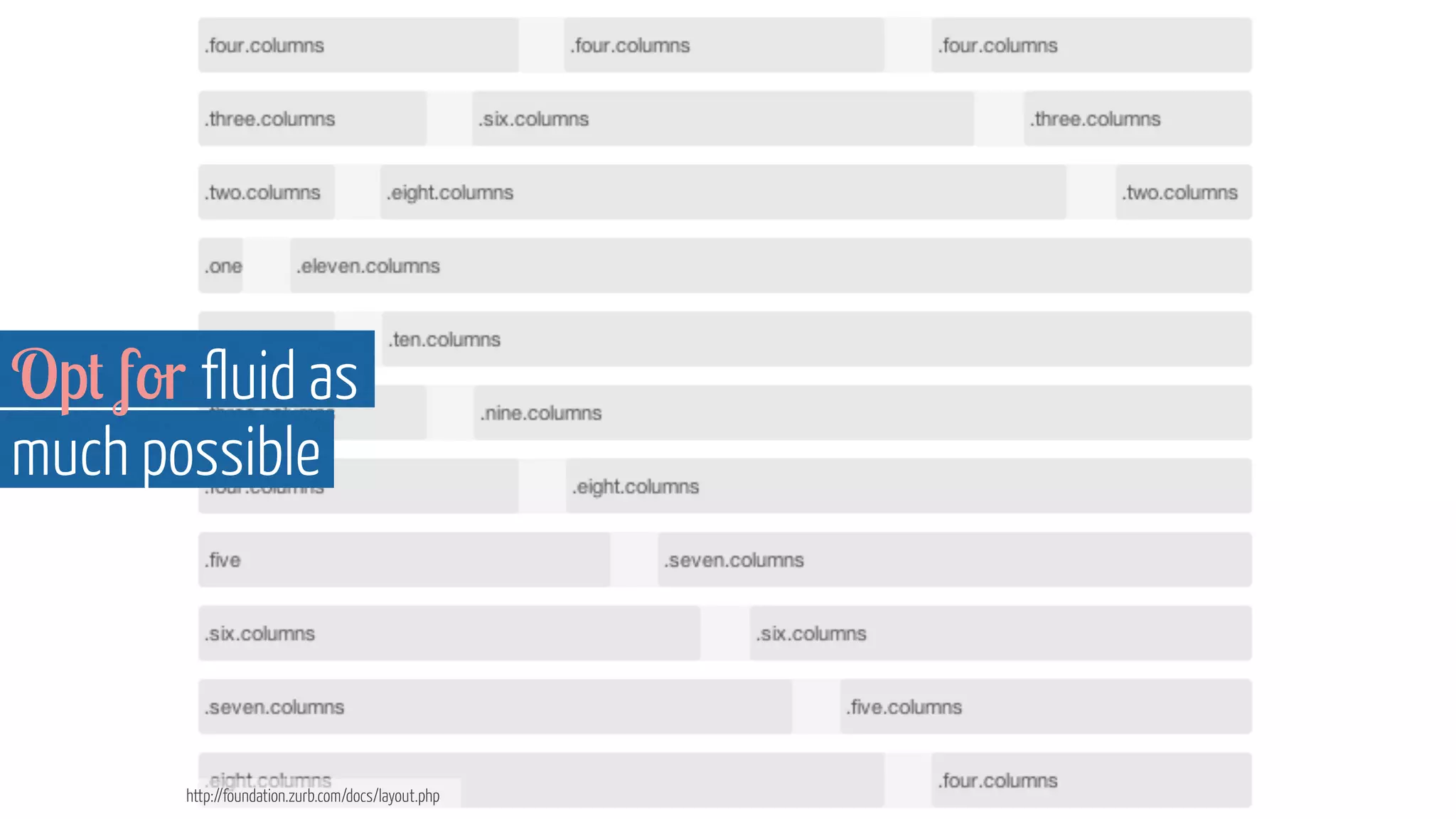
Opt for fluid as 
much possible 
http://foundation.zurb.com/docs/layout.php
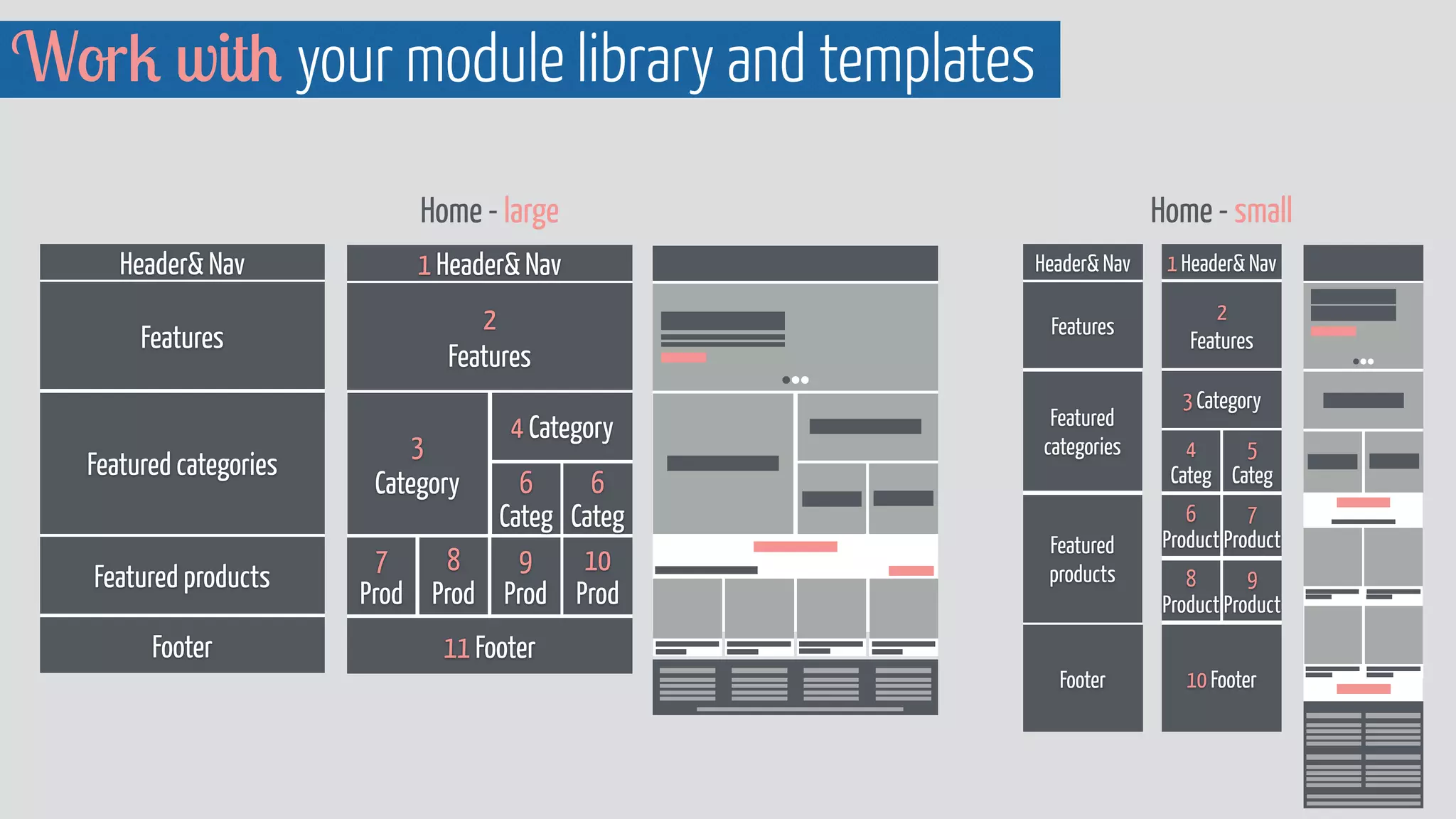
Work with your module library and templates 
Home - large 
Header Nav 
Features 
Featured categories 
Featured products 
Footer 
1 Header Nav 
2 
Features 
3 
Category 
4 Category 
6 
Categ 
11 Footer 
6 
Categ 
10 
Prod 
9 
Prod 
8 
Prod 
7 
Prod 
1 Header Nav 
2 
Features 
3 Category 
4 
Categ 
5 
Categ 
6 
Product 
7 
Product 
8 
Product 
9 
Product 
10 Footer 
Header Nav 
Features 
Footer 
Home - small 
Featured 
categories 
Featured 
products
A few final words...
Image courtesy of Shutterstock 
“ Every responsive design project 
is also a content strategy project. ” 
- Karen McGrane
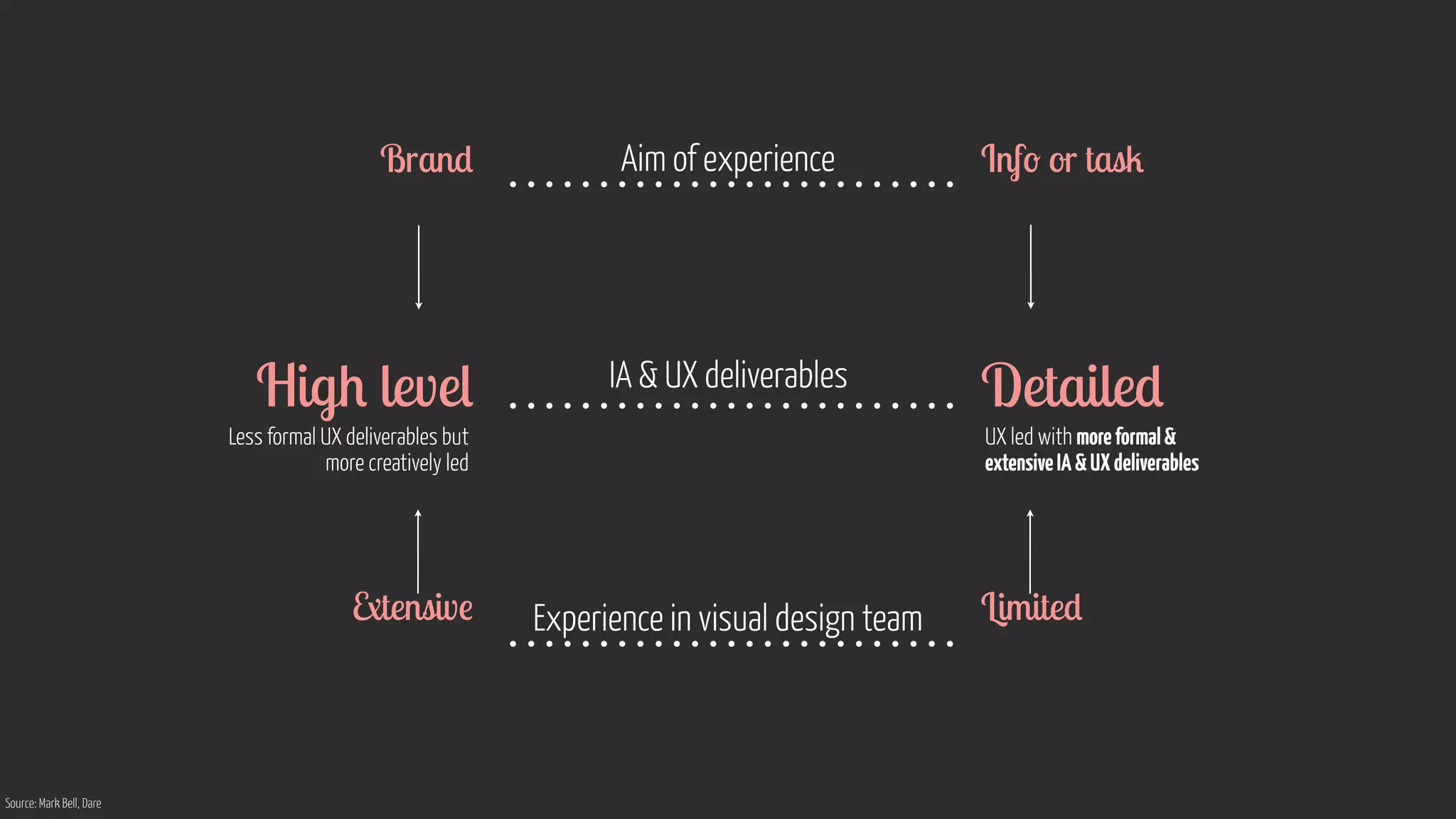
How we approach it 
depends… 
www.flickr.com/photos/75905404@N00/7126146307
Brand Aim of experience Info or task 
High level IA  UX deliverables Detailed 
Less formal UX deliverables but 
more creatively led 
UX led with more formal  
extensive IA  UX deliverables 
Extensive Experience in visual design team Limited 
Source: Mark Bell, Dare
We have to work together across disciplines,  with clients
Device agnostic design means 
giving up some control to ensure it works 
for as many devices as possible 
www.flickr.com/photos/byte/8282578241
Ensuring that we do what’s best for 
our clients, our users  us as a company 
www.flickr.com/photos/stickkim/7491816206
Test as early as possible 
 then continuously
device 
browser 
screen 
input method 
connection speed 
Any 
Used anytime 
anywhere
Content + Context 
is the focus 
www.flickr.com/photos/grimsanto/751075283/photos/carlosfpardo/6791950592
Screenshot: https://moto360.motorola.com/
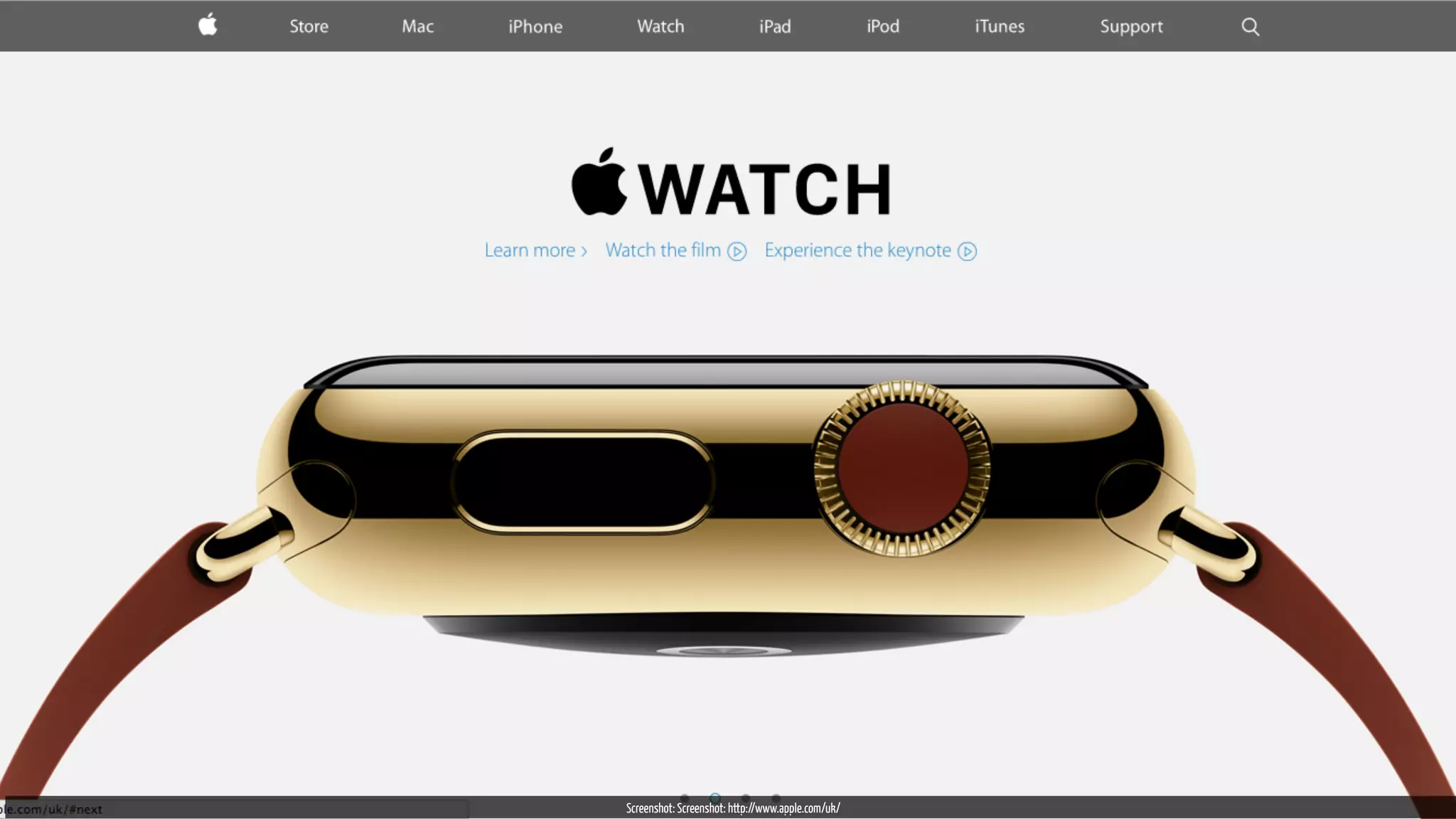
Screenshot: Screenshot: http://www.apple.com/uk/
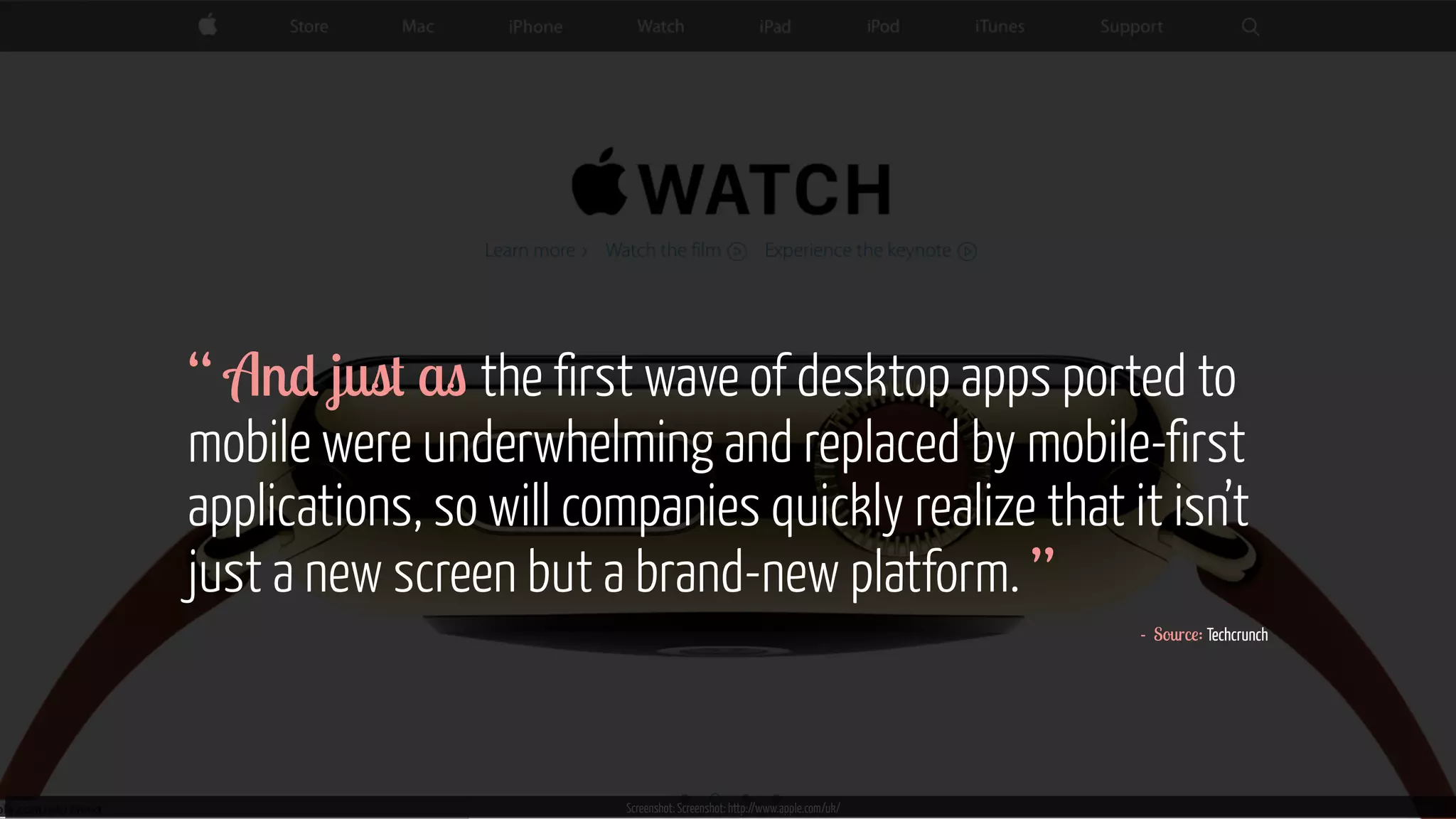
Screenshot: Screenshot: http://www.apple.com/uk/ 
“ 
A 
n 
d 
ju 
s 
t a 
s 
the first wave of desktop apps ported to 
mobile were underwhelming and replaced by mobile-first 
applications, so will companies quickly realize that it isn’t 
just a new screen but a brand-new platform. ” 
- Source: Techcrunch
Thank you. Questions? 
@annadahlstrom | www.annadahlstrom.com 
Image courtesy of Shutterstock

UCD14 Talk - Anna Dahlstrom - Device Agnostic Design: How to get your content to go anywhere

  • 1.
    Device Agnostic Design How to get your content to go anywhere by Anna Dahlström | @annadahlstrom UCD London, 25 Oct 2014 #UCD14 Image courtesy of Shutterstock
  • 2.
    Before 2007 wemostly thought about pages www.flickr.com/photos/activeside/2192411612
  • 3.
    That was whenbrowsers were our biggest head ache www.flickr.com/photos/jorgeq82/4732700819
  • 4.
    Today it’s browers& a whole bunch of devices www.flickr.com/photos/adactio/12674602864
  • 5.
    “ For thefirst time ever there are more gadgets in the world than there are people. ” - Source: Independent http://www.businessinsider.com/vatican-square-2005-and-2013-2013-3
  • 6.
    Android fragmentation, Screenshotfrom OpenSignal http://opensignal.com/reports/2014/android-fragmentation/
  • 7.
    “ We haveseen 18,769 distinct devices download our app in the past few months. In our report last year we saw 11,868. ” Android fragmentation, Screenshot from OpenSignal http://opensignal.com/reports/2014/android-fragmentation/ - Source: Open Signal
  • 8.
    We go online everywhere and anywhere www.flickr.com/photos/luigimengato/5963540855
  • 9.
    …and these arethe game changers https://www.flickr.com/photos/jfingas/10104822523
  • 10.
  • 11.
    2010 Ethan Marcotte,Responsive Web Design
  • 12.
    Now… it’s DeviceAgnostic Design
  • 13.
    “ Today’s populardevices aren’t tomorrow's so building something which works on any device is better than building something which works on today’s devices. ” https://www.flickr.com/photos/jfingas/10104822523 - Combined wise words from @oneextrapixel & @trentwalton ! ! ! ! ! !
  • 14.
    What does workon “any device” mean?
  • 15.
    “ The siteyou build is not dependent on knowing what device it is being displayed on. ” - Sarita Harbour, WDD Image courtesy of Shutterstock
  • 16.
    Where has itcome from?
  • 17.
    An evolvement of responsive design www.flickr.com/photos/adactio/5818096043
  • 18.
    FULL WEBSITE FULL WEBSITE FULL WEBSITE Responsive sites have the same url & is basically “one site” http://desktopwallpaper-s.com/19-Computers/-/Future
  • 19.
    DESKTOP FULL WEBSITE BESPOKE CUT DOWN WEBSITE BESPOKE CUT DOWN WEBSITE Bespoke mobile sites have a separate url & means maintaining different sites http://desktopwallpaper-s.com/19-Computers/-/Future
  • 20.
    Android fragmentation, Screenshotfrom OpenSignal http://opensignal.com/reports/2014/android-fragmentation/ Brings us back to this…
  • 21.
    Maintaining bespoke mobilesites is messy & costly www.flickr.com/photos/ericconstantineau/5618576278
  • 22.
    It means maintaining multiple technical solutions... www.flickr.com/photos/nikio/3899114449
  • 23.
    ...and also maintaining multiple versions of your content www.flickr.com/photos/financialaidpodcast/7598618978
  • 24.
    Realistically that means making cuts & frustrating users www.flickr.com/photos/bulldogsrule/187693681
  • 25.
  • 26.
    This is NOT what a mobile user looks like Image courtesy of Shutterstock
  • 27.
    Mobile Search MoMentS UnderStanding how Mobile driveS converSionS Mobile search is always on, happening on the go, at home and at work of mobile searches occur at home or work; 17% on the go 77% 0RELOHVHDUFKHVDUHVWURQJOWLHGWRVSHFLȴFFRQWH[WV Shopping queries are 2x more likely to be in store Mobile searches drive valuable outcomes for businesses 3 of 4 mobile searches trigger follow-up actions Actions triggered by mobile search also happen very quickly of conversions (store visit, phone call or purchase) happening within an hour 55% On average, each mobile search triggers nearly 2 follow-up actions Product shopping searches have a higher number of outcomes Number of follow-up actions per mobile search 3.56 2.52 2.08 2.20 2.07 Beauty Auto Travel Food Tech 36% Continued Research 18% Shared Information 17% Made a Purchase 25% Visited a Retailer’s Website 17% Visited a Store 7% Called a Business 77% of mobile searches occur at home or work 17% of mobile searches occur on the go Source: http://www.thinkwithgoogle.com/infographics/creating-moments-that-matter-infographic.html
  • 28.
    Many of usown multiple devices
  • 29.
    We switch between them throughout the day Morning Commute Work Lunch Meeting Dinner Movie
  • 30.
    A poor experienceresults in the same thing where ever it takes place www.flickr.com/photos/sixmilliondollardan/2493495506
  • 31.
    Users expect anequal continuous experience across devices www.flickr.com/photos/joachim_s_mueller/7110473339
  • 32.
    Having separate sites does, for the most part, not make sense DESKTOP FULL WEBSITE BESPOKE CUT DOWN WEBSITE BESPOKE CUT DOWN WEBSITE http://desktopwallpaper-s.com/19-Computers/-/Future
  • 33.
    Bespoke mobile sites:Different sites based on the device that’s used DESKTOP FULL WEBSITE BESPOKE CUT DOWN WEBSITE BESPOKE CUT DOWN WEBSITE http://desktopwallpaper-s.com/19-Computers/-/Future
  • 34.
    Responsive sites: Thesame site irrespectively of the device FULL WEBSITE FULL WEBSITE FULL WEBSITE http://desktopwallpaper-s.com/19-Computers/-/Future
  • 35.
    http://foundation.zurb.com/docs/layout.php “ Design development should respond to the user’s behaviour environment based on screen size, platform orientation. [It’s]...a mix of flexible grids layouts, images an intelligent use of media queries. ” - Smashing Magazine
  • 36.
    It’s all about the modules baby www.flickr.com/photos/donsolo/2136923757/
  • 37.
    Define your contentstacking strategy across devices orientation. www.thismanslife.co.uk/projects/lab/responsivewireframes/#desktop/
  • 38.
    Define your contentstacking strategy across devices orientation. www.thismanslife.co.uk/projects/lab/responsivewireframes/#desktop/
  • 39.
    Define your contentstacking strategy across devices orientation. www.thismanslife.co.uk/projects/lab/responsivewireframes/#desktop/ sizes
  • 40.
  • 41.
    www.flickr.com/photos/theaftershock/2811382400 ! ! ! ! ! “ Content needs to be choreographed to ensure the intended message is preserved on any device and at any width “ - Trent Walton
  • 42.
    Keep the corecontent the same but optimise the experience, display interactions to the device Image courtesy of Shutterstock
  • 43.
    http://thenextweb.com/ So thatit’s carefully considered, like this
  • 44.
    From responsive to device agnostic design
  • 45.
    Responsive design establishedthe principle of the same content across devices www.flickr.com/photos/joachim_s_mueller/7110473339
  • 46.
    But it’s brought up other problems www.flickr.com/photos/stankus/3718835245
  • 47.
    “ Smartphones accountedfor 57.6% of total sales in fourth quarter of 2013 ” * - Source: Gartner www.flickr.com/photos/aforgrave/6168689222
  • 48.
    Internet connection isstill not a given http://gizmodo.com/a-map-of-every-device-in-the-world-thats-connected-to-t-1628171291
  • 49.
    Oh, and Internet actually sleeps… http://www.wired.com/2014/10/internet-sleeps-night-really
  • 50.
    Oh, and Internet actually sleeps… http://www.wired.com/2014/10/internet-sleeps-night-really
  • 51.
    …and not all connections are made equal Screenshot from http://opensignal.com/coverage-maps/UK/
  • 52.
  • 53.
    Content layer richsemantic HTML markup Presentation layer CSS and styling Client-side scripting layer JavaScript or jQuery behaviors
  • 54.
    www.thegrid.io “ Toget response times to a minimum, we’ve had to develop a system that loads in just the essential components of the page at the right times. Mobile-sized images download first, then when the page’s Javascript detects the browser’s capabilities, higher-resolution images get ‘loaded in dynamically.’ ” - Andrew Pipe, BBC iWonder
  • 55.
  • 56.
    Mobile context ≠mobile use case The latter is about the task, the former about the total sum of the user’s mobile experience www.flickr.com/photos/icedsoul/2486885051
  • 57.
    “ I usedto think it merely dealt with basing responsive breakpoints on content rather than particular devices, but there’s more to devices than the size of their screens. ” Image courtesy of Shutterstockwww.flickr.com/photos/jmsmith000/3169546564 - Trent Walton, Device Agnostic
  • 58.
    “ A device-agnosticapproach also takes into account infinite combinations of screen resolution, input method, browser capability, and connection speed. ” www.flickr.com/photos/lokan/88w4w34w6.f4li8ck5r2.com/photos/jmsmith000/3169546564 - Trent Walton, Device Agnostic
  • 59.
    www.flickr.com/photos/66327170@N07/7296381856 ! ! ! ! ! ! ‘ New rule: every desktop design has to go finger friendly ’ - Josh Clark
  • 60.
  • 61.
  • 62.
    We need toconsider precise v.s imprecise input means www.flickr.com/photos/ljrmike/7675757042 www.flickr.com/photos/jmtimages/2883279193
  • 63.
    www.flickr.com/photos/vincentsl/3543888150 “ Designingfor touch means designing for fingers, yes, but to be more specific, you’re really designing for thumbs. ” - Josh Clark
  • 64.
    Designing for multipledevices can become a bit of a minefield www.flickr.com/photos/cayusa/534070358
  • 65.
    We can’t alwayssuccessfully tell what devices users are using www.flickr.com/photos/adactio/6153481666
  • 66.
    It’s about content. Not what device we’re using.
  • 67.
    http://foundation.zurb.com/docs/layout.php “ Getyour content to go anywhere, because it’s going to go everywhere. ” - Brad Frost
  • 68.
    http://foundation.zurb.com/docs/layout.php “ Itis your mission to get your content out, on whichever platform, in whichever format your audience wants to consume it. ” - Karen McGrane
  • 69.
  • 70.
    http://foundation.zurb.com/docs/layout.php “ Yourusers get to decide how, when, and where they want to read your content. It is your challenge and your responsibility to deliver a good experience to them. ” - Karen McGrane
  • 71.
    device browser screen input method connection speed Any Used anytime anywhere
  • 72.
    How do wedesign something that can work on any device?
  • 73.
    www.thegrid.io “ Thedesign adjusts to look good on every browser and every device. Automatically.” - The Grid
  • 74.
    It all starts with content www.flickr.com/photos/grimsanto/751075283/photos/carlosfpardo/6791950592
  • 75.
    Less about pages more focus on the building blocks that make up those views www.flickr.com/photos/boltofblue/4418442567
  • 76.
    Gone is thebig reveal of the beautiful page designs www.flickr.com/photos/nataliejohnson/377344806
  • 77.
    It’s about viewsthat will look good, work well, across different browsers, screen sizes, device types, connections input methods www.flickr.com/photos/jorgeq82/4732700819 www.flickr.com/photos/adactio/6153481666
  • 78.
    How to goabout it
  • 79.
    1. Understand content content stacking strategy 2. Approach design as systems of modules 3. Use content rather than device based breakpoints
  • 80.
    http://foundation.zurb.com/docs/layout.php “ Withthousands and thousands of pages on the Crayola site, it wasn’t efficient to wireframe every single page and state. We created a system of components that could be assembled in different configurations to accommodate the unique content needed for each type of page. ” - Daniel Mall Screenshot: www.crayola.co.uk/
  • 81.
    The more youreuse, the less modules there will be to design, define develop www.flickr.com/photos/boltofblue/4418442567
  • 82.
    Essential for preventing ending up with too many pieces www.flickr.com/photos/akrabat/9085299639
  • 83.
    An evolution ofhow we’ve always worked
  • 84.
    Define views key templates Home Categories Product listing Product page Header Nav Header Nav Filter search Features Products Footer Featured categories Featured products Footer Header Nav Categories Footer Header Nav Gallery Descrip-tion Additional info Related products Footer
  • 85.
    Break down contentfurther explore layouts Product listing 1 Header Nav 2 Filter search Product page 1 Header Nav 2 Gallery 2 Descrip-tion 3 Additional info 8 Footer Categories 1 Header Nav 2 Category 3 Category 4 Category 9 Categ 7 Categ 10 Footer 7 Prod 6 Categ 5 Categ Home 1 Header Nav 2 Features 3 Category 4 Category 6 Categ 11 Footer 6 Categ 10 Prod 9 Prod 8 Prod 7 Prod 8 Categ 6 Prod 5 Prod 4 Prod 3 Prod 10 Prod 9 Prod 8 Prod 7 Prod 14 Prod 13 Prod 12 Prod 11 Prod 18 Prod 17 Prod 16 Prod 15 Prod 19 Footer 7 Prod 6 Prod 5 Prod 4 Prod
  • 86.
    Home - large Header Nav Features Featured categories Featured products Footer 1 Header Nav 2 Features 3 Category 4 Category 6 Categ 11 Footer 6 Categ 10 Prod 9 Prod 8 Prod 7 Prod Home - small 1 Header Nav 2 Features 3 Category 4 Categ 5 Categ 6 Product 7 Product 8 Product 9 Product 10 Footer Header Nav Features Featured categories Featured products Footer Do the same across screen sizes
  • 87.
    Break down eachmodule into elements Home - large Header Nav Features Featured categories Featured products Footer 1 Header Nav 2 Features 3 Category 4 Category 6 Categ 11 Footer 6 Categ 10 Prod 9 Prod 8 Prod 7 Prod 1 Header Nav 2 Features 3 Category 4 Categ 5 Categ 6 Product 7 Product 8 Product 9 Product 10 Footer Header Nav Features Footer Home - small Featured categories Featured products
  • 88.
    Start identifying yourbuilding blocks variations Views Home - large Home - small
  • 89.
    Start identifying yourbuilding blocks variations Views Home - large Home - small
  • 90.
    Start identifying yourbuilding blocks variations Views Modules Feature - large Feature - small Home - large Home - small
  • 91.
    Start identifying yourbuilding blocks variations Views Modules Feature - large Feature - small Home - large Home - small
  • 92.
    Start identifying yourbuilding blocks variations Views Modules Feature - large Feature - small Featured products - large Featured products - small Home - large Home - small
  • 93.
    Start identifying yourbuilding blocks variations Views Modules Feature - large Feature - small Featured products - large Featured products - small Home - large Home - small
  • 94.
    Start identifying yourbuilding blocks variations Feature - large Feature - small Featured products - large Single product - large Featured products - small Single product- small Views Modules Home - large Home - small
  • 95.
    Iterate refineacross views key templates Home Categories Product listing Product page Header Nav Header Nav Filter search Features Products Footer Featured categories Featured products Footer Header Nav Categories Footer Header Nav Gallery Descrip-tion Additional info Related products Footer
  • 96.
    Iterate refineacross views key templates Home Categories Product listing Product page Header Nav Header Nav Filter search Features Products Footer Featured categories Footer Header Nav Categories Footer Header Nav Gallery Descrip-tion Additional info Related products 10 Prod 9 Prod 8 Prod 7 Prod Footer
  • 97.
    Iterate refineacross views key templates Home Categories Product listing Product page Header Nav Header Nav Filter search Features Products Footer Featured categories Footer Header Nav Categories Footer Header Nav Gallery Descrip-tion Additional info Related products Footer
  • 98.
    Iterate refineacross views key templates Home Categories Product listing Product page Header Nav Header Nav Filter search Features Products Footer Featured categories Footer Header Nav Categories Footer Header Nav Gallery Descrip-tion Additional info 7 Prod 6 Prod 5 Prod 4 Prod Footer
  • 99.
    Iterate refineacross views key templates Home Categories Product listing Product page Header Nav Header Nav Filter search Features Products Footer Featured categories Footer Header Nav Categories Footer Header Nav Gallery Descrip-tion Additional info Footer
  • 100.
    Iterate refineacross views key templates Home Categories Product listing Product page Header Nav Header Nav Filter search Features Footer Featured categories Footer Header Nav Categories Footer Header Nav Gallery Descrip-tion Additional info Footer 6 Prod 5 Prod 4 Prod 3 Prod 10 Prod 9 Prod 8 Prod 7 Prod 14 Prod 13 Prod 12 Prod 11 Prod 18 Prod 17 Prod 16 Prod 15 Prod
  • 101.
    Iterate refineacross views key templates Home Categories Product listing Product page Header Nav Header Nav Filter search Features Footer Featured categories Footer Header Nav Categories Footer Header Nav Gallery Descrip-tion Additional info Footer 6 Prod 5 Prod 4 Prod 10 Prod 9 Prod 8 Prod 7 Prod 14 Prod 13 Prod 12 Prod 11 Prod 18 Prod 17 Prod 16 Prod 15 Prod
  • 102.
    Iterate refineacross views key templates Home Categories Product listing Product page Header Nav Header Nav Filter search Features Footer Featured categories Footer Header Nav Categories Footer Header Nav Gallery Descrip-tion Additional info Footer
  • 103.
    Gradually build yourmodule library Feature - large Feature - small 1 3 4 Featured products - large Featured products - small Also used for: • Module REL01 - Related products Single product - large Single product- small 1 2 3 1 2 1 2 3 4 2 3 1 2 3 1 2 1 1
  • 104.
    Gradually build yourmodule library Feature - large Feature - small 1 3 4 Featured products - large Featured products - small Also used for: • Module REL01 - Related products Single product - large Single product- small 1 2 3 1 2 1 2 3 4 2 3 1 2 3 1 2 1 1
  • 105.
    Work with breakpoints tweakpoints, focus on content layout EMS instead of px www.slideshare.net/yiibu/pragmatic-responsive-design
  • 106.
    http://foundation.zurb.com/docs/layout.php “ Buildinga content-aware grid is a simple matter of choosing the layout patterns that you want, based on breakpoints that you set according to page content. ” - Thierry Koblentz, Device-Agnostic Approach To Responsive Web Design
  • 107.
    Look at what’ssuitable for your content best practice for layout principles www.flickr.com/photos/visualpunch/7351572896
  • 108.
    Basing breakpoints on screen sizes is a temporary work around www.flickr.com/photos/gozalewis/3249104929
  • 109.
    It enforces theidea that (responsive) design is about devices. It’s not. www.flickr.com/photos/adactio/6153481666
  • 110.
    Opt for fluidas much possible http://foundation.zurb.com/docs/layout.php
  • 111.
    Work with yourmodule library and templates Home - large Header Nav Features Featured categories Featured products Footer 1 Header Nav 2 Features 3 Category 4 Category 6 Categ 11 Footer 6 Categ 10 Prod 9 Prod 8 Prod 7 Prod 1 Header Nav 2 Features 3 Category 4 Categ 5 Categ 6 Product 7 Product 8 Product 9 Product 10 Footer Header Nav Features Footer Home - small Featured categories Featured products
  • 112.
    A few finalwords...
  • 113.
    Image courtesy ofShutterstock “ Every responsive design project is also a content strategy project. ” - Karen McGrane
  • 114.
    How we approachit depends… www.flickr.com/photos/75905404@N00/7126146307
  • 115.
    Brand Aim ofexperience Info or task High level IA UX deliverables Detailed Less formal UX deliverables but more creatively led UX led with more formal extensive IA UX deliverables Extensive Experience in visual design team Limited Source: Mark Bell, Dare
  • 116.
    We have towork together across disciplines, with clients
  • 117.
    Device agnostic designmeans giving up some control to ensure it works for as many devices as possible www.flickr.com/photos/byte/8282578241
  • 118.
    Ensuring that wedo what’s best for our clients, our users us as a company www.flickr.com/photos/stickkim/7491816206
  • 119.
    Test as earlyas possible then continuously
  • 120.
    device browser screen input method connection speed Any Used anytime anywhere
  • 121.
    Content + Context is the focus www.flickr.com/photos/grimsanto/751075283/photos/carlosfpardo/6791950592
  • 122.
  • 123.
  • 124.
    Screenshot: Screenshot: http://www.apple.com/uk/ “ A n d ju s t a s the first wave of desktop apps ported to mobile were underwhelming and replaced by mobile-first applications, so will companies quickly realize that it isn’t just a new screen but a brand-new platform. ” - Source: Techcrunch
  • 125.
    Thank you. Questions? @annadahlstrom | www.annadahlstrom.com Image courtesy of Shutterstock