GSA with ESC
How to use Google Products to
support your Collaborations
watch online @
www.gsasea/TrainingWithESC

Google Confidential and Proprietary
Nguyễn Đức Minh Khôi
Google Student Ambassador
@ HCMC University of Technology
Email: ducminhkhoi@gmail.com
Gplus: http://www.google.com/+NguyễnĐứcMinhKhôi
Facebook GSA VN: facebook.com/gsavn

Google Confidential and Proprietary
Contents

Google Confidential and Proprietary
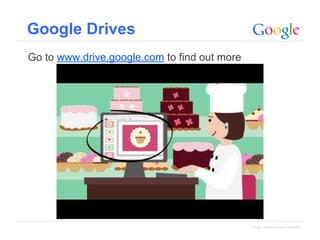
Google Drives
Go to www.drive.google.com to find out more

Google Confidential and Proprietary
Working together!

Google Confidential and Proprietary
Google Docs
● Google Docs:
● Can do everything Word (or any other word processing
program) can.
● But it also allows you to share created documents with
anyone else on the system you choose.
● Group teaching and close communication with students
becomes easier with Docs, as does collaboration
among students.
●

Highlight features:
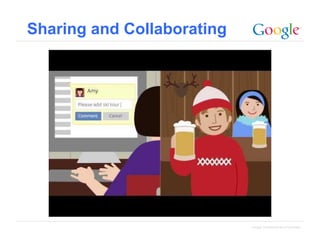
• Sharing and Collaborating (http://gsasea.
org/GoogleDocsWorkingTogether)
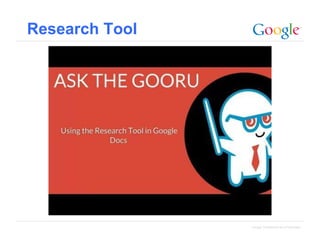
● Research Tools (http://gsasea.
org/GoogleDocsResearchTools)

Google Confidential and Proprietary
Sharing and Collaborating

Google Confidential and Proprietary
Research Tool

Google Confidential and Proprietary
Google Docs - tips
• Tip #1 – Takes notes at your next school meeting and share them
with the other attendees.
• Tip #2 – Develop quizzes and quickly analyze and summarize data
from the results.
• Tip #3 – Encourage students to work on group projects using
Google Docs, so that each student can independently provide their
contribution and instantly integrate it into the whole.
• Tip #4 - Use shared Docs for student writing assignments to
provide quick feedback to help guide them during the process

Google Confidential and Proprietary
Google Slides
● Google Slides:
● Can be just as impressive as PowerPoint
● More than one user can access it.
● The phenomenon of fumbling through multiple
PowerPoint versions is eliminated.
●

Highlight features:
• Publishing to the whole world!

Google Confidential and Proprietary
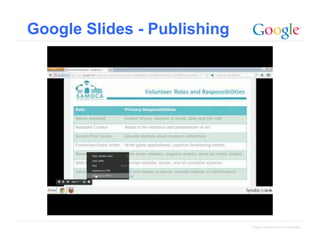
Google Slides - Publishing

Google Confidential and Proprietary
Google Slides - tips
Tip #5 – For group presentations, have students use Google
Presentations so they can create their own slides for their portion of
the assignment, then instantly integrate them into the master
presentation.

Google Confidential and Proprietary
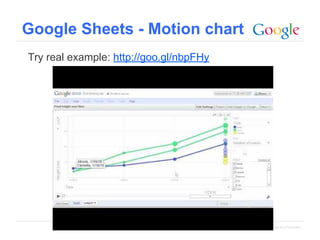
Google Sheets
• Google Sheets:
• Doesn’t reinvent the Excel wheel.
• The beauty of it is the same as the other Google Apps
components: the ability to virtually share your work with
anyone with access to the system.
•

Highlight features:
• Motion chart! (http://edutraining.googleapps.
com/drive/chapter-4)

Google Confidential and Proprietary
Google Sheets - Motion chart
Try real example: http://goo.gl/nbpFHy

Google Confidential and Proprietary
Google Sheets - tips
Tip #6 – Set up a simple Spreadsheet for scheduling parent/teacher
conferences. It’s preferred over the traditional paper version because
parents can access the sheet from their Gmail account, see what slots
are available, and select the best time for their meeting.
Tip #7 – Use Spreadsheets to track homework assignments, create
student-driven vocabulary flashcards, or perhaps even to help
students document their science experiments.

Google Confidential and Proprietary
Google Forms
●

Google Forms
● Allows you to quickly create a survey or form that can be
sent to parents and students to fill out online.
● You won’t have to tabulate results; all the answers are
immediately collected in a Google Spreadsheet that can
then be shared.

●

Highlight features:
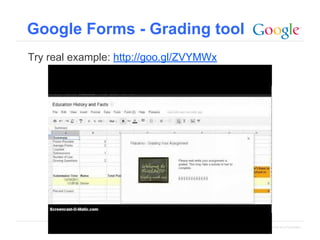
● Grading tools - Flubaroo (http://www.flubaroo.
com/)

Google Confidential and Proprietary
Google Forms - Grading tool
Try real example: http://goo.gl/ZVYMWx

Google Confidential and Proprietary
Google Forms - tips
Tip #7 – Give a pre-assessment test to your students at the beginning
of the year to get an idea of the knowledge level of your class. Then do
another assessment at the end of each marking period to see how
much progress they’ve made.
Tip #8 – Do a quick survey on your students’ interests and try to tie
them into your daily work lessons.
Tip #9 – Encourage your students to read more by setting up a form
where they can submit their reading records. For example, they can
track how many minutes they read each week.
Tip #10 – Create quizzes with Forms and then automatically grade
them by using an Apps script like Flubaroo. (more on scripts below)
Google Confidential and Proprietary
Let’s play games
Tic - tac - toe http://gsasea.org/TrainingWithESCGames

Google Confidential and Proprietary
Google Hangouts
●

●

Google Hangouts
● like Skype and much more!
● Must use Google PLUS!
Highlight Features:
● Group conversations are better than ever
● Be together from anywhere
● All your friends can use Hangouts

Google Confidential and Proprietary
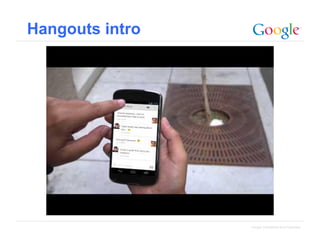
Hangouts intro

Google Confidential and Proprietary
Hangouts demo ^_^
•
•

Google Effects + Capture
Drive + Slideshare

Google Confidential and Proprietary
Google Hangouts - tips
Tip #11 – To give your students a different perspective on the
topic you’re covering, invite a guest lecturer to present via
Hangouts.
Tip #12 – For particularly busy parents, conduct parent/teacher
conferences over Hangouts.

Google Confidential and Proprietary
Thank you!

Google Confidential and Proprietary
Training Google Drive and Hangouts.pptx

Training Google Drive and Hangouts.pptx

  • 1.
    GSA with ESC Howto use Google Products to support your Collaborations watch online @ www.gsasea/TrainingWithESC Google Confidential and Proprietary
  • 2.
    Nguyễn Đức MinhKhôi Google Student Ambassador @ HCMC University of Technology Email: ducminhkhoi@gmail.com Gplus: http://www.google.com/+NguyễnĐứcMinhKhôi Facebook GSA VN: facebook.com/gsavn Google Confidential and Proprietary
  • 3.
  • 4.
    Google Drives Go towww.drive.google.com to find out more Google Confidential and Proprietary
  • 5.
  • 6.
    Google Docs ● GoogleDocs: ● Can do everything Word (or any other word processing program) can. ● But it also allows you to share created documents with anyone else on the system you choose. ● Group teaching and close communication with students becomes easier with Docs, as does collaboration among students. ● Highlight features: • Sharing and Collaborating (http://gsasea. org/GoogleDocsWorkingTogether) ● Research Tools (http://gsasea. org/GoogleDocsResearchTools) Google Confidential and Proprietary
  • 7.
    Sharing and Collaborating GoogleConfidential and Proprietary
  • 8.
  • 9.
    Google Docs -tips • Tip #1 – Takes notes at your next school meeting and share them with the other attendees. • Tip #2 – Develop quizzes and quickly analyze and summarize data from the results. • Tip #3 – Encourage students to work on group projects using Google Docs, so that each student can independently provide their contribution and instantly integrate it into the whole. • Tip #4 - Use shared Docs for student writing assignments to provide quick feedback to help guide them during the process Google Confidential and Proprietary
  • 10.
    Google Slides ● GoogleSlides: ● Can be just as impressive as PowerPoint ● More than one user can access it. ● The phenomenon of fumbling through multiple PowerPoint versions is eliminated. ● Highlight features: • Publishing to the whole world! Google Confidential and Proprietary
  • 11.
    Google Slides -Publishing Google Confidential and Proprietary
  • 12.
    Google Slides -tips Tip #5 – For group presentations, have students use Google Presentations so they can create their own slides for their portion of the assignment, then instantly integrate them into the master presentation. Google Confidential and Proprietary
  • 13.
    Google Sheets • GoogleSheets: • Doesn’t reinvent the Excel wheel. • The beauty of it is the same as the other Google Apps components: the ability to virtually share your work with anyone with access to the system. • Highlight features: • Motion chart! (http://edutraining.googleapps. com/drive/chapter-4) Google Confidential and Proprietary
  • 14.
    Google Sheets -Motion chart Try real example: http://goo.gl/nbpFHy Google Confidential and Proprietary
  • 15.
    Google Sheets -tips Tip #6 – Set up a simple Spreadsheet for scheduling parent/teacher conferences. It’s preferred over the traditional paper version because parents can access the sheet from their Gmail account, see what slots are available, and select the best time for their meeting. Tip #7 – Use Spreadsheets to track homework assignments, create student-driven vocabulary flashcards, or perhaps even to help students document their science experiments. Google Confidential and Proprietary
  • 16.
    Google Forms ● Google Forms ●Allows you to quickly create a survey or form that can be sent to parents and students to fill out online. ● You won’t have to tabulate results; all the answers are immediately collected in a Google Spreadsheet that can then be shared. ● Highlight features: ● Grading tools - Flubaroo (http://www.flubaroo. com/) Google Confidential and Proprietary
  • 17.
    Google Forms -Grading tool Try real example: http://goo.gl/ZVYMWx Google Confidential and Proprietary
  • 18.
    Google Forms -tips Tip #7 – Give a pre-assessment test to your students at the beginning of the year to get an idea of the knowledge level of your class. Then do another assessment at the end of each marking period to see how much progress they’ve made. Tip #8 – Do a quick survey on your students’ interests and try to tie them into your daily work lessons. Tip #9 – Encourage your students to read more by setting up a form where they can submit their reading records. For example, they can track how many minutes they read each week. Tip #10 – Create quizzes with Forms and then automatically grade them by using an Apps script like Flubaroo. (more on scripts below) Google Confidential and Proprietary
  • 19.
    Let’s play games Tic- tac - toe http://gsasea.org/TrainingWithESCGames Google Confidential and Proprietary
  • 20.
    Google Hangouts ● ● Google Hangouts ●like Skype and much more! ● Must use Google PLUS! Highlight Features: ● Group conversations are better than ever ● Be together from anywhere ● All your friends can use Hangouts Google Confidential and Proprietary
  • 21.
  • 22.
    Hangouts demo ^_^ • • GoogleEffects + Capture Drive + Slideshare Google Confidential and Proprietary
  • 23.
    Google Hangouts -tips Tip #11 – To give your students a different perspective on the topic you’re covering, invite a guest lecturer to present via Hangouts. Tip #12 – For particularly busy parents, conduct parent/teacher conferences over Hangouts. Google Confidential and Proprietary
  • 24.