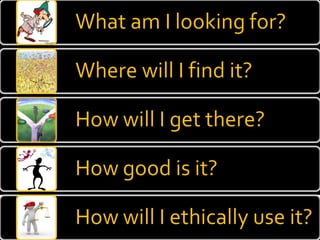
What? http://21cif.com/resources/difcore/index.html How? http://www.techlearning.com/article/1108 Tips http://www.sweetsearch.com/TenSteps Extras


Be specific ...  because if you aren’t specific, you’ll end up with a bunch of garbage! Takeaway
 
Capitals DO NOT matter
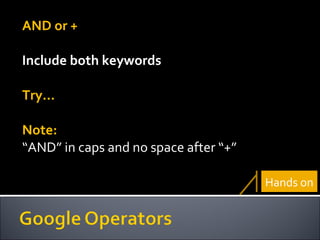
AND or + Include both keywords Try… Note:  “ AND” in caps and no space after “+” Hands on
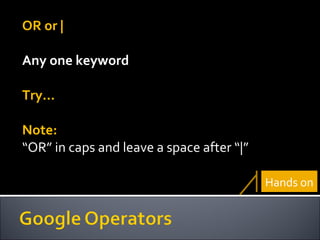
OR or | Any one keyword Try… Note:  “ OR” in caps and leave a space after “|” Hands on
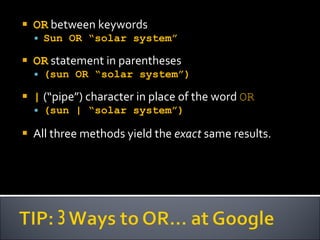
OR  between keywords Sun OR “solar system” OR  statement in parentheses (sun OR “solar system”) |  (“pipe”) character in place of the word  OR (sun | “solar system”) All three methods yield the  exact  same results.
” “ Exact phrase Try… Hands on
- exclude Try… Note:  No space after “-” Hands on
* Missing word Try… Hands on
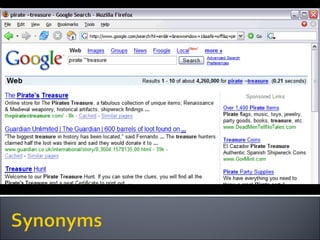
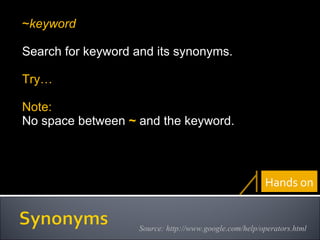
~ Synonyms of the keyword Try… Hands on
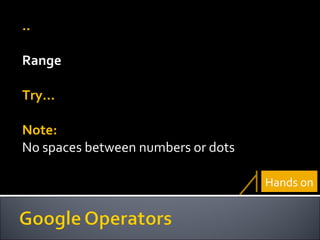
.. Range Try… Note:  No spaces between numbers or dots Hands on
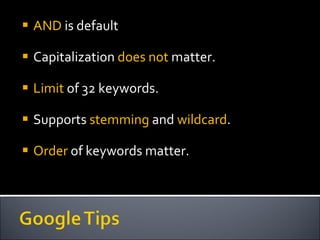
AND  is default Capitalization  does not  matter. Limit  of 32 keywords. Supports  stemming  and  wildcard . Order  of keywords matter.
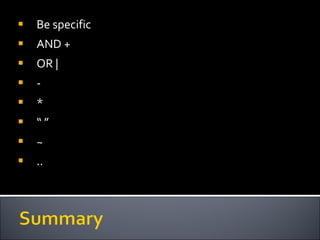
Be specific AND + OR | - * “ ” ~ ..
Operators http://www.googletutor.com/google-manual/web-search/adding-basic-operators/ https://ilrb.cf.ac.uk/searchtech/index.html Extras
http://21cif.com/rkitp/assessment/v1n7/operator_assessment.swf Hands on
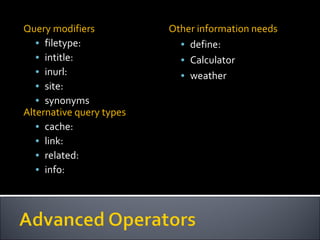
filetype: intitle: inurl: site: synonym Takeaway
 
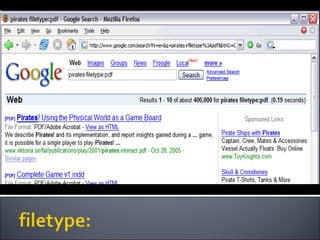
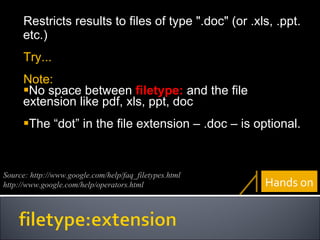
Restricts results to files of type ".doc" (or .xls, .ppt. etc.) Try... Note: No space between  filetype:  and the file extension like pdf, xls, ppt, doc The “dot” in the file extension – .doc – is optional. Source: http://www.google.com/help/faq_filetypes.html http://www.google.com/help/operators.html Hands on
Source: http://www.google.com/help/operators.html
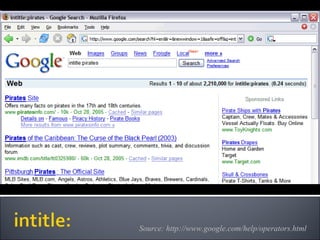
Restricts results to documents containing keyword in title. Try… Note:  No space between  intitle:  and keyword. To search for phrase put it in quotes. Hands on
intitle:walt disney  (without quotes)  Search results? Google looks for every page with the word  walt  in title AND  disney  somewhere in body. Note:  Quotes are important to search for phrases
Source: http://www.google.com/help/operators.html
U niform  R esource  L ocator a string used to identify an access protocol, location, and identifier for a file or other Internet resource. Source: http://search400.techtarget.com/newsItem/0,289139,sid3_gci850,00.html
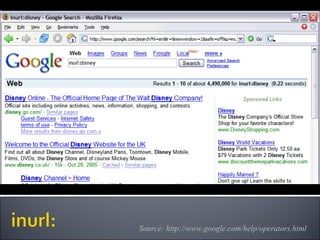
Restricts results to documents containing keyword in URL. Try… Note:  No space between  inurl:  and the keyword. Hands on
Source: http://www.google.com/help/operators.html
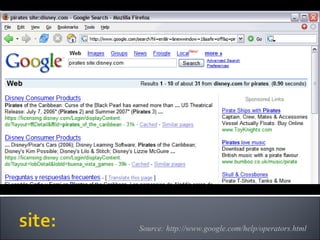
Restricts the results to those websites in a domain. Try… Note: No space between  site:  and the domain. Hands on
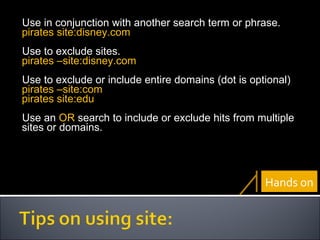
Use in conjunction with another search term or phrase. pirates site:disney.com Use to exclude sites. pirates –site:disney.com Use to exclude or include entire domains (dot is optional) pirates –site:com pirates site:edu Use an  OR  search to include or exclude hits from multiple sites or domains. Hands on
 
~ keyword Search for keyword and its synonyms. Try… Note: No space between  ~  and the keyword. Source: http://www.google.com/help/operators.html Hands on
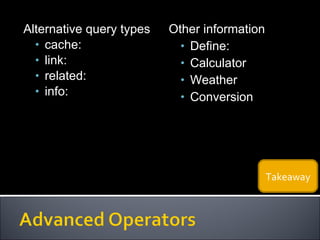
Alternative query types cache: link: related: info: Other information Define: Calculator Weather Conversion Takeaway
List techniques which will need practice List techniques you find useful
Stuff you can use if you want to search without using any keywords
Source: http://www.google.com/help/operators.html
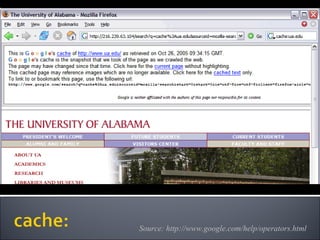
Shows the cached version of a web page. Try… Note:  No space between  cache:  and the URL. Use in conjunction with keyword or phrase.   Source: http://www.google.com/help/operators.html Hands on
Source: http://www.google.com/help/operators.html
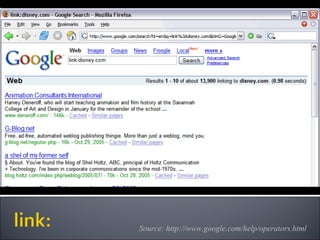
Restricts the results to web pages that have links to the specified URL. Try… Note: No space between  link:   and the URL. Source: http://www.google.com/help/operators.html Hands on
Source: http://www.google.com/help/operators.html
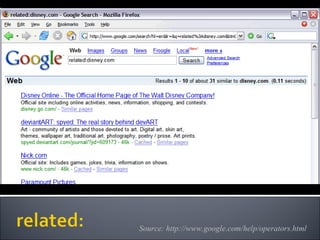
Lists webpages "similar" to a specified web page. Try… Note: There can be no space between  related:  and the URL. Source: http://www.google.com/help/operators.html Hands on
Source: http://www.google.com/help/operators.html
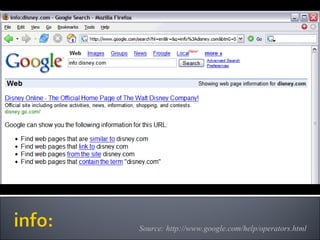
Presents some information that Google has about a particular web page. Try… Note: There can be no space between  info:   and the URL. Source: http://www.google.com/help/operators.html Hands on
List techniques which will need practice List techniques you find useful
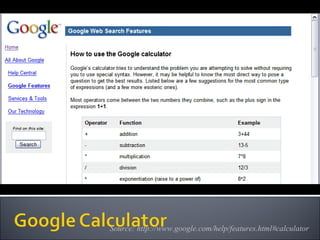
Did you know that Google can look up dictionary definitions, answer to math problems?
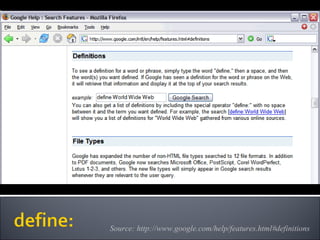
Source: http://www.google.com/help/features.html#definitions
Definitions for the word or phrase (if available) Try… Note: Do not need quotes around your phrases. Begin query with  define: Source: http://www.google.com/help/features.html#definitions Hands on
Source: http://www.google.com/help/features.html#calculator
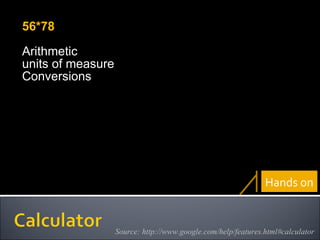
56*78 Arithmetic units of measure Conversions Source: http://www.google.com/help/features.html#calculator Hands on
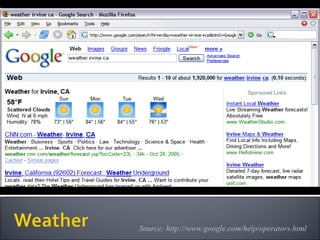
Source: http://www.google.com/help/operators.html
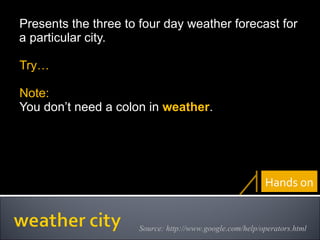
Presents the three to four day weather forecast for a particular city. Try… Note: You don’t need a colon in  weather . Source: http://www.google.com/help/operators.html Hands on
Query modifiers filetype: intitle: inurl: site: synonyms Alternative query types cache: link: related: info: Other information needs define: Calculator weather
List techniques which will need practice List techniques you find useful
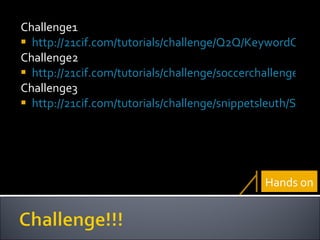
Challenge1 http://21cif.com/tutorials/challenge/Q2Q/KeywordChallenge.swf Challenge2 http://21cif.com/tutorials/challenge/soccerchallenge/Nyms_index.swf Challenge3 http://21cif.com/tutorials/challenge/snippetsleuth/SS_FunnyGirl_beta4.swf Hands on


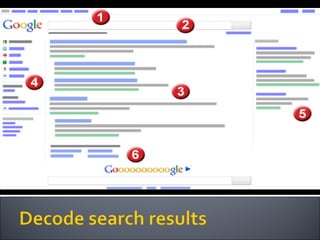
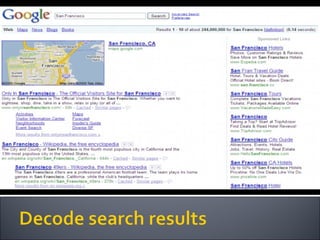
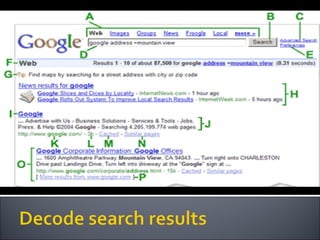
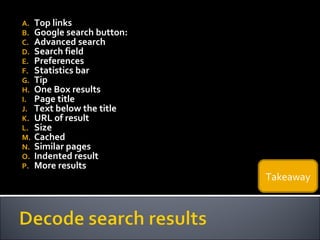
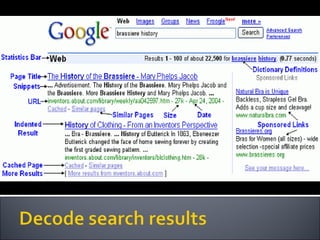
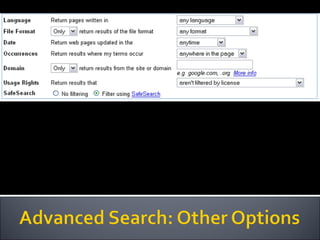
Top links Google search button: Advanced search Search field Preferences Statistics bar Tip One Box results Page title Text below the title URL of result Size Cached Similar pages Indented result More results Takeaway
 
 
https://docs.google.com/present/view?hl=en&id=dfvwdtqp_35hq27gfhk Hands on
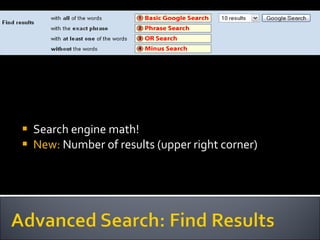
Search engine math! New:  Number of results (upper right corner)
 
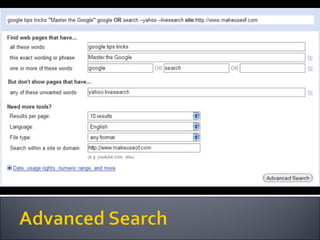
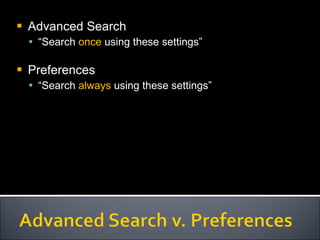
Advanced Search “ Search  once  using these settings” Preferences “ Search  always  using these settings”
 
Features: http://www.google.com/help/features.html Tips http://www.google.com/landing/searchtips/#helpcenter Extras
www.quintura.com www.webkruz.com Hands on
www.google.com/squared/ http://www.wolframalpha.com/ Hands on
www.oneriot.com www.collecta.com http://tenbyten.org/10x10.html  (news) Hands on
Read: www.makeuseof.com/tag/technology-explained-what-is-a-meta-search-engine/ Try: www.Zuula.com Hands on
List techniques which will need practice List techniques you find useful
 
http://www.techlearning.com/blogs/31632 http://www.noodletools.com/debbie/literacies/information/5locate/adviceengine.html http://www.internettutorials.net/choose.asp http://www.makeuseof.com/tags/search-engine Extras
 
What? Google Others www.makeuseof.com/tag/roll-your-own-search-engine-with-rollyo/ www.makeuseof.com/dir/katapulco www.historio.us Hands on
R ich  S ite  S ummary format for delivering regularly changing web content Online:  Google reader Offline:  Mozilla Firefox Hands on
www.Kidzui.com www.Kidoz.net www.pikluk.com Hands on
www.kidsclick.org www.rcls.org/ksearch.htm www.makeuseof.com/tag/10-search-engines-kids-parents-safe-browsing/ Hands on
Web link Tag Group tag Tag-roll Link-roll Hands on
Notes:  help.diigo.com/how-to-guide/sticky-note Highlights:  help.diigo.com/how-to-guide/how-to-highlight Extra:  www.slideshare.net/cliotech/digging-deeper-with-diigo-education-presentation Hands on
www.ipl.org www.vark.com www.wikianswers.com www.askjeeves.com Hands on
List techniques which will need practice List techniques you find useful
 
 
www.makeuseof.com/tag/10-search-engines-explore-deep-invisible-web/ Hands on


Process Strategy Criteria for website evaluation http://www.youtube.com/watch?v=J_qR5lpnXBE&feature=PlayList&p=558EEF1A022BD297&index=6 Where to start: http://www.noodletools.com/noodlequest/ Hands on
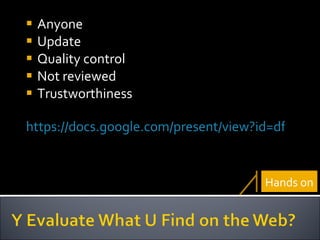
Anyone Update Quality control Not reviewed Trustworthiness https://docs.google.com/present/view?id=dfvwdtqp_2cmt22hfv Hands on
 
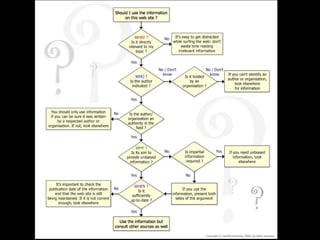
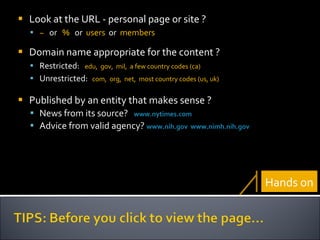
Look at the   URL -   personal page or site ?  ~   or  %   or  users   or  members Domain name appropriate for the content ? Restricted:  edu,  gov,  mil,  a few country codes (ca) Unrestricted:   com,  org,  net,  most country codes (us, uk) Published by an entity that makes sense ?  News from its source?  www.nytimes.com   Advice from valid agency?   www.nih.gov   www.nimh.nih.gov   Hands on
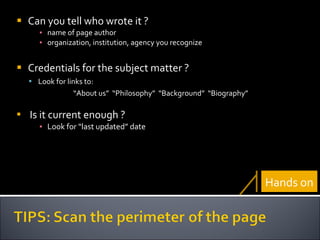
Can you tell who wrote it ? name of page author organization, institution, agency you recognize Credentials for the subject matter ? Look for links to: “ About us”  “Philosophy”  “Background”  “Biography” Is it current enough ? Look for “last updated” date Hands on
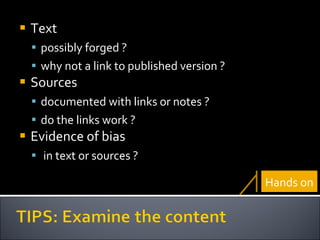
Text possibly forged ? why not a link to published version ? Sources documented with links or notes ? do the links work ? Evidence of bias in text or sources ? Hands on
Search the URL in  alexa.com Click on “Site info for … ”  Who owns the domain? Who links to the site?  What did the site look like in the past?    (Wayback Machine) Hands on
Which blogs link to it?  What do they say? Try the URL in  Google Blog Search See what links are in Google’s “Similar pages”   Look up the page author in Google Hands on
Was the page put on the web to  inform ?  persuade ?  sell ?   as a parody or satire ?  Is it appropriate for your purpose? Hands on
Search a controversial topic in Google nuclear armageddon prions danger “ stem cells” Scan the first two pages of results Visit one or two sites  evaluate their quality and reliability Hands on
List techniques which will need practice List techniques you find useful
Self study Website investigator: http://21cif.com/wsi/index.html Extras
 
Online http://21cif.com/tools/cite/index.html   Offline http://www.zotero.org/   Hands on
 
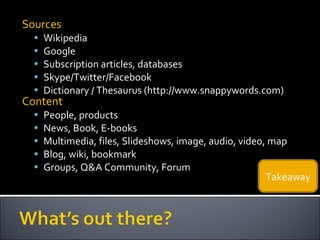
Sources Wikipedia Google Subscription articles, databases Skype/Twitter/Facebook Dictionary / Thesaurus (http://www.snappywords.com) Content People, products News, Book, E-books Multimedia, files, Slideshows, image, audio, video, map Blog, wiki, bookmark Groups, Q&A Community, Forum Takeaway
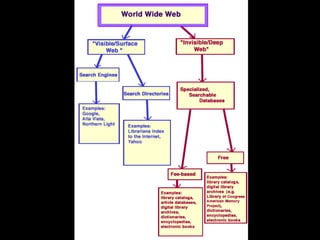
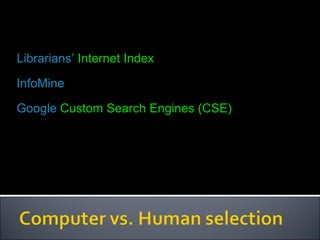
Librarians ’ Internet Index InfoMine Google  Custom Search Engines (CSE)
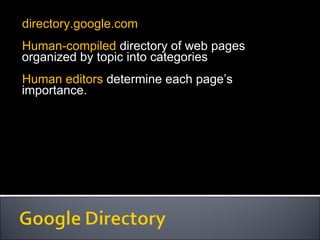
directory.google.com Human-compiled  directory of web pages organized by topic into categories Human editors  determine each page’s importance.
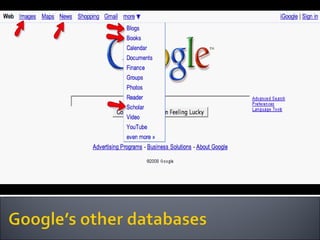
blogsearch.google.com  [or search.blogger.com] Searches blogs with  RSS  or Atom feed Pro : More updated than regular search Con : Mostly opinions rather than facts.
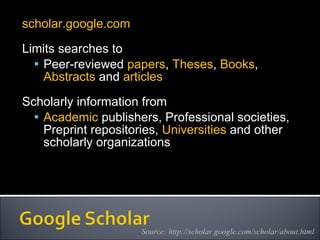
scholar.google.com Limits searches to Peer-reviewed  papers ,  Theses ,  Books ,  Abstracts  and  articles Scholarly information from  Academic  publishers, Professional societies, Preprint repositories,  Universities  and other scholarly organizations  Source: http://scholar.google.com/scholar/about.html
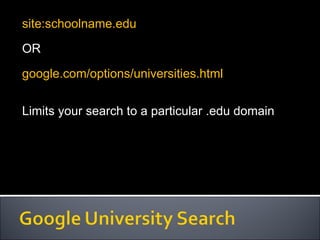
site:schoolname.edu OR google.com/options/universities.html Limits your search to a particular .edu domain
www.makeuseof.com/tag/5-powerpoint-search-engines-to-seek-out-publicly-available-presentations   www.makeuseof.com/tag/massive-list-of-howto-sites-howto-search-engine   www.makeuseof.com/tag/how-to-search-multiple-social-media-sites-at-a-time   www.makeuseof.com/tag/10-wikipedia-search-engines   www.makeuseof.com/tag/7-almost-unknown-google-search-engines-you-should-use   en.wikipedia.org/wiki/List_of_search_engines Extras
http://www.findingdulcinea.com/guides/Technology/Internet/Dulcineas-Guide-to-Searching-on-the-Web.pg_00.html#00 Extras
Mindmap on Information Literacy resources: www.mindomo.com/view.htm?m=b93aa8ef223445ff8919191fbc3ed23c Personal productivity: 21cif.com/tutorials/micro/ 21cif.com/rkit/newRkit/databases.html www.kn.pacbell.com/wired/21stcent/information.html   Self-study: www.vts.intute.ac.uk/detective/index.html For student assessment: www.trails-9.org   Book: netsavvy Extras
Articles thefutureplace.typepad.com/the_future_place/2006/12/the_researhc_ma.html Groups www.classroom20.com/group/research20   Extras
List techniques which will need practice List techniques you find useful

Research 2.0