HTML and XML Introduction
What can XML do for you?  How is XML used in this site? http:// www.anderson.ucla.edu/events.xml How could XML be used in the site below? http:// www.archbase.com/fayum /
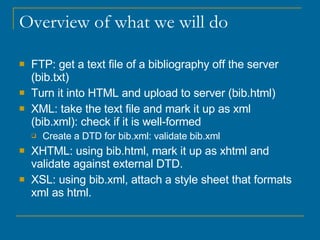
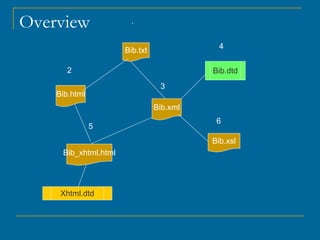
Overview of what we will do FTP: get a text file of a bibliography off the server (bib.txt) Turn it into HTML and upload to server (bib.html) XML: take the text file and mark it up as xml  (bib.xml): check if it is well-formed Create a DTD for bib.xml: validate bib.xml XHTML: using bib.html, mark it up as xhtml and validate against external DTD.  XSL: using bib.xml, attach a style sheet that formats xml as html.
Overview Bib.txt Bib.html Bib.xml Bib.dtd Bib.xsl 1 2 3 5 4 6 Xhtml.dtd Bib_xhtml.html
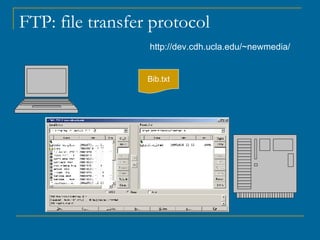
Step 1. Download txt file Open WS_FTP (File Transfer Protocol) hostname: dev.cdh.ucla.edu Username: newmedia Password: newmedia0506 Navigate to “firstclass” Download  bib.txt What is actually happening?
FTP: file transfer protocol http://dev.cdh.ucla.edu/~newmedia/ Bib.txt
FTP F ile  T ransfer  P rotocol,   FTP is most commonly used to  download  a file from a server using the Internet or to  upload  a file to a server (e.g., uploading a Web page file to a server).
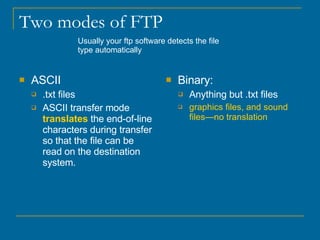
Two modes of FTP ASCII .txt files ASCII transfer mode  translates  the end-of-line characters during transfer so that the file can be read on the destination system.  Binary: Anything but .txt files graphics files, and sound files—no translation Usually your ftp software detects the file type automatically
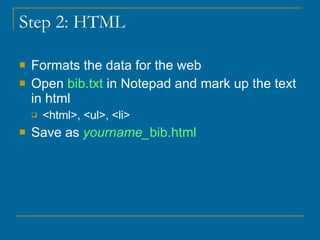
Step 2: HTML Formats the data for the web Open  bib.txt  in Notepad and mark up the text in html <html>, <ul>, <li> Save as  yourname_ bib.html
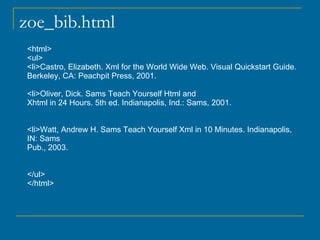
zoe_bib.html <html> <ul> <li>Castro, Elizabeth. Xml for the World Wide Web. Visual Quickstart Guide.  Berkeley, CA: Peachpit Press, 2001. <li>Oliver, Dick. Sams Teach Yourself Html and  Xhtml in 24 Hours. 5th ed. Indianapolis, Ind.: Sams, 2001. <li>Watt, Andrew H. Sams Teach Yourself Xml in 10 Minutes. Indianapolis, IN: Sams  Pub., 2003. </ul> </html>
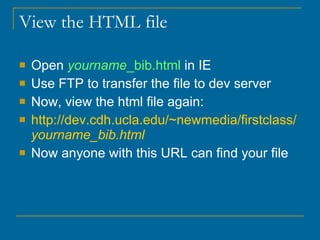
View the HTML file Open  yourname _bib.html  in IE Use FTP to transfer the file to dev server Now, view the html file again: http:// dev.cdh.ucla.edu/~newmedia/firstclass/ yourname _bib.html Now anyone with this URL can find your file
why XML? Extensible Markup Language extensible  - can be modified by changing or adding features  Builds toward a semantic web,  we can create “meaningful tags” e.g. <author>, <book> relationships between pieces of information Client hardware and web browsers are becoming more sophisticated  Makes documents transportable across systems and applications.
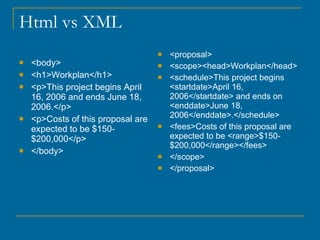
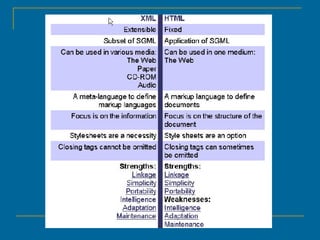
Html vs XML <body> <h1>Workplan</h1> <p>This project begins April 16, 2006 and ends June 18, 2006.</p> <p>Costs of this proposal are expected to be $150-$200,000</p> </body> <proposal> <scope><head>Workplan</head> <schedule>This project begins <startdate>April 16, 2006</startdate> and ends on <enddate>June 18, 2006</enddate>.</schedule> <fees>Costs of this proposal are expected to be <range>$150-$200,000</range></fees> </scope> </proposal>
 
Step 3: Create an XML document Open the  bib.txt  file in Notepad Use the following tags: <book>, <author>, <title>,<place> <publisher>, <year> Close each tag <book></book> Nest the tags--like boxes that open and close within boxes
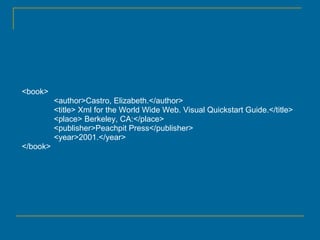
<book> <author>Castro, Elizabeth.</author> <title> Xml for the World Wide Web. Visual Quickstart Guide.</title> <place> Berkeley, CA:</place> <publisher>Peachpit Press</publisher> <year>2001.</year> </book>
Elements & Tags An element is used to describe a piece of information Opening tag <book> Closing tag </book>
5 Rules of XML = well-formed Tag names are case sensitive Every opening tag must have a corresponding closing tag (unless it is abbreviated as an empty tag) A nested tag pair cannot overlap another tag Attribute values must appear within quotes Every document must have a root element Ex. bib
Building Blocks of XML Elements - containers of info Tags  Attributes - labels on the containers Entities: declared in the dtd PCDATA CDATA
Our document Root element <bib> (starts and ends the document) NB: xml is case sensitive, so <bib> is different from <Bib> (stick to lower-case)
Attributes Tie small pieces of information to an element Several attributes can be used describe an element Example: <?xml version=“1.0” encoding=“UTF-8”?>
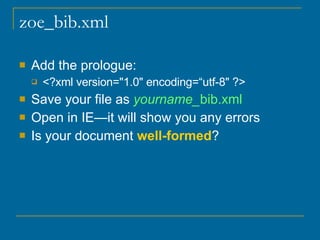
zoe_bib.xml Add the prologue: <?xml version=&quot;1.0&quot; encoding=“utf-8&quot; ?>  Save your file as  yourname_ bib.xml Open in IE—it will show you any errors Is your document  well-formed ?
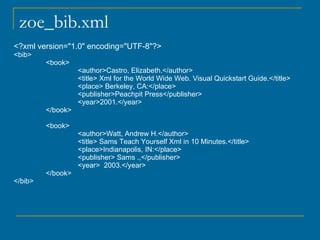
zoe_bib.xml <?xml version=&quot;1.0&quot; encoding=&quot;UTF-8&quot;?> <bib> <book> <author>Castro, Elizabeth.</author> <title> Xml for the World Wide Web. Visual Quickstart Guide.</title> <place> Berkeley, CA:</place> <publisher>Peachpit Press</publisher> <year>2001.</year> </book> <book> <author>Watt, Andrew H.</author> <title> Sams Teach Yourself Xml in 10 Minutes.</title> <place>Indianapolis, IN:</place> <publisher> Sams .,</publisher> <year>  2003.</year> </book> </bib>
Step 4: Making a DTD Document Type Definition defines the legal building blocks of an XML document.  A DTD can be declared inline in your XML document, or as an external reference
Why use a DTD? independent groups of people can agree to use a common DTD for interchanging data.  use a standard DTD to verify that the data you receive from the outside world is valid.  Some are already defined: TEI (Text Encoding Initiative)  http://www.tei-c.org/Applications / validate you document: make sure it conforms to the dtd
DTD <!DOCTYPE bib [ <!ELEMENT bib (book+)> <!ELEMENT book (author, title, place?, publisher?, year?)> <!ELEMENT author (#PCDATA)> <!ELEMENT title (#PCDATA)> <!ELEMENT place (#PCDATA)> <!ELEMENT publisher (#PCDATA)> <!ELEMENT year (#PCDATA)> ]> !DOCTYPE bib  defines that this is a document of the type bib . !ELEMENT bib  defines the bib element as having at least one book element + means at least one !ELEMENT book  defines its sub elements as a sequence.  ?  indicates optional elements !ELEMENT author  defines the  author  element to be of the type &quot;#PCDATA&quot;  #PCDATA   indicates that the characters will be parsed.
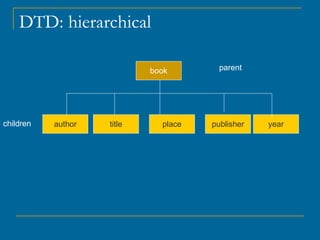
DTD: hierarchical book author title place publisher year parent children
PCDATA vs CDATA PCDATA text that will be parsed by a parser . Tags inside the text will be treated as markup and entities will be expanded .  CDATA text that will NOT be parsed by a parser . Tags inside the text will NOT be treated as markup and entities will not be expanded.
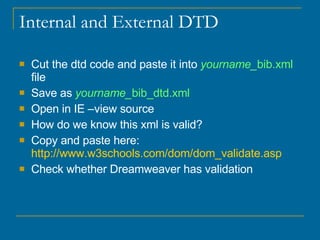
Internal and External DTD Cut the dtd code and paste it into  yourname_ bib.xml  file Save as  yourname_ bib_dtd.xml   Open in IE –view source How do we know this xml is valid?  Copy and paste here:  http://www.w3schools.com/dom/dom_validate.asp Check whether Dreamweaver has validation
DTD <!DOCTYPE bib [ <!ELEMENT bib (book+)> <!ELEMENT book (author, title, place?, publisher?, year?)> <!ELEMENT author (#PCDATA)> <!ELEMENT title (#PCDATA)> <!ELEMENT place (#PCDATA)> <!ELEMENT publisher (#PCDATA)> <!ELEMENT year (#PCDATA)> ]>
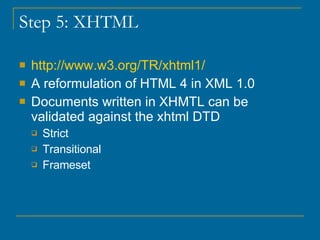
Step 5: XHTML http://www.w3.org/TR/xhtml1/ A reformulation of HTML 4 in XML 1.0 Documents written in XHMTL can be validated against the xhtml DTD  Strict Transitional Frameset
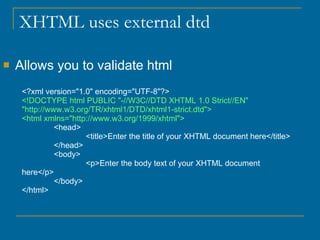
XHTML uses external dtd  Allows you to validate html <?xml version=&quot;1.0&quot; encoding=&quot;UTF-8&quot;?> <!DOCTYPE html PUBLIC &quot;-//W3C//DTD XHTML 1.0 Strict//EN&quot; &quot;http://www.w3.org/TR/xhtml1/DTD/xhtml1-strict.dtd&quot;> <html xmlns=&quot;http://www.w3.org/1999/xhtml&quot;> <head> <title>Enter the title of your XHTML document here</title> </head> <body> <p>Enter the body text of your XHTML document here</p> </body> </html>
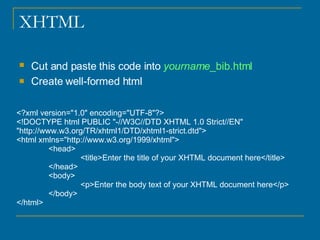
XHTML Cut and paste this code into  yourname _bib.html   Create well-formed html <?xml version=&quot;1.0&quot; encoding=&quot;UTF-8&quot;?> <!DOCTYPE html PUBLIC &quot;-//W3C//DTD XHTML 1.0 Strict//EN&quot; &quot;http://www.w3.org/TR/xhtml1/DTD/xhtml1-strict.dtd&quot;> <html xmlns=&quot;http://www.w3.org/1999/xhtml&quot;> <head> <title>Enter the title of your XHTML document here</title> </head> <body> <p>Enter the body text of your XHTML document here</p> </body> </html>
5 Rules of XML = well-formed Tag names are case sensitive Every opening tag must have a corresponding closing tag (unless it is abbreviated as an empty tag) A nested tag pair cannot overlap another tag Attribute values must appear within quotes Every document must have a root element
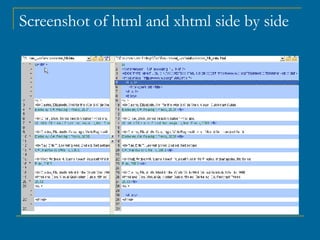
Screenshot of html and xhtml side by side
Validating XHMTL http://validator.w3.org/ Cut and paste contents of xhtml into this site Save as  yourname _bib_xhtml.html   You can now upload  yourname _bib_xhtml.html  to dev server
Step 6: XSL Extensible Stylesheet Language XSLT = XSL Transformation XSLT transforms XML to HTML XSL is XML (a dtd is not)
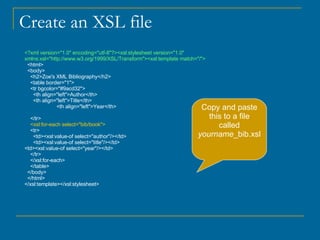
Create an XSL file <?xml version=&quot;1.0&quot; encoding=&quot;utf-8&quot;?><xsl:stylesheet version=&quot;1.0&quot; xmlns:xsl=&quot;http://www.w3.org/1999/XSL/Transform&quot;><xsl:template match=&quot;/&quot;> <html> <body> <h2>Zoe's XML Bibliography</h2> <table border=&quot;1&quot;> <tr bgcolor=&quot;#9acd32&quot;> <th align=&quot;left&quot;>Author</th> <th align=&quot;left&quot;>Title</th> <th align=&quot;left&quot;>Year</th> </tr> <xsl:for-each select=&quot;bib/book&quot;> <tr> <td><xsl:value-of select=&quot;author&quot;/></td> <td><xsl:value-of select=&quot;title&quot;/></td> <td><xsl:value-of select=&quot;year&quot;/></td> </tr> </xsl:for-each> </table> </body> </html> </xsl:template></xsl:stylesheet>  Copy and paste this to a file called  yourname _bib.xsl
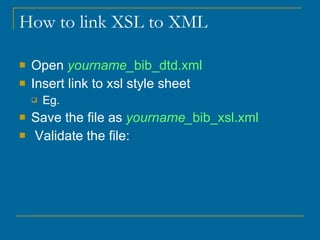
How to link XSL to XML  Open  yourname_ bib_dtd.xml Insert link to xsl style sheet Eg.  Save the file as  yourname_ bib_xsl.xml Validate the file:
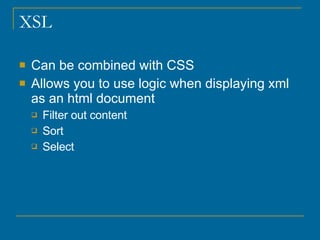
XSL Can be combined with CSS Allows you to use logic when displaying xml as an html document Filter out content Sort Select
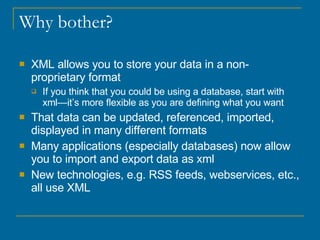
Why bother? XML allows you to store your data in a non-proprietary format If you think that you could be using a database, start with xml—it’s more flexible as you are defining what you want That data can be updated, referenced, imported, displayed in many different formats Many applications (especially databases) now allow you to import and export data as xml New technologies, e.g. RSS feeds, webservices, etc., all use XML

Xml Zoe

  • 1.
    HTML and XMLIntroduction
  • 2.
    What can XMLdo for you? How is XML used in this site? http:// www.anderson.ucla.edu/events.xml How could XML be used in the site below? http:// www.archbase.com/fayum /
  • 3.
    Overview of whatwe will do FTP: get a text file of a bibliography off the server (bib.txt) Turn it into HTML and upload to server (bib.html) XML: take the text file and mark it up as xml (bib.xml): check if it is well-formed Create a DTD for bib.xml: validate bib.xml XHTML: using bib.html, mark it up as xhtml and validate against external DTD. XSL: using bib.xml, attach a style sheet that formats xml as html.
  • 4.
    Overview Bib.txt Bib.htmlBib.xml Bib.dtd Bib.xsl 1 2 3 5 4 6 Xhtml.dtd Bib_xhtml.html
  • 5.
    Step 1. Downloadtxt file Open WS_FTP (File Transfer Protocol) hostname: dev.cdh.ucla.edu Username: newmedia Password: newmedia0506 Navigate to “firstclass” Download bib.txt What is actually happening?
  • 6.
    FTP: file transferprotocol http://dev.cdh.ucla.edu/~newmedia/ Bib.txt
  • 7.
    FTP F ile T ransfer P rotocol, FTP is most commonly used to download a file from a server using the Internet or to upload a file to a server (e.g., uploading a Web page file to a server).
  • 8.
    Two modes ofFTP ASCII .txt files ASCII transfer mode translates the end-of-line characters during transfer so that the file can be read on the destination system. Binary: Anything but .txt files graphics files, and sound files—no translation Usually your ftp software detects the file type automatically
  • 9.
    Step 2: HTMLFormats the data for the web Open bib.txt in Notepad and mark up the text in html <html>, <ul>, <li> Save as yourname_ bib.html
  • 10.
    zoe_bib.html <html> <ul><li>Castro, Elizabeth. Xml for the World Wide Web. Visual Quickstart Guide. Berkeley, CA: Peachpit Press, 2001. <li>Oliver, Dick. Sams Teach Yourself Html and Xhtml in 24 Hours. 5th ed. Indianapolis, Ind.: Sams, 2001. <li>Watt, Andrew H. Sams Teach Yourself Xml in 10 Minutes. Indianapolis, IN: Sams Pub., 2003. </ul> </html>
  • 11.
    View the HTMLfile Open yourname _bib.html in IE Use FTP to transfer the file to dev server Now, view the html file again: http:// dev.cdh.ucla.edu/~newmedia/firstclass/ yourname _bib.html Now anyone with this URL can find your file
  • 12.
    why XML? ExtensibleMarkup Language extensible - can be modified by changing or adding features Builds toward a semantic web, we can create “meaningful tags” e.g. <author>, <book> relationships between pieces of information Client hardware and web browsers are becoming more sophisticated Makes documents transportable across systems and applications.
  • 13.
    Html vs XML<body> <h1>Workplan</h1> <p>This project begins April 16, 2006 and ends June 18, 2006.</p> <p>Costs of this proposal are expected to be $150-$200,000</p> </body> <proposal> <scope><head>Workplan</head> <schedule>This project begins <startdate>April 16, 2006</startdate> and ends on <enddate>June 18, 2006</enddate>.</schedule> <fees>Costs of this proposal are expected to be <range>$150-$200,000</range></fees> </scope> </proposal>
  • 14.
  • 15.
    Step 3: Createan XML document Open the bib.txt file in Notepad Use the following tags: <book>, <author>, <title>,<place> <publisher>, <year> Close each tag <book></book> Nest the tags--like boxes that open and close within boxes
  • 16.
    <book> <author>Castro, Elizabeth.</author><title> Xml for the World Wide Web. Visual Quickstart Guide.</title> <place> Berkeley, CA:</place> <publisher>Peachpit Press</publisher> <year>2001.</year> </book>
  • 17.
    Elements & TagsAn element is used to describe a piece of information Opening tag <book> Closing tag </book>
  • 18.
    5 Rules ofXML = well-formed Tag names are case sensitive Every opening tag must have a corresponding closing tag (unless it is abbreviated as an empty tag) A nested tag pair cannot overlap another tag Attribute values must appear within quotes Every document must have a root element Ex. bib
  • 19.
    Building Blocks ofXML Elements - containers of info Tags Attributes - labels on the containers Entities: declared in the dtd PCDATA CDATA
  • 20.
    Our document Rootelement <bib> (starts and ends the document) NB: xml is case sensitive, so <bib> is different from <Bib> (stick to lower-case)
  • 21.
    Attributes Tie smallpieces of information to an element Several attributes can be used describe an element Example: <?xml version=“1.0” encoding=“UTF-8”?>
  • 22.
    zoe_bib.xml Add theprologue: <?xml version=&quot;1.0&quot; encoding=“utf-8&quot; ?> Save your file as yourname_ bib.xml Open in IE—it will show you any errors Is your document well-formed ?
  • 23.
    zoe_bib.xml <?xml version=&quot;1.0&quot;encoding=&quot;UTF-8&quot;?> <bib> <book> <author>Castro, Elizabeth.</author> <title> Xml for the World Wide Web. Visual Quickstart Guide.</title> <place> Berkeley, CA:</place> <publisher>Peachpit Press</publisher> <year>2001.</year> </book> <book> <author>Watt, Andrew H.</author> <title> Sams Teach Yourself Xml in 10 Minutes.</title> <place>Indianapolis, IN:</place> <publisher> Sams .,</publisher> <year> 2003.</year> </book> </bib>
  • 24.
    Step 4: Makinga DTD Document Type Definition defines the legal building blocks of an XML document. A DTD can be declared inline in your XML document, or as an external reference
  • 25.
    Why use aDTD? independent groups of people can agree to use a common DTD for interchanging data. use a standard DTD to verify that the data you receive from the outside world is valid. Some are already defined: TEI (Text Encoding Initiative) http://www.tei-c.org/Applications / validate you document: make sure it conforms to the dtd
  • 26.
    DTD <!DOCTYPE bib[ <!ELEMENT bib (book+)> <!ELEMENT book (author, title, place?, publisher?, year?)> <!ELEMENT author (#PCDATA)> <!ELEMENT title (#PCDATA)> <!ELEMENT place (#PCDATA)> <!ELEMENT publisher (#PCDATA)> <!ELEMENT year (#PCDATA)> ]> !DOCTYPE bib defines that this is a document of the type bib . !ELEMENT bib defines the bib element as having at least one book element + means at least one !ELEMENT book defines its sub elements as a sequence. ? indicates optional elements !ELEMENT author defines the author element to be of the type &quot;#PCDATA&quot; #PCDATA indicates that the characters will be parsed.
  • 27.
    DTD: hierarchical bookauthor title place publisher year parent children
  • 28.
    PCDATA vs CDATAPCDATA text that will be parsed by a parser . Tags inside the text will be treated as markup and entities will be expanded .  CDATA text that will NOT be parsed by a parser . Tags inside the text will NOT be treated as markup and entities will not be expanded.
  • 29.
    Internal and ExternalDTD Cut the dtd code and paste it into yourname_ bib.xml file Save as yourname_ bib_dtd.xml Open in IE –view source How do we know this xml is valid? Copy and paste here: http://www.w3schools.com/dom/dom_validate.asp Check whether Dreamweaver has validation
  • 30.
    DTD <!DOCTYPE bib[ <!ELEMENT bib (book+)> <!ELEMENT book (author, title, place?, publisher?, year?)> <!ELEMENT author (#PCDATA)> <!ELEMENT title (#PCDATA)> <!ELEMENT place (#PCDATA)> <!ELEMENT publisher (#PCDATA)> <!ELEMENT year (#PCDATA)> ]>
  • 31.
    Step 5: XHTMLhttp://www.w3.org/TR/xhtml1/ A reformulation of HTML 4 in XML 1.0 Documents written in XHMTL can be validated against the xhtml DTD Strict Transitional Frameset
  • 32.
    XHTML uses externaldtd Allows you to validate html <?xml version=&quot;1.0&quot; encoding=&quot;UTF-8&quot;?> <!DOCTYPE html PUBLIC &quot;-//W3C//DTD XHTML 1.0 Strict//EN&quot; &quot;http://www.w3.org/TR/xhtml1/DTD/xhtml1-strict.dtd&quot;> <html xmlns=&quot;http://www.w3.org/1999/xhtml&quot;> <head> <title>Enter the title of your XHTML document here</title> </head> <body> <p>Enter the body text of your XHTML document here</p> </body> </html>
  • 33.
    XHTML Cut andpaste this code into yourname _bib.html Create well-formed html <?xml version=&quot;1.0&quot; encoding=&quot;UTF-8&quot;?> <!DOCTYPE html PUBLIC &quot;-//W3C//DTD XHTML 1.0 Strict//EN&quot; &quot;http://www.w3.org/TR/xhtml1/DTD/xhtml1-strict.dtd&quot;> <html xmlns=&quot;http://www.w3.org/1999/xhtml&quot;> <head> <title>Enter the title of your XHTML document here</title> </head> <body> <p>Enter the body text of your XHTML document here</p> </body> </html>
  • 34.
    5 Rules ofXML = well-formed Tag names are case sensitive Every opening tag must have a corresponding closing tag (unless it is abbreviated as an empty tag) A nested tag pair cannot overlap another tag Attribute values must appear within quotes Every document must have a root element
  • 35.
    Screenshot of htmland xhtml side by side
  • 36.
    Validating XHMTL http://validator.w3.org/Cut and paste contents of xhtml into this site Save as yourname _bib_xhtml.html You can now upload yourname _bib_xhtml.html to dev server
  • 37.
    Step 6: XSLExtensible Stylesheet Language XSLT = XSL Transformation XSLT transforms XML to HTML XSL is XML (a dtd is not)
  • 38.
    Create an XSLfile <?xml version=&quot;1.0&quot; encoding=&quot;utf-8&quot;?><xsl:stylesheet version=&quot;1.0&quot; xmlns:xsl=&quot;http://www.w3.org/1999/XSL/Transform&quot;><xsl:template match=&quot;/&quot;> <html> <body> <h2>Zoe's XML Bibliography</h2> <table border=&quot;1&quot;> <tr bgcolor=&quot;#9acd32&quot;> <th align=&quot;left&quot;>Author</th> <th align=&quot;left&quot;>Title</th> <th align=&quot;left&quot;>Year</th> </tr> <xsl:for-each select=&quot;bib/book&quot;> <tr> <td><xsl:value-of select=&quot;author&quot;/></td> <td><xsl:value-of select=&quot;title&quot;/></td> <td><xsl:value-of select=&quot;year&quot;/></td> </tr> </xsl:for-each> </table> </body> </html> </xsl:template></xsl:stylesheet> Copy and paste this to a file called yourname _bib.xsl
  • 39.
    How to linkXSL to XML Open yourname_ bib_dtd.xml Insert link to xsl style sheet Eg. Save the file as yourname_ bib_xsl.xml Validate the file:
  • 40.
    XSL Can becombined with CSS Allows you to use logic when displaying xml as an html document Filter out content Sort Select
  • 41.
    Why bother? XMLallows you to store your data in a non-proprietary format If you think that you could be using a database, start with xml—it’s more flexible as you are defining what you want That data can be updated, referenced, imported, displayed in many different formats Many applications (especially databases) now allow you to import and export data as xml New technologies, e.g. RSS feeds, webservices, etc., all use XML