Power Searching with
From the Reference staff at the Pickerington Public Library
The ultimate search engine
• Google is a search engine
o But when you use Google's search feature, you
aren't searching the Web
o You are searching Google's index of the Web
(which, for the most part, is the entire Web and its
contents)
o *Note: if you took Google’s Power Searching classes when they were
offered it a few years ago, some of these examples will look familiar.
All credit for those examples goes to Google and their instructors –
we’re borrowing them because they were too good to let go of!*
Google can be a powerful tool
• Simple search tricks can help you make Google
even more powerful in your daily life
Basic Tips
Search Shortcuts
Operators
Filtering Results
Basic Tips
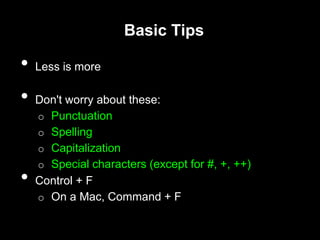
• Less is more
• Don't worry about these:
o Punctuation
o Spelling
o Capitalization
o Special characters (except for #, +, ++)
• Control + F
o On a Mac, Command + F
Basic Tips
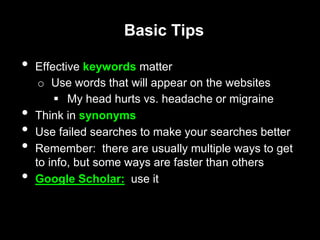
• Effective keywords matter
o Use words that will appear on the websites
 My head hurts vs. headache or migraine
• Think in synonyms
• Use failed searches to make your searches better
• Remember: there are usually multiple ways to get
to info, but some ways are faster than others
• Google Scholar: use it
Search Shortcuts
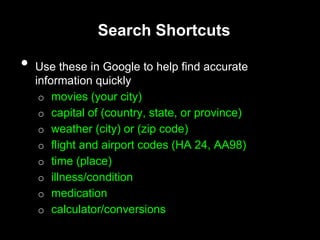
• Use these in Google to help find accurate
information quickly
o movies (your city)
o capital of (country, state, or province)
o weather (city) or (zip code)
o flight and airport codes (HA 24, AA98)
o time (place)
o illness/condition
o medication
o calculator/conversions
Search shortcut - Conversions and
Calculations
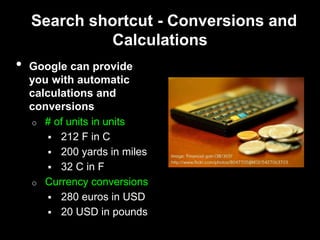
• Google can provide
you with automatic
calculations and
conversions
o # of units in units
 212 F in C
 200 yards in miles
 32 C in F
o Currency conversions
 280 euros in USD
 20 USD in pounds
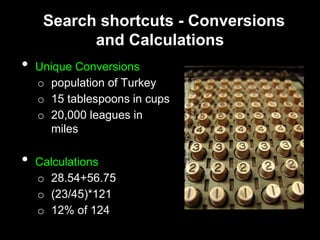
Search shortcuts - Conversions
and Calculations
• Unique Conversions
o population of Turkey
o 15 tablespoons in cups
o 20,000 leagues in
miles
• Calculations
o 28.54+56.75
o (23/45)*121
o 12% of 124
Operators
• Operators are considered advanced Google
searching techniques
o They work on all aspects of Google (images,
books, news, etc.)
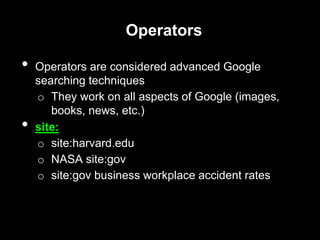
• site:
o site:harvard.edu
o NASA site:gov
o site:gov business workplace accident rates
Operators
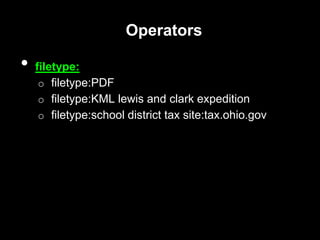
• filetype:
o filetype:PDF
o filetype:KML lewis and clark expedition
o filetype:school district tax site:tax.ohio.gov
Operators
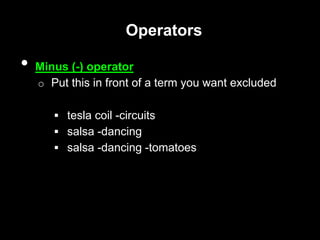
• Minus (-) operator
o Put this in front of a term you want excluded
 tesla coil -circuits
 salsa -dancing
 salsa -dancing -tomatoes
Operators
• OR operator
o always capitalized
o adds results to a search
o it's an operator, not a filter
 above OR inground pool
• Exact phrase (" ") search
o Using " " keeps words together in a search
 "tesla coil"
Operators
• intext:
o use this operator to find text in the middle of a
web page
 site:harvard.edu “astrophysics" intext:Jupiter
Filtering Results - Images
• Filtering by color
o Google images search
o filter by color; use Search Tools option
• "Similar" function when hovering over an image
• Sort images by date
Filtering Results - Date Range
• Search Tools is a powerful way to help sort
information
o Can filter by date range
 Need a news article from 2008?
 Want to find information on the NHL playoffs?
What about the 2004 Presidential election?
Final Tips
• Combine operators for better searches
o Google Earth (KML) files for shipwrecks around
Florida, already searched sites floridamarine.org and
the_jacobs.org
 filetype:KML shipwrecks OR "ship wrecks" -
site:floridamarine.org -site:the_jacobs.org
Final Tips
• You don't have to get a search right the first time
(or the second or third)
• Go outside the normal search methods
o Add additional terms to a search to help narrow
down results
References
Images:
• Image: 'old calculator' http://www.flickr.com/
photos/54289096@N00/531566394
• Image: 'Financial gain (38/365)' http://www.flickr.com/
photos/8047705@N02/5427063703
Need more help? Contact us!
• 614.837.4104 ext. 233 or email us at
pplrefstaff@pickeringtonlibrary.org

Power Searching With Google

  • 1.
    Power Searching with Fromthe Reference staff at the Pickerington Public Library
  • 2.
    The ultimate searchengine • Google is a search engine o But when you use Google's search feature, you aren't searching the Web o You are searching Google's index of the Web (which, for the most part, is the entire Web and its contents) o *Note: if you took Google’s Power Searching classes when they were offered it a few years ago, some of these examples will look familiar. All credit for those examples goes to Google and their instructors – we’re borrowing them because they were too good to let go of!*
  • 3.
    Google can bea powerful tool • Simple search tricks can help you make Google even more powerful in your daily life Basic Tips Search Shortcuts Operators Filtering Results
  • 4.
    Basic Tips • Lessis more • Don't worry about these: o Punctuation o Spelling o Capitalization o Special characters (except for #, +, ++) • Control + F o On a Mac, Command + F
  • 5.
    Basic Tips • Effectivekeywords matter o Use words that will appear on the websites  My head hurts vs. headache or migraine • Think in synonyms • Use failed searches to make your searches better • Remember: there are usually multiple ways to get to info, but some ways are faster than others • Google Scholar: use it
  • 6.
    Search Shortcuts • Usethese in Google to help find accurate information quickly o movies (your city) o capital of (country, state, or province) o weather (city) or (zip code) o flight and airport codes (HA 24, AA98) o time (place) o illness/condition o medication o calculator/conversions
  • 7.
    Search shortcut -Conversions and Calculations • Google can provide you with automatic calculations and conversions o # of units in units  212 F in C  200 yards in miles  32 C in F o Currency conversions  280 euros in USD  20 USD in pounds
  • 8.
    Search shortcuts -Conversions and Calculations • Unique Conversions o population of Turkey o 15 tablespoons in cups o 20,000 leagues in miles • Calculations o 28.54+56.75 o (23/45)*121 o 12% of 124
  • 9.
    Operators • Operators areconsidered advanced Google searching techniques o They work on all aspects of Google (images, books, news, etc.) • site: o site:harvard.edu o NASA site:gov o site:gov business workplace accident rates
  • 10.
    Operators • filetype: o filetype:PDF ofiletype:KML lewis and clark expedition o filetype:school district tax site:tax.ohio.gov
  • 11.
    Operators • Minus (-)operator o Put this in front of a term you want excluded  tesla coil -circuits  salsa -dancing  salsa -dancing -tomatoes
  • 12.
    Operators • OR operator oalways capitalized o adds results to a search o it's an operator, not a filter  above OR inground pool • Exact phrase (" ") search o Using " " keeps words together in a search  "tesla coil"
  • 13.
    Operators • intext: o usethis operator to find text in the middle of a web page  site:harvard.edu “astrophysics" intext:Jupiter
  • 14.
    Filtering Results -Images • Filtering by color o Google images search o filter by color; use Search Tools option • "Similar" function when hovering over an image • Sort images by date
  • 15.
    Filtering Results -Date Range • Search Tools is a powerful way to help sort information o Can filter by date range  Need a news article from 2008?  Want to find information on the NHL playoffs? What about the 2004 Presidential election?
  • 16.
    Final Tips • Combineoperators for better searches o Google Earth (KML) files for shipwrecks around Florida, already searched sites floridamarine.org and the_jacobs.org  filetype:KML shipwrecks OR "ship wrecks" - site:floridamarine.org -site:the_jacobs.org
  • 17.
    Final Tips • Youdon't have to get a search right the first time (or the second or third) • Go outside the normal search methods o Add additional terms to a search to help narrow down results
  • 18.
    References Images: • Image: 'oldcalculator' http://www.flickr.com/ photos/54289096@N00/531566394 • Image: 'Financial gain (38/365)' http://www.flickr.com/ photos/8047705@N02/5427063703 Need more help? Contact us! • 614.837.4104 ext. 233 or email us at pplrefstaff@pickeringtonlibrary.org