













Created By: Maheshkumar Darji
Contents
Introduction
Google Searchology
Google Free on Mobile
Google fiber
Google Effects
Google Dangerous Search
Tips & Tricks
References
What is Search Engine?
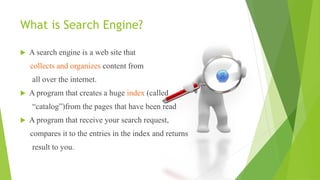
 A search engine is a web site that
collects and organizes content from
all over the internet.
 A program that creates a huge index (called
“catalog”)from the pages that have been read
 A program that receive your search request,
compares it to the entries in the index and returns
result to you.
More than 30 Search engines
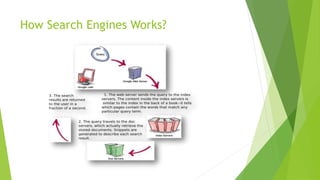
How Search Engines Works?
History
 Google begine in 1996
 Founded by Larry Page(22 years) and Seregy Brin(21 years)
 Student of PHD
 Search engine origionaly nickname “BackRub”
 It was renamed to in 1997. a play on the
word “googol,”
Larry
Page Sergey
Brin
Developers
Internet Search Facts
 Google: 34,000 searches per second
 (2 million per minute; 121 million per hour; 3 billion
per day; 88 billion per month, figures rounded)
 Yahoo: 3,200 searches per second
 (194,000 per minute; 12 million per hour; 280 million
per day; 8.4 billion per month, figures rounded )
 Bing: 927 searches per second
 (56,000 per minute; 3 million per hour; 80 million per
day; 2.4 billion per month, figures rounded)
“Stop Words”
 The following will be ignored by
 Question : (“who”, “what”, “Which” “Where”,
why” and “how”)
 do, not, if, then, was, is, when, to, be, in,on…etc
“OR” operator
 Google normally searches the phrase what we
type in search phase.
 Sometime we want to search two different things
like mobile phones or computer.
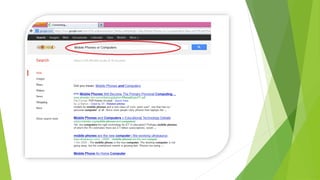
 for e.g, mobile phones OR computer will give you
results which contain the wor mobile phone or
computers or all the terms.
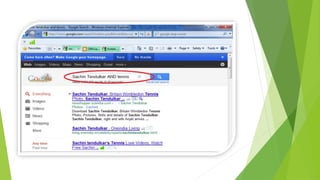
“AND” Operator
 Google normally searches the phrase what we
type in search phase.
 Sometime we want to search two different things
like Sachin Tendulkar AND tennis.
 for e.g, Sachin Tendulkar AND tennis will give you
results which contain the word Sachin and Tendulkar
and tennis and all the terms
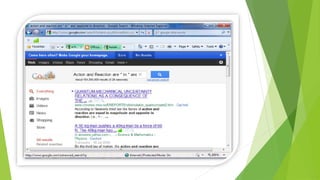
Asterix(*) Operator
 Some time you don’t remember the complete
scientific law
 Action and Reaction are _____ in ______and Opposite
in direction”
 Instead of it, use * in place of _____
 E.g “Action and Reaction are * in * and Opposite in
direction”
(-) Operator
 If you want to that Google ignore ceratin terms
then you use the – operator.
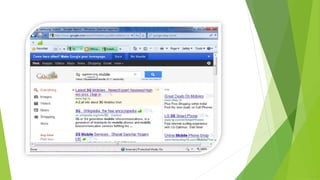
 For e.g If you’re looking for 3gmobile but not the
company samsung then type,
 For e.g, 3g -samsung mobile .
Find Result within a range of
numbers
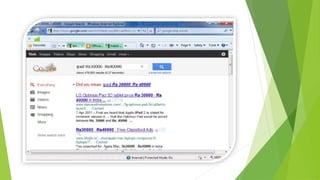
 You are looking for results for a range of numbers
such as ipad between Rs.30000 and Rs. 40000 you
can use the “..” operator.
 For e.g, ipad Rs.30000..Rs.40000
Search for a specific file type
 This is most useful when looking the file for
specific file types like pdf,doc,ppt etc.
 Use a filetype operator to specify filetypes in your
searches.
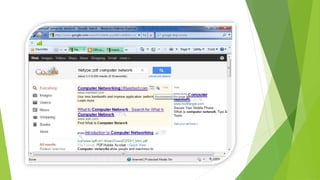
 For e.g, filetype:pdf computer network will return
only PDF results containing the terms computer
network.
 Another clever trick is using Google to convert
units, such as centimetres to inches.
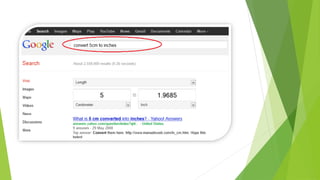
 For e.g. convert 5cm to inches will return an answer in
an inches
Conversion
What’s More from ?
 Latitude, November 2009
 Wave, May 2009
 Plus, 28 June 2011
 Books, August 2006
 Maps, February 2005
 Scholar, October 2004
 Romance, April 2006
 And many more. . .
How to Search on Google without
Internet?
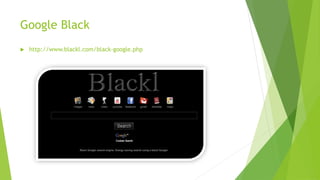
Google Black
 http://www.blackl.com/black-google.php
Google Red
 http://www.searchincolor.net/red/
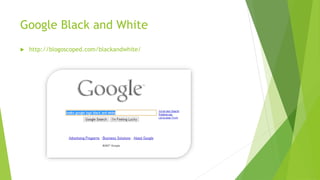
Google Black and White
 http://blogoscoped.com/blackandwhite/
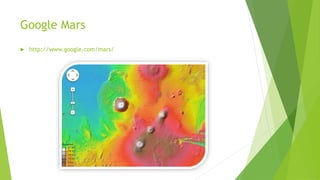
Google Mars
 http://www.google.com/mars/
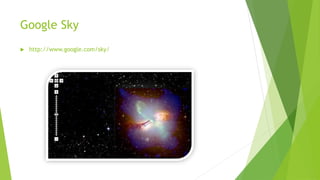
Google Sky
 http://www.google.com/sky/
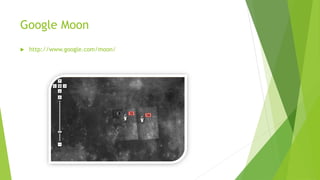
Google Moon
 http://www.google.com/moon/
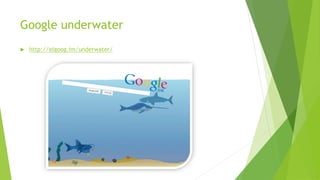
Google underwater
 http://elgoog.im/underwater/
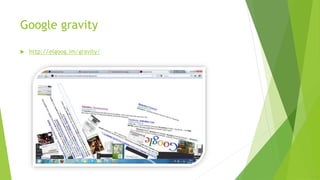
Google gravity
 http://elgoog.im/gravity/
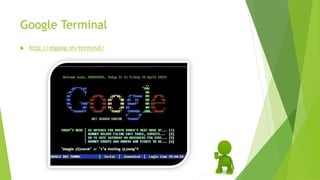
Google Terminal
 http://elgoog.im/terminal/
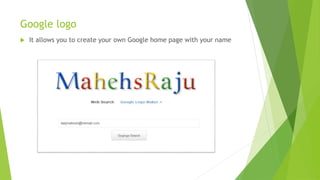
Google logo
 It allows you to create your own Google home page with your name
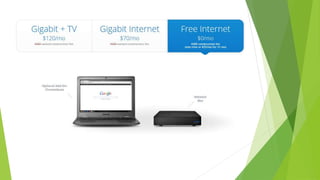
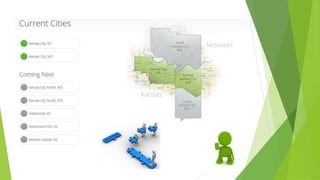
What is Google Fiber?
A different kinds of Internet
Google Fiber starts with a connection speed
100 times faster than today's broadband. Instant
downloads. Crystal clear high definition TV.
And endless possibilities. It's not cable.
And it's not just Internet. It's Google Fiber.
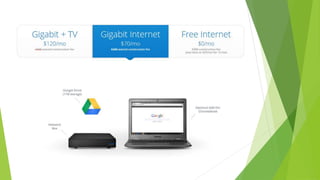
Packages
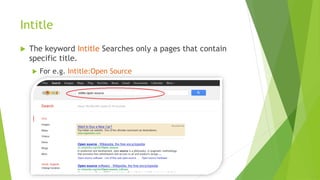
Intitle
 The keyword Intitle Searches only a pages that contain
specific title.
 For e.g. Intitle:Open Source
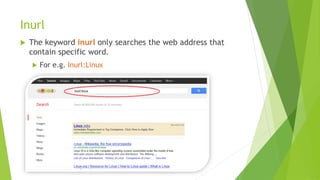
Inurl
 The keyword inurl only searches the web address that
contain specific word.
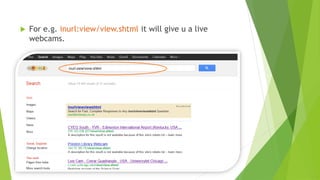
 For e.g. Inurl:Linux
 For e.g. inurl:view/view.shtml it will give u a live
webcams.
Inanchor
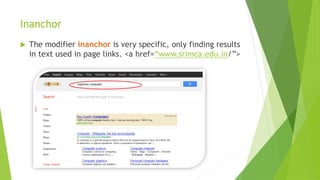
 The modifier inanchor is very specific, only finding results
in text used in page links. <a href=“www.srimca.edu.in/”>
Link
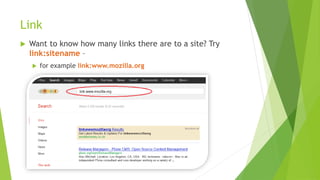
 Want to know how many links there are to a site? Try
link:sitename –
 for example link:www.mozilla.org
Related
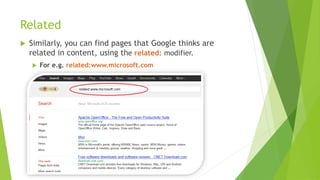
 Similarly, you can find pages that Google thinks are
related in content, using the related: modifier.
 For e.g. related:www.microsoft.com
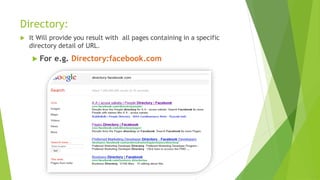
Directory:
 It Will provide you result with all pages containing in a specific
directory detail of URL.
 For e.g. Directory:facebook.com
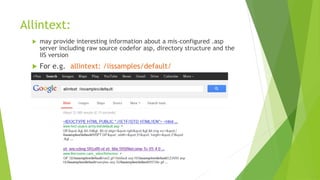
Allintext:
 may provide interesting information about a mis-configured .asp
server including raw source codefor asp, directory structure and the
IIS version
 For e.g. allintext: /iissamples/default/
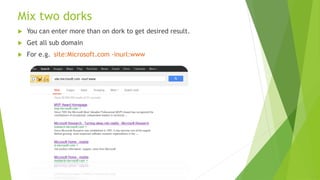
Mix two dorks
 You can enter more than on dork to get desired result.
 Get all sub domain
 For e.g. site:Microsoft.com -inurl:www
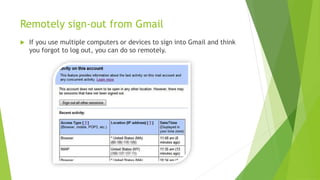
Remotely sign-out from Gmail
 If you use multiple computers or devices to sign into Gmail and think
you forgot to log out, you can do so remotely.
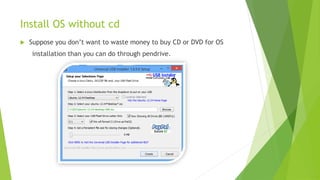
Install OS without cd
 Suppose you don’t want to waste money to buy CD or DVD for OS
installation than you can do through pendrive.
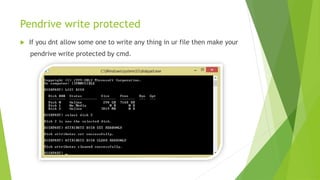
Pendrive write protected
 If you dnt allow some one to write any thing in ur file then make your
pendrive write protected by cmd.
Google Searchology

Google Searchology

  • 1.
  • 2.
    Contents Introduction Google Searchology Google Freeon Mobile Google fiber Google Effects Google Dangerous Search Tips & Tricks References
  • 4.
    What is SearchEngine?  A search engine is a web site that collects and organizes content from all over the internet.  A program that creates a huge index (called “catalog”)from the pages that have been read  A program that receive your search request, compares it to the entries in the index and returns result to you.
  • 5.
    More than 30Search engines
  • 6.
  • 7.
    History  Google beginein 1996  Founded by Larry Page(22 years) and Seregy Brin(21 years)  Student of PHD  Search engine origionaly nickname “BackRub”  It was renamed to in 1997. a play on the word “googol,”
  • 8.
  • 9.
    Internet Search Facts Google: 34,000 searches per second  (2 million per minute; 121 million per hour; 3 billion per day; 88 billion per month, figures rounded)  Yahoo: 3,200 searches per second  (194,000 per minute; 12 million per hour; 280 million per day; 8.4 billion per month, figures rounded )  Bing: 927 searches per second  (56,000 per minute; 3 million per hour; 80 million per day; 2.4 billion per month, figures rounded)
  • 11.
    “Stop Words”  Thefollowing will be ignored by  Question : (“who”, “what”, “Which” “Where”, why” and “how”)  do, not, if, then, was, is, when, to, be, in,on…etc
  • 12.
    “OR” operator  Googlenormally searches the phrase what we type in search phase.  Sometime we want to search two different things like mobile phones or computer.  for e.g, mobile phones OR computer will give you results which contain the wor mobile phone or computers or all the terms.
  • 14.
    “AND” Operator  Googlenormally searches the phrase what we type in search phase.  Sometime we want to search two different things like Sachin Tendulkar AND tennis.  for e.g, Sachin Tendulkar AND tennis will give you results which contain the word Sachin and Tendulkar and tennis and all the terms
  • 16.
    Asterix(*) Operator  Sometime you don’t remember the complete scientific law  Action and Reaction are _____ in ______and Opposite in direction”  Instead of it, use * in place of _____  E.g “Action and Reaction are * in * and Opposite in direction”
  • 18.
    (-) Operator  Ifyou want to that Google ignore ceratin terms then you use the – operator.  For e.g If you’re looking for 3gmobile but not the company samsung then type,  For e.g, 3g -samsung mobile .
  • 20.
    Find Result withina range of numbers  You are looking for results for a range of numbers such as ipad between Rs.30000 and Rs. 40000 you can use the “..” operator.  For e.g, ipad Rs.30000..Rs.40000
  • 22.
    Search for aspecific file type  This is most useful when looking the file for specific file types like pdf,doc,ppt etc.  Use a filetype operator to specify filetypes in your searches.  For e.g, filetype:pdf computer network will return only PDF results containing the terms computer network.
  • 24.
     Another clevertrick is using Google to convert units, such as centimetres to inches.  For e.g. convert 5cm to inches will return an answer in an inches Conversion
  • 26.
    What’s More from?  Latitude, November 2009  Wave, May 2009  Plus, 28 June 2011  Books, August 2006  Maps, February 2005  Scholar, October 2004  Romance, April 2006  And many more. . .
  • 28.
    How to Searchon Google without Internet?
  • 30.
  • 31.
  • 32.
    Google Black andWhite  http://blogoscoped.com/blackandwhite/
  • 33.
  • 34.
  • 35.
  • 36.
  • 37.
  • 38.
  • 39.
    Google logo  Itallows you to create your own Google home page with your name
  • 41.
    What is GoogleFiber? A different kinds of Internet Google Fiber starts with a connection speed 100 times faster than today's broadband. Instant downloads. Crystal clear high definition TV. And endless possibilities. It's not cable. And it's not just Internet. It's Google Fiber.
  • 42.
  • 47.
    Intitle  The keywordIntitle Searches only a pages that contain specific title.  For e.g. Intitle:Open Source
  • 48.
    Inurl  The keywordinurl only searches the web address that contain specific word.  For e.g. Inurl:Linux
  • 49.
     For e.g.inurl:view/view.shtml it will give u a live webcams.
  • 50.
    Inanchor  The modifierinanchor is very specific, only finding results in text used in page links. <a href=“www.srimca.edu.in/”>
  • 51.
    Link  Want toknow how many links there are to a site? Try link:sitename –  for example link:www.mozilla.org
  • 52.
    Related  Similarly, youcan find pages that Google thinks are related in content, using the related: modifier.  For e.g. related:www.microsoft.com
  • 53.
    Directory:  It Willprovide you result with all pages containing in a specific directory detail of URL.  For e.g. Directory:facebook.com
  • 54.
    Allintext:  may provideinteresting information about a mis-configured .asp server including raw source codefor asp, directory structure and the IIS version  For e.g. allintext: /iissamples/default/
  • 55.
    Mix two dorks You can enter more than on dork to get desired result.  Get all sub domain  For e.g. site:Microsoft.com -inurl:www
  • 57.
    Remotely sign-out fromGmail  If you use multiple computers or devices to sign into Gmail and think you forgot to log out, you can do so remotely.
  • 58.
    Install OS withoutcd  Suppose you don’t want to waste money to buy CD or DVD for OS installation than you can do through pendrive.
  • 59.
    Pendrive write protected If you dnt allow some one to write any thing in ur file then make your pendrive write protected by cmd.