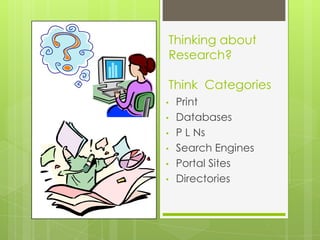
Thinking about
Research?

Think Categories
•   Print
•   Databases
•   P L Ns
•   Search Engines
•   Portal Sites
•   Directories
Print      Books, primary
           documents,
Material   magazines,
           pamphlets, and
           DVDs
           •   Library
           •   Bookstores
           •   Online journals
           •   Articles
           •   Museums
           •   Grandma’s Attic!
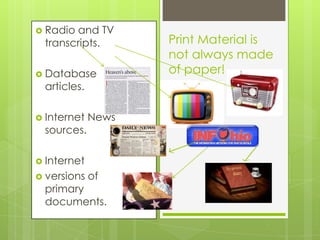
 Radioand TV
 transcripts.       Print Material is
                    not always made
 Database          of paper!
 articles.

 Internet   News
 sources.

 Internet
 versions   of
 primary
 documents.
Database
Research
•   What is it?
•   Why use it?
What is a Database?

Topically organized data   from
Peer Reviewed Journal Collections in   a
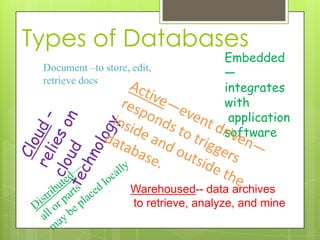
Types of Databases
                                       Embedded
 Document –to store, edit,
                                       —
 retrieve docs
                                       integrates
                                       with
                                        application
                                       software


                     Warehoused-- data archives
                     to retrieve, analyze, and mine
Why choose
Databases?
•   Valid
•   Accurate
•   Relevant
•   High Quality
•   Reliable
•   Standardized
•   Convenient
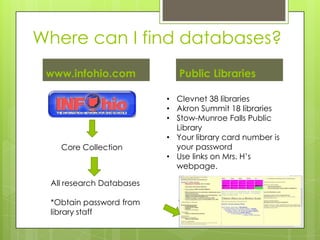
Where can I find databases?
 www.infohio.com             Public Libraries

                          • Clevnet 38 libraries
                          • Akron Summit 18 libraries
                          • Stow-Munroe Falls Public
                            Library
                          • Your library card number is
   Core Collection          your password
                          • Use links on Mrs. H’s
                            webpage.

 All research Databases

 *Obtain password from
 library staff
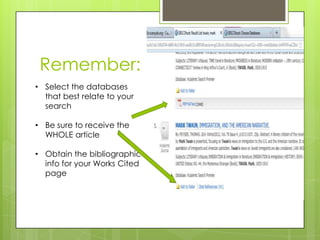
Remember:
• Select the databases
  that best relate to your
  search

• Be sure to receive the
  WHOLE article

• Obtain the bibliographic
  info for your Works Cited
  page
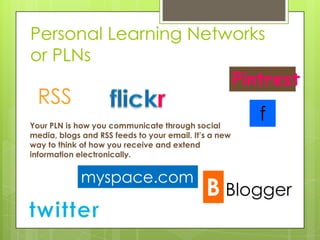
Personal Learning Networks
or PLNs
                      Pintrest
  RSS
Your PLN is how you communicate through social
                                                       f
media, blogs and RSS feeds to your email. It’s a new
way to think of how you receive and extend
information electronically.


             myspace.com
                                                  Blogger
RSS Feeds


        Set up an RSS feed to your email of e-
        journal or news sources appropriate for
        current information in your field of interest.

         Click on the RSS icon on the news source
        to discover how to set up regular feeds on
        specific topics.
Blogs-- Participate in blogs in your areas of
interest.
1. Type your area of interest followed by the word 'blog' in a Google
search engine. Look at the URLs of results and find the blogs.
Investigate.

2. In Google, click on the 'more' drop down, then the 'even more' drop
down. Scroll down to 'specialized searches' and click on the blog icon.
Type in your area of interest and explore the blogs titles that come up.
Just go with one or two to begin with!

3. Consider creating your own blog for others interested in
communicating and learning in the area of your interest.

             Google                    Blogger                Blogger
  Blogger
                              Google             Google

 Google     Blogger
                                    Google                     Google
In-the-
Know
      Contact experts in your area of
      interest: Authors of database
      articles, books, sometimes even
      blogs. Professionals in the field.


                 check
                 bylines
Social Networking
         Consider setting up a

               group
               who talks
        and shares photos about

            your topic
            of interest on the
        social media platform(s)
                you use.
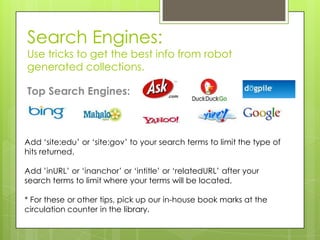
Search Engines:
Use tricks to get the best info from robot
generated collections.

Top Search Engines:


Add ‘site:edu’ or ‘site:gov’ to your search terms to limit the type of
hits returned.

Add ’inURL’ or ‘inanchor’ or ‘intitle’ or ‘relatedURL’ after your
search terms to limit where your terms will be located.

* For these or other tips, pick up our in-house book marks at the
circulation counter in the library.
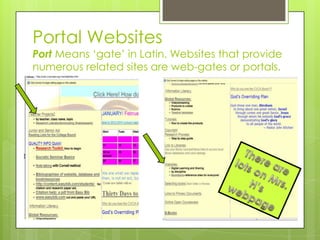
Portal Websites
Port Means ‘gate’ in Latin. Websites that provide
numerous related sites are web-gates or portals.
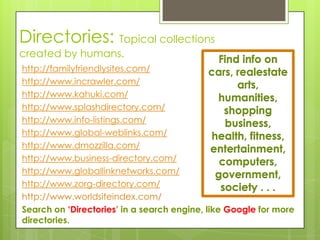
Directories: Topical collections
created by humans.
                                            Find info on
http://familyfriendlysites.com/            cars, realestate
http://www.incrawler.com/                        arts,
http://www.kahuki.com/                      humanities,
http://www.splashdirectory.com/               shopping
http://www.info-listings.com/                 business,
http://www.global-weblinks.com/            health, fitness,
http://www.dmozzilla.com/                  entertainment,
http://www.business-directory.com/           computers,
http://www.globallinknetworks.com/          government,
http://www.zorg-directory.com/               society . . .
http://www.worldsiteindex.com/
Search on ‘Directories’ in a search engine, like Google for more
directories.
Print and Media
Databases
PLNs--Personal Learning Networks
Search Engines
Portal sites
Directories

Thinking about research

  • 1.
    Thinking about Research? Think Categories • Print • Databases • P L Ns • Search Engines • Portal Sites • Directories
  • 2.
    Print Books, primary documents, Material magazines, pamphlets, and DVDs • Library • Bookstores • Online journals • Articles • Museums • Grandma’s Attic!
  • 3.
     Radioand TV transcripts. Print Material is not always made  Database of paper! articles.  Internet News sources.  Internet  versions of primary documents.
  • 4.
    Database Research • What is it? • Why use it?
  • 5.
    What is aDatabase? Topically organized data from Peer Reviewed Journal Collections in a
  • 6.
    Types of Databases Embedded Document –to store, edit, — retrieve docs integrates with application software Warehoused-- data archives to retrieve, analyze, and mine
  • 7.
    Why choose Databases? • Valid • Accurate • Relevant • High Quality • Reliable • Standardized • Convenient
  • 8.
    Where can Ifind databases? www.infohio.com Public Libraries • Clevnet 38 libraries • Akron Summit 18 libraries • Stow-Munroe Falls Public Library • Your library card number is Core Collection your password • Use links on Mrs. H’s webpage. All research Databases *Obtain password from library staff
  • 9.
    Remember: • Select thedatabases that best relate to your search • Be sure to receive the WHOLE article • Obtain the bibliographic info for your Works Cited page
  • 10.
    Personal Learning Networks orPLNs Pintrest RSS Your PLN is how you communicate through social f media, blogs and RSS feeds to your email. It’s a new way to think of how you receive and extend information electronically. myspace.com Blogger
  • 11.
    RSS Feeds Set up an RSS feed to your email of e- journal or news sources appropriate for current information in your field of interest. Click on the RSS icon on the news source to discover how to set up regular feeds on specific topics.
  • 12.
    Blogs-- Participate inblogs in your areas of interest. 1. Type your area of interest followed by the word 'blog' in a Google search engine. Look at the URLs of results and find the blogs. Investigate. 2. In Google, click on the 'more' drop down, then the 'even more' drop down. Scroll down to 'specialized searches' and click on the blog icon. Type in your area of interest and explore the blogs titles that come up. Just go with one or two to begin with! 3. Consider creating your own blog for others interested in communicating and learning in the area of your interest. Google Blogger Blogger Blogger Google Google Google Blogger Google Google
  • 13.
    In-the- Know Contact experts in your area of interest: Authors of database articles, books, sometimes even blogs. Professionals in the field. check bylines
  • 14.
    Social Networking Consider setting up a group who talks and shares photos about your topic of interest on the social media platform(s) you use.
  • 15.
    Search Engines: Use tricksto get the best info from robot generated collections. Top Search Engines: Add ‘site:edu’ or ‘site:gov’ to your search terms to limit the type of hits returned. Add ’inURL’ or ‘inanchor’ or ‘intitle’ or ‘relatedURL’ after your search terms to limit where your terms will be located. * For these or other tips, pick up our in-house book marks at the circulation counter in the library.
  • 16.
    Portal Websites Port Means‘gate’ in Latin. Websites that provide numerous related sites are web-gates or portals.
  • 17.
    Directories: Topical collections createdby humans. Find info on http://familyfriendlysites.com/ cars, realestate http://www.incrawler.com/ arts, http://www.kahuki.com/ humanities, http://www.splashdirectory.com/ shopping http://www.info-listings.com/ business, http://www.global-weblinks.com/ health, fitness, http://www.dmozzilla.com/ entertainment, http://www.business-directory.com/ computers, http://www.globallinknetworks.com/ government, http://www.zorg-directory.com/ society . . . http://www.worldsiteindex.com/ Search on ‘Directories’ in a search engine, like Google for more directories.
  • 18.
    Print and Media Databases PLNs--PersonalLearning Networks Search Engines Portal sites Directories