Introduction to Research for
Civil Engineering
Using the Library Resource Centre


                                    Melanie Parlette, BA, MLIS
                                    Program Liaison
                                    January 2013
I AM . . .
Melanie Parlette
LRC Program Liaison
School of Engineering and Information Technology


Email:mparlette@conestogac.on.ca
Twitter: @ConestogaLib_MP
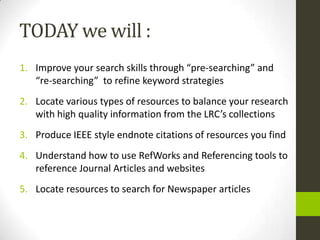
TODAY we will :
1. Improve your search skills through “pre-searching” and
   “re-searching” to refine keyword strategies
2. Locate various types of resources to balance your research
   with high quality information from the LRC’s collections
3. Produce IEEE style endnote citations of resources you find
4. Understand how to use RefWorks and Referencing tools to
   reference Journal Articles and websites
5. Locate resources to search for Newspaper articles
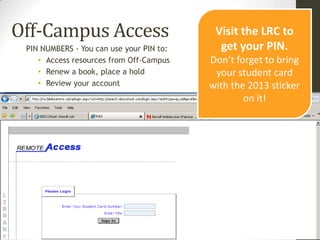
Off-Campus Access                          Visit the LRC to
 PIN NUMBERS - You can use your PIN to:     get your PIN.
    • Access resources from Off-Campus    Don’t forget to bring
    • Renew a book, place a hold           your student card
    • Review your account                 with the 2013 sticker
                                                  on it!
Today’s Research Topic is….

What environmental risks are
involved with petroleum
pipelines?
Pre-Searching:
Thinking About Your Search
• What are the keywords or phrases in the
  question that you would use in your search?

• Also think of synonyms and related terms….
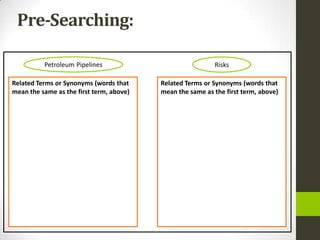
Pre-Searching:

          Petroleum Pipelines                              Risks

Related Terms or Synonyms (words that     Related Terms or Synonyms (words that
mean the same as the first term, above)   mean the same as the first term, above)
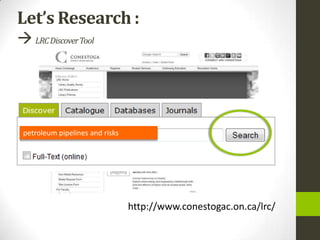
Let’s Research :
 LRC Discover Tool


 petroleum pipelines and risks


                                 http://www.conestogac.on.ca/lrc/
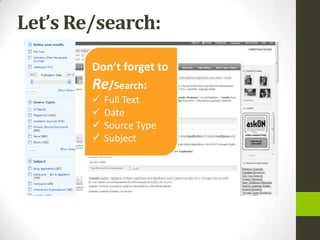
Let’s Re/search:

        Don’t forget to
        Re/Search:
           Full Text
           Date
           Source Type
           Subject
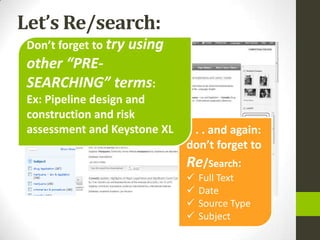
Let’s Re/search:
 Don’t forget to try using
 other “PRE-
 SEARCHING” terms:
 Ex: Pipeline design and
 construction and risk
 assessment and Keystone XL   . . . and again:
                              don’t forget to
                              Re/Search:
                                 Full Text
                                 Date
                                 Source Type
                                 Subject
Citing our Sources
It's important to cite sources you used in your research for several
reasons:
 To show your reader you've done proper research by listing
   sources you used to get your information
 To be a responsible scholar by giving credit to other
   researchers and acknowledging their ideas
 To avoid plagiarism by quoting words and ideas used by
   other authors
 To allow your reader to track down the sources you used by
   citing them accurately in your paper by way of footnotes, a
   bibliography or reference list
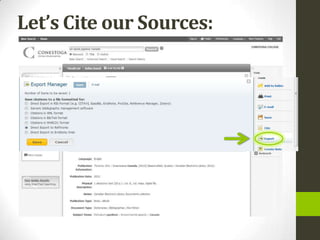
Let’s Cite our Sources:
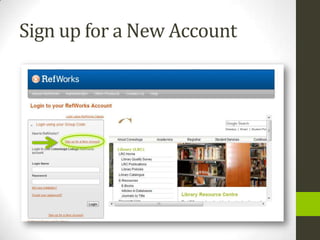
Sign up for a New Account
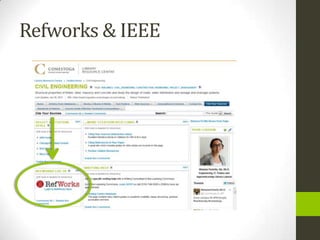
Refworks & IEEE
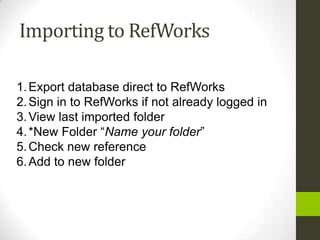
Importing to RefWorks

1. Export database direct to RefWorks
2. Sign in to RefWorks if not already logged in
3. View last imported folder
4. *New Folder “Name your folder”
5. Check new reference
6. Add to new folder
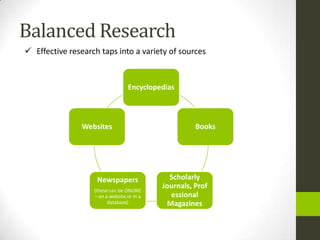
Balanced Research
 Effective research taps into a variety of sources


                                  Encyclopedias


                Websites                              Books


                    Newspapers                Scholarly
                   (these can be ONLINE
                                            Journals, Prof
                   – on a website or in a      essional
                         database)            Magazines
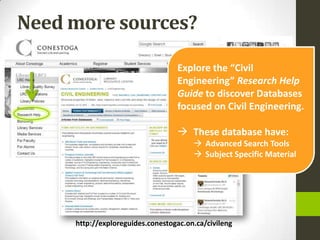
Need more sources?

                                  Explore the “Civil
                                  Engineering” Research Help
                                  Guide to discover Databases
                                  focused on Civil Engineering.

                                   These database have:
                                        Advanced Search Tools
                                        Subject Specific Material


     http://exploreguides.conestogac.on.ca/civileng
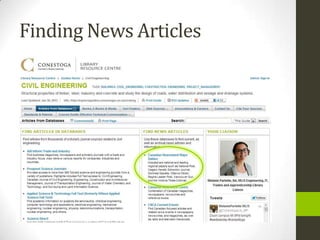
Finding News Articles
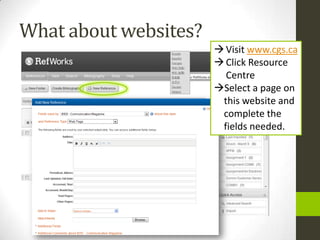
What about websites?
                        Visit www.cgs.ca
                        Click Resource
                         Centre
                       Select a page on
                        this website and
                        complete the
                        fields needed.
Creating a Works Cited
• Click “Create a bibliography”
• Select Output style manager
• Select “IEEE Communication Magazine”
(found under Conestoga College Specific) as
Output Style
• File Type “Word for Windows”
• References to include “Folder Name”
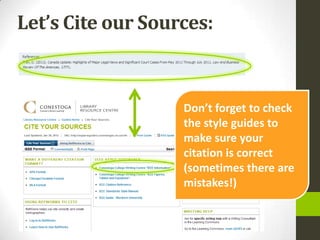
Let’s Cite our Sources:


                   Don’t forget to check
                   the style guides to
                   make sure your
                   citation is correct
                   (sometimes there are
                   mistakes!)
Summary
Researching using the LRC
  Use Discovery Search first
    www.conestogac.on.ca/lrc


  After that, try a relevant Research Help guide for links to even more
   resources to search
    http://exploreguides.conestogac.on.ca/civileng


  Use the “Cite” feature in each database
    Remember no “citation generator’ is ever perfect
    Check it manually using the Writing Centre’s resources for IEEE.
    www.conestogac.on.ca/learningcommons/resources/writing.jsp
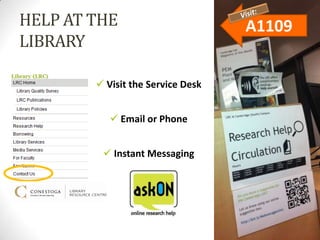
HELP AT THE                        A1109
LIBRARY

         Visit the Service Desk


            Email or Phone


          Instant Messaging

COMM1180 - Civil Engineering (Mitchell) Jan 2013

  • 1.
    Introduction to Researchfor Civil Engineering Using the Library Resource Centre Melanie Parlette, BA, MLIS Program Liaison January 2013
  • 2.
    I AM .. . Melanie Parlette LRC Program Liaison School of Engineering and Information Technology Email:mparlette@conestogac.on.ca Twitter: @ConestogaLib_MP
  • 3.
    TODAY we will: 1. Improve your search skills through “pre-searching” and “re-searching” to refine keyword strategies 2. Locate various types of resources to balance your research with high quality information from the LRC’s collections 3. Produce IEEE style endnote citations of resources you find 4. Understand how to use RefWorks and Referencing tools to reference Journal Articles and websites 5. Locate resources to search for Newspaper articles
  • 4.
    Off-Campus Access Visit the LRC to PIN NUMBERS - You can use your PIN to: get your PIN. • Access resources from Off-Campus Don’t forget to bring • Renew a book, place a hold your student card • Review your account with the 2013 sticker on it!
  • 5.
    Today’s Research Topicis…. What environmental risks are involved with petroleum pipelines?
  • 6.
    Pre-Searching: Thinking About YourSearch • What are the keywords or phrases in the question that you would use in your search? • Also think of synonyms and related terms….
  • 7.
    Pre-Searching: Petroleum Pipelines Risks Related Terms or Synonyms (words that Related Terms or Synonyms (words that mean the same as the first term, above) mean the same as the first term, above)
  • 8.
    Let’s Research : LRC Discover Tool petroleum pipelines and risks http://www.conestogac.on.ca/lrc/
  • 9.
    Let’s Re/search: Don’t forget to Re/Search:  Full Text  Date  Source Type  Subject
  • 10.
    Let’s Re/search: Don’tforget to try using other “PRE- SEARCHING” terms: Ex: Pipeline design and construction and risk assessment and Keystone XL . . . and again: don’t forget to Re/Search:  Full Text  Date  Source Type  Subject
  • 11.
    Citing our Sources It'simportant to cite sources you used in your research for several reasons:  To show your reader you've done proper research by listing sources you used to get your information  To be a responsible scholar by giving credit to other researchers and acknowledging their ideas  To avoid plagiarism by quoting words and ideas used by other authors  To allow your reader to track down the sources you used by citing them accurately in your paper by way of footnotes, a bibliography or reference list
  • 12.
  • 13.
    Sign up fora New Account
  • 14.
  • 15.
    Importing to RefWorks 1.Export database direct to RefWorks 2. Sign in to RefWorks if not already logged in 3. View last imported folder 4. *New Folder “Name your folder” 5. Check new reference 6. Add to new folder
  • 16.
    Balanced Research  Effectiveresearch taps into a variety of sources Encyclopedias Websites Books Newspapers Scholarly (these can be ONLINE Journals, Prof – on a website or in a essional database) Magazines
  • 17.
    Need more sources? Explore the “Civil Engineering” Research Help Guide to discover Databases focused on Civil Engineering.  These database have:  Advanced Search Tools  Subject Specific Material http://exploreguides.conestogac.on.ca/civileng
  • 18.
  • 19.
    What about websites?  Visit www.cgs.ca  Click Resource Centre Select a page on this website and complete the fields needed.
  • 20.
    Creating a WorksCited • Click “Create a bibliography” • Select Output style manager • Select “IEEE Communication Magazine” (found under Conestoga College Specific) as Output Style • File Type “Word for Windows” • References to include “Folder Name”
  • 21.
    Let’s Cite ourSources: Don’t forget to check the style guides to make sure your citation is correct (sometimes there are mistakes!)
  • 22.
    Summary Researching using theLRC  Use Discovery Search first  www.conestogac.on.ca/lrc  After that, try a relevant Research Help guide for links to even more resources to search  http://exploreguides.conestogac.on.ca/civileng  Use the “Cite” feature in each database  Remember no “citation generator’ is ever perfect  Check it manually using the Writing Centre’s resources for IEEE.  www.conestogac.on.ca/learningcommons/resources/writing.jsp
  • 23.
    HELP AT THE A1109 LIBRARY  Visit the Service Desk  Email or Phone  Instant Messaging

Editor's Notes

  • #3 How you can help them and how they can find you – leads into the ISEMP introduction
  • #4 By listening and participating actively in today’s workshop, you’ll vastly improve your skills in information seeking, which will help improve your grades and help you to success in your academic career.
  • #5 Student ID and PIN overview
  • #8 Petroleum Pipelines: Petroleum industryGas IndustryEnergy IndustryNatural GasPipelinesEnergy PolicyInfrastructureDesign and ConstructionRisks:SafetyIndustrial SafetyEnvironmental LawConservation LawNatural ResourcesCorporate ProfitsPricesRisk AssessmentEnvironmentally Sensitive AreasPollutionEnvironmental Disaster
  • #12 Discuss the above as the two principle ways to find information through the library.Direct students to go the LRC homepage to get started. Proceed with search examples without additional slides.
  • #24 This page links to the Contact Us page by clicking on the screen shot of Contact Us.