www.winsmarts.com
contact@winsmarts.com
Azure AD for developers
The missing key
sahilmalik@winsmarts.com | @sahilmalik
www.winsmarts.com
contact@winsmarts.com
Obligatory about me slide ..
• Twitter: @sahilmalik
• Hands on developer!
• C#, SP, O365, JS, TS, Cordova, Electron, iOS, Android, etc.
• Worked in 18 countries, 5 continents.
• Author of 20+ books, videos, trainings, etc. etc.
• MVP for 15ish years.
• C#, SharePoint, Office365
• Office Servers and Services, Visual Studio and Development Technologies
www.winsmarts.com
contact@winsmarts.com
What am I doing here?
• Two sessions,
• This session: Where I put AzureAD and O365 dev in perspective, a lay of the
land. And end with a demo.
• Another session: Where is more hands on, where we do stuff with TypeScript
and Office365. Pretty cool stuff!
• So lets get started!!
www.winsmarts.com
contact@winsmarts.com
Disclaimer
• I do not work for Microsoft
• All opinions presented here, are mine
www.winsmarts.com
contact@winsmarts.com
The state of dev in Office365
• Where does AzureAD fit in?
www.winsmarts.com
contact@winsmarts.com
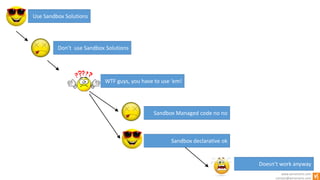
Use Sandbox Solutions
Don’t use Sandbox Solutions
WTF guys, you have to use ‘em!
Sandbox Managed code no no
Sandbox declarative ok
Doesn’t work anyway
www.winsmarts.com
contact@winsmarts.com
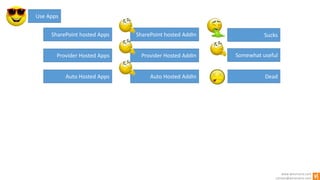
SharePoint hosted Apps
Provider Hosted Apps
Auto Hosted Apps
Use Apps
SharePoint hosted AddIn
Provider Hosted AddIn
Auto Hosted AddIn Dead
Sucks
Somewhat useful
www.winsmarts.com
contact@winsmarts.com
SharePoint hosted apps
• Poor upgrade story
• Limited capability on what they can actually do
• Requires wildcard redirect URI
• IFrame app parts, use querystrings, which can interfere with your logic
• ClientWebPart’s editor area is extremely limited
• Branding is hard
• UX is hard (resizing, deep linking etc.)
• Non-standard CORS
• Etc.
www.winsmarts.com
contact@winsmarts.com
Provider hosted apps
• More complex setup (but not terrible)
• Still uses ACS based tokens, but hopefully we will see Azure AD based
tokens
• Different on-prem and O365.
• Can tap into REST and CSOM
www.winsmarts.com
contact@winsmarts.com
Enter Azure AD
www.winsmarts.com
contact@winsmarts.com
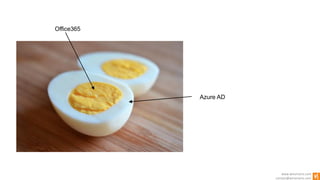
Office365
Azure AD
www.winsmarts.com
contact@winsmarts.com
Azure AD
• .. Is not a replacement for your on prem AD
• Protects Office 365 resources
• Anything you access from the browser as a user
• Anything you access from a program using the API
• Can federate authentication to standards based identity providers
www.winsmarts.com
contact@winsmarts.com
So what does Office 365 have?
• Mail
• Calendar
• Skype4B
• Oh and SharePoint..
• .. So much more!
• So it needs APIs.
www.winsmarts.com
contact@winsmarts.com
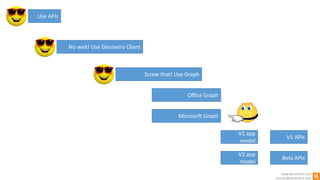
Use APIs
No wait! Use Discovery Client
Screw that! Use Graph
Office Graph
Microsoft Graph
V1 app
model
V2 app
model
V1 APIs
Beta APIs
www.winsmarts.com
contact@winsmarts.com
So what APIs do we have?
• Well there is the v1 app model
• Then there is a v2 app model
• And there is the v1 APIs
• And there are v2 APIs, which is not the same as the v2 app model
www.winsmarts.com
contact@winsmarts.com
IS IT CLEAR YET!?
www.winsmarts.com
contact@winsmarts.com
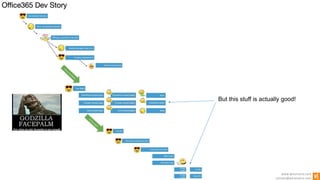
But this stuff is actually good!
www.winsmarts.com
contact@winsmarts.com
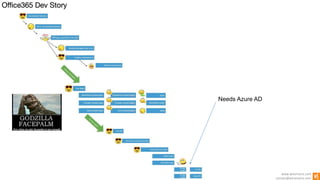
Needs Azure AD
www.winsmarts.com
contact@winsmarts.com
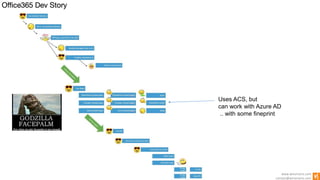
Uses ACS, but
can work with Azure AD
.. with some fineprint
www.winsmarts.com
contact@winsmarts.com
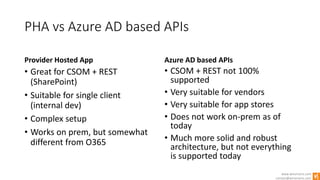
PHA vs Azure AD based APIs
Provider Hosted App
• Great for CSOM + REST
(SharePoint)
• Suitable for single client
(internal dev)
• Complex setup
• Works on prem, but somewhat
different from O365
Azure AD based APIs
• CSOM + REST not 100%
supported
• Very suitable for vendors
• Very suitable for app stores
• Does not work on-prem as of
today
• Much more solid and robust
architecture, but not everything
is supported today
www.winsmarts.com
contact@winsmarts.com
APIs (v1 and v2)
… these slides are green
www.winsmarts.com
contact@winsmarts.com
What APIs are available today?
What APIs are coming later?
www.winsmarts.com
contact@winsmarts.com
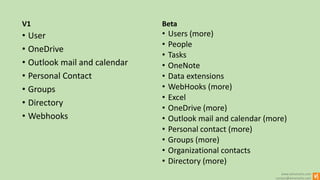
V1
• User
• OneDrive
• Outlook mail and calendar
• Personal Contact
• Groups
• Directory
• Webhooks
Beta
• Users (more)
• People
• Tasks
• OneNote
• Data extensions
• WebHooks (more)
• Excel
• OneDrive (more)
• Outlook mail and calendar (more)
• Personal contact (more)
• Groups (more)
• Organizational contacts
• Directory (more)
www.winsmarts.com
contact@winsmarts.com
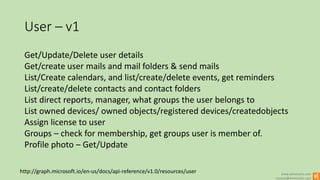
User – v1
Get/Update/Delete user details
Get/create user mails and mail folders & send mails
List/Create calendars, and list/create/delete events, get reminders
List/create/delete contacts and contact folders
List direct reports, manager, what groups the user belongs to
List owned devices/ owned objects/registered devices/createdobjects
Assign license to user
Groups – check for membership, get groups user is member of.
Profile photo – Get/Update
http://graph.microsoft.io/en-us/docs/api-reference/v1.0/resources/user
www.winsmarts.com
contact@winsmarts.com
User – Beta
Find Meeting Times
Get and Update auto reply settings
http://graph.microsoft.io/en-us/docs/api-reference/beta/resources/user
www.winsmarts.com
contact@winsmarts.com
OneDrive – v1
• Get current user or another
user’s drive
• Get root folder of drive
• List items or changes in drive
• Search items in a drive
• List children of a drive item
• Get recent files
• Get shared with me
• Get special folders
http://graph.microsoft.io/en-us/docs/api-reference/v1.0/resources/drive
• Drive item –
get/create/delete/update, get
children, download content
• Copy and Move item
• Search Items
• Find changes (for this item and
it’s children)
• List thumbnails
• Create sharing link
• Add/List/Delete permissions
www.winsmarts.com
contact@winsmarts.com
OneDrive – v2
http://graph.microsoft.io/en-us/docs/api-reference/beta/resources/drive
• I can’t tell any differences 
www.winsmarts.com
contact@winsmarts.com
Outlook Mail – v1
http://graph.microsoft.io/en-us/docs/api-reference/v1.0/resources/message
• Get/Update/Delete/Copy a mail
• List/Create attachments
• Forward/Reply/ReplyAll
• Send
• Get/Create/List mail folders
• Create/List messages in a mail
folder
• Update/Delete/Copy/Move a
mail folder
• Get attachments of
• Event
• Mail
• Post
• Delete attachment
• Get contents of an attachment
www.winsmarts.com
contact@winsmarts.com
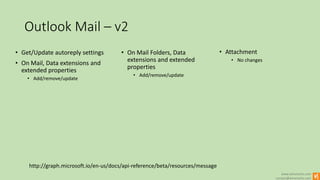
Outlook Mail – v2
http://graph.microsoft.io/en-us/docs/api-reference/beta/resources/message
• Get/Update autoreply settings
• On Mail, Data extensions and
extended properties
• Add/remove/update
• On Mail Folders, Data
extensions and extended
properties
• Add/remove/update
• Attachment
• No changes
www.winsmarts.com
contact@winsmarts.com
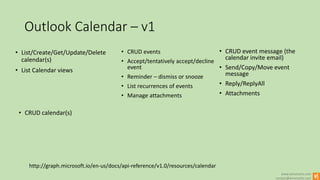
Outlook Calendar – v1
http://graph.microsoft.io/en-us/docs/api-reference/v1.0/resources/calendar
• List/Create/Get/Update/Delete
calendar(s)
• List Calendar views
• CRUD events
• Accept/tentatively accept/decline
event
• Reminder – dismiss or snooze
• List recurrences of events
• Manage attachments
• CRUD event message (the
calendar invite email)
• Send/Copy/Move event
message
• Reply/ReplyAll
• Attachments
• CRUD calendar(s)
www.winsmarts.com
contact@winsmarts.com
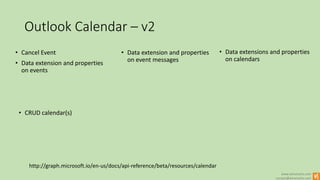
Outlook Calendar – v2
http://graph.microsoft.io/en-us/docs/api-reference/beta/resources/calendar
• Cancel Event
• Data extension and properties
on events
• Data extension and properties
on event messages
• Data extensions and properties
on calendars
• CRUD calendar(s)
www.winsmarts.com
contact@winsmarts.com
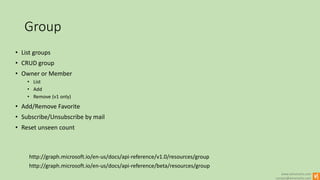
Group
http://graph.microsoft.io/en-us/docs/api-reference/beta/resources/group
• List groups
• CRUD group
• Owner or Member
• List
• Add
• Remove (v1 only)
• Add/Remove Favorite
• Subscribe/Unsubscribe by mail
• Reset unseen count
http://graph.microsoft.io/en-us/docs/api-reference/v1.0/resources/group
www.winsmarts.com
contact@winsmarts.com
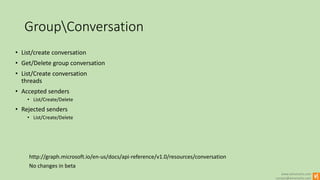
GroupConversation
No changes in beta
• List/create conversation
• Get/Delete group conversation
• List/Create conversation
threads
• Accepted senders
• List/Create/Delete
• Rejected senders
• List/Create/Delete
http://graph.microsoft.io/en-us/docs/api-reference/v1.0/resources/conversation
www.winsmarts.com
contact@winsmarts.com
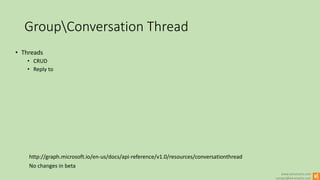
GroupConversation Thread
No changes in beta
• Threads
• CRUD
• Reply to
http://graph.microsoft.io/en-us/docs/api-reference/v1.0/resources/conversationthread
www.winsmarts.com
contact@winsmarts.com
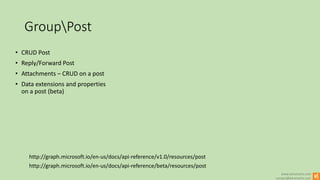
GroupPost
http://graph.microsoft.io/en-us/docs/api-reference/beta/resources/post
• CRUD Post
• Reply/Forward Post
• Attachments – CRUD on a post
• Data extensions and properties
on a post (beta)
http://graph.microsoft.io/en-us/docs/api-reference/v1.0/resources/post
www.winsmarts.com
contact@winsmarts.com
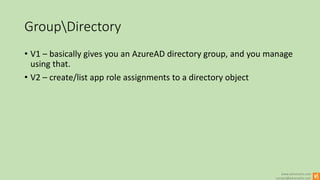
GroupDirectory
• V1 – basically gives you an AzureAD directory group, and you manage
using that.
• V2 – create/list app role assignments to a directory object
www.winsmarts.com
contact@winsmarts.com
Group v2 stuff only
• Get plan(s) for the group – only one plan can be associated with a
group today.
• Manage notes
www.winsmarts.com
contact@winsmarts.com
V2 only – Organizational contacts
• CRUD contact
• CRUD group
• Org Hierarchy
• Get Directory object
www.winsmarts.com
contact@winsmarts.com
V2 only – OneNote
• CRUD
• Notes
• Notebooks
• Sections
• Section Groups
• Pages
• Resources on a page
www.winsmarts.com
contact@winsmarts.com
V2 only – Excel
• Basically excel services REST API but now online
www.winsmarts.com
contact@winsmarts.com
App Model (v1 and v2)
.. These slides are blue
www.winsmarts.com
contact@winsmarts.com
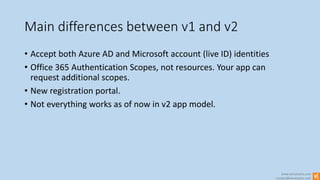
Main differences between v1 and v2
• Accept both Azure AD and Microsoft account (live ID) identities
• Office 365 Authentication Scopes, not resources. Your app can
request additional scopes.
• New registration portal.
• Not everything works as of now in v2 app model.
www.winsmarts.com
contact@winsmarts.com
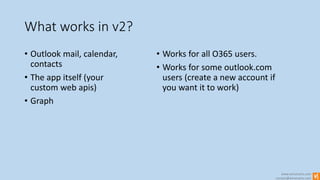
What works in v2?
• Outlook mail, calendar,
contacts
• The app itself (your
custom web apis)
• Graph
• Works for all O365 users.
• Works for some outlook.com
users (create a new account if
you want it to work)
www.winsmarts.com
contact@winsmarts.com
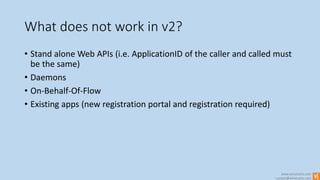
What does not work in v2?
• Stand alone Web APIs (i.e. ApplicationID of the caller and called must
be the same)
• Daemons
• On-Behalf-Of-Flow
• Existing apps (new registration portal and registration required)
www.winsmarts.com
contact@winsmarts.com
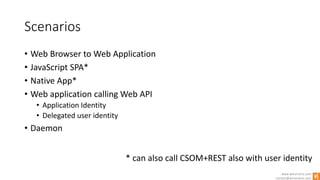
Scenarios
• Web Browser to Web Application
• JavaScript SPA*
• Native App*
• Web application calling Web API
• Application Identity
• Delegated user identity
• Daemon
* can also call CSOM+REST also with user identity
www.winsmarts.com
contact@winsmarts.com
DEMO TIME!!

The missing key: Azure AD for developers