Building Intelligent Apps
using Microsoft Graph
Roy Sheinfeld, Co-founder and CTO, harmon.ie – ESPC 16’
2
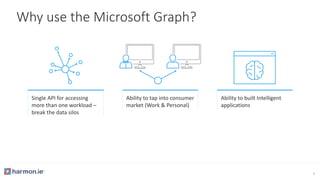
Why use the Microsoft Graph?
Single API for accessing
more than one workload –
break the data silos
Ability to tap into consumer
market (Work & Personal)
Ability to built Intelligent
applications
3
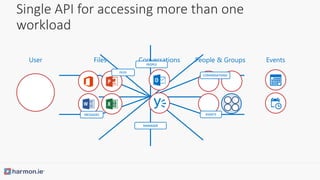
Single API for accessing more than one
workload
User Files Conversations People & Groups Events
MANAGER
CONVERSATIONS
EVENTS
FILES
MESSAGES
PEOPLE
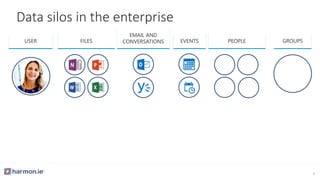
USER FILES
EMAIL AND
CONVERSATIONS PEOPLEEVENTS
Data silos in the enterprise
GROUPS
5
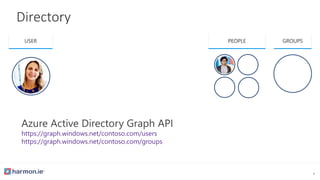
Directory
https://graph.windows.net/contoso.com/users
https://graph.windows.net/contoso.com/groups
USER PEOPLE GROUPS
6
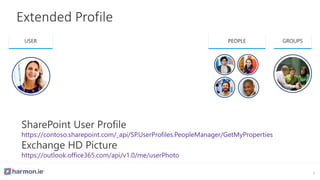
Extended Profile
https://contoso.sharepoint.com/_api/SP.UserProfiles.PeopleManager/GetMyProperties
https://outlook.office365.com/api/v1.0/me/userPhoto
USER PEOPLE GROUPS
7
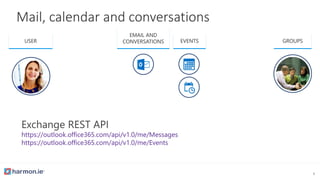
Mail, calendar and conversations
https://outlook.office365.com/api/v1.0/me/Messages
https://outlook.office365.com/api/v1.0/me/Events
USER
EMAIL AND
CONVERSATIONS EVENTS GROUPS
8
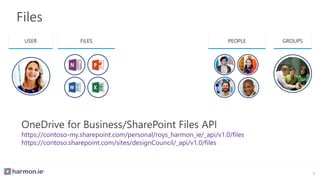
Files
https://contoso-my.sharepoint.com/personal/roys_harmon_ie/_api/v1.0/files
https://contoso.sharepoint.com/sites/designCouncil/_api/v1.0/files
USER FILES PEOPLE GROUPS
9
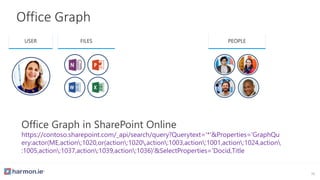
Office Graph
https://contoso.sharepoint.com/_api/search/query?Querytext='*'&Properties='GraphQu
ery:actor(ME,action:1020,or(action:1020,action:1003,action:1001,action:1024,action
:1005,action:1037,action:1039,action:1036)'&SelectProperties='Docid,Title
USER FILES PEOPLE
10
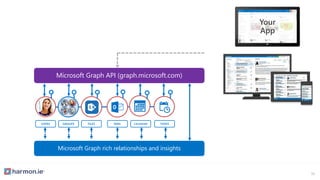
USERS FILES MAIL CALENDAR TASKSGROUPS
Microsoft Graph API (graph.microsoft.com)
Microsoft Graph rich relationships and insights
11
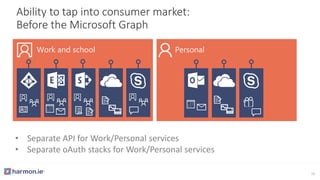
• Separate API for Work/Personal services
• Separate oAuth stacks for Work/Personal services
Ability to tap into consumer market:
Before the Microsoft Graph
Work and school Personal
12
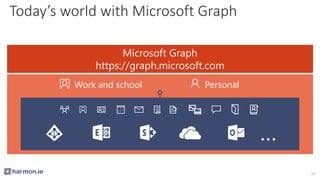
Today’s world with Microsoft Graph
Microsoft Graph
https://graph.microsoft.com
Work and school Personal
…
13
USER
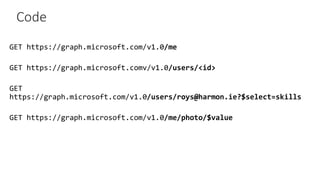
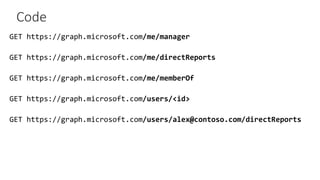
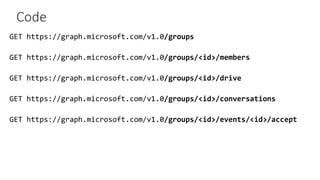
Code
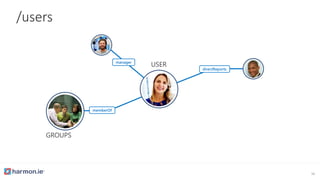
manager
directReports
GROUPS
memberOf
USER
/users
16
Code
manager
directReports
GROUPS
memberOf
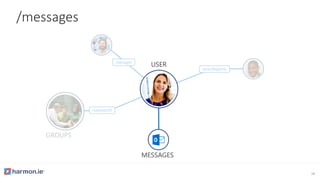
/messages
MESSAGES
USER
18
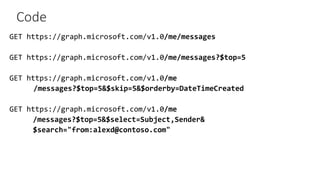
Code
MESSAGES
manager
directReports
GROUPS
memberOf
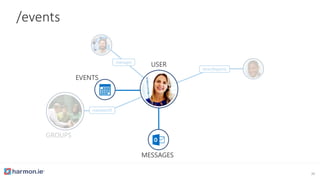
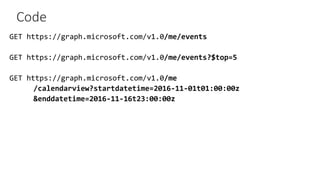
/events
MESSAGES
EVENTS
USER
20
Code
EVENTS
MESSAGES
manager
directReports
GROUPS
memberOf
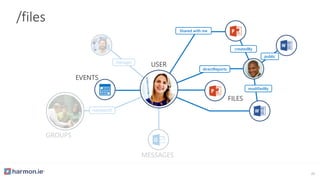
/files
EVENTS
Shared with me
modifiedBy
FILES
createdBy
directReports
USER
public
22
Code
directReports
Shared with me
modifiedBy
FILES
createdBy
directReports
public
EVENTS
MESSAGES
manager
GROUPS
memberOf
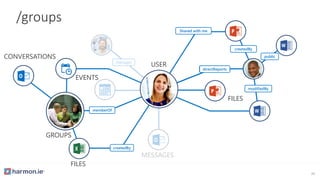
/groups
directReports
Shared with me
modifiedBy
FILES
createdBy
directReports
public
createdBy
FILES
CONVERSATIONS
EVENTS
GROUPS
memberOf
USER
24
Code
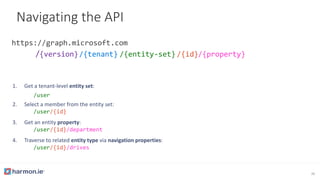
1. Get a tenant-level entity set:
/user
2. Select a member from the entity set:
/user/{id}
3. Get an entity property:
/user/{id}/department
4. Traverse to related entity type via navigation properties:
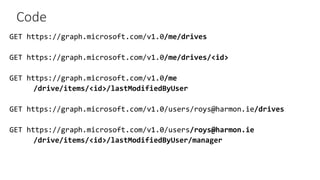
/user/{id}/drives
Navigating the API
/{version}/{tenant} /{entity-set} /{id}/{property}
26
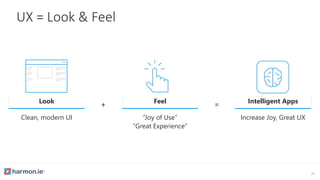
UX = Look & Feel
27
Look
Clean, modern UI
Feel
“Joy of Use”
“Great Experience”
+ = Intelligent Apps
Increase Joy, Great UX
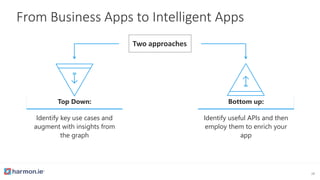
From Business Apps to Intelligent Apps
28
Top Down:
Identify key use cases and
augment with insights from
the graph
Two approaches
Bottom up:
Identify useful APIs and then
employ them to enrich your
app
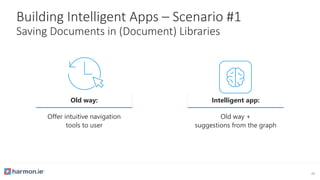
Building Intelligent Apps – Scenario #1
Saving Documents in (Document) Libraries
Old way:
Offer intuitive navigation
tools to user
Intelligent app:
Old way +
suggestions from the graph
29
workingWith
workingWith
createdBy
FILES
CONVERSATIONS
EVENTS
GROUPS
memberOf
directReports
Shared with me
modifiedBy
FILES
createdBy
directReports
public
EVENTS
MESSAGES
manager
GROUPS
memberOf
workingWith
workingWith
recent
trendingAround
directReports
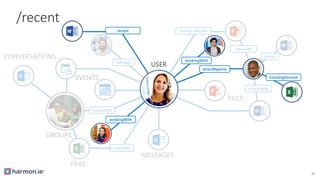
/recent
USER
30
Code
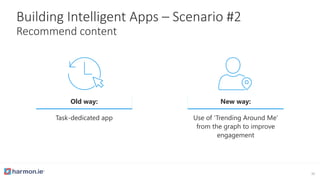
Building Intelligent Apps – Scenario #2
Recommend content
Old way:
Task-dedicated app
New way:
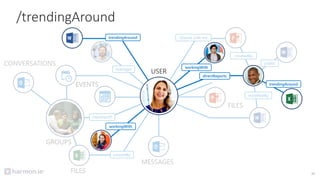
Use of ‘Trending Around Me’
from the graph to improve
engagement
32
workingWith
workingWith
createdBy
FILES
CONVERSATIONS
EVENTS
GROUPS
memberOf
directReports
Shared with me
modifiedBy
FILES
createdBy
directReports
public
EVENTS
MESSAGES
manager
GROUPS
memberOf
workingWith
workingWith
trendingAround
trendingAround
directReports
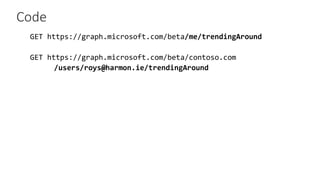
/trendingAround
USER
33
Code
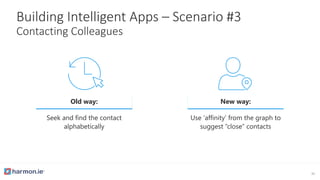
Building Intelligent Apps – Scenario #3
Contacting Colleagues
Old way:
Seek and find the contact
alphabetically
New way:
Use ‘affinity’ from the graph to
suggest “close” contacts
35
createdBy
FILES
CONVERSATIONS
EVENTS
GROUPS
memberOf
directReports
Shared with me
modifiedBy
FILES
createdBy
directReports
public
EVENTS
MESSAGES
manager
GROUPS
memberOf
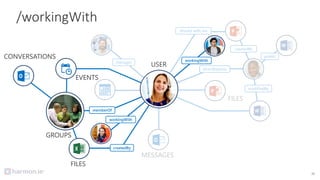
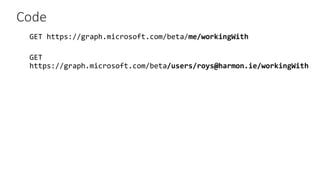
/workingWith
createdBy
FILES
CONVERSATIONS
EVENTS
GROUPS
memberOf
workingWith
workingWith
USER
36
Code
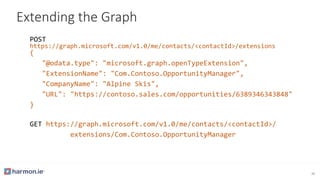
Extending the Graph
https://graph.microsoft.com/v1.0/me/contacts/<contactId>/extensions
{
"@odata.type": "microsoft.graph.openTypeExtension",
"ExtensionName": "Com.Contoso.OpportunityManager",
"CompanyName": "Alpine Skis",
"URL": "https://contoso.sales.com/opportunities/6389346343848"
}
https://graph.microsoft.com/v1.0/me/contacts/<contactId>/
extensions/Com.Contoso.OpportunityManager
38
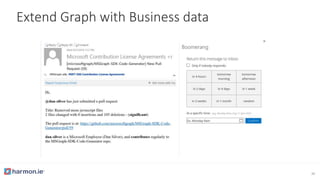
Extend Graph with Business data
39
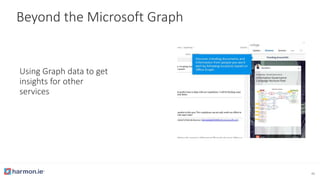
Beyond the Microsoft Graph
Using Graph data to get
insights for other
services
40
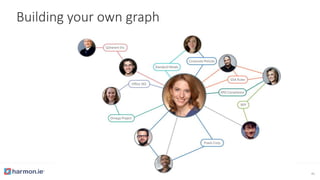
Building your own graph
41
Thank You!
Contact me: @roysheinfeld or roys@harmon.ie

Building Intelligent Apps Using Microsoft Graph