Getting Started with
Office 365 Development
Speaker: Dragan Panjkov
15th November 2014
Host: Matthew Hughes
O365EU Sponsors
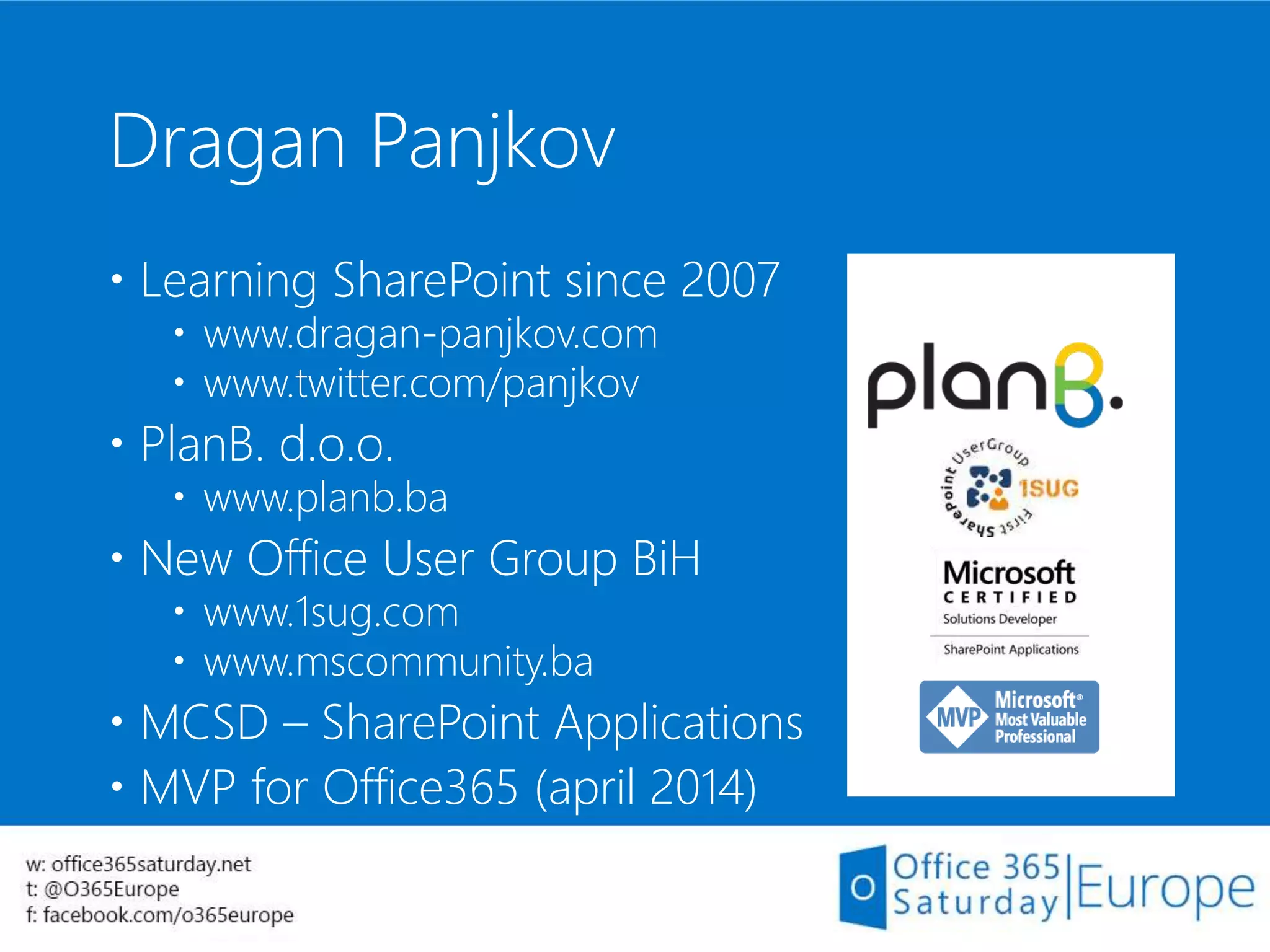
Dragan Panjkov
 Learning SharePoint since 2007
 www.dragan-panjkov.com
 www.twitter.com/panjkov
 PlanB. d.o.o.
 www.planb.ba
 New Office User Group BiH
 www.1sug.com
 www.mscommunity.ba
 MCSD – SharePoint Applications
 MVP for Office365 (april 2014)
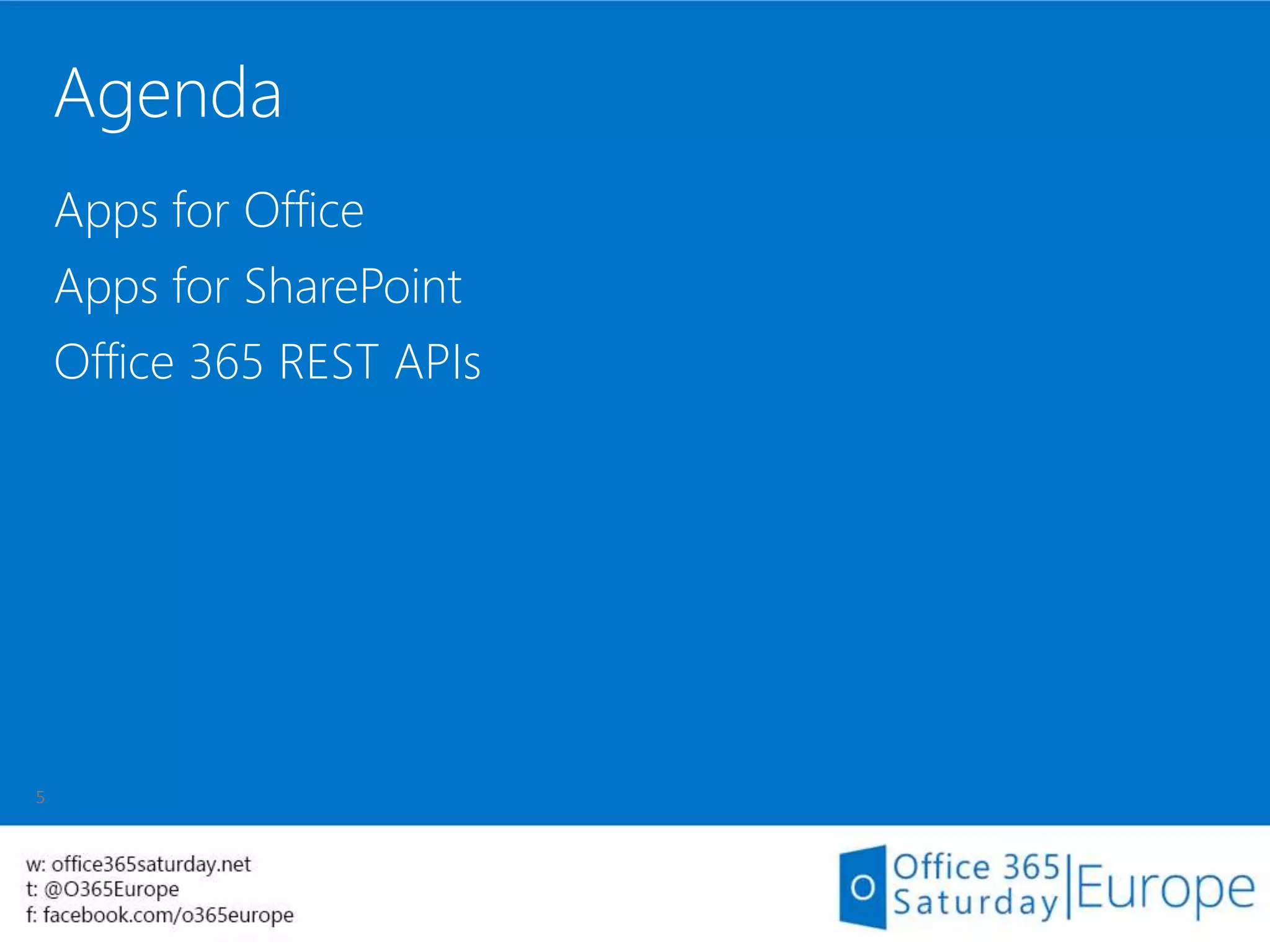
Agenda
Apps for Office
Apps for SharePoint
Office 365 REST APIs
Apps for Office
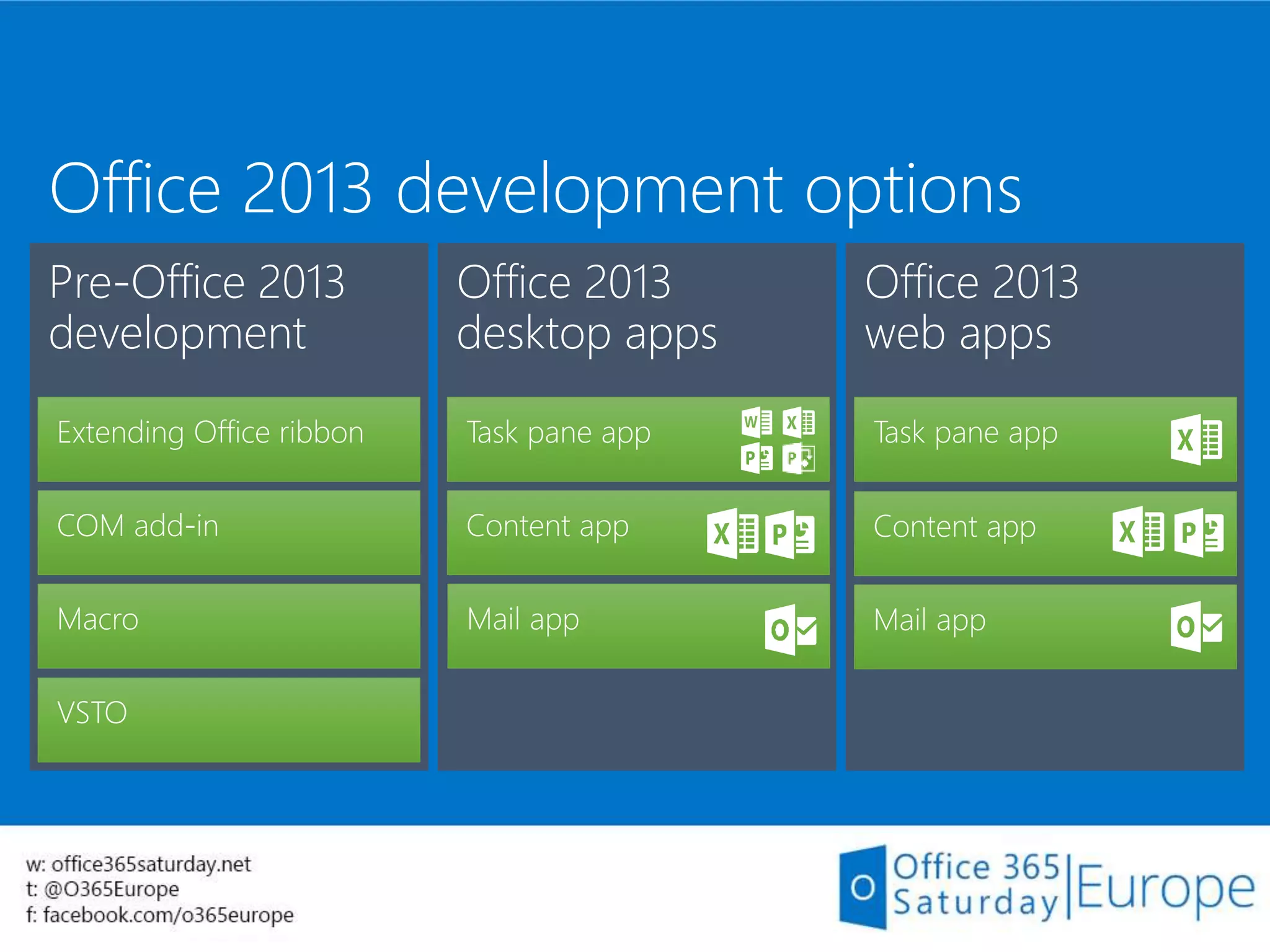
Office 2013 development options
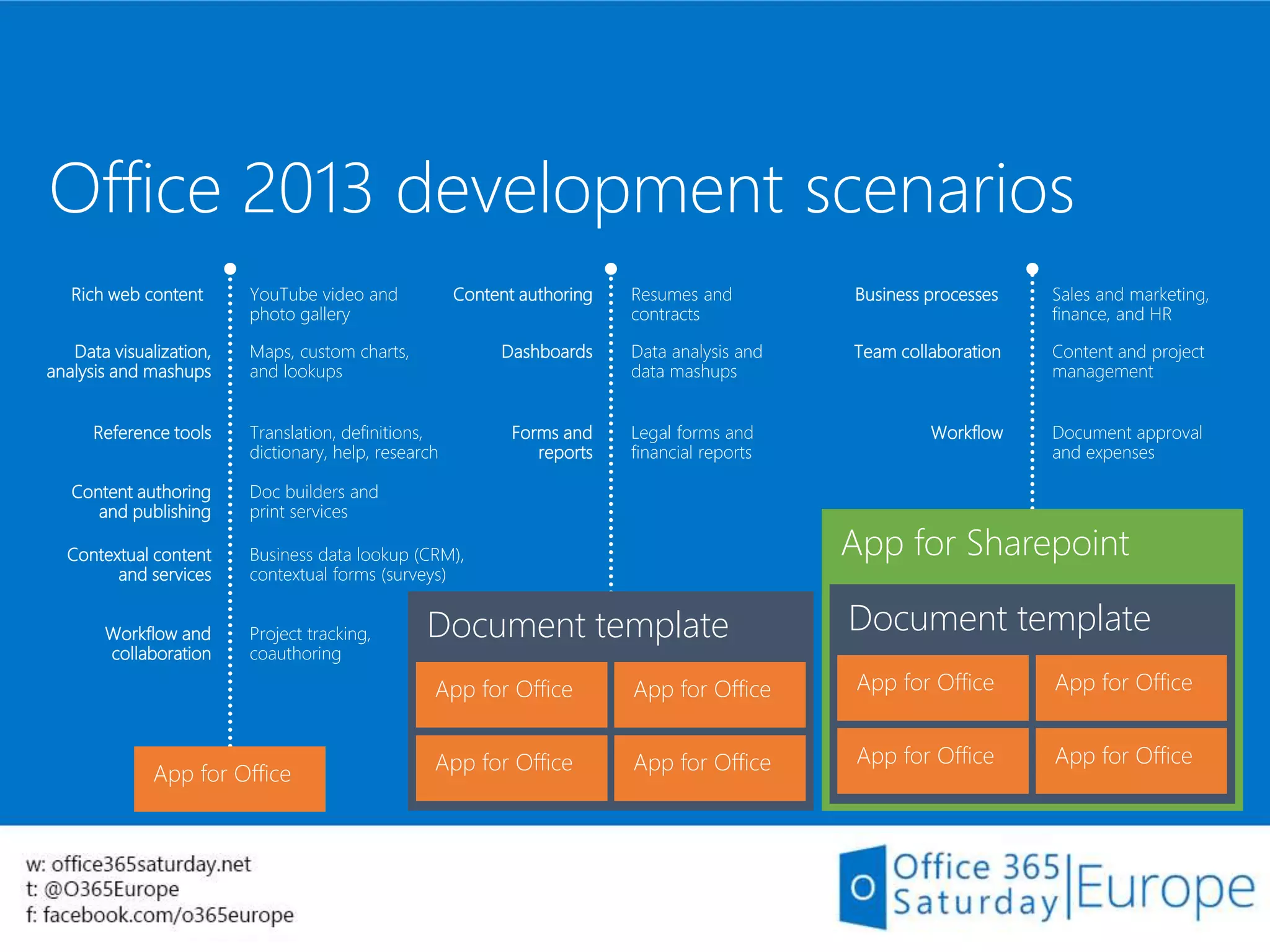
Office 2013 development scenarios
Business processes Sales and marketing,
finance, and HR
Team collaboration Content and project
management
Workflow Document approval
and expenses
App for Sharepoint
Document template
App for Office App for Office
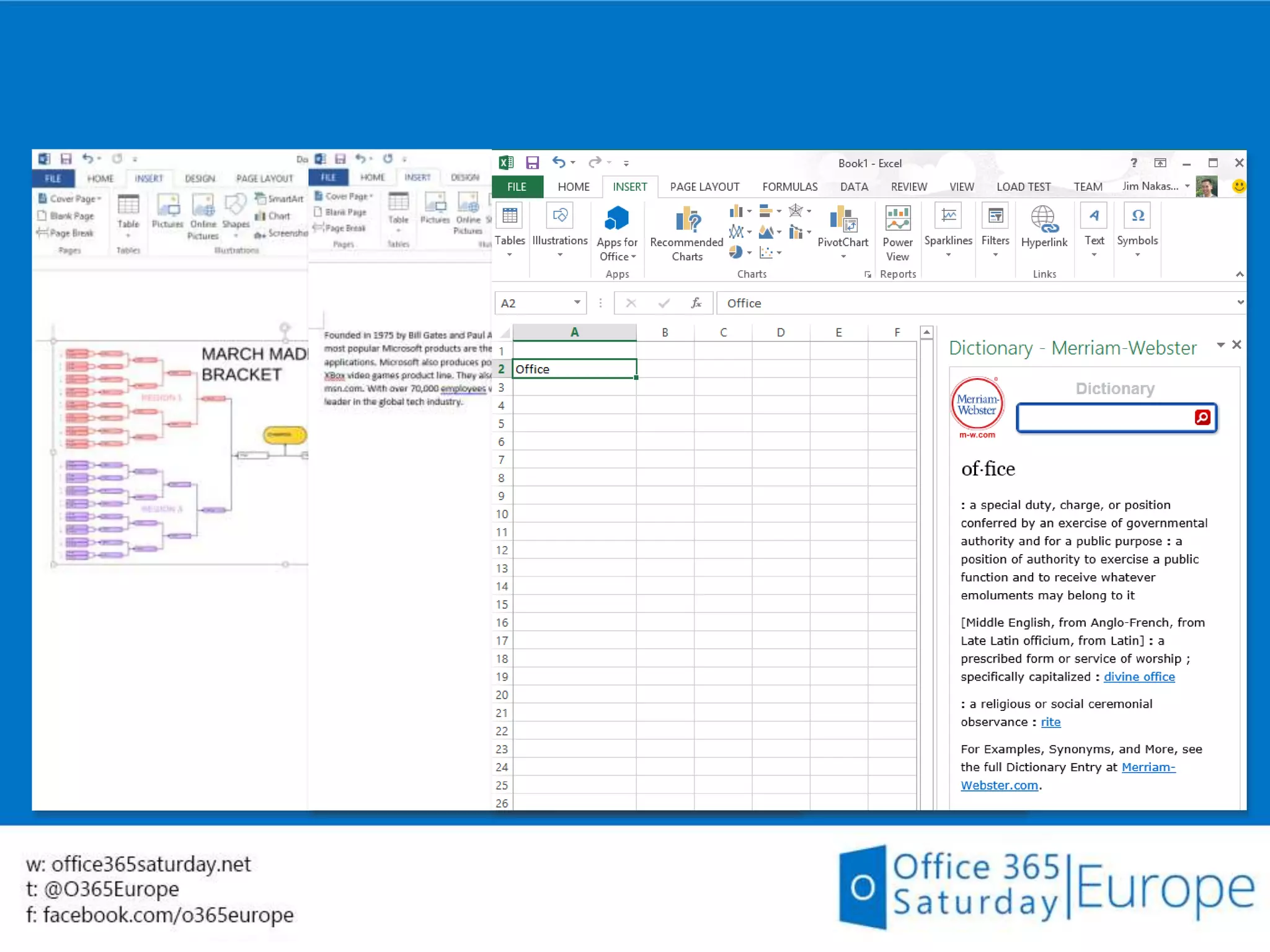
Translation, definitions,
dictionary, help, research
Business data lookup (CRM),
contextual forms (surveys)
Rich web content YouTube video and
photo gallery
Data visualization,
analysis and mashups
Maps, custom charts,
and lookups
Reference tools
Content authoring
and publishing
Contextual content
and services
Workflow and
collaboration
Doc builders and
print services
Project tracking,
coauthoring
App for Office
Content authoring Resumes and
contracts
Dashboards Data analysis and
data mashups
Forms and
reports
Legal forms and
financial reports
Document template
App for Office App for Office
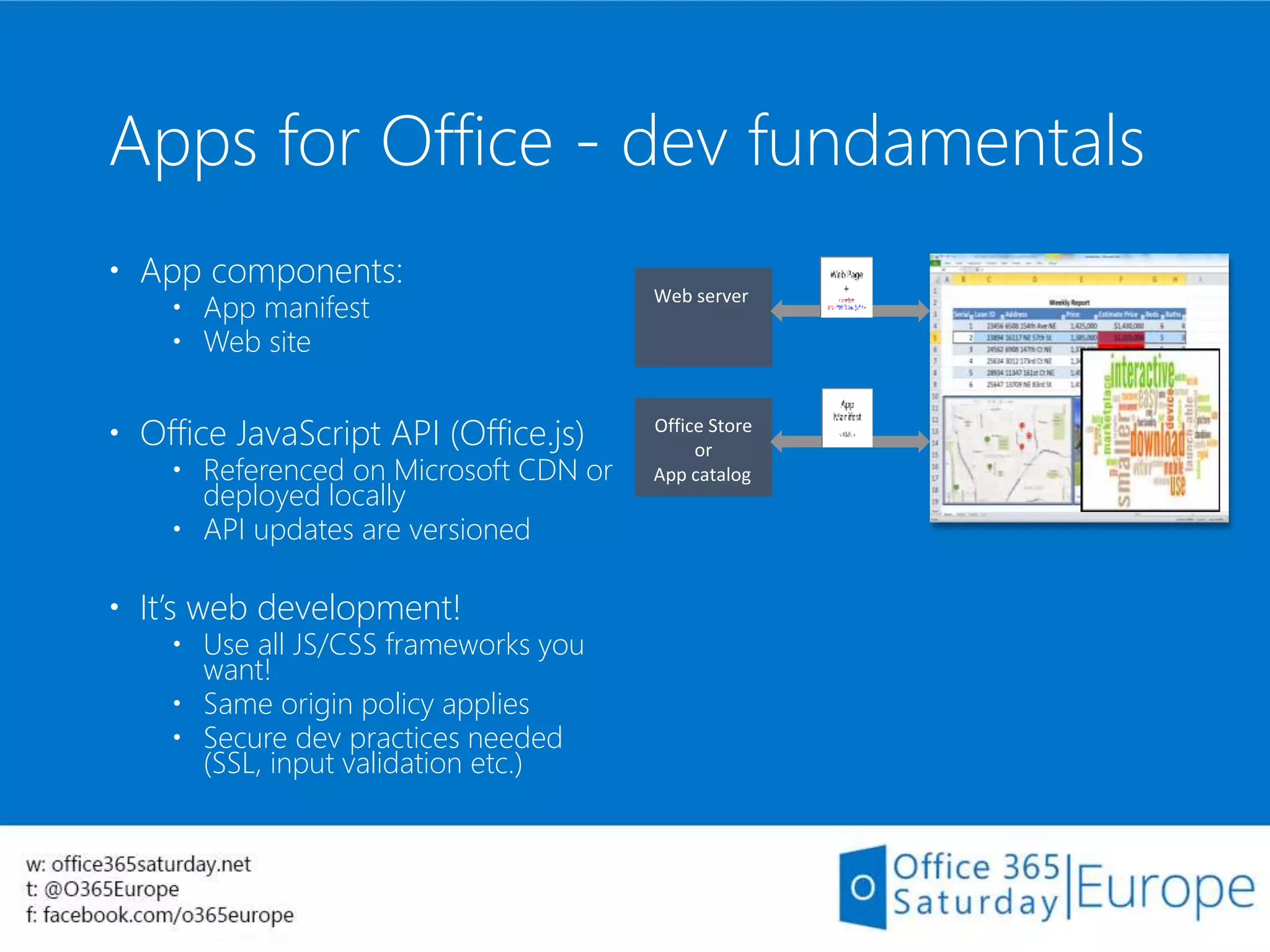
Apps for Office - dev fundamentals
 App components:
 App manifest
 Web site
 Office JavaScript API (Office.js)
 Referenced on Microsoft CDN or
deployed locally
 API updates are versioned
 It’s web development!
 Use all JS/CSS frameworks you
want!
 Same origin policy applies
 Secure dev practices needed
(SSL, input validation etc.)
Build your first App for
Office
Demo
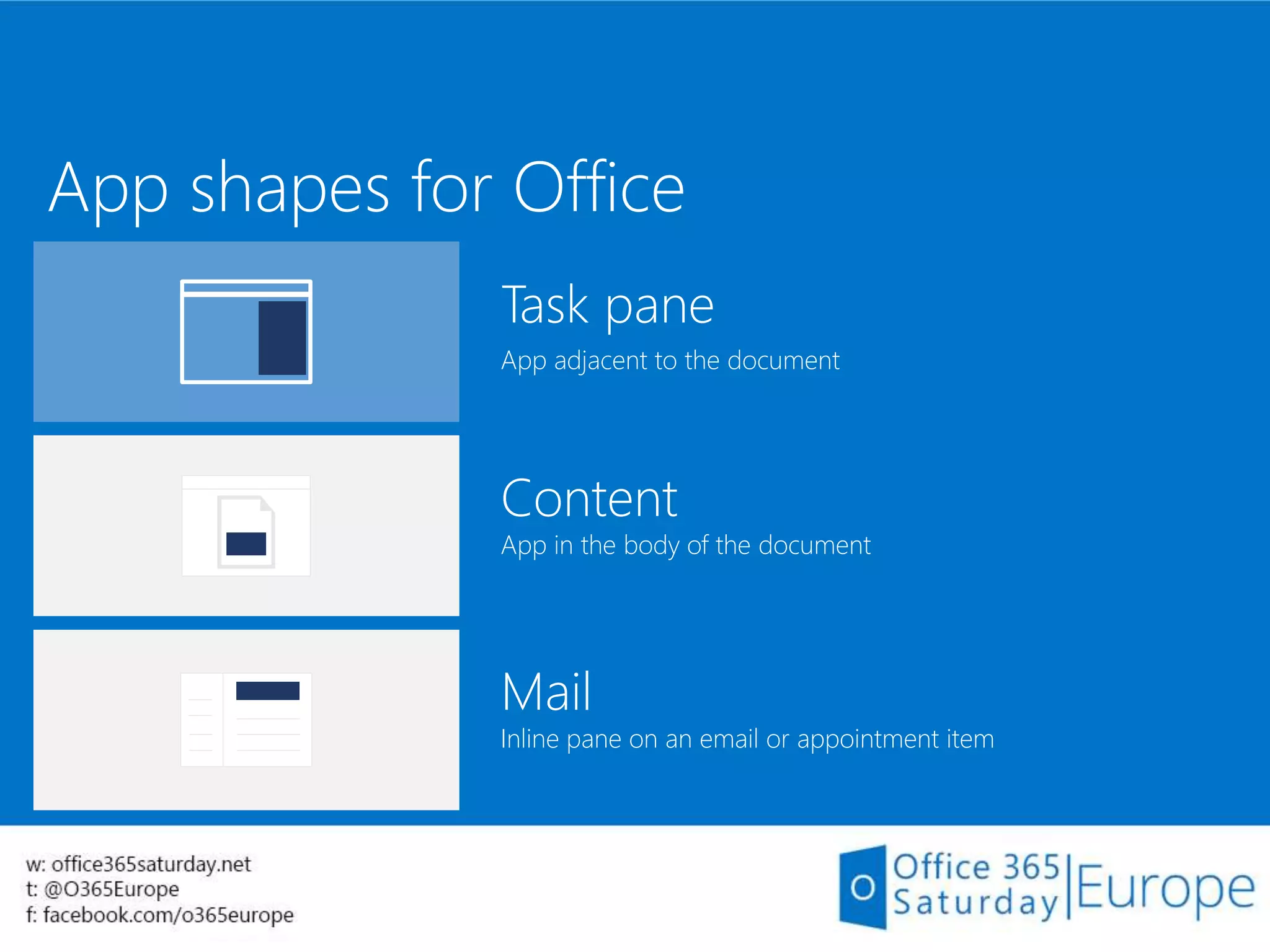
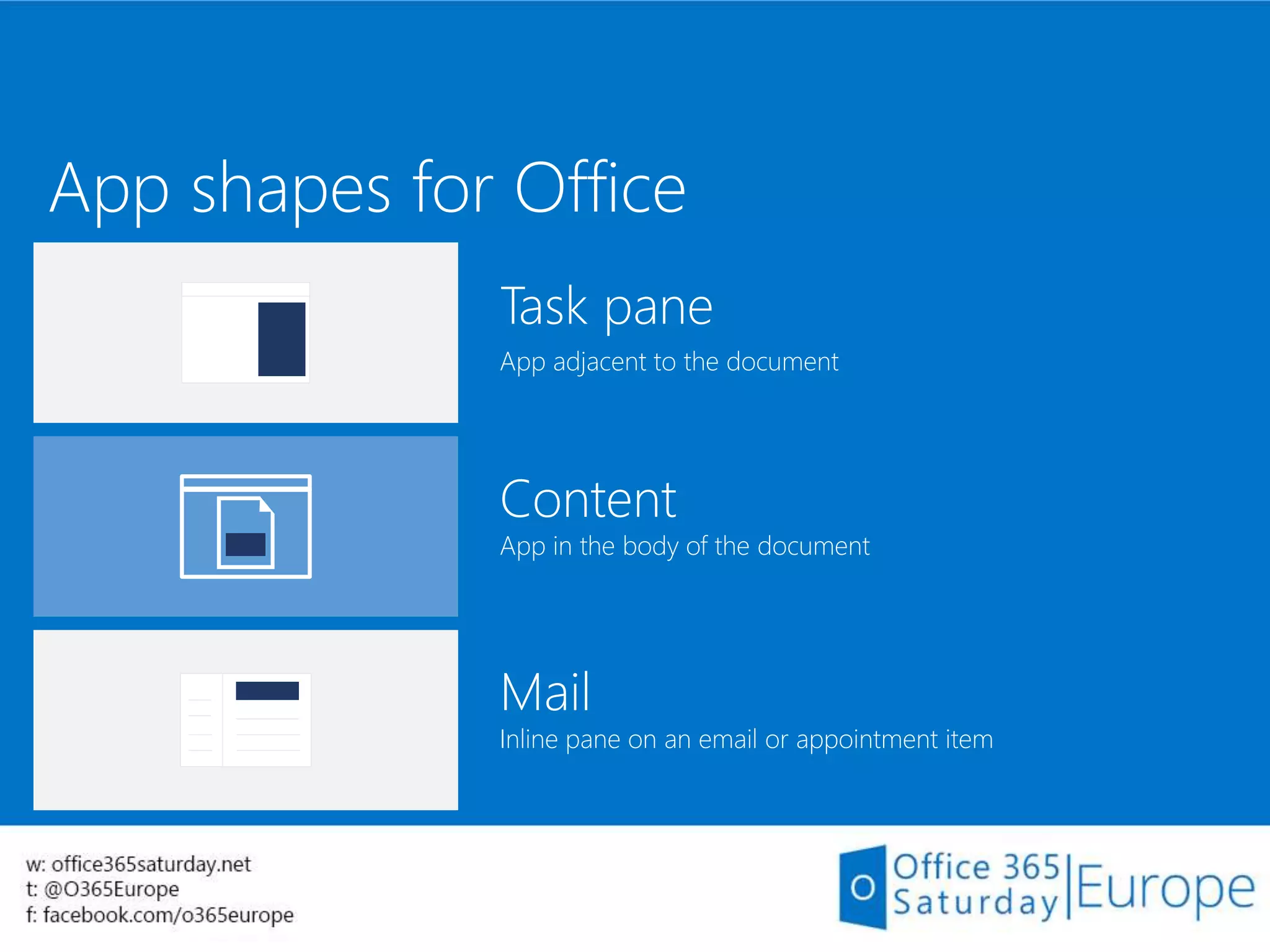
App shapes for Office
Task pane
App adjacent to the document
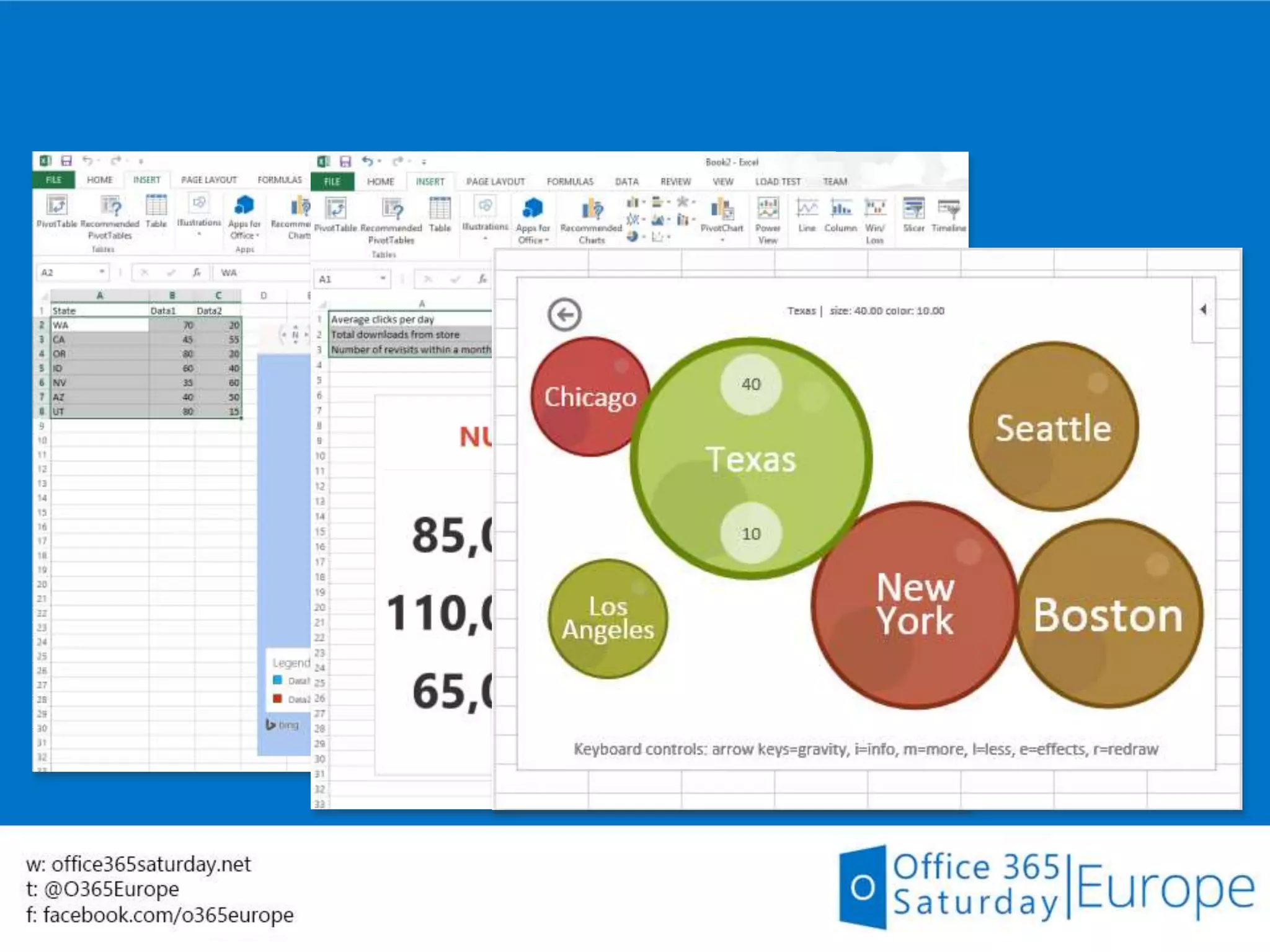
Content
App in the body of the document
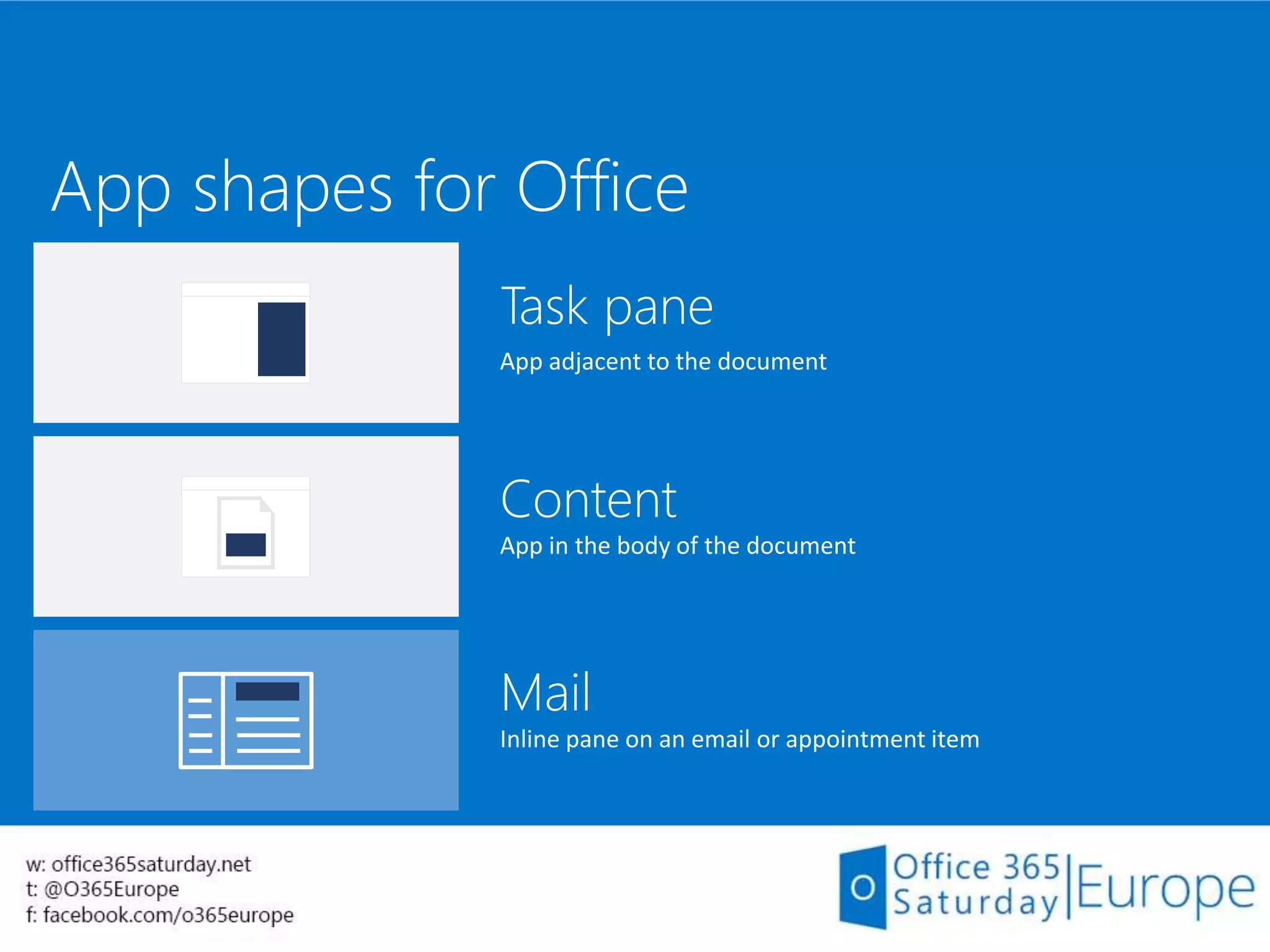
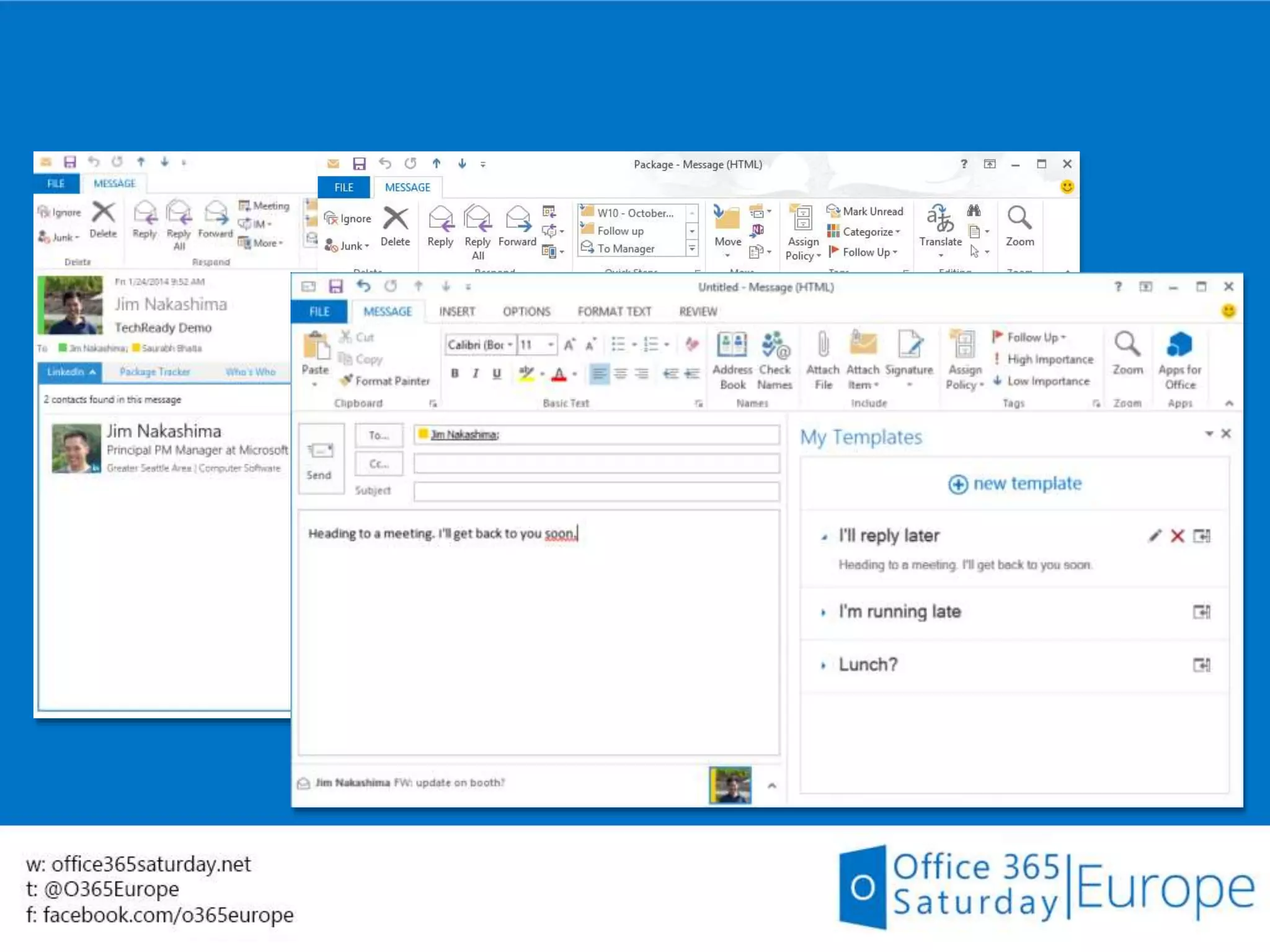
Mail
Inline pane on an email or appointment item
App shapes for Office
Task pane
App adjacent to the document
Content
App in the body of the document
Mail
Inline pane on an email or appointment item
App shapes for Office
Task pane
App adjacent to the document
Content
App in the body of the document
Mail
Inline pane on an email or appointment item
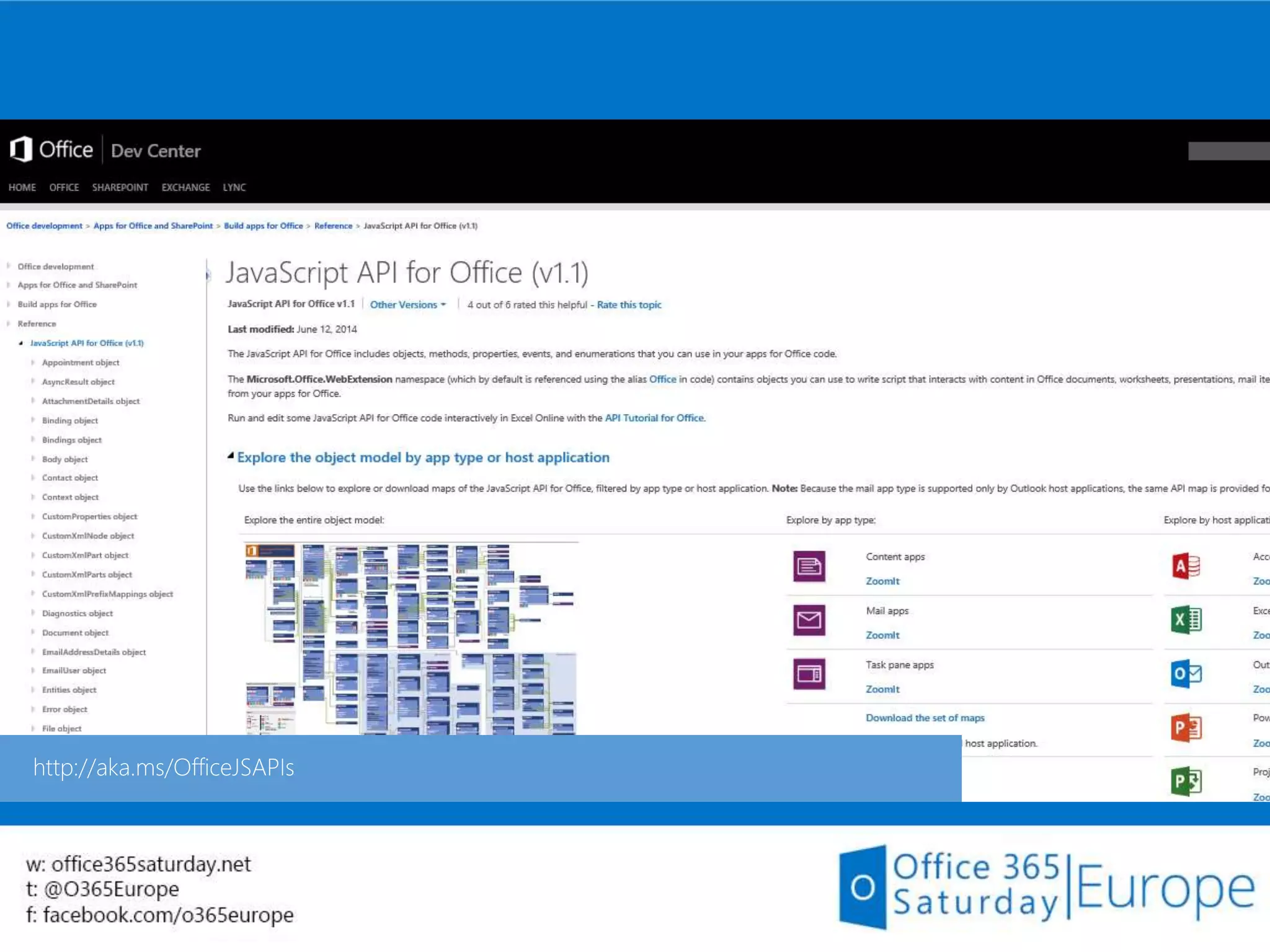
Apps for Office samples
Demo
Apps for SharePoint
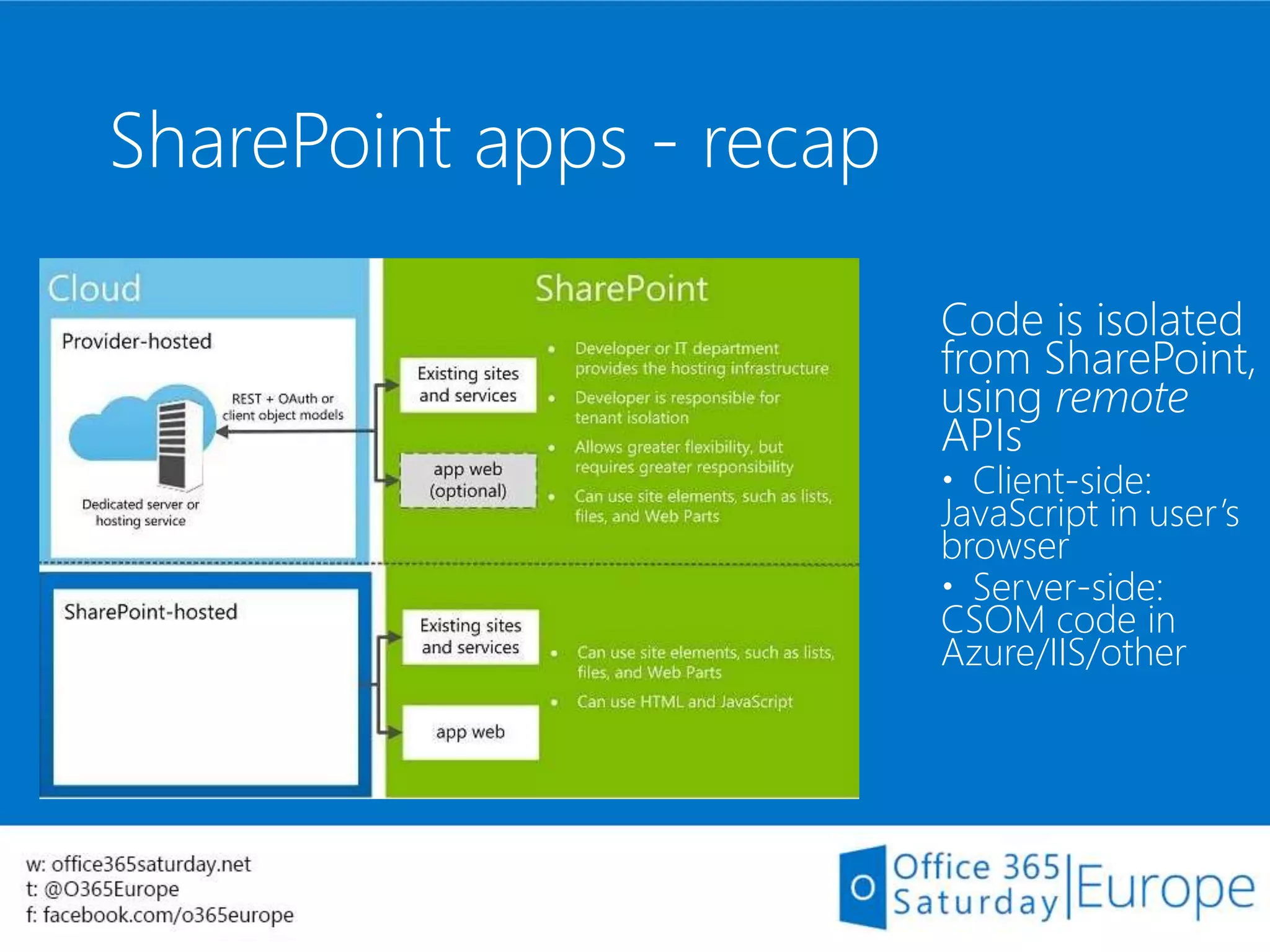
SharePoint apps - recap
Code is isolated
from SharePoint,
using remote
APIs
 Client-side:
JavaScript in user’s
browser
 Server-side:
CSOM code in
Azure/IIS/other
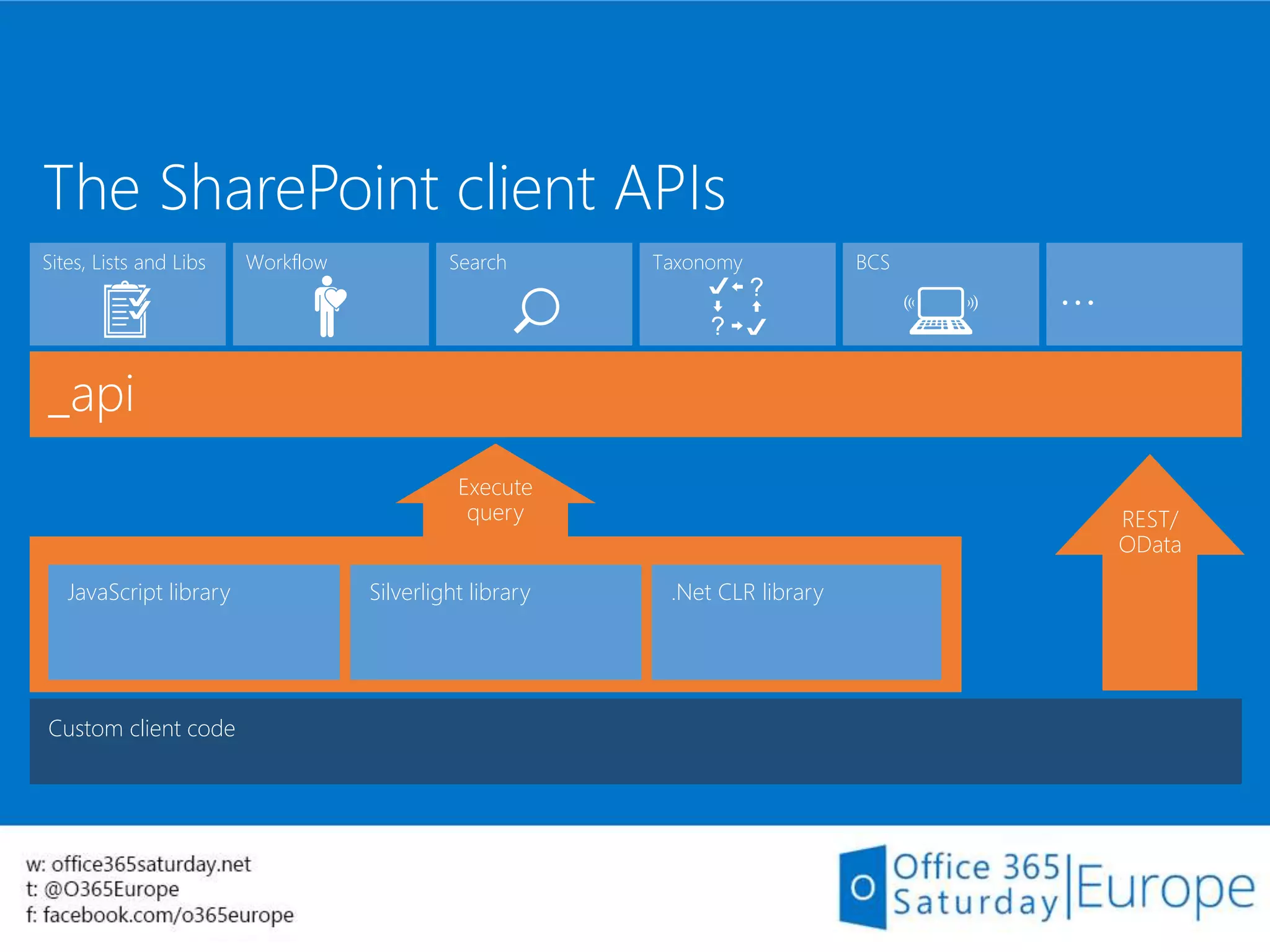
Custom client code
_api
JavaScript library Silverlight library .Net CLR library
Execute
query REST/
OData
…
SearchSites, Lists and Libs Taxonomy BCSWorkflow
The SharePoint client APIs
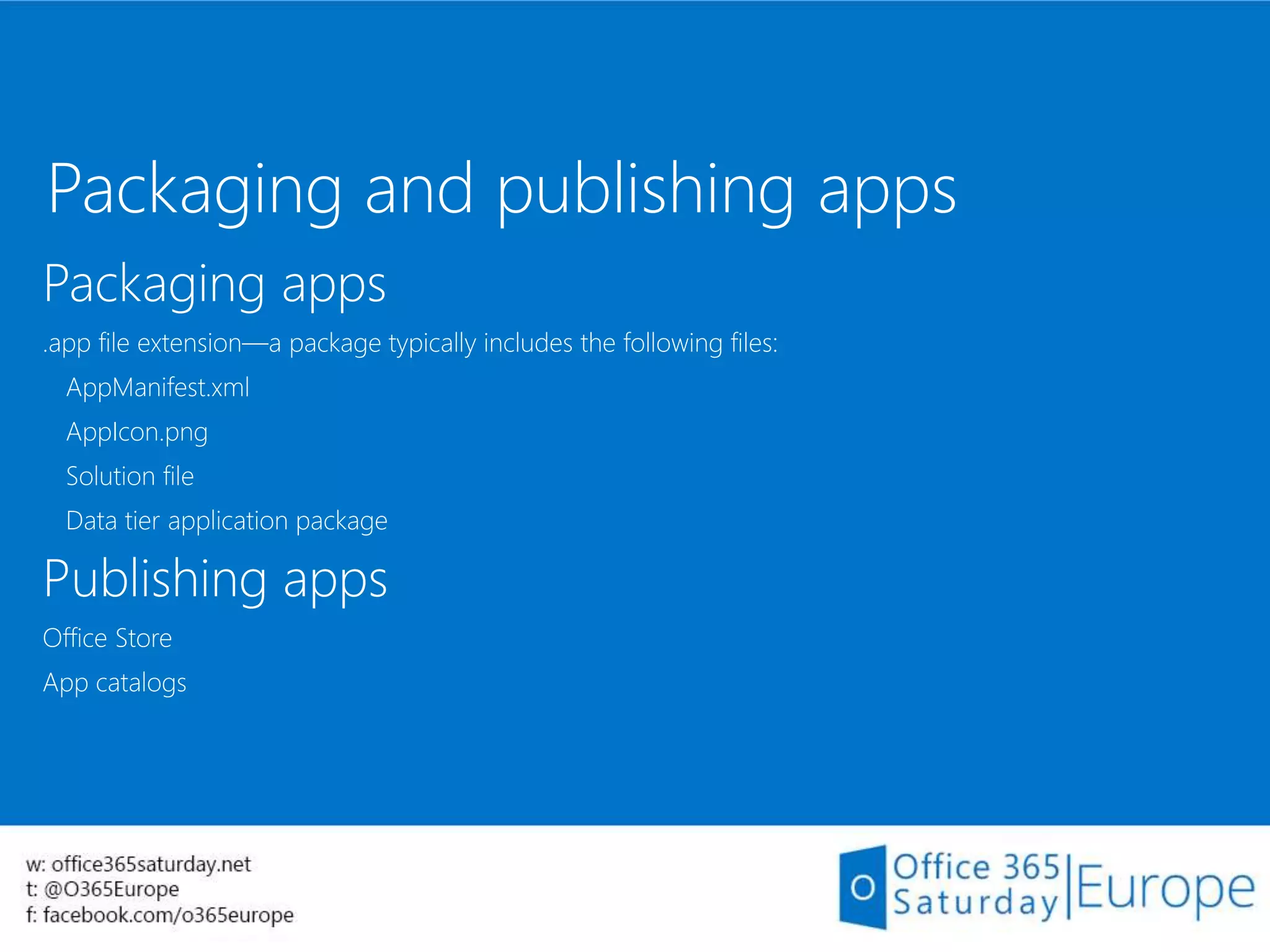
Packaging and publishing apps
Packaging apps
.app file extension—a package typically includes the following files:
AppManifest.xml
AppIcon.png
Solution file
Data tier application package
Publishing apps
Office Store
App catalogs
Build your first App for
SharePoint
Demo
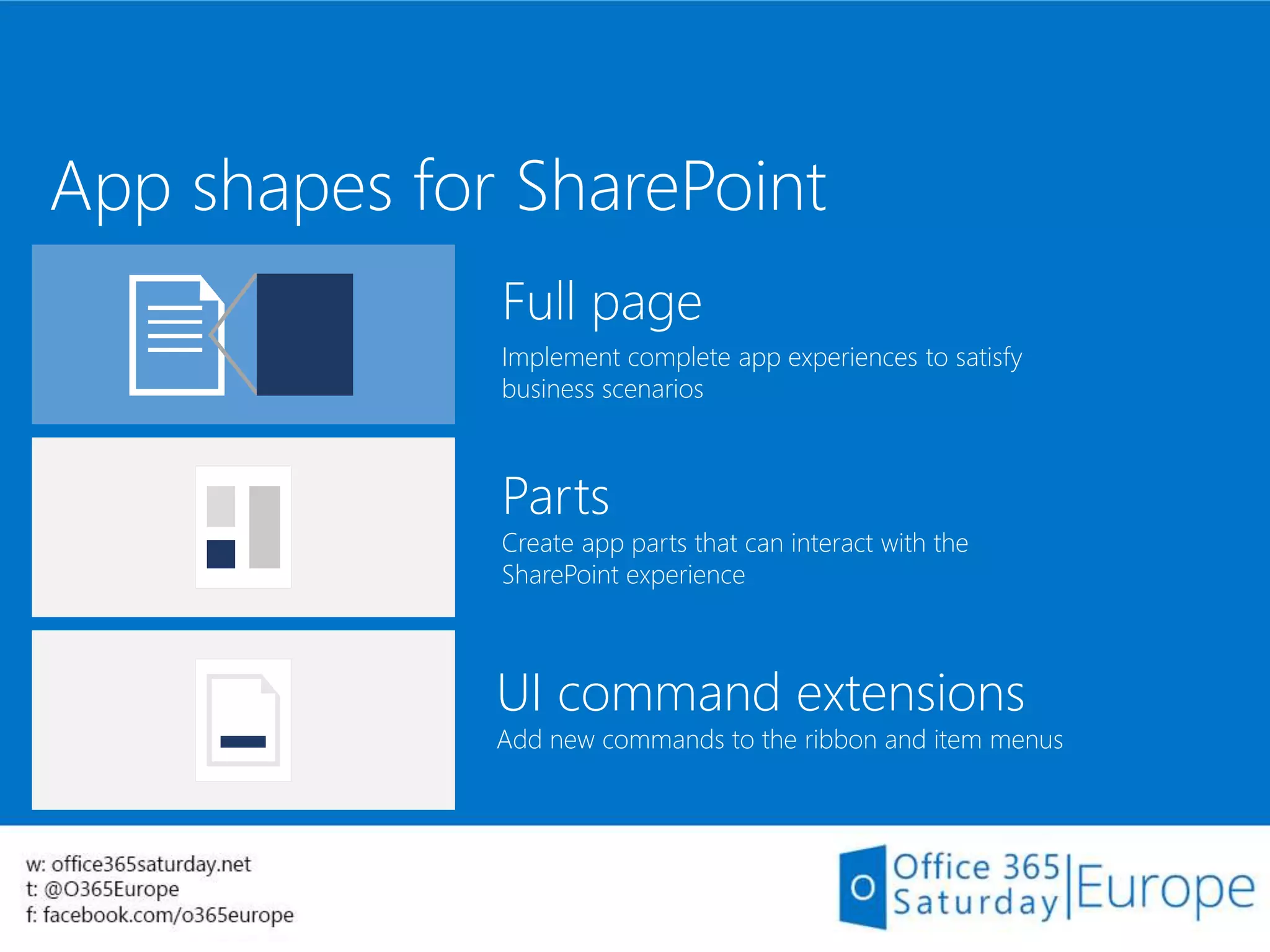
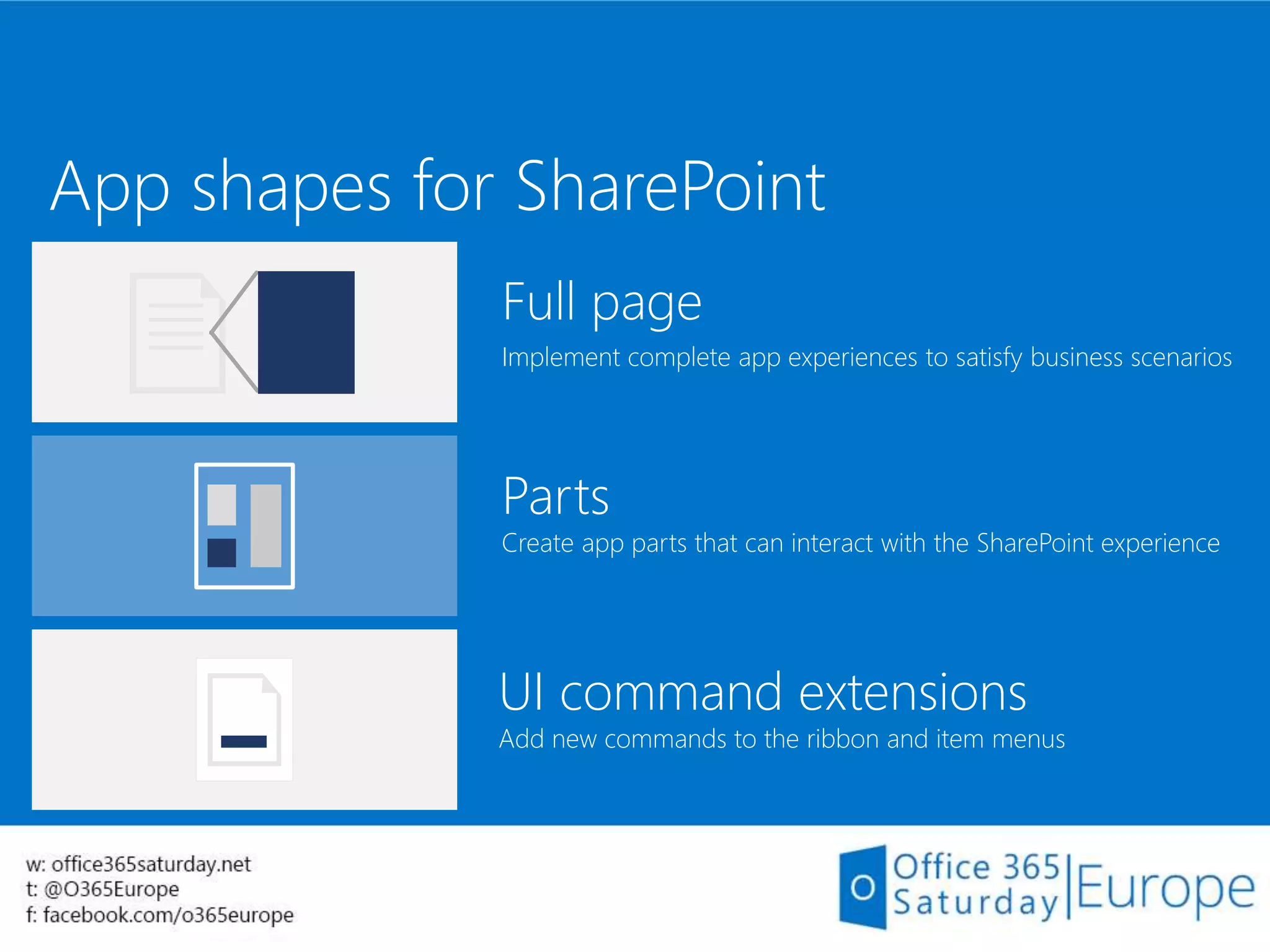
App shapes for SharePoint
Full page
Implement complete app experiences to satisfy
business scenarios
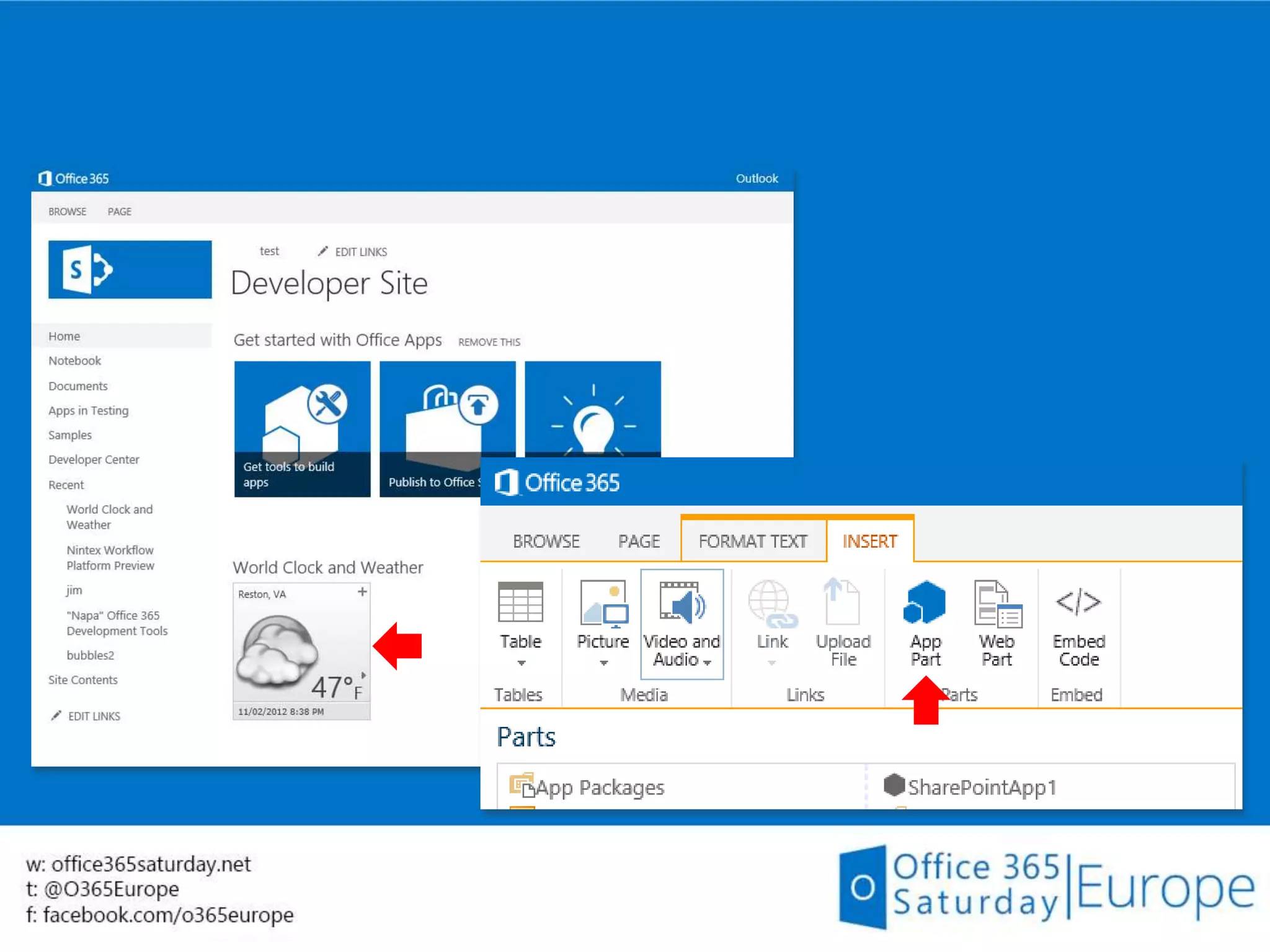
Parts
Create app parts that can interact with the
SharePoint experience
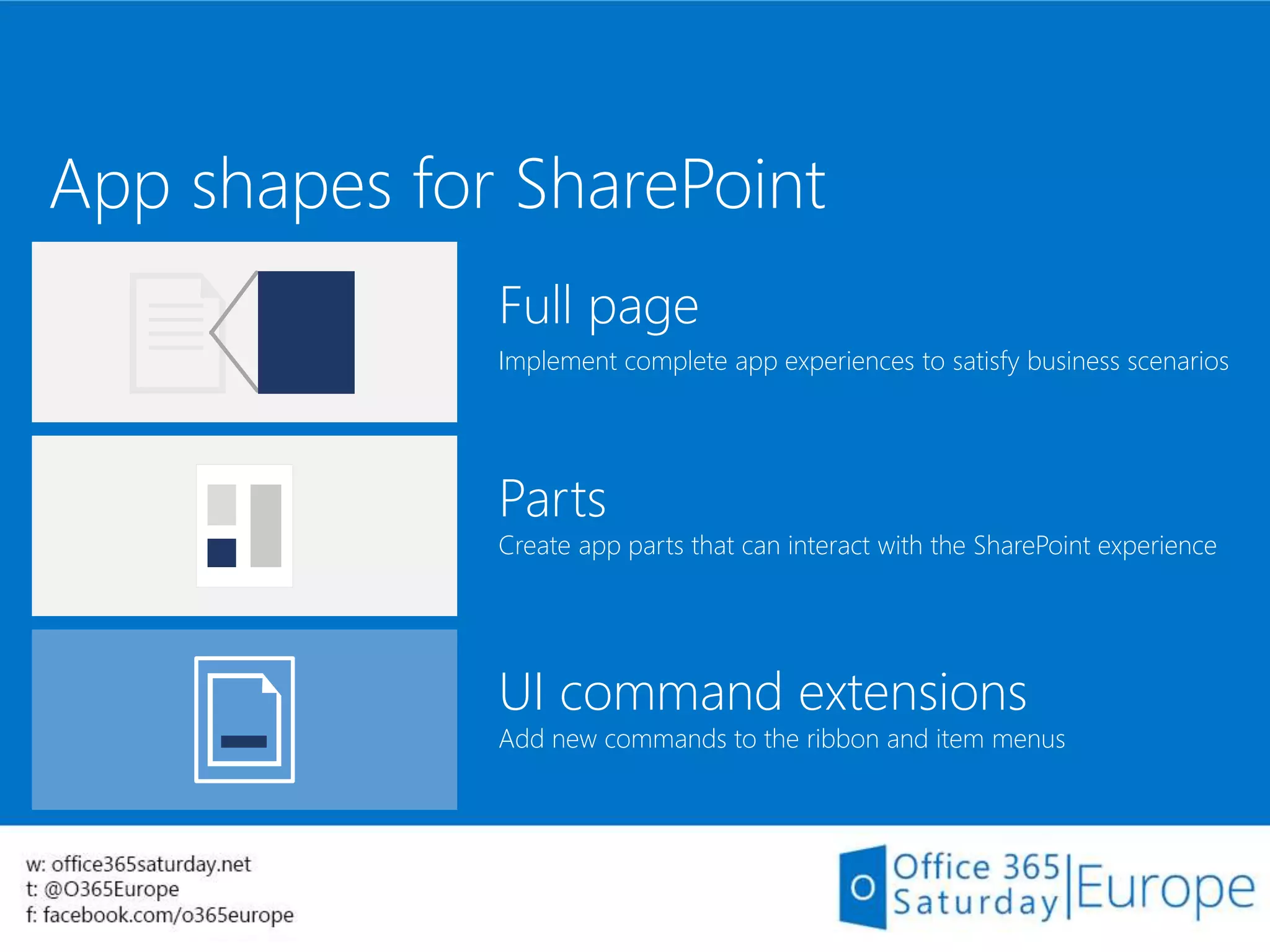
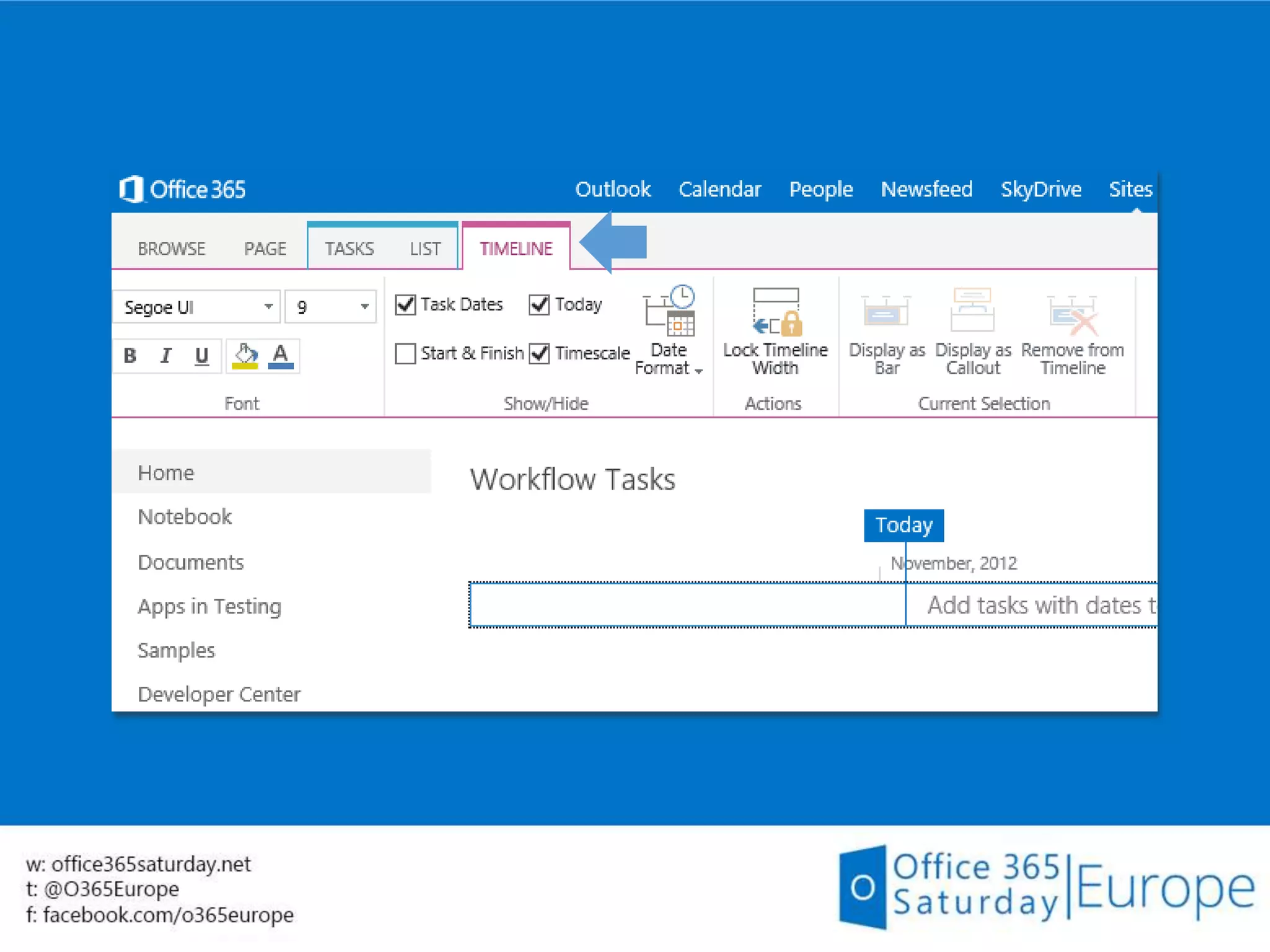
UI command extensions
Add new commands to the ribbon and item menus
App shapes for SharePoint
Full page
Implement complete app experiences to satisfy business scenarios
Parts
Create app parts that can interact with the SharePoint experience
UI command extensions
Add new commands to the ribbon and item menus
App shapes for SharePoint
Full page
Implement complete app experiences to satisfy business scenarios
Parts
Create app parts that can interact with the SharePoint experience
UI command extensions
Add new commands to the ribbon and item menus
App for SharePoint
sample
Demo
Office 365 APIs
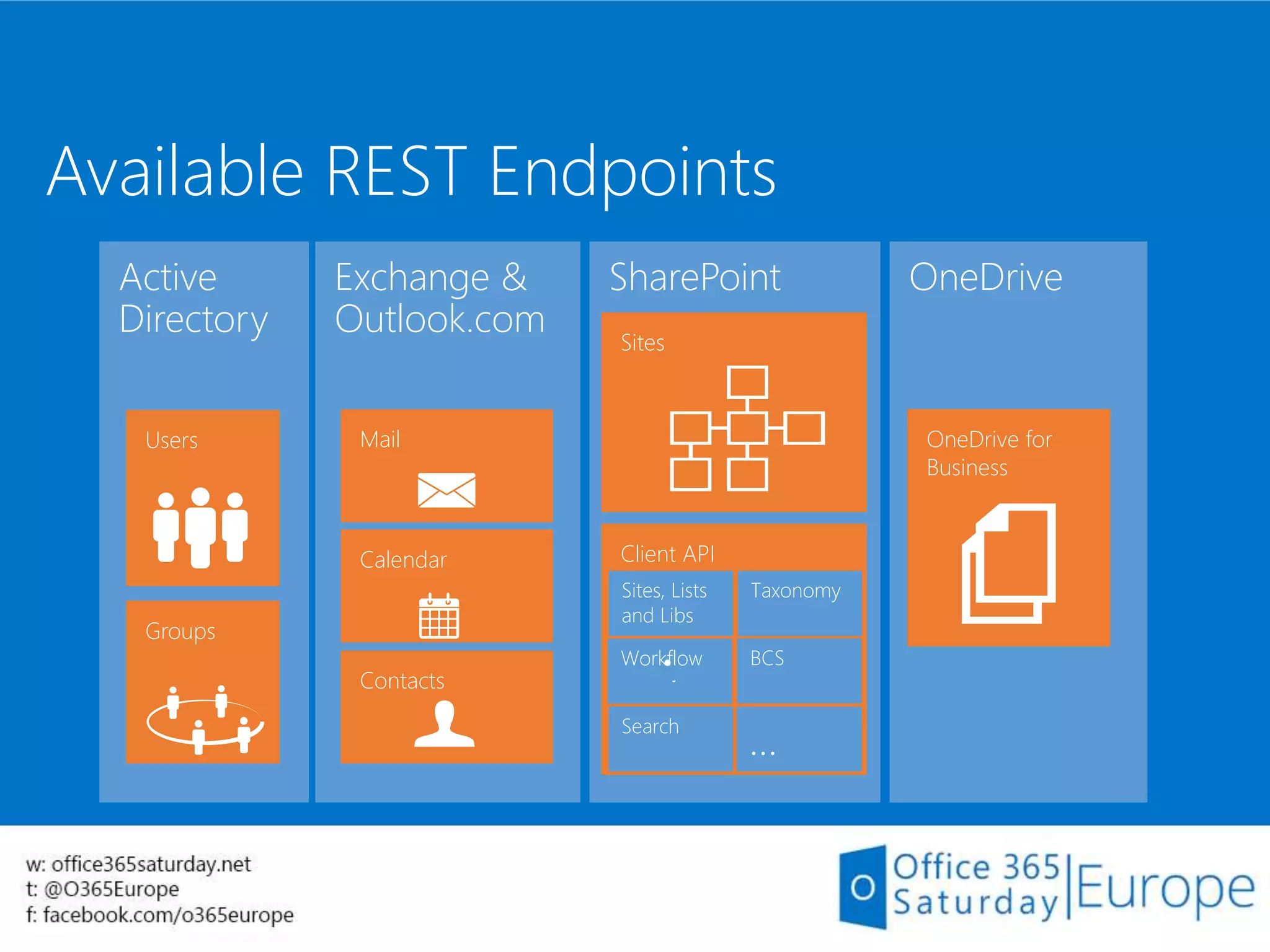
Available REST Endpoints
Exchange &
Outlook.com
Calendar
Contacts
Mail
OneDrive
OneDrive for
Business
Active
Directory
Users
Groups
SharePoint
Client API
Search
Sites, Lists
and Libs
Taxonomy
BCSWorkflow
…
Sites
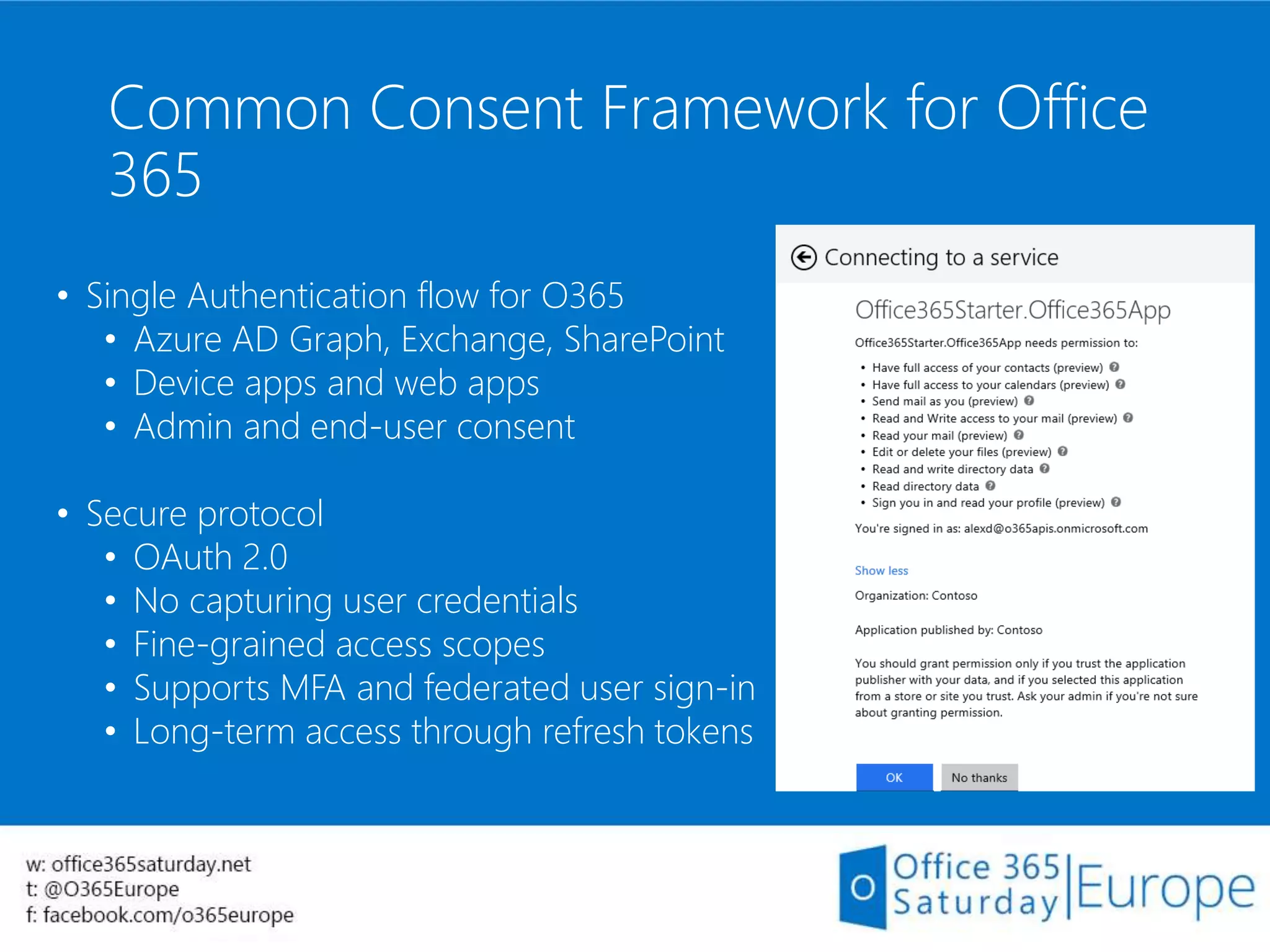
Common Consent Framework for Office
365
• Single Authentication flow for O365
• Azure AD Graph, Exchange, SharePoint
• Device apps and web apps
• Admin and end-user consent
• Secure protocol
• OAuth 2.0
• No capturing user credentials
• Fine-grained access scopes
• Supports MFA and federated user sign-in
• Long-term access through refresh tokens
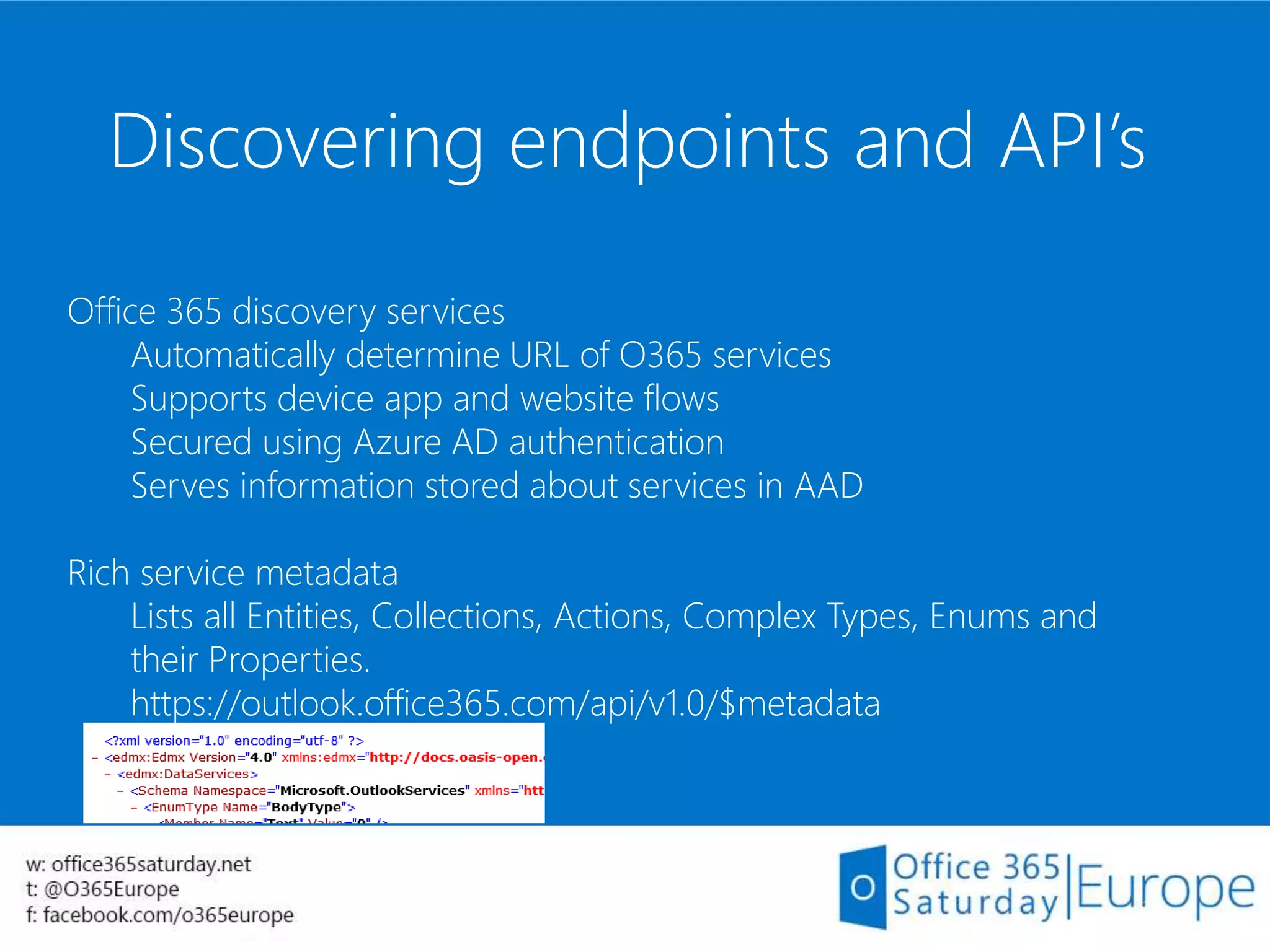
Discovering endpoints and API’s
36
Office 365 discovery services
Automatically determine URL of O365 services
Supports device app and website flows
Secured using Azure AD authentication
Serves information stored about services in AAD
Rich service metadata
Lists all Entities, Collections, Actions, Complex Types, Enums and
their Properties.
https://outlook.office365.com/api/v1.0/$metadata
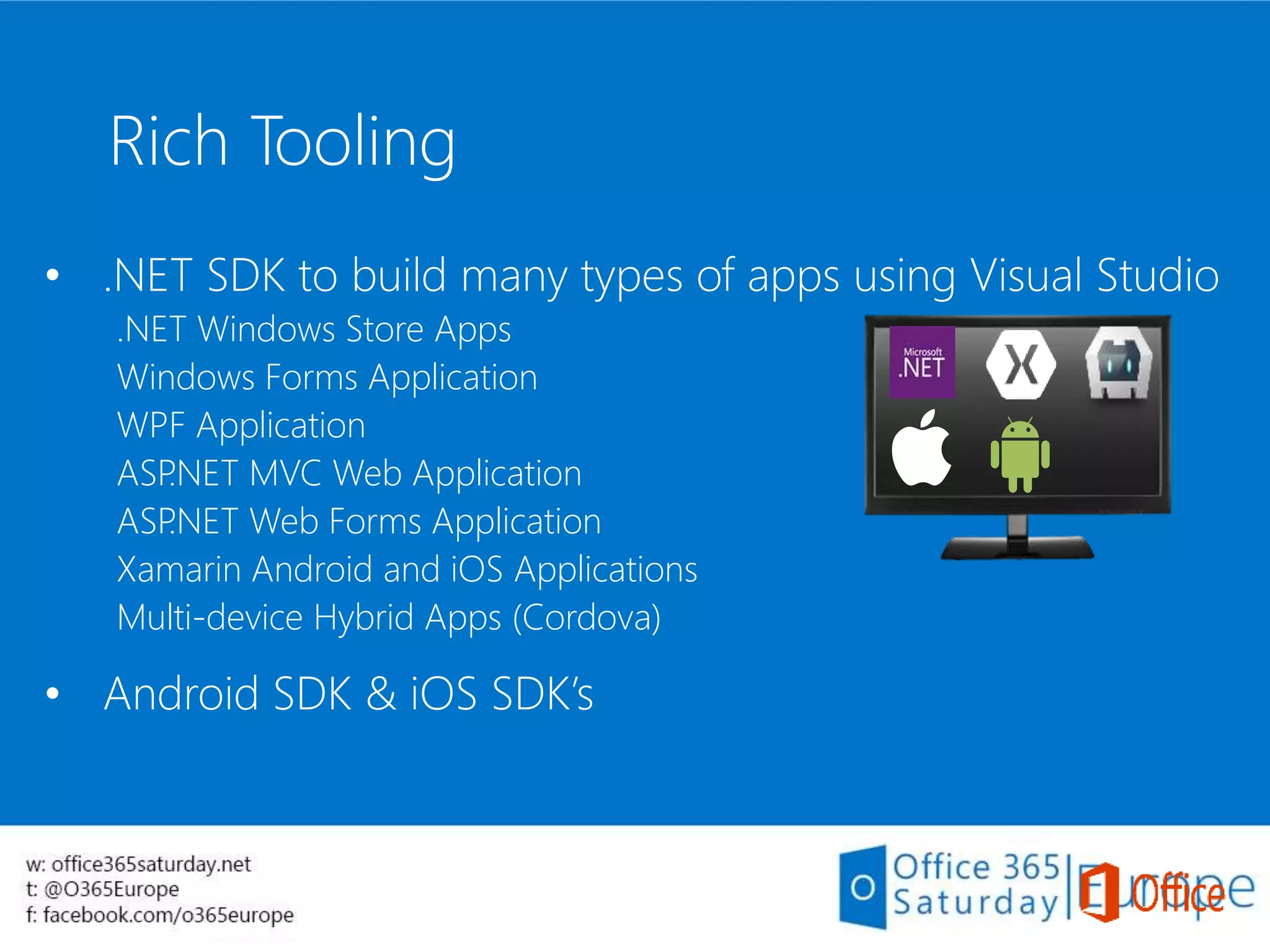
• .NET SDK to build many types of apps using Visual Studio
.NET Windows Store Apps
Windows Forms Application
WPF Application
ASP.NET MVC Web Application
ASP.NET Web Forms Application
Xamarin Android and iOS Applications
Multi-device Hybrid Apps (Cordova)
• Android SDK & iOS SDK’s
Rich Tooling
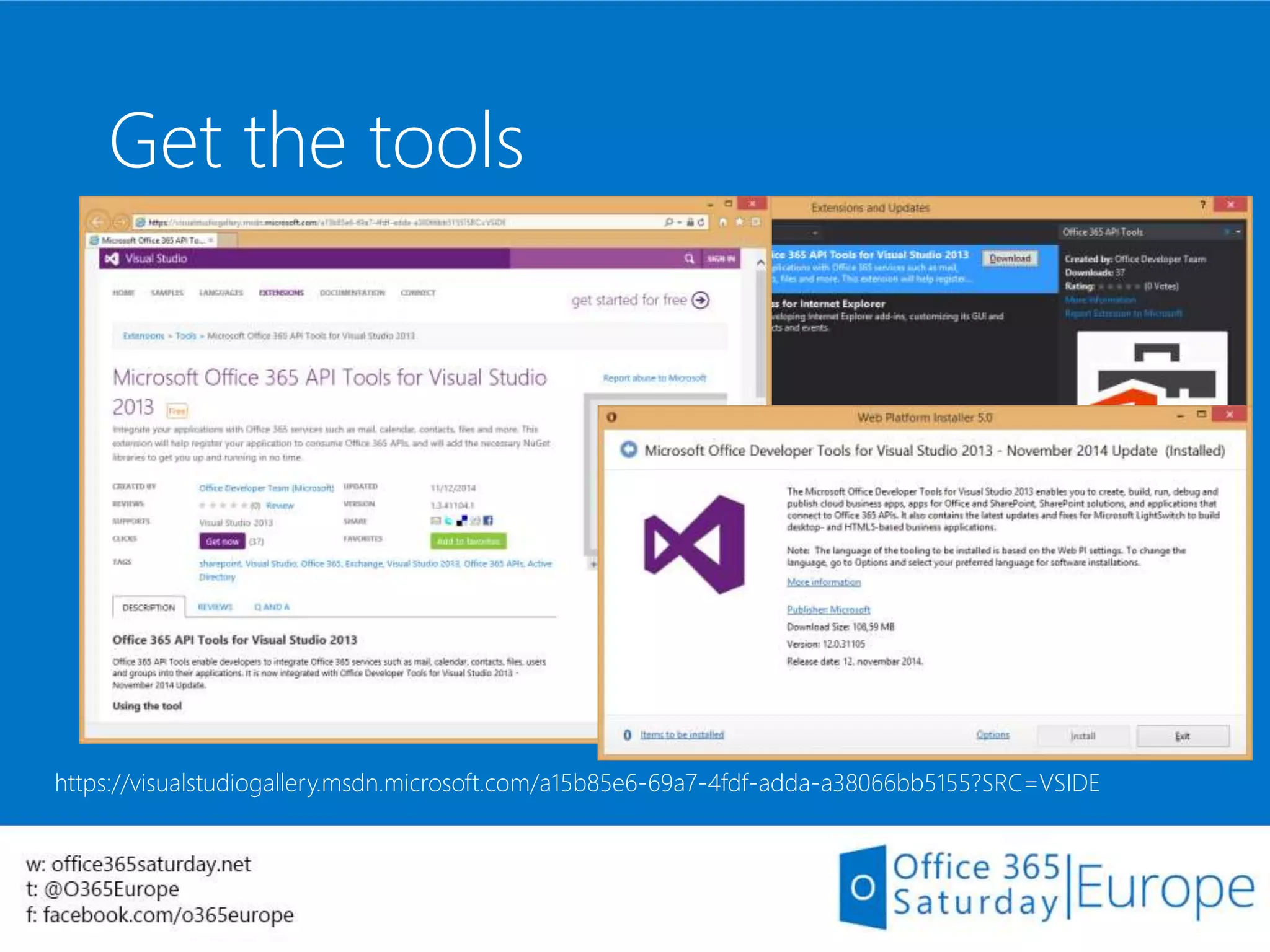
Get the tools
https://visualstudiogallery.msdn.microsoft.com/a15b85e6-69a7-4fdf-adda-a38066bb5155?SRC=VSIDE
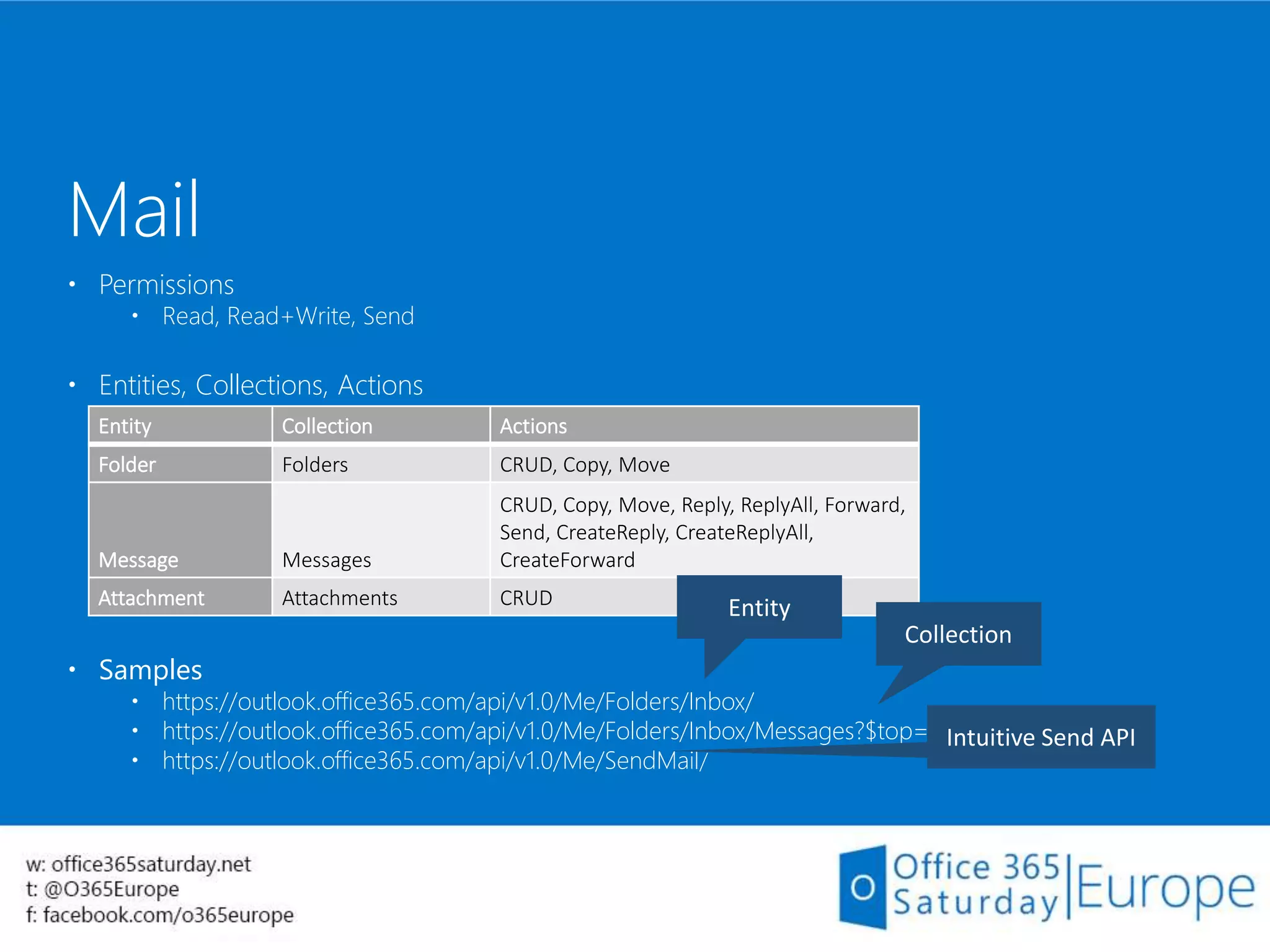
 Permissions
 Read, Read+Write, Send
 Entities, Collections, Actions
 Samples
 https://outlook.office365.com/api/v1.0/Me/Folders/Inbox/
 https://outlook.office365.com/api/v1.0/Me/Folders/Inbox/Messages?$top=1
 https://outlook.office365.com/api/v1.0/Me/SendMail/
Mail
Entity Collection Actions
Folder Folders CRUD, Copy, Move
Message Messages
CRUD, Copy, Move, Reply, ReplyAll, Forward,
Send, CreateReply, CreateReplyAll,
CreateForward
Attachment Attachments CRUD
 Permissions
 Read, Read+Write
 Entities, Collections, Actions
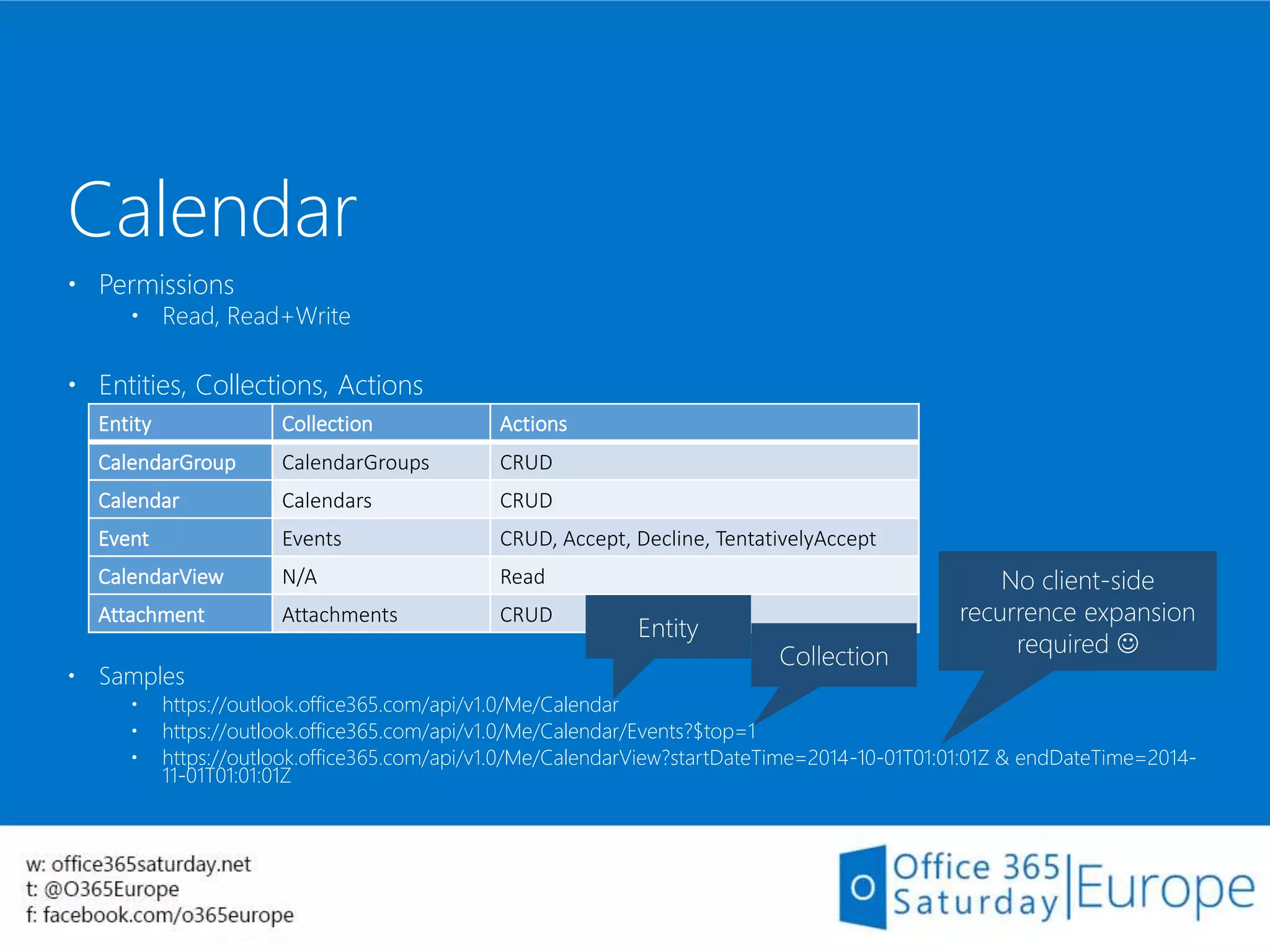
 Samples
 https://outlook.office365.com/api/v1.0/Me/Calendar
 https://outlook.office365.com/api/v1.0/Me/Calendar/Events?$top=1
 https://outlook.office365.com/api/v1.0/Me/CalendarView?startDateTime=2014-10-01T01:01:01Z & endDateTime=2014-
11-01T01:01:01Z
Calendar
Entity Collection Actions
CalendarGroup CalendarGroups CRUD
Calendar Calendars CRUD
Event Events CRUD, Accept, Decline, TentativelyAccept
CalendarView N/A Read
Attachment Attachments CRUD
Collection
Entity
No client-side
recurrence expansion
required 
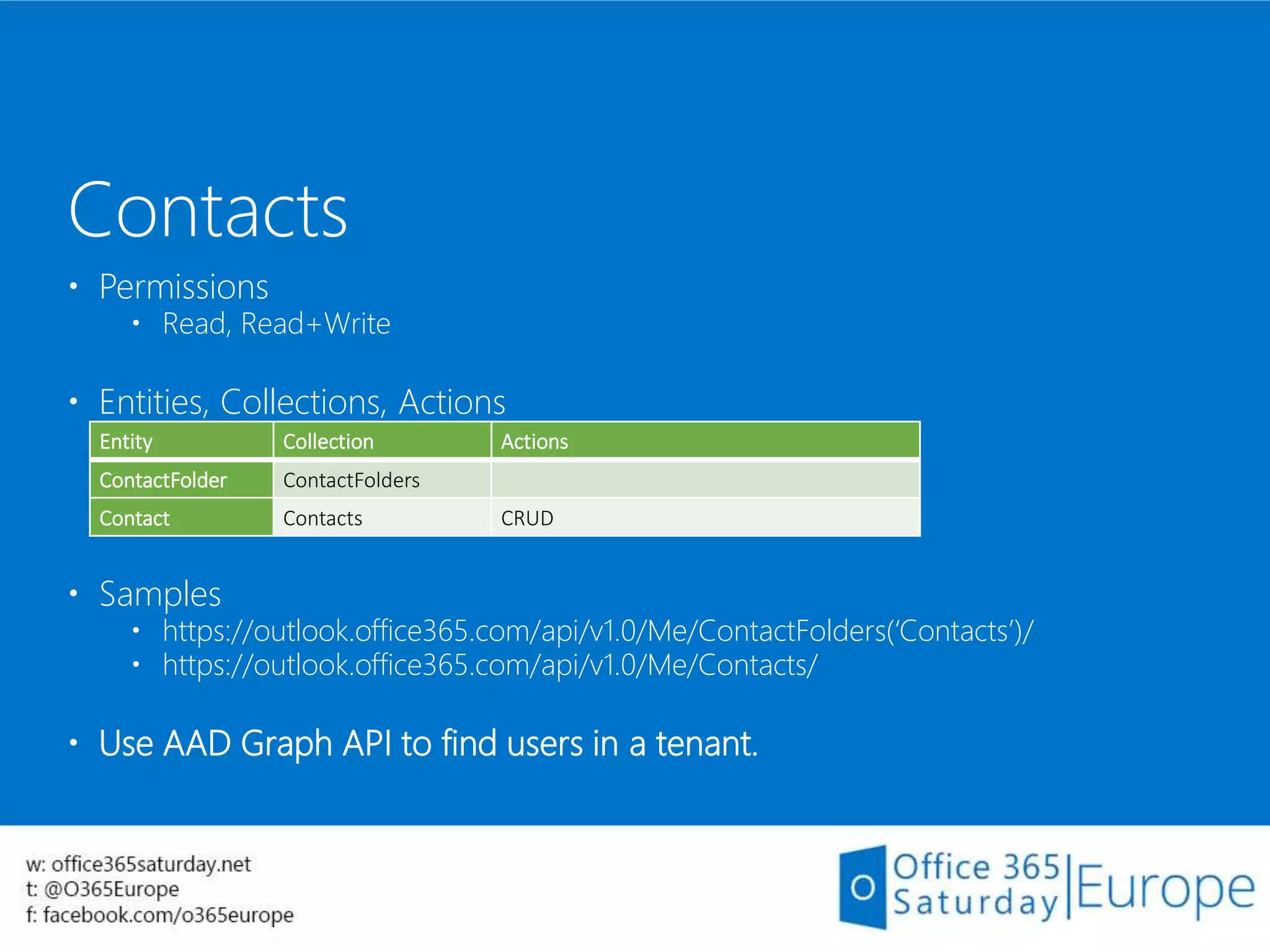
 Permissions
 Read, Read+Write
 Entities, Collections, Actions
 Samples
 https://outlook.office365.com/api/v1.0/Me/ContactFolders(‘Contacts’)/
 https://outlook.office365.com/api/v1.0/Me/Contacts/
 Use AAD Graph API to find users in a tenant.
Contacts
Entity Collection Actions
ContactFolder ContactFolders
Contact Contacts CRUD
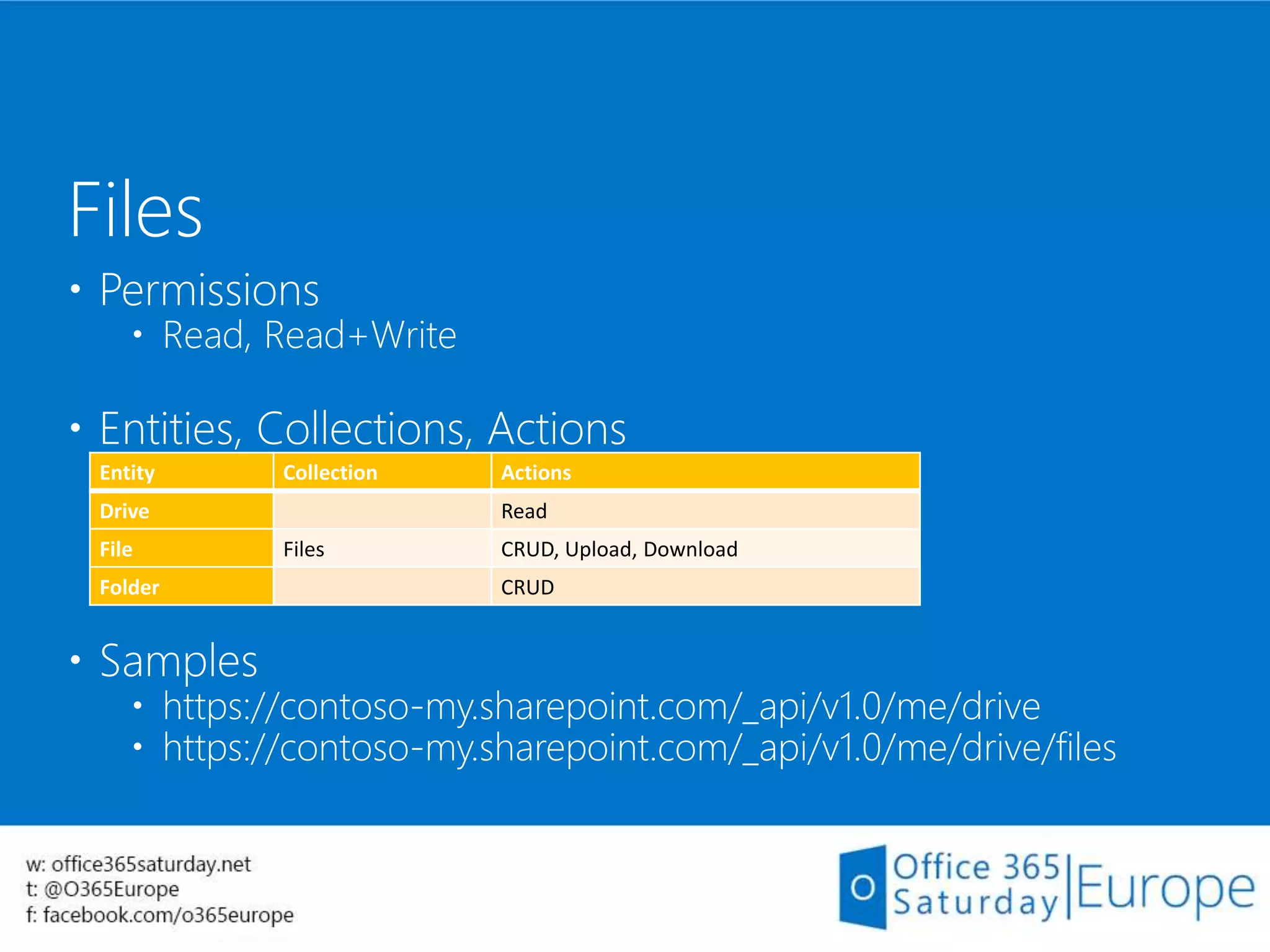
 Permissions
 Read, Read+Write
 Entities, Collections, Actions
 Samples
 https://contoso-my.sharepoint.com/_api/v1.0/me/drive
 https://contoso-my.sharepoint.com/_api/v1.0/me/drive/files
Files
Entity Collection Actions
Drive Read
File Files CRUD, Upload, Download
Folder CRUD
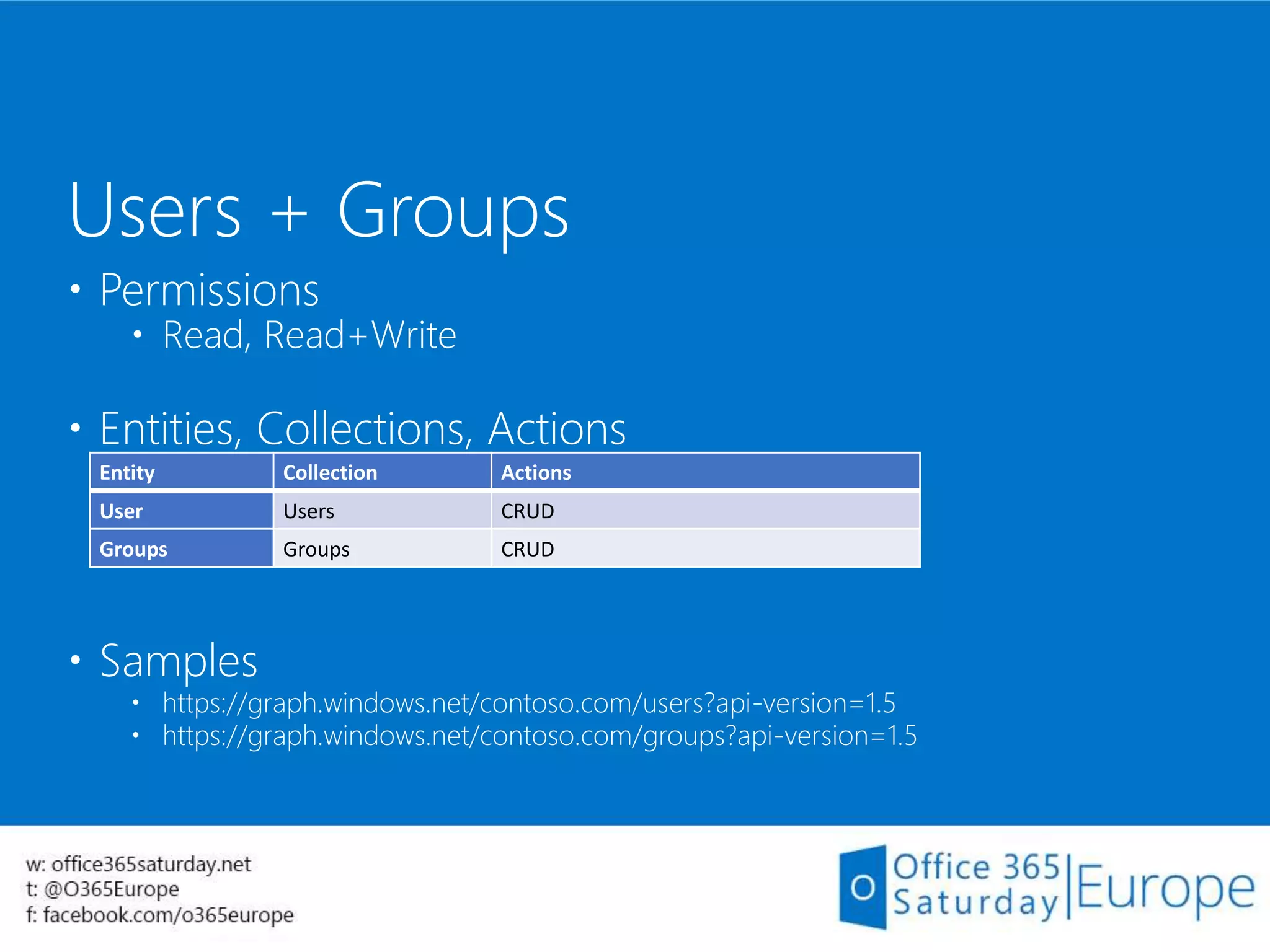
 Permissions
 Read, Read+Write
 Entities, Collections, Actions
 Samples
 https://graph.windows.net/contoso.com/users?api-version=1.5
 https://graph.windows.net/contoso.com/groups?api-version=1.5
Users + Groups
Entity Collection Actions
User Users CRUD
Groups Groups CRUD
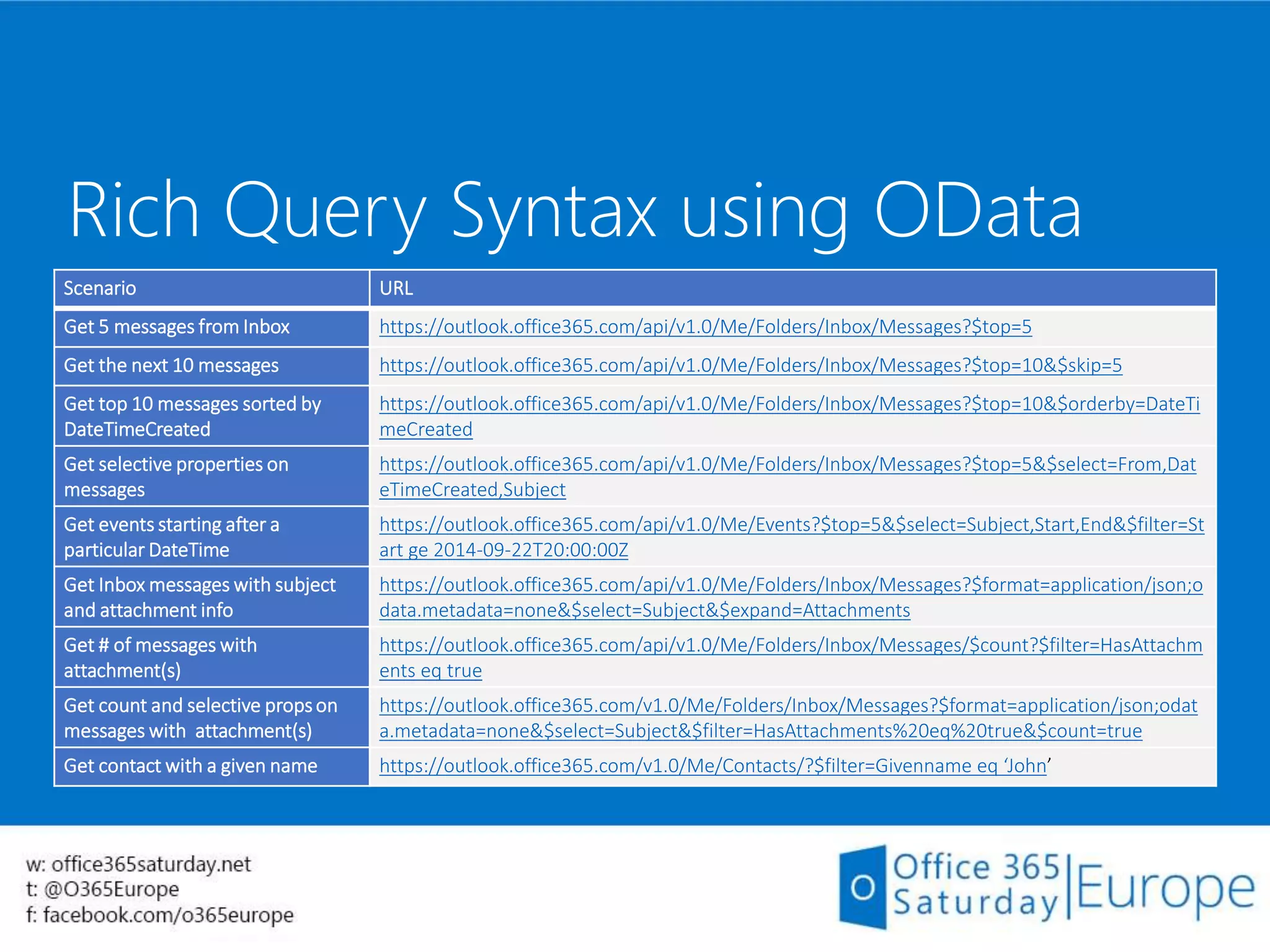
Rich Query Syntax using OData
Scenario URL
Get 5 messages from Inbox https://outlook.office365.com/api/v1.0/Me/Folders/Inbox/Messages?$top=5
Get the next 10 messages https://outlook.office365.com/api/v1.0/Me/Folders/Inbox/Messages?$top=10&$skip=5
Get top 10 messages sorted by
DateTimeCreated
https://outlook.office365.com/api/v1.0/Me/Folders/Inbox/Messages?$top=10&$orderby=DateTi
meCreated
Get selective properties on
messages
https://outlook.office365.com/api/v1.0/Me/Folders/Inbox/Messages?$top=5&$select=From,Dat
eTimeCreated,Subject
Get events starting after a
particular DateTime
https://outlook.office365.com/api/v1.0/Me/Events?$top=5&$select=Subject,Start,End&$filter=St
art ge 2014-09-22T20:00:00Z
Get Inbox messages with subject
and attachment info
https://outlook.office365.com/api/v1.0/Me/Folders/Inbox/Messages?$format=application/json;o
data.metadata=none&$select=Subject&$expand=Attachments
Get # of messages with
attachment(s)
https://outlook.office365.com/api/v1.0/Me/Folders/Inbox/Messages/$count?$filter=HasAttachm
ents eq true
Get count and selective propson
messages with attachment(s)
https://outlook.office365.com/v1.0/Me/Folders/Inbox/Messages?$format=application/json;odat
a.metadata=none&$select=Subject&$filter=HasAttachments%20eq%20true&$count=true
Get contact with a given name https://outlook.office365.com/v1.0/Me/Contacts/?$filter=Givenname eq ‘John’
45
Getting Started:
Office 365 APIs starter
Project – Visual Studio
Demo
Recap
Embed your customization in Office and SharePoint user
experience using Apps
Manipulate data in Office 365 from your standalone
apps using REST APIs
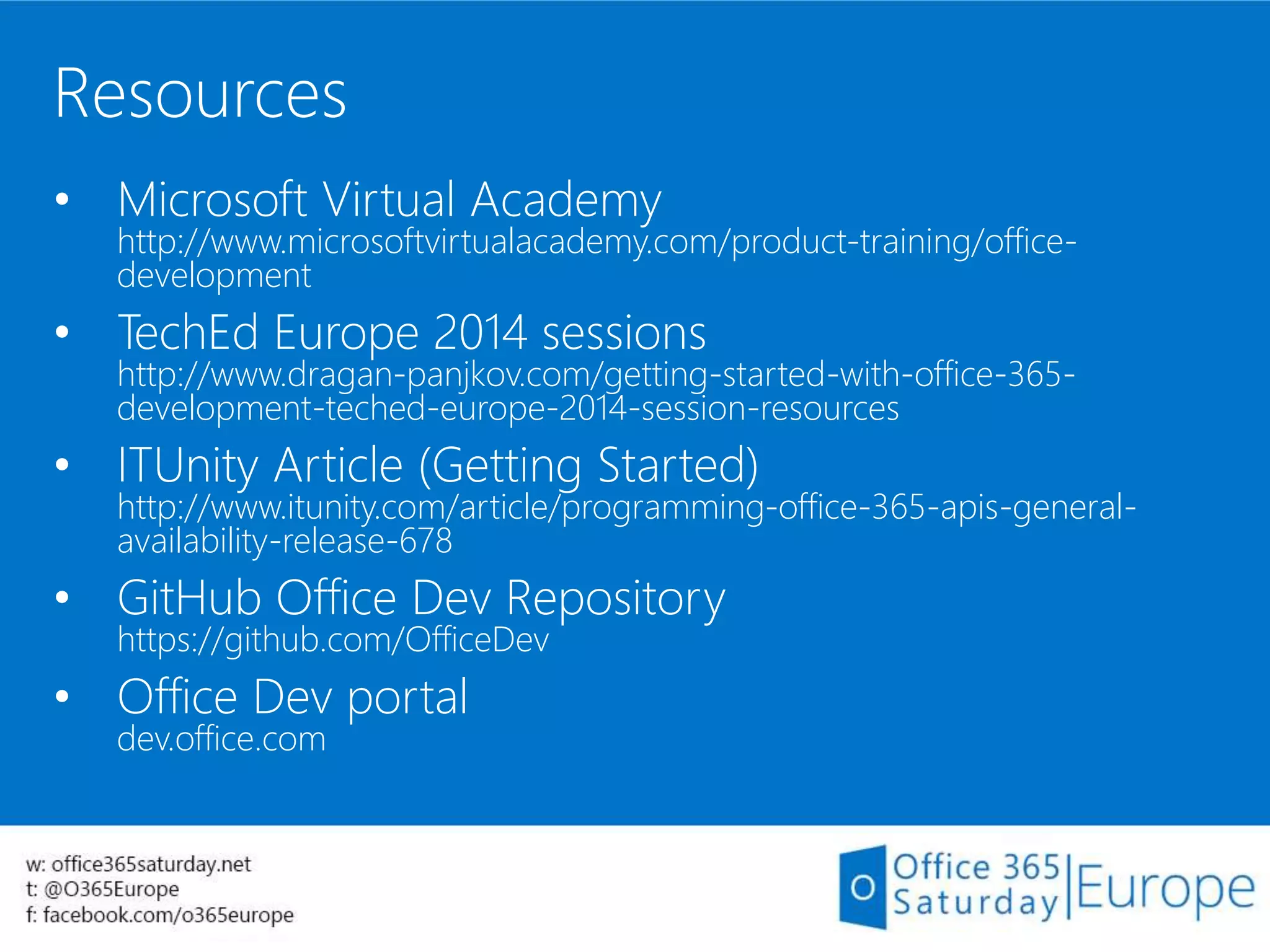
Resources
• Microsoft Virtual Academy
http://www.microsoftvirtualacademy.com/product-training/office-
development
• TechEd Europe 2014 sessions
http://www.dragan-panjkov.com/getting-started-with-office-365-
development-teched-europe-2014-session-resources
• ITUnity Article (Getting Started)
http://www.itunity.com/article/programming-office-365-apis-general-
availability-release-678
• GitHub Office Dev Repository
https://github.com/OfficeDev
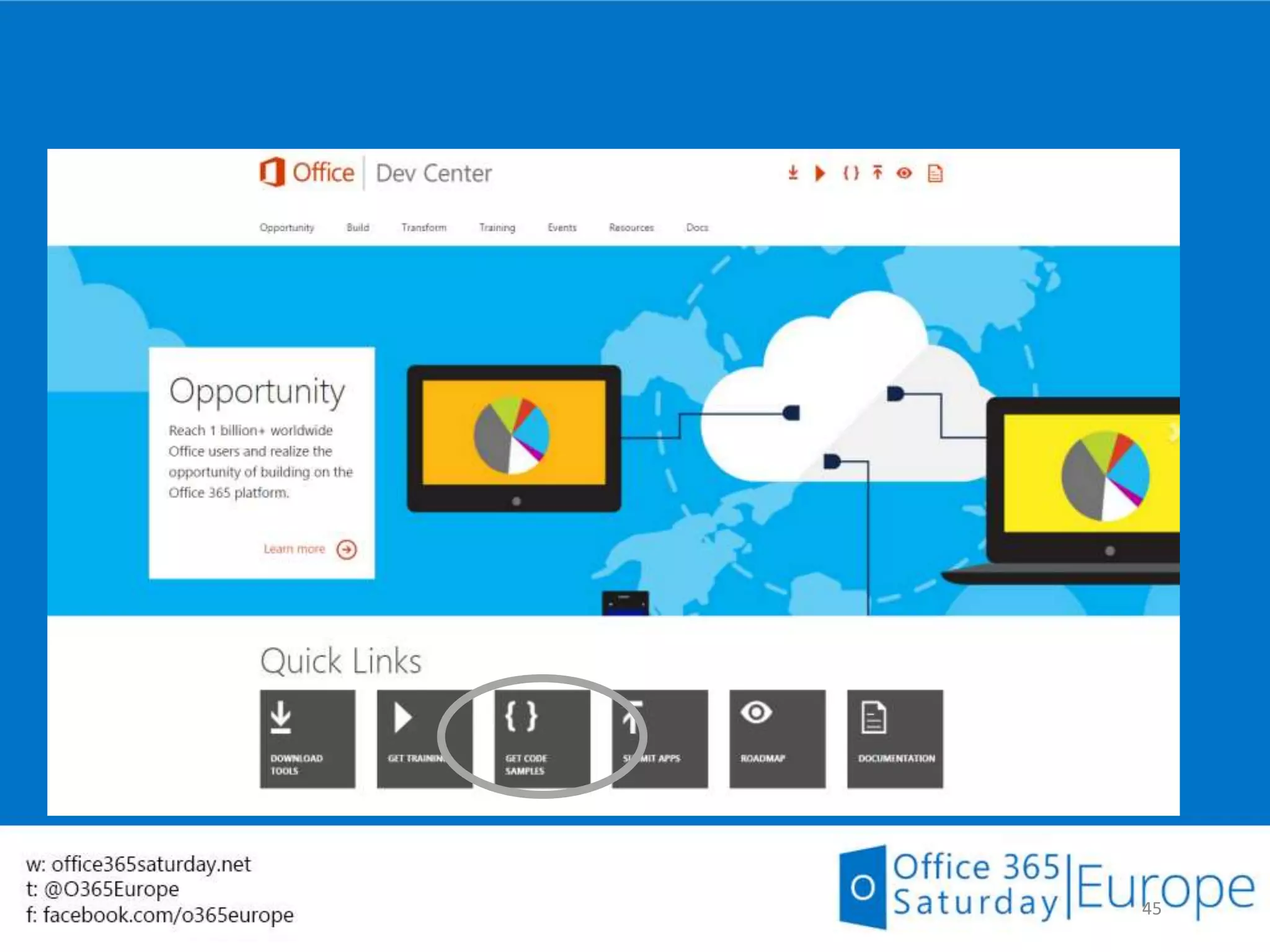
• Office Dev portal
dev.office.com
Questions?
www.dragan-panjkov.com
www.twitter.com/panjkov

Getting Started with Office 365 Development

  • 1.
    Getting Started with Office365 Development Speaker: Dragan Panjkov 15th November 2014 Host: Matthew Hughes
  • 2.
  • 3.
    Dragan Panjkov  LearningSharePoint since 2007  www.dragan-panjkov.com  www.twitter.com/panjkov  PlanB. d.o.o.  www.planb.ba  New Office User Group BiH  www.1sug.com  www.mscommunity.ba  MCSD – SharePoint Applications  MVP for Office365 (april 2014)
  • 4.
    Agenda Apps for Office Appsfor SharePoint Office 365 REST APIs
  • 5.
  • 6.
  • 7.
    Office 2013 developmentscenarios Business processes Sales and marketing, finance, and HR Team collaboration Content and project management Workflow Document approval and expenses App for Sharepoint Document template App for Office App for Office App for Office App for Office Translation, definitions, dictionary, help, research Business data lookup (CRM), contextual forms (surveys) Rich web content YouTube video and photo gallery Data visualization, analysis and mashups Maps, custom charts, and lookups Reference tools Content authoring and publishing Contextual content and services Workflow and collaboration Doc builders and print services Project tracking, coauthoring App for Office Content authoring Resumes and contracts Dashboards Data analysis and data mashups Forms and reports Legal forms and financial reports Document template App for Office App for Office App for Office App for Office
  • 8.
    Apps for Office- dev fundamentals  App components:  App manifest  Web site  Office JavaScript API (Office.js)  Referenced on Microsoft CDN or deployed locally  API updates are versioned  It’s web development!  Use all JS/CSS frameworks you want!  Same origin policy applies  Secure dev practices needed (SSL, input validation etc.)
  • 10.
    Build your firstApp for Office Demo
  • 11.
    App shapes forOffice Task pane App adjacent to the document Content App in the body of the document Mail Inline pane on an email or appointment item
  • 13.
    App shapes forOffice Task pane App adjacent to the document Content App in the body of the document Mail Inline pane on an email or appointment item
  • 15.
    App shapes forOffice Task pane App adjacent to the document Content App in the body of the document Mail Inline pane on an email or appointment item
  • 17.
    Apps for Officesamples Demo
  • 18.
  • 19.
    SharePoint apps -recap Code is isolated from SharePoint, using remote APIs  Client-side: JavaScript in user’s browser  Server-side: CSOM code in Azure/IIS/other
  • 20.
    Custom client code _api JavaScriptlibrary Silverlight library .Net CLR library Execute query REST/ OData … SearchSites, Lists and Libs Taxonomy BCSWorkflow The SharePoint client APIs
  • 21.
    Packaging and publishingapps Packaging apps .app file extension—a package typically includes the following files: AppManifest.xml AppIcon.png Solution file Data tier application package Publishing apps Office Store App catalogs
  • 22.
    Build your firstApp for SharePoint Demo
  • 23.
    App shapes forSharePoint Full page Implement complete app experiences to satisfy business scenarios Parts Create app parts that can interact with the SharePoint experience UI command extensions Add new commands to the ribbon and item menus
  • 25.
    App shapes forSharePoint Full page Implement complete app experiences to satisfy business scenarios Parts Create app parts that can interact with the SharePoint experience UI command extensions Add new commands to the ribbon and item menus
  • 27.
    App shapes forSharePoint Full page Implement complete app experiences to satisfy business scenarios Parts Create app parts that can interact with the SharePoint experience UI command extensions Add new commands to the ribbon and item menus
  • 29.
  • 30.
  • 31.
    Available REST Endpoints Exchange& Outlook.com Calendar Contacts Mail OneDrive OneDrive for Business Active Directory Users Groups SharePoint Client API Search Sites, Lists and Libs Taxonomy BCSWorkflow … Sites
  • 32.
    Common Consent Frameworkfor Office 365 • Single Authentication flow for O365 • Azure AD Graph, Exchange, SharePoint • Device apps and web apps • Admin and end-user consent • Secure protocol • OAuth 2.0 • No capturing user credentials • Fine-grained access scopes • Supports MFA and federated user sign-in • Long-term access through refresh tokens
  • 33.
    Discovering endpoints andAPI’s 36 Office 365 discovery services Automatically determine URL of O365 services Supports device app and website flows Secured using Azure AD authentication Serves information stored about services in AAD Rich service metadata Lists all Entities, Collections, Actions, Complex Types, Enums and their Properties. https://outlook.office365.com/api/v1.0/$metadata
  • 34.
    • .NET SDKto build many types of apps using Visual Studio .NET Windows Store Apps Windows Forms Application WPF Application ASP.NET MVC Web Application ASP.NET Web Forms Application Xamarin Android and iOS Applications Multi-device Hybrid Apps (Cordova) • Android SDK & iOS SDK’s Rich Tooling
  • 35.
  • 36.
     Permissions  Read,Read+Write, Send  Entities, Collections, Actions  Samples  https://outlook.office365.com/api/v1.0/Me/Folders/Inbox/  https://outlook.office365.com/api/v1.0/Me/Folders/Inbox/Messages?$top=1  https://outlook.office365.com/api/v1.0/Me/SendMail/ Mail Entity Collection Actions Folder Folders CRUD, Copy, Move Message Messages CRUD, Copy, Move, Reply, ReplyAll, Forward, Send, CreateReply, CreateReplyAll, CreateForward Attachment Attachments CRUD
  • 37.
     Permissions  Read,Read+Write  Entities, Collections, Actions  Samples  https://outlook.office365.com/api/v1.0/Me/Calendar  https://outlook.office365.com/api/v1.0/Me/Calendar/Events?$top=1  https://outlook.office365.com/api/v1.0/Me/CalendarView?startDateTime=2014-10-01T01:01:01Z & endDateTime=2014- 11-01T01:01:01Z Calendar Entity Collection Actions CalendarGroup CalendarGroups CRUD Calendar Calendars CRUD Event Events CRUD, Accept, Decline, TentativelyAccept CalendarView N/A Read Attachment Attachments CRUD Collection Entity No client-side recurrence expansion required 
  • 38.
     Permissions  Read,Read+Write  Entities, Collections, Actions  Samples  https://outlook.office365.com/api/v1.0/Me/ContactFolders(‘Contacts’)/  https://outlook.office365.com/api/v1.0/Me/Contacts/  Use AAD Graph API to find users in a tenant. Contacts Entity Collection Actions ContactFolder ContactFolders Contact Contacts CRUD
  • 39.
     Permissions  Read,Read+Write  Entities, Collections, Actions  Samples  https://contoso-my.sharepoint.com/_api/v1.0/me/drive  https://contoso-my.sharepoint.com/_api/v1.0/me/drive/files Files Entity Collection Actions Drive Read File Files CRUD, Upload, Download Folder CRUD
  • 40.
     Permissions  Read,Read+Write  Entities, Collections, Actions  Samples  https://graph.windows.net/contoso.com/users?api-version=1.5  https://graph.windows.net/contoso.com/groups?api-version=1.5 Users + Groups Entity Collection Actions User Users CRUD Groups Groups CRUD
  • 41.
    Rich Query Syntaxusing OData Scenario URL Get 5 messages from Inbox https://outlook.office365.com/api/v1.0/Me/Folders/Inbox/Messages?$top=5 Get the next 10 messages https://outlook.office365.com/api/v1.0/Me/Folders/Inbox/Messages?$top=10&$skip=5 Get top 10 messages sorted by DateTimeCreated https://outlook.office365.com/api/v1.0/Me/Folders/Inbox/Messages?$top=10&$orderby=DateTi meCreated Get selective properties on messages https://outlook.office365.com/api/v1.0/Me/Folders/Inbox/Messages?$top=5&$select=From,Dat eTimeCreated,Subject Get events starting after a particular DateTime https://outlook.office365.com/api/v1.0/Me/Events?$top=5&$select=Subject,Start,End&$filter=St art ge 2014-09-22T20:00:00Z Get Inbox messages with subject and attachment info https://outlook.office365.com/api/v1.0/Me/Folders/Inbox/Messages?$format=application/json;o data.metadata=none&$select=Subject&$expand=Attachments Get # of messages with attachment(s) https://outlook.office365.com/api/v1.0/Me/Folders/Inbox/Messages/$count?$filter=HasAttachm ents eq true Get count and selective propson messages with attachment(s) https://outlook.office365.com/v1.0/Me/Folders/Inbox/Messages?$format=application/json;odat a.metadata=none&$select=Subject&$filter=HasAttachments%20eq%20true&$count=true Get contact with a given name https://outlook.office365.com/v1.0/Me/Contacts/?$filter=Givenname eq ‘John’
  • 42.
  • 43.
    Getting Started: Office 365APIs starter Project – Visual Studio Demo
  • 44.
    Recap Embed your customizationin Office and SharePoint user experience using Apps Manipulate data in Office 365 from your standalone apps using REST APIs
  • 45.
    Resources • Microsoft VirtualAcademy http://www.microsoftvirtualacademy.com/product-training/office- development • TechEd Europe 2014 sessions http://www.dragan-panjkov.com/getting-started-with-office-365- development-teched-europe-2014-session-resources • ITUnity Article (Getting Started) http://www.itunity.com/article/programming-office-365-apis-general- availability-release-678 • GitHub Office Dev Repository https://github.com/OfficeDev • Office Dev portal dev.office.com
  • 46.

Editor's Notes

  • #6 Come and hear from Office 365 team on what they are doing this year to make Office 365 a great place for building solutions and products. Learn about what's new for developers in the Office 365 service and Office apps as well as all the tools and resources to help you move your customers custom code to the cloud. 1. Learn the key features that have shipped in the last 6 months on Office Development Platform
  • #8 Office 2013 will continue to support the extensibility models of previous version of the Office suite. Some of these options included using things like COM Add-Ins, Macros, extensions built using Visual Studio Tools for Office (VSTO) or extending the ribbon. As with any new version, developers are strongly recommended to test these customizations in the latest version of Office 2013. The new Office 2013 extensibility model that is recommended for developers to leverage when customizing Office 2013 is to build apps. An app is founded on standard Web technologies such as HTML & JavaScript. Because they are founded on web technologies, they can generally be used in both the Office 2013 desktop and web clients. This architecture also means that they are friendly to multiple devices since they are simply executing Web technologies. The new model in Office 2013 of building apps includes three different types of apps for Office: Task Pane Content Mail
  • #9 There are three different high-level scenarios that this new model supports. Each builds on the previous scenario: App for Office: This is the smallest unit of customization. Developers can build one of three types of Apps (Task Pane, Content or Contextual). These can be embedded within an Office application or within an Office document. Document Template: A document template could consist of multiple apps installed in the template document, or require an app to be installed in the hosting application. App for SharePoint: SharePoint apps can contain one or more document templates which in turn contain apps for Office. The slide contains numerous examples of each extensibility scenario. Office 2013 introduces a new extensibility option for developers to create custom business solutions. Developers can build an app for Office, new to Office 2013, to enhance the experience when users are working within Office 2013 clients. Unlike previous extensibility models in Office, apps for Office are founded on Web technologies and therefore, depending on the type of app, can be used in both the Office 2013 desktop clients as well as the online clients.
  • #10 The basic components of an app for Office are an XML manifest file and a webpage. The manifest defines various settings and points to the webpage that implements the app UI and custom logic. The HTML page can be published to any web server. The manifest file must point to the location of the webpage and be published to any of the following locations: the public Office Store, an internal SharePoint App Catalog, or a shared network location. The manifest specifies settings and capabilities of the app, such as the following: The URL of the webpage that implements the app UI and programming logic. The app display name, description, ID, version, and default locale. Whether the app can be shown as a task pane, in line with document content, or activated contextually in an email message, meeting request, or appointment. The permission level and data access requirements for the app.
  • #12 Using Visual Studio wizard to create simple app for Office just to show the tooling (basically New App For Office -> Next -> Next -> Finish)
  • #13 Task Pane: A Task Pane app involves creating a task pane that runs in the left or right margin of the application. This type of extensibility option is a great solution when creating reference or lookup solutions within an application.
  • #15 Content: A Content app involves adding content to a document. For instance, an Excel workbook could contain a list of stores with their addresses for a sales report. A content app within the workbook could show a map from Bing with pushpins for each of the sales locations.
  • #17 Mail: A Mail app involves adding additional content based on the context of an item in Outlook. For instance an app could show a map from Bing Maps if it detects a physical address within an email.
  • #19 Falafel Software EventBoard
  • #21 When we are talking about architectural options for Apps for SharePoint, we can distinct several different approaches: SharePoint Hosted Apps live inside SharePoint. They are deployed as sub-web of SharePoint site. From developer standpoint, SharePoint Hosted apps can use only JavaScript – no server-side code is allowed Provider Hosted Apps can deploy App-web to SharePoint, but entire implementation has to be deployed to external servers. Those external servers can be Azure, IIS or even Apache.
  • #22 This slide shows the primary ways your app will interact with Office 365 and SharePoint. There are two sets of APIs available to developers. One option is a pure RESTful endpoint that is modeled & implemented following the OData protocol. This enables you to use any technology, any language hosted on any infrastructure to interact with SharePoint. Another option is to use the client side object mode, also known as CSOM. The CSOM is proxy that calls the same endpoint but at times offers additional functionality not provided in the REST API. This proxy comes in three favors: a .NET CLR library, a Silverlight library and a third library used in client-side JavaScript solutions (also referred to as the JSOM).
  • #24 Using Visual Studio wizard to create simple app for SharePoint just to show the tooling (basically New App For SharePoint -> Next -> Next -> Finish -> F5)
  • #25 The new SharePoint App Model gives developers three different ways to surface their app customizations within SharePoint sites. The first option, a full page, is required for all apps. Think of this as the immersive experience where you can create an app that takes over the entire screen. Even if your app is designed to only use the App Part or UI command extension options (both explained in a moment), you must still have a full page implementation. However this can simply be an “about me” or FAQ style page for your app customizations.
  • #27 Another option for surfacing your customizations are app parts. To the end user, these look and act very much like web parts. However the content is rendered by your app that resides either in SharePoint or some remote location.
  • #29 The final type of customization is a UI command extension. This can be implemented as a custom menu item in lists and libraries or as a new button or tab on in the ribbon.
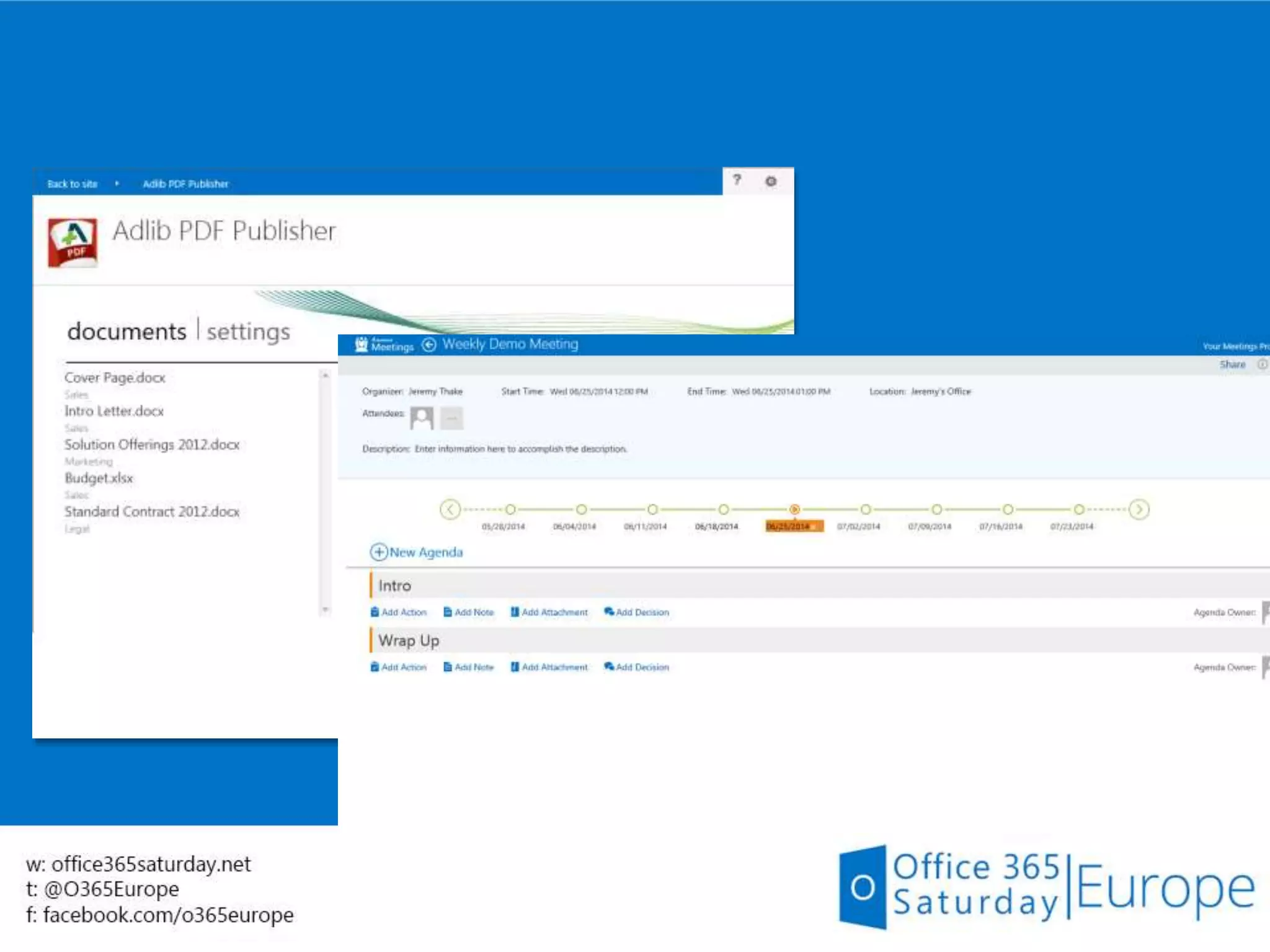
  • #31 Using DocuSign to sign a document stored on SharePoint online
  • #33 Why do these API’s matter? 1. API’s offer you a potential to reach 100’s of millions of users with 100’s of petabytes of rich data. Both the number of users and data is growing at a remarkable rate. If you take Mail; today we support the API’s for Exchange online users, but very soon due to convergence, Outlook.com (previously Hotmail or the consumer side of the mail) are going to be on the same platform; and on-prem and hybrid users are in our roadmap. These are engaged users who spend a lot of time creating, curating and consuming this data. For example, business critical Email, files, contacts along with how they organize their day using the calendar. These api’s throw open the door for you to crate apps that can access and manipulate this rich data across various platforms. 2. One of Microsoft’s key focus is “Cloud first-mobile-first” scenarios. These API’s are Web friendly and enable cross platform development especially for mobile and web-app developers. They are built for today’s modern platform with support for .Net, Android and iOS SDK’s out of the gate. I should also mention that this is a growing list of API’s. We are working to integrate commercial and consumer endpoints and new Features and workloads like, Lync, Tasks, Yammer are in our roadmap. 3. One of key differentiators these API’s offer are the scoped permissions. It encourages adoption of your app by asking a user consent, only for areas that your app requires, not the old approach of 'keys to the whole kingdom'. For example, one user might be wary of allowing Mail Send privileges to an app, but perfectly fine with an app creating emails and stowing them away in draft folders for her to review and send herself. 4. One of the challenges with the soap API’s is that there is “No native support for SOAP in iOS/Android, relegating developers to either creating own rest proxy or relying on a no-serious off the shelf alternative.” SOAP API’s tend to be difficult to learn (how many of you have used EWS before?) I know I did it a few years ago and found that it required quite a learning curve to do some basic operations. But today app developers want to churn out an app over a weekend and don’t have the resources to spend on learning how to send/read an email for many days. SOAP is also verbose and difficult to ramp up on where REST is easy to discover, learn and where JSON is minimal. ODATA provides a standard framework to restify our services while providing great ways to query, filter, order, page your requests.
  • #36 One of the key advantages of using these RESTful API’s is that though they are being offered from various workloads, such as Azure AD, Exchange and Sharepoint, they follow the same authentication flow. This allows you to have a unified view of these API’s and not worry about having a separate authentication and programming model for each of them. You can create Device apps (or native apps) like Windows store or Android phone app, or a web app. During preview we have had many customers integrate with our REST API’s. For example Zapier, which offers an If this then that kind of service, integrated into Office 365 through their website and they did it in just days. Apps can either register themselves to be Admin or end user consent. What it basically means is that you can decide when you register your app if every user in a tenant/org will have to give consent to your app. Or an Admin can give consent on behalf of all the users. Rest API’s use Oauth 2.0, this is a pretty standard web protocol today. All major services today use this. For example, facebook uses it extensively to support third party access to facebook api’s. The advantages are pretty well known: no need to capture creds, fine grained access control, like contacts.read, files.wite.
  • #37 We also offer a discovery service for getting the endpoints. For some of the api’s the endpoints are generally static, like for mail,calendar,contacts it is outlook.office365.com or for aad its graph.windows.net. But for files, it is based on tenant name which you can easily find using discovery. As we have built our service on the odata protocol, it provides a rich service metadata which enables self discovery of the api. It lists all the entities, collections and actions that the service offers. You can also point tools to this metadata and generate client proxies, serializers, deserializers for various platforms including Mobile. This is a sample of the metadata from our service.
  • #40 Read permission does not mean you mark the email as read Write permission is required to make any change to an email. Send – users are wary to give this permission to others for sending mail hence the other permission SendMail – after getting feedback on messagedisposition, we have introduced this during GA. One of the key changes from preview is the introduction of versioning.
  • #41 This is one the most popular api, calendar is complicated due to recurrence, the api’s make it dead simple to use. Calendar workflows are automatically taken care of. No permission bleeding – if you delete a calendar event, you will not see it in deleted items. Also no accept action on a mail event. The goal is to let the service do the heavy lifting.
  • #42  These are contacts in your mailbox, for users in your org, you should use users/groups ap
  • #43 These are onedrive for business files.
  • #44  Q: Get latest api version string from Dan. Q: Check with Dan if he wants to call out anything specific in the talk.
  • #48 Come and hear from Office 365 team on what they are doing this year to make Office 365 a great place for building solutions and products. Learn about what's new for developers in the Office 365 service and Office apps as well as all the tools and resources to help you move your customers custom code to the cloud. 1. Learn the key features that have shipped in the last 6 months on Office Development Platform