3 SECONDS OR LESS…
PERFORMANCE TESTS INTRODUCTION
AUTHOR: PIOTR LISS
WHY TEST PERFORMANCE?
 Why NOT to test
 It will work without it
 Why YES
 Locate performance downgrade before release
 Define the limits
 Find our bottleneck before user will
 On commercial sites – clients loss
 On internal sites – users frustration
 DDoS attack simulation
WHY TEST PERFORMANCE?
GOOGLE RANKING
Source: http://www.monitis.com/blog/website-performance-its-impact-on-google-ranking/
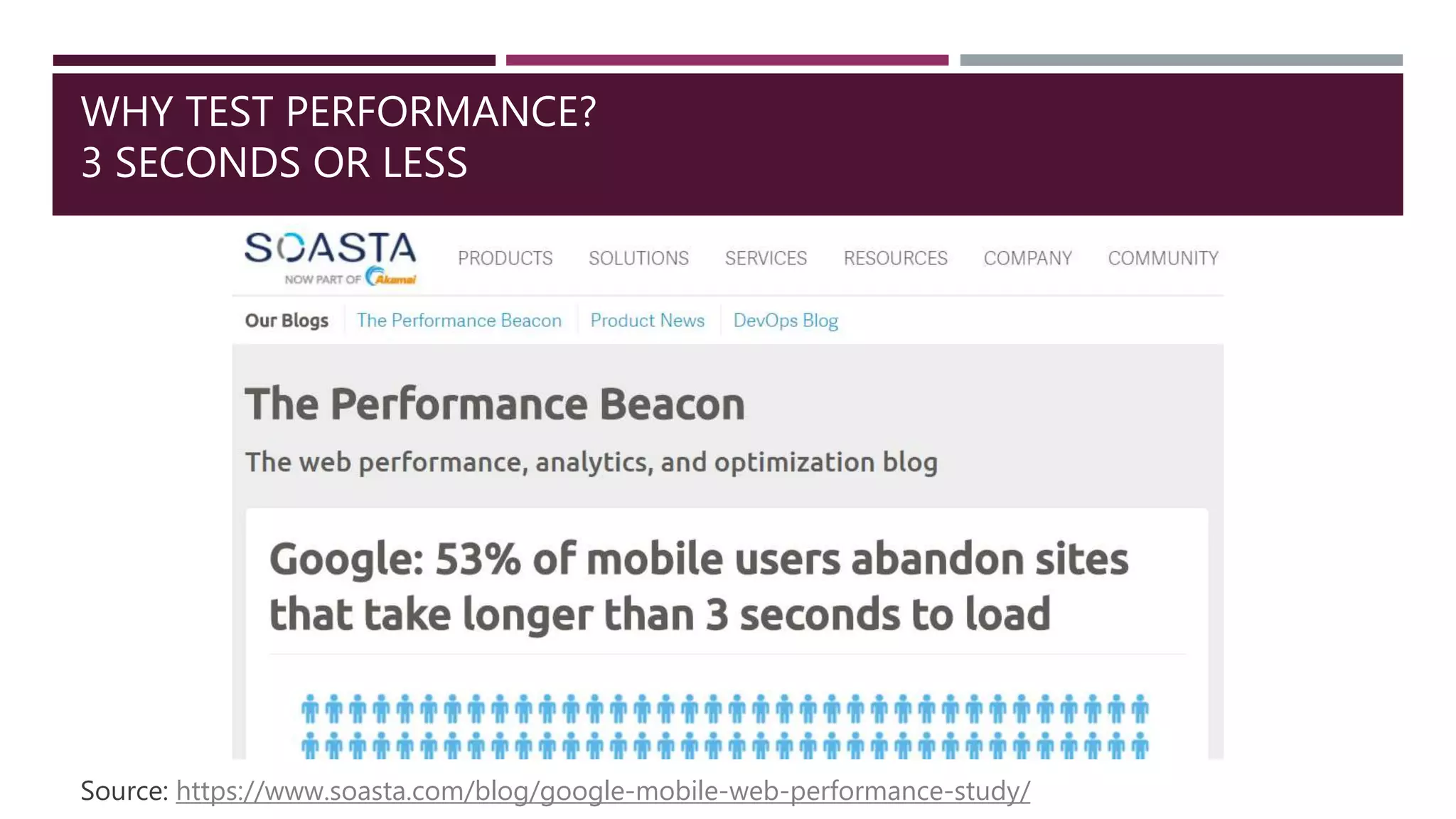
WHY TEST PERFORMANCE?
3 SECONDS OR LESS
Source: https://www.soasta.com/blog/google-mobile-web-performance-study/
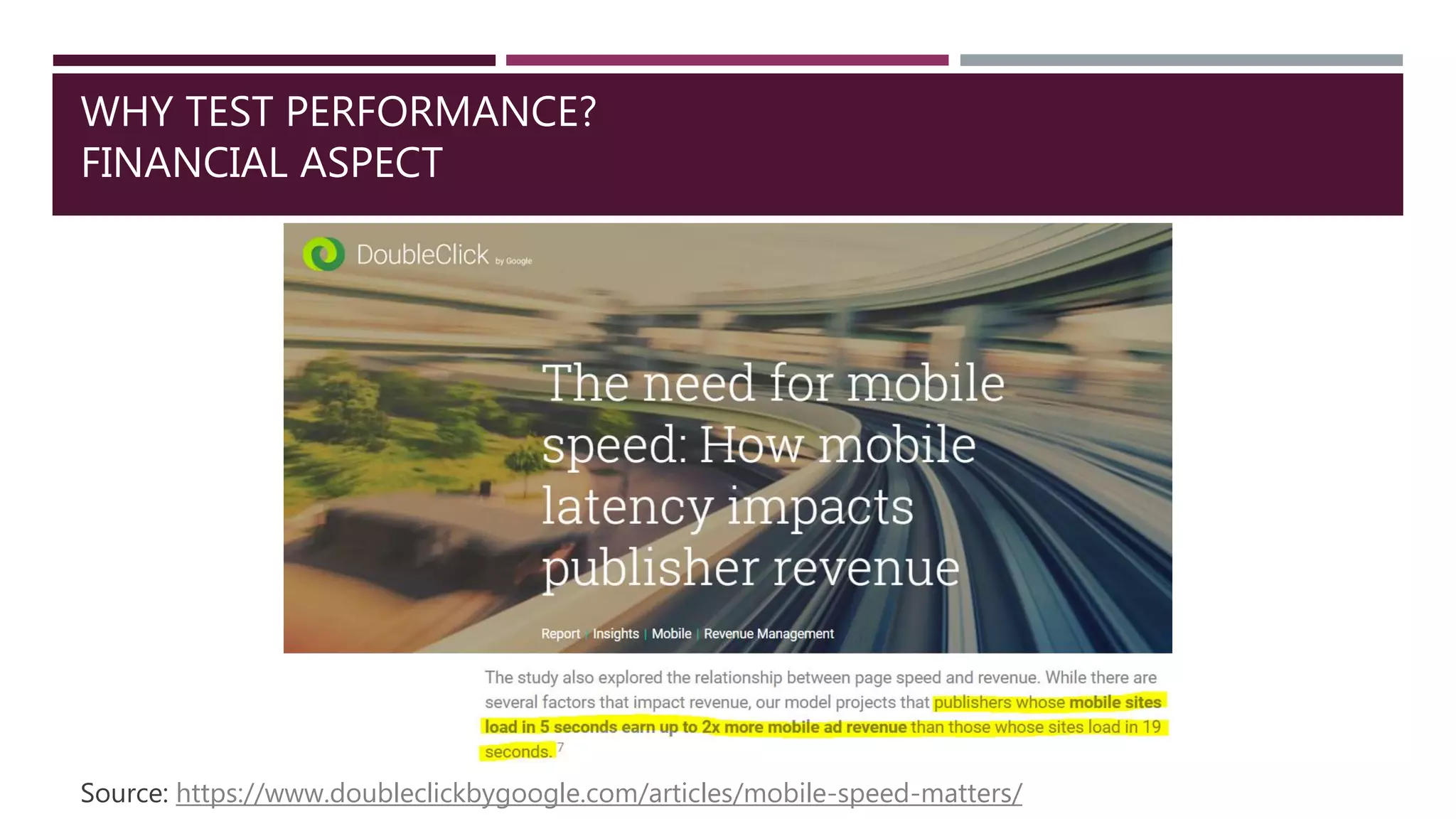
WHY TEST PERFORMANCE?
FINANCIAL ASPECT
Source: https://www.doubleclickbygoogle.com/articles/mobile-speed-matters/
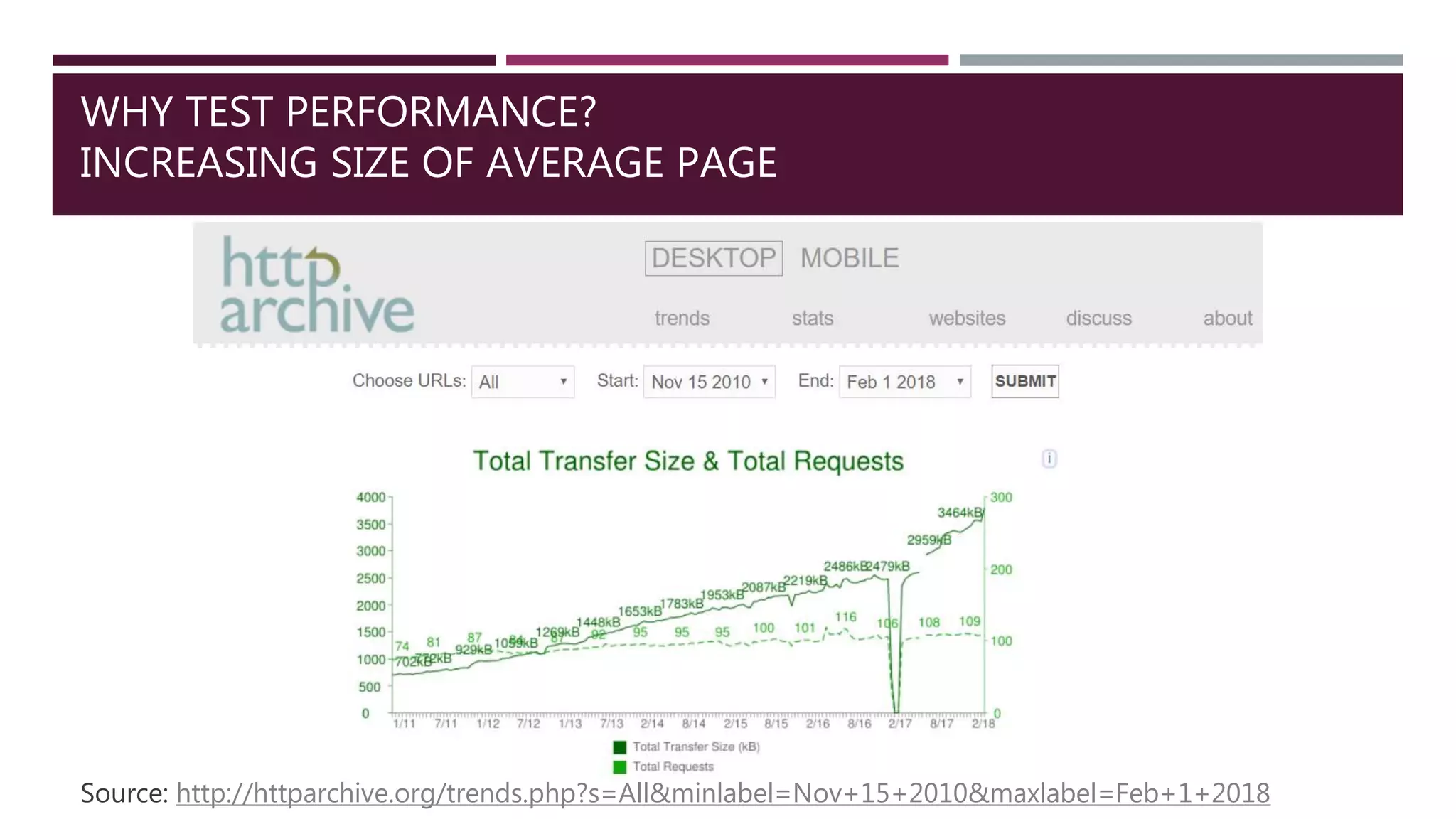
WHY TEST PERFORMANCE?
INCREASING SIZE OF AVERAGE PAGE
Source: http://httparchive.org/trends.php?s=All&minlabel=Nov+15+2010&maxlabel=Feb+1+2018
WHAT ARE PERFORMANCE TESTS?
DEFINITION
Test which result generates measurable value
regarding efficiency of testing product.
 response time
 number of users
 request per
second
 bits per second
 speed
 stability
 reliability
 capacity
 application
 web page
 service
 database
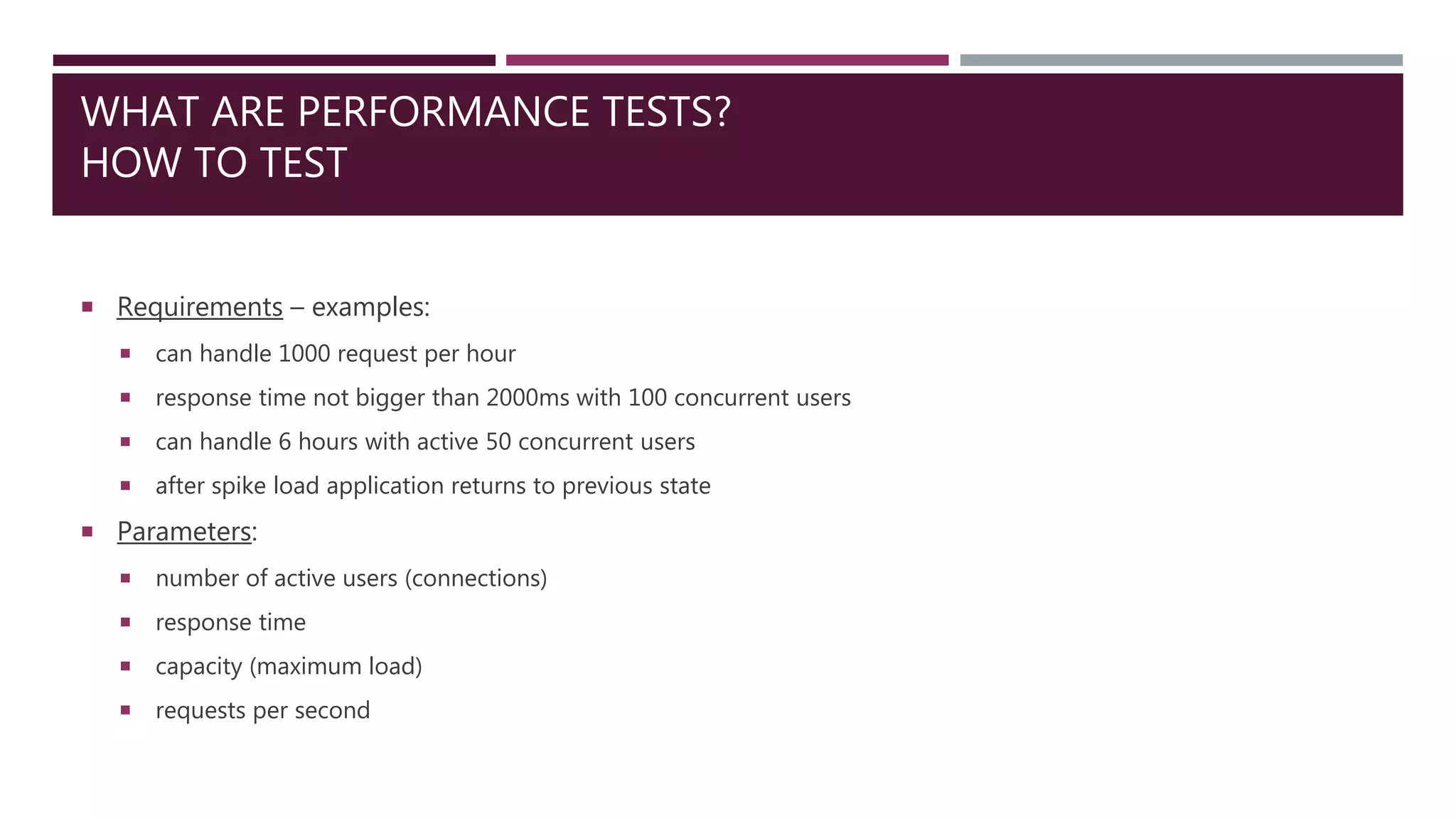
WHAT ARE PERFORMANCE TESTS?
HOW TO TEST
 Requirements – examples:
 can handle 1000 request per hour
 response time not bigger than 2000ms with 100 concurrent users
 can handle 6 hours with active 50 concurrent users
 after spike load application returns to previous state
 Parameters:
 number of active users (connections)
 response time
 capacity (maximum load)
 requests per second
WHAT ARE PERFORMANCE TESTS?
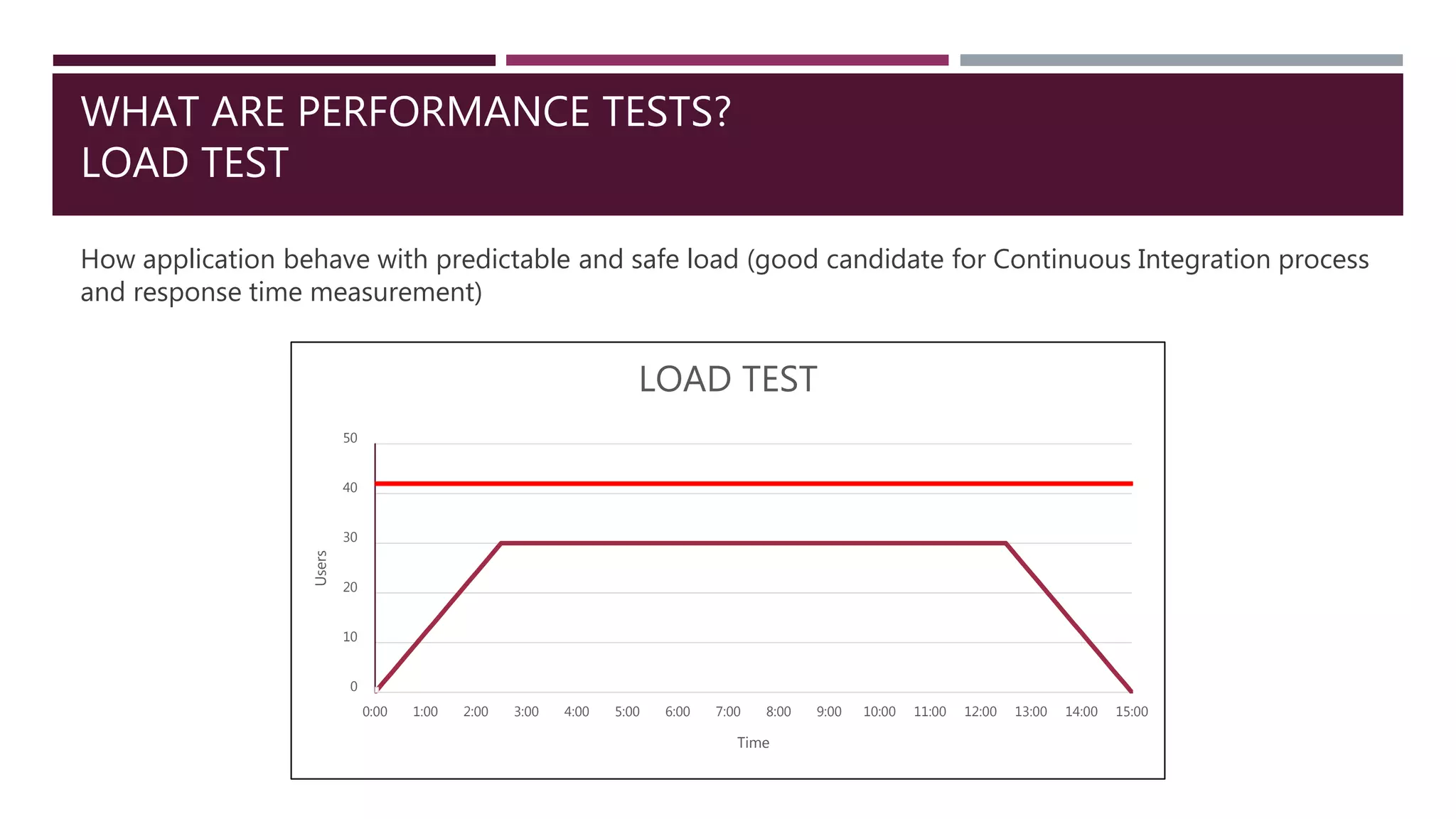
LOAD TEST
How application behave with predictable and safe load (good candidate for Continuous Integration process
and response time measurement)
0
10
20
30
40
50
0:00 1:00 2:00 3:00 4:00 5:00 6:00 7:00 8:00 9:00 10:00 11:00 12:00 13:00 14:00 15:00
Users
Time
LOAD TEST
WHAT ARE PERFORMANCE TESTS?
STRESS TEST
Usable to define border values (good test to define capacity and how infrastructure behave after crash)
0
10
20
30
40
50
60
0:00 1:00 2:00 3:00 4:00 5:00 6:00 7:00 8:00 9:00 10:00
Users
Time
STRESS TEST
WHAT ARE PERFORMANCE TESTS?
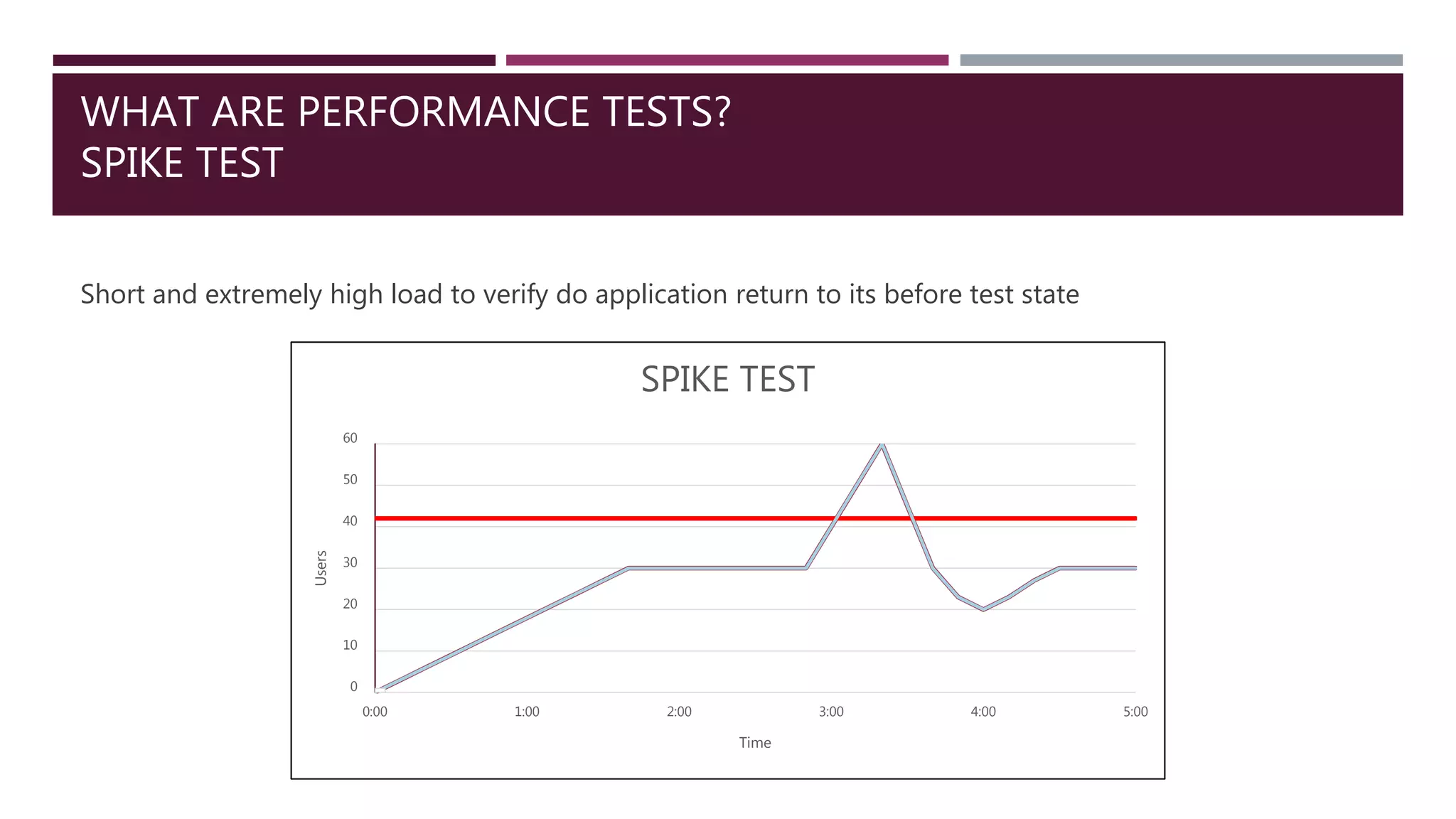
SPIKE TEST
Short and extremely high load to verify do application return to its before test state
0
10
20
30
40
50
60
0:00 1:00 2:00 3:00 4:00 5:00
Users
Time
SPIKE TEST
WHAT ARE PERFORMANCE TESTS?
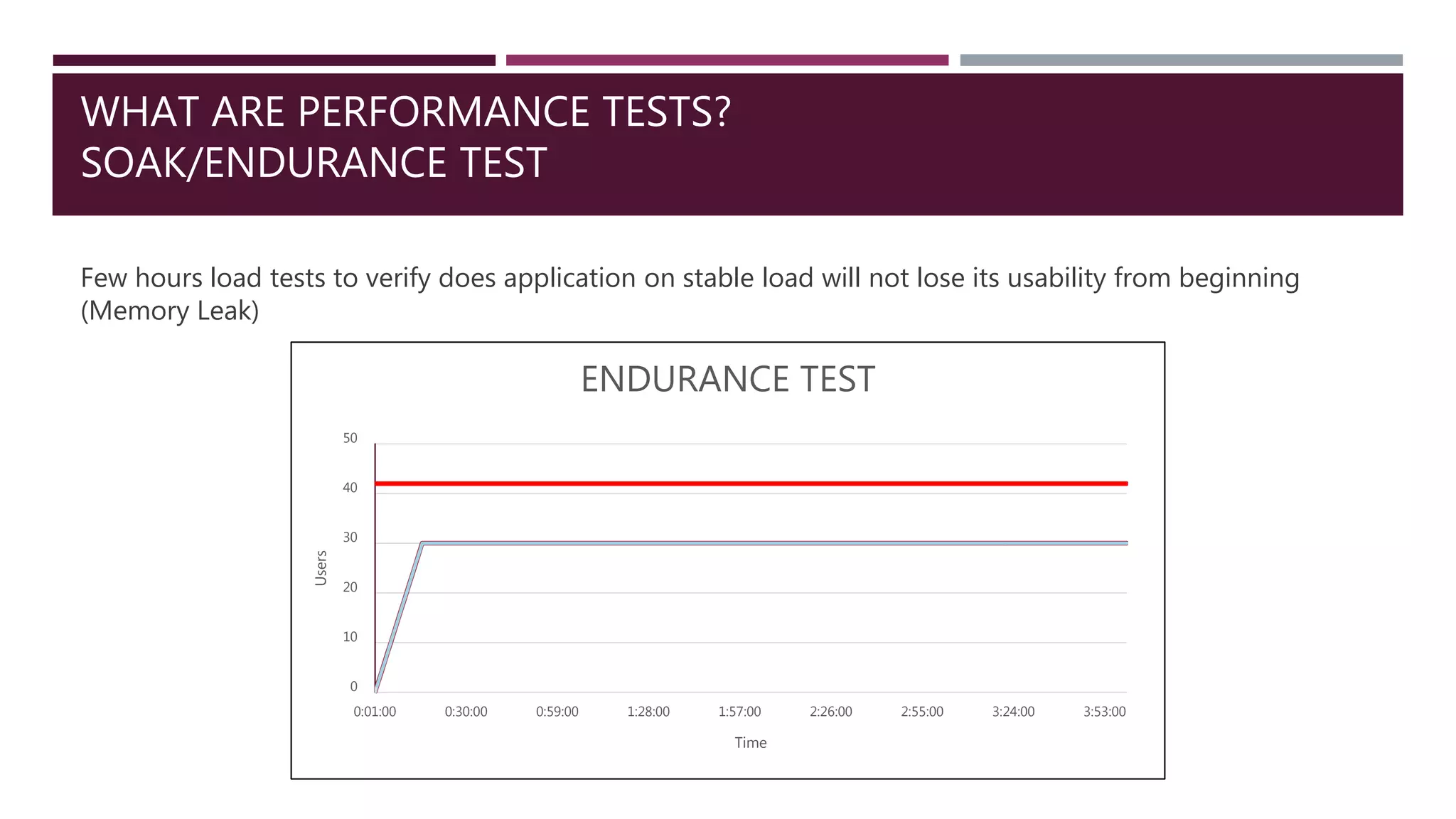
SOAK/ENDURANCE TEST
Few hours load tests to verify does application on stable load will not lose its usability from beginning
(Memory Leak)
0
10
20
30
40
50
0:01:00 0:30:00 0:59:00 1:28:00 1:57:00 2:26:00 2:55:00 3:24:00 3:53:00
Users
Time
ENDURANCE TEST
HOW TESTING TOOL WORKS?
Testing tool
emulates user
story scenario
repeating it X
times during
Y seconds.
HOW TESTING TOOL WORKS?
 Eliminate any unrelated with tested product element:
 no User Interface if it’s not generated on our application (e.g. no web browser)
 eliminate external application on test environment (e.g. in place of external authorization proxy server make a
plug that will always emulate same result)
 Make as real as possible:
 Think time
 Cache as a browser
 Embedded resources
 Stable increasing load
 Cookies
 Different load regions (if possible)
 Environment “warm up”
 Divide test to steps
TOOLS
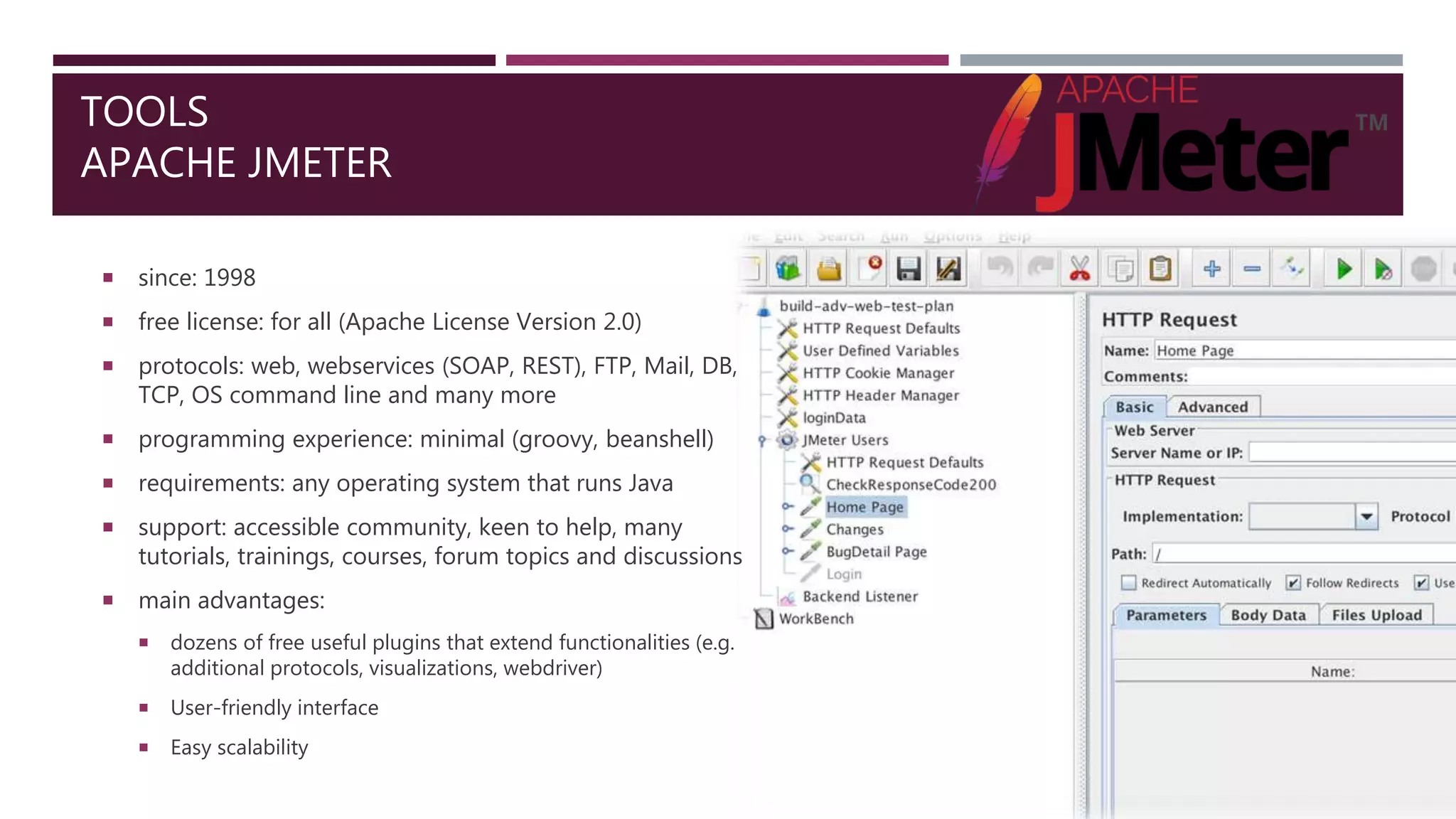
APACHE JMETER
 since: 1998
 free license: for all (Apache License Version 2.0)
 protocols: web, webservices (SOAP, REST), FTP, Mail, DB,
TCP, OS command line and many more
 programming experience: minimal (groovy, beanshell)
 requirements: any operating system that runs Java
 support: accessible community, keen to help, many
tutorials, trainings, courses, forum topics and discussions
 main advantages:
 dozens of free useful plugins that extend functionalities (e.g.
additional protocols, visualizations, webdriver)
 User-friendly interface
 Easy scalability
TOOLS
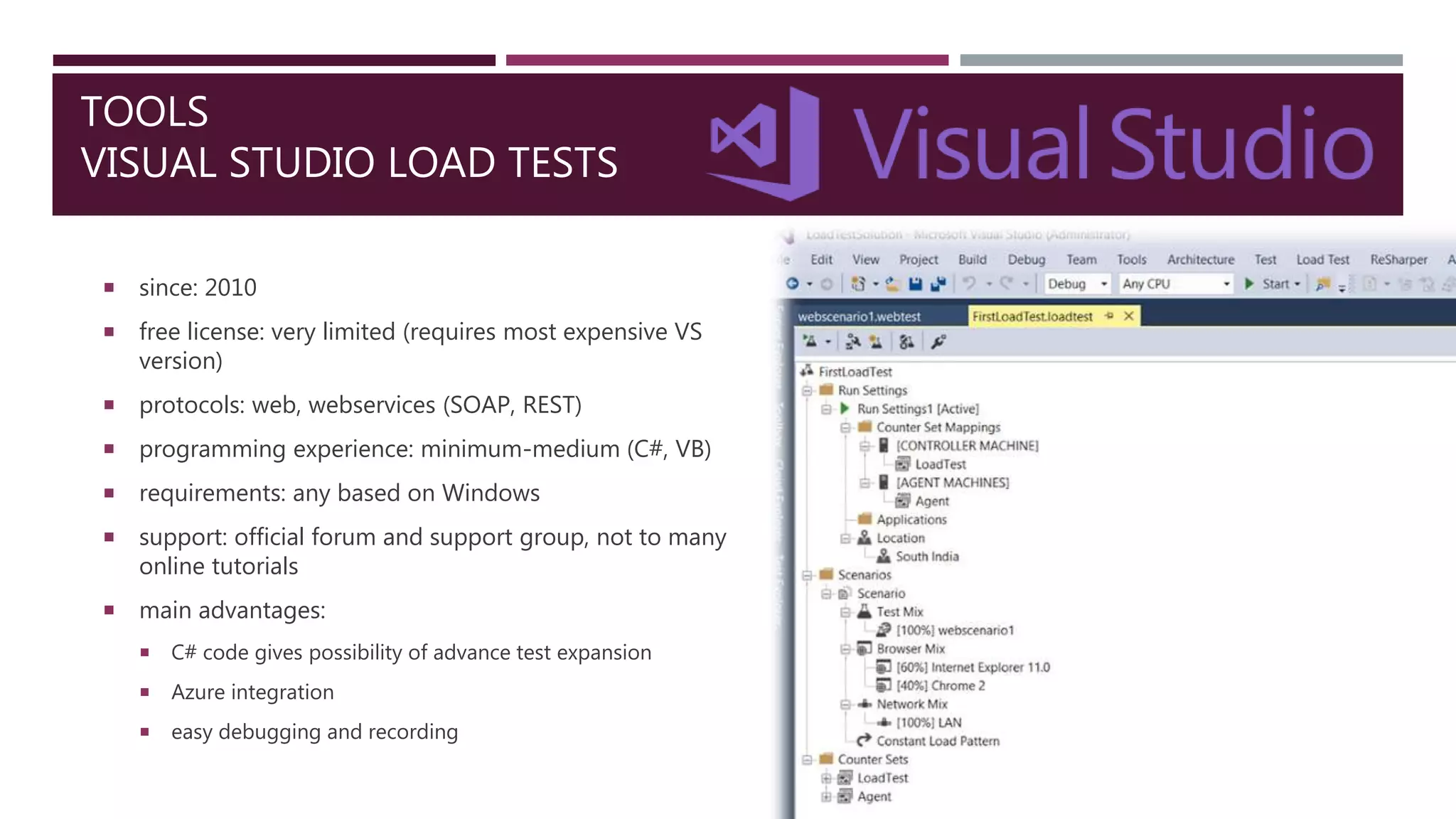
VISUAL STUDIO LOAD TESTS
 since: 2010
 free license: very limited (requires most expensive VS
version)
 protocols: web, webservices (SOAP, REST)
 programming experience: minimum-medium (C#, VB)
 requirements: any based on Windows
 support: official forum and support group, not to many
online tutorials
 main advantages:
 C# code gives possibility of advance test expansion
 Azure integration
 easy debugging and recording
TOOLS
AZURE PERFORMANCE TESTS
 since: 2014?
 free license: limited
 protocols: web
 programming experience: none
 requirements: web browser + Visual Studio Team
Services account
 support: not needed
 main advantages:
 free 20000 user-minutes/month tests on on-demand test
machine from desired world region
 test import from Visual Studio or JMeter (and partly
Fiddler)
 possibility to use own Azure infrastructure (additional
cost)
TOOLS
HP LOADRUNNER
 since: 1991
 free license: community edition (non-commercial)
 protocols: web, webservices (SOAP, REST), FTP, Mail, DB,
RDP, SAP and many more
 programming experience: medium (ANSI C or few other)
 requirements: Windows system with 8 cores and 16GB
memory
 support: many tutorials, trainings, courses, forum topics and
discussions
 main advantages:
 rich reports
 integration with many external software (including CI)
 good recorder
TOOLS
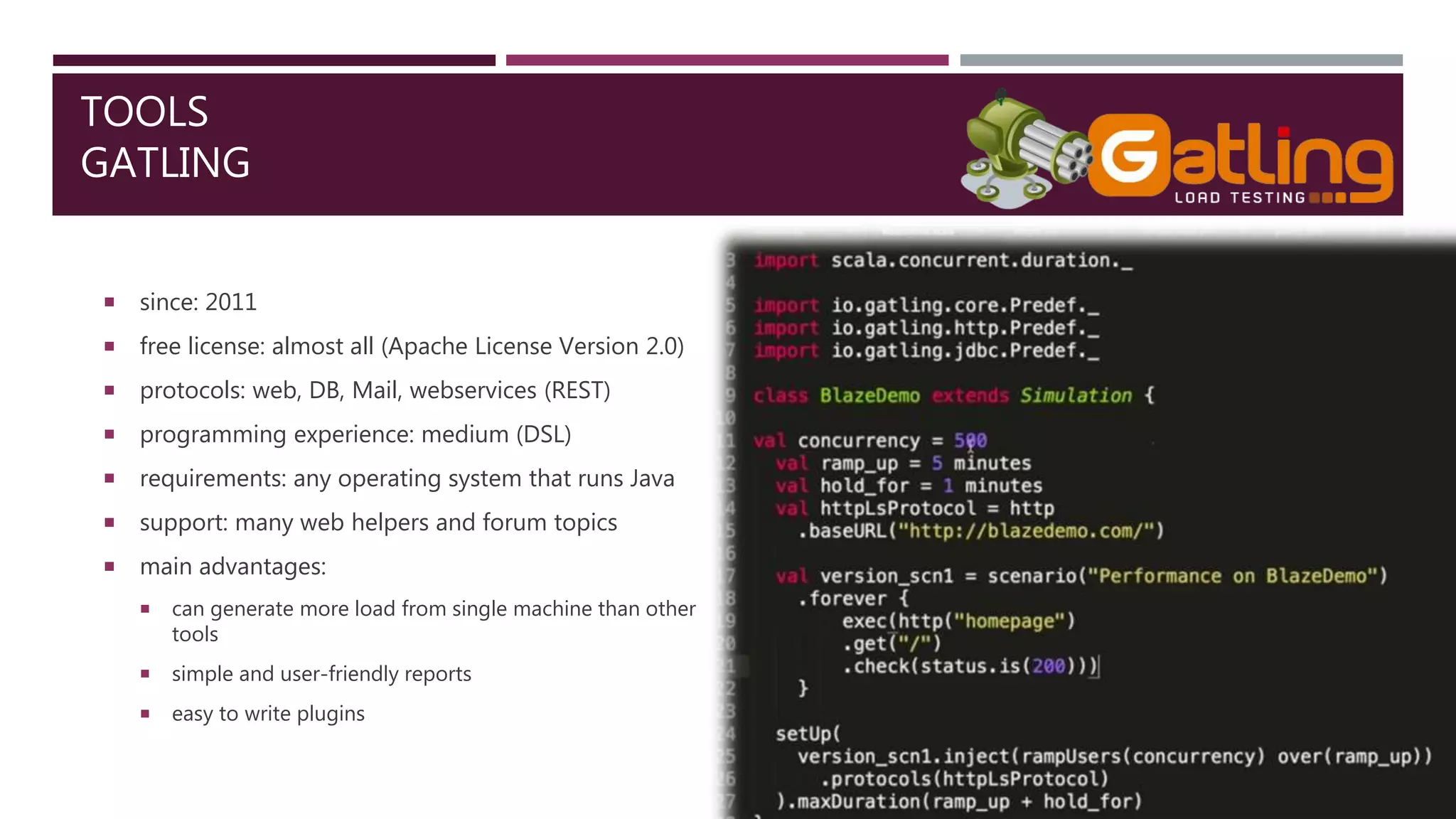
GATLING
 since: 2011
 free license: almost all (Apache License Version 2.0)
 protocols: web, DB, Mail, webservices (REST)
 programming experience: medium (DSL)
 requirements: any operating system that runs Java
 support: many web helpers and forum topics
 main advantages:
 can generate more load from single machine than other
tools
 simple and user-friendly reports
 easy to write plugins
TOOLS
OTHER
 SoapUI
 WebLOAD
 LoadUI NG Pro
 SmartMeter.io
 Appvance
 NeoLoad
 LoadComplete
 WAPT
 Loadster
 LoadImpact
 Rational Performance Tester
 Testing Anywhere
 OpenSTA
 QEngine (ManageEngine)
 Loadstorm
 CloudTest
 Httperf
 The Grinder
 Tsung
 Locust
 Bees with Machine Guns
 Multi-Mechanize
 Siege
 Apache Bench
PERFORMANCE TEST REPORT ANALYSIS
 Summary of all filtered test steps with errors,
response time and throughput statistics
 APDEX index
 APDEX is from 0 to 1 scale value that represents
how many request finished in given time
 toleration threshold - our target time
 frustration threshold - acceptable maximum time
 Helpful to compare results
PERFORMANCE TEST REPORT ANALYSIS
 Example charts:
 Response times over time
 Active threads
 Bytes sent/receive over time
 Hits per second
 Latency vs request
 Response time percentiles
APACHE JMETER
EXAMPLE USAGE - RECORDER
 JMeter Recorder
 Requires some basic adjustments and web
browser configuration
 Recorded records have to verified because
might contains some not related traffic
 Other methods:
 SAML recorder on any web browser (usually as
plugin)
 JMeter request/response analyzys
 Fiddler traffic recorder
APACHE JMETER
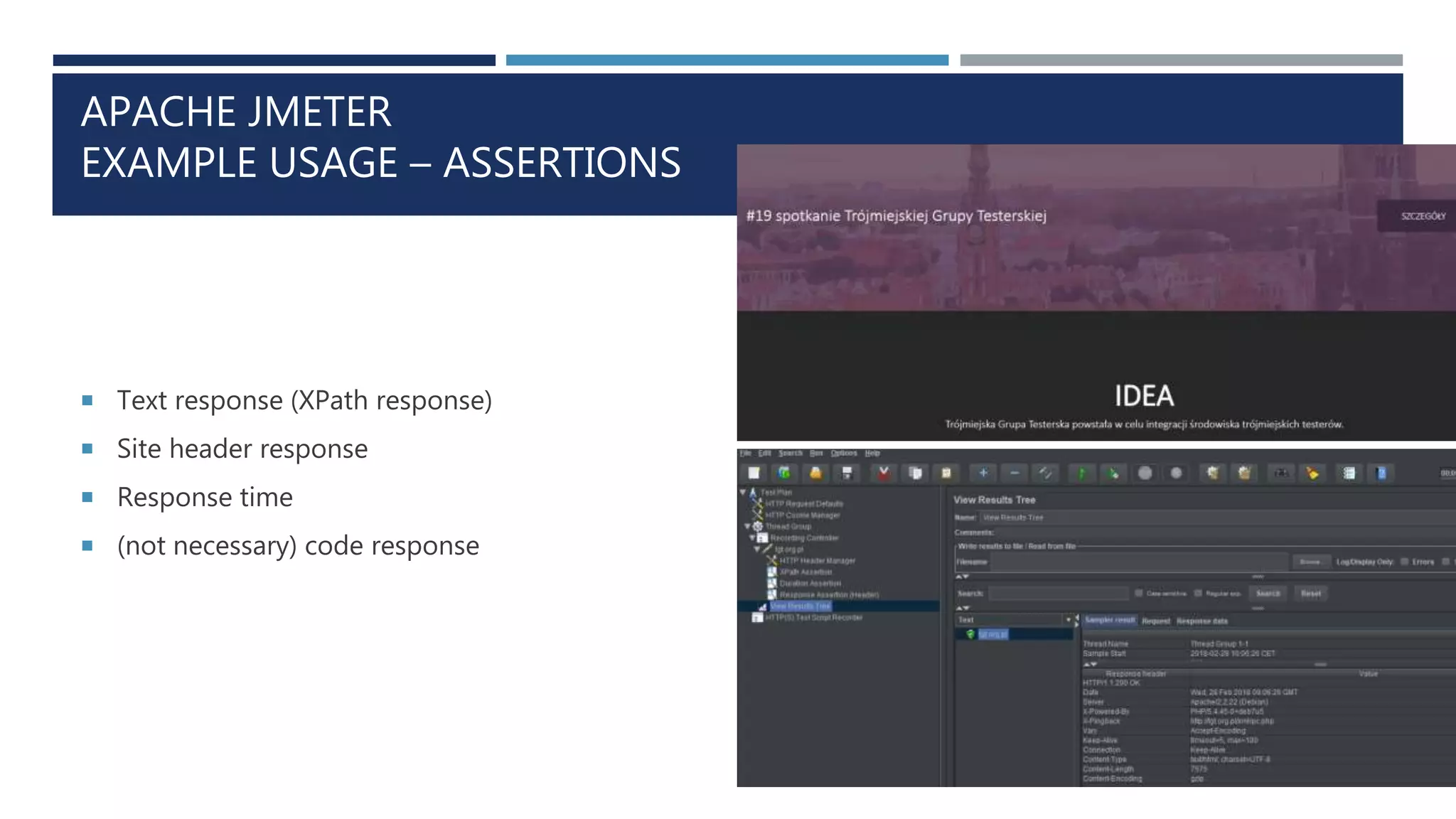
EXAMPLE USAGE – ASSERTIONS
 Text response (XPath response)
 Site header response
 Response time
 (not necessary) code response
APACHE JMETER
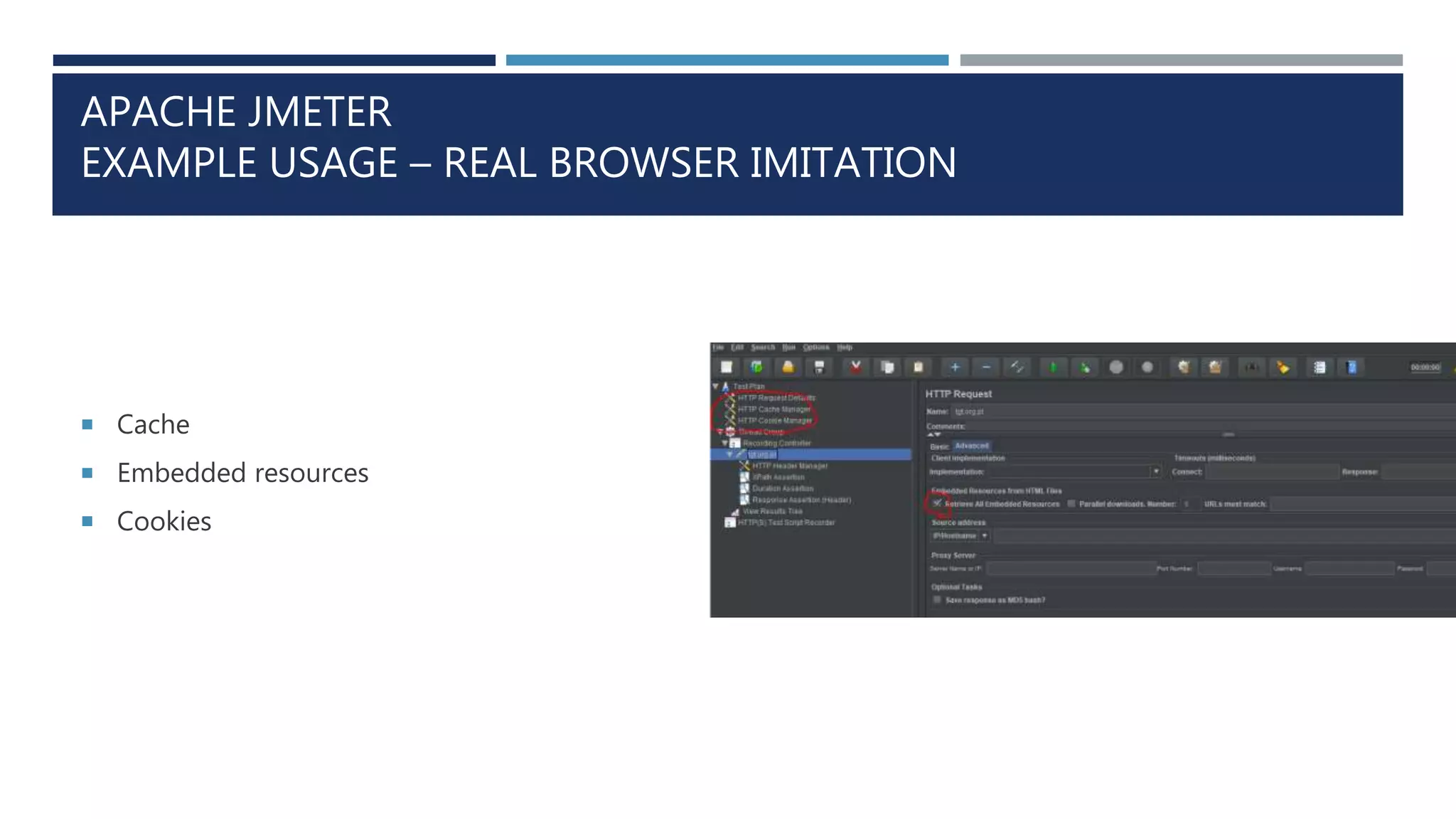
EXAMPLE USAGE – REAL BROWSER IMITATION
 Cache
 Embedded resources
 Cookies
APACHE JMETER
EXAMPLE USAGE – TEST RUN
 Verification process – GUI mode
 Run test using listeners
 Run process – non-GUI mode
 Run test using command line
APACHE JMETER
EXAMPLE USAGE – IS THAT ALL?
 Extraction rules - passing tokens and IDs between requests
 External files - e.g. other credential for every iteration
 Loops and IFs - e.g. requesting every few milliseconds until page will get certain content
 Scripts - e.g. exactly decide in which moment start timer
 Continuous Integration - e.g. integration with Jenkins
 Distributed environment - slave machines from different regions to generate load
PERFORMANCE TESTS PROBLEMS
 Asynchronous request and JavaScript code
 Increase performance by better code or by environment improvement?
 Do performance tester has enough work for full-time contract?
 Test environment vs production environment
 What to analyze after performance test run?
LINKS AND THANKS
 Author: Piotr Liss (www.linkedin.com/in/piotrLiss)
 Consultant: Darek Kozon (https://www.linkedin.com/in/dkozon/)
 Link: Blazemeter (https://www.blazemeter.com/)

TGT#19 - 3 seconds or less - Piotr Liss

  • 1.
    3 SECONDS ORLESS… PERFORMANCE TESTS INTRODUCTION AUTHOR: PIOTR LISS
  • 2.
    WHY TEST PERFORMANCE? Why NOT to test  It will work without it  Why YES  Locate performance downgrade before release  Define the limits  Find our bottleneck before user will  On commercial sites – clients loss  On internal sites – users frustration  DDoS attack simulation
  • 3.
    WHY TEST PERFORMANCE? GOOGLERANKING Source: http://www.monitis.com/blog/website-performance-its-impact-on-google-ranking/
  • 4.
    WHY TEST PERFORMANCE? 3SECONDS OR LESS Source: https://www.soasta.com/blog/google-mobile-web-performance-study/
  • 5.
    WHY TEST PERFORMANCE? FINANCIALASPECT Source: https://www.doubleclickbygoogle.com/articles/mobile-speed-matters/
  • 6.
    WHY TEST PERFORMANCE? INCREASINGSIZE OF AVERAGE PAGE Source: http://httparchive.org/trends.php?s=All&minlabel=Nov+15+2010&maxlabel=Feb+1+2018
  • 7.
    WHAT ARE PERFORMANCETESTS? DEFINITION Test which result generates measurable value regarding efficiency of testing product.  response time  number of users  request per second  bits per second  speed  stability  reliability  capacity  application  web page  service  database
  • 8.
    WHAT ARE PERFORMANCETESTS? HOW TO TEST  Requirements – examples:  can handle 1000 request per hour  response time not bigger than 2000ms with 100 concurrent users  can handle 6 hours with active 50 concurrent users  after spike load application returns to previous state  Parameters:  number of active users (connections)  response time  capacity (maximum load)  requests per second
  • 9.
    WHAT ARE PERFORMANCETESTS? LOAD TEST How application behave with predictable and safe load (good candidate for Continuous Integration process and response time measurement) 0 10 20 30 40 50 0:00 1:00 2:00 3:00 4:00 5:00 6:00 7:00 8:00 9:00 10:00 11:00 12:00 13:00 14:00 15:00 Users Time LOAD TEST
  • 10.
    WHAT ARE PERFORMANCETESTS? STRESS TEST Usable to define border values (good test to define capacity and how infrastructure behave after crash) 0 10 20 30 40 50 60 0:00 1:00 2:00 3:00 4:00 5:00 6:00 7:00 8:00 9:00 10:00 Users Time STRESS TEST
  • 11.
    WHAT ARE PERFORMANCETESTS? SPIKE TEST Short and extremely high load to verify do application return to its before test state 0 10 20 30 40 50 60 0:00 1:00 2:00 3:00 4:00 5:00 Users Time SPIKE TEST
  • 12.
    WHAT ARE PERFORMANCETESTS? SOAK/ENDURANCE TEST Few hours load tests to verify does application on stable load will not lose its usability from beginning (Memory Leak) 0 10 20 30 40 50 0:01:00 0:30:00 0:59:00 1:28:00 1:57:00 2:26:00 2:55:00 3:24:00 3:53:00 Users Time ENDURANCE TEST
  • 13.
    HOW TESTING TOOLWORKS? Testing tool emulates user story scenario repeating it X times during Y seconds.
  • 14.
    HOW TESTING TOOLWORKS?  Eliminate any unrelated with tested product element:  no User Interface if it’s not generated on our application (e.g. no web browser)  eliminate external application on test environment (e.g. in place of external authorization proxy server make a plug that will always emulate same result)  Make as real as possible:  Think time  Cache as a browser  Embedded resources  Stable increasing load  Cookies  Different load regions (if possible)  Environment “warm up”  Divide test to steps
  • 15.
    TOOLS APACHE JMETER  since:1998  free license: for all (Apache License Version 2.0)  protocols: web, webservices (SOAP, REST), FTP, Mail, DB, TCP, OS command line and many more  programming experience: minimal (groovy, beanshell)  requirements: any operating system that runs Java  support: accessible community, keen to help, many tutorials, trainings, courses, forum topics and discussions  main advantages:  dozens of free useful plugins that extend functionalities (e.g. additional protocols, visualizations, webdriver)  User-friendly interface  Easy scalability
  • 16.
    TOOLS VISUAL STUDIO LOADTESTS  since: 2010  free license: very limited (requires most expensive VS version)  protocols: web, webservices (SOAP, REST)  programming experience: minimum-medium (C#, VB)  requirements: any based on Windows  support: official forum and support group, not to many online tutorials  main advantages:  C# code gives possibility of advance test expansion  Azure integration  easy debugging and recording
  • 17.
    TOOLS AZURE PERFORMANCE TESTS since: 2014?  free license: limited  protocols: web  programming experience: none  requirements: web browser + Visual Studio Team Services account  support: not needed  main advantages:  free 20000 user-minutes/month tests on on-demand test machine from desired world region  test import from Visual Studio or JMeter (and partly Fiddler)  possibility to use own Azure infrastructure (additional cost)
  • 18.
    TOOLS HP LOADRUNNER  since:1991  free license: community edition (non-commercial)  protocols: web, webservices (SOAP, REST), FTP, Mail, DB, RDP, SAP and many more  programming experience: medium (ANSI C or few other)  requirements: Windows system with 8 cores and 16GB memory  support: many tutorials, trainings, courses, forum topics and discussions  main advantages:  rich reports  integration with many external software (including CI)  good recorder
  • 19.
    TOOLS GATLING  since: 2011 free license: almost all (Apache License Version 2.0)  protocols: web, DB, Mail, webservices (REST)  programming experience: medium (DSL)  requirements: any operating system that runs Java  support: many web helpers and forum topics  main advantages:  can generate more load from single machine than other tools  simple and user-friendly reports  easy to write plugins
  • 20.
    TOOLS OTHER  SoapUI  WebLOAD LoadUI NG Pro  SmartMeter.io  Appvance  NeoLoad  LoadComplete  WAPT  Loadster  LoadImpact  Rational Performance Tester  Testing Anywhere  OpenSTA  QEngine (ManageEngine)  Loadstorm  CloudTest  Httperf  The Grinder  Tsung  Locust  Bees with Machine Guns  Multi-Mechanize  Siege  Apache Bench
  • 21.
    PERFORMANCE TEST REPORTANALYSIS  Summary of all filtered test steps with errors, response time and throughput statistics  APDEX index  APDEX is from 0 to 1 scale value that represents how many request finished in given time  toleration threshold - our target time  frustration threshold - acceptable maximum time  Helpful to compare results
  • 22.
    PERFORMANCE TEST REPORTANALYSIS  Example charts:  Response times over time  Active threads  Bytes sent/receive over time  Hits per second  Latency vs request  Response time percentiles
  • 23.
    APACHE JMETER EXAMPLE USAGE- RECORDER  JMeter Recorder  Requires some basic adjustments and web browser configuration  Recorded records have to verified because might contains some not related traffic  Other methods:  SAML recorder on any web browser (usually as plugin)  JMeter request/response analyzys  Fiddler traffic recorder
  • 24.
    APACHE JMETER EXAMPLE USAGE– ASSERTIONS  Text response (XPath response)  Site header response  Response time  (not necessary) code response
  • 25.
    APACHE JMETER EXAMPLE USAGE– REAL BROWSER IMITATION  Cache  Embedded resources  Cookies
  • 26.
    APACHE JMETER EXAMPLE USAGE– TEST RUN  Verification process – GUI mode  Run test using listeners  Run process – non-GUI mode  Run test using command line
  • 27.
    APACHE JMETER EXAMPLE USAGE– IS THAT ALL?  Extraction rules - passing tokens and IDs between requests  External files - e.g. other credential for every iteration  Loops and IFs - e.g. requesting every few milliseconds until page will get certain content  Scripts - e.g. exactly decide in which moment start timer  Continuous Integration - e.g. integration with Jenkins  Distributed environment - slave machines from different regions to generate load
  • 28.
    PERFORMANCE TESTS PROBLEMS Asynchronous request and JavaScript code  Increase performance by better code or by environment improvement?  Do performance tester has enough work for full-time contract?  Test environment vs production environment  What to analyze after performance test run?
  • 29.
    LINKS AND THANKS Author: Piotr Liss (www.linkedin.com/in/piotrLiss)  Consultant: Darek Kozon (https://www.linkedin.com/in/dkozon/)  Link: Blazemeter (https://www.blazemeter.com/)