THE TRICKY BUSINESS OF
   WEBSITE TESTING
           Presenter:
      Christopher Martello
ABOUT YOUR SPEAKER

• Software   Tester for 12 years

• Roles:Tester, Manager, Engineer,
 Configuration Manager, Team
 Leader, Deployment Coordinator

• Currently:
           Build and Deployment
 Coordinator
SEGMENTS

-Philosophy

-Process   & Strategy
-Tools

-Demos
WHY DO WE NEED
   TESTING?
- Checks     and        - Gatekeeper   to
 Balance                 PROD

- Identify   Problems   - Protect   Users

- Interface
         between
 Developers and
 BA’s
WHAT MAKES A TESTER
             TICK?
-   Likes to Find defects and   -   IT finds the bugs, not the
    issues                          users (UAT or PROD)

-   Not just the ‘happy path’   -   Part of the team

-   Ensure major scenarios      -   Incorporate Quality
    work                            throughout the process

-   More Systematic, detail     -   They Fight for the USER!
    oriented, and methodical
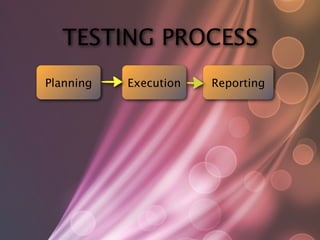
TESTING PROCESS
Planning   Execution   Reporting
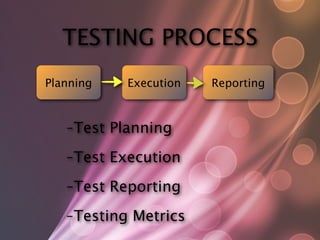
TESTING PROCESS
Planning      Execution   Reporting


   - Test   Planning
   - Test   Execution
   - Test   Reporting
   - Testing   Metrics
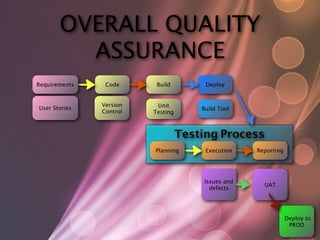
OVERALL QUALITY
         ASSURANCE
Requirements    Code      Build         Deploy


               Version    Unit
User Stories                           Build Tool
               Control   Testing


                                   Testing Process
                         Planning       Execution    Reporting


                                        Issues and
                                                       UAT
                                          defects


                                                                 Deploy to
                                                                  PROD
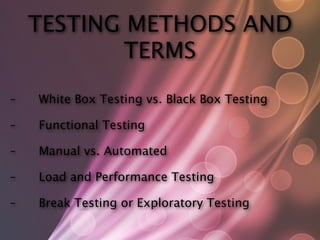
TESTING METHODS AND
        TERMS
TESTING METHODS AND
             TERMS
-
   White Box Testing vs. Black Box Testing

-
   Functional Testing

-
   Manual vs. Automated

-
   Load and Performance Testing

-
   Break Testing or Exploratory Testing
OBJECTIVE VS. SUBJECTIVE

 - Functionality   meets the requirements

 - Works as designed, but it's poorly designed -
  [http://www.webpagesthatsuck.com]

 - Consistent   Look and Feel

 - The   color scheme doesn't blend
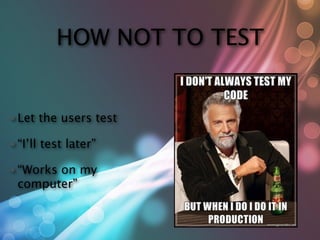
HOW NOT TO TEST


• Let     the users test

• “I’ll   test later”

• “Works
       on my
 computer”
STANDARDS TESTING
- CSS Validation - http://jigsaw.w3.org/css-
 validator/

- HTML   Validation - http://validator.w3.org/

- HTML5   Validation - http://html5.validator.nu/
OTHER STANDARDS
-
   Accessibility
-
   Links -   http://validator.w3.org/checklink


-
   Security Testing
-
   Mobile Standards
BROWSER TESTING

- Major   Platforms: Windows, Mac OSX, Linux, Mobile

- Major
      Browsers: Internet Explorer, FireFox, Safari,
 Chrome, Opera (+ versions)

- GradedPresentation Standards - usually find in
 the about, TOS, or FAQ's
BROWSER STATS
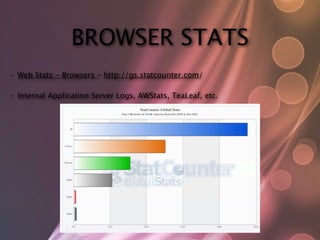
-   Web Stats - Browsers - http://gs.statcounter.com/

-   Internal Application Server Logs, AWStats, TeaLeaf, etc.
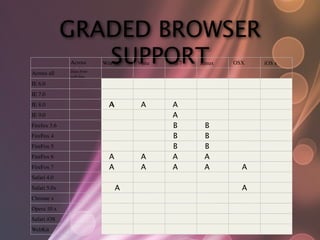
GRADED BROWSER
                 SUPPORT
              Across
              all OS
              Data from
                          Win XP    Vista   Win 7   Linux   OSX
                                                            10.x
                                                                   iOS x
Across all
              Platfor
              web logs
Browsers
IE 6.0        ms
IE 7.0
IE 8.0                      A        A       A
IE 9.0                                       A
Firefox 3.6                                  B       B
FireFox 4                                    B       B
FireFox 5                                    B       B
FireFox 6                   A        A       A       A
FireFox 7                   A        A       A       A         A
Safari 4.0
Safari 5.0x                     A                              A
Chrome x
Opera 10.x
Safari iOS
WebKit
LOAD & PERFORMANCE
      TESTING

- Throwing    multiple requests / users at a site

- Identifiesbottlenecks in your application /
 Architecture

- Takes   time to set up / coordinate
MANUAL TESTING

- Read     the fine print

- Fill   out the forms, error validation

- Send    a test email for contact pages

- Call   the phone numbers
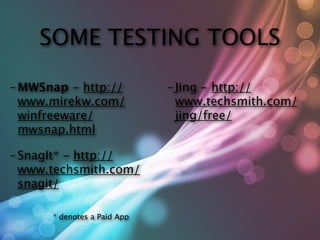
SOME TESTING TOOLS

- MWSnap  - http://           - Jing- http://
 www.mirekw.com/               www.techsmith.com/
 winfreeware/                  jing/free/
 mwsnap.html

- SnagIt*- http://
 www.techsmith.com/
 snagit/

       * denotes a Paid App
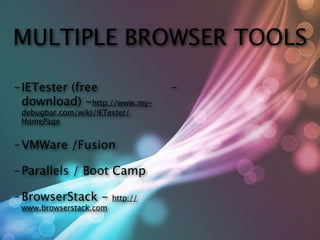
MULTIPLE BROWSER TOOLS

- IETester
        (free                     -
 download) -http://www.my-
 debugbar.com/wiki/IETester/
 HomePage


- VMWare      /Fusion

- Parallels   / Boot Camp

- BrowserStack      -   http://
 www.browserstack.com
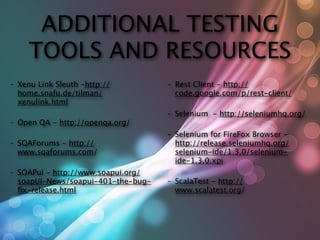
ADDITIONAL TESTING
       TOOLS AND RESOURCES
-   Xenu Link Sleuth -http://         -   Rest Client - http://
    home.snafu.de/tilman/                 code.google.com/p/rest-client/
    xenulink.html
                                      -   Selenium - http://seleniumhq.org/
-   Open QA - http://openqa.org/
                                      -   Selenium for FireFox Browser -
-   SQAForums - http://                   http://release.seleniumhq.org/
    www.sqaforums.com/                    selenium-ide/1.3.0/selenium-
                                          ide-1.3.0.xpi
-   SOAPui - http://www.soapui.org/
    soapUI-News/soapui-401-the-bug-   -   ScalaTest - http://
    fix-release.html                       www.scalatest.org/
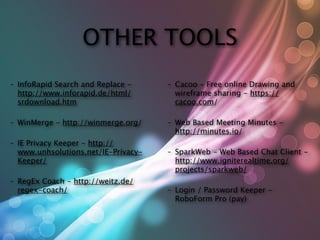
OTHER TOOLS
-   InfoRapid Search and Replace -     -   Cacoo - Free online Drawing and
    http://www.inforapid.de/html/          wireframe sharing - https://
    srdownload.htm                         cacoo.com/

-   WinMerge - http://winmerge.org/    -   Web Based Meeting Minutes -
                                           http://minutes.io/
-   IE Privacy Keeper - http://
    www.unhsolutions.net/IE-Privacy-   -   SparkWeb - Web Based Chat Client -
    Keeper/
                               http://www.igniterealtime.org/
                                           projects/sparkweb/
-   RegEx Coach - http://weitz.de/
    regex-coach/                       -   Login / Password Keeper -
                                           RoboForm Pro (pay)
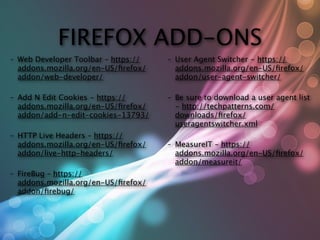
FIREFOX ADD-ONS
-   Web Developer Toolbar – https://   -   User Agent Switcher - https://
    addons.mozilla.org/en-US/firefox/       addons.mozilla.org/en-US/firefox/
    addon/web-developer/
                  addon/user-agent-switcher/

-   Add N Edit Cookies - https://      -   Be sure to download a user agent list
    addons.mozilla.org/en-US/firefox/       - http://techpatterns.com/
    addon/add-n-edit-cookies-13793/        downloads/firefox/
                                           useragentswitcher.xml
-   HTTP Live Headers – https://
    addons.mozilla.org/en-US/firefox/   -   MeasureIT – https://
    addon/live-http-headers/               addons.mozilla.org/en-US/firefox/
                                           addon/measureit/
-   FireBug – https://
    addons.mozilla.org/en-US/firefox/
    addon/firebug/
AUTOMATED TESTING &
     BENEFITS
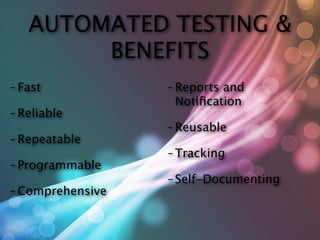
AUTOMATED TESTING &
        BENEFITS
- Fast            - Reportsand
                   Notification
- Reliable
                  - Reusable
- Repeatable
                  - Tracking
- Programmable
                  - Self-Documenting
- Comprehensive
AUTOMATION TOOLS
 FUNCTIONAL REGRESSION
- Selenium    (open source)   - [many   others...]

- HPQuickTestPro*
 (demo)

- Rational   Robot*

- TestPlantEggPlant* -
 visual image object
 recognition
                                * denotes a Paid App
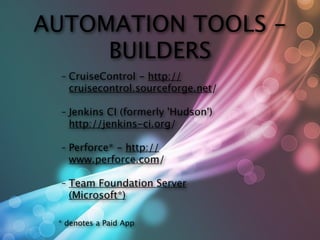
AUTOMATION TOOLS -
     BUILDERS
 -   CruiseControl - http://
     cruisecontrol.sourceforge.net/

 -   Jenkins CI (formerly 'Hudson')
     http://jenkins-ci.org/

 -   Perforce* - http://
     www.perforce.com/

 -   Team Foundation Server
     (Microsoft*)

 * denotes a Paid App
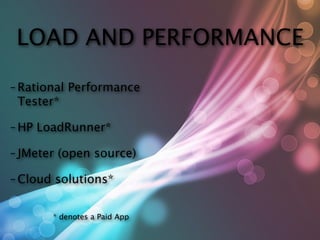
LOAD AND PERFORMANCE

- Rational   Performance
 Tester*

- HP   LoadRunner*

- JMeter   (open source)

- Cloud    solutions*


          * denotes a Paid App
PROCESS TOOLS

- HP   Quality Center*     - QACenter
                                    /
                             Compuware tools*
- Test   Director*
                           - Atlassian      Products*


                         * denotes a Paid App
ISSUES AND DEFECTS
- JIRA*- from Atlassian          - BugZilla
                                        - http://
 - http://                        www.bugzilla.org
 www.atlassian.com/
 software/jira/                  - Eventum- http://
                                  forge.mysql.com/wiki/
- TrackPlus*
           - http://              Eventum
 www.trackplus.com
                                 - YouTrack - http://
- Mantis   Bug-tracker -          www.jetbrains.com/
 http://                          youtrack/
 www.mantisbt.org
                                 - many   others
          * denotes a Paid App
DEMOS

- Tools   Showcase

- Xenu    Link Checker

- FireFox   Plugins

- Selenium

- Quick   Test Pro
Q&A

- Questionsand Further
 Discussions

Website Testing Practices

  • 1.
    THE TRICKY BUSINESSOF WEBSITE TESTING Presenter: Christopher Martello
  • 2.
    ABOUT YOUR SPEAKER •Software Tester for 12 years • Roles:Tester, Manager, Engineer, Configuration Manager, Team Leader, Deployment Coordinator • Currently: Build and Deployment Coordinator
  • 3.
    SEGMENTS -Philosophy -Process & Strategy -Tools -Demos
  • 4.
    WHY DO WENEED TESTING? - Checks and - Gatekeeper to Balance PROD - Identify Problems - Protect Users - Interface between Developers and BA’s
  • 5.
    WHAT MAKES ATESTER TICK? - Likes to Find defects and - IT finds the bugs, not the issues users (UAT or PROD) - Not just the ‘happy path’ - Part of the team - Ensure major scenarios - Incorporate Quality work throughout the process - More Systematic, detail - They Fight for the USER! oriented, and methodical
  • 6.
    TESTING PROCESS Planning Execution Reporting
  • 7.
    TESTING PROCESS Planning Execution Reporting - Test Planning - Test Execution - Test Reporting - Testing Metrics
  • 8.
    OVERALL QUALITY ASSURANCE Requirements Code Build Deploy Version Unit User Stories Build Tool Control Testing Testing Process Planning Execution Reporting Issues and UAT defects Deploy to PROD
  • 9.
  • 10.
    TESTING METHODS AND TERMS - White Box Testing vs. Black Box Testing - Functional Testing - Manual vs. Automated - Load and Performance Testing - Break Testing or Exploratory Testing
  • 11.
    OBJECTIVE VS. SUBJECTIVE - Functionality meets the requirements - Works as designed, but it's poorly designed - [http://www.webpagesthatsuck.com] - Consistent Look and Feel - The color scheme doesn't blend
  • 12.
    HOW NOT TOTEST • Let the users test • “I’ll test later” • “Works on my computer”
  • 13.
    STANDARDS TESTING - CSSValidation - http://jigsaw.w3.org/css- validator/ - HTML Validation - http://validator.w3.org/ - HTML5 Validation - http://html5.validator.nu/
  • 14.
    OTHER STANDARDS - Accessibility - Links - http://validator.w3.org/checklink - Security Testing - Mobile Standards
  • 15.
    BROWSER TESTING - Major Platforms: Windows, Mac OSX, Linux, Mobile - Major Browsers: Internet Explorer, FireFox, Safari, Chrome, Opera (+ versions) - GradedPresentation Standards - usually find in the about, TOS, or FAQ's
  • 16.
    BROWSER STATS - Web Stats - Browsers - http://gs.statcounter.com/ - Internal Application Server Logs, AWStats, TeaLeaf, etc.
  • 17.
    GRADED BROWSER SUPPORT Across all OS Data from Win XP Vista Win 7 Linux OSX 10.x iOS x Across all Platfor web logs Browsers IE 6.0 ms IE 7.0 IE 8.0 A A A IE 9.0 A Firefox 3.6 B B FireFox 4 B B FireFox 5 B B FireFox 6 A A A A FireFox 7 A A A A A Safari 4.0 Safari 5.0x A A Chrome x Opera 10.x Safari iOS WebKit
  • 18.
    LOAD & PERFORMANCE TESTING - Throwing multiple requests / users at a site - Identifiesbottlenecks in your application / Architecture - Takes time to set up / coordinate
  • 19.
    MANUAL TESTING - Read the fine print - Fill out the forms, error validation - Send a test email for contact pages - Call the phone numbers
  • 20.
    SOME TESTING TOOLS -MWSnap - http:// - Jing- http:// www.mirekw.com/ www.techsmith.com/ winfreeware/ jing/free/ mwsnap.html - SnagIt*- http:// www.techsmith.com/ snagit/ * denotes a Paid App
  • 21.
    MULTIPLE BROWSER TOOLS -IETester (free - download) -http://www.my- debugbar.com/wiki/IETester/ HomePage - VMWare /Fusion - Parallels / Boot Camp - BrowserStack - http:// www.browserstack.com
  • 22.
    ADDITIONAL TESTING TOOLS AND RESOURCES - Xenu Link Sleuth -http:// - Rest Client - http:// home.snafu.de/tilman/ code.google.com/p/rest-client/ xenulink.html - Selenium - http://seleniumhq.org/ - Open QA - http://openqa.org/ - Selenium for FireFox Browser - - SQAForums - http:// http://release.seleniumhq.org/ www.sqaforums.com/ selenium-ide/1.3.0/selenium- ide-1.3.0.xpi - SOAPui - http://www.soapui.org/ soapUI-News/soapui-401-the-bug- - ScalaTest - http:// fix-release.html www.scalatest.org/
  • 23.
    OTHER TOOLS - InfoRapid Search and Replace - - Cacoo - Free online Drawing and http://www.inforapid.de/html/ wireframe sharing - https:// srdownload.htm cacoo.com/ - WinMerge - http://winmerge.org/ - Web Based Meeting Minutes - http://minutes.io/ - IE Privacy Keeper - http:// www.unhsolutions.net/IE-Privacy- - SparkWeb - Web Based Chat Client - Keeper/ http://www.igniterealtime.org/ projects/sparkweb/ - RegEx Coach - http://weitz.de/ regex-coach/ - Login / Password Keeper - RoboForm Pro (pay)
  • 24.
    FIREFOX ADD-ONS - Web Developer Toolbar – https:// - User Agent Switcher - https:// addons.mozilla.org/en-US/firefox/ addons.mozilla.org/en-US/firefox/ addon/web-developer/ addon/user-agent-switcher/ - Add N Edit Cookies - https:// - Be sure to download a user agent list addons.mozilla.org/en-US/firefox/ - http://techpatterns.com/ addon/add-n-edit-cookies-13793/ downloads/firefox/ useragentswitcher.xml - HTTP Live Headers – https:// addons.mozilla.org/en-US/firefox/ - MeasureIT – https:// addon/live-http-headers/ addons.mozilla.org/en-US/firefox/ addon/measureit/ - FireBug – https:// addons.mozilla.org/en-US/firefox/ addon/firebug/
  • 25.
  • 26.
    AUTOMATED TESTING & BENEFITS - Fast - Reportsand Notification - Reliable - Reusable - Repeatable - Tracking - Programmable - Self-Documenting - Comprehensive
  • 27.
    AUTOMATION TOOLS FUNCTIONALREGRESSION - Selenium (open source) - [many others...] - HPQuickTestPro* (demo) - Rational Robot* - TestPlantEggPlant* - visual image object recognition * denotes a Paid App
  • 28.
    AUTOMATION TOOLS - BUILDERS - CruiseControl - http:// cruisecontrol.sourceforge.net/ - Jenkins CI (formerly 'Hudson') http://jenkins-ci.org/ - Perforce* - http:// www.perforce.com/ - Team Foundation Server (Microsoft*) * denotes a Paid App
  • 29.
    LOAD AND PERFORMANCE -Rational Performance Tester* - HP LoadRunner* - JMeter (open source) - Cloud solutions* * denotes a Paid App
  • 30.
    PROCESS TOOLS - HP Quality Center* - QACenter / Compuware tools* - Test Director* - Atlassian Products* * denotes a Paid App
  • 31.
    ISSUES AND DEFECTS -JIRA*- from Atlassian - BugZilla - http:// - http:// www.bugzilla.org www.atlassian.com/ software/jira/ - Eventum- http:// forge.mysql.com/wiki/ - TrackPlus* - http:// Eventum www.trackplus.com - YouTrack - http:// - Mantis Bug-tracker - www.jetbrains.com/ http:// youtrack/ www.mantisbt.org - many others * denotes a Paid App
  • 32.
    DEMOS - Tools Showcase - Xenu Link Checker - FireFox Plugins - Selenium - Quick Test Pro
  • 33.

Editor's Notes

  • #2 \n
  • #3 1. Introductions : About Me\n[Thanks to Jeff, Nick, Deborah]\na. Software Tester for 12 years\nb. Roles: Tester, Manager, Engineer, and Team Leader\nc. Currently: Build and Deployment Coordinator\n
  • #4 \n
  • #5 2. Why do we need Testers/Testing? (QA)\na. They provide a Check and Balance to ensure good quality software\nb. They are trained to find & identify problems – even to clarify requirements or highlight vague requirements that might cause issues during development\nc. They can provide an interface between the IT developers, the BA’s, and the business customers / users\nd. Gatekeeper to the production environment\ne. They protect the users from a bad experience\n
  • #6 They have a goal to find defects in the code / application\nThey don’t just test the ‘happy path’\nThey ensure major scenarios are covered\nThey are usually more systematic than the users\nThey make sure bugs are found by IT before the code goes to UAT or Production\nThey are part of the team: make sure you make the most of their skills\nThey bake quaility into the application via the process, just not after the fact\nThey fight for the USER! /TRON reference\n\nOur job is tell you ( Mr. developer) your baby is ugly! (say it with a smile, otherwise they will pout, I'm not kidding!)\n\nYour code is buggy and your mom dresses you funny.\nDoes your mother know what kind of code you write?\nthanks!\n\n
  • #7 Testing Process (abbreviated)\na. Test Planning: good test plans, testing outlines\nb. Test Execution: good test cases, user stories\nc. Test Reporting: defects and issues; documentation and steps; screen captures\nd. Testing Metrics - provides feedback loop to entire development team, QA refactors process & practices\n[Overall Quality Assurance Program Graphic]\n{tracability matrix: requirements - functionality - test cases - results - release}\n
  • #8 Testing Process (abbreviated)\na. Test Planning: good test plans, testing outlines\nb. Test Execution: good test cases, user stories\nc. Test Reporting: defects and issues; documentation and steps; screen captures\nd. Testing Metrics - provides feedback loop to entire development team, QA refactors process & practices\n[Overall Quality Assurance Program Graphic]\n{tracability matrix: requirements - functionality - test cases - results - release}\n
  • #9 Testing Process (abbreviated)\na. Test Planning: good test plans, testing outlines\nb. Test Execution: good test cases, user stories\nc. Test Reporting: defects and issues; documentation and steps; screen captures\nd. Testing Metrics - provides feedback loop to entire development team, QA refactors process & practices\n[Overall Quality Assurance Program Graphic]\n{tracability matrix: requirements - functionality - test cases - results - release}\n
  • #10 Testing Process (abbreviated)\na. Test Planning: good test plans, testing outlines\nb. Test Execution: good test cases, user stories\nc. Test Reporting: defects and issues; documentation and steps; screen captures\nd. Testing Metrics - provides feedback loop to entire development team, QA refactors process & practices\n[Overall Quality Assurance Program Graphic]\n{tracability matrix: requirements - functionality - test cases - results - release}\n
  • #11 \n
  • #12 Testing Methods and Some Terminology\nWhite Box Testing vs. Black Box Testing\nFunctional Testing\nManual vs. Automated\nLoad and Performance Testing\nBreak Testing or Exploratory Testing [what happens when I do this?]\n
  • #13 Testing Methods and Some Terminology\nWhite Box Testing vs. Black Box Testing\nFunctional Testing\nManual vs. Automated\nLoad and Performance Testing\nBreak Testing or Exploratory Testing [what happens when I do this?]\n
  • #14 Testing Methods and Some Terminology\nWhite Box Testing vs. Black Box Testing\nFunctional Testing\nManual vs. Automated\nLoad and Performance Testing\nBreak Testing or Exploratory Testing [what happens when I do this?]\n
  • #15 Testing Methods and Some Terminology\nWhite Box Testing vs. Black Box Testing\nFunctional Testing\nManual vs. Automated\nLoad and Performance Testing\nBreak Testing or Exploratory Testing [what happens when I do this?]\n
  • #16 Testing Methods and Some Terminology\nWhite Box Testing vs. Black Box Testing\nFunctional Testing\nManual vs. Automated\nLoad and Performance Testing\nBreak Testing or Exploratory Testing [what happens when I do this?]\n
  • #17 Objective Testing vs. Subjective Testing\nFunctionality meets the requirements\nWorks as designed, but it's poorly designed - [http://www.webpagesthatsuck.com]\nConsistent Look and Feel [application conventions]\nThe color scheme isn't consistent (or appealing) \n
  • #18 \n
  • #19 Standards Testing\nCSS Validation - http://jigsaw.w3.org/css-validator/\nHTML Validation - http://validator.w3.org/\nHTML5 Validation - http://html5.validator.nu/\n
  • #20 Others: \nAccessibility\nLinks - http://validator.w3.org/checklink\nSecurity Testing\nMobile Standards?\n
  • #21 \n
  • #22 \n
  • #23 Graded browser chart\nDEV codes to the standard\nQA testers validate applications to the standard\nQA Test with browsers, preferably in a lab\n
  • #24 Load and Performance Testing\n- Throwing multiple requests / users at a site\n- Identifies bottlenecks in your application / Architecture\n- Takes time to set up / coordinate\n
  • #25 Manual Testing: There is no substitute for Human Eyeballs, Human interaction\n-Read the fine print\n-Send a test email for contact pages\n-Call the phone numbers\n-visual practical test example [PhotoShop Mockup]\n
  • #26 Some Testing Tools\nScreen Capture(s)\nMWSnap - http://www.mirekw.com/winfreeware/mwsnap.html \nSnagIt - http://www.techsmith.com/snagit/\nJing - http://www.techsmith.com/jing/free/(SnagIt lite version)\n\n
  • #27 IETester\nMultiple IE version browser tester.\nhttp://www.my-debugbar.com/wiki/IETester/HomePage\n\nBrowserStack.com\nhttp://www.browserstack.com/\nInstant Virtual Machine testing with multiple browser configurations\n
  • #28 Xenu Link Sleuth - Xenu\nLink Checking Utility that provides a nice report with a site map, broken links, etc.\nhttp://home.snafu.de/tilman/XENU.ZIP\nhttp://home.snafu.de/tilman/xenulink.html\n\nOpen QA - Open QA\nhttp://openqa.org/\nHome page for Selenium and additional testing tools like Watir (ruby framework).\n\nSQAForums - SQA Forums\nhttp://www.sqaforums.com/\nAwesome discussion forum for posting questions about testing techniques, tools, etc.. \n \nSOAPui\nhttp://www.soapui.org/soapUI-News/soapui-401-the-bug-fix-release.html\nWebServices tester and interface for XML and Webservice Validation [has a freeware and a PRO version]\n\nRest Client [Restful WebServices Client]\nhttp://code.google.com/p/rest-client/\nTest Client for RestFul WebServices\n\nSelenium \nhttp://seleniumhq.org/\nRecord and playback script recorder for the FireFox browser. Also has additional parts for the server back end (Grid, Server, etc.). http://release.seleniumhq.org/selenium-ide/1.3.0/selenium-ide-1.3.0.xpi\n\nScalaTest\nhttp://www.scalatest.org/\nJava Testing Framework with 'English Language' coding style\n
  • #29 Specific Tools and Utilities\nInfoRapid Search and Replace - InfoRapid\nThis tool will scan a file structure and perform a search on the contents. Helpful for looking though code-bases.\nhttp://www.inforapid.de/html/srdownload.htm\n\nWinMerge - WinMerge\nPerforms compares of two files.\nhttp://winmerge.org/\n\nIE Privacy Keeper - IE Privacy Keeper\nBrowser Cache and cookie clearing utility. Works on FireFox too!\nhttp://www.unhsolutions.net/IE-Privacy-Keeper/\n\nRegEx Coach - RegEx Coach\nEvaluate and write regular expressions to assist with writing testing functions for data scanning.\nhttp://weitz.de/regex-coach/\n\n[What Tools do YOU USE?] - Got a Great Tool that you use? let us know!\n
  • #30 FireFox Testing add-ons\nWeb Developer Toolbar – Easily clear the cache and data; lots of other goodies too.\nhttps://addons.mozilla.org/en-US/firefox/addon/web-developer/\n\nAdd N Edit Cookies – useful for editing cookies, clearing session data.\nhttps://addons.mozilla.org/en-US/firefox/addon/add-n-edit-cookies-13793/\n\nHTTP Live Headers – view the HTTP header posts and data in real time for all objects.\nhttps://addons.mozilla.org/en-US/firefox/addon/live-http-headers/\n\nFireBug – Dig Deep into the Page Structure, DOM, and CSS; also handy network stats.\nhttps://addons.mozilla.org/en-US/firefox/addon/firebug/\n\nUser Agent Switcher – Use custom agents for browsing as a different device. Helpful for mobile configurations.\nhttps://addons.mozilla.org/en-US/firefox/addon/user-agent-switcher/\n-Be sure to download a user agent list - http://techpatterns.com/downloads/firefox/useragentswitcher.xml \n\nMeasureIT – Draws a ruler on the screen to measure graphics and spacing. \nhttps://addons.mozilla.org/en-US/firefox/addon/measureit/\n
  • #31  Automated Testing\nBenefits of Automated testing\n-Fast - Automated tools run tests significantly faster than human users.\n-Reliable - Tests Perform precisely the same operations each time they are run, thereby eliminating human error.\n- Repeatable - You can test how the wbesite or application reacts after repeated execution of hte same operation.\n-programmable - You can program sophicticated test sthat brin out hidden information\n- comprehensive - You can build a suite of tests that cover every feature in your website or application\n- reusable - You can reuse tests on different versions of a Website or application even if the user interface changes.\n
  • #32  Automated Testing\nBenefits of Automated testing\n-Fast - Automated tools run tests significantly faster than human users.\n-Reliable - Tests Perform precisely the same operations each time they are run, thereby eliminating human error.\n- Repeatable - You can test how the wbesite or application reacts after repeated execution of hte same operation.\n-programmable - You can program sophicticated test sthat brin out hidden information\n- comprehensive - You can build a suite of tests that cover every feature in your website or application\n- reusable - You can reuse tests on different versions of a Website or application even if the user interface changes.\n
  • #33  Automated Testing\nBenefits of Automated testing\n-Fast - Automated tools run tests significantly faster than human users.\n-Reliable - Tests Perform precisely the same operations each time they are run, thereby eliminating human error.\n- Repeatable - You can test how the wbesite or application reacts after repeated execution of hte same operation.\n-programmable - You can program sophicticated test sthat brin out hidden information\n- comprehensive - You can build a suite of tests that cover every feature in your website or application\n- reusable - You can reuse tests on different versions of a Website or application even if the user interface changes.\n
  • #34  Automated Testing\nBenefits of Automated testing\n-Fast - Automated tools run tests significantly faster than human users.\n-Reliable - Tests Perform precisely the same operations each time they are run, thereby eliminating human error.\n- Repeatable - You can test how the wbesite or application reacts after repeated execution of hte same operation.\n-programmable - You can program sophicticated test sthat brin out hidden information\n- comprehensive - You can build a suite of tests that cover every feature in your website or application\n- reusable - You can reuse tests on different versions of a Website or application even if the user interface changes.\n
  • #35  Automated Testing\nBenefits of Automated testing\n-Fast - Automated tools run tests significantly faster than human users.\n-Reliable - Tests Perform precisely the same operations each time they are run, thereby eliminating human error.\n- Repeatable - You can test how the wbesite or application reacts after repeated execution of hte same operation.\n-programmable - You can program sophicticated test sthat brin out hidden information\n- comprehensive - You can build a suite of tests that cover every feature in your website or application\n- reusable - You can reuse tests on different versions of a Website or application even if the user interface changes.\n
  • #36  Automated Testing\nBenefits of Automated testing\n-Fast - Automated tools run tests significantly faster than human users.\n-Reliable - Tests Perform precisely the same operations each time they are run, thereby eliminating human error.\n- Repeatable - You can test how the wbesite or application reacts after repeated execution of hte same operation.\n-programmable - You can program sophicticated test sthat brin out hidden information\n- comprehensive - You can build a suite of tests that cover every feature in your website or application\n- reusable - You can reuse tests on different versions of a Website or application even if the user interface changes.\n
  • #37  Automated Testing\nBenefits of Automated testing\n-Fast - Automated tools run tests significantly faster than human users.\n-Reliable - Tests Perform precisely the same operations each time they are run, thereby eliminating human error.\n- Repeatable - You can test how the wbesite or application reacts after repeated execution of hte same operation.\n-programmable - You can program sophicticated test sthat brin out hidden information\n- comprehensive - You can build a suite of tests that cover every feature in your website or application\n- reusable - You can reuse tests on different versions of a Website or application even if the user interface changes.\n
  • #38  Automated Testing\nBenefits of Automated testing\n-Fast - Automated tools run tests significantly faster than human users.\n-Reliable - Tests Perform precisely the same operations each time they are run, thereby eliminating human error.\n- Repeatable - You can test how the wbesite or application reacts after repeated execution of hte same operation.\n-programmable - You can program sophicticated test sthat brin out hidden information\n- comprehensive - You can build a suite of tests that cover every feature in your website or application\n- reusable - You can reuse tests on different versions of a Website or application even if the user interface changes.\n
  • #39  Automated Testing\nBenefits of Automated testing\n-Fast - Automated tools run tests significantly faster than human users.\n-Reliable - Tests Perform precisely the same operations each time they are run, thereby eliminating human error.\n- Repeatable - You can test how the wbesite or application reacts after repeated execution of hte same operation.\n-programmable - You can program sophicticated test sthat brin out hidden information\n- comprehensive - You can build a suite of tests that cover every feature in your website or application\n- reusable - You can reuse tests on different versions of a Website or application even if the user interface changes.\n
  • #40  Automation Tools\nBuilders\nCruiseControl - http://cruisecontrol.sourceforge.net/\nJenkins CI (formerly 'Hudson') http://jenkins-ci.org/\nPerforce (Paid) - http://www.perforce.com/\nTeam Foundation Server (MS)\n\nFunctional Regression\nSelenium (open source)\nHP QuickTestPro (demo)\nRational Robot\nTestPlant EggPlant - visual image object recognition\n[many others...]\n\nLoad and Performance\nRational Performance Tester\nHP LoadRunner\nJMeter (open source)\n\nProcess Tools - Lifecycle management\nHP Quality Center\nTest Director\nQACenter / Compuware tools\n\n'Issue' Management\nJIRA - from Atlassian - http://www.atlassian.com/software/jira/\nTrackPlus - http://www.trackplus.com\nMantis Bug-tracker - http://www.mantisbt.org\nBugZilla - http://www.bugzilla.org\nEventum - http://forge.mysql.com/wiki/Eventum\nYouTrack - http://www.jetbrains.com/youtrack/\netc...\n\nTest Case Management\nTest Link - www.teamst.org\n
  • #41 \n
  • #42 \n
  • #43 \n
  • #44 \n
  • #45 \n
  • #46 \n