Web UI Test Automation
by Artem Nagornyi

Drivers: Selenium WebDriver, Sikuli X
Frameworks: PageFactory, TestNG
Other tools: Apache Ant, Jenkins CI
What is Selenium WebDriver?
● Open-source, multi-platform, multi-browser
  tool for browser automation
● Collection of bindings for multiple languages
  (Java, C#, Python, Ruby, Perl, PHP)
● Can be used with different frameworks:
  JUnit, NUnit, TestNG, unittest, RSpec, Test::
  Unit, Bromine, Robot, and many others.
● Has the biggest and strongest community.
  De facto standard in the world of Web UI test
  automation
Locators
Selenium WebDriver finds elements in browser via DOM
using these locators:
● webdriver.findElement(By.id("logo"))
● webdriver.findElement(By.name("q"))
● webdriver.findElement(By.tagName("H1"))
● webdriver.findElements( By.className
   ("sponsor_logos"))
● webdriver.findElement( By.cssSelector("section.
   roundbutton div#someid"))
● webdriver.findElement( By.xpath("//section
   [@id='miniconfs']/a[2]"))
● webdriver.findElements(By.linkText("about"))
● webdriver.findElement(By.partialLinkText("canberra"))
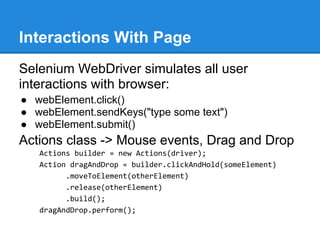
Interactions With Page
Selenium WebDriver simulates all user
interactions with browser:
● webElement.click()
● webElement.sendKeys("type some text")
● webElement.submit()
Actions class -> Mouse events, Drag and Drop
   Actions builder = new Actions(driver);
   Action dragAndDrop = builder.clickAndHold(someElement)
         .moveToElement(otherElement)
         .release(otherElement)
         .build();
   dragAndDrop.perform();
There are many ways ...
To simulate right-click:
new Actions(driver).contextClick(element).perform();


Or you can use WebDriverBackedSelenium:
Selenium selenium = new WebDriverBackedSelenium(webDriver,
"http://sample.com")
selenium.fireEvent("//tr[@id[contains(.,'Equipment')]]",
"blur");


To generate virtually any JS event use JavaScriptExecutor:
((JavascriptExecutor)driver).executeScript("document.
getElementById('element ID').blur()")
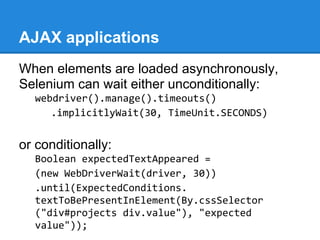
AJAX applications
When elements are loaded asynchronously,
Selenium can wait either unconditionally:
  webdriver().manage().timeouts()
     .implicitlyWait(30, TimeUnit.SECONDS)


or conditionally:
  Boolean expectedTextAppeared =
  (new WebDriverWait(driver, 30))
  .until(ExpectedConditions.
  textToBePresentInElement(By.cssSelector
  ("div#projects div.value"), "expected
  value"));
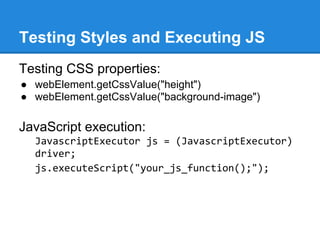
Testing Styles and Executing JS
Testing CSS properties:
● webElement.getCssValue("height")
● webElement.getCssValue("background-image")

JavaScript execution:
  JavascriptExecutor js = (JavascriptExecutor)
  driver;
  js.executeScript("your_js_function();");
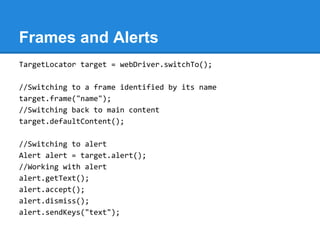
Frames and Alerts
TargetLocator target = webDriver.switchTo();

//Switching to a frame identified by its name
target.frame("name");
//Switching back to main content
target.defaultContent();

//Switching to alert
Alert alert = target.alert();
//Working with alert
alert.getText();
alert.accept();
alert.dismiss();
alert.sendKeys("text");
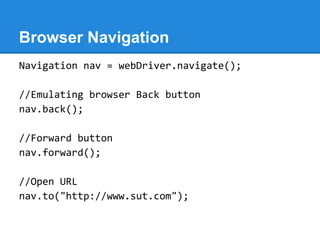
Browser Navigation
Navigation nav = webDriver.navigate();

//Emulating browser Back button
nav.back();

//Forward button
nav.forward();

//Open URL
nav.to("http://www.sut.com");
Migration from Selenium I (RC)
Selenium selenium =
new WebDriverBackedSelenium(webDriver, "http:
//sample.com")

selenium.open("http://sample.com/home");
selenium.click("id=follow_twitter");
selenium.waitForPageToLoad("10000");

WebDriver webDriver = ((WebDriverBackedSelenium)
selenium)
   .getUnderlyingWebDriver();
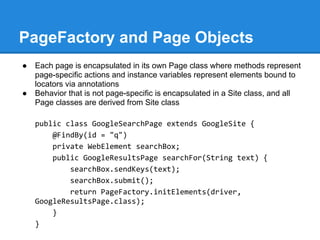
PageFactory and Page Objects
●   Each page is encapsulated in its own Page class where methods represent
    page-specific actions and instance variables represent elements bound to
    locators via annotations
●   Behavior that is not page-specific is encapsulated in a Site class, and all
    Page classes are derived from Site class

    public class GoogleSearchPage extends GoogleSite {
        @FindBy(id = "q")
        private WebElement searchBox;
        public GoogleResultsPage searchFor(String text) {
            searchBox.sendKeys(text);
            searchBox.submit();
            return PageFactory.initElements(driver,
    GoogleResultsPage.class);
        }
    }
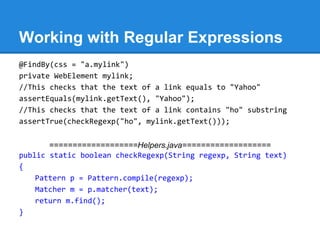
Working with Regular Expressions
@FindBy(css = "a.mylink")
private WebElement mylink;
//This checks that the text of a link equals to "Yahoo"
assertEquals(mylink.getText(), "Yahoo");
//This checks that the text of a link contains "ho" substring
assertTrue(checkRegexp("ho", mylink.getText()));


       ===================Helpers.java===================
public static boolean checkRegexp(String regexp, String text)
{
    Pattern p = Pattern.compile(regexp);
    Matcher m = p.matcher(text);
    return m.find();
}
Asynchronous Text Lookup
webdriver().manage().timeouts()
    .implicitlyWait(30, TimeUnit.SECONDS)
isTextPresent("sometext"); isTextNotPresent("othertext");


       ===================Helpers.java===================
public static void isTextPresent(String text) {
    wd.findElement(By.xpath("//*[contains(.,""+text+"")]")); }
public static void isTextNotPresent(String text) {
    boolean found = true;
    try {
    wd.findElement(By.xpath("//*[contains(.,""+text+"")]"));
    } catch(Exception e) {
    found = false;
    } finally { assertFalse(found); } }
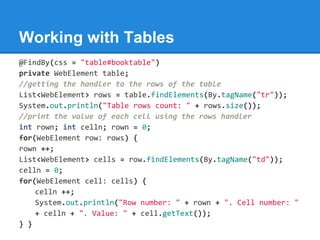
Working with Tables
@FindBy(css = "table#booktable")
private WebElement table;
//getting the handler to the rows of the table
List<WebElement> rows = table.findElements(By.tagName("tr"));
System.out.println("Table rows count: " + rows.size());
//print the value of each cell using the rows handler
int rown; int celln; rown = 0;
for(WebElement row: rows) {
rown ++;
List<WebElement> cells = row.findElements(By.tagName("td"));
celln = 0;
for(WebElement cell: cells) {
    celln ++;
    System.out.println("Row number: " + rown + ". Cell number: "
    + celln + ". Value: " + cell.getText());
} }
What is Sikuli X?
● Open-source, multi-platform visual
  technology to automate graphical user
  interfaces using images of objects on the
  screen.
● Tests are developed in Jython or Java.
● Images of objects are captured in Sikuli IDE.
● You can import and use Java classes to
  extend your framework.
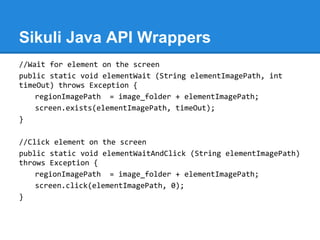
Sikuli Java API Wrappers
//Wait for element on the screen
public static void elementWait (String elementImagePath, int
timeOut) throws Exception {
    regionImagePath = image_folder + elementImagePath;
    screen.exists(elementImagePath, timeOut);
}

//Click element on the screen
public static void elementWaitAndClick (String elementImagePath)
throws Exception {
    regionImagePath = image_folder + elementImagePath;
    screen.click(elementImagePath, 0);
}
Why Sikuli?
1. Automation of non-standard interfaces,
   where more native UI automation is
   impossible or will require much larger efforts.
2. Image comparison testing.
3. As a helper tool in scope of a larger test
   automation framework.
What is TestNG?
TestNG is a testing framework inspired from JUnit and NUnit but
introducing some new functionalities that make it more powerful
and easier to use, such as:
 ● Annotations.
 ● Run your tests in arbitrarily big thread pools with various
    policies available (all methods in their own thread, one thread
    per test class, etc...).
 ● Flexible test configuration.
 ● Support for data-driven testing (with @DataProvider).
 ● Support for parameters.
 ● Powerful execution model (no more TestSuite).
 ● Supported by a variety of tools and plug-ins (Eclipse, IDEA,
    Maven, etc...).
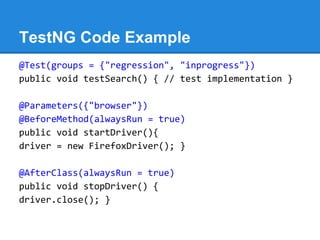
TestNG Code Example
@Test(groups = {"regression", "inprogress"})
public void testSearch() { // test implementation }

@Parameters({"browser"})
@BeforeMethod(alwaysRun = true)
public void startDriver(){
driver = new FirefoxDriver(); }

@AfterClass(alwaysRun = true)
public void stopDriver() {
driver.close(); }
Apache Ant
Apache Ant is a Java build and configuration
tool that we use for:
1. Compilation of Selenium WebDriver test
   classes
2. Execution of tests
3. Passing parameters from command line to
   test automation framework (used for
   selective execution of test suite and test
   case)
Jenkins Continuous Integration
Server
Jenkins is a popular open-source continuous
integration server that we use for:
1. Scheduled execution or on-demand
   execution of Selenium WebDriver tests
2. Integration with source control repository
   (SVN, GIT)
3. Shared online dashboard with test results
4. Keeping history of test results
5. Email notifications about failed builds
Online Resources
● http://seleniumhq.org/docs/03_webdriver.html -
  Selenium WebDriver official page and tutorial
● http://selenium.googlecode.
  com/svn/trunk/docs/api/java/index.html - Selenium
  WebDriver API (Java bindings)
● http://code.google.com/p/selenium/wiki/PageFactory -
  PageFactory
● http://testng.org/doc/documentation-main.html - TestNG
  documentation
● http://sikuli.org/docx/ - Sikuli X Documentation
● http://ant.apache.org/manual/index.html - Apache Ant
  documentation
● https://wiki.jenkins-ci.org/display/JENKINS/Use+Jenkins
  - Jenkins Wiki
Questions

Web UI test automation instruments

  • 1.
    Web UI TestAutomation by Artem Nagornyi Drivers: Selenium WebDriver, Sikuli X Frameworks: PageFactory, TestNG Other tools: Apache Ant, Jenkins CI
  • 2.
    What is SeleniumWebDriver? ● Open-source, multi-platform, multi-browser tool for browser automation ● Collection of bindings for multiple languages (Java, C#, Python, Ruby, Perl, PHP) ● Can be used with different frameworks: JUnit, NUnit, TestNG, unittest, RSpec, Test:: Unit, Bromine, Robot, and many others. ● Has the biggest and strongest community. De facto standard in the world of Web UI test automation
  • 3.
    Locators Selenium WebDriver findselements in browser via DOM using these locators: ● webdriver.findElement(By.id("logo")) ● webdriver.findElement(By.name("q")) ● webdriver.findElement(By.tagName("H1")) ● webdriver.findElements( By.className ("sponsor_logos")) ● webdriver.findElement( By.cssSelector("section. roundbutton div#someid")) ● webdriver.findElement( By.xpath("//section [@id='miniconfs']/a[2]")) ● webdriver.findElements(By.linkText("about")) ● webdriver.findElement(By.partialLinkText("canberra"))
  • 4.
    Interactions With Page SeleniumWebDriver simulates all user interactions with browser: ● webElement.click() ● webElement.sendKeys("type some text") ● webElement.submit() Actions class -> Mouse events, Drag and Drop Actions builder = new Actions(driver); Action dragAndDrop = builder.clickAndHold(someElement) .moveToElement(otherElement) .release(otherElement) .build(); dragAndDrop.perform();
  • 5.
    There are manyways ... To simulate right-click: new Actions(driver).contextClick(element).perform(); Or you can use WebDriverBackedSelenium: Selenium selenium = new WebDriverBackedSelenium(webDriver, "http://sample.com") selenium.fireEvent("//tr[@id[contains(.,'Equipment')]]", "blur"); To generate virtually any JS event use JavaScriptExecutor: ((JavascriptExecutor)driver).executeScript("document. getElementById('element ID').blur()")
  • 6.
    AJAX applications When elementsare loaded asynchronously, Selenium can wait either unconditionally: webdriver().manage().timeouts() .implicitlyWait(30, TimeUnit.SECONDS) or conditionally: Boolean expectedTextAppeared = (new WebDriverWait(driver, 30)) .until(ExpectedConditions. textToBePresentInElement(By.cssSelector ("div#projects div.value"), "expected value"));
  • 7.
    Testing Styles andExecuting JS Testing CSS properties: ● webElement.getCssValue("height") ● webElement.getCssValue("background-image") JavaScript execution: JavascriptExecutor js = (JavascriptExecutor) driver; js.executeScript("your_js_function();");
  • 8.
    Frames and Alerts TargetLocatortarget = webDriver.switchTo(); //Switching to a frame identified by its name target.frame("name"); //Switching back to main content target.defaultContent(); //Switching to alert Alert alert = target.alert(); //Working with alert alert.getText(); alert.accept(); alert.dismiss(); alert.sendKeys("text");
  • 9.
    Browser Navigation Navigation nav= webDriver.navigate(); //Emulating browser Back button nav.back(); //Forward button nav.forward(); //Open URL nav.to("http://www.sut.com");
  • 10.
    Migration from SeleniumI (RC) Selenium selenium = new WebDriverBackedSelenium(webDriver, "http: //sample.com") selenium.open("http://sample.com/home"); selenium.click("id=follow_twitter"); selenium.waitForPageToLoad("10000"); WebDriver webDriver = ((WebDriverBackedSelenium) selenium) .getUnderlyingWebDriver();
  • 11.
    PageFactory and PageObjects ● Each page is encapsulated in its own Page class where methods represent page-specific actions and instance variables represent elements bound to locators via annotations ● Behavior that is not page-specific is encapsulated in a Site class, and all Page classes are derived from Site class public class GoogleSearchPage extends GoogleSite { @FindBy(id = "q") private WebElement searchBox; public GoogleResultsPage searchFor(String text) { searchBox.sendKeys(text); searchBox.submit(); return PageFactory.initElements(driver, GoogleResultsPage.class); } }
  • 12.
    Working with RegularExpressions @FindBy(css = "a.mylink") private WebElement mylink; //This checks that the text of a link equals to "Yahoo" assertEquals(mylink.getText(), "Yahoo"); //This checks that the text of a link contains "ho" substring assertTrue(checkRegexp("ho", mylink.getText())); ===================Helpers.java=================== public static boolean checkRegexp(String regexp, String text) { Pattern p = Pattern.compile(regexp); Matcher m = p.matcher(text); return m.find(); }
  • 13.
    Asynchronous Text Lookup webdriver().manage().timeouts() .implicitlyWait(30, TimeUnit.SECONDS) isTextPresent("sometext"); isTextNotPresent("othertext"); ===================Helpers.java=================== public static void isTextPresent(String text) { wd.findElement(By.xpath("//*[contains(.,""+text+"")]")); } public static void isTextNotPresent(String text) { boolean found = true; try { wd.findElement(By.xpath("//*[contains(.,""+text+"")]")); } catch(Exception e) { found = false; } finally { assertFalse(found); } }
  • 14.
    Working with Tables @FindBy(css= "table#booktable") private WebElement table; //getting the handler to the rows of the table List<WebElement> rows = table.findElements(By.tagName("tr")); System.out.println("Table rows count: " + rows.size()); //print the value of each cell using the rows handler int rown; int celln; rown = 0; for(WebElement row: rows) { rown ++; List<WebElement> cells = row.findElements(By.tagName("td")); celln = 0; for(WebElement cell: cells) { celln ++; System.out.println("Row number: " + rown + ". Cell number: " + celln + ". Value: " + cell.getText()); } }
  • 15.
    What is SikuliX? ● Open-source, multi-platform visual technology to automate graphical user interfaces using images of objects on the screen. ● Tests are developed in Jython or Java. ● Images of objects are captured in Sikuli IDE. ● You can import and use Java classes to extend your framework.
  • 16.
    Sikuli Java APIWrappers //Wait for element on the screen public static void elementWait (String elementImagePath, int timeOut) throws Exception { regionImagePath = image_folder + elementImagePath; screen.exists(elementImagePath, timeOut); } //Click element on the screen public static void elementWaitAndClick (String elementImagePath) throws Exception { regionImagePath = image_folder + elementImagePath; screen.click(elementImagePath, 0); }
  • 17.
    Why Sikuli? 1. Automationof non-standard interfaces, where more native UI automation is impossible or will require much larger efforts. 2. Image comparison testing. 3. As a helper tool in scope of a larger test automation framework.
  • 18.
    What is TestNG? TestNGis a testing framework inspired from JUnit and NUnit but introducing some new functionalities that make it more powerful and easier to use, such as: ● Annotations. ● Run your tests in arbitrarily big thread pools with various policies available (all methods in their own thread, one thread per test class, etc...). ● Flexible test configuration. ● Support for data-driven testing (with @DataProvider). ● Support for parameters. ● Powerful execution model (no more TestSuite). ● Supported by a variety of tools and plug-ins (Eclipse, IDEA, Maven, etc...).
  • 19.
    TestNG Code Example @Test(groups= {"regression", "inprogress"}) public void testSearch() { // test implementation } @Parameters({"browser"}) @BeforeMethod(alwaysRun = true) public void startDriver(){ driver = new FirefoxDriver(); } @AfterClass(alwaysRun = true) public void stopDriver() { driver.close(); }
  • 20.
    Apache Ant Apache Antis a Java build and configuration tool that we use for: 1. Compilation of Selenium WebDriver test classes 2. Execution of tests 3. Passing parameters from command line to test automation framework (used for selective execution of test suite and test case)
  • 21.
    Jenkins Continuous Integration Server Jenkinsis a popular open-source continuous integration server that we use for: 1. Scheduled execution or on-demand execution of Selenium WebDriver tests 2. Integration with source control repository (SVN, GIT) 3. Shared online dashboard with test results 4. Keeping history of test results 5. Email notifications about failed builds
  • 22.
    Online Resources ● http://seleniumhq.org/docs/03_webdriver.html- Selenium WebDriver official page and tutorial ● http://selenium.googlecode. com/svn/trunk/docs/api/java/index.html - Selenium WebDriver API (Java bindings) ● http://code.google.com/p/selenium/wiki/PageFactory - PageFactory ● http://testng.org/doc/documentation-main.html - TestNG documentation ● http://sikuli.org/docx/ - Sikuli X Documentation ● http://ant.apache.org/manual/index.html - Apache Ant documentation ● https://wiki.jenkins-ci.org/display/JENKINS/Use+Jenkins - Jenkins Wiki
  • 23.