Introdução ao
Vorlon.js
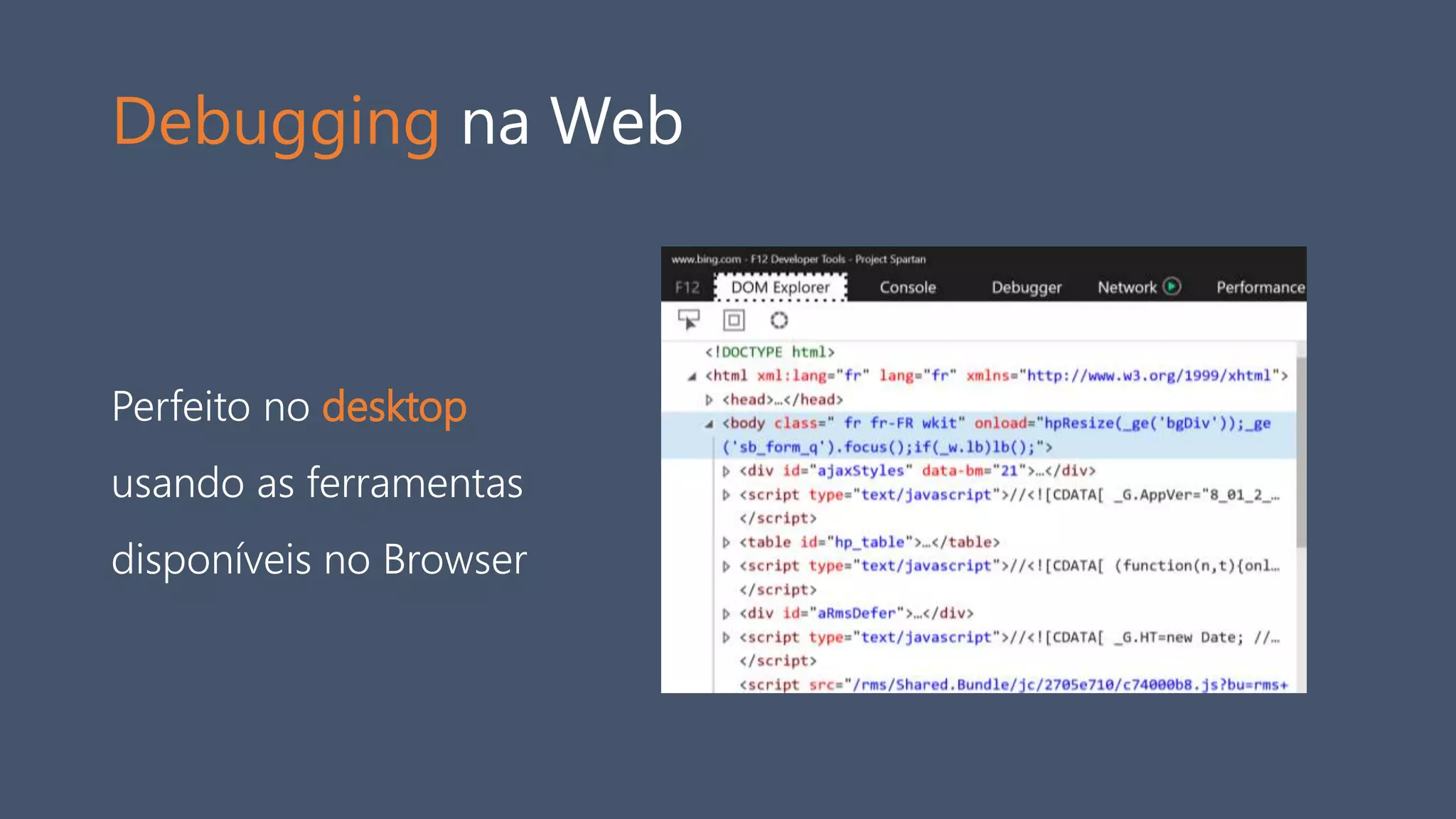
Debugging na Web
Perfeito no desktop
usando as ferramentas
disponíveis no Browser
Debugging na Web
No mundo mobile, ainda deixa a desejar…
• Ferramentas Proprietárias
• Chrome-Chrome, Safari-Safari, ...
• Requer conexão USB
• WeinRE
• Requer Chrome
• Não é cross-plataforma
• Não aceita plugin
• Não tão bonito… ;-)
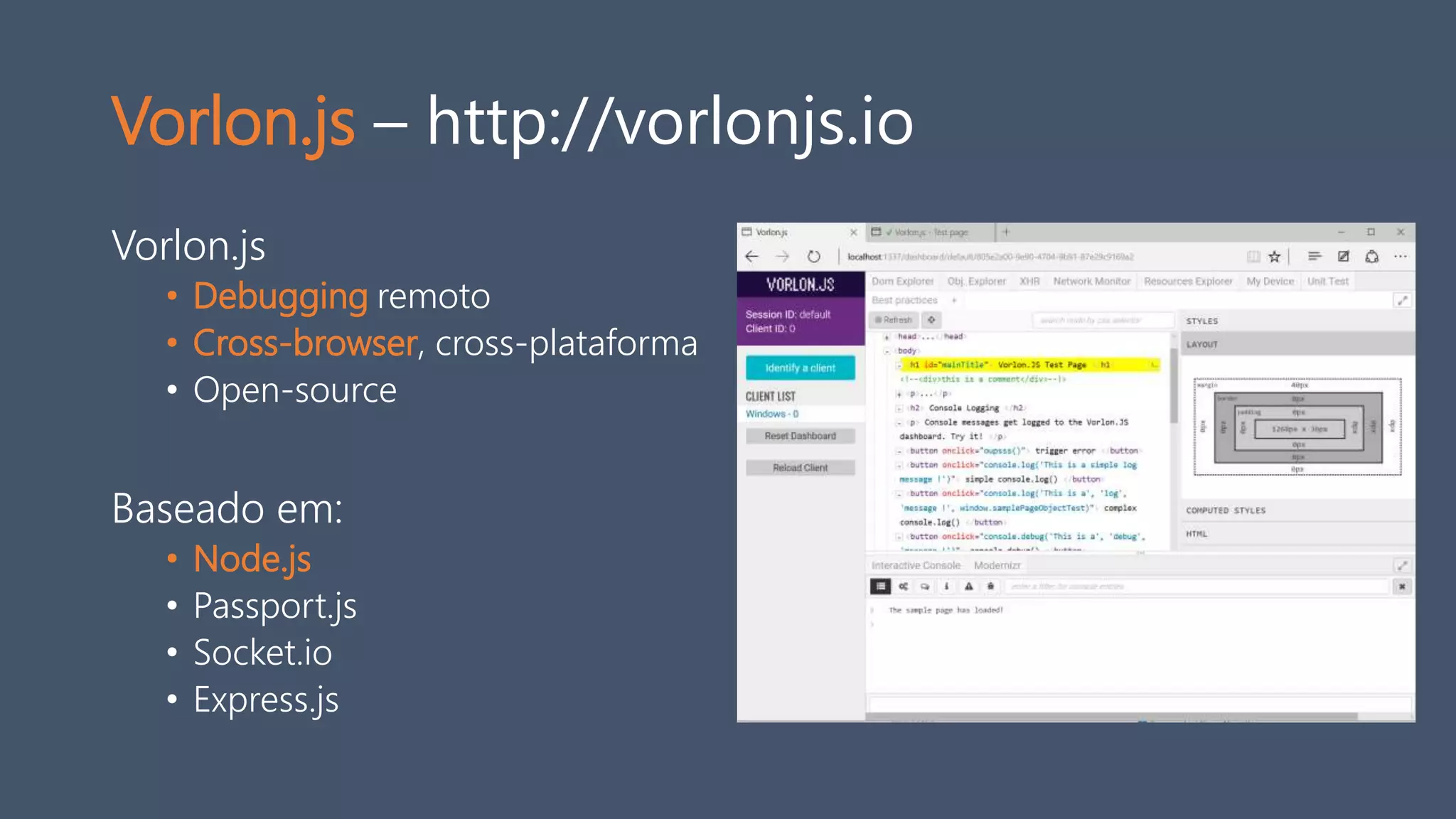
Vorlon.js – http://vorlonjs.io
Vorlon.js
• Debugging remoto
• Cross-browser, cross-plataforma
• Open-source
Baseado em:
• Node.js
• Passport.js
• Socket.io
• Express.js
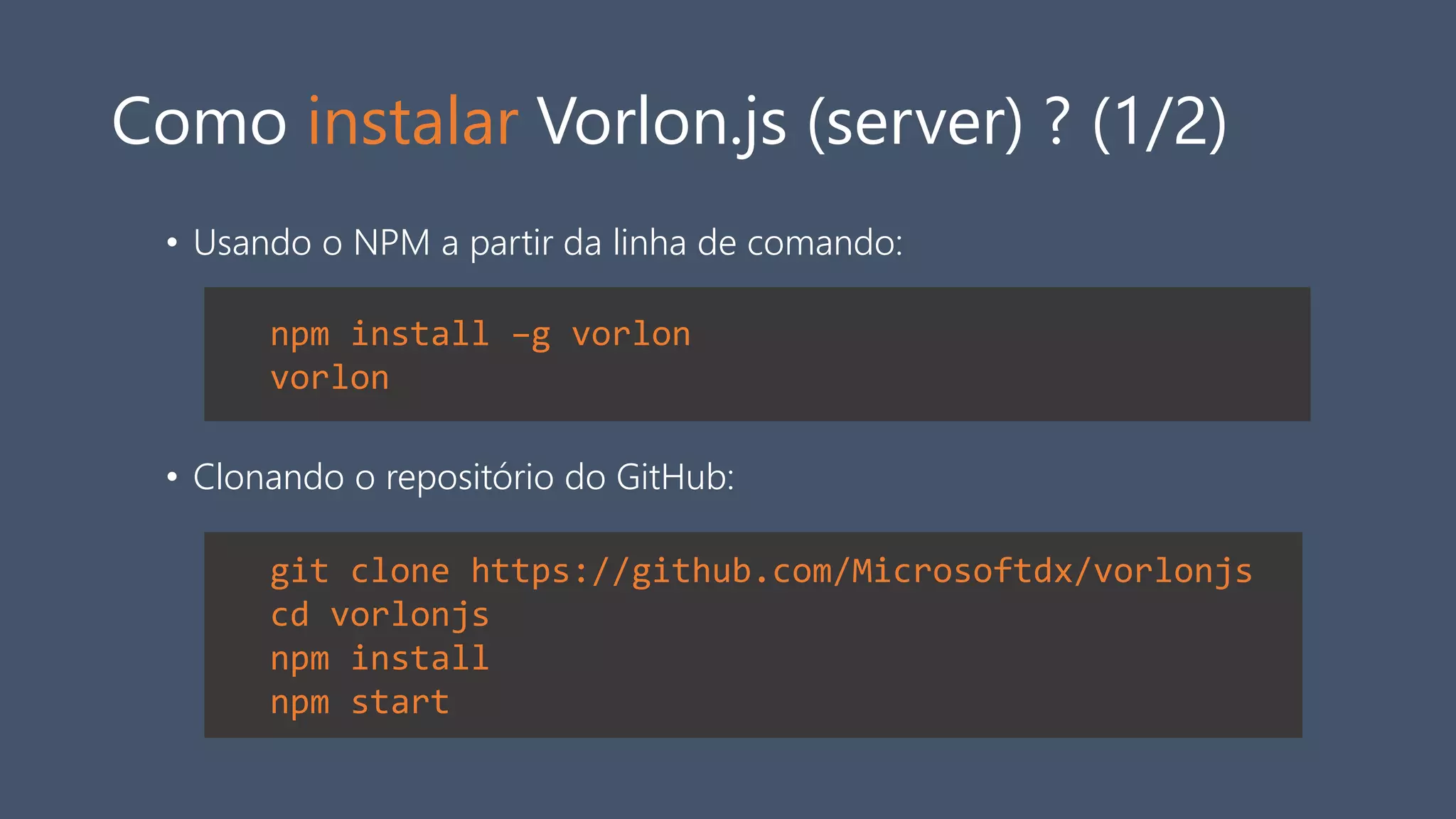
Como instalar Vorlon.js (server) ? (1/2)
• Usando o NPM a partir da linha de comando:
• Clonando o repositório do GitHub:
npm install –g vorlon
vorlon
git clone https://github.com/Microsoftdx/vorlonjs
cd vorlonjs
npm install
npm start
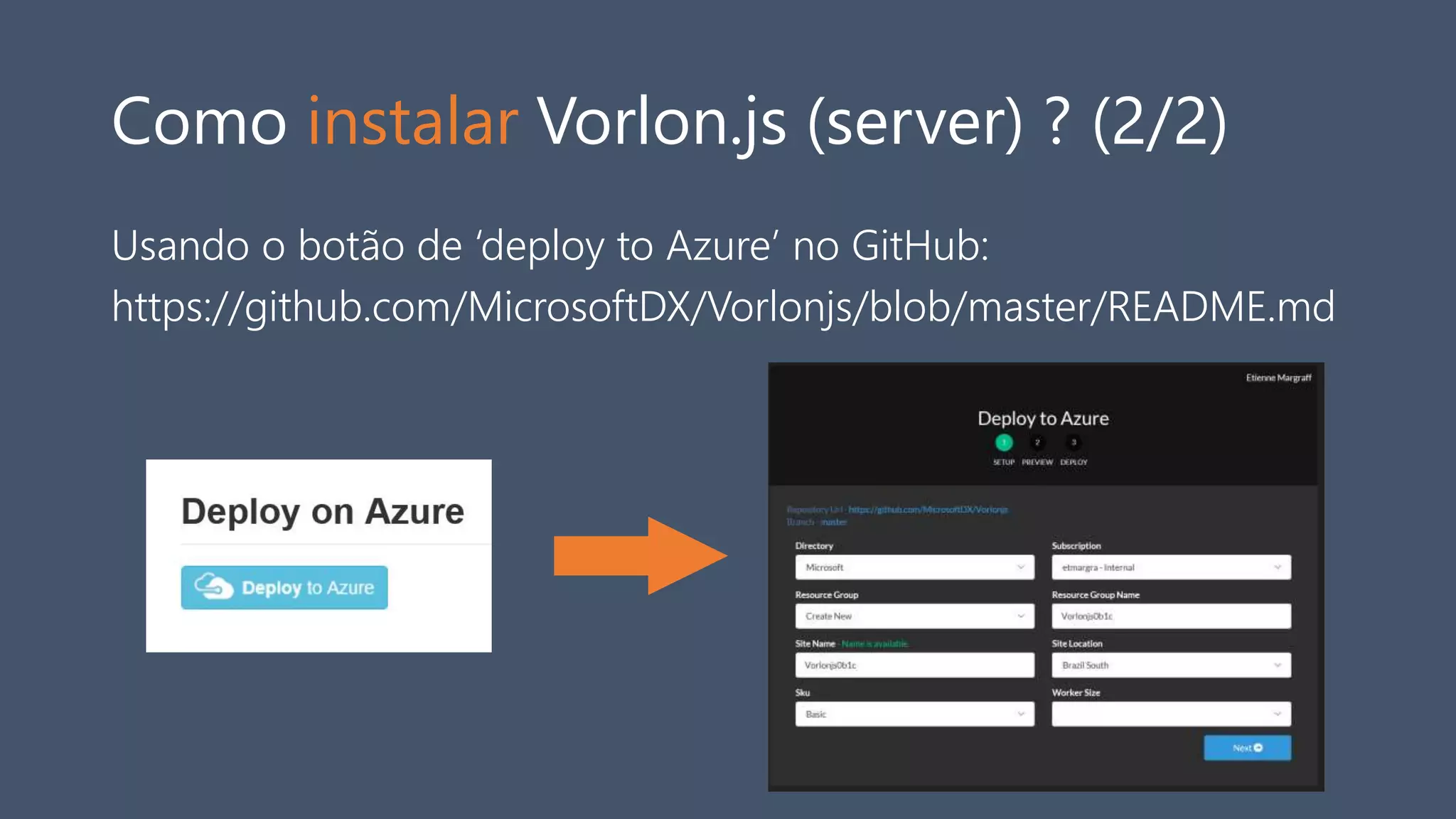
Como instalar Vorlon.js (server) ? (2/2)
Usando o botão de ‘deploy to Azure’ no GitHub:
https://github.com/MicrosoftDX/Vorlonjs/blob/master/README.md
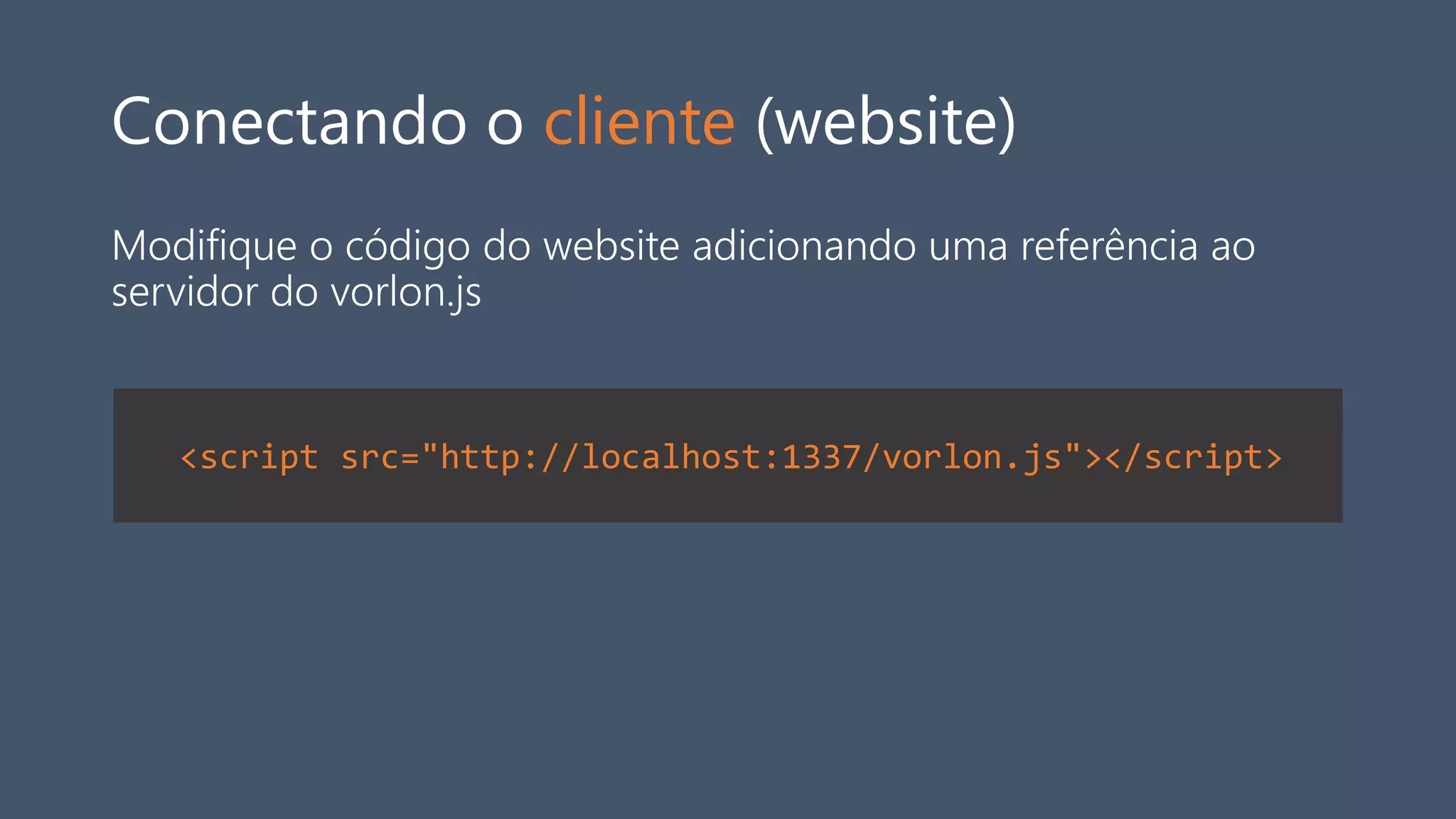
Conectando o cliente (website)
Modifique o código do website adicionando uma referência ao
servidor do vorlon.js
<script src="http://localhost:1337/vorlon.js"></script>
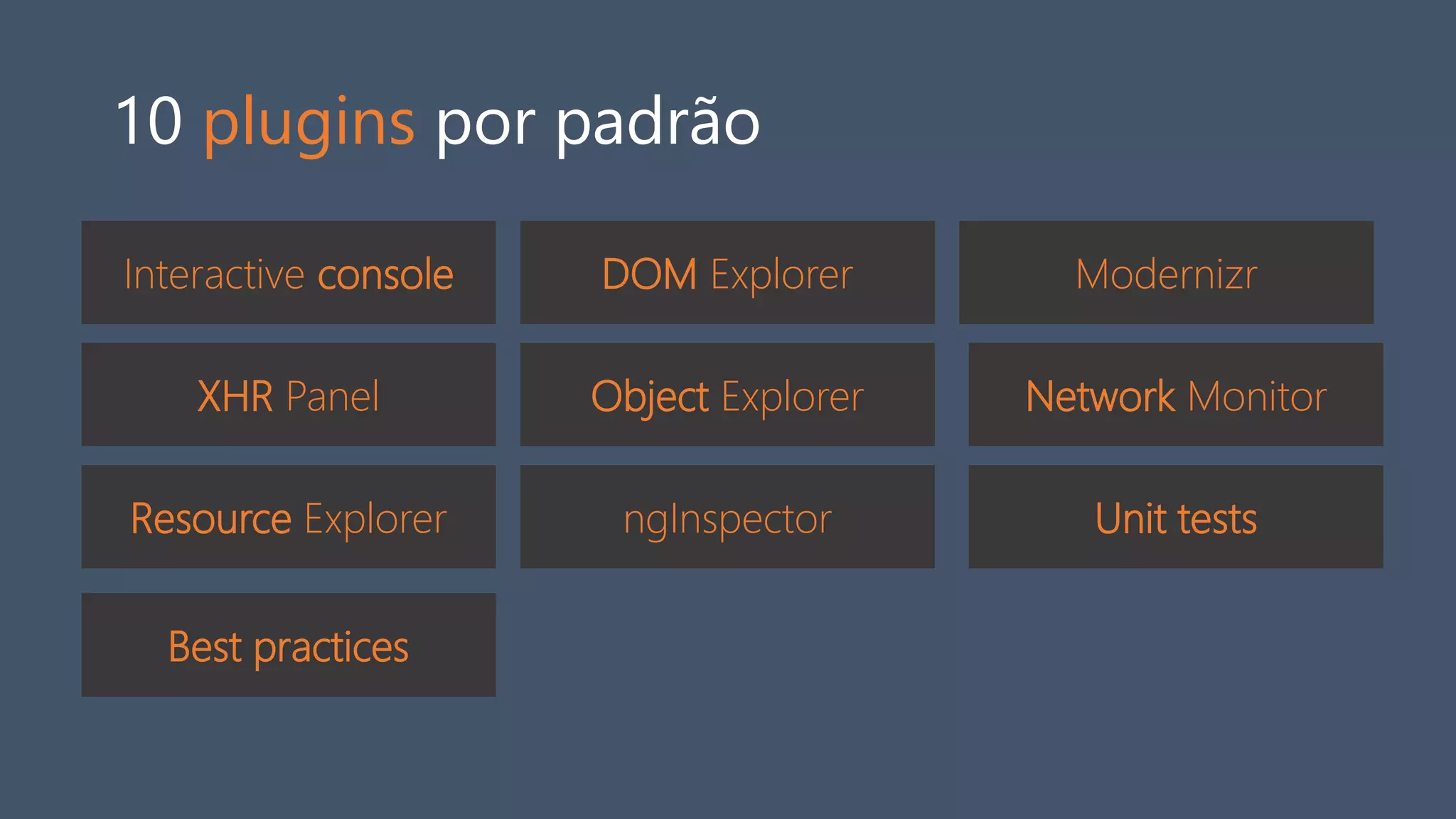
10 plugins por padrão
Interactive console DOM Explorer
Object Explorer
Modernizr
XHR Panel
Resource Explorer
Network Monitor
ngInspector Unit tests
Best practices
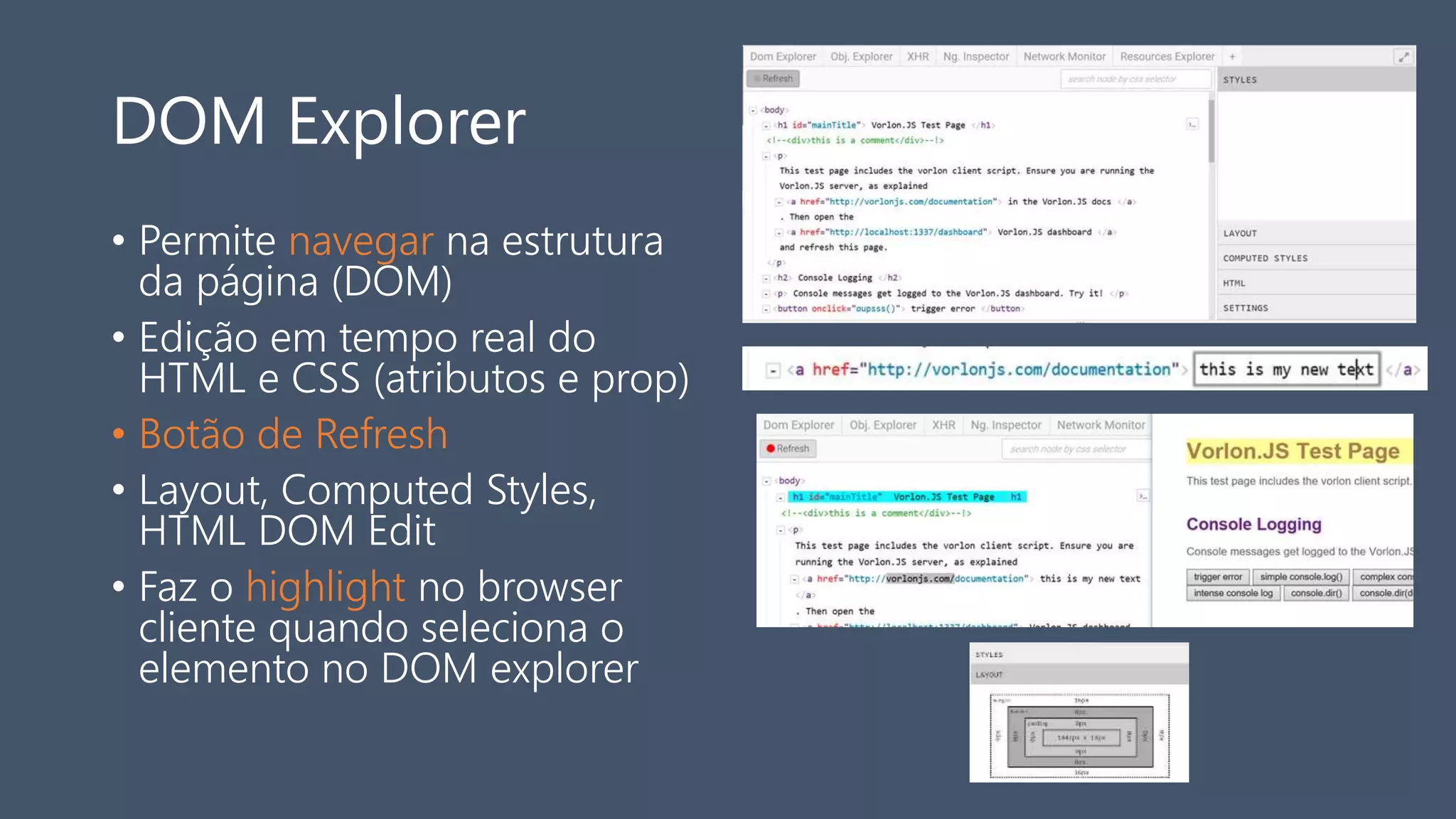
DOM Explorer
• Permite navegar na estrutura
da página (DOM)
• Edição em tempo real do
HTML e CSS (atributos e prop)
• Botão de Refresh
• Layout, Computed Styles,
HTML DOM Edit
• Faz o highlight no browser
cliente quando seleciona o
elemento no DOM explorer
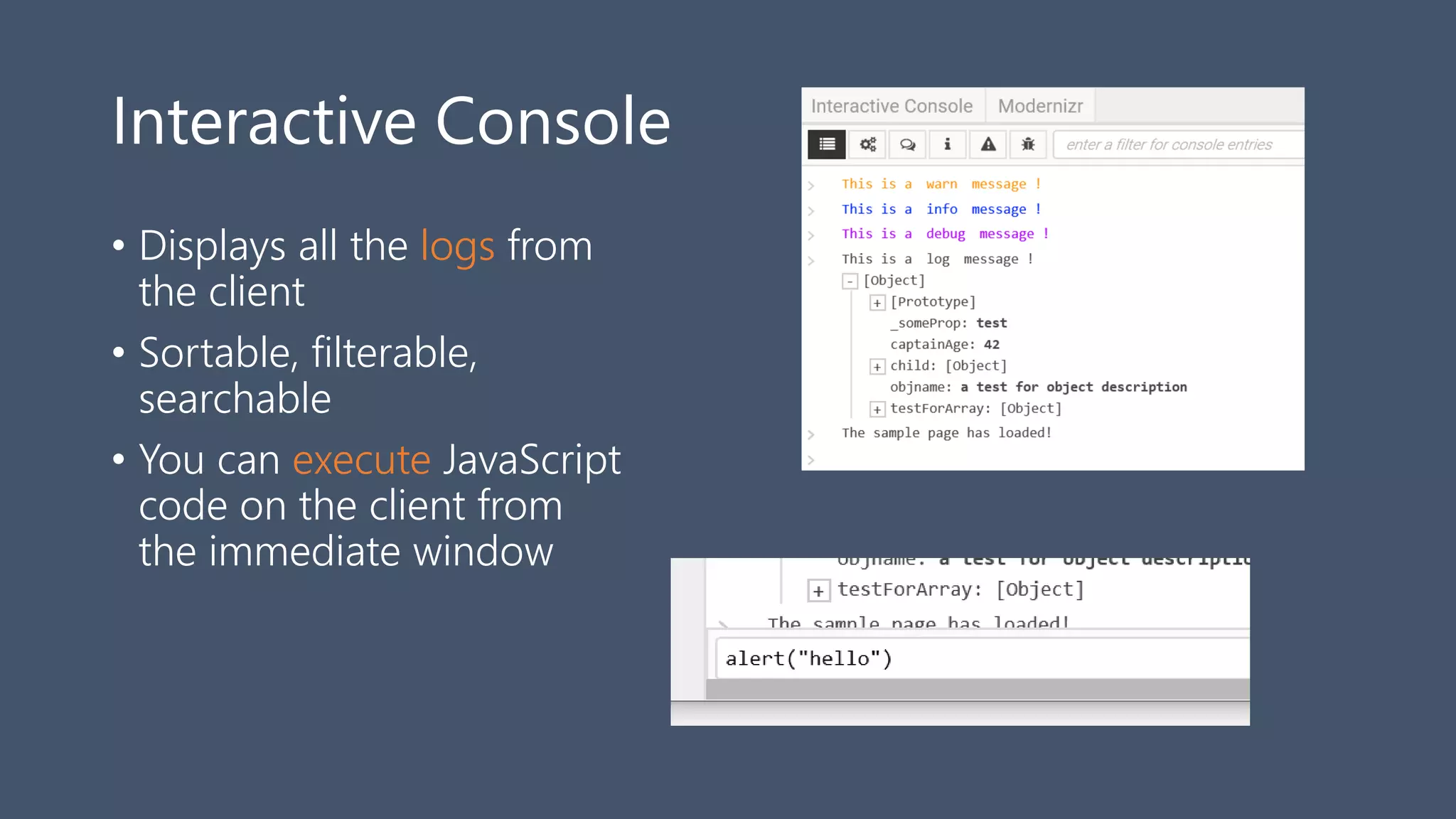
Interactive Console
• Displays all the logs from
the client
• Sortable, filterable,
searchable
• You can execute JavaScript
code on the client from
the immediate window
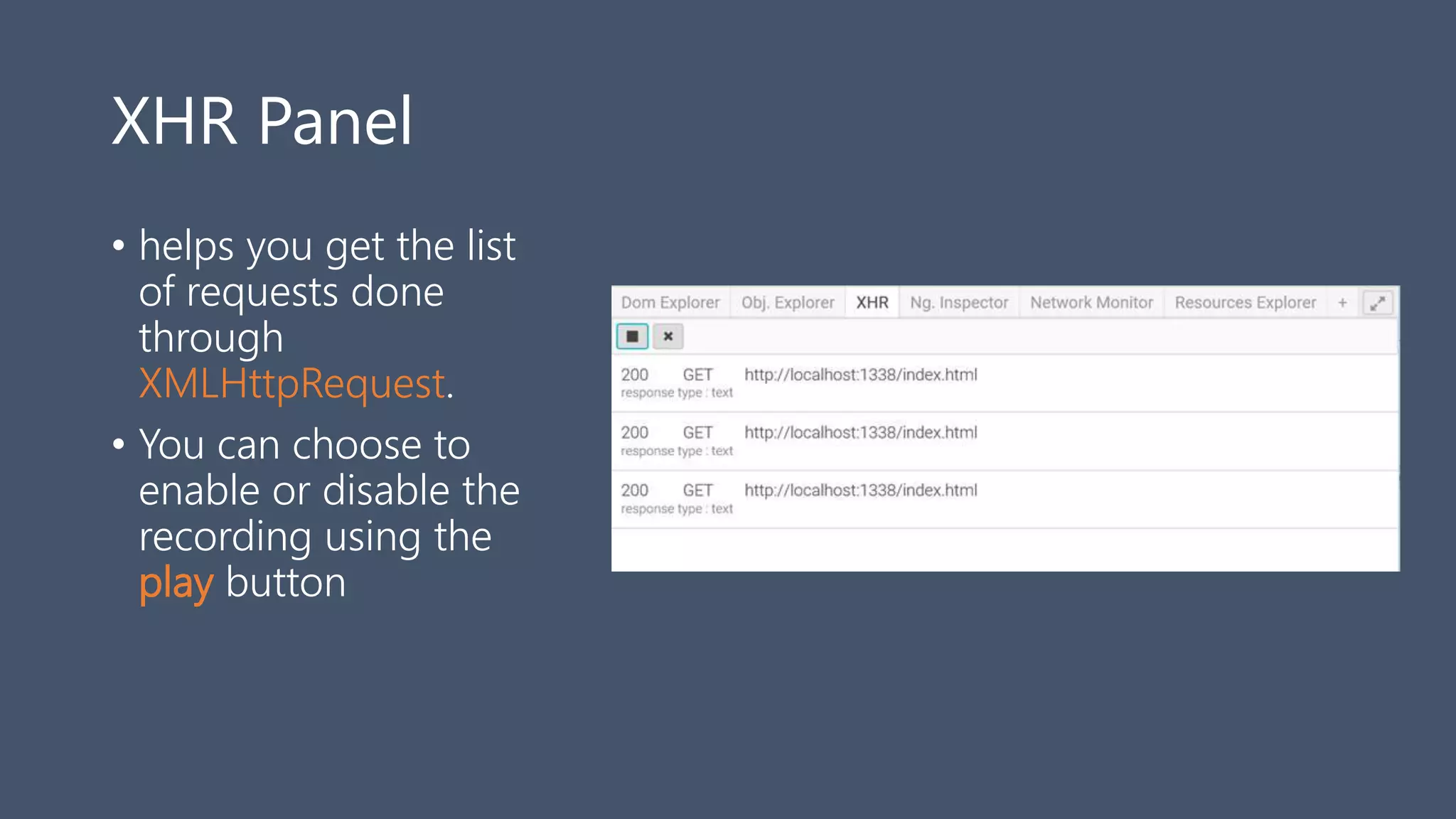
XHR Panel
• helps you get the list
of requests done
through
XMLHttpRequest.
• You can choose to
enable or disable the
recording using the
play button
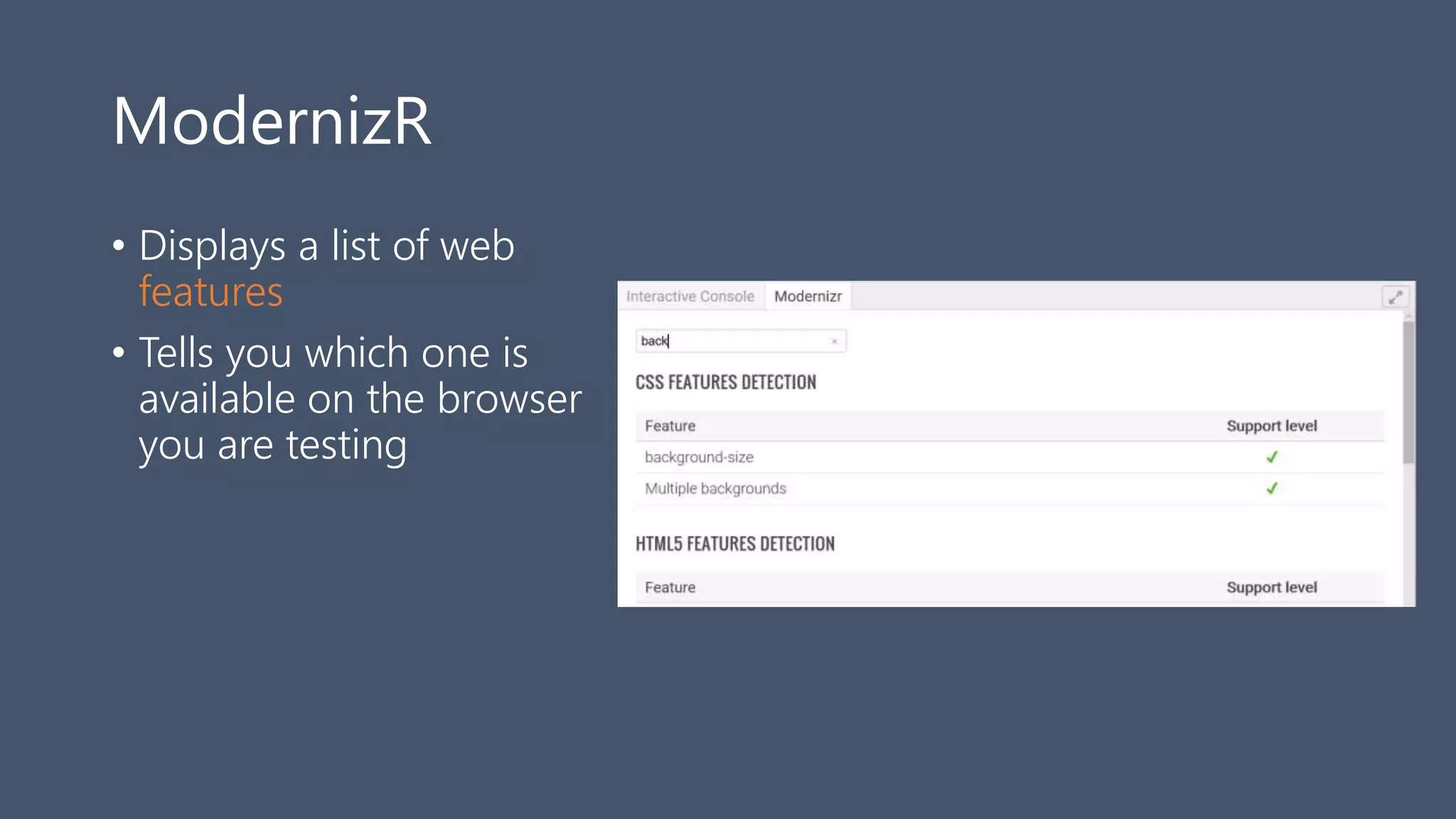
ModernizR
• Displays a list of web
features
• Tells you which one is
available on the browser
you are testing
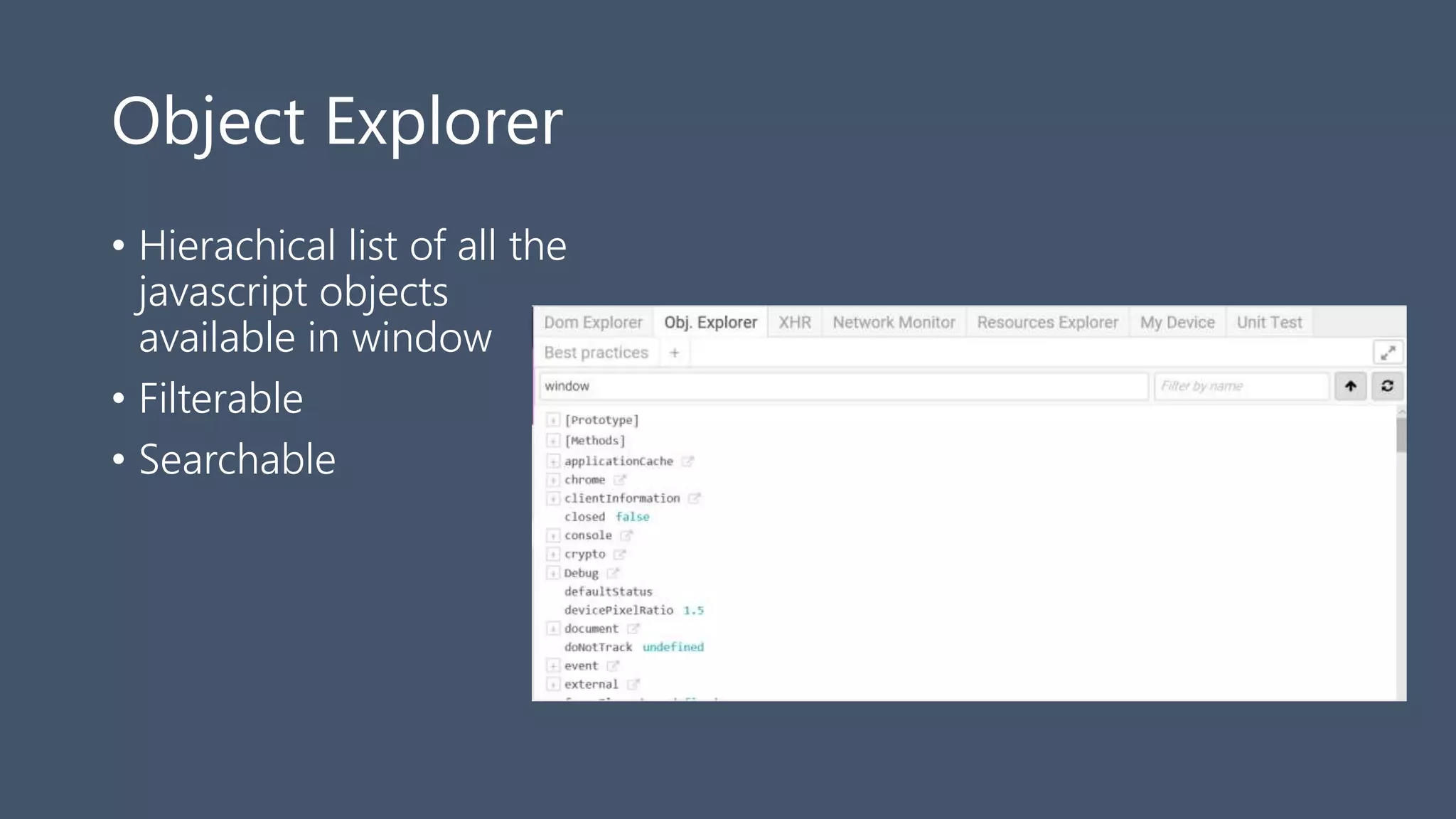
Object Explorer
• Hierachical list of all the
javascript objects
available in window
• Filterable
• Searchable
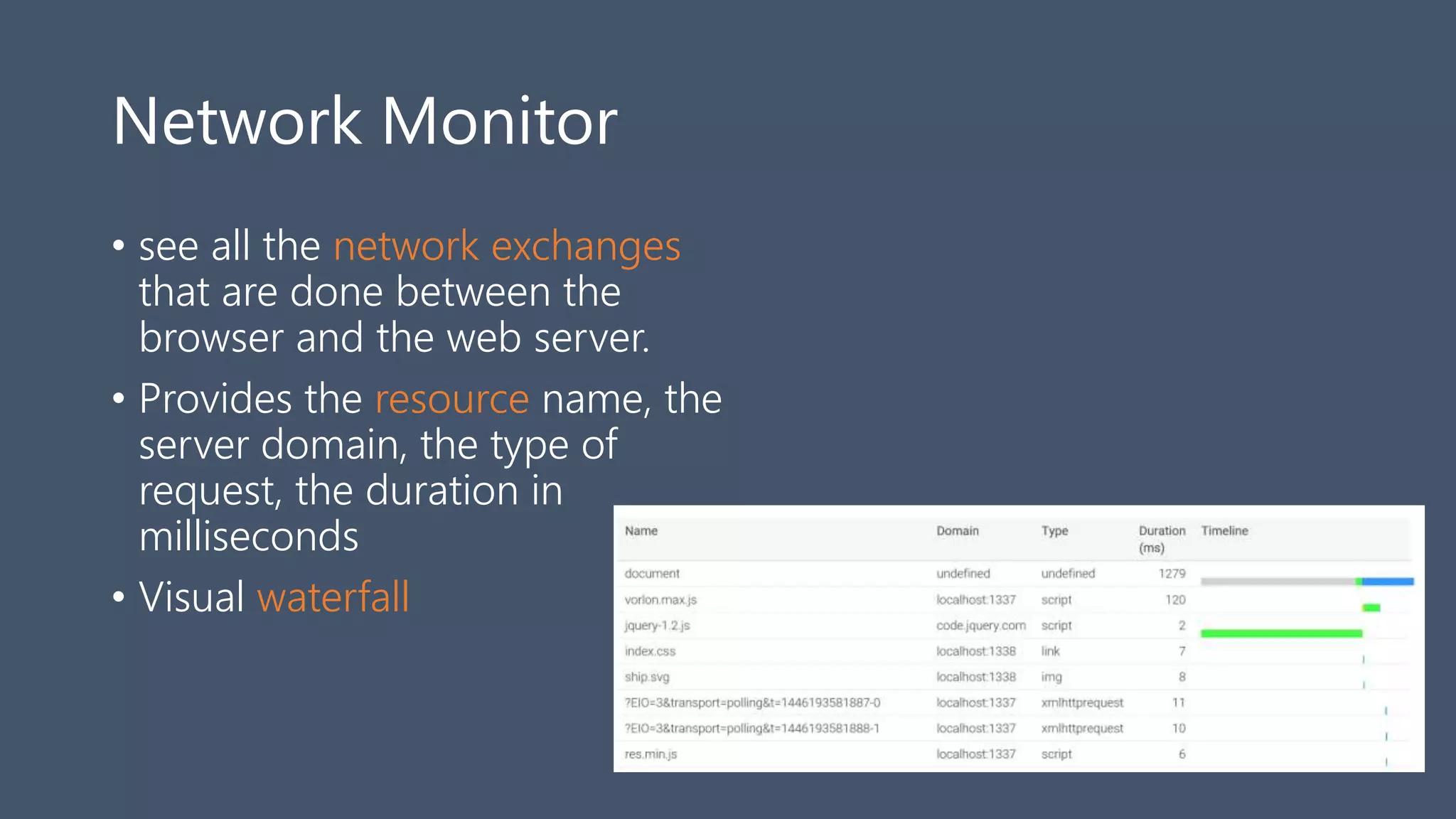
Network Monitor
• see all the network exchanges
that are done between the
browser and the web server.
• Provides the resource name, the
server domain, the type of
request, the duration in
milliseconds
• Visual waterfall
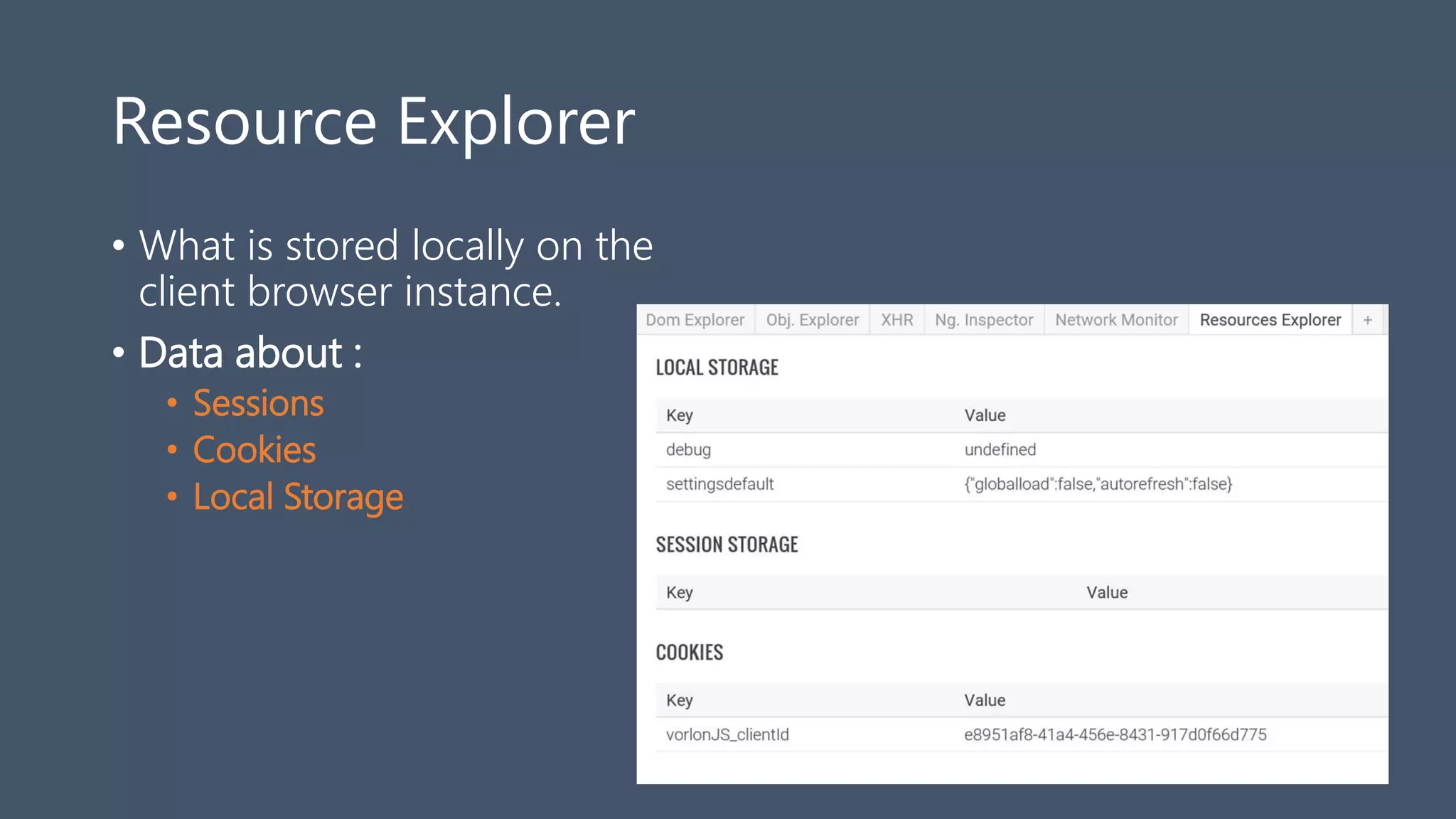
Resource Explorer
• What is stored locally on the
client browser instance.
• Data about :
• Sessions
• Cookies
• Local Storage
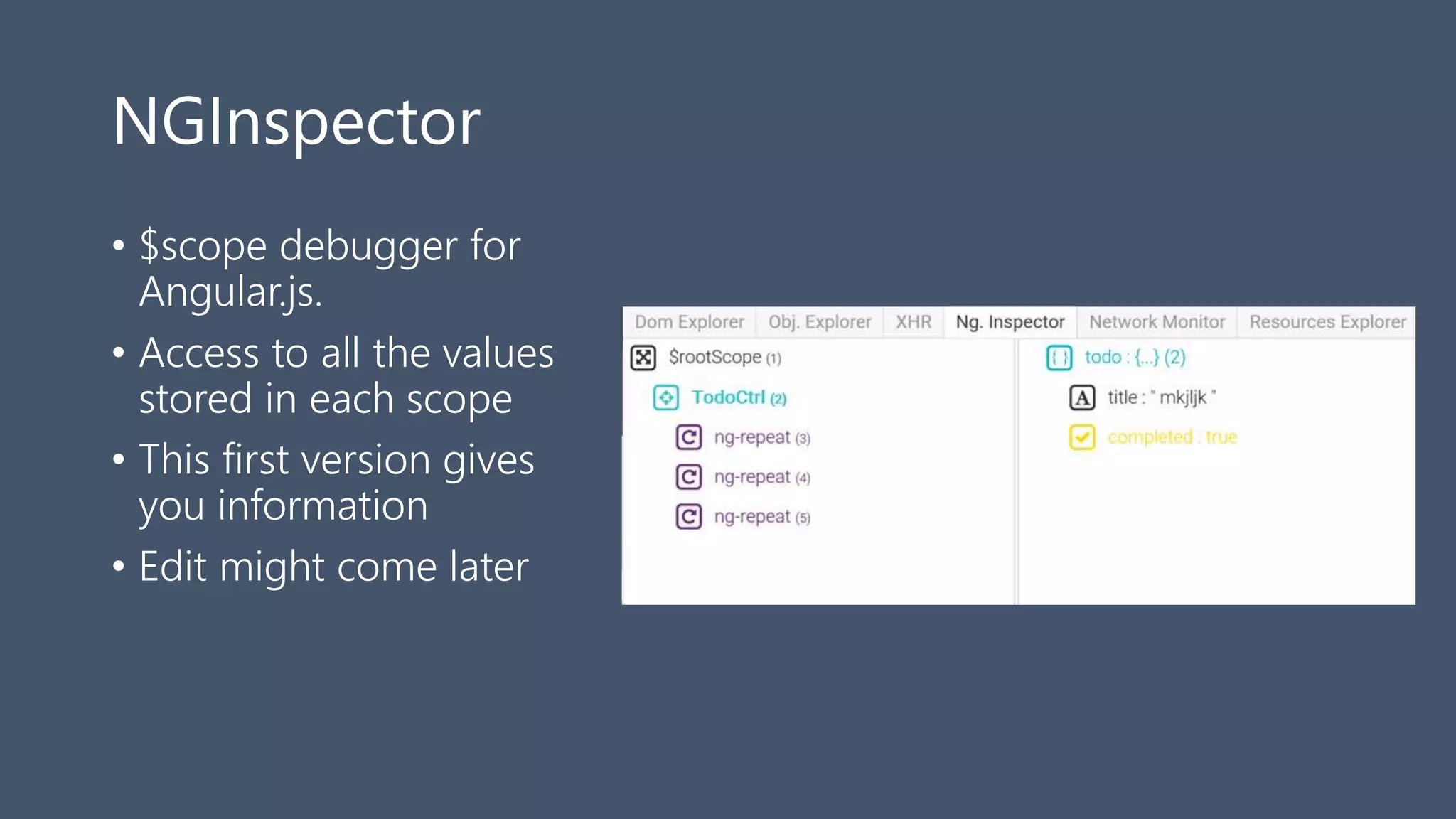
NGInspector
• $scope debugger for
Angular.js.
• Access to all the values
stored in each scope
• This first version gives
you information
• Edit might come later
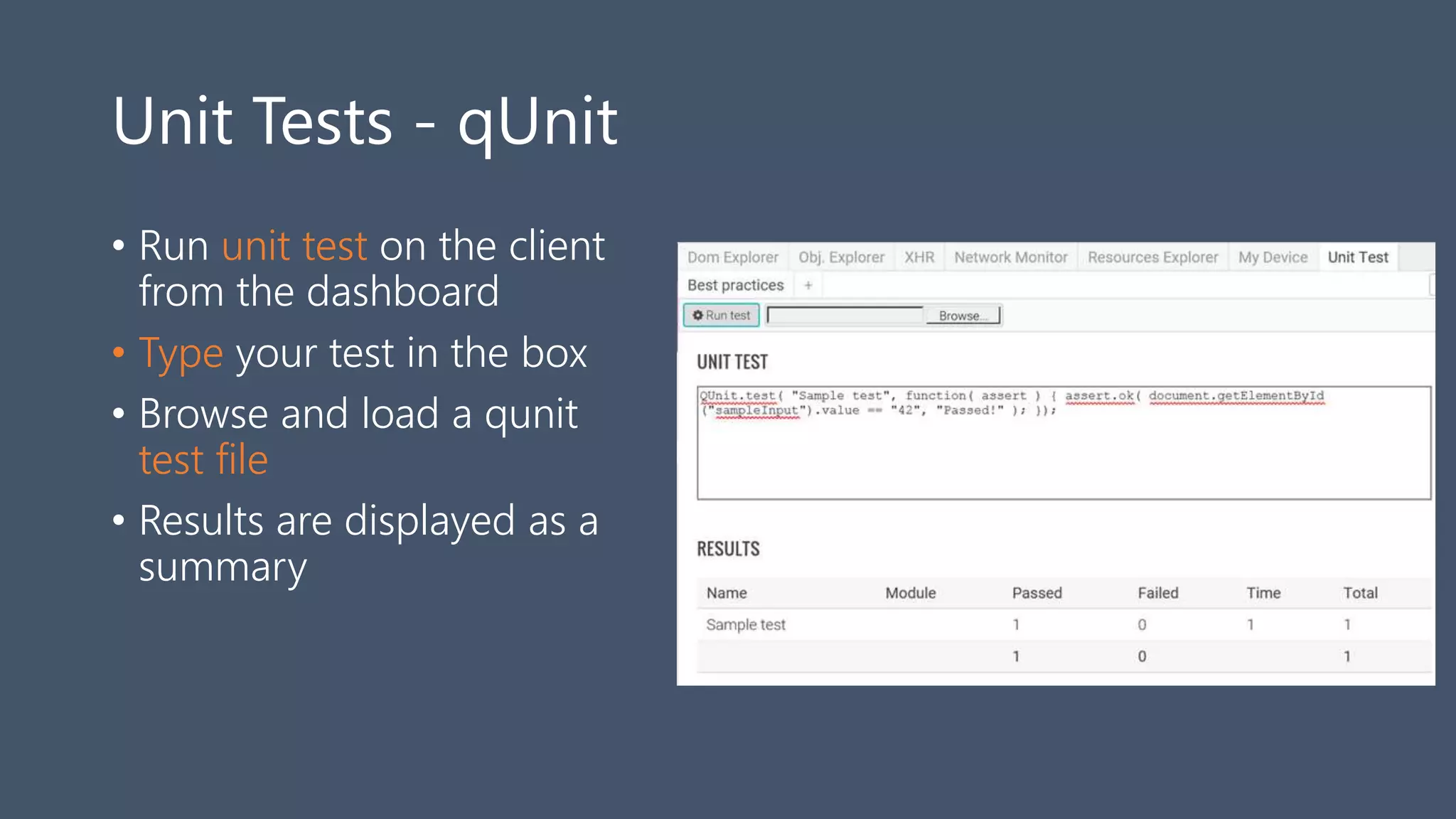
Unit Tests - qUnit
• Run unit test on the client
from the dashboard
• Type your test in the box
• Browse and load a qunit
test file
• Results are displayed as a
summary
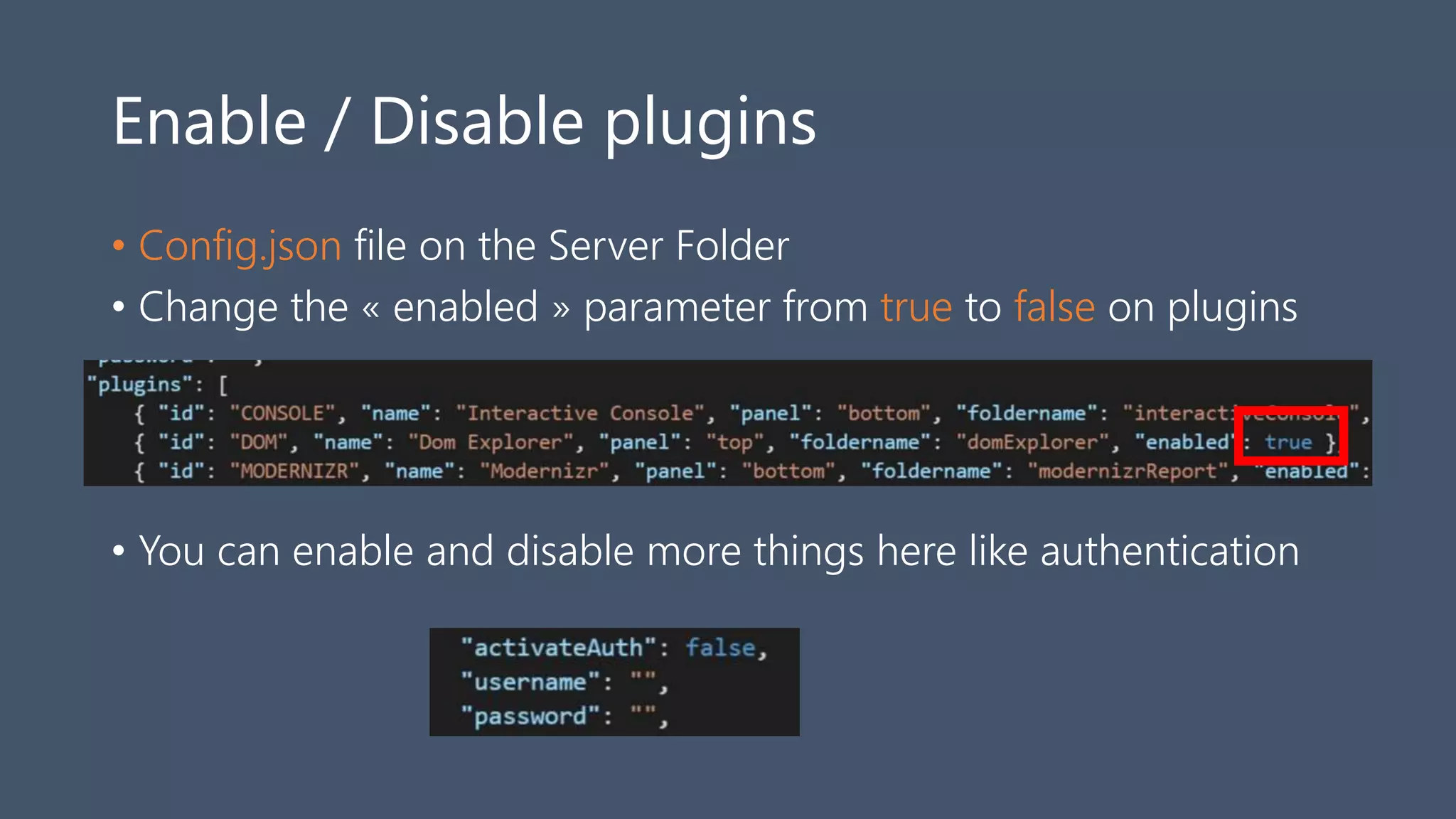
Enable / Disable plugins
• Config.json file on the Server Folder
• Change the « enabled » parameter from true to false on plugins
• You can enable and disable more things here like authentication
How to create your own plugin ?
•Tutorial available here :
•http://bit.ly/vorlonplugin
Using Vorlon.js to improve
web sites compatibility with
web standards
Part II
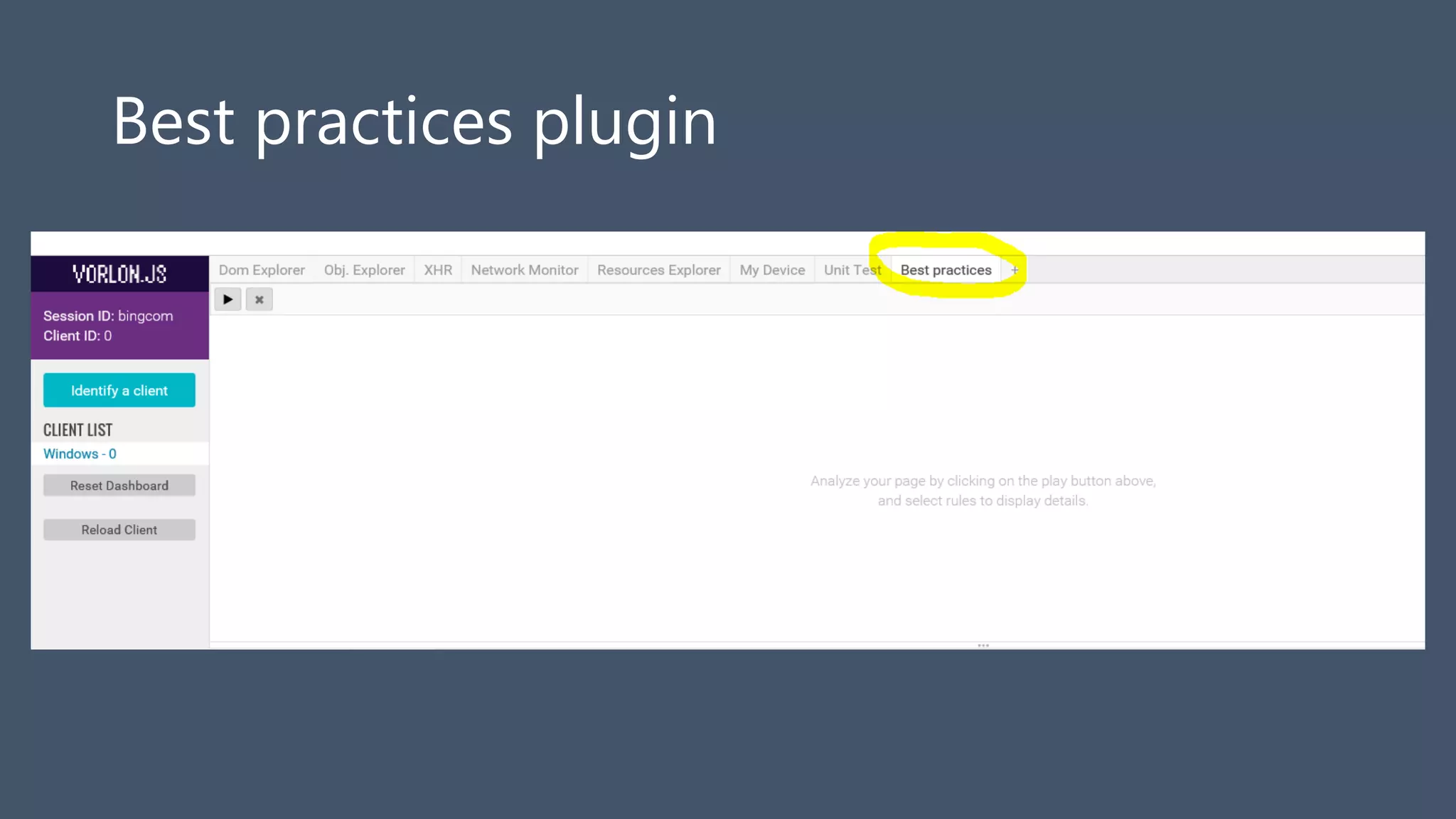
Best practices plugin
Dynamic analysis
More precise results than https://dev.modern.ie/tools/staticscan
Not based on text analysis
Can be extended
Slower than static analysis
Accessibility
Check for accessibility best practices
lang attribute
No meta refresh
alt attribute
for attribute
ARIA support
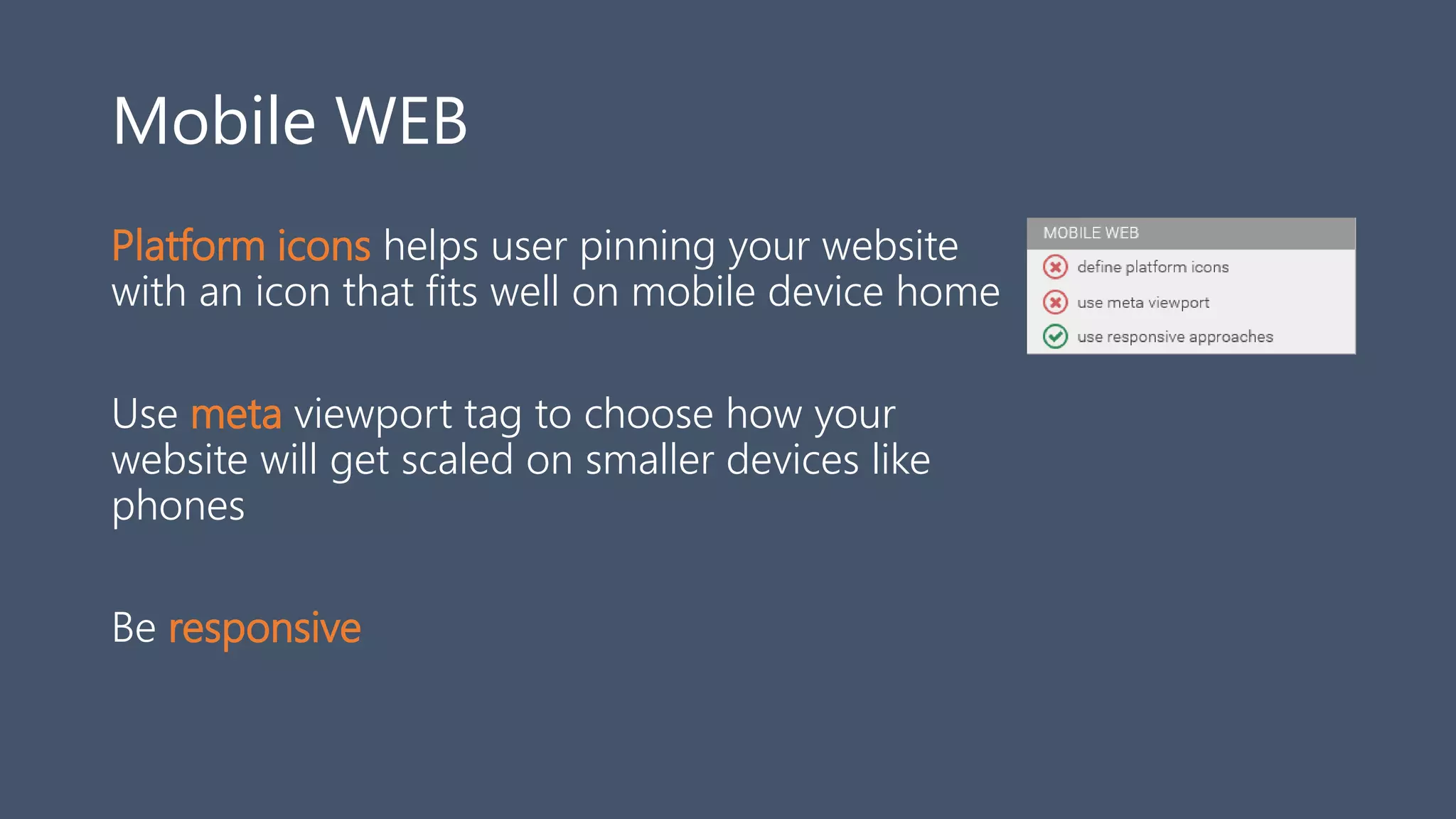
Mobile WEB
Platform icons helps user pinning your website
with an icon that fits well on mobile device home
Use meta viewport tag to choose how your
website will get scaled on smaller devices like
phones
Be responsive
Performances
Content encoding like gzip or deflate helps
reducing the network bandwidth required to
display your website
Minification helps reducing the network
bandwidth required to display your website
Multiple http requests makes your site slower
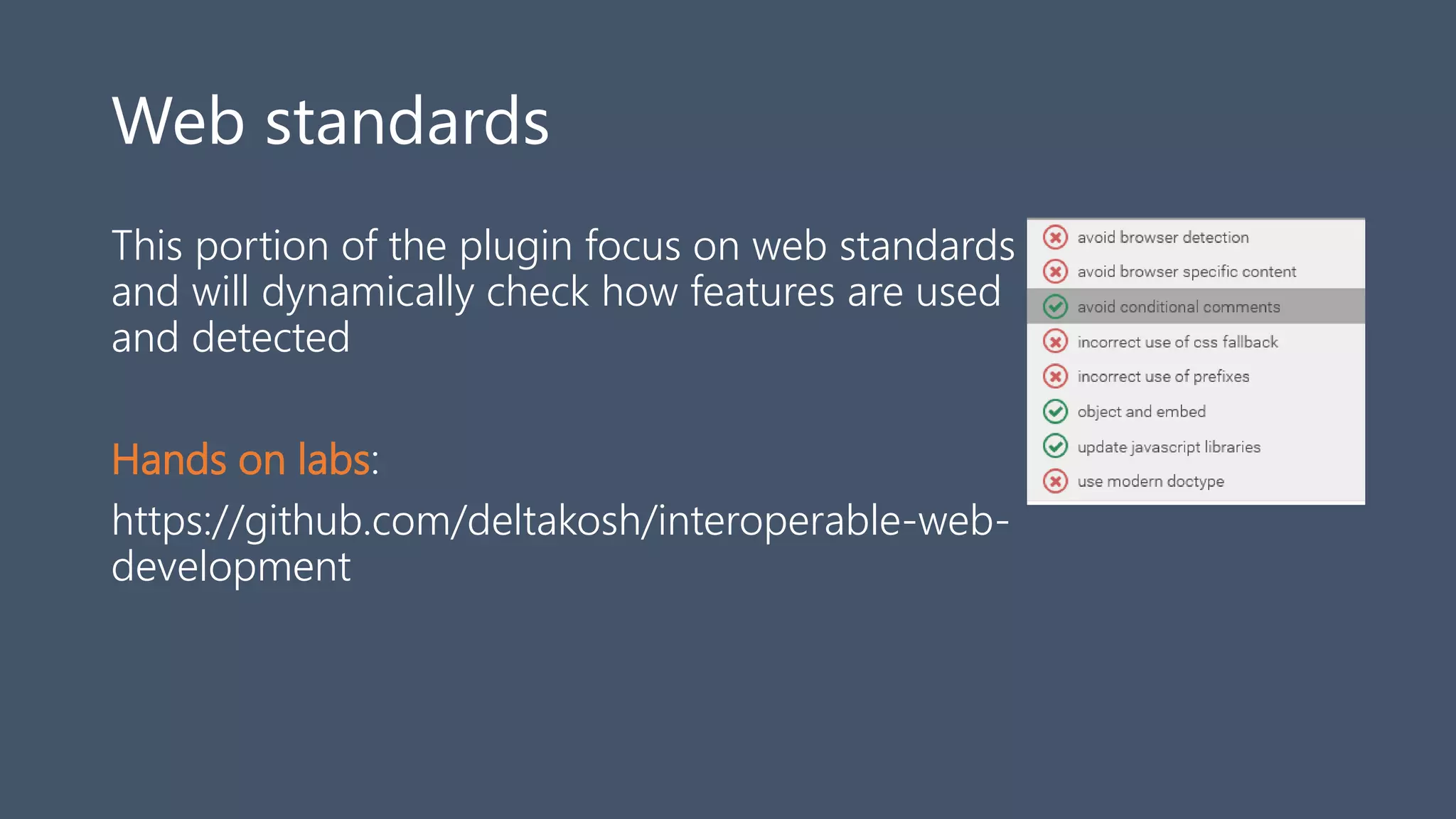
Web standards
This portion of the plugin focus on web standards
and will dynamically check how features are used
and detected
Hands on labs:
https://github.com/deltakosh/interoperable-web-
development
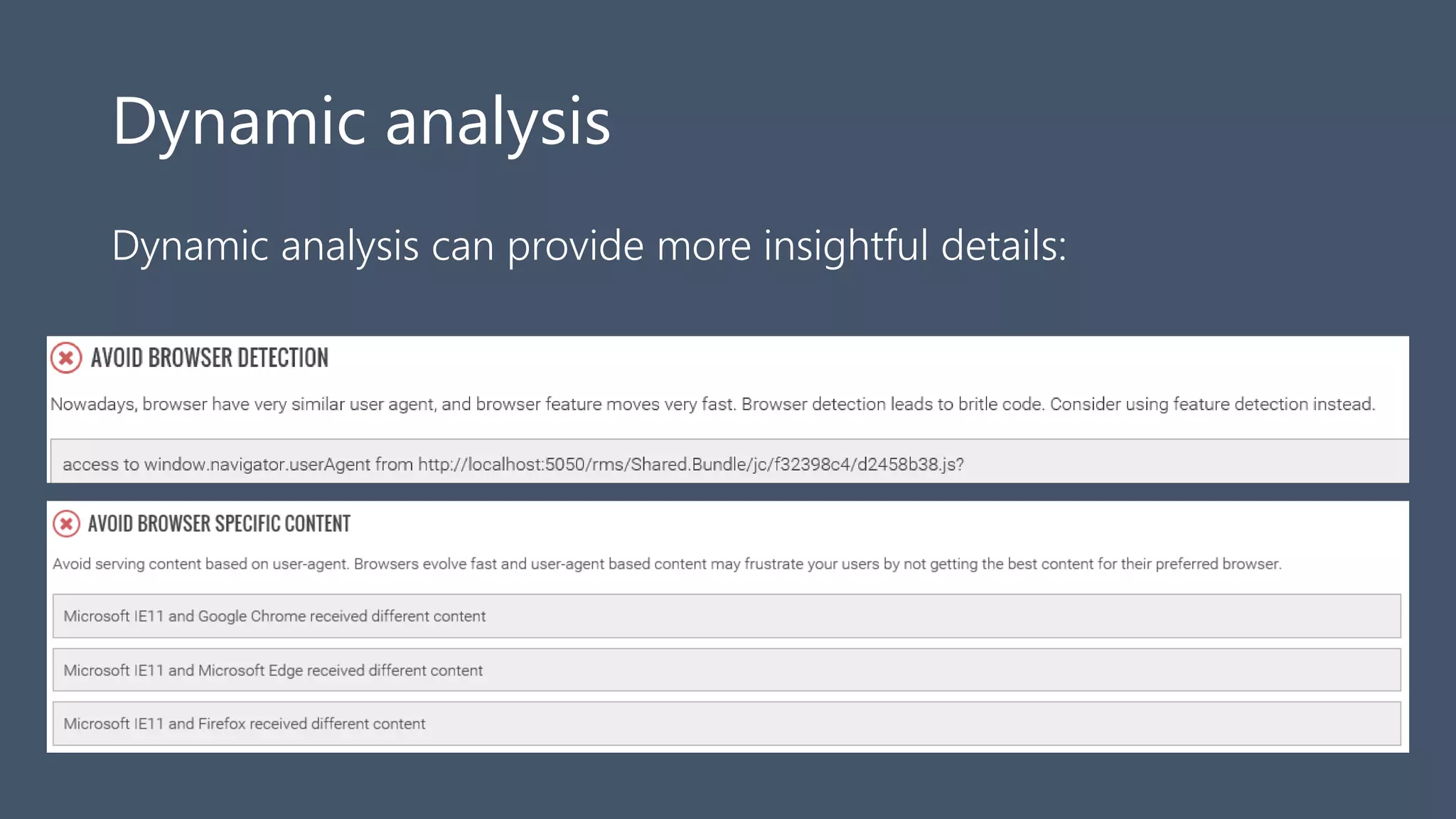
Dynamic analysis
Dynamic analysis can provide more insightful details:
Dynamic analysis
Dynamic analysis can provide more insightful details:
Using Vorlon.js proxy
Inject Vorlon.js afterwards
Based on a proxy so some sites may not
work
You can do a web site analysis in a
minute

VorlonJS

  • 1.
  • 2.
    Debugging na Web Perfeitono desktop usando as ferramentas disponíveis no Browser
  • 3.
    Debugging na Web Nomundo mobile, ainda deixa a desejar… • Ferramentas Proprietárias • Chrome-Chrome, Safari-Safari, ... • Requer conexão USB • WeinRE • Requer Chrome • Não é cross-plataforma • Não aceita plugin • Não tão bonito… ;-)
  • 4.
    Vorlon.js – http://vorlonjs.io Vorlon.js •Debugging remoto • Cross-browser, cross-plataforma • Open-source Baseado em: • Node.js • Passport.js • Socket.io • Express.js
  • 5.
    Como instalar Vorlon.js(server) ? (1/2) • Usando o NPM a partir da linha de comando: • Clonando o repositório do GitHub: npm install –g vorlon vorlon git clone https://github.com/Microsoftdx/vorlonjs cd vorlonjs npm install npm start
  • 6.
    Como instalar Vorlon.js(server) ? (2/2) Usando o botão de ‘deploy to Azure’ no GitHub: https://github.com/MicrosoftDX/Vorlonjs/blob/master/README.md
  • 7.
    Conectando o cliente(website) Modifique o código do website adicionando uma referência ao servidor do vorlon.js <script src="http://localhost:1337/vorlon.js"></script>
  • 8.
    10 plugins porpadrão Interactive console DOM Explorer Object Explorer Modernizr XHR Panel Resource Explorer Network Monitor ngInspector Unit tests Best practices
  • 9.
    DOM Explorer • Permitenavegar na estrutura da página (DOM) • Edição em tempo real do HTML e CSS (atributos e prop) • Botão de Refresh • Layout, Computed Styles, HTML DOM Edit • Faz o highlight no browser cliente quando seleciona o elemento no DOM explorer
  • 10.
    Interactive Console • Displaysall the logs from the client • Sortable, filterable, searchable • You can execute JavaScript code on the client from the immediate window
  • 11.
    XHR Panel • helpsyou get the list of requests done through XMLHttpRequest. • You can choose to enable or disable the recording using the play button
  • 12.
    ModernizR • Displays alist of web features • Tells you which one is available on the browser you are testing
  • 13.
    Object Explorer • Hierachicallist of all the javascript objects available in window • Filterable • Searchable
  • 14.
    Network Monitor • seeall the network exchanges that are done between the browser and the web server. • Provides the resource name, the server domain, the type of request, the duration in milliseconds • Visual waterfall
  • 15.
    Resource Explorer • Whatis stored locally on the client browser instance. • Data about : • Sessions • Cookies • Local Storage
  • 16.
    NGInspector • $scope debuggerfor Angular.js. • Access to all the values stored in each scope • This first version gives you information • Edit might come later
  • 17.
    Unit Tests -qUnit • Run unit test on the client from the dashboard • Type your test in the box • Browse and load a qunit test file • Results are displayed as a summary
  • 18.
    Enable / Disableplugins • Config.json file on the Server Folder • Change the « enabled » parameter from true to false on plugins • You can enable and disable more things here like authentication
  • 19.
    How to createyour own plugin ? •Tutorial available here : •http://bit.ly/vorlonplugin
  • 20.
    Using Vorlon.js toimprove web sites compatibility with web standards Part II
  • 21.
  • 22.
    Best practices plugin Dynamicanalysis More precise results than https://dev.modern.ie/tools/staticscan Not based on text analysis Can be extended Slower than static analysis
  • 23.
    Accessibility Check for accessibilitybest practices lang attribute No meta refresh alt attribute for attribute ARIA support
  • 24.
    Mobile WEB Platform iconshelps user pinning your website with an icon that fits well on mobile device home Use meta viewport tag to choose how your website will get scaled on smaller devices like phones Be responsive
  • 25.
    Performances Content encoding likegzip or deflate helps reducing the network bandwidth required to display your website Minification helps reducing the network bandwidth required to display your website Multiple http requests makes your site slower
  • 26.
    Web standards This portionof the plugin focus on web standards and will dynamically check how features are used and detected Hands on labs: https://github.com/deltakosh/interoperable-web- development
  • 27.
    Dynamic analysis Dynamic analysiscan provide more insightful details:
  • 28.
    Dynamic analysis Dynamic analysiscan provide more insightful details:
  • 29.
    Using Vorlon.js proxy InjectVorlon.js afterwards Based on a proxy so some sites may not work You can do a web site analysis in a minute