Technology Integration Curriculum, Instruction and Assessment Want to follow along?  Go to  http://del.icio.us/witchyrichy  and click on ITRT
The Bottom Line The challenge for administrators is to develop motivated teachers who are actively engaged in teaching and learning, open to new ideas and approaches, and committed to students and who change over the lifetime of their teaching careers. Miskel & Hoy, 2005, 7th edition
Knowledge Work “ Giving and receiving instruction is preparation for knowledge work.  Knowledge work begins when the student does something with the information received and in the process makes the information his or her own.” (Schlechty, 77) Some teachers treat all objectives as recall…
“ Technology will not have a significant impact on student learning until teachers change the way they teach.” Larry Cuban, 1986
OK…one cool thing Library Thing :  Create your own online library!
The Future Is Now CBS News Program on Rocketboom
The Purpose of Education Colonial Williamsburg Advertisemnet
Glimpsing the Future Two Stories: MoveOn.org ACLU Pizza
Two Views of the Present Two Stories: The Projector The Document Camera
What Do You Already Know? What’s been your biggest success so far in terms of instruction? A quick snapshot of your teachers and technology: Ask the THREE Questions Technology Coach Handbook, pp. 32-34
Integration is… It’s about reflecting on our practice. It’s about solutions to problems. It’s about meeting needs. Two Stories About Blogs: My Own (Fantasy) Reality:  Chris B’s Blog;   Chris B’s Source,   The rest of Chris’s class!  EEK!! It’s also about objectives, appropriate activities and aligned assessment.
Ideas About Integration Doing the same thing we’ve always done…but better…transparent technologies Communicate Acess Information/Research Practice Present Assess/Reflect Doing the  same things we’ve always done…on steroids…pushing the envelope of new things Interactive multimedia Social Software Information/knowledge explosion Primary sources http://www.ivyrun.com/colonialinst/technologyintegration.htm
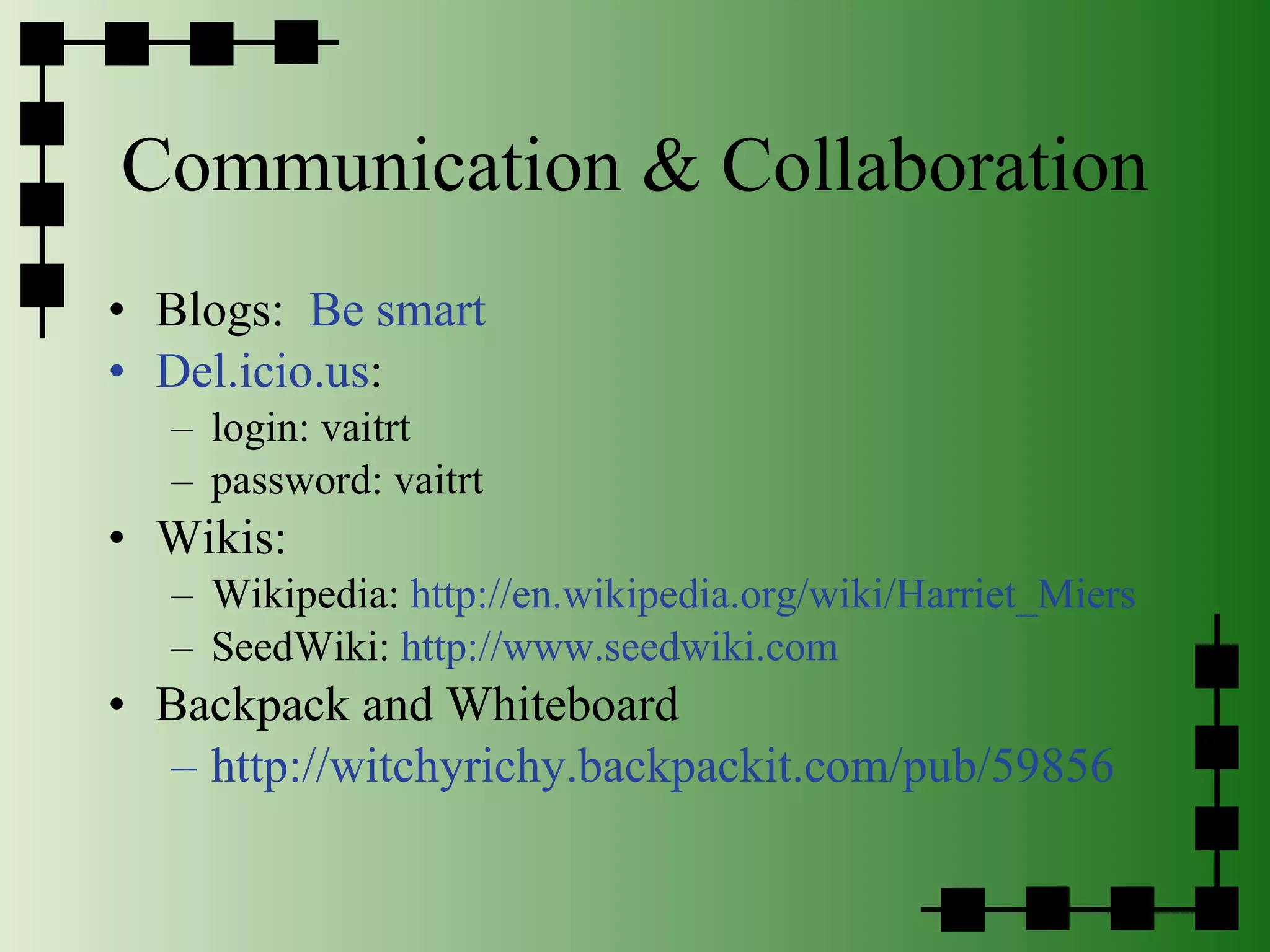
Communication & Collaboration Blogs:  Be smart Del.icio.us :  login: vaitrt  password: vaitrt Wikis: Wikipedia:  http://en.wikipedia.org/wiki/Harriet_Miers SeedWiki:  http://www.seedwiki.com Backpack and Whiteboard http://witchyrichy.backpackit.com/pub/59856
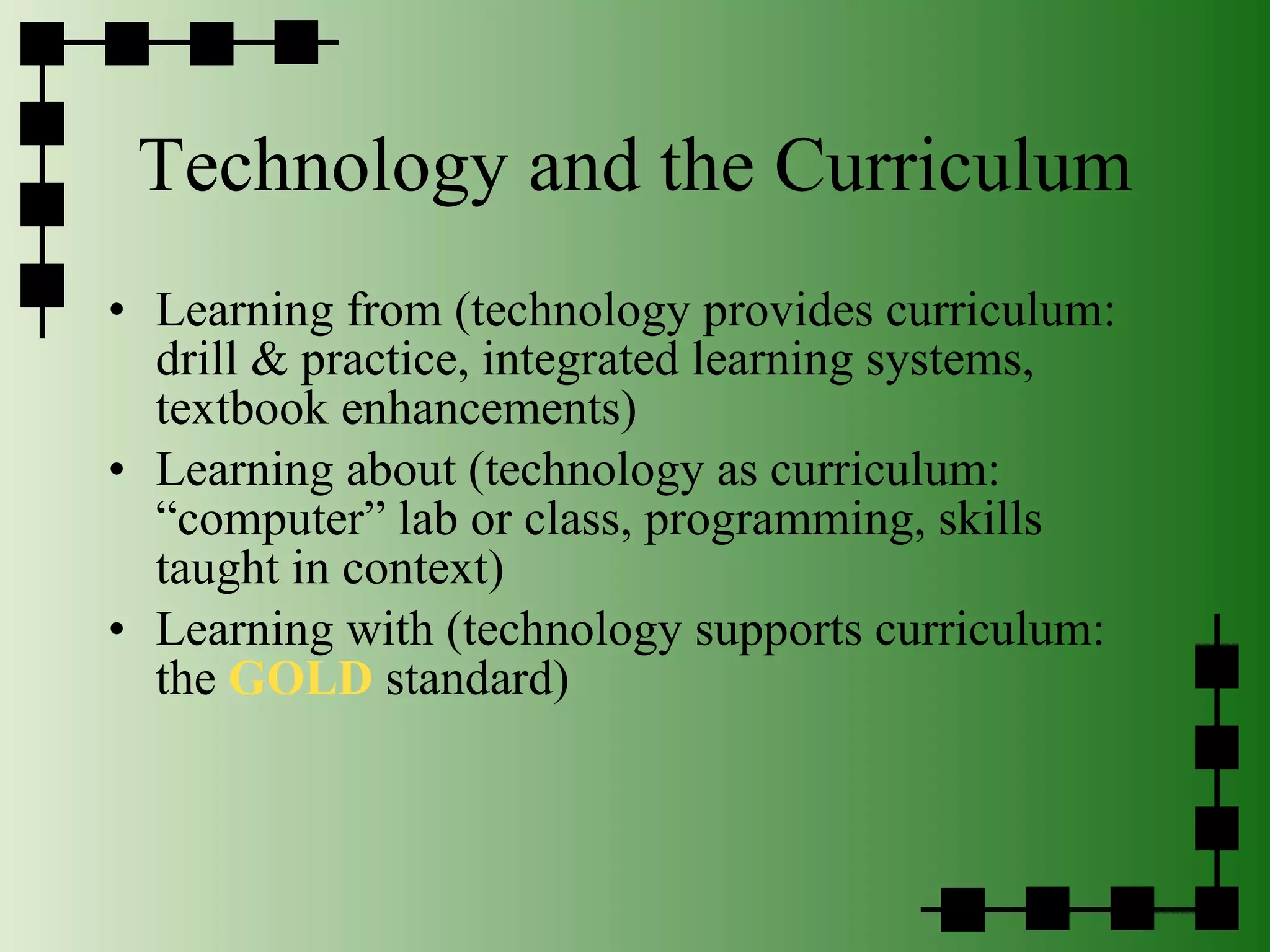
Technology and the Curriculum Learning from (technology provides curriculum: drill & practice, integrated learning systems, textbook enhancements)  Learning about (technology as curriculum: “computer” lab or class, programming, skills taught in context) Learning with (technology supports curriculum:  the  GOLD  standard)
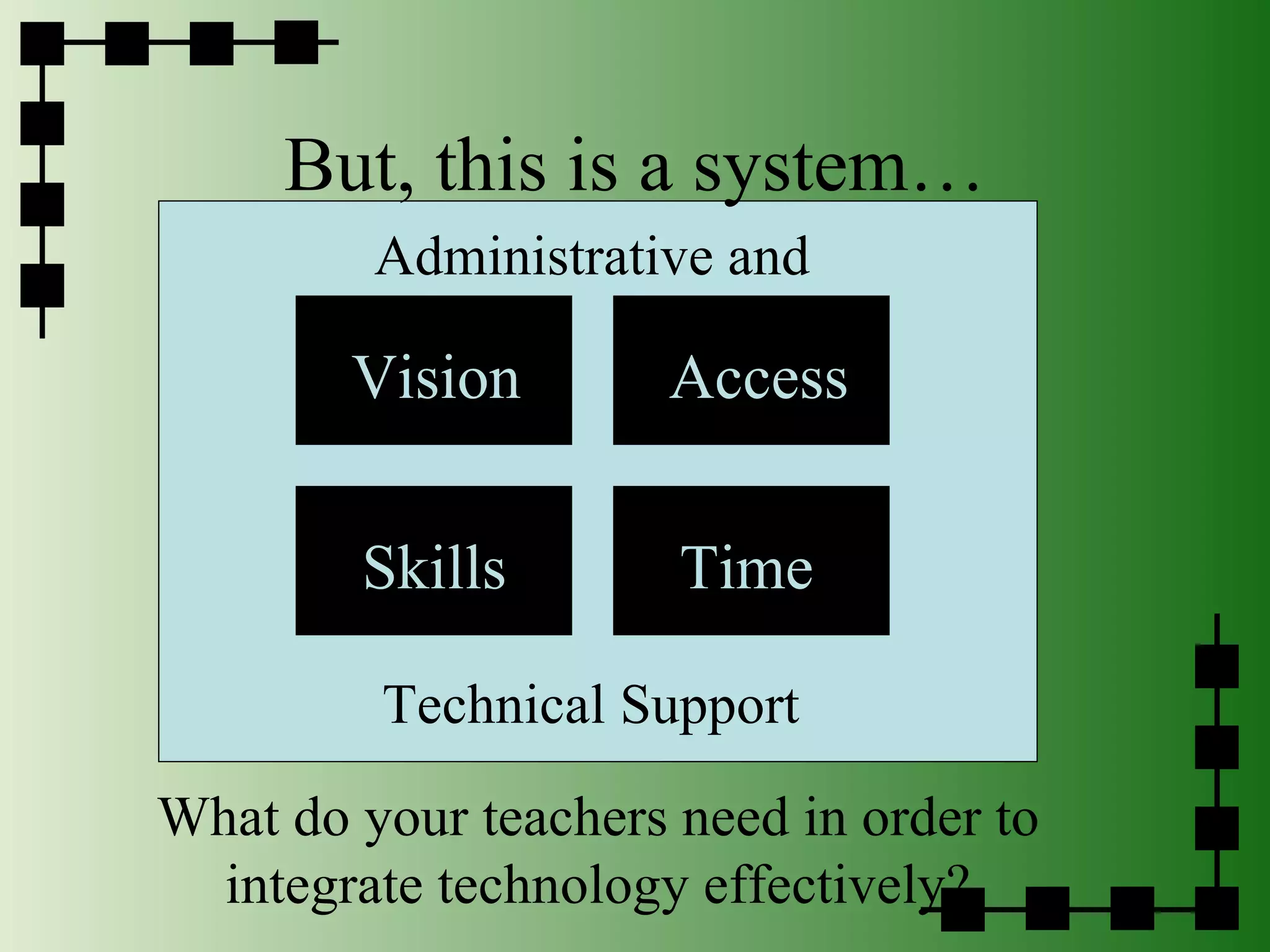
But, this is a system… Access Skills Time Vision What do your teachers need in order to integrate technology effectively? Administrative and  Technical Support
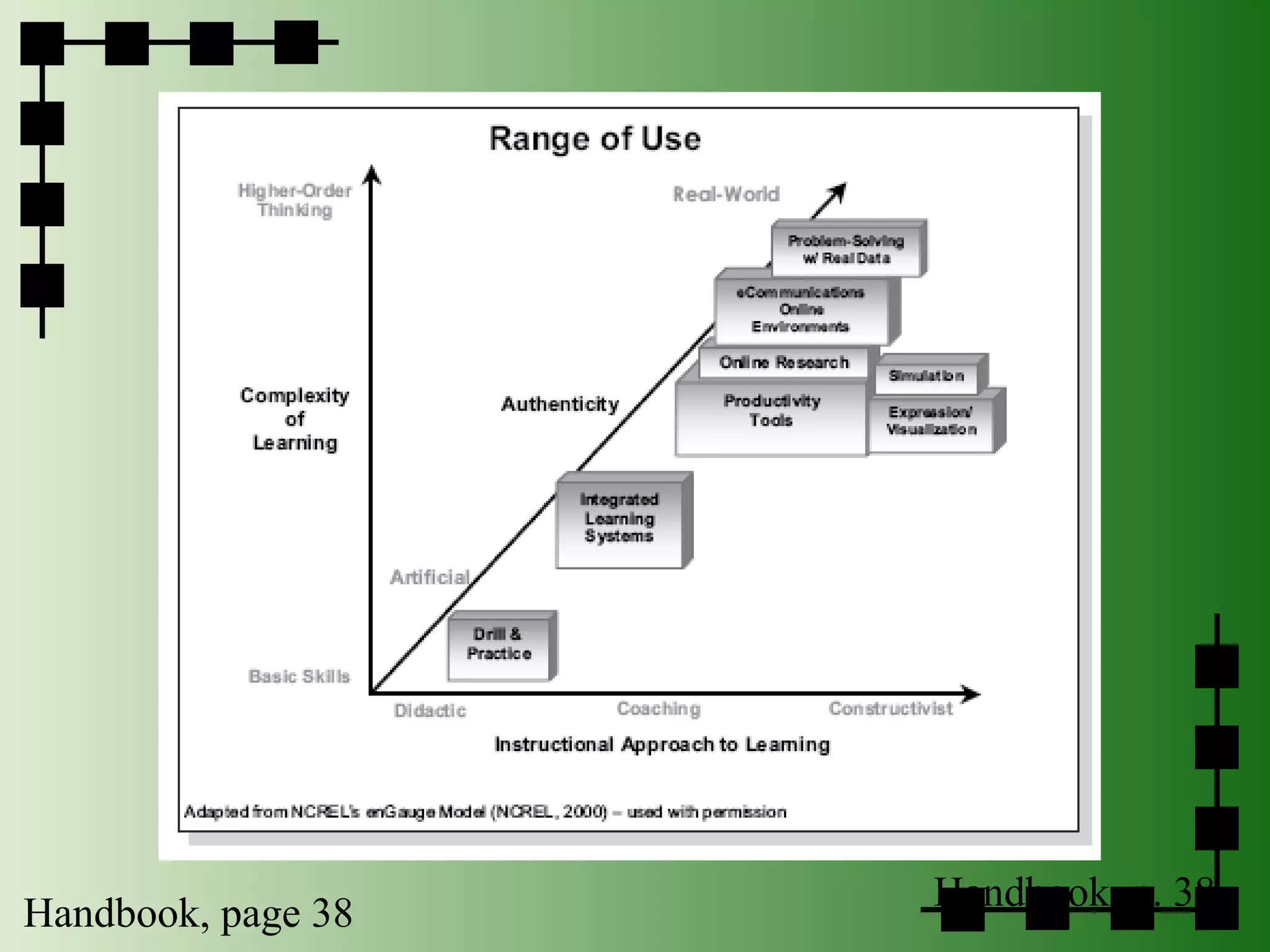
Handbook, p. 38 Handbook, page 38
Some Theories…
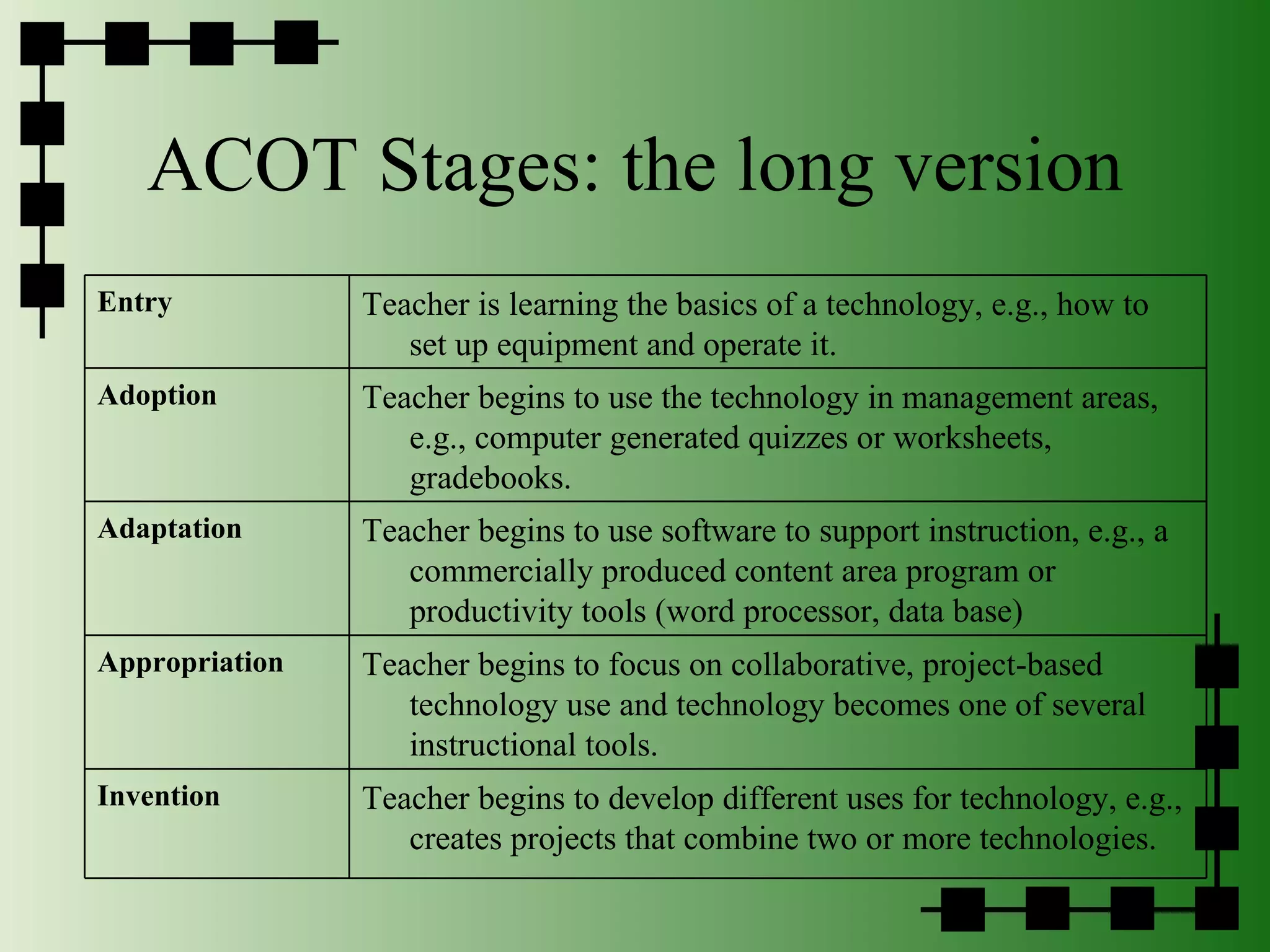
ACOT Stages: the long version Entry Teacher is learning the basics of a technology, e.g., how to set up equipment and operate it. Adoption Teacher begins to use the technology in management areas, e.g., computer generated quizzes or worksheets, gradebooks. Adaptation Teacher begins to use software to support instruction, e.g., a commercially produced content area program or productivity tools (word processor, data base) Appropriation Teacher begins to focus on collaborative, project-based technology use and technology becomes one of several instructional tools. Invention Teacher begins to develop different uses for technology, e.g., creates projects that combine two or more technologies.
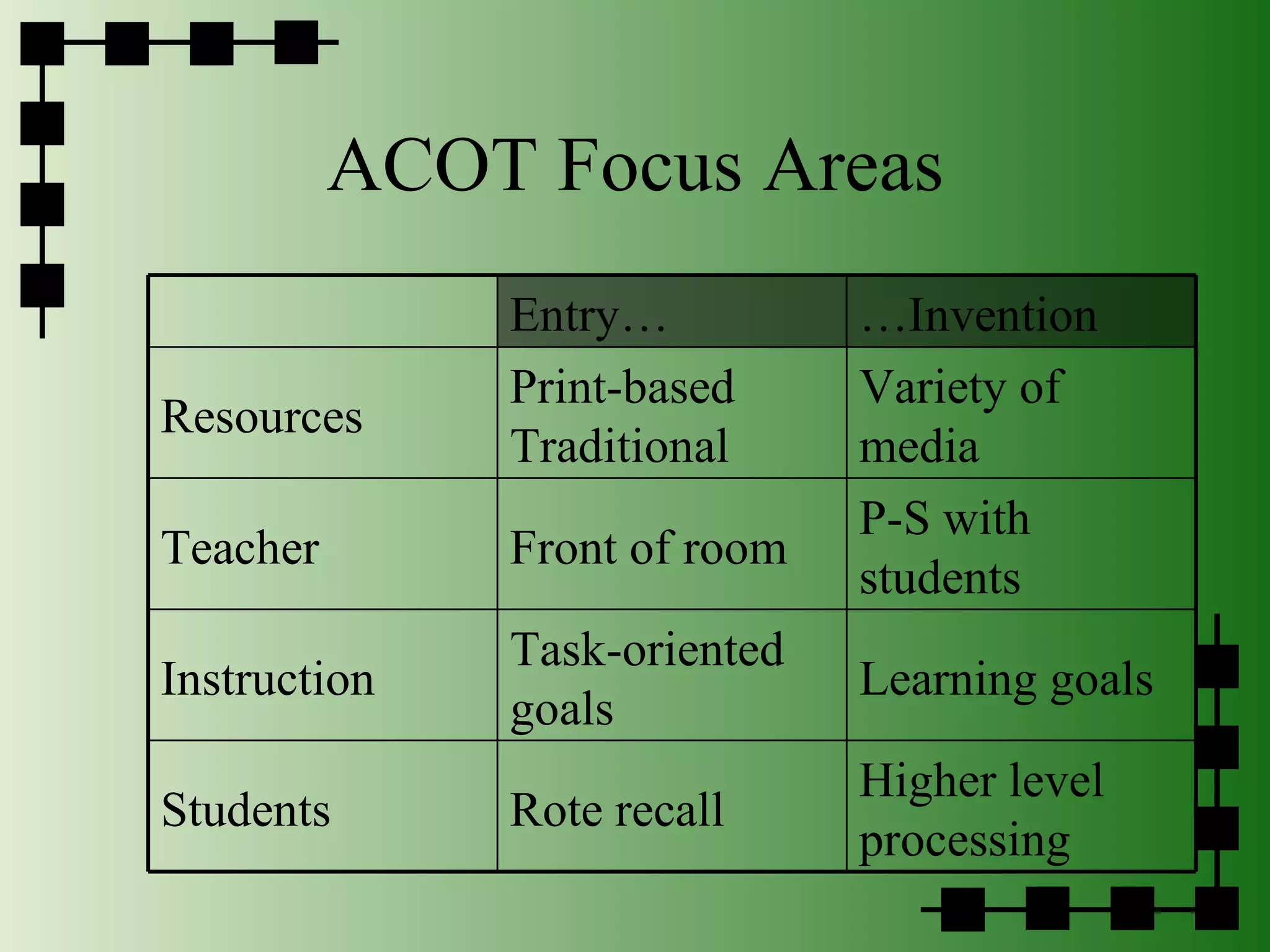
ACOT Focus Areas Entry… … Invention Resources Print-based Traditional Variety of media Teacher Front of room P-S with students Instruction Task-oriented goals Learning goals Students Rote recall Higher level processing
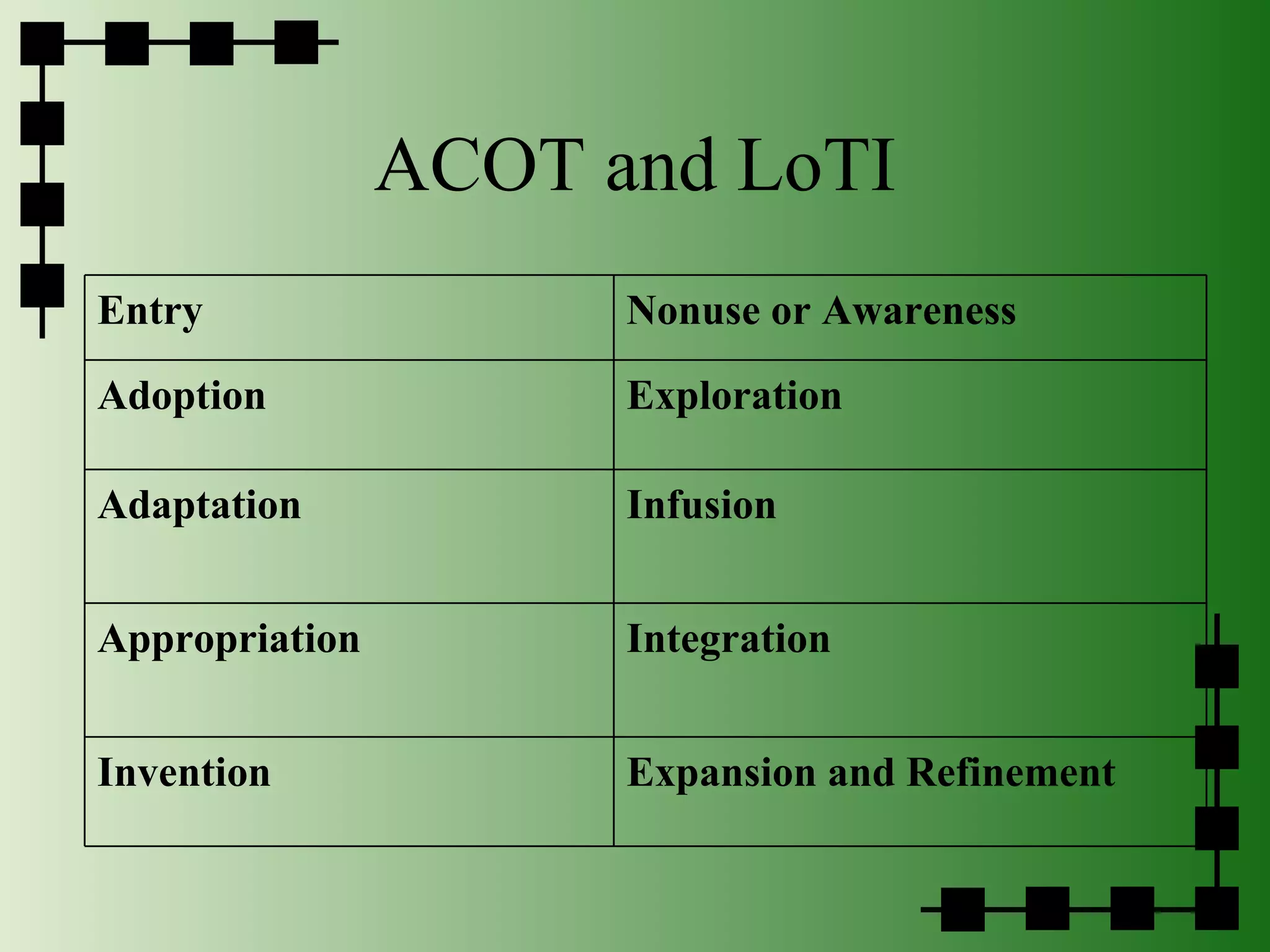
ACOT and LoTI Entry Nonuse or Awareness Adoption Exploration Adaptation Infusion Appropriation Integration Invention Expansion and Refinement
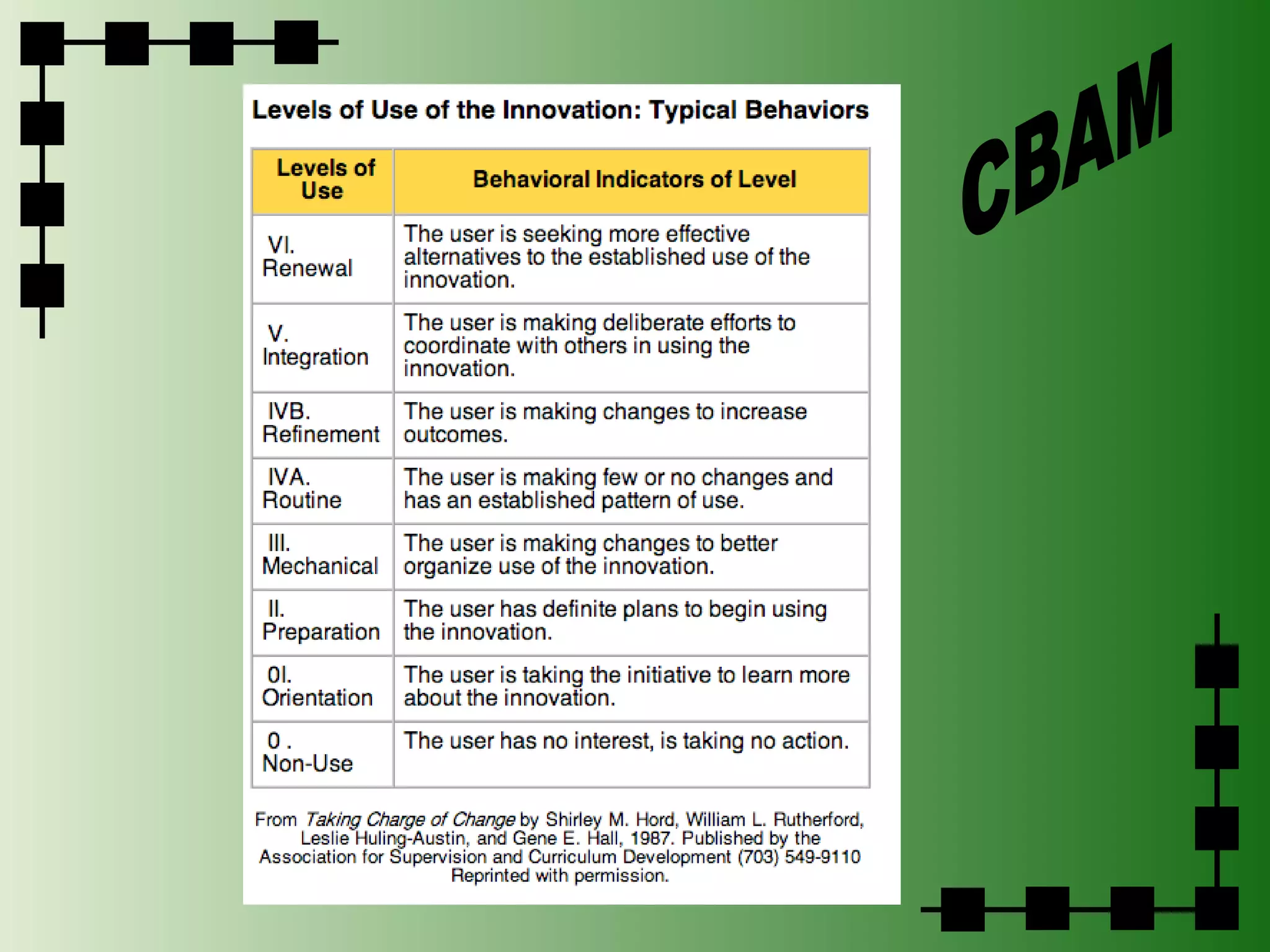
CBAM
 
Getting Rid of Bullies Colonial Williamsburg Advertisemnet
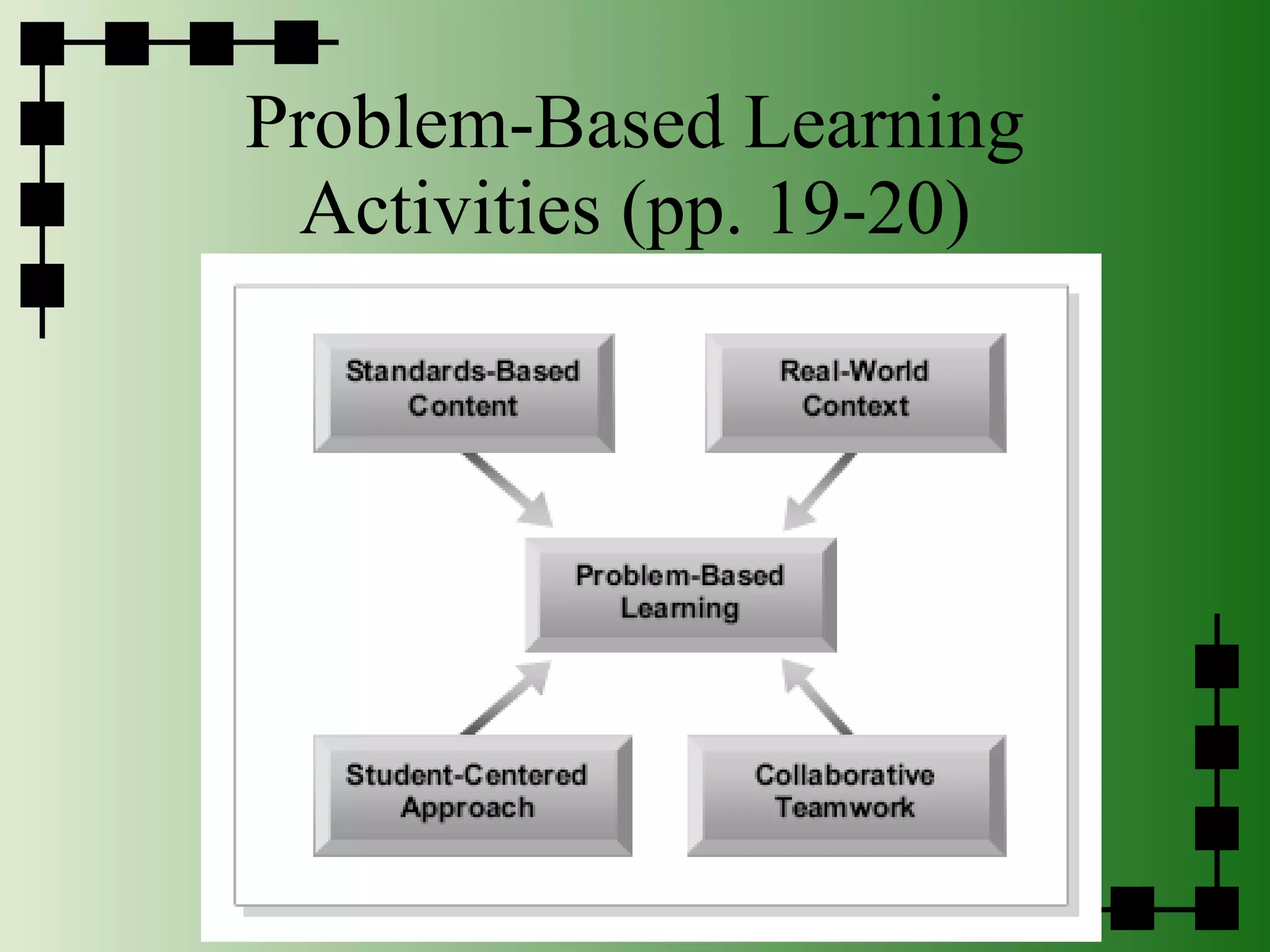
Problem-Based Learning Activities (pp. 19-20)
 
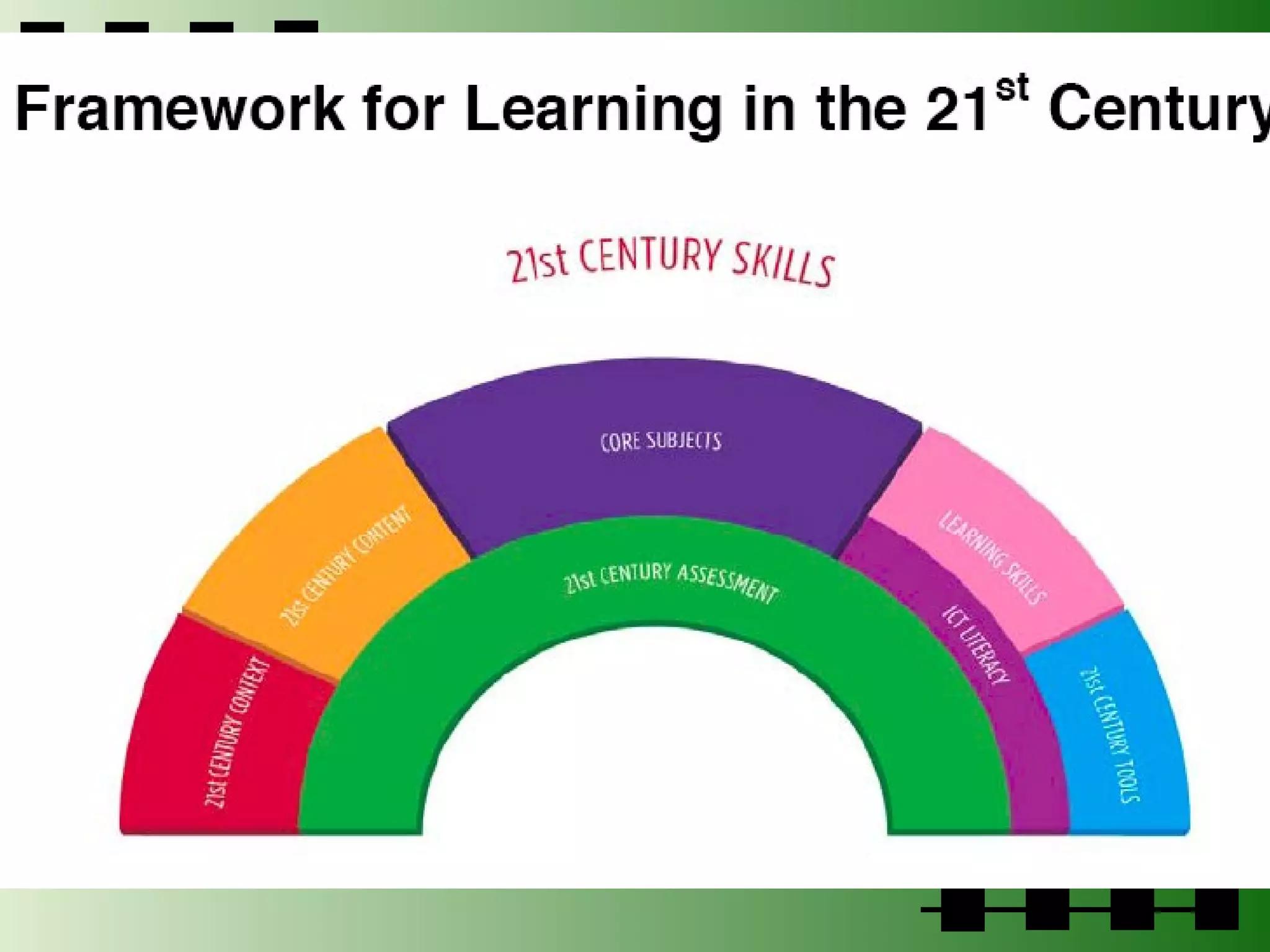
So, what about your lesson plan? Where does it fall on the LoTI scale?  What elements of the 21st century skills does it include?  If it’s a technology lesson, does it include relevant core content? Link to  21st Century Skills Website
Trackstar #267032 http://trackstar.4teachers.org
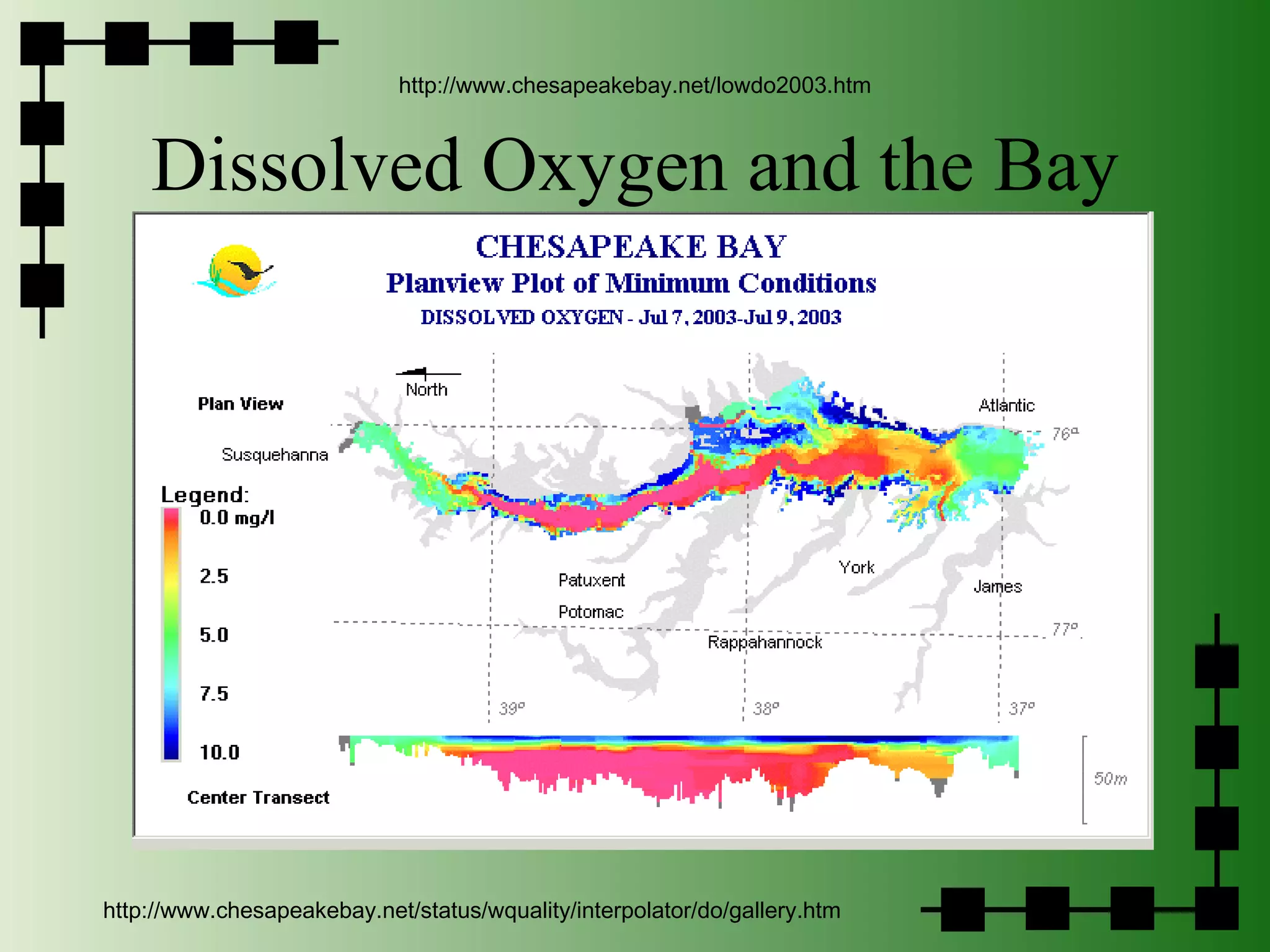
Dissolved Oxygen and the Bay http://www.chesapeakebay.net/lowdo2003.htm http://www.chesapeakebay.net/status/wquality/interpolator/do/gallery.htm
Keeping Up Finding Cool Stuff and Living on the Cutting Edge
Organizations International Society for Technology in Education ( http://www.iste.org ) PLUS  http://caret.iste.org Virginia Society for Technology in Education ( http://www.vste.org ) FREE! The Consortium for School Networking ( http://www.cosn.org ) George Lucas Educational Foundation ( http://www.glef.org )
General Tech Info THE Journal:  http://www.thejournal.com/ ZDNet:  http://www.zdnet.com/ Assorted Stuff:  http://www.assortedstuff.com/otherstuff/ Wired:  http://www.wired.com/ Think Geek:  http://www.thinkgeek.com
General Education ASCD:  http://www.ascd.org/portal/site/ascd/index.jsp/ CAST:  http://www.cast.org/ See the list at VCOL:  http://www.virginialearning.org
Bloggers Andy Carvin Will Richardson David Warlick Tim Stahmer http://www.bloglines.com/public/witchyrichy Try out bloglines:  http://www.bloglines.com Login:  [email_address] Password: edtech2005
The Power of Multimedia http://smashface.com/vlog/ http://creativecommons.org/licenses/by-nc-nd/2.0/

Technology Integration PowerPoint

  • 1.
    Technology Integration Curriculum,Instruction and Assessment Want to follow along? Go to http://del.icio.us/witchyrichy and click on ITRT
  • 2.
    The Bottom LineThe challenge for administrators is to develop motivated teachers who are actively engaged in teaching and learning, open to new ideas and approaches, and committed to students and who change over the lifetime of their teaching careers. Miskel & Hoy, 2005, 7th edition
  • 3.
    Knowledge Work “Giving and receiving instruction is preparation for knowledge work. Knowledge work begins when the student does something with the information received and in the process makes the information his or her own.” (Schlechty, 77) Some teachers treat all objectives as recall…
  • 4.
    “ Technology willnot have a significant impact on student learning until teachers change the way they teach.” Larry Cuban, 1986
  • 5.
    OK…one cool thingLibrary Thing : Create your own online library!
  • 6.
    The Future IsNow CBS News Program on Rocketboom
  • 7.
    The Purpose ofEducation Colonial Williamsburg Advertisemnet
  • 8.
    Glimpsing the FutureTwo Stories: MoveOn.org ACLU Pizza
  • 9.
    Two Views ofthe Present Two Stories: The Projector The Document Camera
  • 10.
    What Do YouAlready Know? What’s been your biggest success so far in terms of instruction? A quick snapshot of your teachers and technology: Ask the THREE Questions Technology Coach Handbook, pp. 32-34
  • 11.
    Integration is… It’sabout reflecting on our practice. It’s about solutions to problems. It’s about meeting needs. Two Stories About Blogs: My Own (Fantasy) Reality: Chris B’s Blog; Chris B’s Source, The rest of Chris’s class! EEK!! It’s also about objectives, appropriate activities and aligned assessment.
  • 12.
    Ideas About IntegrationDoing the same thing we’ve always done…but better…transparent technologies Communicate Acess Information/Research Practice Present Assess/Reflect Doing the same things we’ve always done…on steroids…pushing the envelope of new things Interactive multimedia Social Software Information/knowledge explosion Primary sources http://www.ivyrun.com/colonialinst/technologyintegration.htm
  • 13.
    Communication & CollaborationBlogs: Be smart Del.icio.us : login: vaitrt password: vaitrt Wikis: Wikipedia: http://en.wikipedia.org/wiki/Harriet_Miers SeedWiki: http://www.seedwiki.com Backpack and Whiteboard http://witchyrichy.backpackit.com/pub/59856
  • 14.
    Technology and theCurriculum Learning from (technology provides curriculum: drill & practice, integrated learning systems, textbook enhancements) Learning about (technology as curriculum: “computer” lab or class, programming, skills taught in context) Learning with (technology supports curriculum: the GOLD standard)
  • 15.
    But, this isa system… Access Skills Time Vision What do your teachers need in order to integrate technology effectively? Administrative and Technical Support
  • 16.
    Handbook, p. 38Handbook, page 38
  • 17.
  • 18.
    ACOT Stages: thelong version Entry Teacher is learning the basics of a technology, e.g., how to set up equipment and operate it. Adoption Teacher begins to use the technology in management areas, e.g., computer generated quizzes or worksheets, gradebooks. Adaptation Teacher begins to use software to support instruction, e.g., a commercially produced content area program or productivity tools (word processor, data base) Appropriation Teacher begins to focus on collaborative, project-based technology use and technology becomes one of several instructional tools. Invention Teacher begins to develop different uses for technology, e.g., creates projects that combine two or more technologies.
  • 19.
    ACOT Focus AreasEntry… … Invention Resources Print-based Traditional Variety of media Teacher Front of room P-S with students Instruction Task-oriented goals Learning goals Students Rote recall Higher level processing
  • 20.
    ACOT and LoTIEntry Nonuse or Awareness Adoption Exploration Adaptation Infusion Appropriation Integration Invention Expansion and Refinement
  • 21.
  • 22.
  • 23.
    Getting Rid ofBullies Colonial Williamsburg Advertisemnet
  • 24.
  • 25.
  • 26.
    So, what aboutyour lesson plan? Where does it fall on the LoTI scale? What elements of the 21st century skills does it include? If it’s a technology lesson, does it include relevant core content? Link to 21st Century Skills Website
  • 27.
  • 28.
    Dissolved Oxygen andthe Bay http://www.chesapeakebay.net/lowdo2003.htm http://www.chesapeakebay.net/status/wquality/interpolator/do/gallery.htm
  • 29.
    Keeping Up FindingCool Stuff and Living on the Cutting Edge
  • 30.
    Organizations International Societyfor Technology in Education ( http://www.iste.org ) PLUS http://caret.iste.org Virginia Society for Technology in Education ( http://www.vste.org ) FREE! The Consortium for School Networking ( http://www.cosn.org ) George Lucas Educational Foundation ( http://www.glef.org )
  • 31.
    General Tech InfoTHE Journal: http://www.thejournal.com/ ZDNet: http://www.zdnet.com/ Assorted Stuff: http://www.assortedstuff.com/otherstuff/ Wired: http://www.wired.com/ Think Geek: http://www.thinkgeek.com
  • 32.
    General Education ASCD: http://www.ascd.org/portal/site/ascd/index.jsp/ CAST: http://www.cast.org/ See the list at VCOL: http://www.virginialearning.org
  • 33.
    Bloggers Andy CarvinWill Richardson David Warlick Tim Stahmer http://www.bloglines.com/public/witchyrichy Try out bloglines: http://www.bloglines.com Login: [email_address] Password: edtech2005
  • 34.
    The Power ofMultimedia http://smashface.com/vlog/ http://creativecommons.org/licenses/by-nc-nd/2.0/

Editor's Notes

  • #4 And Virginia Tech’s motto is “putting knowledge to work”
  • #10 So one of your jobs is to
  • #11 Three questions to ask yourself: what percentage of your teachers use email and other productivity tools? What percentage of your teachers use technology as part of instruction (powerpoint, etc.)? What percentage of your teachers have students using technology on a regular basis? You sort of get a continuum here…
  • #15 So, how do you support your teachers as they begin to add technology to their instruction. I think the first thing to recognize is that it is not a silver bullet. It is really part of the resource curriculum but the kinds of resources that are available are putting pressure on the rest of the curriculum: there are things that need to be taught, there are things that in order to be useful may force teachers to teach a different way…So how does technology impact the curriculum? Let’s look at your vision statement: what uses does it see? What’s the vision? What’s your vision? Try jotting it down…
  • #16 Vision might be yours but will also be strongly influenced by the teachers’ philosophy as well. We need to start thinking about matching access to ideas about use: so I want to be able to bring up the web to the whole group whenever I want. It has to be there all the time if it’s ever really going to be seamless. So we’ll still tend to think of using technology as an event rather than just a natural part of instruction. Skils doesn’t just refer to being able to use the computer: instead, it refers to classroom management skills, curriculum develop skills. It also refers to your skills to manage change. There is research that shows that your skill level has an impact. So where do YOU go?
  • #17 Technology just opens so many possibilities…
  • #20 This slide details the 4 areas of classroom evaluation should be covered when considering whether or not technology is being used effectively for teaching and learning. Essentially trying to create a new teacher paradigm. Resources – Entry level is print-based and traditional (textbooks, pens, pencils, etc) Invention level is using a variety of media including the internet, digital equipment, graphing calculators, digital microscopes, smartboards, etc) Teacher – Entry level is the teacher in the front of the room lecturing to students that may appear completely disinterested or falling asleep. Invention is the teacher collaborating with the students to help them problem-solve and reach conclusion by cooperating with one another. This builds higher levels of learning and understanding of not only the material, but also improves societal skills for the students. Instruction – Entry level instruction is very task-oriented (and it has its place in instruction), but the ultimate goal is to achieve learning – not training, memorization or regurgitation. Students learn better by stimulating more than one sense. Teachers must learn to involve students in an active way to maximize student performance. The focus for teachers in the invention stage is more heavily on true alignment of learning goals to classroom activities and instruction. Students – The entry level of rote recall is paralleled with instruction. We must strive to achieve a higher level of learning in our students by actively stimulating the learning process.