Technology in the
Common Core
Grade 2
Some of the Language…
2.RI.5 Know and use various text features (e.g., captions, bold
print, subheadings, glossaries, indexes, electronic menus, icons) to
locate key facts or information in a text efficiently.
2.W.6 With guidance and support from adults, use a variety of
digital tools to produce and publish writing, including in
collaboration with peers.

2.W.7 Participate in shared research and writing projects (e.g., read
a number of books on a single topic to produce a report; record
science observations).
2.SL.5 Create audio recordings of stories or poems; add drawings or
other visual displays to stories or recounts of experiences when
appropriate to clarify ideas, thoughts, and feelings.
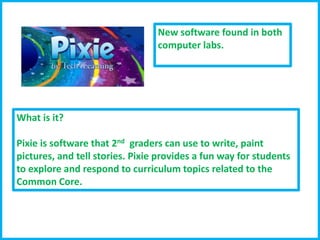
New software found in both
computer labs.

What is it?
Pixie is software that 2nd graders can use to write, paint
pictures, and tell stories. Pixie provides a fun way for students
to explore and respond to curriculum topics related to the
Common Core.
With Pixie, you can make books,
video, audio recordings, comics just
to name a few key features.
Pixie offers many templates for you
to use that not only reinforces skills
from the classroom, but it also gives
students computer practice.
Literacy Ideas
-Create non-fiction books
-Book Talk video or podcast
-Vocabulary trading cards
-Collaborative writing projects
-Classroom book
-Newspaper
--Fluency
-- Vocabulary dictionaries

Math
-Word problem book with
answer key
-Tutorials
-Templates
-Math Posters
-Math in the real world
-Screencast
- Math Stories
Things to keep in mind:

1. Always storyboard your story before you even enter the
lab.
2. Collect pictures based on the storyboard. Images found on
the Pixie site are free to use without citing.
3. Make sure students save to their Documents, then export
project how you need it.
4. Don’t forget the wonderful group work function on Pixie so
students can work collaboratively.
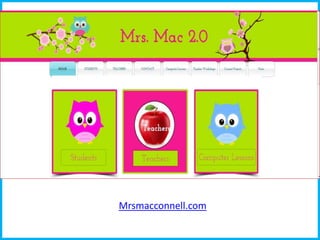
5. My website has a lot of resources on Pixie.
Classroom Management

http://www.classdojo.com/
Arcademic
http://www.arcademicskillbuilders.com/games/
http://skypeanauthor.wikifoundry.com/

http://mysterystate.wikispaces.com/
Books Share/ Writing Buddy
Experts
“Teddy Bear” or similar project
Mrsmacconnell.com
EXCEL
SPREADSHEETS AND GRAPHS
F11 MAKES IT EASY!

Technology grade 2

  • 1.
  • 2.
    Some of theLanguage… 2.RI.5 Know and use various text features (e.g., captions, bold print, subheadings, glossaries, indexes, electronic menus, icons) to locate key facts or information in a text efficiently. 2.W.6 With guidance and support from adults, use a variety of digital tools to produce and publish writing, including in collaboration with peers. 2.W.7 Participate in shared research and writing projects (e.g., read a number of books on a single topic to produce a report; record science observations). 2.SL.5 Create audio recordings of stories or poems; add drawings or other visual displays to stories or recounts of experiences when appropriate to clarify ideas, thoughts, and feelings.
  • 3.
    New software foundin both computer labs. What is it? Pixie is software that 2nd graders can use to write, paint pictures, and tell stories. Pixie provides a fun way for students to explore and respond to curriculum topics related to the Common Core.
  • 4.
    With Pixie, youcan make books, video, audio recordings, comics just to name a few key features. Pixie offers many templates for you to use that not only reinforces skills from the classroom, but it also gives students computer practice. Literacy Ideas -Create non-fiction books -Book Talk video or podcast -Vocabulary trading cards -Collaborative writing projects -Classroom book -Newspaper --Fluency -- Vocabulary dictionaries Math -Word problem book with answer key -Tutorials -Templates -Math Posters -Math in the real world -Screencast - Math Stories
  • 5.
    Things to keepin mind: 1. Always storyboard your story before you even enter the lab. 2. Collect pictures based on the storyboard. Images found on the Pixie site are free to use without citing. 3. Make sure students save to their Documents, then export project how you need it. 4. Don’t forget the wonderful group work function on Pixie so students can work collaboratively. 5. My website has a lot of resources on Pixie.
  • 6.
  • 7.
  • 8.
  • 9.
  • 10.