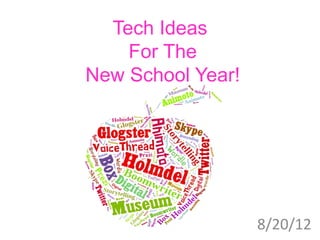
Tech Ideas
    For The
New School Year!


                   8/20/12
Animoto
Animoto is an intuitive, versatile tool for you and
  your students to use this year!
Example of First Day Of School
Classroom Project
Animoto
How to Use Animoto:

1. Sign up for an Animoto Educator account by clicking
         . Use code - a4emacc4a0480
2. Make sure to sign up with a different password than
   your school password.
3. You will need to reapply every 6 months.
4. Good idea for students to collect pictures before
   they are introduced to Animoto.
5. Have students credit pictures and
   sources on a PPT slide to upload
   later (save the PPT slide as a jpg)
6. If a picture won’t upload to Animoto – resave it as a
   JPG
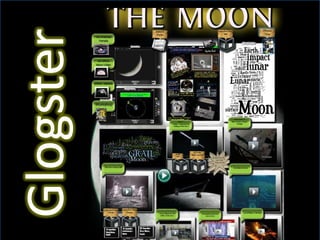
Examples of Glogster
Earth Unit Posters
 (Presentation mode – paid account)
Nonfiction Text Features
Pythagoras
Benjamin Franklin
Integers

***Click here for a Glogster rubric
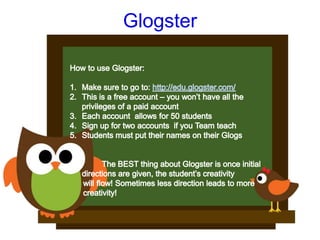
Glogster
Glogster Ideas
1. End of Unit review
2. Biography
3. Country study
4. Poems
5. “Wanted” poster for a historical figure
6. Glog on a math topic including word problems
   and links
7. Book poster
8. Movie poster to go with your Animoto video
9. Have students summarize a chapter in Science
10. Interactive presentation tool


GLOGSTER’S USES ARE ENDLESS!
Wordle
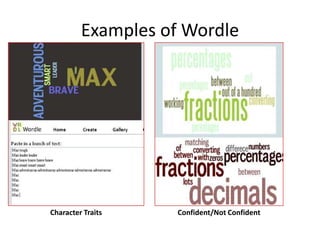
Examples of Wordle


Character Traits    Confident/Not Confident
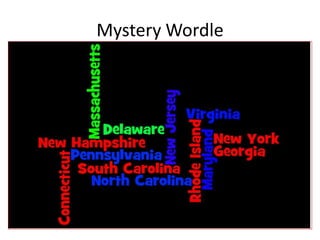
Mystery Wordle
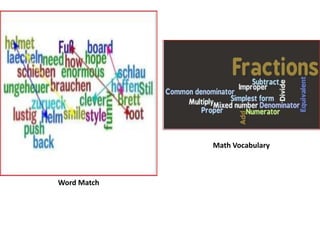
Math Vocabulary


Word Match
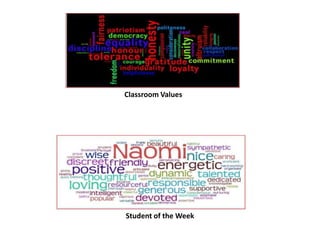
Classroom Values


Student of the Week
Word Clouds
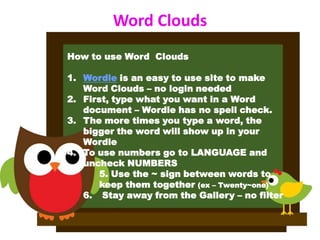
How to use Word Clouds

1. Wordle is an easy to use site to make
   Word Clouds – no login needed
2. First, type what you want in a Word
   document – Wordle has no spell check.
3. The more times you type a word, the
   bigger the word will show up in your
   Wordle
4. To use numbers go to LANGUAGE and
   uncheck NUMBERS
       5. Use the ~ sign between words to
       keep them together (ex – Twenty~one)
   6. Stay away from the Gallery – no filter
HOW TO USE WORDLE
1.    Character traits
2.    All About Me
3.    Mystery Wordle
4.    KWL
5.    Paste student stories to see “over used” words
6.    State Report/Character/Book/Science Topic
7.    Word Wall
8.    Student of the Week
9.    List what the class in comfortable with and uncomfortable with
      regarding a certain topic
10.   Guess the definition
11.   Paste text to find main idea for fiction and nonfiction
12.   Thank you notes
13.   Gifts for parents
14.   Poetry
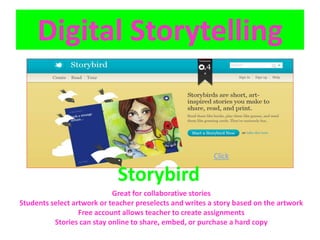
Digital Storytelling


                                                          Click

                             Storybird
                            Great for collaborative stories
Students select artwork or teacher preselects and writes a story based on the artwork
                  Free account allows teacher to create assignments
          Stories can stay online to share, embed, or purchase a hard copy
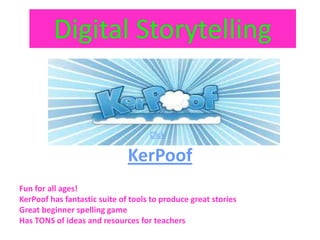
Digital Storytelling


                                    Click


                              KerPoof
Fun for all ages!
KerPoof has fantastic suite of tools to produce great stories
Great beginner spelling game
Has TONS of ideas and resources for teachers
Extras…


          Mystery State

New Ideas for The School Year

  • 1.
    Tech Ideas For The New School Year! 8/20/12
  • 2.
    Animoto Animoto is anintuitive, versatile tool for you and your students to use this year! Example of First Day Of School Classroom Project
  • 3.
    Animoto How to UseAnimoto: 1. Sign up for an Animoto Educator account by clicking . Use code - a4emacc4a0480 2. Make sure to sign up with a different password than your school password. 3. You will need to reapply every 6 months. 4. Good idea for students to collect pictures before they are introduced to Animoto. 5. Have students credit pictures and sources on a PPT slide to upload later (save the PPT slide as a jpg) 6. If a picture won’t upload to Animoto – resave it as a JPG
  • 6.
    Examples of Glogster EarthUnit Posters (Presentation mode – paid account) Nonfiction Text Features Pythagoras Benjamin Franklin Integers ***Click here for a Glogster rubric
  • 7.
  • 8.
    Glogster Ideas 1. Endof Unit review 2. Biography 3. Country study 4. Poems 5. “Wanted” poster for a historical figure 6. Glog on a math topic including word problems and links 7. Book poster 8. Movie poster to go with your Animoto video 9. Have students summarize a chapter in Science 10. Interactive presentation tool GLOGSTER’S USES ARE ENDLESS!
  • 9.
  • 10.
    Examples of Wordle CharacterTraits Confident/Not Confident
  • 11.
  • 12.
  • 13.
  • 14.
    Word Clouds How touse Word Clouds 1. Wordle is an easy to use site to make Word Clouds – no login needed 2. First, type what you want in a Word document – Wordle has no spell check. 3. The more times you type a word, the bigger the word will show up in your Wordle 4. To use numbers go to LANGUAGE and uncheck NUMBERS 5. Use the ~ sign between words to keep them together (ex – Twenty~one) 6. Stay away from the Gallery – no filter
  • 15.
    HOW TO USEWORDLE 1. Character traits 2. All About Me 3. Mystery Wordle 4. KWL 5. Paste student stories to see “over used” words 6. State Report/Character/Book/Science Topic 7. Word Wall 8. Student of the Week 9. List what the class in comfortable with and uncomfortable with regarding a certain topic 10. Guess the definition 11. Paste text to find main idea for fiction and nonfiction 12. Thank you notes 13. Gifts for parents 14. Poetry
  • 16.
    Digital Storytelling Click Storybird Great for collaborative stories Students select artwork or teacher preselects and writes a story based on the artwork Free account allows teacher to create assignments Stories can stay online to share, embed, or purchase a hard copy
  • 17.
    Digital Storytelling Click KerPoof Fun for all ages! KerPoof has fantastic suite of tools to produce great stories Great beginner spelling game Has TONS of ideas and resources for teachers
  • 18.
    Extras… Mystery State