Sensory Writing
Lesson 1
Context
 Students have been using figurative language such as: similes, metaphors, and idioms.
The previous lesson was about writing good beginnings to stories.
Learning Objectives(s)
Georgia Performance Standards
 ELACC5W3: Write narratives to develop real or imagined experiences or events using
effective techniques, descriptive details, and clear event sequences.
d. Use sensory details to convey experiences and events precisely.
 The students will create a descriptive story using their five senses.
ISTE Standards
 1. Creativity and Innovation
Students demonstrate creative thinking, construct knowledge, and develop innovative
products and processes using technology.
a. Apply existing knowledge to generate new ideas, products, or processes.
b. Create original works as a means of personal or group expression
 2. Communication and Collaboration
Students use digital media and environments to communicate and work collaboratively,
including at a distance, to support individual learning and contribute to the learning of
others.
a. Interact, collaborate, and publish with peers, experts, or others employing a
variety of digital environments and media.
b. Communicate information and ideas effectively to multiple audiences using a
variety of media and formats.
 5. Digital Citizenship
Students understand human, cultural, and societal issues related to technology and
practice legal and ethical behavior.
a. Advocate and practice safe, legal, and responsible use of information and
technology.
b. Exhibit a positive attitude toward using technology that supports collaboration,
learning, and productivity.
c. Demonstrate responsibility for lifelong learning.
Essential Question(s)
 How can you make your writing more descriptive?
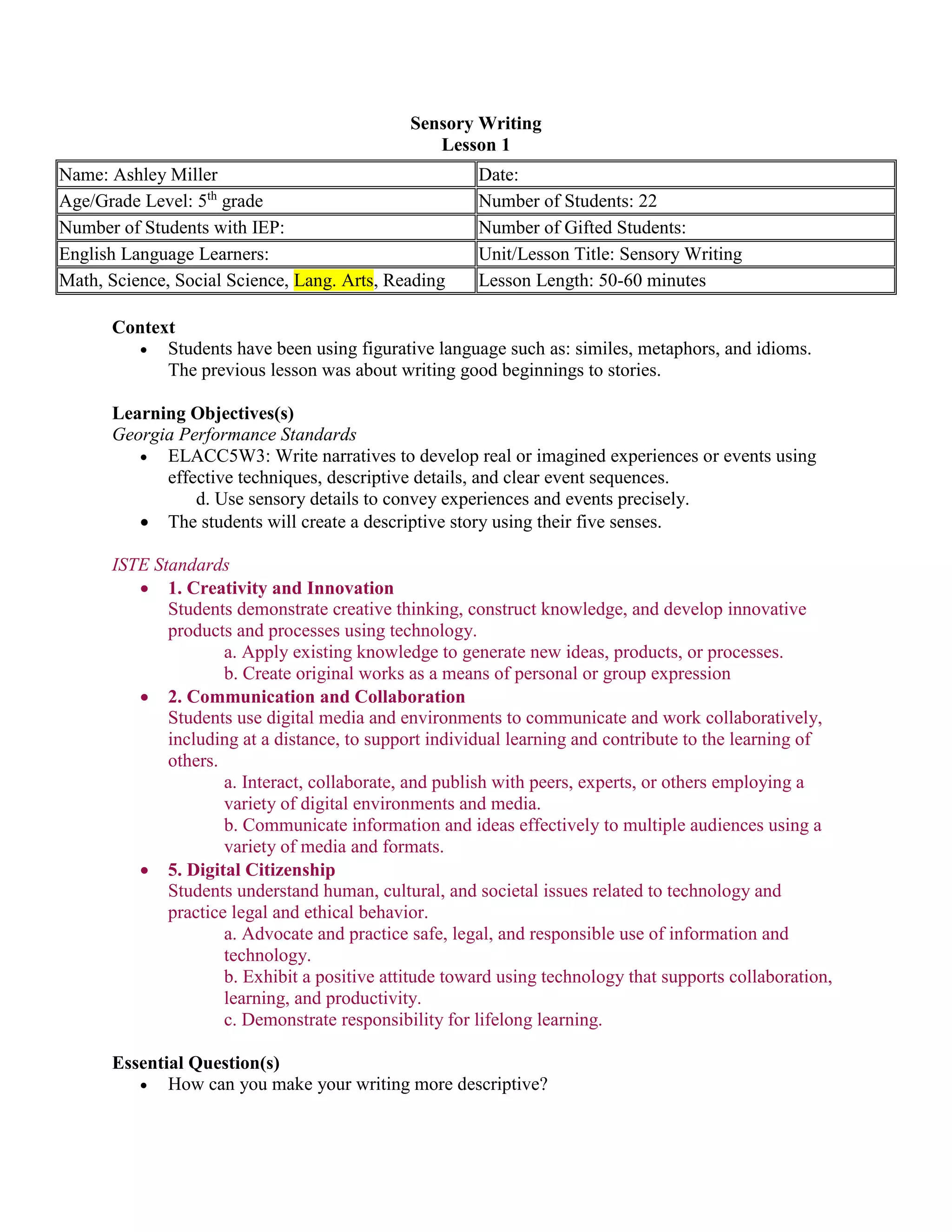
Name: Ashley Miller Date:
Age/Grade Level: 5th
grade Number of Students: 22
Number of Students with IEP: Number of Gifted Students:
English Language Learners: Unit/Lesson Title: Sensory Writing
Math, Science, Social Science, Lang. Arts, Reading Lesson Length: 50-60 minutes
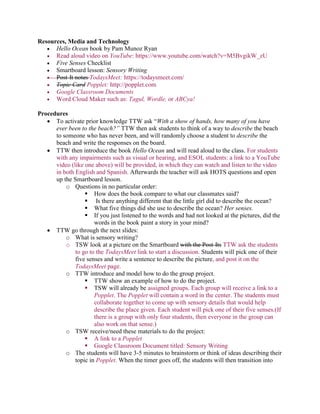
Resources, Media and Technology
 Hello Ocean book by Pam Munoz Ryan
 Read aloud video on YouTube: https://www.youtube.com/watch?v=M5BvgikW_zU
 Five Senses Checklist
 Smartboard lesson: Sensory Writing
 Post-It notes TodaysMeet: https://todaysmeet.com/
 Topic Card Popplet: http://popplet.com
 Google Classroom Documents
 Word Cloud Maker such as: Tagul, Wordle, or ABCya!
Procedures
 To activate prior knowledge TTW ask “With a show of hands, how many of you have
ever been to the beach?” TTW then ask students to think of a way to describe the beach
to someone who has never been, and will randomly choose a student to describe the
beach and write the responses on the board.
 TTW then introduce the book Hello Ocean and will read aloud to the class. For students
with any impairments such as visual or hearing, and ESOL students: a link to a YouTube
video (like one above) will be provided, in which they can watch and listen to the video
in both English and Spanish. Afterwards the teacher will ask HOTS questions and open
up the Smartboard lesson.
o Questions in no particular order:
 How does the book compare to what our classmates said?
 Is there anything different that the little girl did to describe the ocean?
 What five things did she use to describe the ocean? Her senses.
 If you just listened to the words and had not looked at the pictures, did the
words in the book paint a story in your mind?
 TTW go through the next slides:
o What is sensory writing?
o TSW look at a picture on the Smartboard with the Post-Its TTW ask the students
to go to the TodaysMeet link to start a discussion. Students will pick one of their
five senses and write a sentence to describe the picture, and post it on the
TodaysMeet page.
o TTW introduce and model how to do the group project.
 TTW show an example of how to do the project.
 TSW will already be assigned groups. Each group will receive a link to a
Popplet. The Popplet will contain a word in the center. The students must
collaborate together to come up with sensory details that would help
describe the place given. Each student will pick one of their five senses.(If
there is a group with only four students, then everyone in the group can
also work on that sense.)
o TSW receive/need these materials to do the project:
 A link to a Popplet
 Google Classroom Document titled: Sensory Writing
o The students will have 3-5 minutes to brainstorm or think of ideas describing their
topic in Popplet. When the timer goes off, the students will then transition into
writing a group paragraph in Google Docs. Students will share their paragraphs
with the rest of the class, and the class must guess what the group is describing.
 Closing: TTW summarize and/or clarify the lesson. Then give a preview about the next
lesson to come.
Informal Assessment
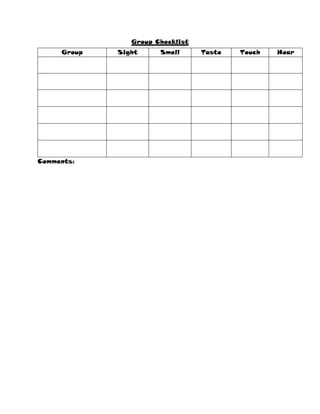
 Each group will be evaluated with a checklist to see if they described all 5 senses.
Extension
 Students will create word clouds (such as Tagul, Tagxedo, ABCya!) using their five
senses to describe something such as: their favorite food, place, or hobby.
______________________________________________________________________________
Group Checklist
Comments:
Group Sight Smell Taste Touch Hear
Reflection
Idioms
Lesson 2
Context
 Students have prior knowledge with figurative language from previous grades.
Learning Objectives(s)
Georgia Performance Standards
 ELAGSE5W3: Write narratives to develop real or imagined experiences or events using
effective technique, descriptive details, and clear event sequences.
d. Use concrete words and phrases and sensory details to convey experiences and events
precisely.
 ELAGSE55: Demonstrate understanding of figurative language, word relationships, and
nuances in word meanings.
b. Recognize and explain the meaning of common idioms, adages, and proverbs.
ISTE Standards
 1. Creativity and Innovation
Students demonstrate creative thinking, construct knowledge, and develop innovative
products and processes using technology.
a. Apply existing knowledge to generate new ideas, products, or processes.
b. Create original works as a means of personal or group expression
 2. Communication and Collaboration
Students use digital media and environments to communicate and work collaboratively,
including at a distance, to support individual learning and contribute to the learning of
others.
a. Interact, collaborate, and publish with peers, experts, or others employing a
variety of digital environments and media.
b. Communicate information and ideas effectively to multiple audiences using a
variety of media and formats.
 5. Digital Citizenship
Students understand human, cultural, and societal issues related to technology and
practice legal and ethical behavior.
a. Advocate and practice safe, legal, and responsible use of information and
technology.
b. Exhibit a positive attitude toward using technology that supports collaboration,
learning, and productivity.
c. Demonstrate responsibility for lifelong learning.
Name: Ashley Miller Date:
Age/Grade Level: 5th
grade Number of Students:
Number of Students with IEP: Number of Gifted Students:
English Language Learners: Unit/Lesson Title: Idioms
Math, Science, Social Science, Lang. Arts, Reading
(Circle)
Lesson Length: 50-60 minutes
Essential Question(s)
 What is an idiom, and how can it help us to enhance our writing?
 How can you make your writing more descriptive?
Resources, Media and Technology
 Smartboard Lesson
 Prezi Presentation http://prezi.com/hnhdgqvd6pcj/idioms/
 SchoolTube: http://www.schooltube.com/video/aba5c12373850b5ee4dc/Symphony-in-
Slang
 Kahoot! on Idioms
 Powtoon or Toondoo
 Google Classroom Docs
 Idiom Site
 Idiom Worksheet
 Find the Idioms
 Simple 6 Class Analysis Chart
Procedures
 TTW begin the class hooking the students with the old cartoon Symphony in Slang on
YouTube. It is a cartoon about a guy that uses a lot of slang or idioms. After the video the
teacher will ask the students what kind of language the man was using: Idioms. TTW
start the Smartboard lesson and asking students if anyone can tell her what an idiom is
then begin the Prezi presentation. Throughout the presentation there are different idioms.
TTW stop and ask the meaning of each of the idioms illustrated by choosing students at
random.
 After the Prezi presentation, TTW have the students log onto a Kahoot! to take an idiom
quiz to check for their understanding. After results are compiled, the teacher will check
for students that may be having difficulties, and work with the students on understanding
idioms.
 Once the students have completed the idiom quiz TTW introduce a small project to the
students: Illustrate your own Idiom Comic. TSW be given class time to create their own
comics or short clip using applications like Powtoon or Toondoo. TSW will choose an
idiom that they already know, or find one using the Idiom Site. Afterwards TSW write a
short story using the idiom they illustrated in Google Classroom Docs. TTW remind the
students to be mindful of grammar, punctuation, and capitalization. In addition, the TTW
also remind students to use their senses, and remember sequence of events.
 Students illustrated presentations and stories will be evaluated for their writing ability
using the Simple 6 Analysis Chart, to help determine what needs to be highlighted in the
next lesson.
 To close the lesson, TTW have students complete a ticket out the door by giving her an
idiom as they walk out the door.
Informal Assessment
 Ticket-Out-the-Door Idioms, students will tell teacher an idiom to get out of the class.
Extension
 For further practice, the students will complete an idiom worksheet.
PowToon Example:
https://www.youtube.com/watch?v=nP2i089Y8W4&rel=0
Descriptive Writing
Lesson3
Context
 Students have been learning how to write using figurative language and descriptions. The
previous lessons were about using your senses when writing (sensory writing) and idioms.
Learning Objectives(s)
Georgia Performance Standards
 ELACC5W3: Write narratives to develop real or imagined experiences or events using effective
techniques, descriptive details, and clear event sequences.
b. Use narrative techniques such as description to develop experiences and events or show the
responses of characters to situations.
d. Use sensory details to convey experiences and events precisely.
 The students will create more descriptive sentences using strategies.
ISTE Standards
 1. Creativity and Innovation
Students demonstrate creative thinking, construct knowledge, and develop innovative
products and processes using technology.
a. Apply existing knowledge to generate new ideas, products, or processes.
b. Create original works as a means of personal or group expression
 2. Communication and Collaboration
Students use digital media and environments to communicate and work collaboratively,
including at a distance, to support individual learning and contribute to the learning of
others.
a. Interact, collaborate, and publish with peers, experts, or others employing a
variety of digital environments and media.
b. Communicate information and ideas effectively to multiple audiences using a
variety of media and formats.
 5. Digital Citizenship
Students understand human, cultural, and societal issues related to technology and
practice legal and ethical behavior.
a. Advocate and practice safe, legal, and responsible use of information and
technology.
b. Exhibit a positive attitude toward using technology that supports collaboration,
learning, and productivity.
c. Demonstrate responsibility for lifelong learning.
Essential Question(s)
 How can you make your writing more descriptive?
Name: Ashley Miller Date:
Age/Grade Level: 5th
grade Number of Students: 22
Number of Students with IEP: Number of Gifted Students:
English Language Learners: Unit/Lesson Title: Descriptive Writing
Math, Science, Social Science, Lang. Arts, Reading Lesson Length: 50-60 minutes
Resources, Media and Technology
 Descriptive Writing Smartboard
 Pic-Lit
 Edmodo
 Google Classroom Docs
 Padlet
Procedures
 To activate prior knowledge TTW ask question posted on board. “What makes a good story?
Why?” In the last lesson, we learned about what? Why is it important to use sensory writing?
What can idioms do for a story? ” TTW then ask students to go to the assigned Padlet and give
an example in a sentence of one of the five senses and an idiom. Examples:
o Hearing, I could tell it was raining cats and dogs as the rain pounded on the roof.
o Sight: Hector was a spitting image of his grandfather, when he was a young boy.
 TTW then introduce the lesson Descriptive Writing.
o What is Descriptive Writing?
o Four strategies to help you be more descriptive
 TTW ask questions such as: What is a verb? Give an example. What is a proper
noun? Give example.
o As an informal assessment in Padlet, TSW use the strategies to make a boring sentence
more descriptive.
o Read a descriptive paragraph and a non-descriptive paragraph.
 Ask students why or why not the paragraphs are interesting and descriptive.
o Make a more descriptive sentence.
 Students will use the strategies, look at the picture, and read the passage.
 Students will be placed into groups based on the Writing Assessment data.
o In Google Classroom, each group will be given a picture with or without a prompt (based
on ability). They must write descriptive sentences. TTW pass out to each student a task
such as:
 Based on ability:
 Low: have sentences written under their picture.
 Middle: ask the students questions to think about.
 High: students will just get a picture on their card.
 The students will have 3-5 minutes to brainstorm or think of ideas
describing their topic. When the timer goes off, the students will then
transition into writing a descriptive paragraph. Students will send their
paragraphs to the teacher. TTW take each picture and story and upload
posts on Edmodo.
 If time permits or for the next class, TTW have groups present their
picture on the Smartboard and read their sentences. The rest of the class
will rate each groups descriptive sentences in Edmodo, providing likes if
they found the work to be descriptive and interesting, or give feedback on
how to make it more descriptive.
 Closing: TTW summarize and/or clarify the lesson. What are the strategies to help you write
descriptively?
Informal Assessment
 TTW ask students to give thumbs up or feedback if they feel the passage/paragraph was
interesting and descriptive. Then she will choose a student to tell why or why not.
Extension
 Students will use the application Pic-Lit. They must choose a picture and individually write a
paragraph in using descriptive writing skills and strategies. When completed, the students will
share their work with the teacher. She will evaluate the effectiveness of their writing.
_____________________________________________________________________________
Descriptive Writing Example:
http://www.piclits.com/viewpoem.aspx?PoemId=281686

Technology Enhanced Unit_Revised

  • 1.
    Sensory Writing Lesson 1 Context Students have been using figurative language such as: similes, metaphors, and idioms. The previous lesson was about writing good beginnings to stories. Learning Objectives(s) Georgia Performance Standards  ELACC5W3: Write narratives to develop real or imagined experiences or events using effective techniques, descriptive details, and clear event sequences. d. Use sensory details to convey experiences and events precisely.  The students will create a descriptive story using their five senses. ISTE Standards  1. Creativity and Innovation Students demonstrate creative thinking, construct knowledge, and develop innovative products and processes using technology. a. Apply existing knowledge to generate new ideas, products, or processes. b. Create original works as a means of personal or group expression  2. Communication and Collaboration Students use digital media and environments to communicate and work collaboratively, including at a distance, to support individual learning and contribute to the learning of others. a. Interact, collaborate, and publish with peers, experts, or others employing a variety of digital environments and media. b. Communicate information and ideas effectively to multiple audiences using a variety of media and formats.  5. Digital Citizenship Students understand human, cultural, and societal issues related to technology and practice legal and ethical behavior. a. Advocate and practice safe, legal, and responsible use of information and technology. b. Exhibit a positive attitude toward using technology that supports collaboration, learning, and productivity. c. Demonstrate responsibility for lifelong learning. Essential Question(s)  How can you make your writing more descriptive? Name: Ashley Miller Date: Age/Grade Level: 5th grade Number of Students: 22 Number of Students with IEP: Number of Gifted Students: English Language Learners: Unit/Lesson Title: Sensory Writing Math, Science, Social Science, Lang. Arts, Reading Lesson Length: 50-60 minutes
  • 2.
    Resources, Media andTechnology  Hello Ocean book by Pam Munoz Ryan  Read aloud video on YouTube: https://www.youtube.com/watch?v=M5BvgikW_zU  Five Senses Checklist  Smartboard lesson: Sensory Writing  Post-It notes TodaysMeet: https://todaysmeet.com/  Topic Card Popplet: http://popplet.com  Google Classroom Documents  Word Cloud Maker such as: Tagul, Wordle, or ABCya! Procedures  To activate prior knowledge TTW ask “With a show of hands, how many of you have ever been to the beach?” TTW then ask students to think of a way to describe the beach to someone who has never been, and will randomly choose a student to describe the beach and write the responses on the board.  TTW then introduce the book Hello Ocean and will read aloud to the class. For students with any impairments such as visual or hearing, and ESOL students: a link to a YouTube video (like one above) will be provided, in which they can watch and listen to the video in both English and Spanish. Afterwards the teacher will ask HOTS questions and open up the Smartboard lesson. o Questions in no particular order:  How does the book compare to what our classmates said?  Is there anything different that the little girl did to describe the ocean?  What five things did she use to describe the ocean? Her senses.  If you just listened to the words and had not looked at the pictures, did the words in the book paint a story in your mind?  TTW go through the next slides: o What is sensory writing? o TSW look at a picture on the Smartboard with the Post-Its TTW ask the students to go to the TodaysMeet link to start a discussion. Students will pick one of their five senses and write a sentence to describe the picture, and post it on the TodaysMeet page. o TTW introduce and model how to do the group project.  TTW show an example of how to do the project.  TSW will already be assigned groups. Each group will receive a link to a Popplet. The Popplet will contain a word in the center. The students must collaborate together to come up with sensory details that would help describe the place given. Each student will pick one of their five senses.(If there is a group with only four students, then everyone in the group can also work on that sense.) o TSW receive/need these materials to do the project:  A link to a Popplet  Google Classroom Document titled: Sensory Writing o The students will have 3-5 minutes to brainstorm or think of ideas describing their topic in Popplet. When the timer goes off, the students will then transition into
  • 3.
    writing a groupparagraph in Google Docs. Students will share their paragraphs with the rest of the class, and the class must guess what the group is describing.  Closing: TTW summarize and/or clarify the lesson. Then give a preview about the next lesson to come. Informal Assessment  Each group will be evaluated with a checklist to see if they described all 5 senses. Extension  Students will create word clouds (such as Tagul, Tagxedo, ABCya!) using their five senses to describe something such as: their favorite food, place, or hobby. ______________________________________________________________________________
  • 4.
  • 5.
  • 6.
    Idioms Lesson 2 Context  Studentshave prior knowledge with figurative language from previous grades. Learning Objectives(s) Georgia Performance Standards  ELAGSE5W3: Write narratives to develop real or imagined experiences or events using effective technique, descriptive details, and clear event sequences. d. Use concrete words and phrases and sensory details to convey experiences and events precisely.  ELAGSE55: Demonstrate understanding of figurative language, word relationships, and nuances in word meanings. b. Recognize and explain the meaning of common idioms, adages, and proverbs. ISTE Standards  1. Creativity and Innovation Students demonstrate creative thinking, construct knowledge, and develop innovative products and processes using technology. a. Apply existing knowledge to generate new ideas, products, or processes. b. Create original works as a means of personal or group expression  2. Communication and Collaboration Students use digital media and environments to communicate and work collaboratively, including at a distance, to support individual learning and contribute to the learning of others. a. Interact, collaborate, and publish with peers, experts, or others employing a variety of digital environments and media. b. Communicate information and ideas effectively to multiple audiences using a variety of media and formats.  5. Digital Citizenship Students understand human, cultural, and societal issues related to technology and practice legal and ethical behavior. a. Advocate and practice safe, legal, and responsible use of information and technology. b. Exhibit a positive attitude toward using technology that supports collaboration, learning, and productivity. c. Demonstrate responsibility for lifelong learning. Name: Ashley Miller Date: Age/Grade Level: 5th grade Number of Students: Number of Students with IEP: Number of Gifted Students: English Language Learners: Unit/Lesson Title: Idioms Math, Science, Social Science, Lang. Arts, Reading (Circle) Lesson Length: 50-60 minutes
  • 7.
    Essential Question(s)  Whatis an idiom, and how can it help us to enhance our writing?  How can you make your writing more descriptive? Resources, Media and Technology  Smartboard Lesson  Prezi Presentation http://prezi.com/hnhdgqvd6pcj/idioms/  SchoolTube: http://www.schooltube.com/video/aba5c12373850b5ee4dc/Symphony-in- Slang  Kahoot! on Idioms  Powtoon or Toondoo  Google Classroom Docs  Idiom Site  Idiom Worksheet  Find the Idioms  Simple 6 Class Analysis Chart Procedures  TTW begin the class hooking the students with the old cartoon Symphony in Slang on YouTube. It is a cartoon about a guy that uses a lot of slang or idioms. After the video the teacher will ask the students what kind of language the man was using: Idioms. TTW start the Smartboard lesson and asking students if anyone can tell her what an idiom is then begin the Prezi presentation. Throughout the presentation there are different idioms. TTW stop and ask the meaning of each of the idioms illustrated by choosing students at random.  After the Prezi presentation, TTW have the students log onto a Kahoot! to take an idiom quiz to check for their understanding. After results are compiled, the teacher will check for students that may be having difficulties, and work with the students on understanding idioms.  Once the students have completed the idiom quiz TTW introduce a small project to the students: Illustrate your own Idiom Comic. TSW be given class time to create their own comics or short clip using applications like Powtoon or Toondoo. TSW will choose an idiom that they already know, or find one using the Idiom Site. Afterwards TSW write a short story using the idiom they illustrated in Google Classroom Docs. TTW remind the students to be mindful of grammar, punctuation, and capitalization. In addition, the TTW also remind students to use their senses, and remember sequence of events.  Students illustrated presentations and stories will be evaluated for their writing ability using the Simple 6 Analysis Chart, to help determine what needs to be highlighted in the next lesson.  To close the lesson, TTW have students complete a ticket out the door by giving her an idiom as they walk out the door. Informal Assessment  Ticket-Out-the-Door Idioms, students will tell teacher an idiom to get out of the class.
  • 8.
    Extension  For furtherpractice, the students will complete an idiom worksheet. PowToon Example: https://www.youtube.com/watch?v=nP2i089Y8W4&rel=0
  • 9.
    Descriptive Writing Lesson3 Context  Studentshave been learning how to write using figurative language and descriptions. The previous lessons were about using your senses when writing (sensory writing) and idioms. Learning Objectives(s) Georgia Performance Standards  ELACC5W3: Write narratives to develop real or imagined experiences or events using effective techniques, descriptive details, and clear event sequences. b. Use narrative techniques such as description to develop experiences and events or show the responses of characters to situations. d. Use sensory details to convey experiences and events precisely.  The students will create more descriptive sentences using strategies. ISTE Standards  1. Creativity and Innovation Students demonstrate creative thinking, construct knowledge, and develop innovative products and processes using technology. a. Apply existing knowledge to generate new ideas, products, or processes. b. Create original works as a means of personal or group expression  2. Communication and Collaboration Students use digital media and environments to communicate and work collaboratively, including at a distance, to support individual learning and contribute to the learning of others. a. Interact, collaborate, and publish with peers, experts, or others employing a variety of digital environments and media. b. Communicate information and ideas effectively to multiple audiences using a variety of media and formats.  5. Digital Citizenship Students understand human, cultural, and societal issues related to technology and practice legal and ethical behavior. a. Advocate and practice safe, legal, and responsible use of information and technology. b. Exhibit a positive attitude toward using technology that supports collaboration, learning, and productivity. c. Demonstrate responsibility for lifelong learning. Essential Question(s)  How can you make your writing more descriptive? Name: Ashley Miller Date: Age/Grade Level: 5th grade Number of Students: 22 Number of Students with IEP: Number of Gifted Students: English Language Learners: Unit/Lesson Title: Descriptive Writing Math, Science, Social Science, Lang. Arts, Reading Lesson Length: 50-60 minutes
  • 10.
    Resources, Media andTechnology  Descriptive Writing Smartboard  Pic-Lit  Edmodo  Google Classroom Docs  Padlet Procedures  To activate prior knowledge TTW ask question posted on board. “What makes a good story? Why?” In the last lesson, we learned about what? Why is it important to use sensory writing? What can idioms do for a story? ” TTW then ask students to go to the assigned Padlet and give an example in a sentence of one of the five senses and an idiom. Examples: o Hearing, I could tell it was raining cats and dogs as the rain pounded on the roof. o Sight: Hector was a spitting image of his grandfather, when he was a young boy.  TTW then introduce the lesson Descriptive Writing. o What is Descriptive Writing? o Four strategies to help you be more descriptive  TTW ask questions such as: What is a verb? Give an example. What is a proper noun? Give example. o As an informal assessment in Padlet, TSW use the strategies to make a boring sentence more descriptive. o Read a descriptive paragraph and a non-descriptive paragraph.  Ask students why or why not the paragraphs are interesting and descriptive. o Make a more descriptive sentence.  Students will use the strategies, look at the picture, and read the passage.  Students will be placed into groups based on the Writing Assessment data. o In Google Classroom, each group will be given a picture with or without a prompt (based on ability). They must write descriptive sentences. TTW pass out to each student a task such as:  Based on ability:  Low: have sentences written under their picture.  Middle: ask the students questions to think about.  High: students will just get a picture on their card.  The students will have 3-5 minutes to brainstorm or think of ideas describing their topic. When the timer goes off, the students will then transition into writing a descriptive paragraph. Students will send their paragraphs to the teacher. TTW take each picture and story and upload posts on Edmodo.  If time permits or for the next class, TTW have groups present their picture on the Smartboard and read their sentences. The rest of the class will rate each groups descriptive sentences in Edmodo, providing likes if they found the work to be descriptive and interesting, or give feedback on how to make it more descriptive.  Closing: TTW summarize and/or clarify the lesson. What are the strategies to help you write descriptively? Informal Assessment
  • 11.
     TTW askstudents to give thumbs up or feedback if they feel the passage/paragraph was interesting and descriptive. Then she will choose a student to tell why or why not. Extension  Students will use the application Pic-Lit. They must choose a picture and individually write a paragraph in using descriptive writing skills and strategies. When completed, the students will share their work with the teacher. She will evaluate the effectiveness of their writing. _____________________________________________________________________________ Descriptive Writing Example: http://www.piclits.com/viewpoem.aspx?PoemId=281686