Submitted to 
nidhi mam 
Gurpreet kaur 
bca 3 rd 
3068
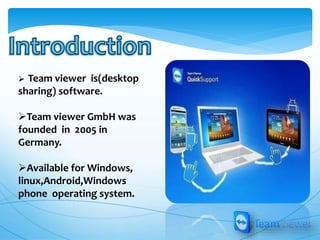
 Team viewer is(desktop 
sharing) software. 
Team viewer GmbH was 
founded in 2005 in 
Germany. 
Available for Windows, 
linux,Android,Windows 
phone operating system.
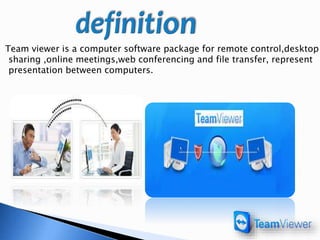
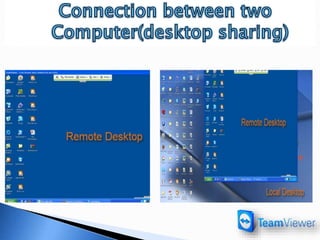
Team viewer is a computer software package for remote control,desktop 
sharing ,online meetings,web conferencing and file transfer, represent 
presentation between computers.
Remote Control. 
Desktop Sharing. 
File Transfer. 
Web Conferencing. 
Online Meeting. 
Slide Share.
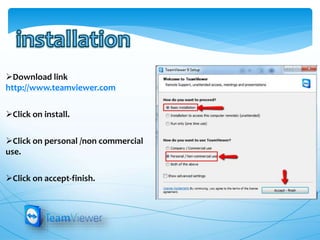
Download link 
http://www.teamviewer.com 
Click on install. 
Click on personal /non commercial 
use. 
Click on accept-finish.
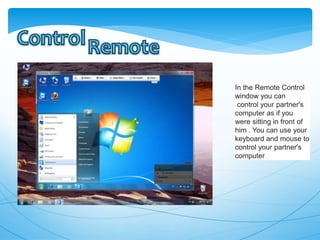
In the Remote Control 
window you can 
control your partner's 
computer as if you 
were sitting in front of 
him . You can use your 
keyboard and mouse to 
control your partner's 
computer .
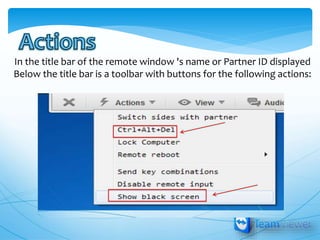
In the title bar of the remote window 's name or Partner ID displayed 
Below the title bar is a toolbar with buttons for the following actions:
•View 
•Scaling 
•Full screen 
•Optimize speed 
•Select single window 
•Remove wallpaper 
•Show remote cursor
update 
Take out 
Create folder 
Root directory 
send 
receive
TeamViewer is a user-friendly program. 
TeamViewer can be used to transfer files, create 
presentations, remotely Confidentiality and 
security of work is provided by built-in means of 
protection from unauthorized users.
Teamviewer

Teamviewer

  • 1.
    Submitted to nidhimam Gurpreet kaur bca 3 rd 3068
  • 2.
     Team vieweris(desktop sharing) software. Team viewer GmbH was founded in 2005 in Germany. Available for Windows, linux,Android,Windows phone operating system.
  • 3.
    Team viewer isa computer software package for remote control,desktop sharing ,online meetings,web conferencing and file transfer, represent presentation between computers.
  • 4.
    Remote Control. DesktopSharing. File Transfer. Web Conferencing. Online Meeting. Slide Share.
  • 5.
    Download link http://www.teamviewer.com Click on install. Click on personal /non commercial use. Click on accept-finish.
  • 8.
    In the RemoteControl window you can control your partner's computer as if you were sitting in front of him . You can use your keyboard and mouse to control your partner's computer .
  • 9.
    In the titlebar of the remote window 's name or Partner ID displayed Below the title bar is a toolbar with buttons for the following actions:
  • 10.
    •View •Scaling •Fullscreen •Optimize speed •Select single window •Remove wallpaper •Show remote cursor
  • 14.
    update Take out Create folder Root directory send receive
  • 18.
    TeamViewer is auser-friendly program. TeamViewer can be used to transfer files, create presentations, remotely Confidentiality and security of work is provided by built-in means of protection from unauthorized users.