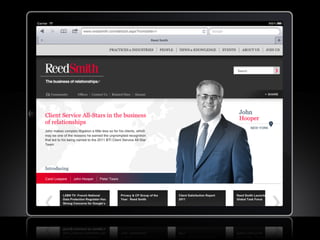
Tap. Swipe. Pinch.
Designing for touch-friendly devices
26 April 2012
Welcome

          Nathan Denton
          Creative Director


          Kalev Peekna
          Director of Interactive
          Marketing Strategy
Agenda

•  Rise of Touch Interfaces
•  Techniques for touch-friendly design
    Content Strategy          Interactive Technologies
    Touch Interactivity       Paginations and Listings
    Bigger is Better          From Form to Filter
    Typography                Handling Gestures
    Contrast Ratios           Responsive Design
    Navigation Techniques

•  Q&A
Rise of Touch Interfaces

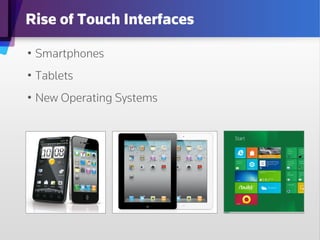
•  Smartphones
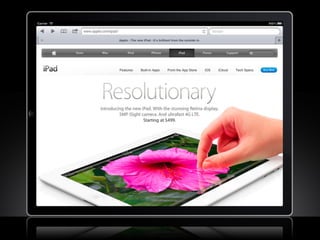
•  Tablets
•  New Operating Systems
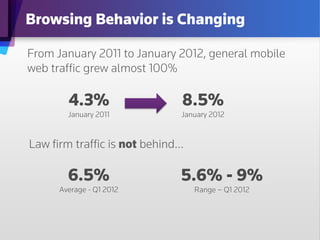
Browsing Behavior is Changing

From January 2011 to January 2012, general mobile
web traffic grew almost 100%

        4.3%                 8.5%
        January 2011         January 2012


Law firm traffic is not behind…

        6.5%                 5.6% - 9%
      Average - Q1 2012         Range – Q1 2012
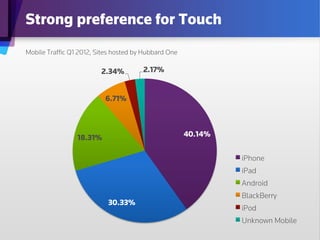
Strong preference for Touch
Mobile Traffic Q1 2012, Sites hosted by Hubbard One

                        2.34%         2.17%


                          6.71%


                 18.31%                              40.14%


                                                              iPhone
                                                              iPad
                                                              Android
                                                              BlackBerry
                           30.33%
                                                              iPod
                                                              Unknown Mobile
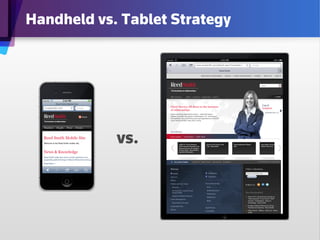
Handheld vs. Tablet Strategy


            vs.
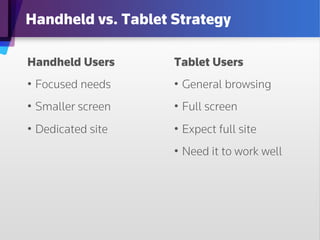
Handheld vs. Tablet Strategy

Handheld Users      Tablet Users
•  Focused needs    •  General browsing
•  Smaller screen   •  Full screen
•  Dedicated site   •  Expect full site
                    •  Need it to work well
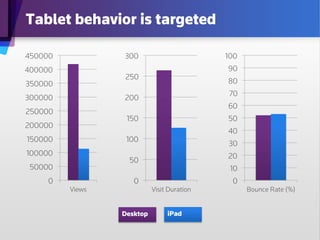
Tablet behavior is targeted

450000           300                        100
400000                                      90
                 250
350000                                      80
                                            70
300000           200
                                            60
250000
                  150                       50
200000
                                            40
150000            100
                                            30
100000                                      20
                   50
 50000                                       10
     0              0                        0
         Views             Visit Duration         Bounce Rate (%)


                 Desktop        iPad
Content Strategy for Touch

•  Keep important things at the top
•  Create a focus
•  Break it up
1_Custom
Layout it scannable
•  Make
•  Allow exploration


What’s good for touch users is good for
everyone else.
Touch Interactivity

Remember, a touch device has no mouse. This
means:
•  No “hover” or “rollover”
1_Custom
•  Rely on the click or drag to initiate actions
Layout
•  Use transitions
•  Reduce overlapping windows or areas
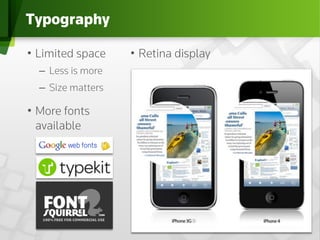
Typography

•  Limited space    •  Retina display
  –  Less is more
  –  Size matters
1_Custom
•  More fonts
Layout
 available
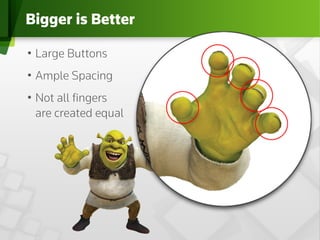
Bigger is Better

•  Large Buttons
•  Ample Spacing
•  Not all fingers
1_Custom
   are created equal
Layout
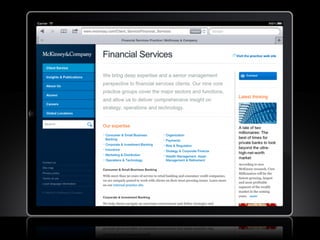
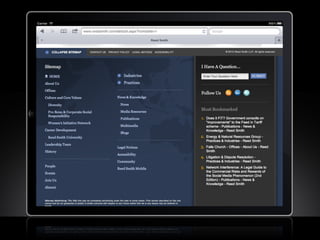
Universal Footer Sitemaps

•  What do you do
   at the end of a page?
•  Doesn’t interrupt
   content
•  Feature sandbox for
   multiple tools and
   navigation
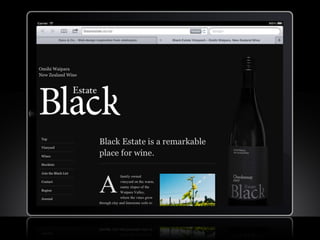
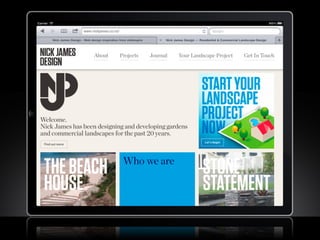
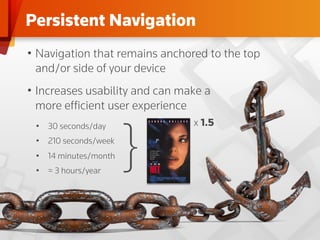
Persistent Navigation
•  Navigation that remains anchored to the top
   and/or side of your device
•  Increases usability and can make a
   more efficient user experience


                       }
 •  30 seconds/day               x 1.5
 •  210 seconds/week
 •  14 minutes/month
 •  ≈ 3 hours/year
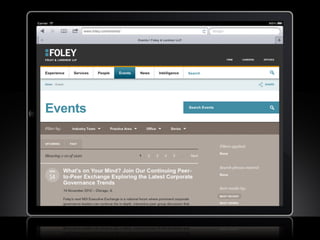
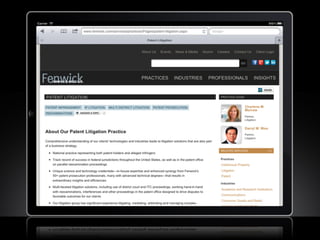
Paginations and Listings

Traditional pagination controls (previous, next, 1 2 3 4)
are outdated and hard to use on a touch interface:
•  The fold is dead.
•  Scrolling is fun. Really.
•  Data columns look and feel like work.
•  Use simplified controls for sorting and seeing more
   content.
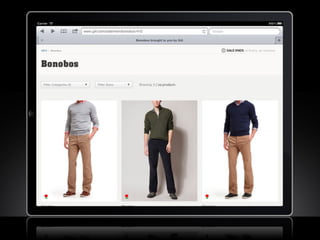
From Form to Filter

Getting all your content onto the web used to be a
main goal of interactive marketing. Now the problem
is getting users to the right content:
•  Avoid traditional search forms.
•  Use progressive filters.
•  Update results naturally. Use transitions.
•  Leverage search.
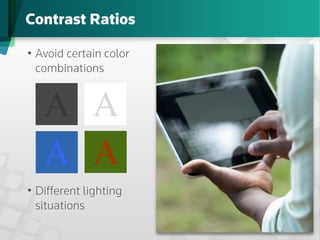
Contrast Ratios

•  Avoid certain color
   combinations


   A	

 A	

   A	

 A	

•  Different lighting
   situations
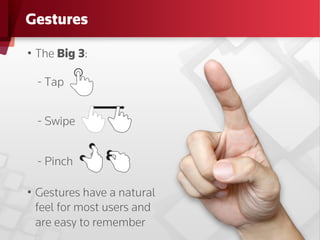
Gestures

•  The Big 3:

  - Tap


  - Swipe


  - Pinch

•  Gestures have a natural
   feel for most users and
   are easy to remember
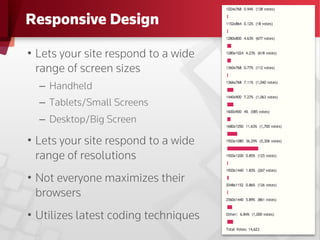
Responsive Design

•  Lets your site respond to a wide
   range of screen sizes
  –  Handheld
  –  Tablets/Small Screens
  –  Desktop/Big Screen

•  Lets your site respond to a wide
   range of resolutions
•  Not everyone maximizes their
   browsers
•  Utilizes latest coding techniques
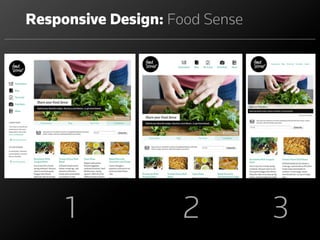
Responsive Design: Food Sense


     1              2           3
Tech Notes

In many ways, re-tuning the technical approach for
touch interfaces makes things easier:
•  Use newer standards: HTML5 / CSS
•  Eliminate Flash
•  Platform-independent tools like AJAX and JavaScript
•  Common media formats like MP4 and MP3
Touch Design Cliff Notes
•  Content Strategy
•  Touch Cognizant
•  Bigger is Better
•  Typography Matters
•  Persistent Navigation & Footer Sitemaps = Efficient UX
•  Pagination Can Be Cumbersome
•  Filters are Fun
•  Contrast Ratios Improve UX
•  Gestures: Remember the Big 3
•  Responsive Design Accounts for the Masses
•  Keep Your Developer Happy
Q&A

Tap. Swipe. Pinch: Designing for Touch-Friendly Devices

  • 1.
    Tap. Swipe. Pinch. Designingfor touch-friendly devices 26 April 2012
  • 2.
    Welcome Nathan Denton Creative Director Kalev Peekna Director of Interactive Marketing Strategy
  • 3.
    Agenda •  Rise ofTouch Interfaces •  Techniques for touch-friendly design Content Strategy Interactive Technologies Touch Interactivity Paginations and Listings Bigger is Better From Form to Filter Typography Handling Gestures Contrast Ratios Responsive Design Navigation Techniques •  Q&A
  • 4.
    Rise of TouchInterfaces •  Smartphones •  Tablets •  New Operating Systems
  • 5.
    Browsing Behavior isChanging From January 2011 to January 2012, general mobile web traffic grew almost 100% 4.3% 8.5% January 2011 January 2012 Law firm traffic is not behind… 6.5% 5.6% - 9% Average - Q1 2012 Range – Q1 2012
  • 6.
    Strong preference forTouch Mobile Traffic Q1 2012, Sites hosted by Hubbard One 2.34% 2.17% 6.71% 18.31% 40.14% iPhone iPad Android BlackBerry 30.33% iPod Unknown Mobile
  • 7.
    Handheld vs. TabletStrategy vs.
  • 8.
    Handheld vs. TabletStrategy Handheld Users Tablet Users •  Focused needs •  General browsing •  Smaller screen •  Full screen •  Dedicated site •  Expect full site •  Need it to work well
  • 9.
    Tablet behavior istargeted 450000 300 100 400000 90 250 350000 80 70 300000 200 60 250000 150 50 200000 40 150000 100 30 100000 20 50 50000 10 0 0 0 Views Visit Duration Bounce Rate (%) Desktop iPad
  • 12.
    Content Strategy forTouch •  Keep important things at the top •  Create a focus •  Break it up 1_Custom Layout it scannable •  Make •  Allow exploration What’s good for touch users is good for everyone else.
  • 14.
    Touch Interactivity Remember, atouch device has no mouse. This means: •  No “hover” or “rollover” 1_Custom •  Rely on the click or drag to initiate actions Layout •  Use transitions •  Reduce overlapping windows or areas
  • 16.
    Typography •  Limited space •  Retina display –  Less is more –  Size matters 1_Custom •  More fonts Layout available
  • 18.
    Bigger is Better • Large Buttons •  Ample Spacing •  Not all fingers 1_Custom are created equal Layout
  • 20.
    Universal Footer Sitemaps • What do you do at the end of a page? •  Doesn’t interrupt content •  Feature sandbox for multiple tools and navigation
  • 23.
    Persistent Navigation •  Navigationthat remains anchored to the top and/or side of your device •  Increases usability and can make a more efficient user experience } •  30 seconds/day x 1.5 •  210 seconds/week •  14 minutes/month •  ≈ 3 hours/year
  • 25.
    Paginations and Listings Traditionalpagination controls (previous, next, 1 2 3 4) are outdated and hard to use on a touch interface: •  The fold is dead. •  Scrolling is fun. Really. •  Data columns look and feel like work. •  Use simplified controls for sorting and seeing more content.
  • 27.
    From Form toFilter Getting all your content onto the web used to be a main goal of interactive marketing. Now the problem is getting users to the right content: •  Avoid traditional search forms. •  Use progressive filters. •  Update results naturally. Use transitions. •  Leverage search.
  • 29.
    Contrast Ratios •  Avoidcertain color combinations A A A A •  Different lighting situations
  • 30.
    Gestures •  The Big3: - Tap - Swipe - Pinch •  Gestures have a natural feel for most users and are easy to remember
  • 31.
    Responsive Design •  Letsyour site respond to a wide range of screen sizes –  Handheld –  Tablets/Small Screens –  Desktop/Big Screen •  Lets your site respond to a wide range of resolutions •  Not everyone maximizes their browsers •  Utilizes latest coding techniques
  • 32.
  • 33.
    Tech Notes In manyways, re-tuning the technical approach for touch interfaces makes things easier: •  Use newer standards: HTML5 / CSS •  Eliminate Flash •  Platform-independent tools like AJAX and JavaScript •  Common media formats like MP4 and MP3
  • 35.
    Touch Design CliffNotes •  Content Strategy •  Touch Cognizant •  Bigger is Better •  Typography Matters •  Persistent Navigation & Footer Sitemaps = Efficient UX •  Pagination Can Be Cumbersome •  Filters are Fun •  Contrast Ratios Improve UX •  Gestures: Remember the Big 3 •  Responsive Design Accounts for the Masses •  Keep Your Developer Happy
  • 36.