Are you a slave to your inbox?Phil HardcastleSteve SaffhillTaming your e-mailOctober 4, 2011| slide 1
Make It Stop! Crushed by Too Many E-MailsThat’s a headline from one web article – which seems to sum up the problem for most people.Too many emails, not enough time to deal with them!October 4, 2011| slide 2
Do unto othersThe etiquette of emailKeep it short and to the pointUse the subject line to briefly describe the emailDon’t reply unless you have something to sayDon’t cc everyone with the replyDon’t make everything of High ImportanceTalk to someone......October 4, 2011| slide 3
Do unto others...2Encourage the use of commonly understood prefixes on the 'Subject' line such as keywords which can be set up on the Master Category List in Microsoft Outlook. This should help users to decide whether to delete the email, open immediately or file it and open later, for example:SOCIAL: night out next WednesdayFOR INFO: rail strike latest newsFOR ALL MANAGERS: new appraiser course!URGENT!: Fire drill at 12.00October 4, 2011| slide 4
Get organisedProcess emails at set times in batchesStart and end of day?Reply when reading – don’t waitIf you really do need to wait – mark it for follow up or put it in a folderKeep it short and sweet rather than short and abruptRead it again before sendingOctober 4, 2011| slide 5
Use the toolsFilterSortFoldersRulesSet up a signatureAdd-ons - XobniOctober 4, 2011| slide 6
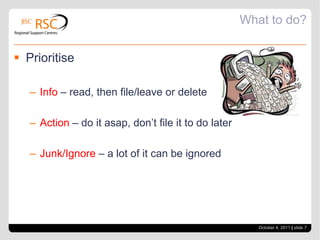
What to do?PrioritiseInfo – read, then file/leave or deleteAction – do it asap, don’t file it to do laterJunk/Ignore – a lot of it can be ignoredOctober 4, 2011| slide 7
Over to youWhat works for you?October 4, 2011| slide 8

Taming your e mail

  • 1.
    Are you aslave to your inbox?Phil HardcastleSteve SaffhillTaming your e-mailOctober 4, 2011| slide 1
  • 2.
    Make It Stop!Crushed by Too Many E-MailsThat’s a headline from one web article – which seems to sum up the problem for most people.Too many emails, not enough time to deal with them!October 4, 2011| slide 2
  • 3.
    Do unto othersTheetiquette of emailKeep it short and to the pointUse the subject line to briefly describe the emailDon’t reply unless you have something to sayDon’t cc everyone with the replyDon’t make everything of High ImportanceTalk to someone......October 4, 2011| slide 3
  • 4.
    Do unto others...2Encouragethe use of commonly understood prefixes on the 'Subject' line such as keywords which can be set up on the Master Category List in Microsoft Outlook. This should help users to decide whether to delete the email, open immediately or file it and open later, for example:SOCIAL: night out next WednesdayFOR INFO: rail strike latest newsFOR ALL MANAGERS: new appraiser course!URGENT!: Fire drill at 12.00October 4, 2011| slide 4
  • 5.
    Get organisedProcess emailsat set times in batchesStart and end of day?Reply when reading – don’t waitIf you really do need to wait – mark it for follow up or put it in a folderKeep it short and sweet rather than short and abruptRead it again before sendingOctober 4, 2011| slide 5
  • 6.
    Use the toolsFilterSortFoldersRulesSetup a signatureAdd-ons - XobniOctober 4, 2011| slide 6
  • 7.
    What to do?PrioritiseInfo– read, then file/leave or deleteAction – do it asap, don’t file it to do laterJunk/Ignore – a lot of it can be ignoredOctober 4, 2011| slide 7
  • 8.
    Over to youWhatworks for you?October 4, 2011| slide 8