Tableau Online Training
Glory IT Technologies
Prerequisites
GBSTAB-01 or a basic understanding of
Tableau
GBSTAB-02 or a basic understanding of
Tableau and how to work with the UI
1. Introduction to Tableau
 Properties of Tableau
 Components of Tableau
 Versions of Tableau
 Key Points of Tableau Desktop
 Installation steps
 Tableau Repository
2.Data connections in Tableau
Live connection
Extract connection
Advanced concepts in Extract connection
3. Types of Dimensions and Measures
Properties of Dimensions and measures
Data Types in Tableau
Star Schema
Snow – Flake Schema
Star - Flake and Mixed Schema
4.Tableau Environment
5.Building work sheets in Tableau
6.Nested Tables and Small Multiples in
Tableau
7.Parts of the Data View
8. Working with multiple measures in
Tableau
Individual Axis Charts
Blended Axis Charts
Dual Axis Charts
Combination Charts
9. Joins in Tableau
o Equi Join
o Non Equi Join
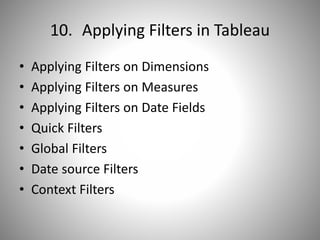
10. Applying Filters in Tableau
• Applying Filters on Dimensions
• Applying Filters on Measures
• Applying Filters on Date Fields
• Quick Filters
• Global Filters
• Date source Filters
• Context Filters
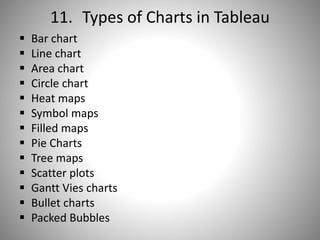
11. Types of Charts in Tableau
 Bar chart
 Line chart
 Area chart
 Circle chart
 Heat maps
 Symbol maps
 Filled maps
 Pie Charts
 Tree maps
 Scatter plots
 Gantt Vies charts
 Bullet charts
 Packed Bubbles
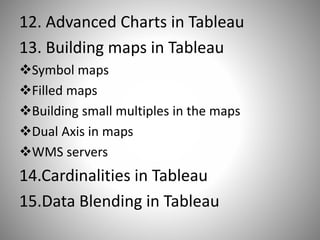
12. Advanced Charts in Tableau
13. Building maps in Tableau
Symbol maps
Filled maps
Building small multiples in the maps
Dual Axis in maps
WMS servers
14.Cardinalities in Tableau
15.Data Blending in Tableau
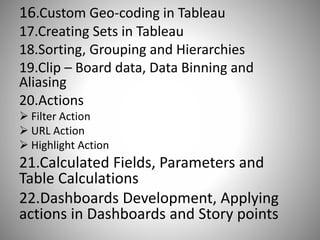
16.Custom Geo-coding in Tableau
17.Creating Sets in Tableau
18.Sorting, Grouping and Hierarchies
19.Clip – Board data, Data Binning and
Aliasing
20.Actions
 Filter Action
 URL Action
 Highlight Action
21.Calculated Fields, Parameters and
Table Calculations
22.Dashboards Development, Applying
actions in Dashboards and Story points
23.Advanced Calculations
 Formatting
 Annotations
 Animations
 Image processing
 Cascading Filters
 Forecasting
 Trend lines
 Reference Lines
 Reference Bands
 Box plots
24. Performance Improving steps in
Tableau
Tableau Files and Folders
Migration
Contact us for free Demo
We stay with you until you get the results you
want.
If you really interested, please let me know .
We will arrange the Demo Session.
 Feel Free to call us any time
Thanks & Regards
Srinivas
GloryITTechnologies
Email:Info@gloryittechnologies.com
Phone:+91-9032813456/+91-9160177789
Skype ID : gloryittechnologies
THANK YOU

Tableau online training

  • 1.
  • 2.
    Prerequisites GBSTAB-01 or abasic understanding of Tableau GBSTAB-02 or a basic understanding of Tableau and how to work with the UI
  • 3.
    1. Introduction toTableau  Properties of Tableau  Components of Tableau  Versions of Tableau  Key Points of Tableau Desktop  Installation steps  Tableau Repository
  • 4.
    2.Data connections inTableau Live connection Extract connection Advanced concepts in Extract connection
  • 5.
    3. Types ofDimensions and Measures Properties of Dimensions and measures Data Types in Tableau Star Schema Snow – Flake Schema Star - Flake and Mixed Schema
  • 6.
    4.Tableau Environment 5.Building worksheets in Tableau 6.Nested Tables and Small Multiples in Tableau 7.Parts of the Data View
  • 7.
    8. Working withmultiple measures in Tableau Individual Axis Charts Blended Axis Charts Dual Axis Charts Combination Charts
  • 8.
    9. Joins inTableau o Equi Join o Non Equi Join
  • 9.
    10. Applying Filtersin Tableau • Applying Filters on Dimensions • Applying Filters on Measures • Applying Filters on Date Fields • Quick Filters • Global Filters • Date source Filters • Context Filters
  • 10.
    11. Types ofCharts in Tableau  Bar chart  Line chart  Area chart  Circle chart  Heat maps  Symbol maps  Filled maps  Pie Charts  Tree maps  Scatter plots  Gantt Vies charts  Bullet charts  Packed Bubbles
  • 11.
    12. Advanced Chartsin Tableau 13. Building maps in Tableau Symbol maps Filled maps Building small multiples in the maps Dual Axis in maps WMS servers 14.Cardinalities in Tableau 15.Data Blending in Tableau
  • 12.
    16.Custom Geo-coding inTableau 17.Creating Sets in Tableau 18.Sorting, Grouping and Hierarchies 19.Clip – Board data, Data Binning and Aliasing 20.Actions  Filter Action  URL Action  Highlight Action 21.Calculated Fields, Parameters and Table Calculations 22.Dashboards Development, Applying actions in Dashboards and Story points
  • 13.
    23.Advanced Calculations  Formatting Annotations  Animations  Image processing  Cascading Filters  Forecasting  Trend lines  Reference Lines  Reference Bands  Box plots
  • 14.
    24. Performance Improvingsteps in Tableau Tableau Files and Folders Migration
  • 15.
    Contact us forfree Demo We stay with you until you get the results you want. If you really interested, please let me know . We will arrange the Demo Session.  Feel Free to call us any time Thanks & Regards Srinivas GloryITTechnologies Email:Info@gloryittechnologies.com Phone:+91-9032813456/+91-9160177789 Skype ID : gloryittechnologies
  • 16.