SYSTEMS
ANALYSIS AND
DESIGN
By :
Priskila Mega Octiandriani
Universitas Ma Chung
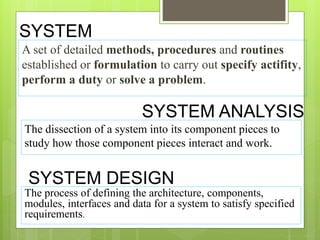
SYSTEM
A set of detailed methods, procedures and routines
established or formulation to carry out specify actifity,
perform a duty or solve a problem.
SYSTEM ANALYSIS
The dissection of a system into its component pieces to
study how those component pieces interact and work.
SYSTEM DESIGN
The process of defining the architecture, components,
modules, interfaces and data for a system to satisfy specified
requirements.
Unified Modeling Language
(UML)
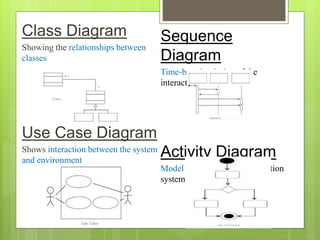
Class Diagram
Showing the relationships between
classes
Use Case Diagram
Shows interaction between the system
and environment
Sequence
Diagram
Time-based ordering of the
interaction
Activity Diagram
Model processes in an information
system
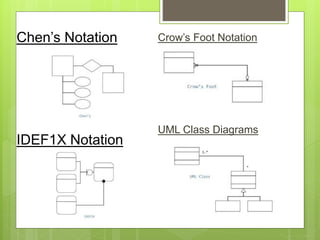
ENTITY RELATIONSHIP DIAGRAMS
Crow’s Foot Notation
UML Class Diagrams
Chen’s Notation
IDEF1X Notation
DATA FLOW DIAGRAMS
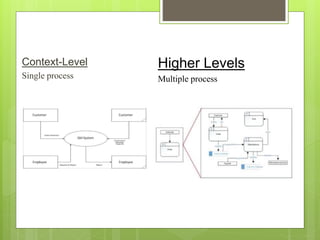
Context-Level
Single process
Higher Levels
Multiple process
NEED FOR SYSTEM ANALYSIS
AND DESIGN
 Installing a system without proper planning leads to
great user dissatisfaction and frequently causes the
system to fall into disuse
 Lends structure to the analysis and design of
information systems
 A series of processes systematically undertaken to
improve a business through the use of computerized
information systems
ROLES OF THE SYSTEM
ANALYST
 The analyst plays a key role in information
systems development projects.
 Must understand how to apply technology to solve
business problems.
 Analyst may serve as change agents who identify
the organizational improvement.
QUALITIED OF THE SYSTEM ANALYST
 Problem solver
 Communicator
 Strong personal and professional ethics
 Self-disciplined and self-motivated
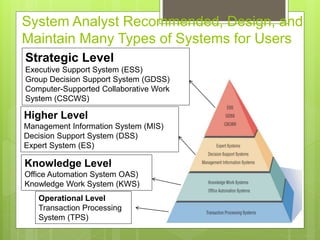
System Analyst Recommended, Design, and
Maintain Many Types of Systems for Users
Strategic Level
Executive Support System (ESS)
Group Decision Support System (GDSS)
Computer-Supported Collaborative Work
System (CSCWS)
Higher Level
Management Information System (MIS)
Decision Support System (DSS)
Expert System (ES)
Knowledge Level
Office Automation System OAS)
Knowledge Work System (KWS)
Operational Level
Transaction Processing
System (TPS)
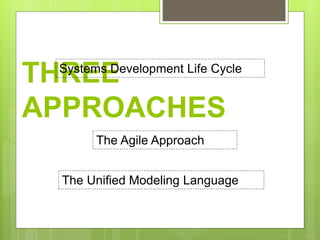
THREE
APPROACHES
Systems Development Life Cycle
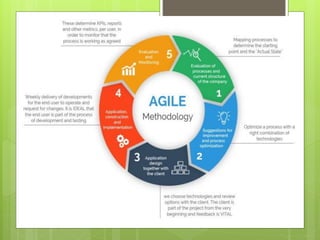
The Agile Approach
The Unified Modeling Language
SYSTEMS DEVELOPMENT
LIFE CYCLE (SDLC)
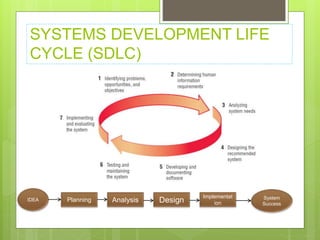
SYSTEMS DEVELOPMENT LIFE
CYCLE (SDLC)
Planning Analysis Design
Implementat
ion
IDEA System
Success
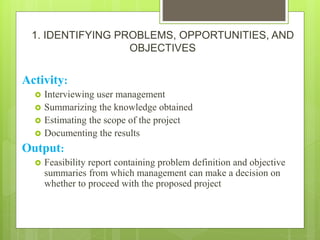
1. IDENTIFYING PROBLEMS, OPPORTUNITIES, AND
OBJECTIVES
Activity:
 Interviewing user management
 Summarizing the knowledge obtained
 Estimating the scope of the project
 Documenting the results
Output:
 Feasibility report containing problem definition and objective
summaries from which management can make a decision on
whether to proceed with the proposed project
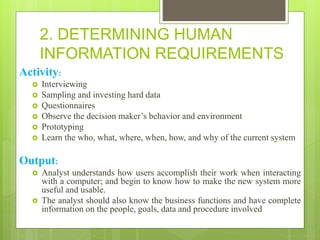
2. DETERMINING HUMAN
INFORMATION REQUIREMENTS
Activity:
 Interviewing
 Sampling and investing hard data
 Questionnaires
 Observe the decision maker’s behavior and environment
 Prototyping
 Learn the who, what, where, when, how, and why of the current system
Output:
 Analyst understands how users accomplish their work when interacting
with a computer; and begin to know how to make the new system more
useful and usable.
 The analyst should also know the business functions and have complete
information on the people, goals, data and procedure involved
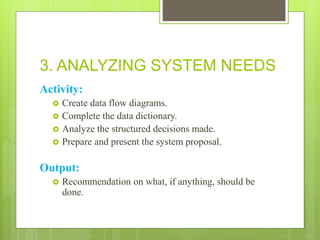
3. ANALYZING SYSTEM NEEDS
Activity:
 Create data flow diagrams.
 Complete the data dictionary.
 Analyze the structured decisions made.
 Prepare and present the system proposal.
Output:
 Recommendation on what, if anything, should be
done.
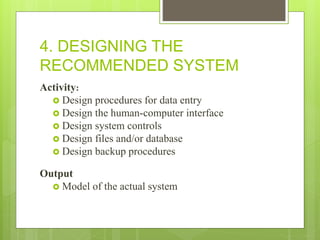
4. DESIGNING THE
RECOMMENDED SYSTEM
Activity:
 Design procedures for data entry
 Design the human-computer interface
 Design system controls
 Design files and/or database
 Design backup procedures
Output
 Model of the actual system
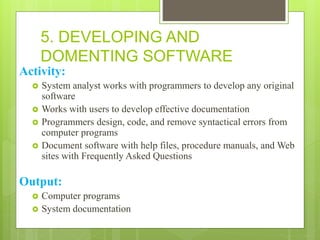
5. DEVELOPING AND
DOMENTING SOFTWARE
Activity:
 System analyst works with programmers to develop any original
software
 Works with users to develop effective documentation
 Programmers design, code, and remove syntactical errors from
computer programs
 Document software with help files, procedure manuals, and Web
sites with Frequently Asked Questions
Output:
 Computer programs
 System documentation
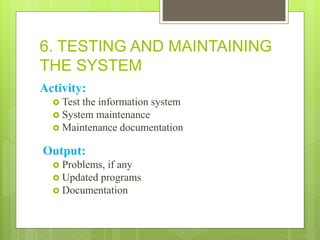
6. TESTING AND MAINTAINING
THE SYSTEM
Activity:
 Test the information system
 System maintenance
 Maintenance documentation
Output:
 Problems, if any
 Updated programs
 Documentation
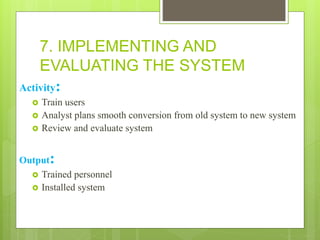
7. IMPLEMENTING AND
EVALUATING THE SYSTEM
Activity:
 Train users
 Analyst plans smooth conversion from old system to new system
 Review and evaluate system
Output:
 Trained personnel
 Installed system
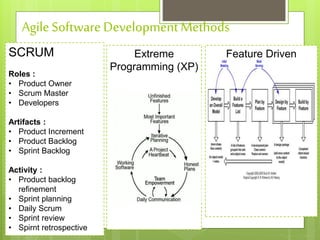
THE AGILE APPROACH
AgileSoftware DevelopmentMethods
SCRUM
Roles :
• Product Owner
• Scrum Master
• Developers
Artifacts :
• Product Increment
• Product Backlog
• Sprint Backlog
Activity :
• Product backlog
refinement
• Sprint planning
• Daily Scrum
• Sprint review
• Spirnt retrospective
Extreme
Programming (XP)
Feature Driven
Development
Unified Modeling Language
(UML)
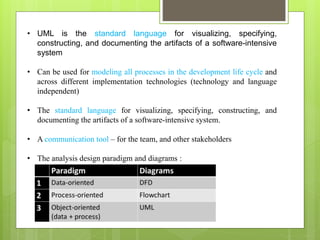
• UML is the standard language for visualizing, specifying,
constructing, and documenting the artifacts of a software-intensive
system
• Can be used for modeling all processes in the development life cycle and
across different implementation technologies (technology and language
independent)
• The standard language for visualizing, specifying, constructing, and
documenting the artifacts of a software-intensive system.
• A communication tool – for the team, and other stakeholders
• The analysis design paradigm and diagrams :

Systems analysis and design

  • 1.
    SYSTEMS ANALYSIS AND DESIGN By : PriskilaMega Octiandriani Universitas Ma Chung
  • 2.
    SYSTEM A set ofdetailed methods, procedures and routines established or formulation to carry out specify actifity, perform a duty or solve a problem. SYSTEM ANALYSIS The dissection of a system into its component pieces to study how those component pieces interact and work. SYSTEM DESIGN The process of defining the architecture, components, modules, interfaces and data for a system to satisfy specified requirements.
  • 3.
  • 4.
    Class Diagram Showing therelationships between classes Use Case Diagram Shows interaction between the system and environment Sequence Diagram Time-based ordering of the interaction Activity Diagram Model processes in an information system
  • 5.
  • 6.
    Crow’s Foot Notation UMLClass Diagrams Chen’s Notation IDEF1X Notation
  • 7.
  • 8.
  • 9.
    NEED FOR SYSTEMANALYSIS AND DESIGN  Installing a system without proper planning leads to great user dissatisfaction and frequently causes the system to fall into disuse  Lends structure to the analysis and design of information systems  A series of processes systematically undertaken to improve a business through the use of computerized information systems
  • 10.
    ROLES OF THESYSTEM ANALYST  The analyst plays a key role in information systems development projects.  Must understand how to apply technology to solve business problems.  Analyst may serve as change agents who identify the organizational improvement.
  • 11.
    QUALITIED OF THESYSTEM ANALYST  Problem solver  Communicator  Strong personal and professional ethics  Self-disciplined and self-motivated
  • 12.
    System Analyst Recommended,Design, and Maintain Many Types of Systems for Users Strategic Level Executive Support System (ESS) Group Decision Support System (GDSS) Computer-Supported Collaborative Work System (CSCWS) Higher Level Management Information System (MIS) Decision Support System (DSS) Expert System (ES) Knowledge Level Office Automation System OAS) Knowledge Work System (KWS) Operational Level Transaction Processing System (TPS)
  • 13.
    THREE APPROACHES Systems Development LifeCycle The Agile Approach The Unified Modeling Language
  • 14.
  • 15.
    SYSTEMS DEVELOPMENT LIFE CYCLE(SDLC) Planning Analysis Design Implementat ion IDEA System Success
  • 16.
    1. IDENTIFYING PROBLEMS,OPPORTUNITIES, AND OBJECTIVES Activity:  Interviewing user management  Summarizing the knowledge obtained  Estimating the scope of the project  Documenting the results Output:  Feasibility report containing problem definition and objective summaries from which management can make a decision on whether to proceed with the proposed project
  • 17.
    2. DETERMINING HUMAN INFORMATIONREQUIREMENTS Activity:  Interviewing  Sampling and investing hard data  Questionnaires  Observe the decision maker’s behavior and environment  Prototyping  Learn the who, what, where, when, how, and why of the current system Output:  Analyst understands how users accomplish their work when interacting with a computer; and begin to know how to make the new system more useful and usable.  The analyst should also know the business functions and have complete information on the people, goals, data and procedure involved
  • 18.
    3. ANALYZING SYSTEMNEEDS Activity:  Create data flow diagrams.  Complete the data dictionary.  Analyze the structured decisions made.  Prepare and present the system proposal. Output:  Recommendation on what, if anything, should be done.
  • 19.
    4. DESIGNING THE RECOMMENDEDSYSTEM Activity:  Design procedures for data entry  Design the human-computer interface  Design system controls  Design files and/or database  Design backup procedures Output  Model of the actual system
  • 20.
    5. DEVELOPING AND DOMENTINGSOFTWARE Activity:  System analyst works with programmers to develop any original software  Works with users to develop effective documentation  Programmers design, code, and remove syntactical errors from computer programs  Document software with help files, procedure manuals, and Web sites with Frequently Asked Questions Output:  Computer programs  System documentation
  • 21.
    6. TESTING ANDMAINTAINING THE SYSTEM Activity:  Test the information system  System maintenance  Maintenance documentation Output:  Problems, if any  Updated programs  Documentation
  • 22.
    7. IMPLEMENTING AND EVALUATINGTHE SYSTEM Activity:  Train users  Analyst plans smooth conversion from old system to new system  Review and evaluate system Output:  Trained personnel  Installed system
  • 23.
  • 25.
    AgileSoftware DevelopmentMethods SCRUM Roles : •Product Owner • Scrum Master • Developers Artifacts : • Product Increment • Product Backlog • Sprint Backlog Activity : • Product backlog refinement • Sprint planning • Daily Scrum • Sprint review • Spirnt retrospective Extreme Programming (XP) Feature Driven Development
  • 26.
  • 27.
    • UML isthe standard language for visualizing, specifying, constructing, and documenting the artifacts of a software-intensive system • Can be used for modeling all processes in the development life cycle and across different implementation technologies (technology and language independent) • The standard language for visualizing, specifying, constructing, and documenting the artifacts of a software-intensive system. • A communication tool – for the team, and other stakeholders • The analysis design paradigm and diagrams :