1
System Programs
What is system?

  A system is a set of components that interact to be
   accomplish some common purpose.

  i.e. human body, organisation.


                                                         2
System Programs
What is Operating System?


  In computer an operating system is a program
   that acts as an intermediary between the user of a
   computer and the computer hardware.

  In another way a mordan system is the collection
   of system programs.


                                                        3
System Programs
What is program?

  A program is set of code that perform a specific
   process.

  i.e. c program, visual basic program.


                                                      4
System Programs
    System programs provide a convenient
 environment for program development and
 execution.
    Some of them are simply user interface to
 system calls ; others are considerably more
 complex.
Most users’ view of the operation system is
 defined by system programs, not the actual
 system calls.

                                                 5
System Programs
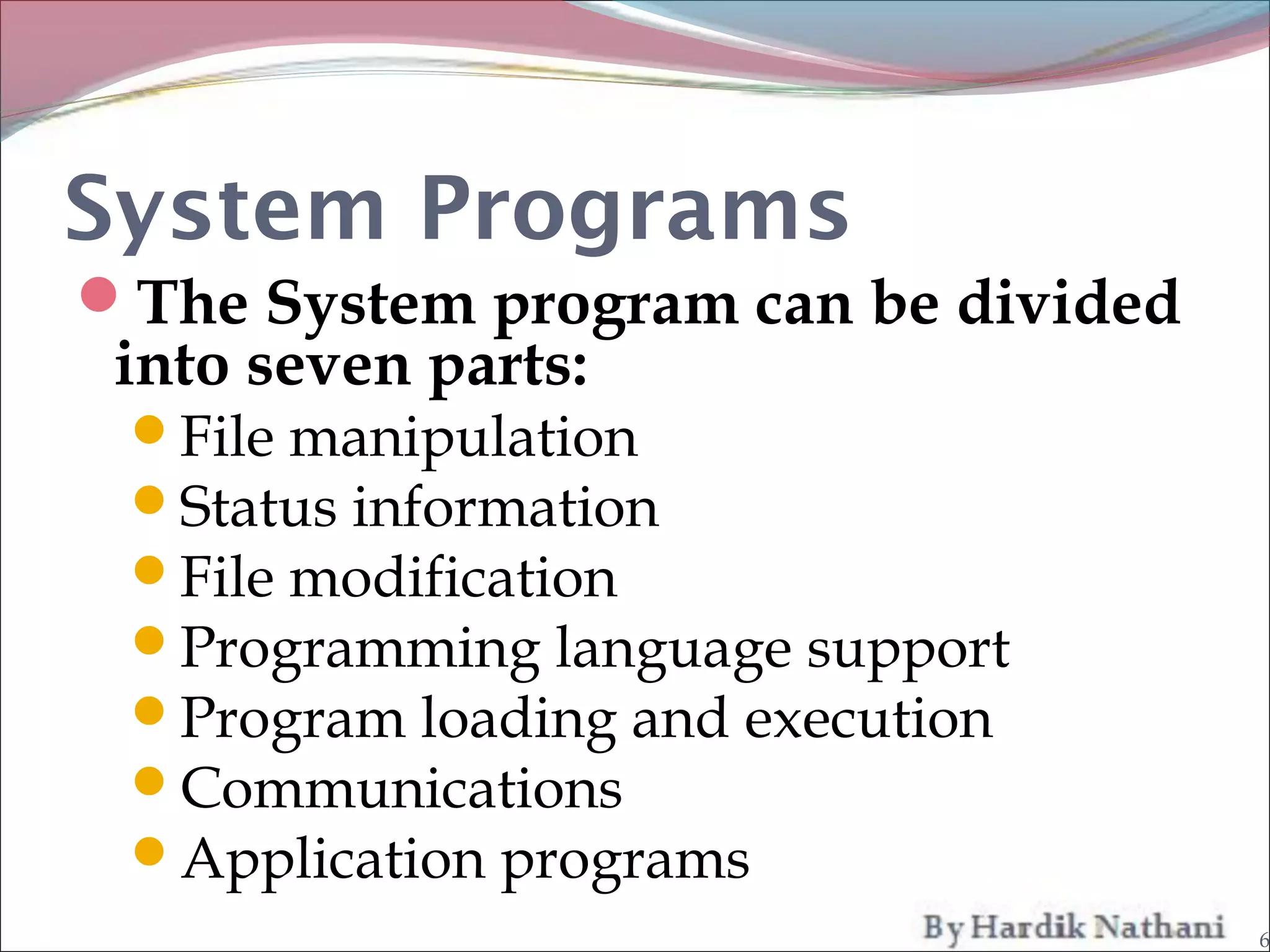
The System program can be divided
 into seven parts:
 File manipulation
 Status information
 File modification
 Programming language support
 Program loading and execution
 Communications
 Application programs
                                     6
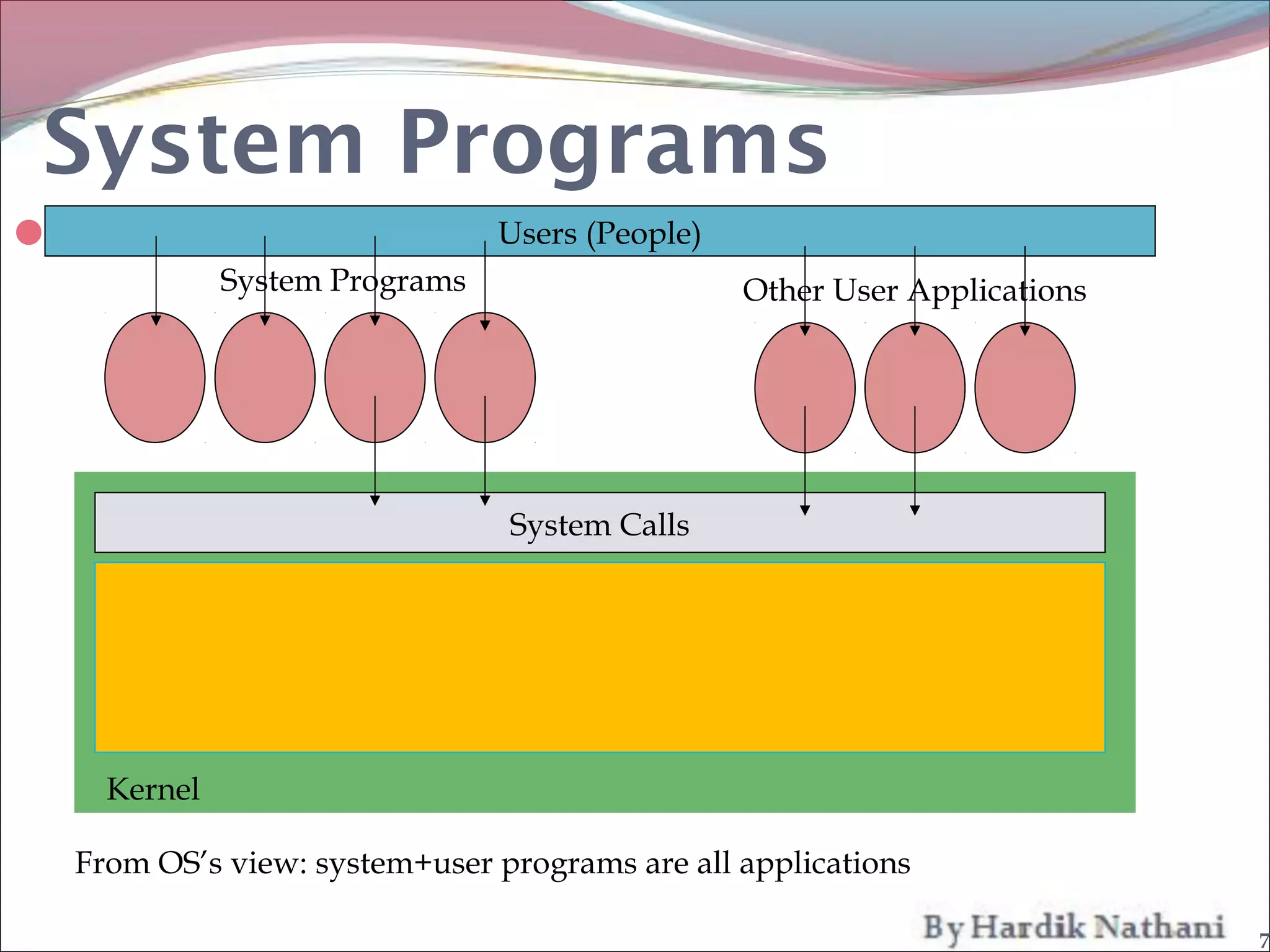
System Programs
                                Users (People)
               System Programs                    Other User Applications


                                 System Calls


      Kernel

    From OS’s view: system+user programs are all applications

                                                                            7
System Calls
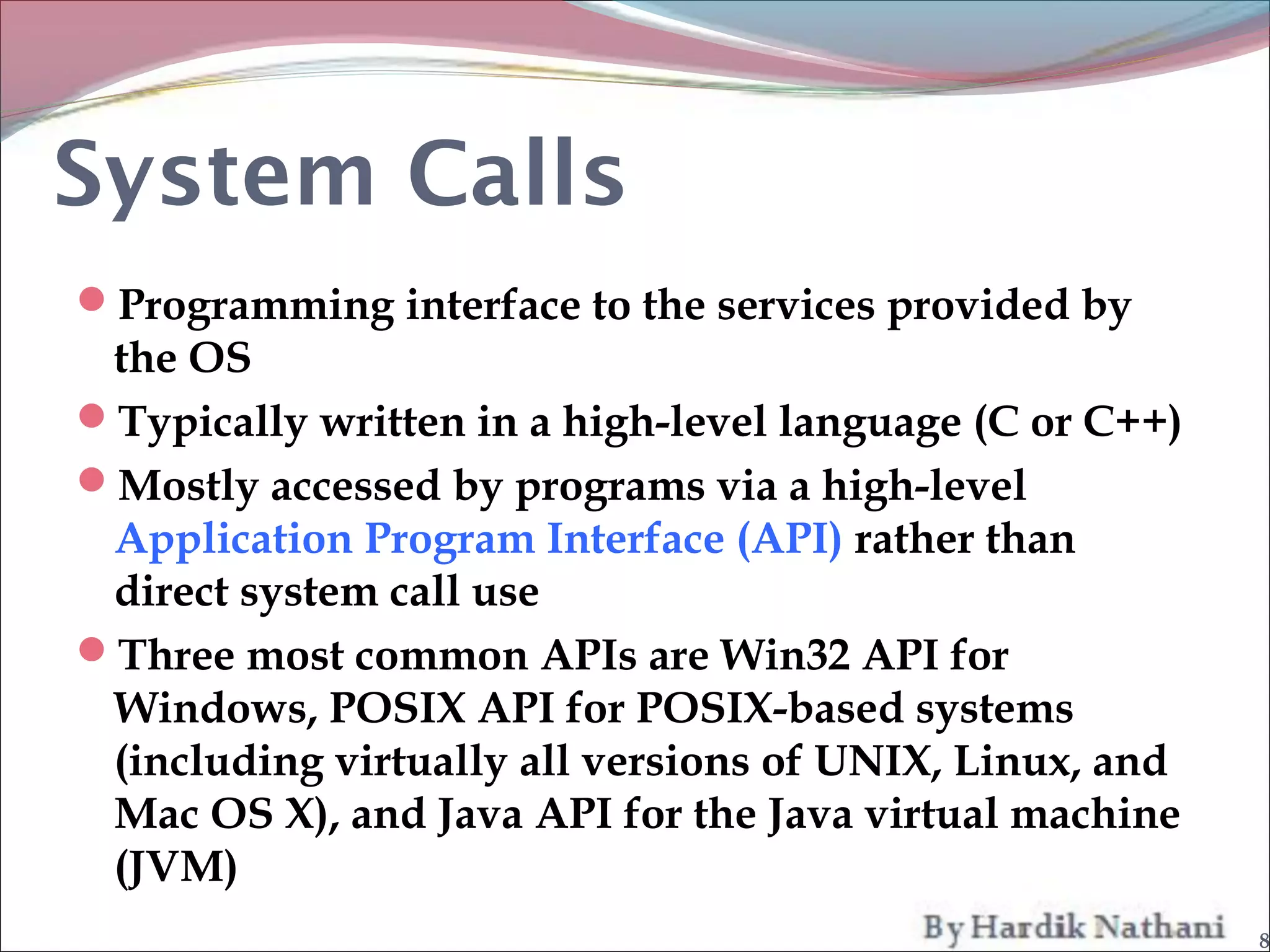
Programming interface to the services provided by
 the OS
Typically written in a high-level language (C or C++)
Mostly accessed by programs via a high-level
 Application Program Interface (API) rather than
 direct system call use
Three most common APIs are Win32 API for
 Windows, POSIX API for POSIX-based systems
 (including virtually all versions of UNIX, Linux, and
 Mac OS X), and Java API for the Java virtual machine
 (JVM)
                                                         8
File Management
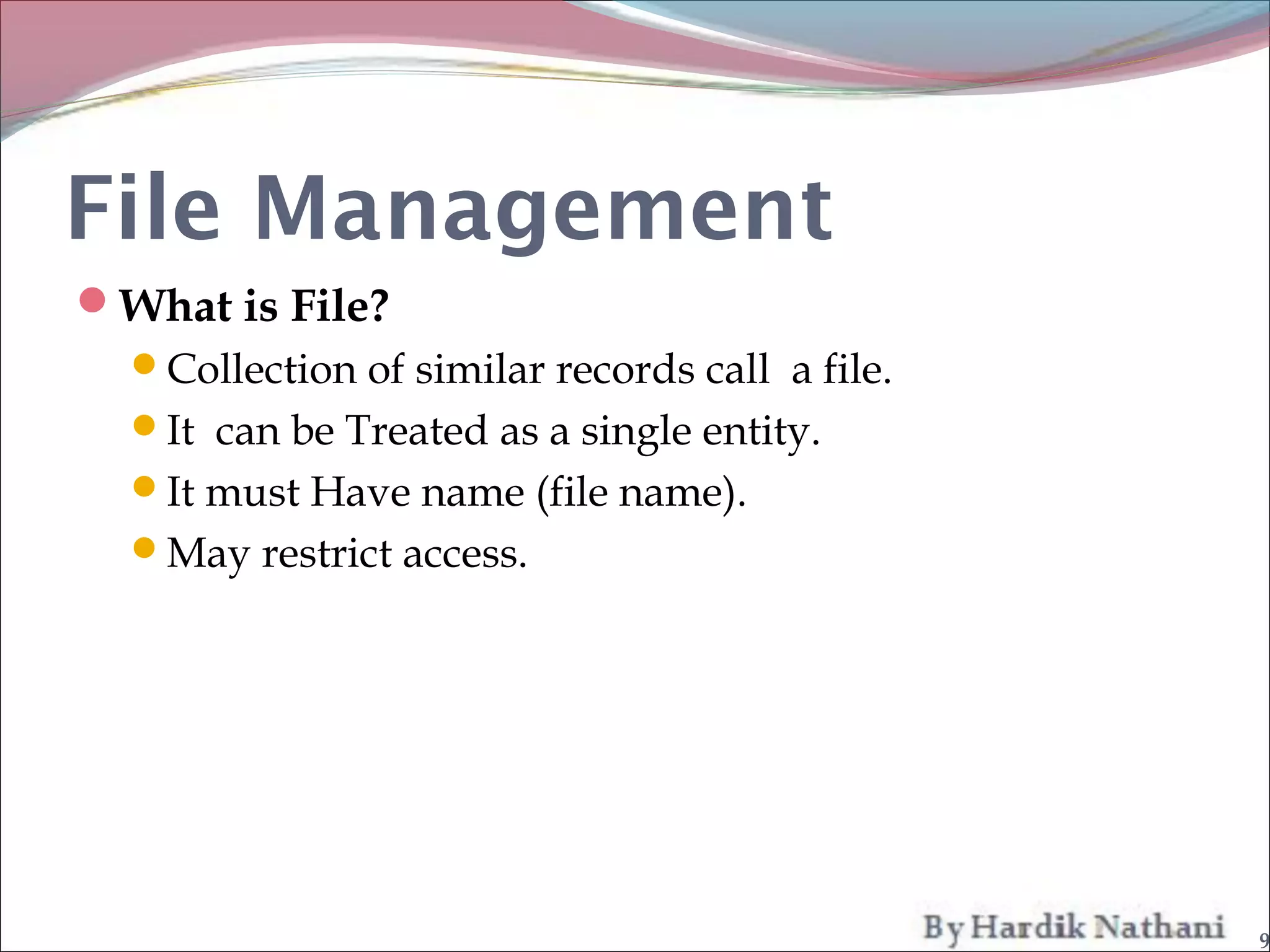
What is File?
  Collection of similar records call a file.
  It can be Treated as a single entity.
  It must Have name (file name).
  May restrict access.


                                                9
File Management
File management is one of the most visible
 components of an operating system.

File management system consists of system
 utility programs that run as privileged
 applications.

Input to applications is by means of a file

Output is saved in a file for long-term storage

                                                   10
File Management
File Management Functions
 Identify and locate a selected file.
 Use a directory to describe the location of all files
   plus their attributes.
 On a shared system describe user access control
 Blocking for access to files
 Allocate files to free blocks
 Manage free storage for available block s


                                                          11
File Management
File Operations
  Create
  Delete
  Open
  Close
  Read
  Write


                   12
File Management
Typical Operations On File
 Retrieve_All
 Retrieve_One
 Retrieve_Next
 Retrieve_Previous
 Insert_One
 Delete_One
 Update_One
 Retrieve_Few


                              13
Status information
Some programs ask the system for date, time,
 amount of available, memory disk space, number
 of users or similar steatious information.

Typically, these programs format and print the
 output to the terminal or other output devices.

Some systems implement a registry - used to store
 and retrieve configuration information.


                                                     14
File modification
Several text editors may also be available to
 create and modify the content of files stored on
 disk or tape.

Special commands to search contents of files or
 perform transformations of the text.


                                                    15
Programming-language support

 Compilers, assemblers, and interpreters for
  common programming languages (such as c, c+
  +, Java, Visual Basic , and PERL) are often
  provided to the user with the operating system.

 Some of these programs are now priced and
  provided seperately.


                                                    16
Program loading and execution
Once a program is assembled or compiled , it
 must be loaded into memory to be executed.

The system may provided absolute loaders,
 relocatable loaders , linkage editors , and
 overlay loaders.

Debugging systems for either higher-level
 language are needed also.

                                                17
Communications
These program provide the mechanism for
 creating virtual connections among processes,
 users, and different computer systems.

Allow users to send messages to one
 another’s screens, browse web pages, send
 electronic-mail messages, log in remotely,
 transfer files from one machine to another.

                                                 18
Communications
There are two common models of communication.
  1. Message-passing model.
  2. Shared-memory model.


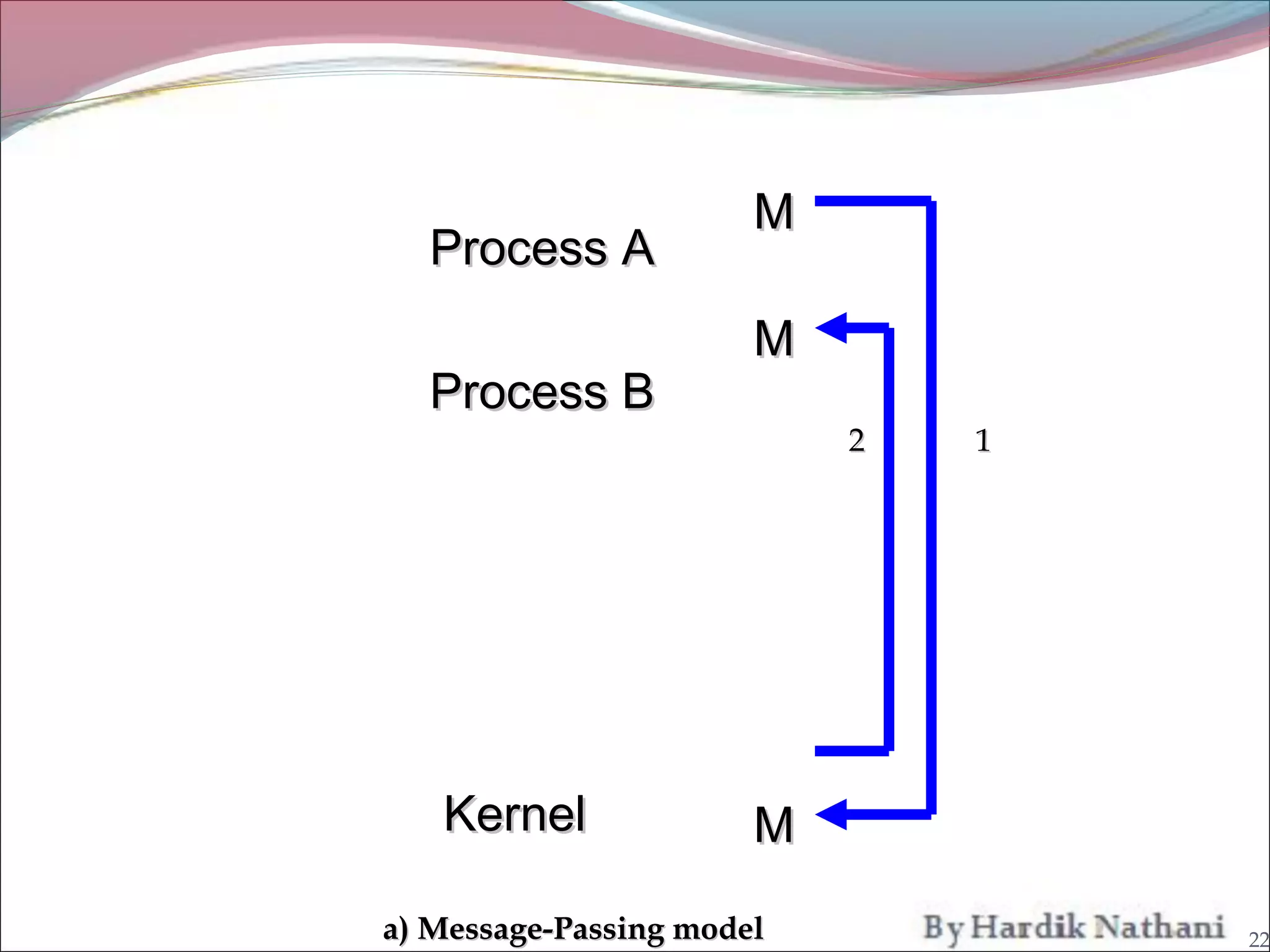
1. Message-passing model :-
   In the message-passing model, information is
     exchanged through an interprocess – communication
     facility provided by the operating system.


                                                         19
Communications
Message-pasing Model is useful when smaller numbers
 of data need to be exchanged, because no conflicts need
 to be avoided.

It is also easier to implement than is shared memory for
 intercomputer communications.


                                                            20
Communications
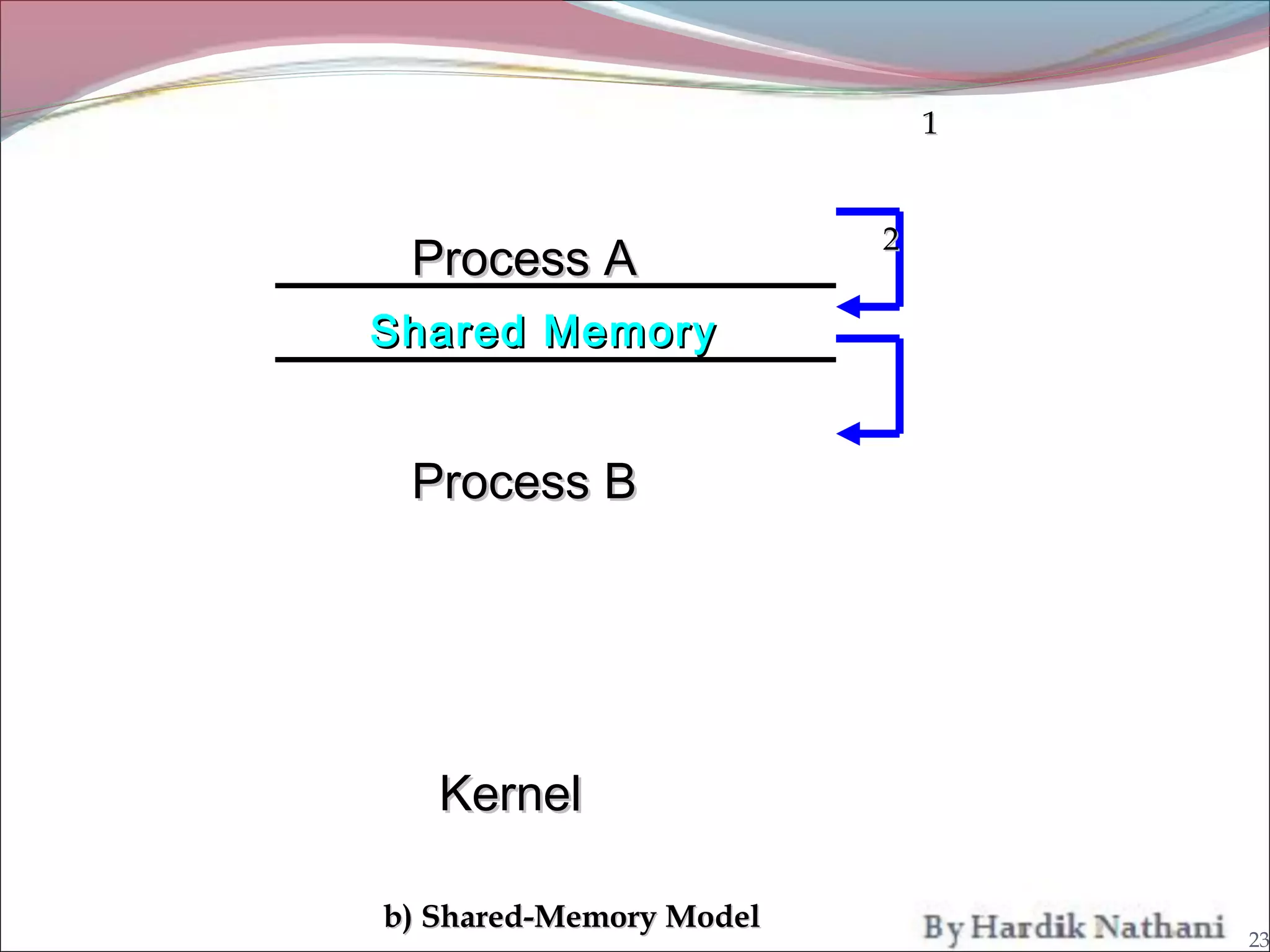
2. Shared-Memory model :-

   In the Shared-memory model , process use map
      memory system calls to gain access to regions of
      memory owned by other memory process.

      Shared-memory model allows maximum speed and
      convenience of communication, as it can be done at
      memory speeds when within a computer.

                                                           21
M
  Process A
                       M
  Process B
                           2   1


   Kernel              M
a) Message-Passing model           22
1


                         2
 Process A
Shared Memory


 Process B


   Kernel

b) Shared-Memory Model
                                 23

System programs in o.s. for bca and bscit students by hardik nathani

  • 1.
  • 2.
    System Programs What issystem? A system is a set of components that interact to be accomplish some common purpose. i.e. human body, organisation. 2
  • 3.
    System Programs What isOperating System? In computer an operating system is a program that acts as an intermediary between the user of a computer and the computer hardware. In another way a mordan system is the collection of system programs. 3
  • 4.
    System Programs What isprogram? A program is set of code that perform a specific process. i.e. c program, visual basic program. 4
  • 5.
    System Programs  System programs provide a convenient environment for program development and execution.  Some of them are simply user interface to system calls ; others are considerably more complex. Most users’ view of the operation system is defined by system programs, not the actual system calls. 5
  • 6.
    System Programs The Systemprogram can be divided into seven parts: File manipulation Status information File modification Programming language support Program loading and execution Communications Application programs 6
  • 7.
    System Programs  Users (People) System Programs Other User Applications System Calls Kernel From OS’s view: system+user programs are all applications 7
  • 8.
    System Calls Programming interfaceto the services provided by the OS Typically written in a high-level language (C or C++) Mostly accessed by programs via a high-level Application Program Interface (API) rather than direct system call use Three most common APIs are Win32 API for Windows, POSIX API for POSIX-based systems (including virtually all versions of UNIX, Linux, and Mac OS X), and Java API for the Java virtual machine (JVM) 8
  • 9.
    File Management What isFile? Collection of similar records call a file. It can be Treated as a single entity. It must Have name (file name). May restrict access. 9
  • 10.
    File Management File managementis one of the most visible components of an operating system. File management system consists of system utility programs that run as privileged applications. Input to applications is by means of a file Output is saved in a file for long-term storage 10
  • 11.
    File Management File ManagementFunctions Identify and locate a selected file. Use a directory to describe the location of all files plus their attributes. On a shared system describe user access control Blocking for access to files Allocate files to free blocks Manage free storage for available block s 11
  • 12.
    File Management File Operations Create Delete Open Close Read Write 12
  • 13.
    File Management Typical OperationsOn File Retrieve_All Retrieve_One Retrieve_Next Retrieve_Previous Insert_One Delete_One Update_One Retrieve_Few 13
  • 14.
    Status information Some programsask the system for date, time, amount of available, memory disk space, number of users or similar steatious information. Typically, these programs format and print the output to the terminal or other output devices. Some systems implement a registry - used to store and retrieve configuration information. 14
  • 15.
    File modification Several texteditors may also be available to create and modify the content of files stored on disk or tape. Special commands to search contents of files or perform transformations of the text. 15
  • 16.
    Programming-language support Compilers,assemblers, and interpreters for common programming languages (such as c, c+ +, Java, Visual Basic , and PERL) are often provided to the user with the operating system. Some of these programs are now priced and provided seperately. 16
  • 17.
    Program loading andexecution Once a program is assembled or compiled , it must be loaded into memory to be executed. The system may provided absolute loaders, relocatable loaders , linkage editors , and overlay loaders. Debugging systems for either higher-level language are needed also. 17
  • 18.
    Communications These program providethe mechanism for creating virtual connections among processes, users, and different computer systems. Allow users to send messages to one another’s screens, browse web pages, send electronic-mail messages, log in remotely, transfer files from one machine to another. 18
  • 19.
    Communications There are twocommon models of communication. 1. Message-passing model. 2. Shared-memory model. 1. Message-passing model :-  In the message-passing model, information is exchanged through an interprocess – communication facility provided by the operating system. 19
  • 20.
    Communications Message-pasing Model isuseful when smaller numbers of data need to be exchanged, because no conflicts need to be avoided. It is also easier to implement than is shared memory for intercomputer communications. 20
  • 21.
    Communications 2. Shared-Memory model:-  In the Shared-memory model , process use map memory system calls to gain access to regions of memory owned by other memory process.  Shared-memory model allows maximum speed and convenience of communication, as it can be done at memory speeds when within a computer. 21
  • 22.
    M ProcessA M Process B 2 1 Kernel M a) Message-Passing model 22
  • 23.
    1 2 Process A Shared Memory Process B Kernel b) Shared-Memory Model 23