System Performance Monitoring
Server, Services, Users and Apps
Toni Frankola
Microsoft MVP,
Co-founder of Acceleratio
• 16 years active in Microsoft
ecosystem
• 6 years since co-founding
Acceleratio
• 6 years as Microsoft MVP
• MCTS: SharePoint, CRM; MCPD
• Contact info:
 tfrankola@acceleratio.net
 support@acceleratio.net
 Twitter:
@ToniFrankola
Introduction
Presenting Toni and Acceleratio
Technology Partners
Acceleratio is a software
development company
based in Zagreb, Croatia,
Europe founded in 2009.
We create innovative
software solutions for
SharePoint, Office 365, MS
Windows Remote Desktop
Services, and Citrix admins
and consultants.
Acceleratio, Ltd
More than 2000 customers in more than 50 countries worldwide use our products!
Acceleratio Ltd.
Who are we?
Featured customers
SysKit
By Acceleratio
A powerful monitoring and reporting solution for many system
environments and machines such as:
 Citrix XenApp
 MS Windows Remote Desktop Services
 MS Remote Desktop Gateway
 SQL, Exchange and SharePoint
 Workstations…
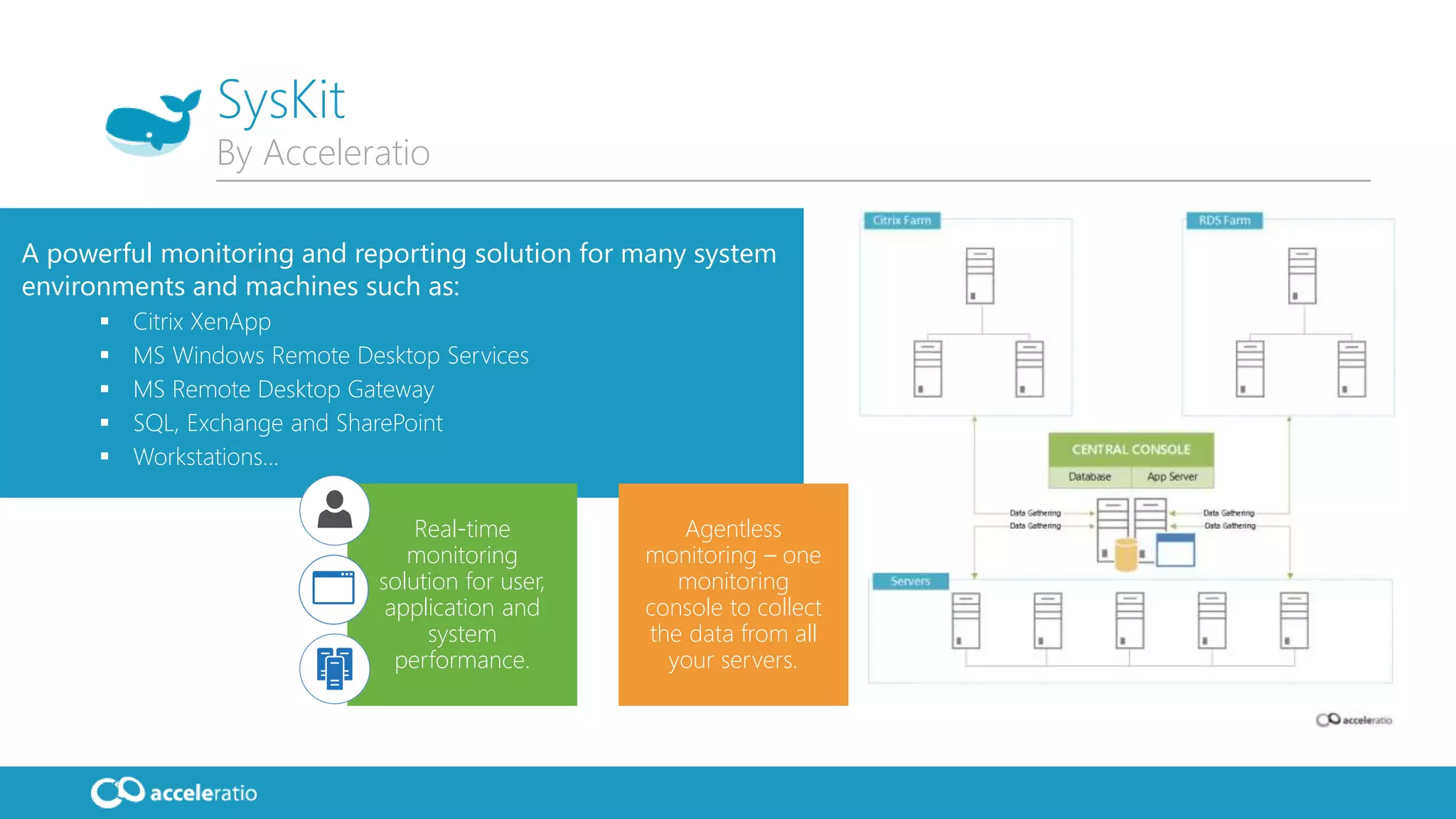
Agentless
monitoring – one
monitoring
console to collect
the data from all
your servers.
Real-time
monitoring
solution for user,
application and
system
performance.
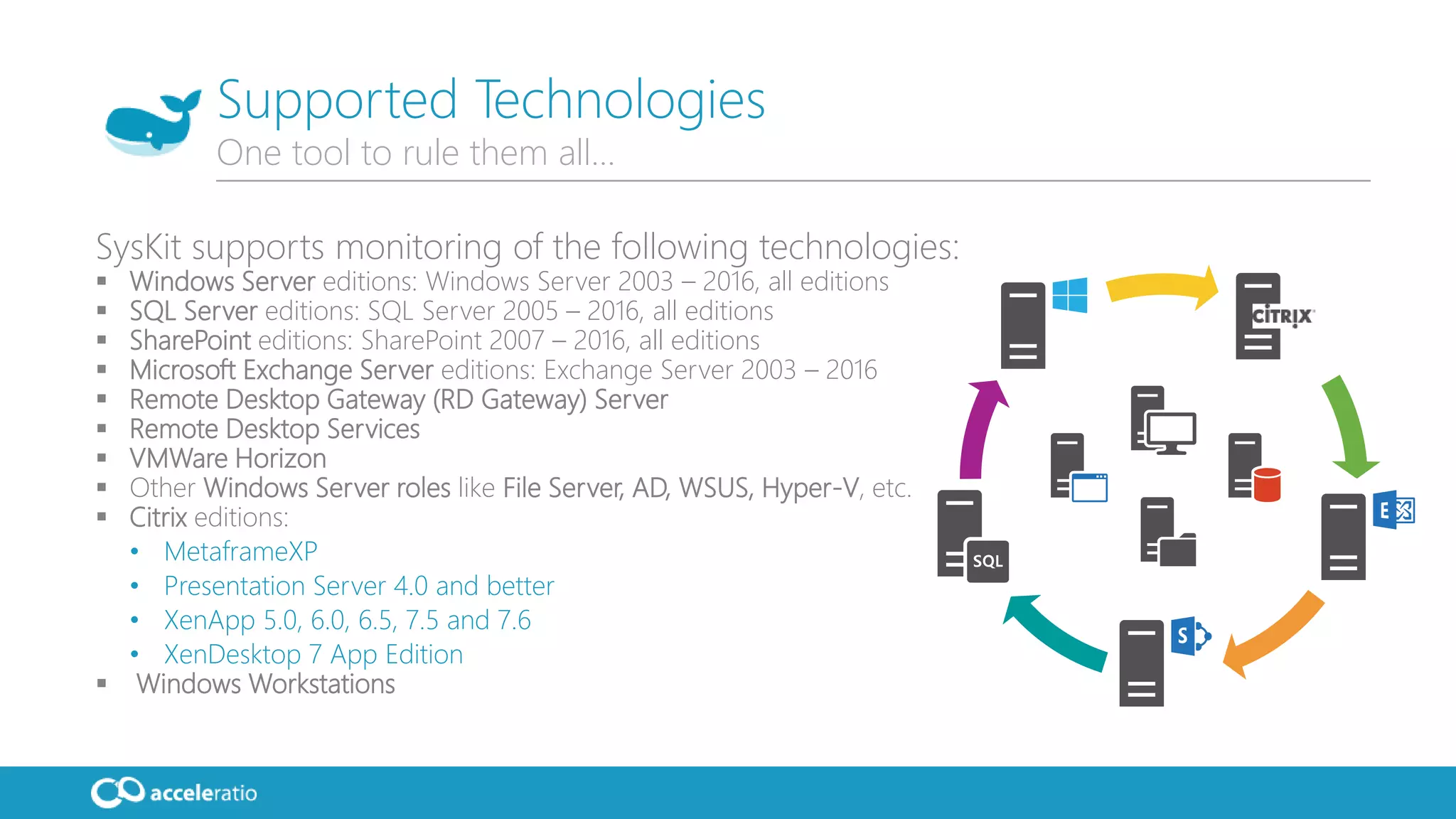
SysKit supports monitoring of the following technologies:
 Windows Server editions: Windows Server 2003 – 2016, all editions
 SQL Server editions: SQL Server 2005 – 2016, all editions
 SharePoint editions: SharePoint 2007 – 2016, all editions
 Microsoft Exchange Server editions: Exchange Server 2003 – 2016
 Remote Desktop Gateway (RD Gateway) Server
 Remote Desktop Services
 VMWare Horizon
 Other Windows Server roles like File Server, AD, WSUS, Hyper-V, etc.
 Citrix editions:
• MetaframeXP
• Presentation Server 4.0 and better
• XenApp 5.0, 6.0, 6.5, 7.5 and 7.6
• XenDesktop 7 App Edition
 Windows Workstations
Supported Technologies
One tool to rule them all…
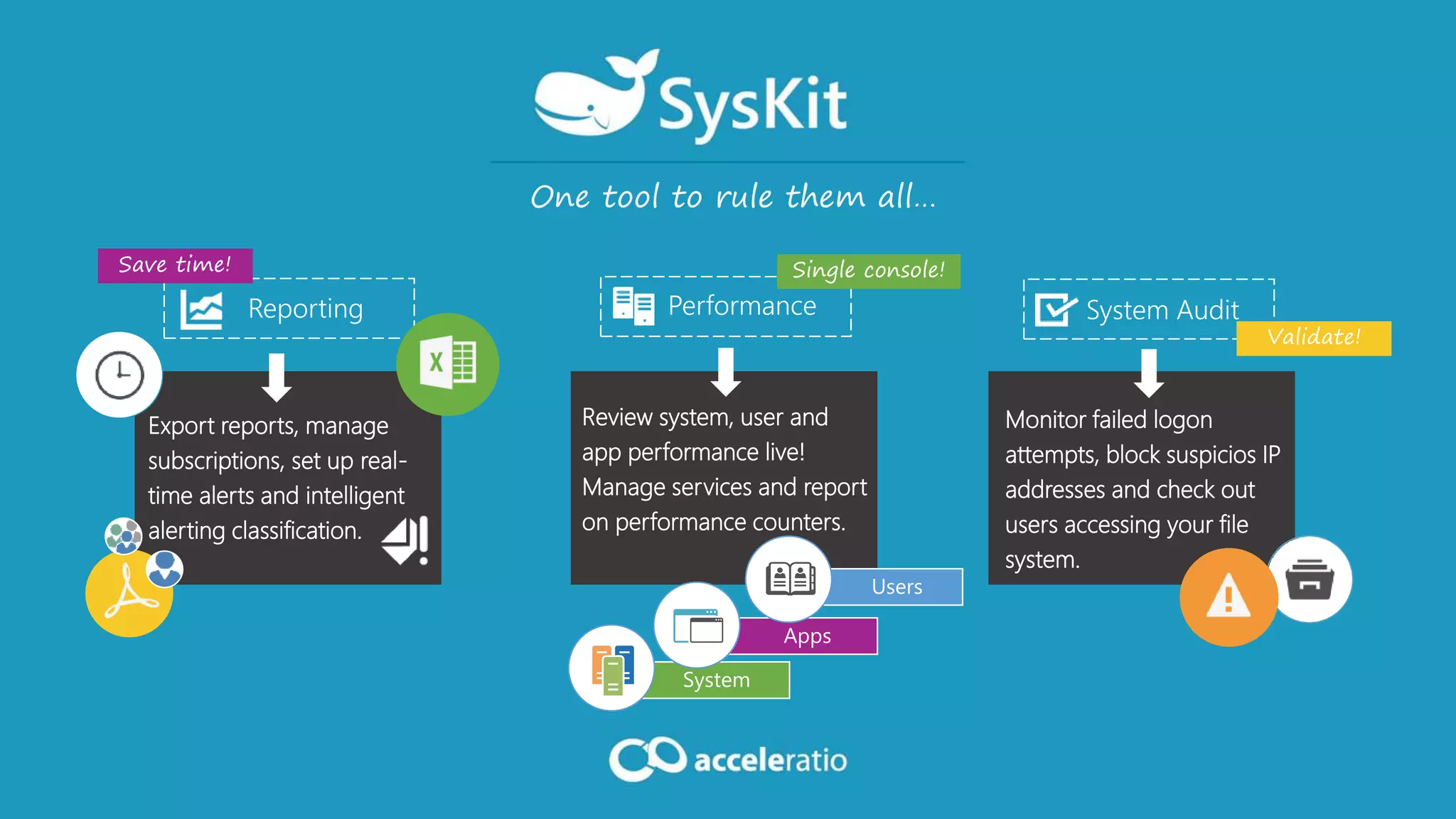
Monitor failed logon
attempts, block suspicios IP
addresses and check out
users accessing your file
system.
One tool to rule them all…
Apps
System
Users
Export reports, manage
subscriptions, set up real-
time alerts and intelligent
alerting classification.
Review system, user and
app performance live!
Manage services and report
on performance counters.
Performance System Audit
Save time!
Validate!
Reporting
Single console!
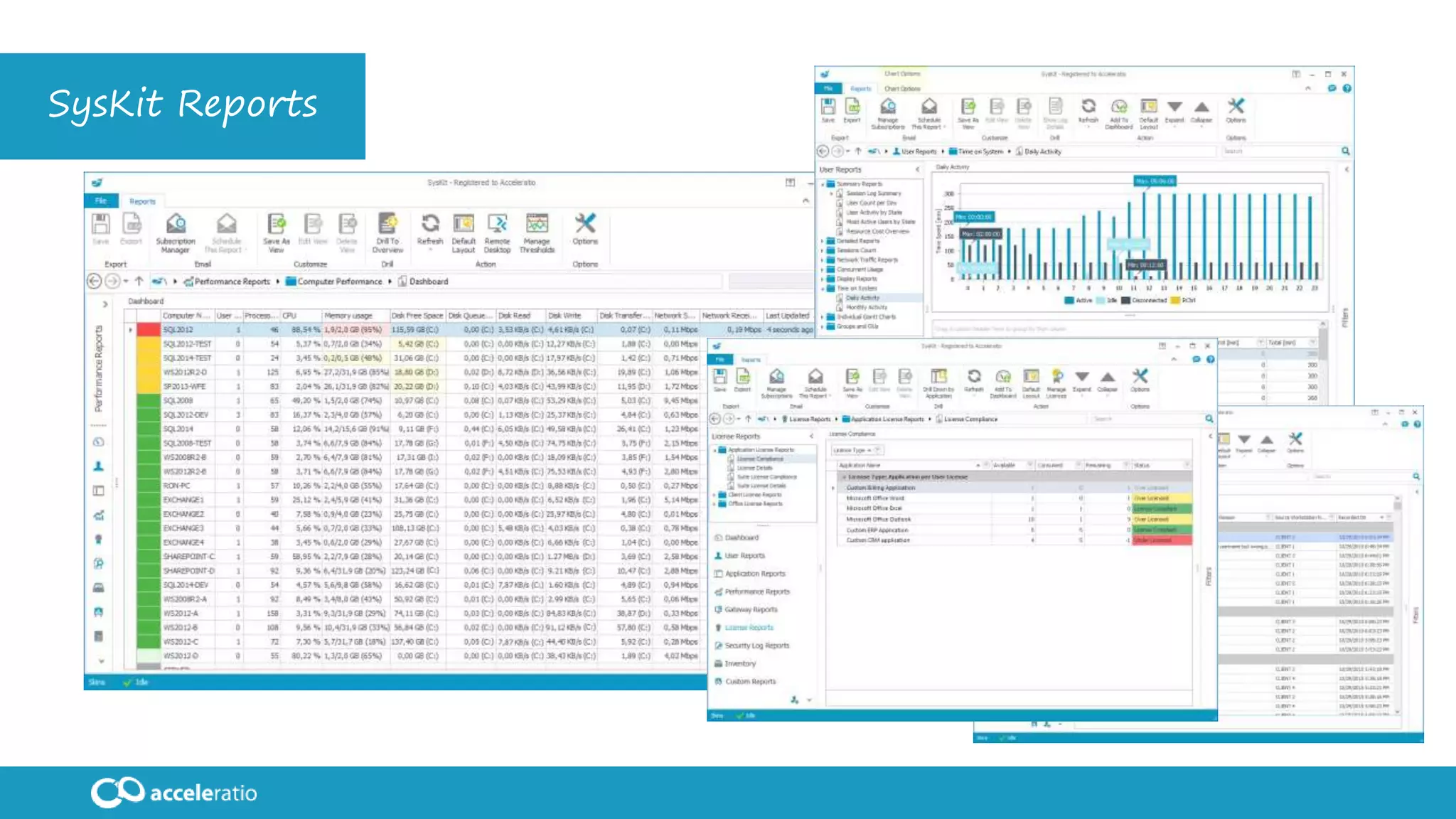
SysKit Reports
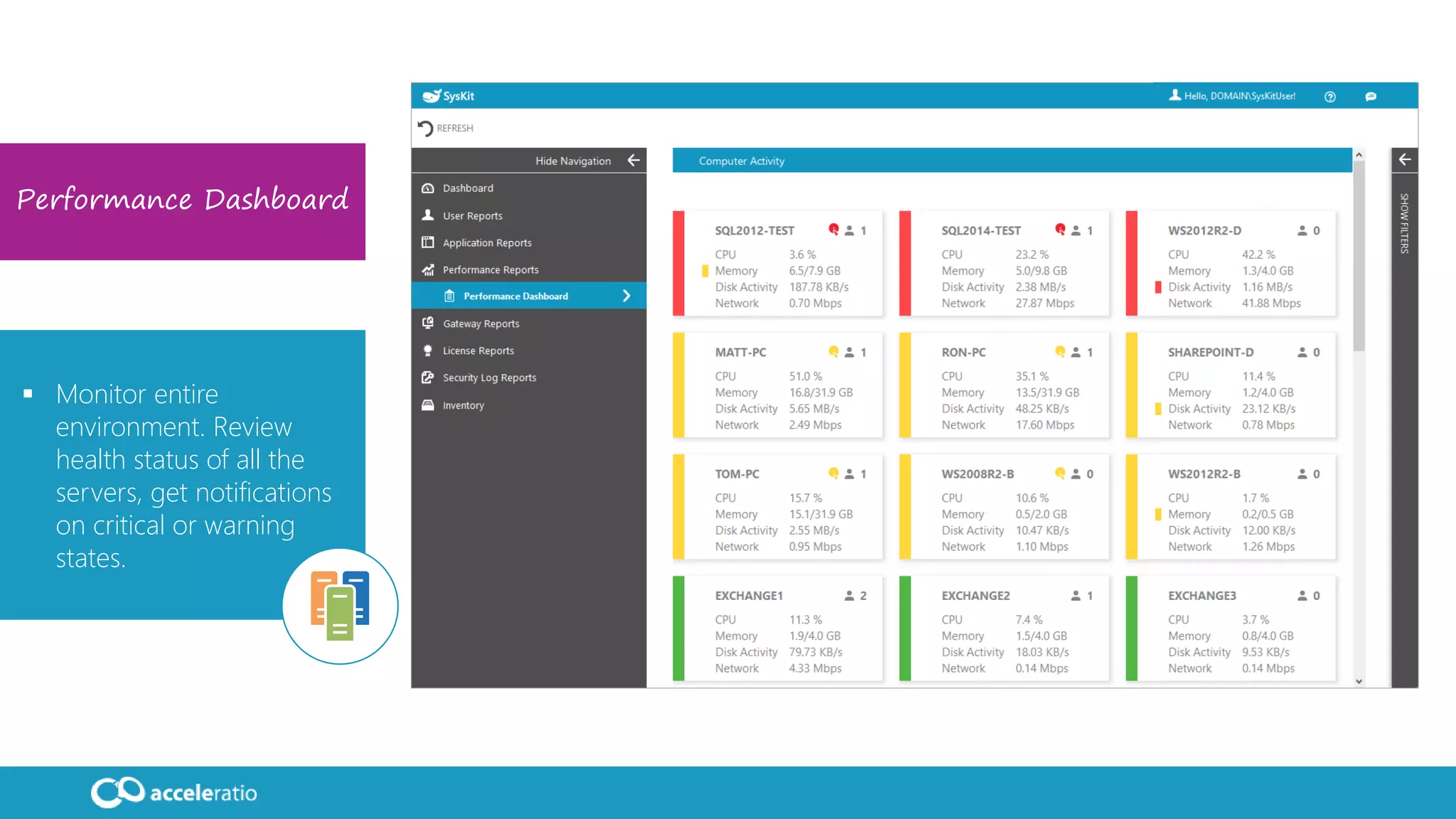
Performance Dashboard
 Monitor entire
environment. Review
health status of all the
servers, get notifications
on critical or warning
states.
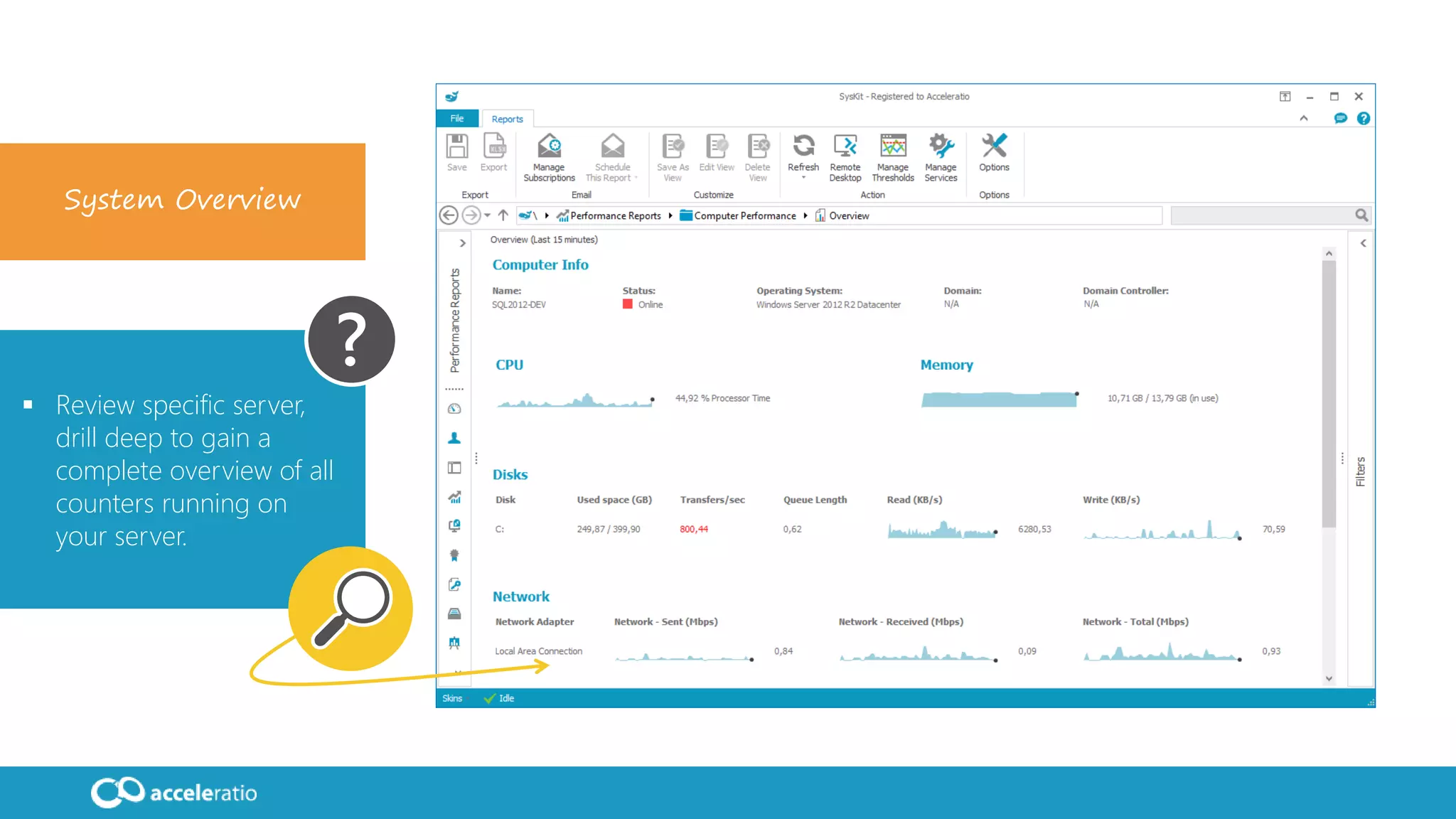
System Overview
 Review specific server,
drill deep to gain a
complete overview of all
counters running on
your server.
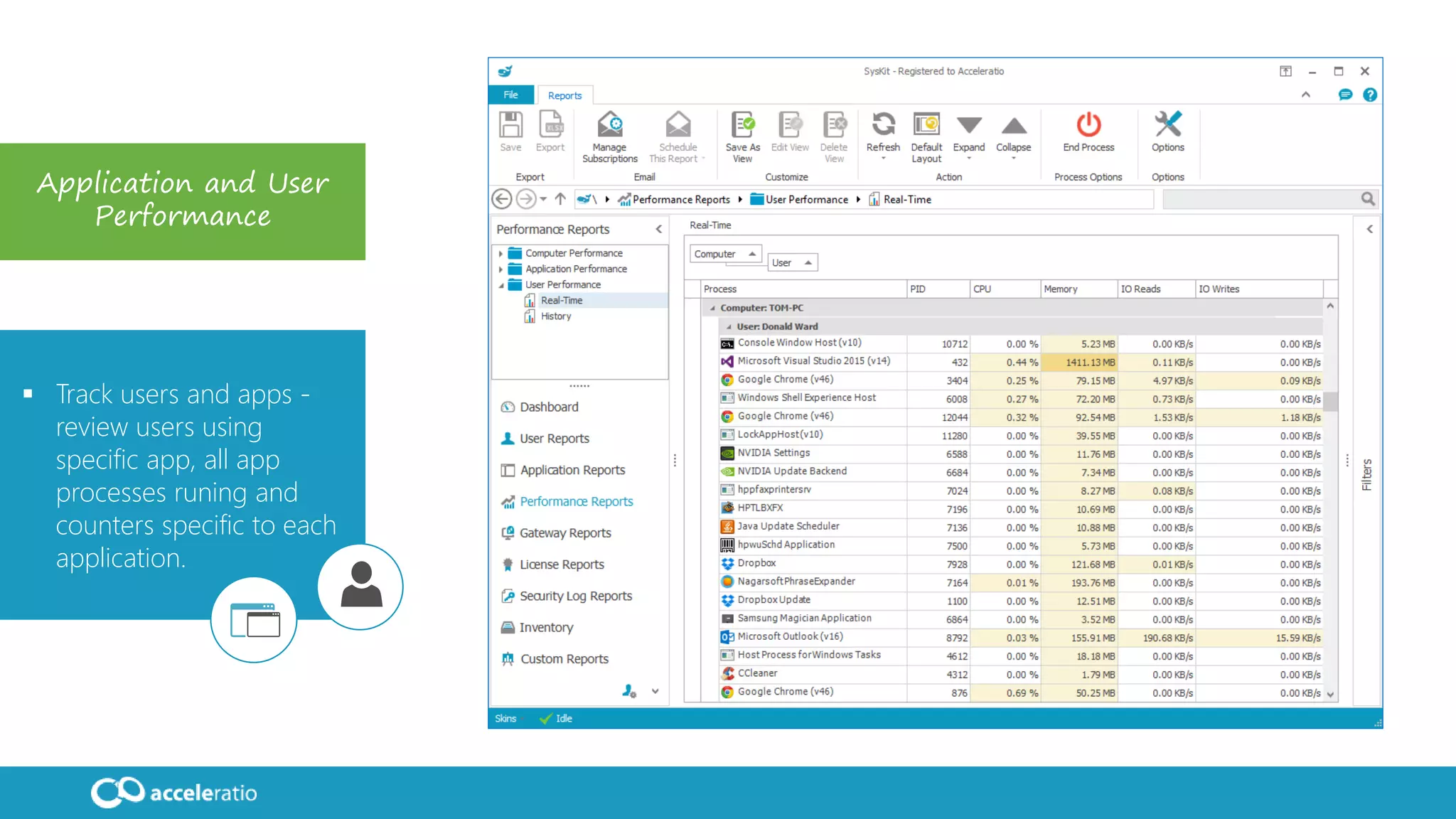
Application and User
Performance
 Track users and apps -
review users using
specific app, all app
processes runing and
counters specific to each
application.
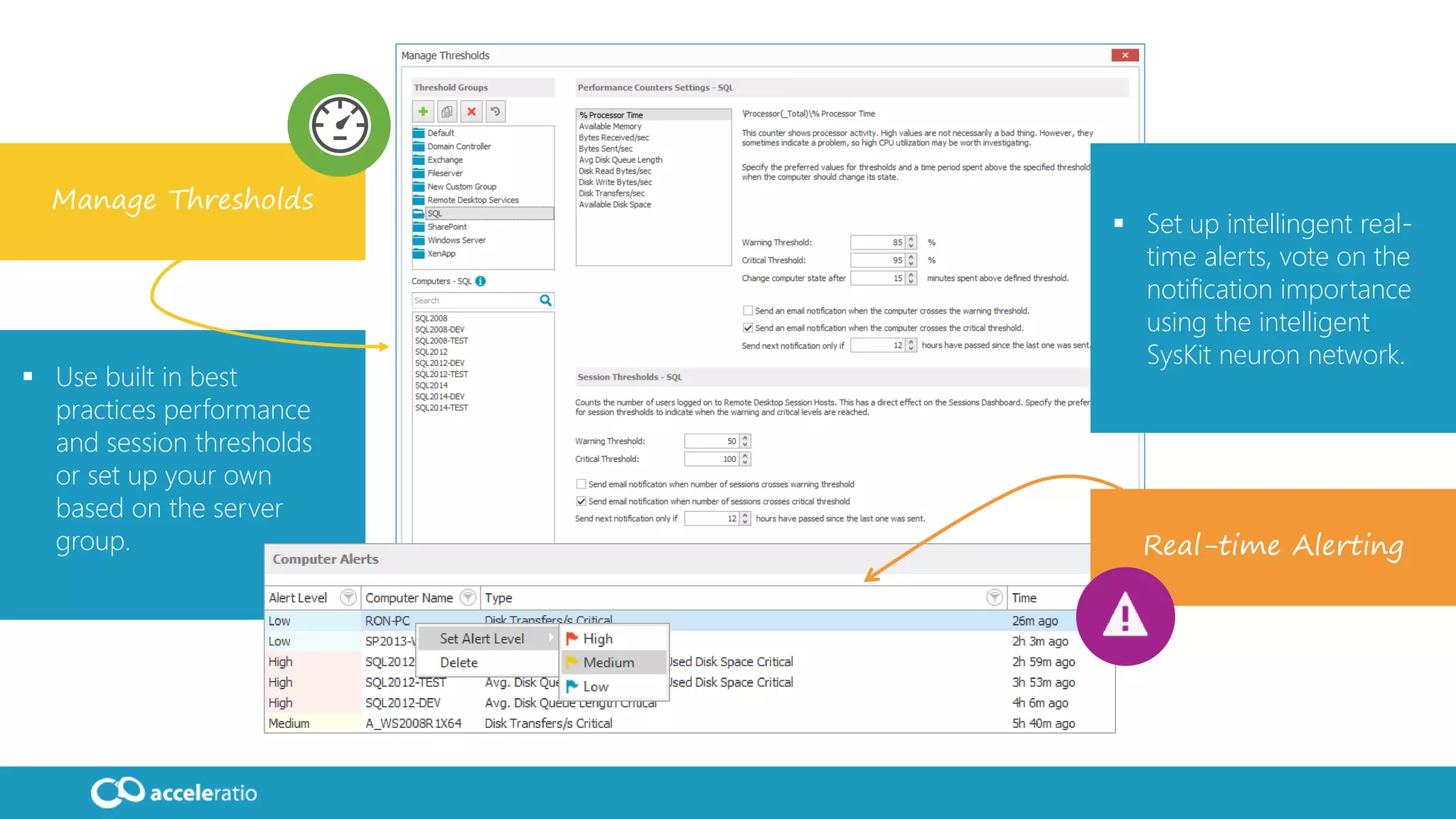
Manage Thresholds
 Use built in best
practices performance
and session thresholds
or set up your own
based on the server
group. Real-time Alerting
 Set up intellingent real-
time alerts, vote on the
notification importance
using the intelligent
SysKit neuron network.
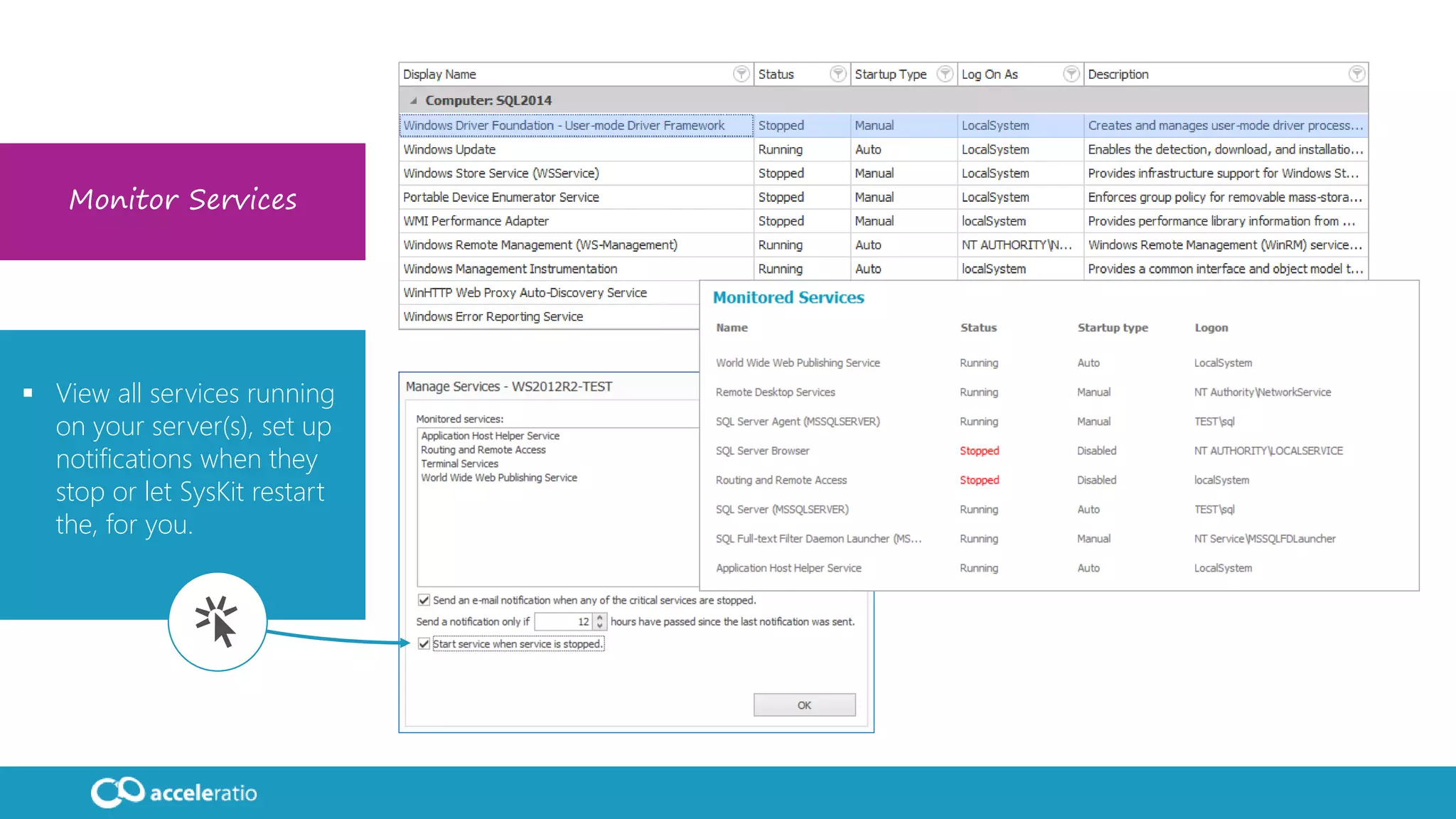
Monitor Services
 View all services running
on your server(s), set up
notifications when they
stop or let SysKit restart
the, for you.
DEMO
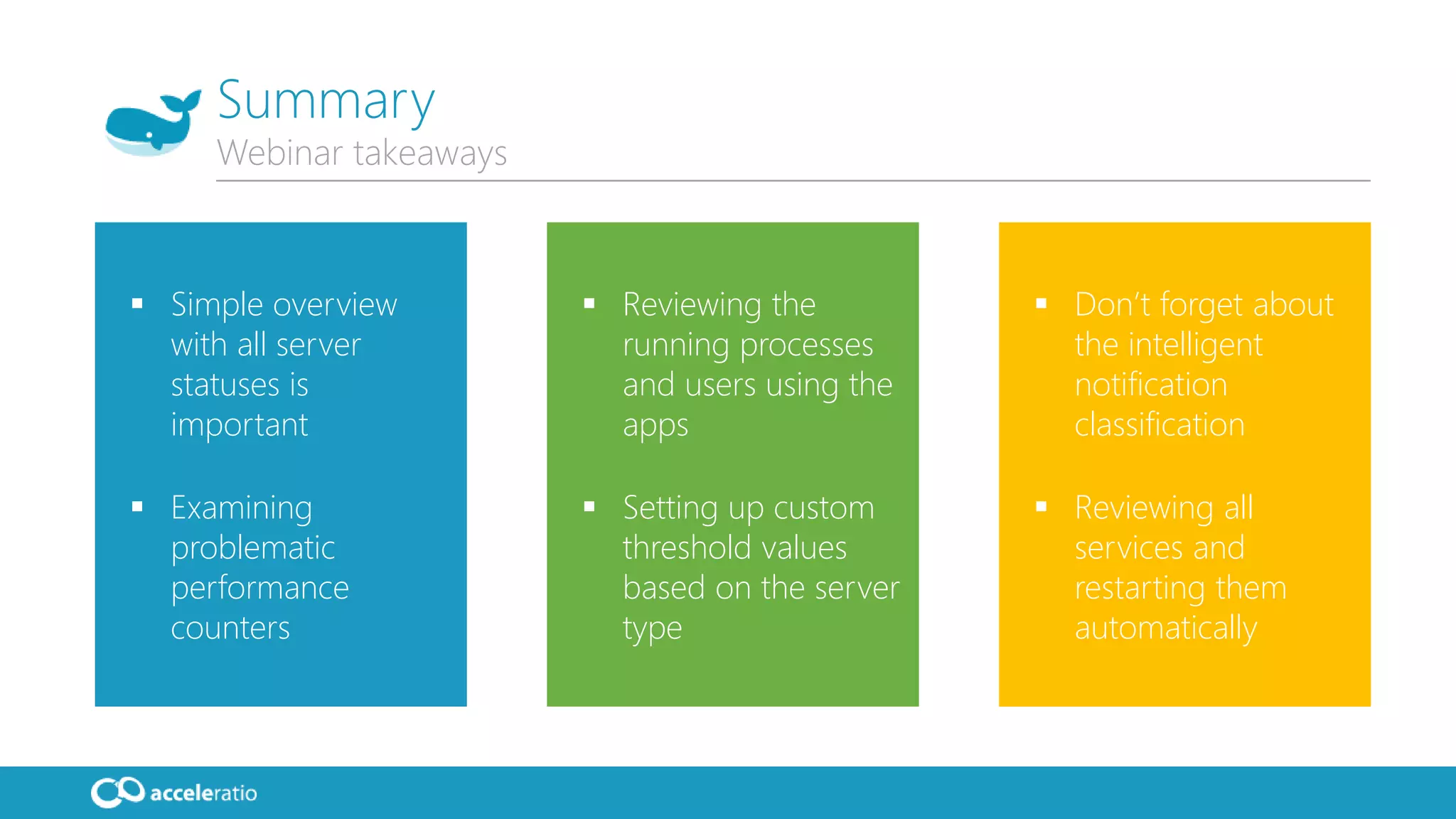
 Simple overview
with all server
statuses is
important
 Examining
problematic
performance
counters
 Reviewing the
running processes
and users using the
apps
 Setting up custom
threshold values
based on the server
type
 Don’t forget about
the intelligent
notification
classification
 Reviewing all
services and
restarting them
automatically
Summary
Webinar takeaways
16
We are working hard to
deliver the best solutions
to our customers!
Visit:
www.syskit.com
Contact:
USA: (855) 855-5071
Int’l: +1 (631) 406-4900
EU: +44 (0)20 3322-2034
support@acceleratio.net
Contact us!
We are super friendly, always ready to help!
Phone
Chat
Email
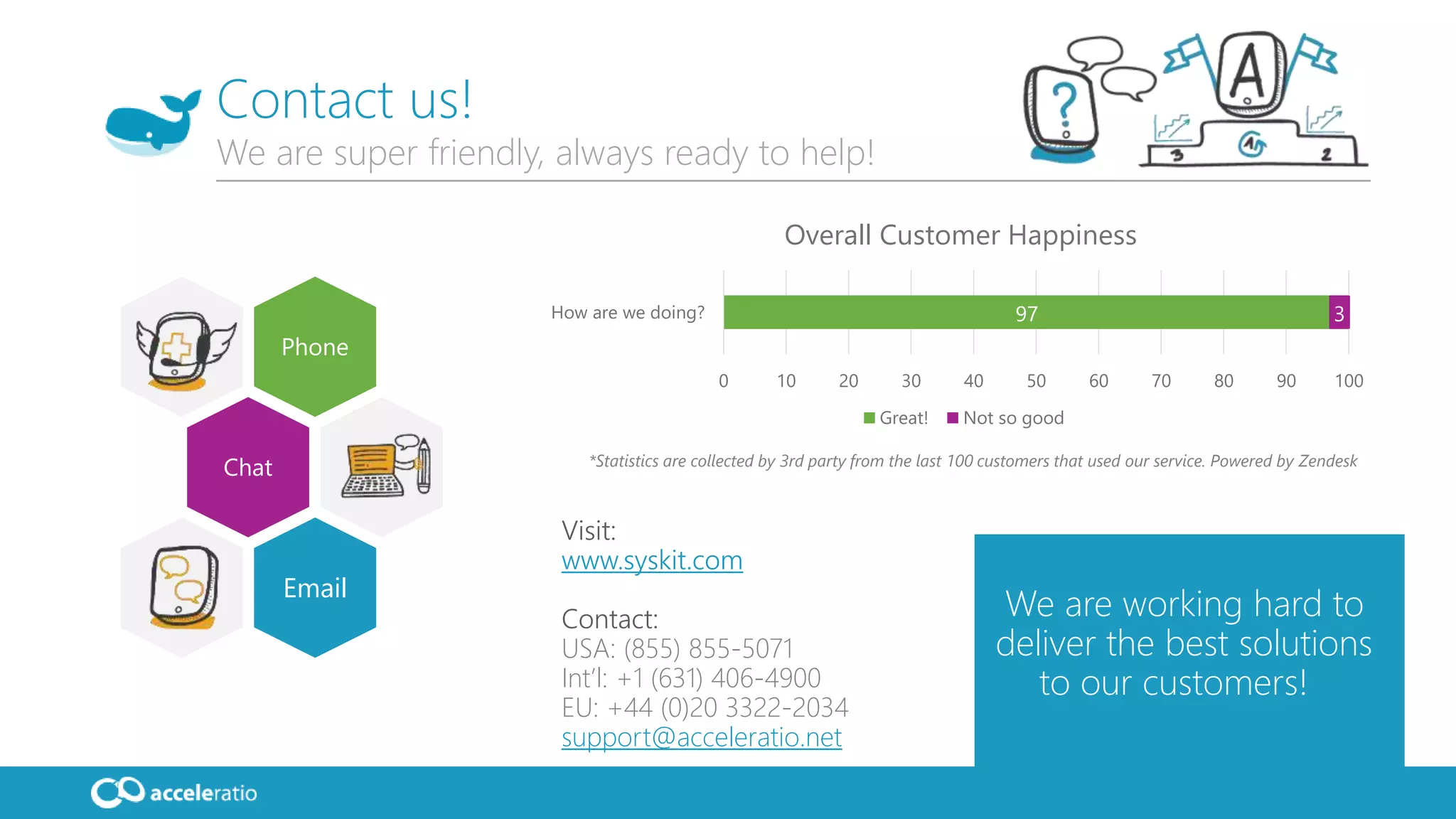
97 3
0 10 20 30 40 50 60 70 80 90 100
How are we doing?
Overall Customer Happiness
Great! Not so good
*Statistics are collected by 3rd party from the last 100 customers that used our service. Powered by Zendesk
Thank you!

Webinar - System Performance Monitoring with SysKit: Servers, Services and Apps

  • 1.
    System Performance Monitoring Server,Services, Users and Apps
  • 2.
    Toni Frankola Microsoft MVP, Co-founderof Acceleratio • 16 years active in Microsoft ecosystem • 6 years since co-founding Acceleratio • 6 years as Microsoft MVP • MCTS: SharePoint, CRM; MCPD • Contact info:  tfrankola@acceleratio.net  support@acceleratio.net  Twitter: @ToniFrankola Introduction Presenting Toni and Acceleratio Technology Partners Acceleratio is a software development company based in Zagreb, Croatia, Europe founded in 2009. We create innovative software solutions for SharePoint, Office 365, MS Windows Remote Desktop Services, and Citrix admins and consultants. Acceleratio, Ltd
  • 3.
    More than 2000customers in more than 50 countries worldwide use our products! Acceleratio Ltd. Who are we? Featured customers
  • 4.
    SysKit By Acceleratio A powerfulmonitoring and reporting solution for many system environments and machines such as:  Citrix XenApp  MS Windows Remote Desktop Services  MS Remote Desktop Gateway  SQL, Exchange and SharePoint  Workstations… Agentless monitoring – one monitoring console to collect the data from all your servers. Real-time monitoring solution for user, application and system performance.
  • 5.
    SysKit supports monitoringof the following technologies:  Windows Server editions: Windows Server 2003 – 2016, all editions  SQL Server editions: SQL Server 2005 – 2016, all editions  SharePoint editions: SharePoint 2007 – 2016, all editions  Microsoft Exchange Server editions: Exchange Server 2003 – 2016  Remote Desktop Gateway (RD Gateway) Server  Remote Desktop Services  VMWare Horizon  Other Windows Server roles like File Server, AD, WSUS, Hyper-V, etc.  Citrix editions: • MetaframeXP • Presentation Server 4.0 and better • XenApp 5.0, 6.0, 6.5, 7.5 and 7.6 • XenDesktop 7 App Edition  Windows Workstations Supported Technologies One tool to rule them all…
  • 6.
    Monitor failed logon attempts,block suspicios IP addresses and check out users accessing your file system. One tool to rule them all… Apps System Users Export reports, manage subscriptions, set up real- time alerts and intelligent alerting classification. Review system, user and app performance live! Manage services and report on performance counters. Performance System Audit Save time! Validate! Reporting Single console!
  • 7.
  • 8.
    Performance Dashboard  Monitorentire environment. Review health status of all the servers, get notifications on critical or warning states.
  • 9.
    System Overview  Reviewspecific server, drill deep to gain a complete overview of all counters running on your server.
  • 10.
    Application and User Performance Track users and apps - review users using specific app, all app processes runing and counters specific to each application.
  • 11.
    Manage Thresholds  Usebuilt in best practices performance and session thresholds or set up your own based on the server group. Real-time Alerting  Set up intellingent real- time alerts, vote on the notification importance using the intelligent SysKit neuron network.
  • 12.
    Monitor Services  Viewall services running on your server(s), set up notifications when they stop or let SysKit restart the, for you.
  • 13.
  • 14.
     Simple overview withall server statuses is important  Examining problematic performance counters  Reviewing the running processes and users using the apps  Setting up custom threshold values based on the server type  Don’t forget about the intelligent notification classification  Reviewing all services and restarting them automatically Summary Webinar takeaways
  • 15.
    16 We are workinghard to deliver the best solutions to our customers! Visit: www.syskit.com Contact: USA: (855) 855-5071 Int’l: +1 (631) 406-4900 EU: +44 (0)20 3322-2034 support@acceleratio.net Contact us! We are super friendly, always ready to help! Phone Chat Email 97 3 0 10 20 30 40 50 60 70 80 90 100 How are we doing? Overall Customer Happiness Great! Not so good *Statistics are collected by 3rd party from the last 100 customers that used our service. Powered by Zendesk
  • 16.