AutoSPInstaller and SPDocKit
Better together
Toni Frankola
Microsoft MVP,
Co-founder of Acceleratio
• 16 years active in Microsoft
ecosystem
• 7 years since co-founding
Acceleratio
• 6 years as Microsoft MVP
• MCTS: SharePoint, CRM; MCPD
• Contact info:
 tfrankola@acceleratio.net
 support@acceleratio.net
 Twitter:
@ToniFrankola
Introduction
Presenting Toni and Acceleratio
Technology Partners
Acceleratio is a software
development company
based in Zagreb, Croatia,
Europe founded in 2009.
We create innovative
software solutions for
SharePoint, Office 365, MS
Windows Remote Desktop
Services, and Citrix admins
and consultants.
Acceleratio, Ltd
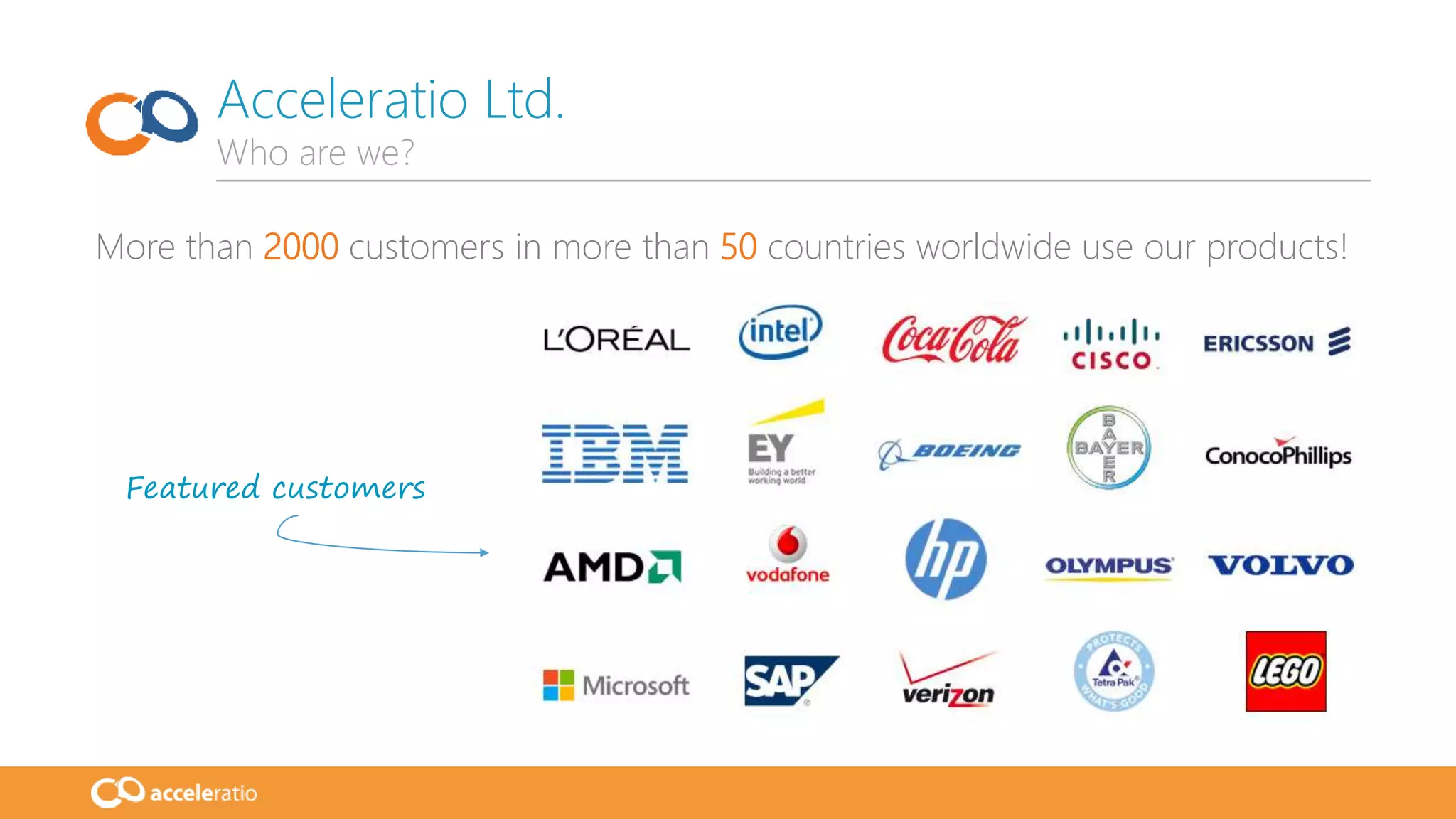
More than 2000 customers in more than 50 countries worldwide use our products!
Acceleratio Ltd.
Who are we?
Featured customers
• Housekeeping
• How to Q&A?
• SPDocKit Quick Overview
• AutoSPInstaller Quick Overview
• SPDocKit + AutoSPInstaller
• Use Case
• Demo
• Key Takeaways
• What’s new?
• Q&A
Agenda
Overview of the today’s webinar
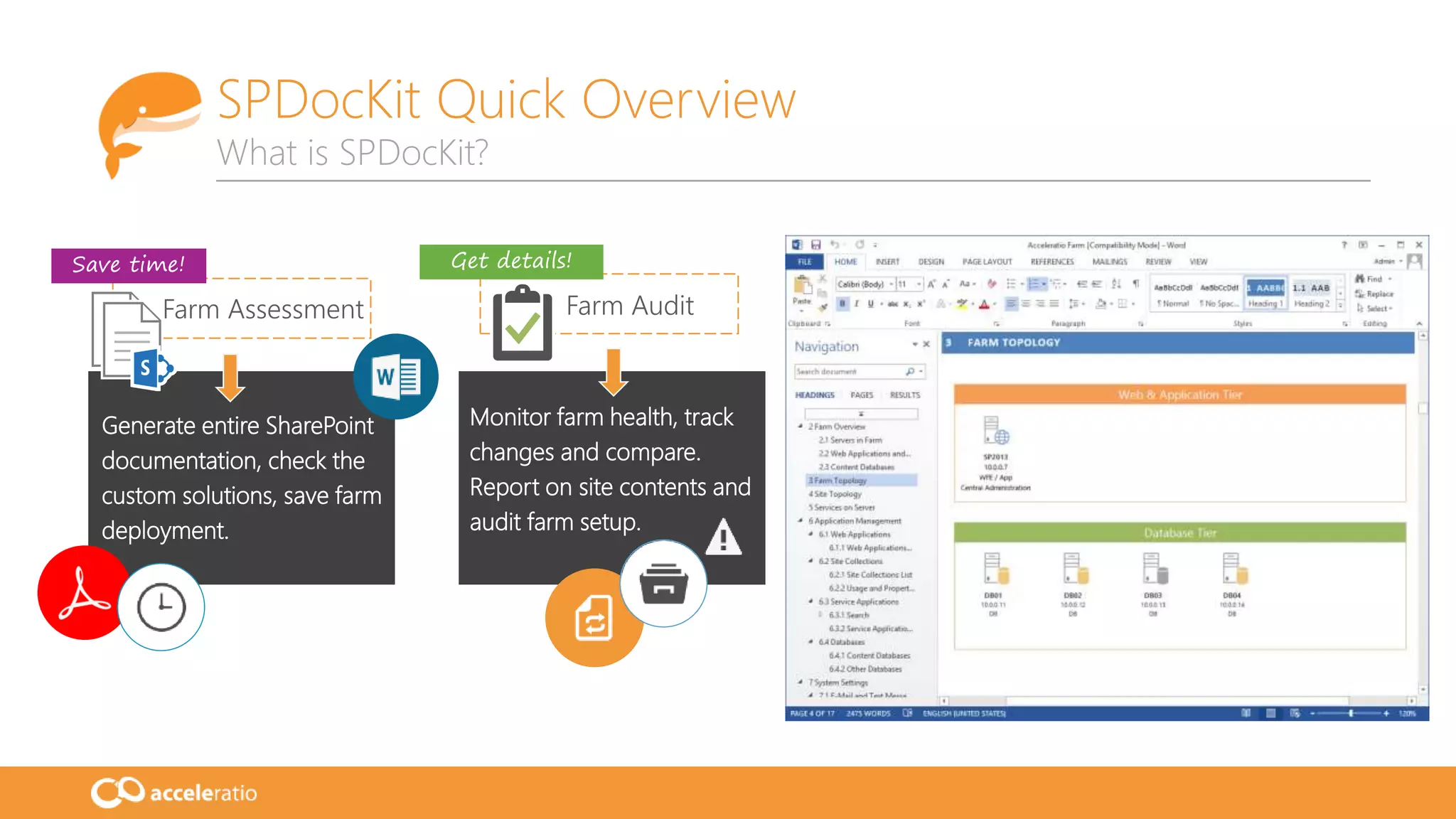
SPDocKit Quick Overview
What is SPDocKit?
Generate entire SharePoint
documentation, check the
custom solutions, save farm
deployment.
Monitor farm health, track
changes and compare.
Report on site contents and
audit farm setup.
Farm Assessment Farm Audit
Save time! Get details!
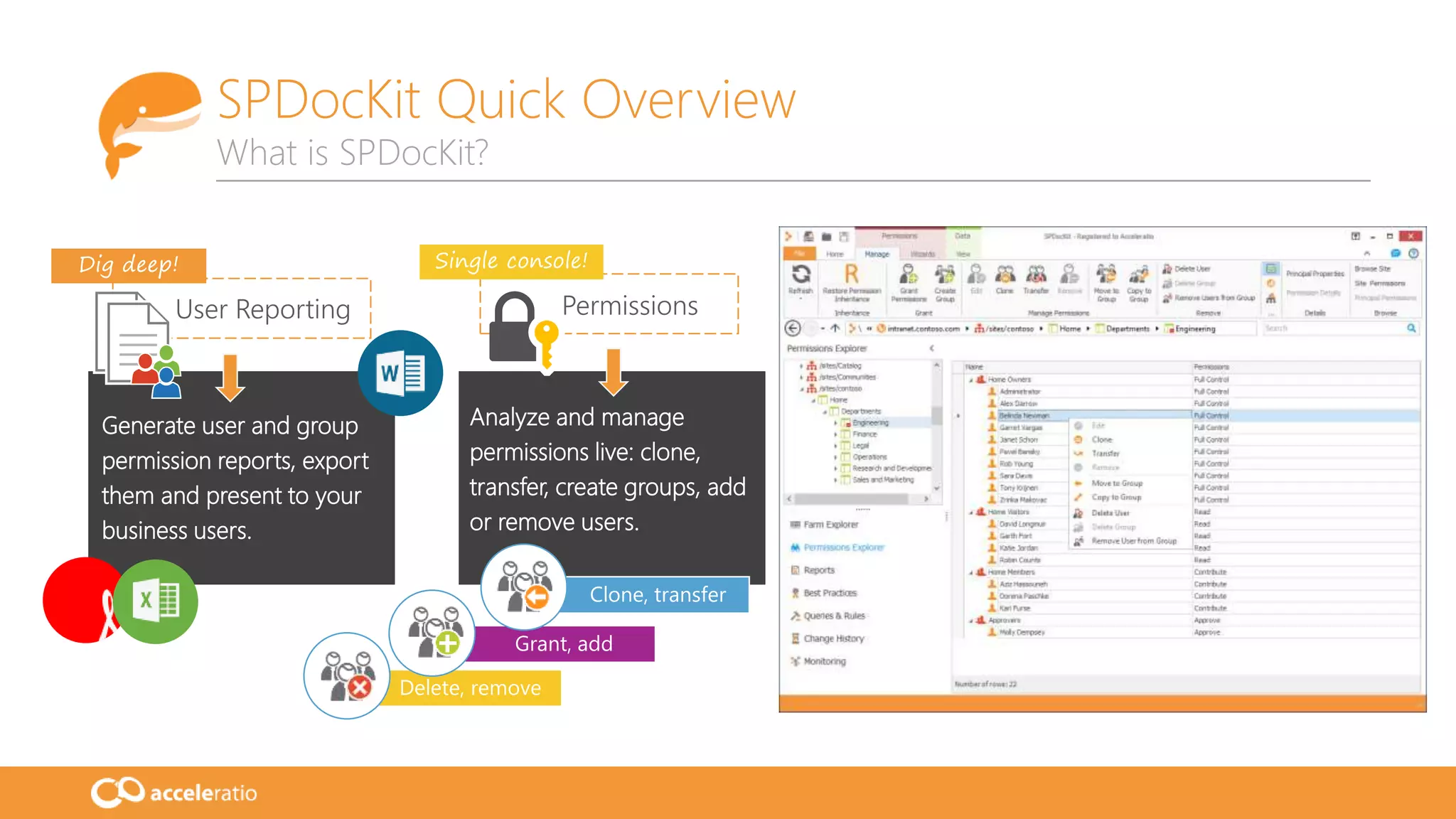
Grant, add
Delete, remove
Clone, transfer
Generate user and group
permission reports, export
them and present to your
business users.
Analyze and manage
permissions live: clone,
transfer, create groups, add
or remove users.
User Reporting Permissions
Dig deep! Single console!
SPDocKit Quick Overview
What is SPDocKit?
SPDocKit Quick Overview
What is SPDocKit?
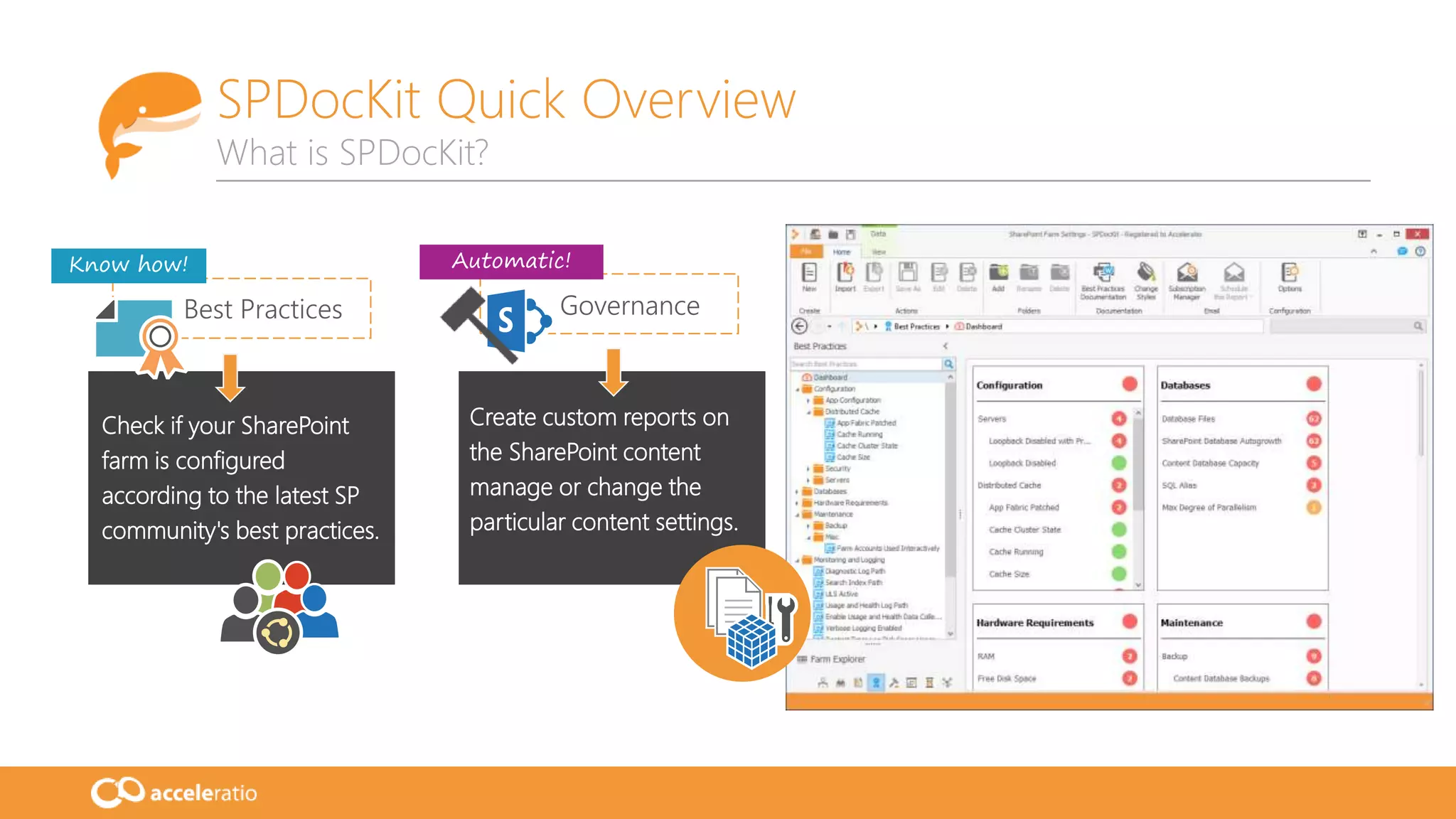
Check if your SharePoint
farm is configured
according to the latest SP
community's best practices.
Create custom reports on
the SharePoint content
manage or change the
particular content settings.
Best Practices
Know how! Automatic!
Governance
• AutoSPInstaller:
• Awesome community project!!! (Brian Lalancette and team)
• Open-source project – set of PowerShell scripts
• Installs SharePoint and performs a base configuration
• Single server or multiple-server farms
• Input parameter is XML farm file (contains farm topology & details about your farm)
• Deployment time reduced, reusable components, create identical production and
staging/test environments
• https://autospinstaller.codeplex.com/
AutoSPInstaller Quick Overview
What is AutoSPInstaller?
AutoSPInstaller Quick Overview
What is AutoSPInstaller?
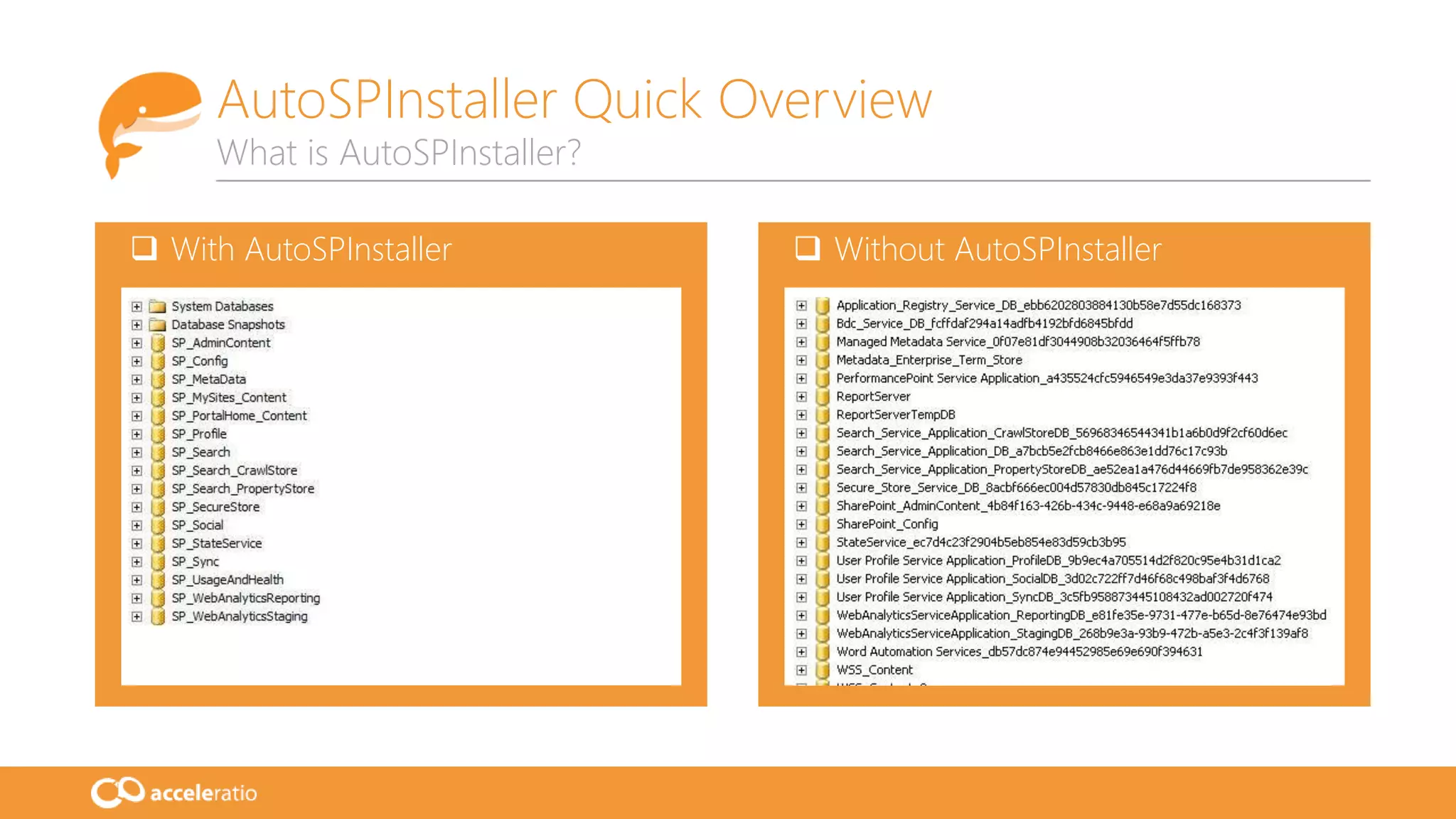
 With AutoSPInstaller  Without AutoSPInstaller
AutoSPInstaller Quick Overview
What is AutoSPInstaller?
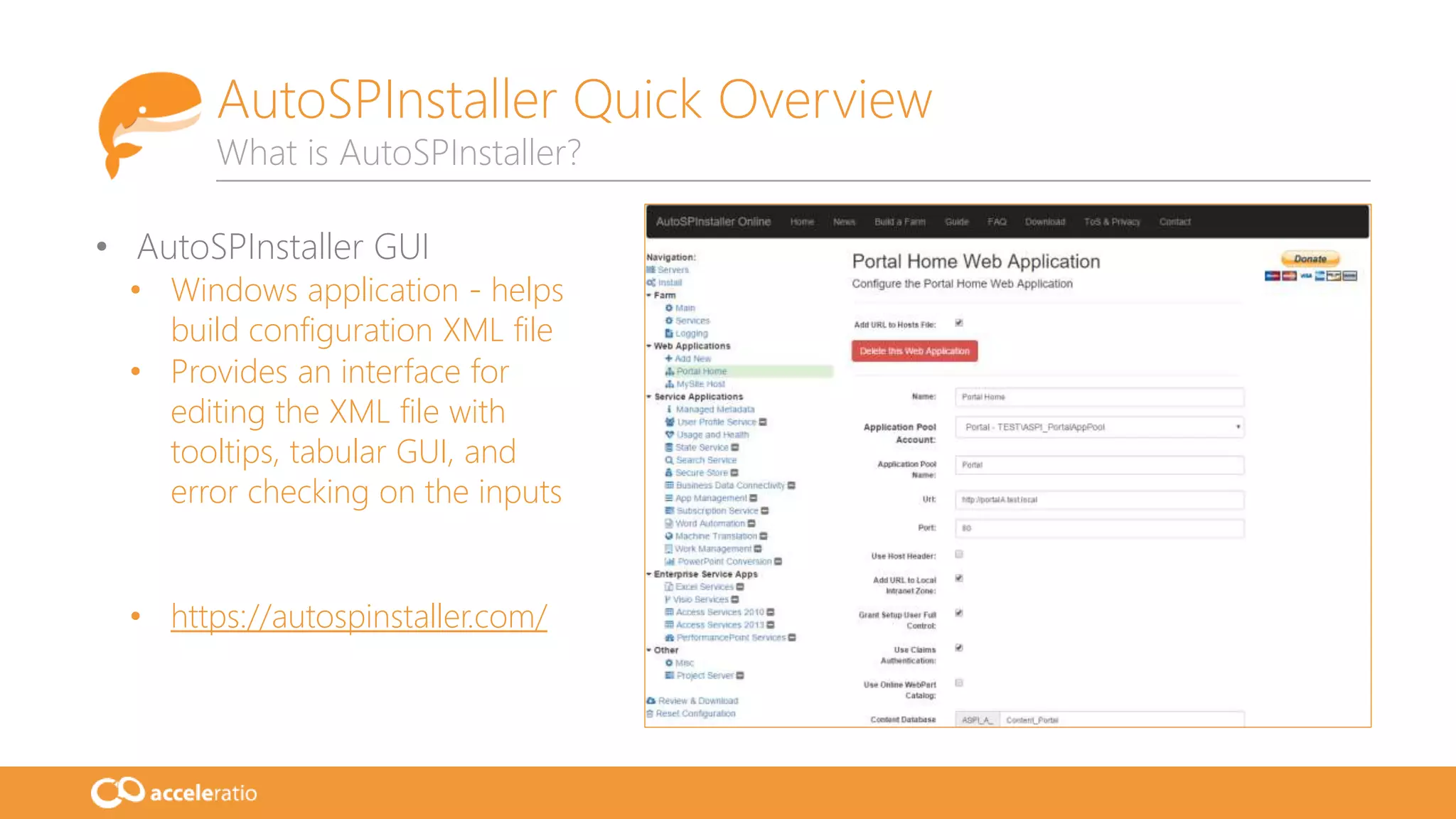
• AutoSPInstaller GUI
• Windows application - helps
build configuration XML file
• Provides an interface for
editing the XML file with
tooltips, tabular GUI, and
error checking on the inputs
• https://autospinstaller.com/
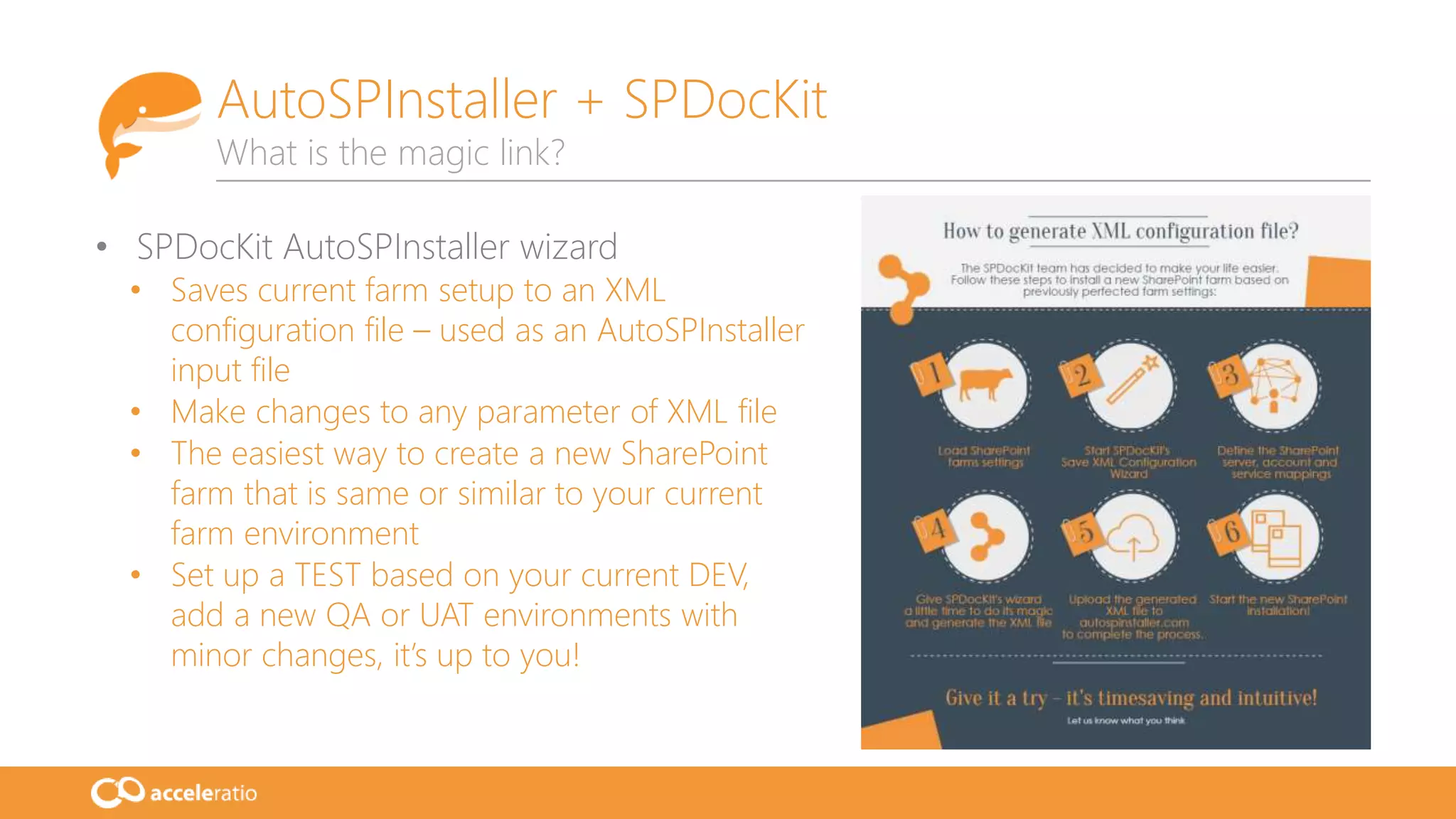
• SPDocKit AutoSPInstaller wizard
• Saves current farm setup to an XML
configuration file – used as an AutoSPInstaller
input file
• Make changes to any parameter of XML file
• The easiest way to create a new SharePoint
farm that is same or similar to your current
farm environment
• Set up a TEST based on your current DEV,
add a new QA or UAT environments with
minor changes, it’s up to you!
AutoSPInstaller + SPDocKit
What is the magic link?
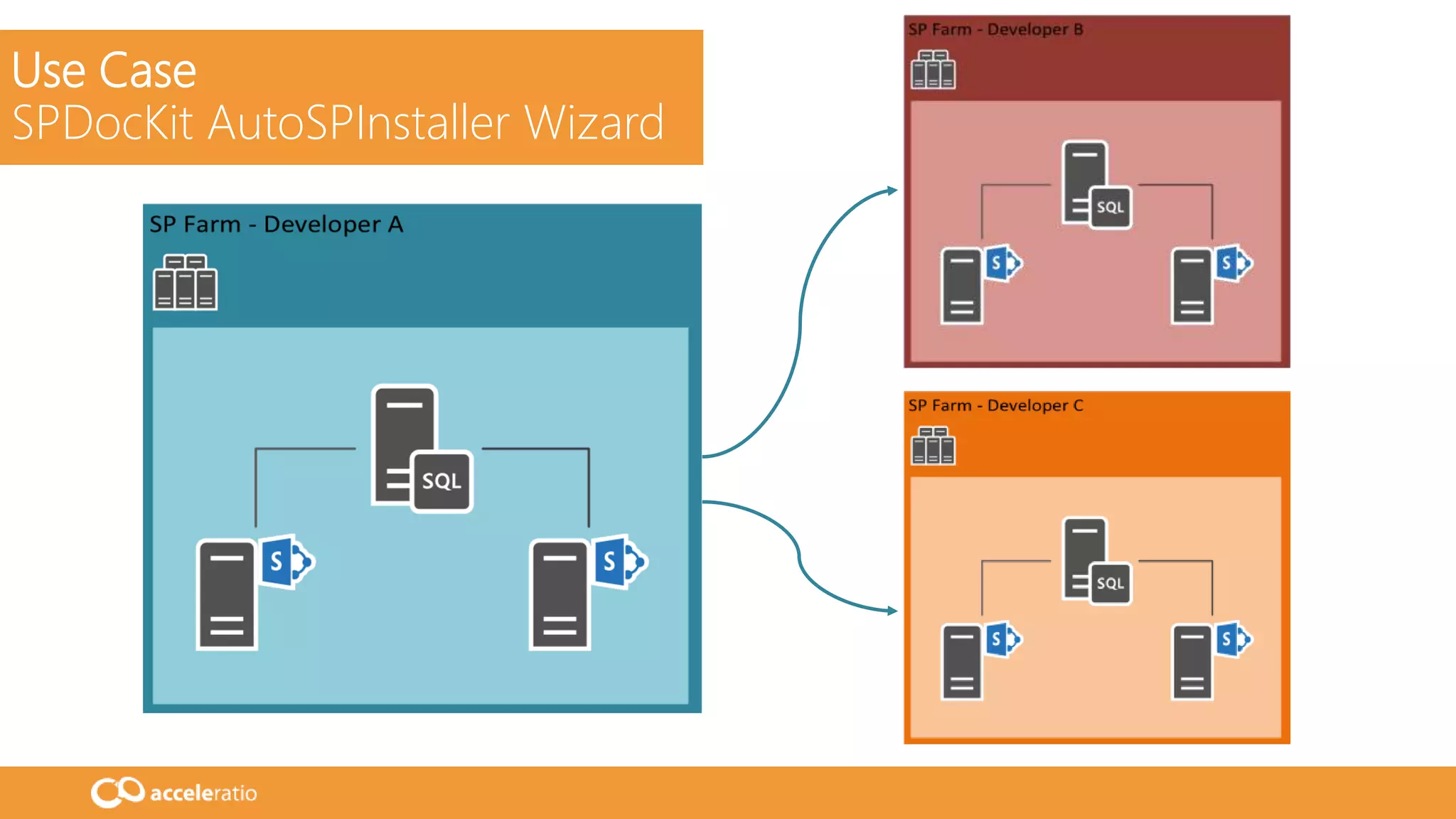
Use Case
SPDocKit AutoSPInstaller Wizard
DEMO
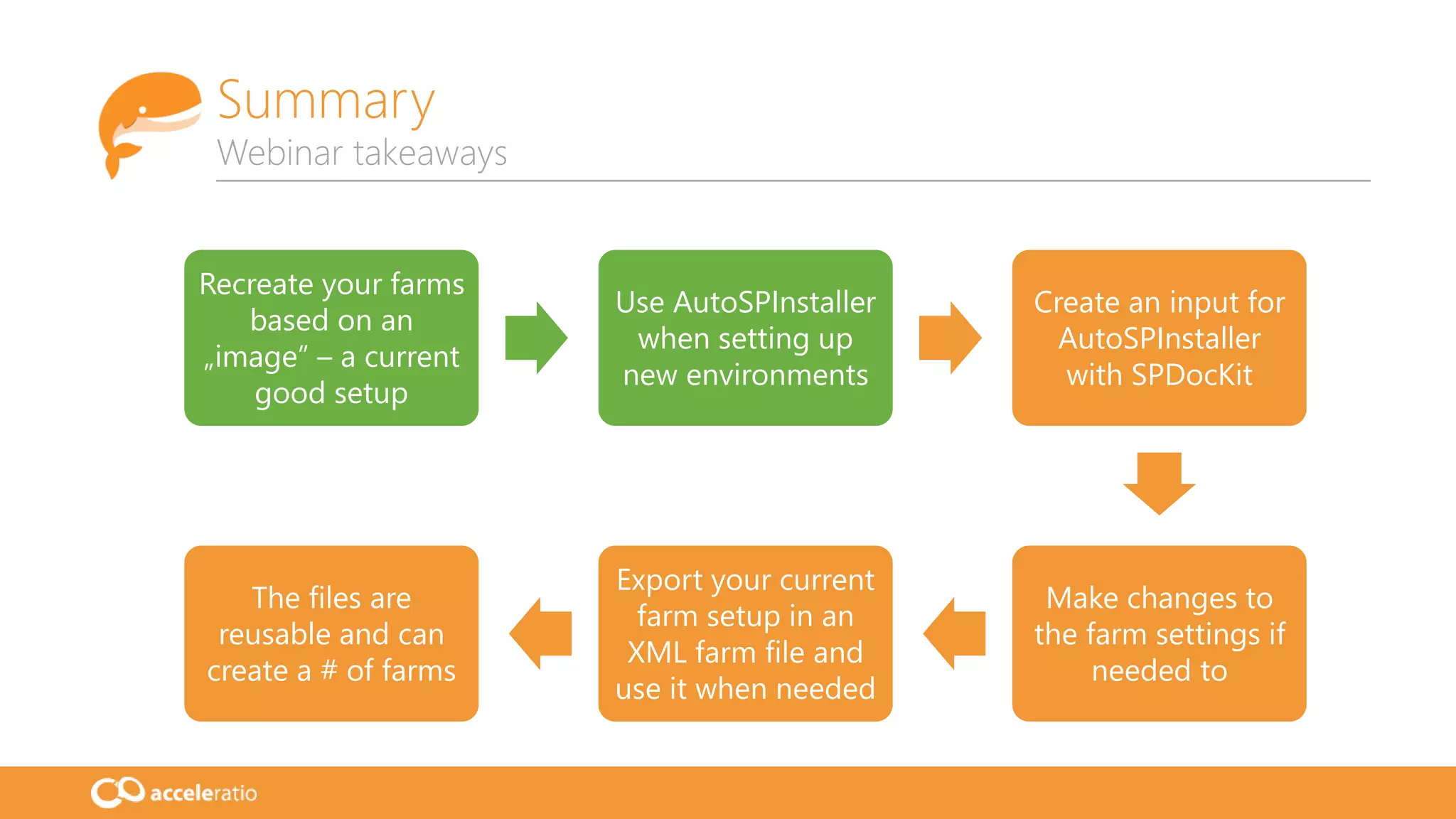
Summary
Webinar takeaways
Recreate your farms
based on an
„image” – a current
good setup
Use AutoSPInstaller
when setting up
new environments
Create an input for
AutoSPInstaller
with SPDocKit
Make changes to
the farm settings if
needed to
Export your current
farm setup in an
XML farm file and
use it when needed
The files are
reusable and can
create a # of farms
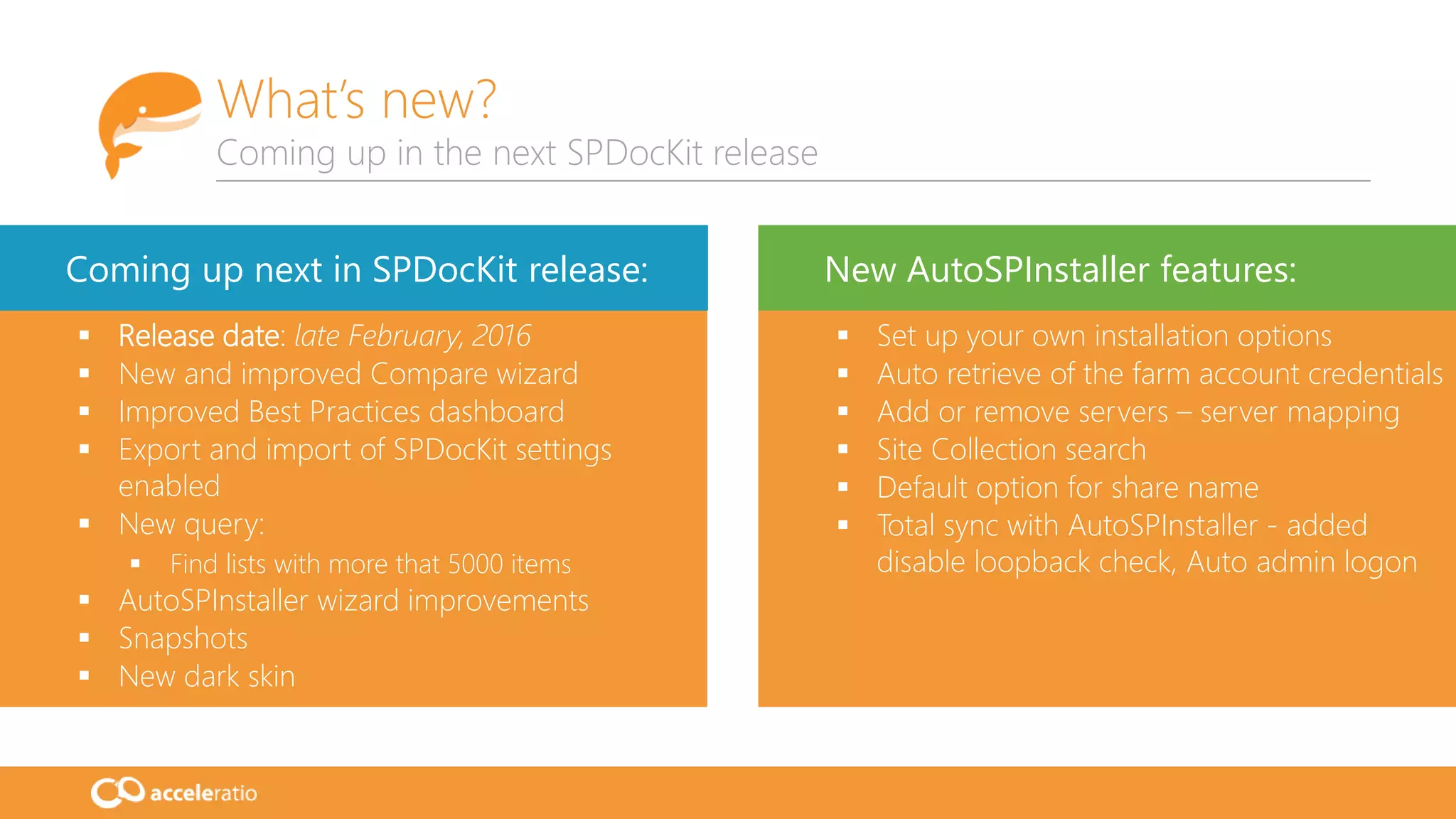
What’s new?
Coming up in the next SPDocKit release
 Release date: late February, 2016
 New and improved Compare wizard
 Improved Best Practices dashboard
 Export and import of SPDocKit settings
enabled
 New query:
 Find lists with more that 5000 items
 AutoSPInstaller wizard improvements
 Snapshots
 New dark skin
 Set up your own installation options
 Auto retrieve of the farm account credentials
 Add or remove servers – server mapping
 Site Collection search
 Default option for share name
 Total sync with AutoSPInstaller - added
disable loopback check, Auto admin logon
Coming up next in SPDocKit release: New AutoSPInstaller features:
16
We are working hard to
deliver the best solutions
to our customers!
Visit:
www.spdockit.com
Contact:
USA: (855) 855-5071
Int’l: +1 (631) 406-4900
EU: +44 (0)20 3322-2034
support@acceleratio.net
Contact us!
We are super friendly and always ready to help!
Phone
Chat
Email
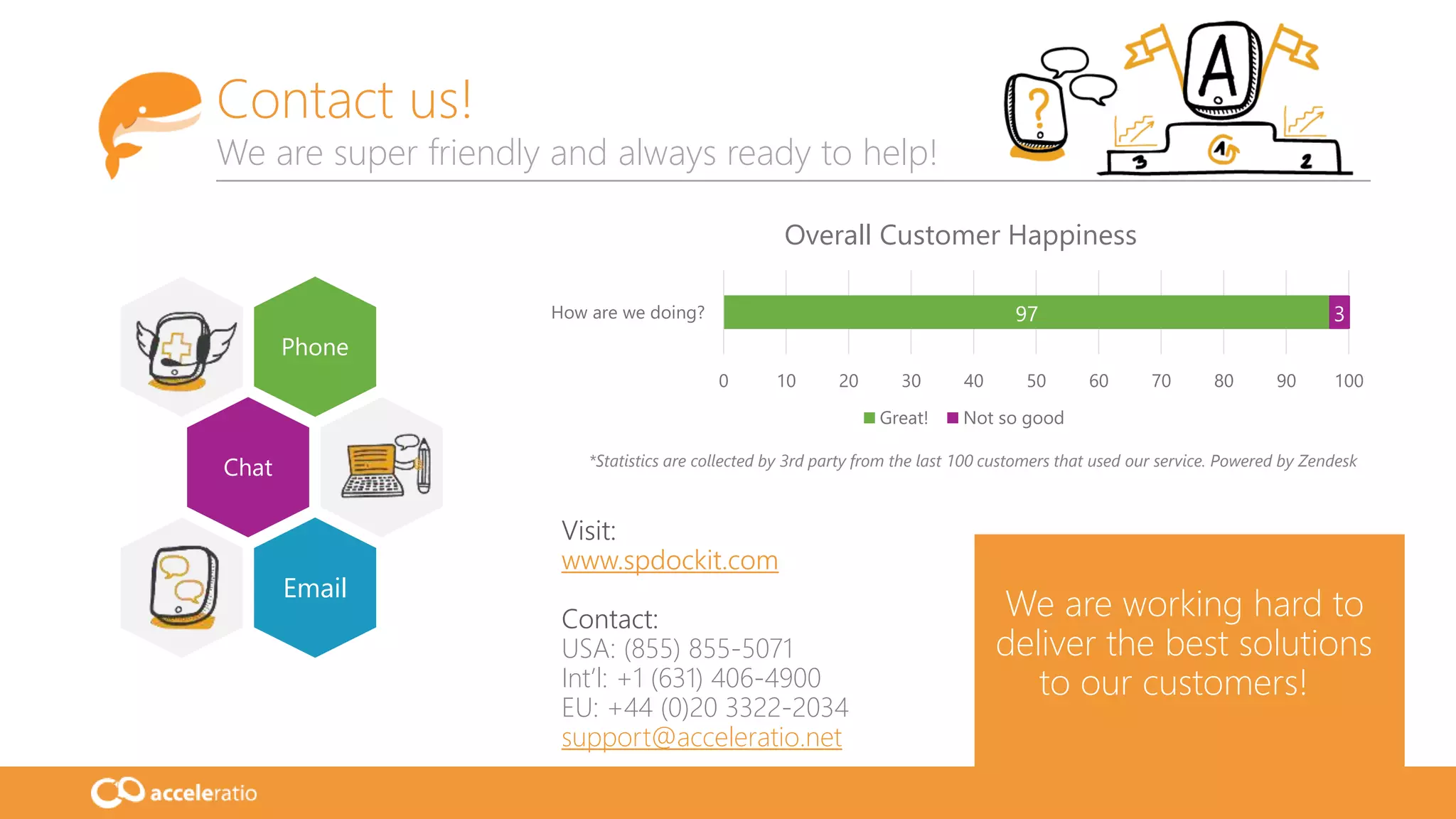
97 3
0 10 20 30 40 50 60 70 80 90 100
How are we doing?
Overall Customer Happiness
Great! Not so good
*Statistics are collected by 3rd party from the last 100 customers that used our service. Powered by Zendesk
Thank you!
www.spdockit.com

Create a copy of your SharePoint farm with SPDocKit and AutoSPInstaller

  • 1.
  • 2.
    Toni Frankola Microsoft MVP, Co-founderof Acceleratio • 16 years active in Microsoft ecosystem • 7 years since co-founding Acceleratio • 6 years as Microsoft MVP • MCTS: SharePoint, CRM; MCPD • Contact info:  tfrankola@acceleratio.net  support@acceleratio.net  Twitter: @ToniFrankola Introduction Presenting Toni and Acceleratio Technology Partners Acceleratio is a software development company based in Zagreb, Croatia, Europe founded in 2009. We create innovative software solutions for SharePoint, Office 365, MS Windows Remote Desktop Services, and Citrix admins and consultants. Acceleratio, Ltd
  • 3.
    More than 2000customers in more than 50 countries worldwide use our products! Acceleratio Ltd. Who are we? Featured customers
  • 4.
    • Housekeeping • Howto Q&A? • SPDocKit Quick Overview • AutoSPInstaller Quick Overview • SPDocKit + AutoSPInstaller • Use Case • Demo • Key Takeaways • What’s new? • Q&A Agenda Overview of the today’s webinar
  • 5.
    SPDocKit Quick Overview Whatis SPDocKit? Generate entire SharePoint documentation, check the custom solutions, save farm deployment. Monitor farm health, track changes and compare. Report on site contents and audit farm setup. Farm Assessment Farm Audit Save time! Get details!
  • 6.
    Grant, add Delete, remove Clone,transfer Generate user and group permission reports, export them and present to your business users. Analyze and manage permissions live: clone, transfer, create groups, add or remove users. User Reporting Permissions Dig deep! Single console! SPDocKit Quick Overview What is SPDocKit?
  • 7.
    SPDocKit Quick Overview Whatis SPDocKit? Check if your SharePoint farm is configured according to the latest SP community's best practices. Create custom reports on the SharePoint content manage or change the particular content settings. Best Practices Know how! Automatic! Governance
  • 8.
    • AutoSPInstaller: • Awesomecommunity project!!! (Brian Lalancette and team) • Open-source project – set of PowerShell scripts • Installs SharePoint and performs a base configuration • Single server or multiple-server farms • Input parameter is XML farm file (contains farm topology & details about your farm) • Deployment time reduced, reusable components, create identical production and staging/test environments • https://autospinstaller.codeplex.com/ AutoSPInstaller Quick Overview What is AutoSPInstaller?
  • 9.
    AutoSPInstaller Quick Overview Whatis AutoSPInstaller?  With AutoSPInstaller  Without AutoSPInstaller
  • 10.
    AutoSPInstaller Quick Overview Whatis AutoSPInstaller? • AutoSPInstaller GUI • Windows application - helps build configuration XML file • Provides an interface for editing the XML file with tooltips, tabular GUI, and error checking on the inputs • https://autospinstaller.com/
  • 11.
    • SPDocKit AutoSPInstallerwizard • Saves current farm setup to an XML configuration file – used as an AutoSPInstaller input file • Make changes to any parameter of XML file • The easiest way to create a new SharePoint farm that is same or similar to your current farm environment • Set up a TEST based on your current DEV, add a new QA or UAT environments with minor changes, it’s up to you! AutoSPInstaller + SPDocKit What is the magic link?
  • 12.
  • 13.
  • 14.
    Summary Webinar takeaways Recreate yourfarms based on an „image” – a current good setup Use AutoSPInstaller when setting up new environments Create an input for AutoSPInstaller with SPDocKit Make changes to the farm settings if needed to Export your current farm setup in an XML farm file and use it when needed The files are reusable and can create a # of farms
  • 15.
    What’s new? Coming upin the next SPDocKit release  Release date: late February, 2016  New and improved Compare wizard  Improved Best Practices dashboard  Export and import of SPDocKit settings enabled  New query:  Find lists with more that 5000 items  AutoSPInstaller wizard improvements  Snapshots  New dark skin  Set up your own installation options  Auto retrieve of the farm account credentials  Add or remove servers – server mapping  Site Collection search  Default option for share name  Total sync with AutoSPInstaller - added disable loopback check, Auto admin logon Coming up next in SPDocKit release: New AutoSPInstaller features:
  • 16.
    16 We are workinghard to deliver the best solutions to our customers! Visit: www.spdockit.com Contact: USA: (855) 855-5071 Int’l: +1 (631) 406-4900 EU: +44 (0)20 3322-2034 support@acceleratio.net Contact us! We are super friendly and always ready to help! Phone Chat Email 97 3 0 10 20 30 40 50 60 70 80 90 100 How are we doing? Overall Customer Happiness Great! Not so good *Statistics are collected by 3rd party from the last 100 customers that used our service. Powered by Zendesk
  • 17.