Synchronous Communication By: Margaret Black
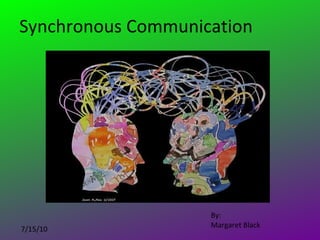
What is synchronous communication? Real time, any form of communication where the participants are all communicating at the same time.  Face to face Video or audio conferencing Back channel discussions Live webinars Collaborative documents/projects
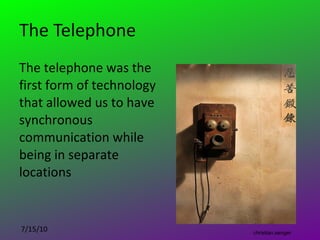
The Telephone The telephone was the first form of technology that allowed us to have synchronous communication while being in separate locations christian.senger
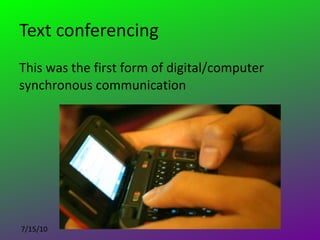
Text conferencing This was the first form of digital/computer synchronous communication
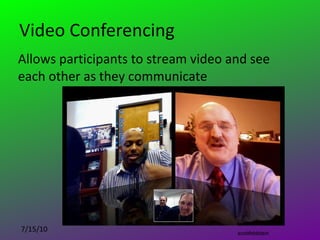
Video Conferencing Allows participants to stream video and see each other as they communicate scottfeldstein
Shared Applications Allow participants to work simultaneously and collaboratively on open documents and swap files instantly
Social interaction is becoming increasingly recognized as being critical to the learning process (Bruffee, 1993; Lave, 1988) vaXzine
We have yet to explore or imagine all the ways synchronous communication will change and education will need to transform as a result. Kimbowa
Back Channel Discussions Wikipedia ( http:// en.wikipedia.org/wiki/Backchannel ) defines backchanneling as “the practice of using networked computers to maintain a real-time online conversation alongside live spoken remarks.” To learn more about how to successfully incorporate Back Channel Discussions I highly recommend  Get your students talking about what you want them to talk about; How to use  backchanneling  in your classroom  by Kevin Jarrett and Mary Ann Devine, NJEA members
Advantages and Disadvantages Immediacy Motivation Relevant and reflective of student’s lives Easy to lose focus It is hard to keep track of discussion threads Easily turns into a social forum Difficult to evaluate
 
Give a purpose or focus to the discussion to direct it Solve a problem Debate an issue Ask open ended questions Plan a project Have students ask questions of experts
Roll Playing Debate Students play the roll of various figures from history and debate a topic. Example: Hitler and Mussolini debate Churchhill and Roosevelt about the issues around World War II.
To Help Focus Discussions Become familiar with the environment and material presented Build in time and allow for exploration the first few times you use a new discussion tool Clearly define etiquette expectations Pose a problem Define tasks, set goals, requirements and boundaries
To Help Focus Discussions Establish rolls and responsibilities Seek information Share information Monitor, support, and encourage  Make sure all parties understand the content of the lesson or topic
Great Synchronous Tools
Elluminate
Edistorm
SKYPE!!!!!!
Skype Resources Around the World with 80 Schools Skype  an Author Network Skype  for Educators
Glass Cubes
Google Apps for Education
Office Web Apps
Verb
Stroome
Tok Box
Wrap up Synchronous tools are real time communication tools that can be  used to enhance your instruction whether in a live brick and mortar  classroom, a blended environment, or an online classroom.  There are many applications out there that are free for educators  that allow you to work collaboratively with your class on text  documents, spreadsheets, and presentations. You can also share  your desk top in webinar demonstrations, manage projects together, brainstorm, and share files. Perhaps one of the best synchronous tools out there are video  conferencing applications like Skype which can bring experts and  guests into your classroom from around the world.

Synchronous communication

  • 1.
  • 2.
    What is synchronouscommunication? Real time, any form of communication where the participants are all communicating at the same time. Face to face Video or audio conferencing Back channel discussions Live webinars Collaborative documents/projects
  • 3.
    The Telephone Thetelephone was the first form of technology that allowed us to have synchronous communication while being in separate locations christian.senger
  • 4.
    Text conferencing Thiswas the first form of digital/computer synchronous communication
  • 5.
    Video Conferencing Allowsparticipants to stream video and see each other as they communicate scottfeldstein
  • 6.
    Shared Applications Allowparticipants to work simultaneously and collaboratively on open documents and swap files instantly
  • 7.
    Social interaction isbecoming increasingly recognized as being critical to the learning process (Bruffee, 1993; Lave, 1988) vaXzine
  • 8.
    We have yetto explore or imagine all the ways synchronous communication will change and education will need to transform as a result. Kimbowa
  • 9.
    Back Channel DiscussionsWikipedia ( http:// en.wikipedia.org/wiki/Backchannel ) defines backchanneling as “the practice of using networked computers to maintain a real-time online conversation alongside live spoken remarks.” To learn more about how to successfully incorporate Back Channel Discussions I highly recommend Get your students talking about what you want them to talk about; How to use backchanneling in your classroom by Kevin Jarrett and Mary Ann Devine, NJEA members
  • 10.
    Advantages and DisadvantagesImmediacy Motivation Relevant and reflective of student’s lives Easy to lose focus It is hard to keep track of discussion threads Easily turns into a social forum Difficult to evaluate
  • 11.
  • 12.
    Give a purposeor focus to the discussion to direct it Solve a problem Debate an issue Ask open ended questions Plan a project Have students ask questions of experts
  • 13.
    Roll Playing DebateStudents play the roll of various figures from history and debate a topic. Example: Hitler and Mussolini debate Churchhill and Roosevelt about the issues around World War II.
  • 14.
    To Help FocusDiscussions Become familiar with the environment and material presented Build in time and allow for exploration the first few times you use a new discussion tool Clearly define etiquette expectations Pose a problem Define tasks, set goals, requirements and boundaries
  • 15.
    To Help FocusDiscussions Establish rolls and responsibilities Seek information Share information Monitor, support, and encourage Make sure all parties understand the content of the lesson or topic
  • 16.
  • 17.
  • 18.
  • 19.
  • 20.
    Skype Resources Aroundthe World with 80 Schools Skype an Author Network Skype for Educators
  • 21.
  • 22.
    Google Apps forEducation
  • 23.
  • 24.
  • 25.
  • 26.
  • 27.
    Wrap up Synchronoustools are real time communication tools that can be used to enhance your instruction whether in a live brick and mortar classroom, a blended environment, or an online classroom. There are many applications out there that are free for educators that allow you to work collaboratively with your class on text documents, spreadsheets, and presentations. You can also share your desk top in webinar demonstrations, manage projects together, brainstorm, and share files. Perhaps one of the best synchronous tools out there are video conferencing applications like Skype which can bring experts and guests into your classroom from around the world.