v 
Switch as a Server 
Leslie Carr
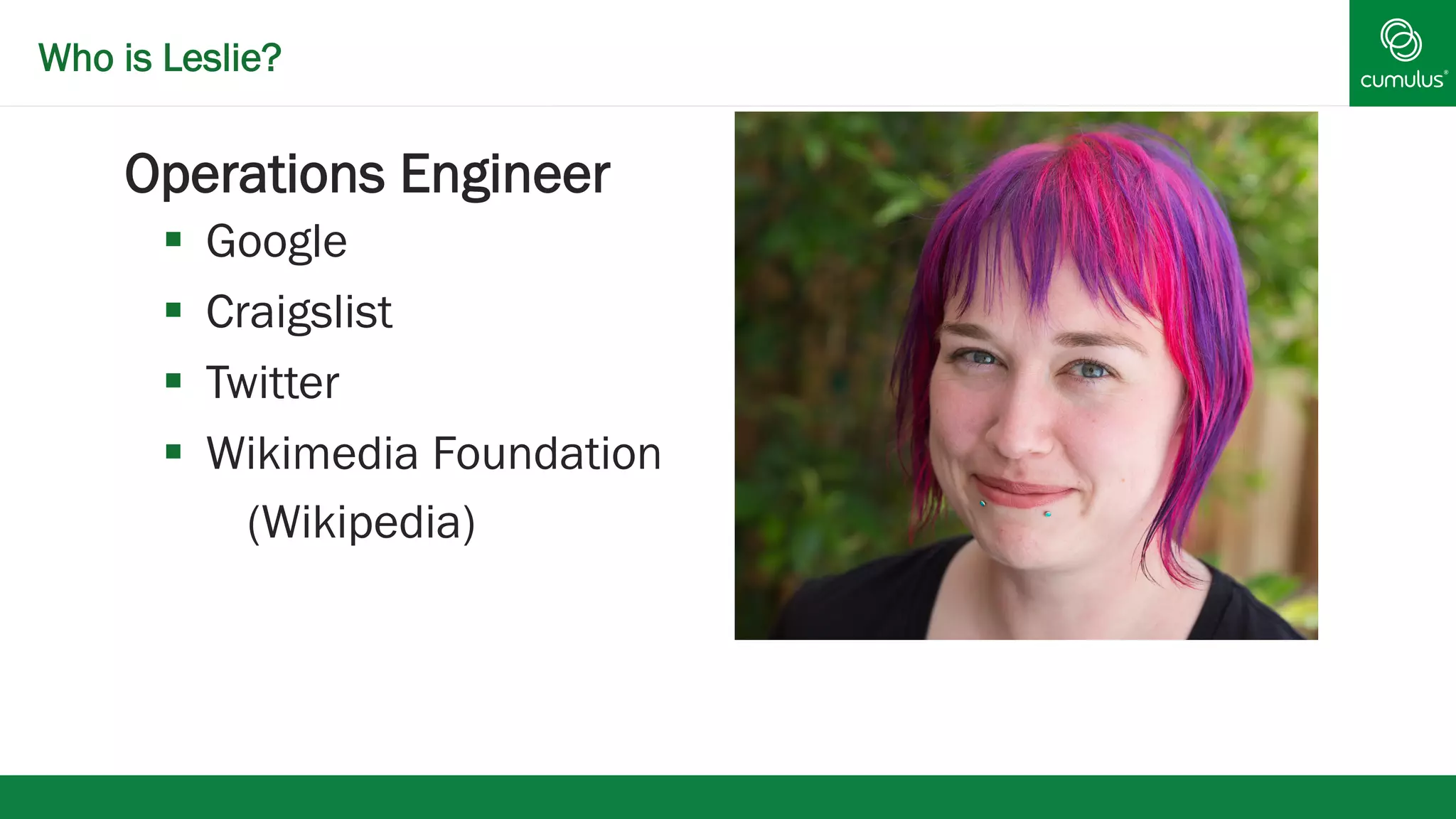
Who is Leslie? 
§ Operations Engineer 
§ Google 
§ Craigslist 
§ Twitter 
§ Wikimedia Foundation 
(Wikipedia)
Who is Leslie? 
§ Cumulus Networks®
What is Cumulus Linux? 
§ Cumulus® Linux® 
§ Debian based distribution for Network switches 
Cumulus Philosophy 
§ Manage your network switch as a server 
§ Use existing linux tools to configure network switches 
§ Current release — Based on Debian wheezy
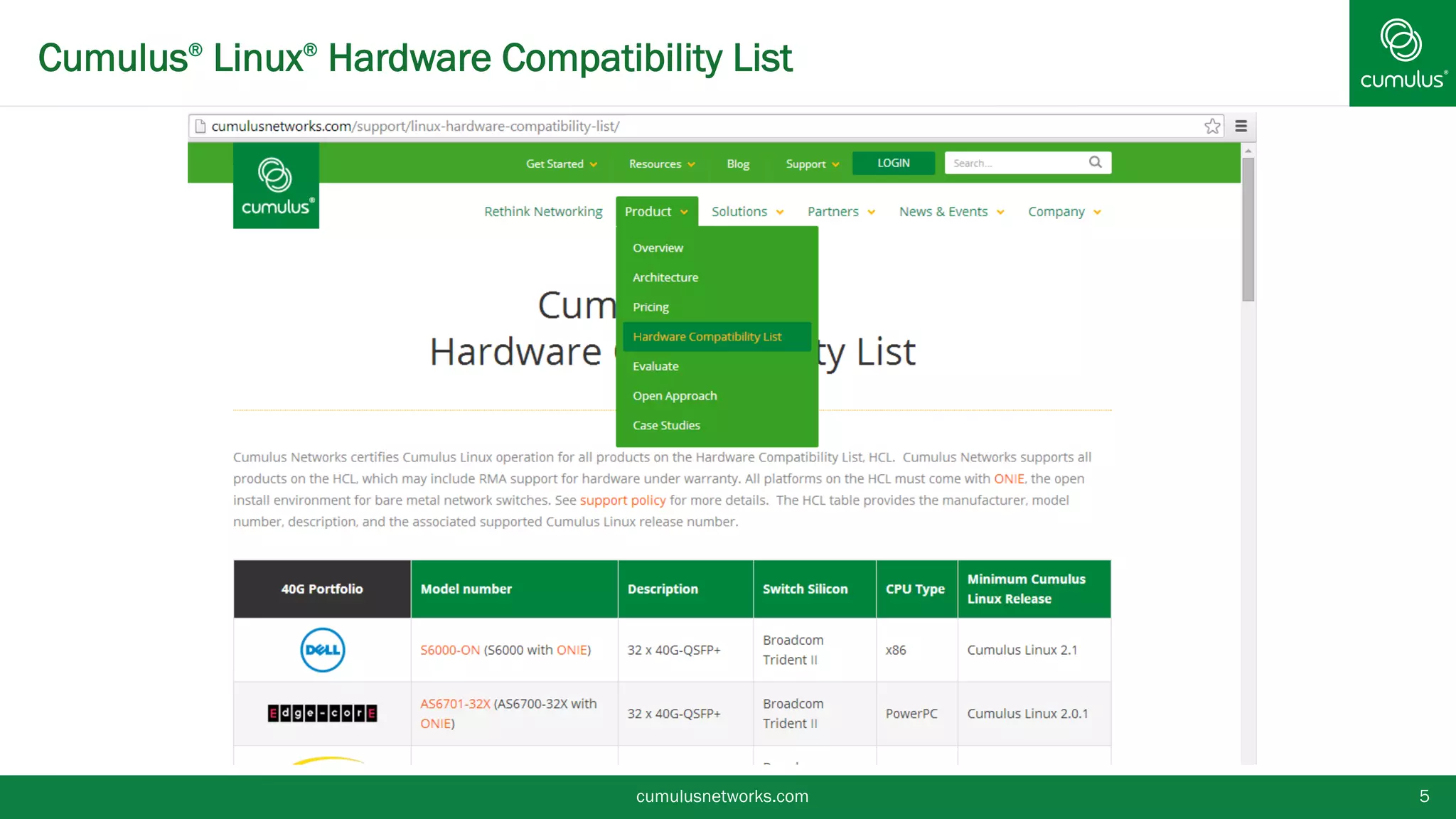
Cumulus® Linux® Hardware Compatibility List 
cumulusnetworks.com 5
v 
Installation and Configuration
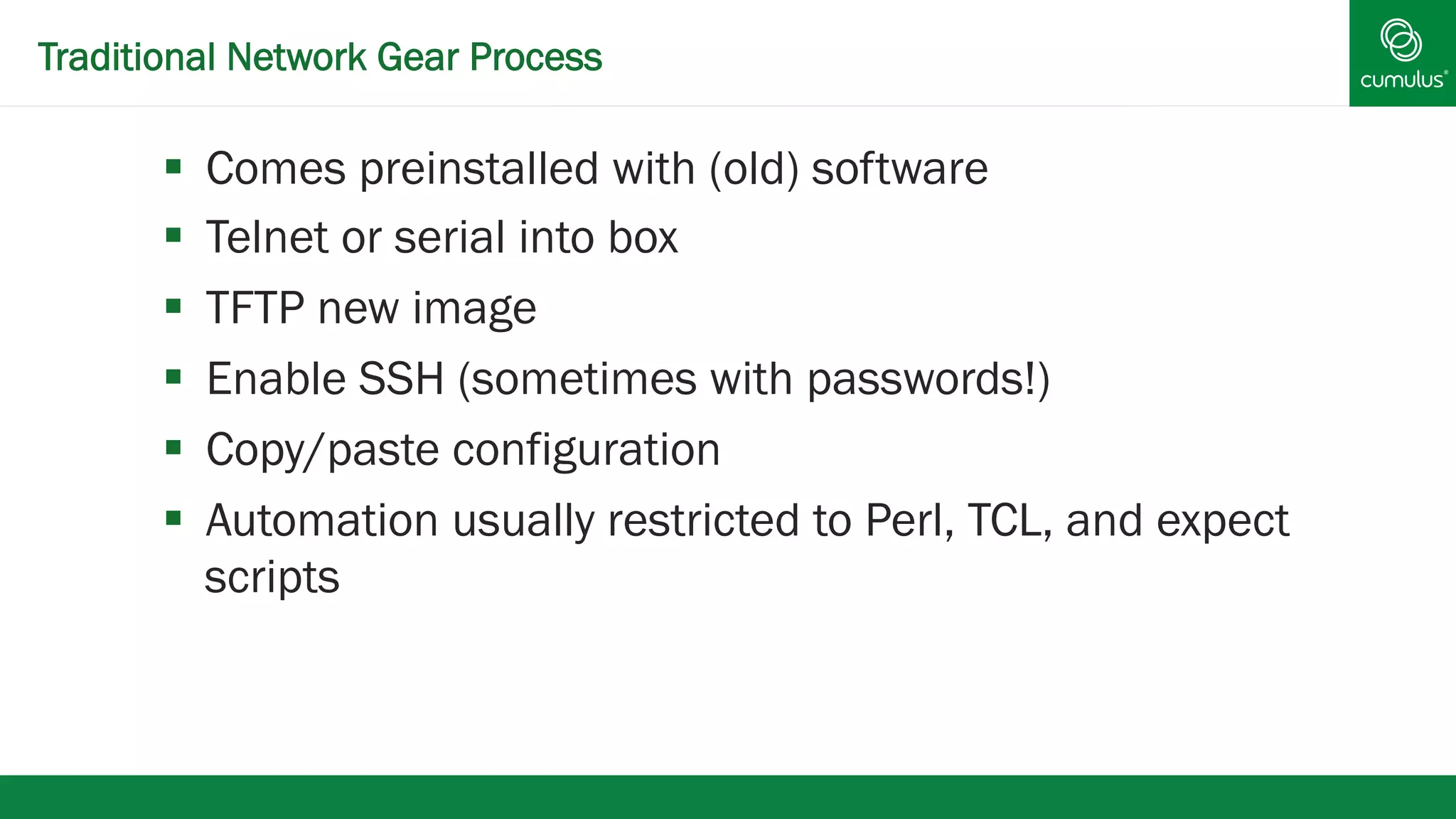
Traditional Network Gear Process 
§ Comes preinstalled with (old) software 
§ Telnet or serial into box 
§ TFTP new image 
§ Enable SSH (sometimes with passwords!) 
§ Copy/paste configuration 
§ Automation usually restricted to Perl, TCL, and expect 
scripts
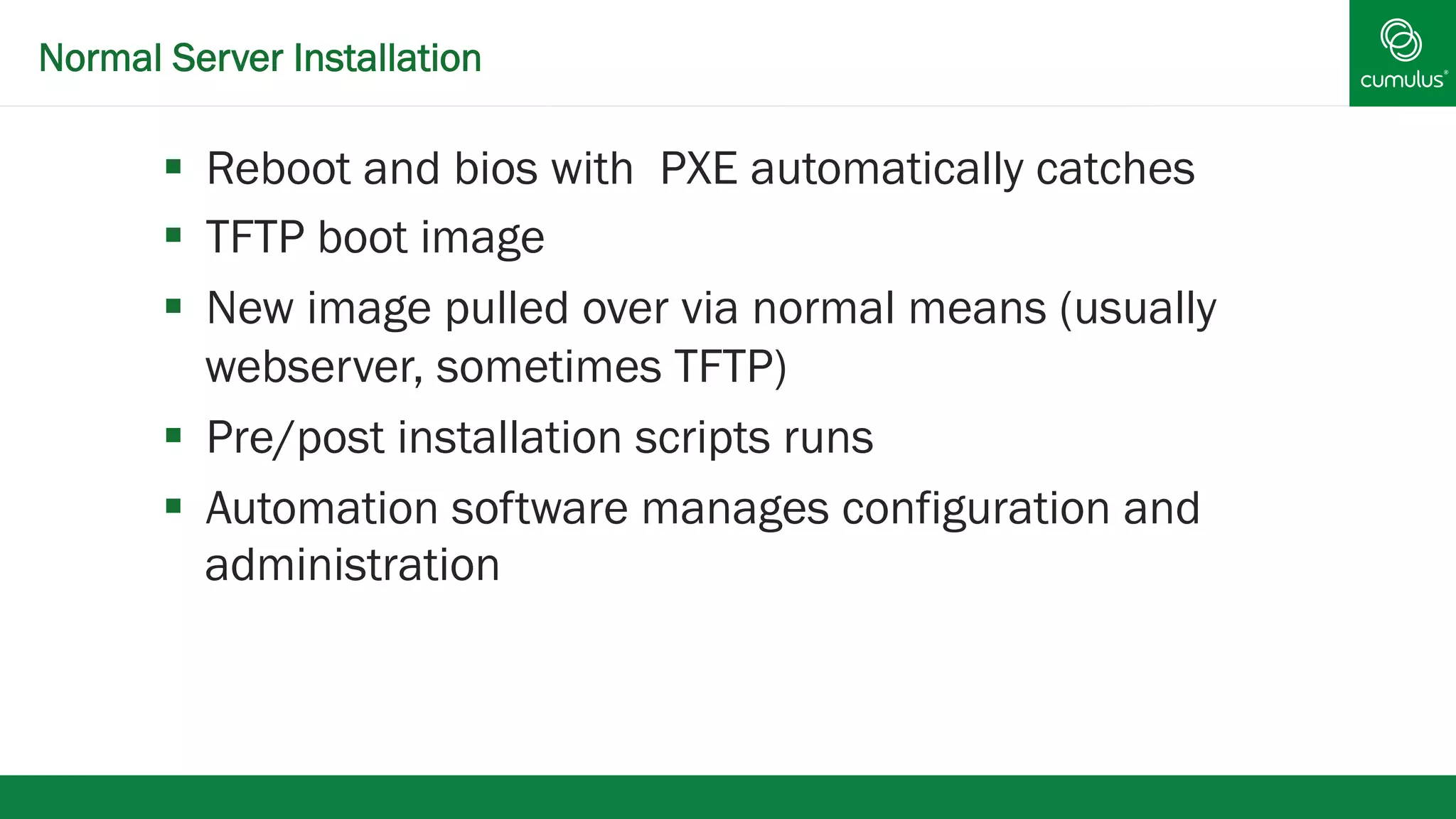
Normal Server Installation 
§ Reboot and bios with PXE automatically catches 
§ TFTP boot image 
§ New image pulled over via normal means (usually 
webserver, sometimes TFTP) 
§ Pre/post installation scripts runs 
§ Automation software manages configuration and 
administration
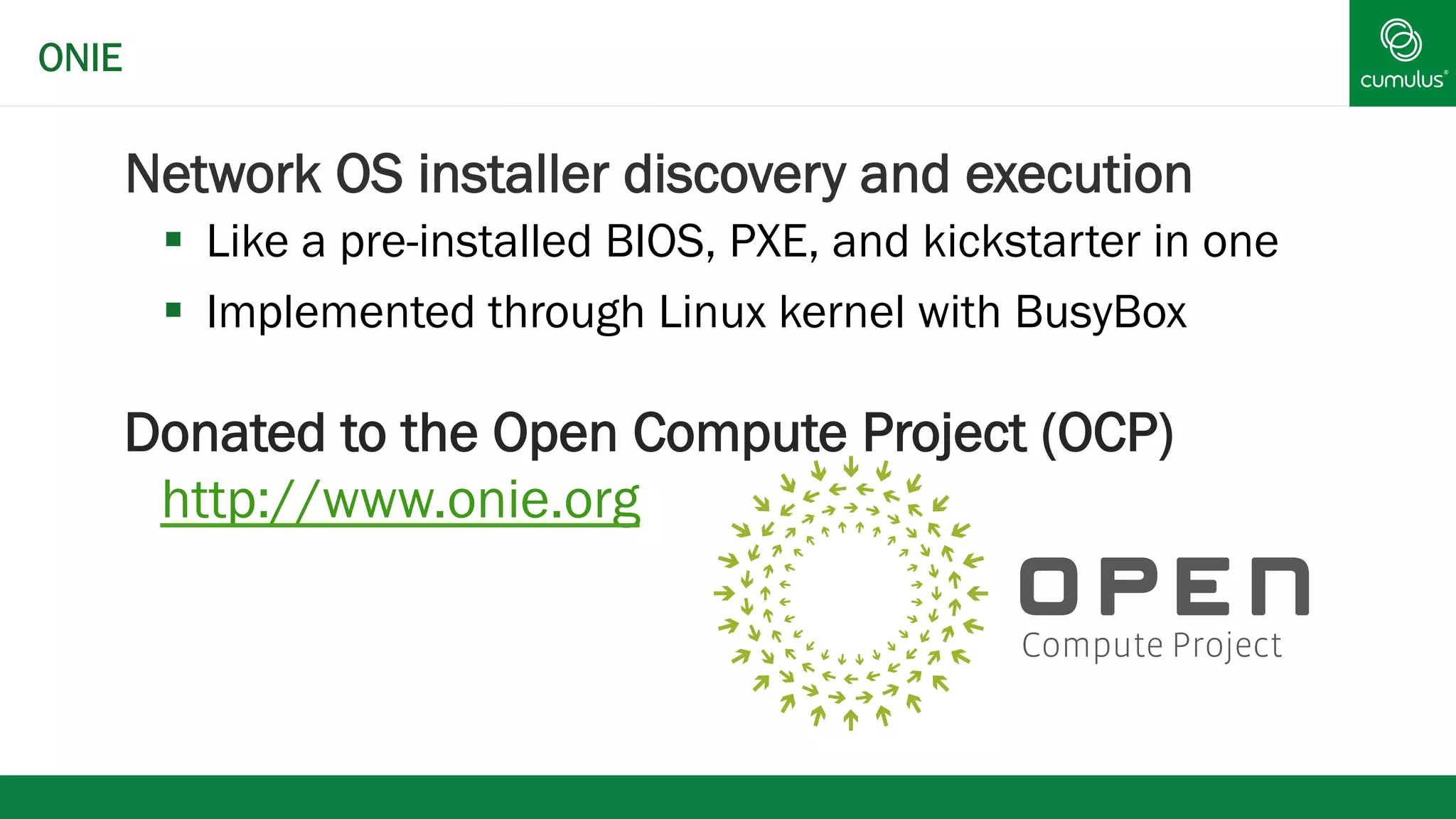
Network OS installer discovery and execution 
§ Like a pre-installed BIOS, PXE, and kickstarter in one 
§ Implemented through Linux kernel with BusyBox 
Donated to the Open Compute Project (OCP) 
http://www.onie.org 
ONIE
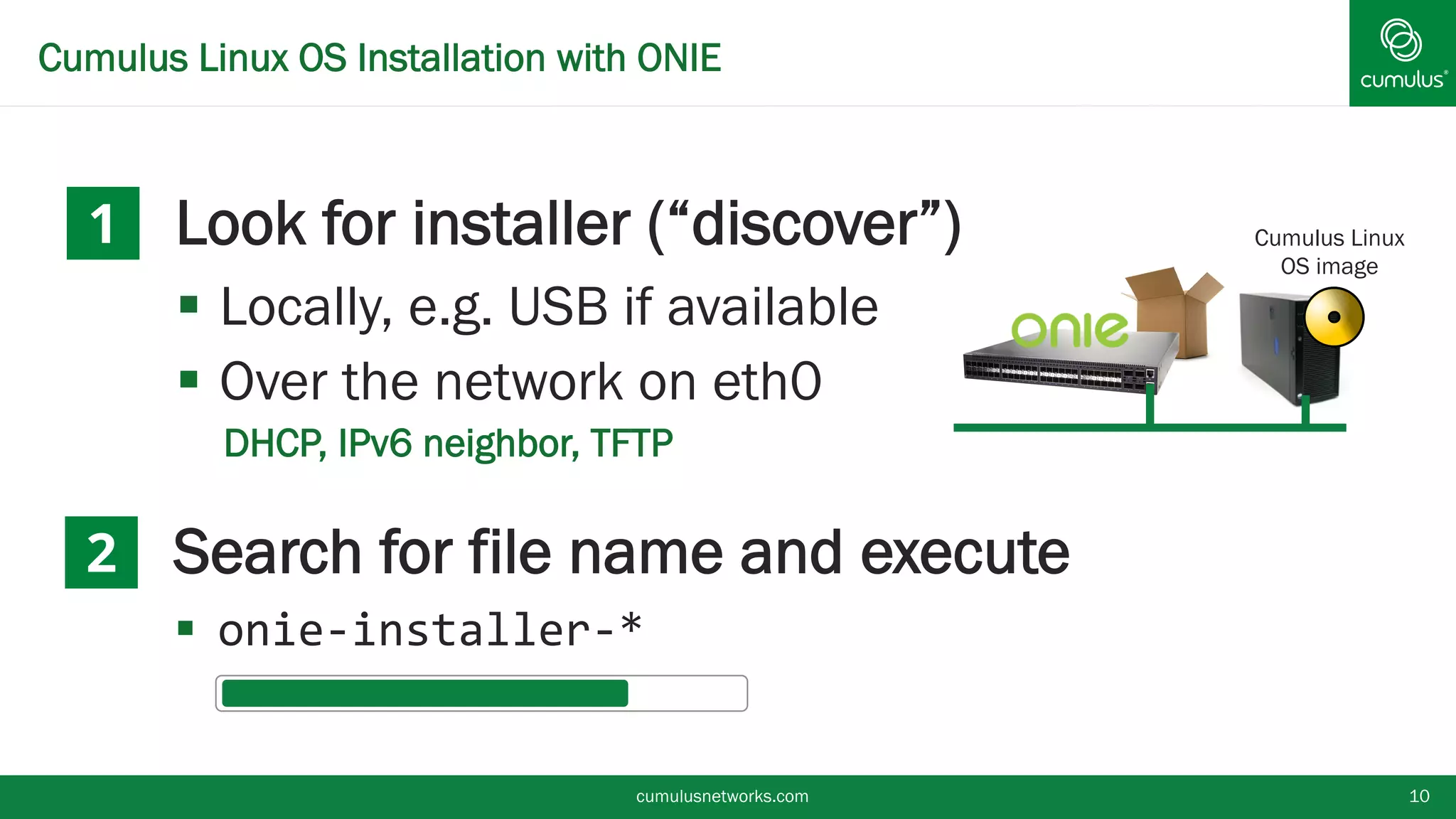
Cumulus Linux OS Installation with ONIE 
§ Look for installer (“discover”) 
§ Locally, e.g. USB if available 
§ Over the network on eth0 
• DHCP, IPv6 neighbor, TFTP 
§ Search for file name and execute 
§ onie-­‐installer-­‐* 
cumulusnetworks.com 10 
1 
2 
Cumulus Linux 
OS image
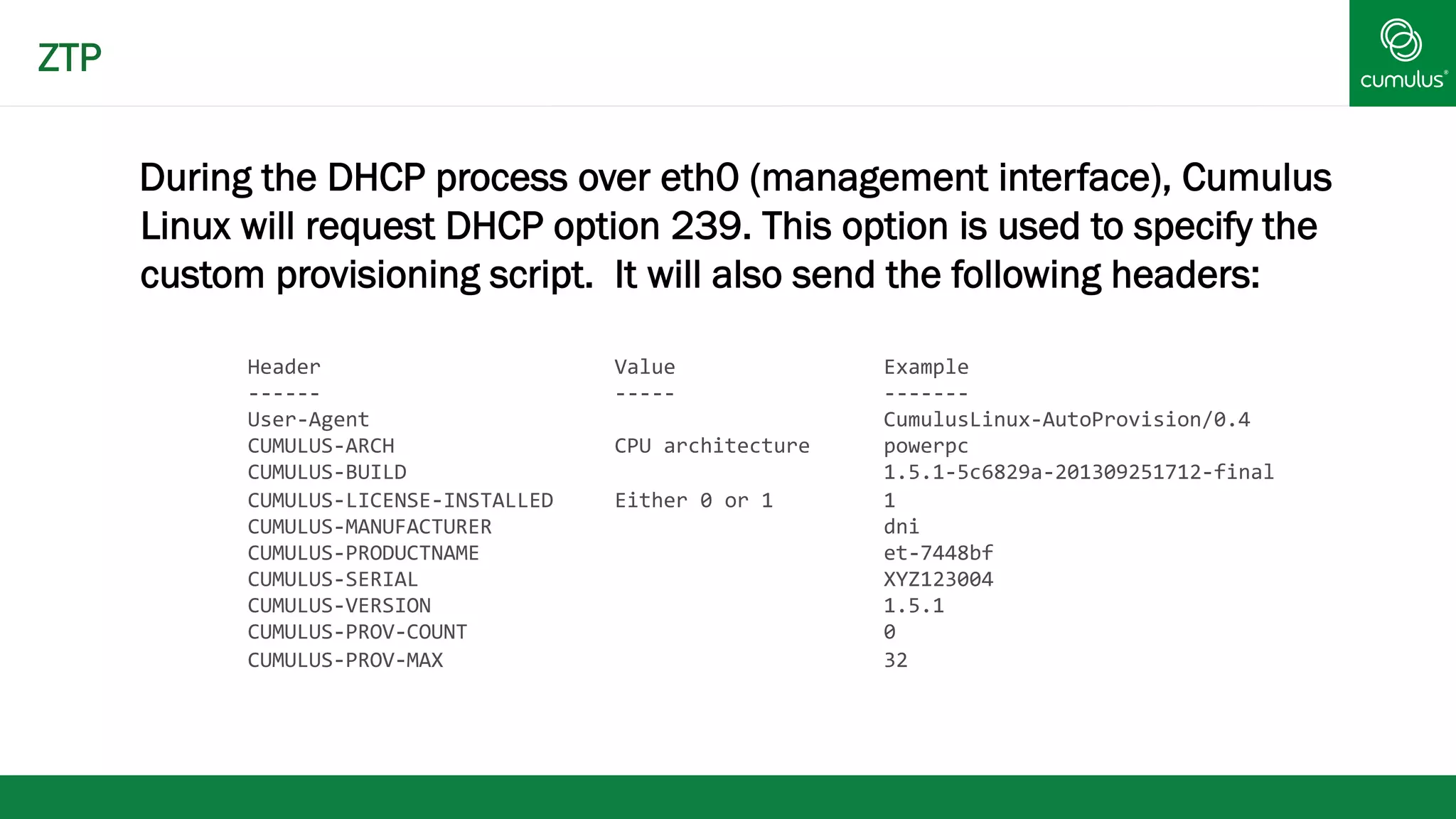
During the DHCP process over eth0 (management interface), Cumulus 
Linux will request DHCP option 239. This option is used to specify the 
custom provisioning script. It will also send the following headers: 
Header 
Value 
Example 
-­‐-­‐-­‐-­‐-­‐-­‐ 
-­‐-­‐-­‐-­‐-­‐ 
-­‐-­‐-­‐-­‐-­‐-­‐-­‐ 
User-­‐Agent 
CumulusLinux-­‐AutoProvision/0.4 
CUMULUS-­‐ARCH 
CPU 
architecture 
powerpc 
CUMULUS-­‐BUILD 
1.5.1-­‐5c6829a-­‐201309251712-­‐final 
CUMULUS-­‐LICENSE-­‐INSTALLED 
Either 
0 
or 
1 
1 
CUMULUS-­‐MANUFACTURER 
dni 
CUMULUS-­‐PRODUCTNAME 
et-­‐7448bf 
CUMULUS-­‐SERIAL 
XYZ123004 
CUMULUS-­‐VERSION 
1.5.1 
CUMULUS-­‐PROV-­‐COUNT 
0 
CUMULUS-­‐PROV-­‐MAX 
32 
ZTP
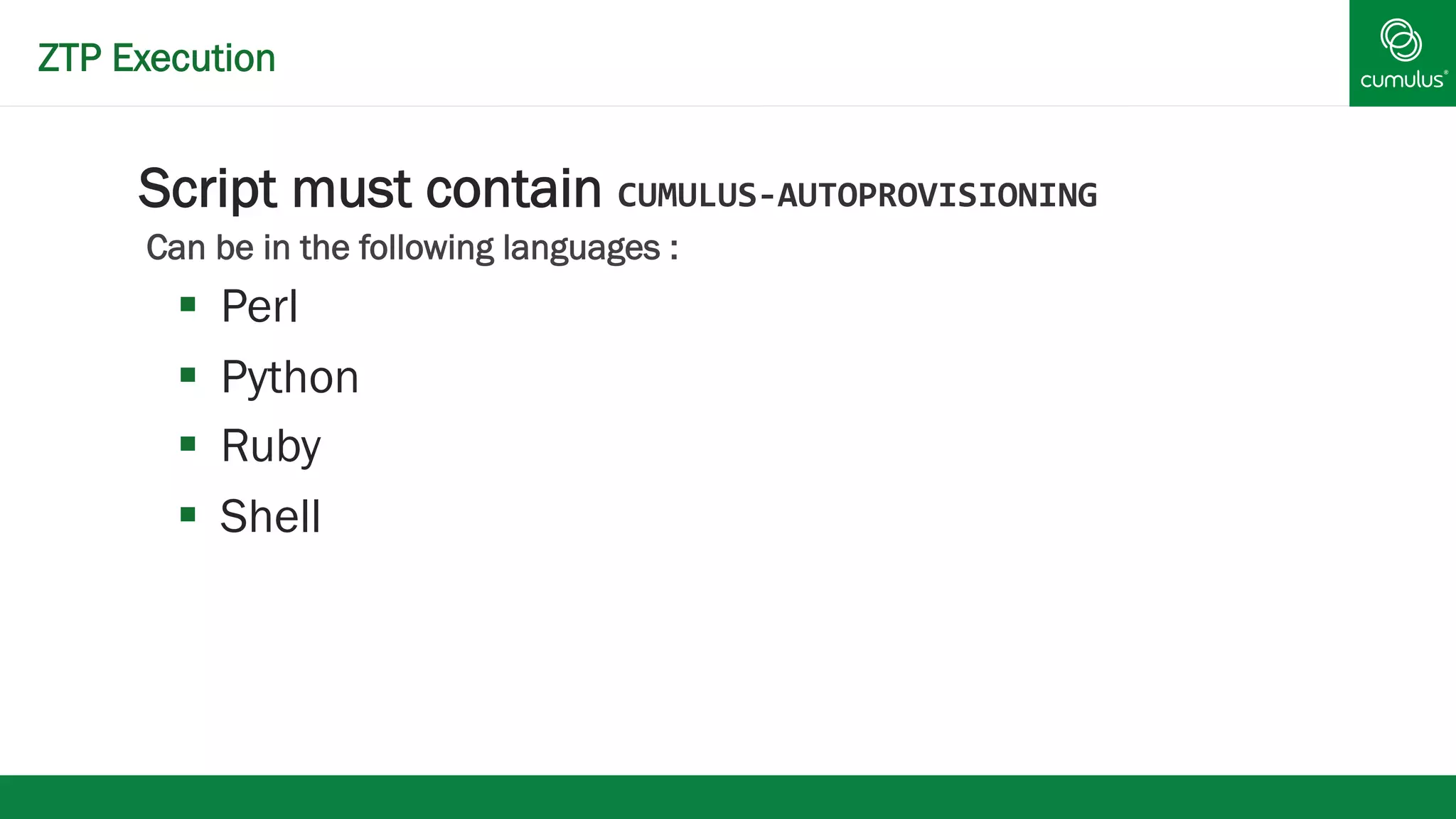
ZTP Execution 
§ Script must contain CUMULUS-­‐AUTOPROVISIONING 
Can be in the following languages : 
§ Perl 
§ Python 
§ Ruby 
§ Shell
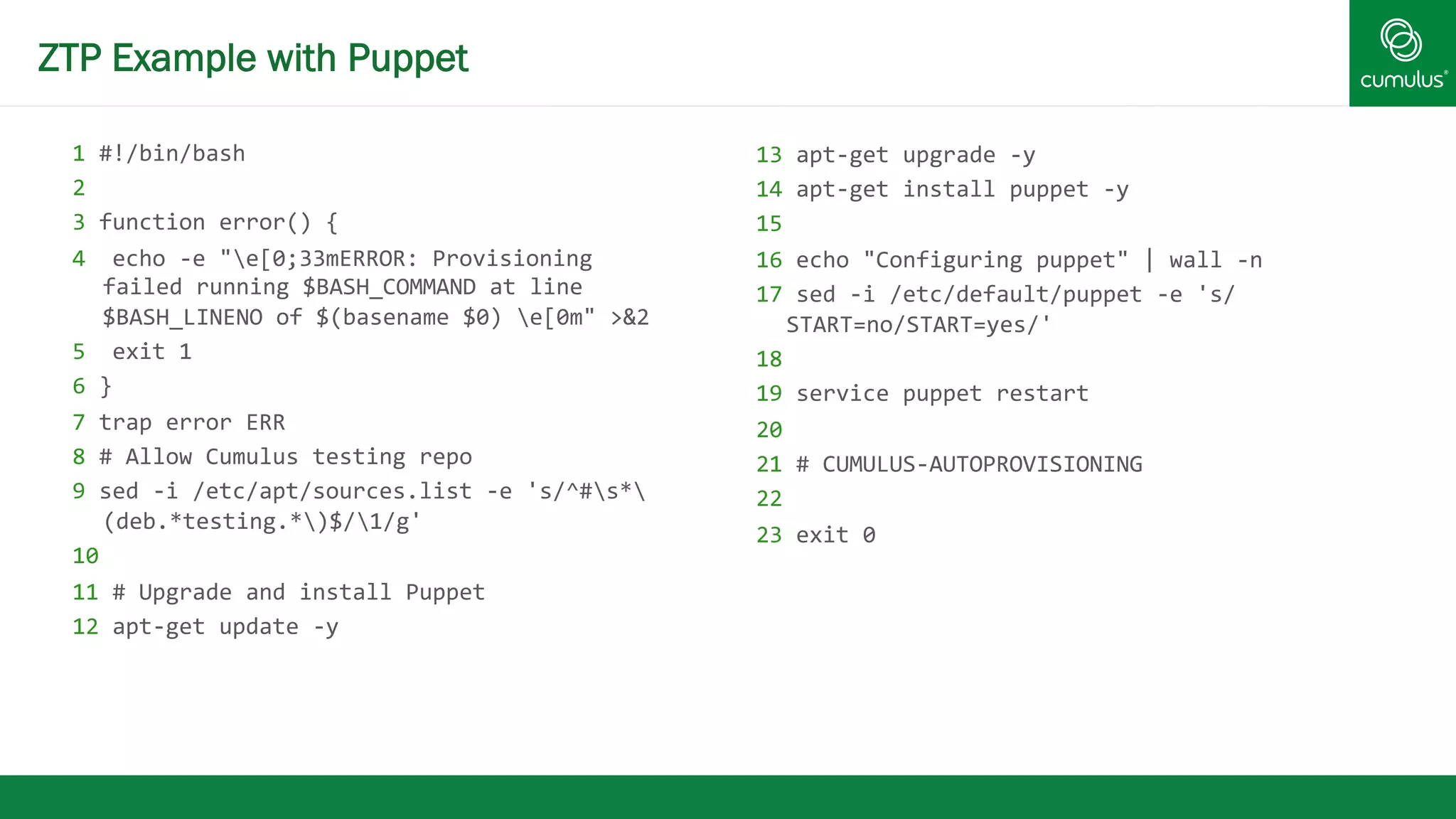
ZTP Example with Puppet 
1 
#!/bin/bash 
2 
3 
function 
error() 
{ 
4 
echo 
-­‐e 
"e[0;33mERROR: 
Provisioning 
failed 
running 
$BASH_COMMAND 
at 
line 
$BASH_LINENO 
of 
$(basename 
$0) 
e[0m" 
>&2 
5 
exit 
1 
6 
} 
7 
trap 
error 
ERR 
8 
# 
Allow 
Cumulus 
testing 
repo 
9 
sed 
-­‐i 
/etc/apt/sources.list 
-­‐e 
's/^#s* 
(deb.*testing.*)$/1/g' 
10 
11 
# 
Upgrade 
and 
install 
Puppet 
12 
apt-­‐get 
update 
-­‐y 
13 
apt-­‐get 
upgrade 
-­‐y 
14 
apt-­‐get 
install 
puppet 
-­‐y 
15 
16 
echo 
"Configuring 
puppet" 
| 
wall 
-­‐n 
17 
sed 
-­‐i 
/etc/default/puppet 
-­‐e 
's/ 
START=no/START=yes/' 
18 
19 
service 
puppet 
restart 
20 
21 
# 
CUMULUS-­‐AUTOPROVISIONING 
22 
23 
exit 
0
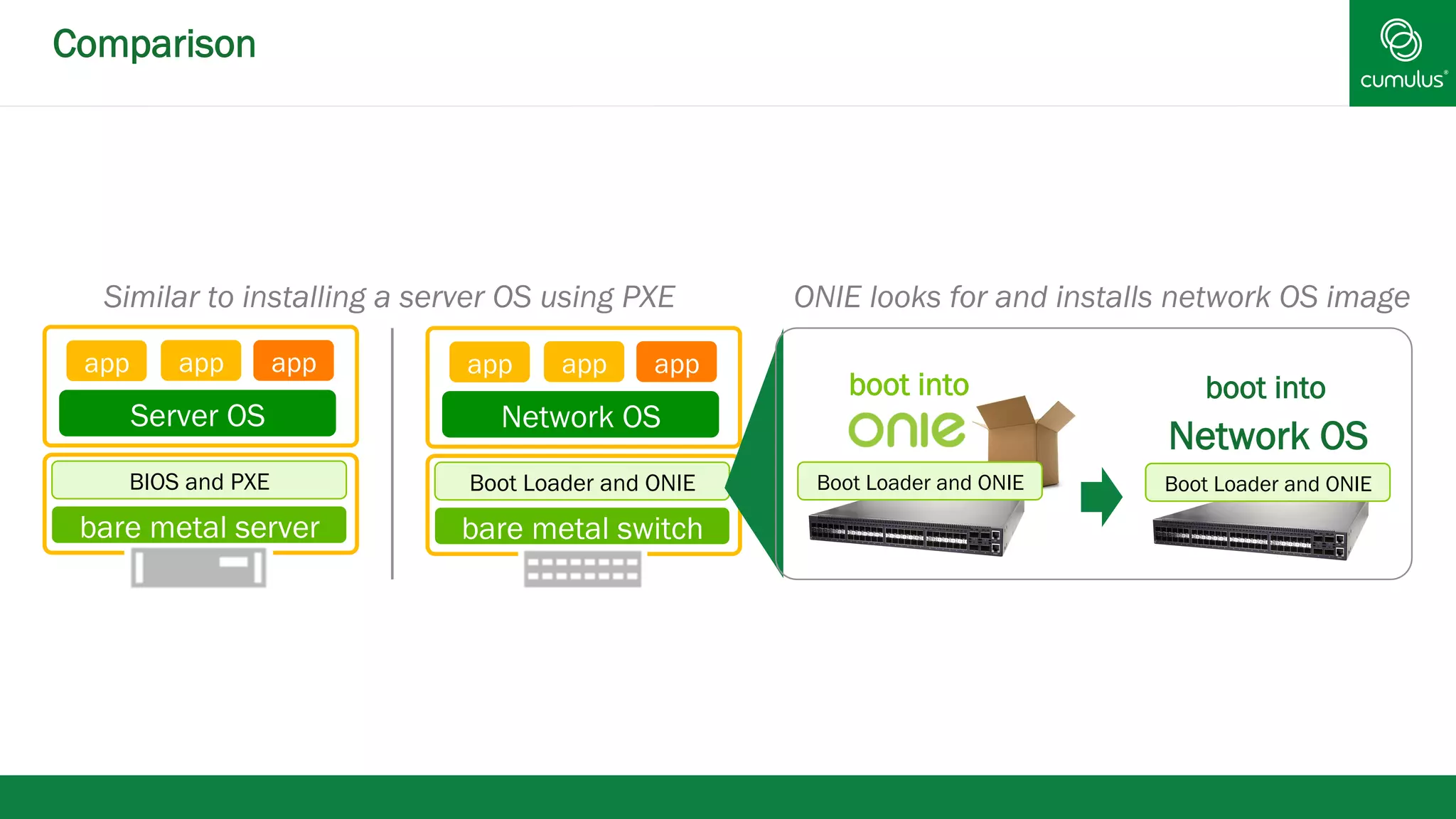
Comparison 
Similar to installing a server OS using PXE 
app app app 
Server OS 
BIOS and PXE 
bare metal server 
app app app 
Network OS 
Boot Loader and ONIE 
bare metal switch 
ONIE looks for and installs network OS image 
boot into 
Network OS 
boot into 
Boot Loader and ONIE 
Boot Loader and ONIE
Video
§ Because Debian based, we can do everything via 
puppet 
§ users 
§ interface configuration 
§ routing software (Quagga) configuration 
Puppet
Video!
Make Life Even Better 
How can we make your life better?
Interim Puppet Server! 
Warning - small hard drive and limited processing 
power -- not recommended for long term 
Scenario - installing new rack with limited 
connectivity 
* make switch puppetmaster
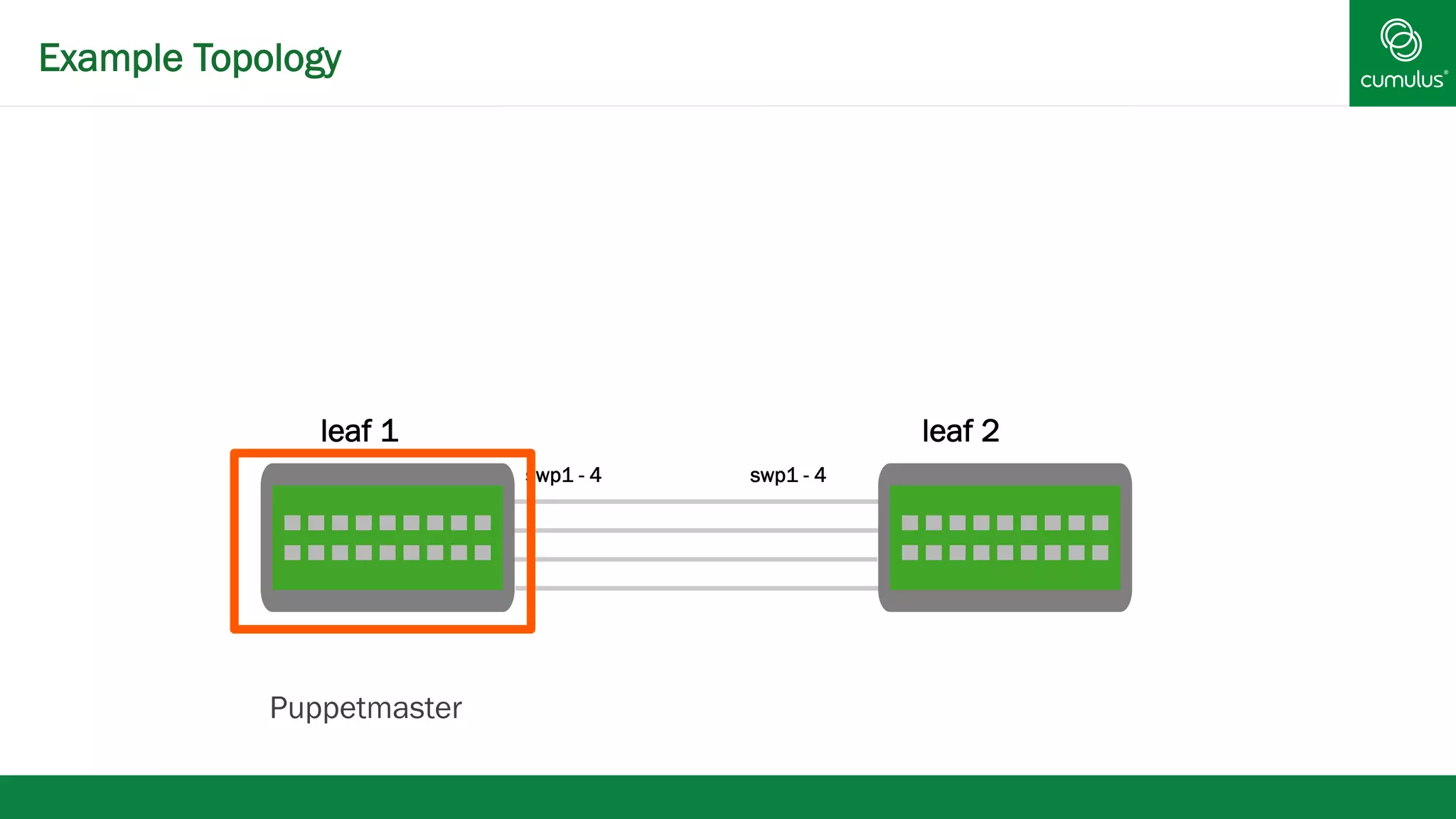
Example Topology 
leaf 1 leaf 2 
swp1 - 4 swp1 - 4 
Puppetmaster
Video
Transition
Existing Network Interface Managers 
§ Optimized for desktop and hypervisor environments 
§ Complexity increases with interface configuration scale 
§ Burden of network interface configuration dependency 
ordering is on the user 
§ Lack of support for incremental changes to network 
interfaces: minimal disruption 
§ Lack of tools to query and validate running interface 
configuration
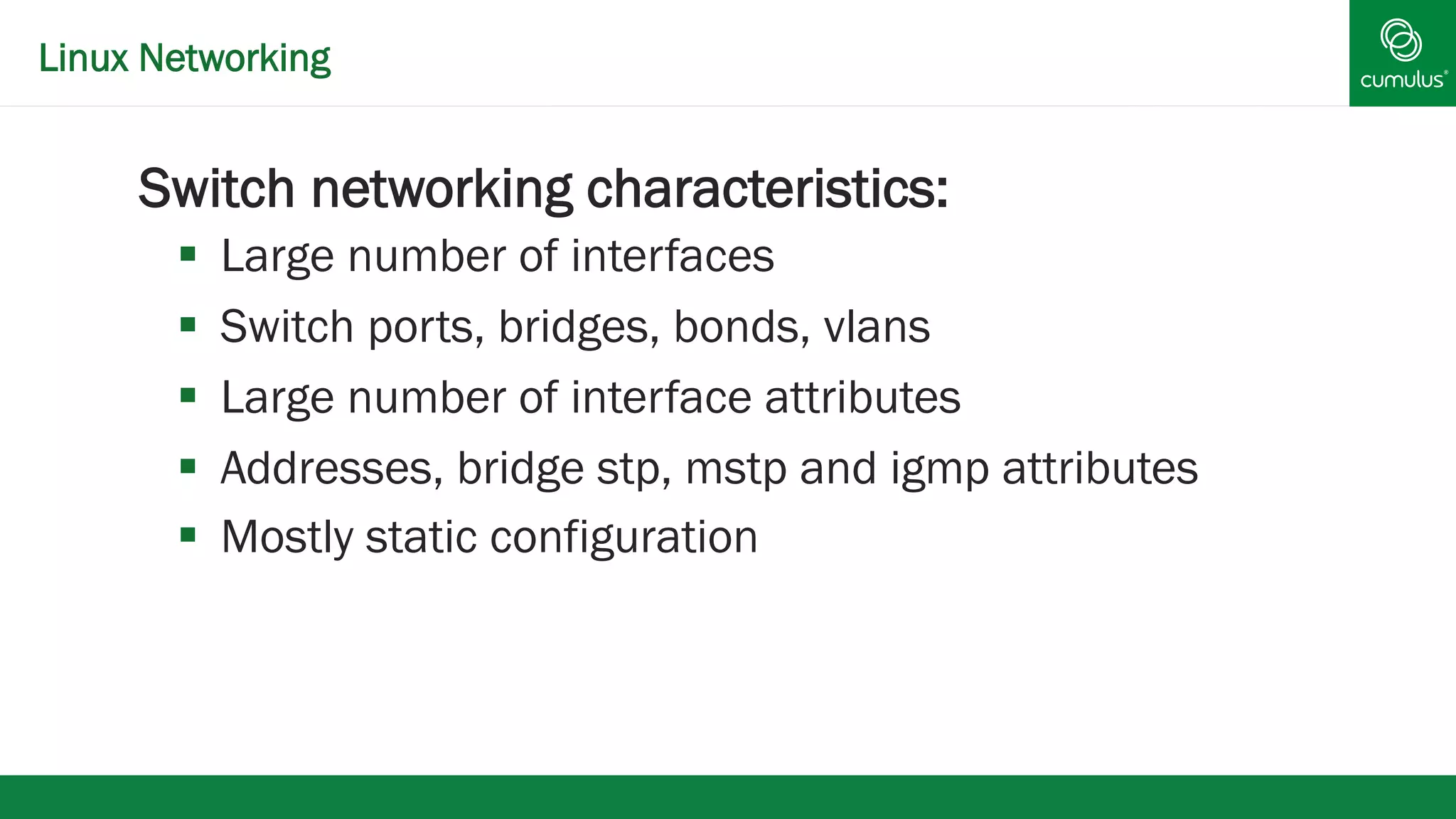
Linux Networking 
§ Switch networking characteristics: 
§ Large number of interfaces 
§ Switch ports, bridges, bonds, vlans 
§ Large number of interface attributes 
§ Addresses, bridge stp, mstp and igmp attributes 
§ Mostly static configuration
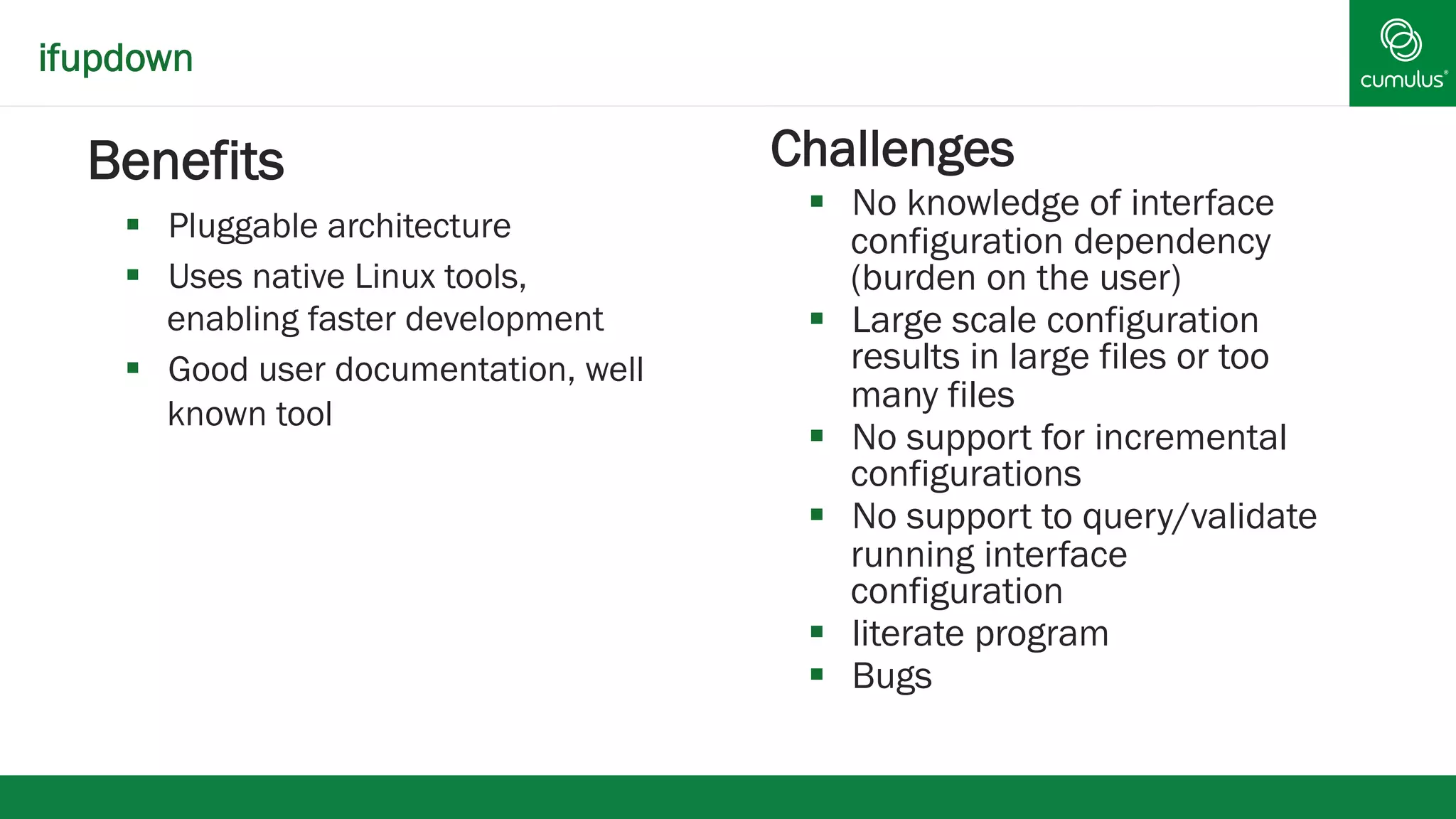
ifupdown 
§ Benefits 
§ Pluggable architecture 
§ Uses native Linux tools, 
enabling faster development 
§ Good user documentation, well 
known tool 
§ Challenges 
§ No knowledge of interface 
configuration dependency 
(burden on the user) 
§ Large scale configuration 
results in large files or too 
many files 
§ No support for incremental 
configurations 
§ No support to query/validate 
running interface 
configuration 
§ literate program 
§ Bugs
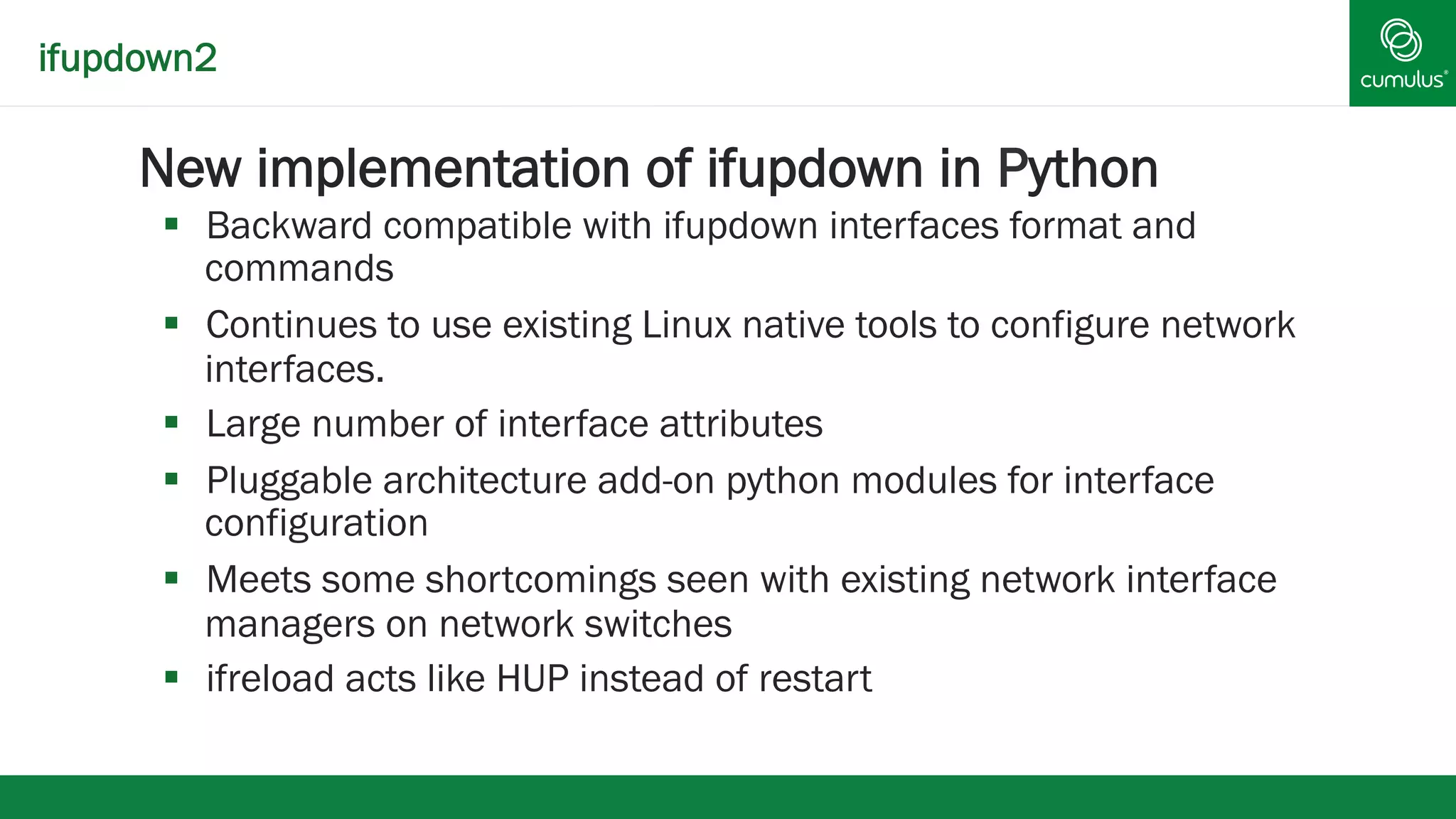
ifupdown2 
§ New implementation of ifupdown in Python 
§ Backward compatible with ifupdown interfaces format and 
commands 
§ Continues to use existing Linux native tools to configure network 
interfaces. 
§ Large number of interface attributes 
§ Pluggable architecture add-on python modules for interface 
configuration 
§ Meets some shortcomings seen with existing network interface 
managers on network switches 
§ ifreload acts like HUP instead of restart
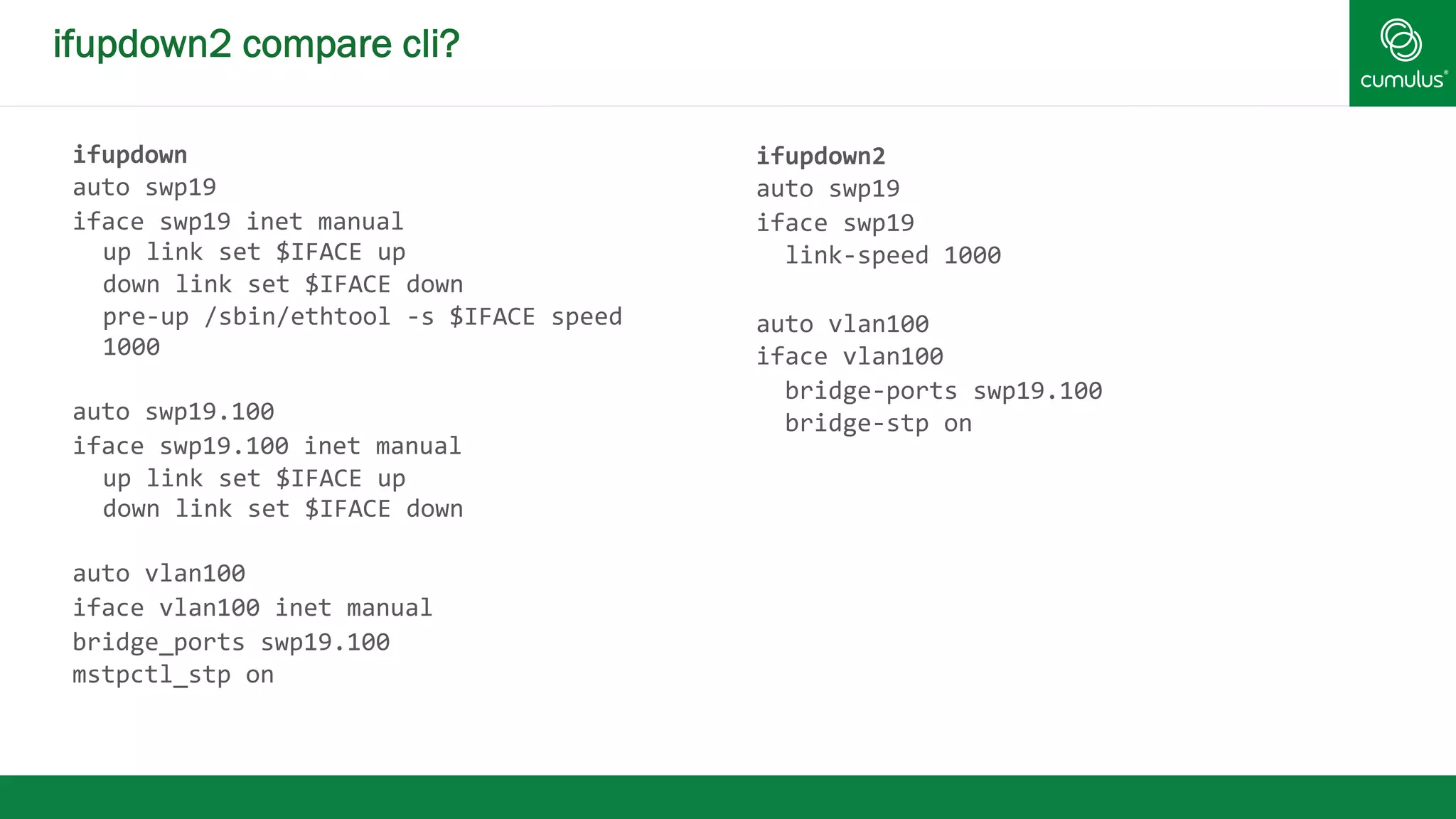
ifupdown2 compare cli? 
ifupdown 
auto 
swp19 
iface 
swp19 
inet 
manual 
up 
link 
set 
$IFACE 
up 
down 
link 
set 
$IFACE 
down 
pre-­‐up 
/sbin/ethtool 
-­‐s 
$IFACE 
speed 
1000 
auto 
swp19.100 
iface 
swp19.100 
inet 
manual 
up 
link 
set 
$IFACE 
up 
down 
link 
set 
$IFACE 
down 
auto 
vlan100 
iface 
vlan100 
inet 
manual 
bridge_ports 
swp19.100 
mstpctl_stp 
on 
ifupdown2 
auto 
swp19 
iface 
swp19 
link-­‐speed 
1000 
auto 
vlan100 
iface 
vlan100 
bridge-­‐ports 
swp19.100 
bridge-­‐stp 
on
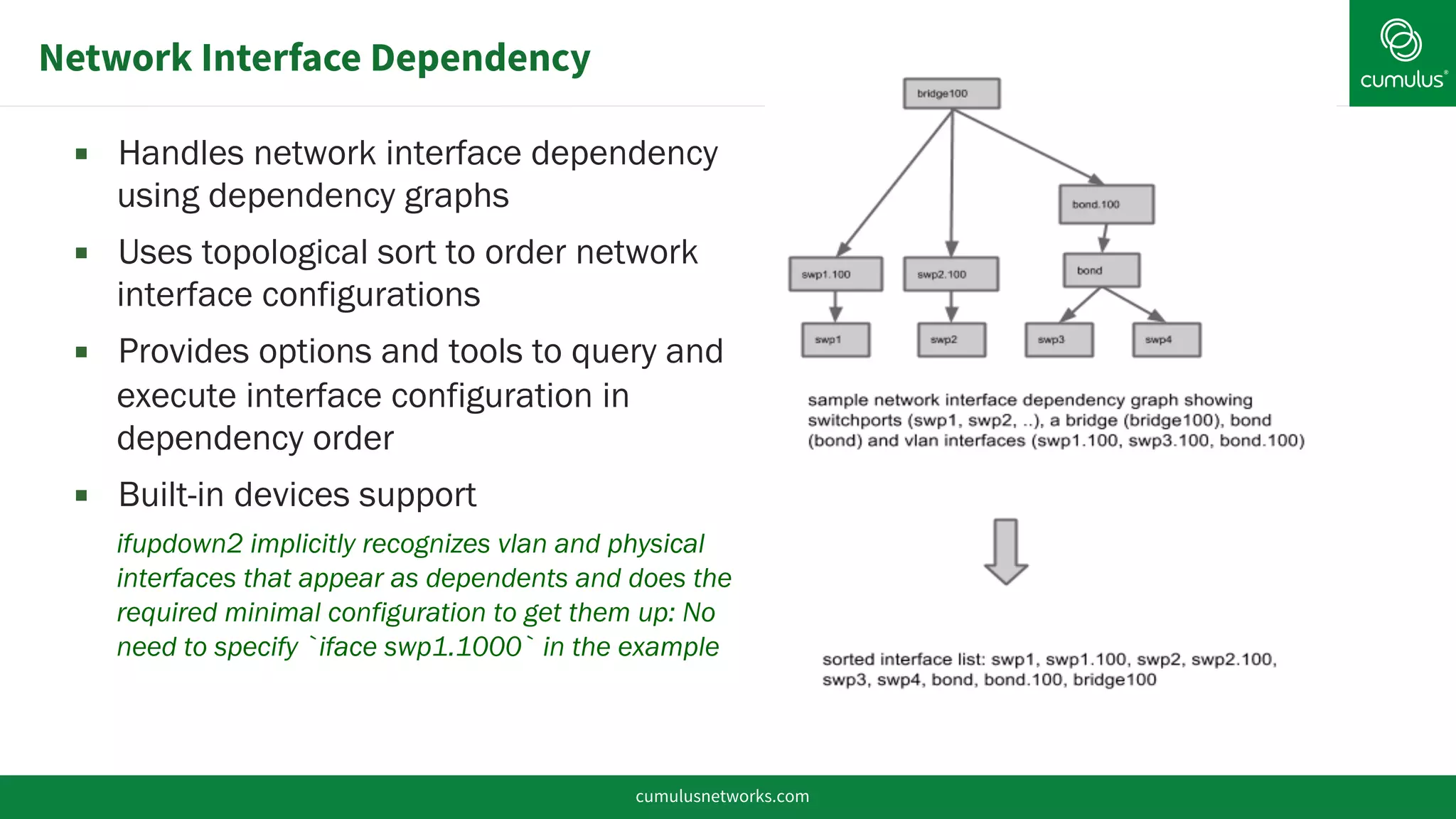
Network Interface Dependency 
▪ Handles network interface dependency 
using dependency graphs 
▪ Uses topological sort to order network 
interface configurations 
▪ Provides options and tools to query and 
execute interface configuration in 
dependency order 
▪ Built-in devices support 
ifupdown2 implicitly recognizes vlan and physical 
interfaces that appear as dependents and does the 
required minimal configuration to get them up: No 
need to specify `iface swp1.1000` in the example 
cumulusnetworks.com
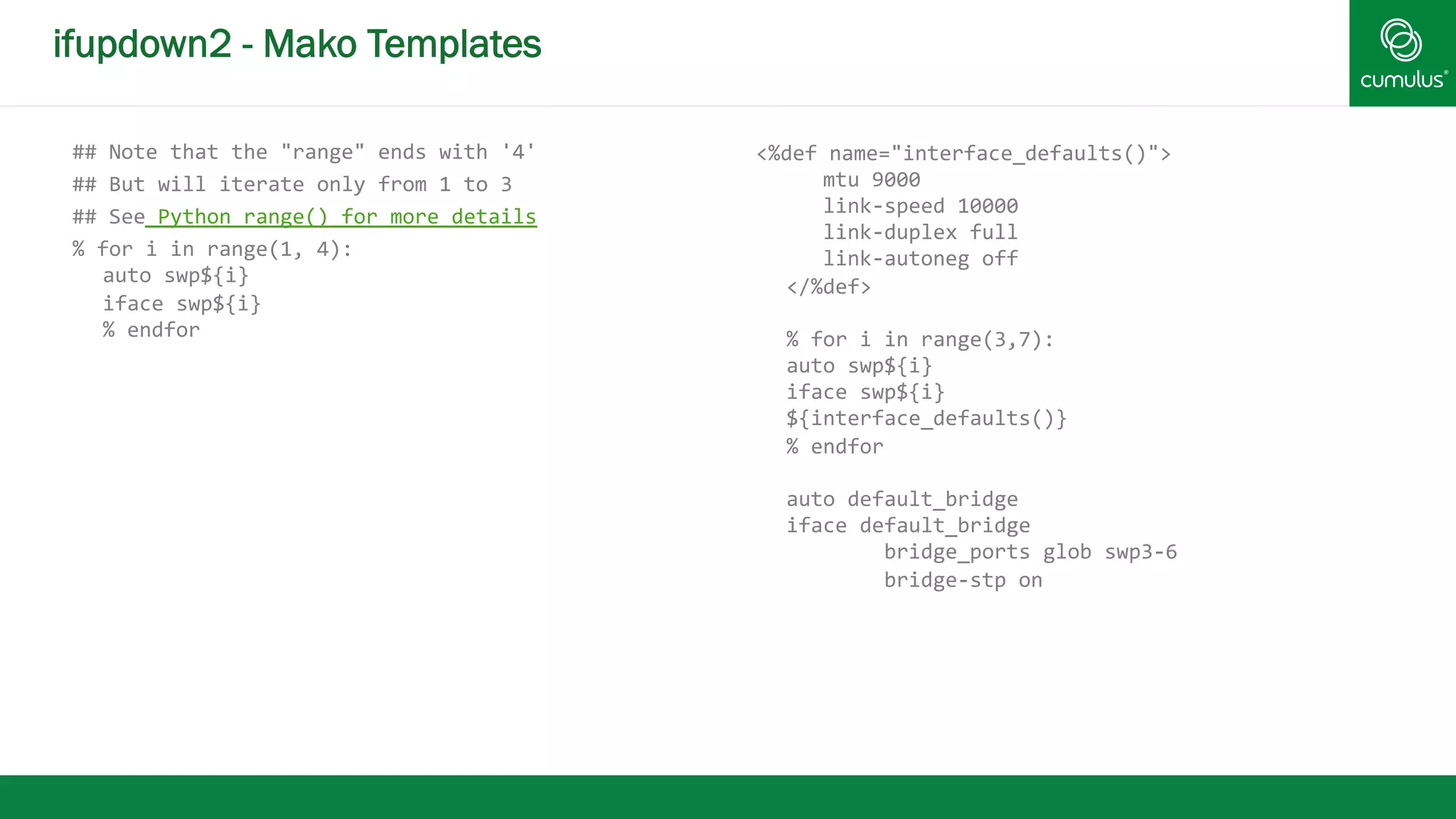
ifupdown2 - Mako Templates 
## 
Note 
that 
the 
"range" 
ends 
with 
'4' 
## 
But 
will 
iterate 
only 
from 
1 
to 
3 
## 
See 
Python 
range() 
for 
more 
details 
% 
for 
i 
in 
range(1, 
4): 
auto 
swp${i} 
iface 
swp${i} 
% 
endfor 
<%def 
name="interface_defaults()"> 
mtu 
9000 
link-­‐speed 
10000 
link-­‐duplex 
full 
link-­‐autoneg 
off 
</%def> 
% 
for 
i 
in 
range(3,7): 
auto 
swp${i} 
iface 
swp${i} 
${interface_defaults()} 
% 
endfor 
auto 
default_bridge 
iface 
default_bridge 
bridge_ports 
glob 
swp3-­‐6 
bridge-­‐stp 
on
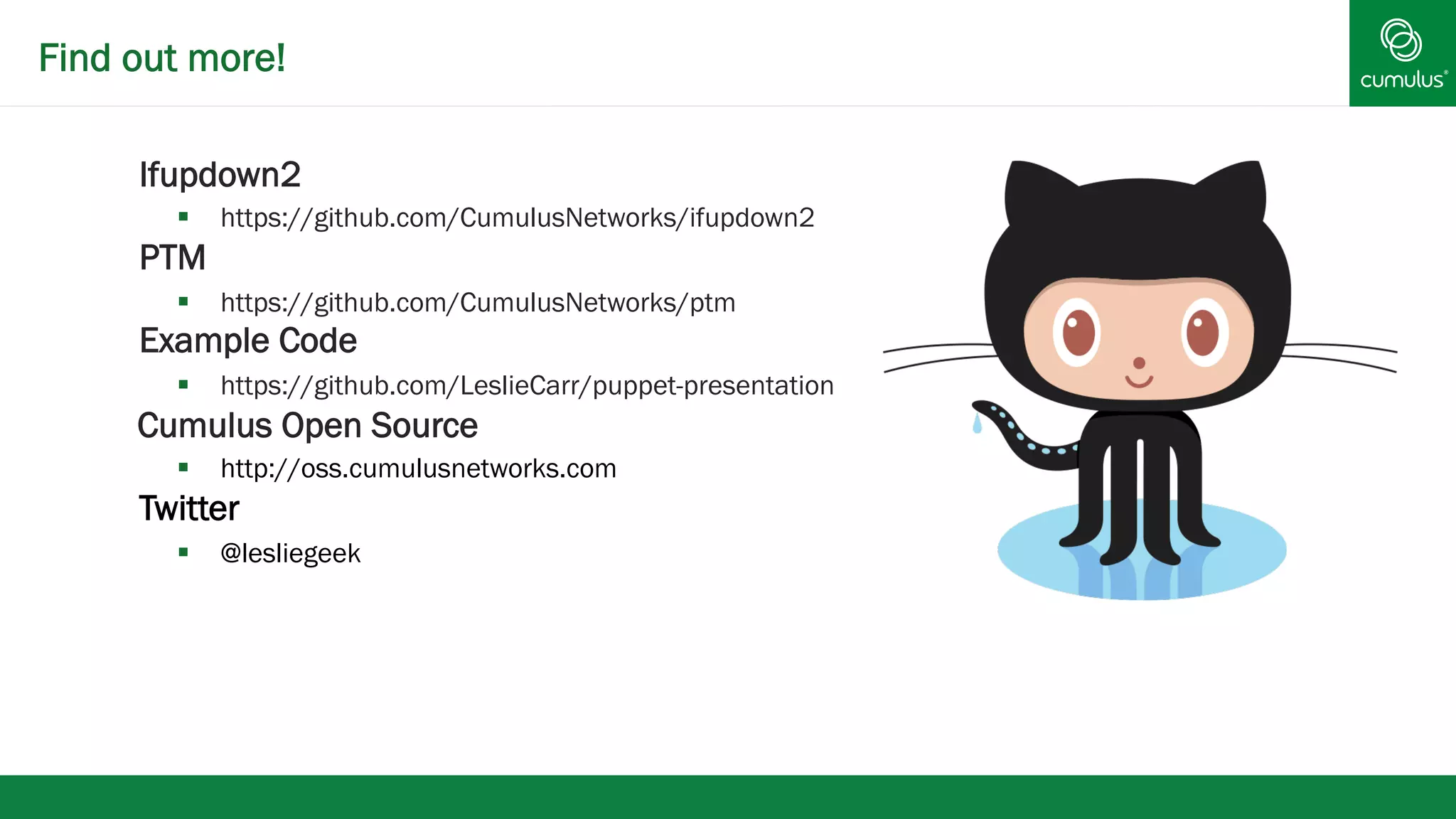
Find out more! 
§ Ifupdown2 
§ https://github.com/CumulusNetworks/ifupdown2 
§ PTM 
§ https://github.com/CumulusNetworks/ptm 
Example Code 
§ https://github.com/LeslieCarr/puppet-presentation 
Cumulus Open Source 
§ http://oss.cumulusnetworks.com 
Twitter 
§ @lesliegeek
Bringing the Linux Revolution to Networking 
§ Thank You! 
© 2014 Cumulus Networks. Cumulus Networks, the Cumulus Networks Logo, and Cumulus Linux are trademarks or registered trademarks of Cumulus Networks, Inc. or its 
affiliates in the U.S. and other countries. Other names may be trademarks of their respective owners. The registered trademark Linux® is used pursuant to a sublicense from LMI, 
the exclusive licensee of Linus Torvalds, owner of the mark on a world-wide basis. 
cumulusnetworks.com

Switch as a Server - PuppetConf 2014 - Leslie Carr

  • 1.
    v Switch asa Server Leslie Carr
  • 2.
    Who is Leslie? § Operations Engineer § Google § Craigslist § Twitter § Wikimedia Foundation (Wikipedia)
  • 3.
    Who is Leslie? § Cumulus Networks®
  • 4.
    What is CumulusLinux? § Cumulus® Linux® § Debian based distribution for Network switches Cumulus Philosophy § Manage your network switch as a server § Use existing linux tools to configure network switches § Current release — Based on Debian wheezy
  • 5.
    Cumulus® Linux® HardwareCompatibility List cumulusnetworks.com 5
  • 6.
    v Installation andConfiguration
  • 7.
    Traditional Network GearProcess § Comes preinstalled with (old) software § Telnet or serial into box § TFTP new image § Enable SSH (sometimes with passwords!) § Copy/paste configuration § Automation usually restricted to Perl, TCL, and expect scripts
  • 8.
    Normal Server Installation § Reboot and bios with PXE automatically catches § TFTP boot image § New image pulled over via normal means (usually webserver, sometimes TFTP) § Pre/post installation scripts runs § Automation software manages configuration and administration
  • 9.
    Network OS installerdiscovery and execution § Like a pre-installed BIOS, PXE, and kickstarter in one § Implemented through Linux kernel with BusyBox Donated to the Open Compute Project (OCP) http://www.onie.org ONIE
  • 10.
    Cumulus Linux OSInstallation with ONIE § Look for installer (“discover”) § Locally, e.g. USB if available § Over the network on eth0 • DHCP, IPv6 neighbor, TFTP § Search for file name and execute § onie-­‐installer-­‐* cumulusnetworks.com 10 1 2 Cumulus Linux OS image
  • 11.
    During the DHCPprocess over eth0 (management interface), Cumulus Linux will request DHCP option 239. This option is used to specify the custom provisioning script. It will also send the following headers: Header Value Example -­‐-­‐-­‐-­‐-­‐-­‐ -­‐-­‐-­‐-­‐-­‐ -­‐-­‐-­‐-­‐-­‐-­‐-­‐ User-­‐Agent CumulusLinux-­‐AutoProvision/0.4 CUMULUS-­‐ARCH CPU architecture powerpc CUMULUS-­‐BUILD 1.5.1-­‐5c6829a-­‐201309251712-­‐final CUMULUS-­‐LICENSE-­‐INSTALLED Either 0 or 1 1 CUMULUS-­‐MANUFACTURER dni CUMULUS-­‐PRODUCTNAME et-­‐7448bf CUMULUS-­‐SERIAL XYZ123004 CUMULUS-­‐VERSION 1.5.1 CUMULUS-­‐PROV-­‐COUNT 0 CUMULUS-­‐PROV-­‐MAX 32 ZTP
  • 12.
    ZTP Execution §Script must contain CUMULUS-­‐AUTOPROVISIONING Can be in the following languages : § Perl § Python § Ruby § Shell
  • 13.
    ZTP Example withPuppet 1 #!/bin/bash 2 3 function error() { 4 echo -­‐e "e[0;33mERROR: Provisioning failed running $BASH_COMMAND at line $BASH_LINENO of $(basename $0) e[0m" >&2 5 exit 1 6 } 7 trap error ERR 8 # Allow Cumulus testing repo 9 sed -­‐i /etc/apt/sources.list -­‐e 's/^#s* (deb.*testing.*)$/1/g' 10 11 # Upgrade and install Puppet 12 apt-­‐get update -­‐y 13 apt-­‐get upgrade -­‐y 14 apt-­‐get install puppet -­‐y 15 16 echo "Configuring puppet" | wall -­‐n 17 sed -­‐i /etc/default/puppet -­‐e 's/ START=no/START=yes/' 18 19 service puppet restart 20 21 # CUMULUS-­‐AUTOPROVISIONING 22 23 exit 0
  • 14.
    Comparison Similar toinstalling a server OS using PXE app app app Server OS BIOS and PXE bare metal server app app app Network OS Boot Loader and ONIE bare metal switch ONIE looks for and installs network OS image boot into Network OS boot into Boot Loader and ONIE Boot Loader and ONIE
  • 15.
  • 16.
    § Because Debianbased, we can do everything via puppet § users § interface configuration § routing software (Quagga) configuration Puppet
  • 17.
  • 18.
    Make Life EvenBetter How can we make your life better?
  • 19.
    Interim Puppet Server! Warning - small hard drive and limited processing power -- not recommended for long term Scenario - installing new rack with limited connectivity * make switch puppetmaster
  • 20.
    Example Topology leaf1 leaf 2 swp1 - 4 swp1 - 4 Puppetmaster
  • 21.
  • 22.
  • 23.
    Existing Network InterfaceManagers § Optimized for desktop and hypervisor environments § Complexity increases with interface configuration scale § Burden of network interface configuration dependency ordering is on the user § Lack of support for incremental changes to network interfaces: minimal disruption § Lack of tools to query and validate running interface configuration
  • 24.
    Linux Networking §Switch networking characteristics: § Large number of interfaces § Switch ports, bridges, bonds, vlans § Large number of interface attributes § Addresses, bridge stp, mstp and igmp attributes § Mostly static configuration
  • 25.
    ifupdown § Benefits § Pluggable architecture § Uses native Linux tools, enabling faster development § Good user documentation, well known tool § Challenges § No knowledge of interface configuration dependency (burden on the user) § Large scale configuration results in large files or too many files § No support for incremental configurations § No support to query/validate running interface configuration § literate program § Bugs
  • 26.
    ifupdown2 § Newimplementation of ifupdown in Python § Backward compatible with ifupdown interfaces format and commands § Continues to use existing Linux native tools to configure network interfaces. § Large number of interface attributes § Pluggable architecture add-on python modules for interface configuration § Meets some shortcomings seen with existing network interface managers on network switches § ifreload acts like HUP instead of restart
  • 27.
    ifupdown2 compare cli? ifupdown auto swp19 iface swp19 inet manual up link set $IFACE up down link set $IFACE down pre-­‐up /sbin/ethtool -­‐s $IFACE speed 1000 auto swp19.100 iface swp19.100 inet manual up link set $IFACE up down link set $IFACE down auto vlan100 iface vlan100 inet manual bridge_ports swp19.100 mstpctl_stp on ifupdown2 auto swp19 iface swp19 link-­‐speed 1000 auto vlan100 iface vlan100 bridge-­‐ports swp19.100 bridge-­‐stp on
  • 28.
    Network Interface Dependency ▪ Handles network interface dependency using dependency graphs ▪ Uses topological sort to order network interface configurations ▪ Provides options and tools to query and execute interface configuration in dependency order ▪ Built-in devices support ifupdown2 implicitly recognizes vlan and physical interfaces that appear as dependents and does the required minimal configuration to get them up: No need to specify `iface swp1.1000` in the example cumulusnetworks.com
  • 29.
    ifupdown2 - MakoTemplates ## Note that the "range" ends with '4' ## But will iterate only from 1 to 3 ## See Python range() for more details % for i in range(1, 4): auto swp${i} iface swp${i} % endfor <%def name="interface_defaults()"> mtu 9000 link-­‐speed 10000 link-­‐duplex full link-­‐autoneg off </%def> % for i in range(3,7): auto swp${i} iface swp${i} ${interface_defaults()} % endfor auto default_bridge iface default_bridge bridge_ports glob swp3-­‐6 bridge-­‐stp on
  • 30.
    Find out more! § Ifupdown2 § https://github.com/CumulusNetworks/ifupdown2 § PTM § https://github.com/CumulusNetworks/ptm Example Code § https://github.com/LeslieCarr/puppet-presentation Cumulus Open Source § http://oss.cumulusnetworks.com Twitter § @lesliegeek
  • 31.
    Bringing the LinuxRevolution to Networking § Thank You! © 2014 Cumulus Networks. Cumulus Networks, the Cumulus Networks Logo, and Cumulus Linux are trademarks or registered trademarks of Cumulus Networks, Inc. or its affiliates in the U.S. and other countries. Other names may be trademarks of their respective owners. The registered trademark Linux® is used pursuant to a sublicense from LMI, the exclusive licensee of Linus Torvalds, owner of the mark on a world-wide basis. cumulusnetworks.com