
"How to circumvent the
Same Origin Policy"
(* And how to get hacked in the process)
*
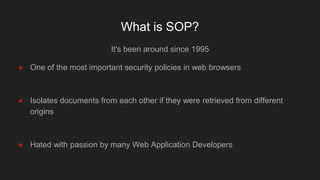
What is SOP?
It's been around since 1995
● One of the most important security policies in web browsers
● Isolates documents from each other if they were retrieved from different
origins
● Hated with passion by many Web Application Developers
Same Origin Policy - a crash course
There is not a single, standardized SOP
● Instead it developed over time
● Generally origins are the same when these properties match
● Protocol (http, https)
● Hostname (example.com)
● Port (80, 443)
● By default Cross Origin websites
● Aren't allowed to read data from each other
● Don't have access to the other websites Document Object Model (DOM)
● Can't set custom headers when they send requests to each other
● Can only use GET / POST not PUT, DELETE, etc.
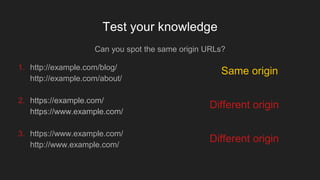
Test your knowledge
Can you spot the same origin URLs?
1. http://example.com/blog/
http://example.com/about/
2. https://example.com/
https://www.example.com/
3. https://www.example.com/
http://www.example.com/
Same origin
Different origin
Different origin
Good security measures come with a cost
SOP is a good security measure
● But what if you want to allow sites from other origins to access your data?
● There are different ways to do that, all of them can be implemented
improperly
● JSONP
■ JSON in a certain format
● Cross Origin Resource Sharing (CORS)
■ An HTTP Header
● document.domain
■ Changing a value using JavaScript
● postMessage()
■ JavaScript API
● Others
■ E.g. crossdomain.xml, proxies or websockets
DEMO
TIME
JSONP
A way to format JSON, in order to include it with a script tag
Example:
● Format
● callback({"user": "test", "id": 123})
● Developers need to create a JavaScript function called callback
● After the function is defined they can include the formatted JSON from above
with a <script> tag.
● The function is called with the JSON data as parameter
● Works since JSON has the same format as javascript objects
Cross Origin Resource Sharing
A set of headers that enables cross-origin requests
● Access-Control-Allow-Origin
● Can either be an origin or a wildcard
● Access-Control-Allow-Credentials
● Allows browser to send cookies along with the request
■ Cookies can be sent without using CORS as well but response can't be read
● Can't be used with a wildcard in Access-Control-Allow-Origin
■ Common mistake is to automatically add the origin
Setting document.domain to the same value
Subdomains can set the value of document.domain to the same main domain
● example.com wants to communicate with blog.example.com through an
iframe
● Both set the document.domain property to 'example.com'
● SOP is partially disabled, sites can communicate through iframe
● This is dangerous
● If you have an XSS vulnerability in a subdomain
● Users have their own subdomains where Javascript is allowed
● Is sometimes found as document.domain = document.domain in external
scripts / libraries
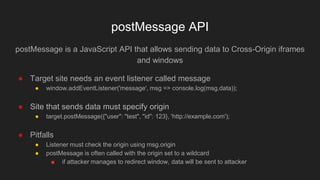
postMessage API
postMessage is a JavaScript API that allows sending data to Cross-Origin iframes
and windows
● Target site needs an event listener called message
● window.addEventListener('message', msg => console.log(msg.data));
● Site that sends data must specify origin
● target.postMessage({"user": "test", "id": 123}, 'http://example.com');
● Pitfalls
● Listener must check the origin using msg.origin
● postMessage is often called with the origin set to a wildcard
■ if attacker manages to redirect window, data will be sent to attacker

Same-origin Policy (SOP)

  • 1.
    "How to circumventthe Same Origin Policy" (* And how to get hacked in the process) *
  • 2.
    What is SOP? It'sbeen around since 1995 ● One of the most important security policies in web browsers ● Isolates documents from each other if they were retrieved from different origins ● Hated with passion by many Web Application Developers
  • 3.
    Same Origin Policy- a crash course There is not a single, standardized SOP ● Instead it developed over time ● Generally origins are the same when these properties match ● Protocol (http, https) ● Hostname (example.com) ● Port (80, 443) ● By default Cross Origin websites ● Aren't allowed to read data from each other ● Don't have access to the other websites Document Object Model (DOM) ● Can't set custom headers when they send requests to each other ● Can only use GET / POST not PUT, DELETE, etc.
  • 4.
    Test your knowledge Canyou spot the same origin URLs? 1. http://example.com/blog/ http://example.com/about/ 2. https://example.com/ https://www.example.com/ 3. https://www.example.com/ http://www.example.com/ Same origin Different origin Different origin
  • 5.
    Good security measurescome with a cost SOP is a good security measure ● But what if you want to allow sites from other origins to access your data? ● There are different ways to do that, all of them can be implemented improperly ● JSONP ■ JSON in a certain format ● Cross Origin Resource Sharing (CORS) ■ An HTTP Header ● document.domain ■ Changing a value using JavaScript ● postMessage() ■ JavaScript API ● Others ■ E.g. crossdomain.xml, proxies or websockets
  • 6.
  • 7.
    JSONP A way toformat JSON, in order to include it with a script tag Example: ● Format ● callback({"user": "test", "id": 123}) ● Developers need to create a JavaScript function called callback ● After the function is defined they can include the formatted JSON from above with a <script> tag. ● The function is called with the JSON data as parameter ● Works since JSON has the same format as javascript objects
  • 8.
    Cross Origin ResourceSharing A set of headers that enables cross-origin requests ● Access-Control-Allow-Origin ● Can either be an origin or a wildcard ● Access-Control-Allow-Credentials ● Allows browser to send cookies along with the request ■ Cookies can be sent without using CORS as well but response can't be read ● Can't be used with a wildcard in Access-Control-Allow-Origin ■ Common mistake is to automatically add the origin
  • 9.
    Setting document.domain tothe same value Subdomains can set the value of document.domain to the same main domain ● example.com wants to communicate with blog.example.com through an iframe ● Both set the document.domain property to 'example.com' ● SOP is partially disabled, sites can communicate through iframe ● This is dangerous ● If you have an XSS vulnerability in a subdomain ● Users have their own subdomains where Javascript is allowed ● Is sometimes found as document.domain = document.domain in external scripts / libraries
  • 10.
    postMessage API postMessage isa JavaScript API that allows sending data to Cross-Origin iframes and windows ● Target site needs an event listener called message ● window.addEventListener('message', msg => console.log(msg.data)); ● Site that sends data must specify origin ● target.postMessage({"user": "test", "id": 123}, 'http://example.com'); ● Pitfalls ● Listener must check the origin using msg.origin ● postMessage is often called with the origin set to a wildcard ■ if attacker manages to redirect window, data will be sent to attacker