James Montemagno
Program Manager
Microsoft
Intermediate
T02
Stunning Mobile Apps with the
Xamarin Visual Design System
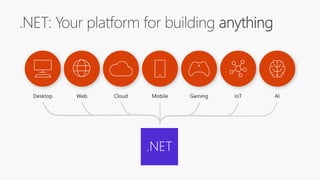
.NET
What is Xamarin?
An open source app platform
from Microsoft for
building modern & performant
iOS, Android, macOS,
watchOS, & tvOS apps with .NET.
aka.ms/xamarin-showcase
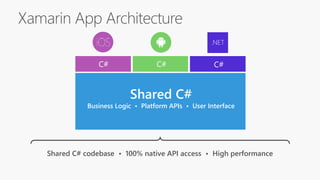
Shared C#
Business Logic • Platform APIs • User Interface
Xamarin App Architecture
Shared C# codebase • 100% native API access • High performance
.NET
C# C# C#
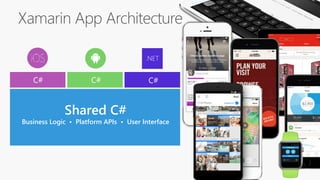
Xamarin App Architecture
Shared C#
Business Logic • Platform APIs • User Interface
.NET
C# C# C#
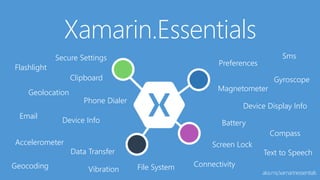
Xamarin.Essentials
aka.ms/xamarinessentials
Flashlight
Geolocation
Preferences
Device Info
Device Display Info
Secure Settings
Accelerometer
Battery
Clipboard
Compass
Connectivity
Data Transfer
Email
File SystemGeocoding
Gyroscope
Magnetometer
Phone Dialer
Screen Lock
Sms
Text to Speech
Vibration
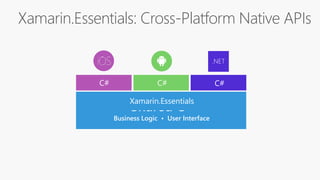
Xamarin.Essentials: Cross-Platform Native APIs
Shared C#
Business Logic • User Interface
.NET
C# C# C#
Xamarin.Essentials
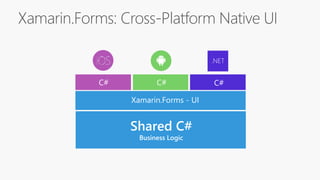
Xamarin.Forms: Cross-Platform Native UI
.NET
C# C#
Shared C#
Business Logic
Xamarin.Essentials
C#
Xamarin.Forms - UI
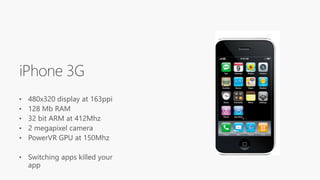
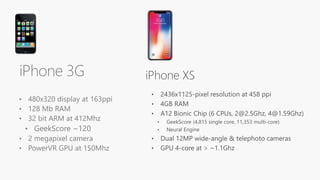
• 480x320 display at 163ppi
• 128 Mb RAM
• 32 bit ARM at 412Mhz
• GeekScore ~120
• 2 megapixel camera
• PowerVR GPU at 150Mhz
iPhone 3G iPhone XS
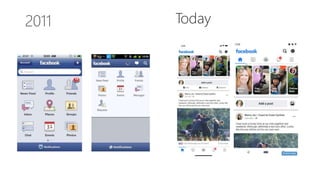
Today
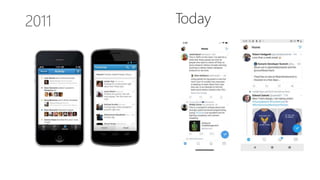
Today
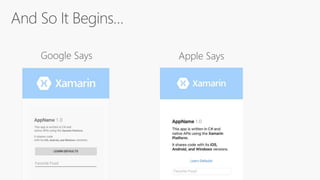
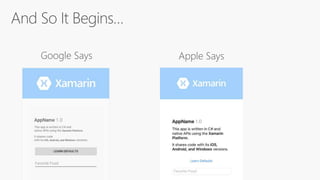
Google Says Apple Says
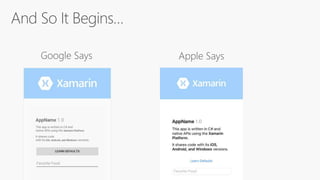
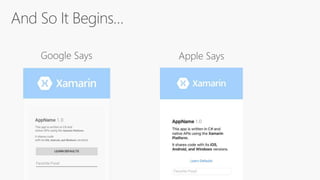
And So It Begins…
Google Says Apple Says
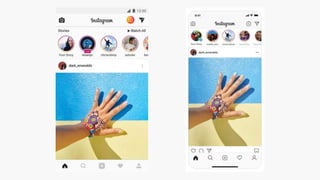
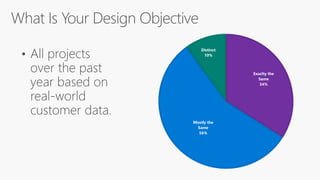
Exaclty the
Same
34%
Mostly the
Same
56%
Distinct
10%
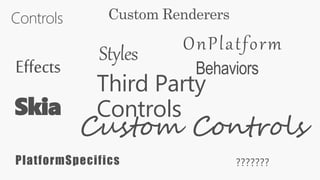
Controls
Effects Behaviors
PlatformSpecifics
Custom Controls
Custom Renderers
Skia
Third Party
Controls
???????
Styles OnPlatform
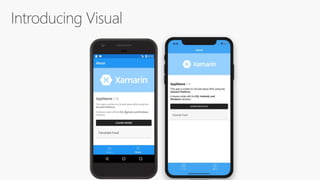
Enter Visual
Material Visual
Visual="Material"
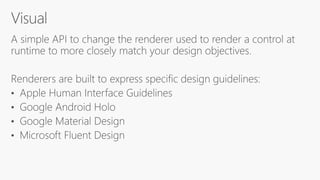
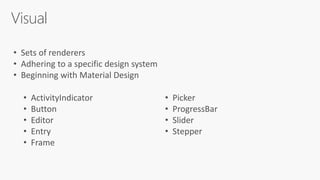
Visual
• Sets of renderers
• Adhering to a specific design system
• Beginning with Material Design
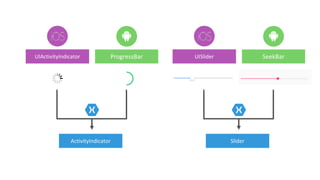
• ActivityIndicator
• Button
• Editor
• Entry
• Frame
• Picker
• ProgressBar
• Slider
• Stepper
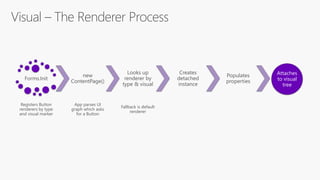
Visual – The Renderer Process
Forms.Init
Registers Button
renderers by type
and visual marker
new
ContentPage()
App parses UI
graph which asks
for a Button
Looks up
renderer by
type & visual
Fallback is default
renderer
Creates
detached
instance
Populates
properties
Attaches
to visual
tree
Why Consistency Matters
“By supporting one UI we can move faster than our
competition.”
“By supporting one UI we can move faster than our
competition.”
“Our company supports many apps, so sharing more
code means less burden of support.”
“By supporting one UI we can move faster than our
competition.”
“Our company supports many apps, so sharing more
code means less burden of support.”
“To get approved by the regulatory body (FDA).”
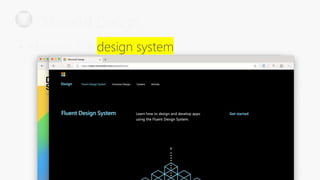
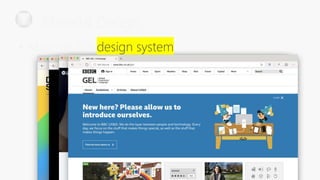
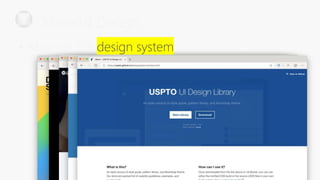
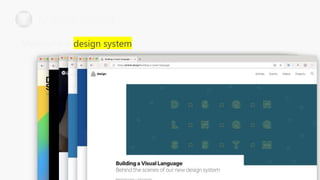
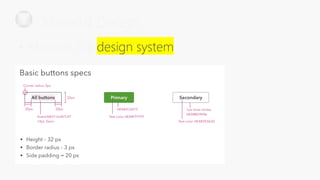
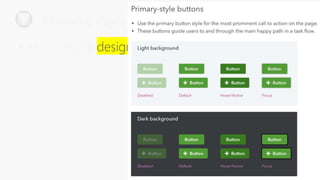
A design system is a series of
components that can be reused in
different combinations. Design
systems allow you to manage
design at scale.
https://www.forumone.com/ideas/what-is-design-system/
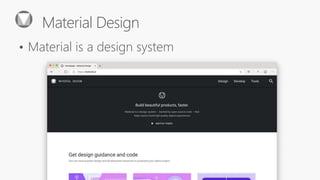
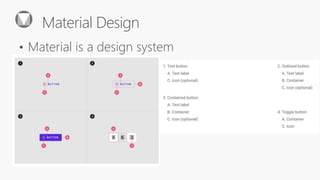
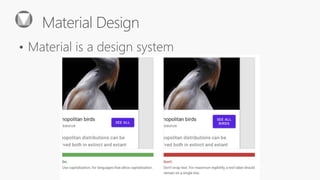
Material Design
• Material is a
Designers wishing to give their suite
of products a unique but
consistent look and feel define a
design language for it, which can
describe choices for design aspects
such as materials, colour schemes,
shapes, patterns, textures, or
layouts.
https://en.wikipedia.org/wiki/Design_language
Material Design
• Material is a
Designers wishing to give their suite
of products a unique but
consistent look and feel define a
design language for it, which can
describe choices for design aspects
such as materials, colour schemes,
shapes, patterns, textures, or
layouts.
https://en.wikipedia.org/wiki/Design_language
Material Design
• Material is a
Material Design
• Material is a
Material Design
• Material is a
Material Design
• Material is a
Material Design
• Material is a
Material Design
 Material is a
Material Design
• Material is a
Material Design
• Material is a
Material Design
• Material is a
Material Design
• Material is a
Material Design
• Material is a
Material Design
• Material is a
Material Design
• Material is a
Bring Your Design System
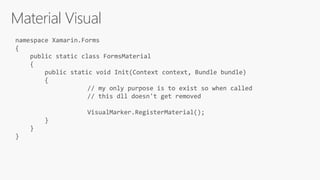
Material Visual
[assembly: ExportRenderer(typeof(Xamarin.Forms.Button),
typeof(MaterialButtonRenderer),
new[] { typeof(VisualMarker.MaterialVisual) })
]
namespace Xamarin.Forms.Material.Android
{
public class MaterialButtonRenderer : MButton, ...
{
Material Visual
[assembly: ExportRenderer(typeof(Xamarin.Forms.Button),
typeof(MaterialButtonRenderer),
new[] { typeof(VisualMarker.MaterialVisual) })
]
namespace Xamarin.Forms.Material.Android
{
public class MaterialButtonRenderer : MButton, ...
{
Material Visual
[assembly: ExportRenderer(typeof(Xamarin.Forms.Button),
typeof(Xamarin.Forms.Material.iOS.MaterialButtonRenderer),
new[] { typeof(VisualMarker.MaterialVisual) })
]
namespace Xamarin.Forms.Material.iOS
{
public class MaterialButtonRenderer :
ViewRenderer<Button, MButton>, ...
Material Visual
[assembly: ExportRenderer(typeof(Xamarin.Forms.Button),
typeof(Xamarin.Forms.Material.iOS.MaterialButtonRenderer),
new[] { typeof(VisualMarker.MaterialVisual) })
]
namespace Xamarin.Forms.Material.iOS
{
public class MaterialButtonRenderer :
ViewRenderer<Button, MButton>, ...
Material Visual
namespace Xamarin.Forms
{
public static class FormsMaterial
{
public static void Init(Context context, Bundle bundle)
{
// my only purpose is to exist so when called
// this dll doesn't get removed
VisualMarker.RegisterMaterial();
}
}
}
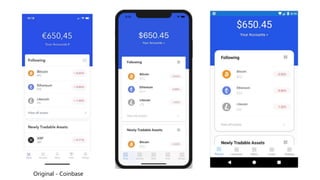
Original - Coinbase
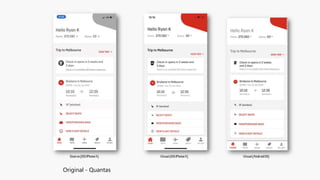
Original - Quantas
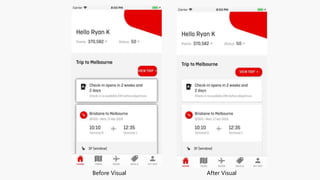
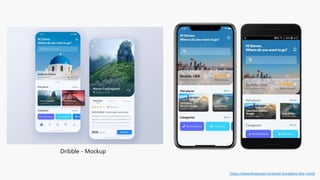
Before Visual After Visual
Dribble - Mockup
https://www.thewissen.io/travel-broadens-the-mind/
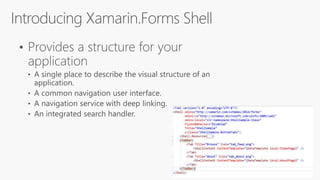
Consistent Navigation &
App Structure
Flyout Made Simple
<FlyoutItem Title="Browse" Icon="tab_feed.png">
<ShellContent ContentTemplate="{DataTemplate local:ItemsPage}" />
</FlyoutItem>
<FlyoutItem Title="About" Icon="tab_about.png">
<ShellContent ContentTemplate="{DataTemplate local:AboutPage}" />
</FlyoutItem>
<MasterDetailPage xmlns="http://xamarin.com/schemas/2014/forms"
xmlns:x="http://schemas.microsoft.com/winfx/2009/xaml"
xmlns:d="http://xamarin.com/schemas/2014/forms/design"
xmlns:mc="http://schemas.openxmlformats.org/markup-compatibility/2006"
mc:Ignorable="d"
xmlns:views="clr-namespace:App6.Views"
x:Class="App6.Views.MainPage">
<MasterDetailPage.Master>
<views:MenuPage />
</MasterDetailPage.Master>
<MasterDetailPage.Detail>
<NavigationPage>
<NavigationPage.Icon>
<OnPlatform x:TypeArguments="FileImageSource">
<On Platform="iOS" Value="tab_feed.png"/>
</OnPlatform>
</NavigationPage.Icon>
<x:Arguments>
<views:ItemsPage />
</x:Arguments>
</NavigationPage>
</MasterDetailPage.Detail>
</MasterDetailPage>
<ContentPage xmlns="http://xamarin.com/schemas/2014/forms"
xmlns:x="http://schemas.microsoft.com/winfx/2009/xaml"
xmlns:d="http://xamarin.com/schemas/2014/forms/design"
xmlns:mc="http://schemas.openxmlformats.org/markup-compatibility/2006
mc:Ignorable="d"
x:Class="App6.Views.MenuPage"
Title="Menu">
<StackLayout VerticalOptions="FillAndExpand">
<ListView x:Name="ListViewMenu"
HasUnevenRows="True">
<d:ListView.ItemsSource>
<x:Array Type="{x:Type x:String}">
<x:String>Item 1</x:String>
<x:String>Item 2</x:String>
</x:Array>
</d:ListView.ItemsSource>
<ListView.ItemTemplate>
<DataTemplate>
<ViewCell>
<Grid Padding="10">
<Label Text="{Binding Title}" d:Text="{Binding .}"
FontSize="20"/>
</Grid>
</ViewCell>
</DataTemplate>
</ListView.ItemTemplate>
</ListView>
</StackLayout>
</ContentPage>
menuItems = new List<HomeMenuItem>
{
new HomeMenuItem {Id = MenuItemType.Browse, Title="Browse" },
new HomeMenuItem {Id = MenuItemType.About, Title="About" }
};
ListViewMenu.ItemsSource = menuItems;
ListViewMenu.SelectedItem = menuItems[0];
ListViewMenu.ItemSelected += async (sender, e) =>
{
if (e.SelectedItem == null)
return;
var id = (int)((HomeMenuItem)e.SelectedItem).Id;
await RootPage.NavigateFromMenu(id);
};
public partial class MainPage : MasterDetailPage
{
Dictionary<int, NavigationPage> MenuPages = new Dictionary<int, NavigationPage>();
public MainPage()
{
InitializeComponent();
MasterBehavior = MasterBehavior.Popover;
MenuPages.Add((int)MenuItemType.Browse, (NavigationPage)Detail);
}
public async Task NavigateFromMenu(int id)
{
if (!MenuPages.ContainsKey(id))
{
switch (id)
{
case (int)MenuItemType.Browse:
MenuPages.Add(id, new NavigationPage(new ItemsPage()));
break;
case (int)MenuItemType.About:
MenuPages.Add(id, new NavigationPage(new AboutPage()));
break;
}
}
var newPage = MenuPages[id];
if (newPage != null && Detail != newPage)
{
Detail = newPage;
if (Device.RuntimePlatform == Device.Android)
await Task.Delay(100);
IsPresented = false;
}
}
}
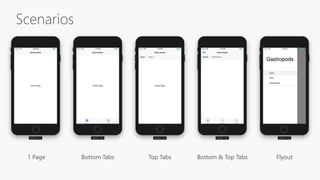
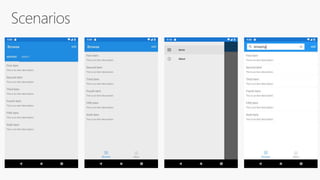
Scenarios
1 Page Bottom Tabs Bottom & Top Tabs FlyoutTop Tabs
Thank you.
James
Montemagno
Principal Program Manager – Mobile Developer Tools,
Microsoft
motz@microsoft.com Montemagno.com @JamesMontemagno
Weekly development podcast
mergeconflict.fm
Weekly development show
xamarinshow.com

Stunning Mobile Apps with the Xamarin Visual Design System​

Editor's Notes

  • #3 As developers we need to be able to reach every platform on the planet. And that is the goal of .NET enabling developers to build for these devices with unique frameworks optimized for each. Today, we will look at what the Xamarin platform and framework, which are part of .NET offer.
  • #4 So, let’s start with exactly what Xamarin is.
  • #6 In fact there are tons of companies that entrust Xamarin and .NET today. These companies leverage Xamarin and .NET across all verticals and all different types of platforms.
  • #7 First, it is with it’s unique application architecture. In fact it is the .NET architecture itself. You decided what platforms you want your apps to run on, we call them head projects. You can access all of the native APIs for each and share a bulk of the C# logic. Here we see business logic, platform APIs, and user interfaces. This can scale to a lot or a little based on what you are trying to achieve. So how exactly does this work?
  • #8 First is the core architecture which enables huge amount of code sharing across apps. You can build stunning applications with high fidelity. Let’s talk about what is in each of these blocks, first with the head projects, platform APIs, and user interface. The business logic is just .NET code that can always be shared with other .NET platforms.
  • #9 The first part in the head projects is access to any of the unique APIs in iOS and Android. You have access to them all in C#. Now, these do have to be written in the head project and aren’t shared since they are unique to each platform. However, the Xamarin team has a way to help us out there.
  • #10 Which is Xamarin.Essentials. An open source library that abstracts common native features into a single cross platform API for iOS, Android, and Windows. These are APIs that exist across each platform so why not bring them together.
  • #11 So now, if we look a bit further, this is what our app architecture looks like.
  • #12 What about the user interface? Just like APIs you can build the native UI for each platform. However, many developers choose to share all or most of the UI with Xamarin.Forms
  • #13 Miguel
  • #14 We will look more at Xamarin.Forms, but now we can see a full picture of what goes into our app.
  • #15 Miguel
  • #16 Miguel
  • #17 Miguel
  • #18 http://www.jackrabbitmobile.com/wp-content/uploads/2014/12/ios_vs_android.pdf
  • #29 What Material provides, how it works What’s next for Material Properties for styling What additional controls are needed/desired
  • #30 What Visual is by itself
  • #33 ## Objects 1. Forms VisualElement 2. Platform Renderer ## How a Button makes it to the screen: 1. Forms.Init - registers Button renderers by type (Button) and visual (Default|Material) 2. App parses UI graph, get's ContentPage with a Button 3. Looks up renderer by type & visual 4. Creates detached renderer instance 5. Populates properties 6. Attaches to visual tree Where does measuring and layout happen? In the above? When does the below happen, before or after the UI is attached to the visual tree? ## Invalidation 1. InvalidateMeasure Called 2. Call InvalidateMeasure on Parent 3. Has Parent? a. Yes Return to 2. b. No. Continue. 4. Queue Delay layout ## Layout 5. Event callback triggers layout (What event?) 6. Layout Called 7. LayoutChildren Invoked 8. Has Children? a. Yes. Return to 6. b. No. Continue. 9. Layout Cycle Completed
  • #60 What Material provides, how it works What’s next for Material Properties for styling What additional controls are needed/desired
  • #61 What Material provides, how it works What’s next for Material Properties for styling What additional controls are needed/desired
  • #62 What Material provides, how it works What’s next for Material Properties for styling What additional controls are needed/desired
  • #63 What Material provides, how it works What’s next for Material Properties for styling What additional controls are needed/desired
  • #64 In each platform project to ensure the dll isn’t linked out.
  • #68 Miguel
  • #69 James
  • #70 James
  • #71 James
  • #72 If 15 minutes left James does demo James
  • #74 Miguel ->James