WELCOME! http://tinyurl.com/stx09
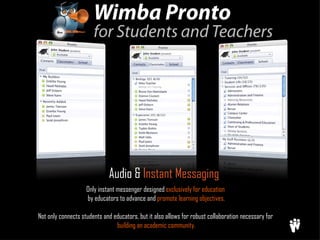
Only instant messenger designed  exclusively for education   by educators to advance and  promote learning objectives. Not only connects students and educators, but it also allows for robust collaboration necessary for  building an academic community. Audio &  Instant Messaging
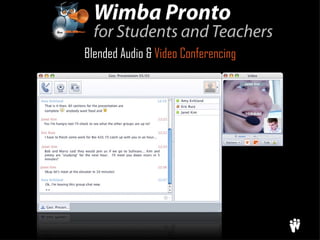
Blended Audio &  Video Conferencing
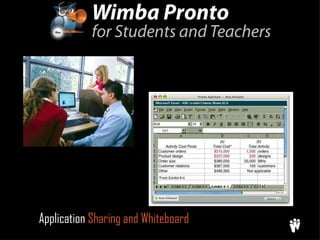
Application  Sharing and Whiteboard
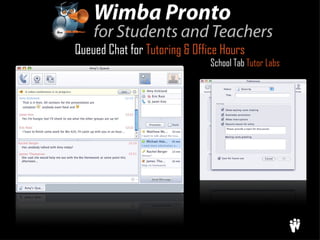
Queued Chat for  Tutoring & Office Hours School Tab  Tutor Labs
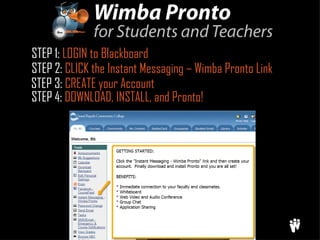
STEP 1:  LOGIN to Blackboard STEP 2:  CLICK the Instant Messaging – Wimba Pronto Link STEP 3:  CREATE your Account STEP 4:  DOWNLOAD, INSTALL, and Pronto!
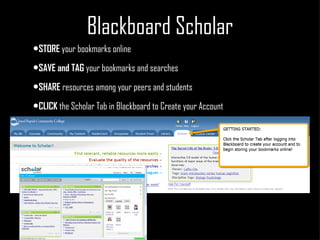
Blackboard Scholar STORE  your bookmarks online SAVE and TAG  your bookmarks and searches  SHARE  resources among your peers and students  CLICK  the Scholar Tab in Blackboard to Create your Account
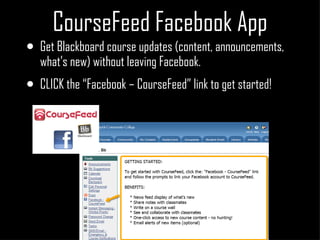
CourseFeed Facebook App Get Blackboard course updates (content, announcements, what’s new) without leaving Facebook. CLICK the “Facebook – CourseFeed” link to get started!
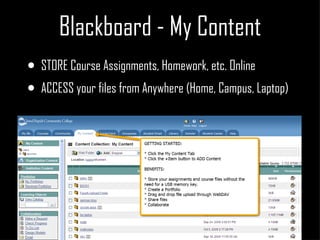
Blackboard - My Content STORE Course Assignments, Homework, etc. Online  ACCESS your files from Anywhere (Home, Campus, Laptop)
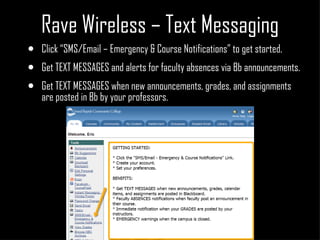
Rave Wireless – Text Messaging Click “SMS/Email – Emergency & Course Notifications” to get started. Get TEXT MESSAGES and alerts for faculty absences via Bb announcements. Get TEXT MESSAGES when new announcements, grades, and assignments are posted in Bb by your professors.

Student Technology Expo 2009

  • 1.
  • 2.
    Only instant messengerdesigned exclusively for education by educators to advance and promote learning objectives. Not only connects students and educators, but it also allows for robust collaboration necessary for building an academic community. Audio & Instant Messaging
  • 3.
    Blended Audio & Video Conferencing
  • 4.
    Application Sharingand Whiteboard
  • 5.
    Queued Chat for Tutoring & Office Hours School Tab Tutor Labs
  • 6.
    STEP 1: LOGIN to Blackboard STEP 2: CLICK the Instant Messaging – Wimba Pronto Link STEP 3: CREATE your Account STEP 4: DOWNLOAD, INSTALL, and Pronto!
  • 7.
    Blackboard Scholar STORE your bookmarks online SAVE and TAG your bookmarks and searches SHARE resources among your peers and students CLICK the Scholar Tab in Blackboard to Create your Account
  • 8.
    CourseFeed Facebook AppGet Blackboard course updates (content, announcements, what’s new) without leaving Facebook. CLICK the “Facebook – CourseFeed” link to get started!
  • 9.
    Blackboard - MyContent STORE Course Assignments, Homework, etc. Online ACCESS your files from Anywhere (Home, Campus, Laptop)
  • 10.
    Rave Wireless –Text Messaging Click “SMS/Email – Emergency & Course Notifications” to get started. Get TEXT MESSAGES and alerts for faculty absences via Bb announcements. Get TEXT MESSAGES when new announcements, grades, and assignments are posted in Bb by your professors.