Start your Free Weebly Site with a User Name, Password, and email address.  http://www.weebly.com/
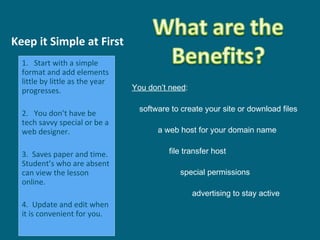
Keep it Simple at First You don’t need : software to create your site or download files a web host for your domain name   file transfer host   special permissions   advertising to stay active   1.  Start with a simple format and add elements little by little as the year progresses. 2.  You don’t have be tech savvy special or be a web designer. 3.  Saves paper and time. Student’s who are absent can view the lesson online.  4.  Update and edit when it is convenient for you.
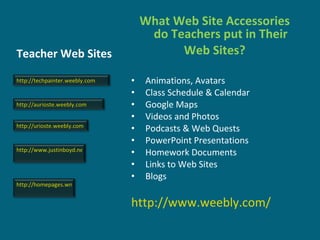
Teacher Web Sites  What Web Site Accessories do Teachers put in Their Web Sites?  Animations, Avatars Class Schedule & Calendar Google Maps  Videos and Photos Podcasts & Web Quests  PowerPoint Presentations Homework Documents Links to Web Sites  Blogs  http://www.weebly.com/ http://www.justinboyd.net/WP/ http://aurioste.weebly.com http://urioste.weebly.com http://homepages.wmich.edu/~s0reifsc/ http://techpainter.weebly.com
Sign up in Voki for a free avatar account  http://www.voki.com/ Then copy the avatar embedded code from Voki and paste it into the HTML Weebly element.  http://urioste.weebly.com/
The FREE version with Weebly is to upload your video to Flickr and use the embed code.  Then use the HTML element and insert your embed code.  You get two free short videos to upload a month with Flickr.  http://www.flickr.com/  With  Weebly Pro  use the “Video Element” under the  “ Multimedia Tab” http ://techpainter.weebly.com/everything-about-videos.html
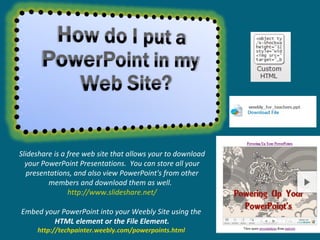
Slideshare is a free web site that allows your to download your PowerPoint Presentations.  You can store all your presentations, and also view PowerPoint's from other members and download them as well.  http://www.slideshare.net/ Embed your PowerPoint into your Weebly Site using the  HTML element or the File Element. http://techpainter.weebly.com/powerpoints.html
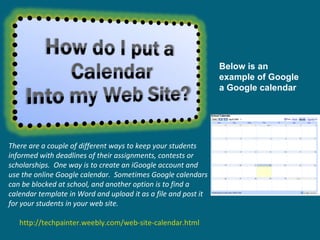
There are a couple of different ways to keep your students informed with deadlines of their assignments, contests or scholarships.  One way is to create an iGoogle account and use the online Google calendar.  Sometimes Google calendars can be blocked at school, and another option is to find a calendar template in Word and upload it as a file and post it for your students in your web site.   http://techpainter.weebly.com/web-site-calendar.html Below is an example of Google a Google calendar
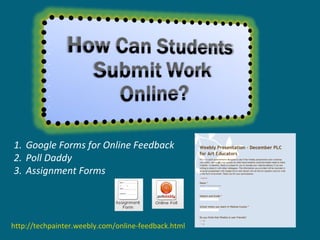
Google Forms for Online Feedback Poll Daddy Assignment Forms http://techpainter.weebly.com/online-feedback.html
If you have a  Weebly Pro  web site, all you do is drag in the "Audio Player" element and upload your recording.  If you do not have Weebly Pro and have the free version instead, then you can upload your podcast to different web sites that will assign your podcast a link.  Your link would then be uploaded to your site and made accessible by your students.   http://techpainter.weebly.com/podcasts.html Record your voice with a microphone and with the free program called Audacity http://audacity.sourceforge.net/
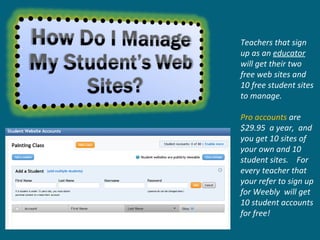
Teachers that sign up as an  educator   will get their two free web sites and 10 free student sites to manage.  Pro accounts  are $29.95  a year,  and you get 10 sites of your own and 10 student sites.  For every teacher that your refer to sign up for Weebly  will get 10 student accounts for free!
If you know a little about HTML code your can change the background color, the width of the page and tabs.   The picture is easy to change, just click and insert your own JPEG picture file into the design area that has photos.  http://www.weebly.com/weebly/main.php Check out Weebly’s Design Templates
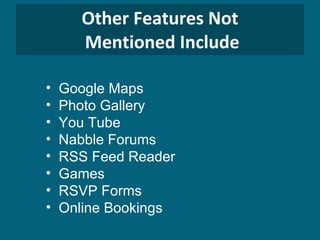
Other Features Not  Mentioned Include Google Maps Photo Gallery You Tube Nabble Forums RSS Feed Reader Games  RSVP Forms Online Bookings
You Are Now Ready to Accessorize your  Web Site! Remember to give your students a reason to  STAY TUNED into your Website!

Weebly Web Site Accessories for Teachers

  • 1.
  • 2.
  • 3.
    Start your FreeWeebly Site with a User Name, Password, and email address. http://www.weebly.com/
  • 4.
    Keep it Simpleat First You don’t need : software to create your site or download files a web host for your domain name file transfer host special permissions advertising to stay active 1. Start with a simple format and add elements little by little as the year progresses. 2. You don’t have be tech savvy special or be a web designer. 3. Saves paper and time. Student’s who are absent can view the lesson online. 4. Update and edit when it is convenient for you.
  • 5.
    Teacher Web Sites What Web Site Accessories do Teachers put in Their Web Sites? Animations, Avatars Class Schedule & Calendar Google Maps Videos and Photos Podcasts & Web Quests PowerPoint Presentations Homework Documents Links to Web Sites Blogs http://www.weebly.com/ http://www.justinboyd.net/WP/ http://aurioste.weebly.com http://urioste.weebly.com http://homepages.wmich.edu/~s0reifsc/ http://techpainter.weebly.com
  • 6.
    Sign up inVoki for a free avatar account http://www.voki.com/ Then copy the avatar embedded code from Voki and paste it into the HTML Weebly element. http://urioste.weebly.com/
  • 7.
    The FREE versionwith Weebly is to upload your video to Flickr and use the embed code. Then use the HTML element and insert your embed code. You get two free short videos to upload a month with Flickr. http://www.flickr.com/ With Weebly Pro use the “Video Element” under the “ Multimedia Tab” http ://techpainter.weebly.com/everything-about-videos.html
  • 8.
    Slideshare is afree web site that allows your to download your PowerPoint Presentations. You can store all your presentations, and also view PowerPoint's from other members and download them as well. http://www.slideshare.net/ Embed your PowerPoint into your Weebly Site using the HTML element or the File Element. http://techpainter.weebly.com/powerpoints.html
  • 9.
    There are acouple of different ways to keep your students informed with deadlines of their assignments, contests or scholarships.  One way is to create an iGoogle account and use the online Google calendar.  Sometimes Google calendars can be blocked at school, and another option is to find a calendar template in Word and upload it as a file and post it for your students in your web site.   http://techpainter.weebly.com/web-site-calendar.html Below is an example of Google a Google calendar
  • 10.
    Google Forms forOnline Feedback Poll Daddy Assignment Forms http://techpainter.weebly.com/online-feedback.html
  • 11.
    If you havea Weebly Pro web site, all you do is drag in the "Audio Player" element and upload your recording.  If you do not have Weebly Pro and have the free version instead, then you can upload your podcast to different web sites that will assign your podcast a link.  Your link would then be uploaded to your site and made accessible by your students.  http://techpainter.weebly.com/podcasts.html Record your voice with a microphone and with the free program called Audacity http://audacity.sourceforge.net/
  • 12.
    Teachers that signup as an educator will get their two free web sites and 10 free student sites to manage. Pro accounts are $29.95 a year, and you get 10 sites of your own and 10 student sites. For every teacher that your refer to sign up for Weebly will get 10 student accounts for free!
  • 13.
    If you knowa little about HTML code your can change the background color, the width of the page and tabs.  The picture is easy to change, just click and insert your own JPEG picture file into the design area that has photos. http://www.weebly.com/weebly/main.php Check out Weebly’s Design Templates
  • 14.
    Other Features Not Mentioned Include Google Maps Photo Gallery You Tube Nabble Forums RSS Feed Reader Games RSVP Forms Online Bookings
  • 15.
    You Are NowReady to Accessorize your Web Site! Remember to give your students a reason to STAY TUNED into your Website!